Vista Forensics (Before Windows 7 Changes Things) Troy Larson Microsoft Corporation
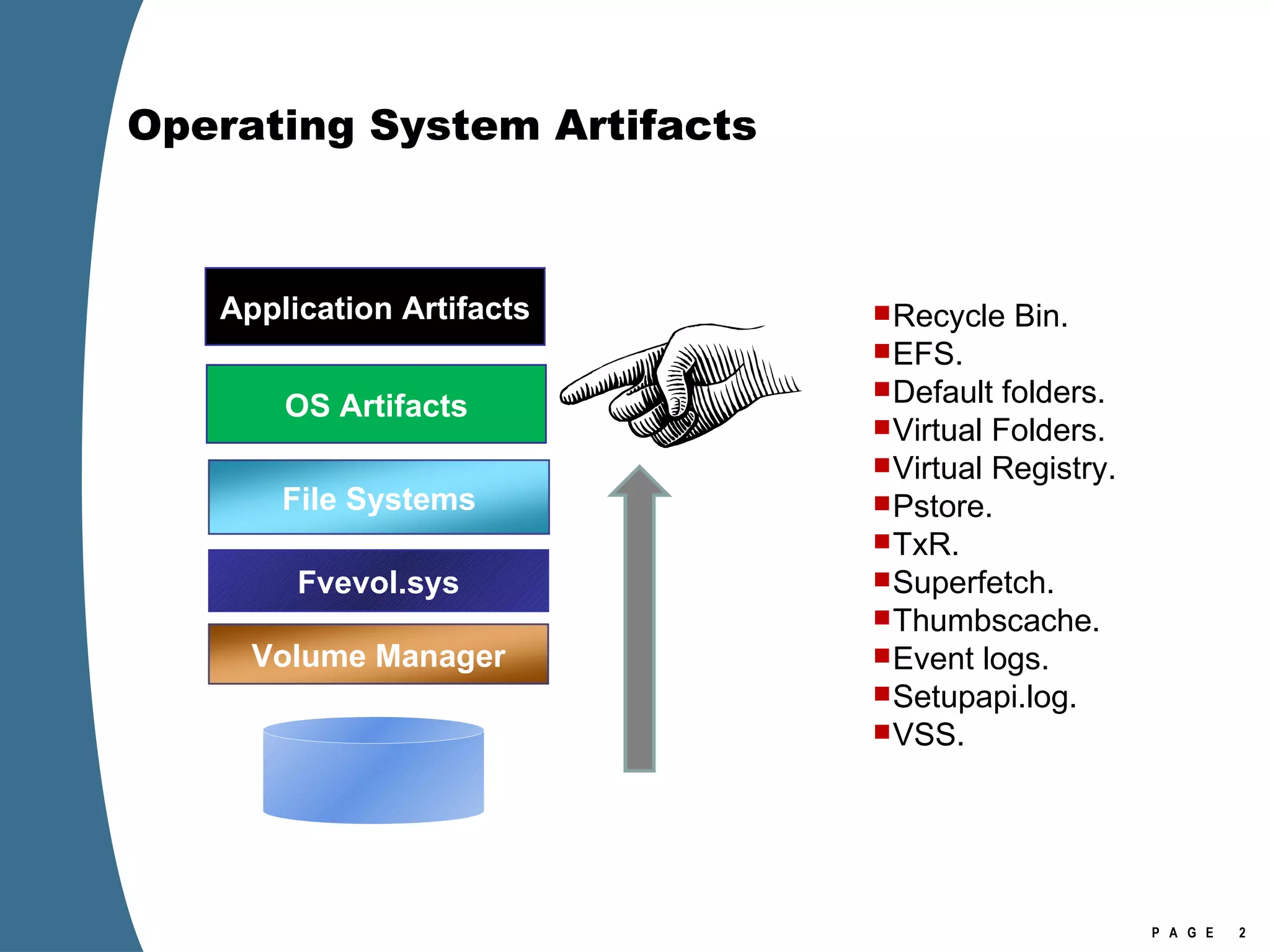
Operating System Artifacts Recycle Bin. EFS. Default folders. Virtual Folders. Virtual Registry. Pstore. TxR. Superfetch. Thumbscache. Event logs. Setupapi.log. VSS. File Systems Fvevol.sys Volume Manager Application Artifacts  OS Artifacts
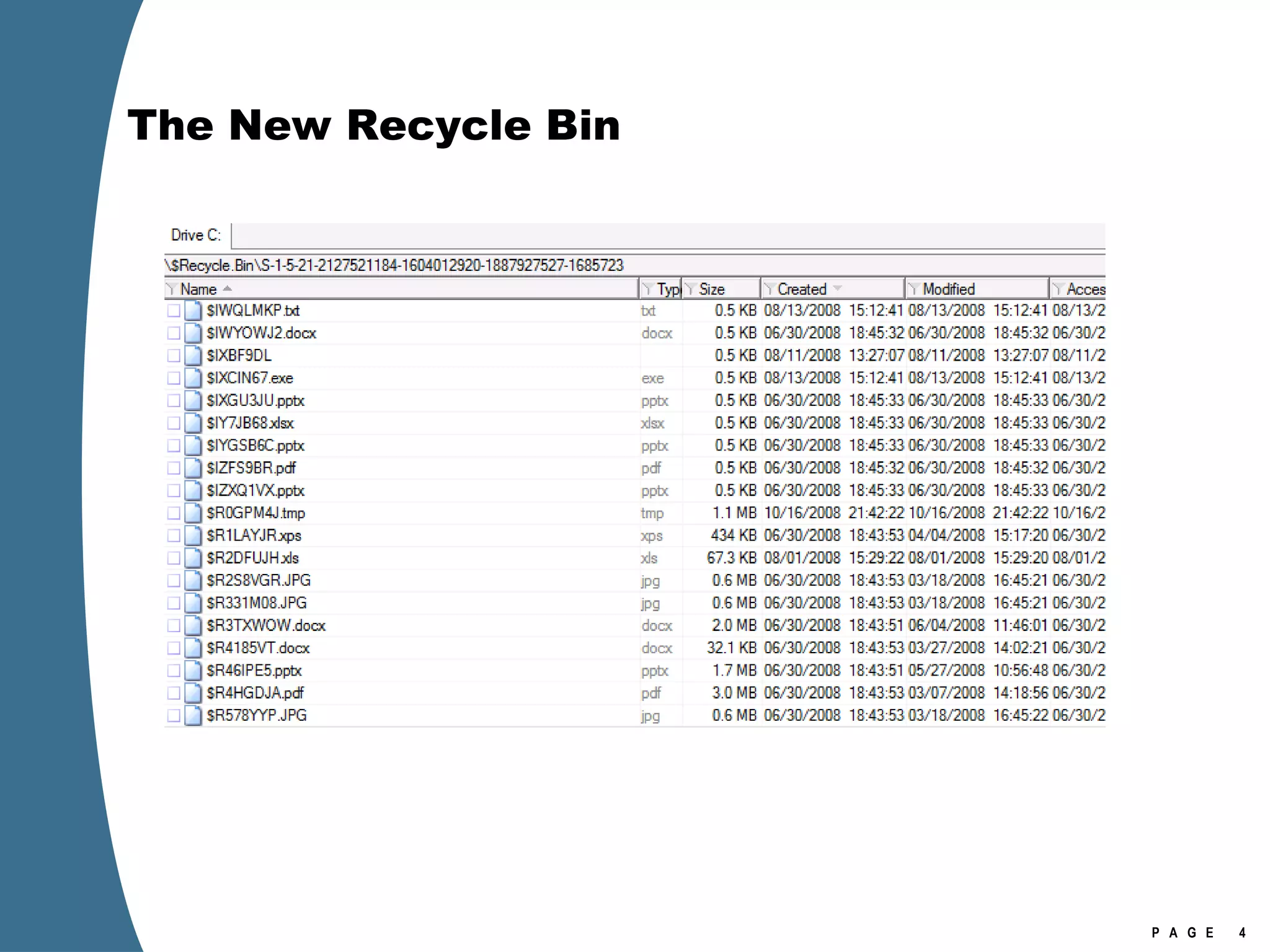
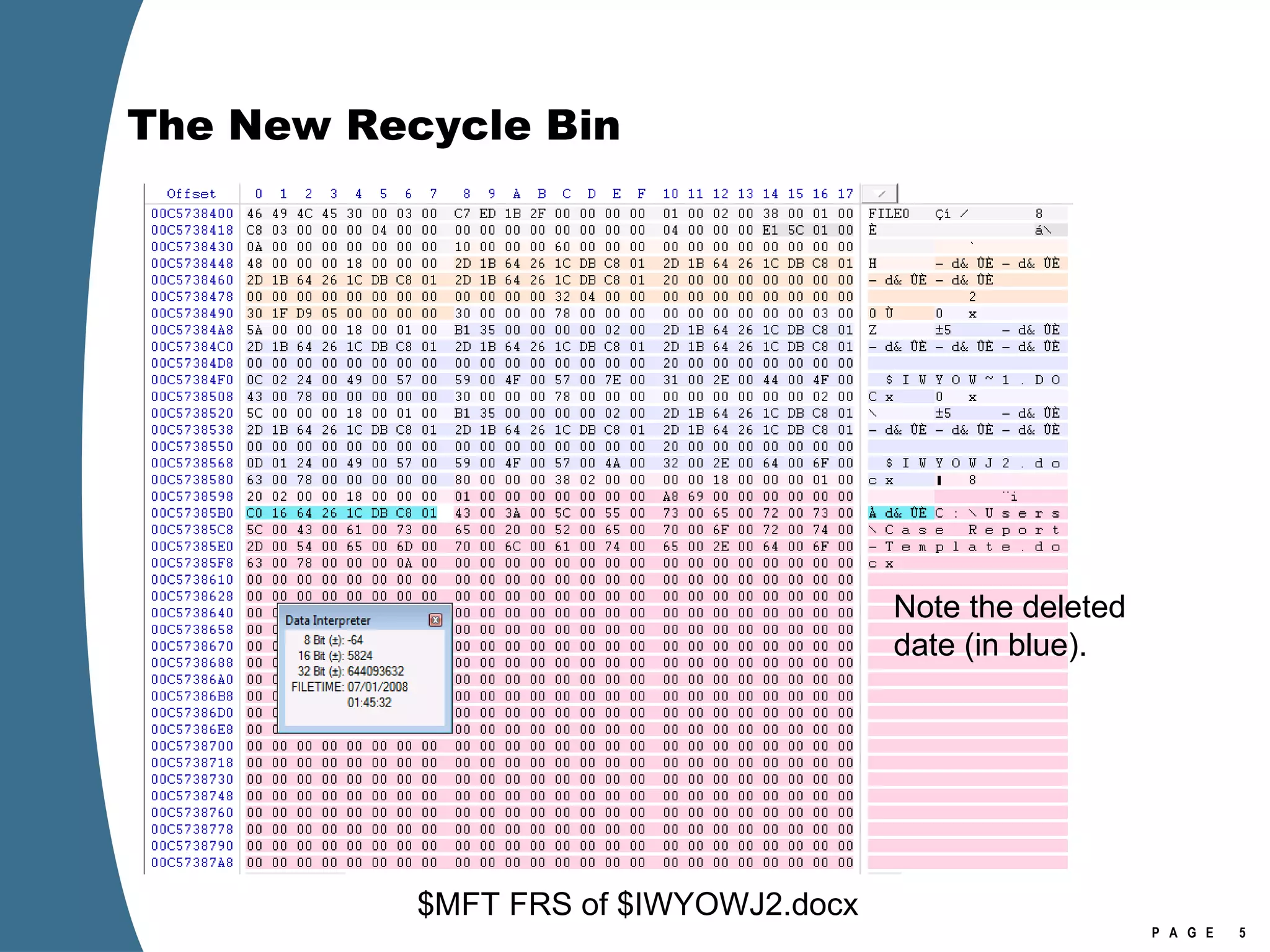
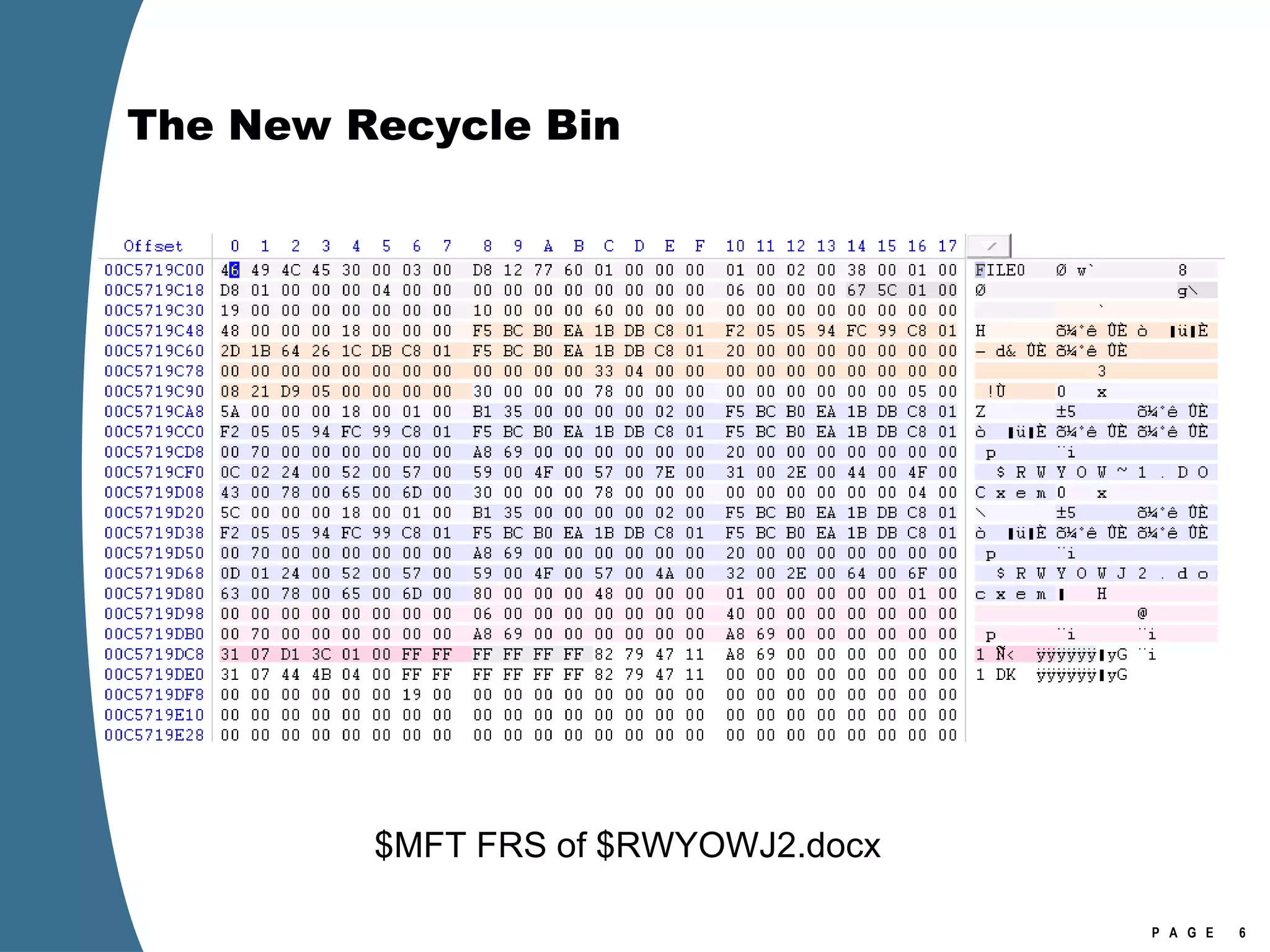
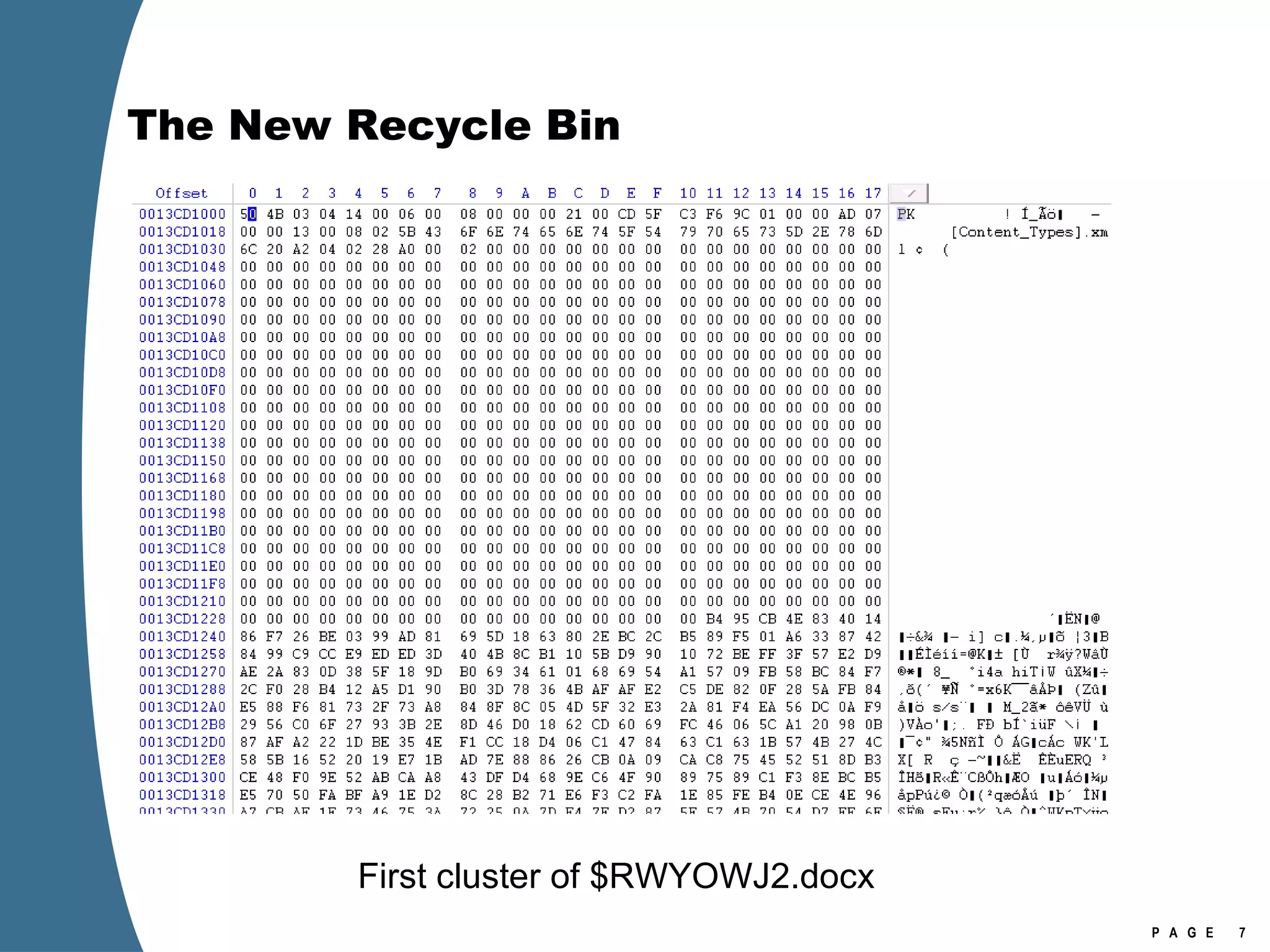
The New Recycle Bin [Volume]:\$Recycle.Bin $Recycle.Bin is visible in Explorer (view hidden files). Per user store in a subfolder named with account SID No more Info2 files. When a file is deleted—moved to the Recycle Bin—it generates two files in the Recycle Bin. $I and $R files. $I or $R followed by several random characters, then original extension.  The random characters are the same for each $I/$R pair. $I file maintains the original name and path, as well as the deleted date. $R file retains the original file attributes, other than the name attribute (which is changed to $R******.ext).
The New Recycle Bin
The New Recycle Bin Note the deleted date (in blue). $MFT FRS of $IWYOWJ2.docx
The New Recycle Bin $MFT FRS of $RWYOWJ2.docx
The New Recycle Bin First cluster of $RWYOWJ2.docx
EFS Enhancements EFS keys can now be stored on Smartcards. Much harder to crack. Get the Smartcard. EFS encryption of the page file. On boot , Vista generates a random AES-256 key and uses it to encrypt the page file. This key is never written to disk. When the system is shutdown, the key is gone (because it was only ever stored in RAM). HKEY_LOCAL_MACHINE\SYSTEM\ControlSet001\Control\FileSystem\NtfsEncryptPagingFile If value=1 the page file is encrypted.
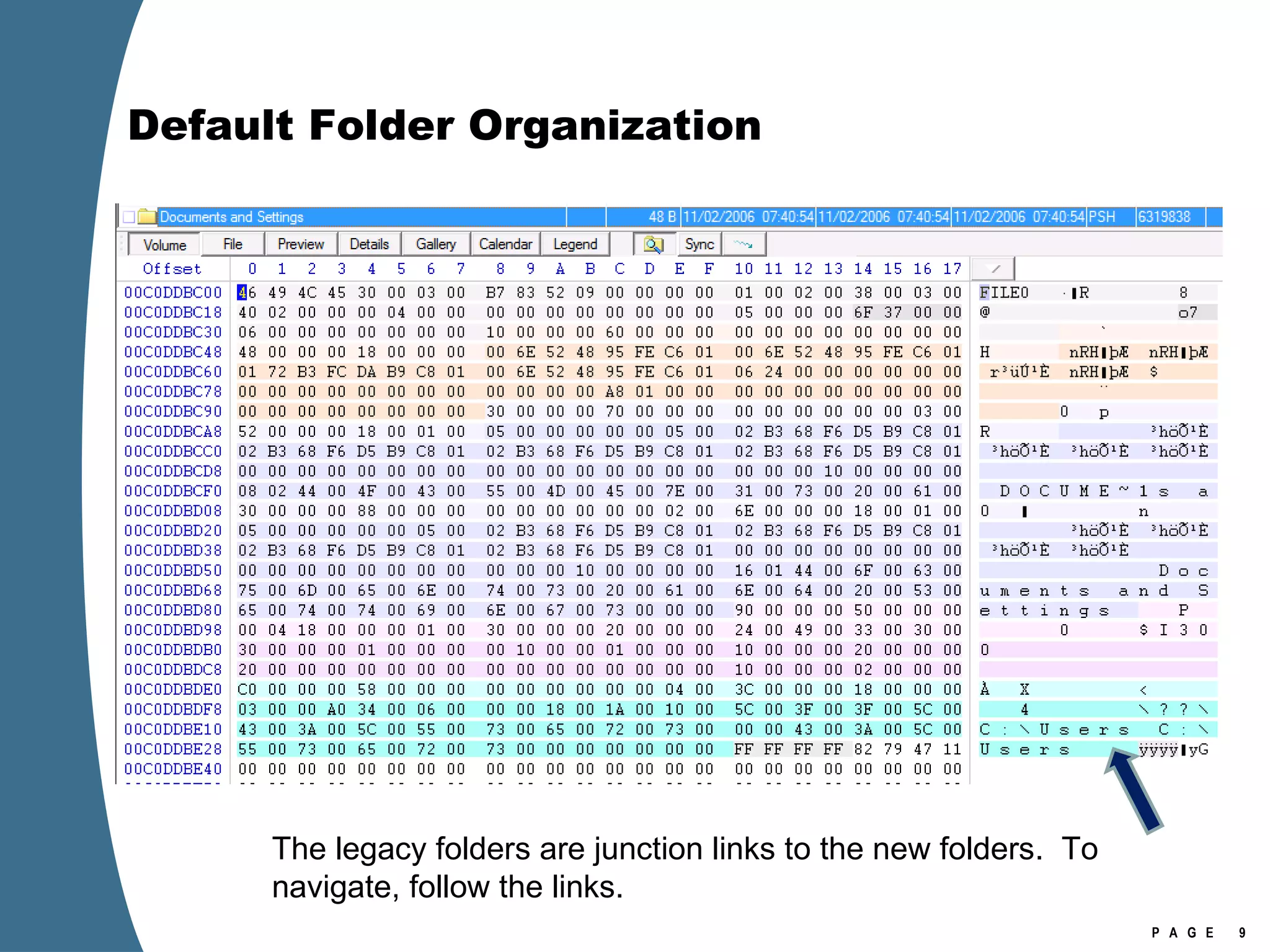
Default Folder Organization The legacy folders are junction links to the new folders.  To navigate, follow the links.
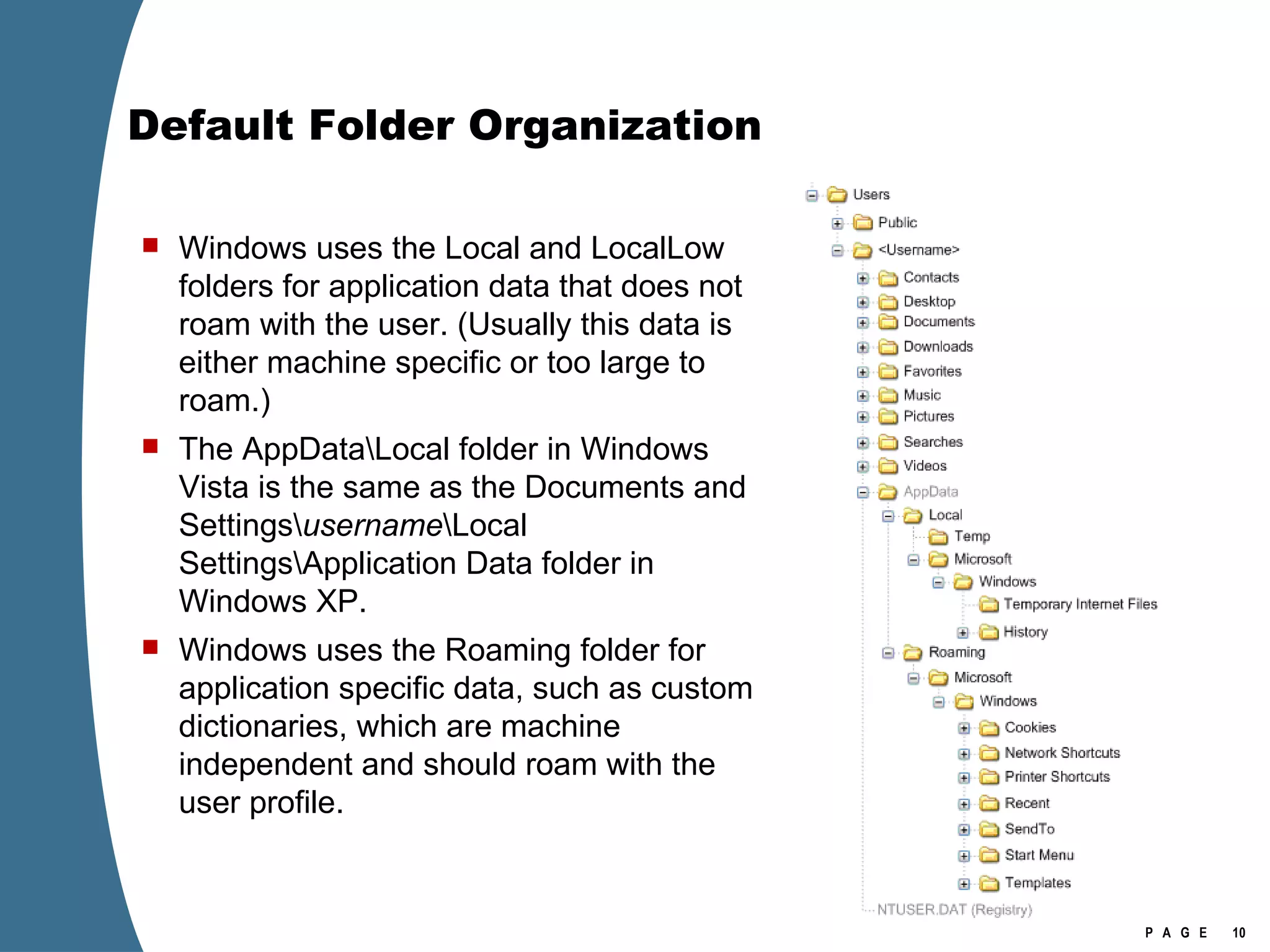
Default Folder Organization Windows uses the Local and LocalLow folders for application data that does not roam with the user. (Usually this data is either machine specific or too large to roam.)  The AppData\Local folder in Windows Vista is the same as the Documents and Settings\ username \Local Settings\Application Data folder in Windows XP. Windows uses the Roaming folder for application specific data, such as custom dictionaries, which are machine independent and should roam with the user profile.
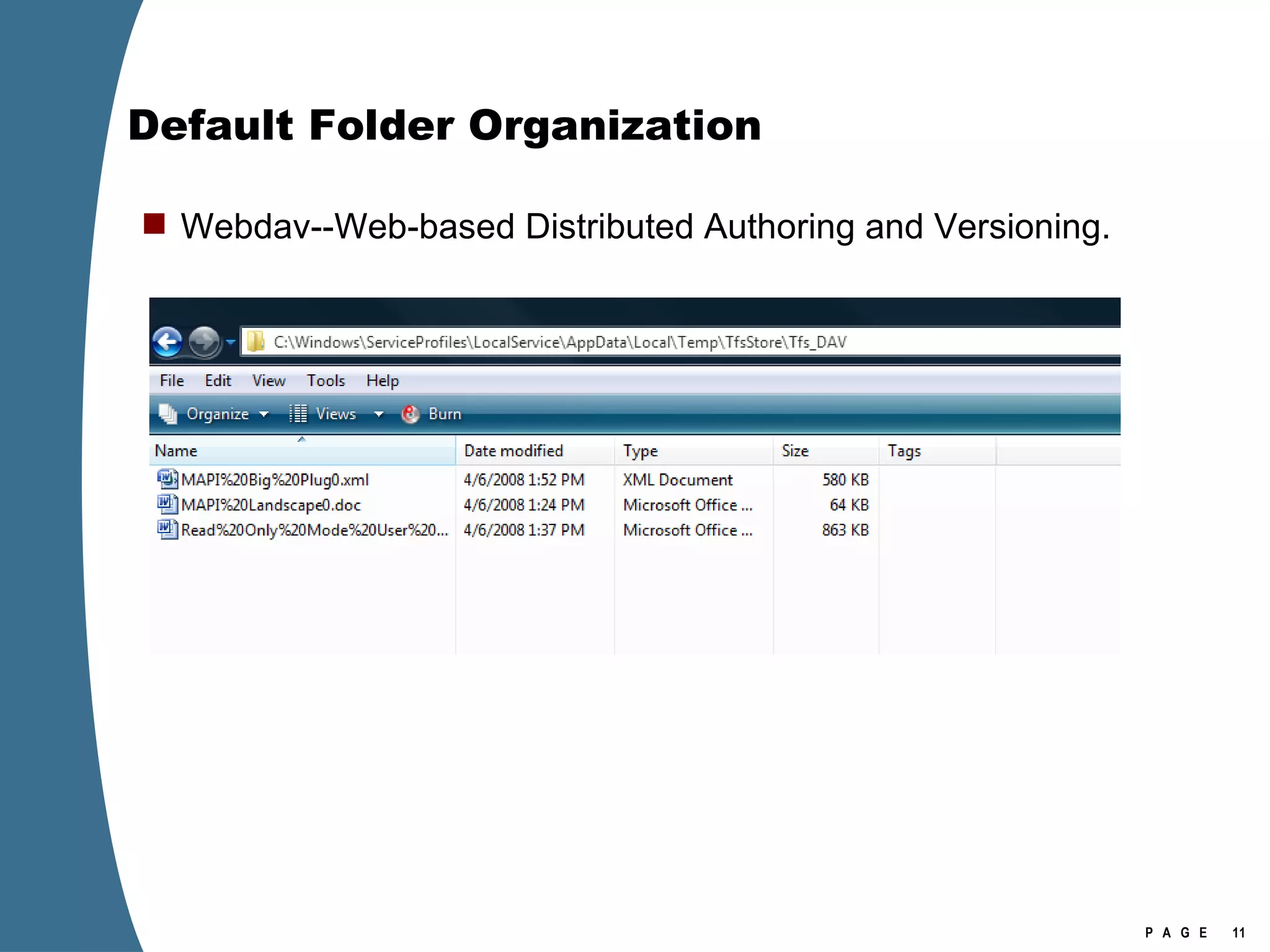
Default Folder Organization Webdav--Web-based Distributed Authoring and Versioning.
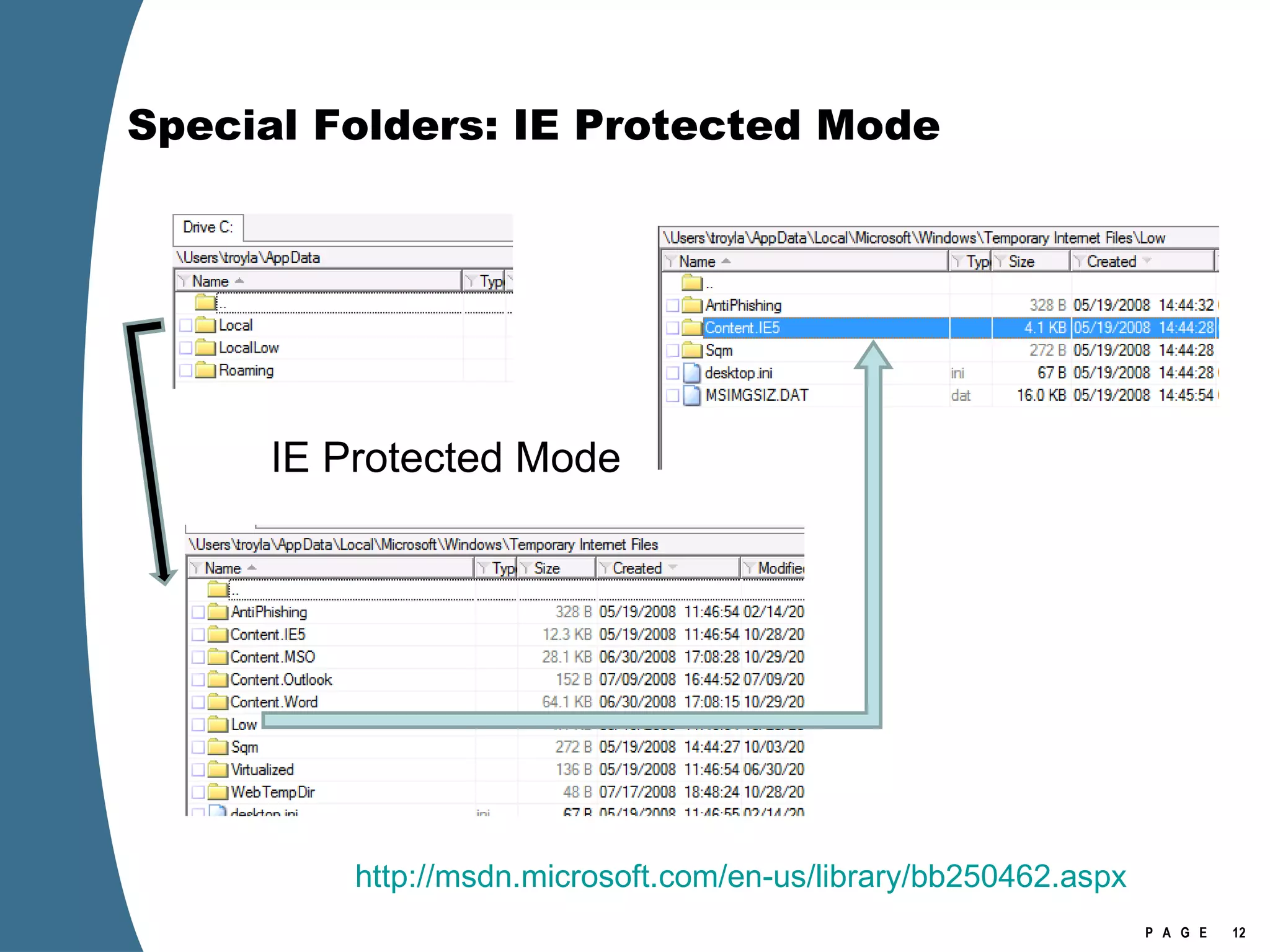
Special Folders: IE Protected Mode IE Protected Mode http://msdn.microsoft.com/en-us/library/bb250462.aspx
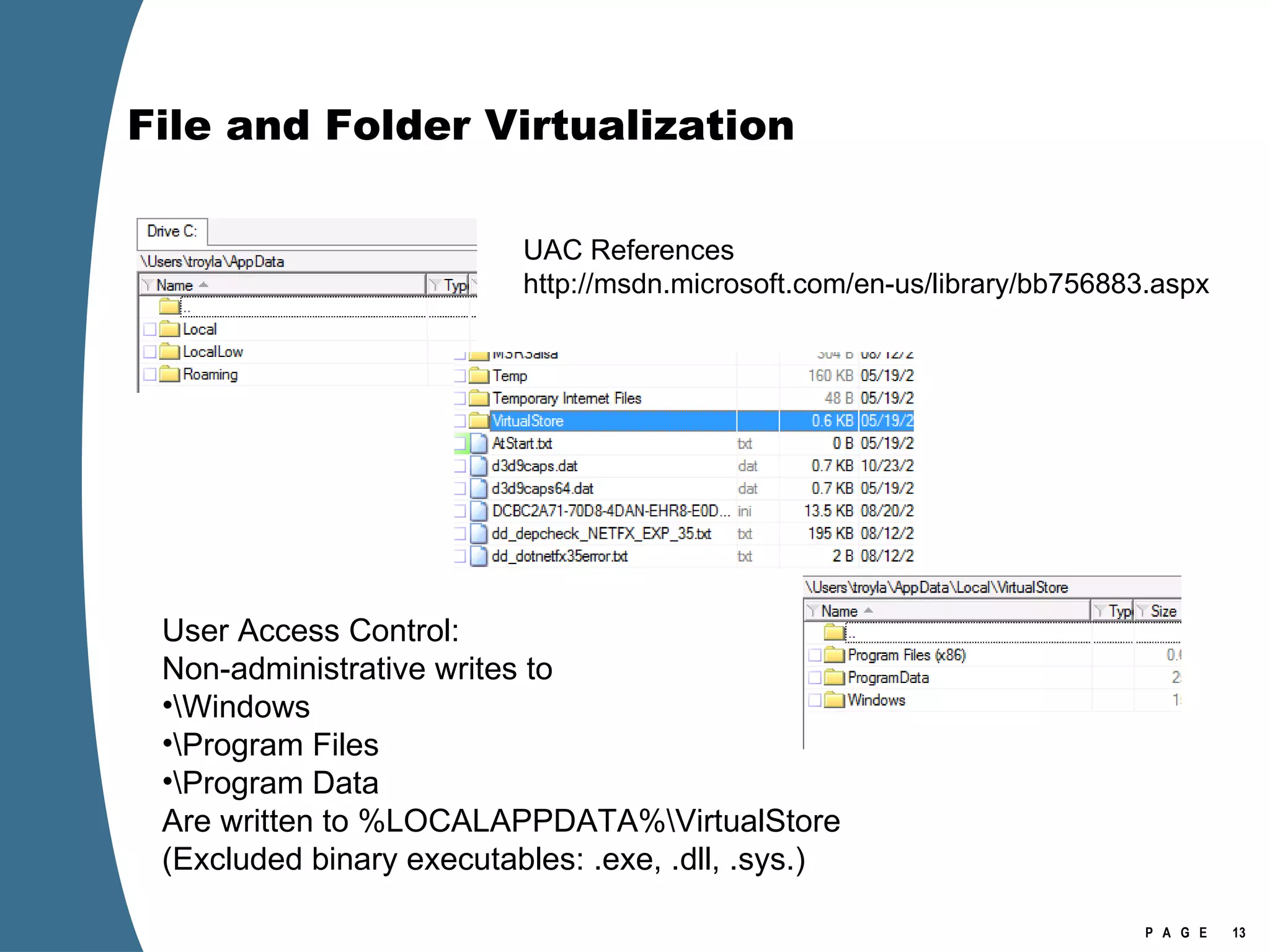
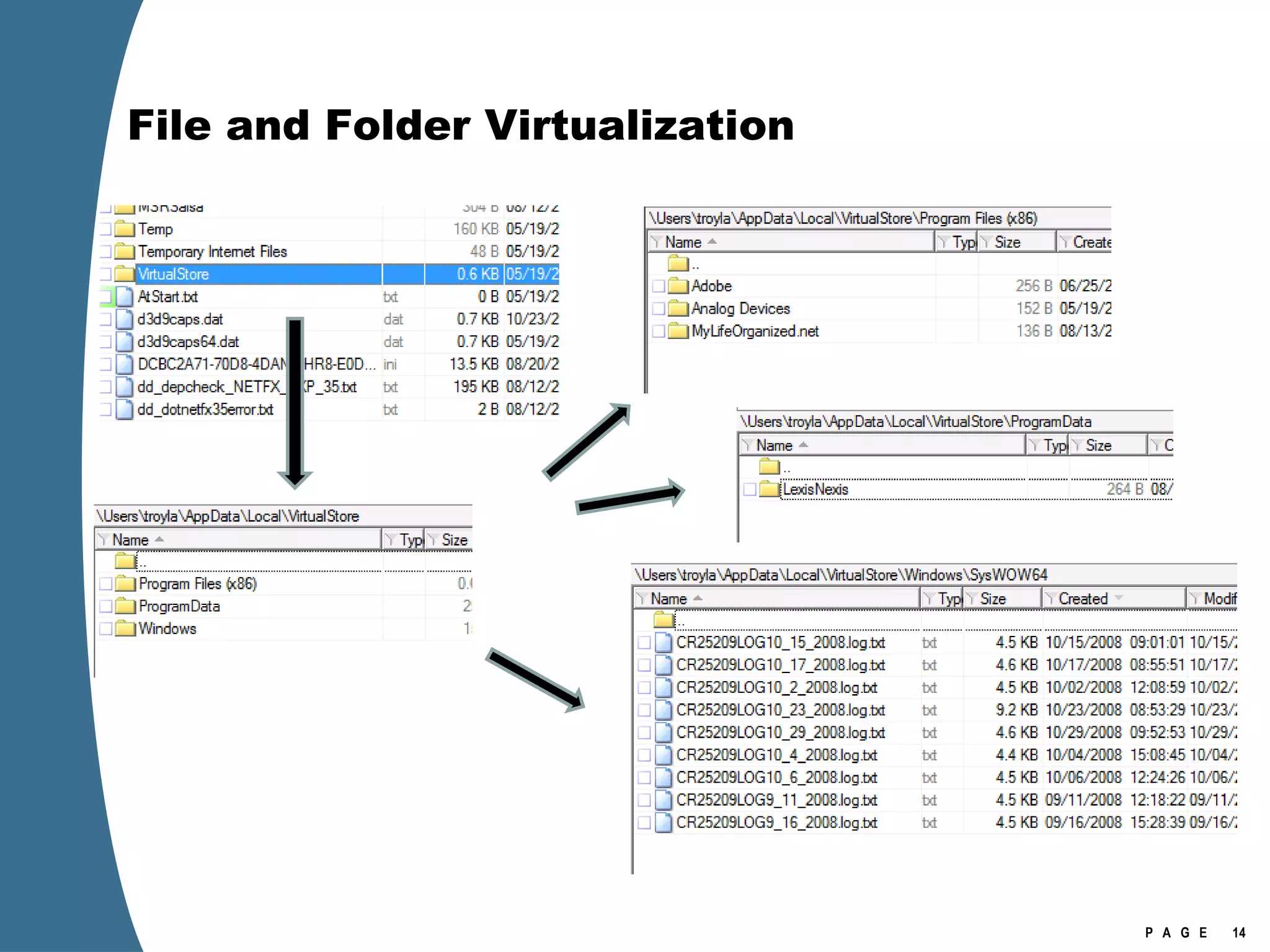
File and Folder Virtualization User Access Control: Non-administrative writes to  \Windows \Program Files \Program Data Are written to %LOCALAPPDATA%\VirtualStore (Excluded binary executables: .exe, .dll, .sys.) UAC References http://msdn.microsoft.com/en-us/library/bb756883.aspx
File and Folder Virtualization
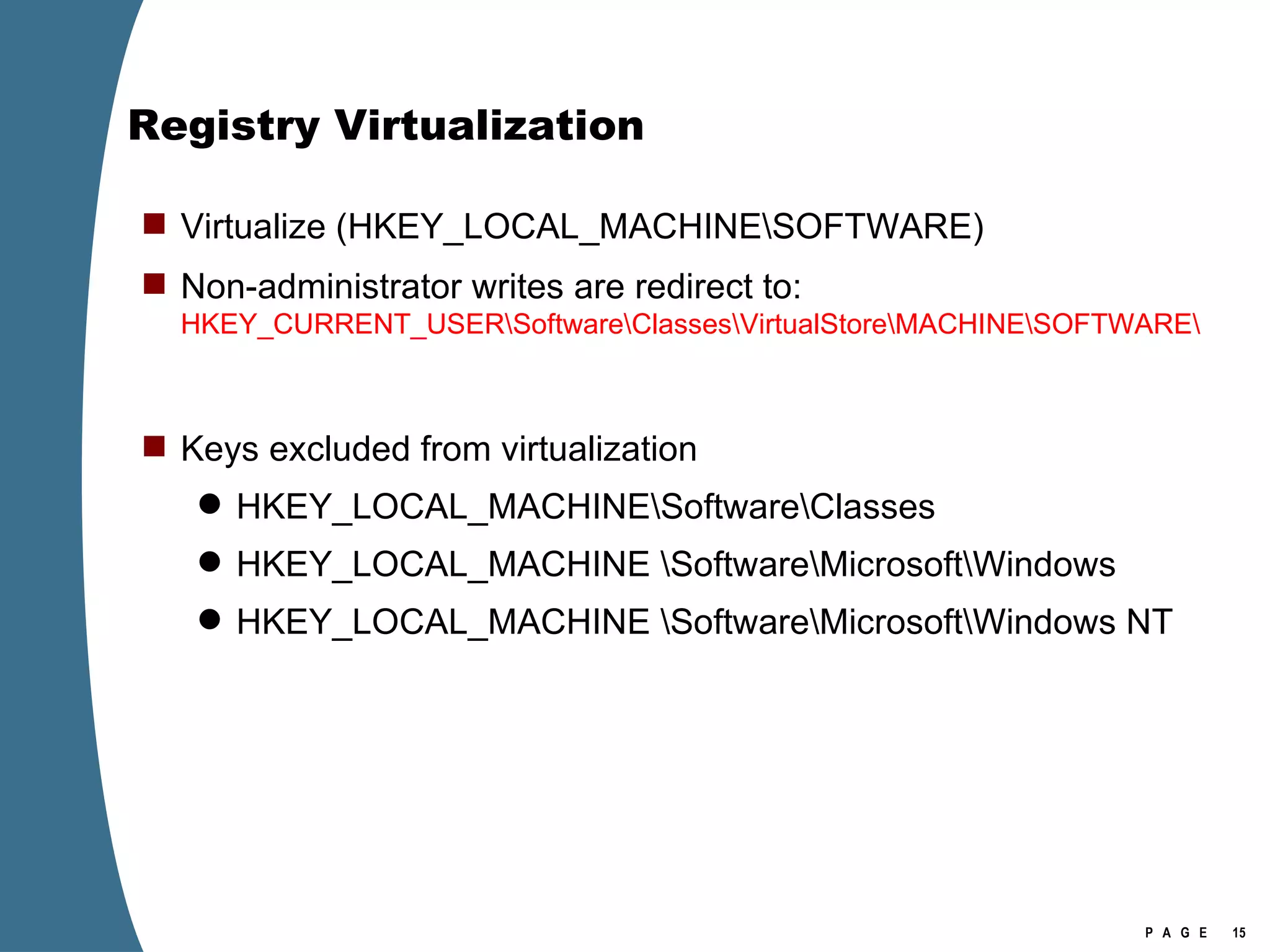
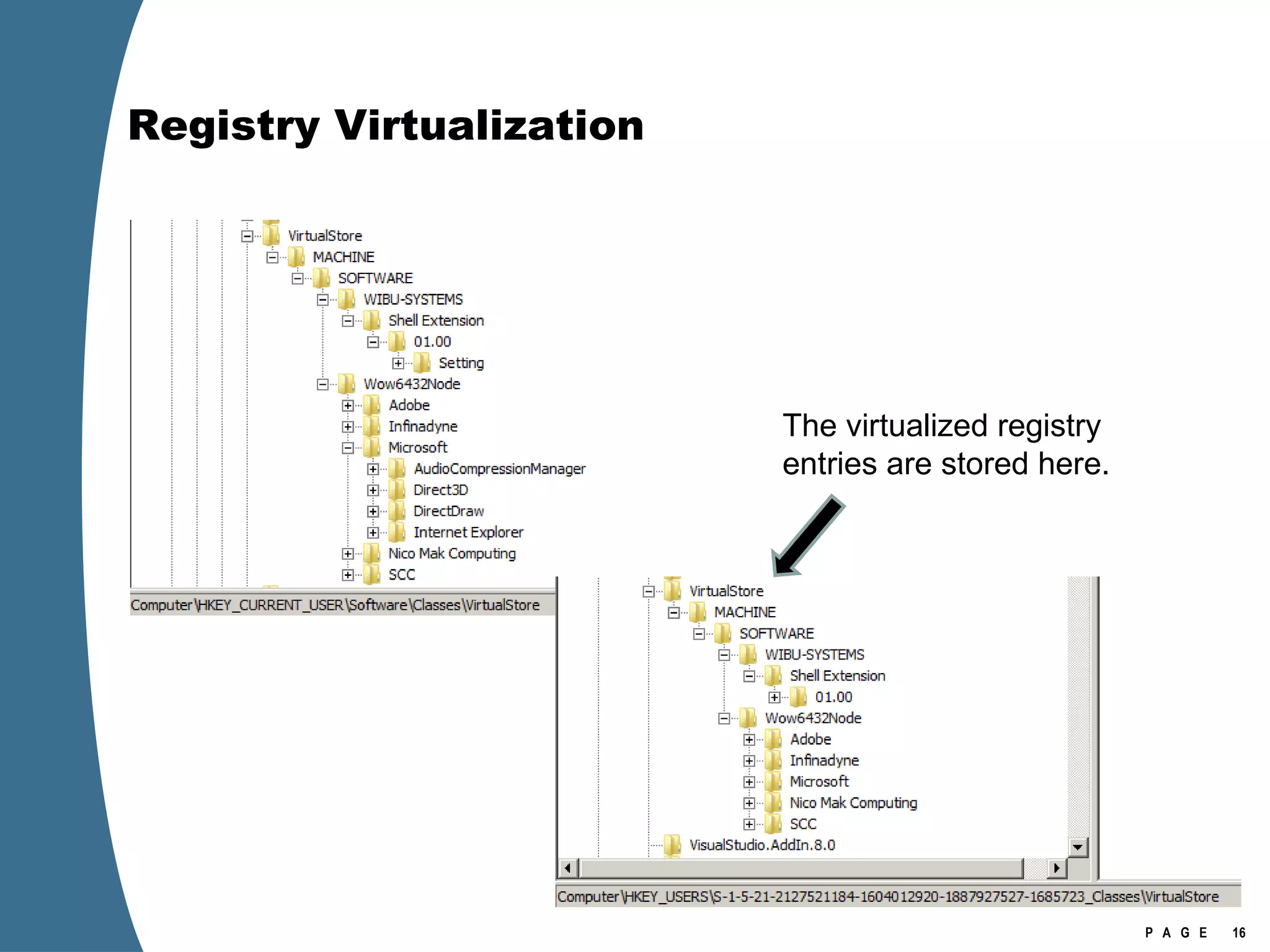
Registry Virtualization Virtualize (HKEY_LOCAL_MACHINE\SOFTWARE) Non-administrator writes are redirect to:  HKEY_CURRENT_USER\Software\Classes\VirtualStore\MACHINE\SOFTWARE\ Keys excluded from virtualization HKEY_LOCAL_MACHINE\Software\Classes HKEY_LOCAL_MACHINE \Software\Microsoft\Windows HKEY_LOCAL_MACHINE \Software\Microsoft\Windows NT
Registry Virtualization The virtualized registry entries are stored here.
Registry Virtualization Location of the registry hive file for the VirtualStore Is  NOT  the user’s NTUSER.DAT It is stored in the user’s UsrClass.dat \Users\[user]\AppData\Local\Microsoft\Windows\UsrClass.dat Investigation of Vista or Windows 2008 requires the investigator to examine at least two account specific registry hive files for each user account. NTUSER.DAT  UsrClass.dat
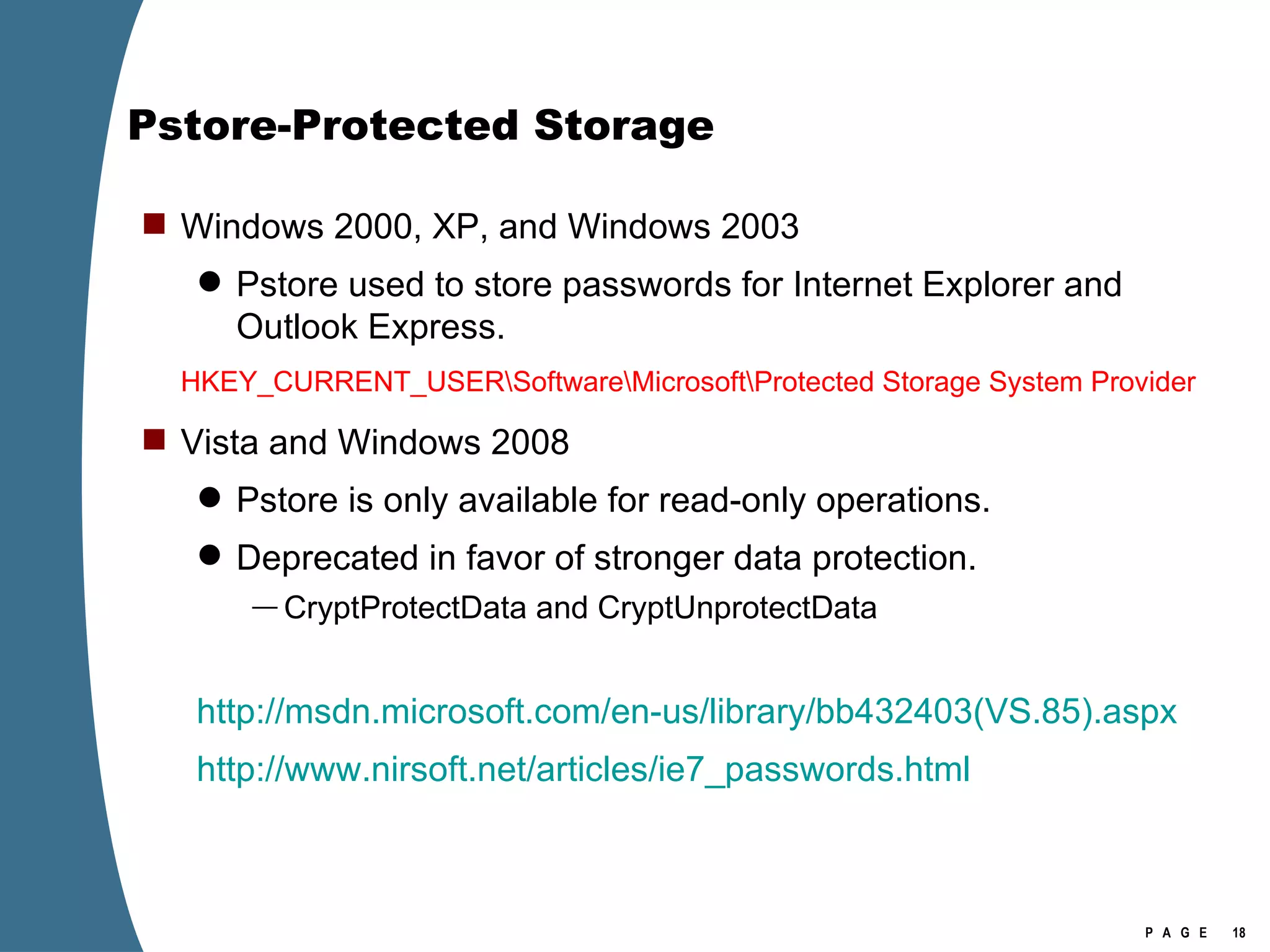
Pstore-Protected Storage Windows 2000, XP, and Windows 2003 Pstore used to store passwords for Internet Explorer and Outlook Express. HKEY_CURRENT_USER\Software\Microsoft\Protected Storage System Provider Vista and Windows 2008 Pstore is only available for read-only operations. Deprecated in favor of stronger data protection. CryptProtectData and CryptUnprotectData http://msdn.microsoft.com/en-us/library/bb432403(VS.85).aspx http://www.nirsoft.net/articles/ie7_passwords.html
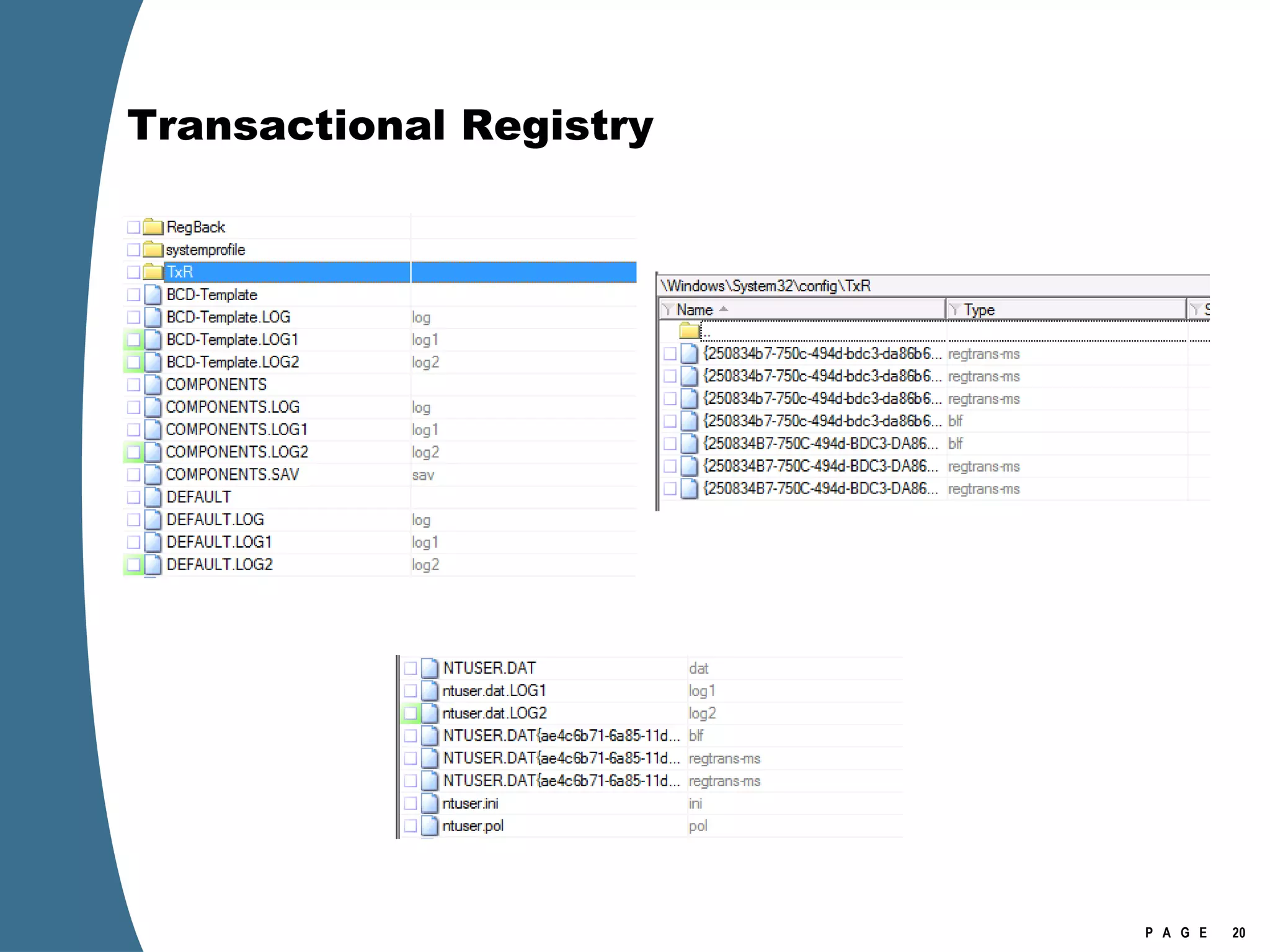
Transactional Registry Related to TxF—also built on the Kernel Transaction Manager See  http://msdn.microsoft.com/en-us/library/cc303705.aspx TxR allows applications to perform registry operations in a transacted manner. Typical scenario: software installation. Files copied to file system and information to the registry as a single operation. In the event of failure, registry modification rolled back or discarded.
Transactional Registry
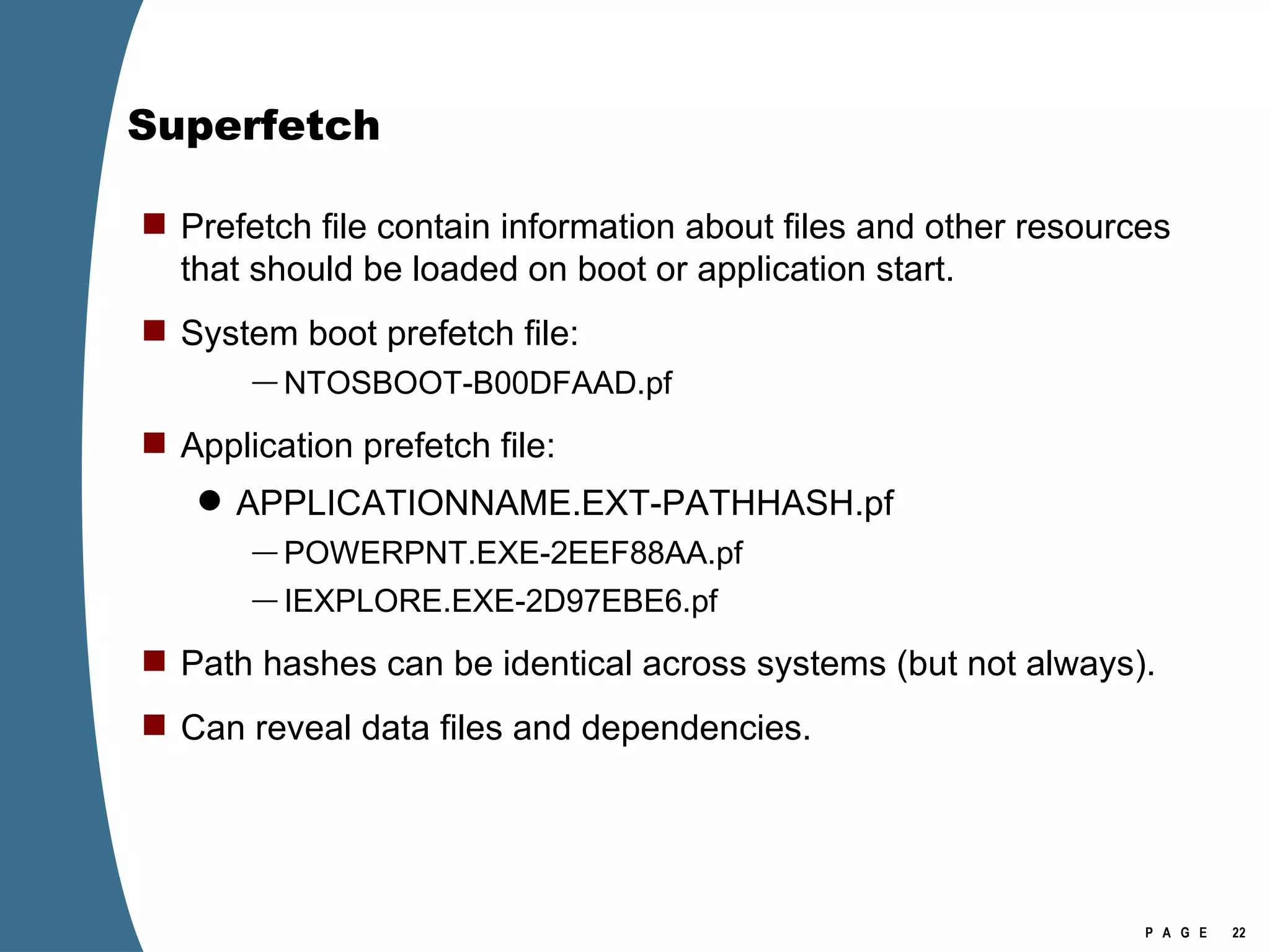
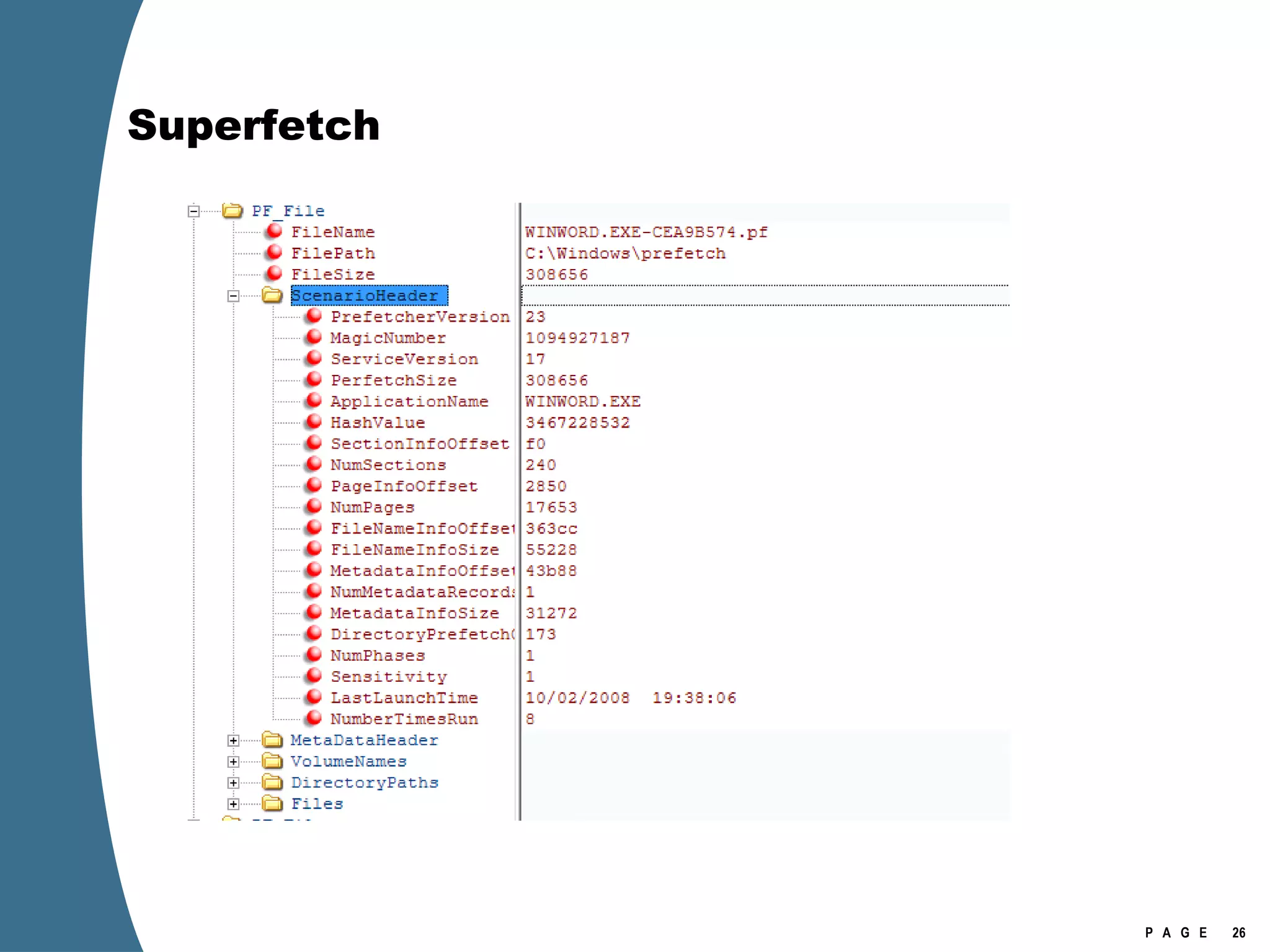
Superfetch Successor to Prefetch; still housed at C:\Windows\Prefetch. Superfetch consists of database and prefetch files. Collects and mines page usage data from the kernel.  Eliminates demand paging by having useful pages already in memory and maintained there. Uses idle disk periods to bring valuable files and pages into memory in anticipation of user demand. May not be enabled on Windows 2008.
Superfetch Prefetch file contain information about files and other resources that should be loaded on boot or application start. System boot prefetch file:  NTOSBOOT-B00DFAAD.pf Application prefetch file: APPLICATIONNAME.EXT-PATHHASH.pf POWERPNT.EXE-2EEF88AA.pf IEXPLORE.EXE-2D97EBE6.pf Path hashes can be identical across systems (but not always). Can reveal data files and dependencies.
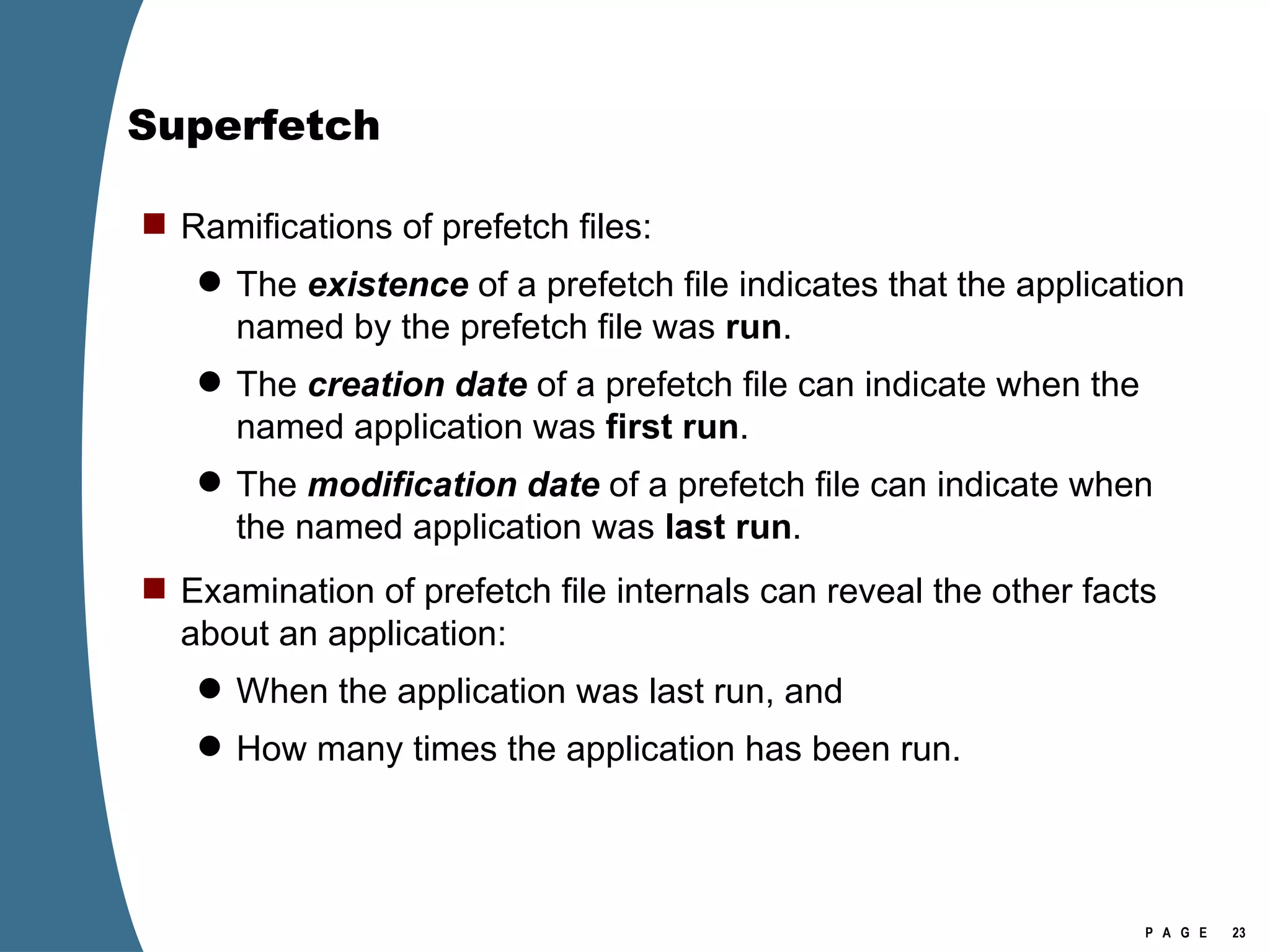
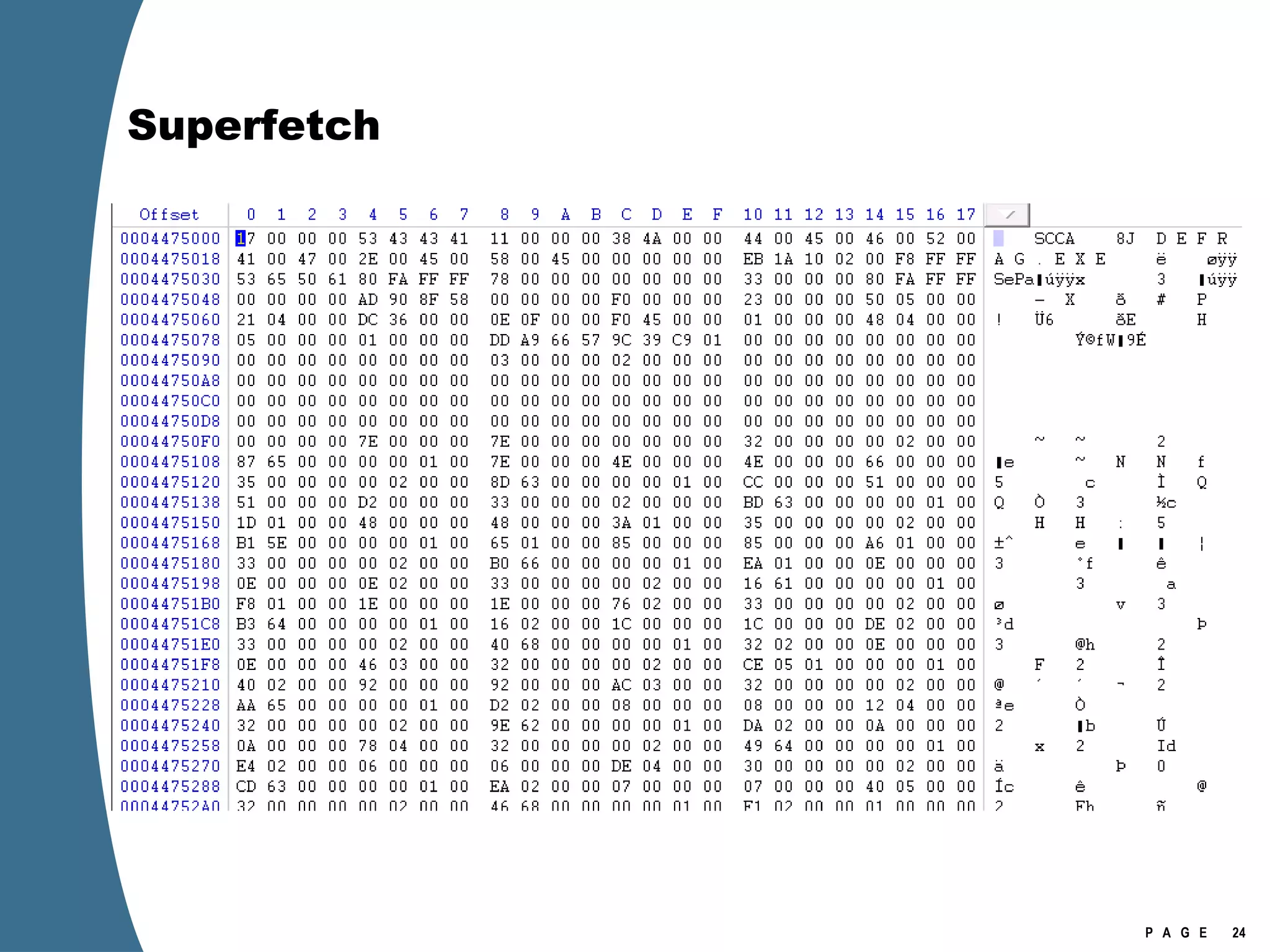
Superfetch Ramifications of prefetch files: The  existence   of a prefetch file indicates that the application named by the prefetch file was  run . The  creation date  of a prefetch file can indicate when the named application was  first run . The  modification date  of a prefetch file can indicate when the named application was  last run . Examination of prefetch file internals can reveal the other facts about an application: When the application was last run, and How many times the application has been run.
Superfetch
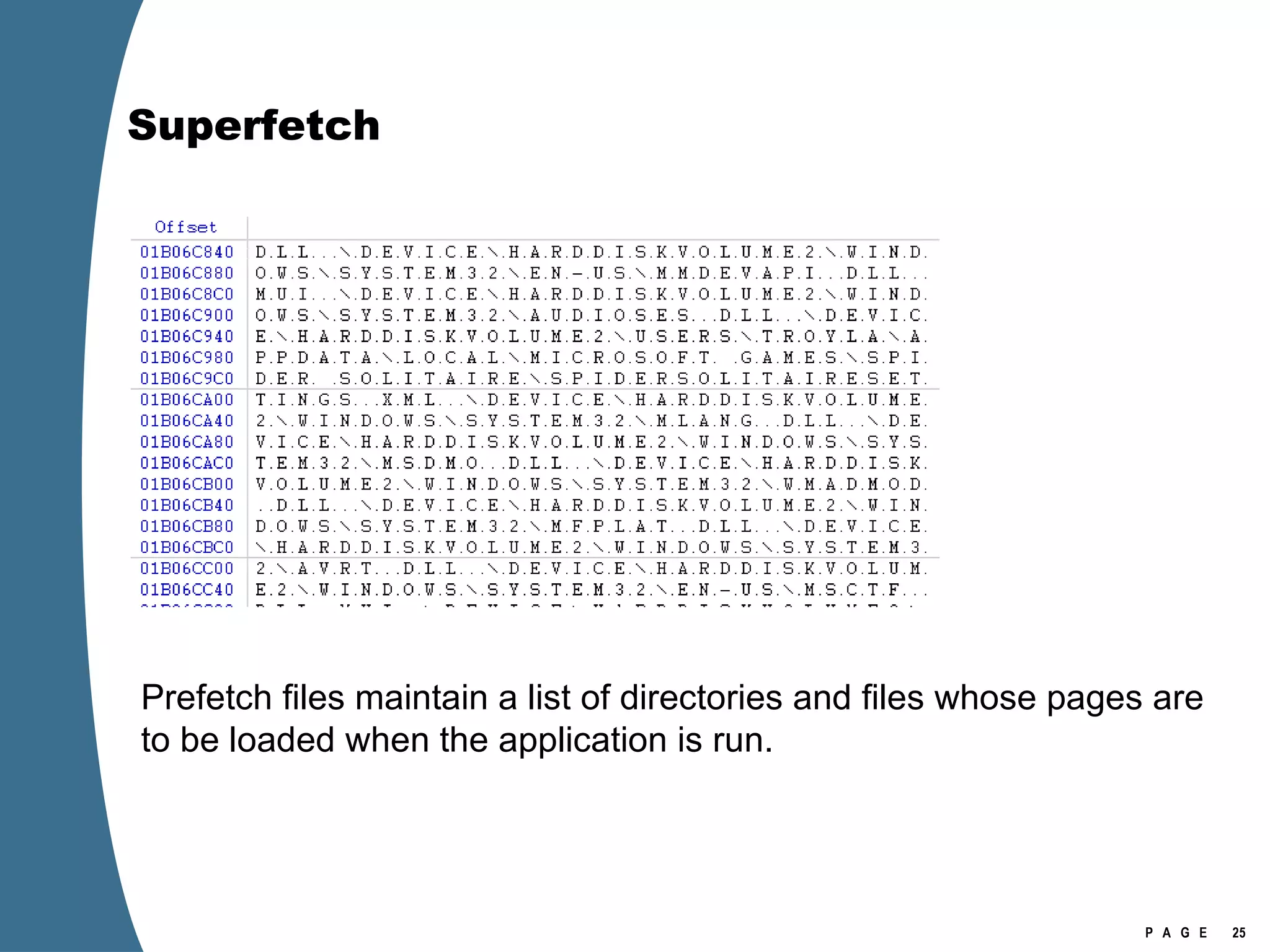
Superfetch Prefetch files maintain a list of directories and files whose pages are to be loaded when the application is run.
Superfetch
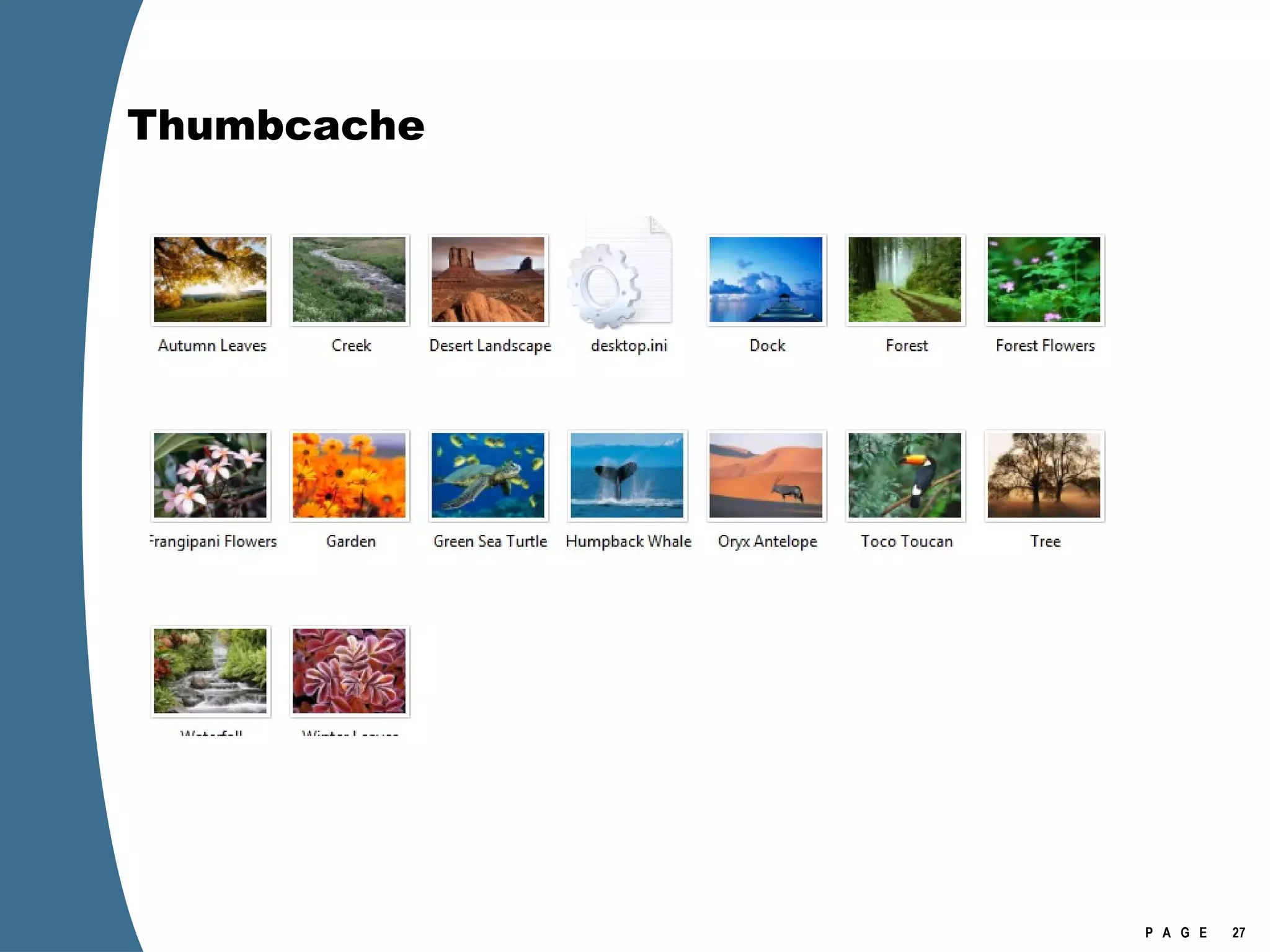
Thumbcache
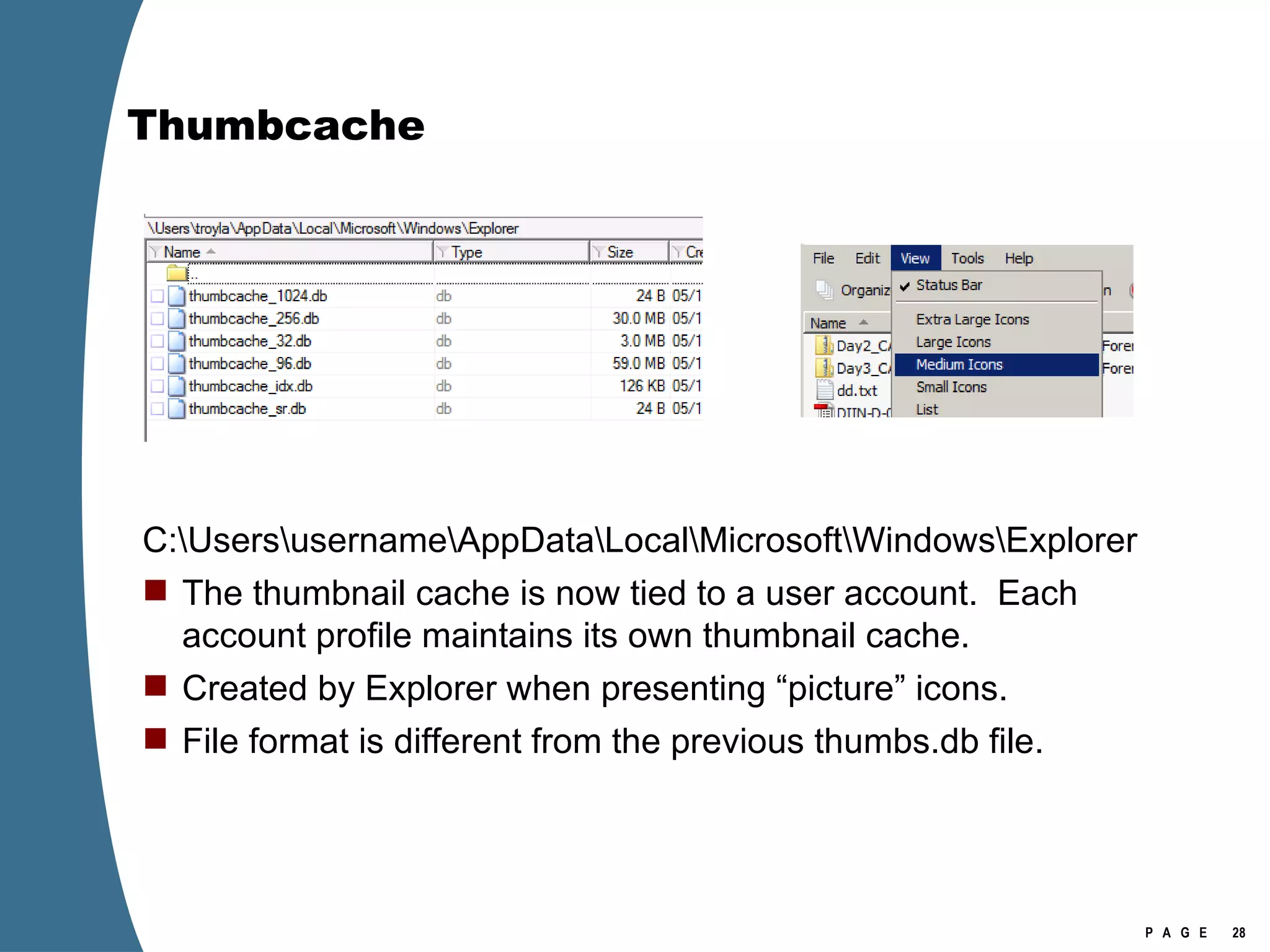
Thumbcache C:\Users\username\AppData\Local\Microsoft\Windows\Explorer The thumbnail cache is now tied to a user account.  Each account profile maintains its own thumbnail cache. Created by Explorer when presenting “picture” icons. File format is different from the previous thumbs.db file.
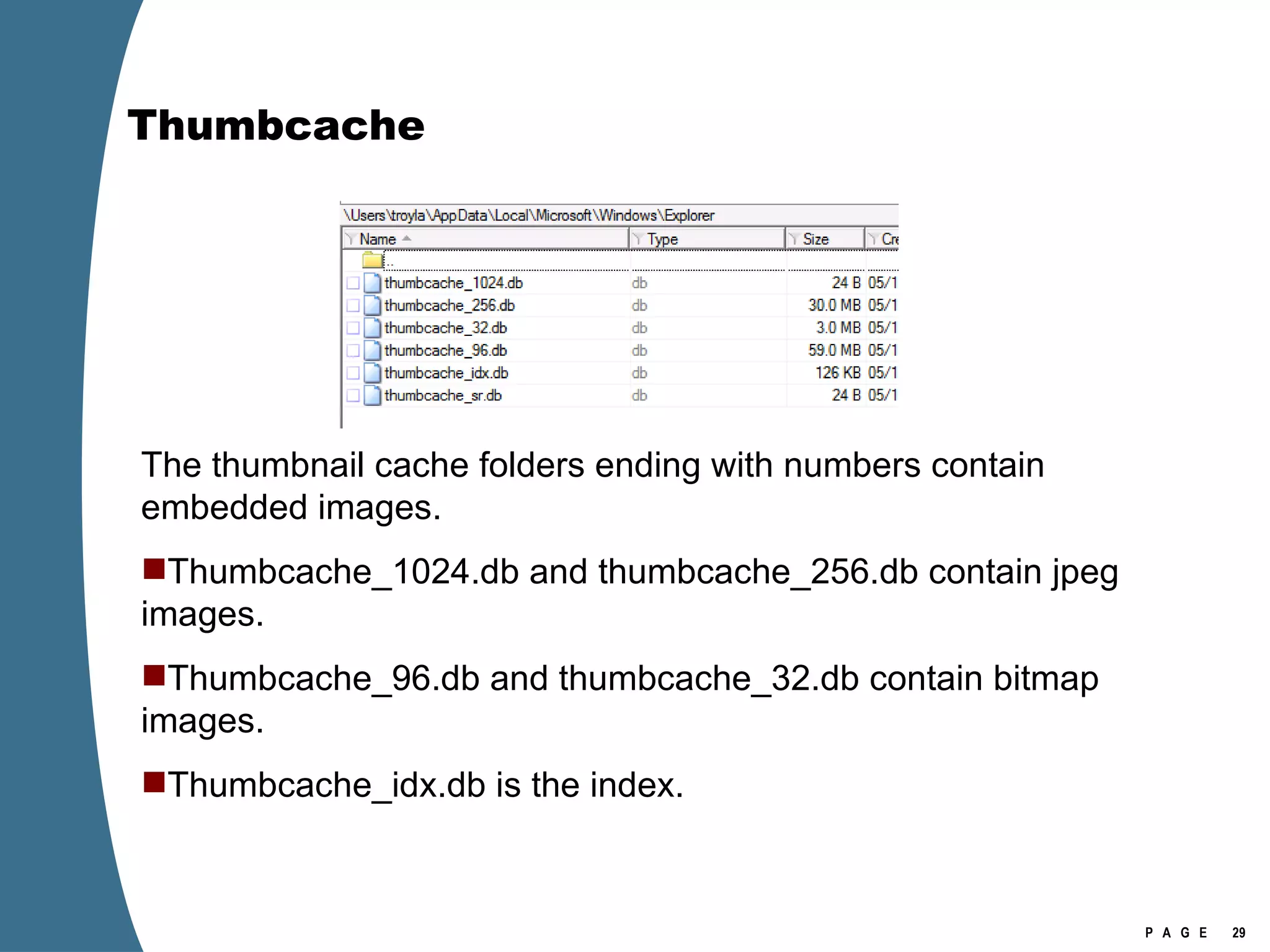
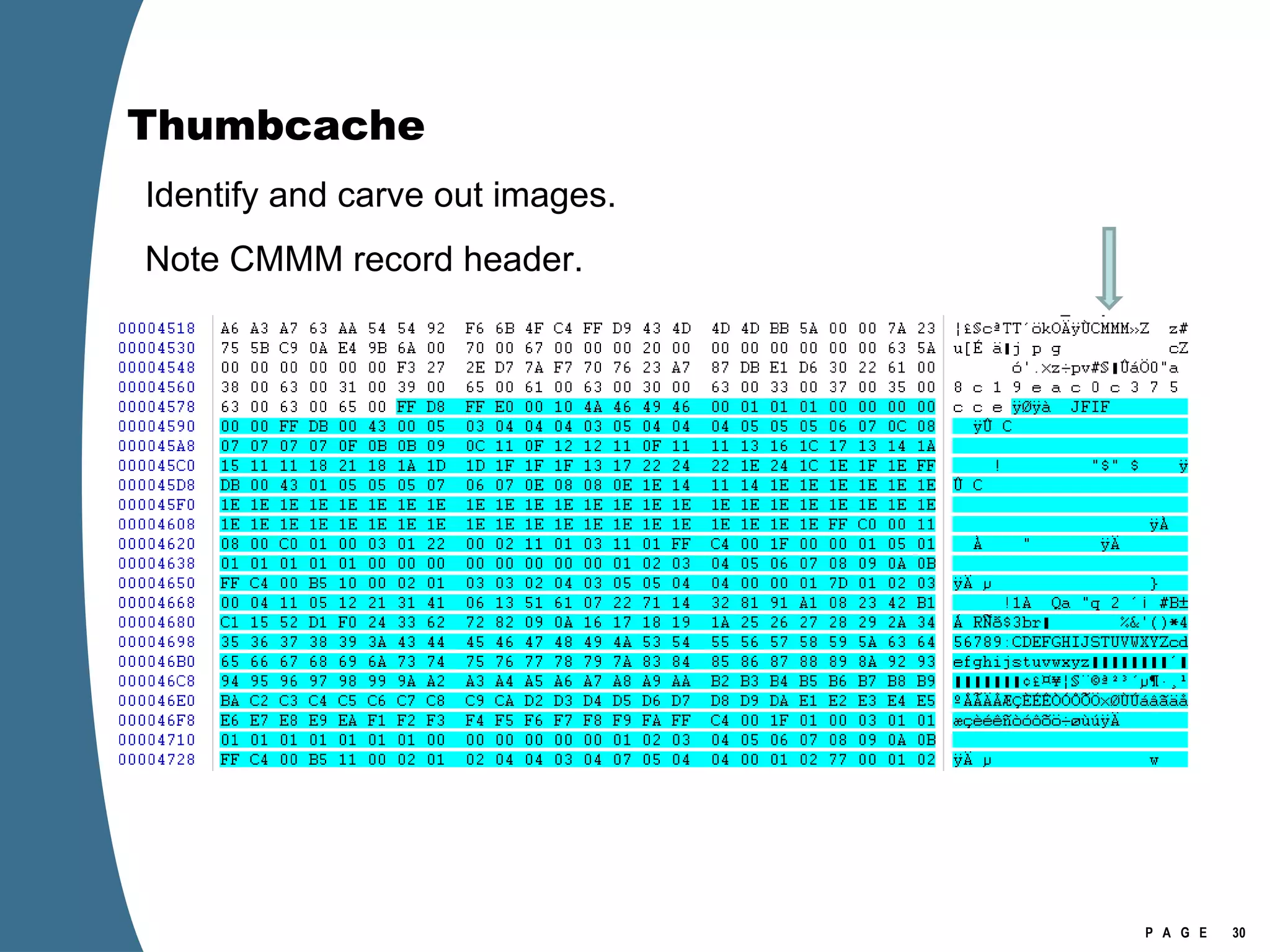
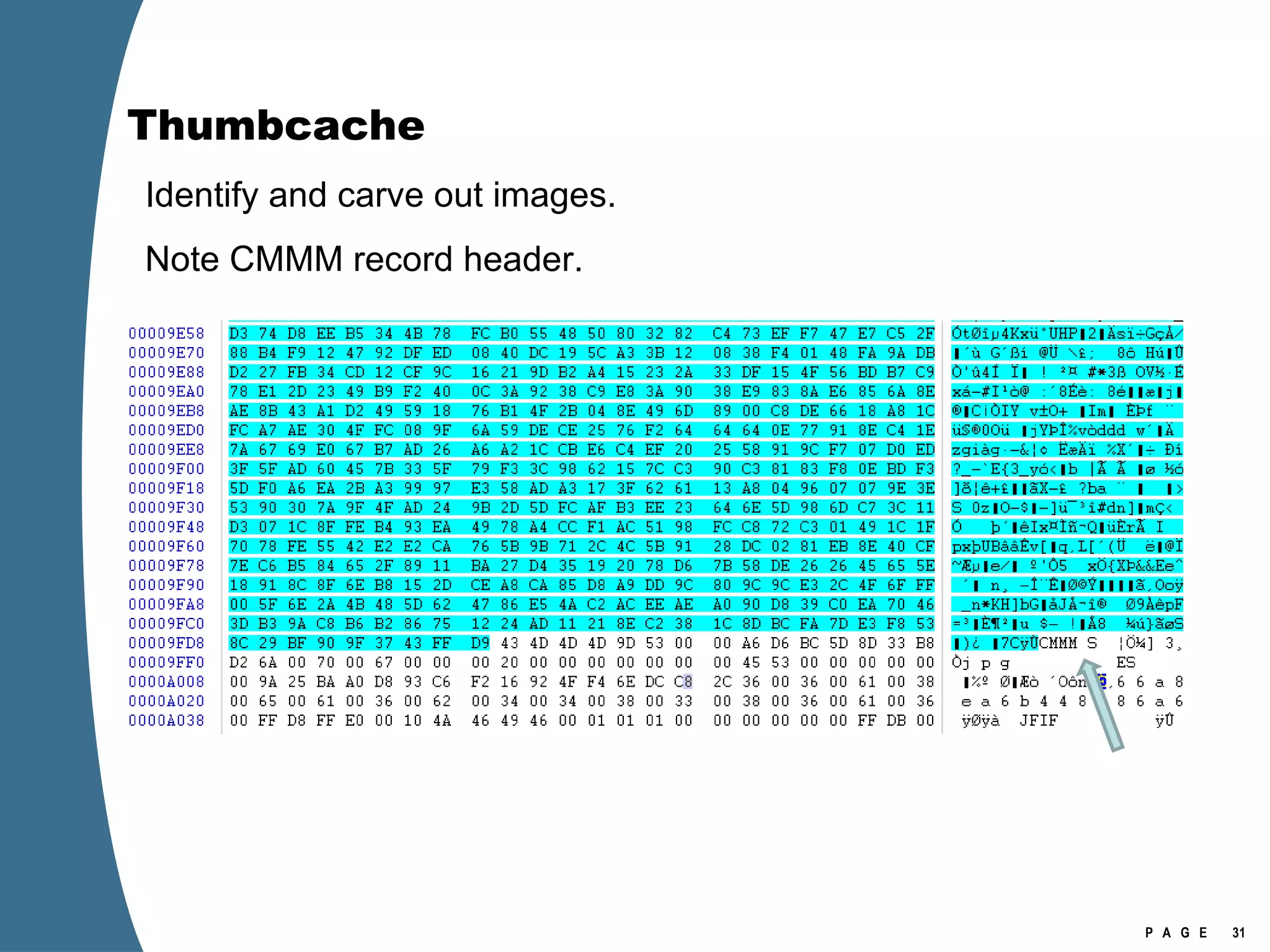
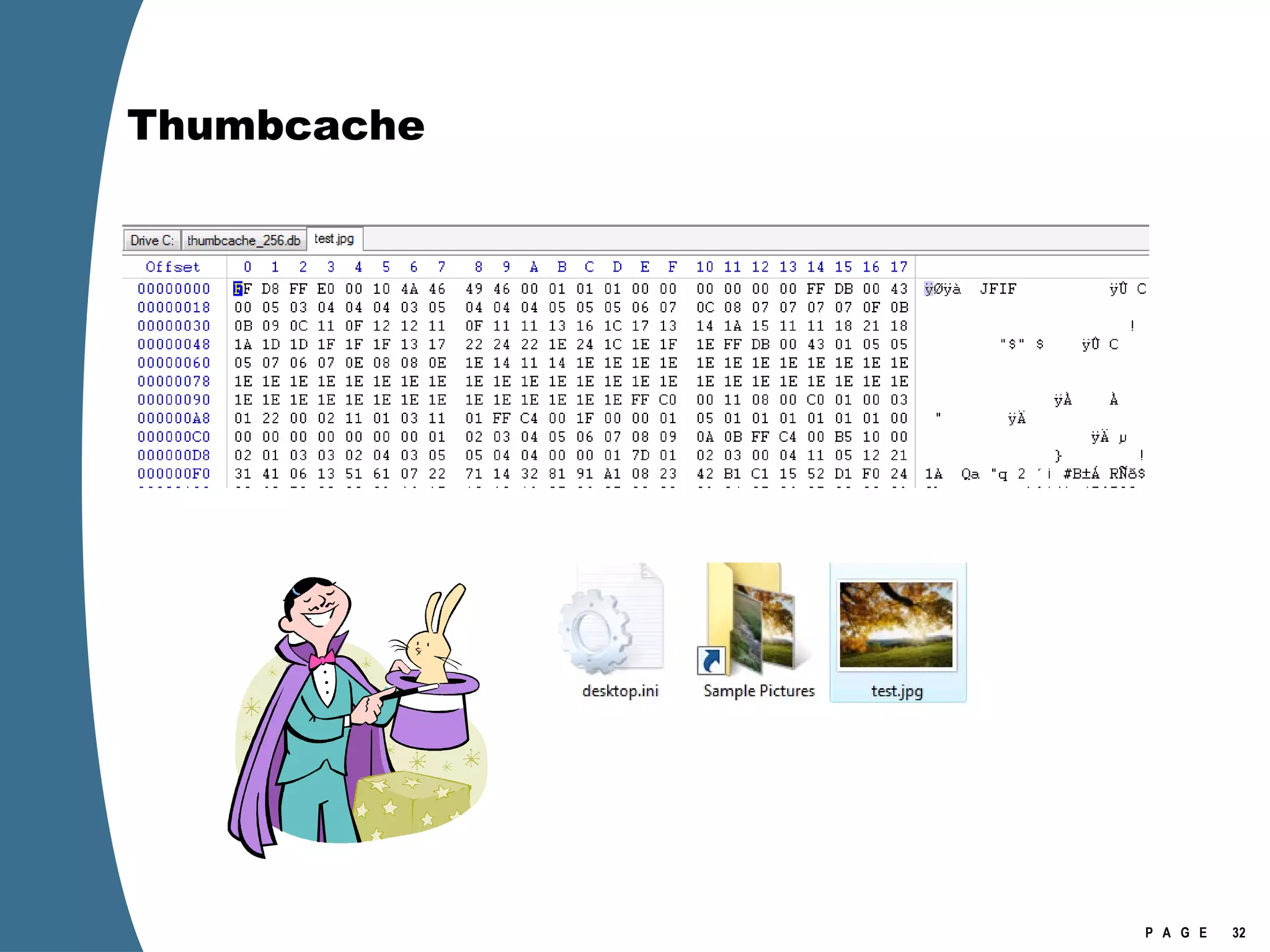
Thumbcache The thumbnail cache folders ending with numbers contain embedded images. Thumbcache_1024.db and thumbcache_256.db contain jpeg images. Thumbcache_96.db and thumbcache_32.db contain bitmap images. Thumbcache_idx.db is the index.
Thumbcache Identify and carve out images. Note CMMM record header.
Thumbcache
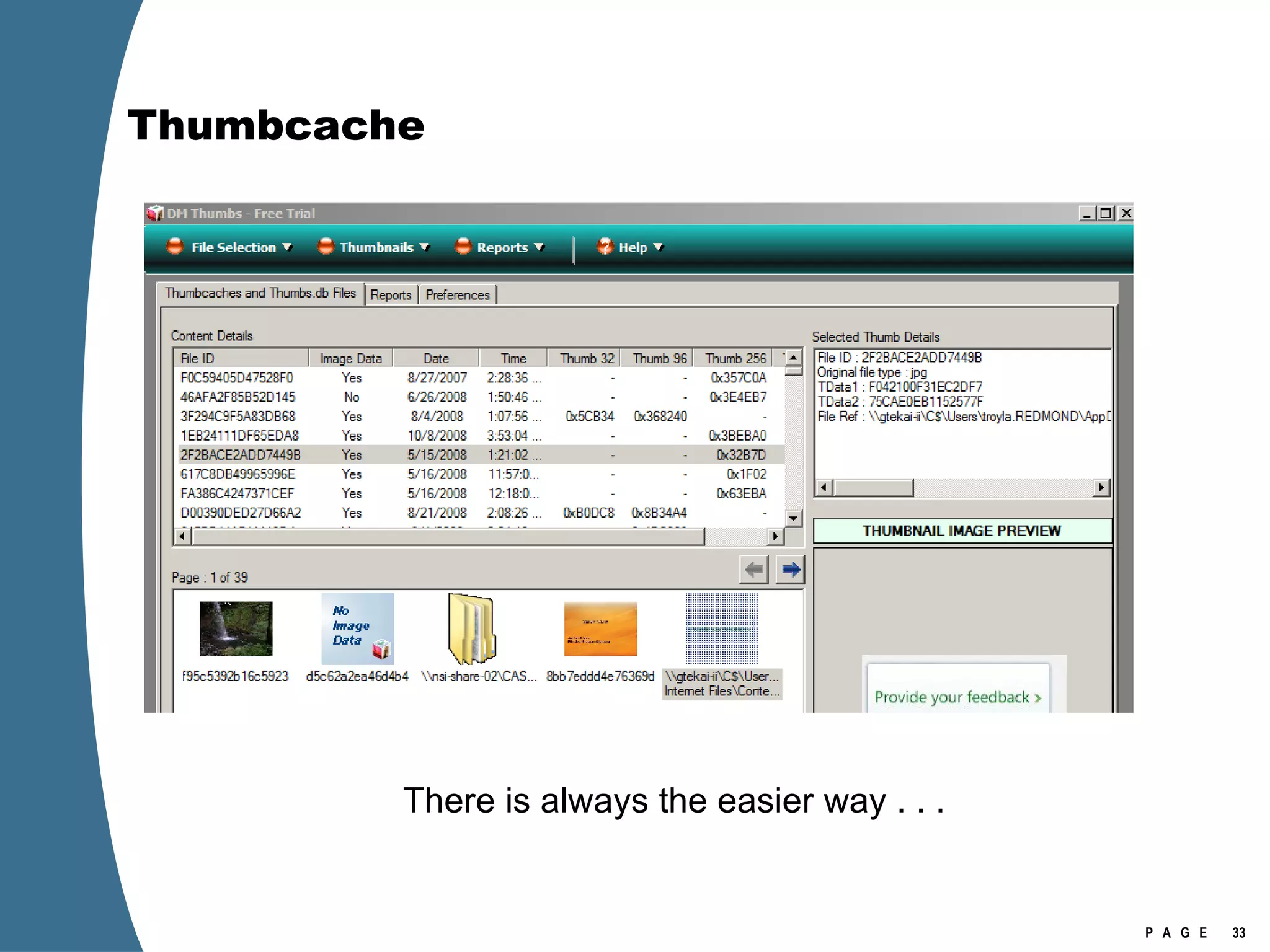
Thumbcache There is always the easier way . . .
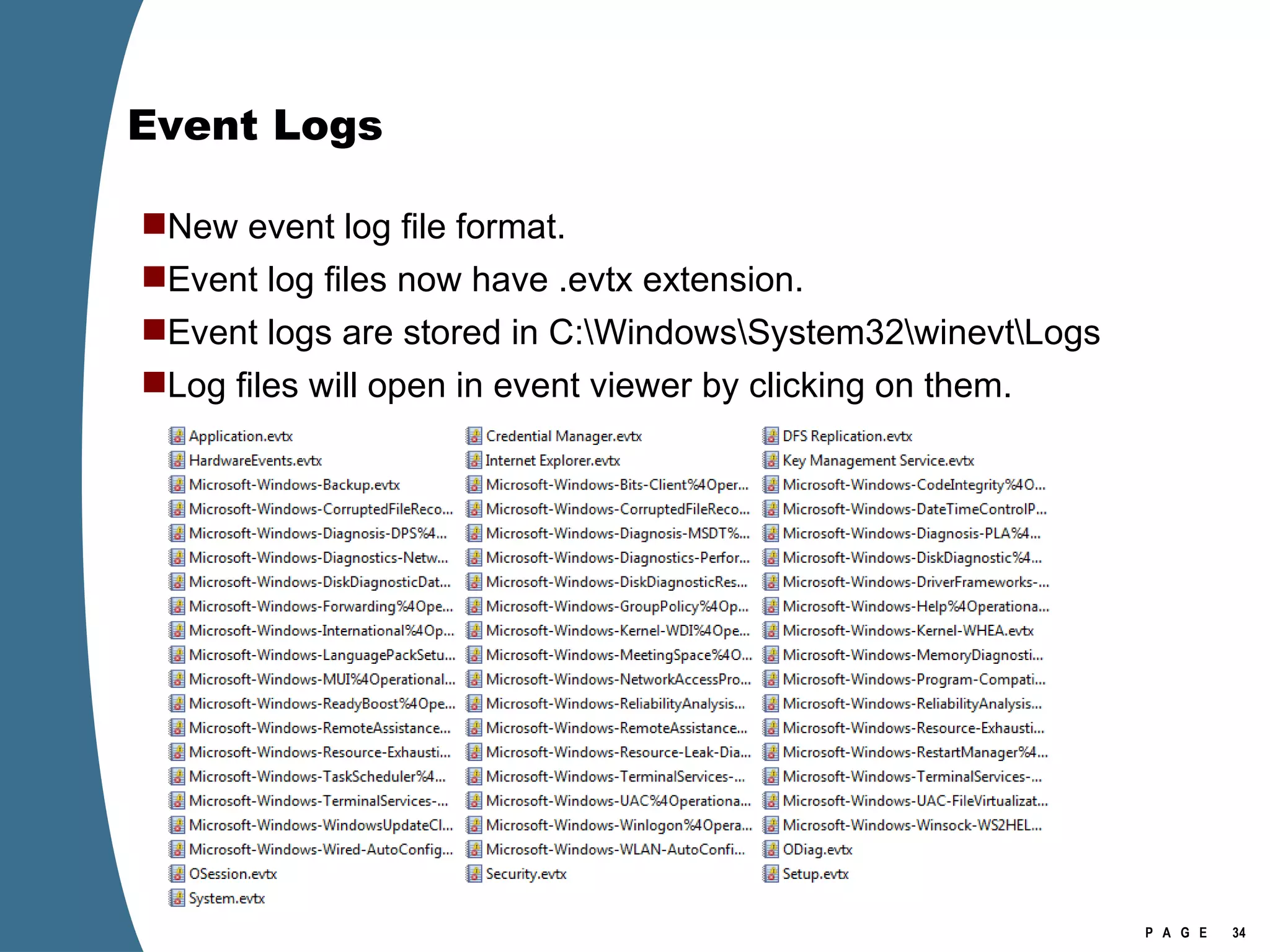
Event Logs New event log file format. Event log files now have .evtx extension.  Event logs are stored in C:\Windows\System32\winevt\Logs Log files will open in event viewer by clicking on them.
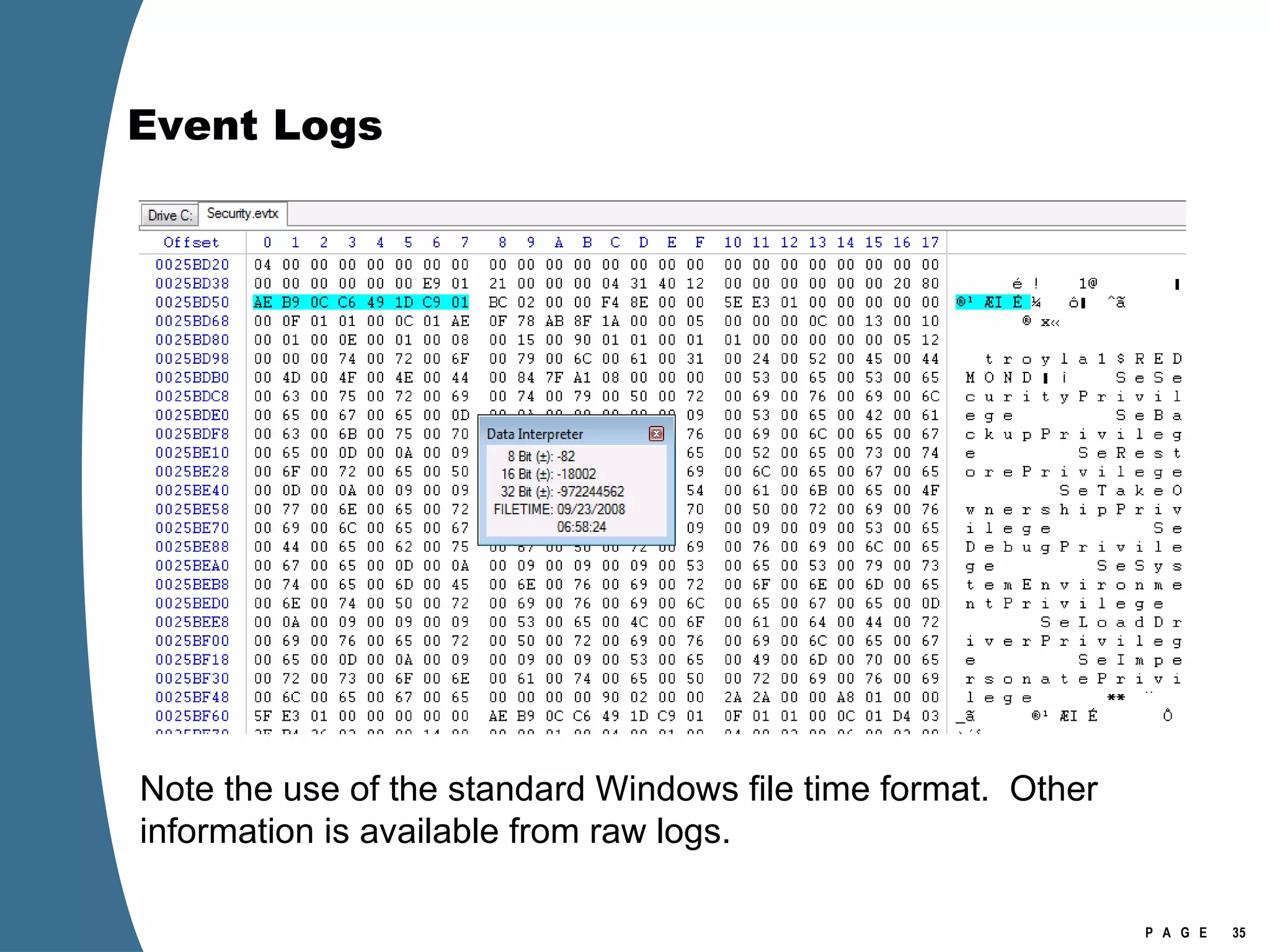
Event Logs Note the use of the standard Windows file time format.  Other information is available from raw logs.
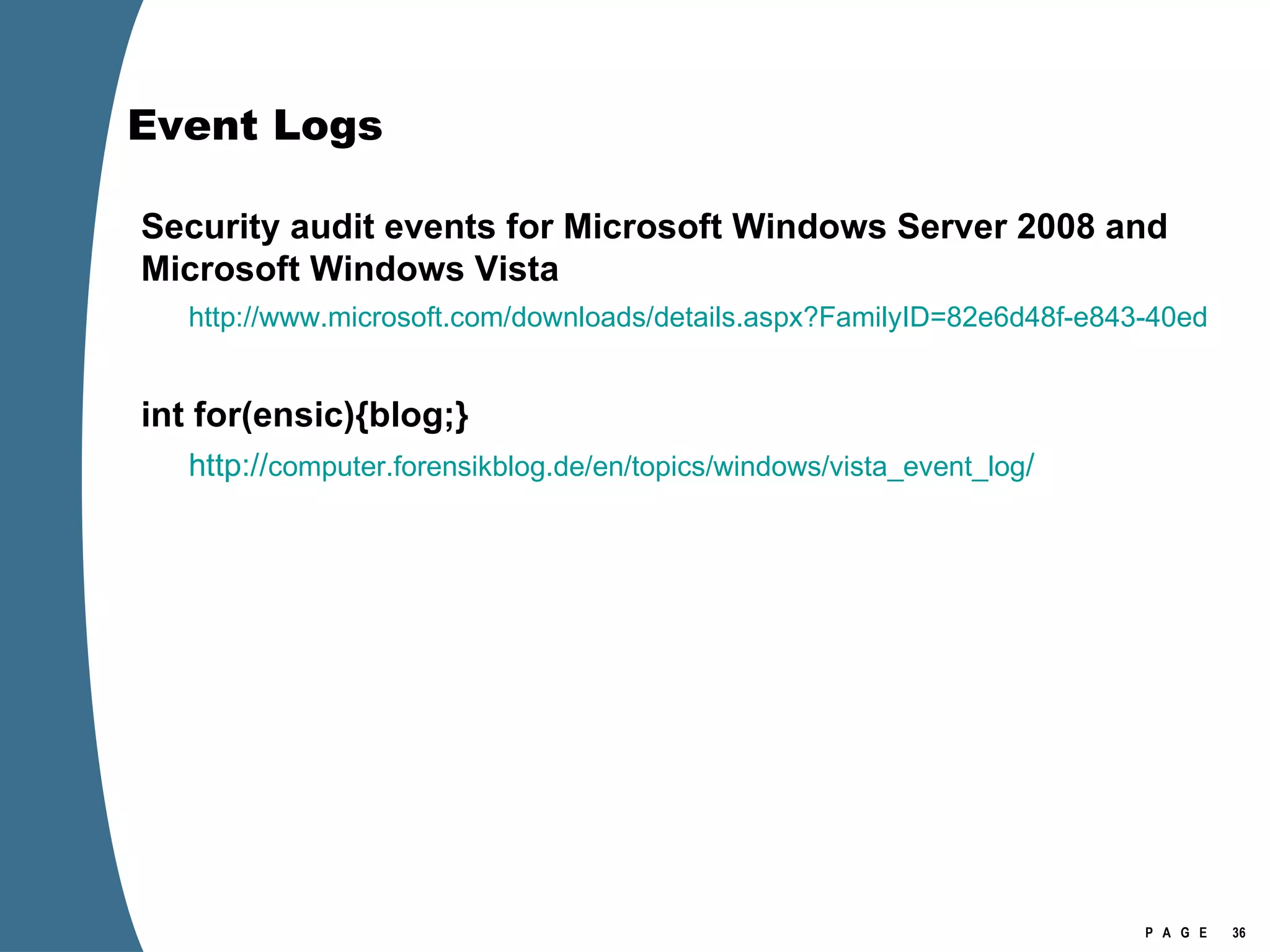
Event Logs Security audit events for Microsoft Windows Server 2008 and Microsoft Windows Vista http://www.microsoft.com/downloads/details.aspx?FamilyID=82e6d48f-e843-40ed-8b10-b3b716f6b51b&DisplayLang=en int for(ensic){blog;} http:// computer.forensikblog.de/en/topics/windows/vista_event_log /
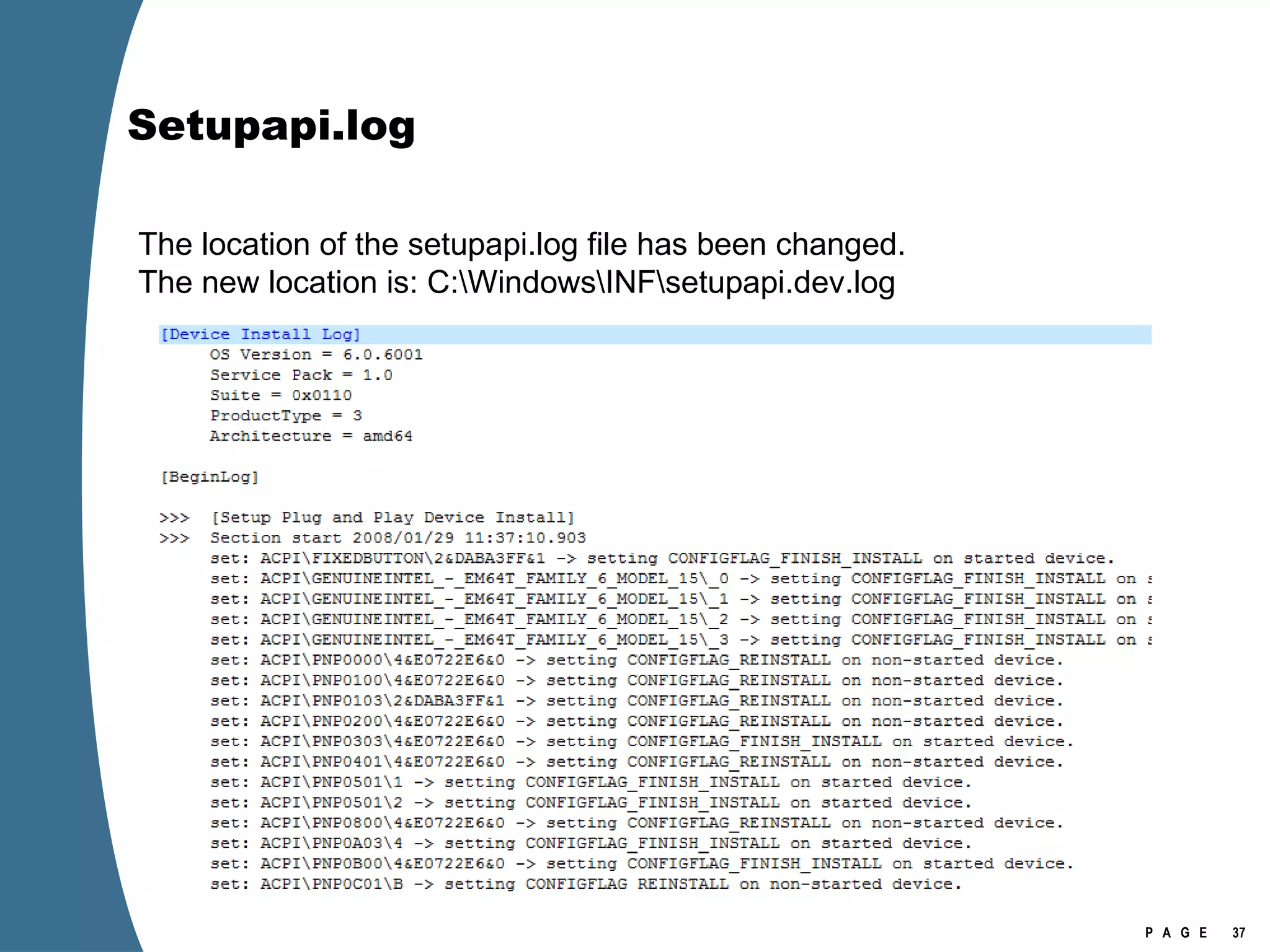
Setupapi.log The location of the setupapi.log file has been changed.  The new location is: C:\Windows\INF\setupapi.dev.log
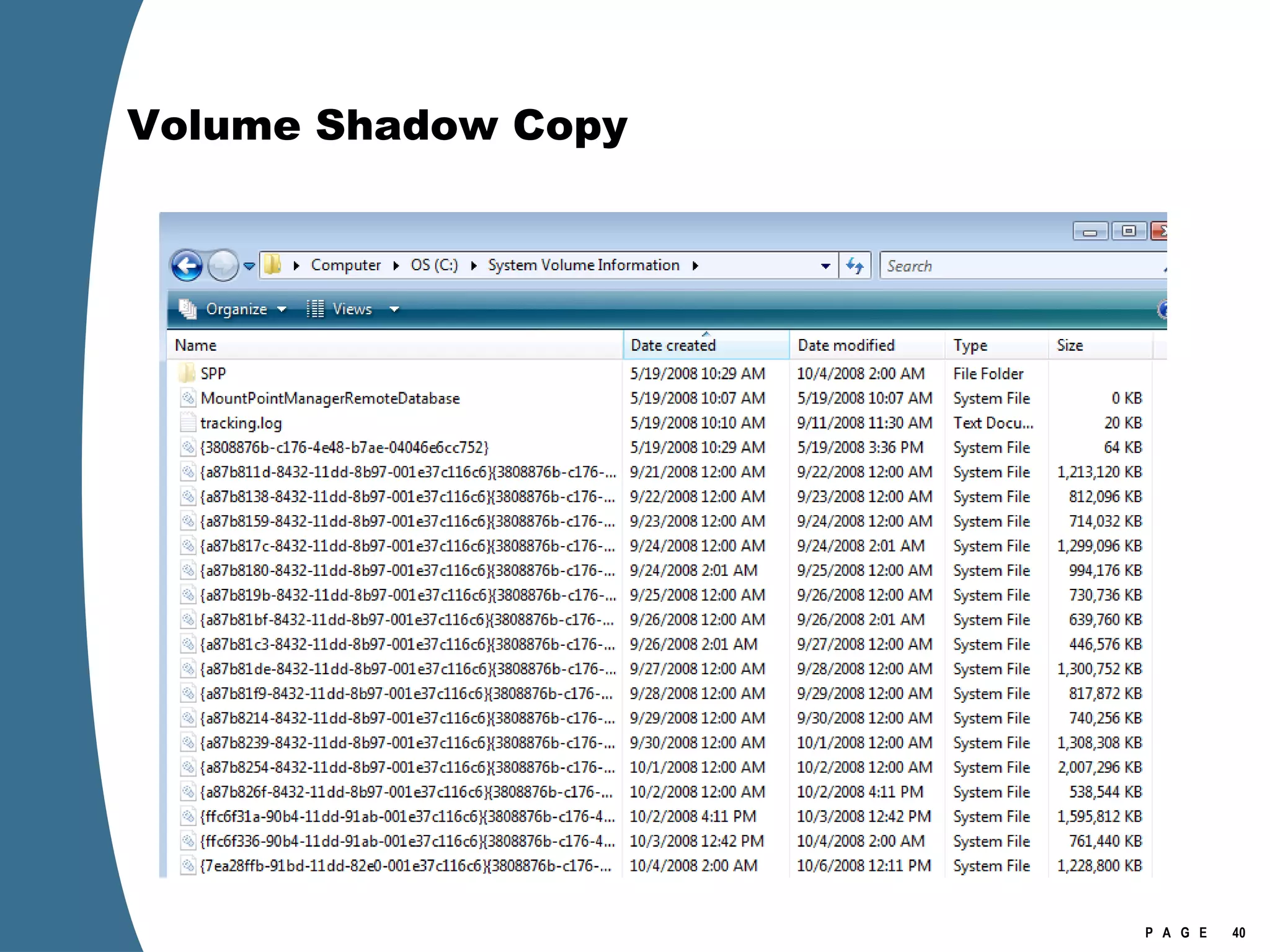
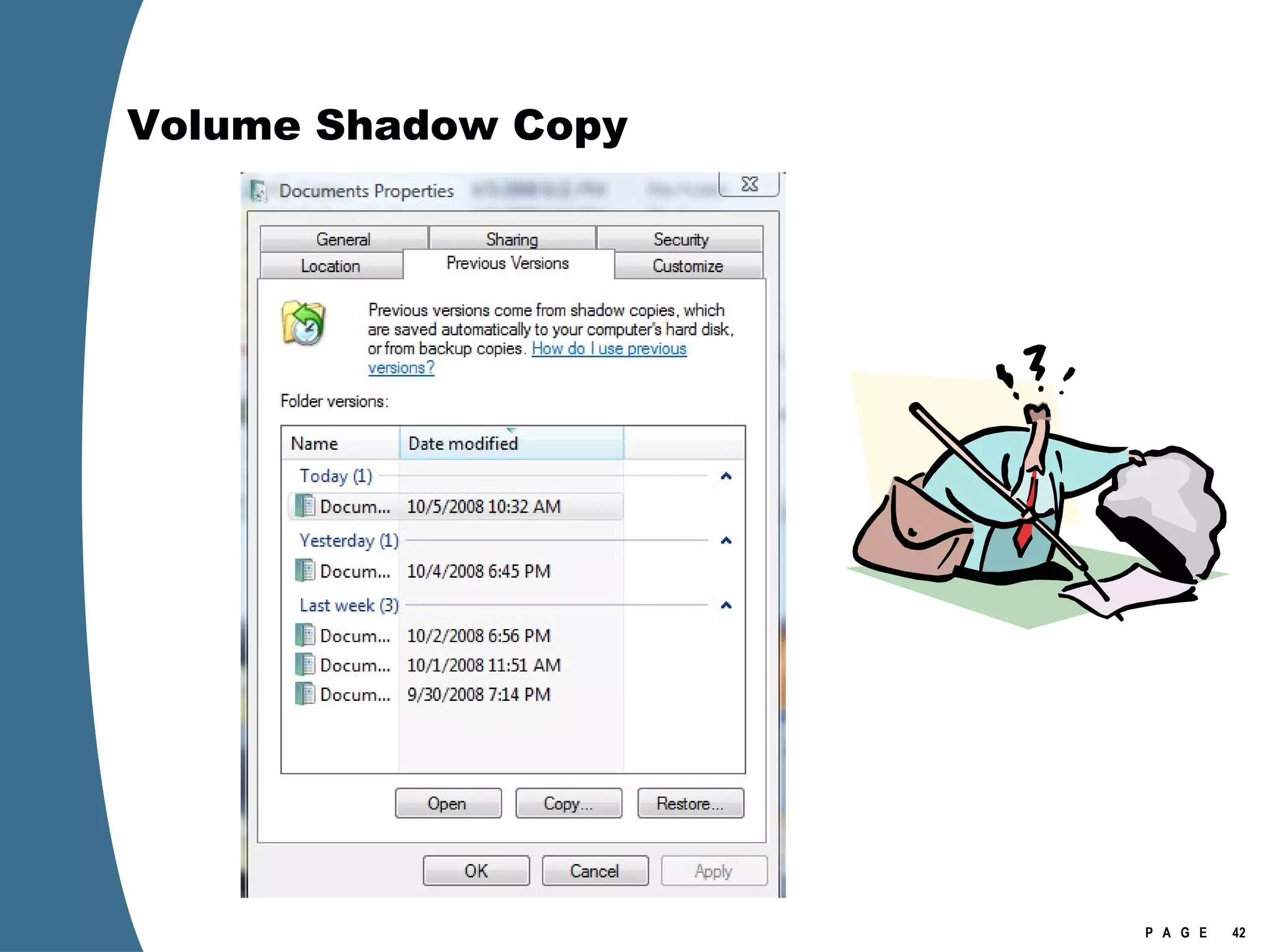
Volume Shadow Copy Volume shadow copies are bit level differential backups of a volume. 16 KB blocks. Typically, shadow copies are created when a system boots up.  Can be created at other times. The shadow copy service is enabled by default on Vista, but not on Windows 2008. Shadow copies reside in the  System Volume Information  folder.
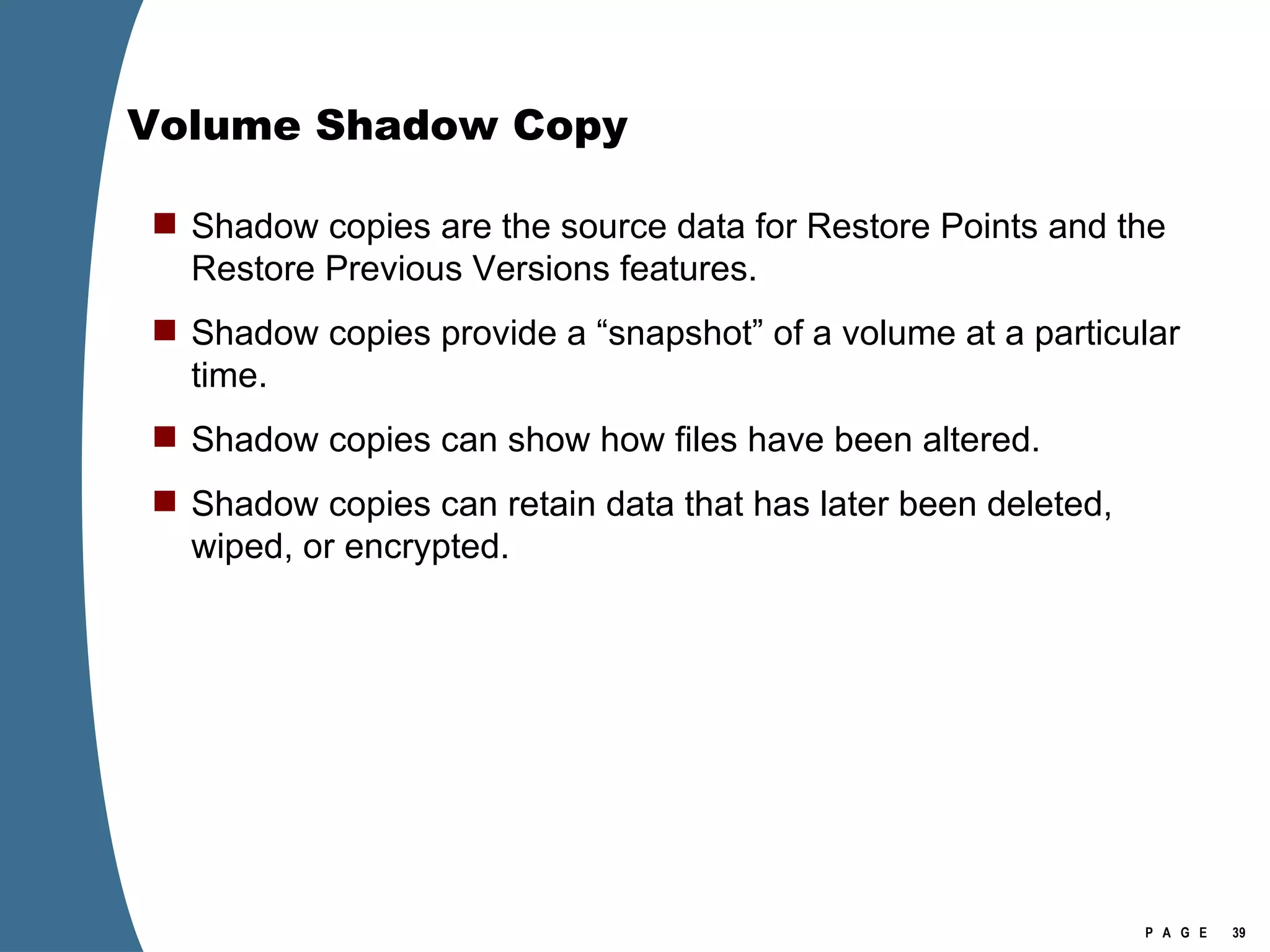
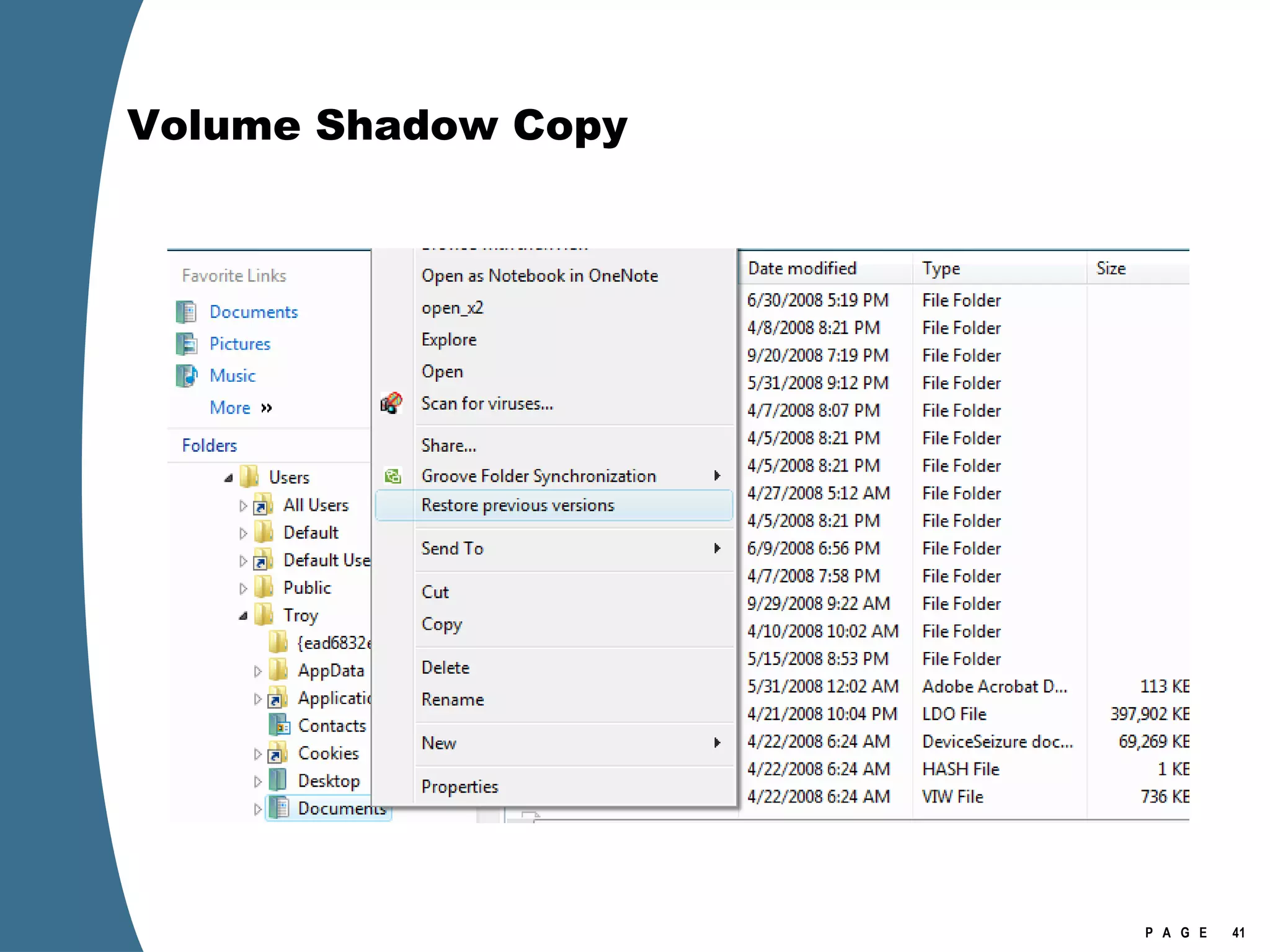
Volume Shadow Copy Shadow copies are the source data for Restore Points and the Restore Previous Versions features. Shadow copies provide a “snapshot” of a volume at a particular time. Shadow copies can show how files have been altered. Shadow copies can retain data that has later been deleted, wiped, or encrypted.
Volume Shadow Copy
Volume Shadow Copy
Volume Shadow Copy
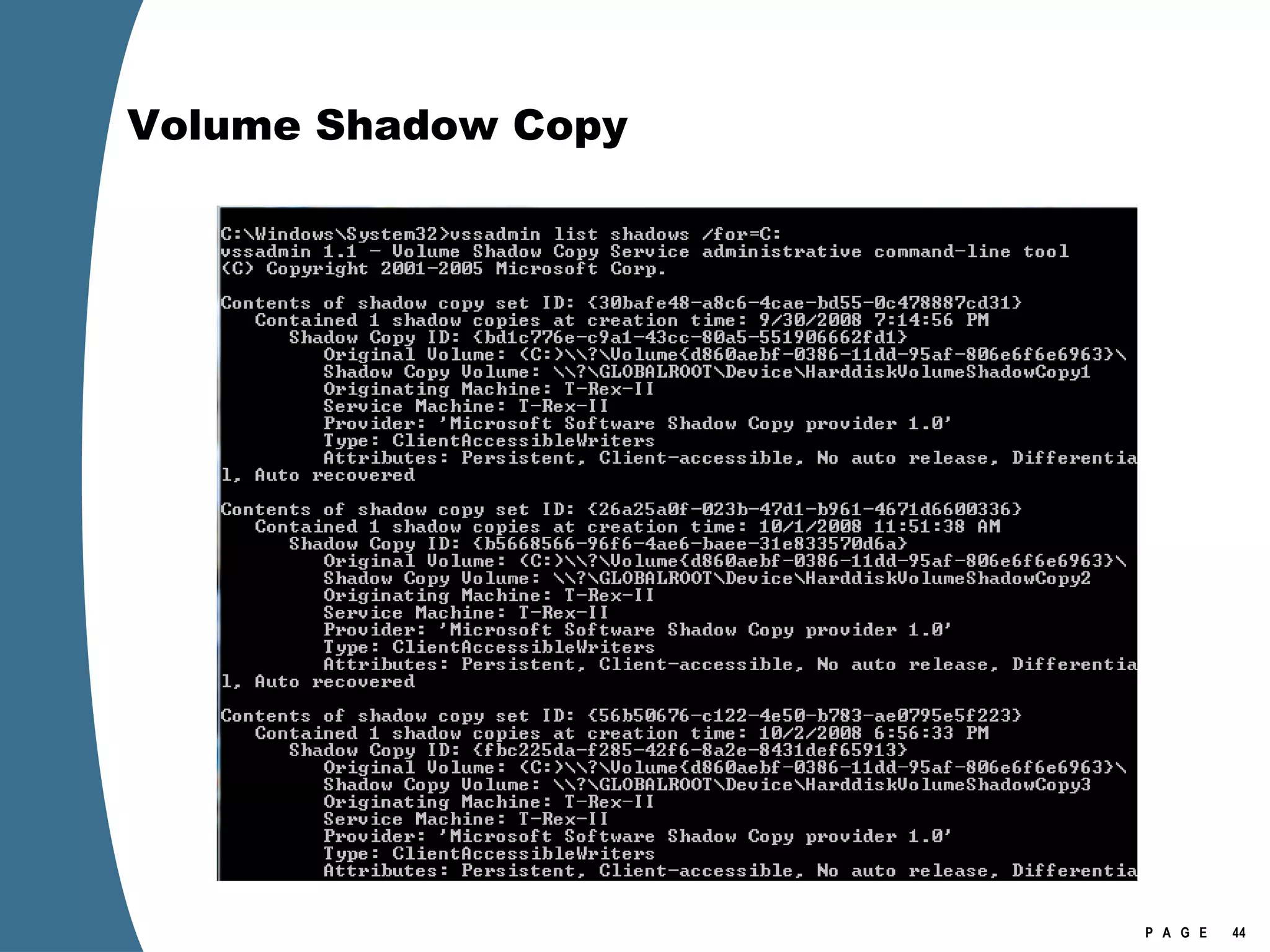
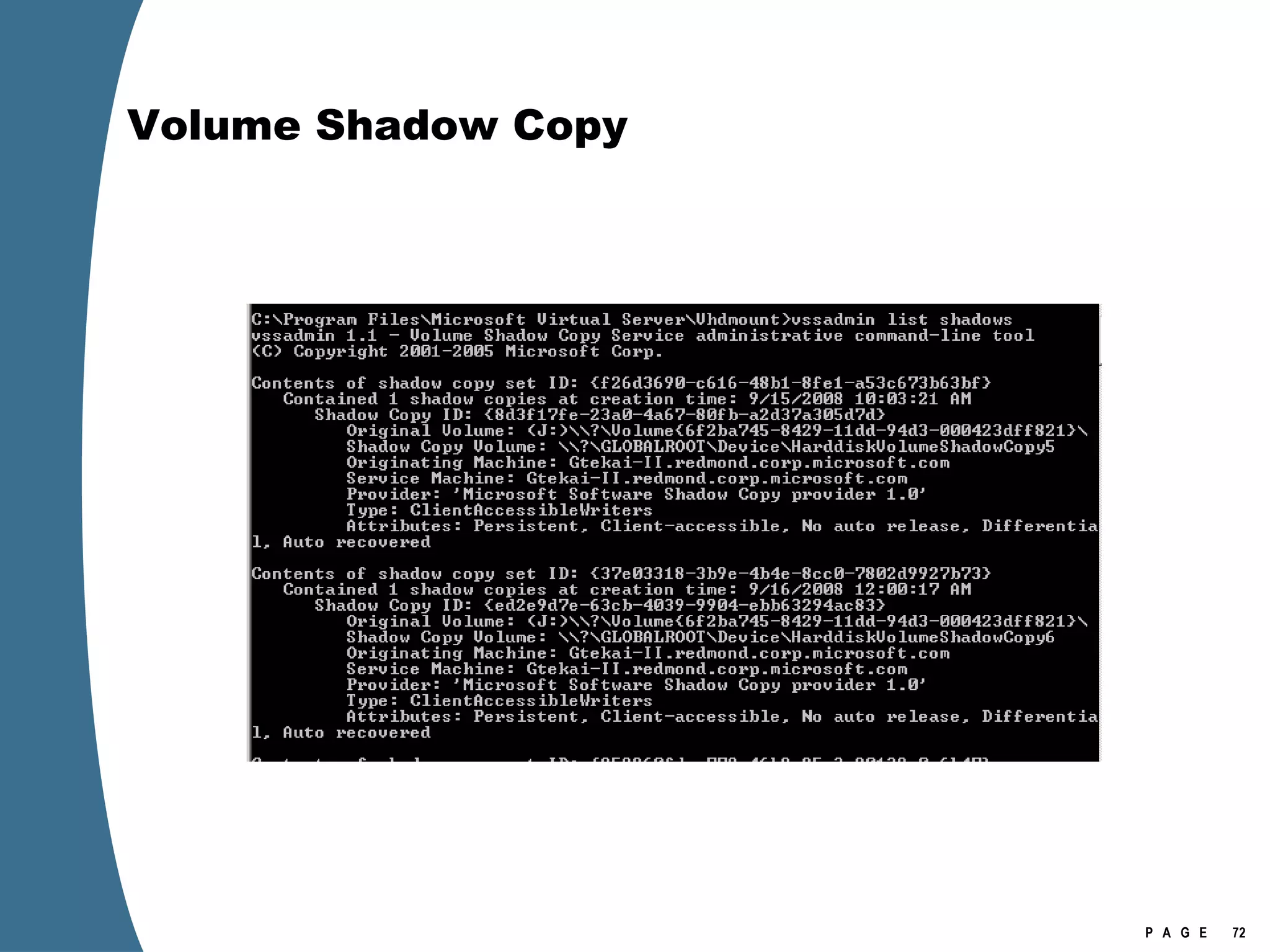
Volume Shadow Copy vssadmin list shadows /for=[volume]:
Volume Shadow Copy
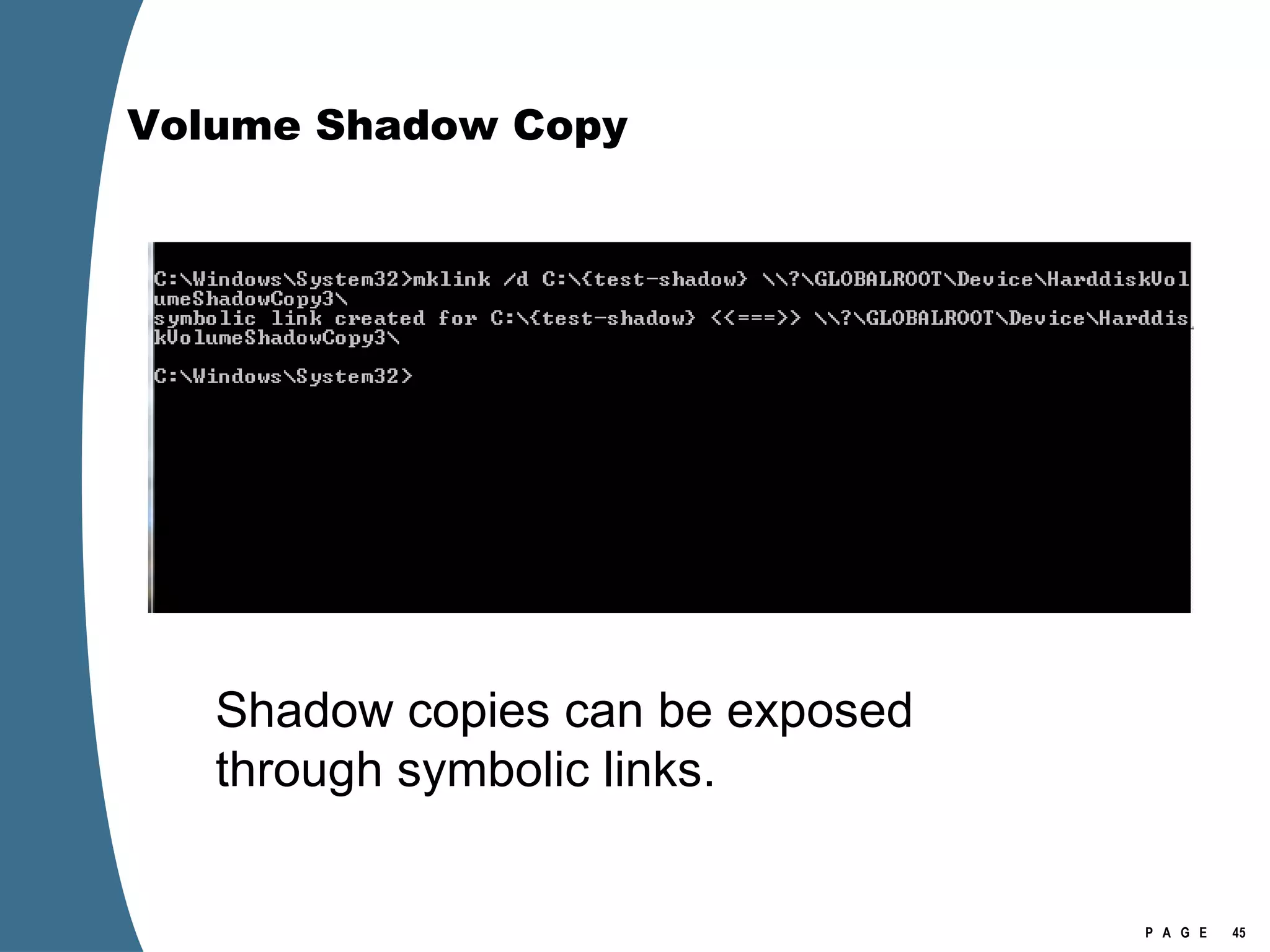
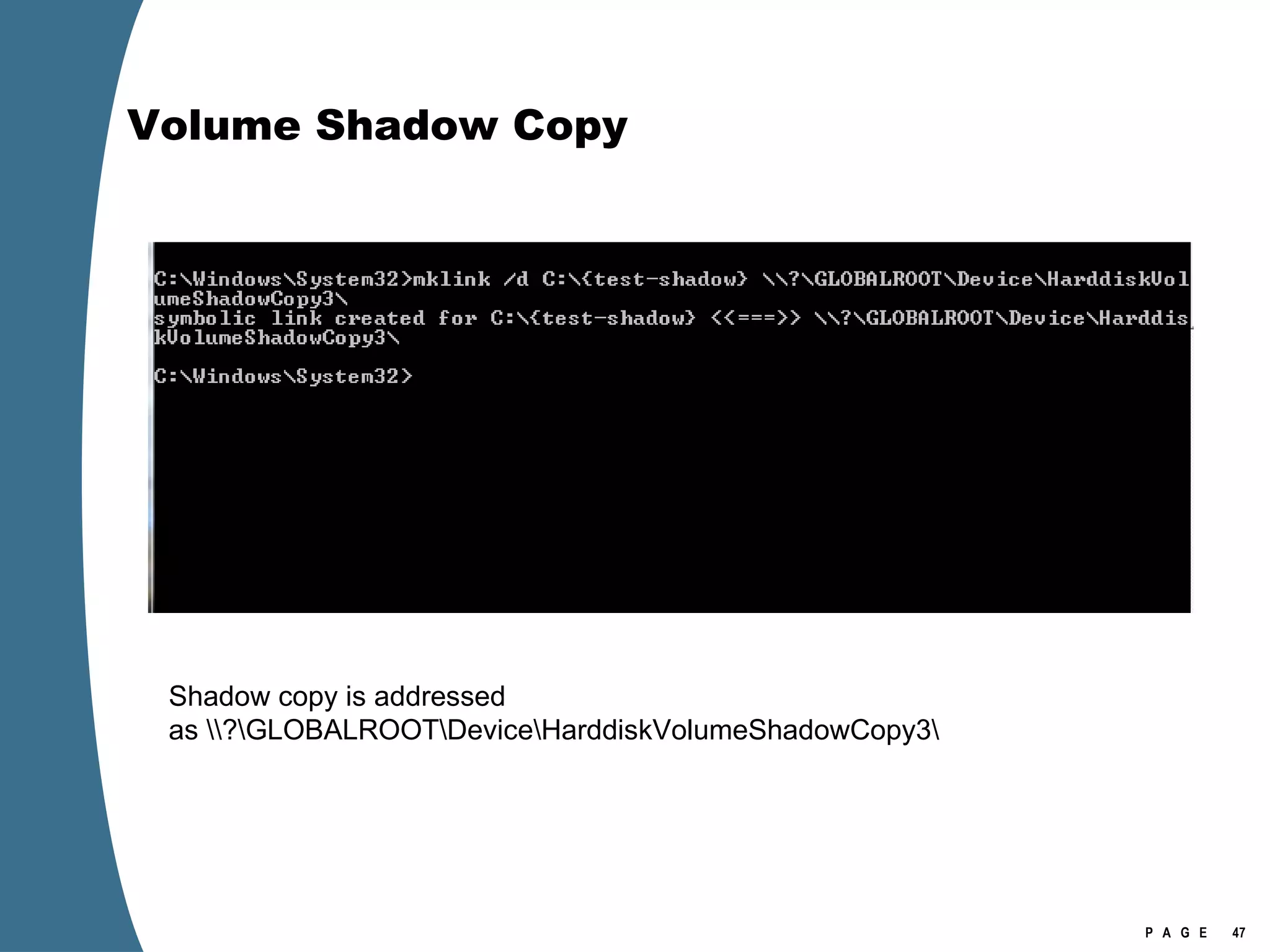
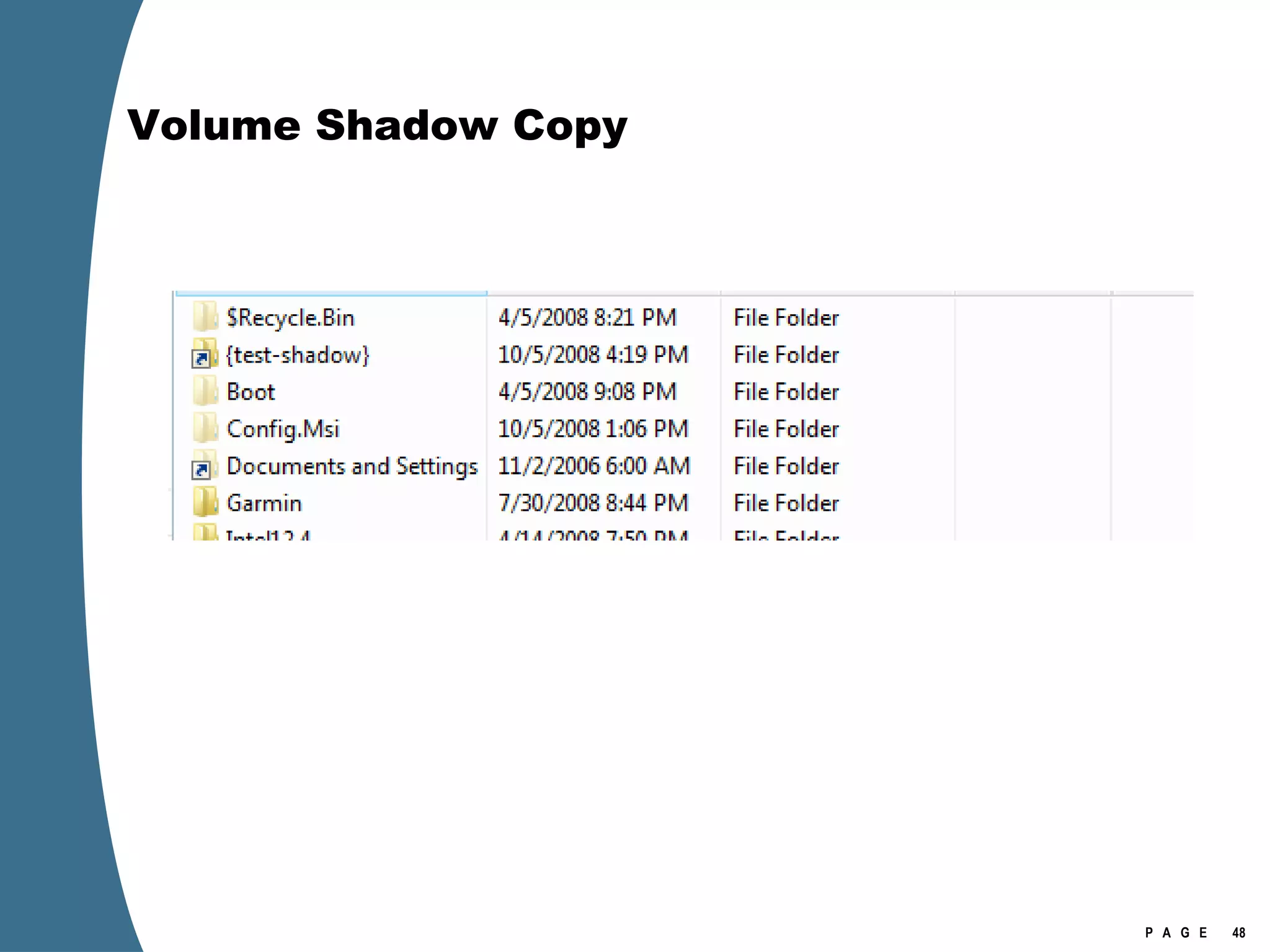
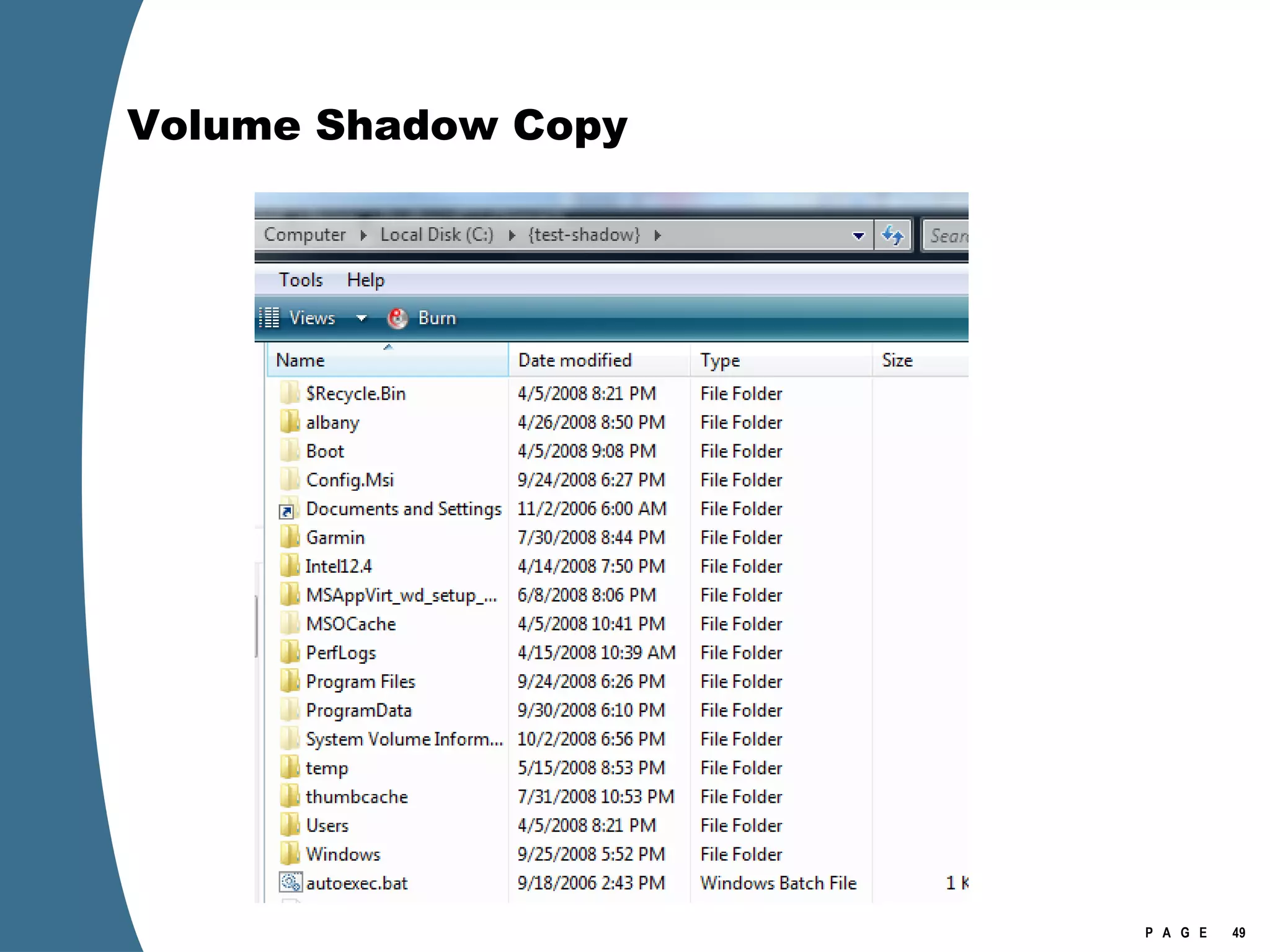
Volume Shadow Copy Shadow copies can be exposed through symbolic links.
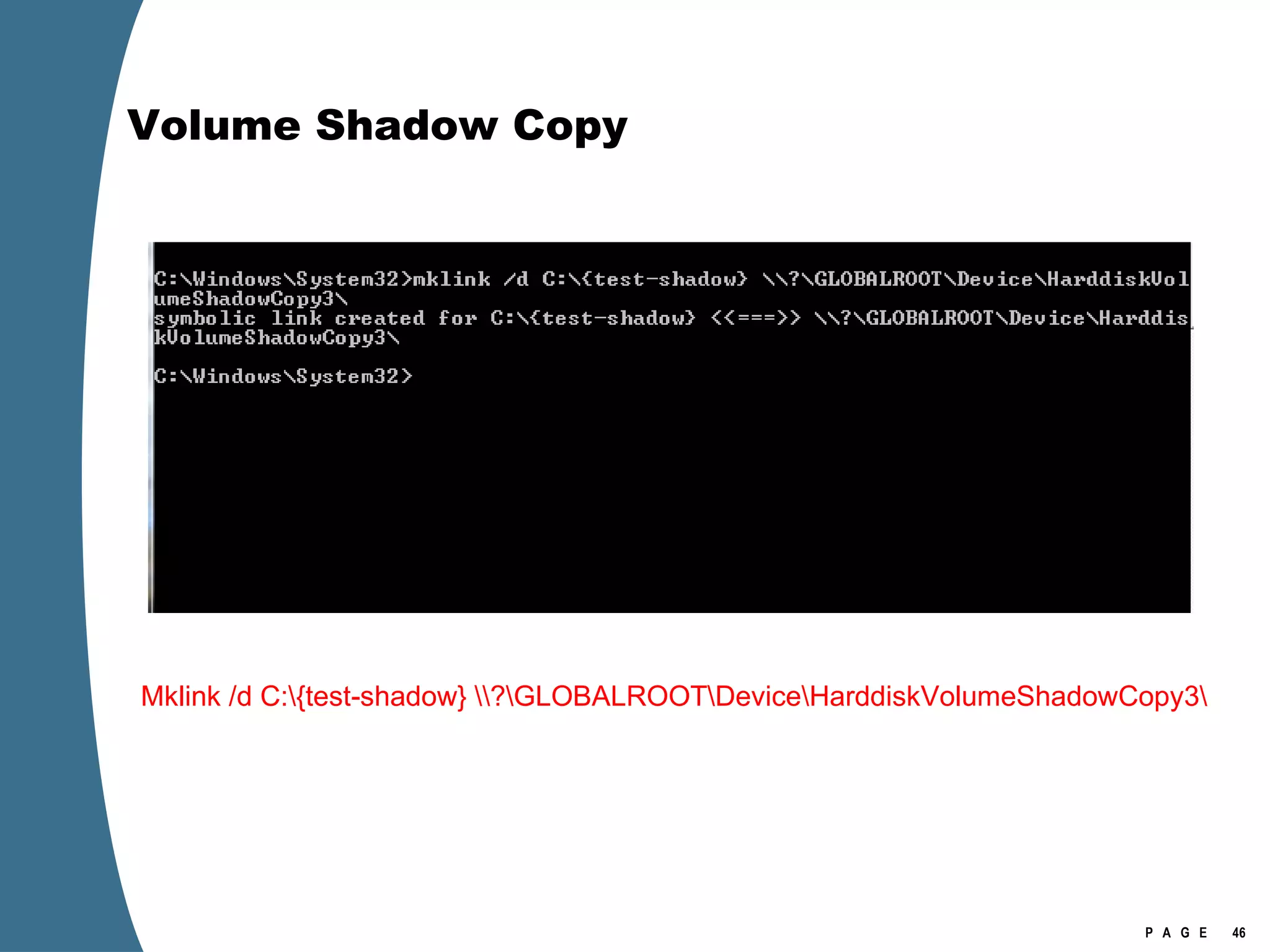
Volume Shadow Copy Mklink /d C:\{test-shadow} \\?\GLOBALROOT\Device\HarddiskVolumeShadowCopy3\
Volume Shadow Copy Shadow copy is addressed as \\?\GLOBALROOT\Device\HarddiskVolumeShadowCopy3\
Volume Shadow Copy
Volume Shadow Copy
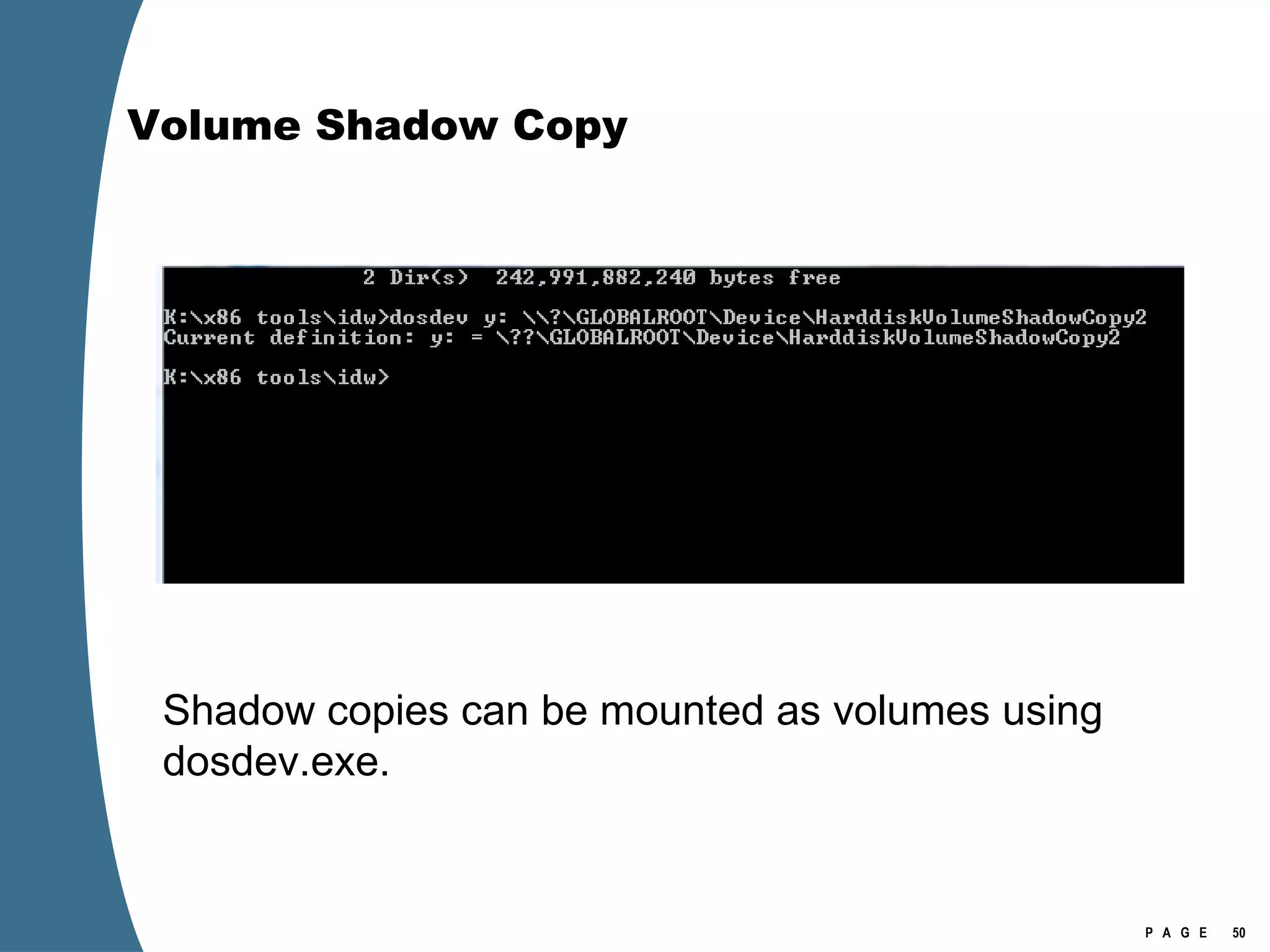
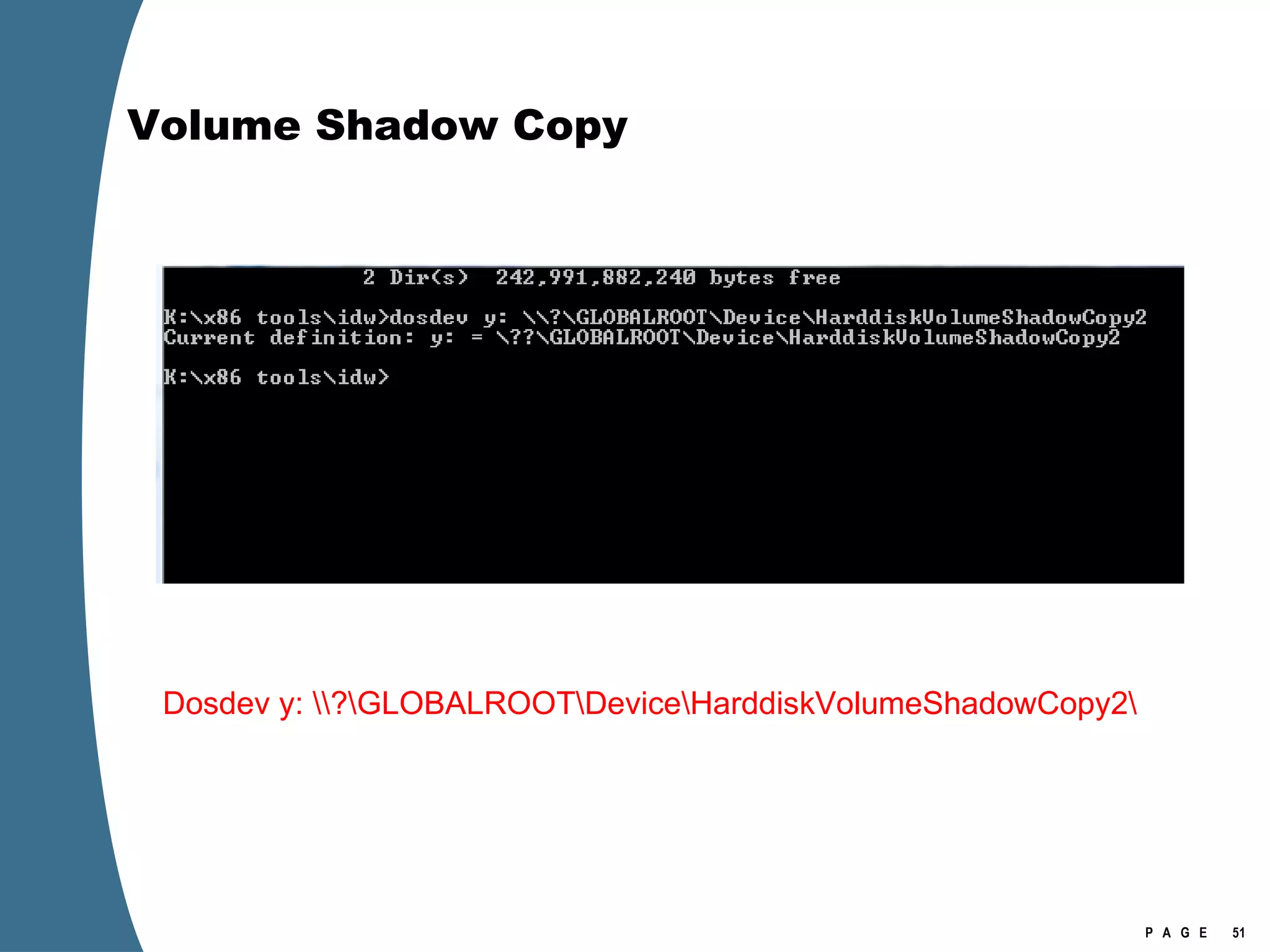
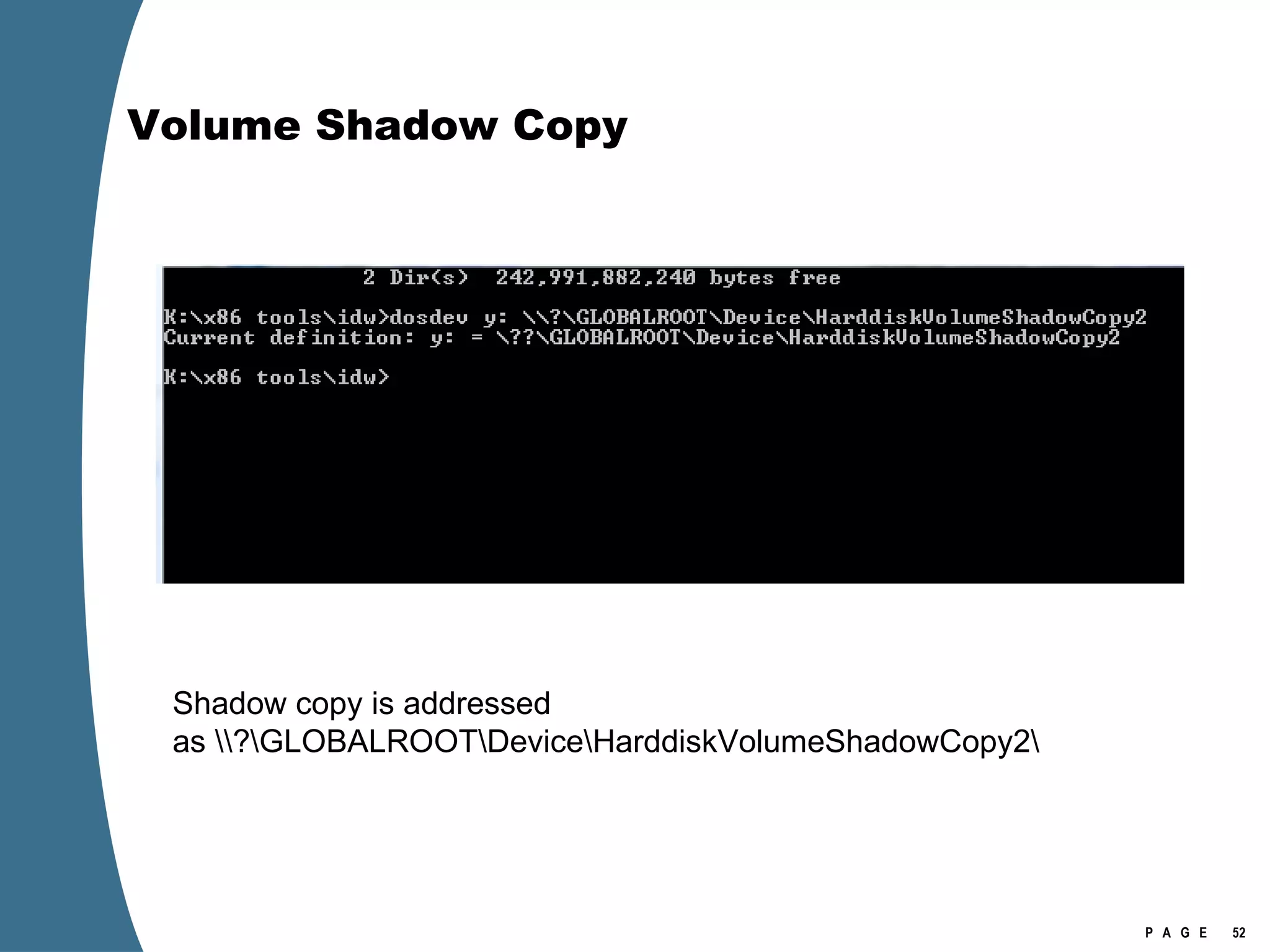
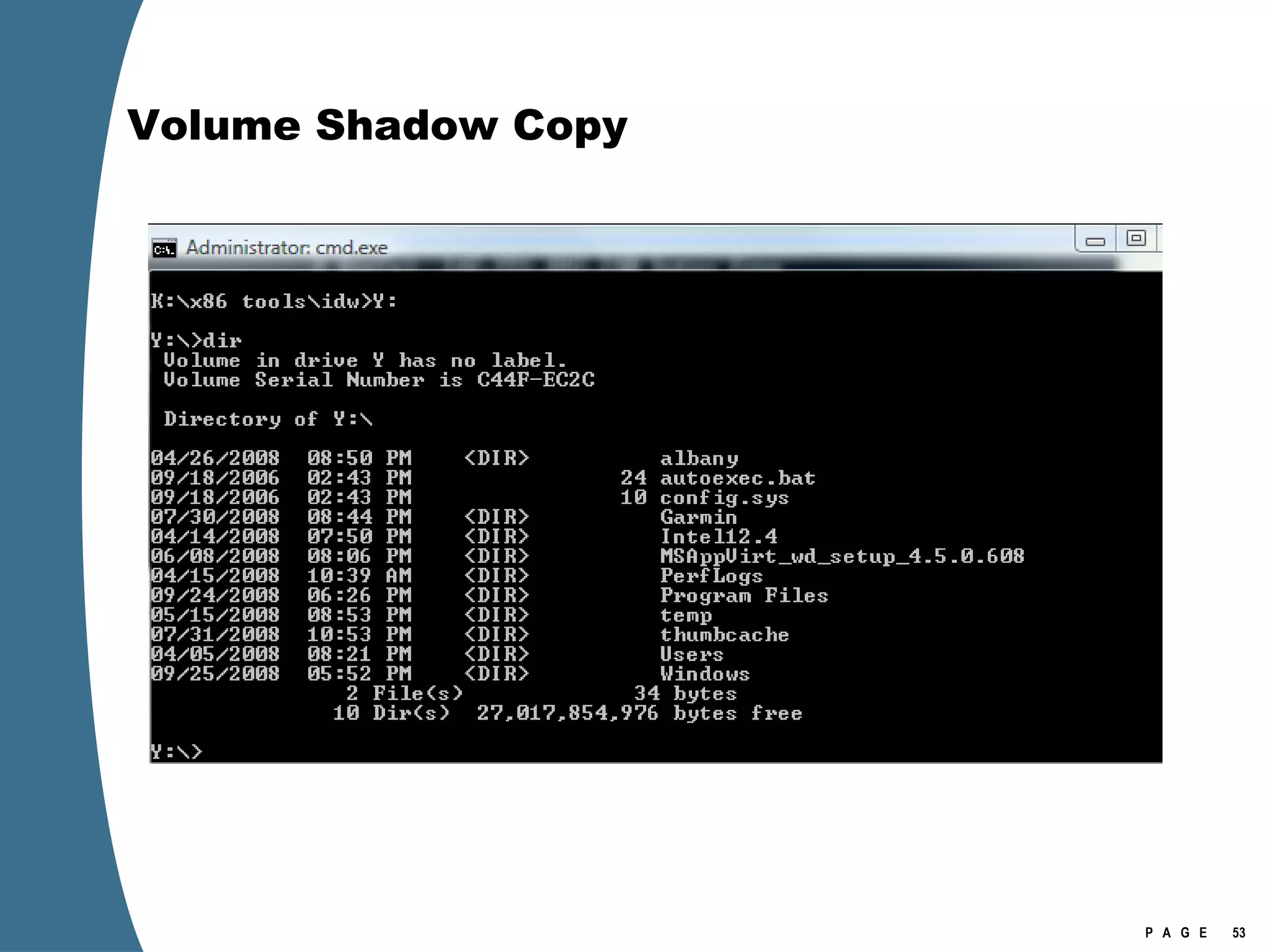
Volume Shadow Copy Shadow copies can be mounted as volumes using dosdev.exe.
Volume Shadow Copy Dosdev y: \\?\GLOBALROOT\Device\HarddiskVolumeShadowCopy2\
Volume Shadow Copy Shadow copy is addressed as \\?\GLOBALROOT\Device\HarddiskVolumeShadowCopy2\
Volume Shadow Copy
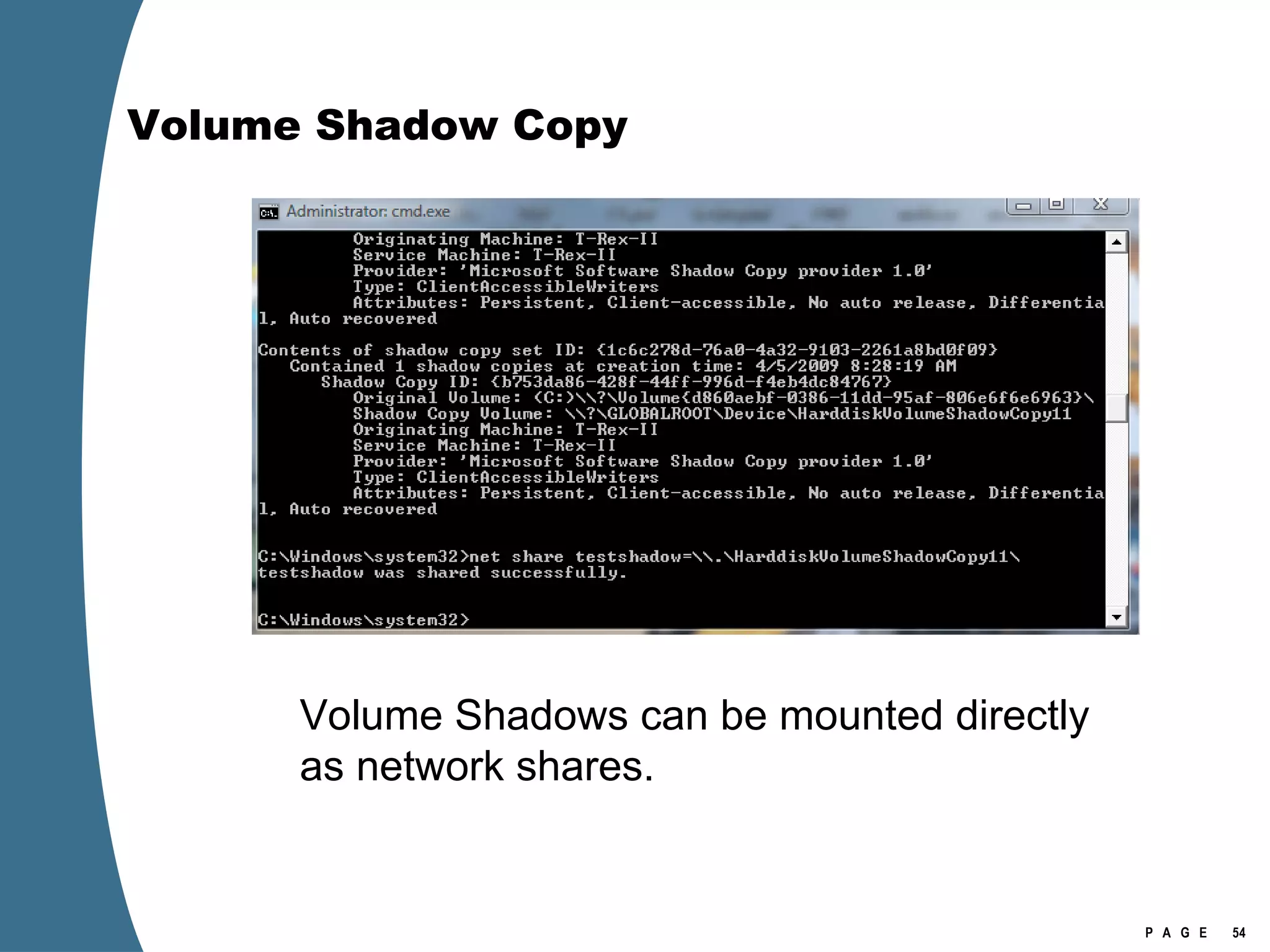
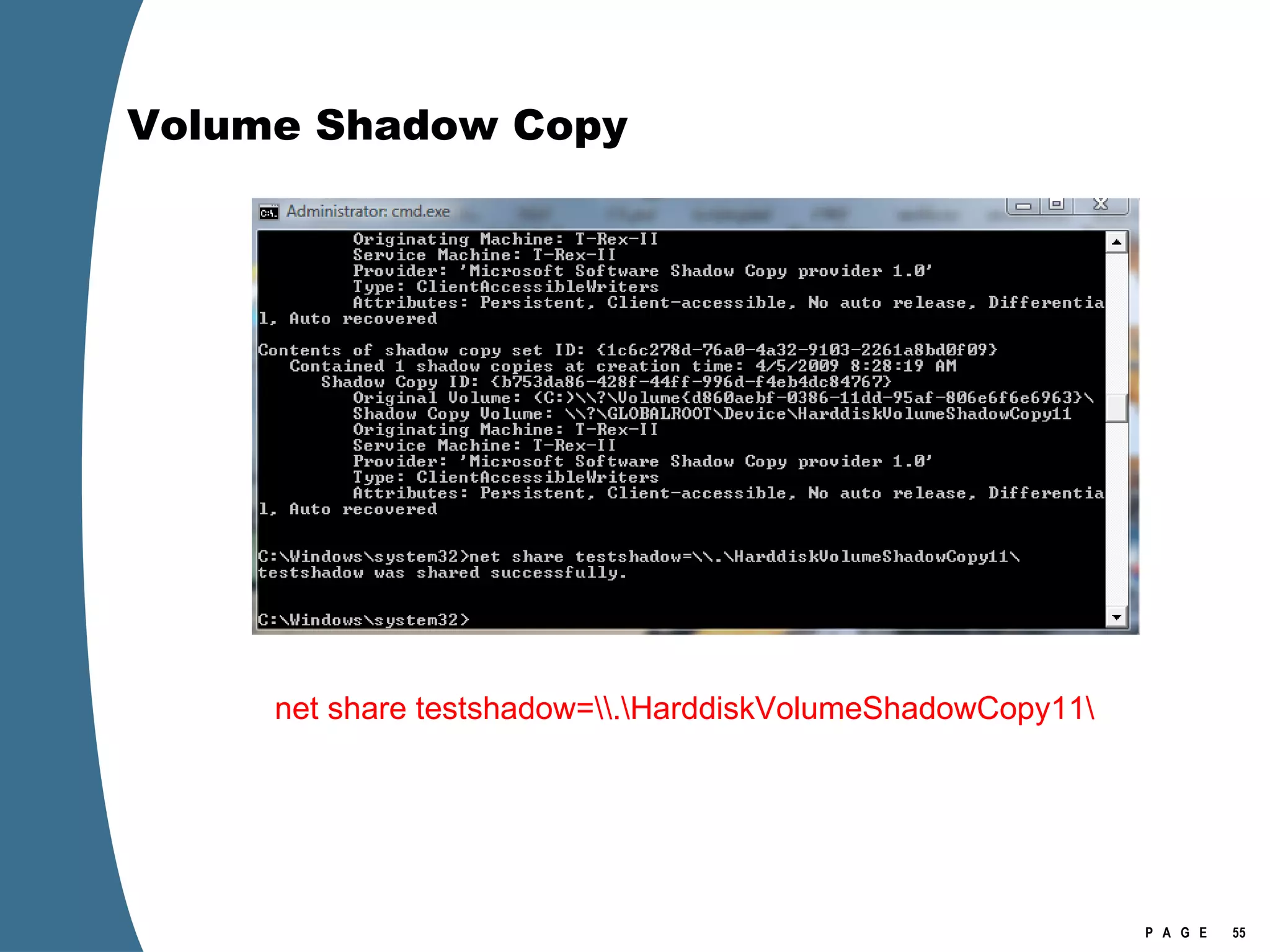
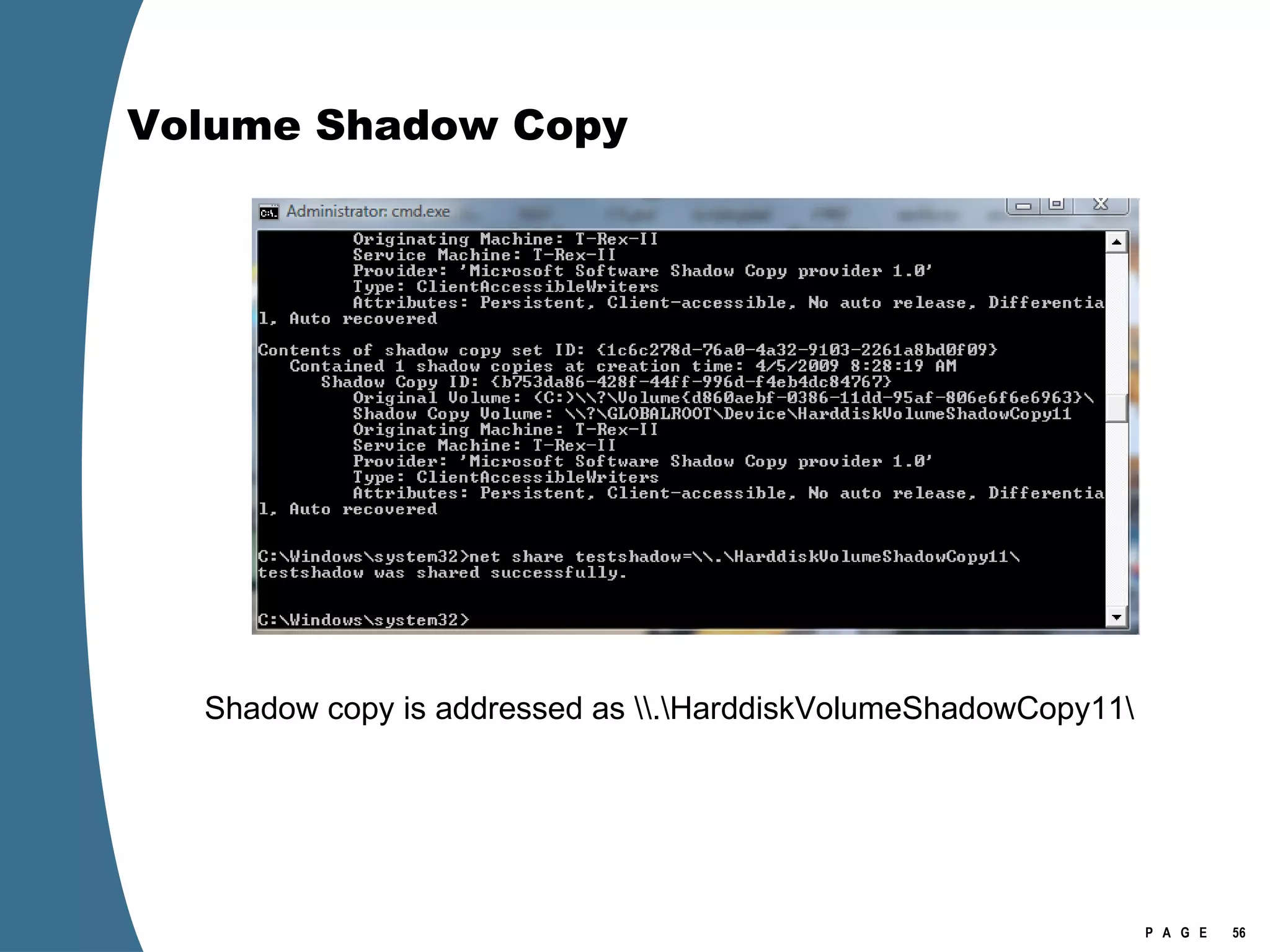
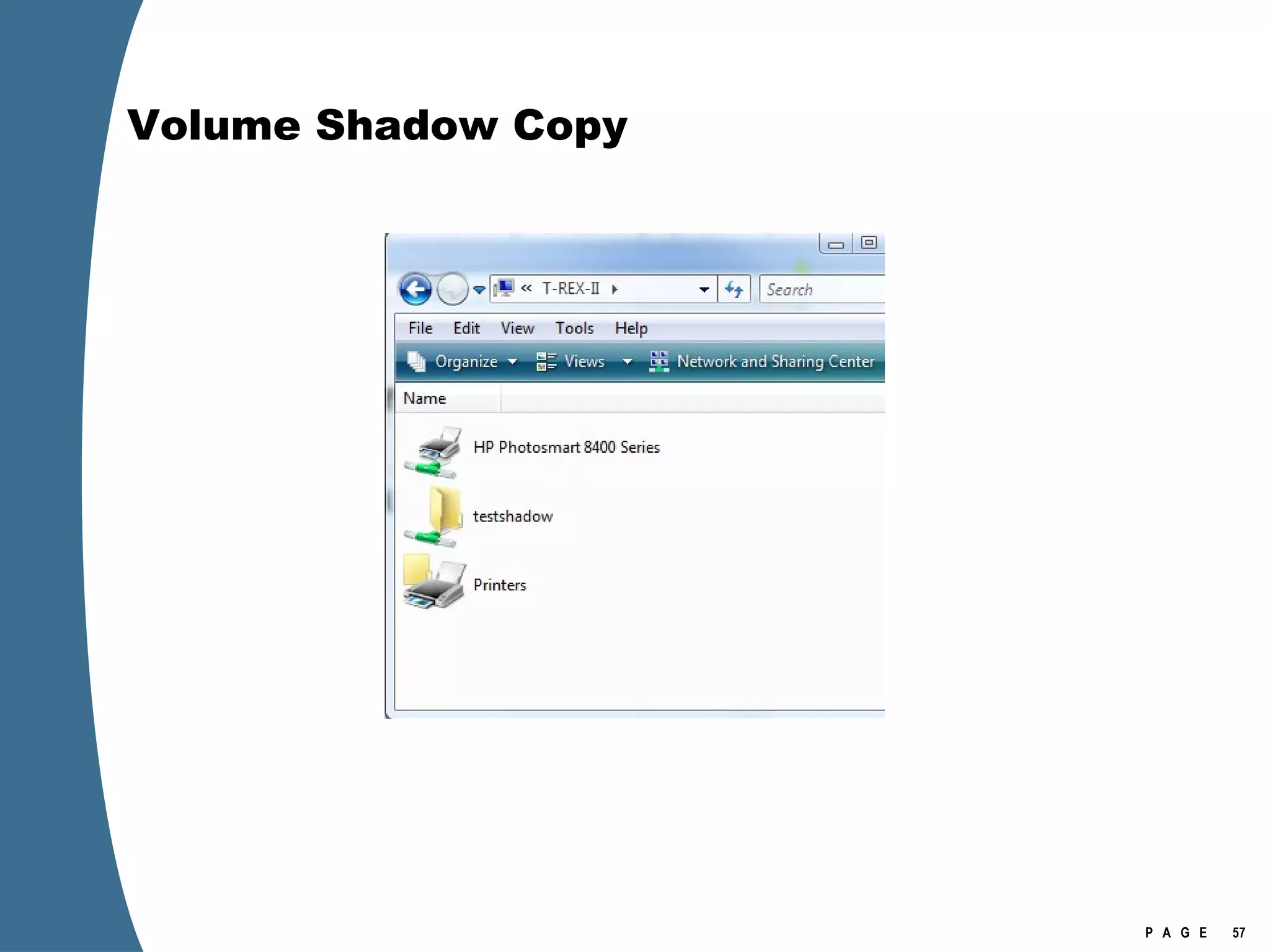
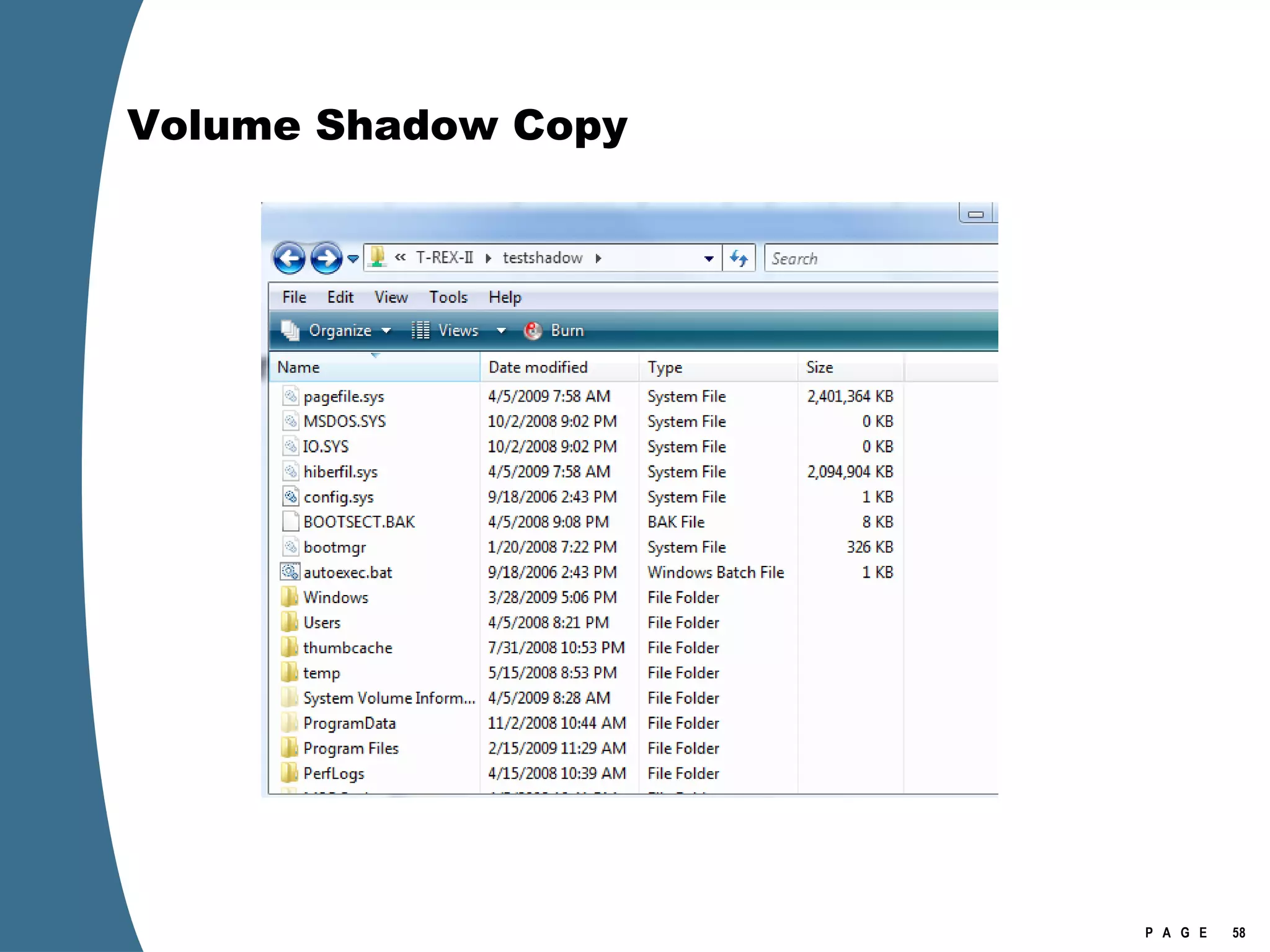
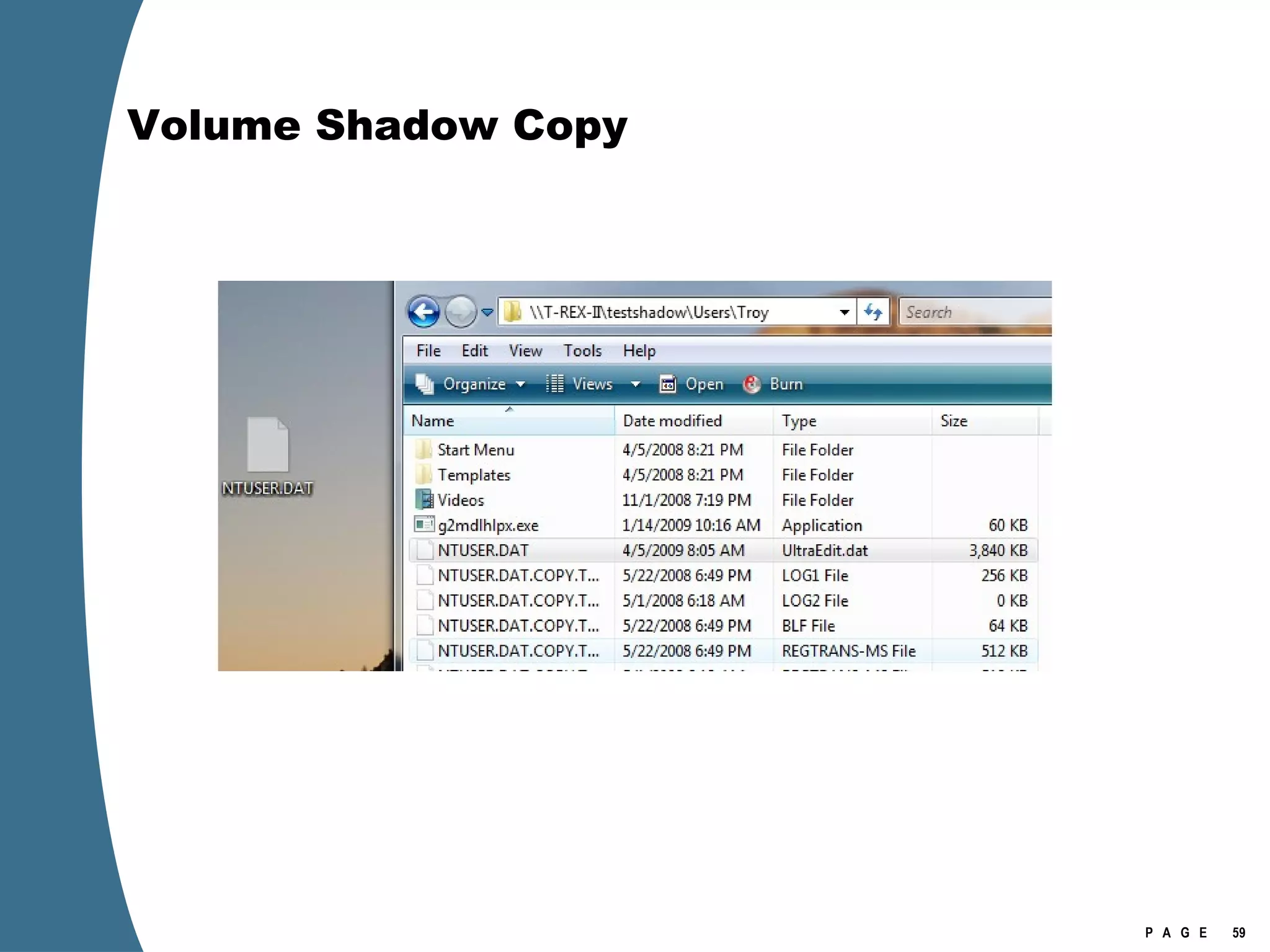
Volume Shadow Copy Volume Shadows can be mounted directly as network shares.
Volume Shadow Copy net share testshadow=\\.\HarddiskVolumeShadowCopy11\
Volume Shadow Copy Shadow copy is addressed as \\.\HarddiskVolumeShadowCopy11\
Volume Shadow Copy
Volume Shadow Copy
Volume Shadow Copy
Volume Shadow Copy   > psexec \\[computername] vssadmin list shadows  /for=C:    > psexec \\[computername] net share testshadow=\\.\HarddiskVolumeShadowCopy20\   PsExec v1.94 - Execute processes remotely . . .   testshadow was shared successfully. net exited on [computername] with error code 0.    > robocopy /S /R:1 /W:1 /LOG:D:\VSStestcopylog.txt \\[computername] \testshadow D:\vssTest     Log File : D:\VSStestcopylog.txt . . .
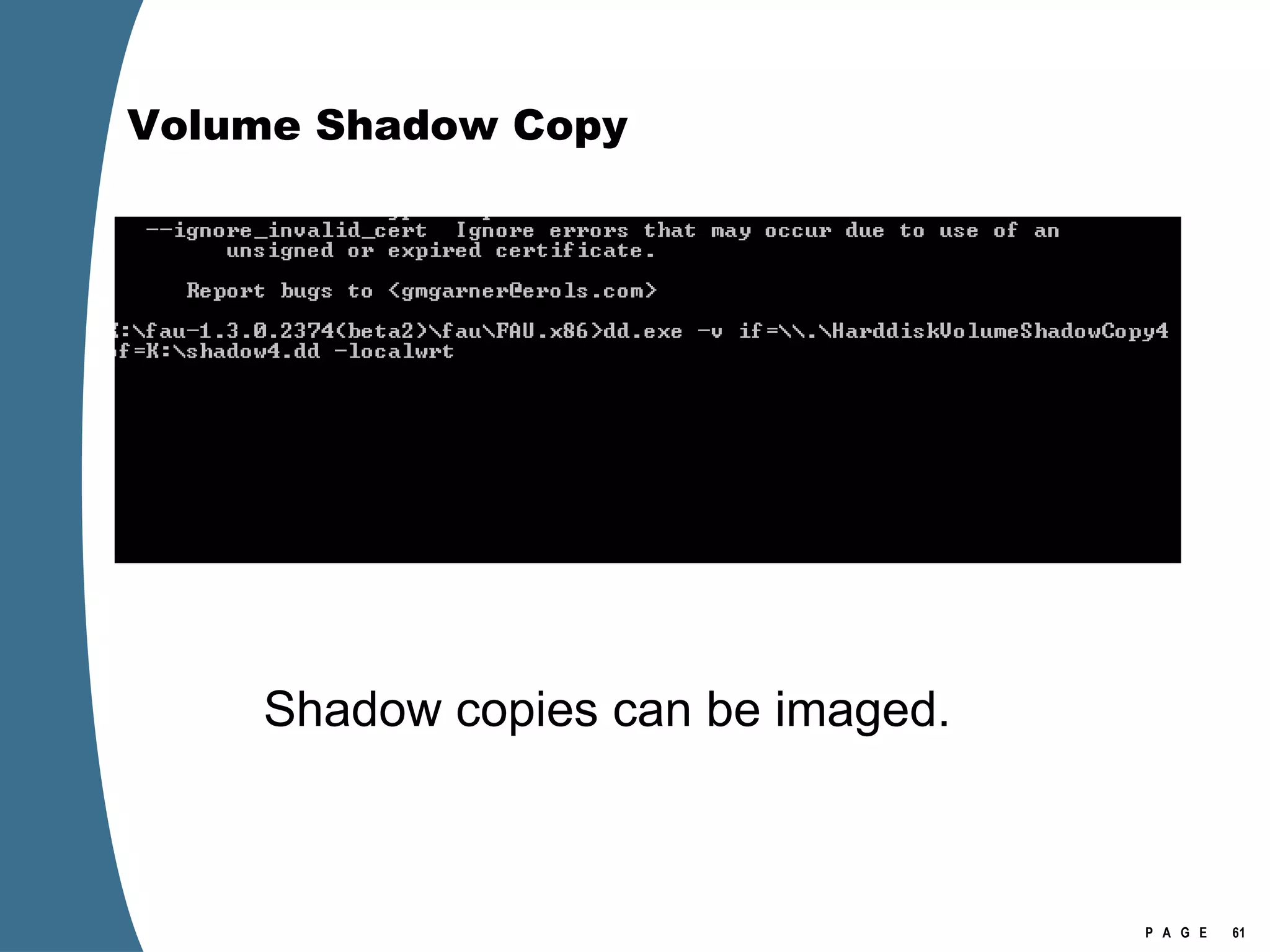
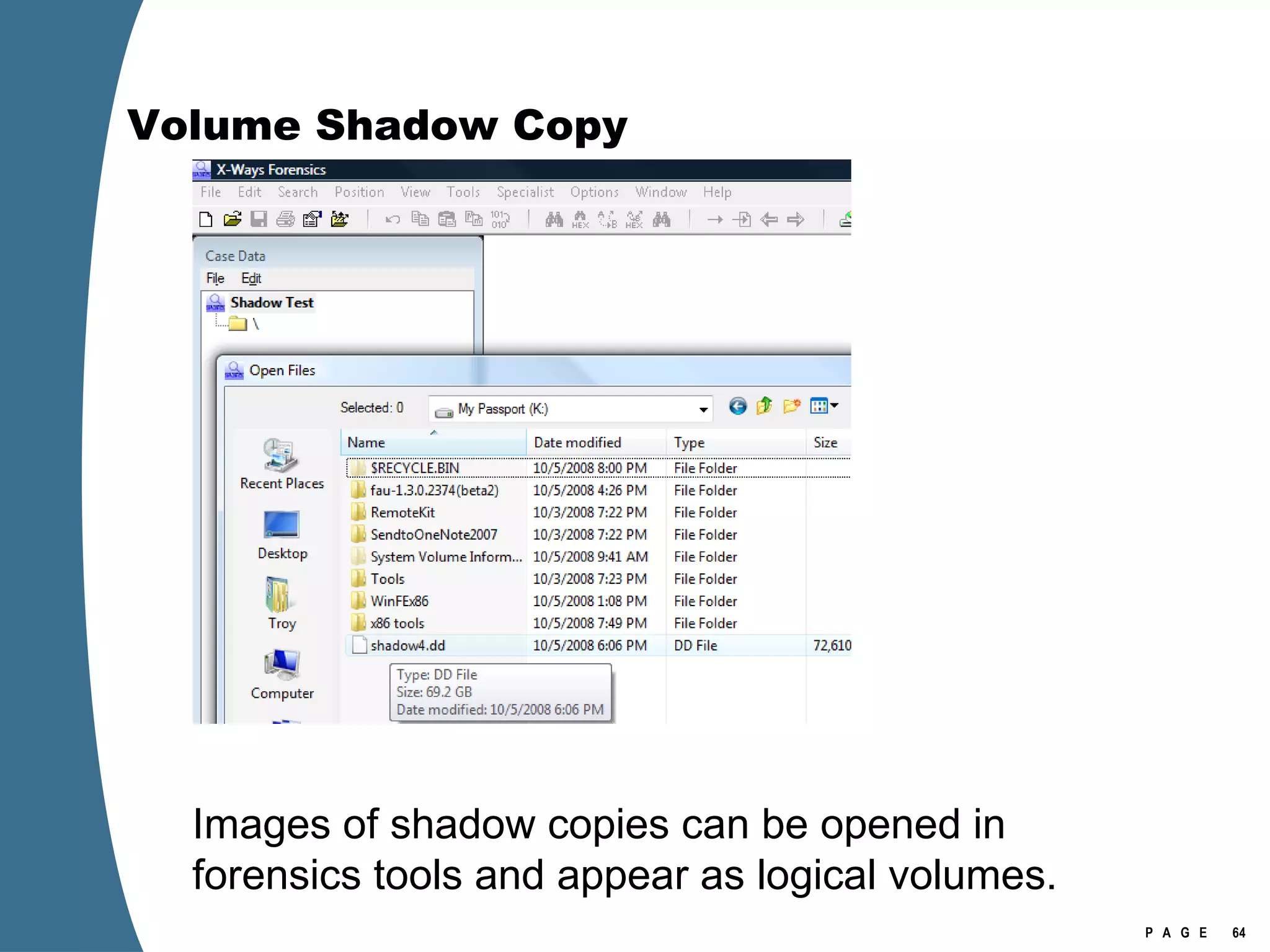
Volume Shadow Copy Shadow copies can be imaged.
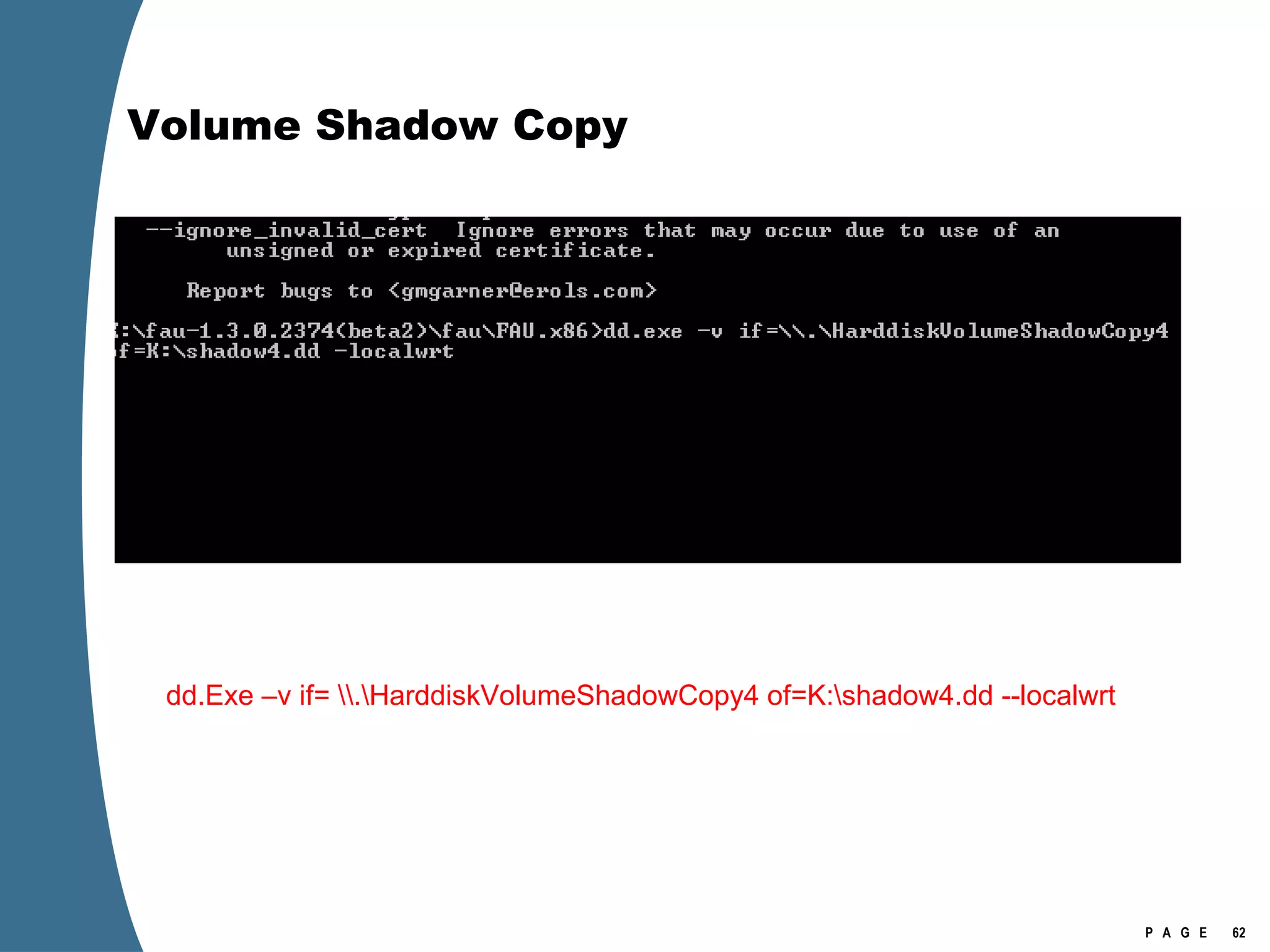
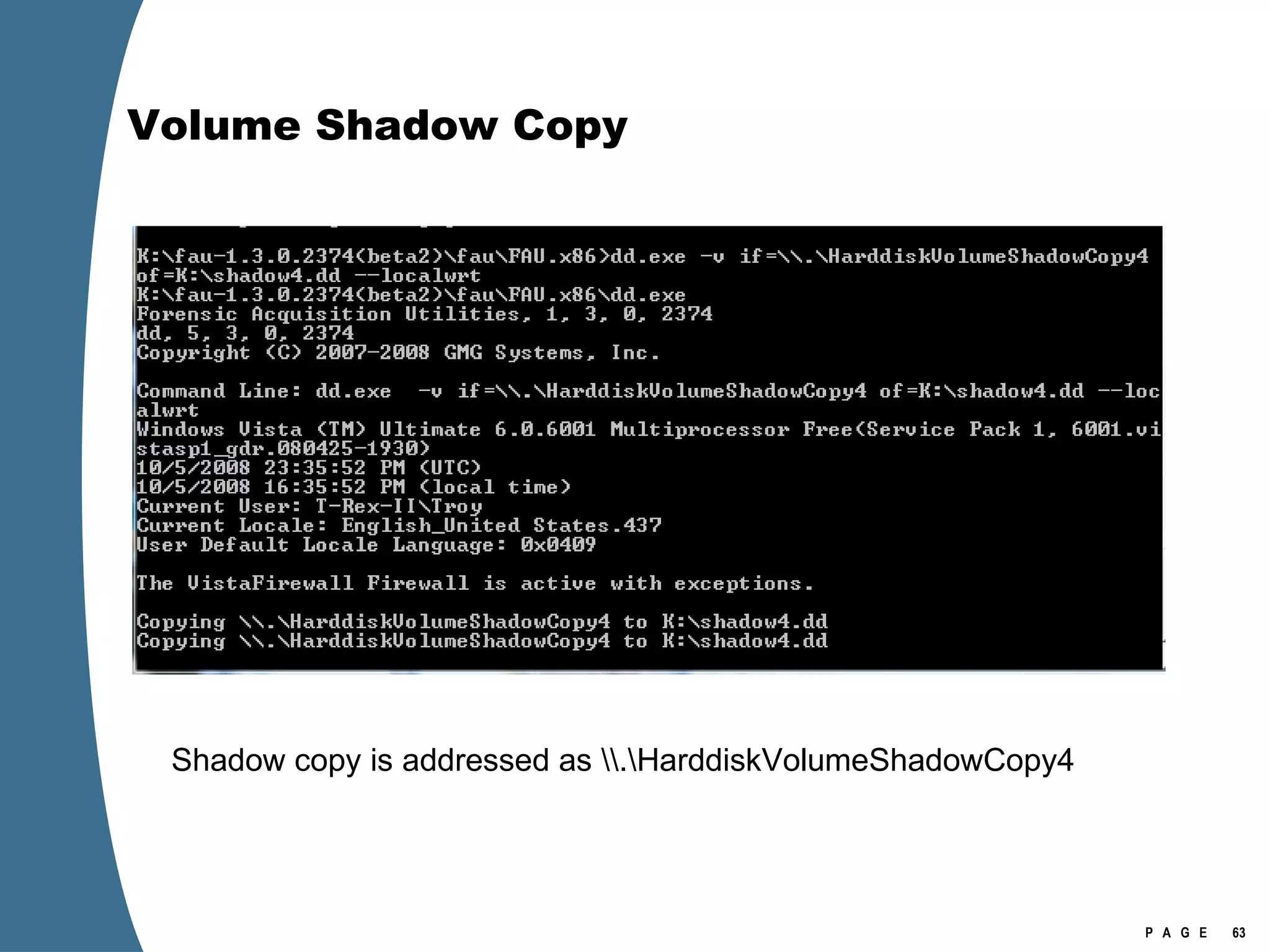
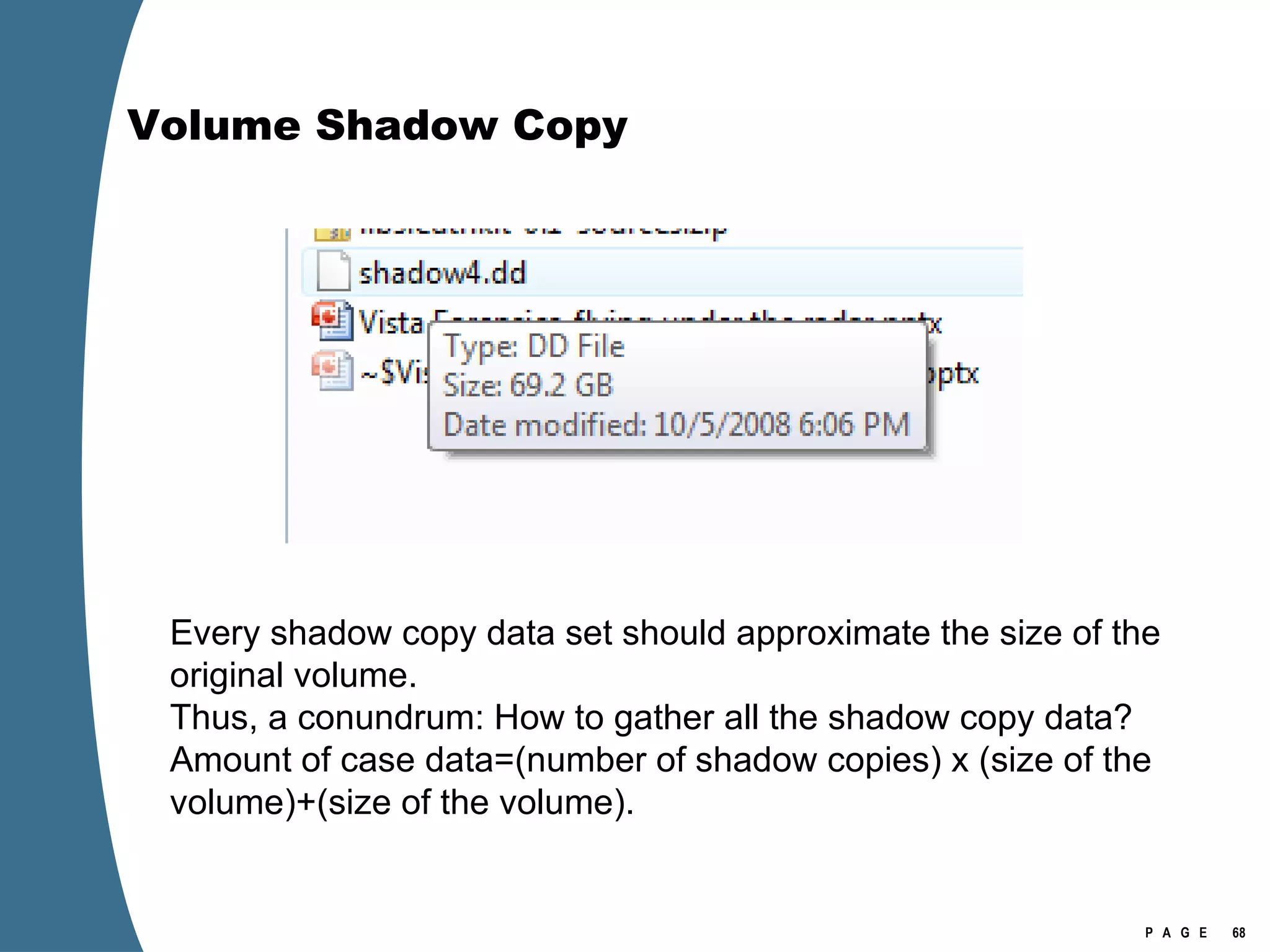
Volume Shadow Copy dd.Exe –v if= \\.\HarddiskVolumeShadowCopy4 of=K:\shadow4.dd --localwrt
Volume Shadow Copy Shadow copy is addressed as \\.\HarddiskVolumeShadowCopy4
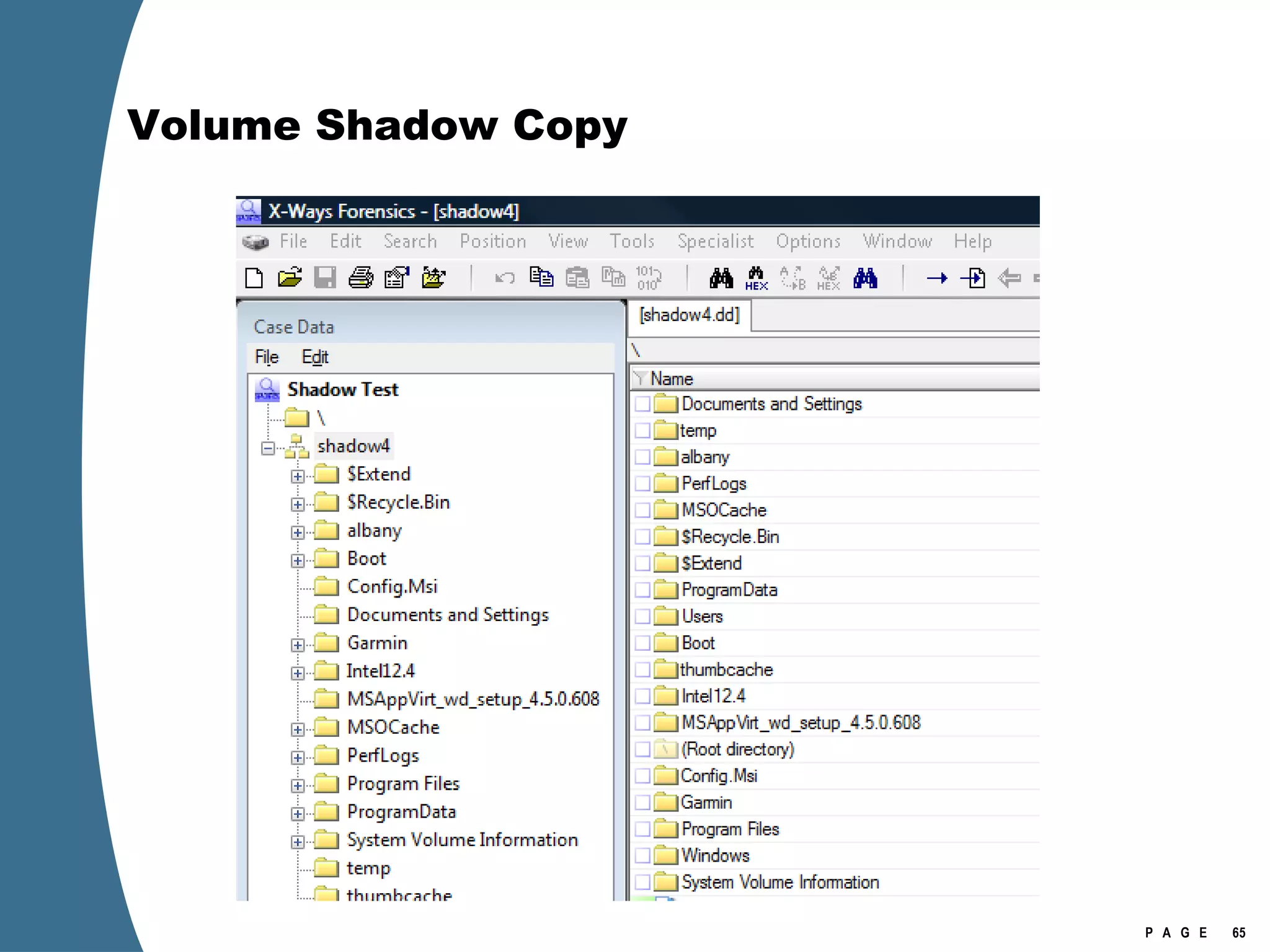
Volume Shadow Copy Images of shadow copies can be opened in forensics tools and appear as logical volumes.
Volume Shadow Copy
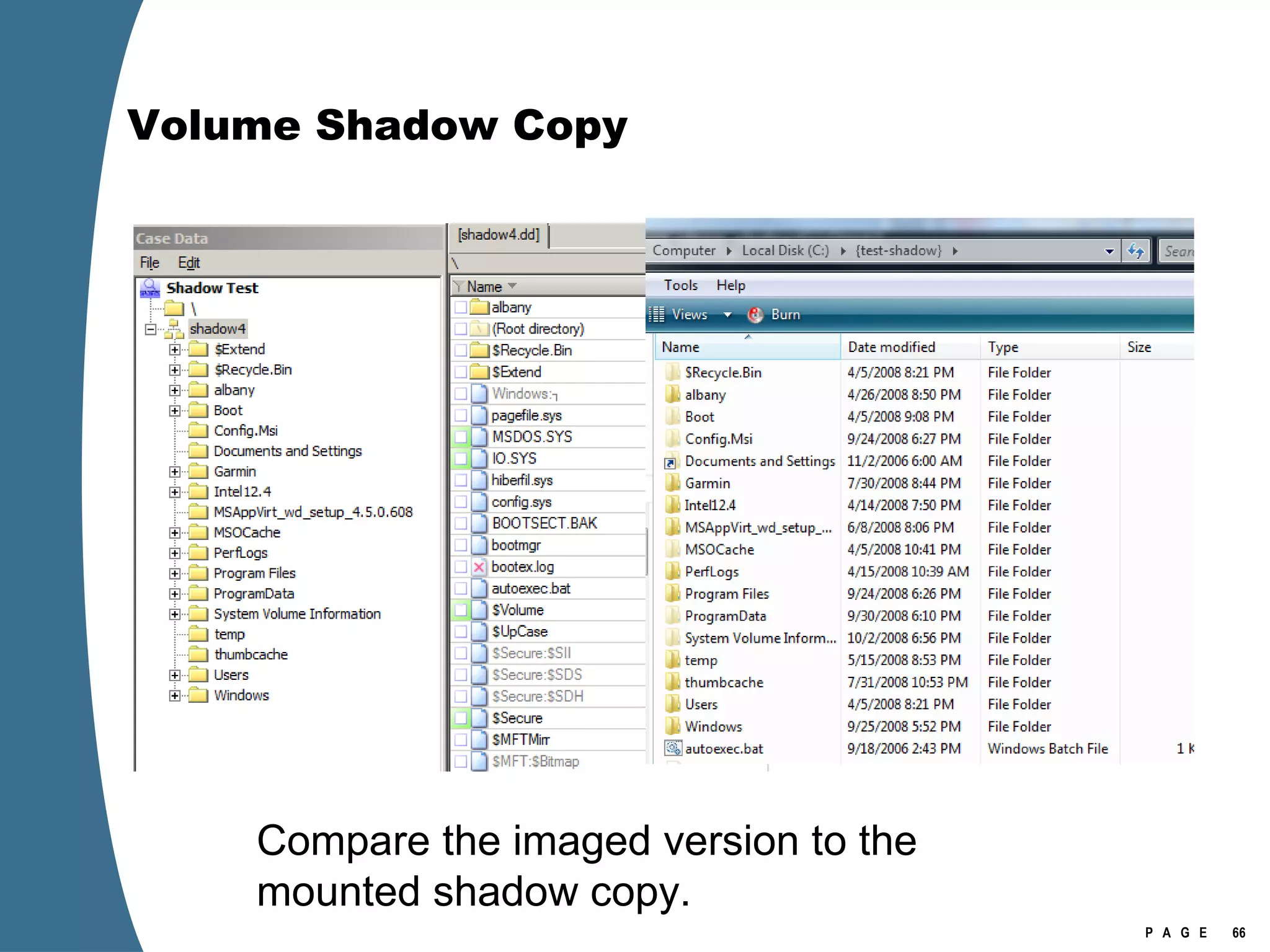
Volume Shadow Copy Compare the imaged version to the mounted shadow copy.
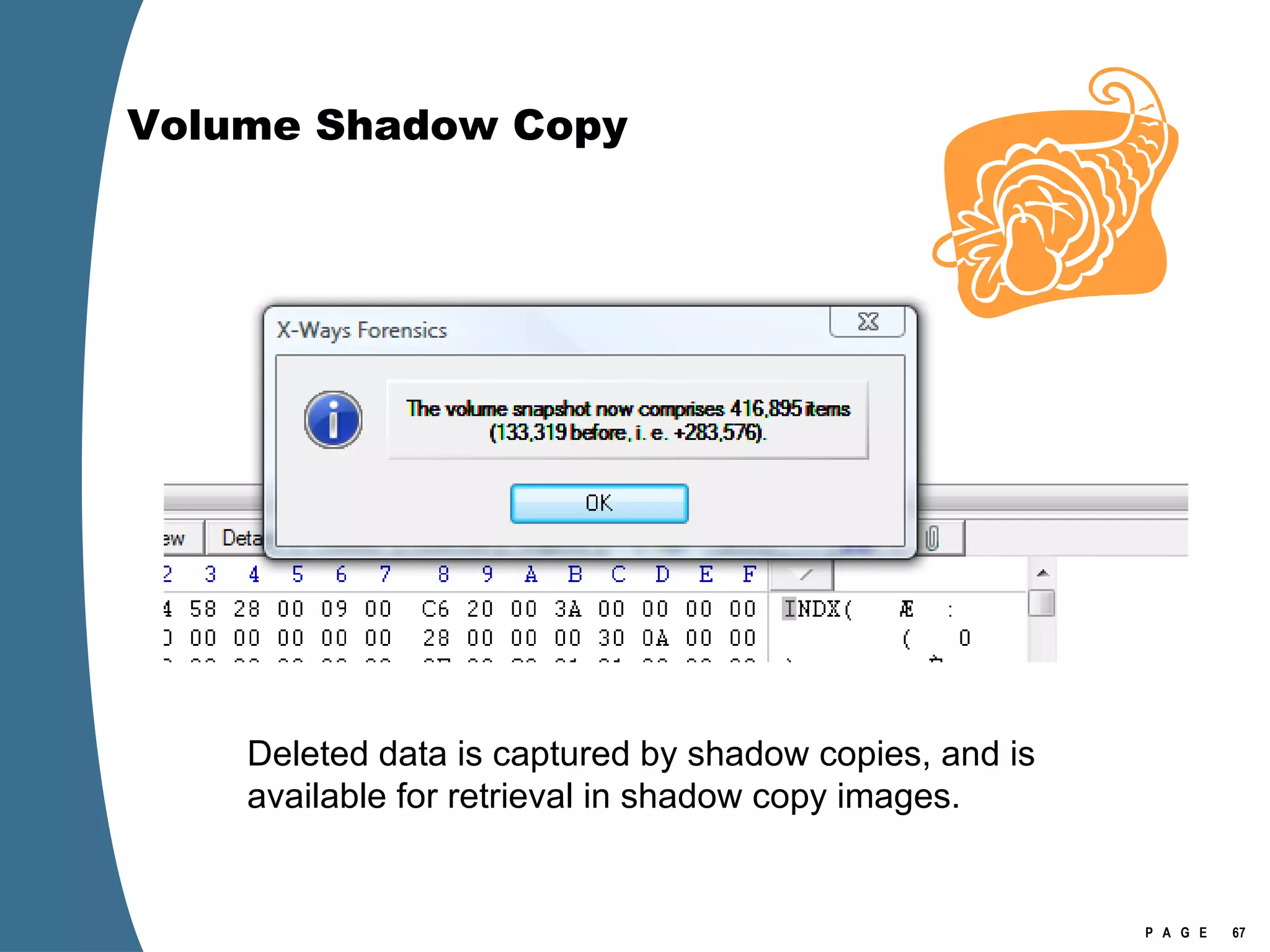
Volume Shadow Copy Deleted data is captured by shadow copies, and is available for retrieval in shadow copy images.
Volume Shadow Copy Every shadow copy data set should approximate the size of the original volume.  Thus, a conundrum: How to gather all the shadow copy data?  Amount of case data=(number of shadow copies) x (size of the volume)+(size of the volume).
Volume Shadow Copy Shadow copies break if the physical location of their files is changed in the volume. Vista/2008 shadow copies are only recognized by Vista/2008. Must have an image that mounts on Vista/2008  and  preserves the physical location of the shadow copy files. How to collect viable disk images for shadow copy retrieval?
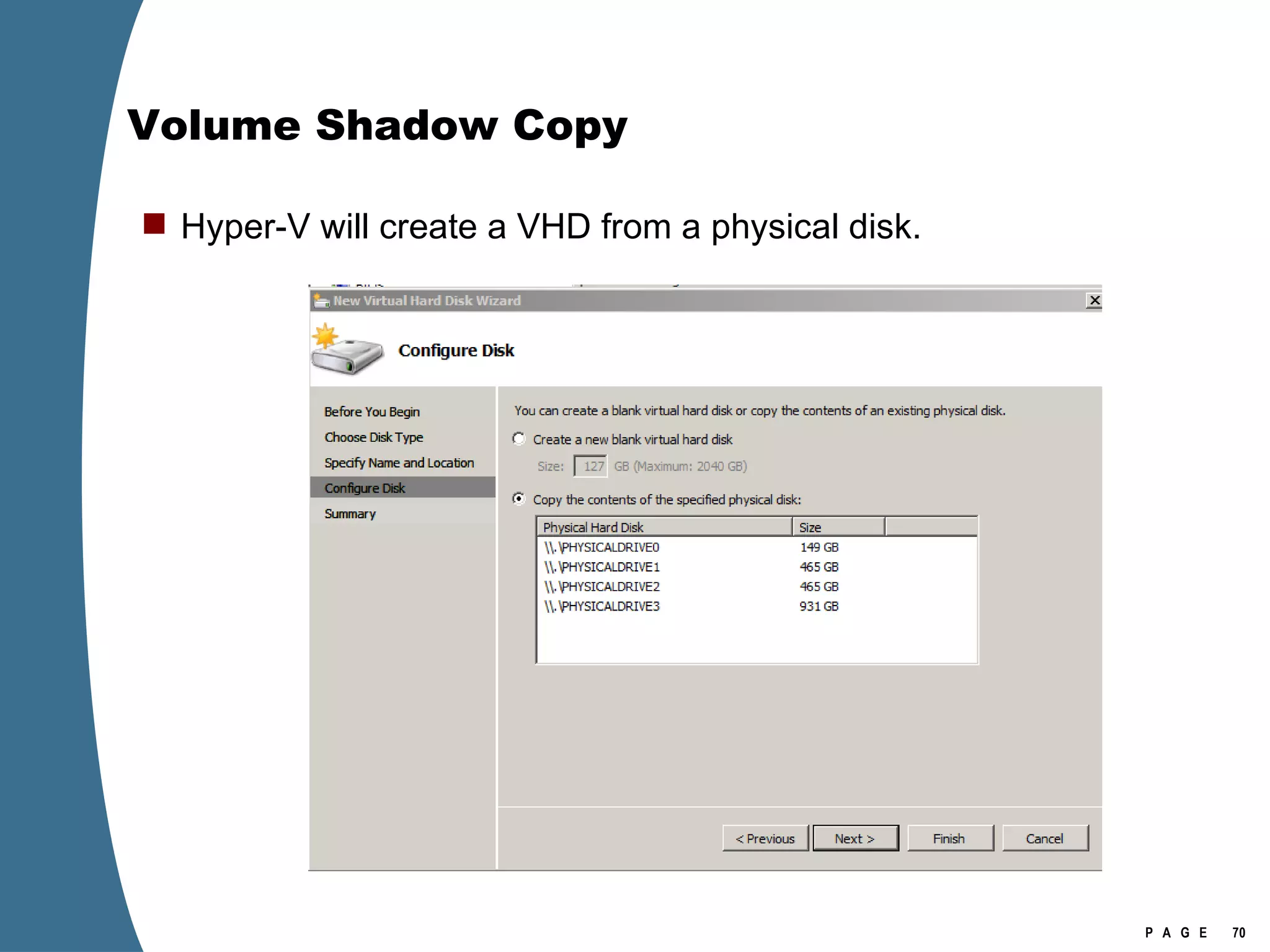
Volume Shadow Copy Hyper-V will create a VHD from a physical disk.
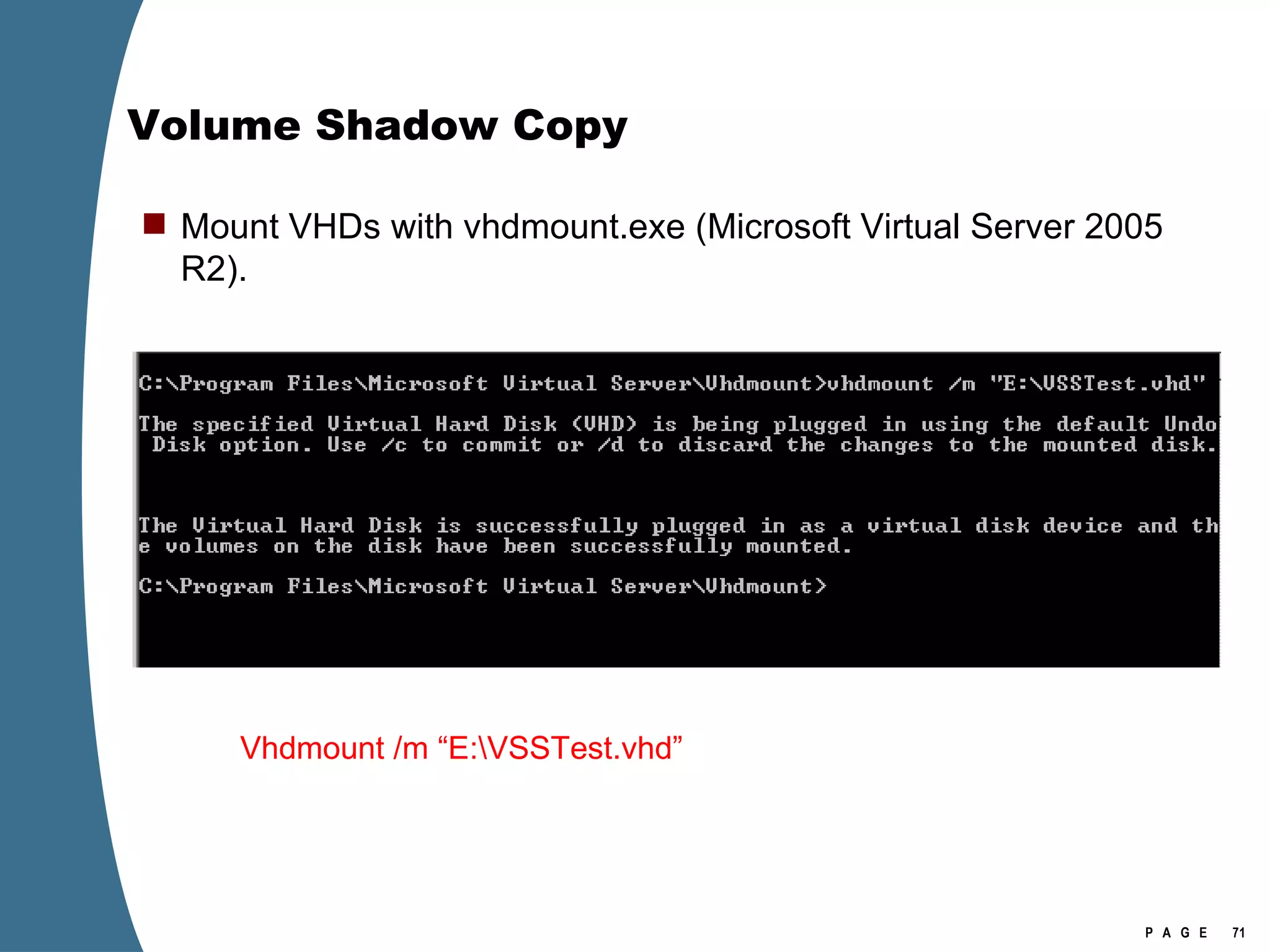
Volume Shadow Copy Mount VHDs with vhdmount.exe (Microsoft Virtual Server 2005 R2). Vhdmount /m “E:\VSSTest.vhd”
Volume Shadow Copy
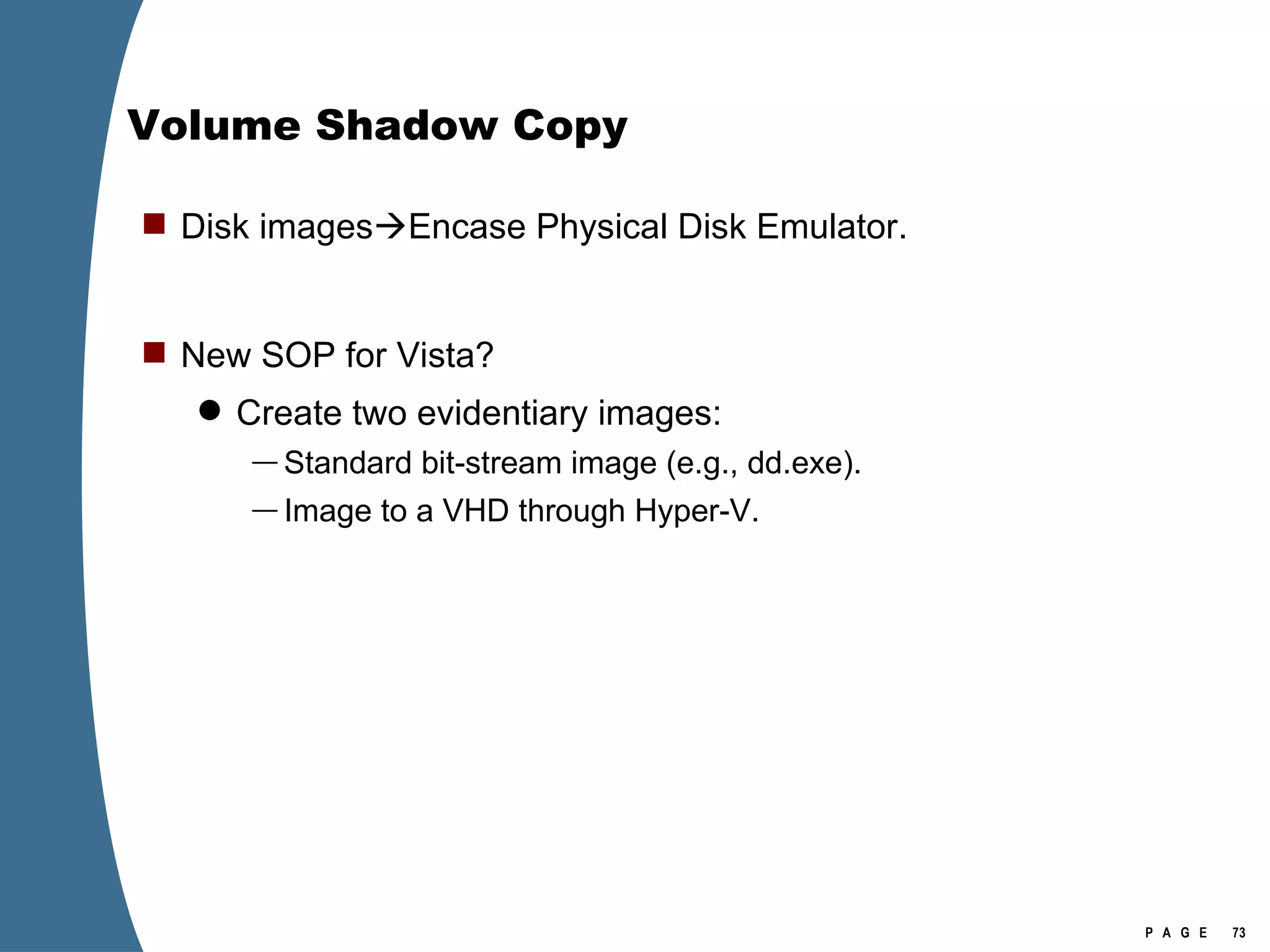
Volume Shadow Copy Disk images  Encase Physical Disk Emulator. New SOP for Vista? Create two evidentiary images: Standard bit-stream image (e.g., dd.exe). Image to a VHD through Hyper-V.
Finally

Vista Forensics

  • 1.
    Vista Forensics (BeforeWindows 7 Changes Things) Troy Larson Microsoft Corporation
  • 2.
    Operating System ArtifactsRecycle Bin. EFS. Default folders. Virtual Folders. Virtual Registry. Pstore. TxR. Superfetch. Thumbscache. Event logs. Setupapi.log. VSS. File Systems Fvevol.sys Volume Manager Application Artifacts OS Artifacts
  • 3.
    The New RecycleBin [Volume]:\$Recycle.Bin $Recycle.Bin is visible in Explorer (view hidden files). Per user store in a subfolder named with account SID No more Info2 files. When a file is deleted—moved to the Recycle Bin—it generates two files in the Recycle Bin. $I and $R files. $I or $R followed by several random characters, then original extension. The random characters are the same for each $I/$R pair. $I file maintains the original name and path, as well as the deleted date. $R file retains the original file attributes, other than the name attribute (which is changed to $R******.ext).
  • 4.
  • 5.
    The New RecycleBin Note the deleted date (in blue). $MFT FRS of $IWYOWJ2.docx
  • 6.
    The New RecycleBin $MFT FRS of $RWYOWJ2.docx
  • 7.
    The New RecycleBin First cluster of $RWYOWJ2.docx
  • 8.
    EFS Enhancements EFSkeys can now be stored on Smartcards. Much harder to crack. Get the Smartcard. EFS encryption of the page file. On boot , Vista generates a random AES-256 key and uses it to encrypt the page file. This key is never written to disk. When the system is shutdown, the key is gone (because it was only ever stored in RAM). HKEY_LOCAL_MACHINE\SYSTEM\ControlSet001\Control\FileSystem\NtfsEncryptPagingFile If value=1 the page file is encrypted.
  • 9.
    Default Folder OrganizationThe legacy folders are junction links to the new folders. To navigate, follow the links.
  • 10.
    Default Folder OrganizationWindows uses the Local and LocalLow folders for application data that does not roam with the user. (Usually this data is either machine specific or too large to roam.) The AppData\Local folder in Windows Vista is the same as the Documents and Settings\ username \Local Settings\Application Data folder in Windows XP. Windows uses the Roaming folder for application specific data, such as custom dictionaries, which are machine independent and should roam with the user profile.
  • 11.
    Default Folder OrganizationWebdav--Web-based Distributed Authoring and Versioning.
  • 12.
    Special Folders: IEProtected Mode IE Protected Mode http://msdn.microsoft.com/en-us/library/bb250462.aspx
  • 13.
    File and FolderVirtualization User Access Control: Non-administrative writes to \Windows \Program Files \Program Data Are written to %LOCALAPPDATA%\VirtualStore (Excluded binary executables: .exe, .dll, .sys.) UAC References http://msdn.microsoft.com/en-us/library/bb756883.aspx
  • 14.
    File and FolderVirtualization
  • 15.
    Registry Virtualization Virtualize(HKEY_LOCAL_MACHINE\SOFTWARE) Non-administrator writes are redirect to: HKEY_CURRENT_USER\Software\Classes\VirtualStore\MACHINE\SOFTWARE\ Keys excluded from virtualization HKEY_LOCAL_MACHINE\Software\Classes HKEY_LOCAL_MACHINE \Software\Microsoft\Windows HKEY_LOCAL_MACHINE \Software\Microsoft\Windows NT
  • 16.
    Registry Virtualization Thevirtualized registry entries are stored here.
  • 17.
    Registry Virtualization Locationof the registry hive file for the VirtualStore Is NOT the user’s NTUSER.DAT It is stored in the user’s UsrClass.dat \Users\[user]\AppData\Local\Microsoft\Windows\UsrClass.dat Investigation of Vista or Windows 2008 requires the investigator to examine at least two account specific registry hive files for each user account. NTUSER.DAT UsrClass.dat
  • 18.
    Pstore-Protected Storage Windows2000, XP, and Windows 2003 Pstore used to store passwords for Internet Explorer and Outlook Express. HKEY_CURRENT_USER\Software\Microsoft\Protected Storage System Provider Vista and Windows 2008 Pstore is only available for read-only operations. Deprecated in favor of stronger data protection. CryptProtectData and CryptUnprotectData http://msdn.microsoft.com/en-us/library/bb432403(VS.85).aspx http://www.nirsoft.net/articles/ie7_passwords.html
  • 19.
    Transactional Registry Relatedto TxF—also built on the Kernel Transaction Manager See http://msdn.microsoft.com/en-us/library/cc303705.aspx TxR allows applications to perform registry operations in a transacted manner. Typical scenario: software installation. Files copied to file system and information to the registry as a single operation. In the event of failure, registry modification rolled back or discarded.
  • 20.
  • 21.
    Superfetch Successor toPrefetch; still housed at C:\Windows\Prefetch. Superfetch consists of database and prefetch files. Collects and mines page usage data from the kernel. Eliminates demand paging by having useful pages already in memory and maintained there. Uses idle disk periods to bring valuable files and pages into memory in anticipation of user demand. May not be enabled on Windows 2008.
  • 22.
    Superfetch Prefetch filecontain information about files and other resources that should be loaded on boot or application start. System boot prefetch file: NTOSBOOT-B00DFAAD.pf Application prefetch file: APPLICATIONNAME.EXT-PATHHASH.pf POWERPNT.EXE-2EEF88AA.pf IEXPLORE.EXE-2D97EBE6.pf Path hashes can be identical across systems (but not always). Can reveal data files and dependencies.
  • 23.
    Superfetch Ramifications ofprefetch files: The existence of a prefetch file indicates that the application named by the prefetch file was run . The creation date of a prefetch file can indicate when the named application was first run . The modification date of a prefetch file can indicate when the named application was last run . Examination of prefetch file internals can reveal the other facts about an application: When the application was last run, and How many times the application has been run.
  • 24.
  • 25.
    Superfetch Prefetch filesmaintain a list of directories and files whose pages are to be loaded when the application is run.
  • 26.
  • 27.
  • 28.
    Thumbcache C:\Users\username\AppData\Local\Microsoft\Windows\Explorer Thethumbnail cache is now tied to a user account. Each account profile maintains its own thumbnail cache. Created by Explorer when presenting “picture” icons. File format is different from the previous thumbs.db file.
  • 29.
    Thumbcache The thumbnailcache folders ending with numbers contain embedded images. Thumbcache_1024.db and thumbcache_256.db contain jpeg images. Thumbcache_96.db and thumbcache_32.db contain bitmap images. Thumbcache_idx.db is the index.
  • 30.
    Thumbcache Identify andcarve out images. Note CMMM record header.
  • 31.
    Thumbcache Identify andcarve out images. Note CMMM record header.
  • 32.
  • 33.
    Thumbcache There isalways the easier way . . .
  • 34.
    Event Logs Newevent log file format. Event log files now have .evtx extension. Event logs are stored in C:\Windows\System32\winevt\Logs Log files will open in event viewer by clicking on them.
  • 35.
    Event Logs Notethe use of the standard Windows file time format. Other information is available from raw logs.
  • 36.
    Event Logs Securityaudit events for Microsoft Windows Server 2008 and Microsoft Windows Vista http://www.microsoft.com/downloads/details.aspx?FamilyID=82e6d48f-e843-40ed-8b10-b3b716f6b51b&DisplayLang=en int for(ensic){blog;} http:// computer.forensikblog.de/en/topics/windows/vista_event_log /
  • 37.
    Setupapi.log The locationof the setupapi.log file has been changed. The new location is: C:\Windows\INF\setupapi.dev.log
  • 38.
    Volume Shadow CopyVolume shadow copies are bit level differential backups of a volume. 16 KB blocks. Typically, shadow copies are created when a system boots up. Can be created at other times. The shadow copy service is enabled by default on Vista, but not on Windows 2008. Shadow copies reside in the System Volume Information folder.
  • 39.
    Volume Shadow CopyShadow copies are the source data for Restore Points and the Restore Previous Versions features. Shadow copies provide a “snapshot” of a volume at a particular time. Shadow copies can show how files have been altered. Shadow copies can retain data that has later been deleted, wiped, or encrypted.
  • 40.
  • 41.
  • 42.
  • 43.
    Volume Shadow Copyvssadmin list shadows /for=[volume]:
  • 44.
  • 45.
    Volume Shadow CopyShadow copies can be exposed through symbolic links.
  • 46.
    Volume Shadow CopyMklink /d C:\{test-shadow} \\?\GLOBALROOT\Device\HarddiskVolumeShadowCopy3\
  • 47.
    Volume Shadow CopyShadow copy is addressed as \\?\GLOBALROOT\Device\HarddiskVolumeShadowCopy3\
  • 48.
  • 49.
  • 50.
    Volume Shadow CopyShadow copies can be mounted as volumes using dosdev.exe.
  • 51.
    Volume Shadow CopyDosdev y: \\?\GLOBALROOT\Device\HarddiskVolumeShadowCopy2\
  • 52.
    Volume Shadow CopyShadow copy is addressed as \\?\GLOBALROOT\Device\HarddiskVolumeShadowCopy2\
  • 53.
  • 54.
    Volume Shadow CopyVolume Shadows can be mounted directly as network shares.
  • 55.
    Volume Shadow Copynet share testshadow=\\.\HarddiskVolumeShadowCopy11\
  • 56.
    Volume Shadow CopyShadow copy is addressed as \\.\HarddiskVolumeShadowCopy11\
  • 57.
  • 58.
  • 59.
  • 60.
    Volume Shadow Copy  > psexec \\[computername] vssadmin list shadows  /for=C:    > psexec \\[computername] net share testshadow=\\.\HarddiskVolumeShadowCopy20\   PsExec v1.94 - Execute processes remotely . . .   testshadow was shared successfully. net exited on [computername] with error code 0.    > robocopy /S /R:1 /W:1 /LOG:D:\VSStestcopylog.txt \\[computername] \testshadow D:\vssTest     Log File : D:\VSStestcopylog.txt . . .
  • 61.
    Volume Shadow CopyShadow copies can be imaged.
  • 62.
    Volume Shadow Copydd.Exe –v if= \\.\HarddiskVolumeShadowCopy4 of=K:\shadow4.dd --localwrt
  • 63.
    Volume Shadow CopyShadow copy is addressed as \\.\HarddiskVolumeShadowCopy4
  • 64.
    Volume Shadow CopyImages of shadow copies can be opened in forensics tools and appear as logical volumes.
  • 65.
  • 66.
    Volume Shadow CopyCompare the imaged version to the mounted shadow copy.
  • 67.
    Volume Shadow CopyDeleted data is captured by shadow copies, and is available for retrieval in shadow copy images.
  • 68.
    Volume Shadow CopyEvery shadow copy data set should approximate the size of the original volume. Thus, a conundrum: How to gather all the shadow copy data? Amount of case data=(number of shadow copies) x (size of the volume)+(size of the volume).
  • 69.
    Volume Shadow CopyShadow copies break if the physical location of their files is changed in the volume. Vista/2008 shadow copies are only recognized by Vista/2008. Must have an image that mounts on Vista/2008 and preserves the physical location of the shadow copy files. How to collect viable disk images for shadow copy retrieval?
  • 70.
    Volume Shadow CopyHyper-V will create a VHD from a physical disk.
  • 71.
    Volume Shadow CopyMount VHDs with vhdmount.exe (Microsoft Virtual Server 2005 R2). Vhdmount /m “E:\VSSTest.vhd”
  • 72.
  • 73.
    Volume Shadow CopyDisk images  Encase Physical Disk Emulator. New SOP for Vista? Create two evidentiary images: Standard bit-stream image (e.g., dd.exe). Image to a VHD through Hyper-V.
  • 74.