Electronic Discovery The EDRM - modified CTIN - November 2008
What is EDRM?  Electronic Discovery Reference Model WIP e-discovery (ESI) standards Focus on consumers and vendors Can influence judiciary and court rules (civil and criminal) Covers Paper and Digital Records Classifies 3 metadata types File system  Document (embedded) Email
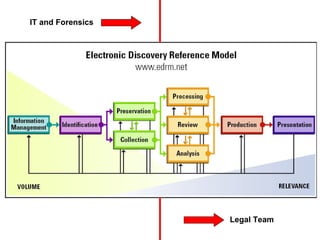
IT and Forensics Legal Team
Information Mgmt, Identification, Preservation, Collection The previous presenters just covered those!
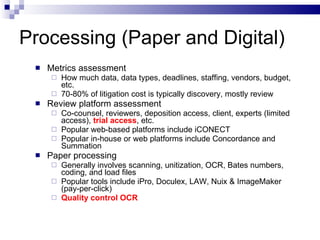
Processing (Paper and Digital) Metrics assessment  How much data, data types, deadlines, staffing, vendors, budget, etc. 70-80% of litigation cost is typically discovery, mostly review Review platform assessment Co-counsel, reviewers, deposition access, client, experts (limited access),  trial access , etc.  Popular web-based platforms include iCONECT Popular in-house or web platforms include Concordance and Summation Paper processing Generally involves scanning, unitization, OCR, Bates numbers, coding, and load files Popular tools include iPro, Doculex, LAW, Nuix & ImageMaker (pay-per-click) Quality control OCR
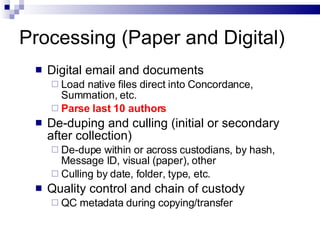
Processing (Paper and Digital) Digital email and documents Load native files direct into Concordance, Summation, etc. Parse last 10 authors   De-duping and culling (initial or secondary after collection) De-dupe within or across custodians, by hash, Message ID, visual (paper), other Culling by date, folder, type, etc. Quality control and chain of custody QC metadata during copying/transfer
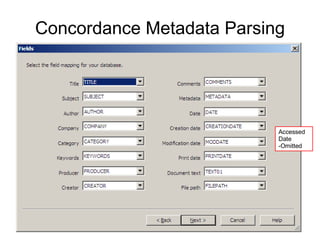
Concordance Metadata Parsing Accessed Date -Omitted
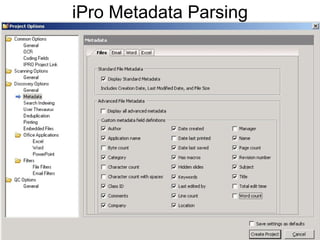
iPro Metadata Parsing
Review Protocols Coding manual, workflow, key words, concept searching, redaction, privilege logs, QC, etc. Database types Email, documents, transcripts, production, expert, other  Database configurations Fields, folders, tags, user permissions, backups, etc. Staffing  Paralegals, associates, IT, interns, temps  In-house vs. outsourced Billable hour vs. fixed price per doc Domestic vs. off-shore
Review Review for relevance and privilege (first pass) Reporting Perform redaction Maintain unredacted copies separately “ Burn-in”  image redaction  Redact OCR
Production Forms of production  Per Meet & Confer Metadata, native files, TIFF, PDF, OCR Redacted material requires special production handling  Privilege log, QC, etc. Single or rolling production  Per Meet & Confer, court order, budget management, tactical, etc.
Production Media types CD/DVDs, external drives, etc. Metadata preservation during transfer
Analysis Incorporate other case materials  RFA, interrogatories, deposition transcripts, expert reports, pleadings/motions, news items, websites, research, YouTube, etc.  Focusing and enhancing review (second pass)  Reporting Update protocols, modify staffing,  focus   issues   and search parameters, categorize “hot docs”, etc.
Analysis Visualization Data mapping, timelines, etc. CaseMap, TimeMap, Analyst’s Notebook, Nuix, etc.
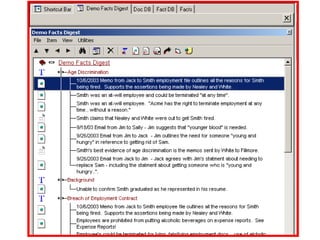
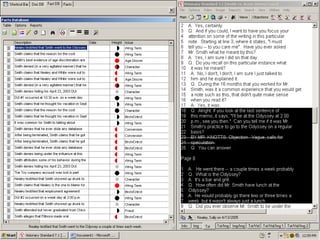
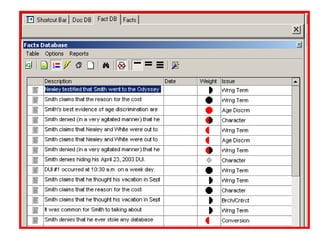
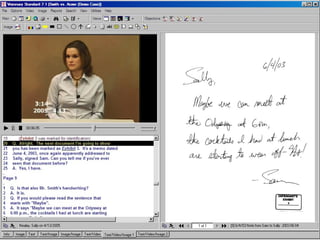
Presentation (Trial and ADR) Identify key case material  Usually less than 5% of original discovery Limit number of issues for jury Transfer key material to presentation tool(s) Video deposition and transcript synching  Sanction, Trial Director, Visionary, PowerPoint, etc.
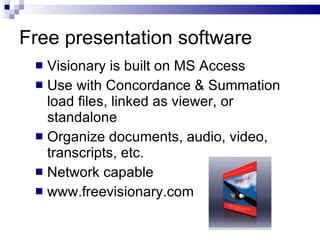
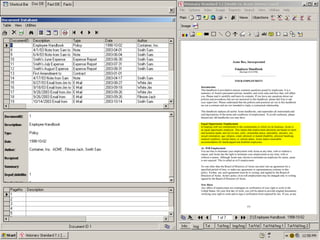
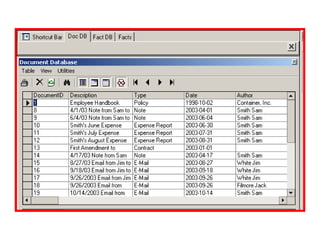
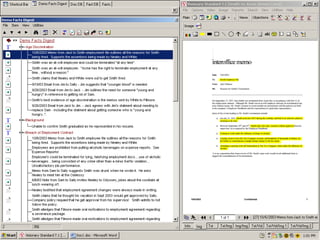
Free presentation software  Visionary is built on MS Access  Use with Concordance & Summation load files, linked as viewer, or standalone Organize documents, audio, video, transcripts, etc.  Network capable www.freevisionary.com


Questions?  Chris Brown, CFE  Electronic Discovery and Fraud Consultant

Edrm

  • 1.
    Electronic Discovery TheEDRM - modified CTIN - November 2008
  • 2.
    What is EDRM? Electronic Discovery Reference Model WIP e-discovery (ESI) standards Focus on consumers and vendors Can influence judiciary and court rules (civil and criminal) Covers Paper and Digital Records Classifies 3 metadata types File system Document (embedded) Email
  • 3.
    IT and ForensicsLegal Team
  • 4.
    Information Mgmt, Identification,Preservation, Collection The previous presenters just covered those!
  • 5.
    Processing (Paper andDigital) Metrics assessment How much data, data types, deadlines, staffing, vendors, budget, etc. 70-80% of litigation cost is typically discovery, mostly review Review platform assessment Co-counsel, reviewers, deposition access, client, experts (limited access), trial access , etc. Popular web-based platforms include iCONECT Popular in-house or web platforms include Concordance and Summation Paper processing Generally involves scanning, unitization, OCR, Bates numbers, coding, and load files Popular tools include iPro, Doculex, LAW, Nuix & ImageMaker (pay-per-click) Quality control OCR
  • 6.
    Processing (Paper andDigital) Digital email and documents Load native files direct into Concordance, Summation, etc. Parse last 10 authors De-duping and culling (initial or secondary after collection) De-dupe within or across custodians, by hash, Message ID, visual (paper), other Culling by date, folder, type, etc. Quality control and chain of custody QC metadata during copying/transfer
  • 7.
    Concordance Metadata ParsingAccessed Date -Omitted
  • 8.
  • 9.
    Review Protocols Codingmanual, workflow, key words, concept searching, redaction, privilege logs, QC, etc. Database types Email, documents, transcripts, production, expert, other Database configurations Fields, folders, tags, user permissions, backups, etc. Staffing Paralegals, associates, IT, interns, temps In-house vs. outsourced Billable hour vs. fixed price per doc Domestic vs. off-shore
  • 10.
    Review Review forrelevance and privilege (first pass) Reporting Perform redaction Maintain unredacted copies separately “ Burn-in” image redaction Redact OCR
  • 11.
    Production Forms ofproduction Per Meet & Confer Metadata, native files, TIFF, PDF, OCR Redacted material requires special production handling Privilege log, QC, etc. Single or rolling production Per Meet & Confer, court order, budget management, tactical, etc.
  • 12.
    Production Media typesCD/DVDs, external drives, etc. Metadata preservation during transfer
  • 13.
    Analysis Incorporate othercase materials RFA, interrogatories, deposition transcripts, expert reports, pleadings/motions, news items, websites, research, YouTube, etc. Focusing and enhancing review (second pass) Reporting Update protocols, modify staffing, focus issues and search parameters, categorize “hot docs”, etc.
  • 14.
    Analysis Visualization Datamapping, timelines, etc. CaseMap, TimeMap, Analyst’s Notebook, Nuix, etc.
  • 15.
    Presentation (Trial andADR) Identify key case material Usually less than 5% of original discovery Limit number of issues for jury Transfer key material to presentation tool(s) Video deposition and transcript synching Sanction, Trial Director, Visionary, PowerPoint, etc.
  • 16.
    Free presentation software Visionary is built on MS Access Use with Concordance & Summation load files, linked as viewer, or standalone Organize documents, audio, video, transcripts, etc. Network capable www.freevisionary.com
  • 17.
  • 18.
  • 19.
  • 20.
  • 21.
  • 22.
  • 23.
  • 24.
    Questions? ChrisBrown, CFE Electronic Discovery and Fraud Consultant