MacIntosh Forensics A presentation by Special Agent Thomas R. Nesbitt Federal Bureau of Investigation With assistance from presentations Prepared by John Mallory And Wayne Mitchell
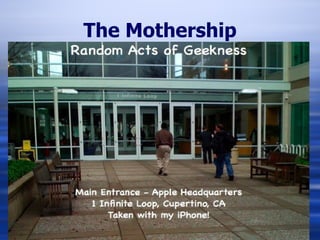
The Mothership
WHY MAC FORENSICS? Mac’s are rapidly gaining market share. Why? iPod and iPhone have increased interest in other Apple products Many people now consider Vista more difficult to use than Mac’s.
 
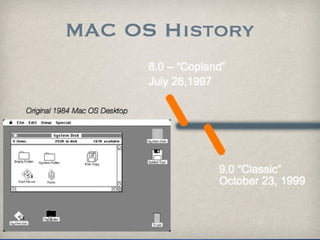
MAC CLASSIC OS 8.0 and OS 9.0 HFS and HFS+ on Motorola CISC architecture Significant enhancements were made throughout the upgrades on these systems - but they are very different from Windows based systems.
MAC CLASSIC To conduct a forensic exam you will have to go back to: Tech tools Norton Unerase for Mac Specific separate tools that conducted specific tasks
MAC FORENSICS HFS - Hierarchical File System Most interesting component is the Resource Fork - which allows a file to have multiple forks (normally a data and a resource fork).  This was much more advanced than comparable file systems like DOS’s FAT at the time. Introduced the Catalog File, which replaced the flat table structure of MFS (previous).  Much faster lookup and recall.
MAC FORENSICS HFS+ It is now the preferred file system on the MAC OS X.  It supports journaling, quotas, byte-range locking, Finder information in metadata, multiple encodings, hard and symbolic links, aliases, support for hiding file extensions on a per-file basis. It only journals metadata, but this is very useful for recovery (First introduced with MacServer for recovery)
 
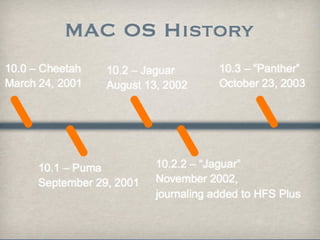
MAC OS X Cheetah, Puma, Jaguar and Panther were still on the Motorola CISC Architecture - but the kernel is now on a modified BSD Unix platform (Darwin). This created a stable platform that will respond to Unix-type commands Can be a powerful tool at the command line if you choose to conduct your forensic analysis at that level.
 
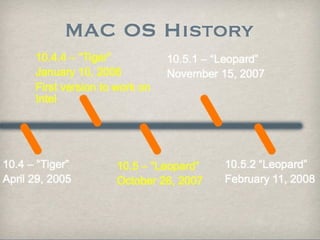
MAC FORENSICS Mac OS 10.4.4 “Tiger” is the first MacIntosh OS to be on the Intel platform (instead of the Motorola CISC platform) WHY?? - Because Apple felt that the Intel x86 would be the better chip platform for the future
OS X OS X is Linux based and when a file is deleted is often unrecoverable OS X does not create INFO2 records that record when a file was deleted OS X does have unallocated space, but it contains far less useable data due to the way files are deleted. OS X has a built in wiping (erasing) utility that effectively destroys any chance of recovering data
OS X OS X does not create temporary link files. OS X does not record what devices were attached to the computer (except while they are still attached) OS X only tracks Accessed and Modified times. OS X records a sequential File ID each time a file is created or written to the volume on the hard drive.
OS X OS X Mail and third party Email clients cannot be processed into the standard forensic tools OS X stores the Internet Cache in one contiguous file and is limited compared to the PC Internet Cache OS X stores user data primarily in the “user folder” for a particular user. OS X stores configuration data in multiple files and locations unlike Windows Registry
OS X One other good thing about OS X Relatively MalWare and Virus free
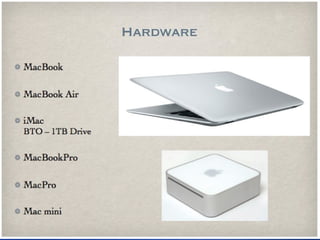
ACQUISITION Once you have decided that an image of a MacIntosh computer is necessary you need to make some determinations If you have a Mac laptop and there is no obvious hard drive cover, you’re probably not going to get the hard drive out.
 
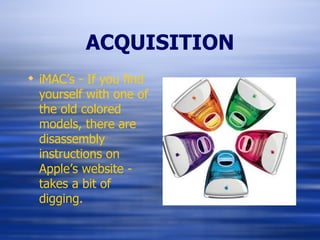
ACQUISITION iMAC’s - If you find yourself with one of the old colored models, there are disassembly instructions on Apple’s website - takes a bit of digging.
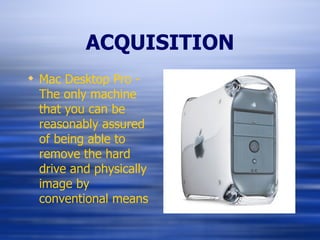
ACQUISITION Mac Desktop Pro - The only machine that you can be reasonably assured of being able to remove the hard drive and physically image by conventional means
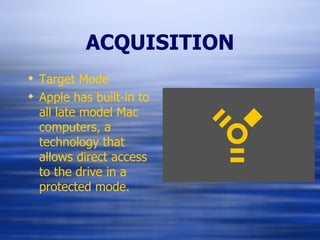
ACQUISITION Target Mode Apple has built-in to all late model Mac computers, a technology that allows direct access to the drive in a protected mode.
ACQUISITION Target Disk Mode This technology allows the MacIntosh to become an external Firewire hard drive providing access to the contents contained within Target Disk Mode only connects the Master ATA drive - no Slave ATA, ATAPI or SCSI drives.
ACQUISITION Once you have determined that Target Disk Mode is the necessary process Power on the Mac and IMMEDIATELY  hold down the Option key. It will then boot into either the “Startup Manager” or “Open Firmware Password”
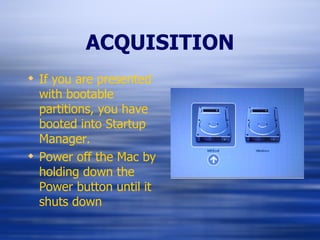
ACQUISITION If you are presented with bootable partitions, you have booted into Startup Manager. Power off the Mac by holding down the Power button until it shuts down
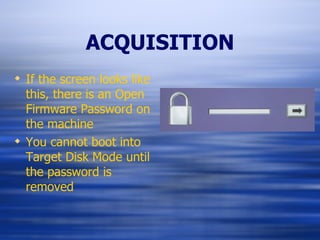
ACQUISITION If the screen looks like this, there is an Open Firmware Password on the machine You cannot boot into Target Disk Mode until the password is removed
ACQUISITION Removing the Open Firmware Password: Turn on the Computer  AND Press and hold the Command-Option-P-R keys. You must press this key combination before the gray screen appears. Hold the keys down until the computer restarts and you hear the startup sound for the second time Release the keys This resets the password - BTW they will know that you just blew away their password
ACQUISITION Restart the computer while holding down the “T” key You should now see the firewire symbol on the computer screen. Now it is time to turn on your examination machine  BUT  you must make sure that disk arbitration is off. AND YOU MIGHT WANT TO THINK ABOUT
ACQUISITION Single User Mode This can be used to gain root access by mounting the internal drive as read only. This creates the ability to gather additional system information: It is accessed by holding down the apple and S key when turning on the computer
ACQUISITION It is command line based Commands and information gleaned about the computer: uname -v - displays the OS kernel version sw_vers - current OS version (important) date - displays system date and time
ACQUISITION ioreg -c ATADeviceNub - displays the internal hard drive serial number model and make uptime - display the system up time hostinfo - display network information nvram -p Non-Volital Read Access Memory - display system preferences stored in RAM
ACQUISITION ls /dev/disk* - displays all attached hard drives pdisk - display hard drive partition information Example:  pdisk /dev/disk* -dump
ACQUISITION pmap - displays similar information to pdisk in addition to further information Command:  hdiutil pmap /dev/disk# Unix reports partitions as disk#s0, disk#s1, disk#s2, etc. The Mac Operating System starts partitions starting at 1 (you have to add 1 to each entry) - if pmap reports HFS partition disk1s7 you need to mount disk1s8 (not 7) Use pmap if there is FAT32 or NTFS.
DISK ARBITRATION JAGUAR Important Path !!! /System/Library/StartupItems/Disks/Disks To edit file use sudo pico or vi vi /System/Library/StartupItems/Disks/Disks Go to line /sbin/autodiskmount -va and place or remove “#” comment front # /sbin/autodiskmount -va In pico use ctrl+X to save changes, then y for Yes
DISK ARBITRATION PANTHER Diskarbitration is the main process used by Panther to manage and mount disk partitions The presence of diskarbitration.plist (regardless of file name) in /etc/mach_init.d signifies Diskarbitration is active /etc/mach_init.d/diskarbitration.plist
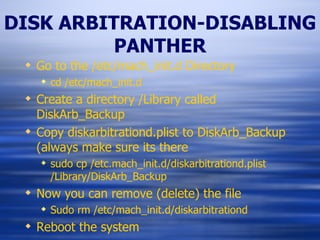
DISK ARBITRATION-DISABLING PANTHER Go to the /etc/mach_init.d Directory cd /etc/mach_init.d Create a directory /Library called DiskArb_Backup Copy diskarbitrationd.plist to DiskArb_Backup (always make sure its there sudo cp /etc.mach_init.d/diskarbitrationd.plist /Library/DiskArb_Backup Now you can remove (delete) the file Sudo rm /etc/mach_init.d/diskarbitrationd Reboot the system
ACQUISITION TARGET MODE Suspect computer, acquisition computer Turn off diskarbitration (autodiskmounting in Jaguar) on acquisition computer, reboot and shutdown All computers must be of when connecting cables Connect FireWire cable from suspect computer to acquisition computer
ACQUISITION TARGET MODE Verify Firmware password does not exist, power on holding the option key down, if lock is present, power down. Reboot suspect computer, hold down the “T” key Continue until you see a blue screen with the Firewire symbol
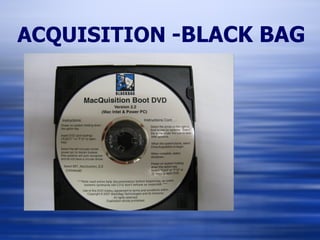
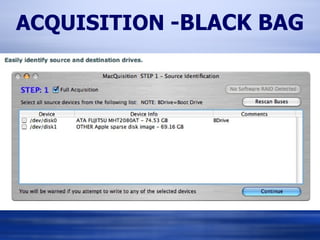
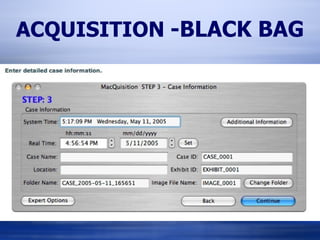
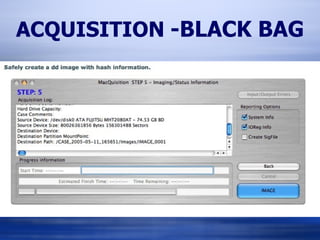
ACQUISITION   -BLACK BAG Not all Macs support FireWire target  mode Boot CD is a good alternative here. Once the blue screen and the floating FireWire symbol appear, you can start the acquisition computer (make sure diskarbitration is OFF) Confirm a new disk appears in ls /dev/disk* Verify with sudo ioreg -c “IOMedia” Imaging is ‘pretty’ fast over FireWire 28 minutes for 10 Gb.
ACQUISITION   -BLACK BAG
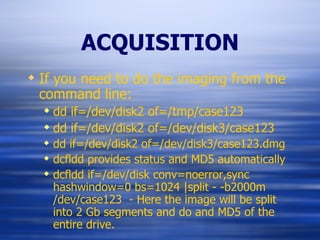
ACQUISITION If you need to do the imaging from the command line: dd if=/dev/disk2 of=/tmp/case123 dd if=/dev/disk2 of=/dev/disk3/case123 dd if=/dev/disk2 of=/dev/disk3/case123.dmg dcfldd provides status and MD5 automatically dcfldd if=/dev/disk conv=noerror,sync hashwindow=0 bs=1024 |split - -b2000m /dev/case123  - Here the image will be split into 2 Gb segments and do and MD5 of the entire drive.
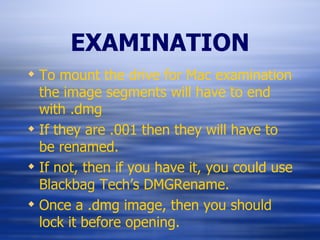
EXAMINATION To mount the drive for Mac examination the image segments will have to end with .dmg If they are .001 then they will have to be renamed. If not, then if you have it, you could use Blackbag Tech’s DMGRename. Once a .dmg image, then you should lock it before opening.
EXAMINATION You can open it by double-clicking on the .dmg file. If you have Blackbag Forensics then you can use Shadowmounter. This will lock it and mount it as read only
EXAMINATION Once it is safely mounted: You will need to look for the files associated with the pertinent acitivities. Internet activity and history Email Text documents Graphics Multimedia Chat and P2P
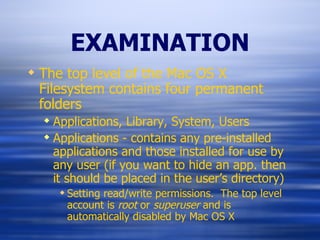
EXAMINATION The top level of the Mac OS X Filesystem contains four permanent folders Applications, Library, System, Users Applications - contains any pre-installed applications and those installed for use by any user (if you want to hide an app. then it should be placed in the user’s directory) Setting read/write permissions.  The top level account is  root  or  superuser  and is automatically disabled by Mac OS X
EXAMINATION Users - allows users to own their own files and provide a means of controlling other user’s access to these files. This can be considered the home directory and files and folders stored within are protected from other users.
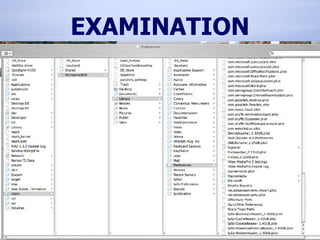
EXAMINATION Library - storage location for systemwide application preferences, application libraries and information that should be accessible to any user. There is also a Library folder under each user and this is where you will find the individual information that we are probably looking for.
EXAMINATION
EXAMINATION System- By default the System folder contains another folder, called Library This Library folder is reserved for use by Apple’s software.  Within this folder are the components that make up the core of the Mac  OS X.  Any modifications here can easily render your computer unbootable.
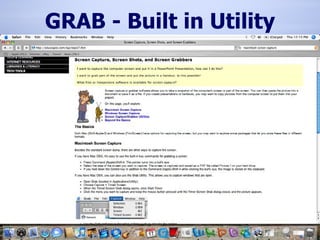
GRAB - Built in Utility
Common Email Clients Mail (Apple) Microsoft Entourage America Online
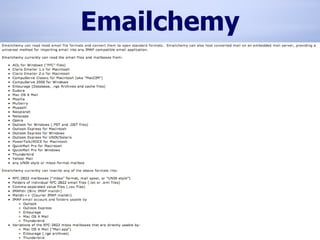
Software Tools Emailchemy Native application (Apple Mail, Entourage, AOL, etc) CanOpener
Email For Mac OS X mail you can play the substitution game. Create a new user on your MacIntosh and then substitute the user/Library/Mail folder that you want to look at for the new users. If you don’t want to do this and have some money (or its not Mac OS x mail): Emailchemy is probably the most versatile for the price - shareware around $30.00
Apple Mail Bundled with OS X Each message is stored as an individual file (.emlx) Previous versions of Mail used mbox containers. Is not recognized in FTK as email, but can still be viewed.
Apple Mail - file locations cache:  ~/Library/Caches/Mail/* acct & email:  ~/Library/Mail/* property list:  ~/Library Preferences/com.apple.mail.plist
Microsoft Entourage Comes with Microsoft Office Very much like Microsoft Outlook in appearance/use The main user database file (the equivalent of the .pst file in windows) can not be processed in FTK, Encase, or IEA Two ways to process “ Transplant” the user folder to your examination station or import the data into your installed version of Entourage Emailchemy - can import into Mail then print to PDF
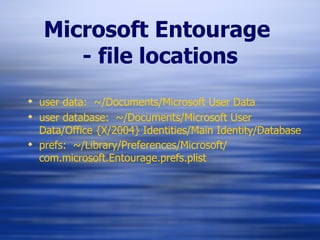
Microsoft Entourage   - file locations user data:  ~/Documents/Microsoft User Data user database:  ~/Documents/Microsoft User Data/Office {X/2004} Identities/Main Identity/Database prefs:  ~/Library/Preferences/Microsoft/ com.microsoft.Entourage.prefs.plist
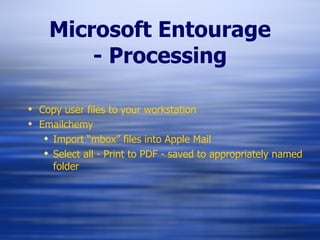
Microsoft Entourage - Processing Copy user files to your workstation Emailchemy Import “mbox” files into Apple Mail Select all - Print to PDF - saved to appropriately named folder
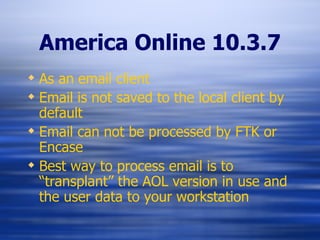
America Online 10.3.7 As an email client Email is not saved to the local client by default Email can not be processed by FTK or Encase Best way to process email is to “transplant” the AOL version in use and the user data to your workstation
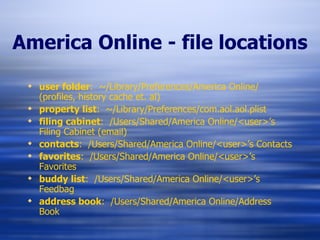
America Online - file locations user folder :  ~/Library/Preferences/America Online/ (profiles, history cache et. al) property list :  ~/Library/Preferences/com.aol.aol.plist filing cabinet :  /Users/Shared/America Online/<user>’s Filing Cabinet (email) contacts :  /Users/Shared/America Online/<user>’s Contacts favorites :  /Users/Shared/America Online/<user>’s Favorites buddy list :  /Users/Shared/America Online/<user>’s Feedbag address book :  /Users/Shared/America Online/Address Book
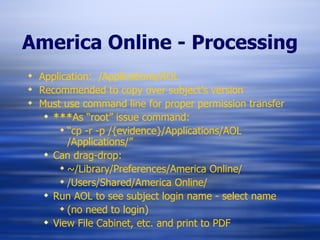
America Online - Processing Application:  /Applications/AOL Recommended to copy over subject’s version Must use command line for proper permission transfer *** As “root” issue command: “ cp -r -p /{evidence}/Applications/AOL  /Applications/” Can drag-drop: ~/Library/Preferences/America Online/ /Users/Shared/America Online/ Run AOL to see subject login name - select name  (no need to login) View File Cabinet, etc. and print to PDF
Emailchemy
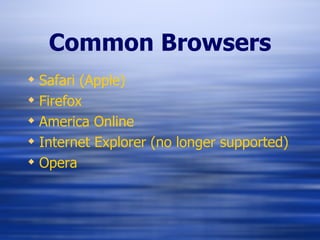
Common Browsers Safari (Apple) Firefox America Online Internet Explorer (no longer supported) Opera
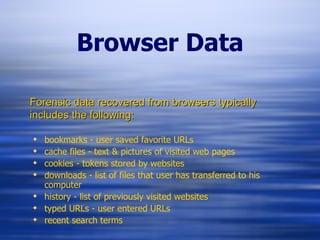
Browser Data bookmarks - user saved favorite URLs cache files - text & pictures of visited web pages cookies - tokens stored by websites downloads - list of files that user has transferred to his computer history - list of previously visited websites typed URLs - user entered URLs recent search terms Forensic data recovered from browsers typically includes the following:
Software Tools BBT Safari Tools Property List Editor (included with Xcode installation) CanOpener (Vendor)
Safari Browser Bundled with OS X (default browser) cache files are stored as numbered folders and files with a .cache extension cache files are actually container files and cannot be viewed directly, they must be extracted history, bookmarks, downloads and cookies are stored as property list (.plist) files. Best way to process is to use the BBT Safari Tools Processing with FTK possible through data carve, but is not an aesthetic advantage
Safari - file locations cache :  ~/Library/Caches/Safari/* cookies :  ~/Library/Cookies/cookies.plist bookmarks :  ~/Library/Safari/bookmarks.plist downloads :  ~/Library/Safari/downloads.plist history :  ~/Library/Safari/history.plist property list :  ~/Library/Preferences/com.apple.Safari.plist browser icons :  ~/Library/Safari/Icons/* metadata :  ~/Library/Metadata/Safari/ ~ = /Users/{account name}/
Firefox Browser Stores cache, history, etc. similar to Netscape/ Mozilla cache, cookies, history data is recognized by FTK Categorizes file types, GIF, JPG, etc. by header Possible string search advantages
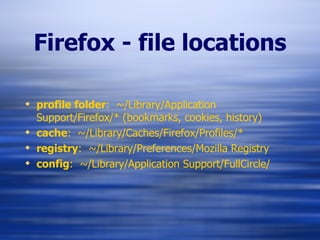
Firefox - file locations profile folder :  ~/Library/Application Support/Firefox/* (bookmarks, cookies, history) cache :  ~/Library/Caches/Firefox/Profiles/* registry :  ~/Library/Preferences/Mozilla Registry config :  ~/Library/Application Support/FullCircle/
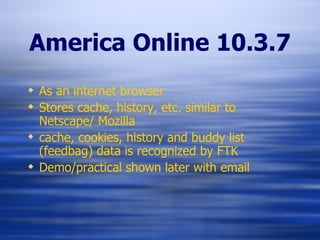
America Online 10.3.7 As an internet browser Stores cache, history, etc. similar to Netscape/ Mozilla cache, cookies, history and buddy list (feedbag) data is recognized by FTK Demo/practical shown later with email
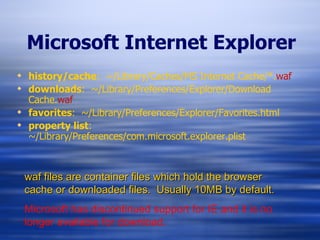
Microsoft Internet Explorer history/cache :  ~/Library/Caches/MS Internet Cache/*. waf downloads :  ~/Library/Preferences/Explorer/Download Cache. waf favorites :  ~/Library/Preferences/Explorer/Favorites.html property list :  ~/Library/Preferences/com.microsoft.explorer.plist waf files are container files which hold the browser cache or downloaded files.  Usually 10MB by default. Microsoft has discontinued support for IE and it is no longer available for download.
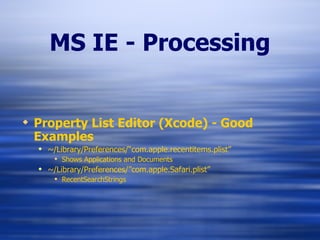
MS IE - Processing Property List Editor (Xcode) - Good Examples ~/Library/Preferences/“com.apple.recentitems.plist” Shows Applications and Documents ~/Library/Preferences/”com.apple.Safari.plist” RecentSearchStrings
Opera Browser Stores cache, history, etc. similar to Netscape/ Mozilla cache, cookies, history data is recognized by FTK Not necessarily flagged or categorized appropriately No real advantage to import into FTK except: Indexed searches Thumbnail graphic view  Iview Media Pro - drag/drop Keep in mind limitation on amount of files per catalog (128,000)
Opera - file locations ~/Library/Application Support/Opera (mail) ~/Library/Preferences/Opera Preferences ~/Library/Preferences/Opera Preferences/Icons ~/Library/Caches/Opera/Cache ~/Library/Caches/Opera/CacheOp
Opera - file locations Recent/TypedURLs :  ~/Library/Preferences/Opera Preferences/Sessions/autosave.win Bookmarks :  ~/Library/Preferences/Opera Preferences/Bookmarks Contacts :  ~/Library/Preferences/Opera Preferences/contacts.adr Cookies :  ~/Library/Preferences/Opera Preferences/cookies4.dat Downloads :  ~/Library/Preferences/Opera Preferences/download.dat History :  ~/Library/Preferences/Opera Preferences/Opera Global History Typed History : ~/Library/Preferences/Opera Preferences/Opera Direct History All but COOKIES are readable, clear text.
iChat Bundled with OS X Compatible with AOL/AIM Chats can be encrypted when both parties are using iChat Does not log chats by default Video conferencing is possible Video may be captured by 3rd party software Saves as QuickTime clips/movies Best way to view saved chats is to use iChat (native application)
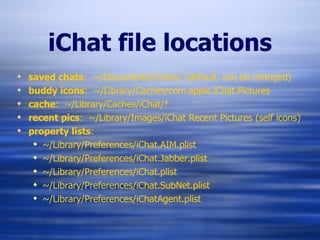
iChat file locations saved chats :  ~/Documents/iChats/ (default, can be changed) buddy icons :  ~/Library/Caches/com.apple.iChat.Pictures cache :  ~/Library/Caches/iChat/* recent pics :  ~/Library/Images/iChat Recent Pictures (self icons) property lists : ~/Library/Preferences/iChat.AIM.plist ~/Library/Preferences/iChat.Jabber.plist ~/Library/Preferences/iChat.plist ~/Library/Preferences/iChat.SubNet.plist ~/Library/Preferences/iChatAgent.plist
Other Chat Programs AOL Instant Messenger (AIM) Yahoo! Messenger (YIM) Fire (multi protocol capability - no longer being developed/supported) Adium (multi protocol capability - developers jumped from FIRE) Aqua (X-Chat using IRC engine) Jabber MSN Messenger Charla Camfrog I’m sure there’s tons more… this was just a 5 minute search on Google.
STRING SEARCHES - Common Techniques Spotlight Command line (Find + Grep) BBT Active File Searcher
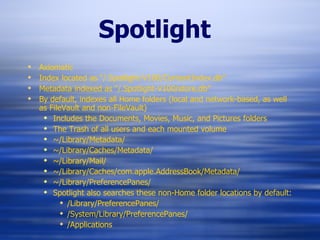
Spotlight Axiomatic  Index located as “/.Spotlight-V100/ContentIndex.db” Metadata indexed as “/.Spotlight-V100/store.db” By default, indexes  all Home folders (local and network-based, as well as FileVault and non-FileVault) Includes the Documents, Movies, Music, and Pictures folders The Trash of all users and each mounted volume ~/Library/Metadata/ ~/Library/Caches/Metadata/ ~/Library/Mail/ ~/Library/Caches/com.apple.AddressBook/Metadata/ ~/Library/PreferencePanes/ Spotlight also searches these non-Home folder locations by default: /Library/PreferencePanes/ /System/Library/PreferencePanes/ /Applications
Spotlight Pros: Quick index search for terms Finds keywords inside files as well as file names (also inside PDF) Cons: Doesn’t search within containers/package files (plugins needed) or compressed (ZIP) MS Office installs plugin Most new APPS installs plugin Doesn’t index all files; just areas like those mentioned before Use with write-blockers is “flaky” at best
Spotlight System Preferences - Spotlight Preferences Privacy Tab - can “+” (add) areas NOT to include in the search If you use it, keep in mind the limitations I really only use it to search for: VPC, VHD, Sparse, DMG, HDD Large sized files (over 10MB) Demo - put anything in Spotlight to start it. Click “+” next to Save, then change Kind to Size Greater Than = 10MB or 100MB Remove the “anything” from above to get all items
Command Line (Find + Grep) Axiomatic Pros: Once you have the syntax down, it’s easy and fast Cons: Doesn’t search within containers/package files (PDF) or compressed (ZIP) Syntax can cause headaches Have to run two separate searches Either filenames with keyword hits  Or within the contents of files Hits on folder names may give you too much
Command Line Find + Grep examples for filenames: “ find [path to evidence] -depth | grep “keyword” | tee [path/filename of log] | cpio -pdm [path to output/extract to]” “ find [path to evidence] -depth | grep -f [path/filename of multiple terms] | tee [path/filename of log] | cpio -pdm [path to output/extract to]”
Command Line Find + Grep examples for contents: “ find [path to evidence] -depth -type f -exec grep -abHirl “keyword” {} \; | tee [path/filename of log] | cpio -pdm [path to output/extract to]” “ find [path to evidence] -depth -type f -exec grep -abHirlf [path/filename of multiple terms] {} \; | tee [path/filename of log] | cpio -pdm [path to output/extract to]”
BBT Active File Searcher Perhaps the easiest to use Most likely to be used by non-command line or non-Unix examiner Pros: Finds keywords in file names and content within (not PDF) Searches through some containers and package files (not compressed ZIP) Easy to copy files out and save report Cons: Doesn’t search through image (DMG) files Report saved as simple text document versus HTML Doesn’t copy files in absolute path Uses numerical prefix to avoid duplicate file names

Mac Forensics

  • 1.
    MacIntosh Forensics Apresentation by Special Agent Thomas R. Nesbitt Federal Bureau of Investigation With assistance from presentations Prepared by John Mallory And Wayne Mitchell
  • 2.
  • 3.
    WHY MAC FORENSICS?Mac’s are rapidly gaining market share. Why? iPod and iPhone have increased interest in other Apple products Many people now consider Vista more difficult to use than Mac’s.
  • 4.
  • 5.
    MAC CLASSIC OS8.0 and OS 9.0 HFS and HFS+ on Motorola CISC architecture Significant enhancements were made throughout the upgrades on these systems - but they are very different from Windows based systems.
  • 6.
    MAC CLASSIC Toconduct a forensic exam you will have to go back to: Tech tools Norton Unerase for Mac Specific separate tools that conducted specific tasks
  • 7.
    MAC FORENSICS HFS- Hierarchical File System Most interesting component is the Resource Fork - which allows a file to have multiple forks (normally a data and a resource fork). This was much more advanced than comparable file systems like DOS’s FAT at the time. Introduced the Catalog File, which replaced the flat table structure of MFS (previous). Much faster lookup and recall.
  • 8.
    MAC FORENSICS HFS+It is now the preferred file system on the MAC OS X. It supports journaling, quotas, byte-range locking, Finder information in metadata, multiple encodings, hard and symbolic links, aliases, support for hiding file extensions on a per-file basis. It only journals metadata, but this is very useful for recovery (First introduced with MacServer for recovery)
  • 9.
  • 10.
    MAC OS XCheetah, Puma, Jaguar and Panther were still on the Motorola CISC Architecture - but the kernel is now on a modified BSD Unix platform (Darwin). This created a stable platform that will respond to Unix-type commands Can be a powerful tool at the command line if you choose to conduct your forensic analysis at that level.
  • 11.
  • 12.
    MAC FORENSICS MacOS 10.4.4 “Tiger” is the first MacIntosh OS to be on the Intel platform (instead of the Motorola CISC platform) WHY?? - Because Apple felt that the Intel x86 would be the better chip platform for the future
  • 13.
    OS X OSX is Linux based and when a file is deleted is often unrecoverable OS X does not create INFO2 records that record when a file was deleted OS X does have unallocated space, but it contains far less useable data due to the way files are deleted. OS X has a built in wiping (erasing) utility that effectively destroys any chance of recovering data
  • 14.
    OS X OSX does not create temporary link files. OS X does not record what devices were attached to the computer (except while they are still attached) OS X only tracks Accessed and Modified times. OS X records a sequential File ID each time a file is created or written to the volume on the hard drive.
  • 15.
    OS X OSX Mail and third party Email clients cannot be processed into the standard forensic tools OS X stores the Internet Cache in one contiguous file and is limited compared to the PC Internet Cache OS X stores user data primarily in the “user folder” for a particular user. OS X stores configuration data in multiple files and locations unlike Windows Registry
  • 16.
    OS X Oneother good thing about OS X Relatively MalWare and Virus free
  • 17.
    ACQUISITION Once youhave decided that an image of a MacIntosh computer is necessary you need to make some determinations If you have a Mac laptop and there is no obvious hard drive cover, you’re probably not going to get the hard drive out.
  • 18.
  • 19.
    ACQUISITION iMAC’s -If you find yourself with one of the old colored models, there are disassembly instructions on Apple’s website - takes a bit of digging.
  • 20.
    ACQUISITION Mac DesktopPro - The only machine that you can be reasonably assured of being able to remove the hard drive and physically image by conventional means
  • 21.
    ACQUISITION Target ModeApple has built-in to all late model Mac computers, a technology that allows direct access to the drive in a protected mode.
  • 22.
    ACQUISITION Target DiskMode This technology allows the MacIntosh to become an external Firewire hard drive providing access to the contents contained within Target Disk Mode only connects the Master ATA drive - no Slave ATA, ATAPI or SCSI drives.
  • 23.
    ACQUISITION Once youhave determined that Target Disk Mode is the necessary process Power on the Mac and IMMEDIATELY hold down the Option key. It will then boot into either the “Startup Manager” or “Open Firmware Password”
  • 24.
    ACQUISITION If youare presented with bootable partitions, you have booted into Startup Manager. Power off the Mac by holding down the Power button until it shuts down
  • 25.
    ACQUISITION If thescreen looks like this, there is an Open Firmware Password on the machine You cannot boot into Target Disk Mode until the password is removed
  • 26.
    ACQUISITION Removing theOpen Firmware Password: Turn on the Computer AND Press and hold the Command-Option-P-R keys. You must press this key combination before the gray screen appears. Hold the keys down until the computer restarts and you hear the startup sound for the second time Release the keys This resets the password - BTW they will know that you just blew away their password
  • 27.
    ACQUISITION Restart thecomputer while holding down the “T” key You should now see the firewire symbol on the computer screen. Now it is time to turn on your examination machine BUT you must make sure that disk arbitration is off. AND YOU MIGHT WANT TO THINK ABOUT
  • 28.
    ACQUISITION Single UserMode This can be used to gain root access by mounting the internal drive as read only. This creates the ability to gather additional system information: It is accessed by holding down the apple and S key when turning on the computer
  • 29.
    ACQUISITION It iscommand line based Commands and information gleaned about the computer: uname -v - displays the OS kernel version sw_vers - current OS version (important) date - displays system date and time
  • 30.
    ACQUISITION ioreg -cATADeviceNub - displays the internal hard drive serial number model and make uptime - display the system up time hostinfo - display network information nvram -p Non-Volital Read Access Memory - display system preferences stored in RAM
  • 31.
    ACQUISITION ls /dev/disk*- displays all attached hard drives pdisk - display hard drive partition information Example: pdisk /dev/disk* -dump
  • 32.
    ACQUISITION pmap -displays similar information to pdisk in addition to further information Command: hdiutil pmap /dev/disk# Unix reports partitions as disk#s0, disk#s1, disk#s2, etc. The Mac Operating System starts partitions starting at 1 (you have to add 1 to each entry) - if pmap reports HFS partition disk1s7 you need to mount disk1s8 (not 7) Use pmap if there is FAT32 or NTFS.
  • 33.
    DISK ARBITRATION JAGUARImportant Path !!! /System/Library/StartupItems/Disks/Disks To edit file use sudo pico or vi vi /System/Library/StartupItems/Disks/Disks Go to line /sbin/autodiskmount -va and place or remove “#” comment front # /sbin/autodiskmount -va In pico use ctrl+X to save changes, then y for Yes
  • 34.
    DISK ARBITRATION PANTHERDiskarbitration is the main process used by Panther to manage and mount disk partitions The presence of diskarbitration.plist (regardless of file name) in /etc/mach_init.d signifies Diskarbitration is active /etc/mach_init.d/diskarbitration.plist
  • 35.
    DISK ARBITRATION-DISABLING PANTHERGo to the /etc/mach_init.d Directory cd /etc/mach_init.d Create a directory /Library called DiskArb_Backup Copy diskarbitrationd.plist to DiskArb_Backup (always make sure its there sudo cp /etc.mach_init.d/diskarbitrationd.plist /Library/DiskArb_Backup Now you can remove (delete) the file Sudo rm /etc/mach_init.d/diskarbitrationd Reboot the system
  • 36.
    ACQUISITION TARGET MODESuspect computer, acquisition computer Turn off diskarbitration (autodiskmounting in Jaguar) on acquisition computer, reboot and shutdown All computers must be of when connecting cables Connect FireWire cable from suspect computer to acquisition computer
  • 37.
    ACQUISITION TARGET MODEVerify Firmware password does not exist, power on holding the option key down, if lock is present, power down. Reboot suspect computer, hold down the “T” key Continue until you see a blue screen with the Firewire symbol
  • 38.
    ACQUISITION -BLACK BAG Not all Macs support FireWire target mode Boot CD is a good alternative here. Once the blue screen and the floating FireWire symbol appear, you can start the acquisition computer (make sure diskarbitration is OFF) Confirm a new disk appears in ls /dev/disk* Verify with sudo ioreg -c “IOMedia” Imaging is ‘pretty’ fast over FireWire 28 minutes for 10 Gb.
  • 39.
    ACQUISITION -BLACK BAG
  • 40.
    ACQUISITION -BLACK BAG
  • 41.
    ACQUISITION -BLACK BAG
  • 42.
    ACQUISITION -BLACK BAG
  • 43.
    ACQUISITION If youneed to do the imaging from the command line: dd if=/dev/disk2 of=/tmp/case123 dd if=/dev/disk2 of=/dev/disk3/case123 dd if=/dev/disk2 of=/dev/disk3/case123.dmg dcfldd provides status and MD5 automatically dcfldd if=/dev/disk conv=noerror,sync hashwindow=0 bs=1024 |split - -b2000m /dev/case123 - Here the image will be split into 2 Gb segments and do and MD5 of the entire drive.
  • 44.
    EXAMINATION To mountthe drive for Mac examination the image segments will have to end with .dmg If they are .001 then they will have to be renamed. If not, then if you have it, you could use Blackbag Tech’s DMGRename. Once a .dmg image, then you should lock it before opening.
  • 45.
    EXAMINATION You canopen it by double-clicking on the .dmg file. If you have Blackbag Forensics then you can use Shadowmounter. This will lock it and mount it as read only
  • 46.
    EXAMINATION Once itis safely mounted: You will need to look for the files associated with the pertinent acitivities. Internet activity and history Email Text documents Graphics Multimedia Chat and P2P
  • 47.
    EXAMINATION The toplevel of the Mac OS X Filesystem contains four permanent folders Applications, Library, System, Users Applications - contains any pre-installed applications and those installed for use by any user (if you want to hide an app. then it should be placed in the user’s directory) Setting read/write permissions. The top level account is root or superuser and is automatically disabled by Mac OS X
  • 48.
    EXAMINATION Users -allows users to own their own files and provide a means of controlling other user’s access to these files. This can be considered the home directory and files and folders stored within are protected from other users.
  • 49.
    EXAMINATION Library -storage location for systemwide application preferences, application libraries and information that should be accessible to any user. There is also a Library folder under each user and this is where you will find the individual information that we are probably looking for.
  • 50.
  • 51.
    EXAMINATION System- Bydefault the System folder contains another folder, called Library This Library folder is reserved for use by Apple’s software. Within this folder are the components that make up the core of the Mac OS X. Any modifications here can easily render your computer unbootable.
  • 52.
    GRAB - Builtin Utility
  • 53.
    Common Email ClientsMail (Apple) Microsoft Entourage America Online
  • 54.
    Software Tools EmailchemyNative application (Apple Mail, Entourage, AOL, etc) CanOpener
  • 55.
    Email For MacOS X mail you can play the substitution game. Create a new user on your MacIntosh and then substitute the user/Library/Mail folder that you want to look at for the new users. If you don’t want to do this and have some money (or its not Mac OS x mail): Emailchemy is probably the most versatile for the price - shareware around $30.00
  • 56.
    Apple Mail Bundledwith OS X Each message is stored as an individual file (.emlx) Previous versions of Mail used mbox containers. Is not recognized in FTK as email, but can still be viewed.
  • 57.
    Apple Mail -file locations cache: ~/Library/Caches/Mail/* acct & email: ~/Library/Mail/* property list: ~/Library Preferences/com.apple.mail.plist
  • 58.
    Microsoft Entourage Comeswith Microsoft Office Very much like Microsoft Outlook in appearance/use The main user database file (the equivalent of the .pst file in windows) can not be processed in FTK, Encase, or IEA Two ways to process “ Transplant” the user folder to your examination station or import the data into your installed version of Entourage Emailchemy - can import into Mail then print to PDF
  • 59.
    Microsoft Entourage - file locations user data: ~/Documents/Microsoft User Data user database: ~/Documents/Microsoft User Data/Office {X/2004} Identities/Main Identity/Database prefs: ~/Library/Preferences/Microsoft/ com.microsoft.Entourage.prefs.plist
  • 60.
    Microsoft Entourage -Processing Copy user files to your workstation Emailchemy Import “mbox” files into Apple Mail Select all - Print to PDF - saved to appropriately named folder
  • 61.
    America Online 10.3.7As an email client Email is not saved to the local client by default Email can not be processed by FTK or Encase Best way to process email is to “transplant” the AOL version in use and the user data to your workstation
  • 62.
    America Online -file locations user folder : ~/Library/Preferences/America Online/ (profiles, history cache et. al) property list : ~/Library/Preferences/com.aol.aol.plist filing cabinet : /Users/Shared/America Online/<user>’s Filing Cabinet (email) contacts : /Users/Shared/America Online/<user>’s Contacts favorites : /Users/Shared/America Online/<user>’s Favorites buddy list : /Users/Shared/America Online/<user>’s Feedbag address book : /Users/Shared/America Online/Address Book
  • 63.
    America Online -Processing Application: /Applications/AOL Recommended to copy over subject’s version Must use command line for proper permission transfer *** As “root” issue command: “ cp -r -p /{evidence}/Applications/AOL /Applications/” Can drag-drop: ~/Library/Preferences/America Online/ /Users/Shared/America Online/ Run AOL to see subject login name - select name (no need to login) View File Cabinet, etc. and print to PDF
  • 64.
  • 65.
    Common Browsers Safari(Apple) Firefox America Online Internet Explorer (no longer supported) Opera
  • 66.
    Browser Data bookmarks- user saved favorite URLs cache files - text & pictures of visited web pages cookies - tokens stored by websites downloads - list of files that user has transferred to his computer history - list of previously visited websites typed URLs - user entered URLs recent search terms Forensic data recovered from browsers typically includes the following:
  • 67.
    Software Tools BBTSafari Tools Property List Editor (included with Xcode installation) CanOpener (Vendor)
  • 68.
    Safari Browser Bundledwith OS X (default browser) cache files are stored as numbered folders and files with a .cache extension cache files are actually container files and cannot be viewed directly, they must be extracted history, bookmarks, downloads and cookies are stored as property list (.plist) files. Best way to process is to use the BBT Safari Tools Processing with FTK possible through data carve, but is not an aesthetic advantage
  • 69.
    Safari - filelocations cache : ~/Library/Caches/Safari/* cookies : ~/Library/Cookies/cookies.plist bookmarks : ~/Library/Safari/bookmarks.plist downloads : ~/Library/Safari/downloads.plist history : ~/Library/Safari/history.plist property list : ~/Library/Preferences/com.apple.Safari.plist browser icons : ~/Library/Safari/Icons/* metadata : ~/Library/Metadata/Safari/ ~ = /Users/{account name}/
  • 70.
    Firefox Browser Storescache, history, etc. similar to Netscape/ Mozilla cache, cookies, history data is recognized by FTK Categorizes file types, GIF, JPG, etc. by header Possible string search advantages
  • 71.
    Firefox - filelocations profile folder : ~/Library/Application Support/Firefox/* (bookmarks, cookies, history) cache : ~/Library/Caches/Firefox/Profiles/* registry : ~/Library/Preferences/Mozilla Registry config : ~/Library/Application Support/FullCircle/
  • 72.
    America Online 10.3.7As an internet browser Stores cache, history, etc. similar to Netscape/ Mozilla cache, cookies, history and buddy list (feedbag) data is recognized by FTK Demo/practical shown later with email
  • 73.
    Microsoft Internet Explorerhistory/cache : ~/Library/Caches/MS Internet Cache/*. waf downloads : ~/Library/Preferences/Explorer/Download Cache. waf favorites : ~/Library/Preferences/Explorer/Favorites.html property list : ~/Library/Preferences/com.microsoft.explorer.plist waf files are container files which hold the browser cache or downloaded files. Usually 10MB by default. Microsoft has discontinued support for IE and it is no longer available for download.
  • 74.
    MS IE -Processing Property List Editor (Xcode) - Good Examples ~/Library/Preferences/“com.apple.recentitems.plist” Shows Applications and Documents ~/Library/Preferences/”com.apple.Safari.plist” RecentSearchStrings
  • 75.
    Opera Browser Storescache, history, etc. similar to Netscape/ Mozilla cache, cookies, history data is recognized by FTK Not necessarily flagged or categorized appropriately No real advantage to import into FTK except: Indexed searches Thumbnail graphic view Iview Media Pro - drag/drop Keep in mind limitation on amount of files per catalog (128,000)
  • 76.
    Opera - filelocations ~/Library/Application Support/Opera (mail) ~/Library/Preferences/Opera Preferences ~/Library/Preferences/Opera Preferences/Icons ~/Library/Caches/Opera/Cache ~/Library/Caches/Opera/CacheOp
  • 77.
    Opera - filelocations Recent/TypedURLs : ~/Library/Preferences/Opera Preferences/Sessions/autosave.win Bookmarks : ~/Library/Preferences/Opera Preferences/Bookmarks Contacts : ~/Library/Preferences/Opera Preferences/contacts.adr Cookies : ~/Library/Preferences/Opera Preferences/cookies4.dat Downloads : ~/Library/Preferences/Opera Preferences/download.dat History : ~/Library/Preferences/Opera Preferences/Opera Global History Typed History : ~/Library/Preferences/Opera Preferences/Opera Direct History All but COOKIES are readable, clear text.
  • 78.
    iChat Bundled withOS X Compatible with AOL/AIM Chats can be encrypted when both parties are using iChat Does not log chats by default Video conferencing is possible Video may be captured by 3rd party software Saves as QuickTime clips/movies Best way to view saved chats is to use iChat (native application)
  • 79.
    iChat file locationssaved chats : ~/Documents/iChats/ (default, can be changed) buddy icons : ~/Library/Caches/com.apple.iChat.Pictures cache : ~/Library/Caches/iChat/* recent pics : ~/Library/Images/iChat Recent Pictures (self icons) property lists : ~/Library/Preferences/iChat.AIM.plist ~/Library/Preferences/iChat.Jabber.plist ~/Library/Preferences/iChat.plist ~/Library/Preferences/iChat.SubNet.plist ~/Library/Preferences/iChatAgent.plist
  • 80.
    Other Chat ProgramsAOL Instant Messenger (AIM) Yahoo! Messenger (YIM) Fire (multi protocol capability - no longer being developed/supported) Adium (multi protocol capability - developers jumped from FIRE) Aqua (X-Chat using IRC engine) Jabber MSN Messenger Charla Camfrog I’m sure there’s tons more… this was just a 5 minute search on Google.
  • 81.
    STRING SEARCHES -Common Techniques Spotlight Command line (Find + Grep) BBT Active File Searcher
  • 82.
    Spotlight Axiomatic Index located as “/.Spotlight-V100/ContentIndex.db” Metadata indexed as “/.Spotlight-V100/store.db” By default, indexes all Home folders (local and network-based, as well as FileVault and non-FileVault) Includes the Documents, Movies, Music, and Pictures folders The Trash of all users and each mounted volume ~/Library/Metadata/ ~/Library/Caches/Metadata/ ~/Library/Mail/ ~/Library/Caches/com.apple.AddressBook/Metadata/ ~/Library/PreferencePanes/ Spotlight also searches these non-Home folder locations by default: /Library/PreferencePanes/ /System/Library/PreferencePanes/ /Applications
  • 83.
    Spotlight Pros: Quickindex search for terms Finds keywords inside files as well as file names (also inside PDF) Cons: Doesn’t search within containers/package files (plugins needed) or compressed (ZIP) MS Office installs plugin Most new APPS installs plugin Doesn’t index all files; just areas like those mentioned before Use with write-blockers is “flaky” at best
  • 84.
    Spotlight System Preferences- Spotlight Preferences Privacy Tab - can “+” (add) areas NOT to include in the search If you use it, keep in mind the limitations I really only use it to search for: VPC, VHD, Sparse, DMG, HDD Large sized files (over 10MB) Demo - put anything in Spotlight to start it. Click “+” next to Save, then change Kind to Size Greater Than = 10MB or 100MB Remove the “anything” from above to get all items
  • 85.
    Command Line (Find+ Grep) Axiomatic Pros: Once you have the syntax down, it’s easy and fast Cons: Doesn’t search within containers/package files (PDF) or compressed (ZIP) Syntax can cause headaches Have to run two separate searches Either filenames with keyword hits Or within the contents of files Hits on folder names may give you too much
  • 86.
    Command Line Find+ Grep examples for filenames: “ find [path to evidence] -depth | grep “keyword” | tee [path/filename of log] | cpio -pdm [path to output/extract to]” “ find [path to evidence] -depth | grep -f [path/filename of multiple terms] | tee [path/filename of log] | cpio -pdm [path to output/extract to]”
  • 87.
    Command Line Find+ Grep examples for contents: “ find [path to evidence] -depth -type f -exec grep -abHirl “keyword” {} \; | tee [path/filename of log] | cpio -pdm [path to output/extract to]” “ find [path to evidence] -depth -type f -exec grep -abHirlf [path/filename of multiple terms] {} \; | tee [path/filename of log] | cpio -pdm [path to output/extract to]”
  • 88.
    BBT Active FileSearcher Perhaps the easiest to use Most likely to be used by non-command line or non-Unix examiner Pros: Finds keywords in file names and content within (not PDF) Searches through some containers and package files (not compressed ZIP) Easy to copy files out and save report Cons: Doesn’t search through image (DMG) files Report saved as simple text document versus HTML Doesn’t copy files in absolute path Uses numerical prefix to avoid duplicate file names