Page 1
CHAPTER 3
(Computer System)
Page 2
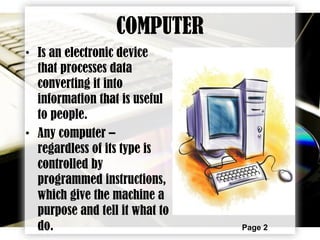
COMPUTER
• Is an electronic device
that processes data
converting it into
information that is useful
to people.
• Any computer –
regardless of its type is
controlled by
programmed instructions,
which give the machine a
purpose and tell it what to
do.
Page 3
EVOLUTION OF COMPUTERS
Page 4
THE COMPUTER SYSTEM
• A complete computer system is consist of
four major parts:
1. Hardware
2. Software
3. User/s
4. Data
Page 5
HARDWARE
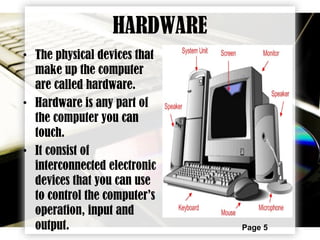
• The physical devices that
make up the computer
are called hardware.
• Hardware is any part of
the computer you can
touch.
• It consist of
interconnected electronic
devices that you can use
to control the computer’s
operation, input and
output.
Page 6
COMPUTER HARDWARE
Page 7
COMPUTER SOFTWARE
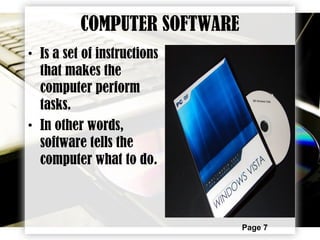
• Is a set of instructions
that makes the
computer perform
tasks.
• In other words,
software tells the
computer what to do.
Page 8
SOFTWARE BRINGS THE MACHINE
TO LIFE
• When a computer uses a particular program,
it is said to be running or executing the
program.
• Most software falls into two major categories
1. SYSTEM SOFTWARE
2. APPLICATION SOFTWARE
Page 9
SYSTEM SOFTWARE
• 3 Types of System Software
 Operating System – tells the
computer how to use its components
 Network Operating System – allows
the computer to communicate and
share data across network.
 Utility – makes the computer easier
to use or to perform highly
specialized functions
Page 10
APPLICATION SOFTWARE
• Application software tells the computer how to
accomplish specific tasks, such as word processing
or drawing, for the user.
• Some of the major categories of these applications
include the following:
 Word Processing Software for creating text-based
documents, such as newsletters or brochures.
 Spreadsheets for creating numeric-based documents,
such as budgets or balance sheets.
 Database management software for building and
manipulating large sets of data.
Page 11
CONTINUATION:
 Presentation Programs for creating and presenting
electronic slide shows
 Graphics Programs for designing illustrations or
manipulating photographs, movies and animation.
 Multi-media authoring applications for building digital
movies that incorporate sound, video, animation, and
interactive features.
 Entertainment and Education software packages, many of
which are interactive multi-media events
 Web Design Tools, Web Browsers and other internet
applications like news readers and e-mail programs
 And Lastly, the famous application software is the Games for
single or multi-player over a network or internet.
Page 12
COMPUTER SOFTWARE
Page 13
USER/S
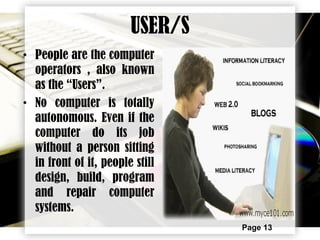
• People are the computer
operators , also known
as the “Users”.
• No computer is totally
autonomous. Even if the
computer do its job
without a person sitting
in front of it, people still
design, build, program
and repair computer
systems.
Page 14
DATA
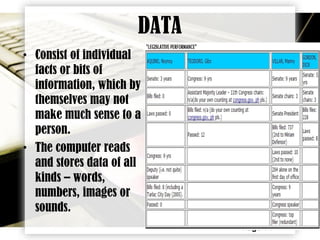
• Consist of individual
facts or bits of
information, which by
themselves may not
make much sense to a
person.
• The computer reads
and stores data of all
kinds – words,
numbers, images or
sounds.

COMPUTER SYSTEM

  • 1.
  • 2.
    Page 2 COMPUTER • Isan electronic device that processes data converting it into information that is useful to people. • Any computer – regardless of its type is controlled by programmed instructions, which give the machine a purpose and tell it what to do.
  • 3.
  • 4.
    Page 4 THE COMPUTERSYSTEM • A complete computer system is consist of four major parts: 1. Hardware 2. Software 3. User/s 4. Data
  • 5.
    Page 5 HARDWARE • Thephysical devices that make up the computer are called hardware. • Hardware is any part of the computer you can touch. • It consist of interconnected electronic devices that you can use to control the computer’s operation, input and output.
  • 6.
  • 7.
    Page 7 COMPUTER SOFTWARE •Is a set of instructions that makes the computer perform tasks. • In other words, software tells the computer what to do.
  • 8.
    Page 8 SOFTWARE BRINGSTHE MACHINE TO LIFE • When a computer uses a particular program, it is said to be running or executing the program. • Most software falls into two major categories 1. SYSTEM SOFTWARE 2. APPLICATION SOFTWARE
  • 9.
    Page 9 SYSTEM SOFTWARE •3 Types of System Software  Operating System – tells the computer how to use its components  Network Operating System – allows the computer to communicate and share data across network.  Utility – makes the computer easier to use or to perform highly specialized functions
  • 10.
    Page 10 APPLICATION SOFTWARE •Application software tells the computer how to accomplish specific tasks, such as word processing or drawing, for the user. • Some of the major categories of these applications include the following:  Word Processing Software for creating text-based documents, such as newsletters or brochures.  Spreadsheets for creating numeric-based documents, such as budgets or balance sheets.  Database management software for building and manipulating large sets of data.
  • 11.
    Page 11 CONTINUATION:  PresentationPrograms for creating and presenting electronic slide shows  Graphics Programs for designing illustrations or manipulating photographs, movies and animation.  Multi-media authoring applications for building digital movies that incorporate sound, video, animation, and interactive features.  Entertainment and Education software packages, many of which are interactive multi-media events  Web Design Tools, Web Browsers and other internet applications like news readers and e-mail programs  And Lastly, the famous application software is the Games for single or multi-player over a network or internet.
  • 12.
  • 13.
    Page 13 USER/S • Peopleare the computer operators , also known as the “Users”. • No computer is totally autonomous. Even if the computer do its job without a person sitting in front of it, people still design, build, program and repair computer systems.
  • 14.
    Page 14 DATA • Consistof individual facts or bits of information, which by themselves may not make much sense to a person. • The computer reads and stores data of all kinds – words, numbers, images or sounds.