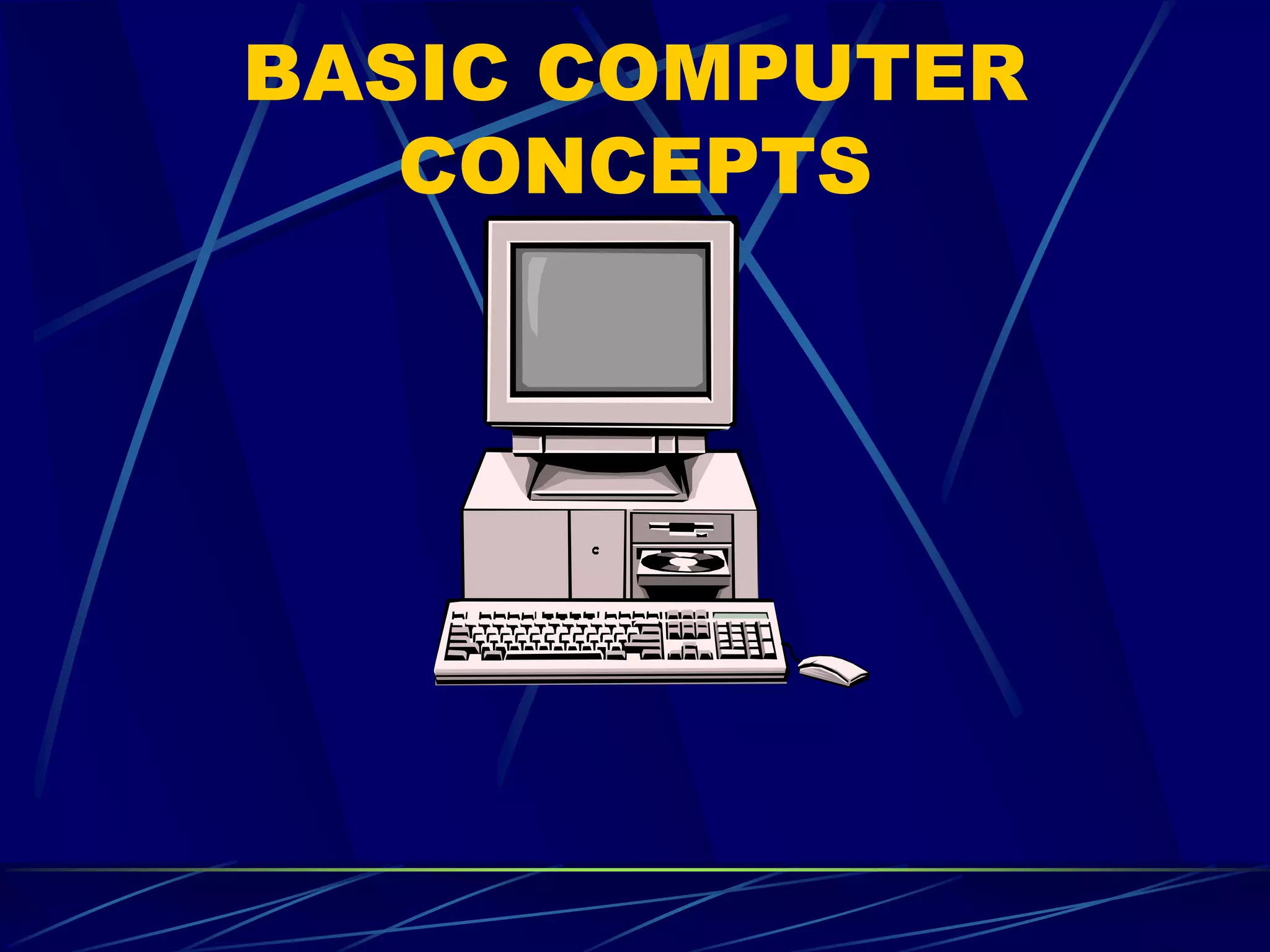
BASIC COMPUTER
CONCEPTS
What is a computer?
An electronic device, operating under the
control of instructions stored in its own
memory unit, that can accept data
(input), manipulate the data according to
specified rules (process), produce
information (output) from the
processing, and store the results for
future use.
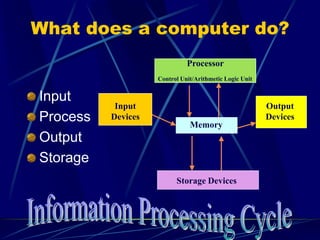
What does a computer do?
Input
Process
Output
Storage
Processor
Control Unit/Arithmetic Logic Unit
Memory
Storage Devices
Input
Devices
Output
Devices
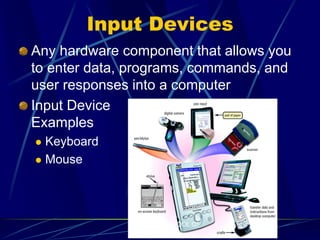
Input Devices
Any hardware component that allows you
to enter data, programs, commands, and
user responses into a computer
Input Device
Examples
 Keyboard
 Mouse
DIPOLOG SCHOOL OF
FISHERIES
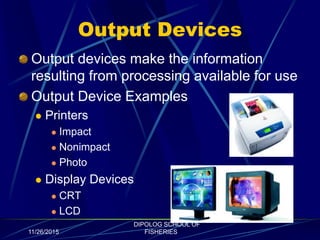
Output Devices
Output devices make the information
resulting from processing available for use
Output Device Examples
 Printers
 Impact
 Nonimpact
 Photo
 Display Devices
 CRT
 LCD
11/26/2015
DIPOLOG SCHOOL OF
FISHERIES
Storage Devices
Removable
 Floppy disk, or diskette
 Compact Disc CD-R, CD-RW,
CD-ROM
 DVDs – DVD-ROM, DVD-R,
DVD-RW, DVD-RAM
 Zip disk
 Flash disk/USB drive
 Tape
Non-Removable
 Hard disk
11/26/2015
DIPOLOG SCHOOL OF
FISHERIES
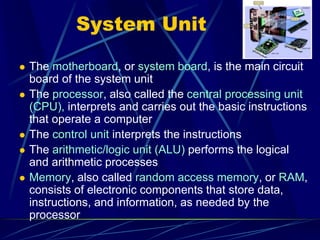
System Unit
 The motherboard, or system board, is the main circuit
board of the system unit
 The processor, also called the central processing unit
(CPU), interprets and carries out the basic instructions
that operate a computer
 The control unit interprets the instructions
 The arithmetic/logic unit (ALU) performs the logical
and arithmetic processes
 Memory, also called random access memory, or RAM,
consists of electronic components that store data,
instructions, and information, as needed by the
processor
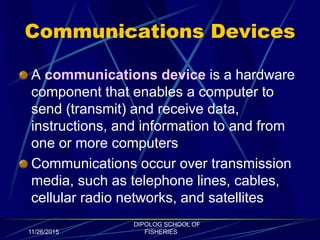
Communications Devices
A communications device is a hardware
component that enables a computer to
send (transmit) and receive data,
instructions, and information to and from
one or more computers
Communications occur over transmission
media, such as telephone lines, cables,
cellular radio networks, and satellites
11/26/2015
DIPOLOG SCHOOL OF
FISHERIES
Types of Computers
Supercomputers
and Mainframes
Microcomputers
 Desktops
 Laptops (Notebooks)
 Handhelds
COMPUTER SOFTWARE
System software consists of programs to control
the operations of computer equipment
Instructions in the operating system tell the
computer how to perform the functions of loading,
storing, and executing an application program and
how to transfer data
When a computer is turned on, the operating
system is loaded into the computer’s memory from
auxiliary storage, a process called booting
Most computers use an operating system that has
a graphical user interface (GUI)
Operating System Tasks
Operations Management
 Load, store and execute
programs
 Transfer data
File Management
 Files
 Folder
System Maintenance
 Defragment/Check Disk
 Virus Check
System Monitoring
Application Software
Word Processing
Spreadsheet
Presentation Graphics
Database
Contact Management
Utility Software – anti-
virus, data backup, and
file compression
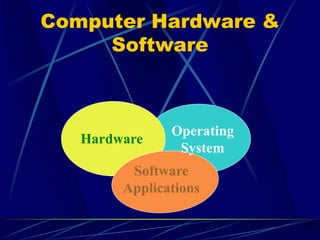
Computer Hardware &
Software
Hardware
Operating
System
Software
Applications
NETWORKS
A network is a collection of computers
and devices connected together so
users can share data and resources
A local area network (LAN) connects
computers in a limited geographic area
A wide area network (WAN) covers a
large geographical area
11/26/2015
DIPOLOG SCHOOL OF
FISHERIES
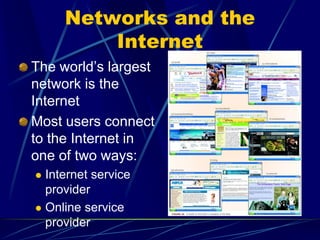
Networks and the
Internet
The world’s largest
network is the
Internet
Most users connect
to the Internet in
one of two ways:
 Internet service
provider
 Online service
provider
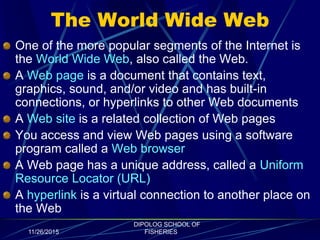
The World Wide Web
One of the more popular segments of the Internet is
the World Wide Web, also called the Web.
A Web page is a document that contains text,
graphics, sound, and/or video and has built-in
connections, or hyperlinks to other Web documents
A Web site is a related collection of Web pages
You access and view Web pages using a software
program called a Web browser
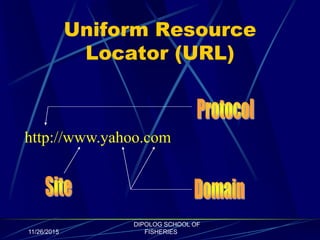
A Web page has a unique address, called a Uniform
Resource Locator (URL)
A hyperlink is a virtual connection to another place on
the Web
11/26/2015
DIPOLOG SCHOOL OF
FISHERIES
More Internet Terms
Cookies – a text file created by a Web server
and your Web browser, that sits on your hard
drive
Search engine – a Web site containing a
database of web pages and their content
Electronic commerce – conducting business
online, such as shopping or investing.
Portal -- a launching point for browsing online;
one of the most well-known is Yahoo!, where you
can search the Web, shop, chat, check e-mail,
build a Web site, and view news articles.
11/26/2015
DIPOLOG SCHOOL OF
FISHERIES
Web Browsers
Internet Explorer – built into Windows
Netscape – the oldest browser; an all-
round communications package for the
Internet; free at http://www.netscape.com
Opera – free version available at
http://www.opera.com
11/26/2015
DIPOLOG SCHOOL OF
FISHERIES
Uniform Resource
Locator (URL)
http://www.yahoo.com
11/26/2015
DIPOLOG SCHOOL OF
FISHERIES
COMMON
APPLICATIONS
E-mail--Send messages to other connected users
Shop for goods and services
Meet and converse with people around the world
 Instant Messaging, such as ICQ, Windows (MSN)
Messenger, and AOL Instant Messenger
 Web browser plug-ins, such as Macromedia Flash and
Shockwave
Access sources of entertainment and leisure, such as online
games, magazines, and vacation planning guides
Access information such as news, maps, airline schedules,
and stock market data
11/26/2015
DIPOLOG SCHOOL OF
FISHERIES
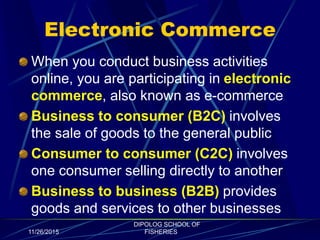
Electronic Commerce
When you conduct business activities
online, you are participating in electronic
commerce, also known as e-commerce
Business to consumer (B2C) involves
the sale of goods to the general public
Consumer to consumer (C2C) involves
one consumer selling directly to another
Business to business (B2B) provides
goods and services to other businesses
11/26/2015
DIPOLOG SCHOOL OF
FISHERIES
THE END
11/26/2015
DIPOLOG SCHOOL OF
FISHERIES
Self Check No. 1
11/26/2015
DIPOLOG SCHOOL OF
FISHERIES
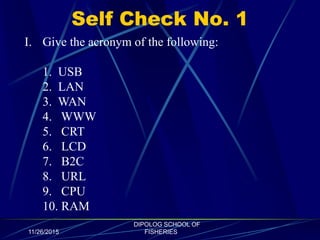
I. Give the acronym of the following:
1. USB
2. LAN
3. WAN
4. WWW
5. CRT
6. LCD
7. B2C
8. URL
9. CPU
10. RAM
Self Check No. 2
11/26/2015
DIPOLOG SCHOOL OF
FISHERIES
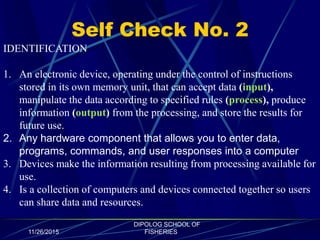
IDENTIFICATION
1. An electronic device, operating under the control of instructions
stored in its own memory unit, that can accept data (input),
manipulate the data according to specified rules (process), produce
information (output) from the processing, and store the results for
future use.
2. Any hardware component that allows you to enter data,
programs, commands, and user responses into a computer
3. Devices make the information resulting from processing available for
use.
4. Is a collection of computers and devices connected together so users
can share data and resources.
11/26/2015
DIPOLOG SCHOOL OF
FISHERIES
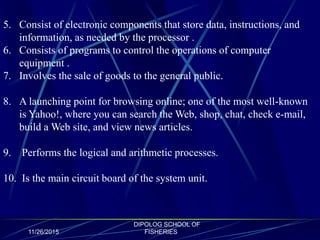
5. Consist of electronic components that store data, instructions, and
information, as needed by the processor .
6. Consists of programs to control the operations of computer
equipment .
7. Involves the sale of goods to the general public.
8. A launching point for browsing online; one of the most well-known
is Yahoo!, where you can search the Web, shop, chat, check e-mail,
build a Web site, and view news articles.
9. Performs the logical and arithmetic processes.
10. Is the main circuit board of the system unit.
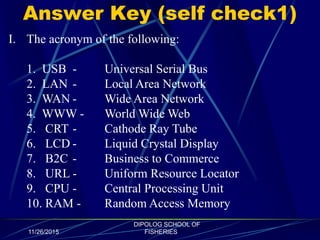
Answer Key (self check1)
11/26/2015
DIPOLOG SCHOOL OF
FISHERIES
I. The acronym of the following:
1. USB - Universal Serial Bus
2. LAN - Local Area Network
3. WAN - Wide Area Network
4. WWW - World Wide Web
5. CRT - Cathode Ray Tube
6. LCD - Liquid Crystal Display
7. B2C - Business to Commerce
8. URL - Uniform Resource Locator
9. CPU - Central Processing Unit
10. RAM - Random Access Memory
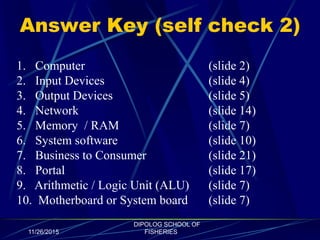
Answer Key (self check 2)
11/26/2015
DIPOLOG SCHOOL OF
FISHERIES
1. Computer (slide 2)
2. Input Devices (slide 4)
3. Output Devices (slide 5)
4. Network (slide 14)
5. Memory / RAM (slide 7)
6. System software (slide 10)
7. Business to Consumer (slide 21)
8. Portal (slide 17)
9. Arithmetic / Logic Unit (ALU) (slide 7)
10. Motherboard or System board (slide 7)

Basic computer concepts

  • 1.
  • 2.
    What is acomputer? An electronic device, operating under the control of instructions stored in its own memory unit, that can accept data (input), manipulate the data according to specified rules (process), produce information (output) from the processing, and store the results for future use.
  • 3.
    What does acomputer do? Input Process Output Storage Processor Control Unit/Arithmetic Logic Unit Memory Storage Devices Input Devices Output Devices
  • 4.
    Input Devices Any hardwarecomponent that allows you to enter data, programs, commands, and user responses into a computer Input Device Examples  Keyboard  Mouse DIPOLOG SCHOOL OF FISHERIES
  • 5.
    Output Devices Output devicesmake the information resulting from processing available for use Output Device Examples  Printers  Impact  Nonimpact  Photo  Display Devices  CRT  LCD 11/26/2015 DIPOLOG SCHOOL OF FISHERIES
  • 6.
    Storage Devices Removable  Floppydisk, or diskette  Compact Disc CD-R, CD-RW, CD-ROM  DVDs – DVD-ROM, DVD-R, DVD-RW, DVD-RAM  Zip disk  Flash disk/USB drive  Tape Non-Removable  Hard disk 11/26/2015 DIPOLOG SCHOOL OF FISHERIES
  • 7.
    System Unit  Themotherboard, or system board, is the main circuit board of the system unit  The processor, also called the central processing unit (CPU), interprets and carries out the basic instructions that operate a computer  The control unit interprets the instructions  The arithmetic/logic unit (ALU) performs the logical and arithmetic processes  Memory, also called random access memory, or RAM, consists of electronic components that store data, instructions, and information, as needed by the processor
  • 8.
    Communications Devices A communicationsdevice is a hardware component that enables a computer to send (transmit) and receive data, instructions, and information to and from one or more computers Communications occur over transmission media, such as telephone lines, cables, cellular radio networks, and satellites 11/26/2015 DIPOLOG SCHOOL OF FISHERIES
  • 9.
    Types of Computers Supercomputers andMainframes Microcomputers  Desktops  Laptops (Notebooks)  Handhelds
  • 10.
    COMPUTER SOFTWARE System softwareconsists of programs to control the operations of computer equipment Instructions in the operating system tell the computer how to perform the functions of loading, storing, and executing an application program and how to transfer data When a computer is turned on, the operating system is loaded into the computer’s memory from auxiliary storage, a process called booting Most computers use an operating system that has a graphical user interface (GUI)
  • 11.
    Operating System Tasks OperationsManagement  Load, store and execute programs  Transfer data File Management  Files  Folder System Maintenance  Defragment/Check Disk  Virus Check System Monitoring
  • 12.
    Application Software Word Processing Spreadsheet PresentationGraphics Database Contact Management Utility Software – anti- virus, data backup, and file compression
  • 13.
  • 14.
    NETWORKS A network isa collection of computers and devices connected together so users can share data and resources A local area network (LAN) connects computers in a limited geographic area A wide area network (WAN) covers a large geographical area 11/26/2015 DIPOLOG SCHOOL OF FISHERIES
  • 15.
    Networks and the Internet Theworld’s largest network is the Internet Most users connect to the Internet in one of two ways:  Internet service provider  Online service provider
  • 16.
    The World WideWeb One of the more popular segments of the Internet is the World Wide Web, also called the Web. A Web page is a document that contains text, graphics, sound, and/or video and has built-in connections, or hyperlinks to other Web documents A Web site is a related collection of Web pages You access and view Web pages using a software program called a Web browser A Web page has a unique address, called a Uniform Resource Locator (URL) A hyperlink is a virtual connection to another place on the Web 11/26/2015 DIPOLOG SCHOOL OF FISHERIES
  • 17.
    More Internet Terms Cookies– a text file created by a Web server and your Web browser, that sits on your hard drive Search engine – a Web site containing a database of web pages and their content Electronic commerce – conducting business online, such as shopping or investing. Portal -- a launching point for browsing online; one of the most well-known is Yahoo!, where you can search the Web, shop, chat, check e-mail, build a Web site, and view news articles. 11/26/2015 DIPOLOG SCHOOL OF FISHERIES
  • 18.
    Web Browsers Internet Explorer– built into Windows Netscape – the oldest browser; an all- round communications package for the Internet; free at http://www.netscape.com Opera – free version available at http://www.opera.com 11/26/2015 DIPOLOG SCHOOL OF FISHERIES
  • 19.
  • 20.
    COMMON APPLICATIONS E-mail--Send messages toother connected users Shop for goods and services Meet and converse with people around the world  Instant Messaging, such as ICQ, Windows (MSN) Messenger, and AOL Instant Messenger  Web browser plug-ins, such as Macromedia Flash and Shockwave Access sources of entertainment and leisure, such as online games, magazines, and vacation planning guides Access information such as news, maps, airline schedules, and stock market data 11/26/2015 DIPOLOG SCHOOL OF FISHERIES
  • 21.
    Electronic Commerce When youconduct business activities online, you are participating in electronic commerce, also known as e-commerce Business to consumer (B2C) involves the sale of goods to the general public Consumer to consumer (C2C) involves one consumer selling directly to another Business to business (B2B) provides goods and services to other businesses 11/26/2015 DIPOLOG SCHOOL OF FISHERIES
  • 22.
  • 23.
    Self Check No.1 11/26/2015 DIPOLOG SCHOOL OF FISHERIES I. Give the acronym of the following: 1. USB 2. LAN 3. WAN 4. WWW 5. CRT 6. LCD 7. B2C 8. URL 9. CPU 10. RAM
  • 24.
    Self Check No.2 11/26/2015 DIPOLOG SCHOOL OF FISHERIES IDENTIFICATION 1. An electronic device, operating under the control of instructions stored in its own memory unit, that can accept data (input), manipulate the data according to specified rules (process), produce information (output) from the processing, and store the results for future use. 2. Any hardware component that allows you to enter data, programs, commands, and user responses into a computer 3. Devices make the information resulting from processing available for use. 4. Is a collection of computers and devices connected together so users can share data and resources.
  • 25.
    11/26/2015 DIPOLOG SCHOOL OF FISHERIES 5.Consist of electronic components that store data, instructions, and information, as needed by the processor . 6. Consists of programs to control the operations of computer equipment . 7. Involves the sale of goods to the general public. 8. A launching point for browsing online; one of the most well-known is Yahoo!, where you can search the Web, shop, chat, check e-mail, build a Web site, and view news articles. 9. Performs the logical and arithmetic processes. 10. Is the main circuit board of the system unit.
  • 26.
    Answer Key (selfcheck1) 11/26/2015 DIPOLOG SCHOOL OF FISHERIES I. The acronym of the following: 1. USB - Universal Serial Bus 2. LAN - Local Area Network 3. WAN - Wide Area Network 4. WWW - World Wide Web 5. CRT - Cathode Ray Tube 6. LCD - Liquid Crystal Display 7. B2C - Business to Commerce 8. URL - Uniform Resource Locator 9. CPU - Central Processing Unit 10. RAM - Random Access Memory
  • 27.
    Answer Key (selfcheck 2) 11/26/2015 DIPOLOG SCHOOL OF FISHERIES 1. Computer (slide 2) 2. Input Devices (slide 4) 3. Output Devices (slide 5) 4. Network (slide 14) 5. Memory / RAM (slide 7) 6. System software (slide 10) 7. Business to Consumer (slide 21) 8. Portal (slide 17) 9. Arithmetic / Logic Unit (ALU) (slide 7) 10. Motherboard or System board (slide 7)