1
Discovering computers
Living in a Digital World
Chapter 1
Introduction
to Computers
2
A World of Computers
What is computer literacy?
 Knowledge and understanding
of computers and their uses
 Computers are everywhere
3
How is a computer defined?
What Is a Computer?
 Electronic device operating under the control of
instructions stored in its own memory
The computer
first, Accepts data such as raw facts, figures, and symbol
then, Processes data into information
(Data that is organized, meaningful, and useful )
finally, Produces and stores results
4
Data Processing
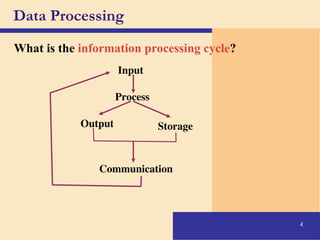
What is the information processing cycle?
Input
Process
Output Storage
Communication
The Components of a Computer
Two main Components:
5
 Hardware – the tangible part/ the computer itself.
 Software – intangible part/ instructions.
The Components of a Computer
Categories of a Computer Hardware
6
 Input Devices
 Output Devices
 Central Processing Unit
 Memory
 Storage Devices
7
The Components of a Computer
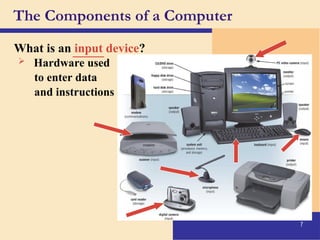
What is an input device?
 Hardware used
to enter data
and instructions
_____
8
The Components of a Computer
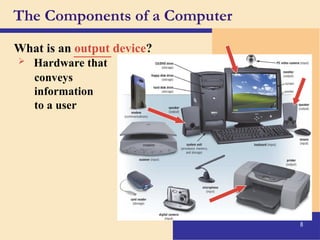
What is an output device?
 Hardware that
conveys
information
to a user
______
9
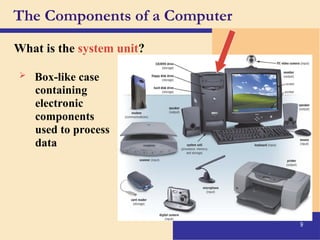
The Components of a Computer
What is the system unit?
 Box-like case
containing
electronic
components
used to process
data
10
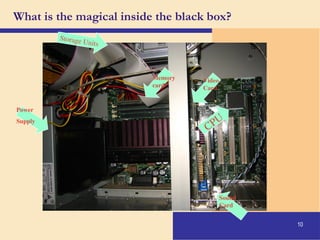
What is the magical inside the black box?
CPU
Memory
card
Sound
Card
Video
Card
Storage Units
Power
Supply
11
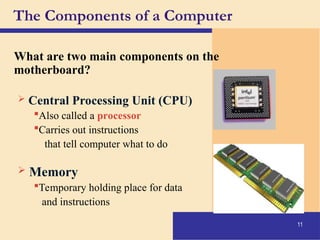
The Components of a Computer
What are two main components on the
motherboard?
 Central Processing Unit (CPU)
Also called a processor
Carries out instructions
that tell computer what to do
 Memory
Temporary holding place for data
and instructions
12
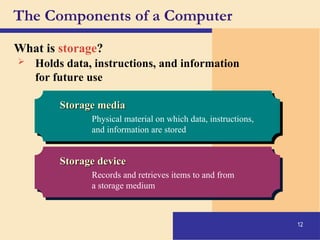
The Components of a Computer
What is storage?
Storage media
Storage media
Physical material on which data, instructions,
and information are stored
Storage device
Storage device
Records and retrieves items to and from
a storage medium
 Holds data, instructions, and information
for future use
13
Storage device
Storage device
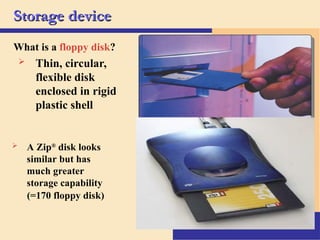
What is a floppy disk?
 Thin, circular,
flexible disk
enclosed in rigid
plastic shell
 A Zip®
disk looks
similar but has
much greater
storage capability
(=170 floppy disk)
14
The Components of a Computer
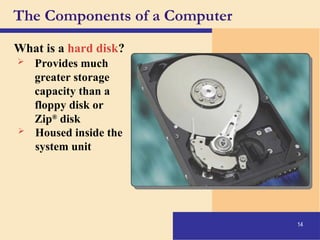
What is a hard disk?
 Provides much
greater storage
capacity than a
floppy disk or
Zip®
disk
 Housed inside the
system unit
15
The Components of a Computer
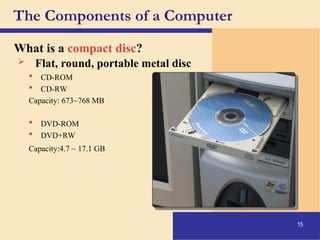
What is a compact disc?
 Flat, round, portable metal disc
 CD-ROM
 CD-RW
Capacity: 673~768 MB
 DVD-ROM
 DVD+RW
Capacity:4.7 ~ 17.1 GB
16
The Components of a Computer
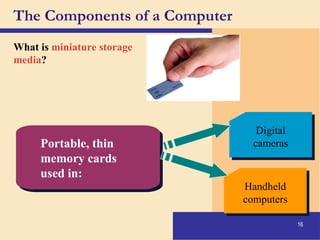
What is miniature storage
media?
Digital
cameras
Handheld
computers
Portable, thin
memory cards
used in:
17
Why Is a Computer So Powerful?
What makes a computer powerful?
 Speed
 Reliability
 Accuracy
 Storage
 Communications
18
Computer Software
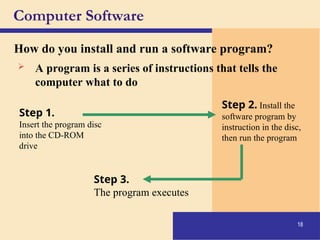
How do you install and run a software program?
Step 1.
Insert the program disc
into the CD-ROM
drive
Step 2. Install the
software program by
instruction in the disc,
then run the program
Step 3.
The program executes
 A program is a series of instructions that tells the
computer what to do
19
Computer Software
What is a graphical user interface (GUI)?
 Allows you to interact with the software
using graphics and icons
 Controls how you enter data and how the
screen displays information
20
Computer Software
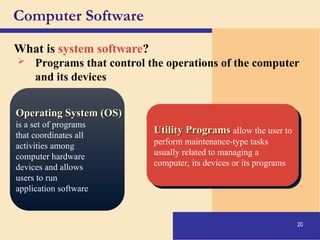
What is system software?
Operating System (OS)
is a set of programs
that coordinates all
activities among
computer hardware
devices and allows
users to run
application software
Utility Programs
Utility Programs allow the user to
perform maintenance-type tasks
usually related to managing a
computer, its devices or its programs
 Programs that control the operations of the computer
and its devices
21
Computer Software
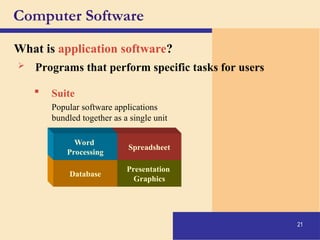
What is application software?
Presentation
Graphics
Spreadsheet
Database
Word
Processing
 Programs that perform specific tasks for users
 Suite
Popular software applications
bundled together as a single unit
22
Computer Software
What is a programmer?
 Someone who develops
application or system software
 Programmer writes instructions to
direct computer to process data
into information
23
Categories of Computers
What are the categories of computers?
Personal computers (desktop)
Mobile computers and mobile devices
Midrange servers
Mainframe computers
Supercomputers
24
Personal Computers
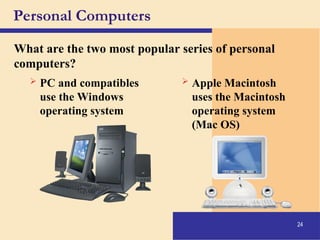
What are the two most popular series of personal
computers?
 PC and compatibles
use the Windows
operating system
 Apple Macintosh
uses the Macintosh
operating system
(Mac OS)
25
Personal Computers
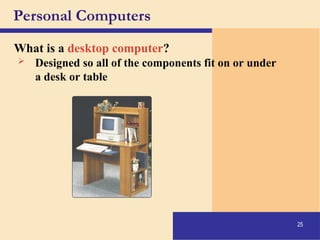
What is a desktop computer?
 Designed so all of the components fit on or under
a desk or table
26
Personal Computers
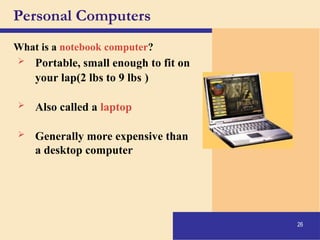
What is a notebook computer?
 Portable, small enough to fit on
your lap(2 lbs to 9 lbs )
 Also called a laptop
 Generally more expensive than
a desktop computer
27
Handheld Computers
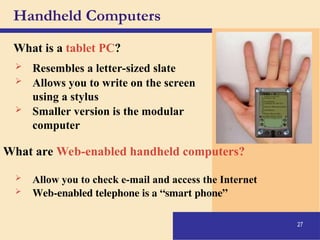
What is a tablet PC?
 Resembles a letter-sized slate
 Allows you to write on the screen
using a stylus
 Smaller version is the modular
computer
What are Web-enabled handheld computers?
 Allow you to check e-mail and access the Internet
 Web-enabled telephone is a “smart phone”
28
Handheld Computers
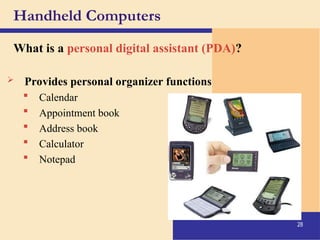
What is a personal digital assistant (PDA)?
 Provides personal organizer functions
 Calendar
 Appointment book
 Address book
 Calculator
 Notepad
29
Servers
What types of servers are there?
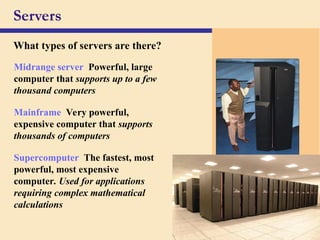
Midrange server Powerful, large
computer that supports up to a few
thousand computers
Mainframe Very powerful,
expensive computer that supports
thousands of computers
Supercomputer The fastest, most
powerful, most expensive
computer. Used for applications
requiring complex mathematical
calculations
30
Elements of an Information System
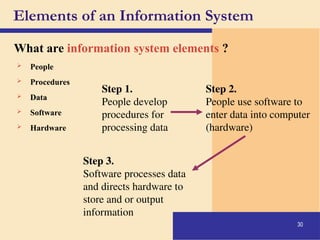
What are information system elements ?
 People
 Procedures
 Data
 Software
 Hardware
Step 1.
People develop
procedures for
processing data
Step 2.
People use software to
enter data into computer
(hardware)
Step 3.
Software processes data
and directs hardware to
store and or output
information
31
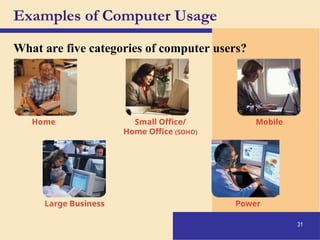
Examples of Computer Usage
What are five categories of computer users?
Home Small Office/
Home Office (SOHO)
Mobile
Large Business Power
32
Examples of Computer Usage
What software is available for a home user?
• Web access
• Entertainment
• Communications
• Personal finance management
33
Examples of Computer Usage
 Local area network (LAN)
 Productivity software
 Specialty software
 Web usage
 E-mail
What software is available for a small
office/home office (SOHO) user?
34
 Hardware
Examples of Computer Usage
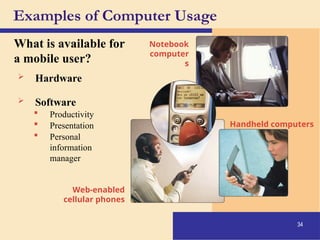
What is available for
a mobile user?
 Software
 Productivity
 Presentation
 Personal
information
manager
Notebook
computer
s
Handheld computers
Web-enabled
cellular phones
35
Examples of Computer Usage
What are the needs of the large business user?
 Web access
 Telecommuting
 Network
 Productivity software
 Scheduling
36
Examples of Computer Usage
What are the needs of a power user?
 Speed and large amounts of storage
 Types of power users
 Engineers
 Architects
 Desktop publishers
 Graphic artists
37
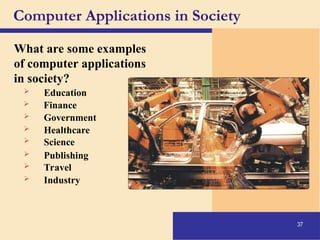
Computer Applications in Society
What are some examples
of computer applications
in society?
 Education
 Finance
 Government
 Healthcare
 Science
 Publishing
 Travel
 Industry
Discovering Computers, Living with digital world.ppt

  • 1.
    1 Discovering computers Living ina Digital World Chapter 1 Introduction to Computers
  • 2.
    2 A World ofComputers What is computer literacy?  Knowledge and understanding of computers and their uses  Computers are everywhere
  • 3.
    3 How is acomputer defined? What Is a Computer?  Electronic device operating under the control of instructions stored in its own memory The computer first, Accepts data such as raw facts, figures, and symbol then, Processes data into information (Data that is organized, meaningful, and useful ) finally, Produces and stores results
  • 4.
    4 Data Processing What isthe information processing cycle? Input Process Output Storage Communication
  • 5.
    The Components ofa Computer Two main Components: 5  Hardware – the tangible part/ the computer itself.  Software – intangible part/ instructions.
  • 6.
    The Components ofa Computer Categories of a Computer Hardware 6  Input Devices  Output Devices  Central Processing Unit  Memory  Storage Devices
  • 7.
    7 The Components ofa Computer What is an input device?  Hardware used to enter data and instructions _____
  • 8.
    8 The Components ofa Computer What is an output device?  Hardware that conveys information to a user ______
  • 9.
    9 The Components ofa Computer What is the system unit?  Box-like case containing electronic components used to process data
  • 10.
    10 What is themagical inside the black box? CPU Memory card Sound Card Video Card Storage Units Power Supply
  • 11.
    11 The Components ofa Computer What are two main components on the motherboard?  Central Processing Unit (CPU) Also called a processor Carries out instructions that tell computer what to do  Memory Temporary holding place for data and instructions
  • 12.
    12 The Components ofa Computer What is storage? Storage media Storage media Physical material on which data, instructions, and information are stored Storage device Storage device Records and retrieves items to and from a storage medium  Holds data, instructions, and information for future use
  • 13.
    13 Storage device Storage device Whatis a floppy disk?  Thin, circular, flexible disk enclosed in rigid plastic shell  A Zip® disk looks similar but has much greater storage capability (=170 floppy disk)
  • 14.
    14 The Components ofa Computer What is a hard disk?  Provides much greater storage capacity than a floppy disk or Zip® disk  Housed inside the system unit
  • 15.
    15 The Components ofa Computer What is a compact disc?  Flat, round, portable metal disc  CD-ROM  CD-RW Capacity: 673~768 MB  DVD-ROM  DVD+RW Capacity:4.7 ~ 17.1 GB
  • 16.
    16 The Components ofa Computer What is miniature storage media? Digital cameras Handheld computers Portable, thin memory cards used in:
  • 17.
    17 Why Is aComputer So Powerful? What makes a computer powerful?  Speed  Reliability  Accuracy  Storage  Communications
  • 18.
    18 Computer Software How doyou install and run a software program? Step 1. Insert the program disc into the CD-ROM drive Step 2. Install the software program by instruction in the disc, then run the program Step 3. The program executes  A program is a series of instructions that tells the computer what to do
  • 19.
    19 Computer Software What isa graphical user interface (GUI)?  Allows you to interact with the software using graphics and icons  Controls how you enter data and how the screen displays information
  • 20.
    20 Computer Software What issystem software? Operating System (OS) Operating System (OS) is a set of programs that coordinates all activities among computer hardware devices and allows users to run application software Utility Programs Utility Programs allow the user to perform maintenance-type tasks usually related to managing a computer, its devices or its programs  Programs that control the operations of the computer and its devices
  • 21.
    21 Computer Software What isapplication software? Presentation Graphics Spreadsheet Database Word Processing  Programs that perform specific tasks for users  Suite Popular software applications bundled together as a single unit
  • 22.
    22 Computer Software What isa programmer?  Someone who develops application or system software  Programmer writes instructions to direct computer to process data into information
  • 23.
    23 Categories of Computers Whatare the categories of computers? Personal computers (desktop) Mobile computers and mobile devices Midrange servers Mainframe computers Supercomputers
  • 24.
    24 Personal Computers What arethe two most popular series of personal computers?  PC and compatibles use the Windows operating system  Apple Macintosh uses the Macintosh operating system (Mac OS)
  • 25.
    25 Personal Computers What isa desktop computer?  Designed so all of the components fit on or under a desk or table
  • 26.
    26 Personal Computers What isa notebook computer?  Portable, small enough to fit on your lap(2 lbs to 9 lbs )  Also called a laptop  Generally more expensive than a desktop computer
  • 27.
    27 Handheld Computers What isa tablet PC?  Resembles a letter-sized slate  Allows you to write on the screen using a stylus  Smaller version is the modular computer What are Web-enabled handheld computers?  Allow you to check e-mail and access the Internet  Web-enabled telephone is a “smart phone”
  • 28.
    28 Handheld Computers What isa personal digital assistant (PDA)?  Provides personal organizer functions  Calendar  Appointment book  Address book  Calculator  Notepad
  • 29.
    29 Servers What types ofservers are there? Midrange server Powerful, large computer that supports up to a few thousand computers Mainframe Very powerful, expensive computer that supports thousands of computers Supercomputer The fastest, most powerful, most expensive computer. Used for applications requiring complex mathematical calculations
  • 30.
    30 Elements of anInformation System What are information system elements ?  People  Procedures  Data  Software  Hardware Step 1. People develop procedures for processing data Step 2. People use software to enter data into computer (hardware) Step 3. Software processes data and directs hardware to store and or output information
  • 31.
    31 Examples of ComputerUsage What are five categories of computer users? Home Small Office/ Home Office (SOHO) Mobile Large Business Power
  • 32.
    32 Examples of ComputerUsage What software is available for a home user? • Web access • Entertainment • Communications • Personal finance management
  • 33.
    33 Examples of ComputerUsage  Local area network (LAN)  Productivity software  Specialty software  Web usage  E-mail What software is available for a small office/home office (SOHO) user?
  • 34.
    34  Hardware Examples ofComputer Usage What is available for a mobile user?  Software  Productivity  Presentation  Personal information manager Notebook computer s Handheld computers Web-enabled cellular phones
  • 35.
    35 Examples of ComputerUsage What are the needs of the large business user?  Web access  Telecommuting  Network  Productivity software  Scheduling
  • 36.
    36 Examples of ComputerUsage What are the needs of a power user?  Speed and large amounts of storage  Types of power users  Engineers  Architects  Desktop publishers  Graphic artists
  • 37.
    37 Computer Applications inSociety What are some examples of computer applications in society?  Education  Finance  Government  Healthcare  Science  Publishing  Travel  Industry