MID TERM EXAM COURSE OUTLINE
• Introduction to computers
• Evolution of computers
• Generations of computer
• Computer hardware
• Computer software
• Types of computer
• Importance of computer
COMPUTER
• Is a machine which can store and process information.
• Is an electronic device that can transmit, store and manipulate
information.
• Is a device which calculates and executes at speed of thousands
even million times faster than Human being.
PAGE NO 3
COMPUTER SYSTEM
PAGE NO 4
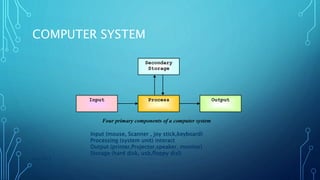
Input Output
Secondary
Storage
Process
Four primary components of a computer system
Input (mouse, Scanner , joy stick,keyboard)
Processing (system unit) interact
Output (printer,Projector,speaker, monitor)
Storage (hard disk, usb,floppy disl)
COMPUTER SYSTEM CONT…
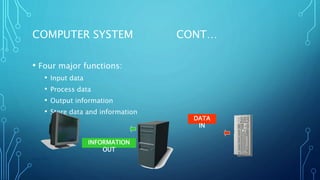
• Four major functions:
• Input data
• Process data
• Output information
• Store data and information
PAGE NO 5
DATA
IN
INFORMATION
OUT
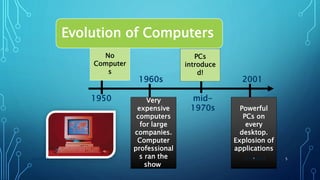
Evolution of Computers
1950
1960s
mid-
1970s
2001
No
Computer
s
PCs
introduce
d!
Very
expensive
computers
for large
companies.
Computer
professional
s ran the
show.
Powerful
PCs on
every
desktop.
Explosion of
applications
.11/11/2017GROUP#3 5
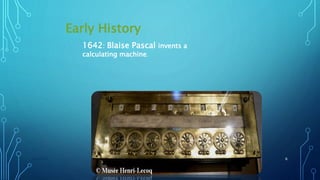
Early History
11/11/2017GROUP#3 6
1642: Blaise Pascal invents a
calculating machine.
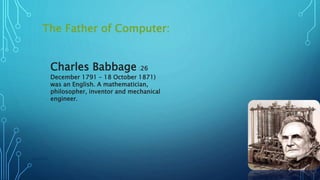
The Father of Computer:
11/11/2017GROUP#3 7
Charles Babbage :26
December 1791 – 18 October 1871)
was an English. A mathematician,
philosopher, inventor and mechanical
engineer.
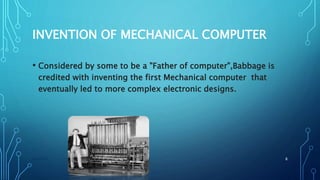
INVENTION OF MECHANICAL COMPUTER
• Considered by some to be a "Father of computer",Babbage is
credited with inventing the first Mechanical computer that
eventually led to more complex electronic designs.
11/11/2017GROUP#3 8
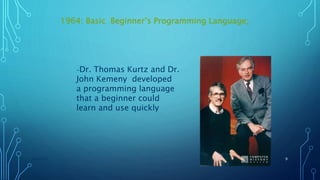
1964: Basic Beginner’s Programming Language;
11/11/2017GROUP#3 9
–Dr. Thomas Kurtz and Dr.
John Kemeny developed
a programming language
that a beginner could
learn and use quickly
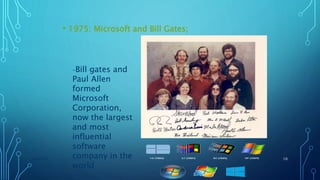
• 1975: Microsoft and Bill Gates;
11/11/2017GROUP#3 10
–Bill gates and
Paul Allen
formed
Microsoft
Corporation,
now the largest
and most
influential
software
company in the
world
GENERATIONS OF COMPUTER
• First Generation (1942-1959)
• Second Generation (1959-1965)
• Third Generation (1965-1970)
• Fourth Generation (1970-1980)
• Fifth Generation (1980-onward)
FIRST GENERATION (1942-1959)
 The ENIAC later evolved UNIVAC l.
 vacuum tubes introduced
 Magnetic core memories
Magnetic tape devices
Stored program introduced by john Neumann
Introduction of machine language
The first commercially practical electronic digital computer
ENIAC - BACKGROUND
Electronic Numerical Integrator And Computer
Eckert and Mauchly
University of Pennsylvania
Proposed to develop a computer for the calculation of Trajectory tables for weapons during WWII (Army Ballistics
Research Laboratory)
Started 1943
Finished 1946
Too late for war effort
Used to help determine
feasibility of H-bomb
Used until 1955
ENIAC - DETAILS
10 vacuum tubes represented each digit.
Programmed manually by switches
18,000 vacuum tubes
30 tons
1500 square feet
140 kW power consumption
SECOND GENERATION (1959-1965)
• Transistors introduced instead of vacuums.
• They were smaller faster and more reliable.
• Evolution from machine language
to assembly language.
• IBM 7094, CDC3600 computers are
• examples of this generation.
THIRD GENERATION (1965-1970)
• IC( integrated circuits) introduced
• Users integrated with
third generation through keyboard and monitors.
• Multi Programming
• IC memories replaced magnetic
• core memories
• IBM introduced mainframe.
• Computers become widely
used in business.
• Software development.
FOURTH GENERATION (1970-1980)
• devices. LSI, VLSI, ULSI introduced.
• Development of portable computers.
• Multiprocessing and distributed processing.
• Significant application software's.
• Widespread use of mini and microcomputers.
• Advance in I/O
FIFTH GENERATION (1980- ONWARD)
• Computers capable of reasoning and learning.
• Equipped with massive primary storage.
• Fast processing speed.
• Hardware continued shrink in size.
• Internal memory increased dramatically.
• Internal and personal robots
replaced human beings.
UNDERSTANDING
THE PARTS OF
COMPUTER HARDWARE
COMPUTER SYSTEM 19
TOPICS
Hardware components
Input devices
Output devices
System unit
20
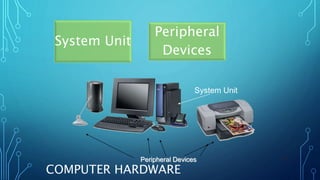
COMPUTER HARDWARE
System Unit
Peripheral
Devices
21
System Unit
Peripheral Devices
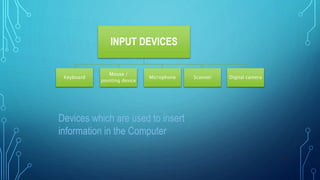
INPUT DEVICES
Keyboard
Mouse /
pointing device
Microphone Scanner Digital camera
22
Devices which are used to insert
information in the Computer
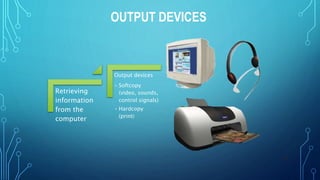
OUTPUT DEVICES
23
Retrieving
information
from the
computer
Output devices
• Softcopy
(video, sounds,
control signals)
• Hardcopy
(print)
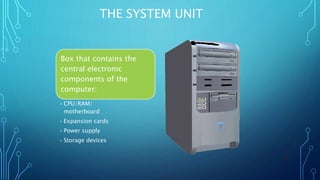
THE SYSTEM UNIT
24
Box that contains the
central electronic
components of the
computer:
• CPU/RAM/
motherboard
• Expansion cards
• Power supply
• Storage devices
SOFTWARE
COMPUTER SYSTEM & PROGRAMMING
SOFTWARE
• Consists of the instructions that tell the computer how to
perform a task.
• Set of instructions that take data from input devices process
that data, and sent it to an output device is called software
TYPES OF SOFTWARE
• Application software
• System software
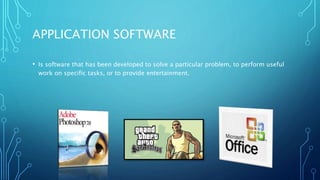
APPLICATION SOFTWARE
• Is software that has been developed to solve a particular problem, to perform useful
work on specific tasks, or to provide entertainment.
APPLICATION SOFTWARE
• Productivity software
• Specialty software
• Entertainment Software
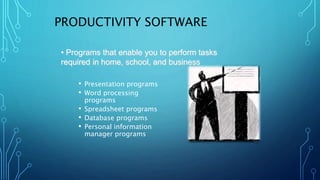
PRODUCTIVITY SOFTWARE
• Presentation programs
• Word processing
programs
• Spreadsheet programs
• Database programs
• Personal information
manager programs
• Programs that enable you to perform tasks
required in home, school, and business
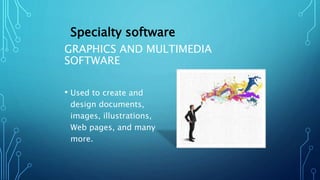
GRAPHICS AND MULTIMEDIA
SOFTWARE
• Used to create and
design documents,
images, illustrations,
Web pages, and many
more.
Specialty software
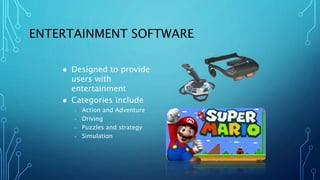
ENTERTAINMENT SOFTWARE
 Designed to provide
users with
entertainment
 Categories include
– Action and Adventure
– Driving
– Puzzles and strategy
– Simulation
SYSTEM SOFTWARE
• Is A SOFTWARE TO CONTROL AND MANAGE THE OPERATION OF
A COMPUTER HARDWARE, OR IT ENABLES APPLICATIONS TO
RUN PROPERLY
TYPES OF SYSTEM SOFTWARE
UTILITY PROGRAMS
• Its a system software
that allows a user to
analyse, configure and
maintain the computer
DEVICE DRIVERS
• . It’s a computer
program that operates
or control a particular
type of device that is
attached to a
computer.
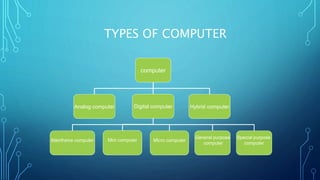
TYPES OF COMPUTER
computer
Analog computer Digital computer Hybrid computer
Mainframe computer Mini computer Micro computer
General purpose
computer
Special purpose
computer
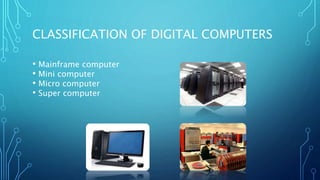
CLASSIFICATION OF DIGITAL COMPUTERS
• Mainframe computer
• Mini computer
• Micro computer
• Super computer
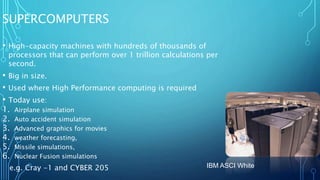
SUPERCOMPUTERS
• High-capacity machines with hundreds of thousands of
processors that can perform over 1 trillion calculations per
second.
• Big in size.
• Used where High Performance computing is required
• Today use:
1. Airplane simulation
2. Auto accident simulation
3. Advanced graphics for movies
4. weather forecasting,
5. Missile simulations,
6. Nuclear Fusion simulations
e.g. Cray -1 and CYBER 205 IBM ASCI White
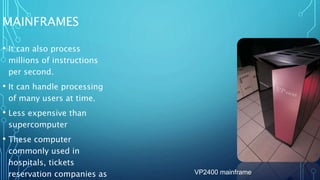
MAINFRAMES
• It can also process
millions of instructions
per second.
• It can handle processing
of many users at time.
• Less expensive than
supercomputer
• These computer
commonly used in
hospitals, tickets
reservation companies as VP2400 mainframe
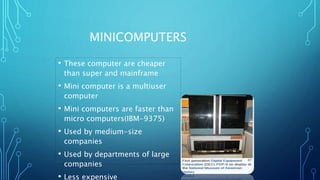
MINICOMPUTERS
• These computer are cheaper
than super and mainframe
• Mini computer is a multiuser
computer
• Mini computers are faster than
micro computers(IBM-9375)
• Used by medium-size
companies
• Used by departments of large
companies
• Less expensive
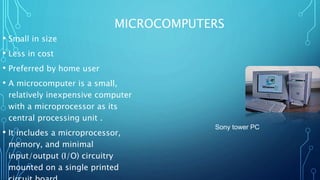
MICROCOMPUTERS
• Small in size
• Less in cost
• Preferred by home user
• A microcomputer is a small,
relatively inexpensive computer
with a microprocessor as its
central processing unit .
• It includes a microprocessor,
memory, and minimal
input/output (I/O) circuitry
mounted on a single printed
Sony tower PC
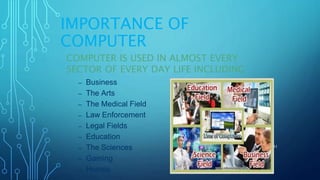
IMPORTANCE OF
COMPUTER
COMPUTER IS USED IN ALMOST EVERY
SECTOR OF EVERY DAY LIFE INCLUDING
– Business
– The Arts
– The Medical Field
– Law Enforcement
– Legal Fields
– Education
– The Sciences
– Gaming
– Homes
11/11/2017 41
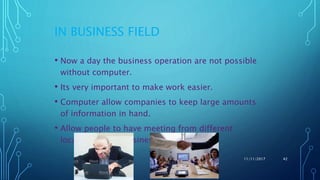
IN BUSINESS FIELD
• Now a day the business operation are not possible
without computer.
• Its very important to make work easier.
• Computer allow companies to keep large amounts
of information in hand.
• Allow people to have meeting from different
locations about business
11/11/2017 42
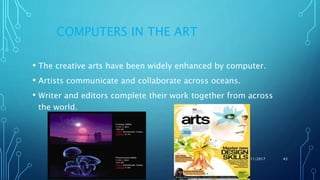
COMPUTERS IN THE ART
• The creative arts have been widely enhanced by computer.
• Artists communicate and collaborate across oceans.
• Writer and editors complete their work together from across
the world.
11/11/2017 43
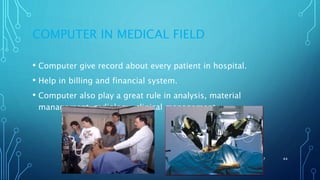
COMPUTER IN MEDICAL FIELD
• Computer give record about every patient in hospital.
• Help in billing and financial system.
• Computer also play a great rule in analysis, material
management ,radiology, clinical management.
11/11/2017 44
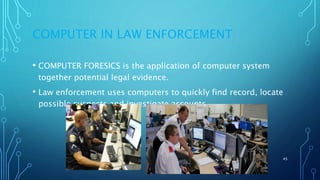
COMPUTER IN LAW ENFORCEMENT
• COMPUTER FORESICS is the application of computer system
together potential legal evidence.
• Law enforcement uses computers to quickly find record, locate
possible suspects and investigate accounts.
11/11/2017 45
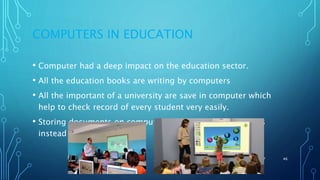
COMPUTERS IN EDUCATION
• Computer had a deep impact on the education sector.
• All the education books are writing by computers
• All the important of a university are save in computer which
help to check record of every student very easily.
• Storing documents on computer in the form of soft copies
instead of hard form
11/11/2017 46
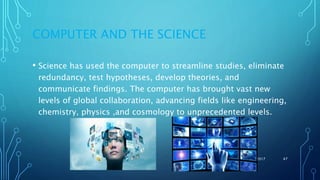
COMPUTER AND THE SCIENCE
• Science has used the computer to streamline studies, eliminate
redundancy, test hypotheses, develop theories, and
communicate findings. The computer has brought vast new
levels of global collaboration, advancing fields like engineering,
chemistry, physics ,and cosmology to unprecedented levels.
11/11/2017 47
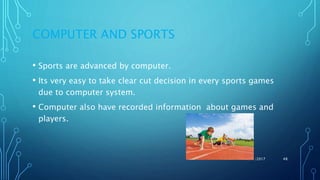
COMPUTER AND SPORTS
• Sports are advanced by computer.
• Its very easy to take clear cut decision in every sports games
due to computer system.
• Computer also have recorded information about games and
players.
11/11/2017 48
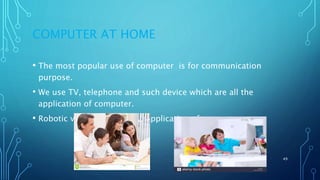
COMPUTER AT HOME
• The most popular use of computer is for communication
purpose.
• We use TV, telephone and such device which are all the
application of computer.
• Robotic vacuums is also an application of computer.
11/11/2017 49
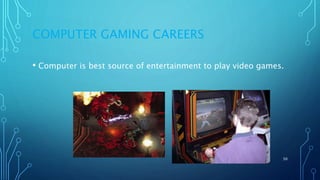
COMPUTER GAMING CAREERS
• Computer is best source of entertainment to play video games.
11/11/2017 50
COMPUTER IN EVERY DAY LIFE
• Computer play a vital role in every field.
• They aid in industrial field.
• They play important role in education field.
• Considering the use of compute technology is almost every
sphere of life, it is important for everyone to have at least the
basic knowledge of computer.
11/11/2017 51

BASIC COMPUTER, ABOUT COM, HISTORY OF COMPUTER AND SOFTWARE

  • 1.
    MID TERM EXAMCOURSE OUTLINE • Introduction to computers • Evolution of computers • Generations of computer • Computer hardware • Computer software • Types of computer • Importance of computer
  • 2.
    COMPUTER • Is amachine which can store and process information. • Is an electronic device that can transmit, store and manipulate information. • Is a device which calculates and executes at speed of thousands even million times faster than Human being. PAGE NO 3
  • 3.
    COMPUTER SYSTEM PAGE NO4 Input Output Secondary Storage Process Four primary components of a computer system Input (mouse, Scanner , joy stick,keyboard) Processing (system unit) interact Output (printer,Projector,speaker, monitor) Storage (hard disk, usb,floppy disl)
  • 4.
    COMPUTER SYSTEM CONT… •Four major functions: • Input data • Process data • Output information • Store data and information PAGE NO 5 DATA IN INFORMATION OUT
  • 5.
    Evolution of Computers 1950 1960s mid- 1970s 2001 No Computer s PCs introduce d! Very expensive computers forlarge companies. Computer professional s ran the show. Powerful PCs on every desktop. Explosion of applications .11/11/2017GROUP#3 5
  • 6.
    Early History 11/11/2017GROUP#3 6 1642:Blaise Pascal invents a calculating machine.
  • 7.
    The Father ofComputer: 11/11/2017GROUP#3 7 Charles Babbage :26 December 1791 – 18 October 1871) was an English. A mathematician, philosopher, inventor and mechanical engineer.
  • 8.
    INVENTION OF MECHANICALCOMPUTER • Considered by some to be a "Father of computer",Babbage is credited with inventing the first Mechanical computer that eventually led to more complex electronic designs. 11/11/2017GROUP#3 8
  • 9.
    1964: Basic Beginner’sProgramming Language; 11/11/2017GROUP#3 9 –Dr. Thomas Kurtz and Dr. John Kemeny developed a programming language that a beginner could learn and use quickly
  • 10.
    • 1975: Microsoftand Bill Gates; 11/11/2017GROUP#3 10 –Bill gates and Paul Allen formed Microsoft Corporation, now the largest and most influential software company in the world
  • 11.
    GENERATIONS OF COMPUTER •First Generation (1942-1959) • Second Generation (1959-1965) • Third Generation (1965-1970) • Fourth Generation (1970-1980) • Fifth Generation (1980-onward)
  • 12.
    FIRST GENERATION (1942-1959) The ENIAC later evolved UNIVAC l.  vacuum tubes introduced  Magnetic core memories Magnetic tape devices Stored program introduced by john Neumann Introduction of machine language The first commercially practical electronic digital computer
  • 13.
    ENIAC - BACKGROUND ElectronicNumerical Integrator And Computer Eckert and Mauchly University of Pennsylvania Proposed to develop a computer for the calculation of Trajectory tables for weapons during WWII (Army Ballistics Research Laboratory) Started 1943 Finished 1946 Too late for war effort Used to help determine feasibility of H-bomb Used until 1955
  • 14.
    ENIAC - DETAILS 10vacuum tubes represented each digit. Programmed manually by switches 18,000 vacuum tubes 30 tons 1500 square feet 140 kW power consumption
  • 15.
    SECOND GENERATION (1959-1965) •Transistors introduced instead of vacuums. • They were smaller faster and more reliable. • Evolution from machine language to assembly language. • IBM 7094, CDC3600 computers are • examples of this generation.
  • 16.
    THIRD GENERATION (1965-1970) •IC( integrated circuits) introduced • Users integrated with third generation through keyboard and monitors. • Multi Programming • IC memories replaced magnetic • core memories • IBM introduced mainframe. • Computers become widely used in business. • Software development.
  • 17.
    FOURTH GENERATION (1970-1980) •devices. LSI, VLSI, ULSI introduced. • Development of portable computers. • Multiprocessing and distributed processing. • Significant application software's. • Widespread use of mini and microcomputers. • Advance in I/O
  • 18.
    FIFTH GENERATION (1980-ONWARD) • Computers capable of reasoning and learning. • Equipped with massive primary storage. • Fast processing speed. • Hardware continued shrink in size. • Internal memory increased dramatically. • Internal and personal robots replaced human beings.
  • 19.
    UNDERSTANDING THE PARTS OF COMPUTERHARDWARE COMPUTER SYSTEM 19
  • 20.
  • 21.
  • 22.
    INPUT DEVICES Keyboard Mouse / pointingdevice Microphone Scanner Digital camera 22 Devices which are used to insert information in the Computer
  • 23.
    OUTPUT DEVICES 23 Retrieving information from the computer Outputdevices • Softcopy (video, sounds, control signals) • Hardcopy (print)
  • 24.
    THE SYSTEM UNIT 24 Boxthat contains the central electronic components of the computer: • CPU/RAM/ motherboard • Expansion cards • Power supply • Storage devices
  • 25.
  • 26.
    SOFTWARE • Consists ofthe instructions that tell the computer how to perform a task. • Set of instructions that take data from input devices process that data, and sent it to an output device is called software
  • 27.
    TYPES OF SOFTWARE •Application software • System software
  • 28.
    APPLICATION SOFTWARE • Issoftware that has been developed to solve a particular problem, to perform useful work on specific tasks, or to provide entertainment.
  • 29.
    APPLICATION SOFTWARE • Productivitysoftware • Specialty software • Entertainment Software
  • 30.
    PRODUCTIVITY SOFTWARE • Presentationprograms • Word processing programs • Spreadsheet programs • Database programs • Personal information manager programs • Programs that enable you to perform tasks required in home, school, and business
  • 31.
    GRAPHICS AND MULTIMEDIA SOFTWARE •Used to create and design documents, images, illustrations, Web pages, and many more. Specialty software
  • 32.
    ENTERTAINMENT SOFTWARE  Designedto provide users with entertainment  Categories include – Action and Adventure – Driving – Puzzles and strategy – Simulation
  • 33.
    SYSTEM SOFTWARE • IsA SOFTWARE TO CONTROL AND MANAGE THE OPERATION OF A COMPUTER HARDWARE, OR IT ENABLES APPLICATIONS TO RUN PROPERLY
  • 34.
    TYPES OF SYSTEMSOFTWARE UTILITY PROGRAMS • Its a system software that allows a user to analyse, configure and maintain the computer DEVICE DRIVERS • . It’s a computer program that operates or control a particular type of device that is attached to a computer.
  • 35.
    TYPES OF COMPUTER computer Analogcomputer Digital computer Hybrid computer Mainframe computer Mini computer Micro computer General purpose computer Special purpose computer
  • 36.
    CLASSIFICATION OF DIGITALCOMPUTERS • Mainframe computer • Mini computer • Micro computer • Super computer
  • 37.
    SUPERCOMPUTERS • High-capacity machineswith hundreds of thousands of processors that can perform over 1 trillion calculations per second. • Big in size. • Used where High Performance computing is required • Today use: 1. Airplane simulation 2. Auto accident simulation 3. Advanced graphics for movies 4. weather forecasting, 5. Missile simulations, 6. Nuclear Fusion simulations e.g. Cray -1 and CYBER 205 IBM ASCI White
  • 38.
    MAINFRAMES • It canalso process millions of instructions per second. • It can handle processing of many users at time. • Less expensive than supercomputer • These computer commonly used in hospitals, tickets reservation companies as VP2400 mainframe
  • 39.
    MINICOMPUTERS • These computerare cheaper than super and mainframe • Mini computer is a multiuser computer • Mini computers are faster than micro computers(IBM-9375) • Used by medium-size companies • Used by departments of large companies • Less expensive
  • 40.
    MICROCOMPUTERS • Small insize • Less in cost • Preferred by home user • A microcomputer is a small, relatively inexpensive computer with a microprocessor as its central processing unit . • It includes a microprocessor, memory, and minimal input/output (I/O) circuitry mounted on a single printed Sony tower PC
  • 41.
    IMPORTANCE OF COMPUTER COMPUTER ISUSED IN ALMOST EVERY SECTOR OF EVERY DAY LIFE INCLUDING – Business – The Arts – The Medical Field – Law Enforcement – Legal Fields – Education – The Sciences – Gaming – Homes 11/11/2017 41
  • 42.
    IN BUSINESS FIELD •Now a day the business operation are not possible without computer. • Its very important to make work easier. • Computer allow companies to keep large amounts of information in hand. • Allow people to have meeting from different locations about business 11/11/2017 42
  • 43.
    COMPUTERS IN THEART • The creative arts have been widely enhanced by computer. • Artists communicate and collaborate across oceans. • Writer and editors complete their work together from across the world. 11/11/2017 43
  • 44.
    COMPUTER IN MEDICALFIELD • Computer give record about every patient in hospital. • Help in billing and financial system. • Computer also play a great rule in analysis, material management ,radiology, clinical management. 11/11/2017 44
  • 45.
    COMPUTER IN LAWENFORCEMENT • COMPUTER FORESICS is the application of computer system together potential legal evidence. • Law enforcement uses computers to quickly find record, locate possible suspects and investigate accounts. 11/11/2017 45
  • 46.
    COMPUTERS IN EDUCATION •Computer had a deep impact on the education sector. • All the education books are writing by computers • All the important of a university are save in computer which help to check record of every student very easily. • Storing documents on computer in the form of soft copies instead of hard form 11/11/2017 46
  • 47.
    COMPUTER AND THESCIENCE • Science has used the computer to streamline studies, eliminate redundancy, test hypotheses, develop theories, and communicate findings. The computer has brought vast new levels of global collaboration, advancing fields like engineering, chemistry, physics ,and cosmology to unprecedented levels. 11/11/2017 47
  • 48.
    COMPUTER AND SPORTS •Sports are advanced by computer. • Its very easy to take clear cut decision in every sports games due to computer system. • Computer also have recorded information about games and players. 11/11/2017 48
  • 49.
    COMPUTER AT HOME •The most popular use of computer is for communication purpose. • We use TV, telephone and such device which are all the application of computer. • Robotic vacuums is also an application of computer. 11/11/2017 49
  • 50.
    COMPUTER GAMING CAREERS •Computer is best source of entertainment to play video games. 11/11/2017 50
  • 51.
    COMPUTER IN EVERYDAY LIFE • Computer play a vital role in every field. • They aid in industrial field. • They play important role in education field. • Considering the use of compute technology is almost every sphere of life, it is important for everyone to have at least the basic knowledge of computer. 11/11/2017 51