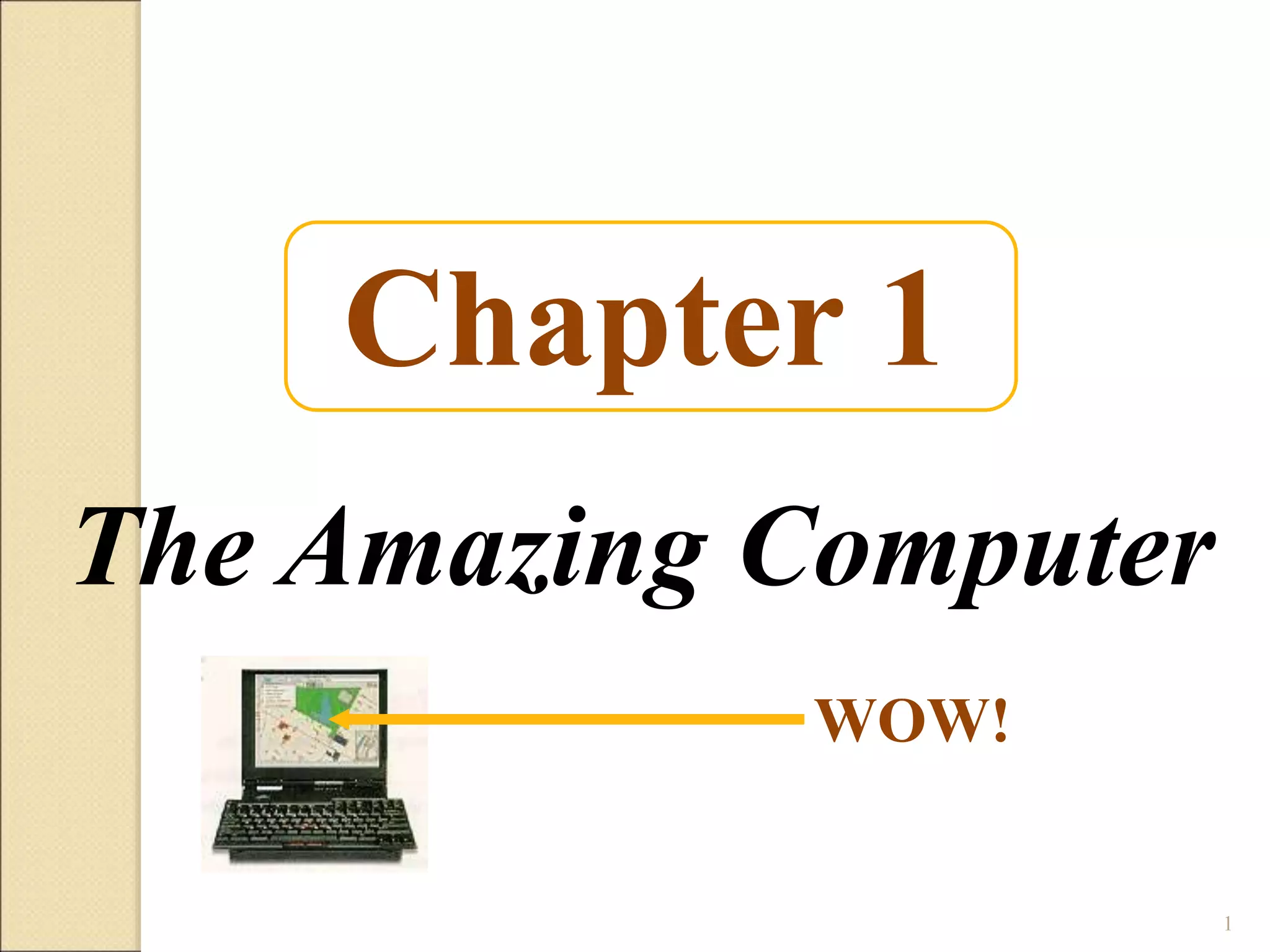
Chapter 1
The Amazing Computer
WOW!
1
Course Outline
History computer system, basic machine
organization, Von Neumann Numbers systems,
Binary numbers, Boolean logic, Architecture
Algorithm definition , design and implementation,
programming Paradigm and languages, Graphical
programming, Overview of software engineering
and information technology ,operating system,
compiler, computer network and internet, computer
graphics, All social and legal issues.
2
Evaluation Criteria
 10% Quizzes
 10% Assignments
 05% Class Participation
 15 % Project
 20 % Midterm
 40% Final Exams
3
Learning Objectives:
 List at least five professions in which computers are
routinely used, and describe at least one of the ways
computers have affected the work of people in those
professions.
 List the four parts of a computer system.
 Identify four kinds of computer hardware.
 List the two major categories of software and explain the
purpose of each.
 List the four most common types of computers available
today and describe what kind of job each does best.
4
Recommended Book
1.Peter Norton’s Introduction to Computers
5
Reference Book:
1. Using Information Technology: A Practical Introduction to Computer
& Communications, 11 th Edition. Williams, S. McGraw-Hills.
2. Microsoft Office 2007 step by online training solution Inc., Curits.
3. Computers, Communications & information: A user's
introduction, Sarah, E. Hutchinson. Stacey, C. Swayer.
4. Fundamentals of Information Technology, Alexis L Mathewsleon Leon
Press.
5. The Associated Press Guide to Internet Research and Reporting by
Frank Bass.
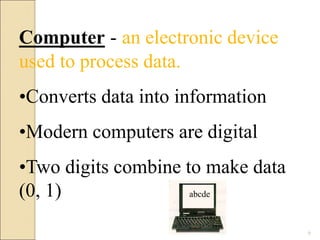
Computer - an electronic device
used to process data.
•Converts data into information
•Modern computers are digital
•Two digits combine to make data
(0, 1) abcde
6
Computer
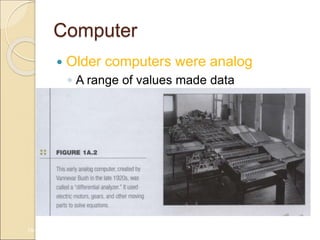
 Older computers were analog
◦ A range of values made data
1A-7
Computer
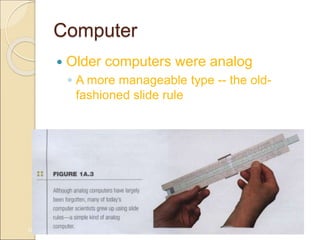
 Older computers were analog
◦ A more manageable type -- the old-
fashioned slide rule
1A-8
Computers for Individual Use
 Computers can be shared by multiple
users but can be used by only one
person at a time
9
Computers for Individual Use
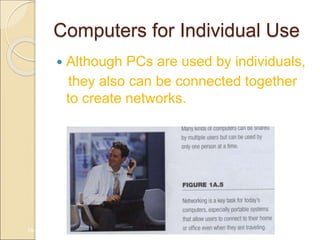
 Although PCs are used by individuals,
they also can be connected together
to create networks.
1A-10
Computers for Individual Use
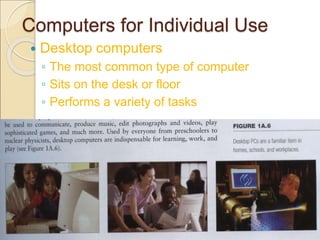
 Desktop computers
◦ The most common type of computer
◦ Sits on the desk or floor
◦ Performs a variety of tasks
1A-11
Computers for Individual Use
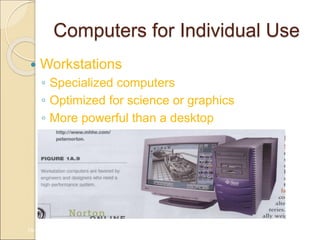
 Workstations
◦ Specialized computers
◦ Optimized for science or graphics
◦ More powerful than a desktop
1A-12
Computers for Individual Use
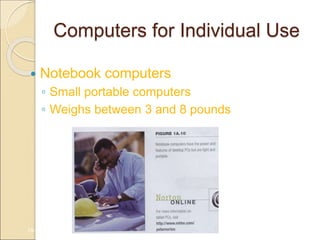
 Notebook computers
◦ Small portable computers
◦ Weighs between 3 and 8 pounds
1A-13
Computers for Individual Use
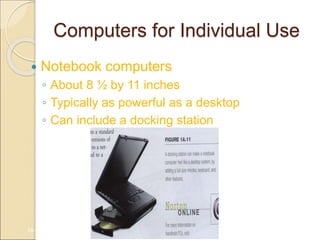
 Notebook computers
◦ About 8 ½ by 11 inches
◦ Typically as powerful as a desktop
◦ Can include a docking station
1A-14
Computers for Individual Use
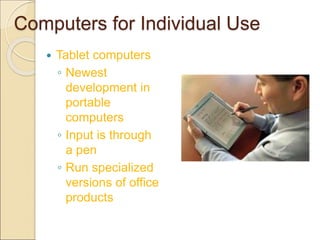
 Tablet computers
◦ Newest
development in
portable
computers
◦ Input is through
a pen
◦ Run specialized
versions of office
products
1A-
15
Computers for Individual Use
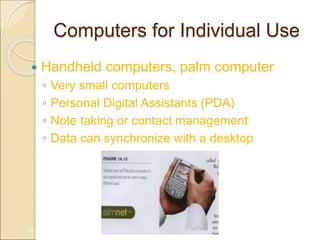
 Handheld computers, palm computer
◦ Very small computers
◦ Personal Digital Assistants (PDA)
◦ Note taking or contact management
◦ Data can synchronize with a desktop
1A-16
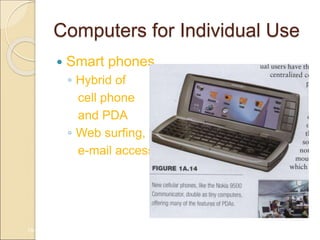
Computers for Individual Use
 Smart phones
◦ Hybrid of
cell phone
and PDA
◦ Web surfing,
e-mail access
1A-17
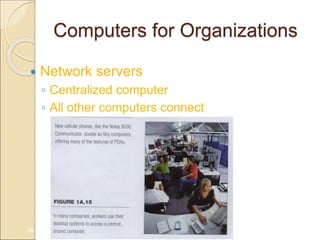
Computers for Organizations
 Network servers
◦ Centralized computer
◦ All other computers connect
1A-18
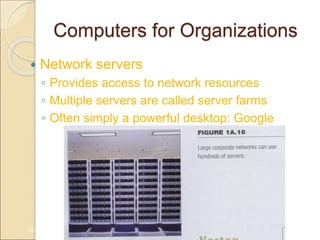
Computers for Organizations
 Network servers
◦ Provides access to network resources
◦ Multiple servers are called server farms
◦ Often simply a powerful desktop: Google
1A-19
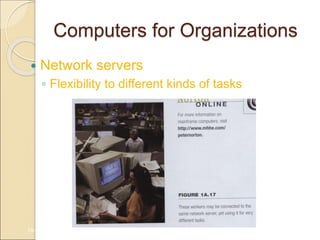
Computers for Organizations
 Network servers
◦ Flexibility to different kinds of tasks
1A-20
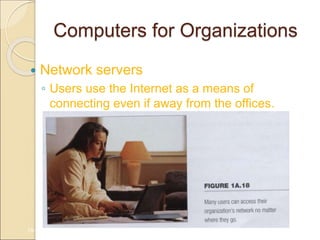
Computers for Organizations
 Network servers
◦ Users use the Internet as a means of
connecting even if away from the offices.
1A-21
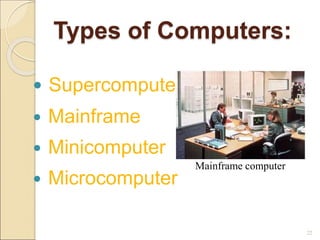
Types of Computers:
 Supercomputer
 Mainframe
 Minicomputer
 Microcomputer
22
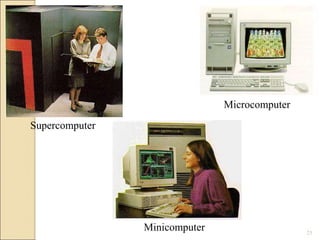
Mainframe computer
Supercomputer
Minicomputer
Microcomputer
23
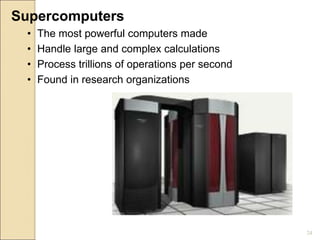
Supercomputers
• The most powerful computers made
• Handle large and complex calculations
• Process trillions of operations per second
• Found in research organizations
24
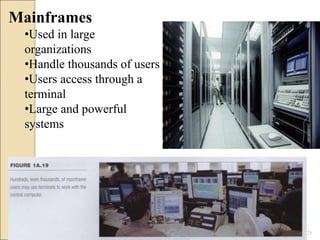
Mainframes
•Used in large
organizations
•Handle thousands of users
•Users access through a
terminal
•Large and powerful
systems
25
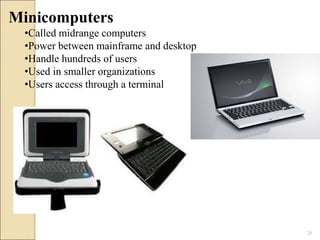
Minicomputers
•Called midrange computers
•Power between mainframe and desktop
•Handle hundreds of users
•Used in smaller organizations
•Users access through a terminal
26
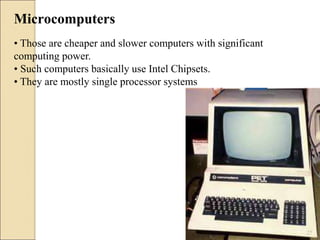
Microcomputers
• Those are cheaper and slower computers with significant
computing power.
• Such computers basically use Intel Chipsets.
• They are mostly single processor systems
27
Who Uses
Computers?
Military
Doctors
Educators
Engineers
Architects
Musicians
Filmmakers
Attorneys
Bankers
Architects
28
Computers in Society
 More impact than any other invention
◦ Changed work and leisure activities
◦ Used by all demographic groups
 Computers are important because:
◦ Provide information to users
◦ Information is critical to our society
◦ Managing information is difficult
1A-29
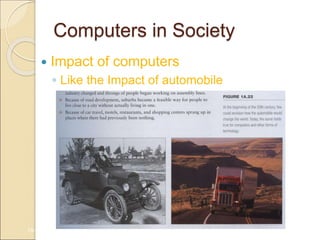
Computers in Society
 Impact of computers
◦ Like the Impact of automobile
1A-30
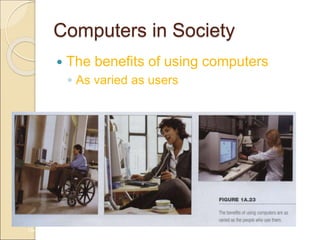
Computers in Society
 The benefits of using computers
◦ As varied as users
1A-31
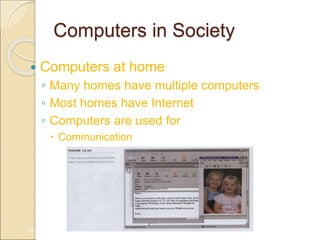
Computers in Society
 Computers at home
◦ Many homes have multiple computers
◦ Most homes have Internet
◦ Computers are used for
 Communication
1A-32
Computers in Society
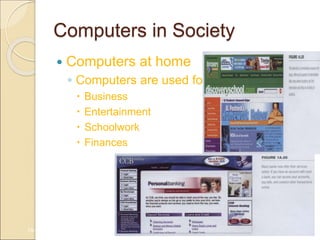
 Computers at home
◦ Computers are used for
 Business
 Entertainment
 Schoolwork
 Finances
1A-33
Computers in Society
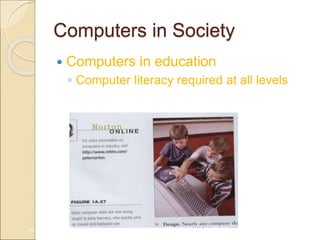
 Computers in education
◦ Computer literacy required at all levels
1A-34
Computers in Society
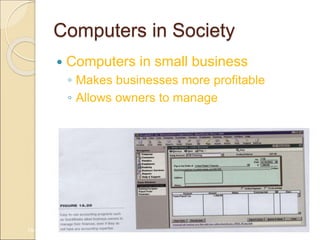
 Computers in small business
◦ Makes businesses more profitable
◦ Allows owners to manage
1A-35
Computers in Society
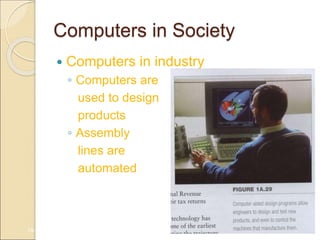
 Computers in industry
◦ Computers are
used to design
products
◦ Assembly
lines are
automated
1A-36
Computers in Society
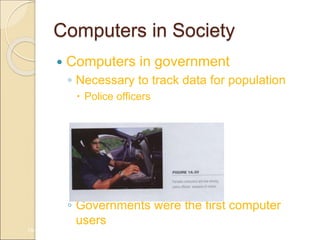
 Computers in government
◦ Necessary to track data for population
 Police officers
 Tax calculation and collection
◦ Governments were the first computer
users
1A-37
Computers in Society
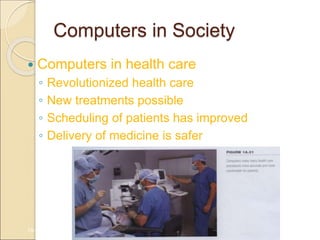
 Computers in health care
◦ Revolutionized health care
◦ New treatments possible
◦ Scheduling of patients has improved
◦ Delivery of medicine is safer
1A-38
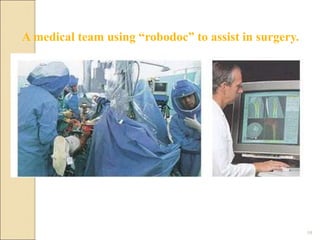
A medical team using “robodoc” to assist in surgery.
39
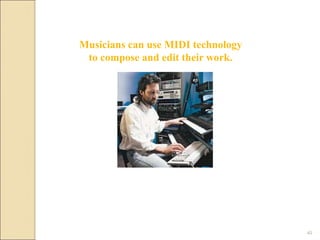
Musicians can use MIDI technology
to compose and edit their work.
40
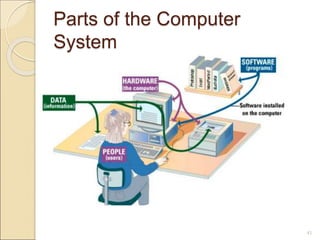
Parts of the Computer
System
41
• Hardware - physical parts of the computer
• Software - instructions to the computer
• Data - raw facts the computer can manipulate
• People - also known as users
Computer System:
42
Computer Hardware - any part
of the computer you can touch.
• Processor
• Memory
• Input and Output Devices
• Storage Devices
43
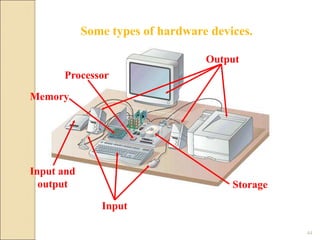
Output
Some types of hardware devices.
Storage
Input
Processor
Input and
output
Memory
44
Software - electronic instructions to
the computer. Also referred to as a
“program.”
Two types:
• System Software
• Application Software
45
• Operating Systems
• Windows 95, 98, 2000, 2010
•Windows NT, NT Server, NT
•Workstation, Server 2000, 2003,
2008 etc
•Linux and Unix
•DOS
System Software:
46
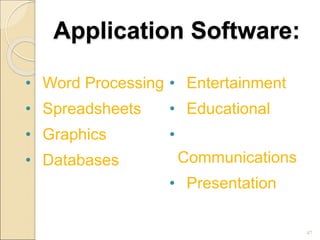
Application Software:
• Word Processing
• Spreadsheets
• Graphics
• Databases
• Entertainment
• Educational
•
Communications
• Presentation
47
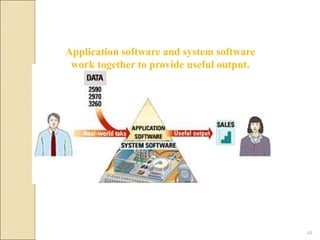
Application software and system software
work together to provide useful output.
48
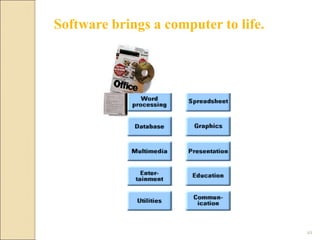
Software brings a computer to life.
49
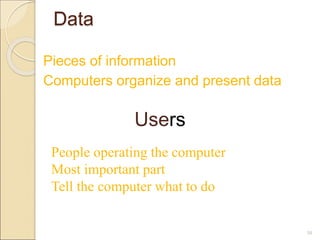
Data
Pieces of information
Computers organize and present data
50
Users
People operating the computer
Most important part
Tell the computer what to do
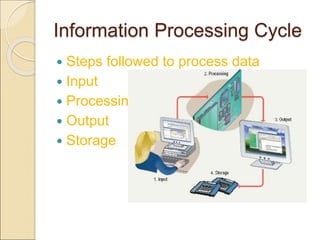
Information Processing Cycle
 Steps followed to process data
 Input
 Processing
 Output
 Storage
Review Questions
1. What is a computer?
2. Explain a few of the different ways in which
computers can be categorized.
3. List six types of computers that are
designed for use by a single person.
4. Describe the two common designs for
desktop computers.
5. How much do notebook computers typically
weigh?
6. List four types of computers that are
designed for use by organizations, and are
commonly used by multiple people at the
same time.
Review Questions
7. Why are mainframe systems usually
limited in the number of tasks they
perform?
8. What is the most popular use for
home computers?
9. How are computer technologies used
by the military?
10. How are computer technologies
being used to train surgeons?
Learning Objectives:
Chapter 1 Review
• List at least five professions in which computers are routinely
used, and describe at least one of the ways computers have
affected the work of people in those professions.
• List the four parts of a computer system.
• Identify four kinds of computer hardware.
• List the two major categories of software and explain the purpose
of each.
• List the four most common types of computers available today
and describe what kind of job each does best.
54

Lecture 1 (1).ppt

  • 1.
    Chapter 1 The AmazingComputer WOW! 1
  • 2.
    Course Outline History computersystem, basic machine organization, Von Neumann Numbers systems, Binary numbers, Boolean logic, Architecture Algorithm definition , design and implementation, programming Paradigm and languages, Graphical programming, Overview of software engineering and information technology ,operating system, compiler, computer network and internet, computer graphics, All social and legal issues. 2
  • 3.
    Evaluation Criteria  10%Quizzes  10% Assignments  05% Class Participation  15 % Project  20 % Midterm  40% Final Exams 3
  • 4.
    Learning Objectives:  Listat least five professions in which computers are routinely used, and describe at least one of the ways computers have affected the work of people in those professions.  List the four parts of a computer system.  Identify four kinds of computer hardware.  List the two major categories of software and explain the purpose of each.  List the four most common types of computers available today and describe what kind of job each does best. 4
  • 5.
    Recommended Book 1.Peter Norton’sIntroduction to Computers 5 Reference Book: 1. Using Information Technology: A Practical Introduction to Computer & Communications, 11 th Edition. Williams, S. McGraw-Hills. 2. Microsoft Office 2007 step by online training solution Inc., Curits. 3. Computers, Communications & information: A user's introduction, Sarah, E. Hutchinson. Stacey, C. Swayer. 4. Fundamentals of Information Technology, Alexis L Mathewsleon Leon Press. 5. The Associated Press Guide to Internet Research and Reporting by Frank Bass.
  • 6.
    Computer - anelectronic device used to process data. •Converts data into information •Modern computers are digital •Two digits combine to make data (0, 1) abcde 6
  • 7.
    Computer  Older computerswere analog ◦ A range of values made data 1A-7
  • 8.
    Computer  Older computerswere analog ◦ A more manageable type -- the old- fashioned slide rule 1A-8
  • 9.
    Computers for IndividualUse  Computers can be shared by multiple users but can be used by only one person at a time 9
  • 10.
    Computers for IndividualUse  Although PCs are used by individuals, they also can be connected together to create networks. 1A-10
  • 11.
    Computers for IndividualUse  Desktop computers ◦ The most common type of computer ◦ Sits on the desk or floor ◦ Performs a variety of tasks 1A-11
  • 12.
    Computers for IndividualUse  Workstations ◦ Specialized computers ◦ Optimized for science or graphics ◦ More powerful than a desktop 1A-12
  • 13.
    Computers for IndividualUse  Notebook computers ◦ Small portable computers ◦ Weighs between 3 and 8 pounds 1A-13
  • 14.
    Computers for IndividualUse  Notebook computers ◦ About 8 ½ by 11 inches ◦ Typically as powerful as a desktop ◦ Can include a docking station 1A-14
  • 15.
    Computers for IndividualUse  Tablet computers ◦ Newest development in portable computers ◦ Input is through a pen ◦ Run specialized versions of office products 1A- 15
  • 16.
    Computers for IndividualUse  Handheld computers, palm computer ◦ Very small computers ◦ Personal Digital Assistants (PDA) ◦ Note taking or contact management ◦ Data can synchronize with a desktop 1A-16
  • 17.
    Computers for IndividualUse  Smart phones ◦ Hybrid of cell phone and PDA ◦ Web surfing, e-mail access 1A-17
  • 18.
    Computers for Organizations Network servers ◦ Centralized computer ◦ All other computers connect 1A-18
  • 19.
    Computers for Organizations Network servers ◦ Provides access to network resources ◦ Multiple servers are called server farms ◦ Often simply a powerful desktop: Google 1A-19
  • 20.
    Computers for Organizations Network servers ◦ Flexibility to different kinds of tasks 1A-20 Computers for Organizations Computers for Organizations
  • 21.
    Computers for Organizations Network servers ◦ Users use the Internet as a means of connecting even if away from the offices. 1A-21
  • 22.
    Types of Computers: Supercomputer  Mainframe  Minicomputer  Microcomputer 22 Mainframe computer
  • 23.
  • 24.
    Supercomputers • The mostpowerful computers made • Handle large and complex calculations • Process trillions of operations per second • Found in research organizations 24
  • 25.
    Mainframes •Used in large organizations •Handlethousands of users •Users access through a terminal •Large and powerful systems 25
  • 26.
    Minicomputers •Called midrange computers •Powerbetween mainframe and desktop •Handle hundreds of users •Used in smaller organizations •Users access through a terminal 26
  • 27.
    Microcomputers • Those arecheaper and slower computers with significant computing power. • Such computers basically use Intel Chipsets. • They are mostly single processor systems 27
  • 28.
  • 29.
    Computers in Society More impact than any other invention ◦ Changed work and leisure activities ◦ Used by all demographic groups  Computers are important because: ◦ Provide information to users ◦ Information is critical to our society ◦ Managing information is difficult 1A-29
  • 30.
    Computers in Society Impact of computers ◦ Like the Impact of automobile 1A-30
  • 31.
    Computers in Society The benefits of using computers ◦ As varied as users 1A-31
  • 32.
    Computers in Society Computers at home ◦ Many homes have multiple computers ◦ Most homes have Internet ◦ Computers are used for  Communication 1A-32
  • 33.
    Computers in Society Computers at home ◦ Computers are used for  Business  Entertainment  Schoolwork  Finances 1A-33
  • 34.
    Computers in Society Computers in education ◦ Computer literacy required at all levels 1A-34
  • 35.
    Computers in Society Computers in small business ◦ Makes businesses more profitable ◦ Allows owners to manage 1A-35
  • 36.
    Computers in Society Computers in industry ◦ Computers are used to design products ◦ Assembly lines are automated 1A-36
  • 37.
    Computers in Society Computers in government ◦ Necessary to track data for population  Police officers  Tax calculation and collection ◦ Governments were the first computer users 1A-37
  • 38.
    Computers in Society Computers in health care ◦ Revolutionized health care ◦ New treatments possible ◦ Scheduling of patients has improved ◦ Delivery of medicine is safer 1A-38
  • 39.
    A medical teamusing “robodoc” to assist in surgery. 39
  • 40.
    Musicians can useMIDI technology to compose and edit their work. 40
  • 41.
    Parts of theComputer System 41
  • 42.
    • Hardware -physical parts of the computer • Software - instructions to the computer • Data - raw facts the computer can manipulate • People - also known as users Computer System: 42
  • 43.
    Computer Hardware -any part of the computer you can touch. • Processor • Memory • Input and Output Devices • Storage Devices 43
  • 44.
    Output Some types ofhardware devices. Storage Input Processor Input and output Memory 44
  • 45.
    Software - electronicinstructions to the computer. Also referred to as a “program.” Two types: • System Software • Application Software 45
  • 46.
    • Operating Systems •Windows 95, 98, 2000, 2010 •Windows NT, NT Server, NT •Workstation, Server 2000, 2003, 2008 etc •Linux and Unix •DOS System Software: 46
  • 47.
    Application Software: • WordProcessing • Spreadsheets • Graphics • Databases • Entertainment • Educational • Communications • Presentation 47
  • 48.
    Application software andsystem software work together to provide useful output. 48
  • 49.
    Software brings acomputer to life. 49
  • 50.
    Data Pieces of information Computersorganize and present data 50 Users People operating the computer Most important part Tell the computer what to do
  • 51.
    Information Processing Cycle Steps followed to process data  Input  Processing  Output  Storage
  • 52.
    Review Questions 1. Whatis a computer? 2. Explain a few of the different ways in which computers can be categorized. 3. List six types of computers that are designed for use by a single person. 4. Describe the two common designs for desktop computers. 5. How much do notebook computers typically weigh? 6. List four types of computers that are designed for use by organizations, and are commonly used by multiple people at the same time.
  • 53.
    Review Questions 7. Whyare mainframe systems usually limited in the number of tasks they perform? 8. What is the most popular use for home computers? 9. How are computer technologies used by the military? 10. How are computer technologies being used to train surgeons?
  • 54.
    Learning Objectives: Chapter 1Review • List at least five professions in which computers are routinely used, and describe at least one of the ways computers have affected the work of people in those professions. • List the four parts of a computer system. • Identify four kinds of computer hardware. • List the two major categories of software and explain the purpose of each. • List the four most common types of computers available today and describe what kind of job each does best. 54