18-Nov 13SAURABH BANSAL B.TECH ECE VII SEM
1
CISCO CERTIFIED NETWORK
ASSOCIATED  PRESENTED BY,
 SAURABH BANSAL
 B.TECH (ECE)
 VII th SEM
AMITY UNIVERSITY RAJASTHAN
CONTENTS
• About CCNA
• Network
• Networking Device
• OSI model
• IP address
• Sub netting
• Router configuration
• Types of routing
ABOUT CCNA
This certification builds a
foundation in and apprentice
knowledge of networking.
CCNA certified professionals can install, configure,
and operate LAN, WAN and access services for small
networks (100 modes or fewer), including but not
limited to use of these protocols: IP, IGRP, SERIAL
FRAME-RELAY, IP RIP, VLANs, RIP ETHERNET,
ACCESS-LISTS.
NETWORK
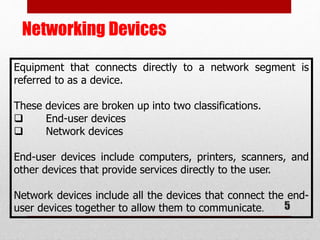
• LAN (LOCAL AREA NETWORK)
• MAN(METROPOLITAN AREA NETWORK)
• WAN(WIDE AREA NETWORK)
• PAN(PERSONAL AREA NETWORK)
Based on
Geographical
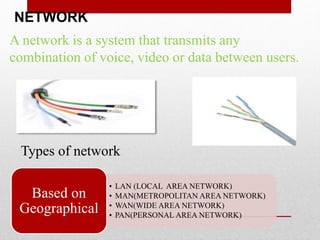
A network is a system that transmits any
combination of voice, video or data between users.
Types of network:
Networking Devices
5
Equipment that connects directly to a network segment is
referred to as a device.
These devices are broken up into two classifications.
 End-user devices
 Network devices
End-user devices include computers, printers, scanners, and
other devices that provide services directly to the user.
Network devices include all the devices that connect the end-
user devices together to allow them to communicate.
Networking Devices
 Router
Routers are used to connect networks together
Route packets of data from one network to another
DTE device
 Hub
 Connects a group of Hosts
 works on fix bandwidth
 Switch
 Switches add more intelligence to data transfer management.
 Manageable device
 Works on share bandwidth
 It makes multicast & broad cast connection
Network Topologies
7
Network topology defines the structure of the network.
One part of the topology definition is the physical topology, which is
the actual layout of the wire or media.
The other part is the logical topology,which defines how the media is
accessed by the hosts for sending data.
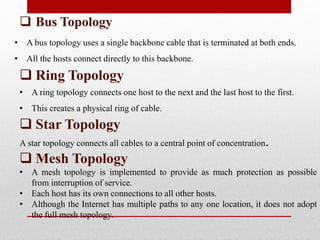
 Bus Topology
• A bus topology uses a single backbone cable that is terminated at both ends.
• All the hosts connect directly to this backbone.
 Ring Topology
• A ring topology connects one host to the next and the last host to the first.
• This creates a physical ring of cable.
 Star Topology
A star topology connects all cables to a central point of concentration.
 Mesh Topology
• A mesh topology is implemented to provide as much protection as possible
from interruption of service.
• Each host has its own connections to all other hosts.
• Although the Internet has multiple paths to any one location, it does not adopt
the full mesh topology.
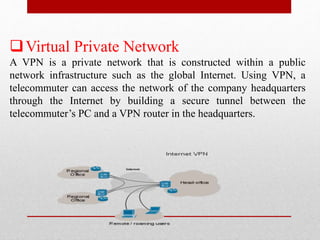
Virtual Private Network
A VPN is a private network that is constructed within a public
network infrastructure such as the global Internet. Using VPN, a
telecommuter can access the network of the company headquarters
through the Internet by building a secure tunnel between the
telecommuter’s PC and a VPN router in the headquarters.
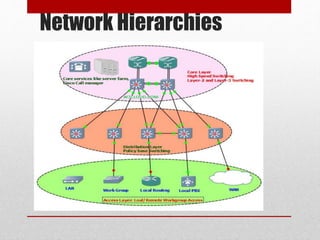
Network Hierarchies
The OSI Model
Why do we need the OSI Model?
• To address the problem of networks increasing in size and in
number, the International Organization for Standardization
(ISO) researched many network schemes and recognized that
there was a need to create a network model
• This would help network builders implement networks that
could communicate and work together
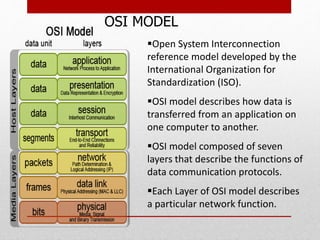
Open System Interconnection
reference model developed by the
International Organization for
Standardization (ISO).
OSI model describes how data is
transferred from an application on
one computer to another.
OSI model composed of seven
layers that describe the functions of
data communication protocols.
Each Layer of OSI model describes
a particular network function.
OSI MODEL
IP ADDRESS
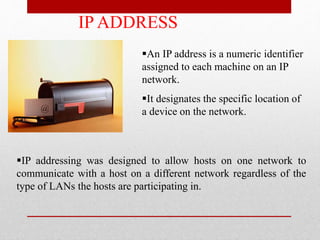
An IP address is a numeric identifier
assigned to each machine on an IP
network.
It designates the specific location of
a device on the network.
IP addressing was designed to allow hosts on one network to
communicate with a host on a different network regardless of the
type of LANs the hosts are participating in.
Sub netting
Sub netting is logically dividing the network by extending the 1’s
used in SNM
Advantage
 Can divide network in smaller parts
 Simplified Administration
 To avoid wastage of IP
 It is the process of Dividing a Single Network into Multiple
Networks.
 Converting Host bits into Network Bits i.e. Converting 0’s into 1’s
It is done on core router to reduce the size of routing table.
It is implemented by ISP (internet service providers).
To use global IP specifically
15
Types of sub
netting
FLSM (fixed
length subnet
mask)
Vlsm (variable
length subnet
mask)
 VLSM
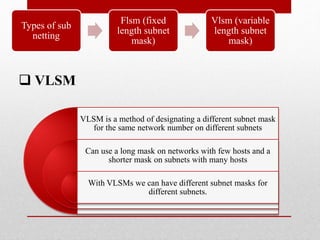
VLSM is a method of designating a different subnet mask
for the same network number on different subnets
Can use a long mask on networks with few hosts and a
shorter mask on subnets with many hosts
With VLSMs we can have different subnet masks for
different subnets.
Types of sub
netting
Flsm (fixed
length subnet
mask)
Vlsm (variable
length subnet
mask)
17
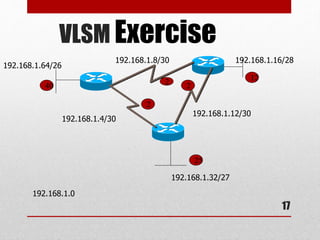
VLSM Exercise
2
2
2
40
25
12
192.168.1.0
192.168.1.4/30
192.168.1.8/30
192.168.1.12/30
192.168.1.16/28
192.168.1.32/27
192.168.1.64/26
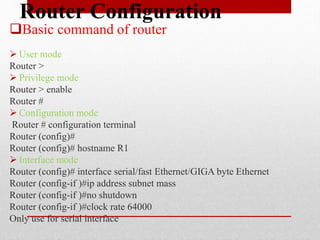
Router Configuration
Basic command of router
 User mode
Router >
 Privilege mode
Router > enable
Router #
 Configuration mode
Router # configuration terminal
Router (config)#
Router (config)# hostname R1
 Interface mode
Router (config)# interface serial/fast Ethernet/GIGA byte Ethernet
Router (config-if )#ip address subnet mass
Router (config-if )#no shutdown
Router (config-if )#clock rate 64000
Only use for serial interface
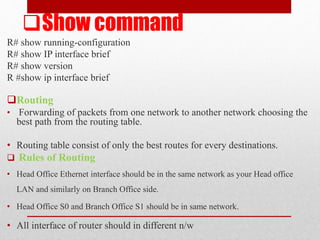
Show command
R# show running-configuration
R# show IP interface brief
R# show version
R #show ip interface brief
Routing
• Forwarding of packets from one network to another network choosing the
best path from the routing table.
• Routing table consist of only the best routes for every destinations.
 Rules of Routing
• Head Office Ethernet interface should be in the same network as your Head office
LAN and similarly on Branch Office side.
• Head Office S0 and Branch Office S1 should be in same network.
• All interface of router should in different n/w
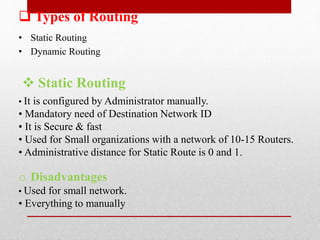
 Types of Routing
• Static Routing
• Dynamic Routing
 Static Routing
• It is configured by Administrator manually.
• Mandatory need of Destination Network ID
• It is Secure & fast
• Used for Small organizations with a network of 10-15 Routers.
• Administrative distance for Static Route is 0 and 1.
o Disadvantages
• Used for small network.
• Everything to manually
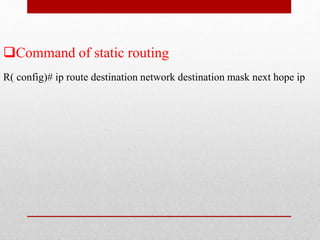
Command of static routing
R( config)# ip route destination network destination mask next hope ip
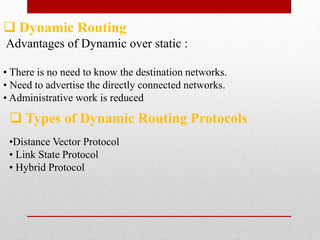
 Dynamic Routing
Advantages of Dynamic over static :
• There is no need to know the destination networks.
• Need to advertise the directly connected networks.
• Administrative work is reduced
 Types of Dynamic Routing Protocols
•Distance Vector Protocol
• Link State Protocol
• Hybrid Protocol
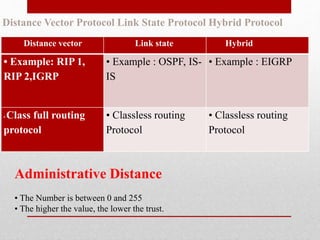
Distance vector Link state Hybrid
• Example: RIP 1,
RIP 2,IGRP
• Example : OSPF, IS-
IS
• Example : EIGRP
• Class full routing
protocol
• Classless routing
Protocol
• Classless routing
Protocol
Distance Vector Protocol Link State Protocol Hybrid Protocol
Administrative Distance
• The Number is between 0 and 255
• The higher the value, the lower the trust.
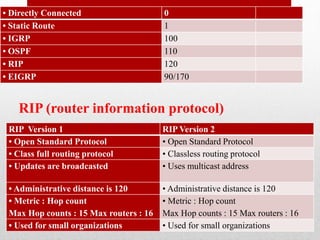
• Directly Connected 0
• Static Route 1
• IGRP 100
• OSPF 110
• RIP 120
• EIGRP 90/170
RIP (router information protocol)
RIP Version 1 RIP Version 2
• Open Standard Protocol • Open Standard Protocol
• Class full routing protocol • Classless routing protocol
• Updates are broadcasted • Uses multicast address
• Administrative distance is 120 • Administrative distance is 120
• Metric : Hop count
Max Hop counts : 15 Max routers : 16
• Metric : Hop count
Max Hop counts : 15 Max routers : 16
• Used for small organizations • Used for small organizations
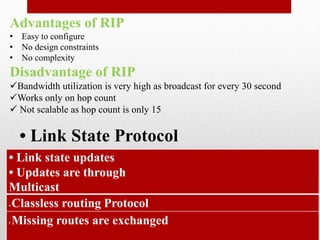
Advantages of RIP
• Easy to configure
• No design constraints
• No complexity
Disadvantage of RIP
Bandwidth utilization is very high as broadcast for every 30 second
Works only on hop count
 Not scalable as hop count is only 15
• Link State Protocol
• Link state updates
• Updates are through
Multicast
• Classless routing Protocol
• Missing routes are exchanged
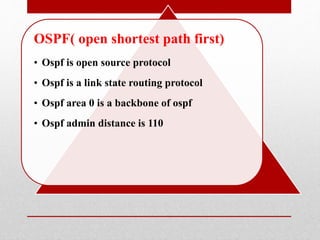
OSPF( open shortest path first)
• Ospf is open source protocol
• Ospf is a link state routing protocol
• Ospf area 0 is a backbone of ospf
• Ospf admin distance is 110
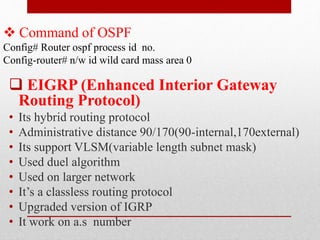
 Command of OSPF
Config# Router ospf process id no.
Config-router# n/w id wild card mass area 0
 EIGRP (Enhanced Interior Gateway
Routing Protocol)
• Its hybrid routing protocol
• Administrative distance 90/170(90-internal,170external)
• Its support VLSM(variable length subnet mask)
• Used duel algorithm
• Used on larger network
• It’s a classless routing protocol
• Upgraded version of IGRP
• It work on a.s number
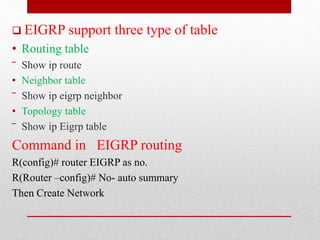
 EIGRP support three type of table
• Routing table
‾ Show ip route
• Neighbor table
‾ Show ip eigrp neighbor
• Topology table
‾ Show ip Eigrp table
Command in EIGRP routing
R(config)# router EIGRP as no.
R(Router –config)# No- auto summary
Then Create Network
CCNA PPT

CCNA PPT

  • 1.
    18-Nov 13SAURABH BANSALB.TECH ECE VII SEM 1 CISCO CERTIFIED NETWORK ASSOCIATED  PRESENTED BY,  SAURABH BANSAL  B.TECH (ECE)  VII th SEM AMITY UNIVERSITY RAJASTHAN
  • 2.
    CONTENTS • About CCNA •Network • Networking Device • OSI model • IP address • Sub netting • Router configuration • Types of routing
  • 3.
    ABOUT CCNA This certificationbuilds a foundation in and apprentice knowledge of networking. CCNA certified professionals can install, configure, and operate LAN, WAN and access services for small networks (100 modes or fewer), including but not limited to use of these protocols: IP, IGRP, SERIAL FRAME-RELAY, IP RIP, VLANs, RIP ETHERNET, ACCESS-LISTS.
  • 4.
    NETWORK • LAN (LOCALAREA NETWORK) • MAN(METROPOLITAN AREA NETWORK) • WAN(WIDE AREA NETWORK) • PAN(PERSONAL AREA NETWORK) Based on Geographical A network is a system that transmits any combination of voice, video or data between users. Types of network:
  • 5.
    Networking Devices 5 Equipment thatconnects directly to a network segment is referred to as a device. These devices are broken up into two classifications.  End-user devices  Network devices End-user devices include computers, printers, scanners, and other devices that provide services directly to the user. Network devices include all the devices that connect the end- user devices together to allow them to communicate.
  • 6.
    Networking Devices  Router Routersare used to connect networks together Route packets of data from one network to another DTE device  Hub  Connects a group of Hosts  works on fix bandwidth  Switch  Switches add more intelligence to data transfer management.  Manageable device  Works on share bandwidth  It makes multicast & broad cast connection
  • 7.
    Network Topologies 7 Network topologydefines the structure of the network. One part of the topology definition is the physical topology, which is the actual layout of the wire or media. The other part is the logical topology,which defines how the media is accessed by the hosts for sending data.
  • 8.
     Bus Topology •A bus topology uses a single backbone cable that is terminated at both ends. • All the hosts connect directly to this backbone.  Ring Topology • A ring topology connects one host to the next and the last host to the first. • This creates a physical ring of cable.  Star Topology A star topology connects all cables to a central point of concentration.  Mesh Topology • A mesh topology is implemented to provide as much protection as possible from interruption of service. • Each host has its own connections to all other hosts. • Although the Internet has multiple paths to any one location, it does not adopt the full mesh topology.
  • 9.
    Virtual Private Network AVPN is a private network that is constructed within a public network infrastructure such as the global Internet. Using VPN, a telecommuter can access the network of the company headquarters through the Internet by building a secure tunnel between the telecommuter’s PC and a VPN router in the headquarters.
  • 10.
  • 11.
    The OSI Model Whydo we need the OSI Model? • To address the problem of networks increasing in size and in number, the International Organization for Standardization (ISO) researched many network schemes and recognized that there was a need to create a network model • This would help network builders implement networks that could communicate and work together
  • 12.
    Open System Interconnection referencemodel developed by the International Organization for Standardization (ISO). OSI model describes how data is transferred from an application on one computer to another. OSI model composed of seven layers that describe the functions of data communication protocols. Each Layer of OSI model describes a particular network function. OSI MODEL
  • 13.
    IP ADDRESS An IPaddress is a numeric identifier assigned to each machine on an IP network. It designates the specific location of a device on the network. IP addressing was designed to allow hosts on one network to communicate with a host on a different network regardless of the type of LANs the hosts are participating in.
  • 15.
    Sub netting Sub nettingis logically dividing the network by extending the 1’s used in SNM Advantage  Can divide network in smaller parts  Simplified Administration  To avoid wastage of IP  It is the process of Dividing a Single Network into Multiple Networks.  Converting Host bits into Network Bits i.e. Converting 0’s into 1’s It is done on core router to reduce the size of routing table. It is implemented by ISP (internet service providers). To use global IP specifically 15 Types of sub netting FLSM (fixed length subnet mask) Vlsm (variable length subnet mask)
  • 16.
     VLSM VLSM isa method of designating a different subnet mask for the same network number on different subnets Can use a long mask on networks with few hosts and a shorter mask on subnets with many hosts With VLSMs we can have different subnet masks for different subnets. Types of sub netting Flsm (fixed length subnet mask) Vlsm (variable length subnet mask)
  • 17.
  • 18.
    Router Configuration Basic commandof router  User mode Router >  Privilege mode Router > enable Router #  Configuration mode Router # configuration terminal Router (config)# Router (config)# hostname R1  Interface mode Router (config)# interface serial/fast Ethernet/GIGA byte Ethernet Router (config-if )#ip address subnet mass Router (config-if )#no shutdown Router (config-if )#clock rate 64000 Only use for serial interface
  • 19.
    Show command R# showrunning-configuration R# show IP interface brief R# show version R #show ip interface brief Routing • Forwarding of packets from one network to another network choosing the best path from the routing table. • Routing table consist of only the best routes for every destinations.  Rules of Routing • Head Office Ethernet interface should be in the same network as your Head office LAN and similarly on Branch Office side. • Head Office S0 and Branch Office S1 should be in same network. • All interface of router should in different n/w
  • 20.
     Types ofRouting • Static Routing • Dynamic Routing  Static Routing • It is configured by Administrator manually. • Mandatory need of Destination Network ID • It is Secure & fast • Used for Small organizations with a network of 10-15 Routers. • Administrative distance for Static Route is 0 and 1. o Disadvantages • Used for small network. • Everything to manually
  • 21.
    Command of staticrouting R( config)# ip route destination network destination mask next hope ip
  • 22.
     Dynamic Routing Advantagesof Dynamic over static : • There is no need to know the destination networks. • Need to advertise the directly connected networks. • Administrative work is reduced  Types of Dynamic Routing Protocols •Distance Vector Protocol • Link State Protocol • Hybrid Protocol
  • 23.
    Distance vector Linkstate Hybrid • Example: RIP 1, RIP 2,IGRP • Example : OSPF, IS- IS • Example : EIGRP • Class full routing protocol • Classless routing Protocol • Classless routing Protocol Distance Vector Protocol Link State Protocol Hybrid Protocol Administrative Distance • The Number is between 0 and 255 • The higher the value, the lower the trust.
  • 24.
    • Directly Connected0 • Static Route 1 • IGRP 100 • OSPF 110 • RIP 120 • EIGRP 90/170 RIP (router information protocol) RIP Version 1 RIP Version 2 • Open Standard Protocol • Open Standard Protocol • Class full routing protocol • Classless routing protocol • Updates are broadcasted • Uses multicast address • Administrative distance is 120 • Administrative distance is 120 • Metric : Hop count Max Hop counts : 15 Max routers : 16 • Metric : Hop count Max Hop counts : 15 Max routers : 16 • Used for small organizations • Used for small organizations
  • 25.
    Advantages of RIP •Easy to configure • No design constraints • No complexity Disadvantage of RIP Bandwidth utilization is very high as broadcast for every 30 second Works only on hop count  Not scalable as hop count is only 15 • Link State Protocol • Link state updates • Updates are through Multicast • Classless routing Protocol • Missing routes are exchanged
  • 26.
    OSPF( open shortestpath first) • Ospf is open source protocol • Ospf is a link state routing protocol • Ospf area 0 is a backbone of ospf • Ospf admin distance is 110
  • 27.
     Command ofOSPF Config# Router ospf process id no. Config-router# n/w id wild card mass area 0  EIGRP (Enhanced Interior Gateway Routing Protocol) • Its hybrid routing protocol • Administrative distance 90/170(90-internal,170external) • Its support VLSM(variable length subnet mask) • Used duel algorithm • Used on larger network • It’s a classless routing protocol • Upgraded version of IGRP • It work on a.s number
  • 28.
     EIGRP supportthree type of table • Routing table ‾ Show ip route • Neighbor table ‾ Show ip eigrp neighbor • Topology table ‾ Show ip Eigrp table Command in EIGRP routing R(config)# router EIGRP as no. R(Router –config)# No- auto summary Then Create Network