CAD/CAM
INPUT & OUTPUT DEVICES
BY
J KUMAR CHANDRA
Assistant professor,
Department of ME,
NNRG HYD
WHAT IS DEVICE
• It can be defined as the components or
peripherals which are attached to the computer
to enter the data and get the desired result
Input Devices
• The devices which are used to give data and
instructions to the computer are called Input
Devices. Various types of input devices can be
used with the computer depending upon the
type of data you want to enter in the computer
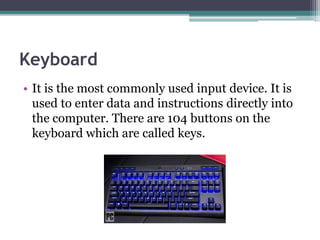
Keyboard
• It is the most commonly used input device. It is
used to enter data and instructions directly into
the computer. There are 104 buttons on the
keyboard which are called keys.
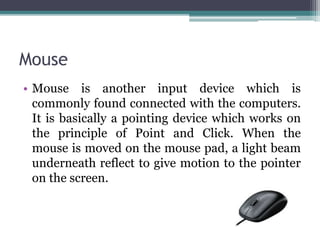
Mouse
• Mouse is another input device which is
commonly found connected with the computers.
It is basically a pointing device which works on
the principle of Point and Click. When the
mouse is moved on the mouse pad, a light beam
underneath reflect to give motion to the pointer
on the screen.
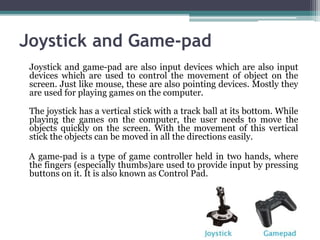
Joystick and Game-pad
Joystick and game-pad are also input devices which are also input
devices which are used to control the movement of object on the
screen. Just like mouse, these are also pointing devices. Mostly they
are used for playing games on the computer.
The joystick has a vertical stick with a track ball at its bottom. While
playing the games on the computer, the user needs to move the
objects quickly on the screen. With the movement of this vertical
stick the objects can be moved in all the directions easily.
A game-pad is a type of game controller held in two hands, where
the fingers (especially thumbs)are used to provide input by pressing
buttons on it. It is also known as Control Pad.
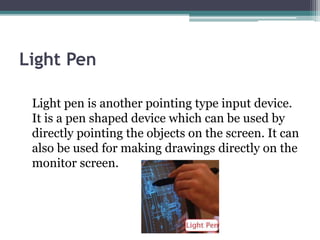
Light Pen
Light pen is another pointing type input device.
It is a pen shaped device which can be used by
directly pointing the objects on the screen. It can
also be used for making drawings directly on the
monitor screen.
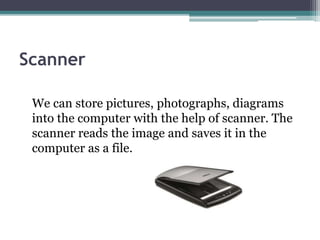
Scanner
We can store pictures, photographs, diagrams
into the computer with the help of scanner. The
scanner reads the image and saves it in the
computer as a file.
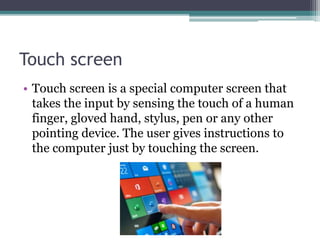
Touch screen
• Touch screen is a special computer screen that
takes the input by sensing the touch of a human
finger, gloved hand, stylus, pen or any other
pointing device. The user gives instructions to
the computer just by touching the screen.
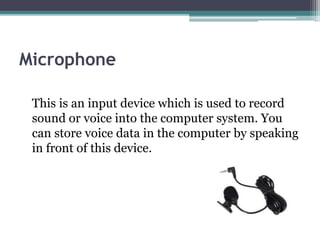
Microphone
This is an input device which is used to record
sound or voice into the computer system. You
can store voice data in the computer by speaking
in front of this device.
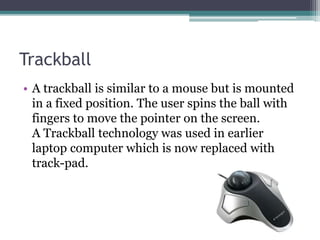
Trackball
• A trackball is similar to a mouse but is mounted
in a fixed position. The user spins the ball with
fingers to move the pointer on the screen.
A Trackball technology was used in earlier
laptop computer which is now replaced with
track-pad.
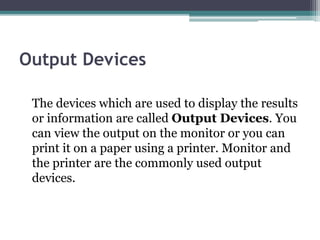
Output Devices
The devices which are used to display the results
or information are called Output Devices. You
can view the output on the monitor or you can
print it on a paper using a printer. Monitor and
the printer are the commonly used output
devices.
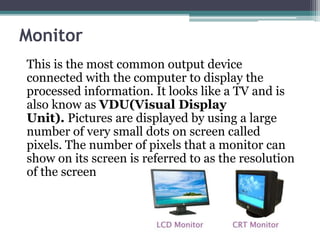
Monitor
This is the most common output device
connected with the computer to display the
processed information. It looks like a TV and is
also know as VDU(Visual Display
Unit). Pictures are displayed by using a large
number of very small dots on screen called
pixels. The number of pixels that a monitor can
show on its screen is referred to as the resolution
of the screen
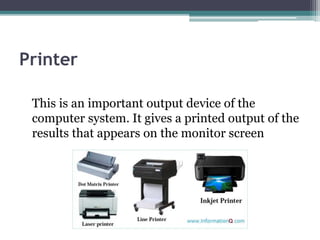
Printer
This is an important output device of the
computer system. It gives a printed output of the
results that appears on the monitor screen
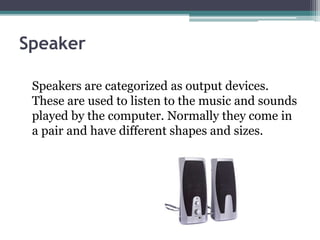
Speaker
Speakers are categorized as output devices.
These are used to listen to the music and sounds
played by the computer. Normally they come in
a pair and have different shapes and sizes.
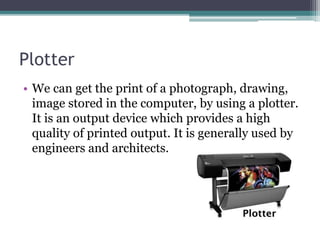
Plotter
• We can get the print of a photograph, drawing,
image stored in the computer, by using a plotter.
It is an output device which provides a high
quality of printed output. It is generally used by
engineers and architects.
Let’s summarize
• Input devices are used to give data and instructions to the
computer.
• Keyboard and mouse are the most commonly used input
devices.
• Microphone gives sound or voice input to the computer.
• Output devices are used to display the result or information
on the computer.
• Monitor and the printer are the commonly used output
devices.
• The output seen on the VDU is called soft copy.
• The printed copy of the output is called hard copy.
• Speakers are used to listen to the music and sounds played by
the computer.
• Plotter are used for a high quality of printed output.

Cad cam input output devices

  • 1.
    CAD/CAM INPUT & OUTPUTDEVICES BY J KUMAR CHANDRA Assistant professor, Department of ME, NNRG HYD
  • 2.
    WHAT IS DEVICE •It can be defined as the components or peripherals which are attached to the computer to enter the data and get the desired result
  • 3.
    Input Devices • Thedevices which are used to give data and instructions to the computer are called Input Devices. Various types of input devices can be used with the computer depending upon the type of data you want to enter in the computer
  • 4.
    Keyboard • It isthe most commonly used input device. It is used to enter data and instructions directly into the computer. There are 104 buttons on the keyboard which are called keys.
  • 5.
    Mouse • Mouse isanother input device which is commonly found connected with the computers. It is basically a pointing device which works on the principle of Point and Click. When the mouse is moved on the mouse pad, a light beam underneath reflect to give motion to the pointer on the screen.
  • 6.
    Joystick and Game-pad Joystickand game-pad are also input devices which are also input devices which are used to control the movement of object on the screen. Just like mouse, these are also pointing devices. Mostly they are used for playing games on the computer. The joystick has a vertical stick with a track ball at its bottom. While playing the games on the computer, the user needs to move the objects quickly on the screen. With the movement of this vertical stick the objects can be moved in all the directions easily. A game-pad is a type of game controller held in two hands, where the fingers (especially thumbs)are used to provide input by pressing buttons on it. It is also known as Control Pad.
  • 7.
    Light Pen Light penis another pointing type input device. It is a pen shaped device which can be used by directly pointing the objects on the screen. It can also be used for making drawings directly on the monitor screen.
  • 8.
    Scanner We can storepictures, photographs, diagrams into the computer with the help of scanner. The scanner reads the image and saves it in the computer as a file.
  • 9.
    Touch screen • Touchscreen is a special computer screen that takes the input by sensing the touch of a human finger, gloved hand, stylus, pen or any other pointing device. The user gives instructions to the computer just by touching the screen.
  • 10.
    Microphone This is aninput device which is used to record sound or voice into the computer system. You can store voice data in the computer by speaking in front of this device.
  • 11.
    Trackball • A trackballis similar to a mouse but is mounted in a fixed position. The user spins the ball with fingers to move the pointer on the screen. A Trackball technology was used in earlier laptop computer which is now replaced with track-pad.
  • 12.
    Output Devices The deviceswhich are used to display the results or information are called Output Devices. You can view the output on the monitor or you can print it on a paper using a printer. Monitor and the printer are the commonly used output devices.
  • 13.
    Monitor This is themost common output device connected with the computer to display the processed information. It looks like a TV and is also know as VDU(Visual Display Unit). Pictures are displayed by using a large number of very small dots on screen called pixels. The number of pixels that a monitor can show on its screen is referred to as the resolution of the screen
  • 14.
    Printer This is animportant output device of the computer system. It gives a printed output of the results that appears on the monitor screen
  • 15.
    Speaker Speakers are categorizedas output devices. These are used to listen to the music and sounds played by the computer. Normally they come in a pair and have different shapes and sizes.
  • 16.
    Plotter • We canget the print of a photograph, drawing, image stored in the computer, by using a plotter. It is an output device which provides a high quality of printed output. It is generally used by engineers and architects.
  • 17.
    Let’s summarize • Inputdevices are used to give data and instructions to the computer. • Keyboard and mouse are the most commonly used input devices. • Microphone gives sound or voice input to the computer. • Output devices are used to display the result or information on the computer. • Monitor and the printer are the commonly used output devices. • The output seen on the VDU is called soft copy. • The printed copy of the output is called hard copy. • Speakers are used to listen to the music and sounds played by the computer. • Plotter are used for a high quality of printed output.