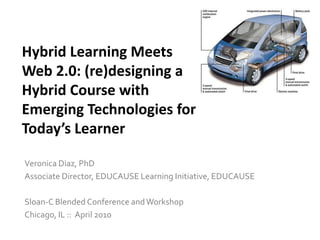
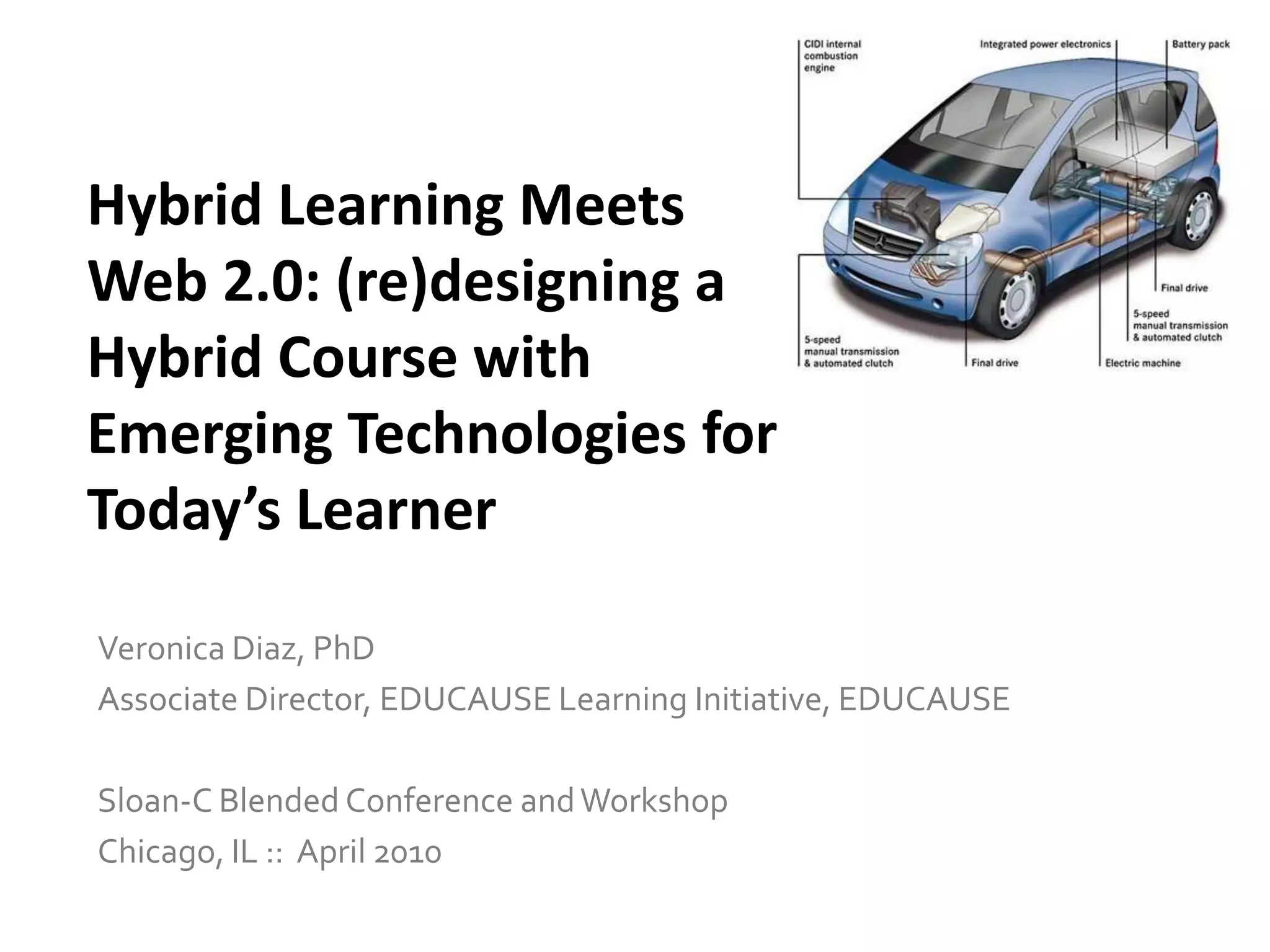

Hybrid Learning Meets Web 2.0: (re)designing a Hybrid Course with Emerging Technologies for Today’s Learner Veronica Diaz, PhDAssociate Director, EDUCAUSE Learning Initiative, EDUCAUSESloan-C Blended Conference and WorkshopChicago, IL ::  April 2010
http://www.slideshare.net/drvdiaz/blend10-presentation
Hybrid Learning Meets Web 2.0: (re)Designing a Hybrid Course with Emerging Technologies for Today’s Learner
Hybrid Learning Meets Web 2.0: (re)Designinga Hybrid Course with Emerging Technologies for Today’s Learner
Today’s LearnerHybrid Learning Meets Web 2.0
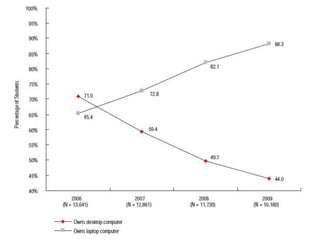
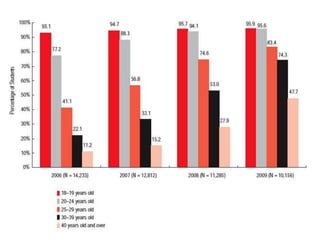
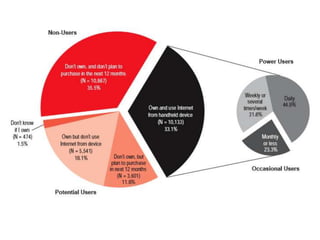
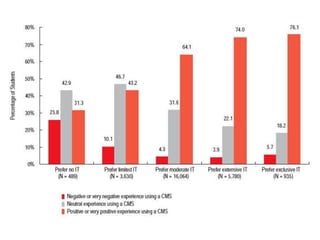
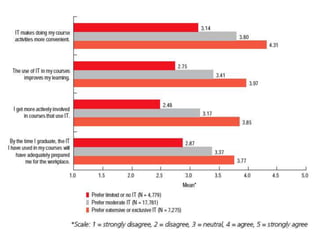
Student computer/device/technology ownershipStudent technology skillsHow students like to learn with technology Students’ preferences for amount of IT in coursesStudents and specific emerging technologies, like mobile technology Our institution collects data on…
ECAR Study of Undergraduate Students and Information Technology: 2009ECAR Study of Undergraduate Students and Information Technology: 2008
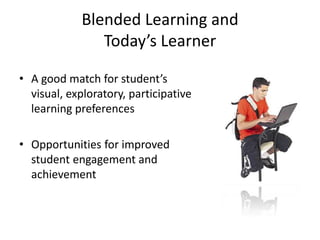
Blended Learning and Today’s LearnerA good match for student’s visual, exploratory, participative learning preferencesOpportunities for improved student engagement and achievement
Making the case for emerging technologyHybrid Learning Meets Web 2.0
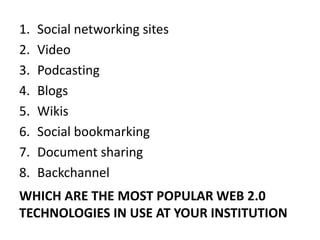
Social networking sites Video Podcasting BlogsWikisSocial bookmarkingDocument sharingBackchannel Which are the most popular web 2.0 technologies in use at your institution
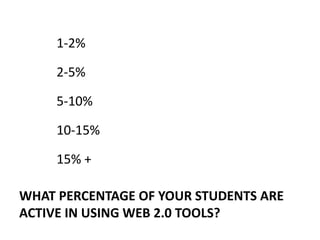
1-2%2-5%5-10%10-15%15% +What percentage of your students are active in using Web 2.0 tools?
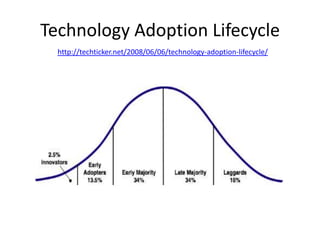
Technology Adoption Lifecyclehttp://techticker.net/2008/06/06/technology-adoption-lifecycle/
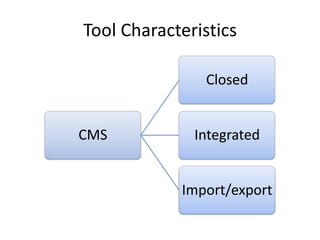
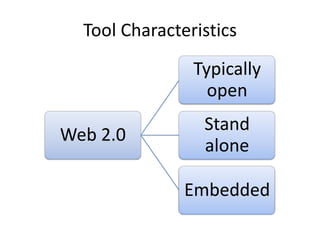
Tool Characteristics
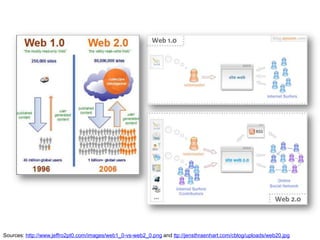
Sources: http://www.jeffro2pt0.com/images/web1_0-vs-web2_0.png and ttp://jensthraenhart.com/cblog/uploads/web20.jpg
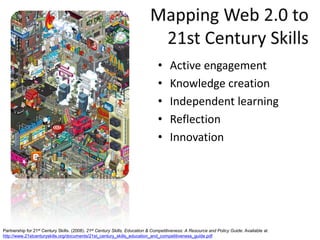
Mapping Web 2.0 to 21st Century SkillsActive engagementKnowledge creation Independent learning Reflection Innovation Partnership for 21st Century Skills. (2008). 21st Century Skills, Education & Competitiveness: A Resource and Policy Guide. Available at http://www.21stcenturyskills.org/documents/21st_century_skills_education_and_competitiveness_guide.pdf
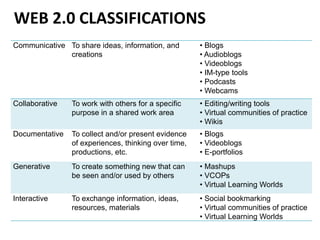
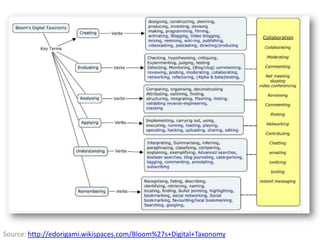
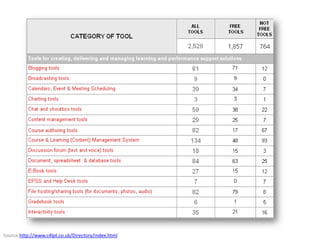
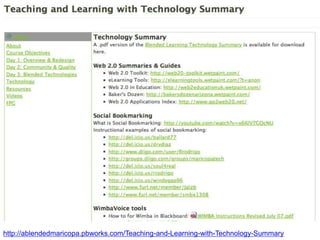
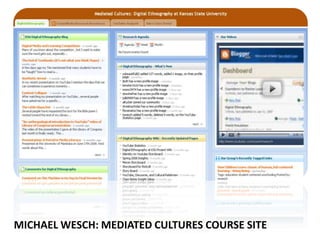
Web 2.0 Classifications
Source: http://edorigami.wikispaces.com/Bloom%27s+Digital+Taxonomy
Source:http://www.c4lpt.co.uk/Directory/index.html
http://ablendedmaricopa.pbworks.com/Teaching-and-Learning-with-Technology-Summary
Michael Wesch: Mediated Cultures Course Site
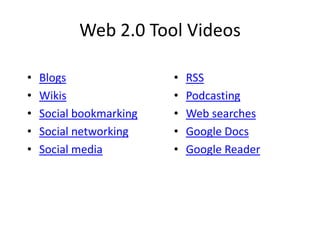
Web 2.0 Tool VideosBlogsWikisSocial bookmarkingSocial networkingSocial mediaRSSPodcastingWeb searchesGoogle DocsGoogle Reader
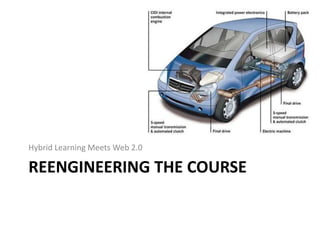
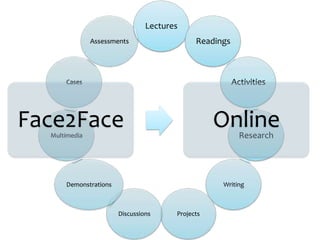
Reengineering the courseHybrid Learning Meets Web 2.0
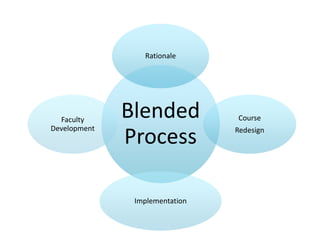
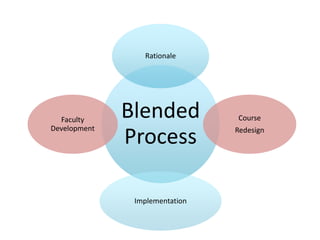
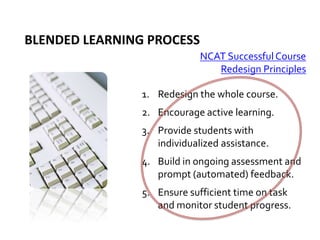
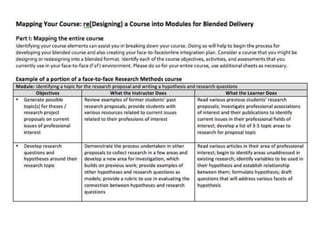
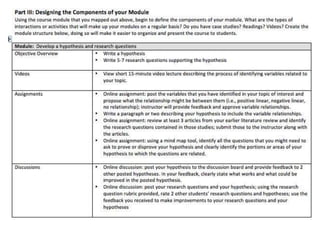
Blended learning process NCAT Successful Course Redesign PrinciplesRedesign the whole course.Encourage active learning.Provide students with individualized assistance.Build in ongoing assessment and prompt (automated) feedback.Ensure sufficient time on task and monitor student progress.
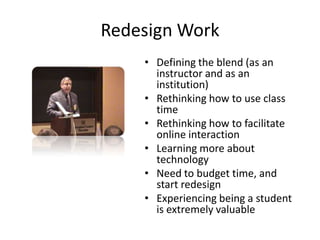
Redesign WorkDefining the blend (as an instructor and as an institution)Rethinking how to use class timeRethinking how to facilitate online interactionLearning more about technologyNeed to budget time, and start redesignExperiencing being a student is extremely valuable
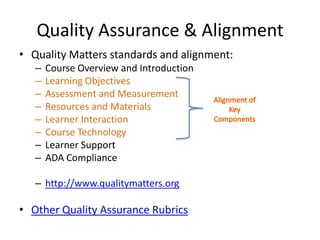
Quality Assurance & AlignmentQuality Matters standards and alignment:Course Overview and IntroductionLearning Objectives Assessment and MeasurementResources and MaterialsLearner InteractionCourse TechnologyLearner SupportADA Compliancehttp://www.qualitymatters.orgOther Quality Assurance RubricsAlignment of Key Components
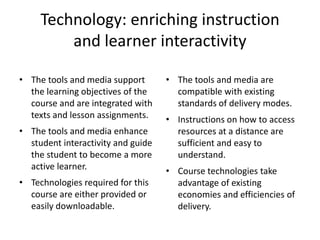
Technology: enriching instruction and learner interactivityThe tools and media support the learning objectives of the course and are integrated with texts and lesson assignments. The tools and media enhance student interactivity and guide the student to become a more active learner. Technologies required for this course are either provided or easily downloadable. The tools and media are compatible with existing standards of delivery modes. Instructions on how to access resources at a distance are sufficient and easy to understand. Course technologies take advantage of existing economies and efficiencies of delivery.
Supporting the faculty with  emerging technologyHybrid Learning Meets Web 2.0
YesNoIs your institution surveying the learning technology tools the faculty is using?
Our institution is supporting Web 2.0 through faculty development effortsYesNo
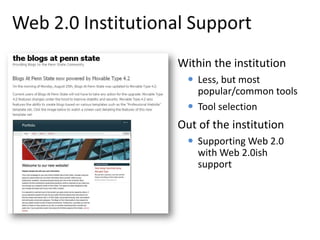
Web 2.0 Institutional SupportWithin the institutionLess, but most popular/common tools
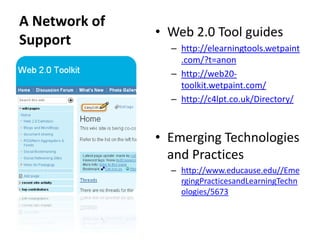
Tool selectionOut of the institutionSupporting Web 2.0 with Web 2.0ish supportA Network of Support Web 2.0 Tool guideshttp://elearningtools.wetpaint.com/?t=anonhttp://web20-toolkit.wetpaint.com/http://c4lpt.co.uk/Directory/Emerging Technologies and Practiceshttp://www.educause.edu//EmergingPracticesandLearningTechnologies/5673
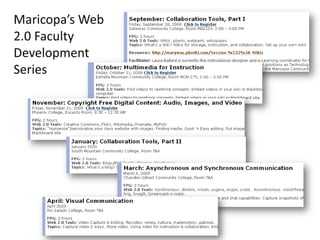
Maricopa’s Web 2.0 Faculty Development Series
Doing Innovation RightStages of Innovation Tips & Tricks ExperimentationExtension and transitionStandardization of support Integration into curriculumDiffusion Data collection throughoutCommunication with campus community Work with innovative culture segment  Strong connection to curriculum and disciplines Robust support for the faculty and students
Emerging Technology Challenges The technology-adoption cycleLack of integrated technology tools Learners’ changing expectations Institutional changes to technology commitments
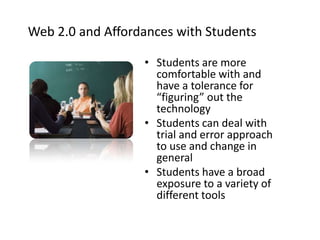
Web 2.0 and Affordances with StudentsStudents are more comfortable with and have a tolerance for “figuring” out the technology Students can deal with trial and error approach to use and change in general Students have a broad exposure to a variety of different tools
Selecting and Implementing Emerging Technologies Know who/where you are and who/where you want to be [roadmap]Know your studentsKnow your challenges [support]Treat technology as a means and an end [don’t OD on IT]Collect and USE data, data, dataSupport what you implement, and implement what you are able to support
Implementation Best Practices Ongoing institutional commitment to the redesignInitial and ongoing faculty consensus Support instructors, and other support staff Technological infrastructure  Quality assurance: peer review Faculty disciplinary communities of practice
Supporting the Faculty Release time: 1-2 semesters Role models and examples Learning technologiesDisciplinary communities of practiceTechnology has added a layer of “policing”New learning environment is rich in and out of classroomIntellectual property issues
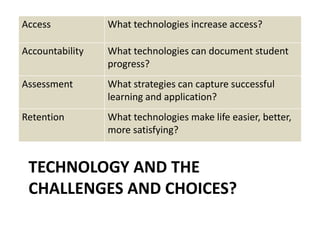
Technology and the challenges and choices?
How will you ensure that your hybrid courses and corresponding technology use is of high quality?What organizational strategies are needed to support course redesign, innovation, and new technologies?How will you support students in the use of technology?How will you support innovation in instruction?How will you diffuse the innovation of innovators and early adopters to other faculty members? Deep thoughts…
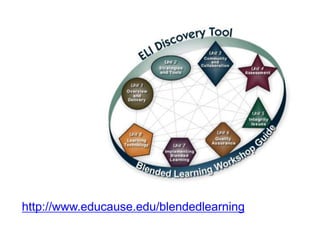
http://www.educause.edu/blendedlearning
Veronica M. Diaz, PhDAssociate DirectorEDUCAUSE Learning InitiativeEDUCAUSEvdiaz@educause.eduCopyright Diaz, 2010. This work is the intellectual property of the author. Permission is granted for this material to be shared for non-commercial, educational purposes, provided that this copyright statement appears on the reproduced materials and notice is given that the copying is by permission of the author. To disseminate otherwise or to republish requires written permission from the author.Contact

blend10

  • 1.
    Hybrid Learning MeetsWeb 2.0: (re)designing a Hybrid Course with Emerging Technologies for Today’s Learner Veronica Diaz, PhDAssociate Director, EDUCAUSE Learning Initiative, EDUCAUSESloan-C Blended Conference and WorkshopChicago, IL :: April 2010
  • 3.
  • 4.
    Hybrid Learning MeetsWeb 2.0: (re)Designing a Hybrid Course with Emerging Technologies for Today’s Learner
  • 5.
    Hybrid Learning MeetsWeb 2.0: (re)Designing a Hybrid Course with Emerging Technologies for Today’s Learner
  • 6.
    Hybrid Learning MeetsWeb 2.0: (re)Designing a Hybrid Course with Emerging Technologies for Today’s Learner
  • 7.
    Hybrid Learning MeetsWeb 2.0: (re)Designinga Hybrid Course with Emerging Technologies for Today’s Learner
  • 8.
  • 9.
    Student computer/device/technology ownershipStudenttechnology skillsHow students like to learn with technology Students’ preferences for amount of IT in coursesStudents and specific emerging technologies, like mobile technology Our institution collects data on…
  • 10.
    ECAR Study ofUndergraduate Students and Information Technology: 2009ECAR Study of Undergraduate Students and Information Technology: 2008
  • 16.
    Blended Learning andToday’s LearnerA good match for student’s visual, exploratory, participative learning preferencesOpportunities for improved student engagement and achievement
  • 17.
    Making the casefor emerging technologyHybrid Learning Meets Web 2.0
  • 18.
    Social networking sitesVideo Podcasting BlogsWikisSocial bookmarkingDocument sharingBackchannel Which are the most popular web 2.0 technologies in use at your institution
  • 19.
    1-2%2-5%5-10%10-15%15% +What percentageof your students are active in using Web 2.0 tools?
  • 20.
  • 21.
  • 22.
  • 23.
    Sources: http://www.jeffro2pt0.com/images/web1_0-vs-web2_0.png andttp://jensthraenhart.com/cblog/uploads/web20.jpg
  • 24.
    Mapping Web 2.0to 21st Century SkillsActive engagementKnowledge creation Independent learning Reflection Innovation Partnership for 21st Century Skills. (2008). 21st Century Skills, Education & Competitiveness: A Resource and Policy Guide. Available at http://www.21stcenturyskills.org/documents/21st_century_skills_education_and_competitiveness_guide.pdf
  • 25.
  • 26.
  • 27.
  • 28.
  • 29.
    Michael Wesch: MediatedCultures Course Site
  • 30.
    Web 2.0 ToolVideosBlogsWikisSocial bookmarkingSocial networkingSocial mediaRSSPodcastingWeb searchesGoogle DocsGoogle Reader
  • 31.
    Reengineering the courseHybridLearning Meets Web 2.0
  • 35.
    Blended learning processNCAT Successful Course Redesign PrinciplesRedesign the whole course.Encourage active learning.Provide students with individualized assistance.Build in ongoing assessment and prompt (automated) feedback.Ensure sufficient time on task and monitor student progress.
  • 36.
    Redesign WorkDefining theblend (as an instructor and as an institution)Rethinking how to use class timeRethinking how to facilitate online interactionLearning more about technologyNeed to budget time, and start redesignExperiencing being a student is extremely valuable
  • 37.
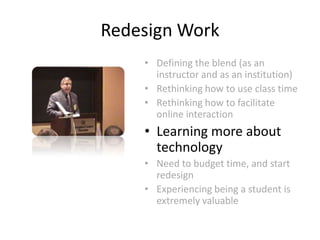
    Redesign WorkDefining theblend (as an instructor and as an institution)Rethinking how to use class timeRethinking how to facilitate online interactionLearning more about technologyNeed to budget time, and start redesignExperiencing being a student is extremely valuable
  • 40.
    Quality Assurance &AlignmentQuality Matters standards and alignment:Course Overview and IntroductionLearning Objectives Assessment and MeasurementResources and MaterialsLearner InteractionCourse TechnologyLearner SupportADA Compliancehttp://www.qualitymatters.orgOther Quality Assurance RubricsAlignment of Key Components
  • 41.
    Technology: enriching instructionand learner interactivityThe tools and media support the learning objectives of the course and are integrated with texts and lesson assignments. The tools and media enhance student interactivity and guide the student to become a more active learner. Technologies required for this course are either provided or easily downloadable. The tools and media are compatible with existing standards of delivery modes. Instructions on how to access resources at a distance are sufficient and easy to understand. Course technologies take advantage of existing economies and efficiencies of delivery.
  • 42.
    Supporting the facultywith emerging technologyHybrid Learning Meets Web 2.0
  • 43.
    YesNoIs your institutionsurveying the learning technology tools the faculty is using?
  • 44.
    Our institution issupporting Web 2.0 through faculty development effortsYesNo
  • 45.
    Web 2.0 InstitutionalSupportWithin the institutionLess, but most popular/common tools
  • 46.
    Tool selectionOut ofthe institutionSupporting Web 2.0 with Web 2.0ish supportA Network of Support Web 2.0 Tool guideshttp://elearningtools.wetpaint.com/?t=anonhttp://web20-toolkit.wetpaint.com/http://c4lpt.co.uk/Directory/Emerging Technologies and Practiceshttp://www.educause.edu//EmergingPracticesandLearningTechnologies/5673
  • 47.
    Maricopa’s Web 2.0Faculty Development Series
  • 48.
    Doing Innovation RightStagesof Innovation Tips & Tricks ExperimentationExtension and transitionStandardization of support Integration into curriculumDiffusion Data collection throughoutCommunication with campus community Work with innovative culture segment Strong connection to curriculum and disciplines Robust support for the faculty and students
  • 49.
    Emerging Technology ChallengesThe technology-adoption cycleLack of integrated technology tools Learners’ changing expectations Institutional changes to technology commitments
  • 50.
    Web 2.0 andAffordances with StudentsStudents are more comfortable with and have a tolerance for “figuring” out the technology Students can deal with trial and error approach to use and change in general Students have a broad exposure to a variety of different tools
  • 51.
    Selecting and ImplementingEmerging Technologies Know who/where you are and who/where you want to be [roadmap]Know your studentsKnow your challenges [support]Treat technology as a means and an end [don’t OD on IT]Collect and USE data, data, dataSupport what you implement, and implement what you are able to support
  • 52.
    Implementation Best PracticesOngoing institutional commitment to the redesignInitial and ongoing faculty consensus Support instructors, and other support staff Technological infrastructure Quality assurance: peer review Faculty disciplinary communities of practice
  • 53.
    Supporting the FacultyRelease time: 1-2 semesters Role models and examples Learning technologiesDisciplinary communities of practiceTechnology has added a layer of “policing”New learning environment is rich in and out of classroomIntellectual property issues
  • 54.
    Supporting the FacultyRelease time: 1-2 semesters Role models and examples Learning technologiesDisciplinary communities of practiceTechnology has added a layer of “policing”New learning environment is rich in and out of classroomIntellectual property issues
  • 55.
    Technology and thechallenges and choices?
  • 56.
    How will youensure that your hybrid courses and corresponding technology use is of high quality?What organizational strategies are needed to support course redesign, innovation, and new technologies?How will you support students in the use of technology?How will you support innovation in instruction?How will you diffuse the innovation of innovators and early adopters to other faculty members? Deep thoughts…
  • 57.
  • 58.
    Veronica M. Diaz,PhDAssociate DirectorEDUCAUSE Learning InitiativeEDUCAUSEvdiaz@educause.eduCopyright Diaz, 2010. This work is the intellectual property of the author. Permission is granted for this material to be shared for non-commercial, educational purposes, provided that this copyright statement appears on the reproduced materials and notice is given that the copying is by permission of the author. To disseminate otherwise or to republish requires written permission from the author.Contact