Podcasting 101 Veronica Diaz, PhD, Maricopa Center for Learning and Instruction [email_address]
Agenda  Overview of podcasting  Podcasting in teaching and learning  Creating a podcast  Copyright in brief  Resources Next steps
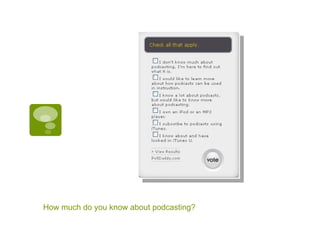
How much do you know about podcasting?
What is a Podcast? A multimedia file distributed over the Internet using syndication feeds, for playback on mobile devices and personal computers “ Podcasting” is like an audioblog Podcasts are different from other digital audio formats because they can be downloaded automatically using software capable of reading RSS feeds like RSS
 
 
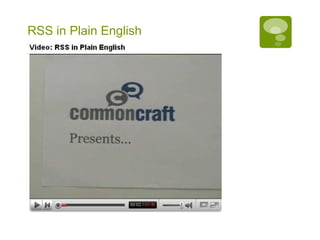
RSS in Plain English
What is RSS? RSS 2.0 stands for Really Simple Syndication and is a type of web feed, a data format used for serving users' frequently updated content Websites syndicate the web feed, which allows users to subscribe to it, like a newspaper subscription RSS Resources http://podscope.com/
How does RSS work with Podcasting? A Podcaster publishes her podcast on a blog using syndication feed enclosures (RSS) Visitors (like students) to the site can use an aggregator program (feed reader) to subscribe to the podcast
Teaching and Learning with Podcasting Course content dissemination Classroom recording Field recording  Audio journaling, interviews, observations, learning experience Audio research (in field/discipline)  Study support  via repeated listening to audio content
How might this improve teaching and learning? Course Content Dissemination Interviews  Music samples  Foreign language passages Time Shifting Expanding the classroom, time on task  Review capability iPod technology offers the potential to shift the proportion of class time devoted to learning that benefits from face-to-face interactions between faculty and students, and shift preparatory work to outside times and locations. (Leland quoted in Blaisdell, 2006)
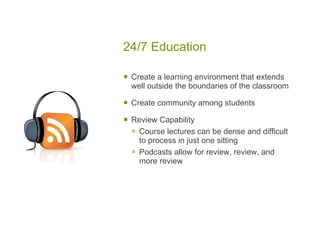
24/7 Education Create a learning environment that extends well outside the boundaries of the classroom Create community among students Review Capability  Course lectures can be dense and difficult to process in just one sitting Podcasts allow for review, review, and more review
Creating a podcast Recording tools  Macs  Garage Band (apple)  http://www.apple.com/ilife/garageband/   Macs and PCs Odeo http://odeo.com/ Audacity  http://audacity.sourceforge.net/   Audacity ABCs.pdf
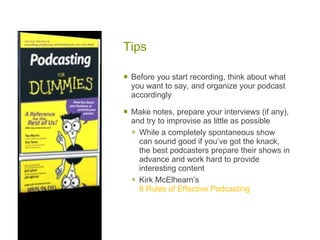
Tips  Before you start recording, think about what you want to say, and organize your podcast accordingly Make notes, prepare your interviews (if any), and try to improvise as little as possible While a completely spontaneous show can sound good if you’ve got the knack, the best podcasters prepare their shows in advance and work hard to provide interesting content Kirk McElhearn’s  8 Rules of Effective Podcasting
Copyright & Legal Issues** Copyright law is relevant to podcasts because it applies to creative and expressive works and copyright attaches automatically Rights and permissions need to be secured for material included Podcasting Legal Issues Creative Commons Look for free content
 
 
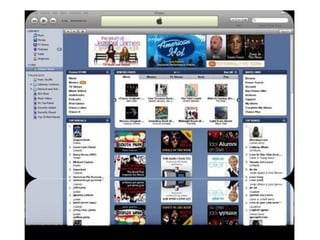
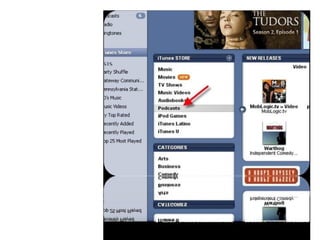
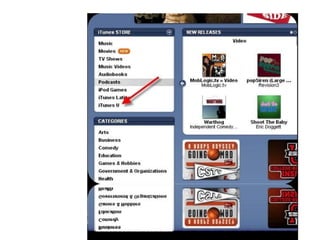
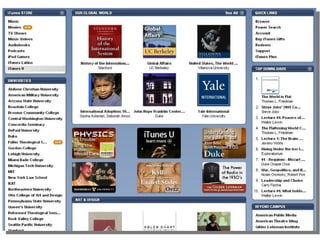
iTunes U iTunes U at Stanford University  Take a moment to browse through the iTunes U institutions via iTunes U at iTunes  Look for your disciplines or just browse
Baby steps… Get an iPod or other MP3 player Download iTunes (free)  Search the library  Browse through the podcasts  Assign one or two to your students See how it works and see if they like it  Attend an  MCLI Learnshop
Resources  Alisa Cooper  http://drcoop.pbwiki.com/   iTunes (free download)  http://www.apple.com/itunes/download/   Educause  http://www.educause.edu/  > resources > podcasting (keyword)
More Resources Beginner’s guide to podcasting  Create your own podcast  (Rick Broida) Creating a podcast with GarageBand  All the world’s a podcast  (Michael Calore) University  of Wisconsin examples
Contact Information maricopa center for learning and instruction Veronica Diaz, PhD [email_address]

Afa Podcasting

  • 1.
    Podcasting 101 VeronicaDiaz, PhD, Maricopa Center for Learning and Instruction [email_address]
  • 2.
    Agenda Overviewof podcasting Podcasting in teaching and learning Creating a podcast Copyright in brief Resources Next steps
  • 3.
    How much doyou know about podcasting?
  • 4.
    What is aPodcast? A multimedia file distributed over the Internet using syndication feeds, for playback on mobile devices and personal computers “ Podcasting” is like an audioblog Podcasts are different from other digital audio formats because they can be downloaded automatically using software capable of reading RSS feeds like RSS
  • 5.
  • 6.
  • 7.
    RSS in PlainEnglish
  • 8.
    What is RSS?RSS 2.0 stands for Really Simple Syndication and is a type of web feed, a data format used for serving users' frequently updated content Websites syndicate the web feed, which allows users to subscribe to it, like a newspaper subscription RSS Resources http://podscope.com/
  • 9.
    How does RSSwork with Podcasting? A Podcaster publishes her podcast on a blog using syndication feed enclosures (RSS) Visitors (like students) to the site can use an aggregator program (feed reader) to subscribe to the podcast
  • 10.
    Teaching and Learningwith Podcasting Course content dissemination Classroom recording Field recording Audio journaling, interviews, observations, learning experience Audio research (in field/discipline) Study support via repeated listening to audio content
  • 11.
    How might thisimprove teaching and learning? Course Content Dissemination Interviews Music samples Foreign language passages Time Shifting Expanding the classroom, time on task Review capability iPod technology offers the potential to shift the proportion of class time devoted to learning that benefits from face-to-face interactions between faculty and students, and shift preparatory work to outside times and locations. (Leland quoted in Blaisdell, 2006)
  • 12.
    24/7 Education Createa learning environment that extends well outside the boundaries of the classroom Create community among students Review Capability Course lectures can be dense and difficult to process in just one sitting Podcasts allow for review, review, and more review
  • 13.
    Creating a podcastRecording tools Macs Garage Band (apple) http://www.apple.com/ilife/garageband/ Macs and PCs Odeo http://odeo.com/ Audacity http://audacity.sourceforge.net/ Audacity ABCs.pdf
  • 14.
    Tips Beforeyou start recording, think about what you want to say, and organize your podcast accordingly Make notes, prepare your interviews (if any), and try to improvise as little as possible While a completely spontaneous show can sound good if you’ve got the knack, the best podcasters prepare their shows in advance and work hard to provide interesting content Kirk McElhearn’s 8 Rules of Effective Podcasting
  • 15.
    Copyright & LegalIssues** Copyright law is relevant to podcasts because it applies to creative and expressive works and copyright attaches automatically Rights and permissions need to be secured for material included Podcasting Legal Issues Creative Commons Look for free content
  • 16.
  • 17.
  • 18.
    iTunes U iTunesU at Stanford University Take a moment to browse through the iTunes U institutions via iTunes U at iTunes Look for your disciplines or just browse
  • 19.
    Baby steps… Getan iPod or other MP3 player Download iTunes (free) Search the library Browse through the podcasts Assign one or two to your students See how it works and see if they like it Attend an MCLI Learnshop
  • 20.
    Resources AlisaCooper http://drcoop.pbwiki.com/ iTunes (free download) http://www.apple.com/itunes/download/ Educause http://www.educause.edu/ > resources > podcasting (keyword)
  • 21.
    More Resources Beginner’sguide to podcasting Create your own podcast (Rick Broida) Creating a podcast with GarageBand All the world’s a podcast (Michael Calore) University of Wisconsin examples
  • 22.
    Contact Information maricopacenter for learning and instruction Veronica Diaz, PhD [email_address]