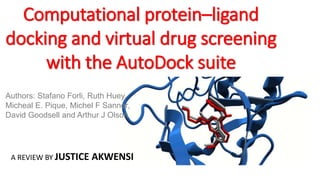
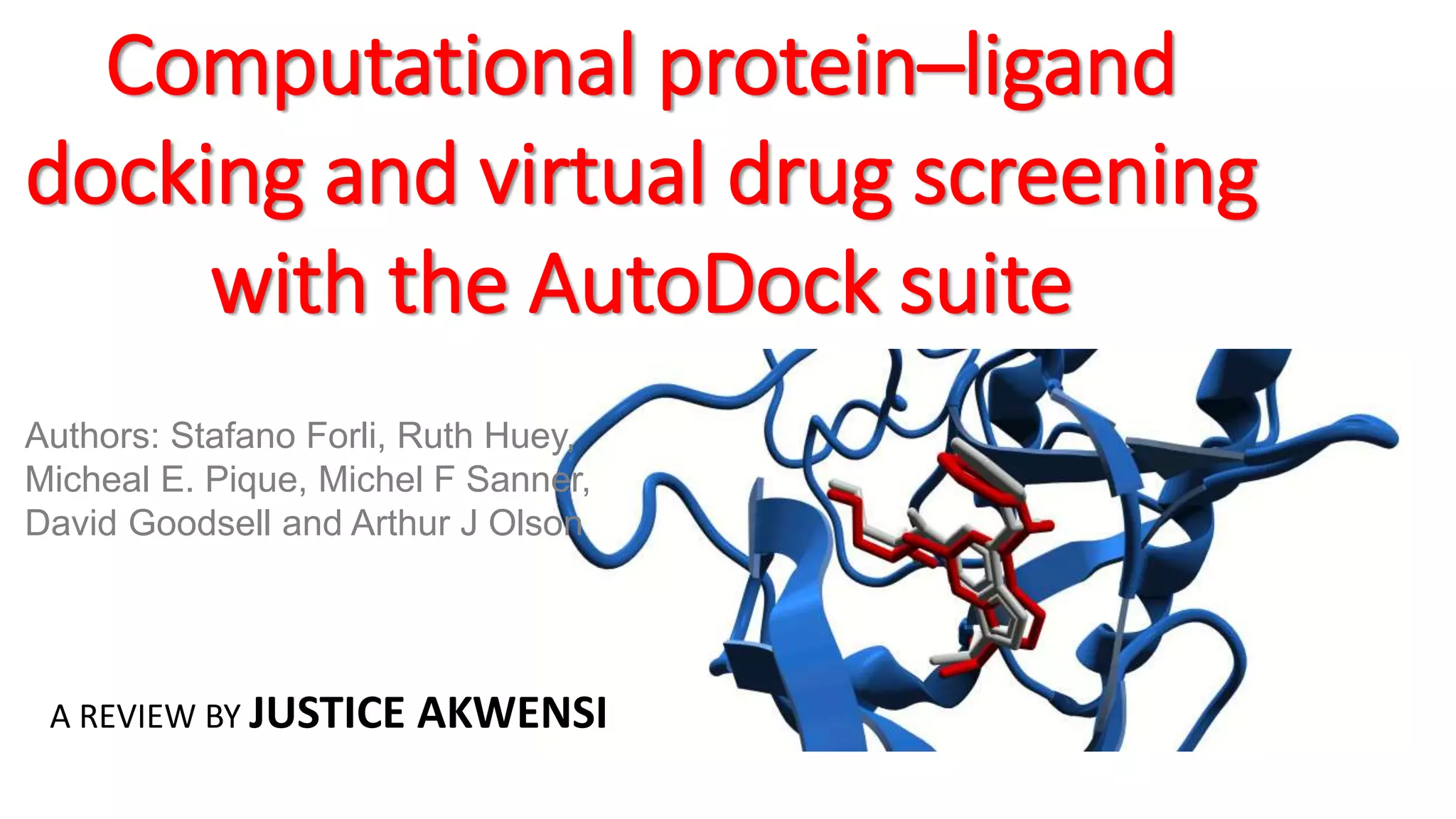
Computational protein–ligand
docking and virtual drug screening
with the AutoDock suite
Authors: Stafano Forli, Ruth Huey,
Micheal E. Pique, Michel F Sanner,
David Goodsell and Arthur J Olson
A REVIEW BY JUSTICE AKWENSI
OUTLINE
• Introduction to Autodock suites
• Comparism
• Autodock
• Autodock vina
• Raccoon2
• AutoLigand
• Docking of a drug molecule with an anticancer target
• Virtual screening with a small ligand library
• Docking with selective receptor flexibility
• Active site prediction
• Docking with explicit hydration
Introduction
• Docking is widely used for the study of
biomolecular interactions and mechanisms.
• Applied to structure-based drug design.
• Fast virtual screening of ligand libraries
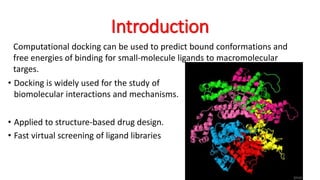
Computational docking can be used to predict bound conformations and
free energies of binding for small-molecule ligands to macromolecular
targes.
Introduction Con’t
• Widely used for the study of protein– ligand interactions and for
drug
• The process starts with a target of known structure of an enzyme of
medicinal interest.
• Predict the bound conformation and binding free energy of small
molecules to the target.
• Single docking experiments
• Virtual screening used to identify new inhibitors for drug
development.
AutoDock is a suite of free open-source software for the computational docking and virtual screening of small
molecules to macromolecular receptors.
Autodock suites
• AutoDock Vina: a turnkey docking program that is based on a
simple scoring function and rapid conformational search.
• AutoDock: a docking program based on an free-energy force field
and rapid Lamarckian genetic algorithm search method.
• Raccoon2: an interactive tool for virtual screening and analysis
• AutoDockTools (ADT): an interactive GUI for coordinate
preparation, docking and analysis.
• AutoLigand: a program for predicting optimal sites of ligand
binding on receptors.
The AutoDock suite including source code is free.
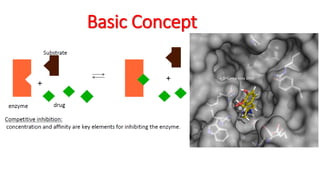
Basic Concept
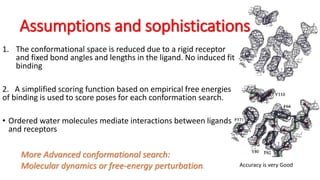
Assumptions and sophistications
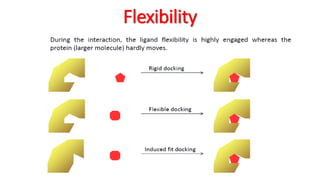
1. The conformational space is reduced due to a rigid receptor
and fixed bond angles and lengths in the ligand. No induced fit
binding
2. A simplified scoring function based on empirical free energies
of binding is used to score poses for each conformation search.
• Ordered water molecules mediate interactions between ligands
and receptors
More Advanced conformational search:
Molecular dynamics or free-energy perturbation. Accuracy is very Good
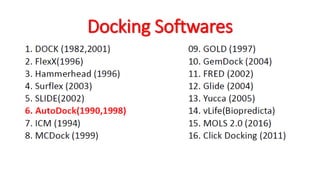
Docking Softwares
Flexibility
Types of Docking
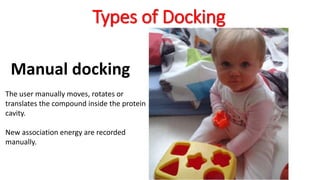
Manual docking
The user manually moves, rotates or
translates the compound inside the protein
cavity.
New association energy are recorded
manually.
Types of Docking
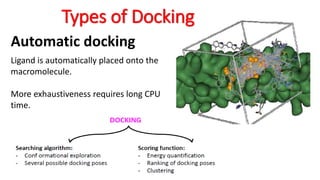
Automatic docking
Ligand is automatically placed onto the
macromolecule.
More exhaustiveness requires long CPU
time.
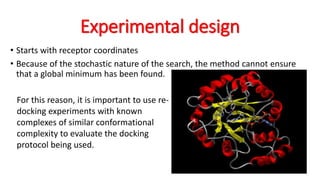
Experimental design
• Starts with receptor coordinates
• Because of the stochastic nature of the search, the method cannot ensure
that a global minimum has been found.
For this reason, it is important to use re-
docking experiments with known
complexes of similar conformational
complexity to evaluate the docking
protocol being used.
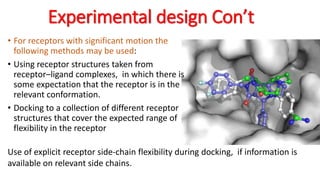
Experimental design Con’t
• For receptors with significant motion the
following methods may be used:
• Using receptor structures taken from
receptor–ligand complexes, in which there is
some expectation that the receptor is in the
relevant conformation.
• Docking to a collection of different receptor
structures that cover the expected range of
flexibility in the receptor
Use of explicit receptor side-chain flexibility during docking, if information is
available on relevant side chains.
Raccoon2 and virtual Screening
Graphical User Interface (GUI)
• Automated server connection manager and installation of docking services
(such as AutoDock Vina).
• Ligand library for upload and management of large ligand collections.
• Receptor management from multiple targets and flexible residues.
• Graphical interface for docking parameter setup.
• Graphical management of jobs on computational resources.
• Automated retrieval and preprocessing of results to extract features of
interest.
• User-friendly filtering of virtual screening results based on properties and
interactions.
• Export of filtered results.
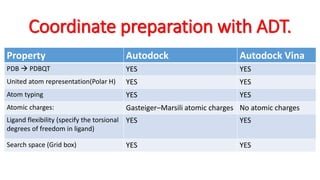
Coordinate preparation with ADT.
Property Autodock Autodock Vina
PDB  PDBQT YES YES
United atom representation(Polar H) YES YES
Atom typing YES YES
Atomic charges: Gasteiger–Marsili atomic charges No atomic charges
Ligand flexibility (specify the torsional
degrees of freedom in ligand)
YES YES
Search space (Grid box) YES YES
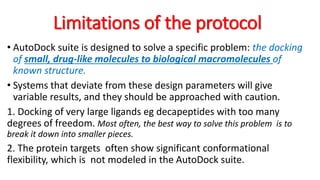
Limitations of the protocol
• AutoDock suite is designed to solve a specific problem: the docking
of small, drug-like molecules to biological macromolecules of
known structure.
• Systems that deviate from these design parameters will give
variable results, and they should be approached with caution.
1. Docking of very large ligands eg decapeptides with too many
degrees of freedom. Most often, the best way to solve this problem is to
break it down into smaller pieces.
2. The protein targets often show significant conformational
flexibility, which is not modeled in the AutoDock suite.
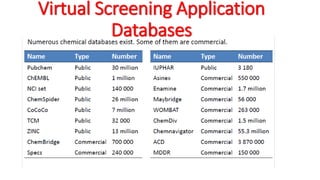
Virtual Screening Application
Databases
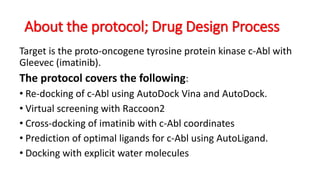
About the protocol; Drug Design Process
Target is the proto-oncogene tyrosine protein kinase c-Abl with
Gleevec (imatinib).
The protocol covers the following:
• Re-docking of c-Abl using AutoDock Vina and AutoDock.
• Virtual screening with Raccoon2
• Cross-docking of imatinib with c-Abl coordinates
• Prediction of optimal ligands for c-Abl using AutoLigand.
• Docking with explicit water molecules
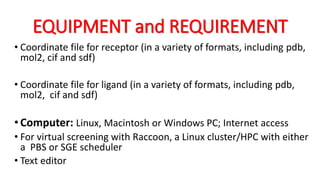
EQUIPMENT and REQUIREMENT
• Coordinate file for receptor (in a variety of formats, including pdb,
mol2, cif and sdf)
• Coordinate file for ligand (in a variety of formats, including pdb,
mol2, cif and sdf)
•Computer: Linux, Macintosh or Windows PC; Internet access
• For virtual screening with Raccoon, a Linux cluster/HPC with either
a PBS or SGE scheduler
• Text editor
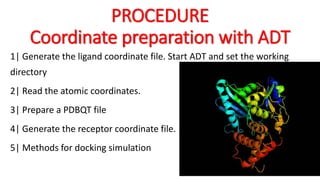
PROCEDURE
Coordinate preparation with ADT
1| Generate the ligand coordinate file. Start ADT and set the working
directory
2| Read the atomic coordinates.
3| Prepare a PDBQT file
4| Generate the receptor coordinate file.
5| Methods for docking simulation
Single docking experiment with
autoDock Vina
(i) Generate a configuration file and Restart
ADT
(ii) Docking
(iii) Run AutoDock Vina.
(iv) To visualize the results from AutoDock Vina
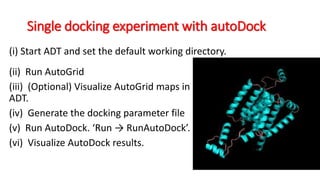
Single docking experiment with autoDock
(ii) Run AutoGrid
(iii) (Optional) Visualize AutoGrid maps in
ADT.
(iv) Generate the docking parameter file
(v) Run AutoDock. ‘Run → RunAutoDock’.
(vi) Visualize AutoDock results.
(i) Start ADT and set the default working directory.
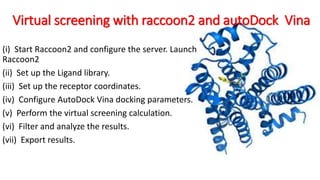
Virtual screening with raccoon2 and autoDock Vina
(i) Start Raccoon2 and configure the server. Launch
Raccoon2
(ii) Set up the Ligand library.
(iii) Set up the receptor coordinates.
(iv) Configure AutoDock Vina docking parameters.
(v) Perform the virtual screening calculation.
(vi) Filter and analyze the results.
(vii) Export results.
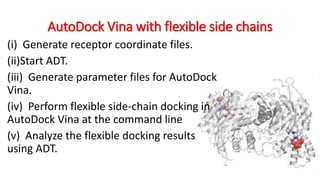
AutoDock Vina with flexible side chains
(i) Generate receptor coordinate files.
(ii)Start ADT.
(iii) Generate parameter files for AutoDock
Vina.
(iv) Perform flexible side-chain docking in
AutoDock Vina at the command line
(v) Analyze the flexible docking results
using ADT.
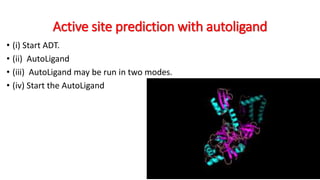
Active site prediction with autoligand
• (i) Start ADT.
• (ii) AutoLigand
• (iii) AutoLigand may be run in two modes.
• (iv) Start the AutoLigand
Docking with explicit waters
(i) To add water to the ligand, type at the command line
(ii) Calculate the default atomic grid maps. Start ADT. Run
AutoGrid
(iii) Generate the ‘W’ map.
(iv) Create a modified docking parameter file.
(v) Run AutoDock ‘Run → RunAutoDock’
(vi) Extract and score the results at the command line
ANTICIPATED RESULTS
• In our tests of the docking of imatinib with c-Abl, we found that the default
docking parameters are sufficient to give a consistent solution in most cases.
• The conformational flexibility of this system is at the limit of the default docking
protocol.
• For ligands with 1–4 torsional degrees of freedom, short (250,000) or medium
(2,500,000 is fine.
• The clustering analysis is the best way to determine whether the simulation has
adequately searched the available conformation space.
• Virtual screening with Raccoon2 allows the docking and ranking of tens of
thousands of compounds to a macromolecular target.
• AutoDock and AutoDock Vina may be configured to dock ligands with selected
receptor residues treated explicitly as flexible.
ANTICIPATED RESULTS
• For best results, AutoDock Vina needs to be run with a more
exhaustive search to find the proper pose.
•For systems with larger motion of loops or domains,
separate docking simulations may be run for different
conformations of the protein.
•Explicit hydration is particularly useful for the docking of
small ligands and fragment molecules
• AutoLigand analyzes the atomic affinity maps to predict the
optimal locations for substrate binding.
• AutoLigand is used to identify the regions of a given ligand
that are providing the most affinity.
General Conclusions
• However, molecular docking has a weakness
for the determination of the interaction energy
(scoring function).
• Generally, molecular docking calculations and
their applications don't give an unique solution
but rather several solutions. Human has the
last word.
• Molecular docking is mainly applied for the
drug-design and get many success.
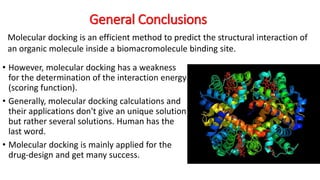
Molecular docking is an efficient method to predict the structural interaction of
an organic molecule inside a biomacromolecule binding site.
Autodock review ppt

Autodock review ppt

  • 1.
    Computational protein–ligand docking andvirtual drug screening with the AutoDock suite Authors: Stafano Forli, Ruth Huey, Micheal E. Pique, Michel F Sanner, David Goodsell and Arthur J Olson A REVIEW BY JUSTICE AKWENSI
  • 2.
    OUTLINE • Introduction toAutodock suites • Comparism • Autodock • Autodock vina • Raccoon2 • AutoLigand • Docking of a drug molecule with an anticancer target • Virtual screening with a small ligand library • Docking with selective receptor flexibility • Active site prediction • Docking with explicit hydration
  • 3.
    Introduction • Docking iswidely used for the study of biomolecular interactions and mechanisms. • Applied to structure-based drug design. • Fast virtual screening of ligand libraries Computational docking can be used to predict bound conformations and free energies of binding for small-molecule ligands to macromolecular targes.
  • 4.
    Introduction Con’t • Widelyused for the study of protein– ligand interactions and for drug • The process starts with a target of known structure of an enzyme of medicinal interest. • Predict the bound conformation and binding free energy of small molecules to the target. • Single docking experiments • Virtual screening used to identify new inhibitors for drug development. AutoDock is a suite of free open-source software for the computational docking and virtual screening of small molecules to macromolecular receptors.
  • 5.
    Autodock suites • AutoDockVina: a turnkey docking program that is based on a simple scoring function and rapid conformational search. • AutoDock: a docking program based on an free-energy force field and rapid Lamarckian genetic algorithm search method. • Raccoon2: an interactive tool for virtual screening and analysis • AutoDockTools (ADT): an interactive GUI for coordinate preparation, docking and analysis. • AutoLigand: a program for predicting optimal sites of ligand binding on receptors. The AutoDock suite including source code is free.
  • 6.
  • 7.
    Assumptions and sophistications 1.The conformational space is reduced due to a rigid receptor and fixed bond angles and lengths in the ligand. No induced fit binding 2. A simplified scoring function based on empirical free energies of binding is used to score poses for each conformation search. • Ordered water molecules mediate interactions between ligands and receptors More Advanced conformational search: Molecular dynamics or free-energy perturbation. Accuracy is very Good
  • 8.
  • 9.
  • 10.
    Types of Docking Manualdocking The user manually moves, rotates or translates the compound inside the protein cavity. New association energy are recorded manually.
  • 11.
    Types of Docking Automaticdocking Ligand is automatically placed onto the macromolecule. More exhaustiveness requires long CPU time.
  • 12.
    Experimental design • Startswith receptor coordinates • Because of the stochastic nature of the search, the method cannot ensure that a global minimum has been found. For this reason, it is important to use re- docking experiments with known complexes of similar conformational complexity to evaluate the docking protocol being used.
  • 13.
    Experimental design Con’t •For receptors with significant motion the following methods may be used: • Using receptor structures taken from receptor–ligand complexes, in which there is some expectation that the receptor is in the relevant conformation. • Docking to a collection of different receptor structures that cover the expected range of flexibility in the receptor Use of explicit receptor side-chain flexibility during docking, if information is available on relevant side chains.
  • 14.
    Raccoon2 and virtualScreening Graphical User Interface (GUI) • Automated server connection manager and installation of docking services (such as AutoDock Vina). • Ligand library for upload and management of large ligand collections. • Receptor management from multiple targets and flexible residues. • Graphical interface for docking parameter setup. • Graphical management of jobs on computational resources. • Automated retrieval and preprocessing of results to extract features of interest. • User-friendly filtering of virtual screening results based on properties and interactions. • Export of filtered results.
  • 15.
    Coordinate preparation withADT. Property Autodock Autodock Vina PDB  PDBQT YES YES United atom representation(Polar H) YES YES Atom typing YES YES Atomic charges: Gasteiger–Marsili atomic charges No atomic charges Ligand flexibility (specify the torsional degrees of freedom in ligand) YES YES Search space (Grid box) YES YES
  • 16.
    Limitations of theprotocol • AutoDock suite is designed to solve a specific problem: the docking of small, drug-like molecules to biological macromolecules of known structure. • Systems that deviate from these design parameters will give variable results, and they should be approached with caution. 1. Docking of very large ligands eg decapeptides with too many degrees of freedom. Most often, the best way to solve this problem is to break it down into smaller pieces. 2. The protein targets often show significant conformational flexibility, which is not modeled in the AutoDock suite.
  • 17.
  • 18.
    About the protocol;Drug Design Process Target is the proto-oncogene tyrosine protein kinase c-Abl with Gleevec (imatinib). The protocol covers the following: • Re-docking of c-Abl using AutoDock Vina and AutoDock. • Virtual screening with Raccoon2 • Cross-docking of imatinib with c-Abl coordinates • Prediction of optimal ligands for c-Abl using AutoLigand. • Docking with explicit water molecules
  • 19.
    EQUIPMENT and REQUIREMENT •Coordinate file for receptor (in a variety of formats, including pdb, mol2, cif and sdf) • Coordinate file for ligand (in a variety of formats, including pdb, mol2, cif and sdf) •Computer: Linux, Macintosh or Windows PC; Internet access • For virtual screening with Raccoon, a Linux cluster/HPC with either a PBS or SGE scheduler • Text editor
  • 20.
    PROCEDURE Coordinate preparation withADT 1| Generate the ligand coordinate file. Start ADT and set the working directory 2| Read the atomic coordinates. 3| Prepare a PDBQT file 4| Generate the receptor coordinate file. 5| Methods for docking simulation
  • 21.
    Single docking experimentwith autoDock Vina (i) Generate a configuration file and Restart ADT (ii) Docking (iii) Run AutoDock Vina. (iv) To visualize the results from AutoDock Vina
  • 22.
    Single docking experimentwith autoDock (ii) Run AutoGrid (iii) (Optional) Visualize AutoGrid maps in ADT. (iv) Generate the docking parameter file (v) Run AutoDock. ‘Run → RunAutoDock’. (vi) Visualize AutoDock results. (i) Start ADT and set the default working directory.
  • 23.
    Virtual screening withraccoon2 and autoDock Vina (i) Start Raccoon2 and configure the server. Launch Raccoon2 (ii) Set up the Ligand library. (iii) Set up the receptor coordinates. (iv) Configure AutoDock Vina docking parameters. (v) Perform the virtual screening calculation. (vi) Filter and analyze the results. (vii) Export results.
  • 24.
    AutoDock Vina withflexible side chains (i) Generate receptor coordinate files. (ii)Start ADT. (iii) Generate parameter files for AutoDock Vina. (iv) Perform flexible side-chain docking in AutoDock Vina at the command line (v) Analyze the flexible docking results using ADT.
  • 25.
    Active site predictionwith autoligand • (i) Start ADT. • (ii) AutoLigand • (iii) AutoLigand may be run in two modes. • (iv) Start the AutoLigand
  • 26.
    Docking with explicitwaters (i) To add water to the ligand, type at the command line (ii) Calculate the default atomic grid maps. Start ADT. Run AutoGrid (iii) Generate the ‘W’ map. (iv) Create a modified docking parameter file. (v) Run AutoDock ‘Run → RunAutoDock’ (vi) Extract and score the results at the command line
  • 27.
    ANTICIPATED RESULTS • Inour tests of the docking of imatinib with c-Abl, we found that the default docking parameters are sufficient to give a consistent solution in most cases. • The conformational flexibility of this system is at the limit of the default docking protocol. • For ligands with 1–4 torsional degrees of freedom, short (250,000) or medium (2,500,000 is fine. • The clustering analysis is the best way to determine whether the simulation has adequately searched the available conformation space. • Virtual screening with Raccoon2 allows the docking and ranking of tens of thousands of compounds to a macromolecular target. • AutoDock and AutoDock Vina may be configured to dock ligands with selected receptor residues treated explicitly as flexible.
  • 28.
    ANTICIPATED RESULTS • Forbest results, AutoDock Vina needs to be run with a more exhaustive search to find the proper pose. •For systems with larger motion of loops or domains, separate docking simulations may be run for different conformations of the protein. •Explicit hydration is particularly useful for the docking of small ligands and fragment molecules • AutoLigand analyzes the atomic affinity maps to predict the optimal locations for substrate binding. • AutoLigand is used to identify the regions of a given ligand that are providing the most affinity.
  • 29.
    General Conclusions • However,molecular docking has a weakness for the determination of the interaction energy (scoring function). • Generally, molecular docking calculations and their applications don't give an unique solution but rather several solutions. Human has the last word. • Molecular docking is mainly applied for the drug-design and get many success. Molecular docking is an efficient method to predict the structural interaction of an organic molecule inside a biomacromolecule binding site.

Editor's Notes

  • #8 Docking methods generally search a larger conformational space, but more advanced methods can predict conformation and energy more accurately. They all perform similarly
  • #13 Highly clustered results are an indication that the conformational search procedure is exhaustive enough to ensure coverage of the accessible conformational space.
  • #15 Virtual screening is rapidly becoming the primary application of computational docking methods, with many successes in the discovery of new lead compounds for pharmaceutical development
  • #16 Atom typing: both methods require a simplified typing of atoms, including identification of aromatic and aliphatic carbon atoms and identification of the hydrogen bonding state of heteroatoms.
  • #21 The protein is an important target for cancer chemotherapy—in particular, the treatment of chronic myelogenous leukemia
  • #23 A coordinate set that includes hydrogen atoms is required.
  • #24 A coordinate set that includes hydrogen atoms is required.
  • #25 ‘Choose’ is used when coordinates have already been read into ADT, and ‘Open’ is used to read coordinates from a file.
  • #26 ‘Choose’ is used when coordinates have already been read into ADT, and ‘Open’ is used to read coordinates from a file.