AR Authoring Tools

    Mark Billinghurst
      HIT Lab NZ
University of Canterbury
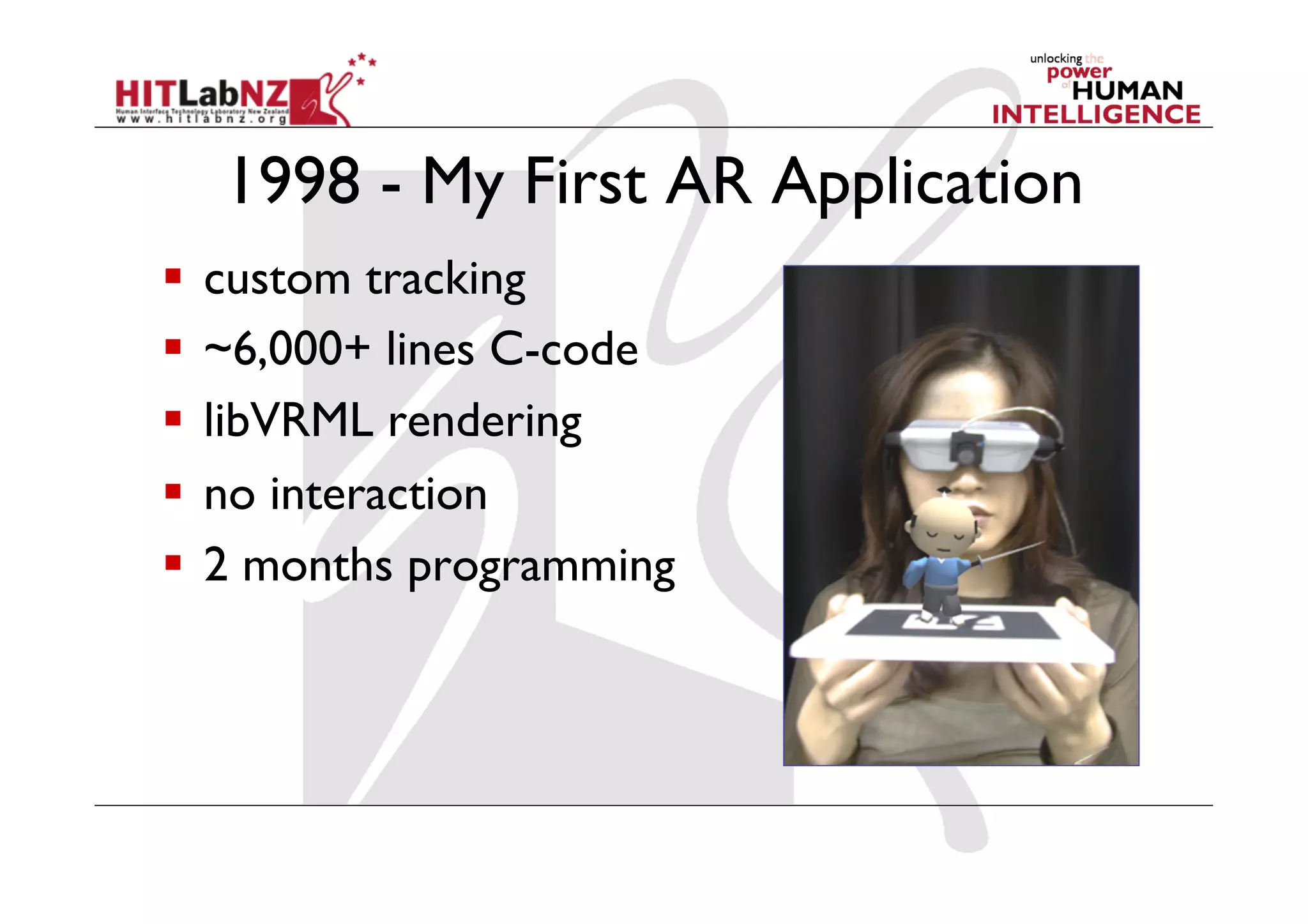
1998 - My First AR Application
  custom tracking
  ~6,000+ lines C-code
  libVRML rendering
  no interaction
  2 months programming
static void init( void ){!
    "int i;!
    "ARParam wparam;!
                                                     Initializing the AR Application
     /* open the video path */!
     if( arVideoOpen( vconf ) < 0 ) exit(0);!

     /* find the size of the window */!
     if( arVideoInqSize(&xsize, &ysize) < 0 ) exit(0);!
     printf("Image size (x,y) = (%d,%d)n", xsize, ysize);!

     /* set the initial camera parameters */!
     if( arParamLoad(cparam_name, 1, &wparam) < 0 ) exit(0);!

     arParamChangeSize( &wparam, xsize, ysize, &cparam );!
     arInitCparam( &cparam );!
     printf("*** Camera Parameter ***n");!
     arParamDisp( &cparam );!

     /* open the graphics window */!
     argInit( &cparam, 2.0, 0, 0, 0, 0 );!

     /* load in the object data - trained markers and associated bitmap files */!
     if( (object=read_VRMLdata(model_name, &objectnum)) == NULL ) exit(0);!
     printf("Objectfile num = %dn", objectnum);!

     /* test render all the VRML objects */!
     glEnable(GL_TEXTURE_2D);!

     for ( i = 0; i < objectnum; i++ )!
     " arVrml97Draw( object[i].vrml_id );!

     glDisable(GL_TEXTURE_2D);!

     /* initialize lights */!
     init_lights(); !
}!
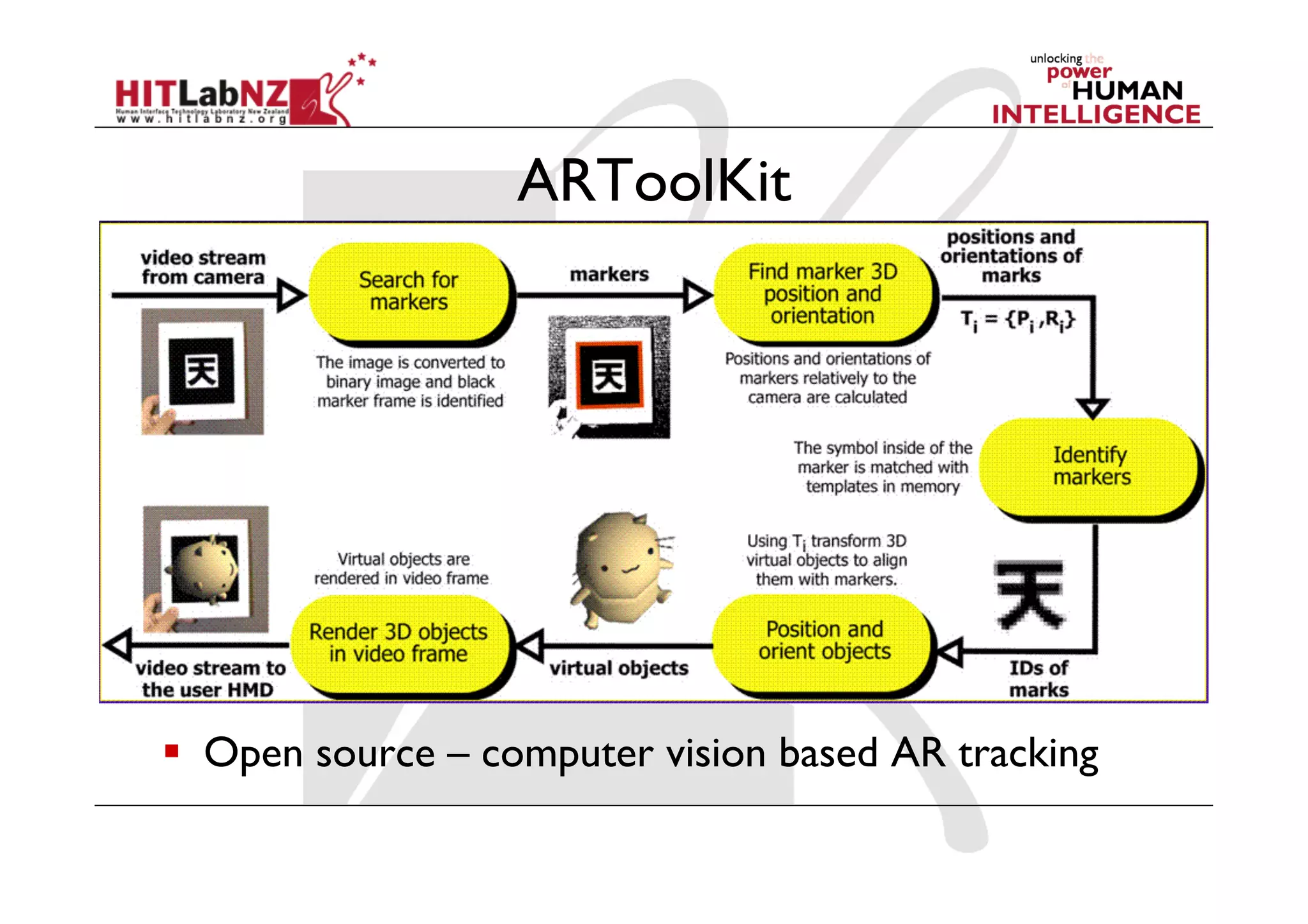
ARToolKit


  Open source – computer vision based AR tracking
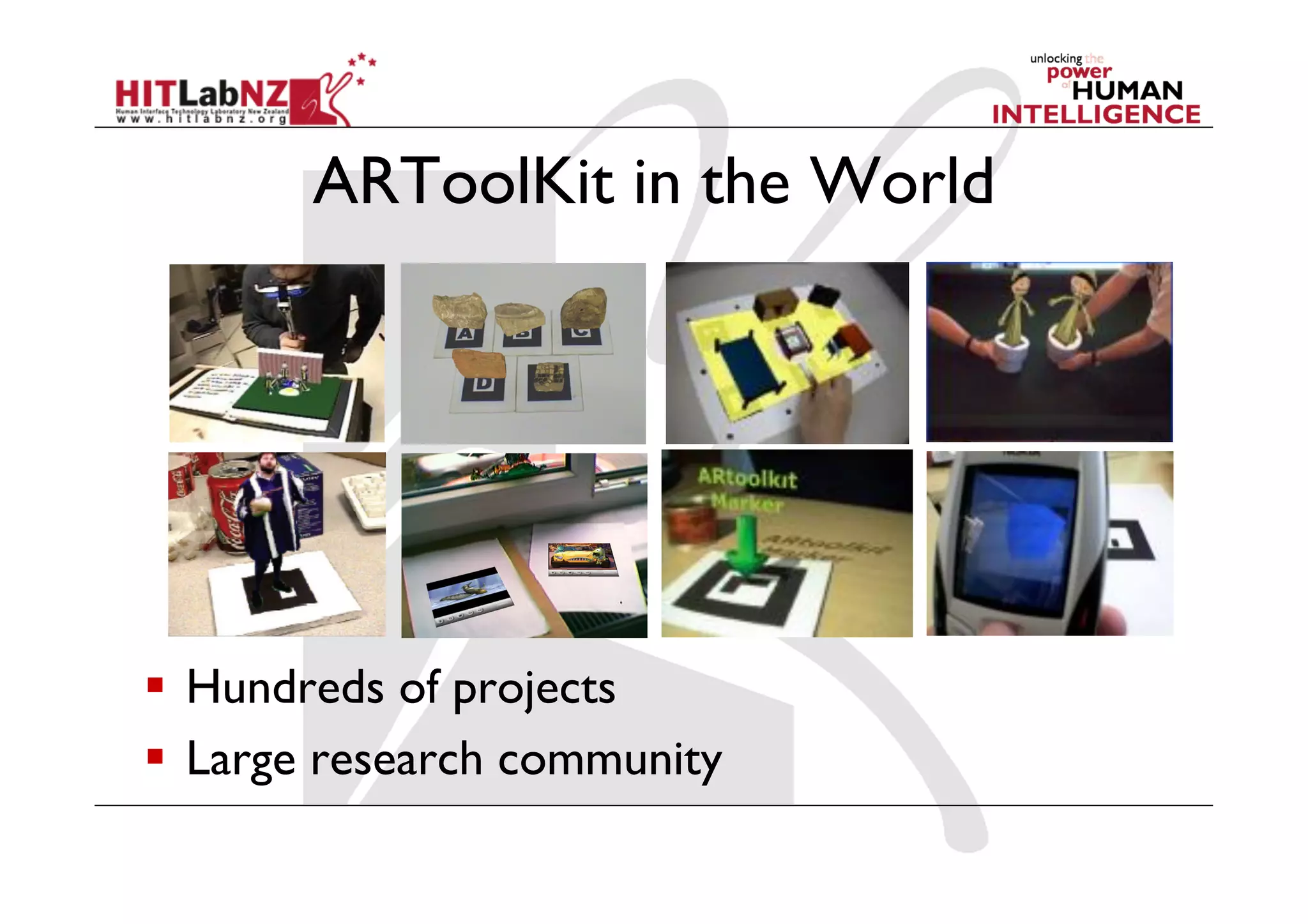
ARToolKit in the World


  Hundreds of projects
  Large research community
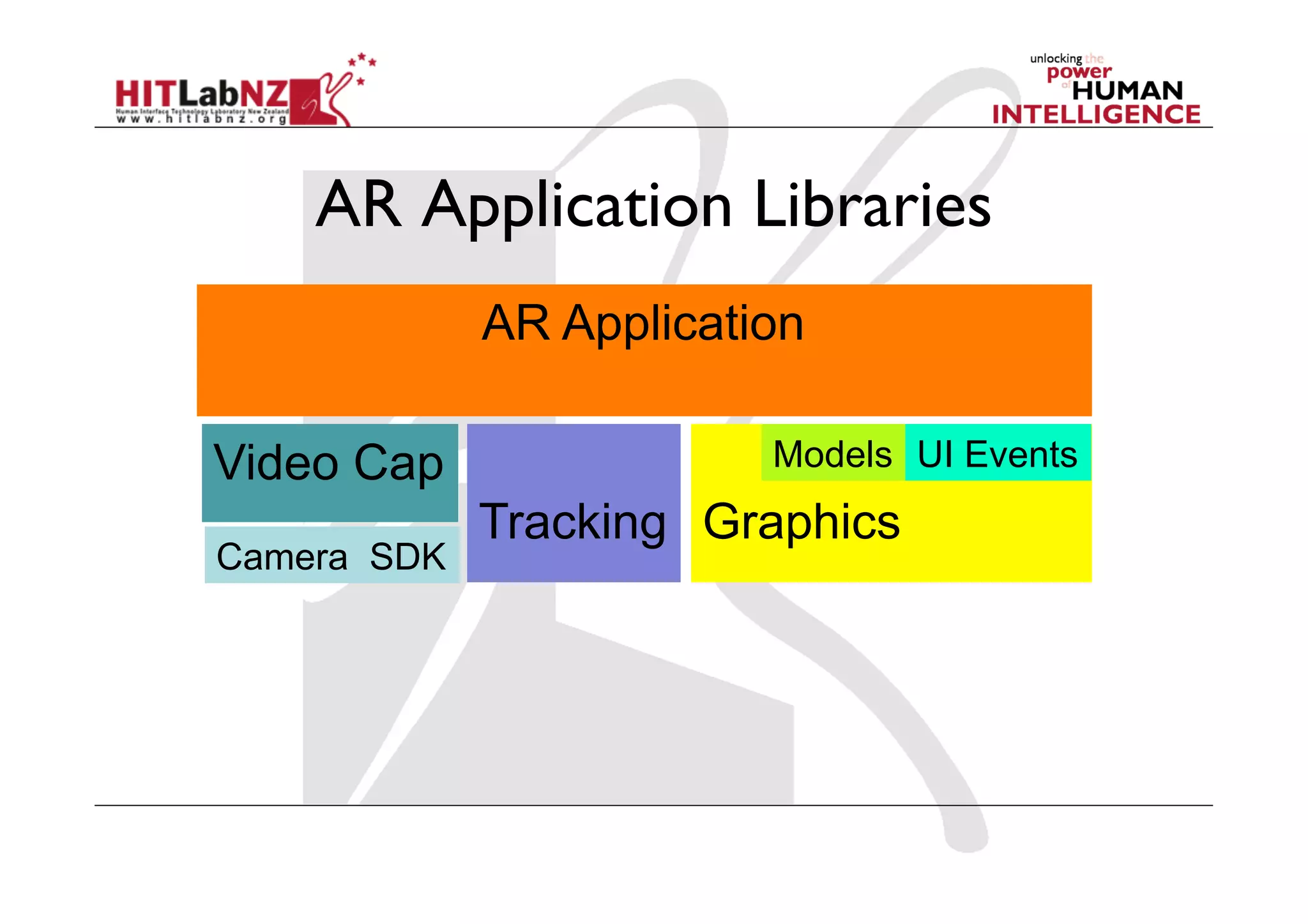
AR Application Libraries
             AR Application

Video Cap                Models UI Events
             Tracking Graphics
Camera SDK
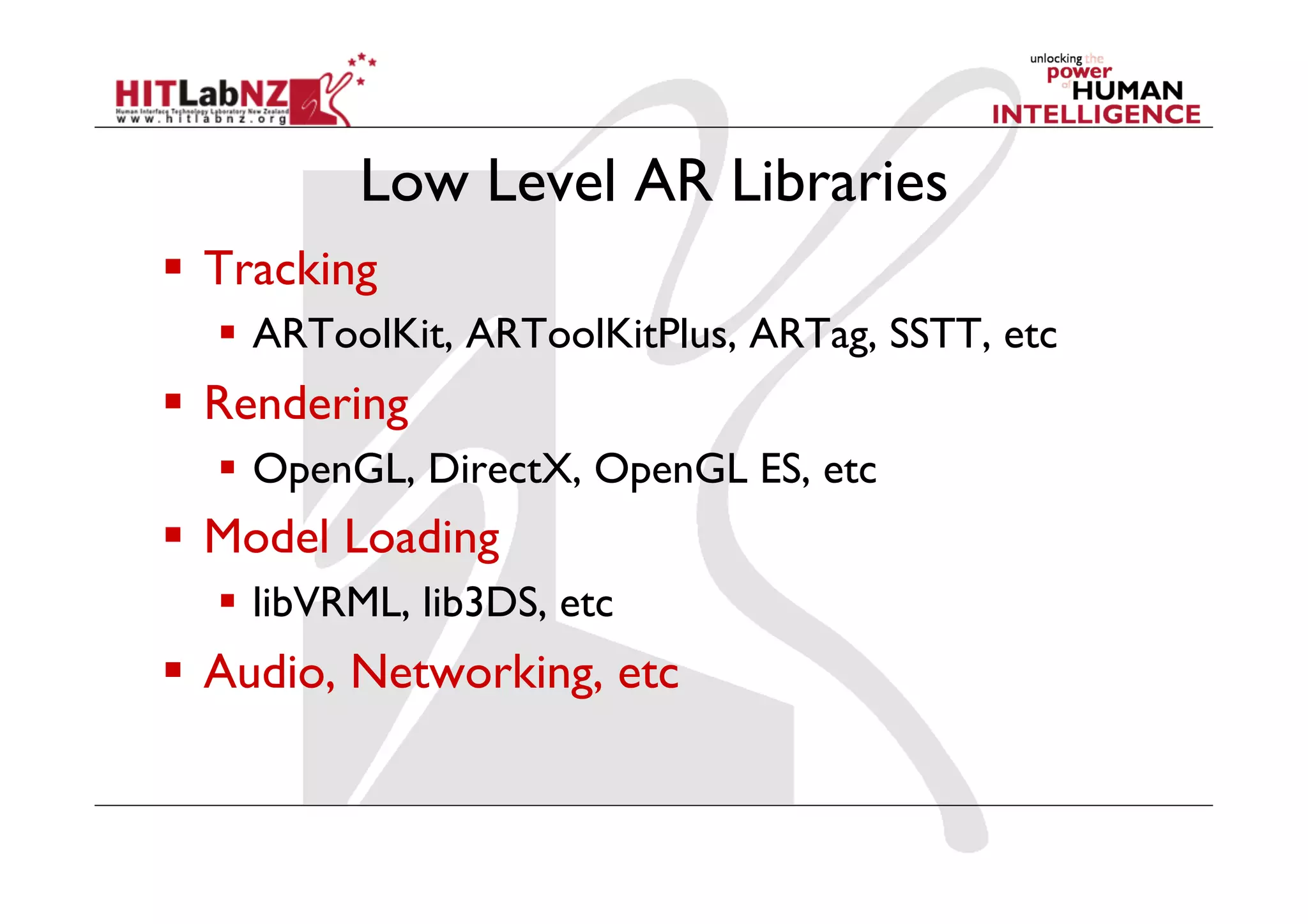
Low Level AR Libraries
  Tracking
    ARToolKit, ARToolKitPlus, ARTag, SSTT, etc
  Rendering
    OpenGL, DirectX, OpenGL ES, etc
  Model Loading
    libVRML, lib3DS, etc
  Audio, Networking, etc
High Level AR Authoring
  Software Libraries
    OSGART, Studierstube, MXRToolKit
  Plugin to existing software
    mARx, Experient Creator, Unity3D, etc
  Stand Alone
    AMIRE, BuildAR, etc
  Next Generation
    iaTAR (Tangible AR)
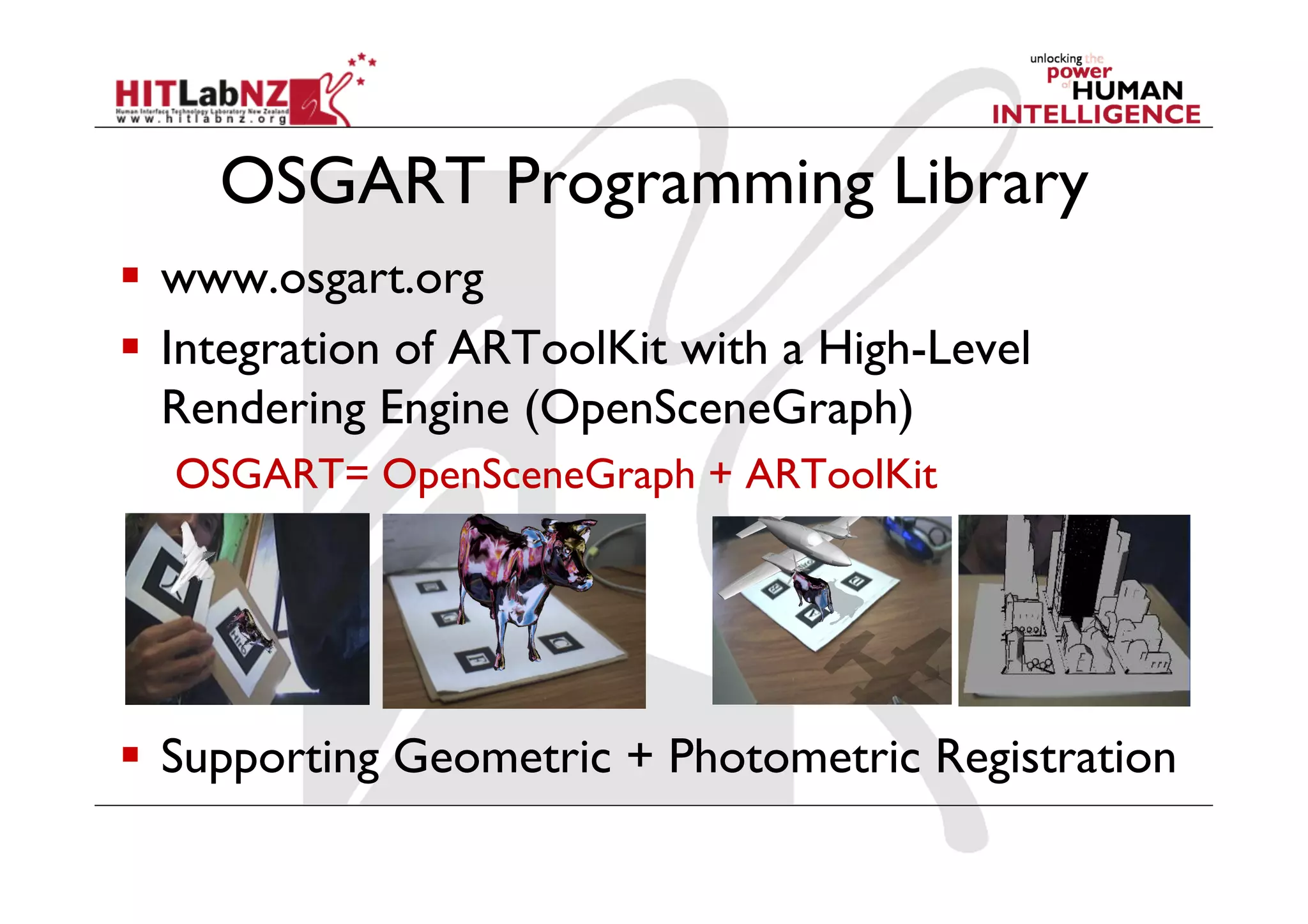
OSGART Programming Library
  www.osgart.org
  Integration of ARToolKit with a High-Level
   Rendering Engine (OpenSceneGraph)
  OSGART= OpenSceneGraph + ARToolKit


  Supporting Geometric + Photometric Registration
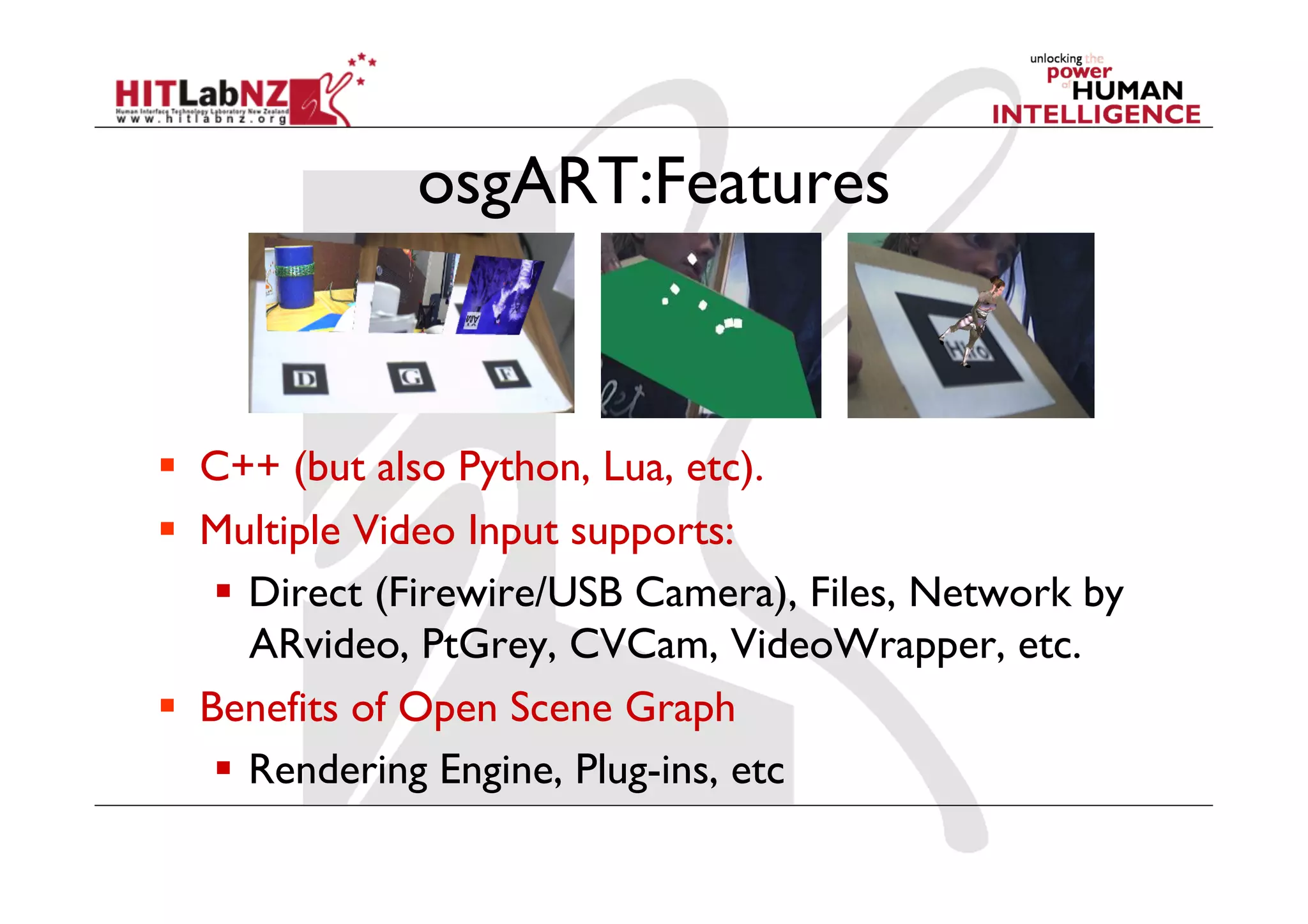
osgART:Features


  C++ (but also Python, Lua, etc).
  Multiple Video Input supports:
      Direct (Firewire/USB Camera), Files, Network by
       ARvideo, PtGrey, CVCam, VideoWrapper, etc.
  Benefits of Open Scene Graph
      Rendering Engine, Plug-ins, etc
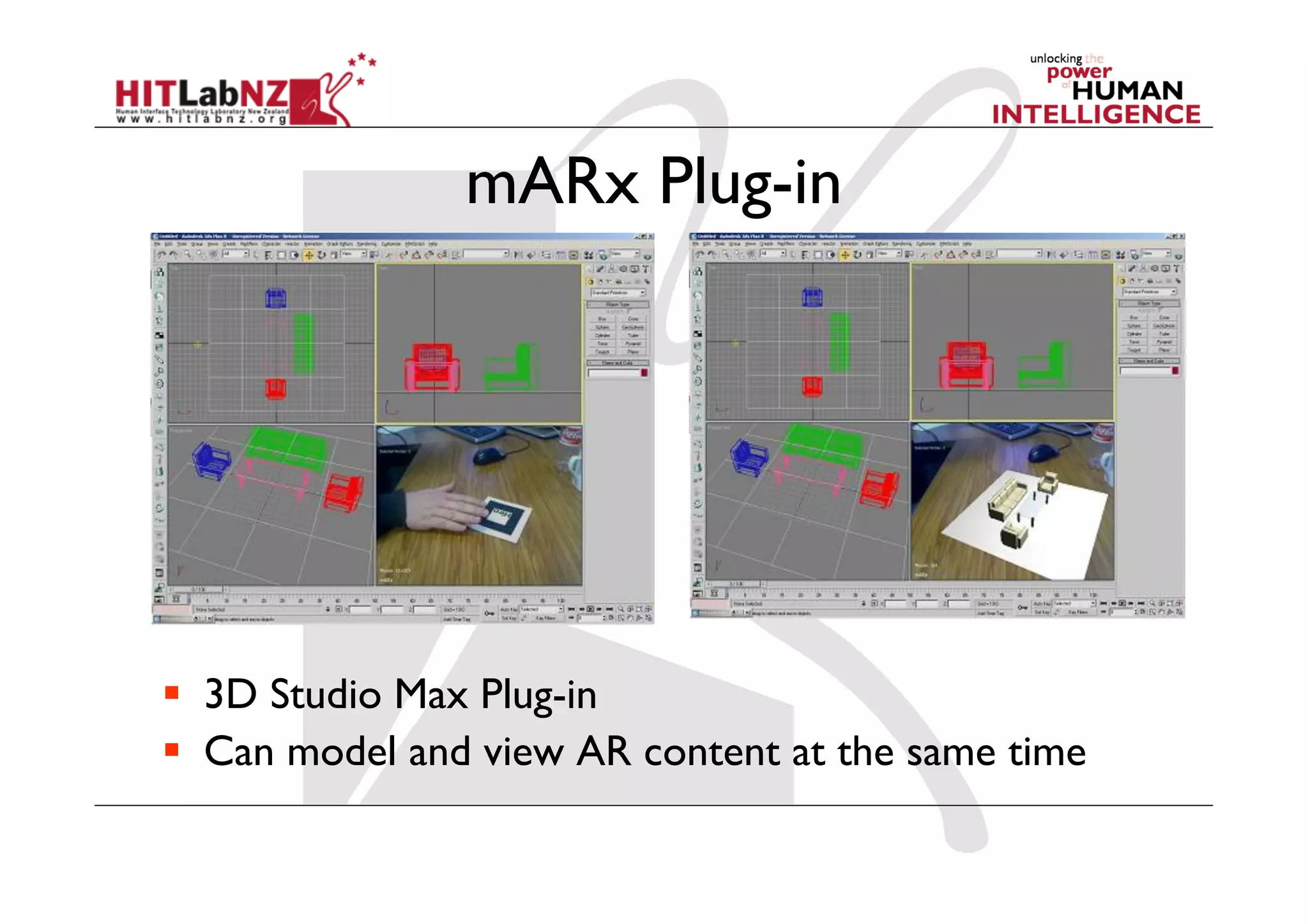
mARx Plug-in


  3D Studio Max Plug-in
  Can model and view AR content at the same time
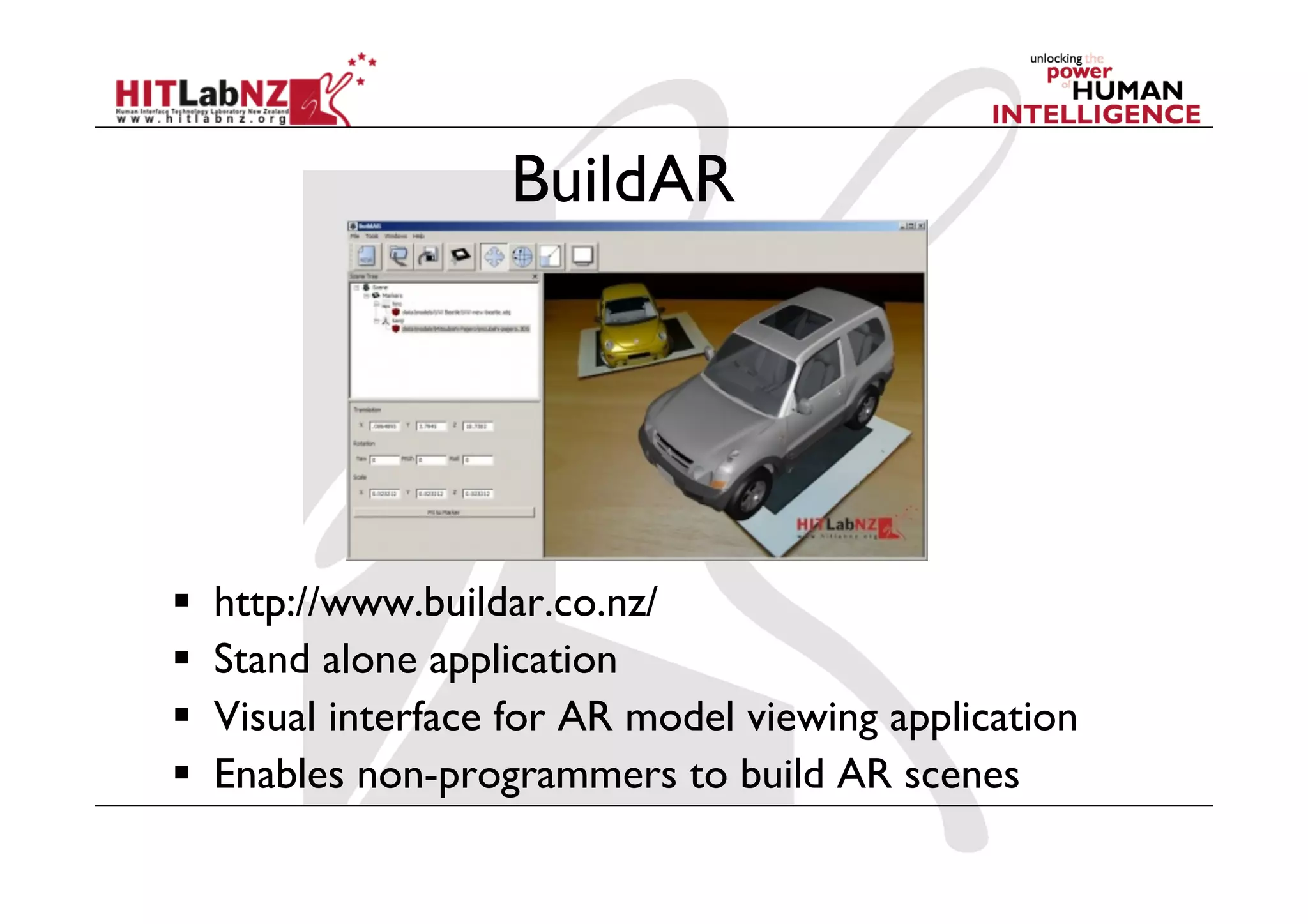
BuildAR


    http://www.buildar.co.nz/
    Stand alone application
    Visual interface for AR model viewing application
    Enables non-programmers to build AR scenes
AR Markerless Tracking


  OPIRA Library
    Uses natural features for tracking
    Fast, robust performance
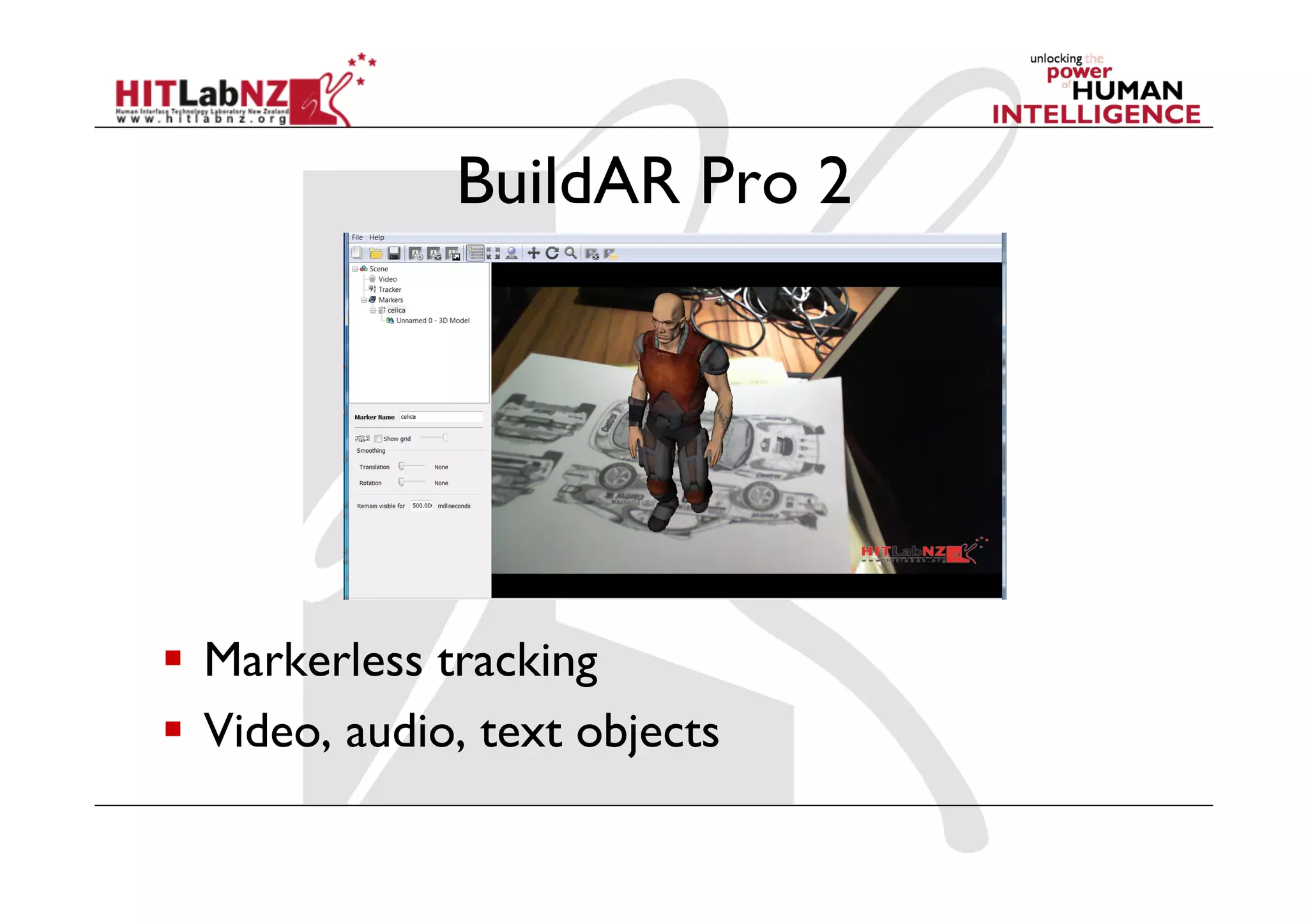
BuildAR Pro 2


  Markerless tracking
  Video, audio, text objects
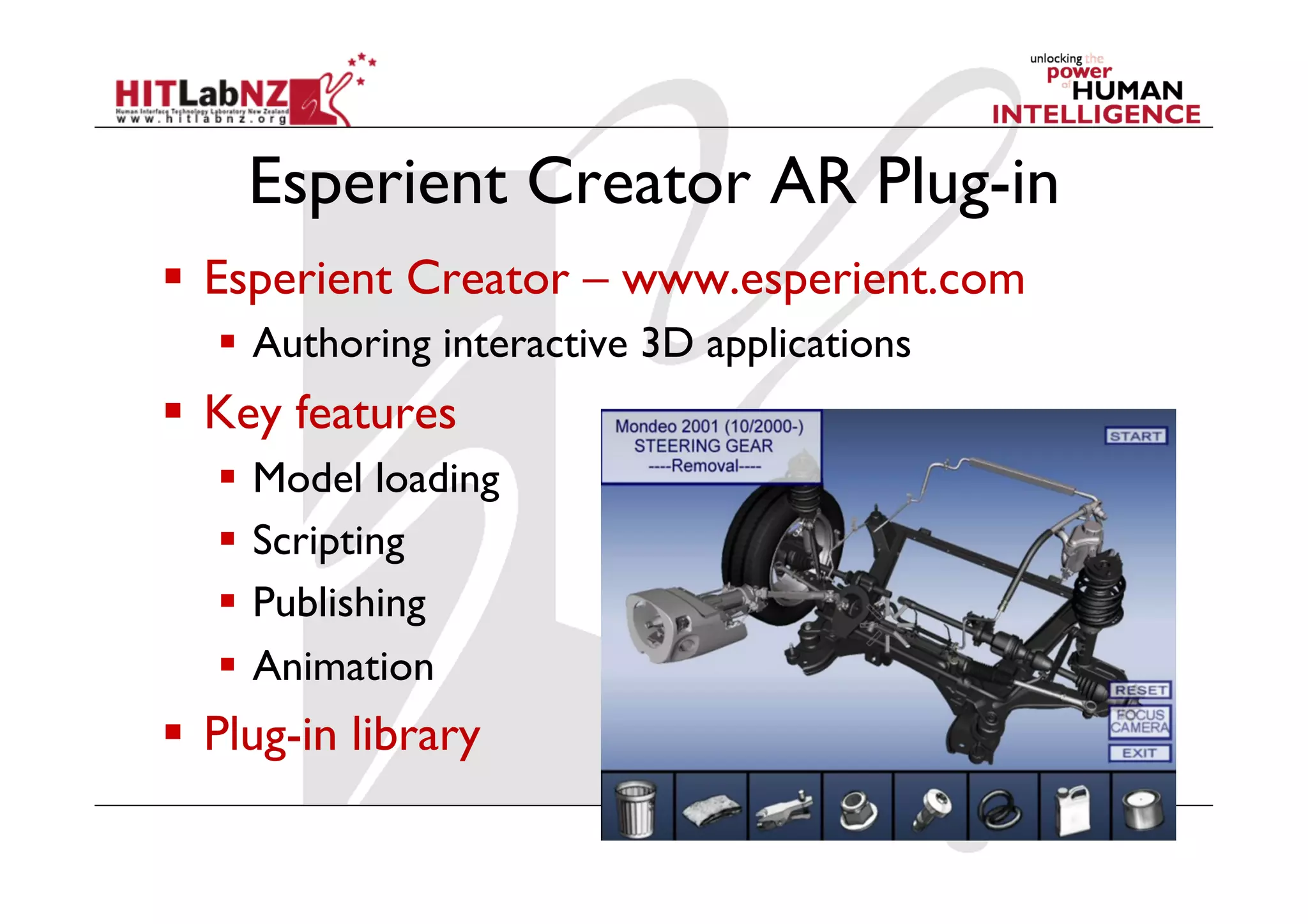
Esperient Creator AR Plug-in
  Esperient Creator – www.esperient.com
     Authoring interactive 3D applications
  Key features
     Model loading
     Scripting
     Publishing
     Animation
  Plug-in library
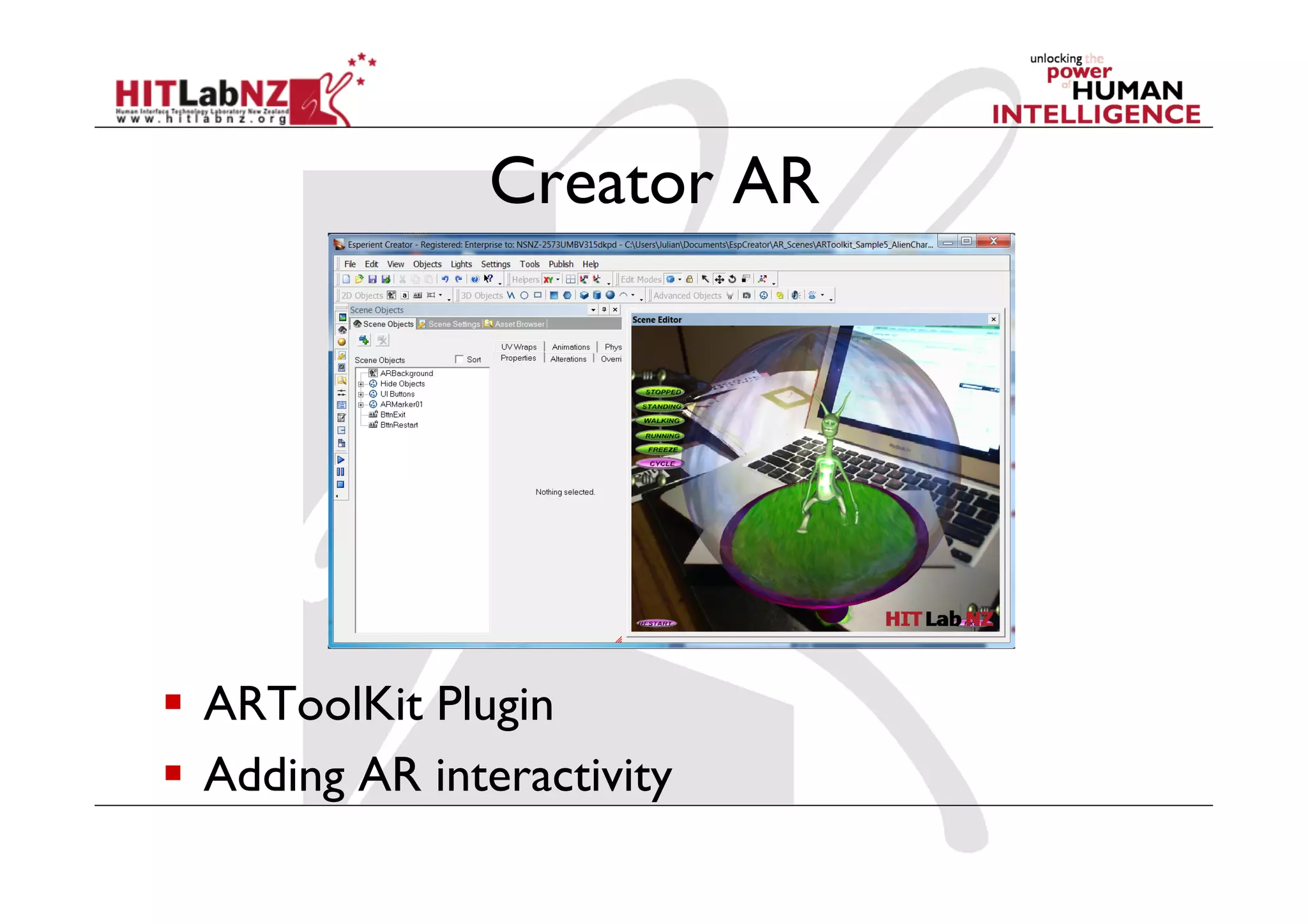
Creator AR


  ARToolKit Plugin
  Adding AR interactivity
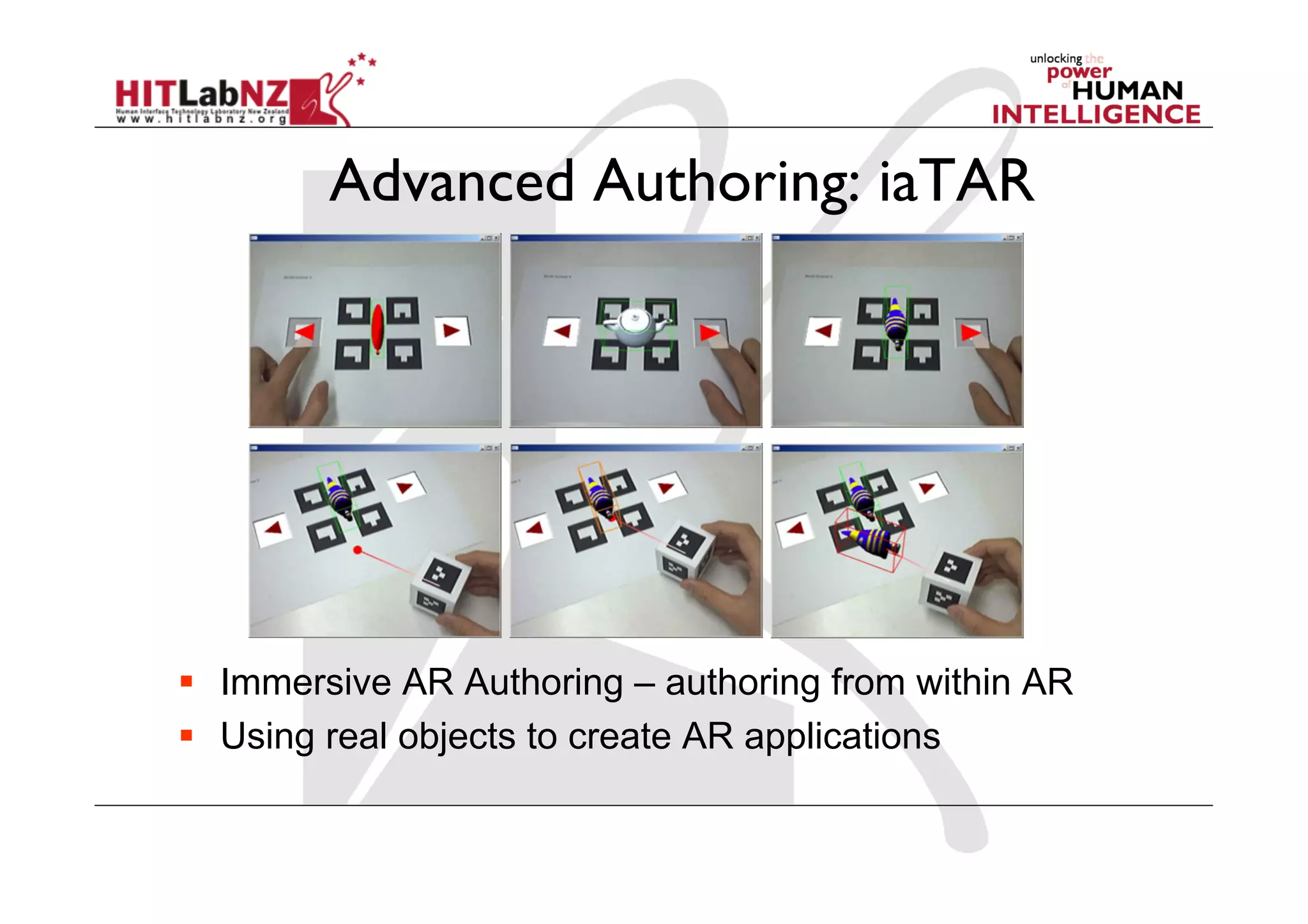
Advanced Authoring: iaTAR


  Immersive AR Authoring – authoring from within AR
  Using real objects to create AR applications
User Study
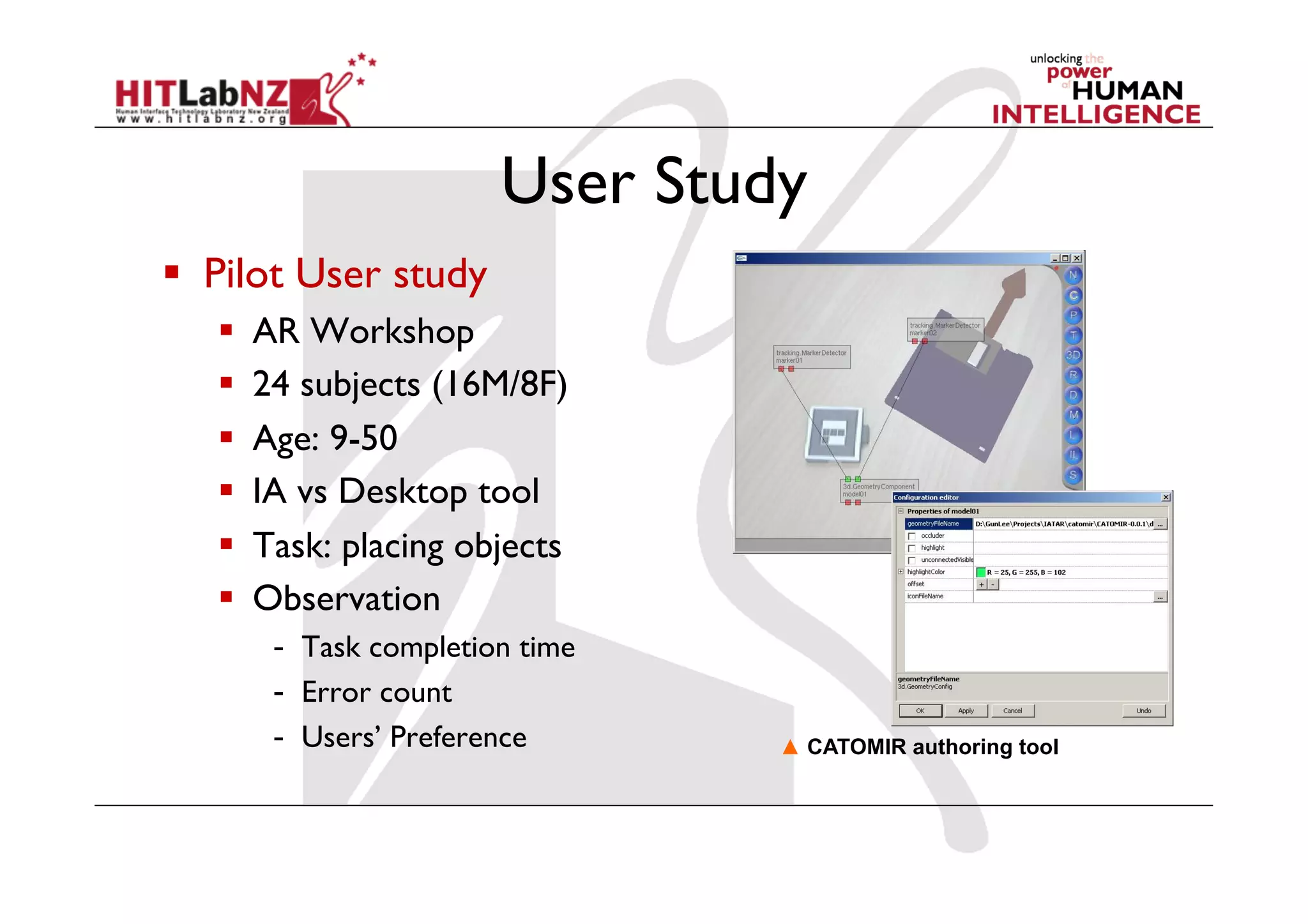
  Pilot User study
       AR Workshop
       24 subjects (16M/8F)
       Age: 9-50
       IA vs Desktop tool
       Task: placing objects
       Observation
         -  Task completion time
         -  Error count
         -  Users’ Preference      ▲ CATOMIR authoring tool
User Study
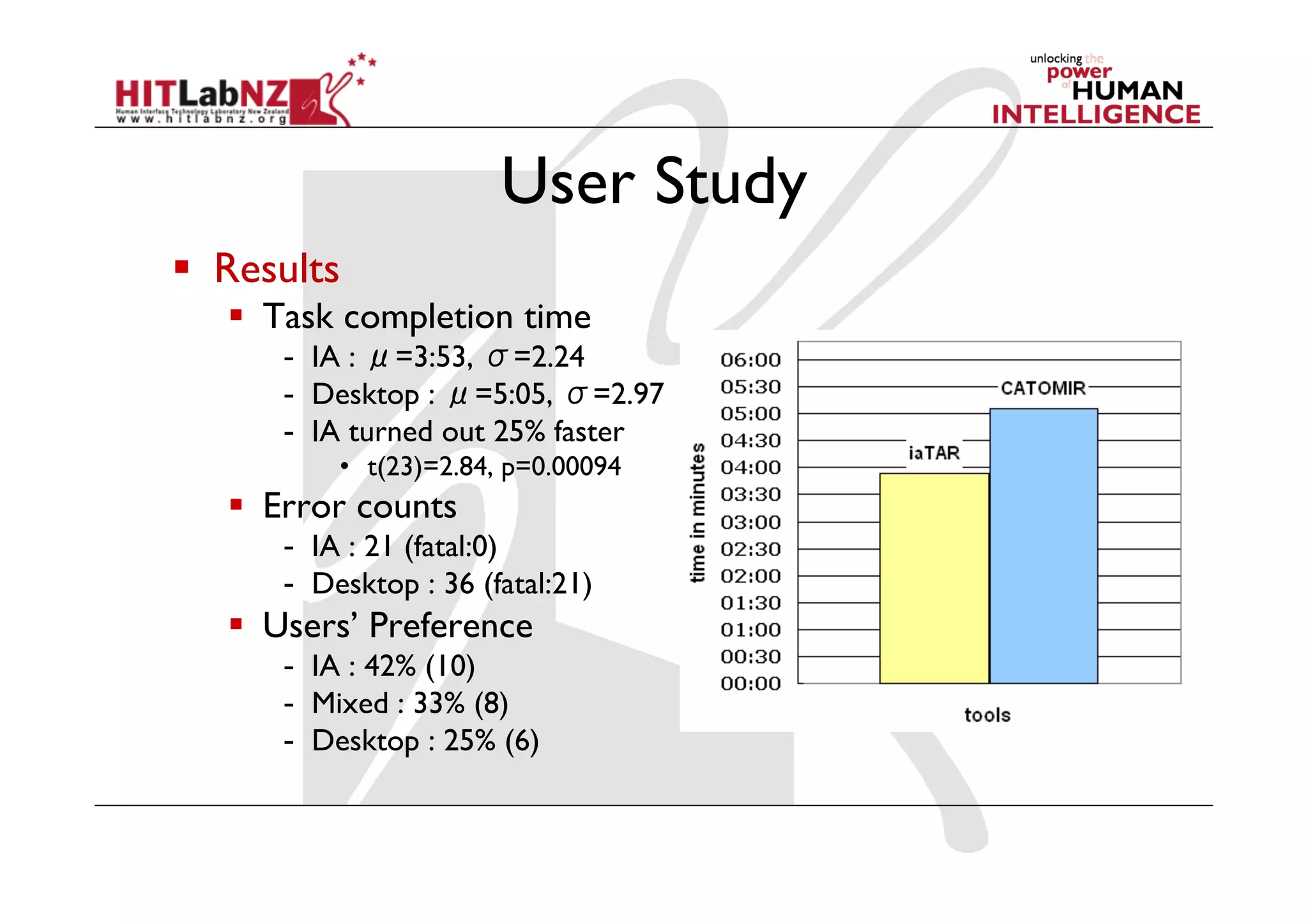
  Results
     Task completion time
      -  IA : =3:53, =2.24
      -  Desktop : =5:05, =2.97
      -  IA turned out 25% faster
          •  t(23)=2.84, p=0.00094
     Error counts
      -  IA : 21 (fatal:0)
      -  Desktop : 36 (fatal:21)
     Users’ Preference
      -  IA : 42% (10)
      -  Mixed : 33% (8)
      -  Desktop : 25% (6)
Conclusions
  Need to move beyond low-level AR SDKs
    Stand alone applications
     -  BuildAR – simple scene assembly
    Plug-in Software
     -  mARx – modeling plug-in
     -  Creator AR – interactive plug-in
    High level SDKs
     -  osgART – C++/scripting library
  Research opportunities in Immersive AR Authoring
More Information
•  Mark Billinghurst
  –  mark.billinghurst@hitlabnz.org
•  Websites
  –  http://www.hitlabnz.org/
  –  http://artoolkit.sourceforge.net/
  –  http://www.osgart.org/
  –  http://www.buildar.co.nz/

ARE 2011 AR Authoring

  • 1.
    AR Authoring Tools Mark Billinghurst HIT Lab NZ University of Canterbury
  • 2.
    1998 - MyFirst AR Application   custom tracking   ~6,000+ lines C-code   libVRML rendering   no interaction   2 months programming
  • 3.
    static void init(void ){! "int i;! "ARParam wparam;! Initializing the AR Application /* open the video path */! if( arVideoOpen( vconf ) < 0 ) exit(0);! /* find the size of the window */! if( arVideoInqSize(&xsize, &ysize) < 0 ) exit(0);! printf("Image size (x,y) = (%d,%d)n", xsize, ysize);! /* set the initial camera parameters */! if( arParamLoad(cparam_name, 1, &wparam) < 0 ) exit(0);! arParamChangeSize( &wparam, xsize, ysize, &cparam );! arInitCparam( &cparam );! printf("*** Camera Parameter ***n");! arParamDisp( &cparam );! /* open the graphics window */! argInit( &cparam, 2.0, 0, 0, 0, 0 );! /* load in the object data - trained markers and associated bitmap files */! if( (object=read_VRMLdata(model_name, &objectnum)) == NULL ) exit(0);! printf("Objectfile num = %dn", objectnum);! /* test render all the VRML objects */! glEnable(GL_TEXTURE_2D);! for ( i = 0; i < objectnum; i++ )! " arVrml97Draw( object[i].vrml_id );! glDisable(GL_TEXTURE_2D);! /* initialize lights */! init_lights(); ! }!
  • 4.
    ARToolKit   Open source– computer vision based AR tracking
  • 5.
    ARToolKit in theWorld   Hundreds of projects   Large research community
  • 6.
    AR Application Libraries AR Application Video Cap Models UI Events Tracking Graphics Camera SDK
  • 7.
    Low Level ARLibraries   Tracking   ARToolKit, ARToolKitPlus, ARTag, SSTT, etc   Rendering   OpenGL, DirectX, OpenGL ES, etc   Model Loading   libVRML, lib3DS, etc   Audio, Networking, etc
  • 9.
    High Level ARAuthoring   Software Libraries   OSGART, Studierstube, MXRToolKit   Plugin to existing software   mARx, Experient Creator, Unity3D, etc   Stand Alone   AMIRE, BuildAR, etc   Next Generation   iaTAR (Tangible AR)
  • 10.
    OSGART Programming Library  www.osgart.org   Integration of ARToolKit with a High-Level Rendering Engine (OpenSceneGraph) OSGART= OpenSceneGraph + ARToolKit   Supporting Geometric + Photometric Registration
  • 11.
    osgART:Features   C++ (butalso Python, Lua, etc).   Multiple Video Input supports:   Direct (Firewire/USB Camera), Files, Network by ARvideo, PtGrey, CVCam, VideoWrapper, etc.   Benefits of Open Scene Graph   Rendering Engine, Plug-ins, etc
  • 12.
    mARx Plug-in   3DStudio Max Plug-in   Can model and view AR content at the same time
  • 13.
    BuildAR   http://www.buildar.co.nz/   Stand alone application   Visual interface for AR model viewing application   Enables non-programmers to build AR scenes
  • 14.
    AR Markerless Tracking  OPIRA Library   Uses natural features for tracking   Fast, robust performance
  • 15.
    BuildAR Pro 2  Markerless tracking   Video, audio, text objects
  • 16.
    Esperient Creator ARPlug-in   Esperient Creator – www.esperient.com   Authoring interactive 3D applications   Key features   Model loading   Scripting   Publishing   Animation   Plug-in library
  • 17.
    Creator AR   ARToolKitPlugin   Adding AR interactivity
  • 18.
    Advanced Authoring: iaTAR  Immersive AR Authoring – authoring from within AR   Using real objects to create AR applications
  • 19.
    User Study   PilotUser study   AR Workshop   24 subjects (16M/8F)   Age: 9-50   IA vs Desktop tool   Task: placing objects   Observation -  Task completion time -  Error count -  Users’ Preference ▲ CATOMIR authoring tool
  • 20.
    User Study   Results   Task completion time -  IA : =3:53, =2.24 -  Desktop : =5:05, =2.97 -  IA turned out 25% faster •  t(23)=2.84, p=0.00094   Error counts -  IA : 21 (fatal:0) -  Desktop : 36 (fatal:21)   Users’ Preference -  IA : 42% (10) -  Mixed : 33% (8) -  Desktop : 25% (6)
  • 21.
    Conclusions   Need tomove beyond low-level AR SDKs   Stand alone applications -  BuildAR – simple scene assembly   Plug-in Software -  mARx – modeling plug-in -  Creator AR – interactive plug-in   High level SDKs -  osgART – C++/scripting library   Research opportunities in Immersive AR Authoring
  • 22.
    More Information •  MarkBillinghurst –  mark.billinghurst@hitlabnz.org •  Websites –  http://www.hitlabnz.org/ –  http://artoolkit.sourceforge.net/ –  http://www.osgart.org/ –  http://www.buildar.co.nz/