COSC 426: Augmented Reality

           Mark Billinghurst
     mark.billinghurst@hitlabnz.org

             July 18th 2012

       Lecture 2: AR Technology
Key Points from Lecture 1
Augmented Reality Definition
  Defining Characteristics [Azuma 97]
    Combines Real and Virtual Images
     -  Both can be seen at the same time
    Interactive in real-time
     -  Virtual content can be interacted with
    Registered in 3D
     -  Virtual objects appear fixed in space
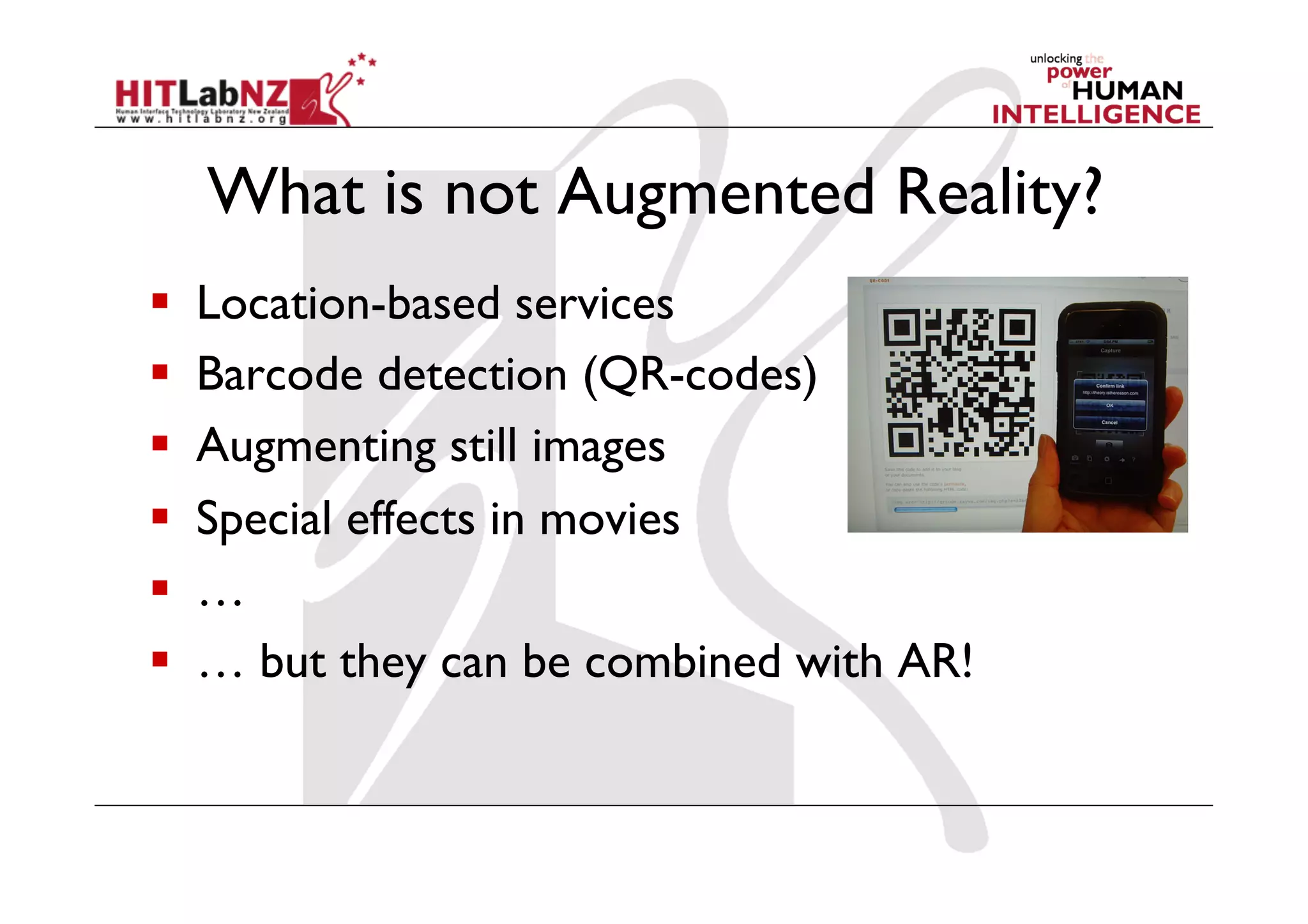
What is not Augmented Reality?
    Location-based services
    Barcode detection (QR-codes)
    Augmenting still images
    Special effects in movies
    …
    … but they can be combined with AR!
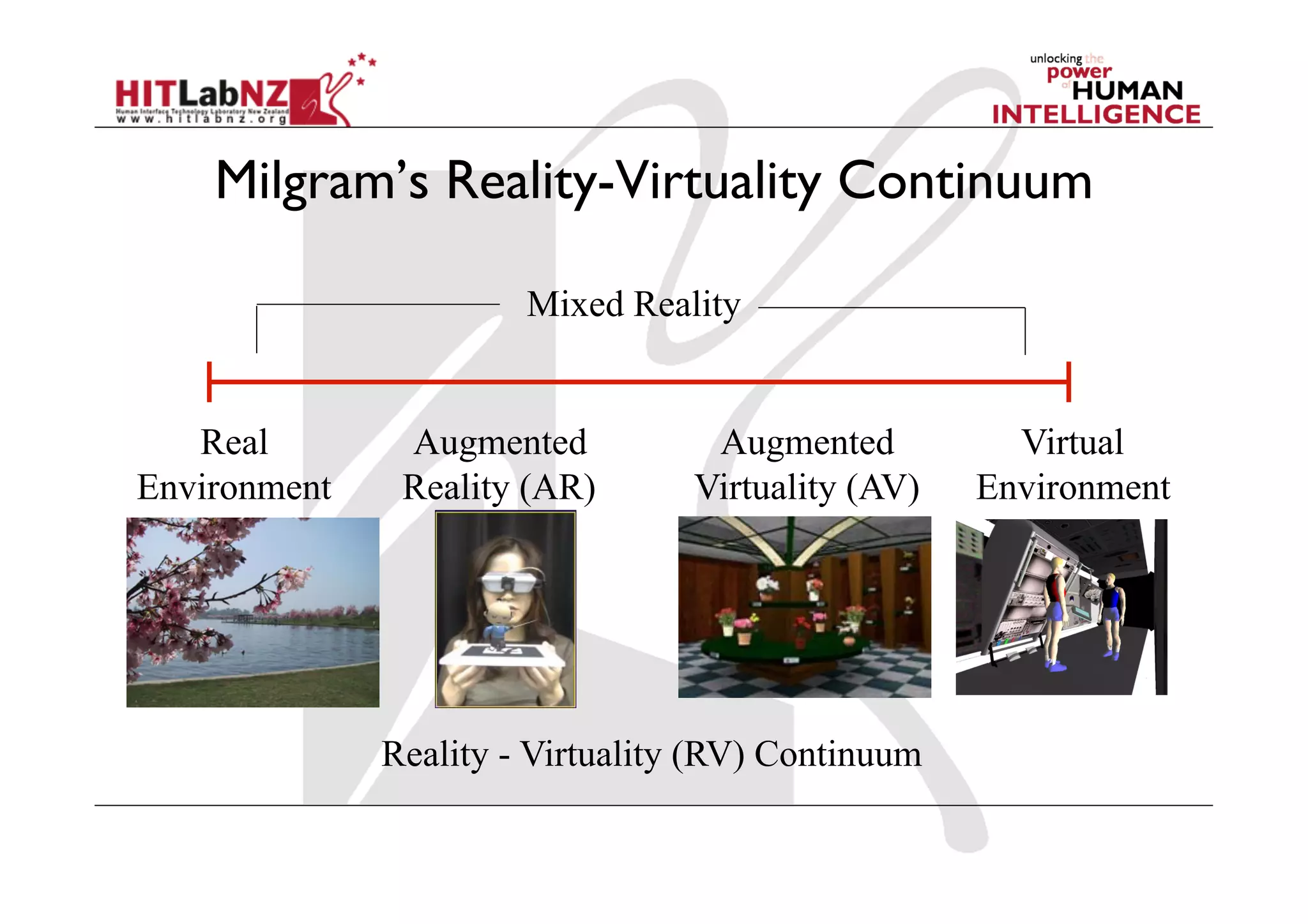
Milgram’s Reality-Virtuality Continuum

                       Mixed Reality


   Real        Augmented           Augmented          Virtual
Environment    Reality (AR)       Virtuality (AV)   Environment


              Reality - Virtuality (RV) Continuum
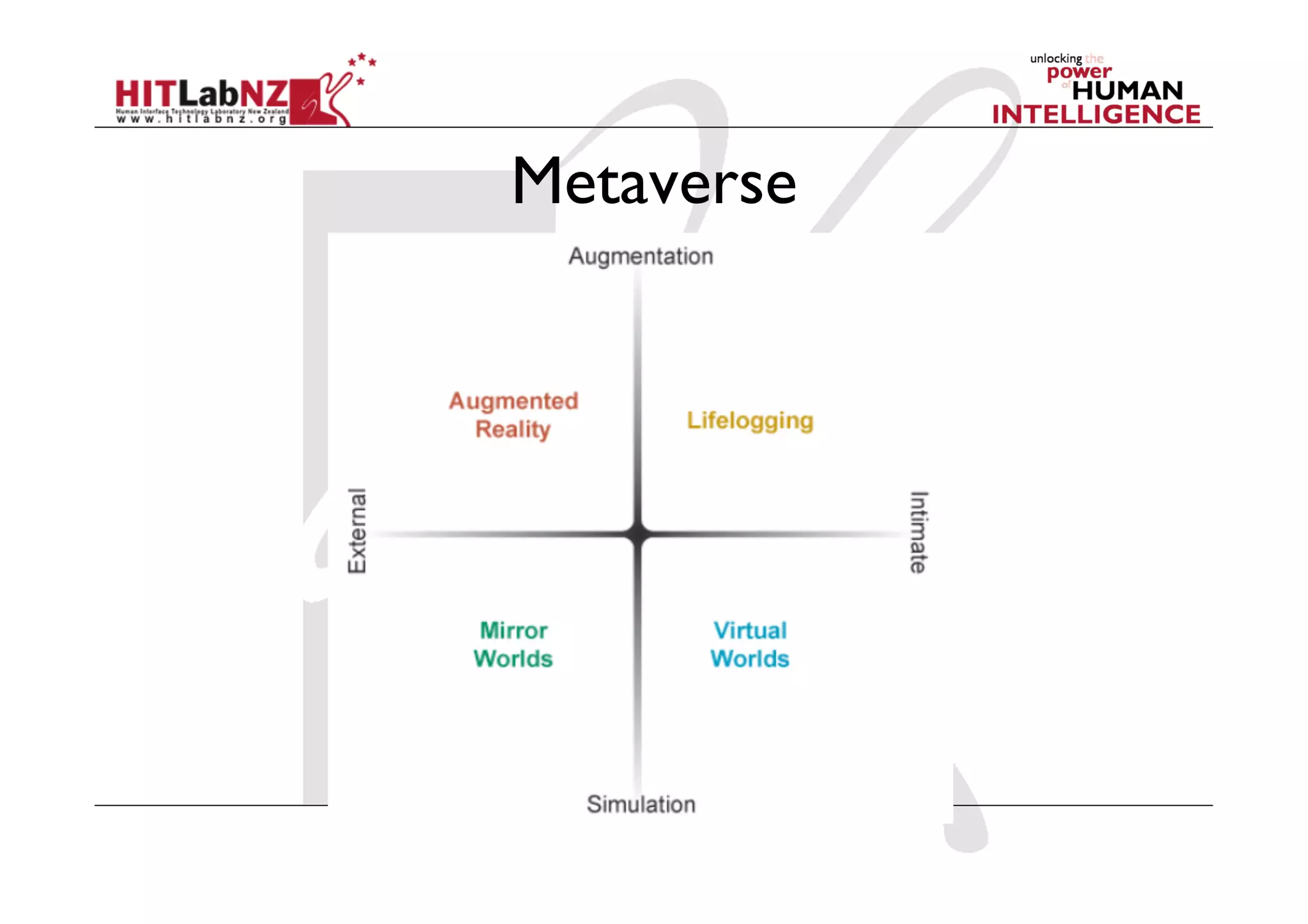
Metaverse
AR History Summary
  1960’s – 80’s: Early Experimentation
  1980’s – 90’s: Basic Research
    Tracking, displays
  1995 – 2005: Tools/Applications
    Interaction, usability, theory
  2005 - : Commercial Applications
    Games, Medical, Industry
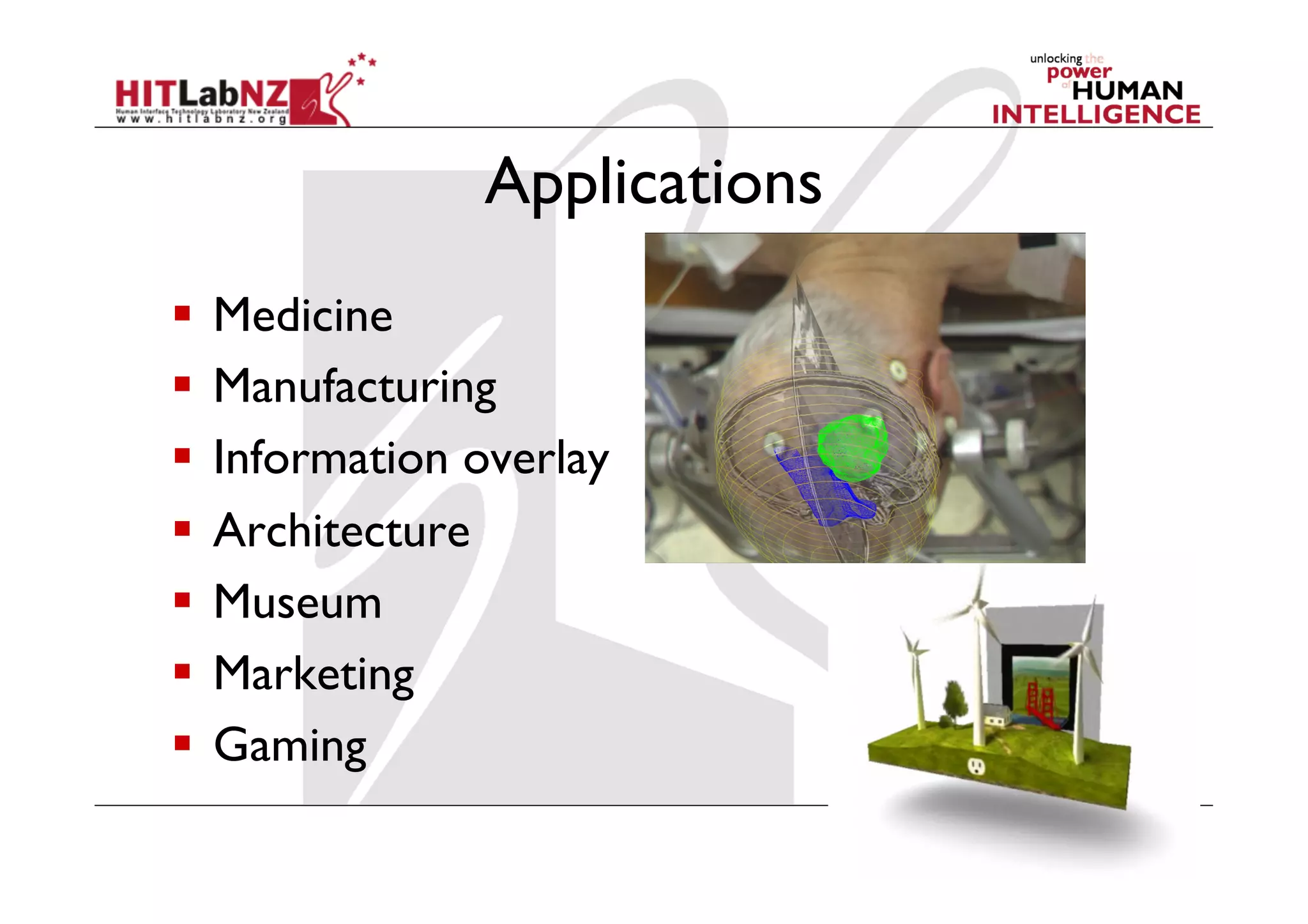
Applications
  Medicine
  Manufacturing
  Information overlay
  Architecture
  Museum
  Marketing
  Gaming
AR Technology
“The product is no longer
  the basis of value. The
      experience is.”

      Venkat Ramaswamy
     The Future of Competition.
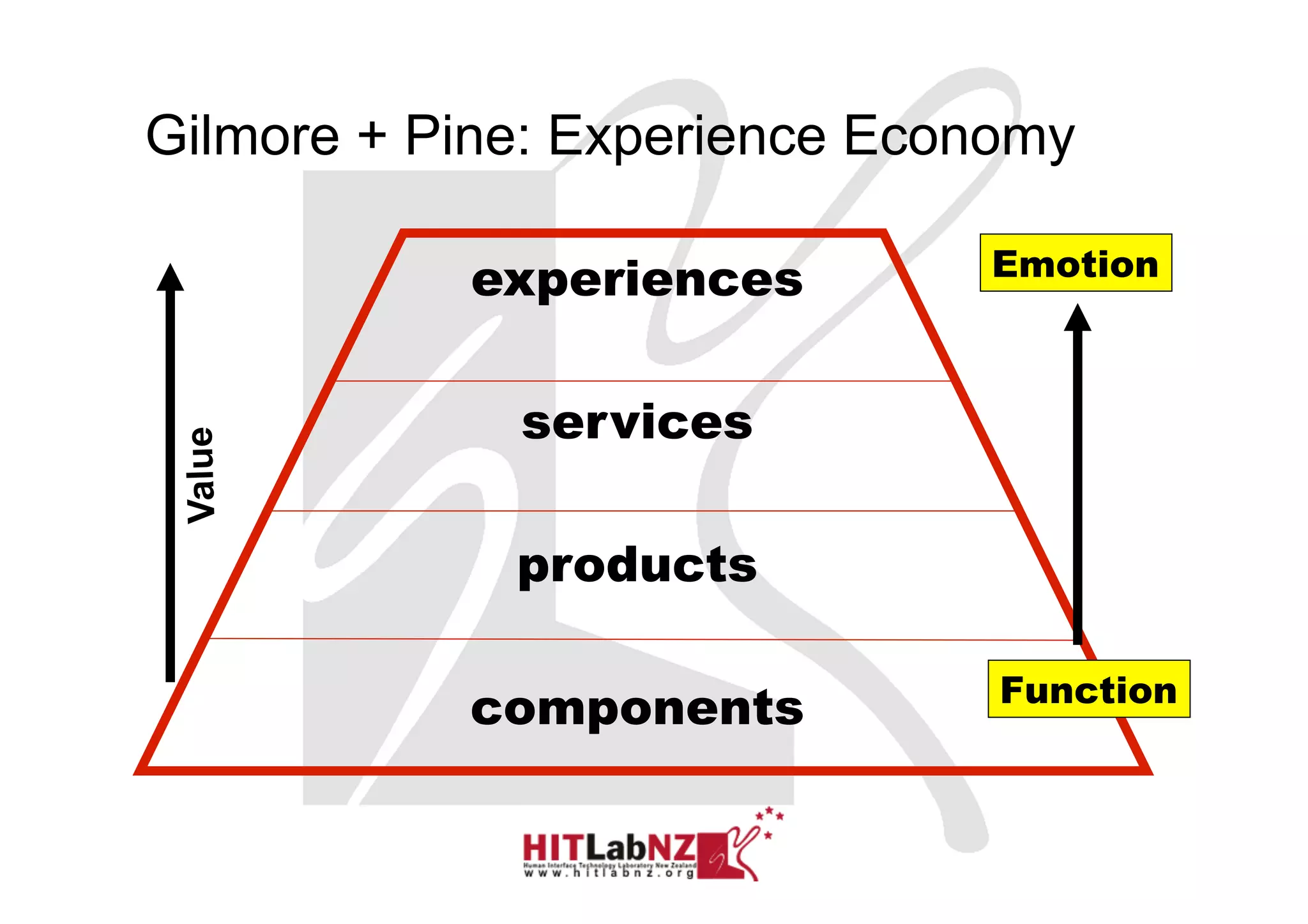
Gilmore + Pine: Experience Economy

           experiences        Emotion


             services
 Value


             products

                               Function
           components

                                 Sony CSL © 2004
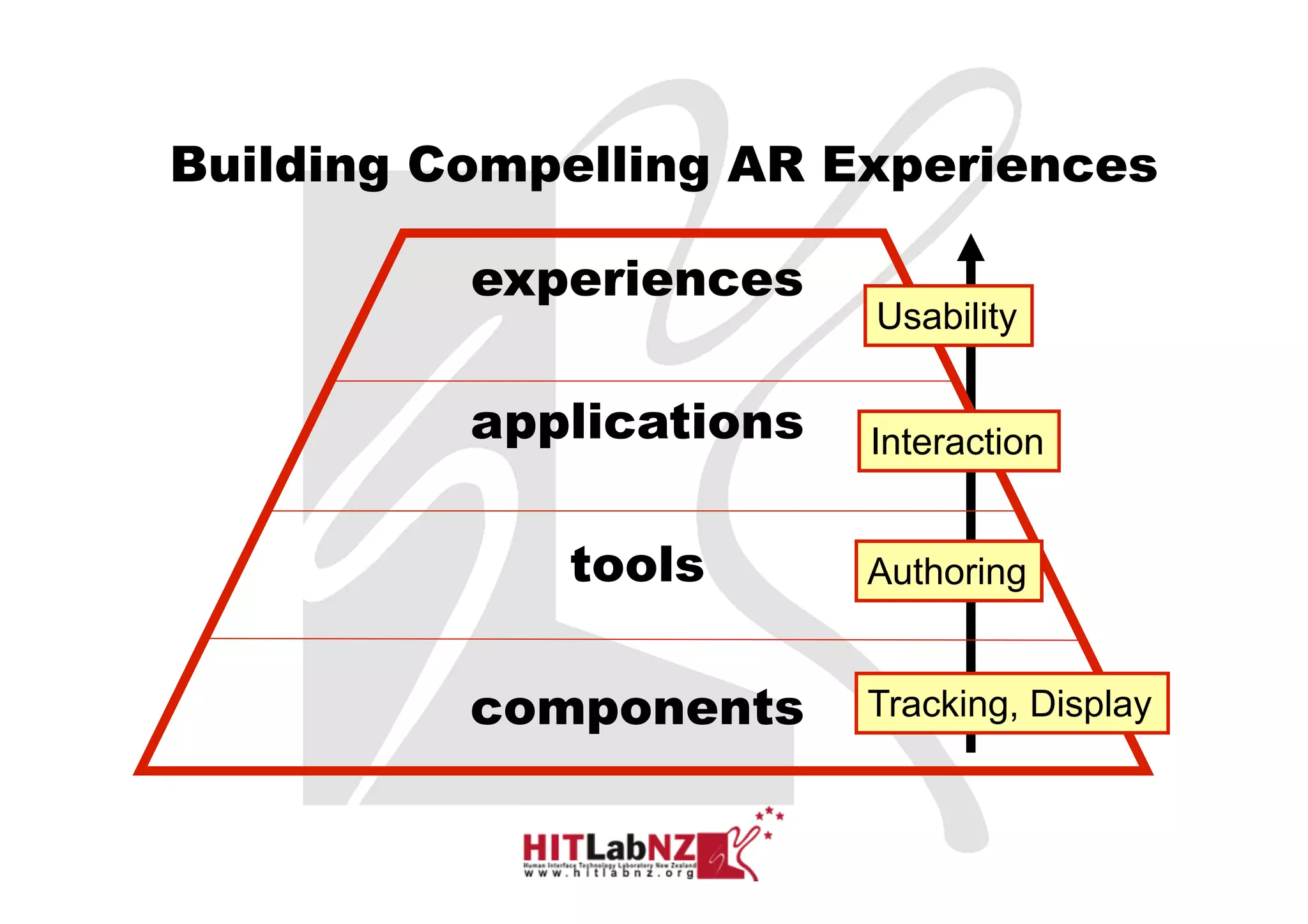
Building Compelling AR Experiences

          experiences
                         Usability

          applications   Interaction


             tools       Authoring


          components     Tracking, Display
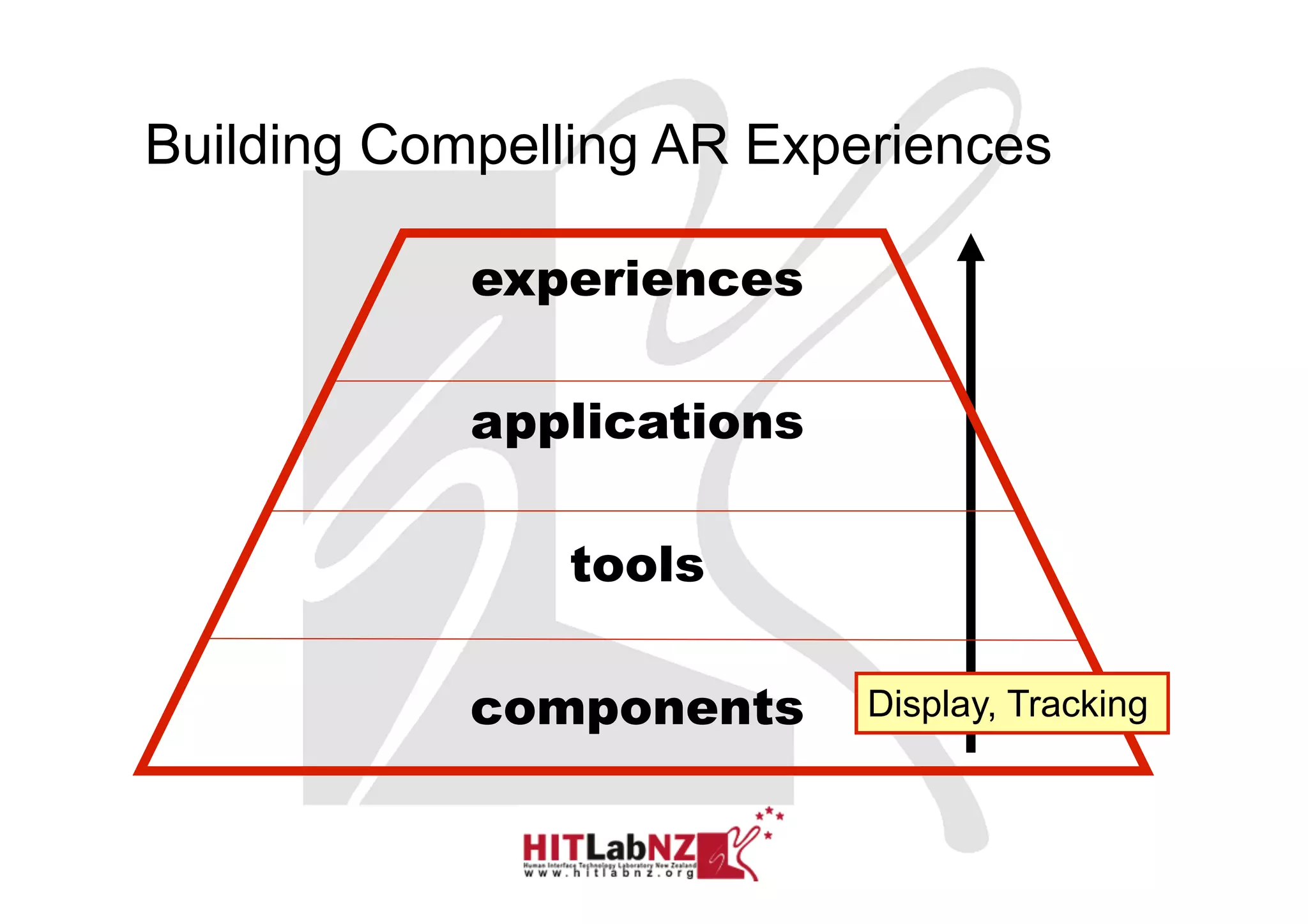
Building Compelling AR Experiences

            experiences

            applications

               tools

            components     Display, Tracking


                                      Sony CSL © 2004
AR Technology
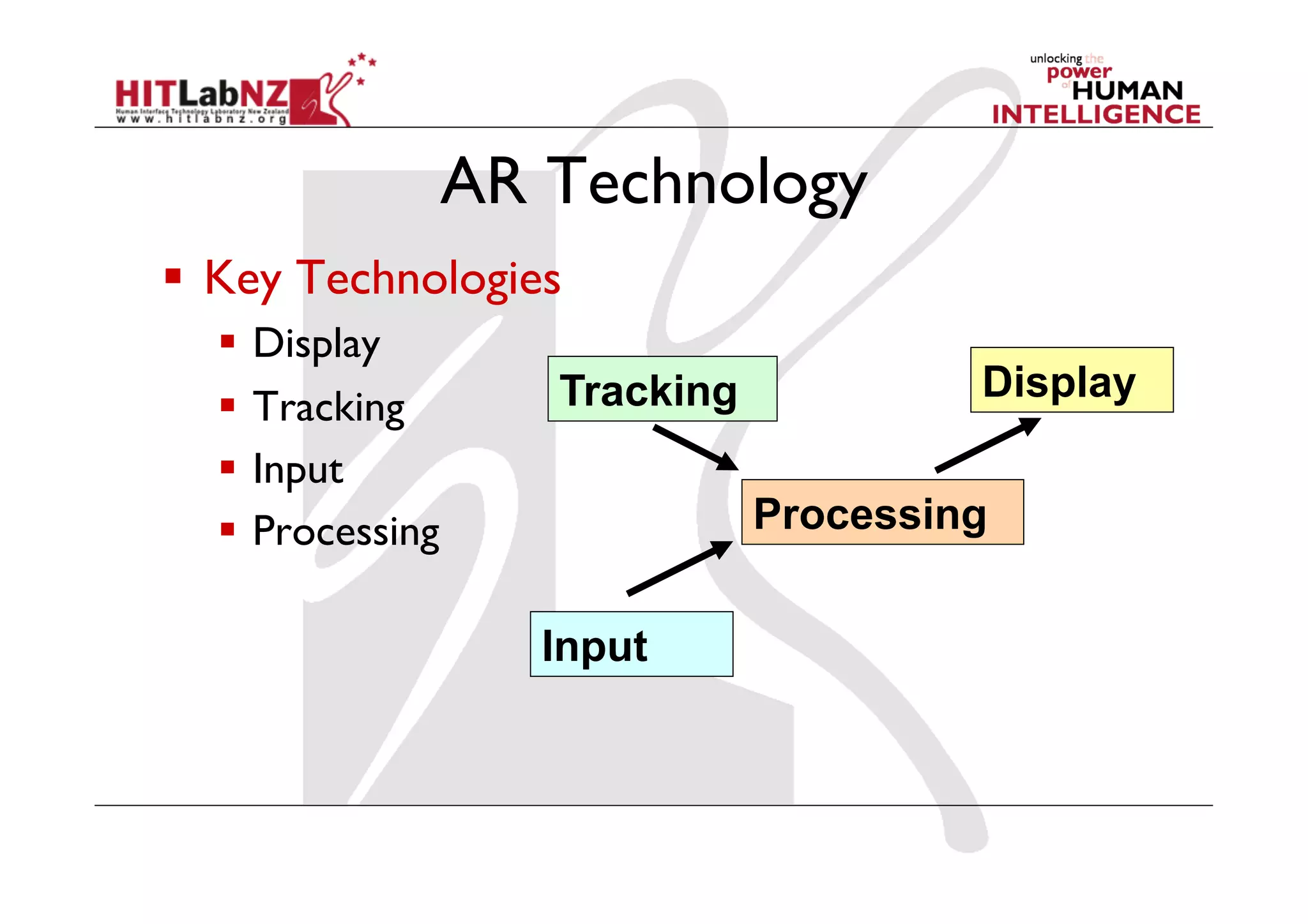
  Key Technologies
    Display
                     Tracking            Display
    Tracking
    Input
    Processing                 Processing


                     Input
AR Displays
AR Displays

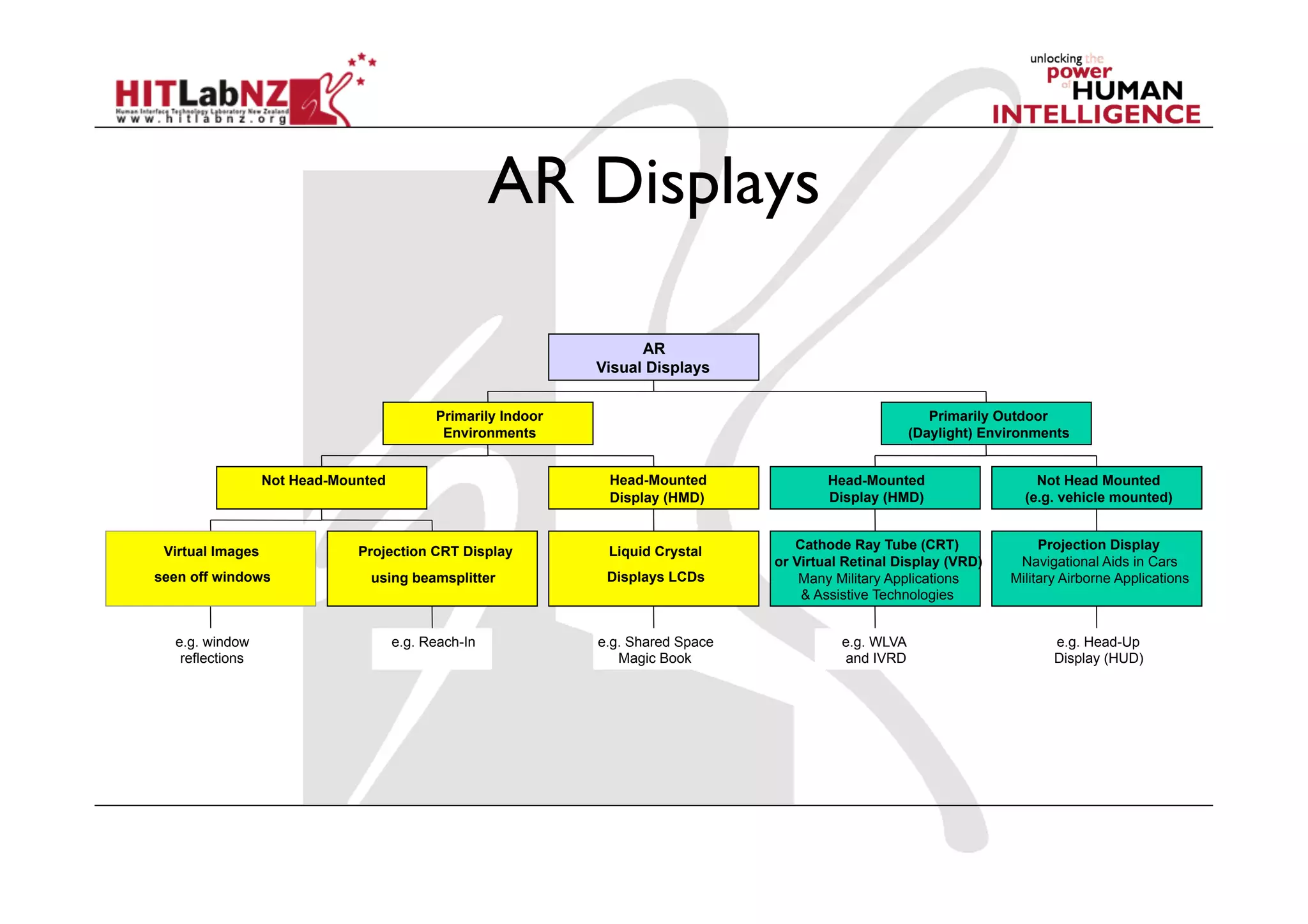
                                                                    AR
                                                              Visual Displays


                                           Primarily Indoor                                                Primarily Outdoor
                                            Environments                                                (Daylight) Environments


                  Not Head-Mounted                             Head-Mounted               Head-Mounted                    Not Head Mounted
                                                               Display (HMD)              Display (HMD)                 (e.g. vehicle mounted)


 Virtual Images               Projection CRT Display           Liquid Crystal        Cathode Ray Tube (CRT)                Projection Display
                                                                                  or Virtual Retinal Display (VRD)     Navigational Aids in Cars
seen off windows                using beamsplitter             Displays LCDs          Many Military Applications      Military Airborne Applications
                                                                                      & Assistive Technologies


  e.g. window                        e.g. Reach-In            e.g. Shared Space             e.g. WLVA                        e.g. Head-Up
   reflections                                                   Magic Book                 and IVRD                         Display (HUD)
Head Mounted Displays
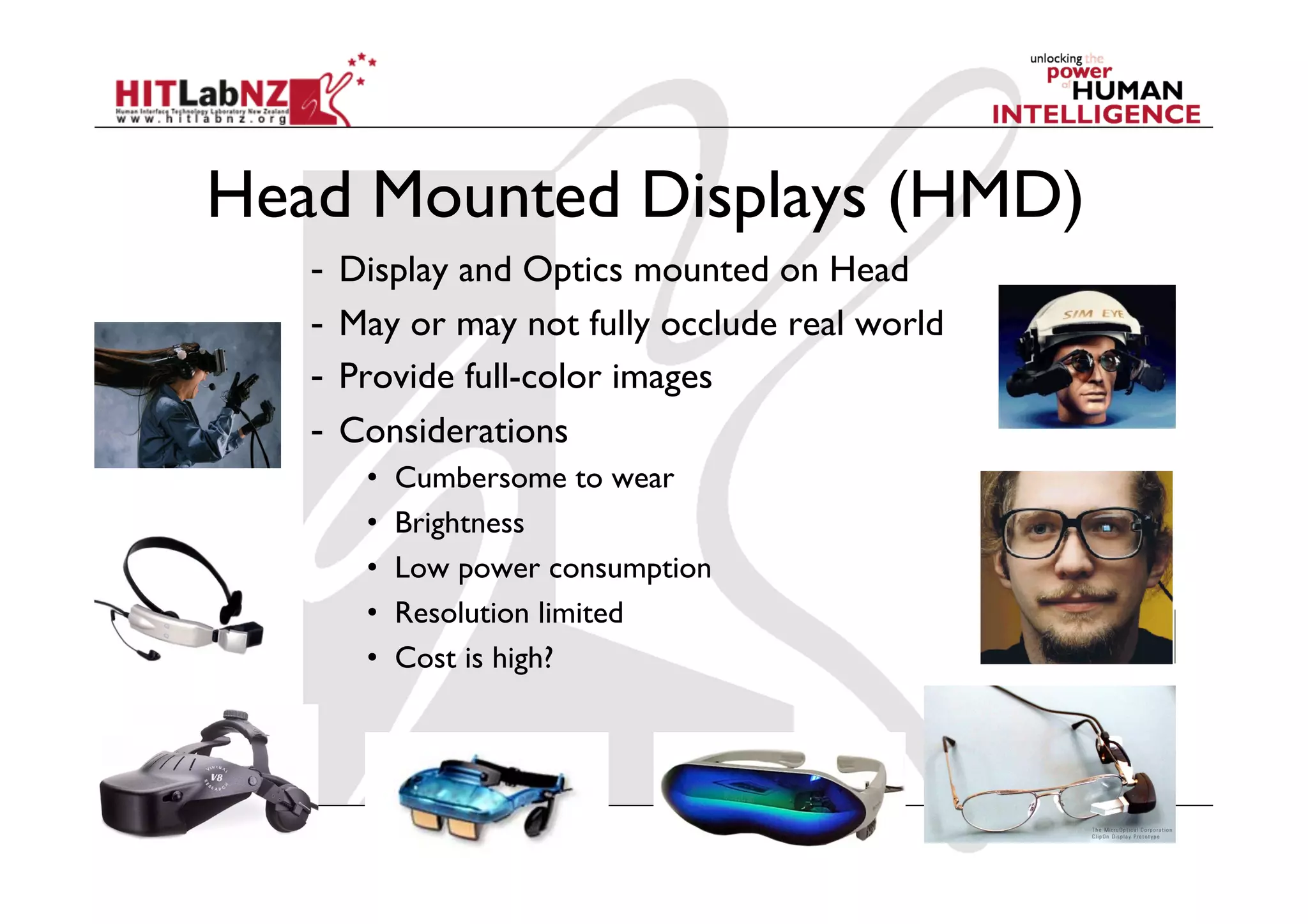
Head Mounted Displays (HMD)
   -  Display and Optics mounted on Head
   -  May or may not fully occlude real world
   -  Provide full-color images
   -  Considerations
      •    Cumbersome to wear
      •    Brightness
      •    Low power consumption
      •    Resolution limited
      •    Cost is high?
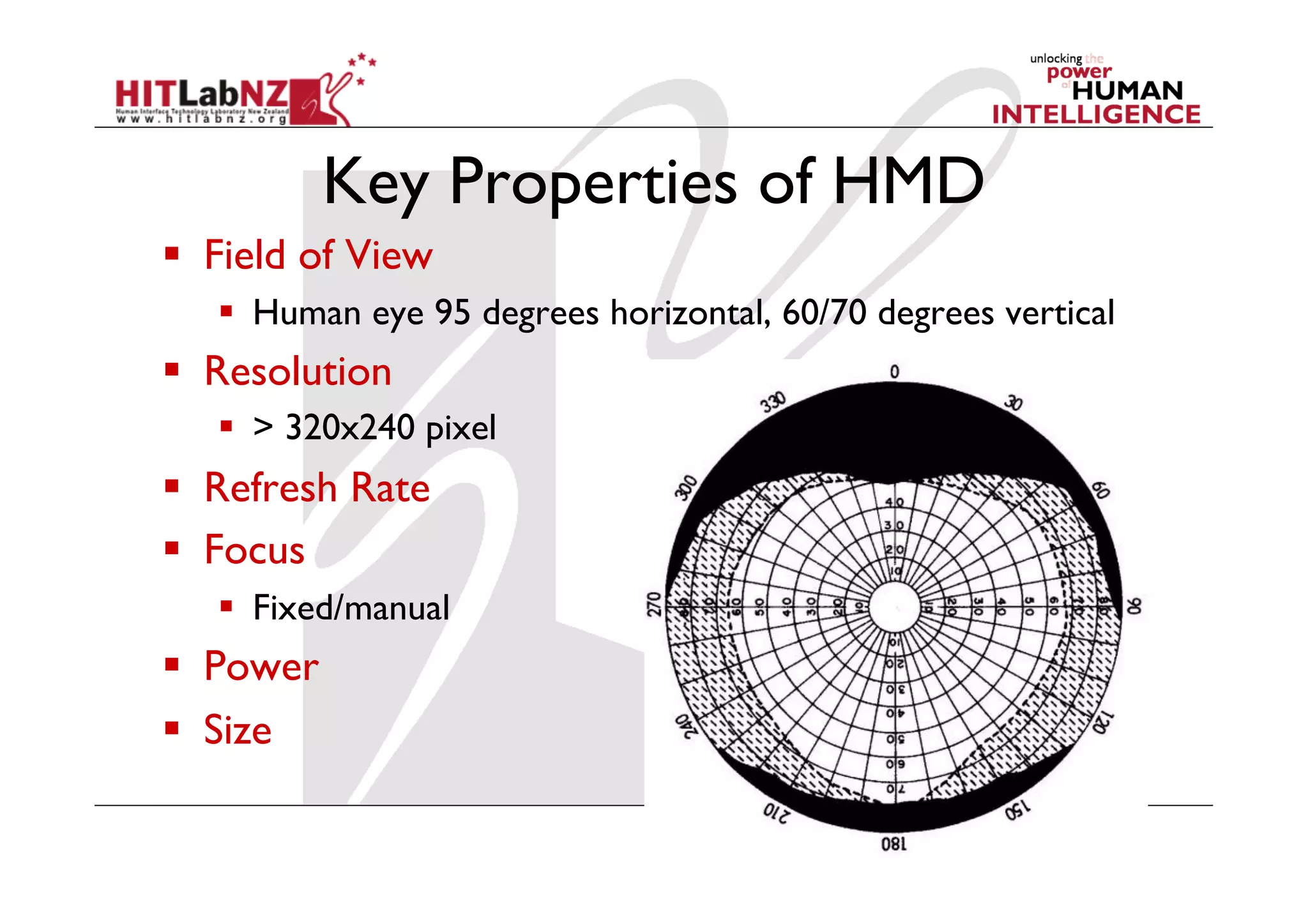
Key Properties of HMD
  Field of View
     Human eye 95 degrees horizontal, 60/70 degrees vertical
  Resolution
     > 320x240 pixel
  Refresh Rate
  Focus
     Fixed/manual
  Power
  Size
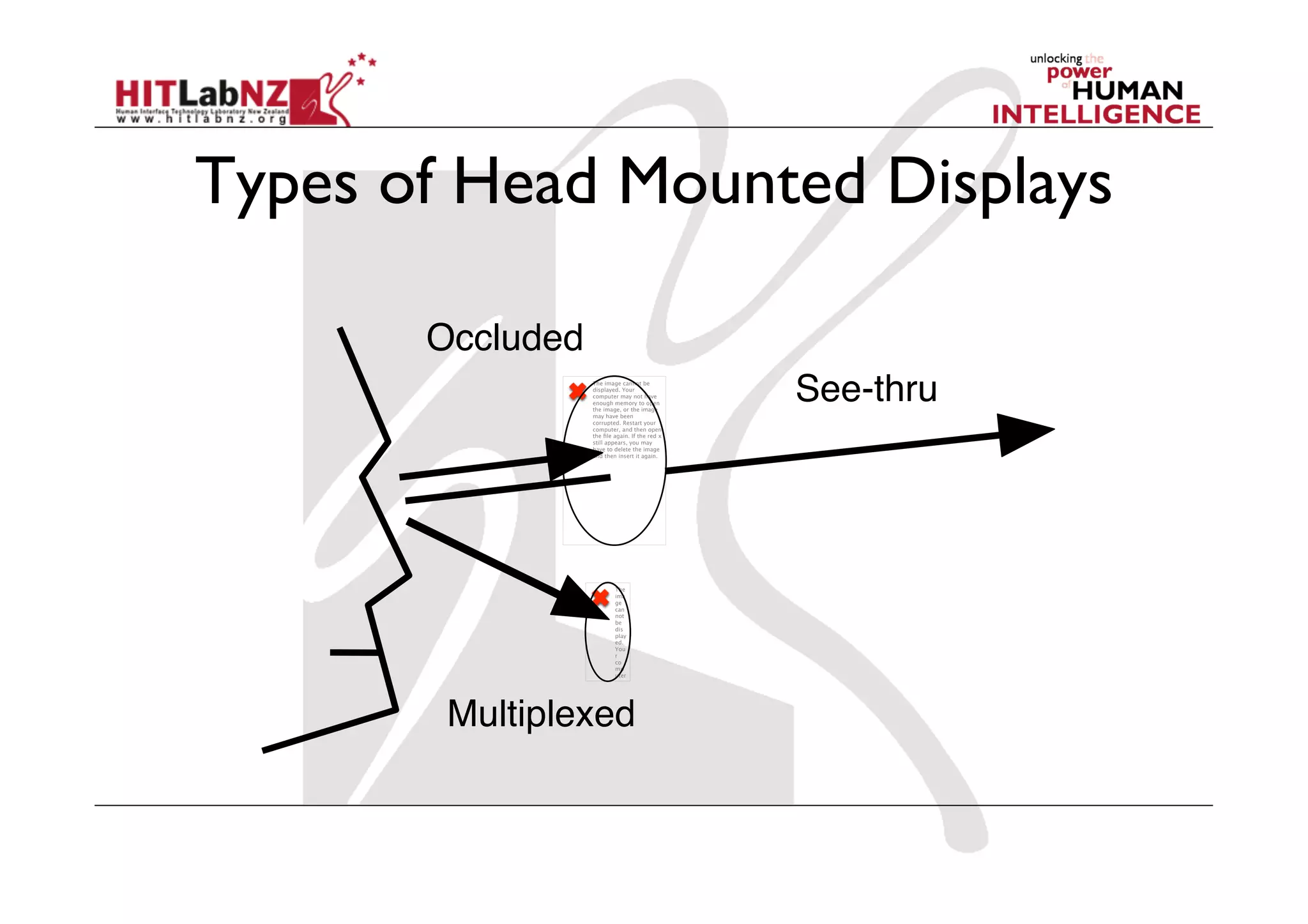
Types of Head Mounted Displays

       Occluded
                  The image cannot be
                  displayed. Your
                  computer may not have
                  enough memory to open
                  the image, or the image
                  may have been
                                                See-thru
                  corrupted. Restart your
                  computer, and then open
                  the file again. If the red x
                  still appears, you may
                  have to delete the image
                  and then insert it again.


                          The
                          ima
                          ge
                          can
                          not
                          be
                          dis
                          play
                          ed.
                          You
                          r
                          co
                          mp
                          uter


        Multiplexed
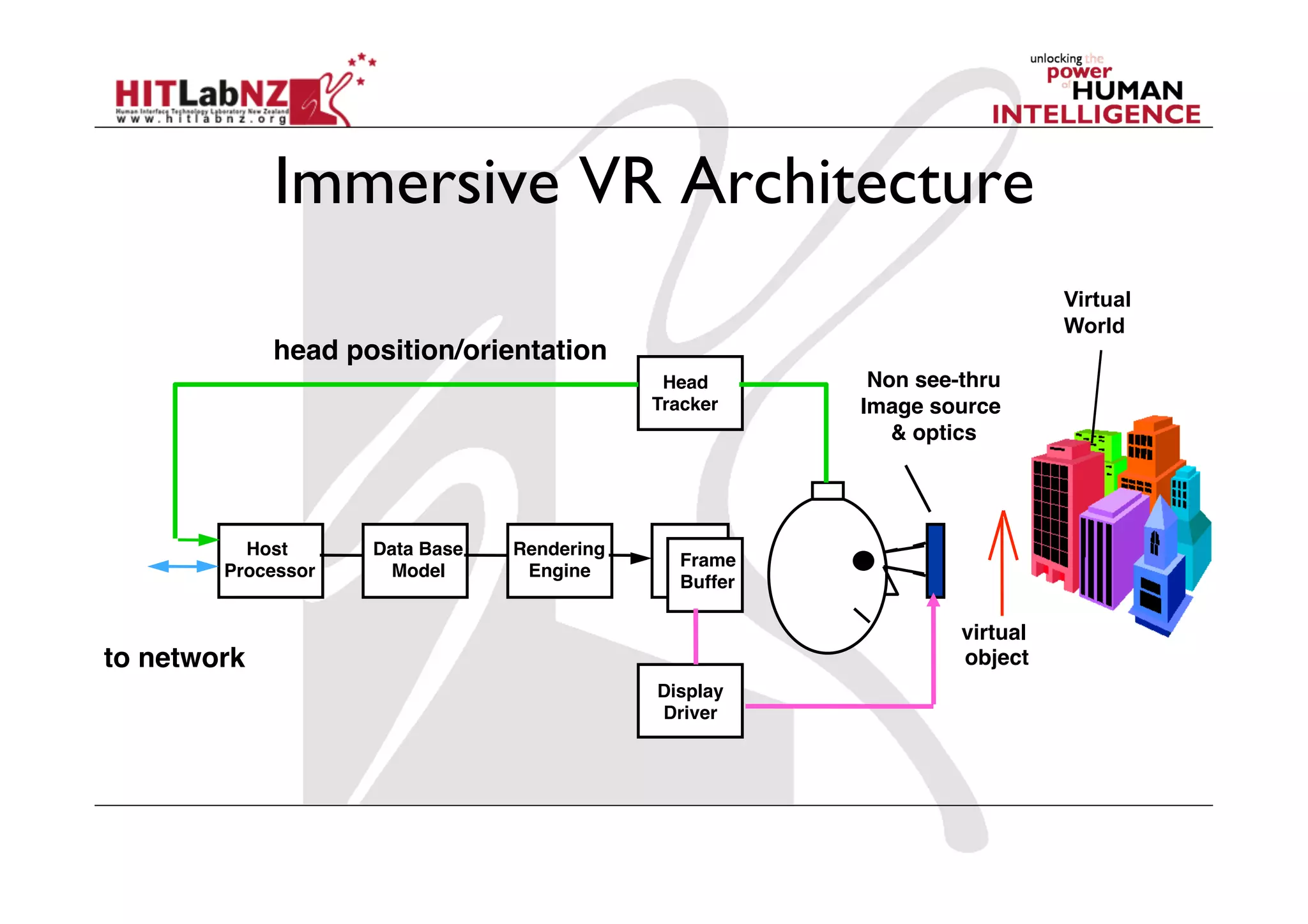
Immersive VR Architecture
                                                                             Virtual
                                                                             World
             head position/orientation
                                               Head!      Non see-thru!
                                              Tracker    Image source
                                                            & optics


          Host!     Data Base!   Rendering!
                                                Frame!
        Processor    Model        Engine
                                                Buffer

                                                                   virtual
to network                                                         object
                                              Display!
                                              Driver
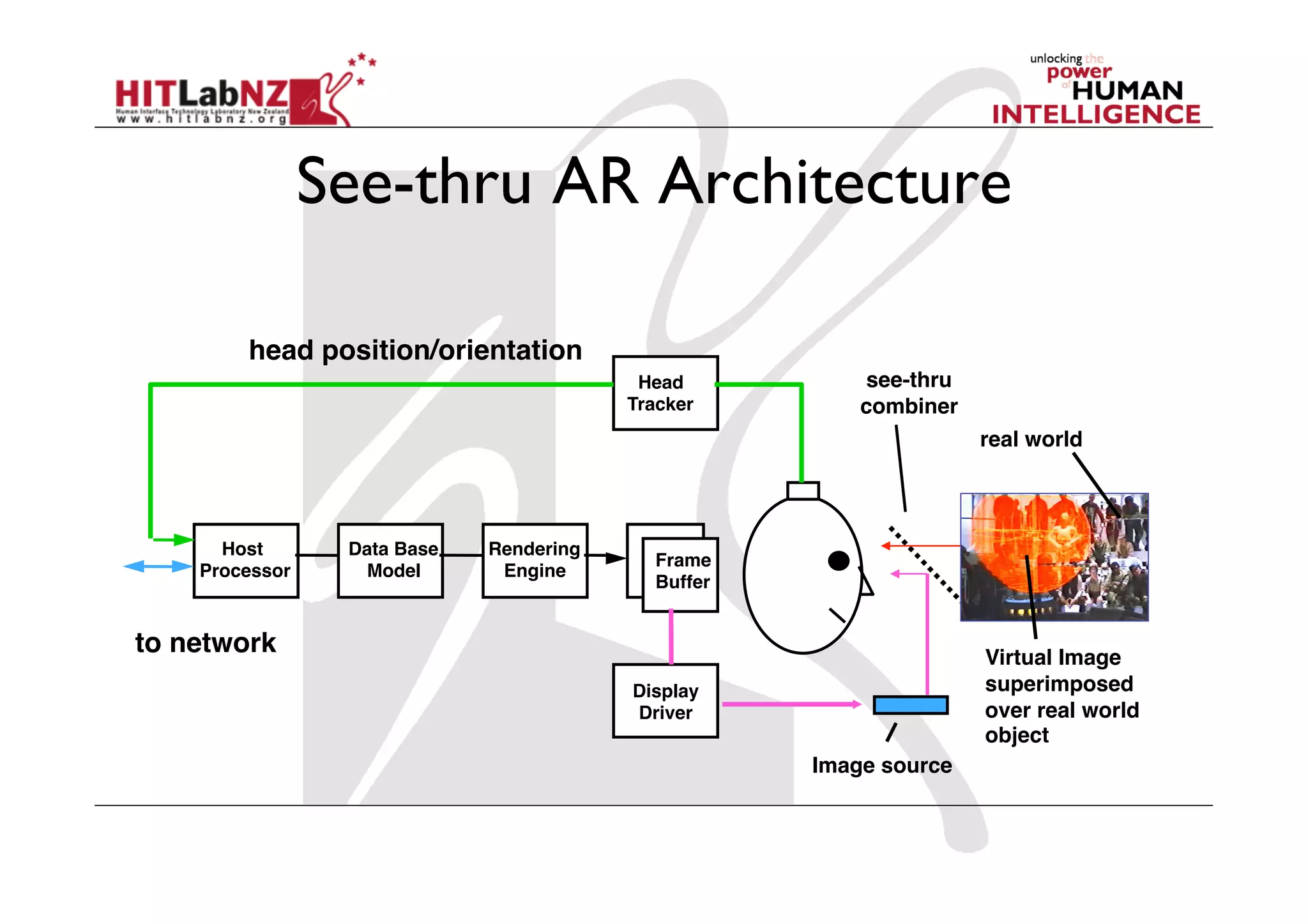
See-thru AR Architecture

        head position/orientation
                                            Head!         see-thru!
                                           Tracker        combiner
                                                                      real world


      Host!      Data Base!   Rendering!
                                             Frame!
    Processor     Model        Engine
                                             Buffer


to network                                                            Virtual Image
                                           Display!                   superimposed!
                                           Driver                     over real world
                                                                      object
                                                      Image source
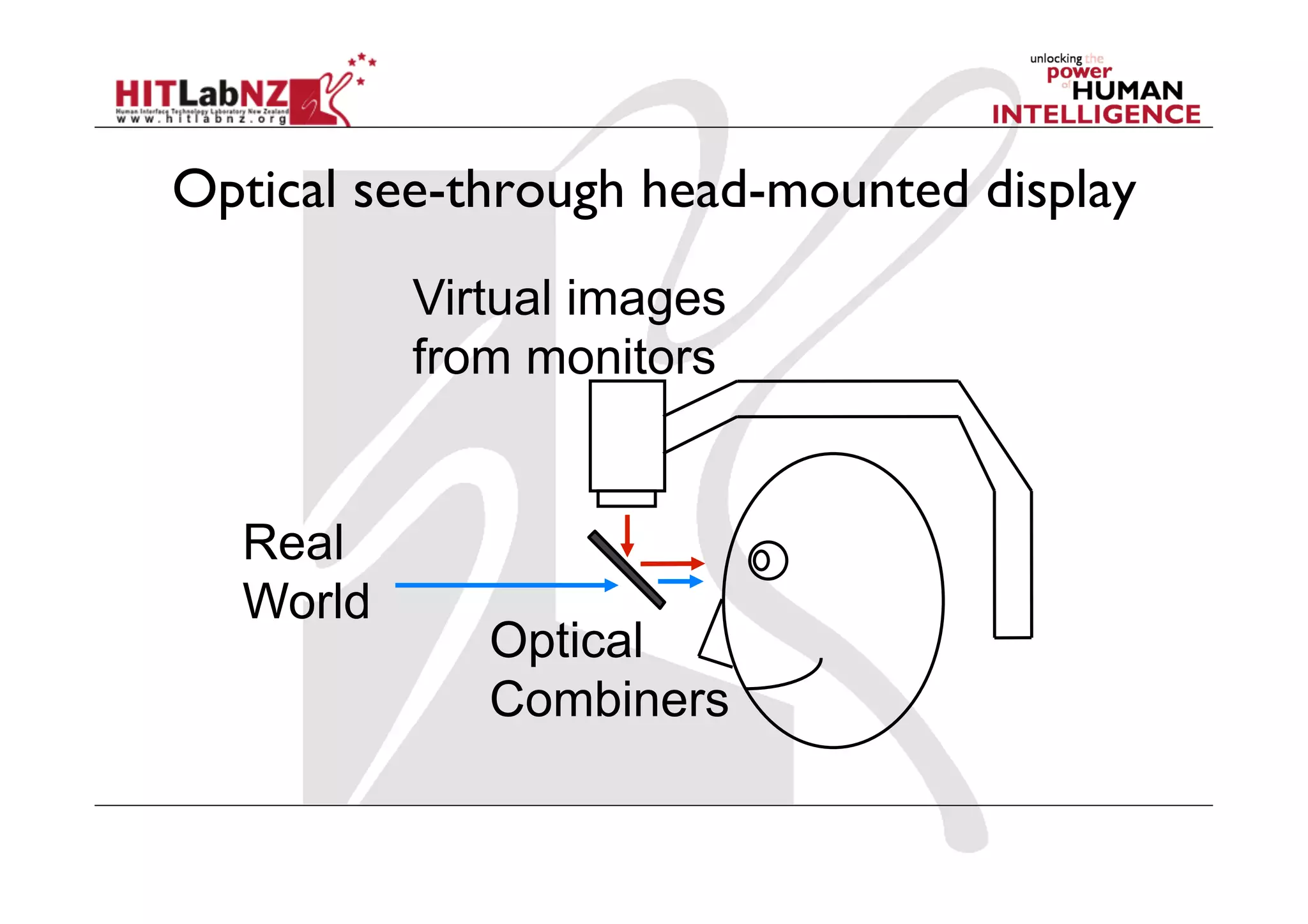
Optical see-through head-mounted display
          Virtual images
          from monitors


  Real
  World
             Optical
             Combiners
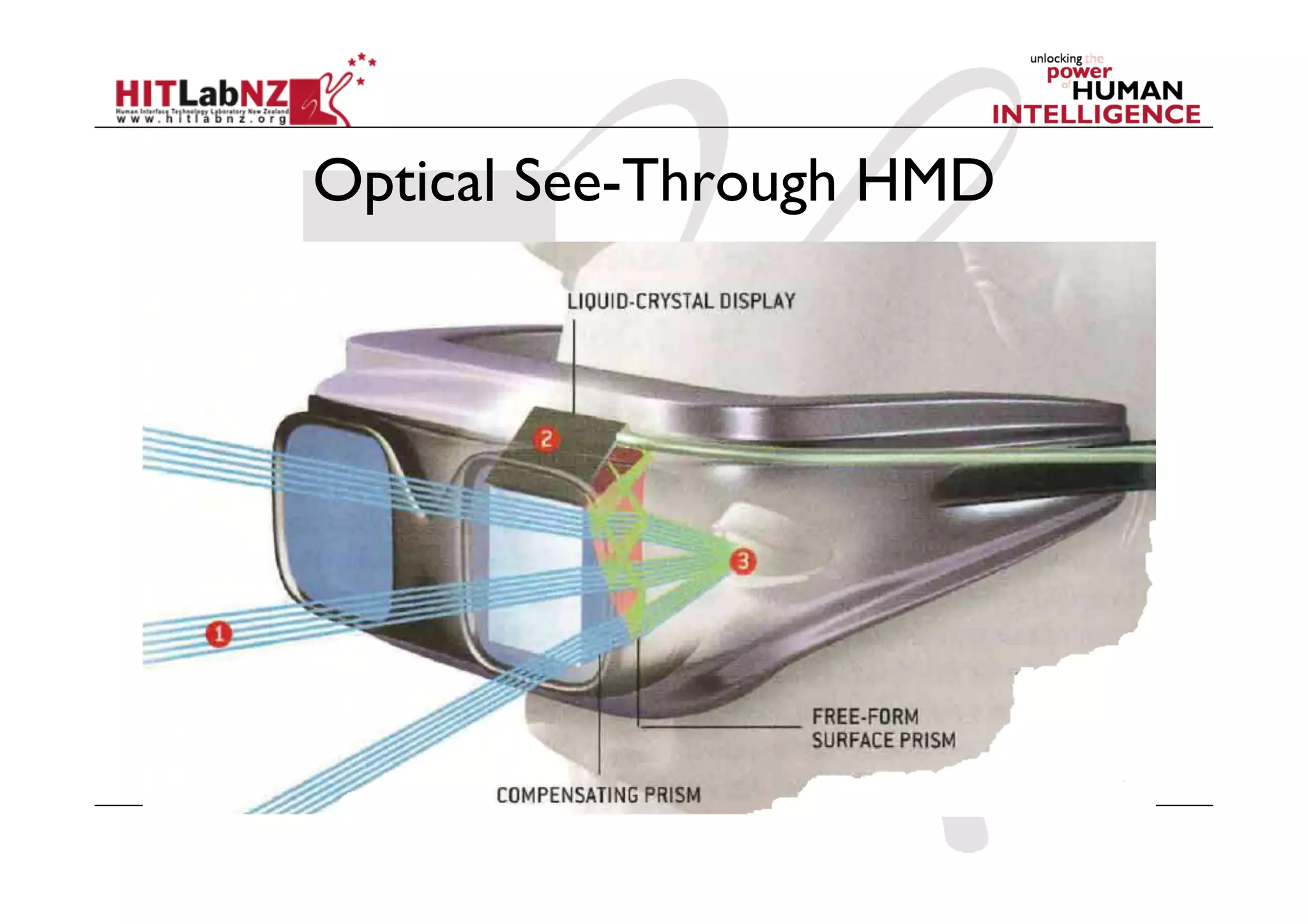
Optical See-Through HMD
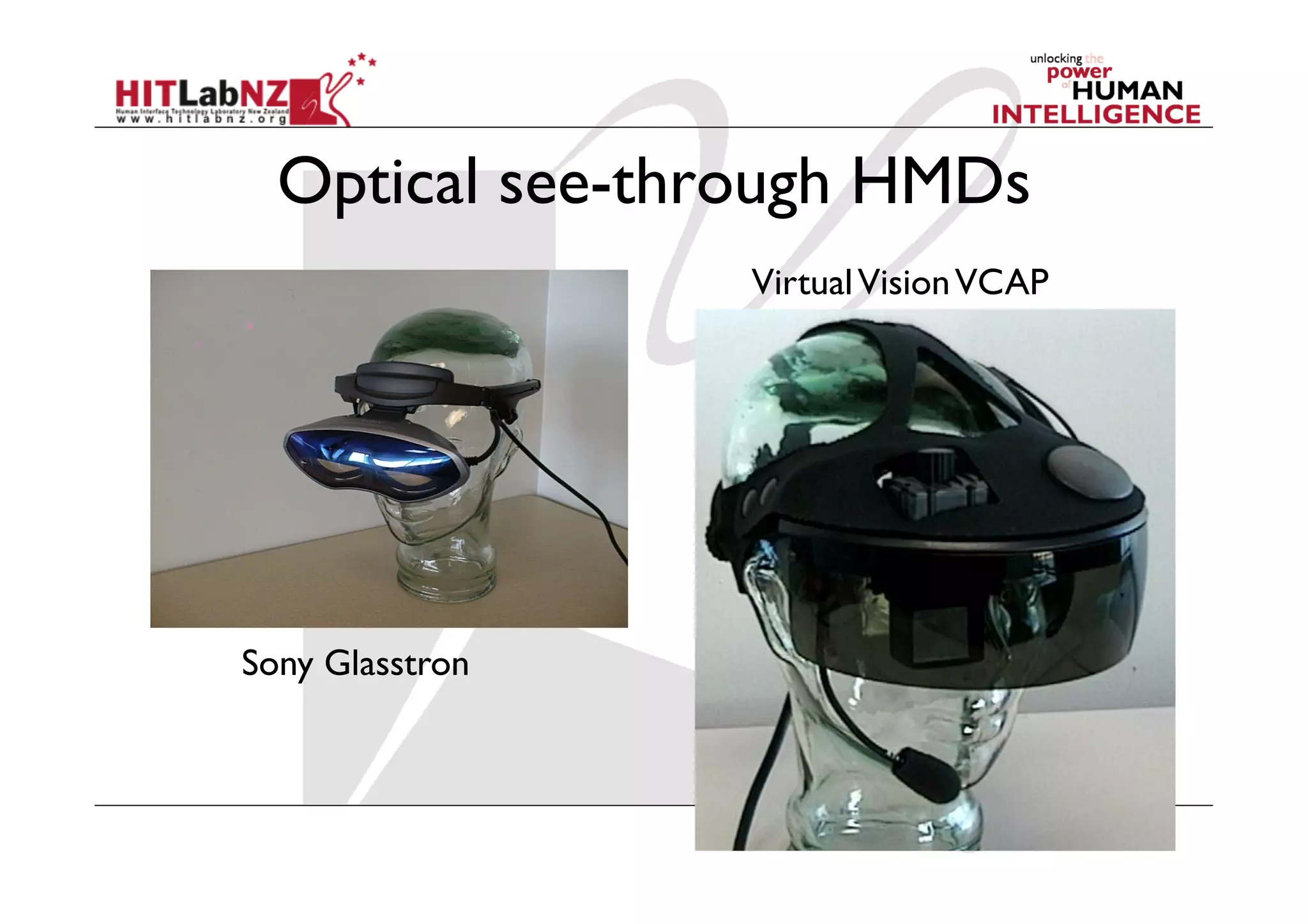
Optical see-through HMDs
                 Virtual Vision VCAP


Sony Glasstron
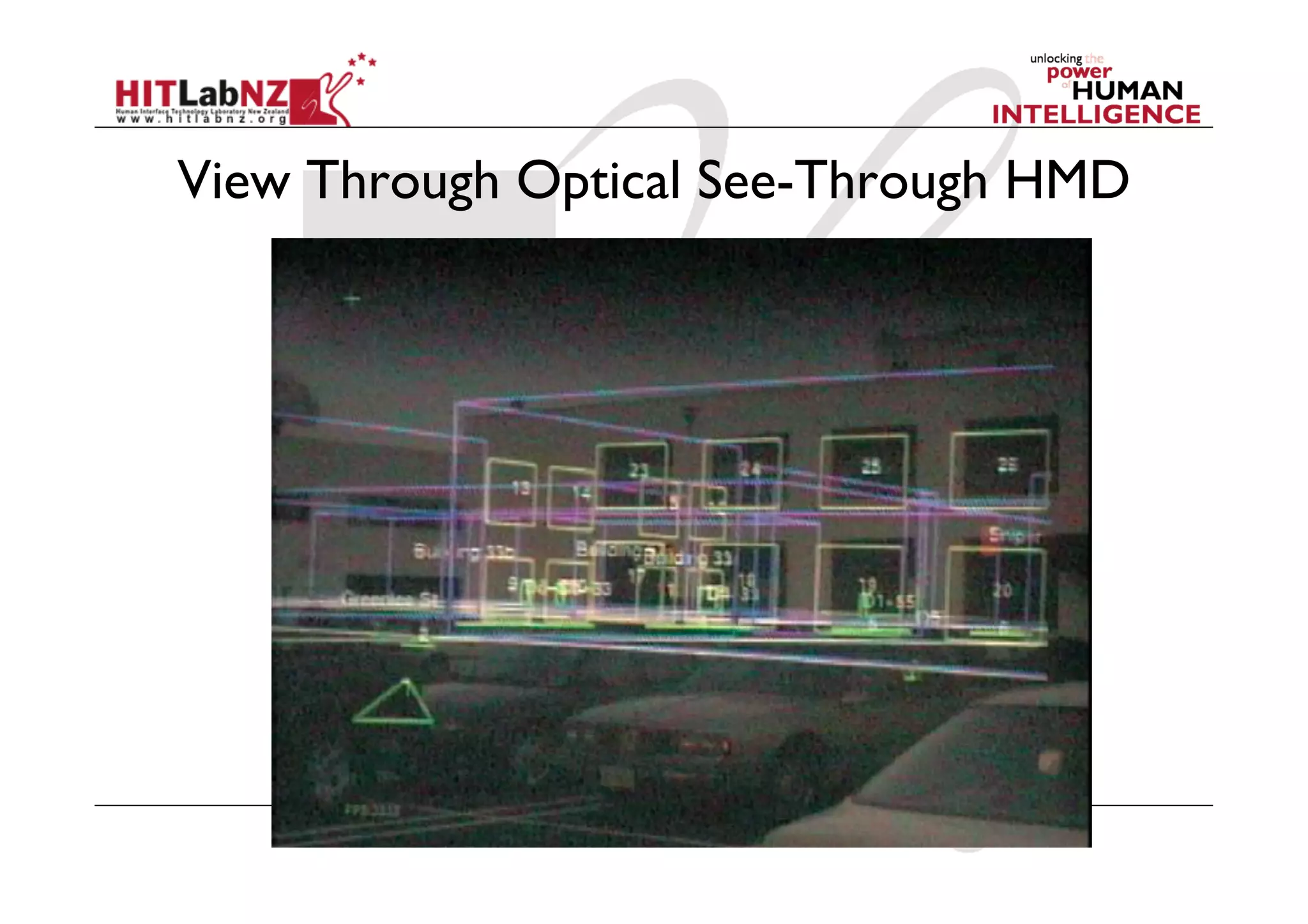
View Through Optical See-Through HMD
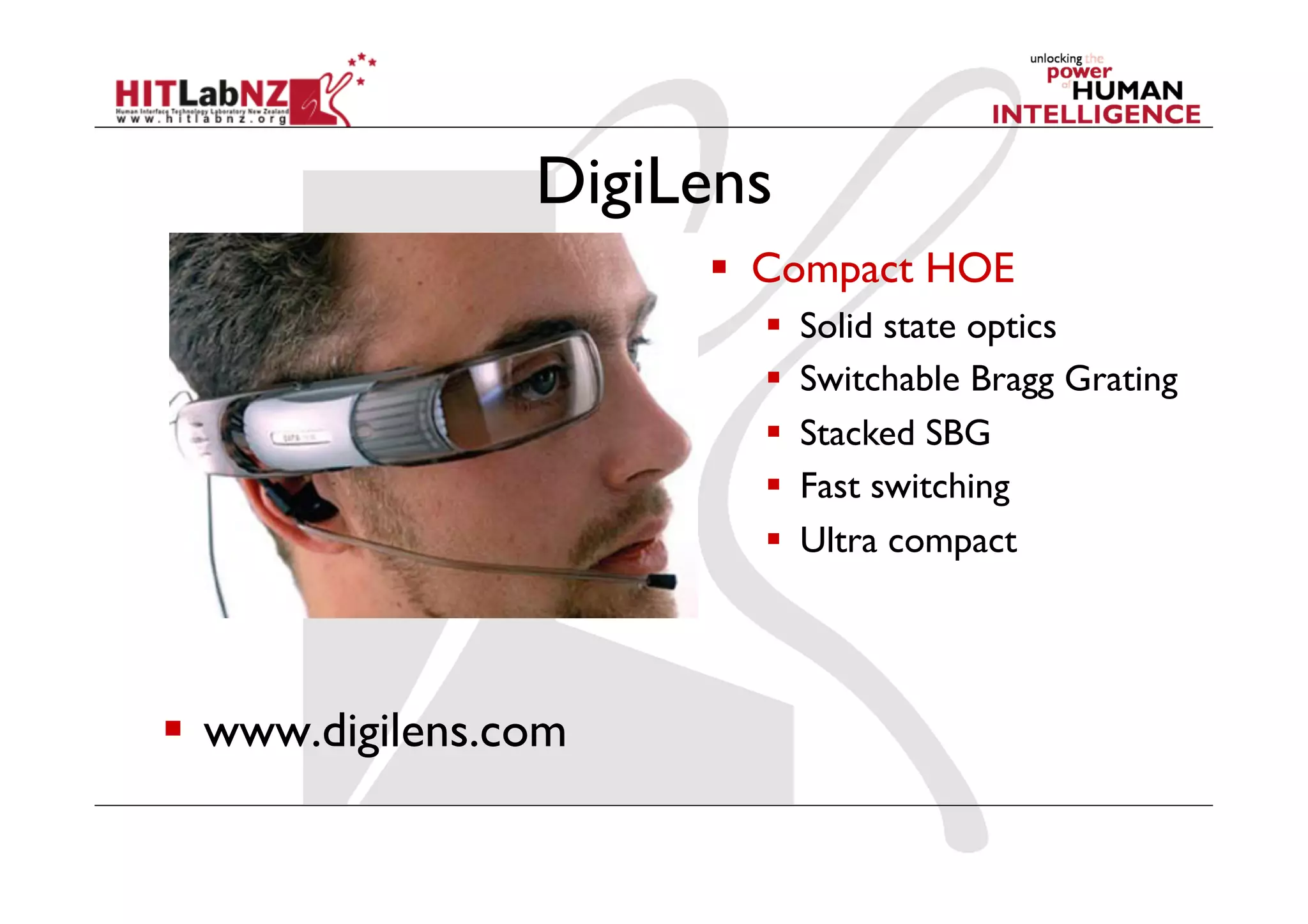
DigiLens
                        Compact HOE
                            Solid state optics
                            Switchable Bragg Grating
                            Stacked SBG
                            Fast switching
                            Ultra compact


  www.digilens.com
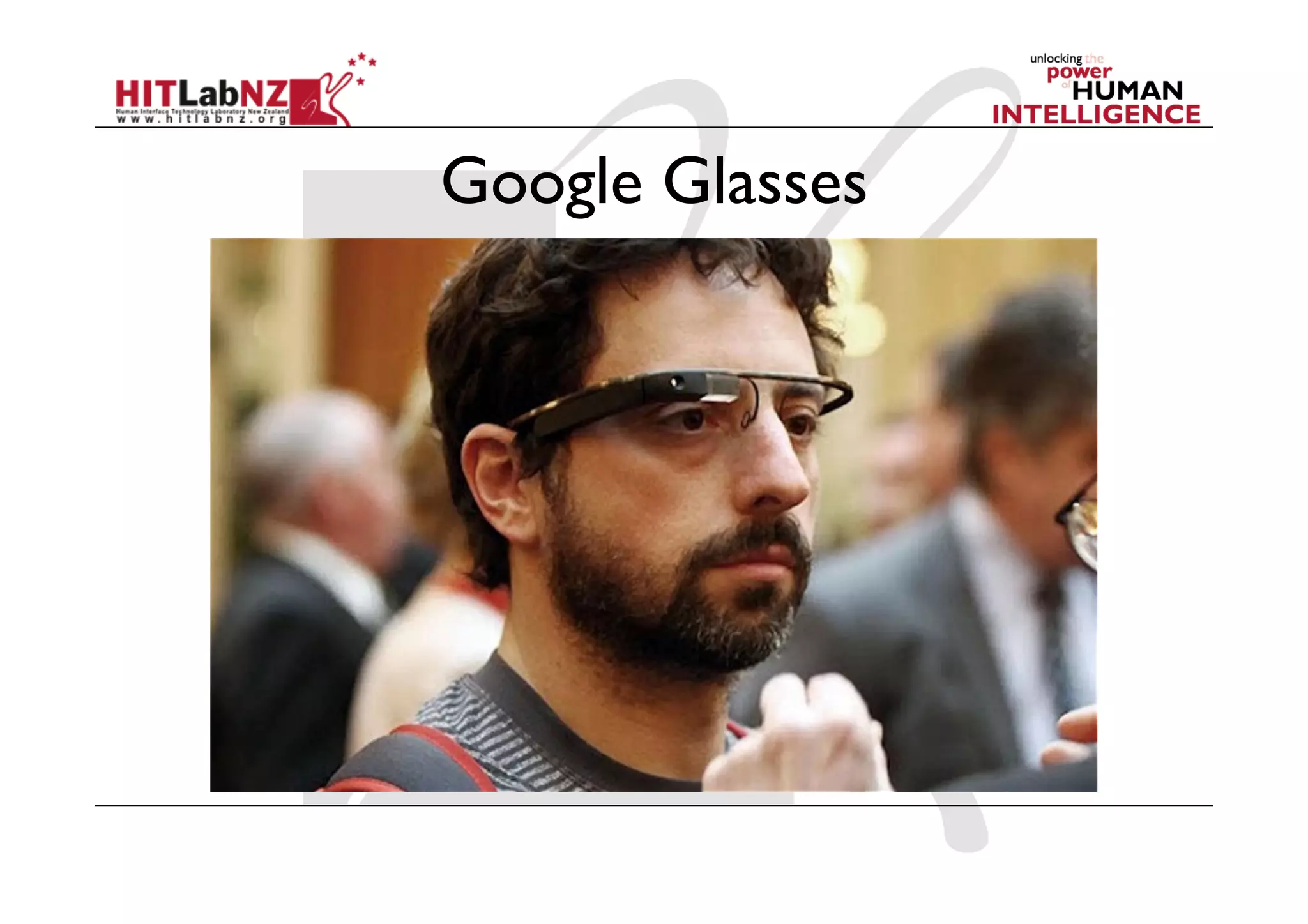
Google Glasses
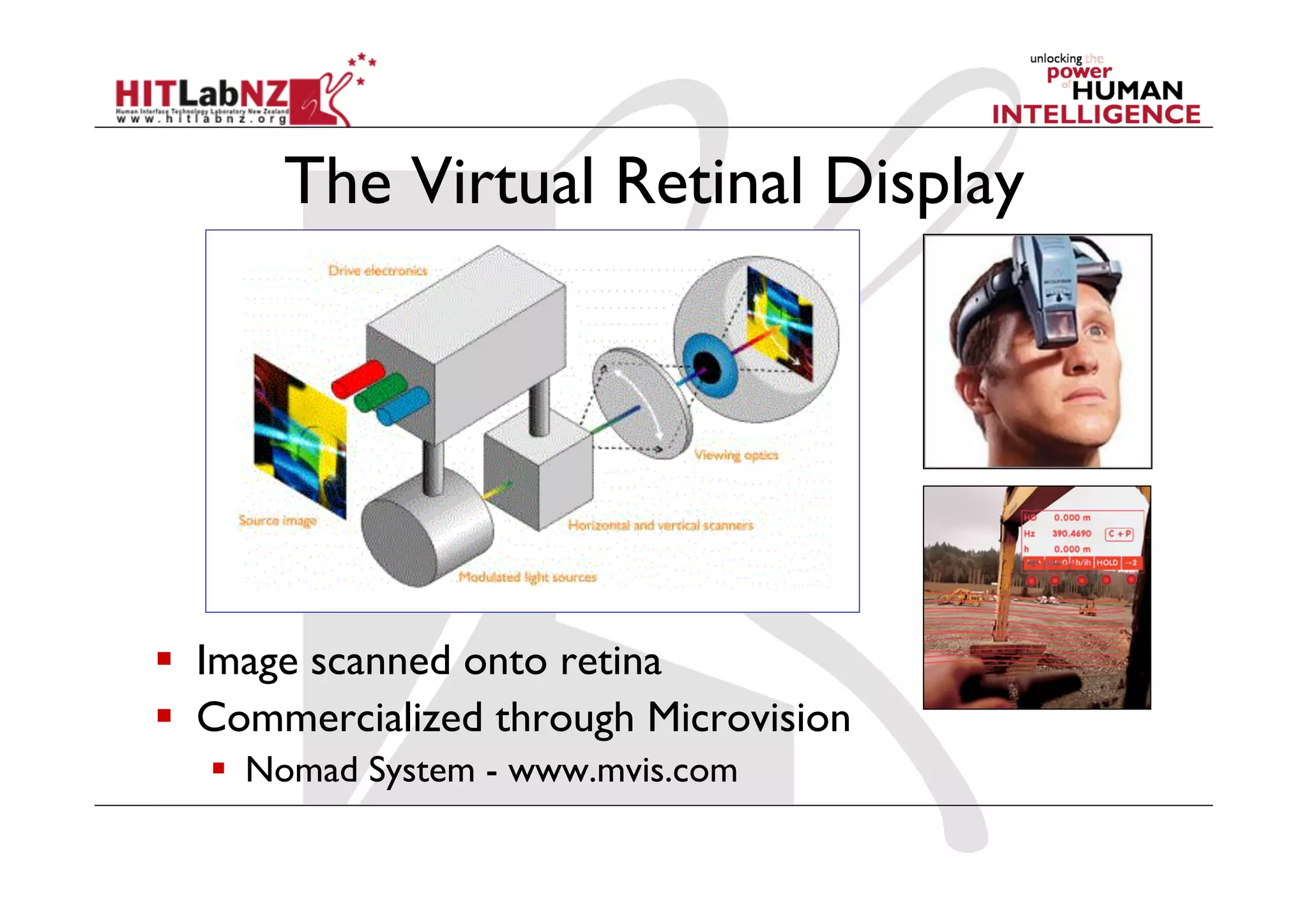
The Virtual Retinal Display


  Image scanned onto retina
  Commercialized through Microvision
    Nomad System - www.mvis.com
Strengths of optical AR
  Simpler (cheaper)
  Direct view of real world
    Full resolution, no time delay (for real world)
    Safety
    Lower distortion
  No eye displacement
    but COASTAR video see-through avoids this
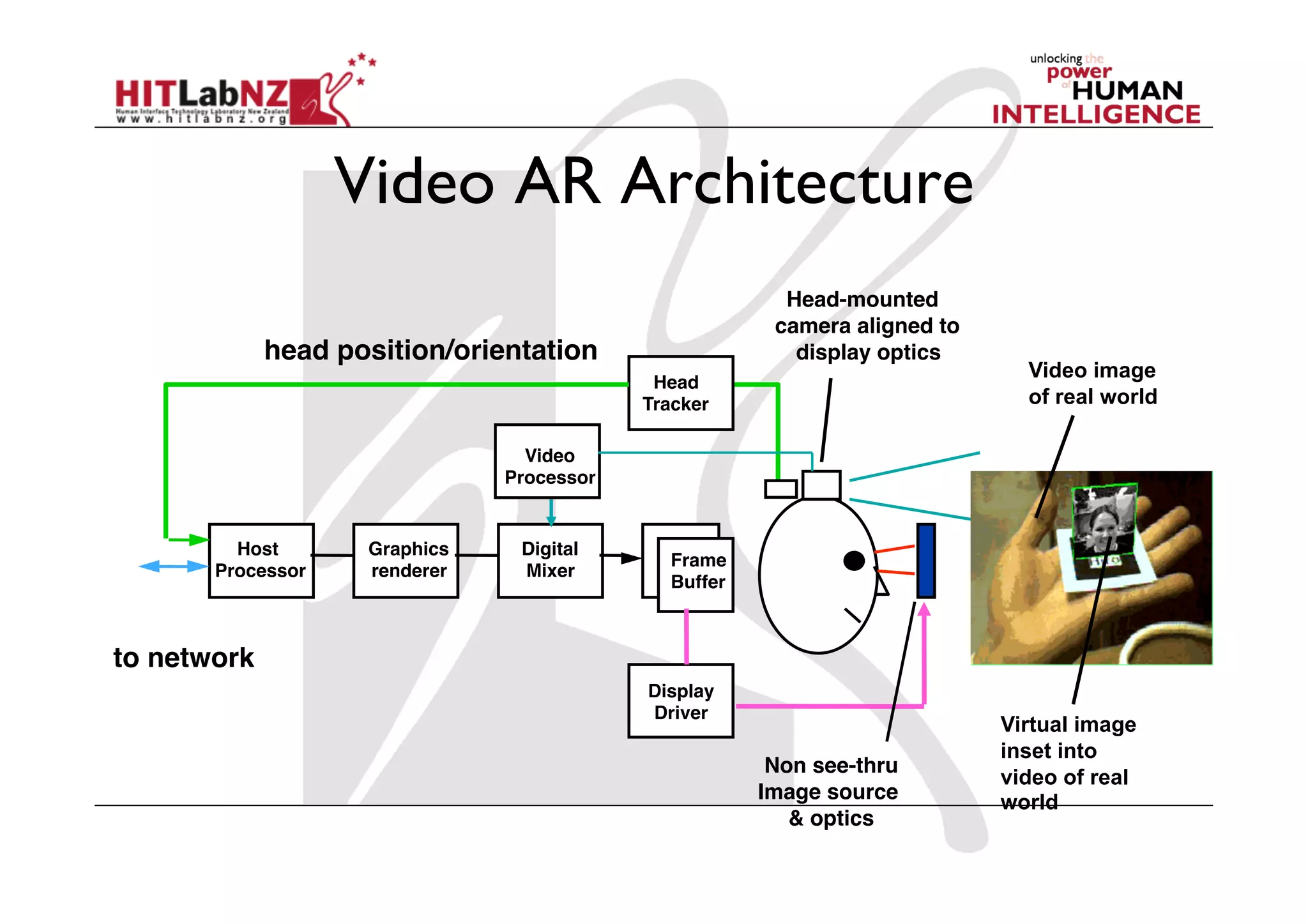
Video AR Architecture
                                                         Head-mounted
                                                        camera aligned to
             head position/orientation                    display optics
                                                                              Video image
                                             Head!
                                            Tracker                           of real world

                                  Video!
                                Processor


         Host!      Graphics!    Digital!
                                              Frame!
       Processor    renderer     Mixer
                                              Buffer


to network
                                            Display!
                                            Driver
                                                                            Virtual image
                                                                            inset into
                                                        Non see-thru!
                                                                            video of real
                                                       Image source         world
                                                          & optics
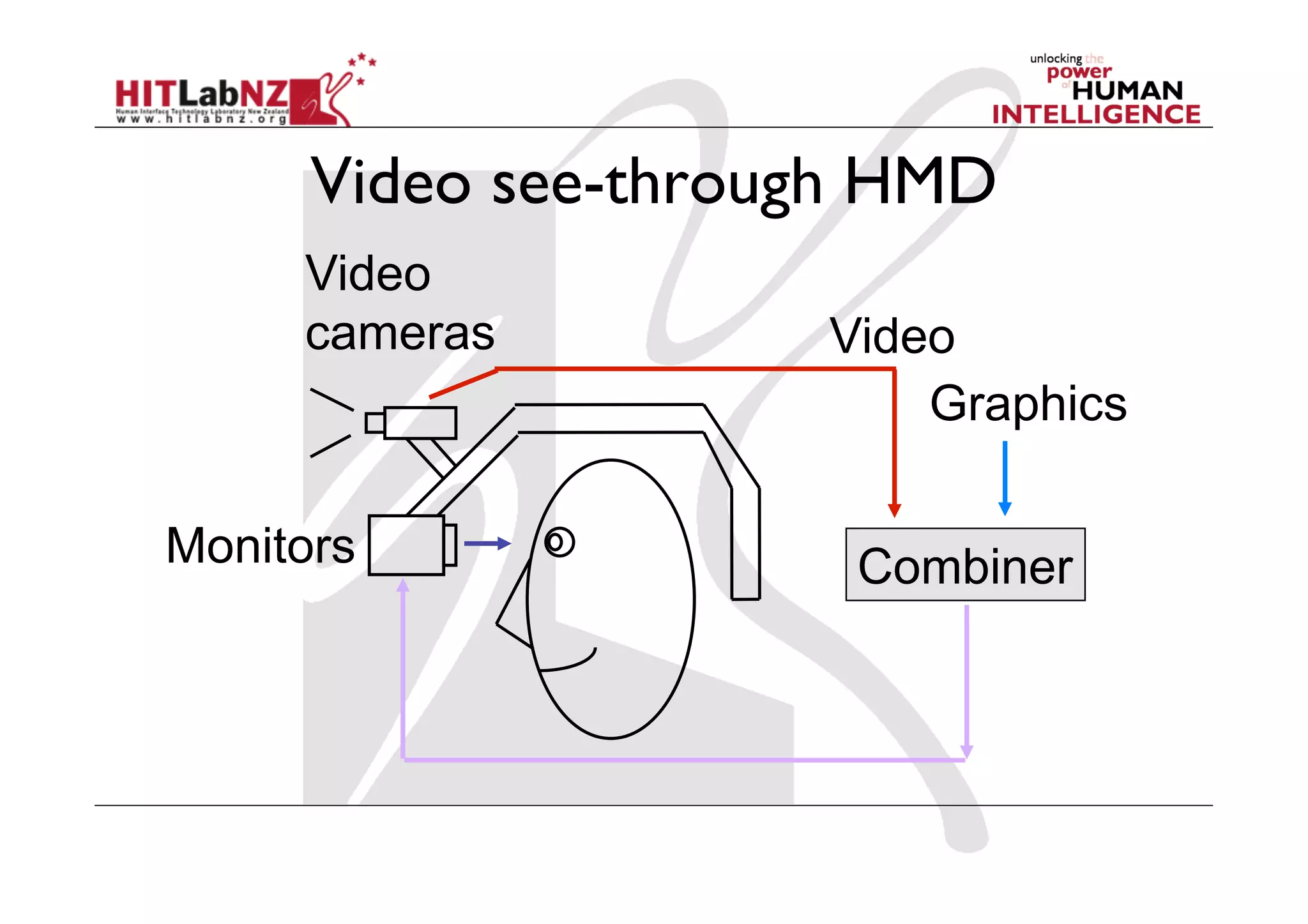
Video see-through HMD
     Video
     cameras         Video
                         Graphics

Monitors              Combiner
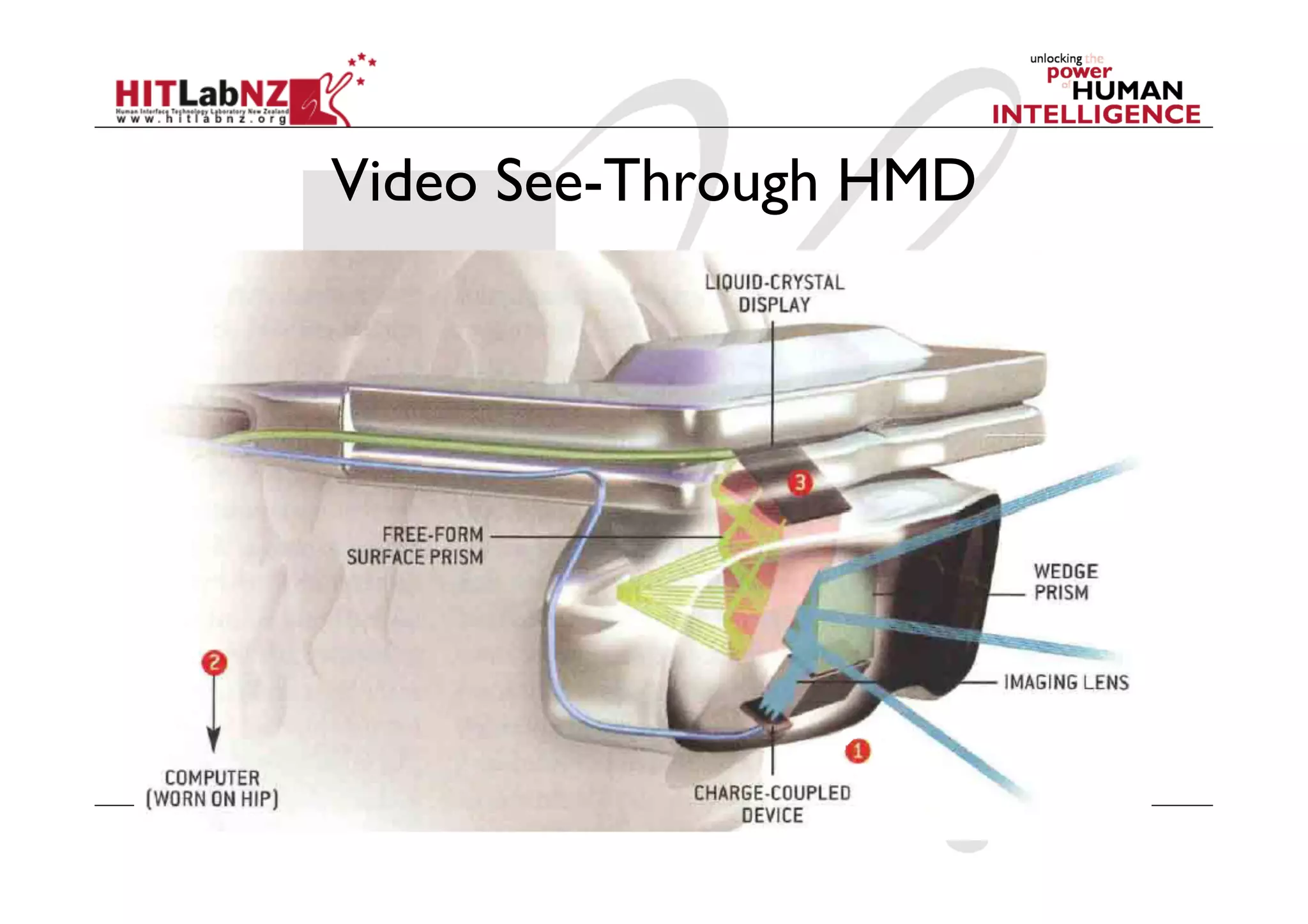
Video See-Through HMD
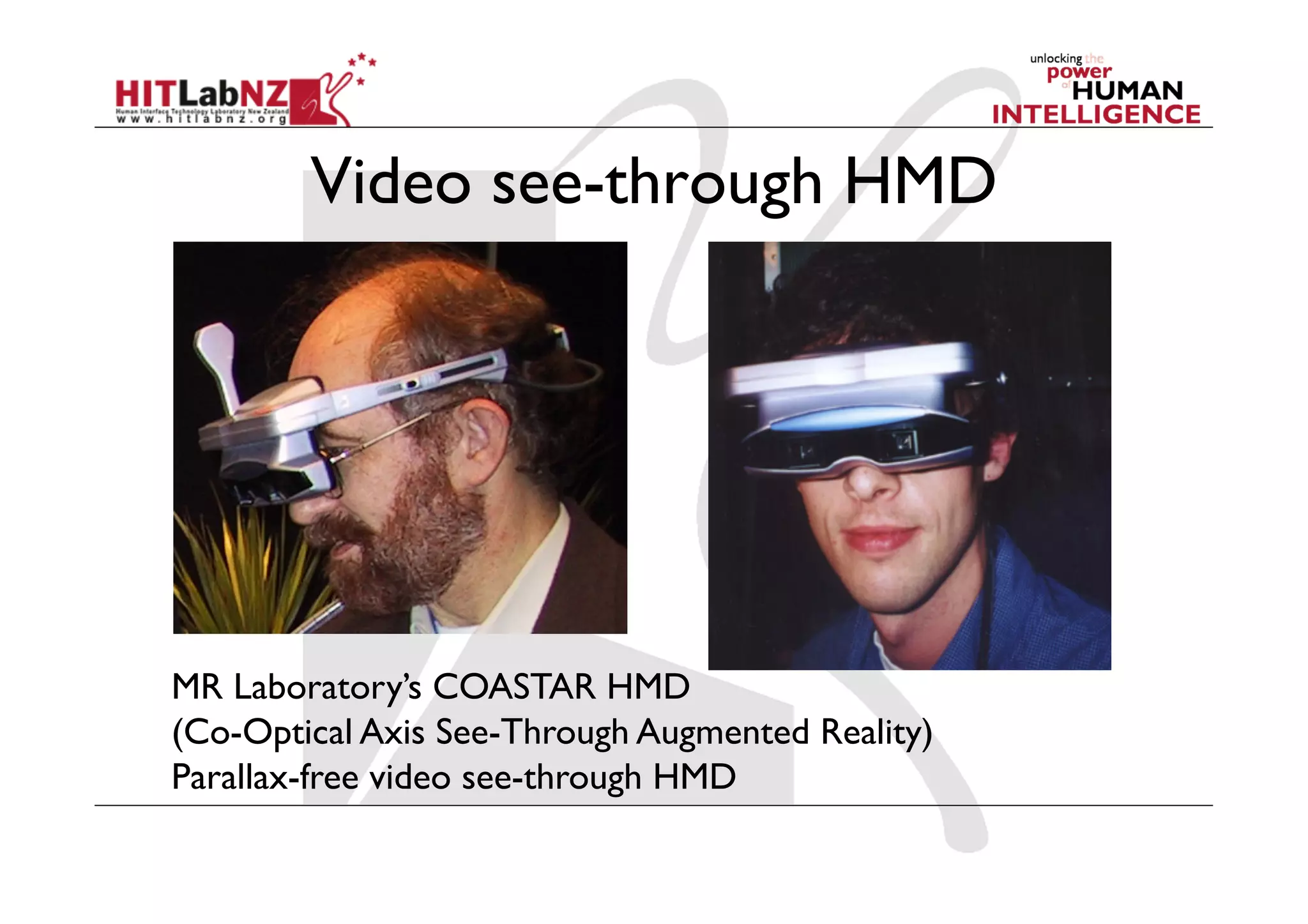
Video see-through HMD


MR Laboratory’s COASTAR HMD
(Co-Optical Axis See-Through Augmented Reality)
Parallax-free video see-through HMD
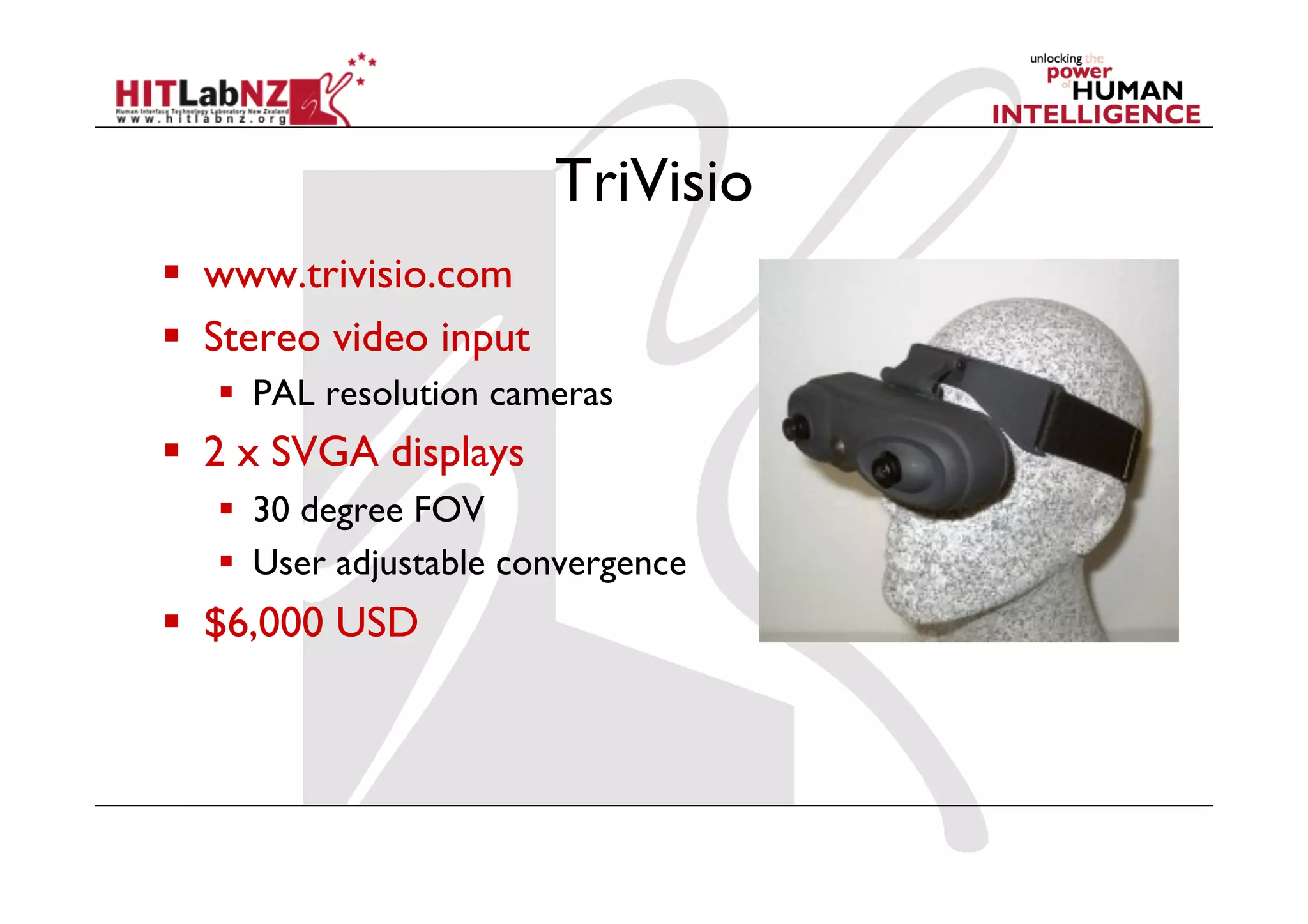
TriVisio
  www.trivisio.com
  Stereo video input
     PAL resolution cameras
  2 x SVGA displays
     30 degree FOV
     User adjustable convergence
  $6,000 USD
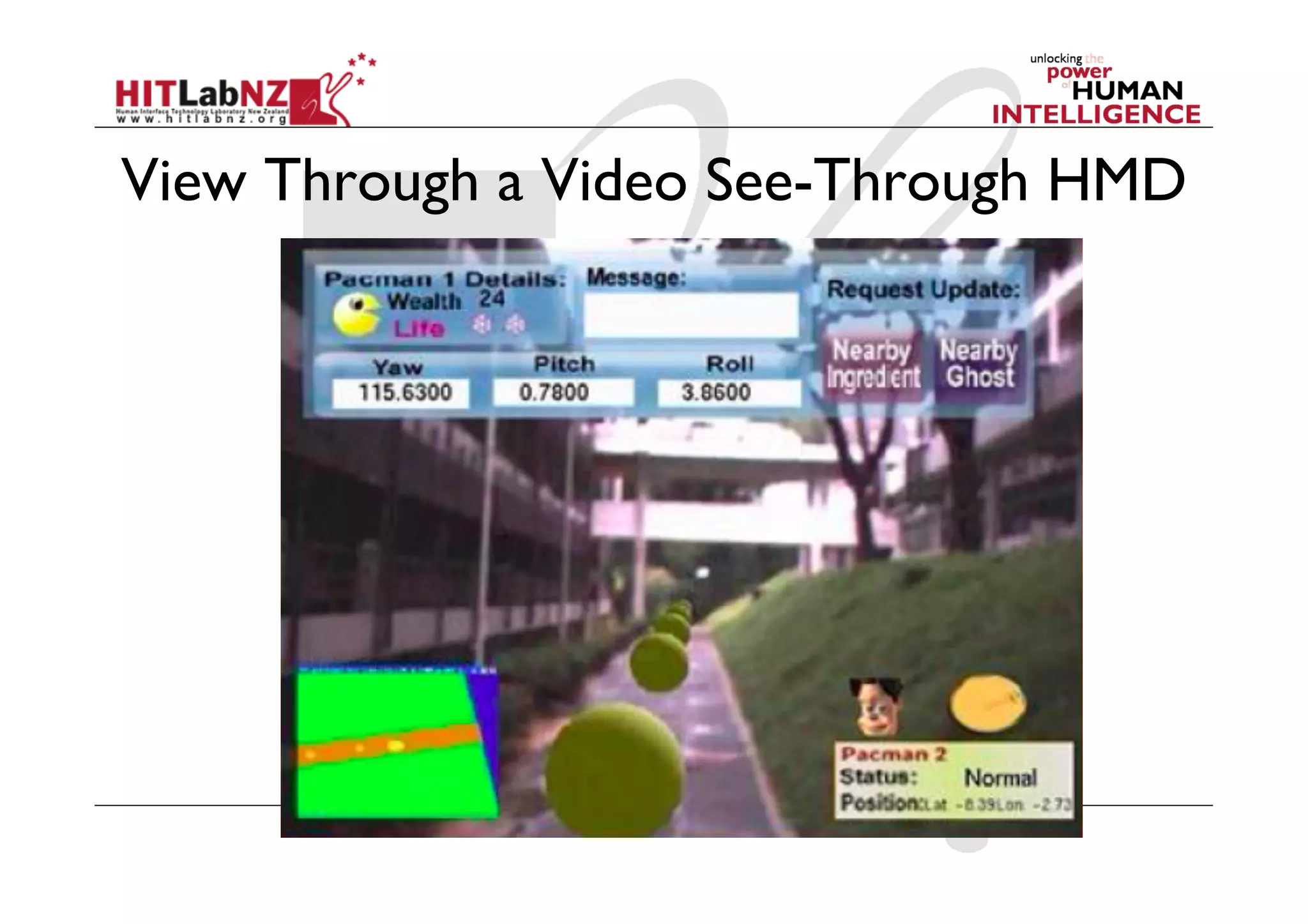
View Through a Video See-Through HMD
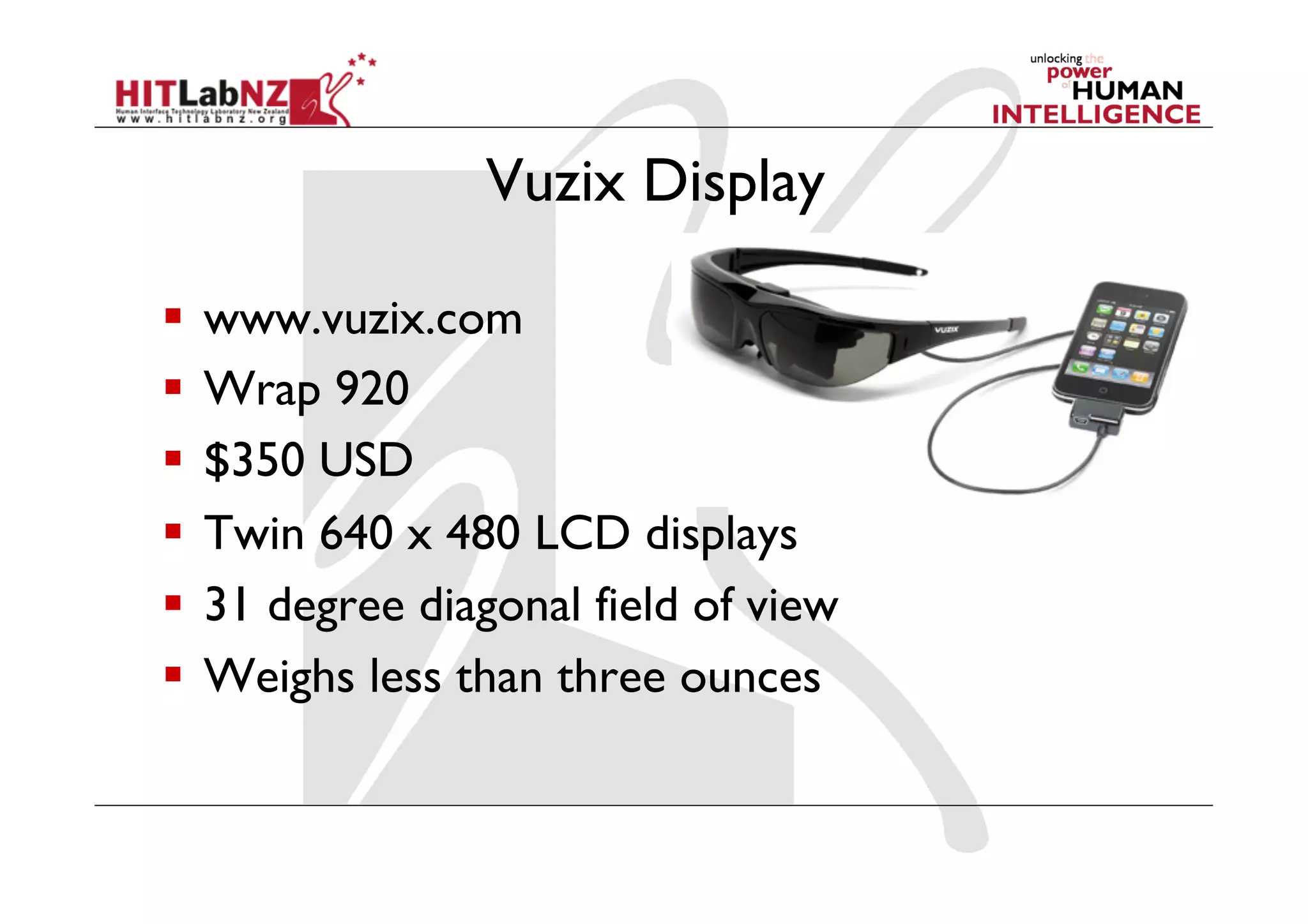
Vuzix Display

  www.vuzix.com
  Wrap 920
  $350 USD
  Twin 640 x 480 LCD displays
  31 degree diagonal field of view
  Weighs less than three ounces
Strengths of Video AR
  True occlusion
    Kiyokawa optical display that supports occlusion
  Digitized image of real world
    Flexibility in composition
    Matchable time delays
    More registration, calibration strategies
  Wide FOV is easier to support
Optical vs. Video AR Summary
  Both have proponents
  Video is more popular today?
    Likely because lack of available optical products
  Depends on application?
    Manufacturing: optical is cheaper
    Medical: video for calibration strategies
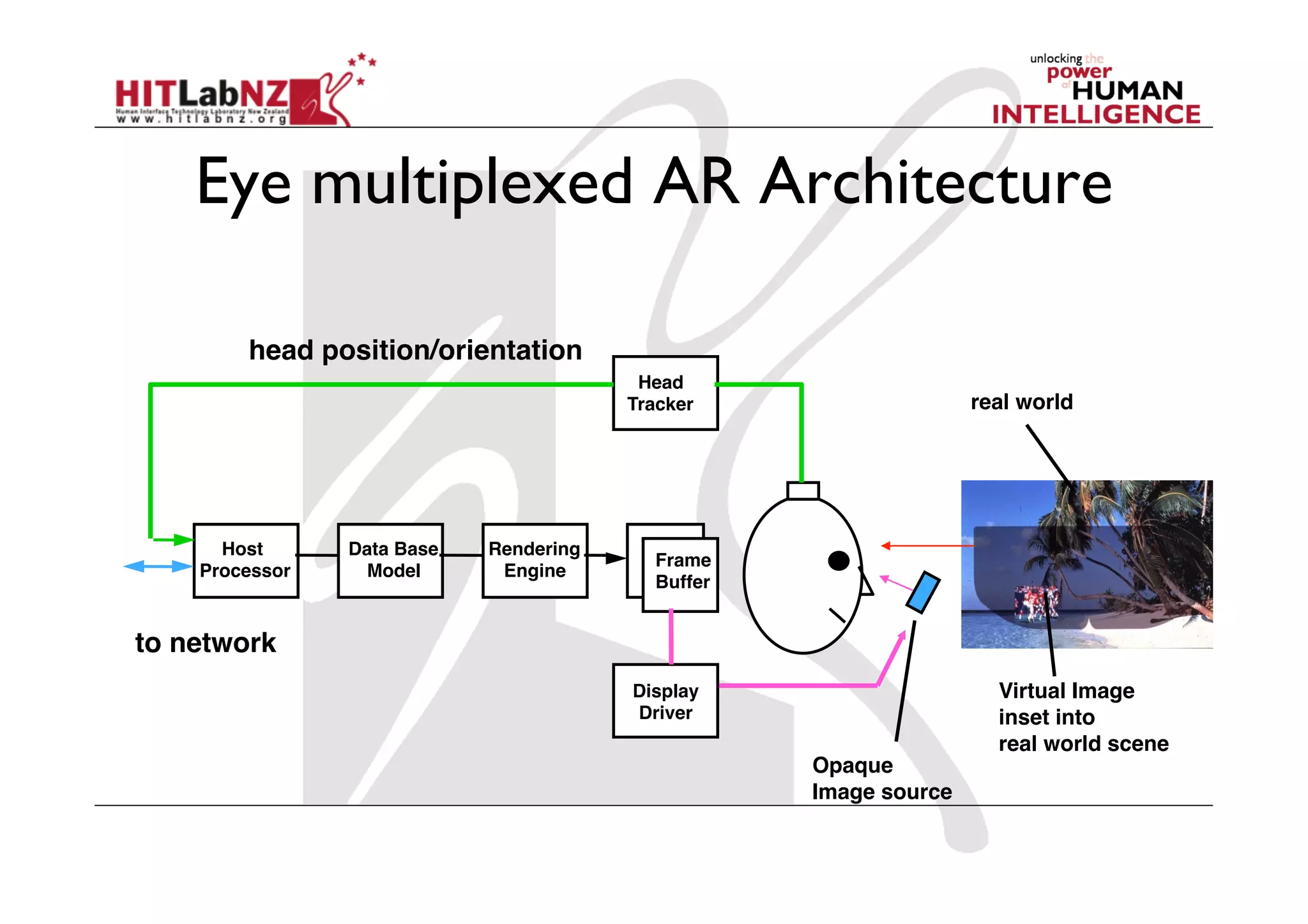
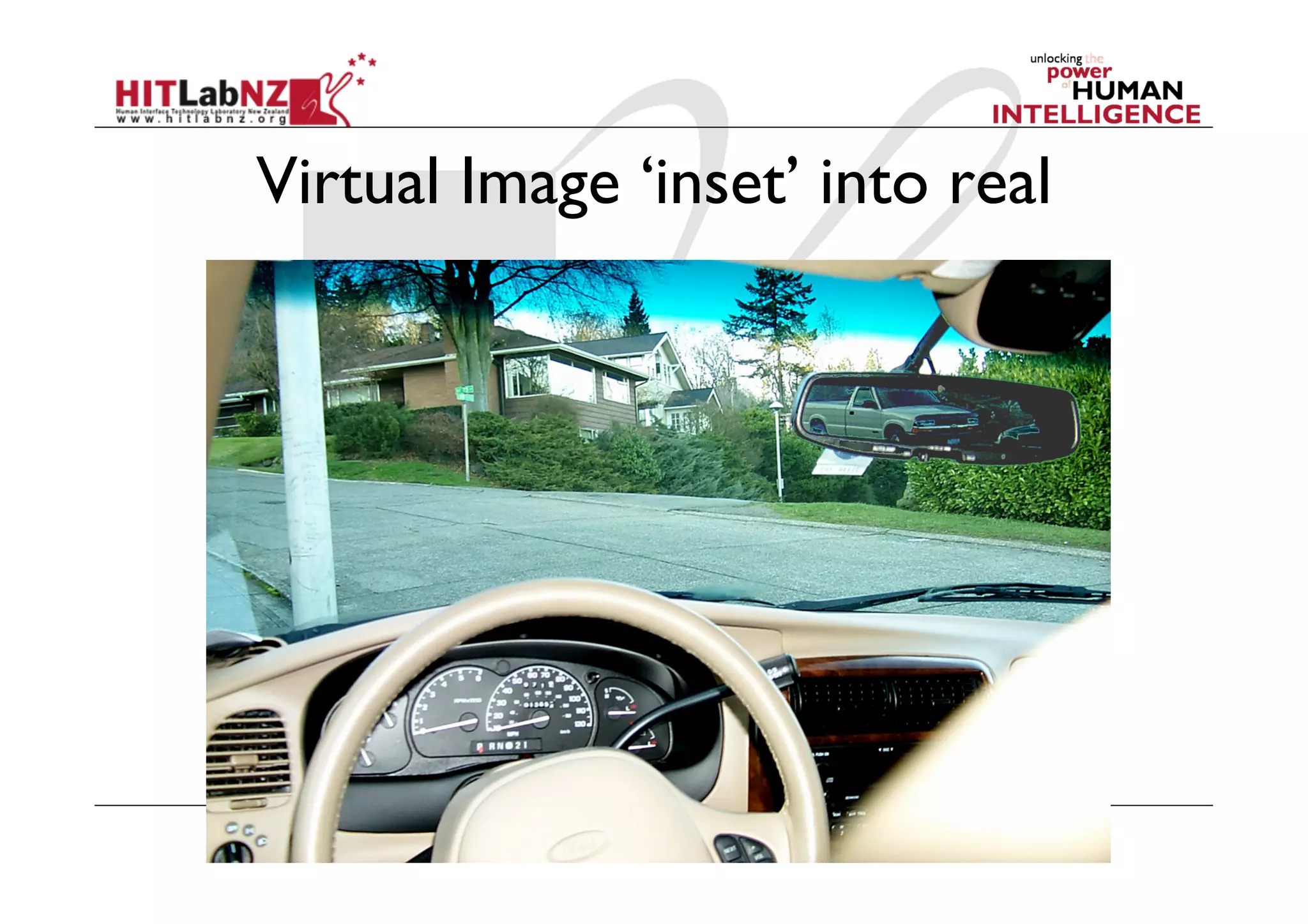
Eye multiplexed AR Architecture

        head position/orientation
                                           Head!
                                          Tracker                   real world


      Host!     Data Base!   Rendering!
                                            Frame!
    Processor    Model        Engine
                                            Buffer


to network
                                          Display!                    Virtual Image
                                          Driver                      inset into!
                                                                      real world scene
                                                     Opaque!
                                                     Image source
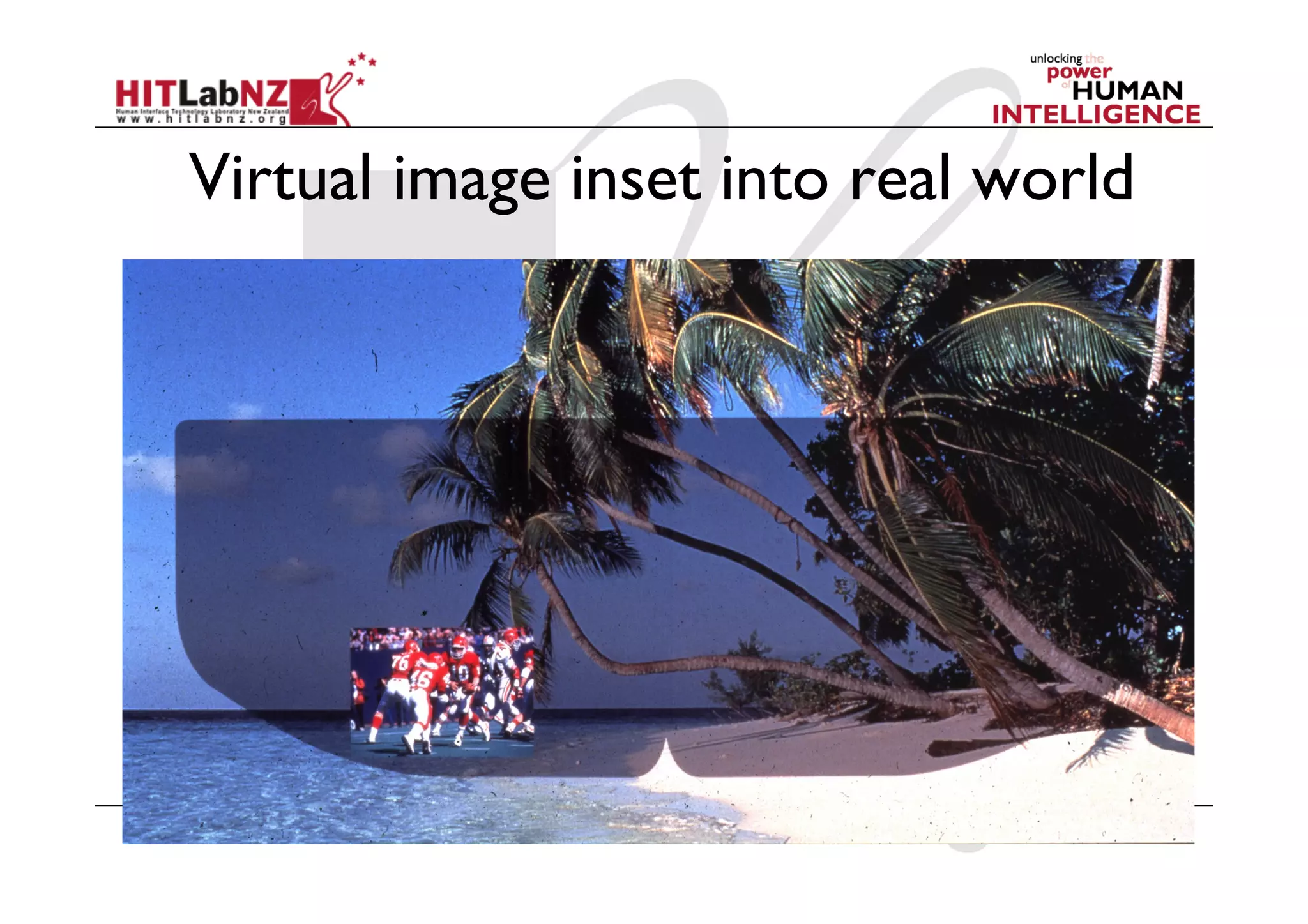
Virtual Image ‘inset’ into real
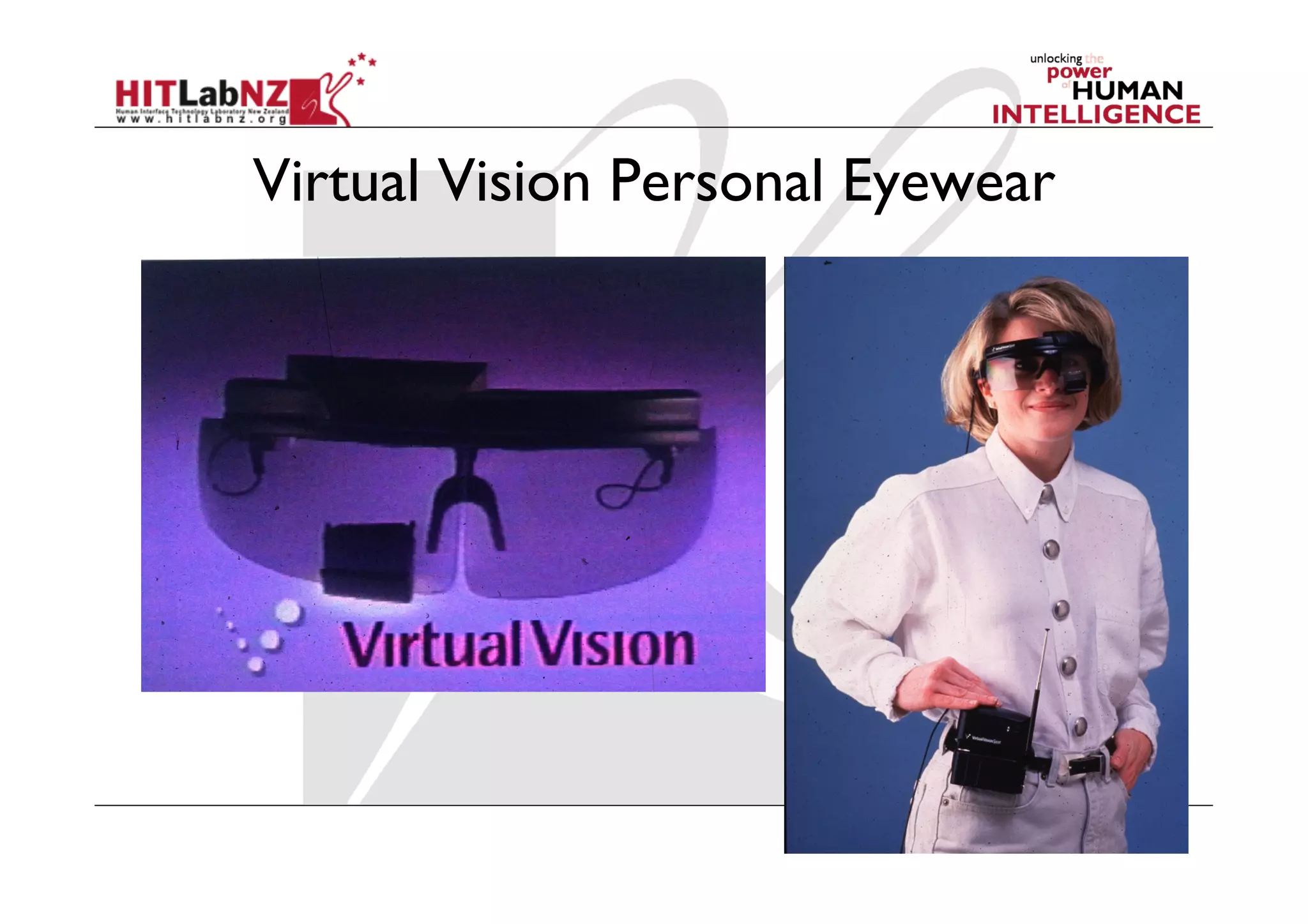
Virtual Vision Personal Eyewear
Virtual image inset into real world
Spatial/Projected AR
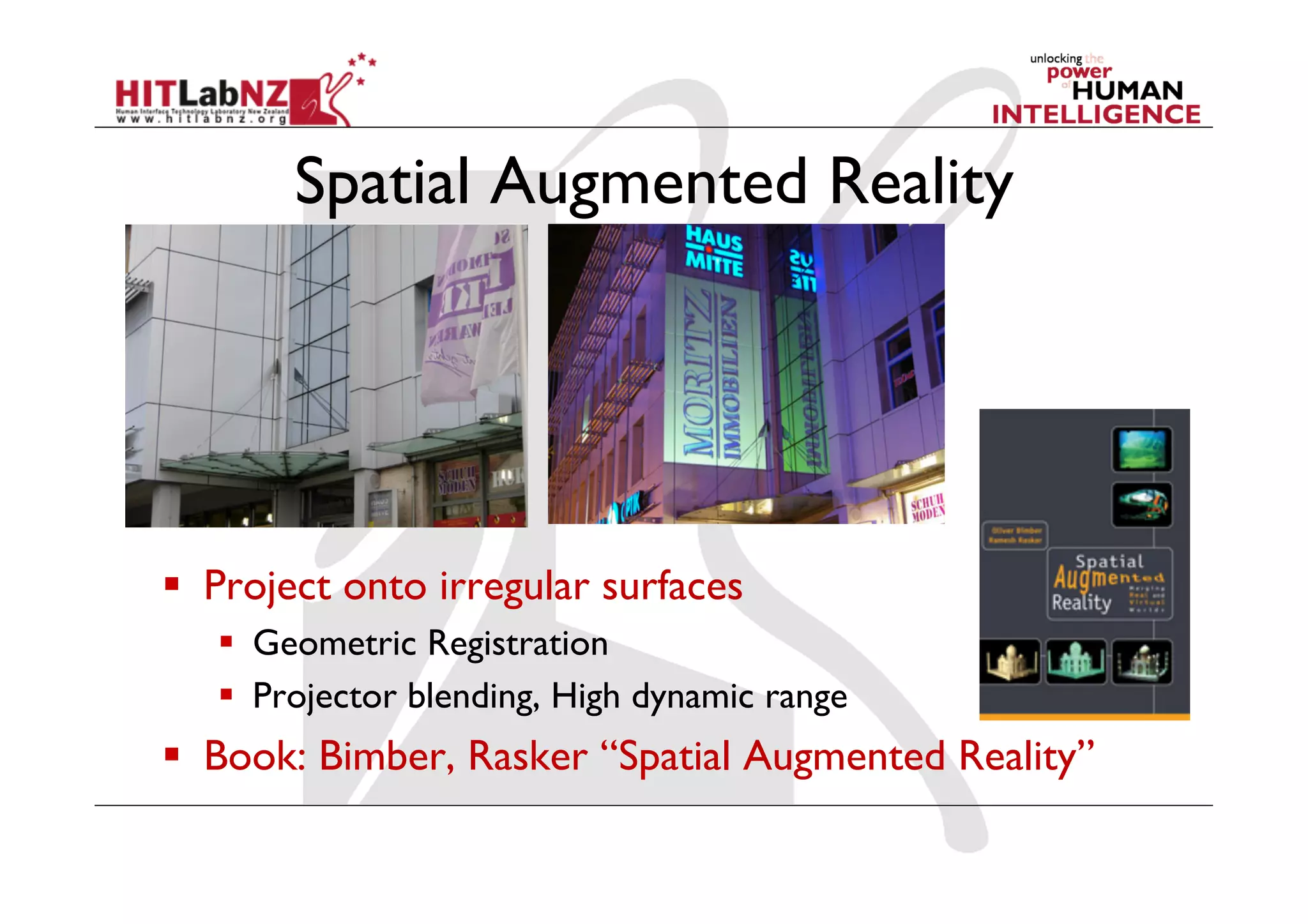
Spatial Augmented Reality


  Project onto irregular surfaces
     Geometric Registration
     Projector blending, High dynamic range
  Book: Bimber, Rasker “Spatial Augmented Reality”
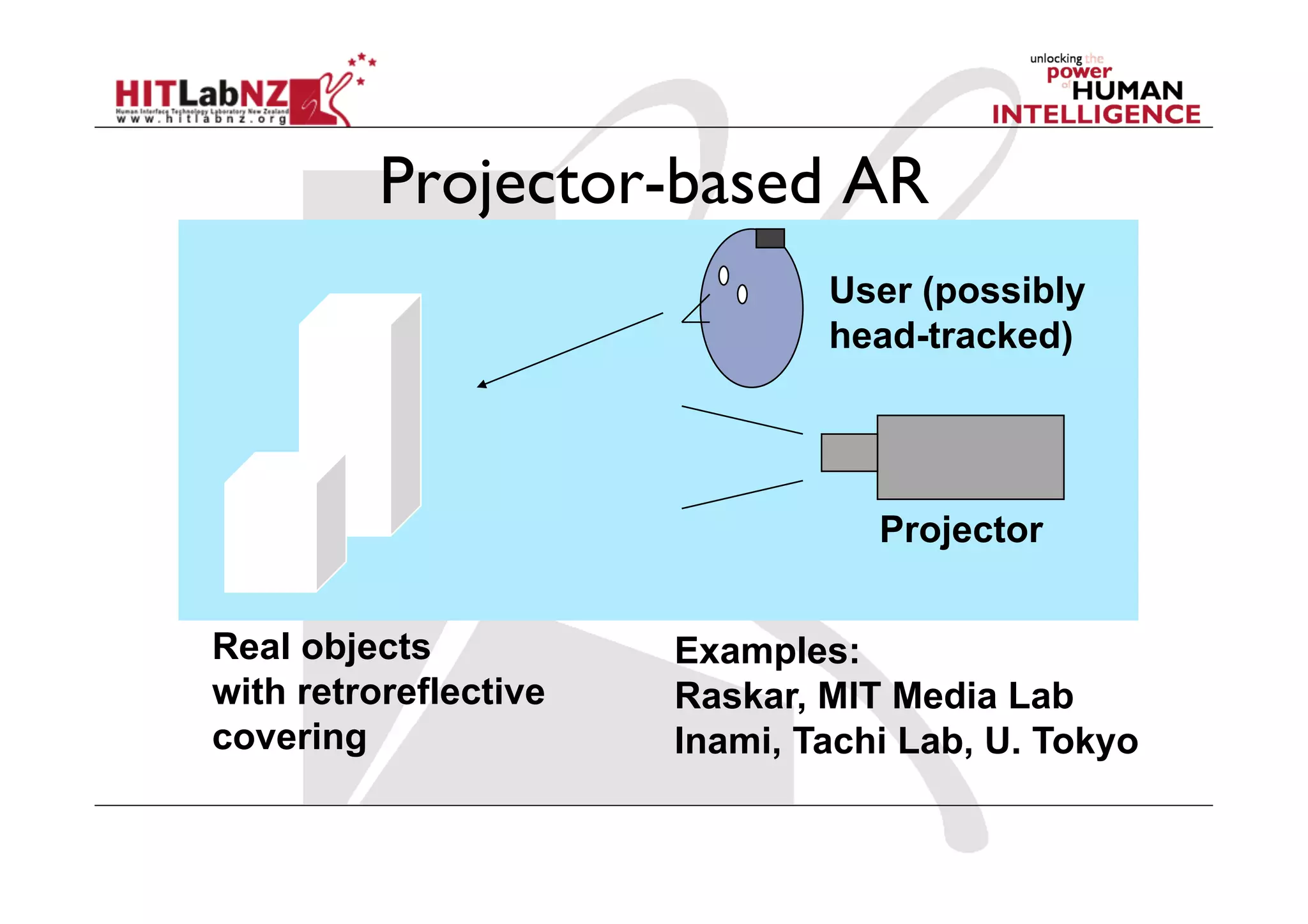
Projector-based AR
                               User (possibly
                               head-tracked)


                                  Projector


Real objects           Examples:
with retroreflective   Raskar, MIT Media Lab
covering               Inami, Tachi Lab, U. Tokyo
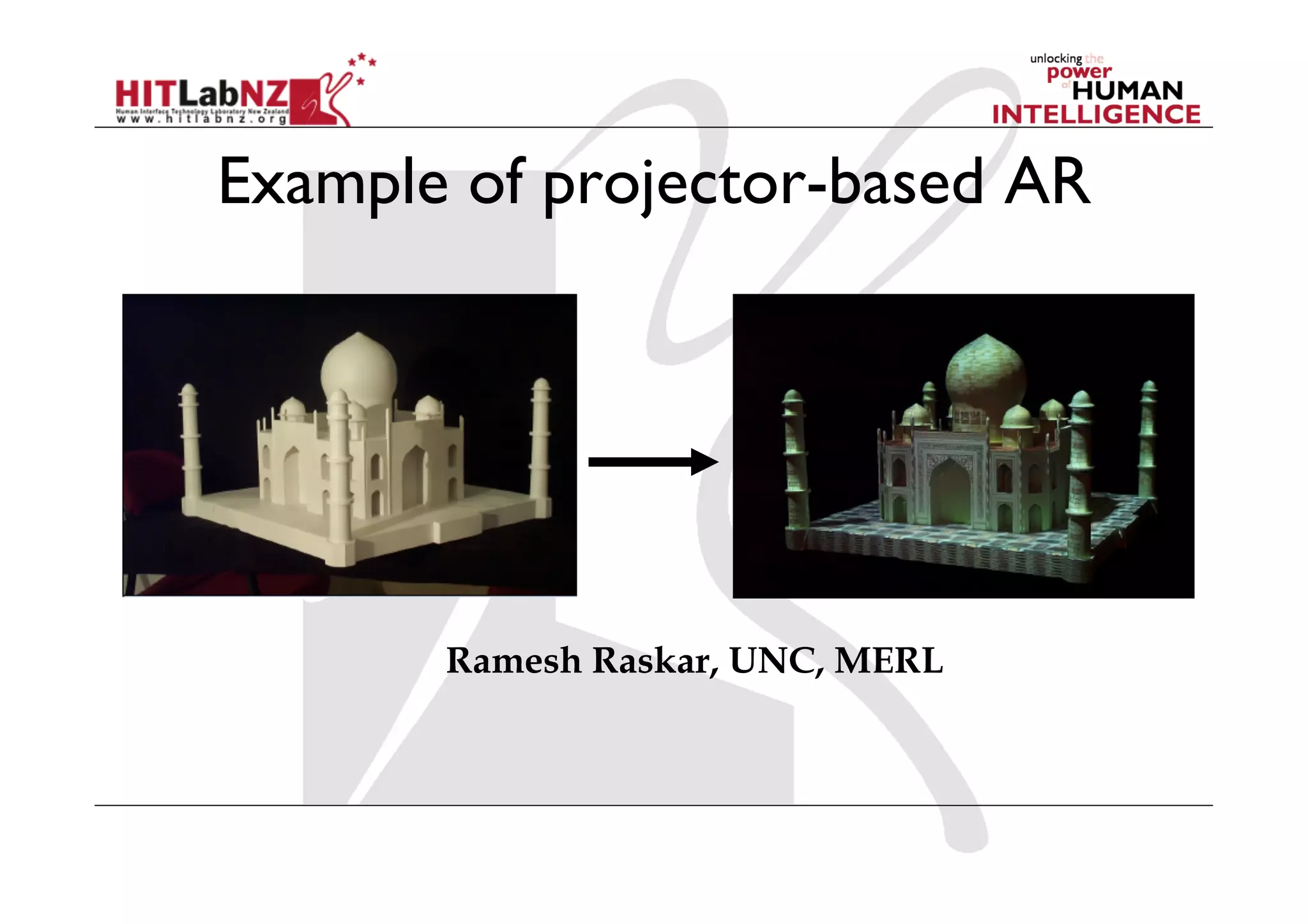
Example of projector-based AR


       Ramesh Raskar, UNC, MERL
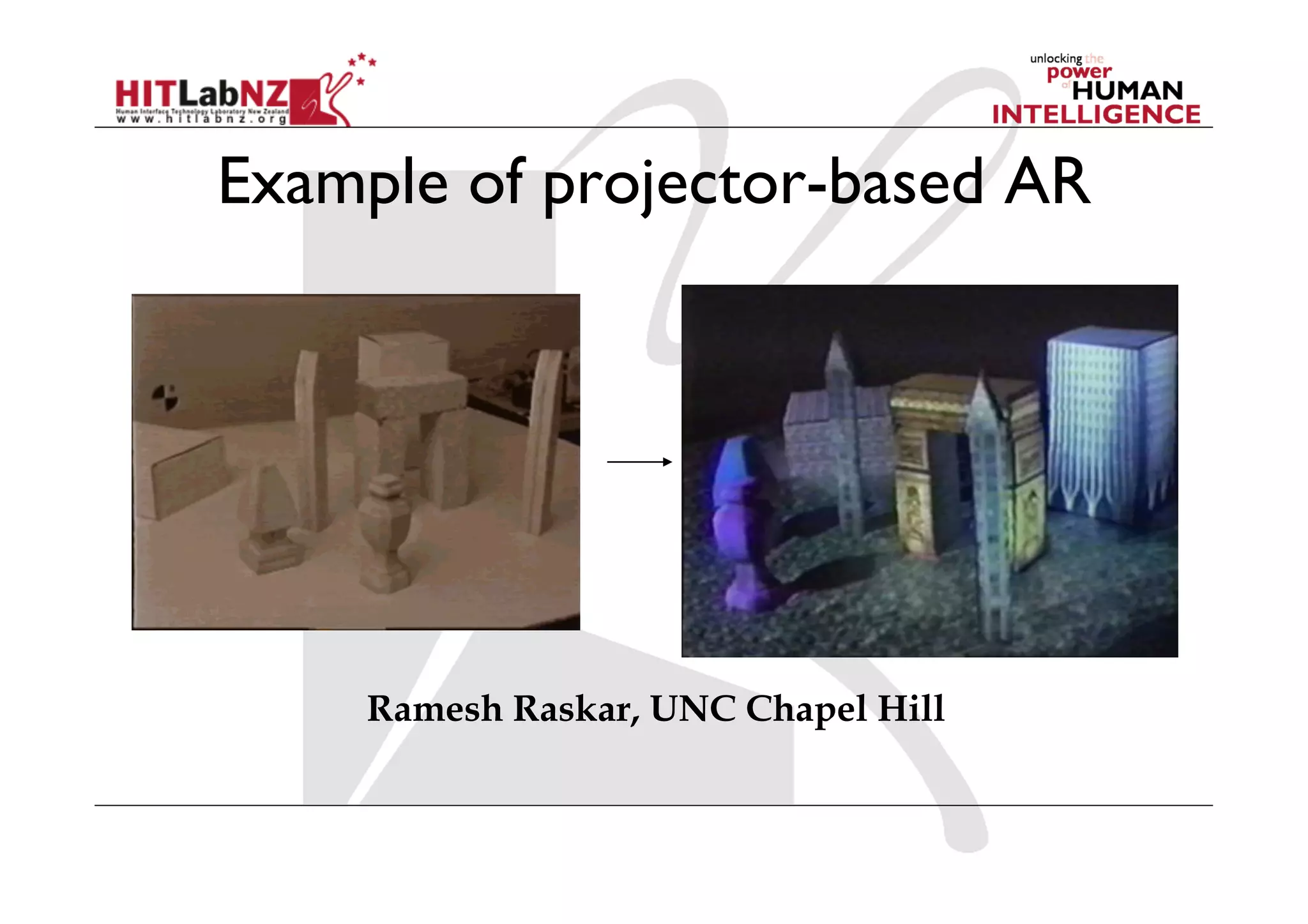
Example of projector-based AR


    Ramesh Raskar, UNC Chapel Hill
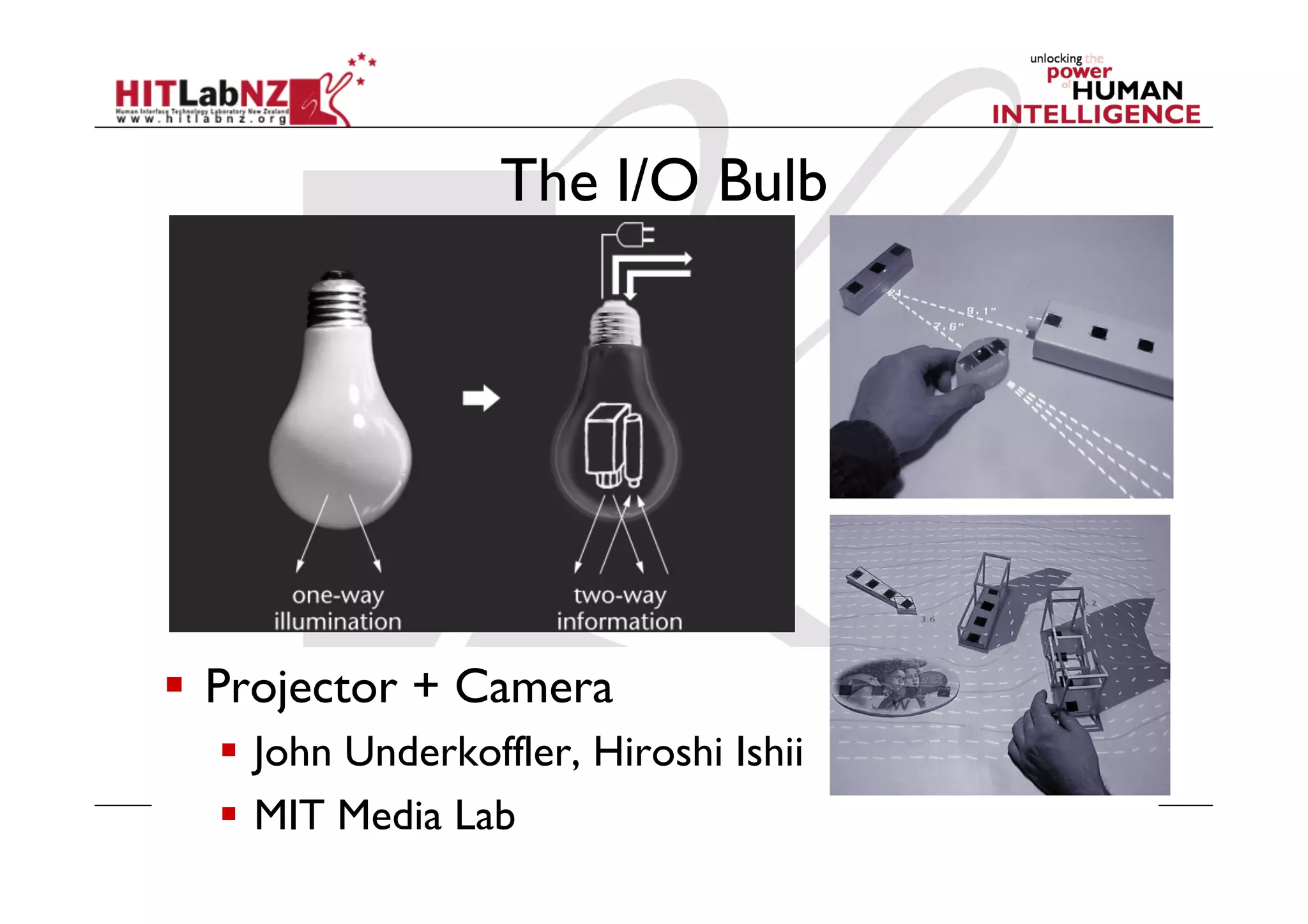
The I/O Bulb


  Projector + Camera
    John Underkoffler, Hiroshi Ishii
    MIT Media Lab
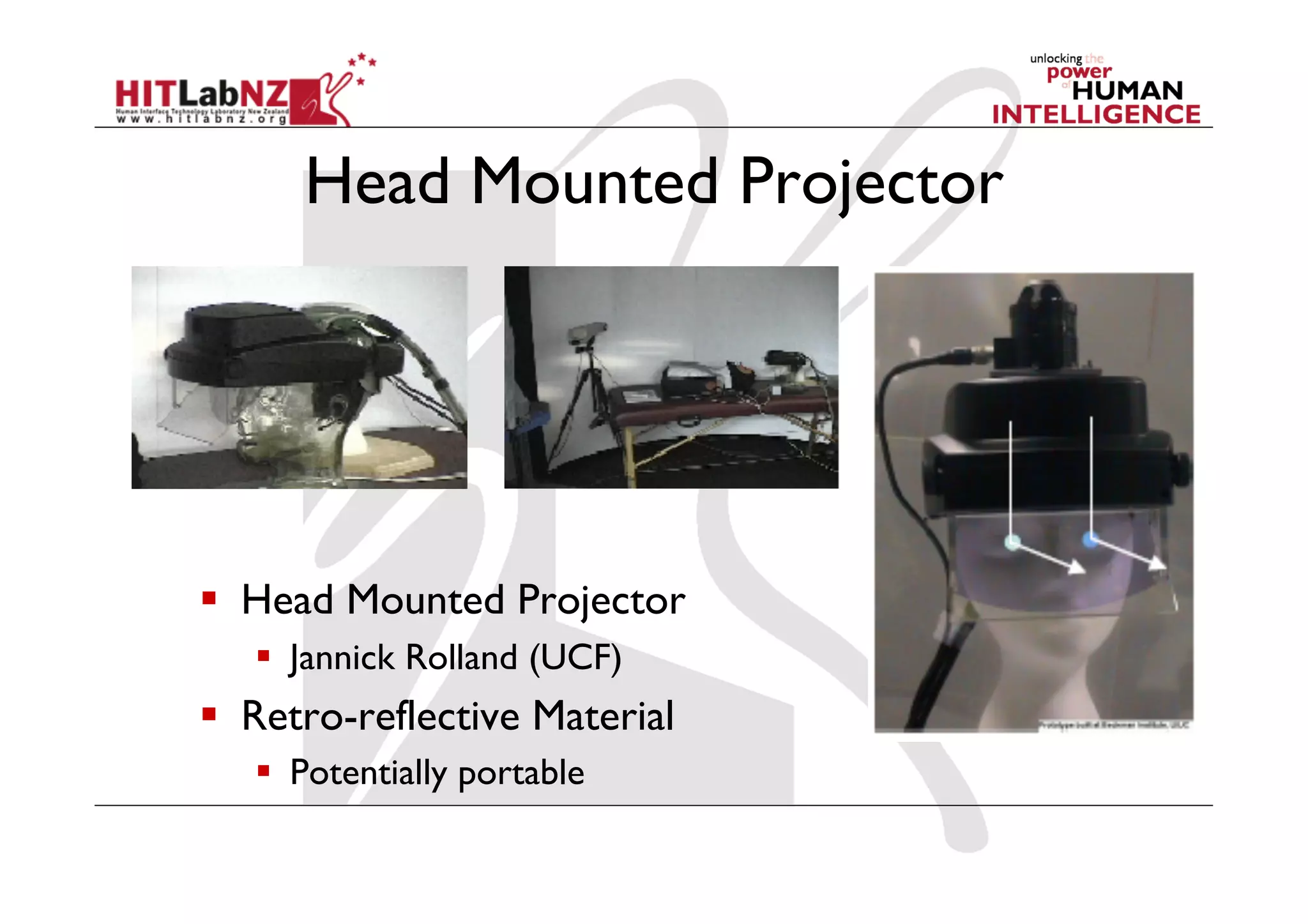
Head Mounted Projector


  Head Mounted Projector
     Jannick Rolland (UCF)
  Retro-reflective Material
     Potentially portable
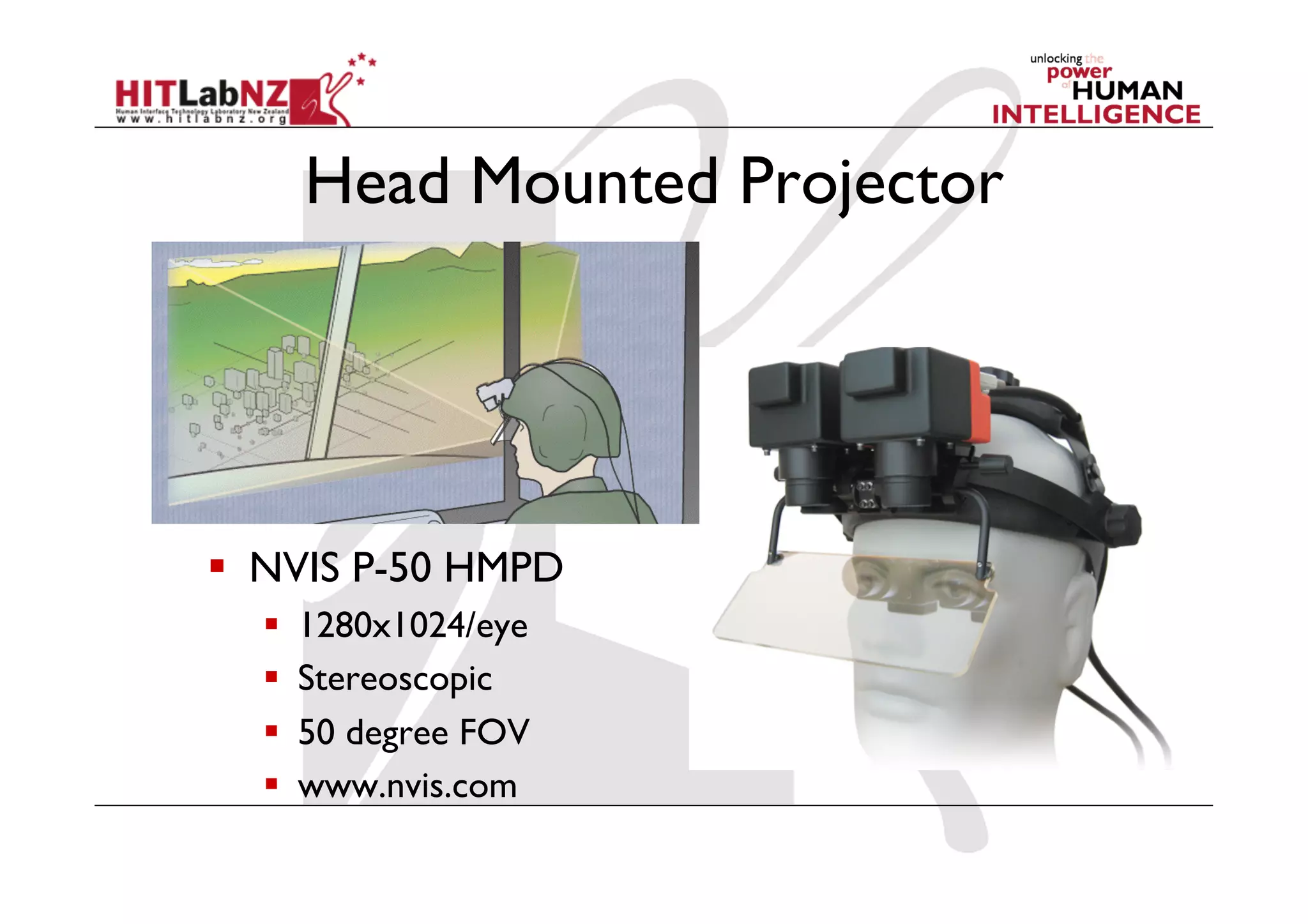
Head Mounted Projector


  NVIS P-50 HMPD
      1280x1024/eye
      Stereoscopic
      50 degree FOV
      www.nvis.com
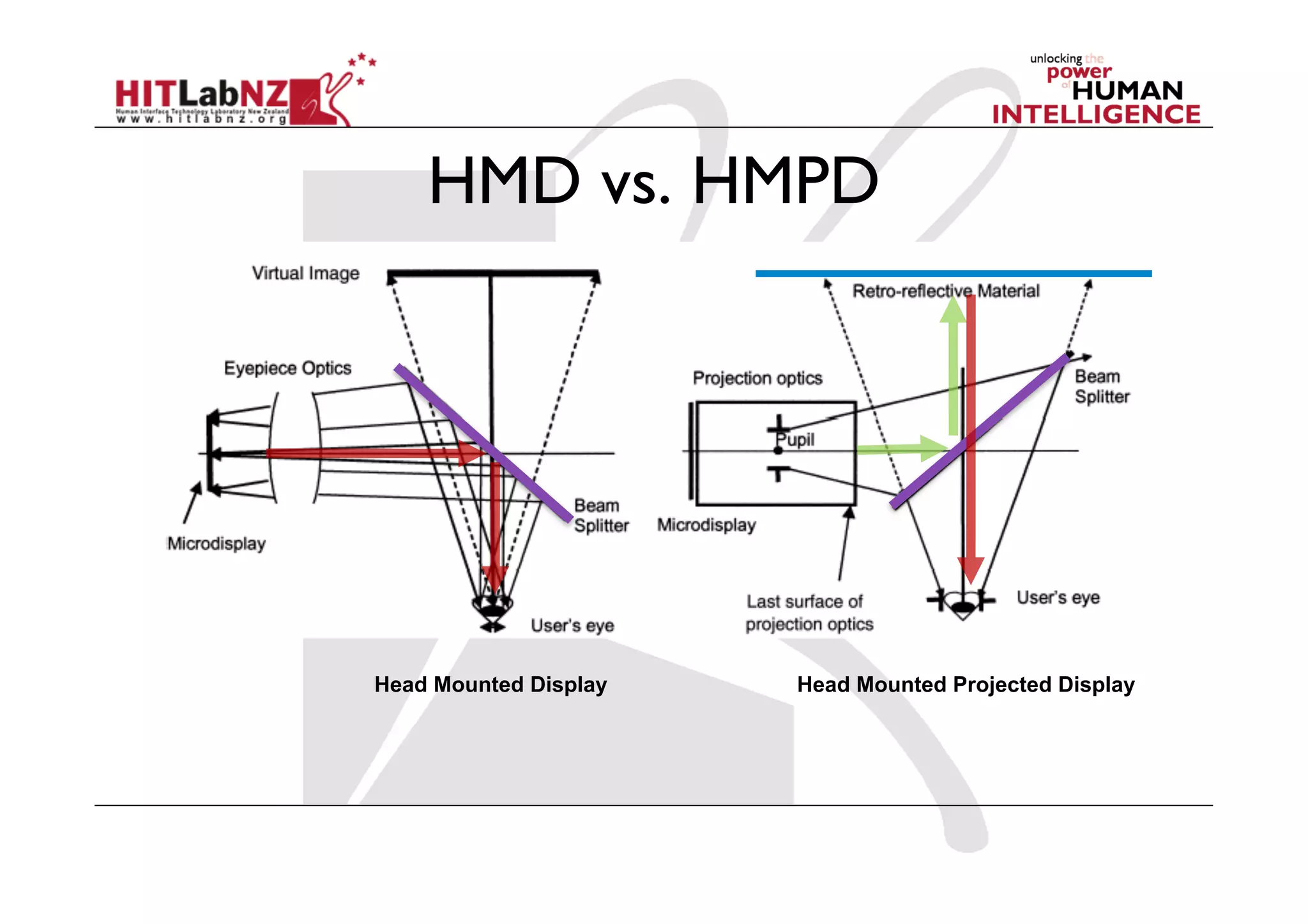
HMD vs. HMPD


Head Mounted Display   Head Mounted Projected Display
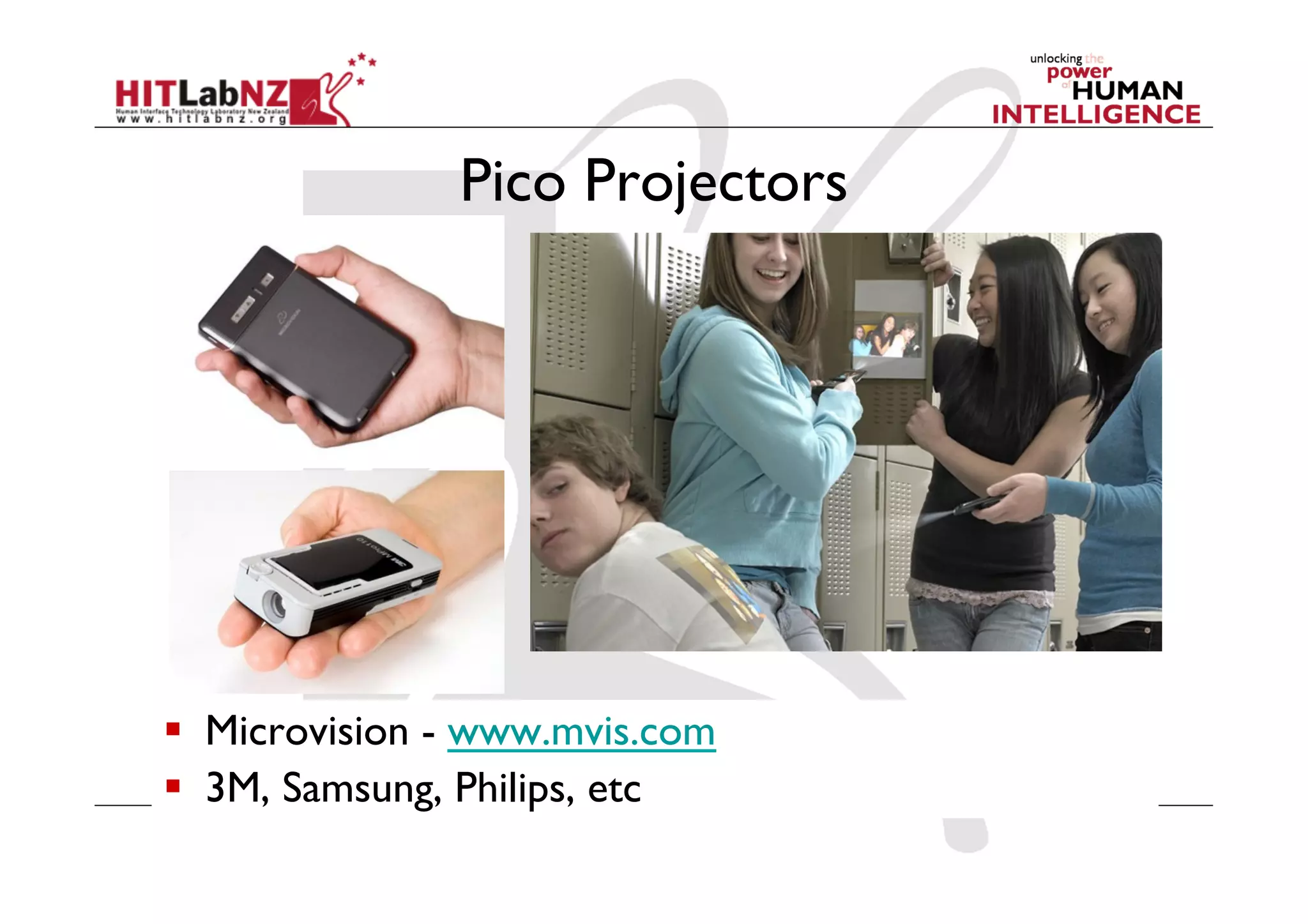
Pico Projectors


  Microvision - www.mvis.com
  3M, Samsung, Philips, etc
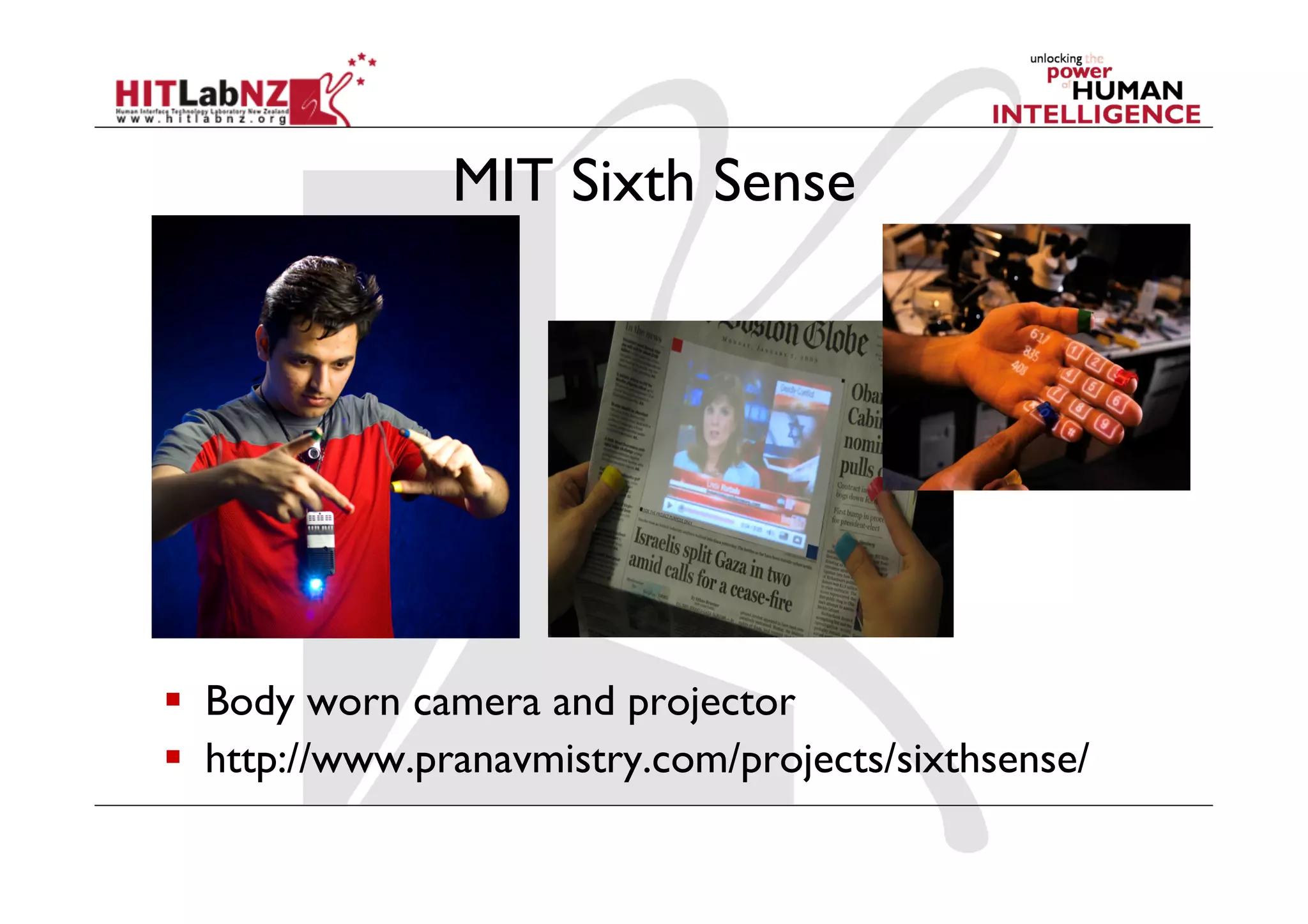
MIT Sixth Sense


  Body worn camera and projector
  http://www.pranavmistry.com/projects/sixthsense/
Other AR Displays
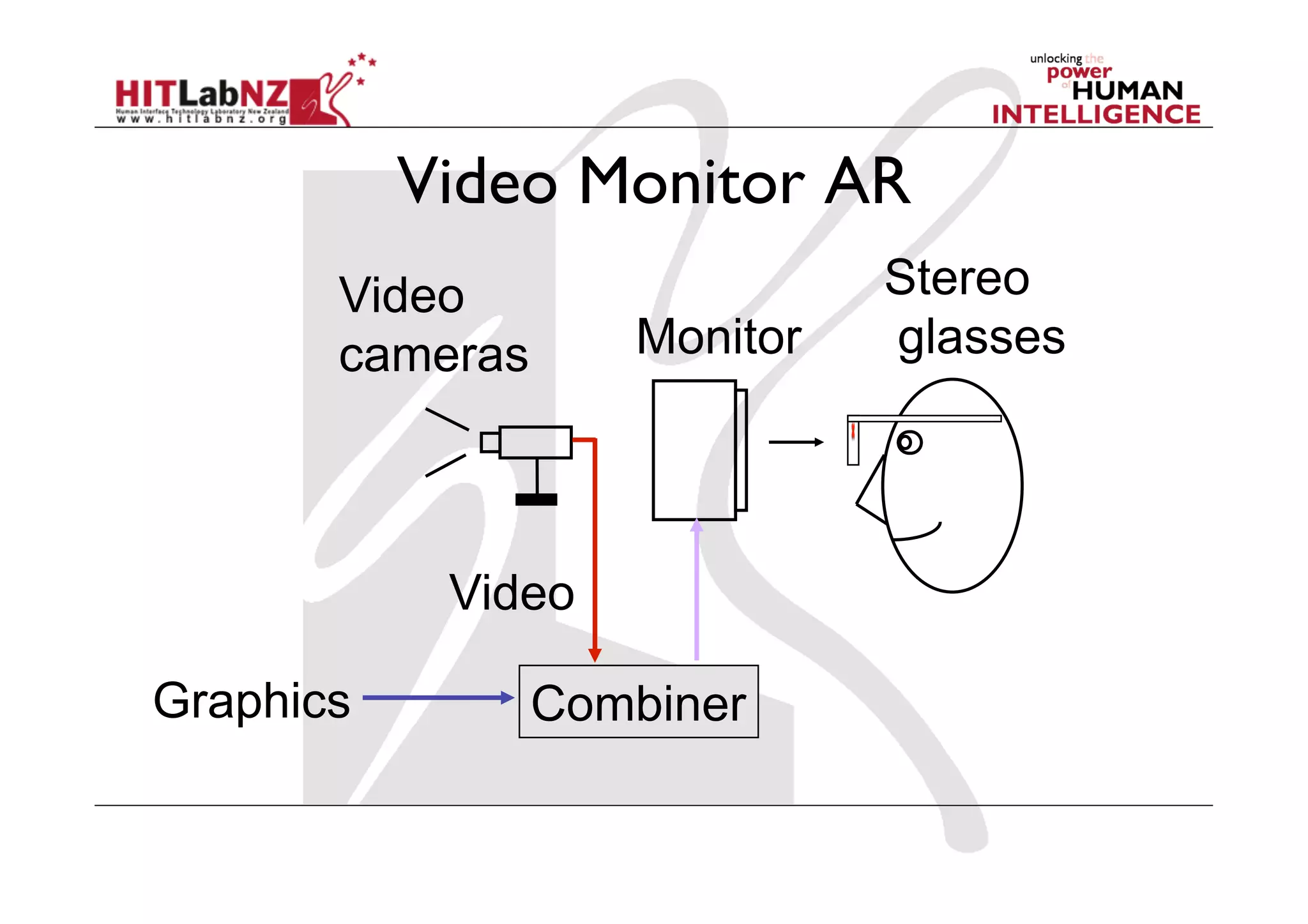
Video Monitor AR
       Video                  Stereo
       cameras      Monitor   glasses


            Video

Graphics         Combiner
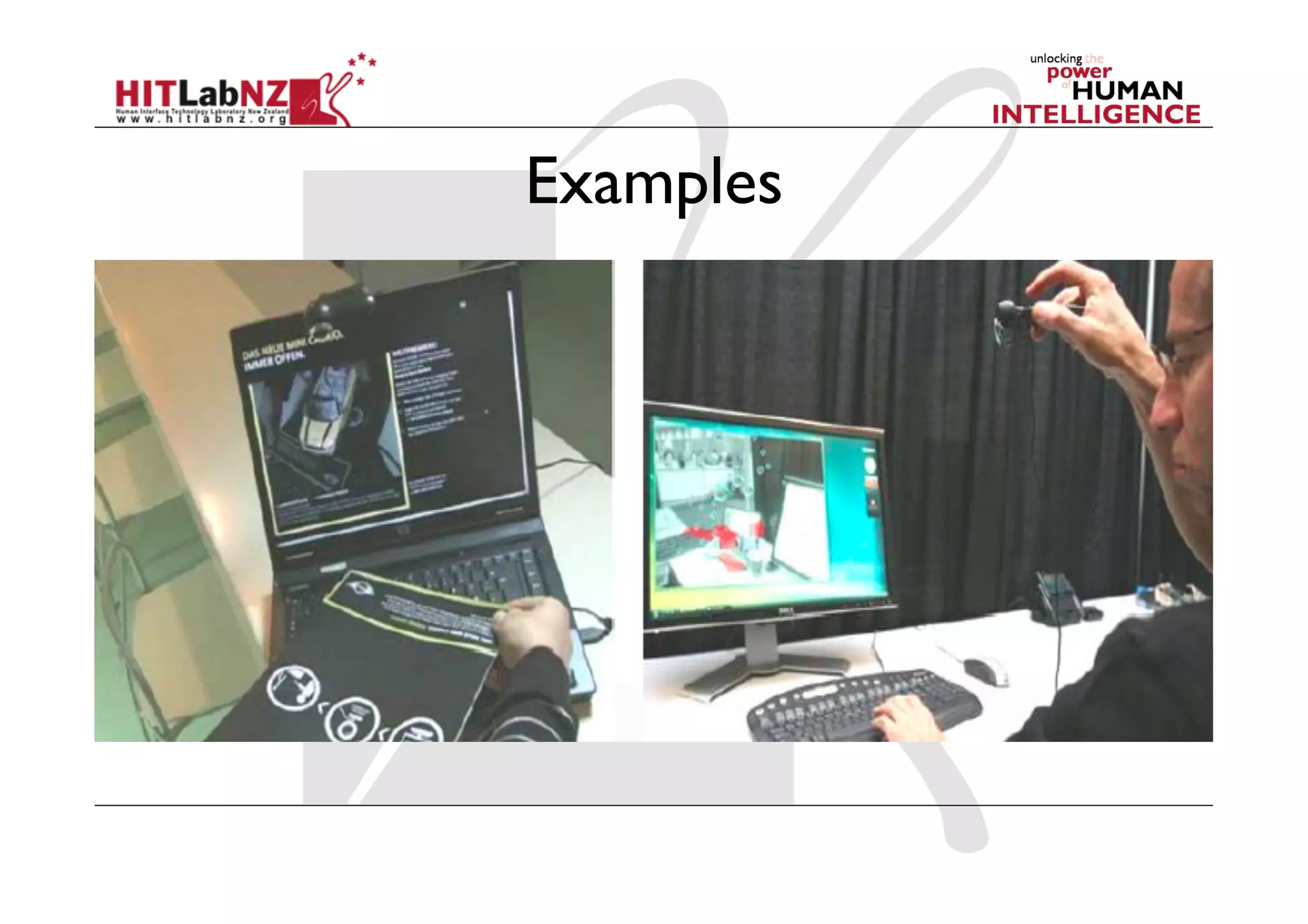
Examples
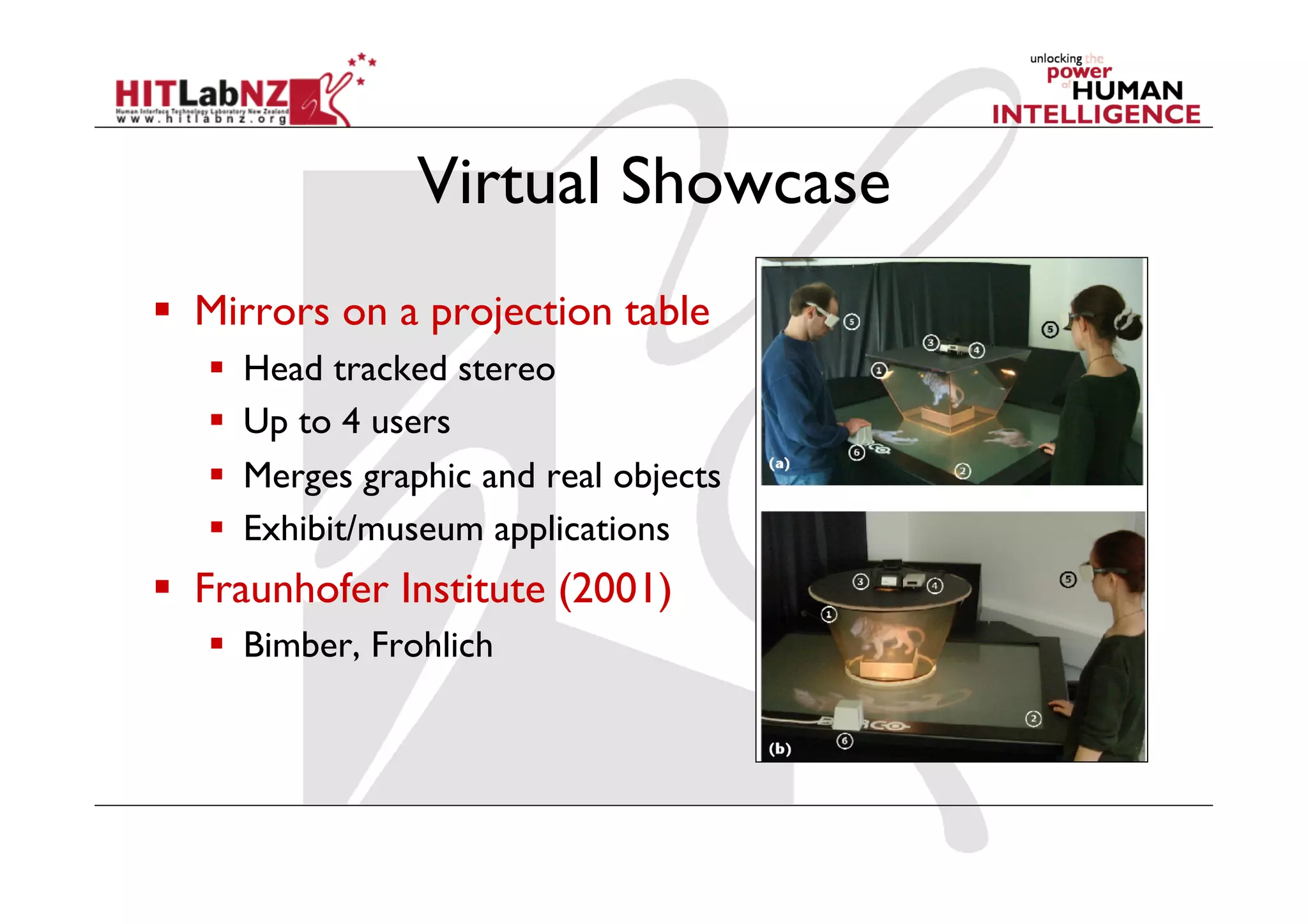
Virtual Showcase
  Mirrors on a projection table
       Head tracked stereo
       Up to 4 users
       Merges graphic and real objects
       Exhibit/museum applications
  Fraunhofer Institute (2001)
     Bimber, Frohlich
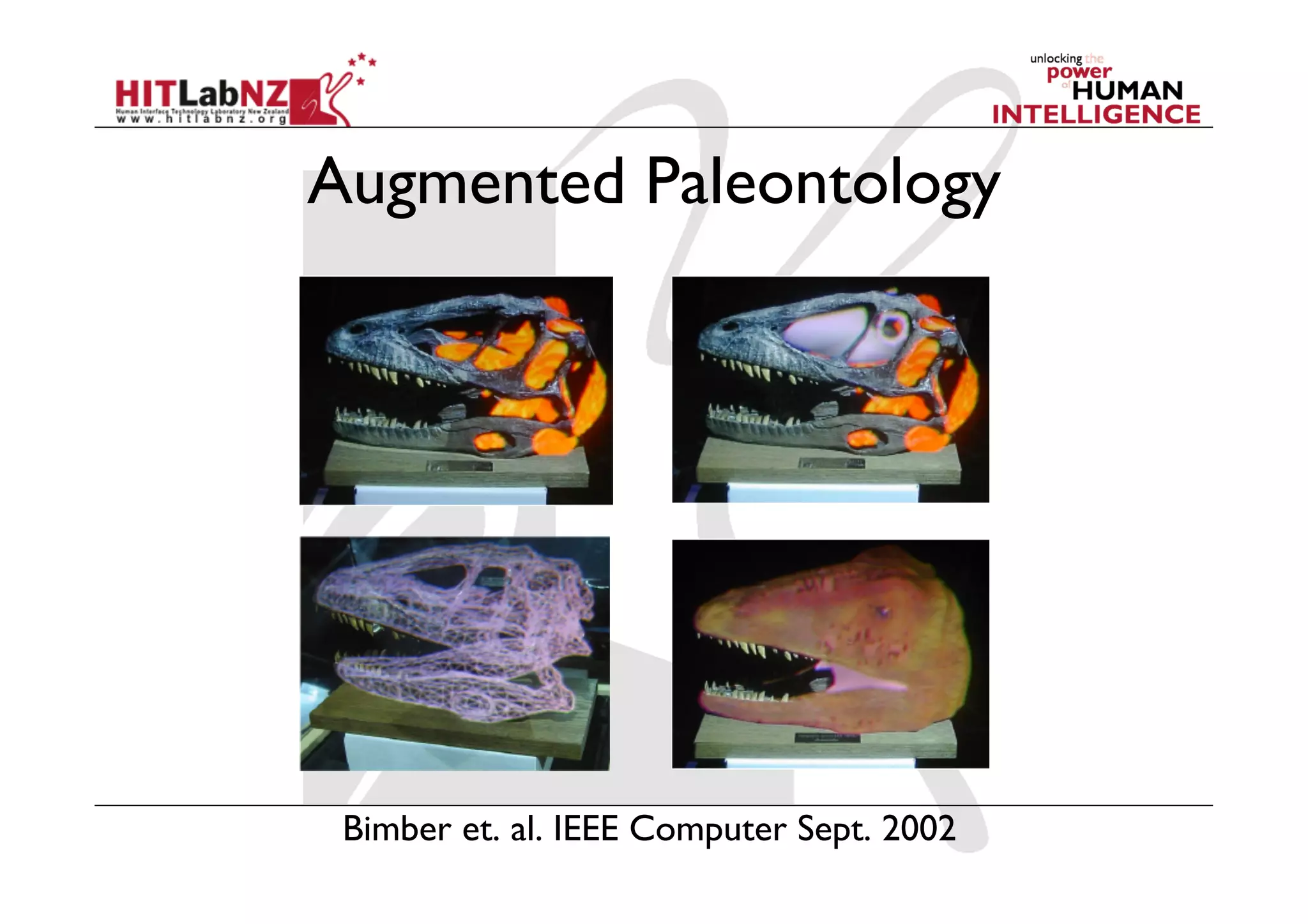
Augmented Paleontology


 Bimber et. al. IEEE Computer Sept. 2002
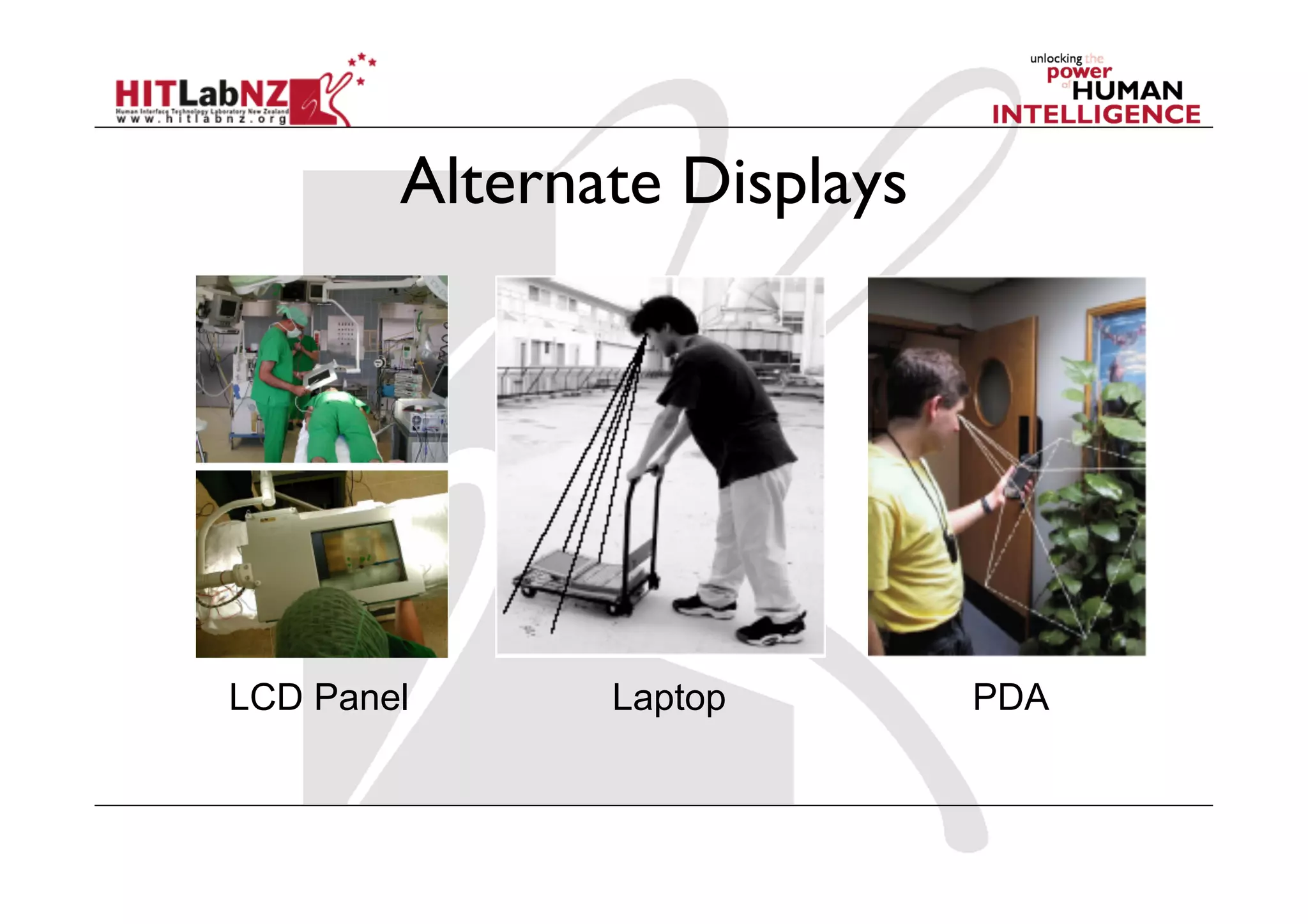
Alternate Displays


LCD Panel      Laptop        PDA
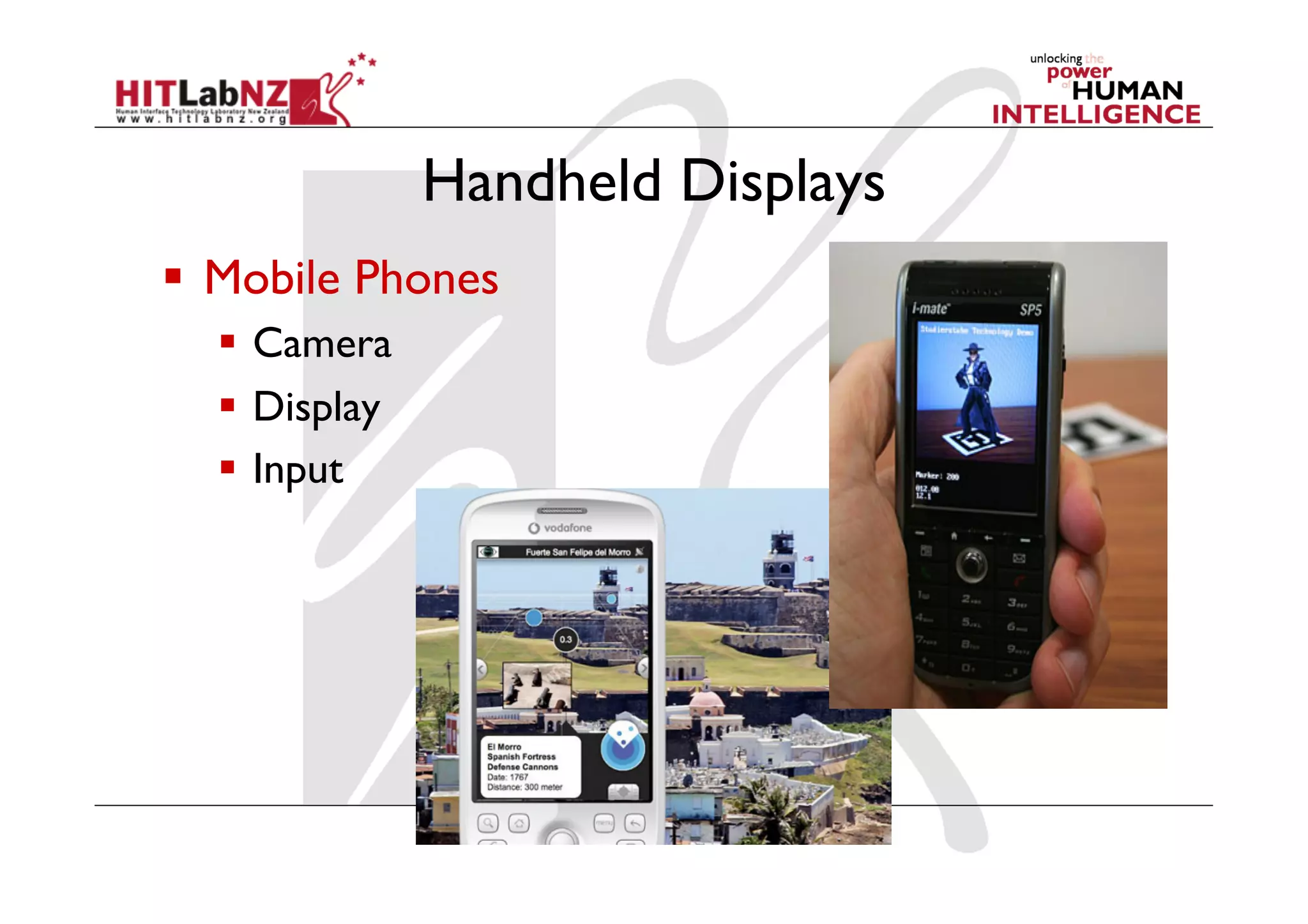
Handheld Displays
  Mobile Phones
    Camera
    Display
    Input
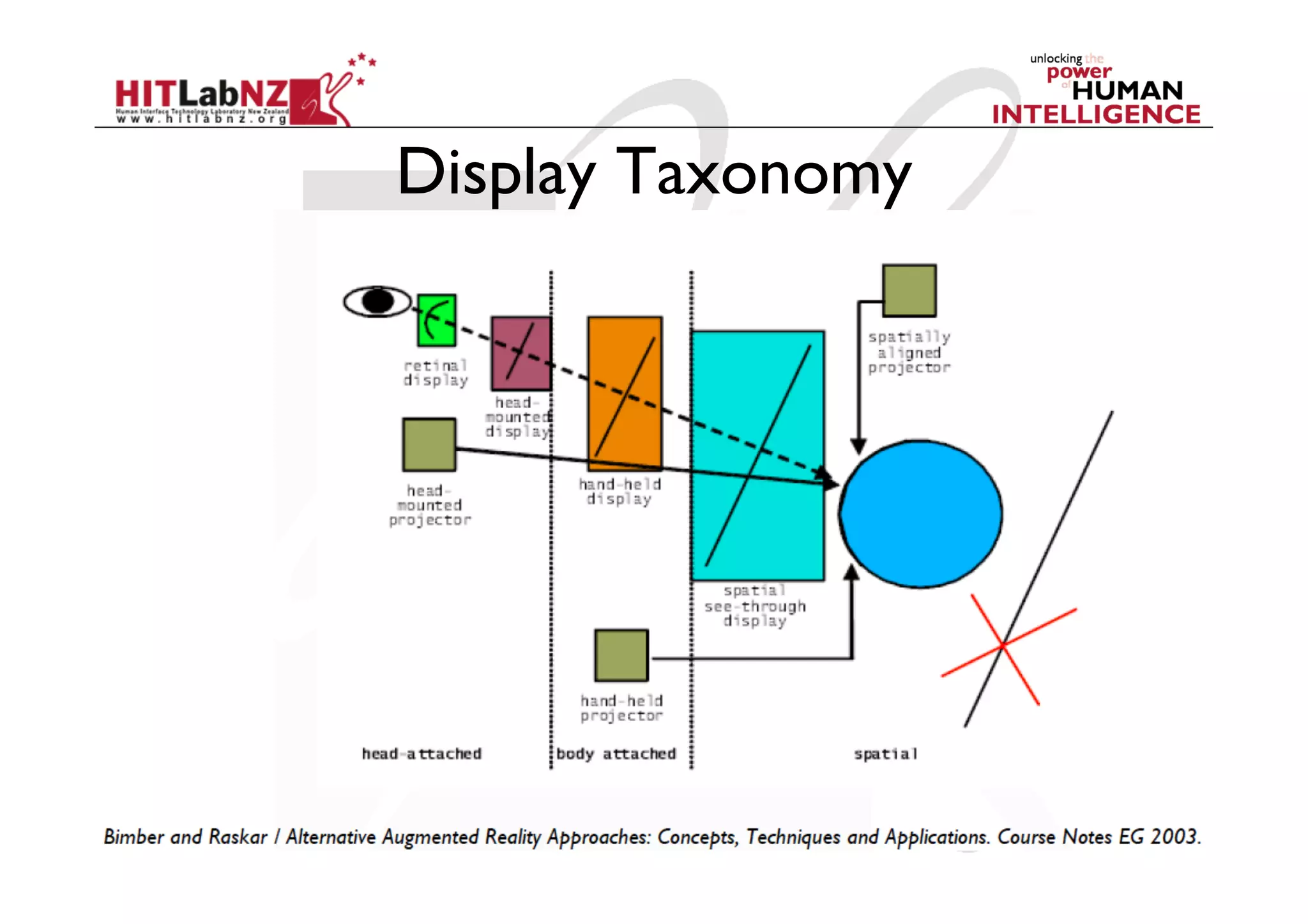
Display Taxonomy
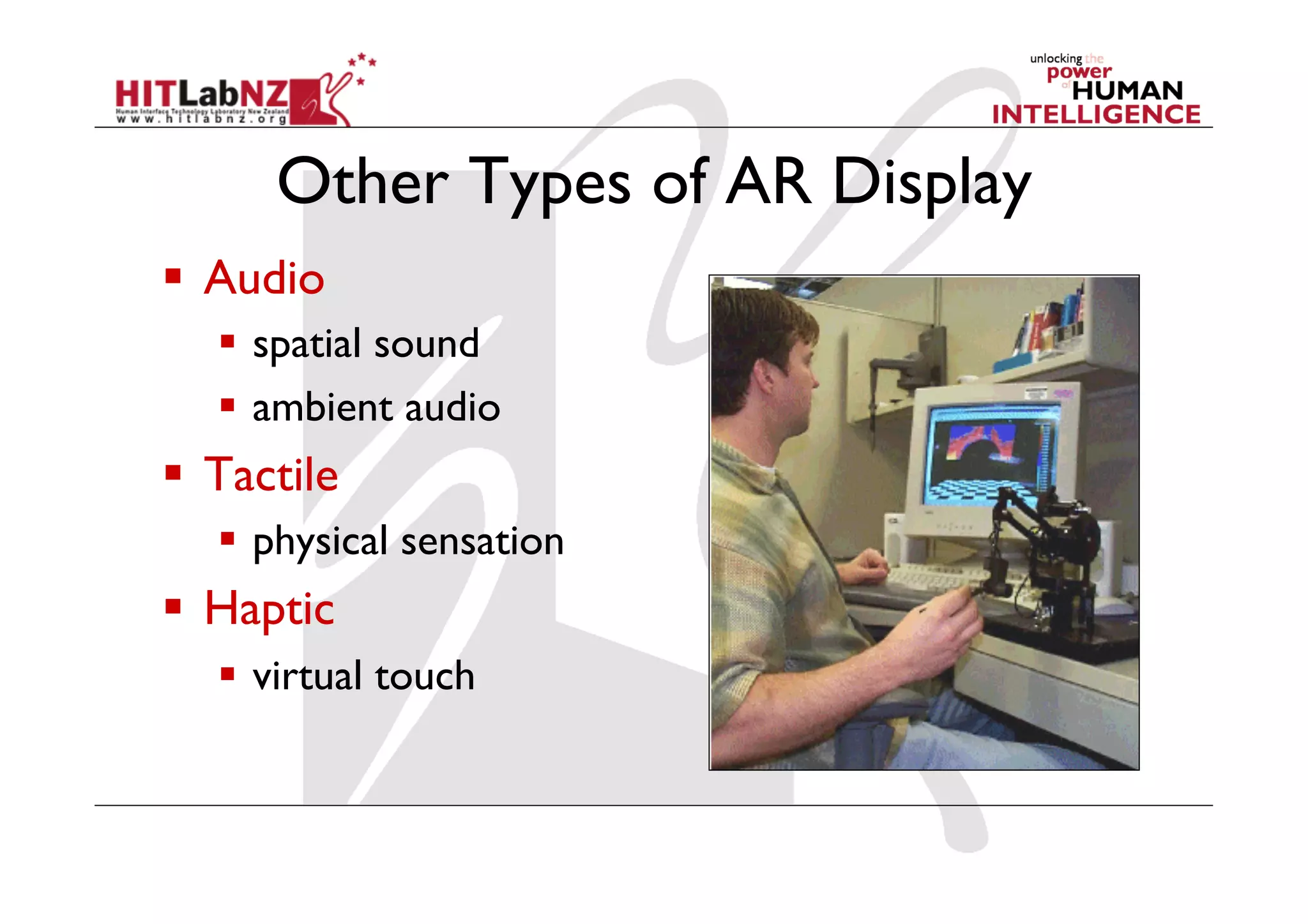
Other Types of AR Display
  Audio
     spatial sound
     ambient audio
  Tactile
     physical sensation
  Haptic
     virtual touch
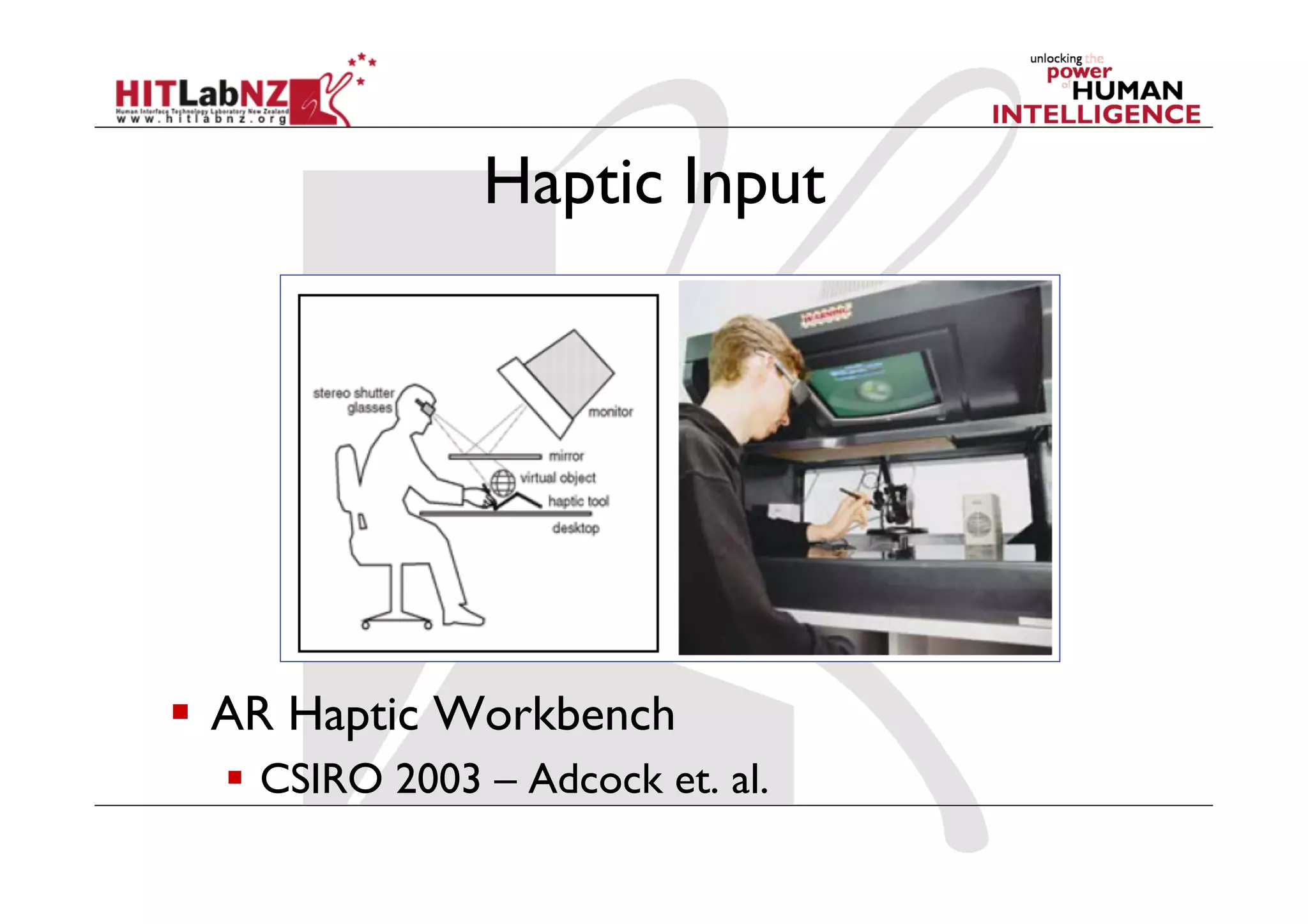
Haptic Input


  AR Haptic Workbench
    CSIRO 2003 – Adcock et. al.
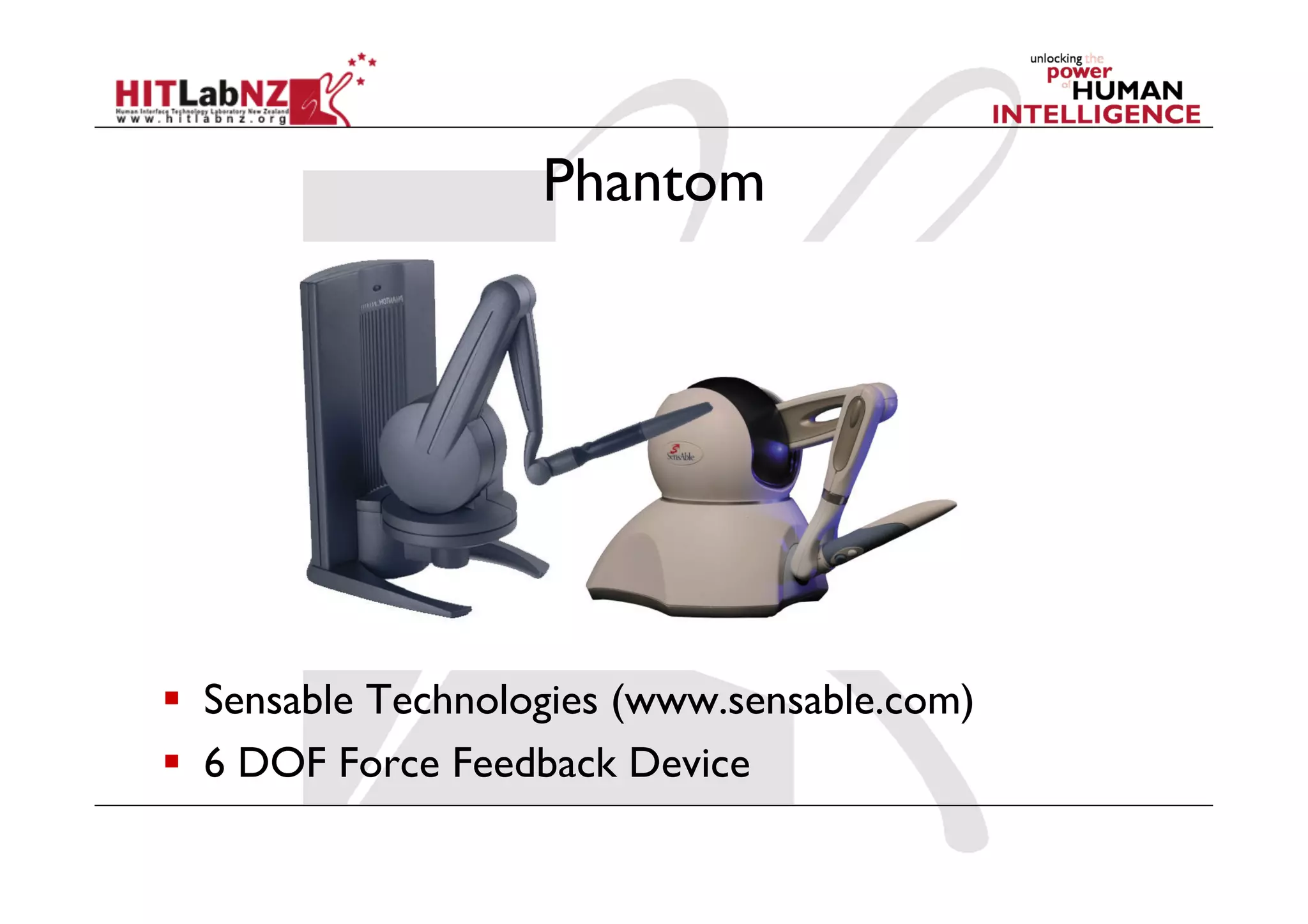
Phantom


  Sensable Technologies (www.sensable.com)
  6 DOF Force Feedback Device
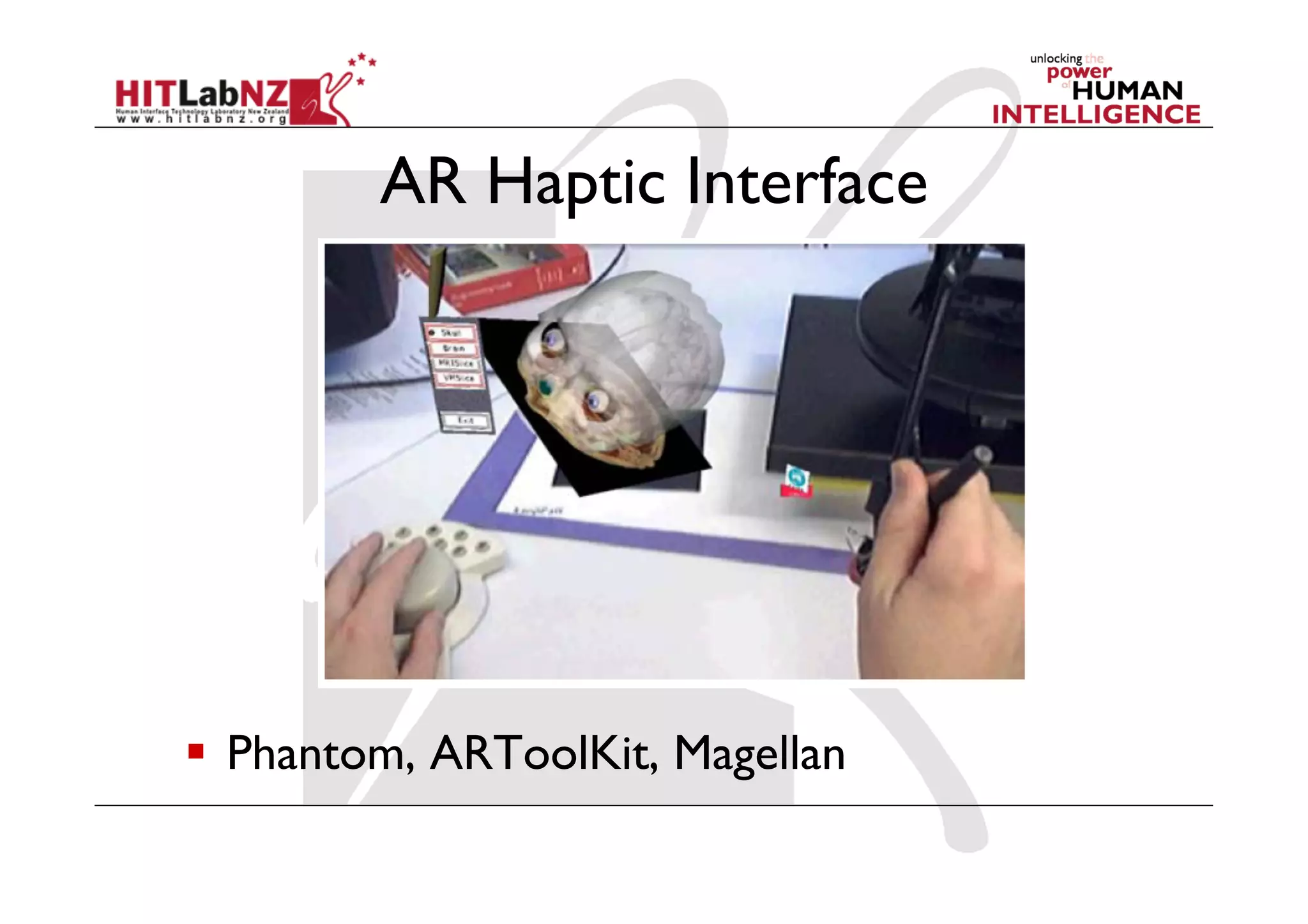
AR Haptic Interface


  Phantom, ARToolKit, Magellan
AR Tracking and Registration
  Registration
    Positioning virtual object wrt real world
  Tracking
    Continually locating the users viewpoint
     -  Position (x,y,z)
     -  Orientation (r,p,y)
Registration
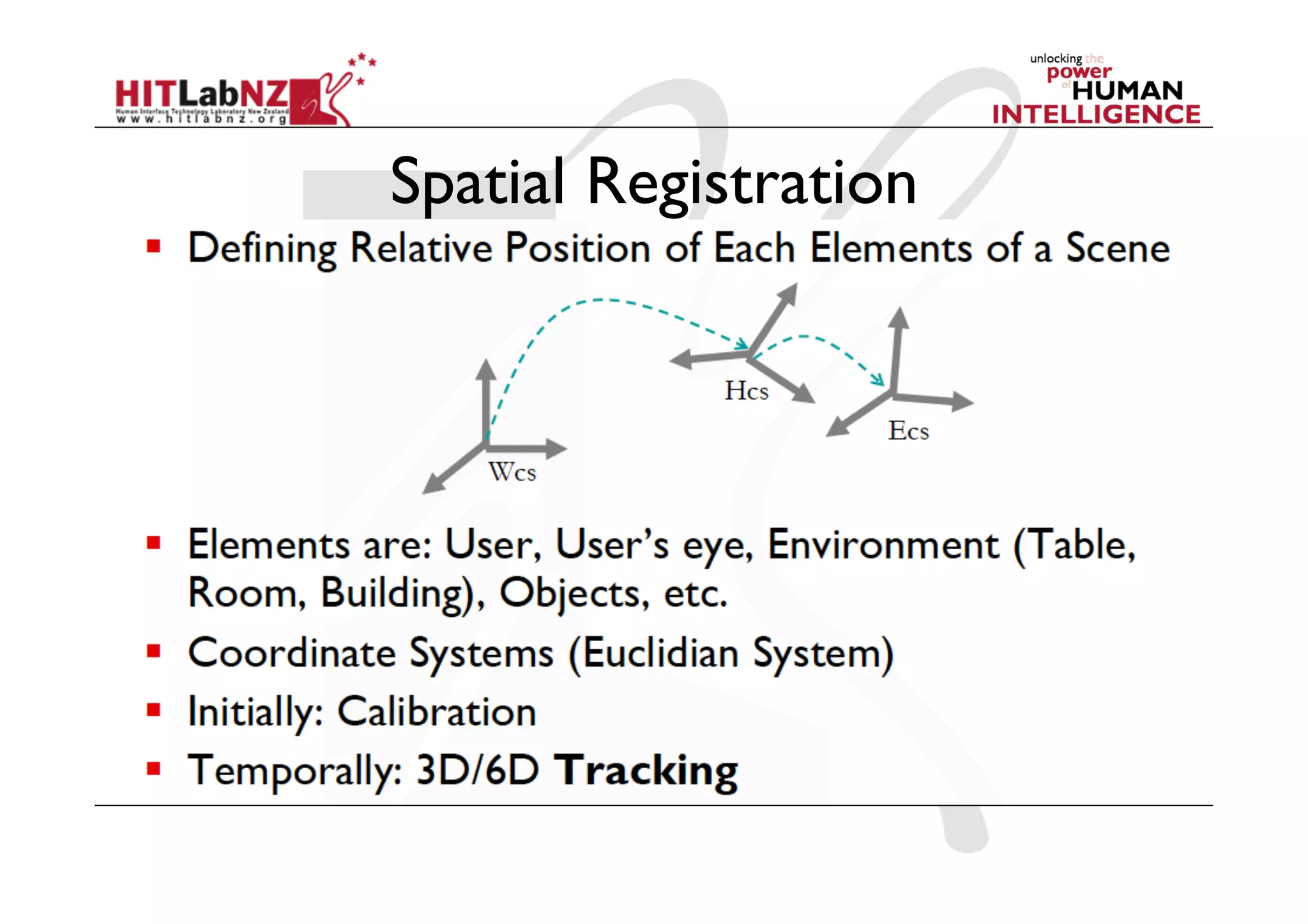
Spatial Registration
The Registration Problem
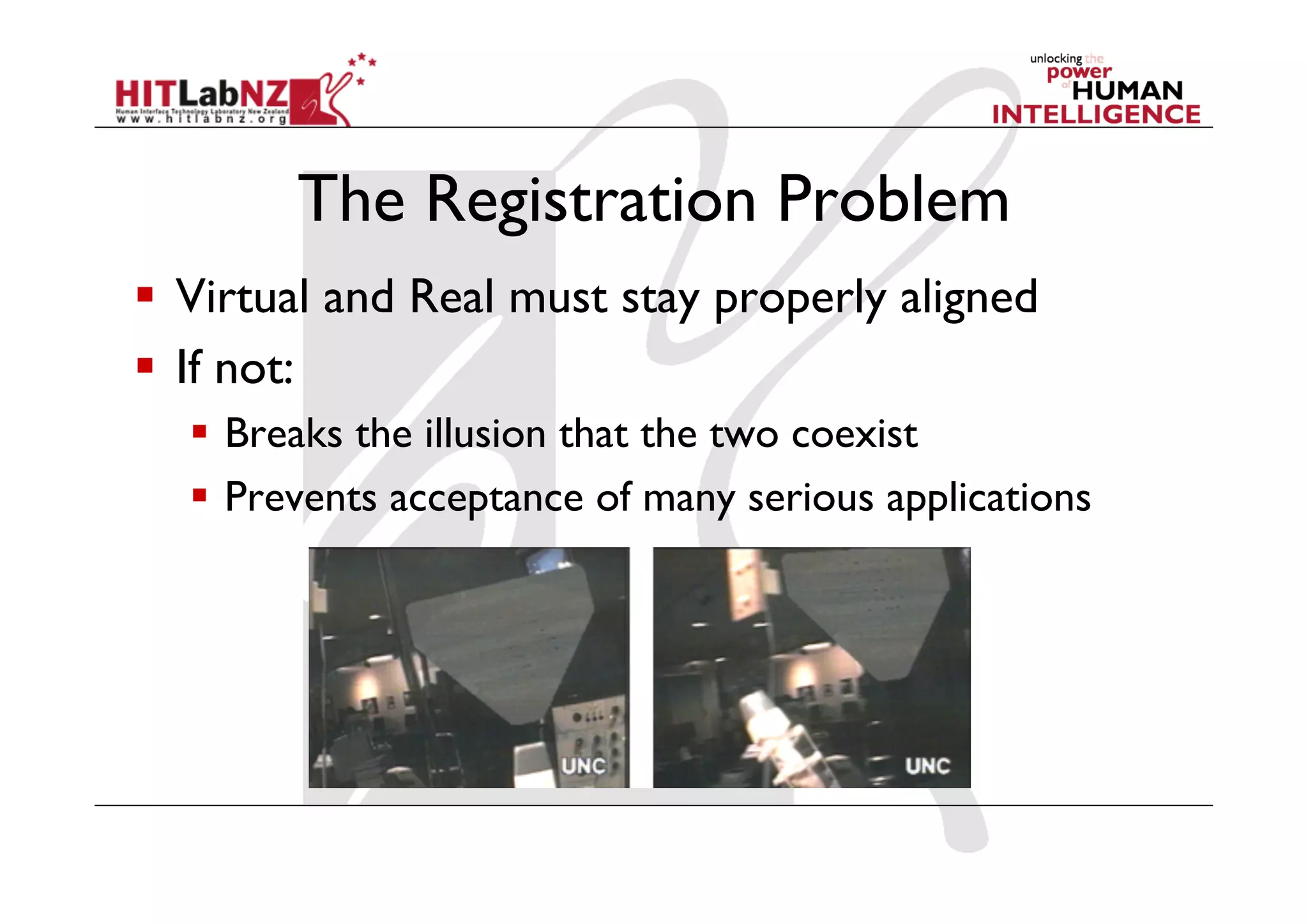
  Virtual and Real must stay properly aligned
  If not:
    Breaks the illusion that the two coexist
    Prevents acceptance of many serious applications
Sources of registration errors
  Static errors
     Optical distortions
     Mechanical misalignments
     Tracker errors
     Incorrect viewing parameters
  Dynamic errors
     System delays (largest source of error)
      -  1 ms delay = 1/3 mm registration error
Reducing static errors
  Distortion compensation
  Manual adjustments
  View-based or direct measurements
  Camera calibration (video)
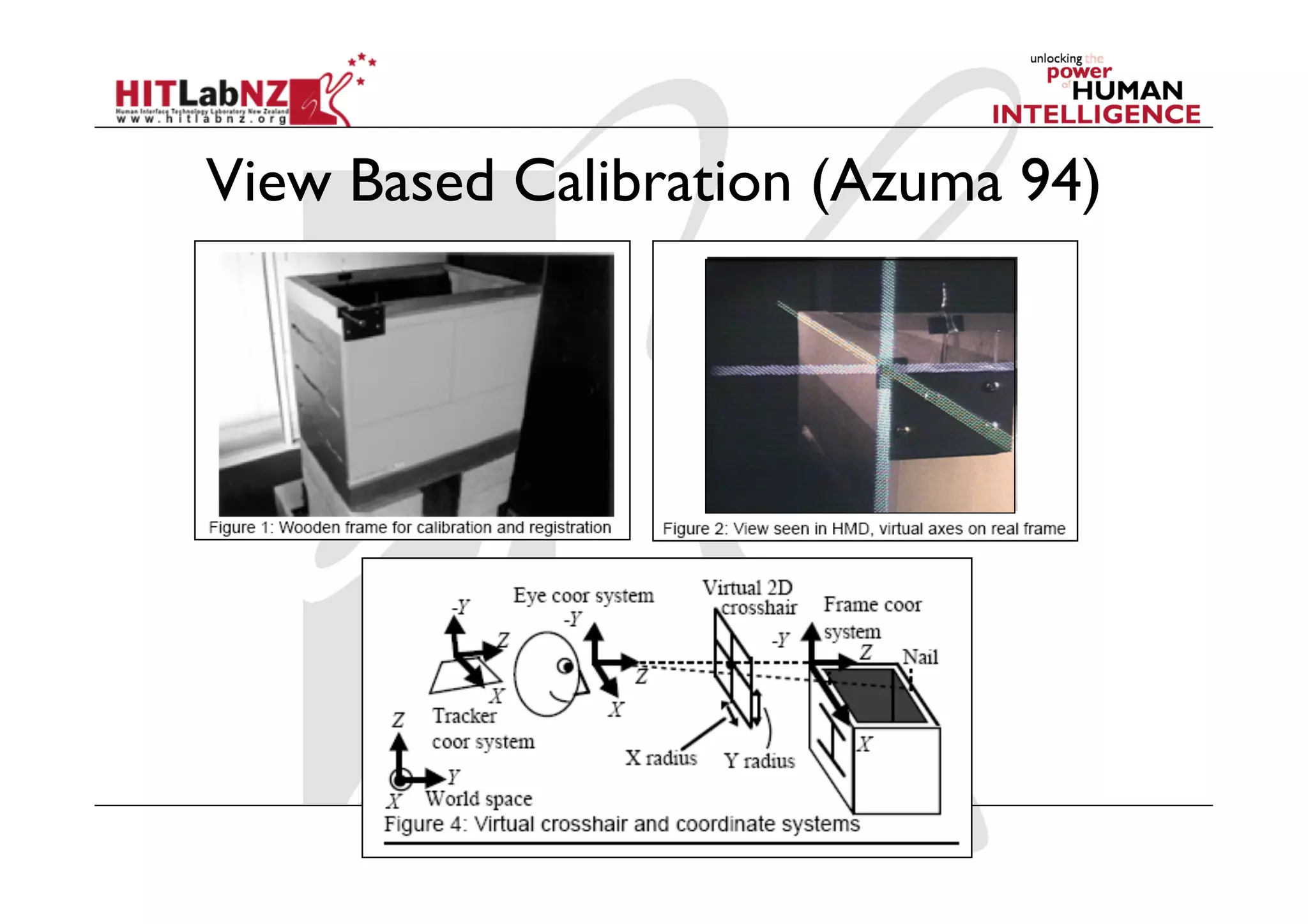
View Based Calibration (Azuma 94)
Dynamic errors
                          Application Loop

               x,y,z
Tracking       r,p,y
                        Calculate           Render        Draw to
                        Viewpoint           Scene         Display
                        Simulation


20 Hz = 50ms           500 Hz = 2ms      30 Hz = 33ms   60 Hz = 17ms

             Total Delay = 50 + 2 + 33 + 17 = 102 ms
                   1 ms delay = 1/3 mm = 33mm error
Reducing dynamic errors (1)

  Reduce system lag
    Faster components/system modules
  Reduce apparent lag
    Image deflection
    Image warping
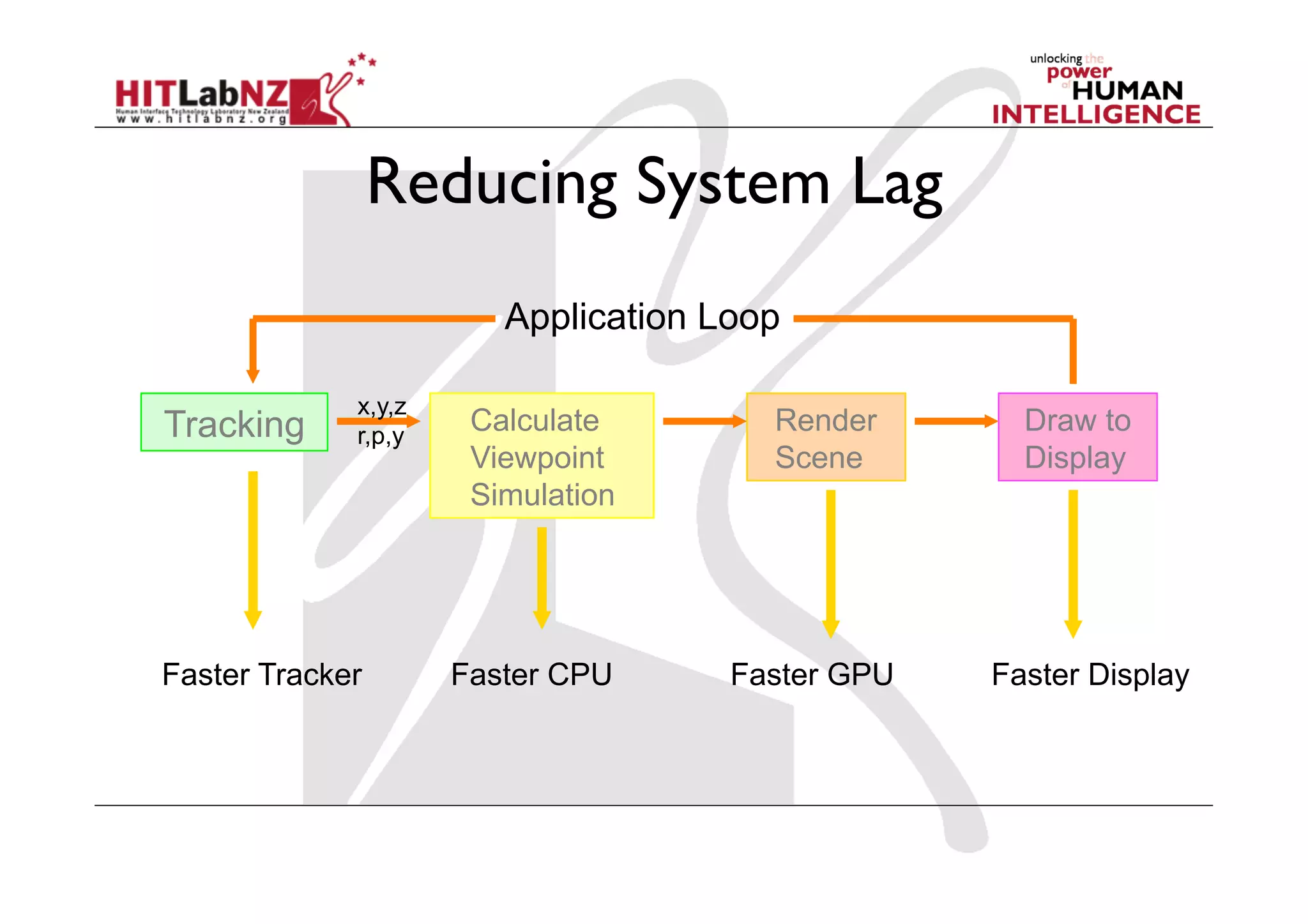
Reducing System Lag
                        Application Loop

             x,y,z
Tracking     r,p,y
                      Calculate        Render       Draw to
                      Viewpoint        Scene        Display
                      Simulation


Faster Tracker       Faster CPU      Faster GPU   Faster Display
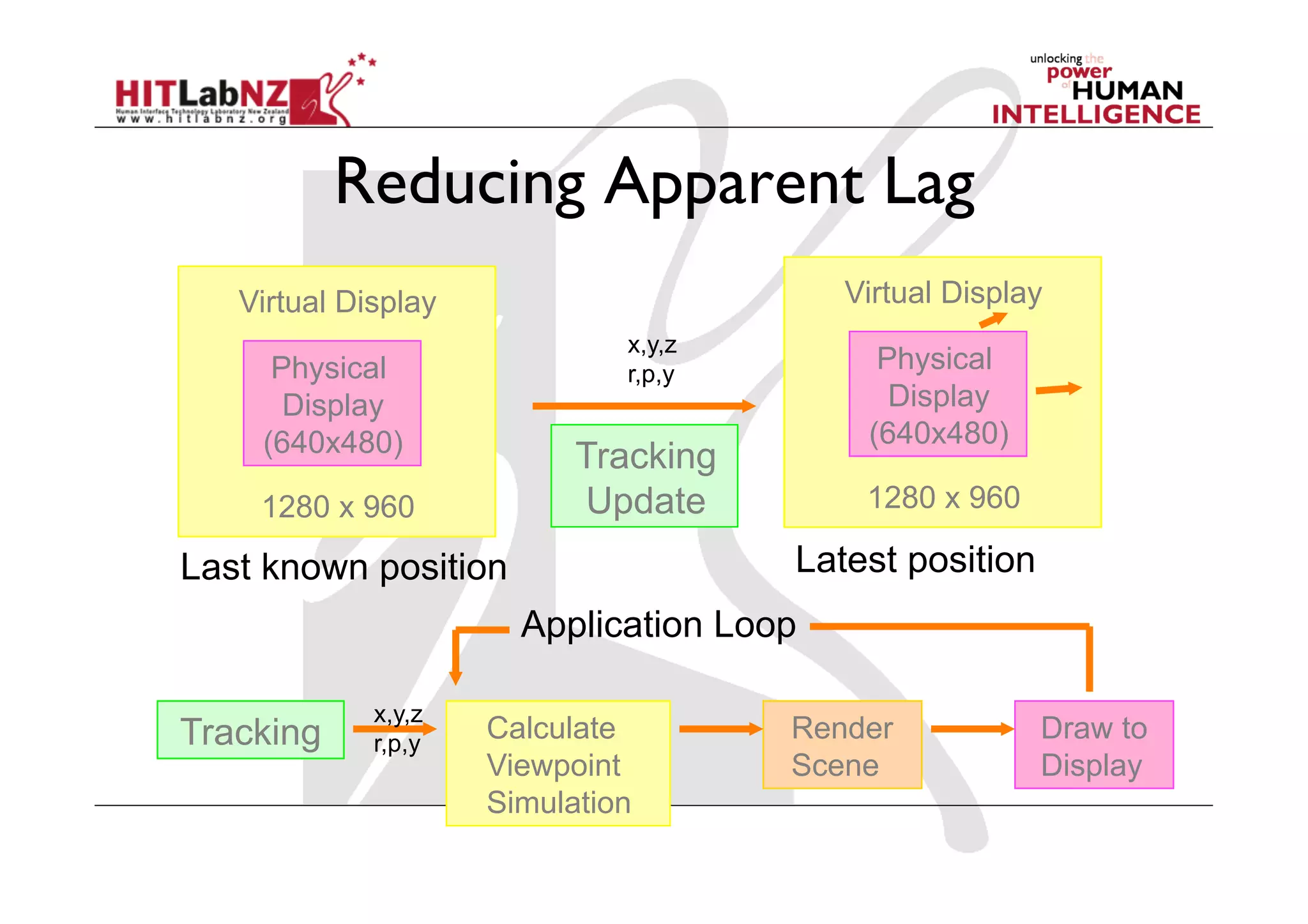
Reducing Apparent Lag
   Virtual Display                        Virtual Display
                              x,y,z
     Physical                 r,p,y
                                            Physical
      Display                                Display
    (640x480)                              (640x480)
                           Tracking
    1280 x 960             Update          1280 x 960

Last known position                   Latest position
                       Application Loop

             x,y,z
Tracking     r,p,y
                     Calculate        Render            Draw to
                     Viewpoint        Scene             Display
                     Simulation
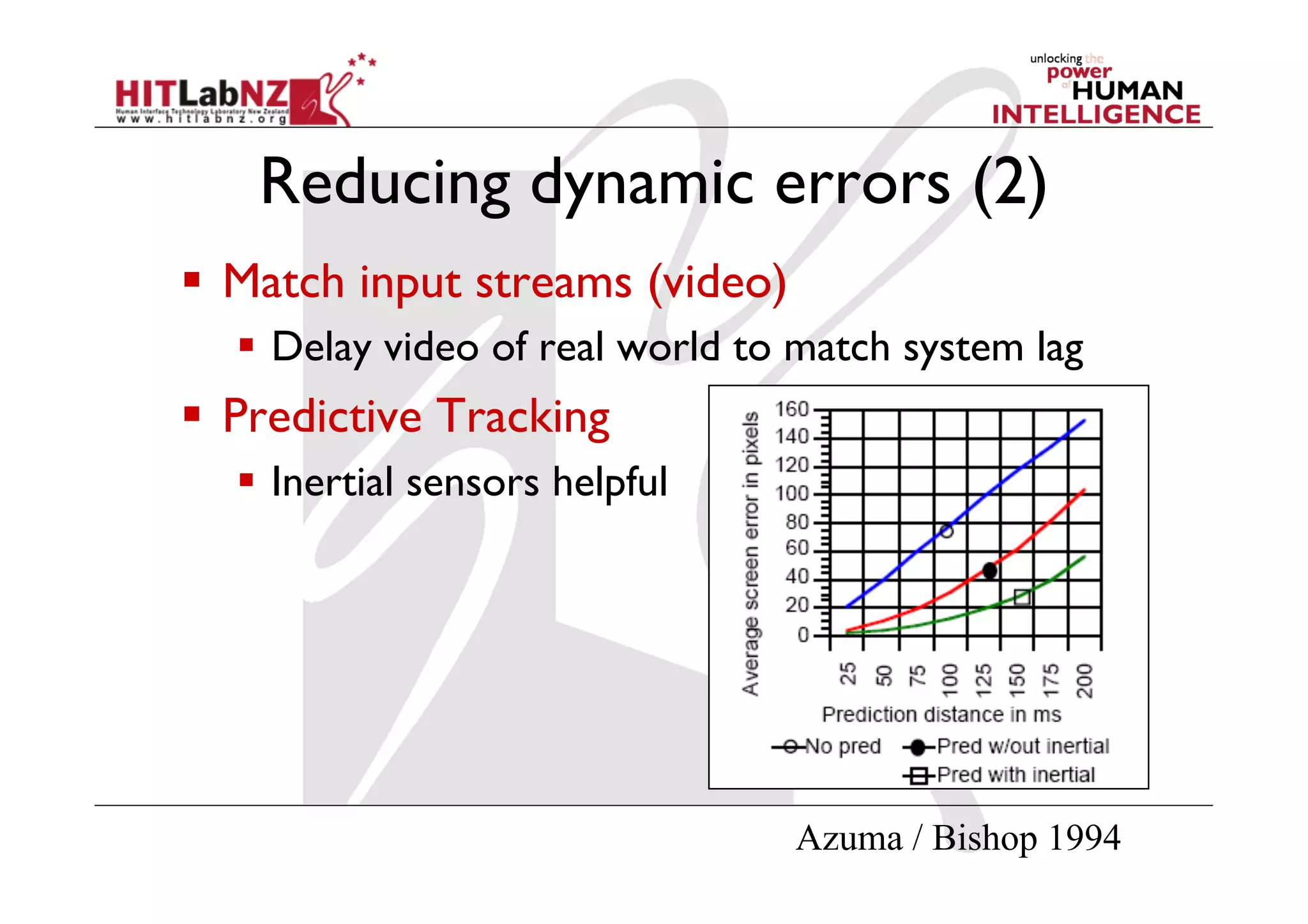
Reducing dynamic errors (2)
  Match input streams (video)
    Delay video of real world to match system lag
  Predictive Tracking
    Inertial sensors helpful


                                 Azuma / Bishop 1994
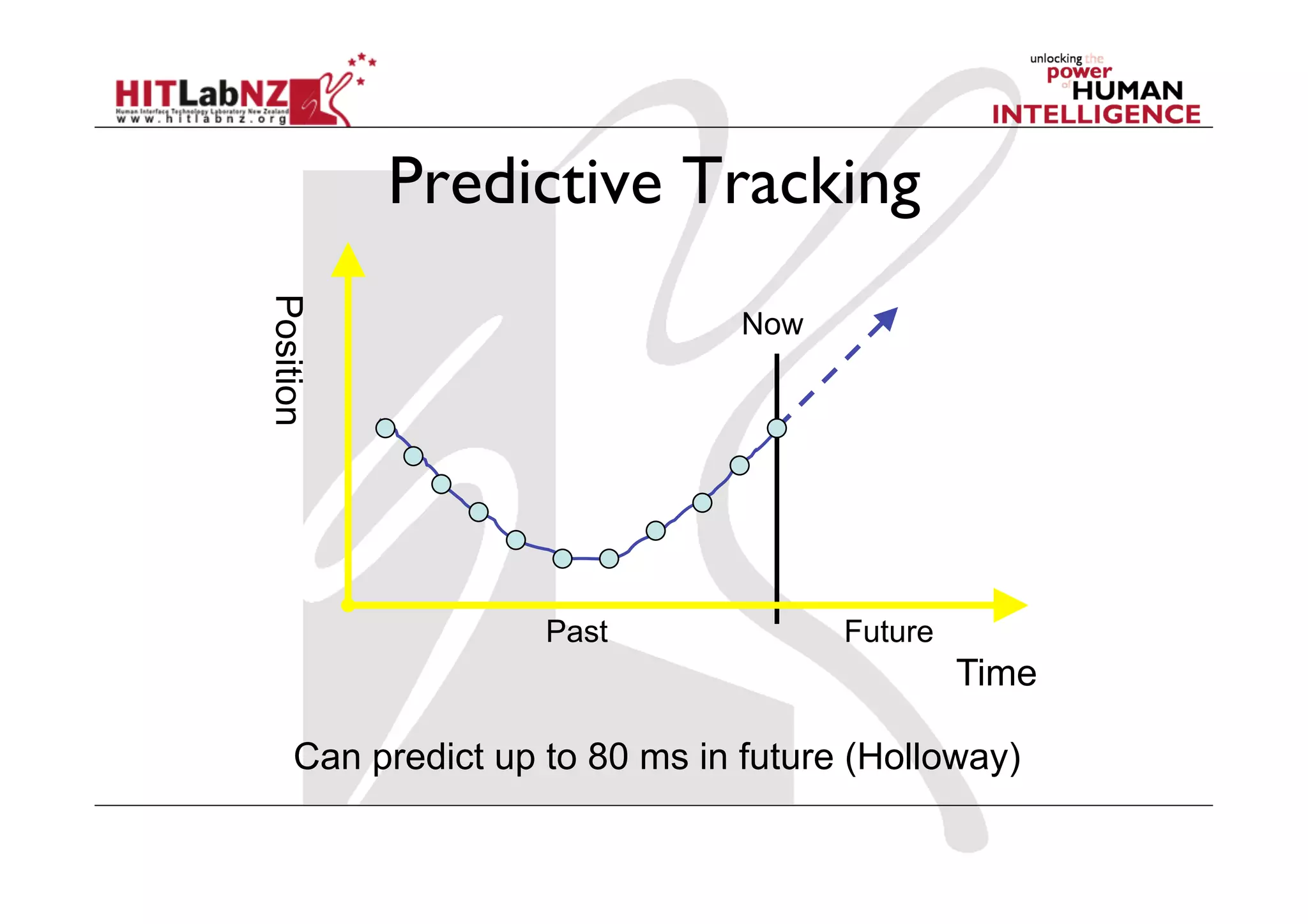
Predictive Tracking
Position
                               Now


                   Past              Future
                                              Time

    Can predict up to 80 ms in future (Holloway)
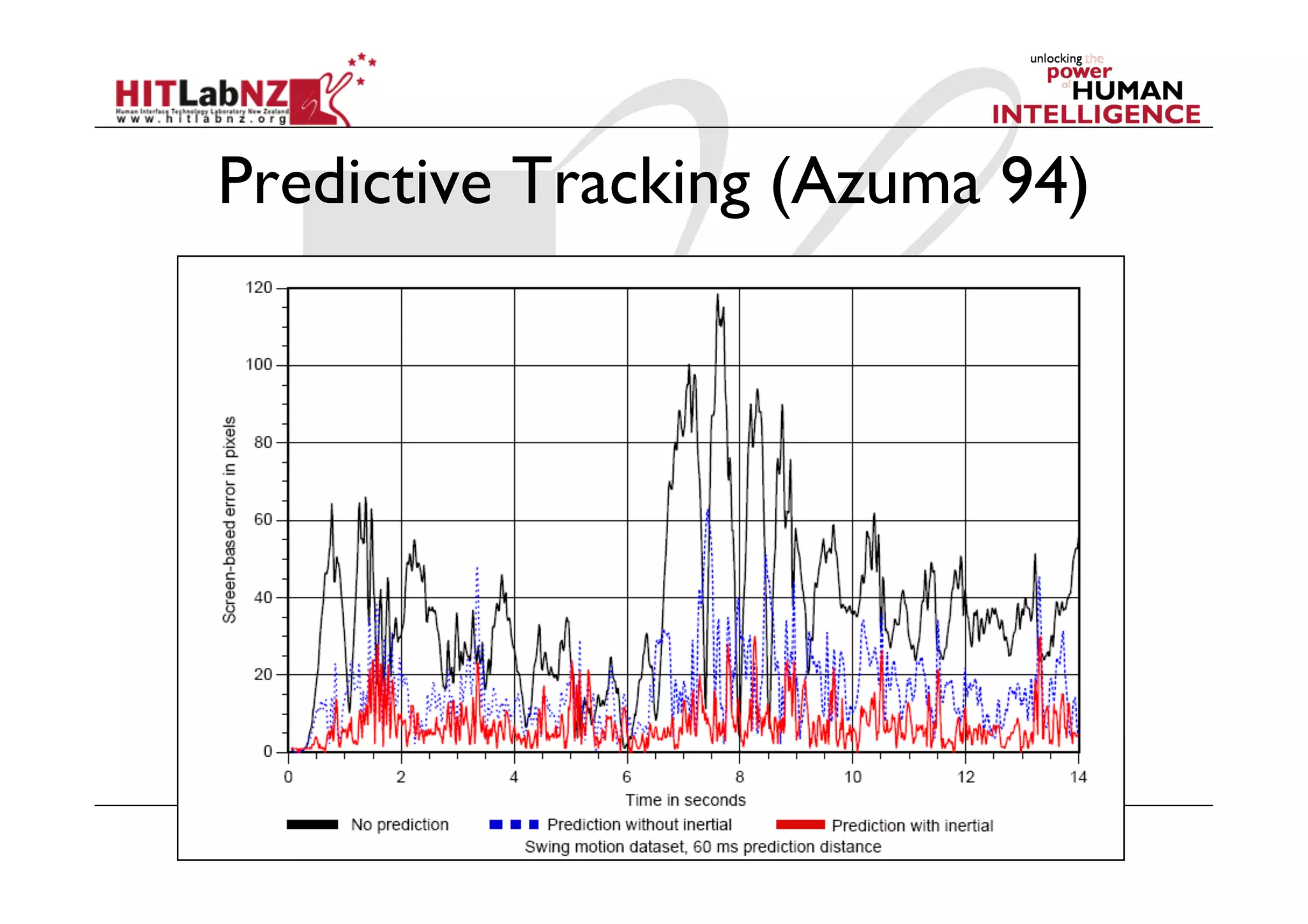
Predictive Tracking (Azuma 94)
More Information
•  Mark Billinghurst	

   –  mark.billinghurst@hitlabnz.org	

•  Websites	

   –  www.hitlabnz.org

426 lecture2: AR Technology

  • 1.
    COSC 426: AugmentedReality Mark Billinghurst mark.billinghurst@hitlabnz.org July 18th 2012 Lecture 2: AR Technology
  • 2.
    Key Points fromLecture 1
  • 3.
    Augmented Reality Definition  Defining Characteristics [Azuma 97]   Combines Real and Virtual Images -  Both can be seen at the same time   Interactive in real-time -  Virtual content can be interacted with   Registered in 3D -  Virtual objects appear fixed in space
  • 4.
    What is notAugmented Reality?   Location-based services   Barcode detection (QR-codes)   Augmenting still images   Special effects in movies   …   … but they can be combined with AR!
  • 5.
    Milgram’s Reality-Virtuality Continuum Mixed Reality Real Augmented Augmented Virtual Environment Reality (AR) Virtuality (AV) Environment Reality - Virtuality (RV) Continuum
  • 6.
  • 7.
    AR History Summary  1960’s – 80’s: Early Experimentation   1980’s – 90’s: Basic Research   Tracking, displays   1995 – 2005: Tools/Applications   Interaction, usability, theory   2005 - : Commercial Applications   Games, Medical, Industry
  • 8.
    Applications   Medicine   Manufacturing  Information overlay   Architecture   Museum   Marketing   Gaming
  • 9.
  • 10.
    “The product isno longer the basis of value. The experience is.” Venkat Ramaswamy The Future of Competition.
  • 11.
    Gilmore + Pine:Experience Economy experiences Emotion services Value products Function components Sony CSL © 2004
  • 13.
    Building Compelling ARExperiences experiences Usability applications Interaction tools Authoring components Tracking, Display
  • 14.
    Building Compelling ARExperiences experiences applications tools components Display, Tracking Sony CSL © 2004
  • 15.
    AR Technology   KeyTechnologies   Display Tracking Display   Tracking   Input   Processing Processing Input
  • 16.
  • 17.
    AR Displays AR Visual Displays Primarily Indoor Primarily Outdoor Environments (Daylight) Environments Not Head-Mounted Head-Mounted Head-Mounted Not Head Mounted Display (HMD) Display (HMD) (e.g. vehicle mounted) Virtual Images Projection CRT Display Liquid Crystal Cathode Ray Tube (CRT) Projection Display or Virtual Retinal Display (VRD) Navigational Aids in Cars seen off windows using beamsplitter Displays LCDs Many Military Applications Military Airborne Applications & Assistive Technologies e.g. window e.g. Reach-In e.g. Shared Space e.g. WLVA e.g. Head-Up reflections Magic Book and IVRD Display (HUD)
  • 18.
  • 19.
    Head Mounted Displays(HMD) -  Display and Optics mounted on Head -  May or may not fully occlude real world -  Provide full-color images -  Considerations •  Cumbersome to wear •  Brightness •  Low power consumption •  Resolution limited •  Cost is high?
  • 20.
    Key Properties ofHMD   Field of View   Human eye 95 degrees horizontal, 60/70 degrees vertical   Resolution   > 320x240 pixel   Refresh Rate   Focus   Fixed/manual   Power   Size
  • 21.
    Types of HeadMounted Displays Occluded The image cannot be displayed. Your computer may not have enough memory to open the image, or the image may have been See-thru corrupted. Restart your computer, and then open the file again. If the red x still appears, you may have to delete the image and then insert it again. The ima ge can not be dis play ed. You r co mp uter Multiplexed
  • 22.
    Immersive VR Architecture Virtual World head position/orientation Head! Non see-thru! Tracker Image source & optics Host! Data Base! Rendering! Frame! Processor Model Engine Buffer virtual to network object Display! Driver
  • 23.
    See-thru AR Architecture head position/orientation Head! see-thru! Tracker combiner real world Host! Data Base! Rendering! Frame! Processor Model Engine Buffer to network Virtual Image Display! superimposed! Driver over real world object Image source
  • 24.
    Optical see-through head-mounteddisplay Virtual images from monitors Real World Optical Combiners
  • 25.
  • 26.
    Optical see-through HMDs Virtual Vision VCAP Sony Glasstron
  • 27.
    View Through OpticalSee-Through HMD
  • 28.
    DigiLens   Compact HOE   Solid state optics   Switchable Bragg Grating   Stacked SBG   Fast switching   Ultra compact   www.digilens.com
  • 29.
  • 30.
    The Virtual RetinalDisplay   Image scanned onto retina   Commercialized through Microvision   Nomad System - www.mvis.com
  • 31.
    Strengths of opticalAR   Simpler (cheaper)   Direct view of real world   Full resolution, no time delay (for real world)   Safety   Lower distortion   No eye displacement   but COASTAR video see-through avoids this
  • 32.
    Video AR Architecture Head-mounted camera aligned to head position/orientation display optics Video image Head! Tracker of real world Video! Processor Host! Graphics! Digital! Frame! Processor renderer Mixer Buffer to network Display! Driver Virtual image inset into Non see-thru! video of real Image source world & optics
  • 33.
    Video see-through HMD Video cameras Video Graphics Monitors Combiner
  • 34.
  • 35.
    Video see-through HMD MRLaboratory’s COASTAR HMD (Co-Optical Axis See-Through Augmented Reality) Parallax-free video see-through HMD
  • 36.
    TriVisio   www.trivisio.com   Stereovideo input   PAL resolution cameras   2 x SVGA displays   30 degree FOV   User adjustable convergence   $6,000 USD
  • 37.
    View Through aVideo See-Through HMD
  • 38.
    Vuzix Display   www.vuzix.com  Wrap 920   $350 USD   Twin 640 x 480 LCD displays   31 degree diagonal field of view   Weighs less than three ounces
  • 39.
    Strengths of VideoAR   True occlusion   Kiyokawa optical display that supports occlusion   Digitized image of real world   Flexibility in composition   Matchable time delays   More registration, calibration strategies   Wide FOV is easier to support
  • 40.
    Optical vs. VideoAR Summary   Both have proponents   Video is more popular today?   Likely because lack of available optical products   Depends on application?   Manufacturing: optical is cheaper   Medical: video for calibration strategies
  • 41.
    Eye multiplexed ARArchitecture head position/orientation Head! Tracker real world Host! Data Base! Rendering! Frame! Processor Model Engine Buffer to network Display! Virtual Image Driver inset into! real world scene Opaque! Image source
  • 42.
  • 43.
  • 44.
    Virtual image insetinto real world
  • 45.
  • 46.
    Spatial Augmented Reality  Project onto irregular surfaces   Geometric Registration   Projector blending, High dynamic range   Book: Bimber, Rasker “Spatial Augmented Reality”
  • 47.
    Projector-based AR User (possibly head-tracked) Projector Real objects Examples: with retroreflective Raskar, MIT Media Lab covering Inami, Tachi Lab, U. Tokyo
  • 48.
    Example of projector-basedAR Ramesh Raskar, UNC, MERL
  • 49.
    Example of projector-basedAR Ramesh Raskar, UNC Chapel Hill
  • 50.
    The I/O Bulb  Projector + Camera   John Underkoffler, Hiroshi Ishii   MIT Media Lab
  • 51.
    Head Mounted Projector  Head Mounted Projector   Jannick Rolland (UCF)   Retro-reflective Material   Potentially portable
  • 52.
    Head Mounted Projector  NVIS P-50 HMPD   1280x1024/eye   Stereoscopic   50 degree FOV   www.nvis.com
  • 53.
    HMD vs. HMPD HeadMounted Display Head Mounted Projected Display
  • 54.
    Pico Projectors   Microvision- www.mvis.com   3M, Samsung, Philips, etc
  • 55.
    MIT Sixth Sense  Body worn camera and projector   http://www.pranavmistry.com/projects/sixthsense/
  • 56.
  • 57.
    Video Monitor AR Video Stereo cameras Monitor glasses Video Graphics Combiner
  • 58.
  • 59.
    Virtual Showcase   Mirrorson a projection table   Head tracked stereo   Up to 4 users   Merges graphic and real objects   Exhibit/museum applications   Fraunhofer Institute (2001)   Bimber, Frohlich
  • 60.
    Augmented Paleontology Bimberet. al. IEEE Computer Sept. 2002
  • 61.
  • 62.
    Handheld Displays   MobilePhones   Camera   Display   Input
  • 63.
  • 64.
    Other Types ofAR Display   Audio   spatial sound   ambient audio   Tactile   physical sensation   Haptic   virtual touch
  • 65.
    Haptic Input   ARHaptic Workbench   CSIRO 2003 – Adcock et. al.
  • 66.
    Phantom   Sensable Technologies(www.sensable.com)   6 DOF Force Feedback Device
  • 67.
    AR Haptic Interface  Phantom, ARToolKit, Magellan
  • 68.
    AR Tracking andRegistration
  • 69.
      Registration   Positioning virtual object wrt real world   Tracking   Continually locating the users viewpoint -  Position (x,y,z) -  Orientation (r,p,y)
  • 70.
  • 71.
  • 72.
    The Registration Problem  Virtual and Real must stay properly aligned   If not:   Breaks the illusion that the two coexist   Prevents acceptance of many serious applications
  • 73.
    Sources of registrationerrors   Static errors   Optical distortions   Mechanical misalignments   Tracker errors   Incorrect viewing parameters   Dynamic errors   System delays (largest source of error) -  1 ms delay = 1/3 mm registration error
  • 74.
    Reducing static errors  Distortion compensation   Manual adjustments   View-based or direct measurements   Camera calibration (video)
  • 75.
  • 76.
    Dynamic errors Application Loop x,y,z Tracking r,p,y Calculate Render Draw to Viewpoint Scene Display Simulation 20 Hz = 50ms 500 Hz = 2ms 30 Hz = 33ms 60 Hz = 17ms   Total Delay = 50 + 2 + 33 + 17 = 102 ms   1 ms delay = 1/3 mm = 33mm error
  • 77.
    Reducing dynamic errors(1)   Reduce system lag   Faster components/system modules   Reduce apparent lag   Image deflection   Image warping
  • 78.
    Reducing System Lag Application Loop x,y,z Tracking r,p,y Calculate Render Draw to Viewpoint Scene Display Simulation Faster Tracker Faster CPU Faster GPU Faster Display
  • 79.
    Reducing Apparent Lag Virtual Display Virtual Display x,y,z Physical r,p,y Physical Display Display (640x480) (640x480) Tracking 1280 x 960 Update 1280 x 960 Last known position Latest position Application Loop x,y,z Tracking r,p,y Calculate Render Draw to Viewpoint Scene Display Simulation
  • 80.
    Reducing dynamic errors(2)   Match input streams (video)   Delay video of real world to match system lag   Predictive Tracking   Inertial sensors helpful Azuma / Bishop 1994
  • 81.
    Predictive Tracking Position Now Past Future Time Can predict up to 80 ms in future (Holloway)
  • 82.
  • 83.
    More Information •  MarkBillinghurst –  mark.billinghurst@hitlabnz.org •  Websites –  www.hitlabnz.org