
1
Mr.R.D.SIVAKUMAR,M.Sc.,M.Phil.,M.Tech.,Mr.R.D.SIVAKUMAR,M.Sc.,M.Phil.,M.Tech.,
Assistant Professor of Computer ScienceAssistant Professor of Computer Science
& Head of M.Com.(CA) Department& Head of M.Com.(CA) Department
and Technical Trainer in CTELand Technical Trainer in CTEL
AYYA NADAR JANAKI AMMAL COLLEGEAYYA NADAR JANAKI AMMAL COLLEGE
(Affiliated to Madurai Kamaraj University, Madurai, Re-accredited (3rd
Cycle) with
‘A’ Grade (CGPA 3.67 out of 4) by NAAC, Recognized by DBT as Star College,
College of Excellence by UGC and and Ranked 13th
at National Level in NIRF 2017)
SIVAKASI – 626 124.SIVAKASI – 626 124.
(Website: http://rdsivakumar.netne.net
www.rdsivakumar.blogspot.in)
Mobile Apps : Google Play Store – rds academic
E-mail : sivamsccsit@gmail.com Mobile : 99440-42243
SPREAD SHEETSPREAD SHEET
• LibreOffice is a free and open source office suite.
• It was developed in the year openoffice.org in 2010
• The LibreOffice suite comprises programs for word
processing, the creation and editing of spreadsheets,
slideshows, diagrams and drawings, working with databases,
and composing mathematical formulae.
• It is available in 110 languages
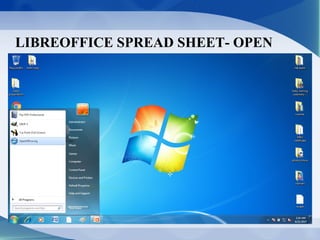
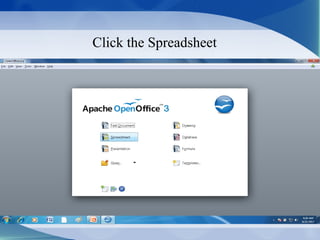
LIBREOFFICE SPREAD SHEET- OPEN
Click the Spreadsheet
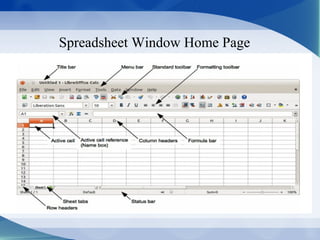
Spreadsheet Window Home Page
INTRODUCTION
• It is also known as work sheet.
• It is used for business finances.
• Spreadsheets is used for calculate, graph, analyze and store
information.
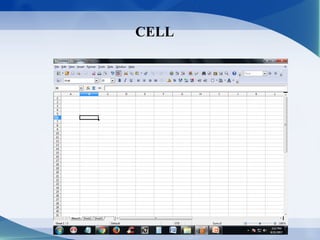
CELL
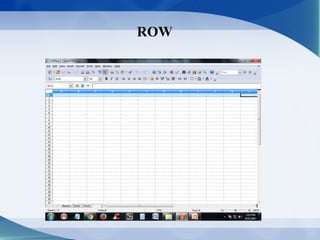
ROW
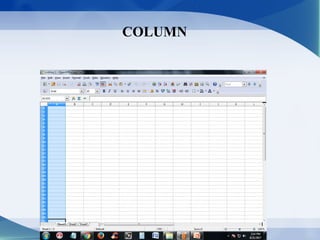
COLUMN
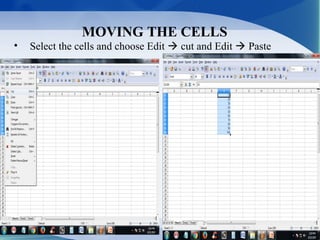
MOVING THE CELLS
• Select the cells and choose Edit  cut and Edit  Paste
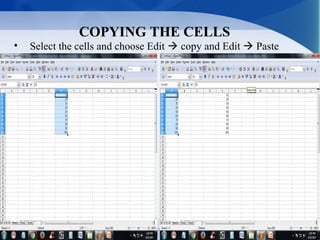
COPYING THE CELLS
• Select the cells and choose Edit  copy and Edit  Paste
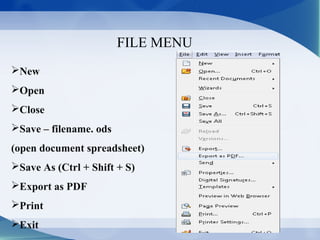
FILE MENU
New
Open
Close
Save – filename. ods
(open document spreadsheet)
Save As (Ctrl + Shift + S)
Export as PDF
Print
Exit
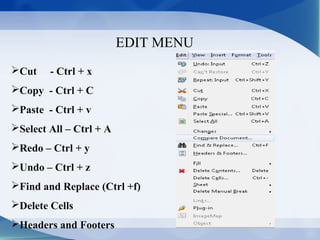
EDIT MENU
Cut - Ctrl + x
Copy - Ctrl + C
Paste - Ctrl + v
Select All – Ctrl + A
Redo – Ctrl + y
Undo – Ctrl + z
Find and Replace (Ctrl +f)
Delete Cells
Headers and Footers
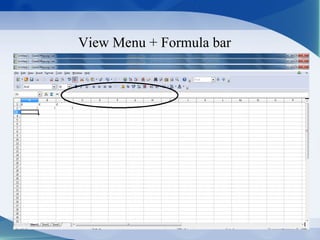
View Menu + Formula bar
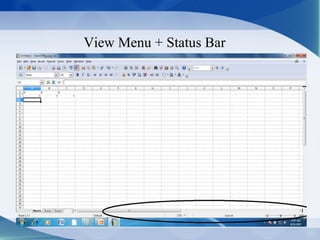
View Menu + Status Bar
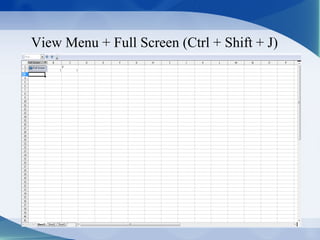
View Menu + Full Screen (Ctrl + Shift + J)
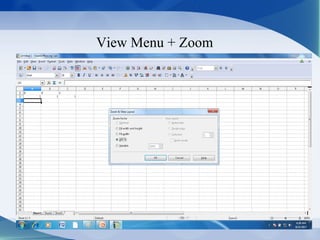
View Menu + Zoom
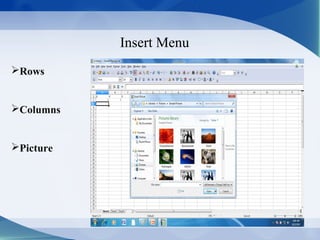
Insert Menu
Rows
Columns
Picture
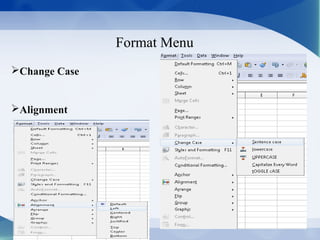
Format Menu
Change Case
Alignment
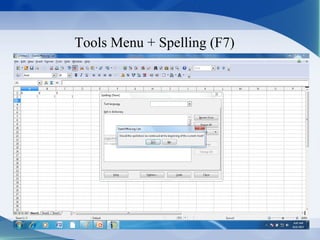
Tools Menu + Spelling (F7)
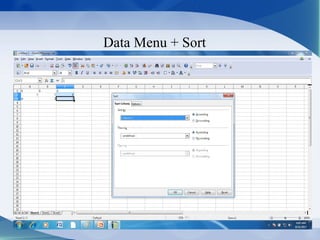
Data Menu + Sort
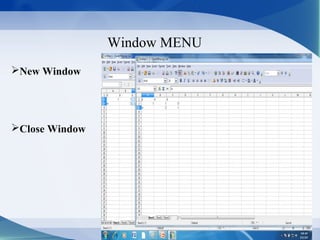
Window MENU
New Window
Close Window
SPREAD SHEET FUNCTIONS
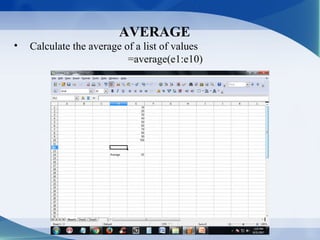
AVERAGE
• Calculate the average of a list of values
=average(e1:e10)
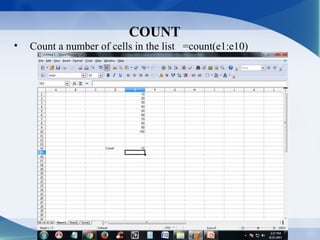
COUNT
• Count a number of cells in the list =count(e1:e10)
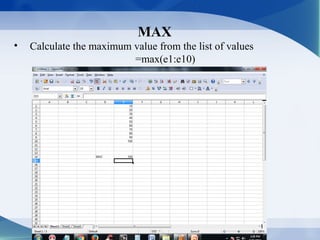
MAX
• Calculate the maximum value from the list of values
=max(e1:e10)
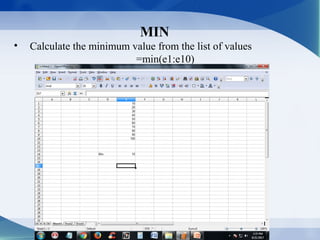
MIN
• Calculate the minimum value from the list of values
=min(e1:e10)
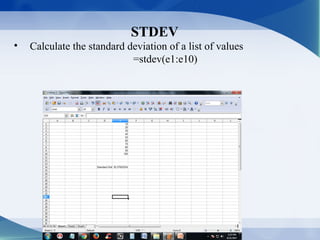
STDEV
• Calculate the standard deviation of a list of values
=stdev(e1:e10)
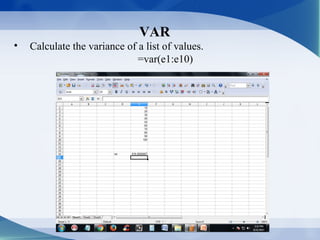
VAR
• Calculate the variance of a list of values.
=var(e1:e10)
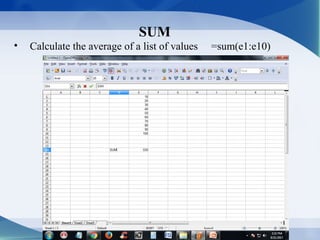
SUM
• Calculate the average of a list of values =sum(e1:e10)
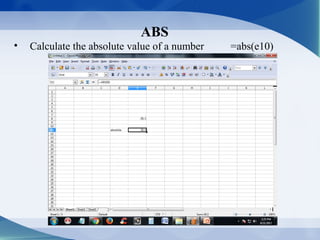
ABS
• Calculate the absolute value of a number =abs(e10)
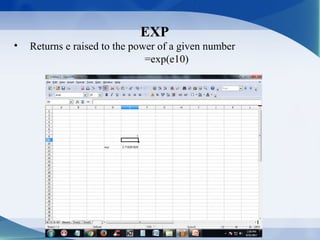
EXP
• Returns e raised to the power of a given number
=exp(e10)
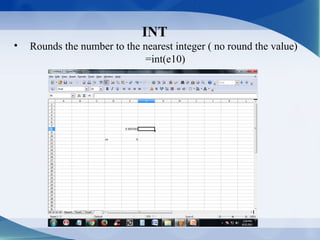
INT
• Rounds the number to the nearest integer ( no round the value)
=int(e10)
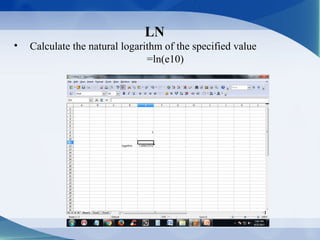
LN
• Calculate the natural logarithm of the specified value
=ln(e10)
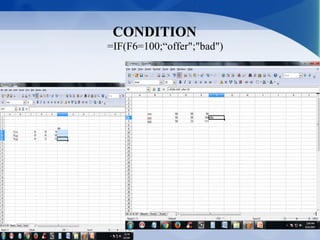
CONDITION
=IF(F6=100;“offer";"bad")
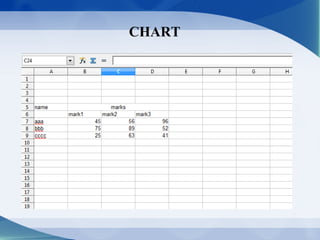
CHART
CHART
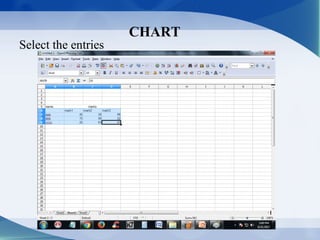
Select the entries
CHART
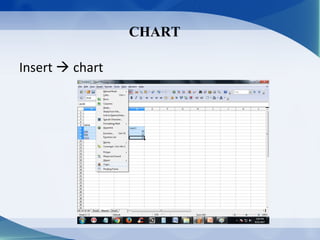
Insert  chart
CHART
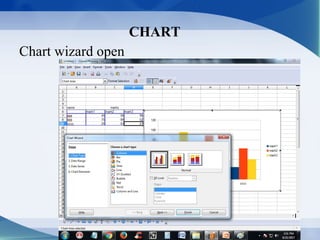
Chart wizard open
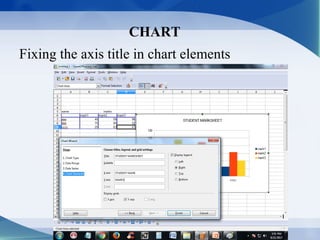
CHART
Fixing the axis title in chart elements
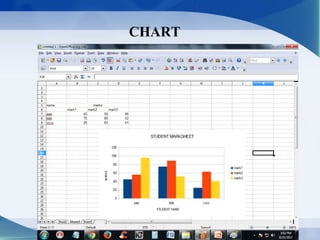
CHART
42
R.D.SIVAKUMAR,M.Sc.,M.Phil.,M.Tech.,R.D.SIVAKUMAR,M.Sc.,M.Phil.,M.Tech.,
Assistant Professor of Computer Science &Assistant Professor of Computer Science &
Head of M.Com.(CA) Department andHead of M.Com.(CA) Department and
Technical Trainer in CTELTechnical Trainer in CTEL
AYYA NADAR JANAKI AMMAL COLLEGEAYYA NADAR JANAKI AMMAL COLLEGE
(Affiliated to Madurai Kamaraj University, Madurai, Re-accredited (3rd
Cycle) with
‘A’ Grade (CGPA 3.67 out of 4) by NAAC, Recognized by DBT as Star College,
College of Excellence by UGC and and Ranked 13th
at National Level in NIRF 2017)
SIVAKASI – 626 124.SIVAKASI – 626 124.
(Website: http://rdsivakumar.netne.net
www.rdsivakumar.blogspot.in)
Mobile Apps : Google Play Store – RDS Academic
E-mail : sivamsccsit@gmail.com Mobile : 99440-42243

Apache Open Office Spreadsheet - R.D.Sivakumar