Multimedia System Text No. 1 Chapter 4
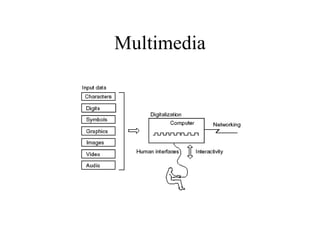
What is Multimedia?  Multimedia is a medium that includes the following four factors: Digitisation Of audio, images and other information besides characters and numeric values, high-quality and easy-to-process information can be integrated and used. Networking Through the interconnection of computers using communication lines such as optical fiber, large amounts of information can be exchanged accurately at high speed. Interactivity As with the telephone, bi-directional interactive processing with a high response level can be performed. Inclusion of human interfaces Diverse types of information can be naturally and easily handled.
Multimedia
Multimedia Multimedia technology is not a single technology, but rather a collection of technologies for manipulating Text (characters, digits, symbols) Graphics (including images and animation) Audio Video
TEXT Characters that are used to create words, sentences, and paragraphs, is a fundamental element used in many multimedia applications. Different text sizes, fonts, colour or styles may be used to emphasis the text.
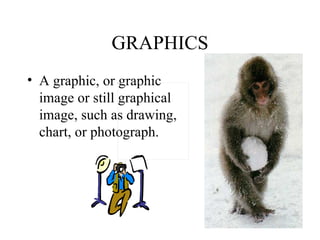
GRAPHICS A graphic, or graphic image or still graphical image, such as drawing, chart, or photograph.                                                                                                                                
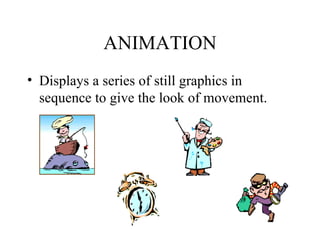
ANIMATION Displays a series of still graphics in sequence to give the look of movement.
AUDIO Music, Speech, or any other sound.
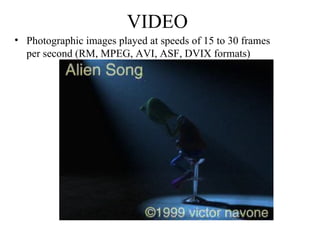
VIDEO Photographic images played at speeds of 15 to 30 frames per second (RM, MPEG, AVI, ASF, DVIX formats)
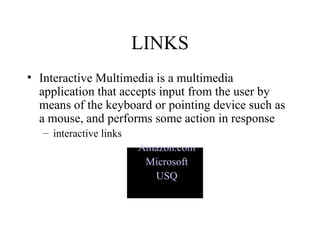
LINKS Interactive Multimedia is a multimedia application that accepts input from the user by means of the keyboard or pointing device such as a mouse, and performs some action in response interactive links Amazon.com Microsoft USQ
Multimedia Services The services provided to the users of multimedia systems Application examples of multimedia service Business field Medical care field Publication field Education field Game field Interface technology Software production technology
Multimedia Education
Multimedia Entertainment
Multimedia Platform Hardware Display device Image scanner Video equipment Audio equipment Digital sound equipment Pointing device Storage medium Modem
Multimedia Platform Operating System GUI adoption Multi-task implementation Provision of network functions Provision of multimedia functions
Multimedia Platform Creation of multimedia titles Editing software Image Still image Animated image  Audio Graphics  Authoring tools Graphics drawing and editing Graphics painting and editing Image tools Audio/video tools HyperText Browser UI technology is based on  HyperText  standards
Multimedia Technology Artificial Intelligence (AI) Pattern recognition (OCR) Artificial Reality/Virtual Reality/ Computer Graphics (AR/VR/CG) Agent (knowledge base)
Agents/Bots
Multimedia Applications
Pattern recognition Voice pattern recognition Phoneme recognition processing – voice recognition, user-voice analysis Word recognition processing – online dictionary look-ups Language processing – ‘meanings’ attached to tone, diction, volume AI technology to exclude ‘dog words’ Image pattern recognition (OCR) Image input processing Image recognition preparation processing Noise elimination, data emphasis, colour adjustment Characteristics extraction processing Text versus graphics Language Partial recognition processing Candidate extraction Total recognition processing Candidate confirmation
Synthesis of voice and image Technology to create (synthesize) voices and images Voice synthesis technology Editing method (edits recorded voices and creates specified documents or conversations – disharmony sometimes apparent) Analysis method (analyse, encode and store as information, then stored – household appliances, elevators) Rule-based method (analyse and establish rules of patterns – change base tones) Image synthesis method Creation of the original picture (geometric representation, wire frame model, surface model) Shape change (correction in 3-dimensions) Image display (display in 3-dimensions, light source, shading, filtering and other adjustments)
Multimedia Application System Internet broadcasting Nonlinear image edit system Video tape editing – linear editing Softcopy editing – non-linear, data compression, previews Video-on-demand Full control of viewing on-the-fly (personalised viewing), not just channel switching Other application systems
Benefits of Multimedia Easy to understand and easy to use Integrated and interactive Conducive to cooperative work environment Flexible Supportive of large audience
IT Education and Multimedia
Congratulations!
 

31. Multimedia System

  • 1.
    Multimedia System TextNo. 1 Chapter 4
  • 2.
    What is Multimedia? Multimedia is a medium that includes the following four factors: Digitisation Of audio, images and other information besides characters and numeric values, high-quality and easy-to-process information can be integrated and used. Networking Through the interconnection of computers using communication lines such as optical fiber, large amounts of information can be exchanged accurately at high speed. Interactivity As with the telephone, bi-directional interactive processing with a high response level can be performed. Inclusion of human interfaces Diverse types of information can be naturally and easily handled.
  • 3.
  • 4.
    Multimedia Multimedia technologyis not a single technology, but rather a collection of technologies for manipulating Text (characters, digits, symbols) Graphics (including images and animation) Audio Video
  • 5.
    TEXT Characters thatare used to create words, sentences, and paragraphs, is a fundamental element used in many multimedia applications. Different text sizes, fonts, colour or styles may be used to emphasis the text.
  • 6.
    GRAPHICS A graphic,or graphic image or still graphical image, such as drawing, chart, or photograph.                                                                                                                                
  • 7.
    ANIMATION Displays aseries of still graphics in sequence to give the look of movement.
  • 8.
    AUDIO Music, Speech,or any other sound.
  • 9.
    VIDEO Photographic imagesplayed at speeds of 15 to 30 frames per second (RM, MPEG, AVI, ASF, DVIX formats)
  • 10.
    LINKS Interactive Multimediais a multimedia application that accepts input from the user by means of the keyboard or pointing device such as a mouse, and performs some action in response interactive links Amazon.com Microsoft USQ
  • 11.
    Multimedia Services Theservices provided to the users of multimedia systems Application examples of multimedia service Business field Medical care field Publication field Education field Game field Interface technology Software production technology
  • 12.
  • 13.
  • 14.
    Multimedia Platform HardwareDisplay device Image scanner Video equipment Audio equipment Digital sound equipment Pointing device Storage medium Modem
  • 15.
    Multimedia Platform OperatingSystem GUI adoption Multi-task implementation Provision of network functions Provision of multimedia functions
  • 16.
    Multimedia Platform Creationof multimedia titles Editing software Image Still image Animated image Audio Graphics Authoring tools Graphics drawing and editing Graphics painting and editing Image tools Audio/video tools HyperText Browser UI technology is based on HyperText standards
  • 17.
    Multimedia Technology ArtificialIntelligence (AI) Pattern recognition (OCR) Artificial Reality/Virtual Reality/ Computer Graphics (AR/VR/CG) Agent (knowledge base)
  • 18.
  • 19.
  • 20.
    Pattern recognition Voicepattern recognition Phoneme recognition processing – voice recognition, user-voice analysis Word recognition processing – online dictionary look-ups Language processing – ‘meanings’ attached to tone, diction, volume AI technology to exclude ‘dog words’ Image pattern recognition (OCR) Image input processing Image recognition preparation processing Noise elimination, data emphasis, colour adjustment Characteristics extraction processing Text versus graphics Language Partial recognition processing Candidate extraction Total recognition processing Candidate confirmation
  • 21.
    Synthesis of voiceand image Technology to create (synthesize) voices and images Voice synthesis technology Editing method (edits recorded voices and creates specified documents or conversations – disharmony sometimes apparent) Analysis method (analyse, encode and store as information, then stored – household appliances, elevators) Rule-based method (analyse and establish rules of patterns – change base tones) Image synthesis method Creation of the original picture (geometric representation, wire frame model, surface model) Shape change (correction in 3-dimensions) Image display (display in 3-dimensions, light source, shading, filtering and other adjustments)
  • 22.
    Multimedia Application SystemInternet broadcasting Nonlinear image edit system Video tape editing – linear editing Softcopy editing – non-linear, data compression, previews Video-on-demand Full control of viewing on-the-fly (personalised viewing), not just channel switching Other application systems
  • 23.
    Benefits of MultimediaEasy to understand and easy to use Integrated and interactive Conducive to cooperative work environment Flexible Supportive of large audience
  • 24.
    IT Education andMultimedia
  • 25.
  • 26.

Editor's Notes

  • #3 Refer to text page 121, Figure 4-1-1
  • #12 Business field Personal Digital Assistants (PDAs) and notebook PCs are equipped with communication functions, mobile computing -> information exchange with computer network of one’s company or Internet thru public telephones or cellular phones In multimedia systems, conferences can be performed while watching the face of the perform(s) one is speaking to, and animated images and other information can be handled. Medical care field Enabling patients for who, it is difficult to go to the hospital or staying a distance away from the hospital to be diagnosed while watching the computer display screen enabling patients of small scale clinics located in remote places to receive medical treatment of the same level as that at general hospital (using patients’ personal information and medical records, radiographs, etc.) Publication field CD-ROM comes with books (compare to conventional-based books, which are only character-based information) Education field Multimedia is used to present research results, exchange opinions, etc. Provide image information on display devices as well as audio information CAI (Computer Aided Instruction) Game field VR (Virtual Reality) VR imitates the real world on the computer display, through comprehensive use of 3-D graphics and 3-D (surround) sounds Interface technology GUI (Graphical User Interface) is used as a multimedia system interface (icons) Software production technology Application software (programs) that handles multimedia is called multimedia title characters, numeral text data, multiple audiovisual data such as still images, animated images, audio, etc is handled tools (authoring tool) to create multimedia titles for enabling easy manipulation of multimedia data are necessary authoring tools are widely used today for production of multimedia titles
  • #15 Hardware – Text Page 123 (Figure 4-1-3)
  • #18 Reading 3
  • #20 Explaining of the actual implementation of multimedia
  • #21 beside characters, voice and images are also handled as digital data The technology used to search for voice and image data in an existing matching pattern is called pattern recognition pho·neme (f n m ) n. The smallest phonetic unit in a language that is capable of conveying a distinction in meaning, as the m of mat and the b of bat in English.
  • #23 Provided by television stations Images are edited as digital data on the computer A service consisting of the distribution of video images at user’s request Spread from disaster monitoring systems, to TV games, and other daily life uses