Multimedia Dr. Mohd Juzaiddin Ab Aziz Comp. Science Dept, FTSM, UKM
What’s this course all about Exploring multimedia components (text, images, animation, sound, video) DELIVER  Effectively, communicate, Clear, Exact, Professional, Make an impression
Graphic/Image File Formats Common graphics and image file formats: http://www.dcs.ed.ac.uk/home/mxr/gfx/ — comprehensive listing of various formats. See Encyclopedia of Graphics File Formats book in library Most formats incorporate compression Graphics, video and audio compression techniques in next Chapter.
Graphic/Image Data Structures “ A picture is worth a thousand words, but it uses up three thousand times the memory.” A digital image consists of many picture elements, termed pixels. The number of pixels determine the quality of the image ( resolution). Higher resolution always yields better quality. A bit-map representation stores the graphic/image data in the same manner that the computer monitor contents are stored in video memory.
Standard System Independent Formats GIF (GIF87a, GIF89a) Graphics Interchange Format (GIF) devised by the UNISYS Corp. and Compuserve, initially for transmitting graphical images over phone lines via modems Uses the Lempel-Ziv Welch algorithm (a form of Huffman Coding), modified slightly for image scan line packets (line grouping of pixels) —  Algorithm Soon Limited to only 8-bit (256) colour images, suitable for images with few distinctive colours (e.g., graphics drawing) Supports interlacing
System Dependent Formats MicrosoftWindows: BMP A system standard graphics file format for Microsoft Windows Used in Many PC Graphics programs, Cross-platform support It is capable of storing 24-bit bitmap images
Basics of Colour: Image and Video Light and Spectra Visible light is an electromagnetic wave in the 400nm - 700 nm range. Most light we see is not one wavelength, it’s a combination The profile is called a spectra.
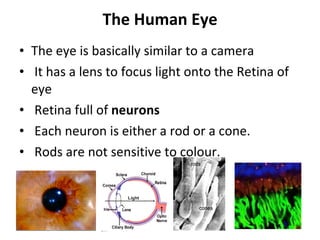
The Human Eye The eye is basically similar to a camera It has a lens to focus light onto the Retina of eye Retina full of  neurons Each neuron is either a rod or a cone. Rods are not sensitive to colour.
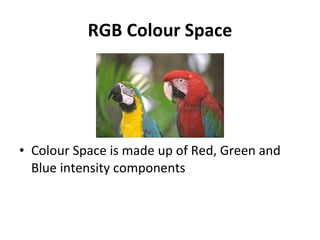
RGB Colour Space Colour Space is made up of Red, Green and Blue intensity components
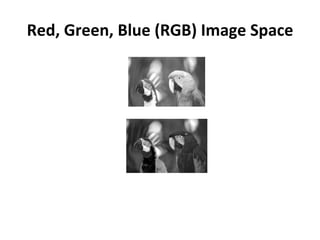
Red, Green, Blue (RGB) Image Space
CIE Chromaticity Diagram Does a set of primaries exist that span the space with only positive coefficients? Yes, but not the pure colours. In 1931, the CIE defined three standard primaries  (X, Y, Z) . The  Y primary was intentionally chosen to be identical to the  luminous-efficiency ( how well the source provides visible light from a given amount of electricity )function of human eyes. All visible colours are in a horseshoe shaped cone in the X-Y-Z space. Consider the plane X+Y+Z=1 and project it onto the X-Y plane, we get the CIE chromaticity diagram.
Colour Image and Video Representations Recap: A black and white image is a 2-D array of integers. Recap: A colour image is a 2-D array of (R,G,B) integer triplets. These triplets encode how much the corresponding phosphor should be excited in devices such as a monitor. Beside the RGB representation, YIQ and YUV are the two commonly used in video.
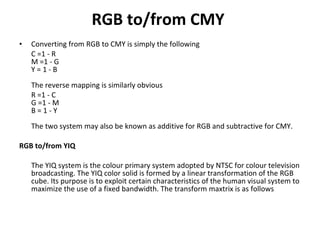
RGB to/from CMY   Converting from RGB to CMY is simply the following  C =1 - R M =1 - G Y = 1 - B  The reverse mapping is similarly obvious  R =1 - C G =1 - M B = 1 - Y  The two system may also be known as additive for RGB and subtractive for CMY.  RGB to/from YIQ   The YIQ system is the colour primary system adopted by NTSC for colour television broadcasting. The YIQ color solid is formed by a linear transformation of the RGB cube. Its purpose is to exploit certain characteristics of the human visual system to maximize the use of a fixed bandwidth. The transform maxtrix is as follows
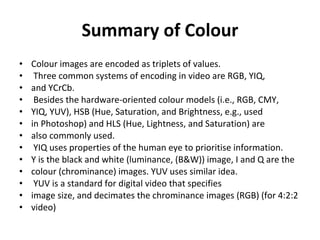
Summary of Colour Colour images are encoded as triplets of values. Three common systems of encoding in video are RGB, YIQ, and YCrCb. Besides the hardware-oriented colour models (i.e., RGB, CMY, YIQ, YUV), HSB (Hue, Saturation, and Brightness, e.g., used in Photoshop) and HLS (Hue, Lightness, and Saturation) are also commonly used. YIQ uses properties of the human eye to prioritise information. Y is the black and white (luminance, (B&W)) image, I and Q are the colour (chrominance) images. YUV uses similar idea. YUV is a standard for digital video that specifies image size, and decimates the chrominance images (RGB) (for 4:2:2 video)
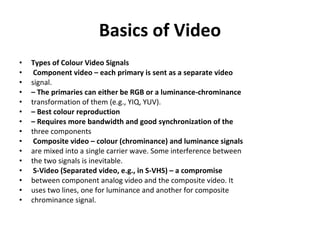
Basics of Video Types of Colour Video Signals Component video – each primary is sent as a separate video signal. –  The primaries can either be RGB or a luminance-chrominance transformation of them (e.g., YIQ, YUV). –  Best colour reproduction –  Requires more bandwidth and good synchronization of the three components Composite video – colour (chrominance) and luminance signals are mixed into a single carrier wave. Some interference between the two signals is inevitable. S-Video (Separated video, e.g., in S-VHS) – a compromise between component analog video and the composite video. It uses two lines, one for luminance and another for composite chrominance signal.
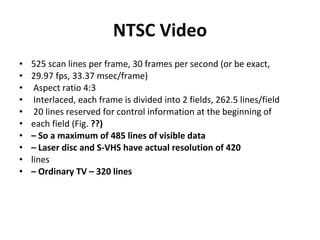
NTSC Video 525 scan lines per frame, 30 frames per second (or be exact, 29.97 fps, 33.37 msec/frame) Aspect ratio 4:3 Interlaced, each frame is divided into 2 fields, 262.5 lines/field 20 lines reserved for control information at the beginning of each field (Fig.  ??) –  So a maximum of 485 lines of visible data –  Laser disc and S-VHS have actual resolution of 420 lines –  Ordinary TV – 320 lines
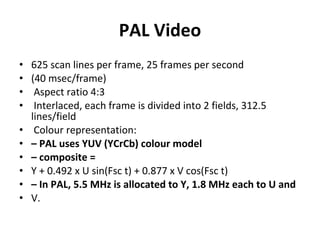
PAL Video 625 scan lines per frame, 25 frames per second (40 msec/frame) Aspect ratio 4:3 Interlaced, each frame is divided into 2 fields, 312.5 lines/field Colour representation: –  PAL uses YUV (YCrCb) colour model –  composite = Y + 0.492 x U sin(Fsc t) + 0.877 x V cos(Fsc t) –  In PAL, 5.5 MHz is allocated to Y, 1.8 MHz each to U and V.
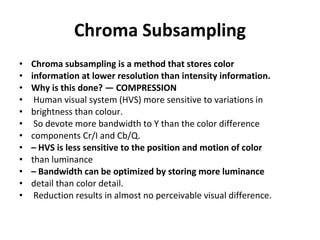
Chroma Subsampling Chroma subsampling is a method that stores color information at lower resolution than intensity information. Why is this done? — COMPRESSION Human visual system (HVS) more sensitive to variations in brightness than colour. So devote more bandwidth to Y than the color difference components Cr/I and Cb/Q. –  HVS is less sensitive to the position and motion of color than luminance –  Bandwidth can be optimized by storing more luminance detail than color detail. Reduction results in almost no perceivable visual difference.
Introduction to Text Dual Role: –  Visual representation of message –  Graphical Element
text in multimedia Use of text in multimedia applications varies on: The type of application Educational, Entertainment, Business Audience ie. Children, teens, adults, Elderly, ESL For example CD-ROM educational titles aimed at preschoolers would have little text, while adult educational titles such as foreign language studies might rely heavily on text
Change the look of your webpage by changing: –  Text Attributes –  Design/Layout/Placement of the text
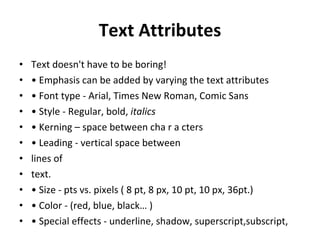
Text Attributes Text doesn't have to be boring! •  Emphasis can be added by varying the text attributes •  Font type - Arial, Times New Roman, Comic Sans •  Style - Regular, bold,  italics •  Kerning – space between cha r a cters •  Leading - vertical space between lines of text. •  Size - pts vs. pixels ( 8 pt, 8 px, 10 pt, 10 px, 36pt.) •  Color - (red, blue, black… ) •  Special effects - underline, shadow, superscript,subscript,
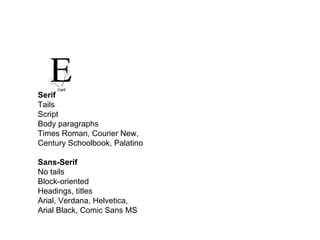
Serif Tails Script Body paragraphs Times Roman, Courier New, Century Schoolbook, Palatino Sans-Serif No tails Block-oriented Headings, titles Arial, Verdana, Helvetica, Arial Black, Comic Sans MS
Text Leading Leading specifies the amount of vertical space between lines of text Measured in either positive or negative points or zero
Text Size PIXEL (.ppi aka .dpi) Measurement for monitor resolution # of pixels per inch of monitor display A display setting of: 1280 x 1024 has 1.3 million DPI, 800 x 600 has 480,000 DPI
Text Design Considerations Readability Is the text easy to read? Avoid dark text against dark background Visual Appeal Does the text complement the graphics? Choose text that co-ordinates with any graphics Position text carefully to achieve a good balance with the other multimedia elements  Text Layout – simple, clear, white space
Text Design Considerations Mood Creation Set the mood using appropriate font attributes and layout Headings usually looks better Sans- Serif, body usually looks better Serif Design in General Use a max of 2 to 3 different types of fonts Avoid exotic fonts for consistent look on different systems Use a max of 2 to 3 colours in a document/website Never use underlining in a webpage

Graphics

  • 1.
    Multimedia Dr. MohdJuzaiddin Ab Aziz Comp. Science Dept, FTSM, UKM
  • 2.
    What’s this courseall about Exploring multimedia components (text, images, animation, sound, video) DELIVER Effectively, communicate, Clear, Exact, Professional, Make an impression
  • 3.
    Graphic/Image File FormatsCommon graphics and image file formats: http://www.dcs.ed.ac.uk/home/mxr/gfx/ — comprehensive listing of various formats. See Encyclopedia of Graphics File Formats book in library Most formats incorporate compression Graphics, video and audio compression techniques in next Chapter.
  • 4.
    Graphic/Image Data Structures“ A picture is worth a thousand words, but it uses up three thousand times the memory.” A digital image consists of many picture elements, termed pixels. The number of pixels determine the quality of the image ( resolution). Higher resolution always yields better quality. A bit-map representation stores the graphic/image data in the same manner that the computer monitor contents are stored in video memory.
  • 5.
    Standard System IndependentFormats GIF (GIF87a, GIF89a) Graphics Interchange Format (GIF) devised by the UNISYS Corp. and Compuserve, initially for transmitting graphical images over phone lines via modems Uses the Lempel-Ziv Welch algorithm (a form of Huffman Coding), modified slightly for image scan line packets (line grouping of pixels) — Algorithm Soon Limited to only 8-bit (256) colour images, suitable for images with few distinctive colours (e.g., graphics drawing) Supports interlacing
  • 6.
    System Dependent FormatsMicrosoftWindows: BMP A system standard graphics file format for Microsoft Windows Used in Many PC Graphics programs, Cross-platform support It is capable of storing 24-bit bitmap images
  • 7.
    Basics of Colour:Image and Video Light and Spectra Visible light is an electromagnetic wave in the 400nm - 700 nm range. Most light we see is not one wavelength, it’s a combination The profile is called a spectra.
  • 8.
    The Human EyeThe eye is basically similar to a camera It has a lens to focus light onto the Retina of eye Retina full of neurons Each neuron is either a rod or a cone. Rods are not sensitive to colour.
  • 9.
    RGB Colour SpaceColour Space is made up of Red, Green and Blue intensity components
  • 10.
    Red, Green, Blue(RGB) Image Space
  • 11.
    CIE Chromaticity DiagramDoes a set of primaries exist that span the space with only positive coefficients? Yes, but not the pure colours. In 1931, the CIE defined three standard primaries (X, Y, Z) . The Y primary was intentionally chosen to be identical to the luminous-efficiency ( how well the source provides visible light from a given amount of electricity )function of human eyes. All visible colours are in a horseshoe shaped cone in the X-Y-Z space. Consider the plane X+Y+Z=1 and project it onto the X-Y plane, we get the CIE chromaticity diagram.
  • 12.
    Colour Image andVideo Representations Recap: A black and white image is a 2-D array of integers. Recap: A colour image is a 2-D array of (R,G,B) integer triplets. These triplets encode how much the corresponding phosphor should be excited in devices such as a monitor. Beside the RGB representation, YIQ and YUV are the two commonly used in video.
  • 13.
    RGB to/from CMY Converting from RGB to CMY is simply the following C =1 - R M =1 - G Y = 1 - B The reverse mapping is similarly obvious R =1 - C G =1 - M B = 1 - Y The two system may also be known as additive for RGB and subtractive for CMY. RGB to/from YIQ The YIQ system is the colour primary system adopted by NTSC for colour television broadcasting. The YIQ color solid is formed by a linear transformation of the RGB cube. Its purpose is to exploit certain characteristics of the human visual system to maximize the use of a fixed bandwidth. The transform maxtrix is as follows
  • 14.
    Summary of ColourColour images are encoded as triplets of values. Three common systems of encoding in video are RGB, YIQ, and YCrCb. Besides the hardware-oriented colour models (i.e., RGB, CMY, YIQ, YUV), HSB (Hue, Saturation, and Brightness, e.g., used in Photoshop) and HLS (Hue, Lightness, and Saturation) are also commonly used. YIQ uses properties of the human eye to prioritise information. Y is the black and white (luminance, (B&W)) image, I and Q are the colour (chrominance) images. YUV uses similar idea. YUV is a standard for digital video that specifies image size, and decimates the chrominance images (RGB) (for 4:2:2 video)
  • 15.
    Basics of VideoTypes of Colour Video Signals Component video – each primary is sent as a separate video signal. – The primaries can either be RGB or a luminance-chrominance transformation of them (e.g., YIQ, YUV). – Best colour reproduction – Requires more bandwidth and good synchronization of the three components Composite video – colour (chrominance) and luminance signals are mixed into a single carrier wave. Some interference between the two signals is inevitable. S-Video (Separated video, e.g., in S-VHS) – a compromise between component analog video and the composite video. It uses two lines, one for luminance and another for composite chrominance signal.
  • 16.
    NTSC Video 525scan lines per frame, 30 frames per second (or be exact, 29.97 fps, 33.37 msec/frame) Aspect ratio 4:3 Interlaced, each frame is divided into 2 fields, 262.5 lines/field 20 lines reserved for control information at the beginning of each field (Fig. ??) – So a maximum of 485 lines of visible data – Laser disc and S-VHS have actual resolution of 420 lines – Ordinary TV – 320 lines
  • 17.
    PAL Video 625scan lines per frame, 25 frames per second (40 msec/frame) Aspect ratio 4:3 Interlaced, each frame is divided into 2 fields, 312.5 lines/field Colour representation: – PAL uses YUV (YCrCb) colour model – composite = Y + 0.492 x U sin(Fsc t) + 0.877 x V cos(Fsc t) – In PAL, 5.5 MHz is allocated to Y, 1.8 MHz each to U and V.
  • 18.
    Chroma Subsampling Chromasubsampling is a method that stores color information at lower resolution than intensity information. Why is this done? — COMPRESSION Human visual system (HVS) more sensitive to variations in brightness than colour. So devote more bandwidth to Y than the color difference components Cr/I and Cb/Q. – HVS is less sensitive to the position and motion of color than luminance – Bandwidth can be optimized by storing more luminance detail than color detail. Reduction results in almost no perceivable visual difference.
  • 19.
    Introduction to TextDual Role: – Visual representation of message – Graphical Element
  • 20.
    text in multimediaUse of text in multimedia applications varies on: The type of application Educational, Entertainment, Business Audience ie. Children, teens, adults, Elderly, ESL For example CD-ROM educational titles aimed at preschoolers would have little text, while adult educational titles such as foreign language studies might rely heavily on text
  • 21.
    Change the lookof your webpage by changing: – Text Attributes – Design/Layout/Placement of the text
  • 22.
    Text Attributes Textdoesn't have to be boring! • Emphasis can be added by varying the text attributes • Font type - Arial, Times New Roman, Comic Sans • Style - Regular, bold, italics • Kerning – space between cha r a cters • Leading - vertical space between lines of text. • Size - pts vs. pixels ( 8 pt, 8 px, 10 pt, 10 px, 36pt.) • Color - (red, blue, black… ) • Special effects - underline, shadow, superscript,subscript,
  • 23.
    Serif Tails ScriptBody paragraphs Times Roman, Courier New, Century Schoolbook, Palatino Sans-Serif No tails Block-oriented Headings, titles Arial, Verdana, Helvetica, Arial Black, Comic Sans MS
  • 24.
    Text Leading Leadingspecifies the amount of vertical space between lines of text Measured in either positive or negative points or zero
  • 25.
    Text Size PIXEL(.ppi aka .dpi) Measurement for monitor resolution # of pixels per inch of monitor display A display setting of: 1280 x 1024 has 1.3 million DPI, 800 x 600 has 480,000 DPI
  • 26.
    Text Design ConsiderationsReadability Is the text easy to read? Avoid dark text against dark background Visual Appeal Does the text complement the graphics? Choose text that co-ordinates with any graphics Position text carefully to achieve a good balance with the other multimedia elements Text Layout – simple, clear, white space
  • 27.
    Text Design ConsiderationsMood Creation Set the mood using appropriate font attributes and layout Headings usually looks better Sans- Serif, body usually looks better Serif Design in General Use a max of 2 to 3 different types of fonts Avoid exotic fonts for consistent look on different systems Use a max of 2 to 3 colours in a document/website Never use underlining in a webpage