Multimedia Technologies
INTRODUCTION
By Tamanna Sehgal
tamannasehgal@live.com
What is Multimedia?
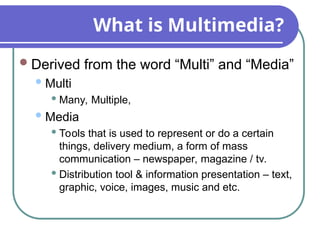
Derived from the word “Multi” and “Media”
Multi
 Many, Multiple,
Media
 Tools that is used to represent or do a certain
things, delivery medium, a form of mass
communication – newspaper, magazine / tv.
 Distribution tool & information presentation – text,
graphic, voice, images, music and etc.
Definition of Multimedia
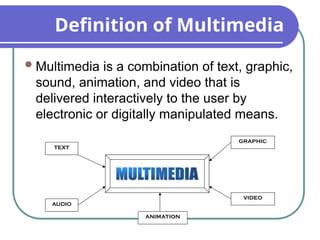
Multimedia is a combination of text, graphic,
sound, animation, and video that is
delivered interactively to the user by
electronic or digitally manipulated means.
TEXT
AUDIO
GRAPHIC
VIDEO
ANIMATION
Elements of Multimedia
TEXT
TEXT
AUDIO
GRAPHIC
VIDEO
ANIMATION
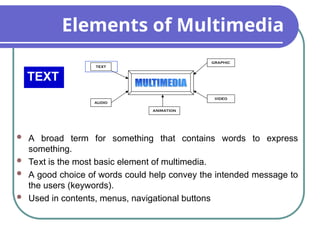
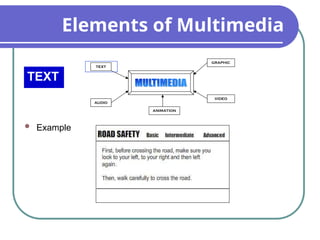
 A broad term for something that contains words to express
something.
 Text is the most basic element of multimedia.
 A good choice of words could help convey the intended message to
the users (keywords).
 Used in contents, menus, navigational buttons
Elements of Multimedia
TEXT
TEXT
AUDIO
GRAPHIC
VIDEO
ANIMATION
 Example
Elements of Multimedia
GRAPHIC
TEXT
AUDIO
GRAPHIC
VIDEO
ANIMATION
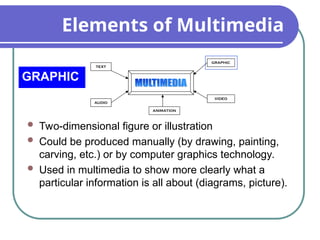
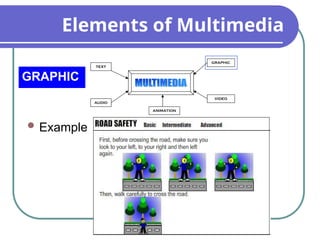
 Two-dimensional figure or illustration
 Could be produced manually (by drawing, painting,
carving, etc.) or by computer graphics technology.
 Used in multimedia to show more clearly what a
particular information is all about (diagrams, picture).
Elements of Multimedia
GRAPHIC
TEXT
AUDIO
GRAPHIC
VIDEO
ANIMATION
 Example
Elements of Multimedia
AUDIO
TEXT
AUDIO
GRAPHIC
VIDEO
ANIMATION
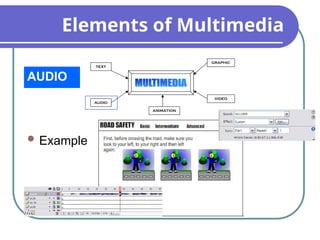
 Produced by vibration, as perceived by the
sense of hearing.
 In multimedia, audio could come in the form of
speech, sound effects and also music score.
Elements of Multimedia
AUDIO
TEXT
AUDIO
GRAPHIC
VIDEO
ANIMATION
 Example
Elements of Multimedia
ANIMATION
TEXT
AUDIO
GRAPHIC
VIDEO
ANIMATION
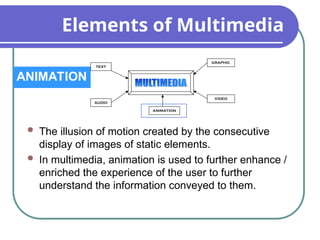
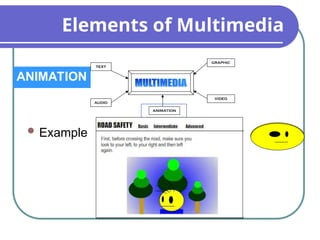
 The illusion of motion created by the consecutive
display of images of static elements.
 In multimedia, animation is used to further enhance /
enriched the experience of the user to further
understand the information conveyed to them.
Elements of Multimedia
ANIMATION
TEXT
AUDIO
GRAPHIC
VIDEO
ANIMATION
 Example
Elements of Multimedia
VIDEO
TEXT
AUDIO
GRAPHIC
VIDEO
ANIMATION
 Is the technology of capturing, recording, processing,
transmitting, and reconstructing moving pictures.
 Video is more towards photo realistic image sequence /
live recording as in comparison to animation.
 Video also takes a lot of storage space. So plan carefully
before you are going to use it.
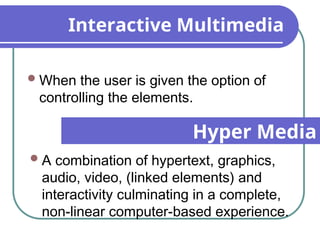
Interactive Multimedia
When the user is given the option of
controlling the elements.
Hyper Media
A combination of hypertext, graphics,
audio, video, (linked elements) and
interactivity culminating in a complete,
non-linear computer-based experience.
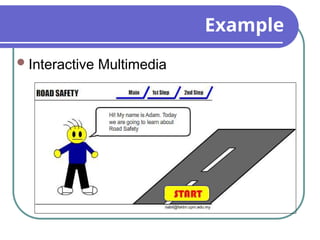
Example
Interactive Multimedia
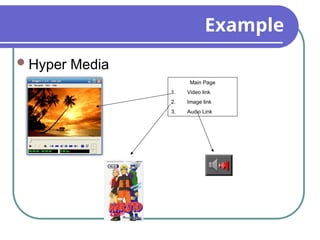
Example
Hyper Media
Main Page
1. Video link
2. Image link
3. Audio Link
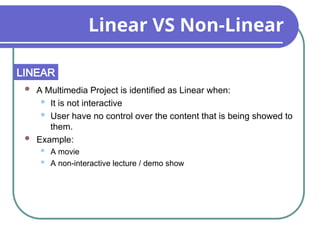
Linear VS Non-Linear
 A Multimedia Project is identified as Linear when:
 It is not interactive
 User have no control over the content that is being showed to
them.
 Example:
 A movie
 A non-interactive lecture / demo show
LINEAR
Linear VS Non-Linear
 A Multimedia Project is identified as Non-Linear when:
 It is interactive
 Users have control over the content that is being showed to them.
 Users are given navigational control
 Example:
 Games
 Courseware
 Interactive CD
NON-LINEAR
Authoring Tools
 Use to merge multimedia elements (text,
audio, graphic, animation, video) into a
project.
 Designed to manage individual multimedia
elements and provide user interaction (if
required).
Authoring Tools
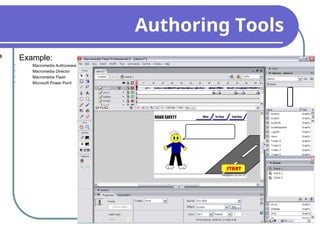
 Example:
 Macromedia Authorware
 Macromedia Director
 Macromedia Flash
 Microsoft Power Point
Importance of Multimedia
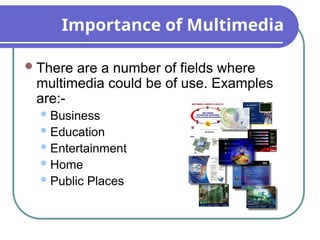
There are a number of fields where
multimedia could be of use. Examples
are:-
 Business
 Education
 Entertainment
 Home
 Public Places
Importance of Multimedia
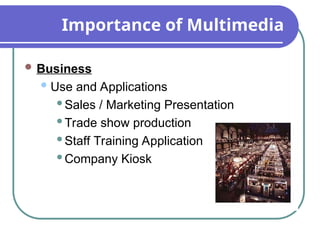
 Business
Use and Applications
Sales / Marketing Presentation
Trade show production
Staff Training Application
Company Kiosk
Importance of Multimedia
 Education
Use and Applications
Courseware / Simulations
E-Learning / Distance Learning
Information Searching
Importance of Multimedia
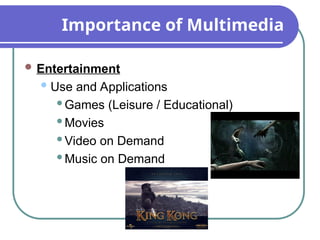
 Entertainment
Use and Applications
Games (Leisure / Educational)
Movies
Video on Demand
Music on Demand
Importance of Multimedia
 Home
Use and Applications
Television
Satellite TV
SMS services (chats, voting, reality TV)
Importance of Multimedia
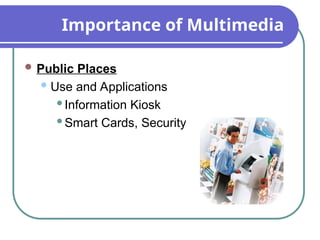
 Public Places
Use and Applications
Information Kiosk
Smart Cards, Security
Classifications of multimedia data
 Captured versus synthesized media
 captured from real-world
 synthesized by computers
 Discrete versus continuous media
 discrete space-based only e.g. Text
 continuous space-based and time-based
e.g. animation, motion video
Benefits of multimedia systems
Easy to understand and easy to use
Integrated and interactive
Conducive to cooperative work environment
Flexible
Supportive of large audience
Characteristics of a multimedia systems
A Multimedia system has four basic
characteristics:
1. Multimedia systems must be computer
controlled.
2. Multimedia systems are integrated.
3. The information they handle must be
represented digitally.
4. The interface to the final presentation of media
is usually interactive.
Properties of a multimedia system
 Combination of Media : Any application
which contains at least one continuous (time-
dependent) and one discrete media (time-
independent) are utilized.
Example: A text processing program with
incorporated images is therefore not a
multimedia application. Hence, multimedia
system not only depend upon quantity of media
used but on quality (kind) of media used.
Properties of a multimedia system
 Independence: An important aspect of different
media is their level of independence from each
other and multimedia may require several levels
of independence.
 Computer-supported integration:
 The media-independence prerequisite provides the
possibility of combining media in arbitrary forms.
 The multimedia system should be capable of
computer-controlled media processing and the system
should be programmable by system programmer or
even a user.
Properties of a multimedia system
 A text processing program that supports text, table
calculations and video clips does not satisfy the
demand for integration if program supporting the
connection between the data can not be established.
A high integration level is accomplished if changing
the content of a table row causes corresponding
video scene and text changes.
 Communication capable multimedia systems:
 Most of today’s computer’s are interconnected; so,
considering multimedia function from only a local
processing point of view would be a restriction.
Properties of a multimedia system
Moreover, distributed environments enable
particularly interesting multimedia
applications. Here multimedia information
cannot only be created, processed,
presented and stored, but also distributed
above the single computer’s boundary.
Challenges of a multimedia systems
 Multimedia systems may have to render a variety of
media at the same instant -- a distinction from normal
applications. There is a temporal relationship between
many forms of media (e.g. Video and Audio.
There 2 are forms of problems here
 Sequencing within the media -- playing frames in
correct order/time frame in video
 Synchronization -- inter-media scheduling (e.g. Video
and Audio). Lip synchronization is clearly important for
humans to watch playback of video and audio and
even animation and audio. Ever tried watching an out
of (lip) sync film for a long time?
Challenges continue…
 The key issues multimedia systems need to deal with here are:
 How to represent and store temporal information.
 How to strictly maintain the temporal relationships on play back/retrieval
 Data has to represented digitally so many initial source of data
needs to be digitize -- translated from analog source to digital
representation. The will involve scanning (graphics, still images),
sampling (audio/video) although digital cameras now exist for
direct scene to digital capture of images and video.
 The data is large several Mb easily for audio and video --
therefore storage, transfer (bandwidth) and processing
overheads are high. Data compression techniques very common.
Desirable features of a multimedia
systems
 Very High Processing Power -- needed to deal with large data
processing and real time delivery of media. Special hardware
commonplace.
 Multimedia Capable File System -- needed to deliver real-
time media -- e.g. Video/Audio Streaming. Special
Hardware/Software needed e.g RAID technology.
 Data Representations/File Formats that support multimedia
-- Data representations/file formats should be easy to handle
yet allow for compression/decompression in real-time.
 Efficient and High I/O -- input and output to the file subsystem
needs to be efficient and fast. Needs to allow for real-time
recording as well as playback of data. e.g. Direct to Disk
recording systems.
Desirable features of a multimedia
systems
 Special Operating System -- to allow access to file system
and process data efficiently and quickly. Needs to support
direct transfers to disk, real-time scheduling, fast interrupt
processing, I/O streaming etc.
 Storage and Memory -- large storage units (of the order of
TERABYTES or more) and large memory (GIGABYTES or
more). Large Caches also required for efficient
Management.
 Network Support -- Client-server systems common as
distributed systems common.
 Software Tools -- user friendly tools needed to handle
media, design and develop applications, deliver media.
Challenges of multimedia system
design
 Host computing power requirement
 Data storage and management
requirements
 Human interface usability requirements
 Network latency and throughput
requirements
Scope of Research
New merging effects in Multimedia
Authoring Tools
Assignment 1
1. What is Multimedia? Give an example
of Multimedia application.
2. List salient features you think there
should be in any multimedia application
for Gaming.
lecture1mmt-160913034654.ppt for information

lecture1mmt-160913034654.ppt for information

  • 1.
  • 2.
    What is Multimedia? Derivedfrom the word “Multi” and “Media” Multi  Many, Multiple, Media  Tools that is used to represent or do a certain things, delivery medium, a form of mass communication – newspaper, magazine / tv.  Distribution tool & information presentation – text, graphic, voice, images, music and etc.
  • 3.
    Definition of Multimedia Multimediais a combination of text, graphic, sound, animation, and video that is delivered interactively to the user by electronic or digitally manipulated means. TEXT AUDIO GRAPHIC VIDEO ANIMATION
  • 4.
    Elements of Multimedia TEXT TEXT AUDIO GRAPHIC VIDEO ANIMATION A broad term for something that contains words to express something.  Text is the most basic element of multimedia.  A good choice of words could help convey the intended message to the users (keywords).  Used in contents, menus, navigational buttons
  • 5.
  • 6.
    Elements of Multimedia GRAPHIC TEXT AUDIO GRAPHIC VIDEO ANIMATION Two-dimensional figure or illustration  Could be produced manually (by drawing, painting, carving, etc.) or by computer graphics technology.  Used in multimedia to show more clearly what a particular information is all about (diagrams, picture).
  • 7.
  • 8.
    Elements of Multimedia AUDIO TEXT AUDIO GRAPHIC VIDEO ANIMATION Produced by vibration, as perceived by the sense of hearing.  In multimedia, audio could come in the form of speech, sound effects and also music score.
  • 9.
  • 10.
    Elements of Multimedia ANIMATION TEXT AUDIO GRAPHIC VIDEO ANIMATION The illusion of motion created by the consecutive display of images of static elements.  In multimedia, animation is used to further enhance / enriched the experience of the user to further understand the information conveyed to them.
  • 11.
  • 12.
    Elements of Multimedia VIDEO TEXT AUDIO GRAPHIC VIDEO ANIMATION Is the technology of capturing, recording, processing, transmitting, and reconstructing moving pictures.  Video is more towards photo realistic image sequence / live recording as in comparison to animation.  Video also takes a lot of storage space. So plan carefully before you are going to use it.
  • 13.
    Interactive Multimedia When theuser is given the option of controlling the elements. Hyper Media A combination of hypertext, graphics, audio, video, (linked elements) and interactivity culminating in a complete, non-linear computer-based experience.
  • 14.
  • 15.
    Example Hyper Media Main Page 1.Video link 2. Image link 3. Audio Link
  • 16.
    Linear VS Non-Linear A Multimedia Project is identified as Linear when:  It is not interactive  User have no control over the content that is being showed to them.  Example:  A movie  A non-interactive lecture / demo show LINEAR
  • 17.
    Linear VS Non-Linear A Multimedia Project is identified as Non-Linear when:  It is interactive  Users have control over the content that is being showed to them.  Users are given navigational control  Example:  Games  Courseware  Interactive CD NON-LINEAR
  • 18.
    Authoring Tools  Useto merge multimedia elements (text, audio, graphic, animation, video) into a project.  Designed to manage individual multimedia elements and provide user interaction (if required).
  • 19.
    Authoring Tools  Example: Macromedia Authorware  Macromedia Director  Macromedia Flash  Microsoft Power Point
  • 20.
    Importance of Multimedia Thereare a number of fields where multimedia could be of use. Examples are:-  Business  Education  Entertainment  Home  Public Places
  • 21.
    Importance of Multimedia Business Use and Applications Sales / Marketing Presentation Trade show production Staff Training Application Company Kiosk
  • 22.
    Importance of Multimedia Education Use and Applications Courseware / Simulations E-Learning / Distance Learning Information Searching
  • 23.
    Importance of Multimedia Entertainment Use and Applications Games (Leisure / Educational) Movies Video on Demand Music on Demand
  • 24.
    Importance of Multimedia Home Use and Applications Television Satellite TV SMS services (chats, voting, reality TV)
  • 25.
    Importance of Multimedia Public Places Use and Applications Information Kiosk Smart Cards, Security
  • 26.
    Classifications of multimediadata  Captured versus synthesized media  captured from real-world  synthesized by computers  Discrete versus continuous media  discrete space-based only e.g. Text  continuous space-based and time-based e.g. animation, motion video
  • 27.
    Benefits of multimediasystems Easy to understand and easy to use Integrated and interactive Conducive to cooperative work environment Flexible Supportive of large audience
  • 28.
    Characteristics of amultimedia systems A Multimedia system has four basic characteristics: 1. Multimedia systems must be computer controlled. 2. Multimedia systems are integrated. 3. The information they handle must be represented digitally. 4. The interface to the final presentation of media is usually interactive.
  • 29.
    Properties of amultimedia system  Combination of Media : Any application which contains at least one continuous (time- dependent) and one discrete media (time- independent) are utilized. Example: A text processing program with incorporated images is therefore not a multimedia application. Hence, multimedia system not only depend upon quantity of media used but on quality (kind) of media used.
  • 30.
    Properties of amultimedia system  Independence: An important aspect of different media is their level of independence from each other and multimedia may require several levels of independence.  Computer-supported integration:  The media-independence prerequisite provides the possibility of combining media in arbitrary forms.  The multimedia system should be capable of computer-controlled media processing and the system should be programmable by system programmer or even a user.
  • 31.
    Properties of amultimedia system  A text processing program that supports text, table calculations and video clips does not satisfy the demand for integration if program supporting the connection between the data can not be established. A high integration level is accomplished if changing the content of a table row causes corresponding video scene and text changes.  Communication capable multimedia systems:  Most of today’s computer’s are interconnected; so, considering multimedia function from only a local processing point of view would be a restriction.
  • 32.
    Properties of amultimedia system Moreover, distributed environments enable particularly interesting multimedia applications. Here multimedia information cannot only be created, processed, presented and stored, but also distributed above the single computer’s boundary.
  • 33.
    Challenges of amultimedia systems  Multimedia systems may have to render a variety of media at the same instant -- a distinction from normal applications. There is a temporal relationship between many forms of media (e.g. Video and Audio. There 2 are forms of problems here  Sequencing within the media -- playing frames in correct order/time frame in video  Synchronization -- inter-media scheduling (e.g. Video and Audio). Lip synchronization is clearly important for humans to watch playback of video and audio and even animation and audio. Ever tried watching an out of (lip) sync film for a long time?
  • 34.
    Challenges continue…  Thekey issues multimedia systems need to deal with here are:  How to represent and store temporal information.  How to strictly maintain the temporal relationships on play back/retrieval  Data has to represented digitally so many initial source of data needs to be digitize -- translated from analog source to digital representation. The will involve scanning (graphics, still images), sampling (audio/video) although digital cameras now exist for direct scene to digital capture of images and video.  The data is large several Mb easily for audio and video -- therefore storage, transfer (bandwidth) and processing overheads are high. Data compression techniques very common.
  • 35.
    Desirable features ofa multimedia systems  Very High Processing Power -- needed to deal with large data processing and real time delivery of media. Special hardware commonplace.  Multimedia Capable File System -- needed to deliver real- time media -- e.g. Video/Audio Streaming. Special Hardware/Software needed e.g RAID technology.  Data Representations/File Formats that support multimedia -- Data representations/file formats should be easy to handle yet allow for compression/decompression in real-time.  Efficient and High I/O -- input and output to the file subsystem needs to be efficient and fast. Needs to allow for real-time recording as well as playback of data. e.g. Direct to Disk recording systems.
  • 36.
    Desirable features ofa multimedia systems  Special Operating System -- to allow access to file system and process data efficiently and quickly. Needs to support direct transfers to disk, real-time scheduling, fast interrupt processing, I/O streaming etc.  Storage and Memory -- large storage units (of the order of TERABYTES or more) and large memory (GIGABYTES or more). Large Caches also required for efficient Management.  Network Support -- Client-server systems common as distributed systems common.  Software Tools -- user friendly tools needed to handle media, design and develop applications, deliver media.
  • 37.
    Challenges of multimediasystem design  Host computing power requirement  Data storage and management requirements  Human interface usability requirements  Network latency and throughput requirements
  • 38.
    Scope of Research Newmerging effects in Multimedia Authoring Tools
  • 39.
    Assignment 1 1. Whatis Multimedia? Give an example of Multimedia application. 2. List salient features you think there should be in any multimedia application for Gaming.