
MULTIMEDIA
CHAPTER1
By , T G Preethi – 19ifte073
What Is Multimedia?
 Multimedia is any combination of:
• Text
• Art
• Sound
• Animation
• Video
 Delivered to you by computer or other electronic or digitally
manipulated means.
 A multimedia project development requires creative,
technical, organizational, and business skills.
Definitions :
 End user / viewer of a multimedia project—to control what and when
the elements are delivered, it is called interactive multimedia.
 When you provide a structure of linked elements through which the
user can navigate, interactive multimedia becomes hypermedia.
 A project is linear, starting at the beginning and running through to the
end.
 When users are given navigational control and can wander through the
content at will, multimedia becomes nonlinear.
Where to Use Multimedia ?
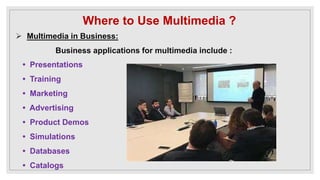
 Multimedia in Business:
Business applications for multimedia include :
• Presentations
• Training
• Marketing
• Advertising
• Product Demos
• Simulations
• Databases
• Catalogs
• Multimedia around the office has also become more
commonplace.
• Image capture hardware is used for building employee ID
and badging databases.
• Presentation documents attached to e-mail and video
conferencing are widely available.
• Laptop computers and high resolution projectors are
common place for multimedia presentations on the road.
 Multimedia in Schools/educational sectors
• Schools are perhaps the destination most in need of
multimedia
• The U.S. government has challenged the telecommunications
industry to connect every classroom, library, clinic, and
hospital in America to the information superhighway.
• The National Grid for Learning (NGfL) has established similar
aims for schools in the United Kingdom.
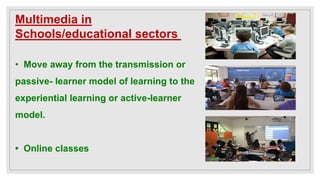
Multimedia in
Schools/educational sectors
• Move away from the transmission or
passive- learner model of learning to the
experiential learning or active-learner
model.
• Online classes
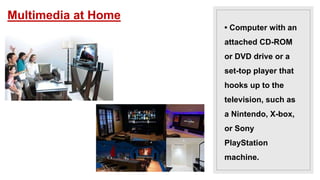
 Multimedia at Home
• Gardening
• Cooking
• Home Design
• Remodeling
• Repair to genealogy software – Reunion from Leister
Productions lets families add text, images, sounds, and video
clips as they build their family trees.
• Computer with an
attached CD-ROM
or DVD drive or a
set-top player that
hooks up to the
television, such as
a Nintendo, X-box,
or Sony
PlayStation
machine.
Multimedia at Home
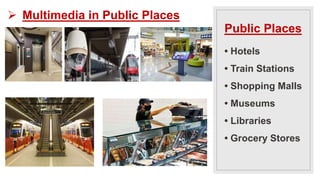
• Hotels
• Train Stations
• Shopping Malls
• Museums
• Libraries
• Grocery Stores
Public Places
 Multimedia in Public Places
Virtual Reality
 Convergence of technology and creative invention in
multimedia is virtual reality
 Place you “inside” a lifelike experience.
 Goggles
 Helmets
 Special Gloves
Delivering Multimedia :
• Multimedia requires large amounts of digital memory when
stored in an end user’s library.
• Require large amounts of bandwidth when distributed over
wires, glass fiber, or airwaves on a network.
• The greater the bandwidth, the bigger the pipeline, so more
content can be delivered to end users quickly.
Delivering Multimedia :
 CD-ROM, DVD, Flash Drives
 CD-ROM (compact disc read-only memory) discs can contain
up to 80 minutes of full-screen video, images, or sound.
 The disc can also contain unique mixes of:
Images, sounds, text, video, and animations controlled
by an authoring system to provide unlimited user interaction.
Delivering Multimedia :
• Multilayered Digital Versatile Disc (DVD) technology increases
the capacity and multimedia capability of CDs.
– 4.7GB on a single-sided, single-layered disc
– 17.08GB of storage on a double-sided, double-layered disc.
• CD-ROM and DVD discs are interim memory technologies that
will be replaced by new devices such as:
– flash drives that do not require moving parts.
Delivering Multimedia :
 The Broadband Internet
• When information providers and content owners determine
the worth of their products
– information elements will ultimately link up online as
distributed resources on a data highway
• Actual glass fiber cables that make up much of the
physical backbone of the data highway
THANKYOU....!

Multimedia by Tay Vaughan

  • 1.
    MULTIMEDIA CHAPTER1 By , TG Preethi – 19ifte073
  • 2.
    What Is Multimedia? Multimedia is any combination of: • Text • Art • Sound • Animation • Video  Delivered to you by computer or other electronic or digitally manipulated means.  A multimedia project development requires creative, technical, organizational, and business skills.
  • 3.
    Definitions :  Enduser / viewer of a multimedia project—to control what and when the elements are delivered, it is called interactive multimedia.  When you provide a structure of linked elements through which the user can navigate, interactive multimedia becomes hypermedia.  A project is linear, starting at the beginning and running through to the end.  When users are given navigational control and can wander through the content at will, multimedia becomes nonlinear.
  • 4.
    Where to UseMultimedia ?  Multimedia in Business: Business applications for multimedia include : • Presentations • Training • Marketing • Advertising • Product Demos • Simulations • Databases • Catalogs
  • 5.
    • Multimedia aroundthe office has also become more commonplace. • Image capture hardware is used for building employee ID and badging databases. • Presentation documents attached to e-mail and video conferencing are widely available. • Laptop computers and high resolution projectors are common place for multimedia presentations on the road.
  • 6.
     Multimedia inSchools/educational sectors • Schools are perhaps the destination most in need of multimedia • The U.S. government has challenged the telecommunications industry to connect every classroom, library, clinic, and hospital in America to the information superhighway. • The National Grid for Learning (NGfL) has established similar aims for schools in the United Kingdom.
  • 7.
    Multimedia in Schools/educational sectors •Move away from the transmission or passive- learner model of learning to the experiential learning or active-learner model. • Online classes
  • 8.
     Multimedia atHome • Gardening • Cooking • Home Design • Remodeling • Repair to genealogy software – Reunion from Leister Productions lets families add text, images, sounds, and video clips as they build their family trees.
  • 9.
    • Computer withan attached CD-ROM or DVD drive or a set-top player that hooks up to the television, such as a Nintendo, X-box, or Sony PlayStation machine. Multimedia at Home
  • 10.
    • Hotels • TrainStations • Shopping Malls • Museums • Libraries • Grocery Stores Public Places  Multimedia in Public Places
  • 11.
    Virtual Reality  Convergenceof technology and creative invention in multimedia is virtual reality  Place you “inside” a lifelike experience.  Goggles  Helmets  Special Gloves
  • 12.
    Delivering Multimedia : •Multimedia requires large amounts of digital memory when stored in an end user’s library. • Require large amounts of bandwidth when distributed over wires, glass fiber, or airwaves on a network. • The greater the bandwidth, the bigger the pipeline, so more content can be delivered to end users quickly.
  • 13.
    Delivering Multimedia : CD-ROM, DVD, Flash Drives  CD-ROM (compact disc read-only memory) discs can contain up to 80 minutes of full-screen video, images, or sound.  The disc can also contain unique mixes of: Images, sounds, text, video, and animations controlled by an authoring system to provide unlimited user interaction.
  • 14.
    Delivering Multimedia : •Multilayered Digital Versatile Disc (DVD) technology increases the capacity and multimedia capability of CDs. – 4.7GB on a single-sided, single-layered disc – 17.08GB of storage on a double-sided, double-layered disc. • CD-ROM and DVD discs are interim memory technologies that will be replaced by new devices such as: – flash drives that do not require moving parts.
  • 15.
    Delivering Multimedia : The Broadband Internet • When information providers and content owners determine the worth of their products – information elements will ultimately link up online as distributed resources on a data highway • Actual glass fiber cables that make up much of the physical backbone of the data highway
  • 16.