
Prepared by:
Shirley P. Valera
School Year 2018-2019
Grade 1- St. Clare/St. Bernadette/St.Catherine
Objectives
A. Know the parts of
Microsoft Paint program.
B. Open Microsoft Paint
program.
Review
Internet Etiquette
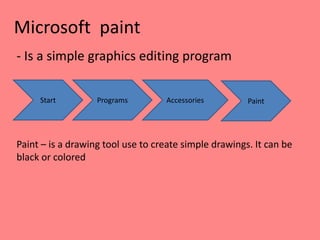
Microsoft paint
- Is a simple graphics editing program
Start Programs Accessories Paint
Paint – is a drawing tool use to create simple drawings. It can be
black or colored
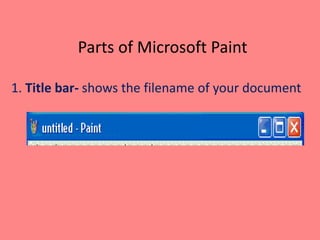
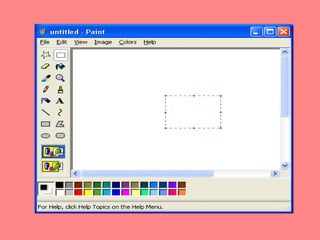
Parts of Microsoft Paint
1. Title bar- shows the filename of your document
Parts of Microsoft Paint
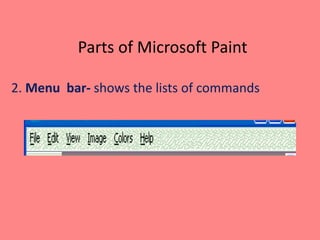
2. Menu bar- shows the lists of commands
Parts of Microsoft Paint
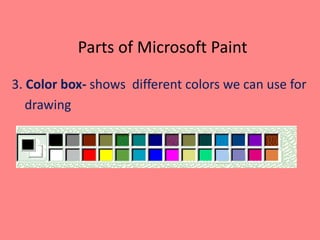
3. Color box- shows different colors we can use for
drawing
Parts of Microsoft Paint
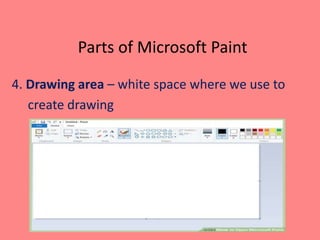
4. Drawing area – white space where we use to
create drawing
Parts of Microsoft Paint
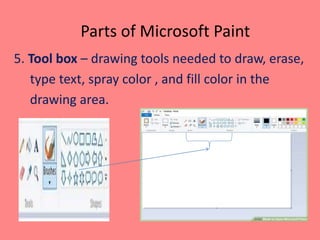
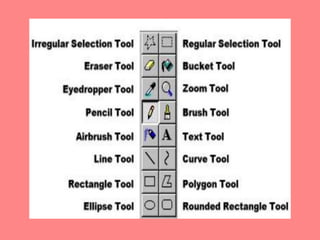
5. Tool box – drawing tools needed to draw, erase,
type text, spray color , and fill color in the
drawing area.
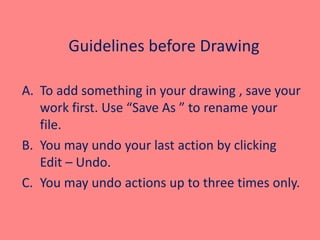
Guidelines before Drawing
A. To add something in your drawing , save your
work first. Use “Save As ” to rename your
file.
B. You may undo your last action by clicking
Edit – Undo.
C. You may undo actions up to three times only.
- Microsoft Paint is a
simple graphics editing
program.
- Paint is a drawing tool use to
create simple drawings.
Generalization
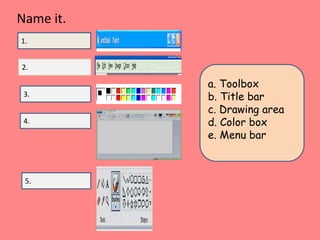
a. Toolbox
b. Title bar
c. Drawing area
d. Color box
e. Menu bar
1.
2.
3.
5.
4.
Name it.
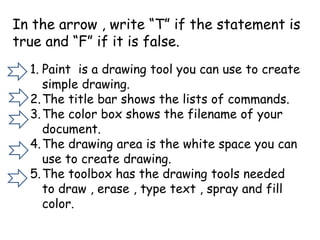
In the arrow , write “T” if the statement is
true and “F” if it is false.
1. Paint is a drawing tool you can use to create
simple drawing.
2.The title bar shows the lists of commands.
3.The color box shows the filename of your
document.
4.The drawing area is the white space you can
use to create drawing.
5.The toolbox has the drawing tools needed
to draw , erase , type text , spray and fill
color.
- Editing tools is used to
change a previously done
drawing.
- Drawing tools used to help
- create a figure by combining
line, curves, and different
shapes.
Generalization
Homework:
Make a Microsoft Paint bookmark and present in
class how you created your bookmark.
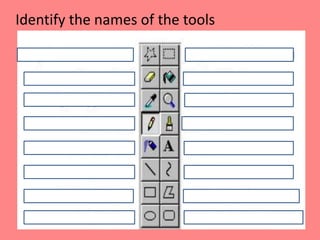
Identify the names of the tools
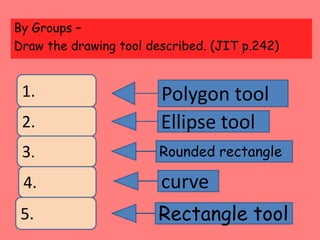
By Groups –
Draw the drawing tool described. (JIT p.242)
1.
2.
3.
4.
5.
Polygon tool
Ellipse tool
Rounded rectangle
curve
Rectangle tool
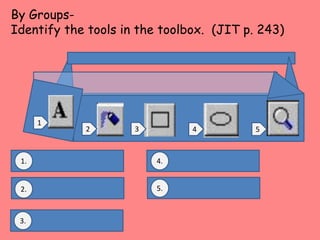
By Groups-
Identify the tools in the toolbox. (JIT p. 243)
1
542 3
1.
2.
3.
5.
4.
Reference :
Jumpstart I.T pp. 230-234

#2 4th ppt gr.1 microsoft paint aa

  • 1.
    Prepared by: Shirley P.Valera School Year 2018-2019 Grade 1- St. Clare/St. Bernadette/St.Catherine
  • 2.
    Objectives A. Know theparts of Microsoft Paint program. B. Open Microsoft Paint program.
  • 3.
  • 4.
    Microsoft paint - Isa simple graphics editing program Start Programs Accessories Paint Paint – is a drawing tool use to create simple drawings. It can be black or colored
  • 5.
    Parts of MicrosoftPaint 1. Title bar- shows the filename of your document
  • 6.
    Parts of MicrosoftPaint 2. Menu bar- shows the lists of commands
  • 7.
    Parts of MicrosoftPaint 3. Color box- shows different colors we can use for drawing
  • 8.
    Parts of MicrosoftPaint 4. Drawing area – white space where we use to create drawing
  • 9.
    Parts of MicrosoftPaint 5. Tool box – drawing tools needed to draw, erase, type text, spray color , and fill color in the drawing area.
  • 11.
    Guidelines before Drawing A.To add something in your drawing , save your work first. Use “Save As ” to rename your file. B. You may undo your last action by clicking Edit – Undo. C. You may undo actions up to three times only.
  • 12.
    - Microsoft Paintis a simple graphics editing program. - Paint is a drawing tool use to create simple drawings. Generalization
  • 13.
    a. Toolbox b. Titlebar c. Drawing area d. Color box e. Menu bar 1. 2. 3. 5. 4. Name it.
  • 14.
    In the arrow, write “T” if the statement is true and “F” if it is false. 1. Paint is a drawing tool you can use to create simple drawing. 2.The title bar shows the lists of commands. 3.The color box shows the filename of your document. 4.The drawing area is the white space you can use to create drawing. 5.The toolbox has the drawing tools needed to draw , erase , type text , spray and fill color.
  • 15.
    - Editing toolsis used to change a previously done drawing. - Drawing tools used to help - create a figure by combining line, curves, and different shapes. Generalization
  • 16.
    Homework: Make a MicrosoftPaint bookmark and present in class how you created your bookmark.
  • 17.
    Identify the namesof the tools
  • 18.
    By Groups – Drawthe drawing tool described. (JIT p.242) 1. 2. 3. 4. 5. Polygon tool Ellipse tool Rounded rectangle curve Rectangle tool
  • 19.
    By Groups- Identify thetools in the toolbox. (JIT p. 243) 1 542 3 1. 2. 3. 5. 4.
  • 21.