
Proper care for the computer
Prepared by:
Shirley P. Valera
Grade -1 St. Clare/St.
Bernadette/St. Catherine
School Year 2017-2018
Objectives
A. Use the computer room
properly.
B. Follow the computer
room guidelines.
Pupils will name the
things found inside the
computer room.
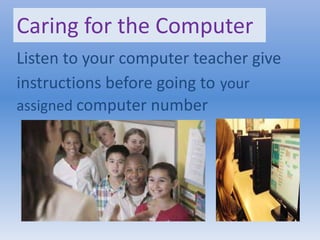
Caring for the Computer
Listen to your computer teacher give
instructions before going to your
assigned computer number
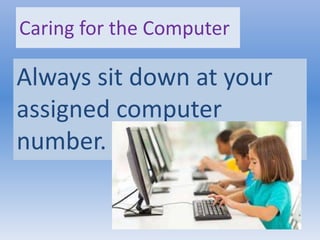
Caring for the Computer
Always sit down at your
assigned computer
number.
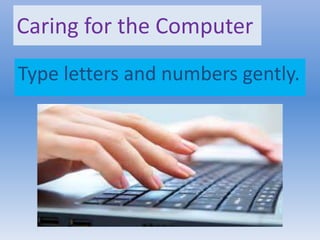
Caring for the Computer
Type letters and numbers gently.
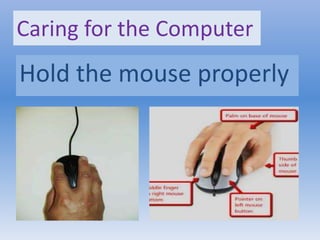
Caring for the Computer
Hold the mouse properly
Caring for the Computer
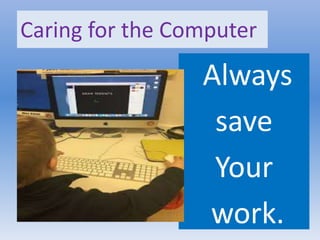
Always
save
Your
work.
Caring for the Computer
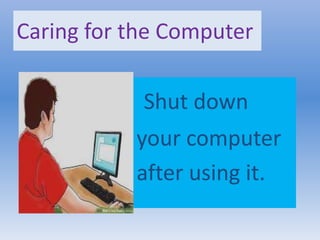
Shut down
your computer
after using it.
Caring for the Computer
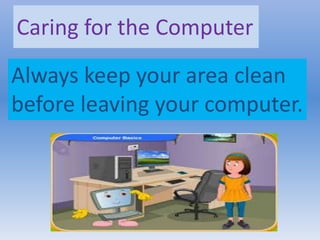
Always keep your area clean
before leaving your computer.
Caring for the Computer
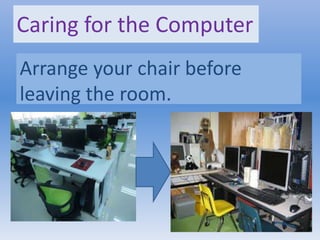
Arrange your chair before
leaving the room.
Caring for the Computer
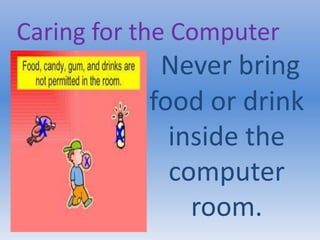
Never bring
food or drink
inside the
computer
room.
Generalization
- We must use the
computer and the
computer room properly.
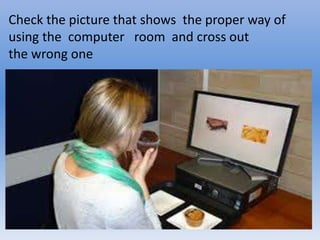
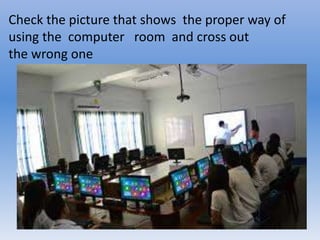
Check the picture that shows the proper way of
using the computer room and cross out
the wrong one
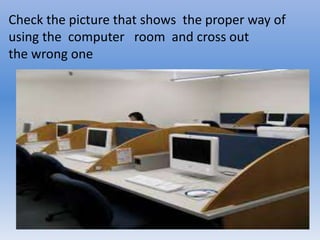
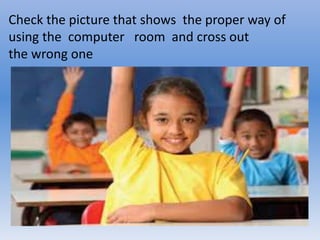
Check the picture that shows the proper way of
using the computer room and cross out
the wrong one
Check the picture that shows the proper way of
using the computer room and cross out
the wrong one
Check the picture that shows the proper way of
using the computer room and cross out
the wrong one
Check the picture that shows the proper way of
using the computer room and cross out
the wrong one
Evaluation
Put a check mark if the statement describes the
proper way of using the computer room and mark X if
not.
Arrange your chair after using the computer.
Run And play inside the computer.
Listen to your teacher’s instruction before going
to your assigned computer.
Shut down your computer after using it.
Bring food and drinks inside the computer
laboratory.
Homework
1. Look for pictures of :
computer monitor
Keyboard mouse
speakers system unit
microphone
2.Cut and paste it in your notebook.
References
I.T. Is Simple pp.3-16
Explore Computer pp.29-35
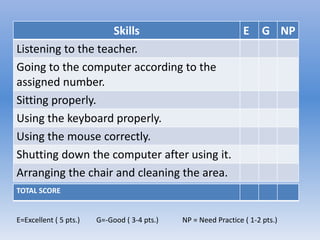
Skills E G NP
Listening to the teacher.
Going to the computer according to the
assigned number.
Sitting properly.
Using the keyboard properly.
Using the mouse correctly.
Shutting down the computer after using it.
Arranging the chair and cleaning the area.
TOTAL SCORE
E=Excellent ( 5 pts.) G=-Good ( 3-4 pts.) NP = Need Practice ( 1-2 pts.)

Proper care for the computer gr.1 - 1

  • 1.
    Proper care forthe computer Prepared by: Shirley P. Valera Grade -1 St. Clare/St. Bernadette/St. Catherine School Year 2017-2018
  • 2.
    Objectives A. Use thecomputer room properly. B. Follow the computer room guidelines.
  • 3.
    Pupils will namethe things found inside the computer room.
  • 4.
    Caring for theComputer Listen to your computer teacher give instructions before going to your assigned computer number
  • 5.
    Caring for theComputer Always sit down at your assigned computer number.
  • 6.
    Caring for theComputer Type letters and numbers gently.
  • 7.
    Caring for theComputer Hold the mouse properly
  • 8.
    Caring for theComputer Always save Your work.
  • 9.
    Caring for theComputer Shut down your computer after using it.
  • 10.
    Caring for theComputer Always keep your area clean before leaving your computer.
  • 11.
    Caring for theComputer Arrange your chair before leaving the room.
  • 12.
    Caring for theComputer Never bring food or drink inside the computer room.
  • 13.
    Generalization - We mustuse the computer and the computer room properly.
  • 14.
    Check the picturethat shows the proper way of using the computer room and cross out the wrong one
  • 15.
    Check the picturethat shows the proper way of using the computer room and cross out the wrong one
  • 16.
    Check the picturethat shows the proper way of using the computer room and cross out the wrong one
  • 17.
    Check the picturethat shows the proper way of using the computer room and cross out the wrong one
  • 18.
    Check the picturethat shows the proper way of using the computer room and cross out the wrong one
  • 19.
    Evaluation Put a checkmark if the statement describes the proper way of using the computer room and mark X if not. Arrange your chair after using the computer. Run And play inside the computer. Listen to your teacher’s instruction before going to your assigned computer. Shut down your computer after using it. Bring food and drinks inside the computer laboratory.
  • 20.
    Homework 1. Look forpictures of : computer monitor Keyboard mouse speakers system unit microphone 2.Cut and paste it in your notebook.
  • 21.
    References I.T. Is Simplepp.3-16 Explore Computer pp.29-35
  • 22.
    Skills E GNP Listening to the teacher. Going to the computer according to the assigned number. Sitting properly. Using the keyboard properly. Using the mouse correctly. Shutting down the computer after using it. Arranging the chair and cleaning the area. TOTAL SCORE E=Excellent ( 5 pts.) G=-Good ( 3-4 pts.) NP = Need Practice ( 1-2 pts.)