Conditional StatementsConditional Statements
Implementing Control Logic in C#Implementing Control Logic in C#
Svetlin NakovSvetlin Nakov
Telerik CorporationTelerik Corporation
www.telerik.comwww.telerik.com
Table of ContentsTable of Contents
1.1. Comparison and Logical OperatorsComparison and Logical Operators
2.2. TheThe ifif StatementStatement
3.3. TheThe if-elseif-else StatementStatement
4.4. NestedNested ifif StatementsStatements
5.5. TheThe switch-caseswitch-case StatementStatement
2
Comparison andComparison and
Logical OperatorsLogical Operators
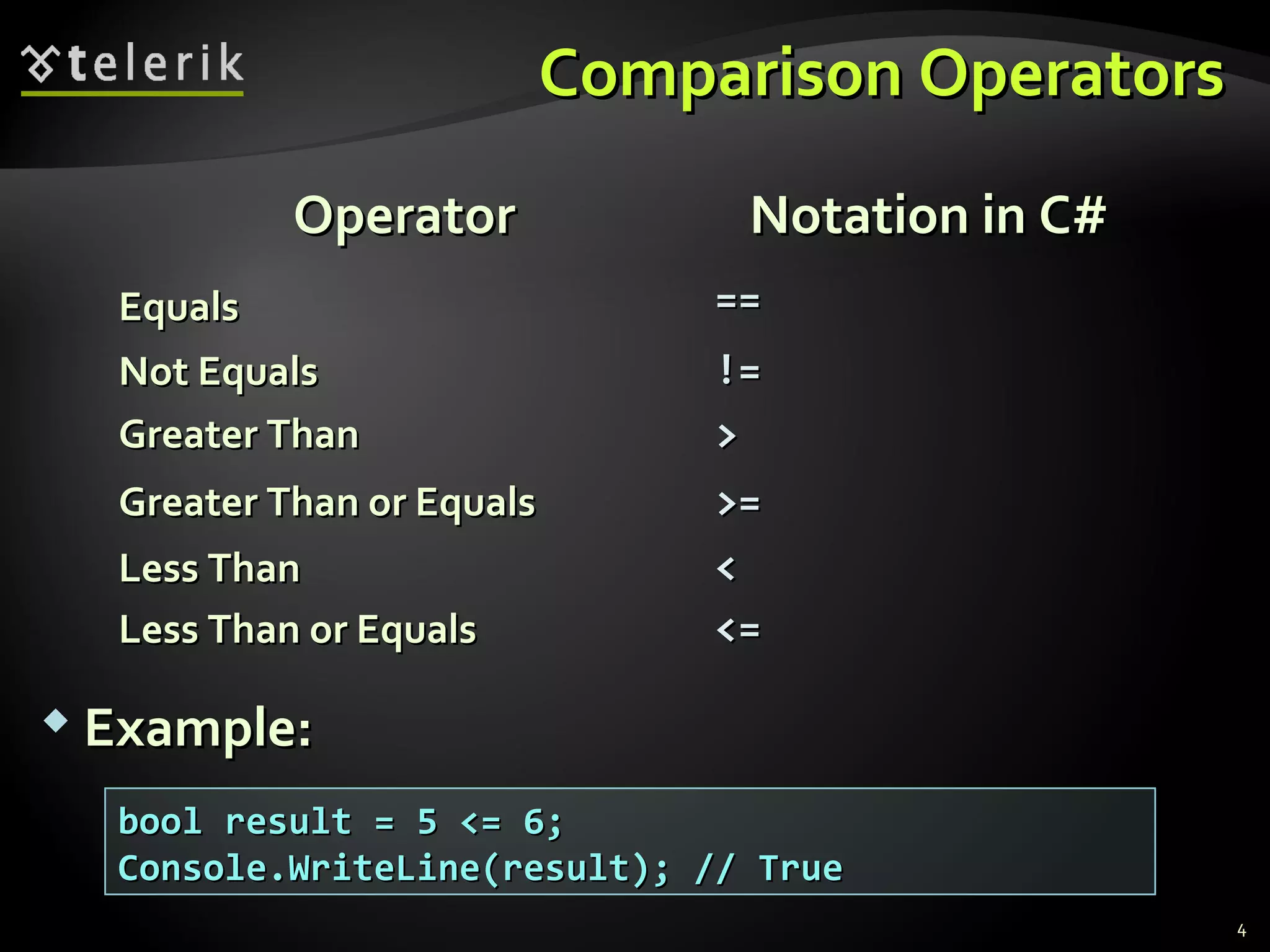
Comparison OperatorsComparison Operators
4
OperatorOperator Notation in C#Notation in C#
EqualsEquals ====
Not EqualsNot Equals !=!=
Greater ThanGreater Than >>
Greater Than or EqualsGreater Than or Equals >=>=
Less ThanLess Than <<
Less Than or EqualsLess Than or Equals <=<=
 Example:Example:
bool result = 5 <= 6;bool result = 5 <= 6;
Console.WriteLine(result); // TrueConsole.WriteLine(result); // True
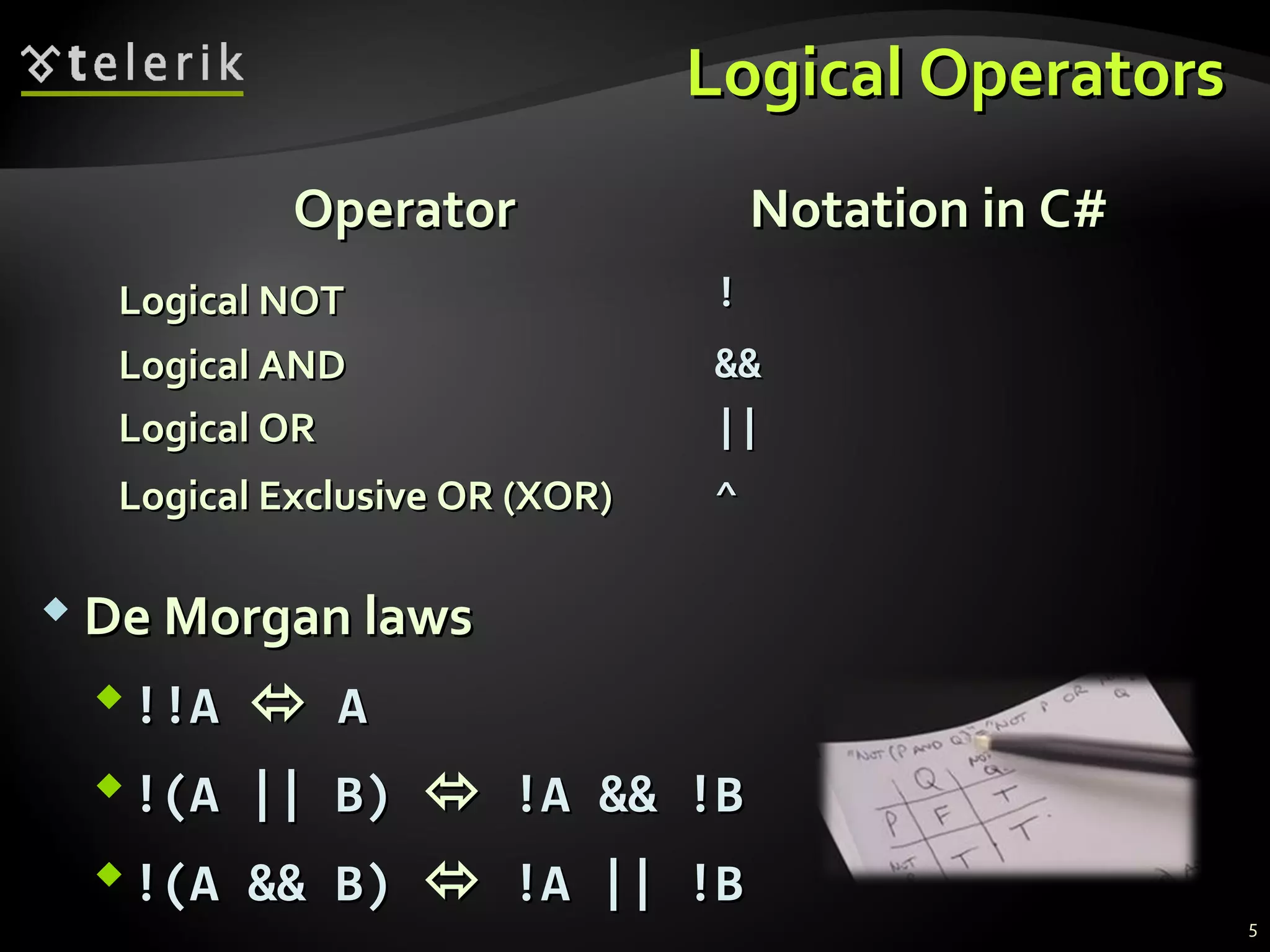
Logical OperatorsLogical Operators
 De Morgan lawsDe Morgan laws
!!A!!A  AA
!(A || B)!(A || B)  !A && !B!A && !B
!(A && B)!(A && B)  !A || !B!A || !B
OperatorOperator Notation in C#Notation in C#
Logical NOTLogical NOT !!
Logical ANDLogical AND &&&&
Logical ORLogical OR ||||
Logical Exclusive OR (XOR)Logical Exclusive OR (XOR) ^^
5
ifif andand if-elseif-else
Implementing Conditional LogicImplementing Conditional Logic
TheThe ifif StatementStatement
 The most simple conditional statementThe most simple conditional statement
 Enables you to test for a conditionEnables you to test for a condition
 Branch to different parts of the codeBranch to different parts of the code
depending on the resultdepending on the result
 The simplest form of anThe simplest form of an ifif statement:statement:
if (condition)if (condition)
{{
statements;statements;
}}
7
Condition and StatementCondition and Statement
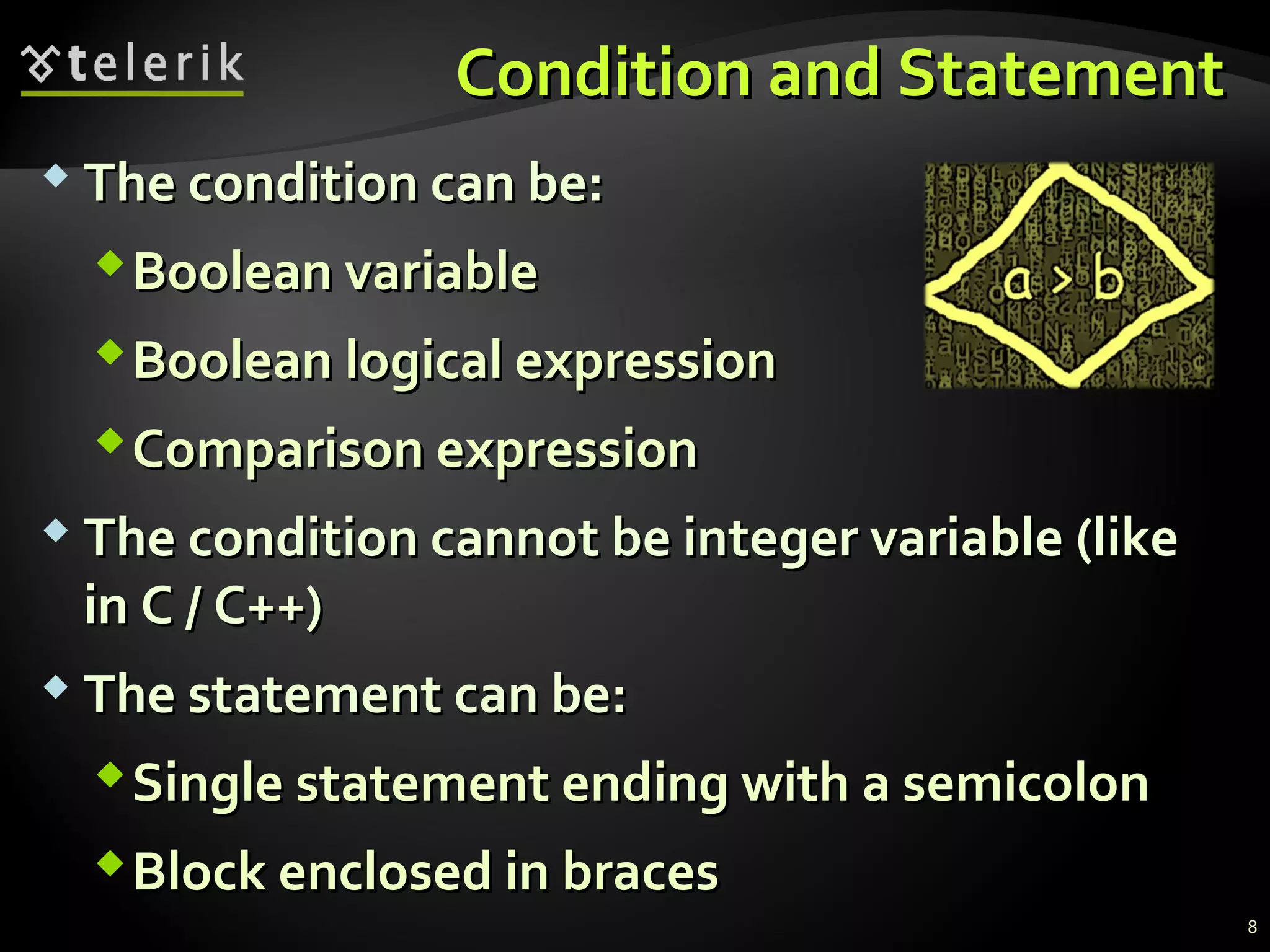
 The condition can be:The condition can be:
Boolean variableBoolean variable
Boolean logical expressionBoolean logical expression
Comparison expressionComparison expression
 The condition cannot be integer variable (likeThe condition cannot be integer variable (like
in C / C++)in C / C++)
 The statement can be:The statement can be:
Single statement ending with a semicolonSingle statement ending with a semicolon
Block enclosed in bracesBlock enclosed in braces
8
How It Works?How It Works?
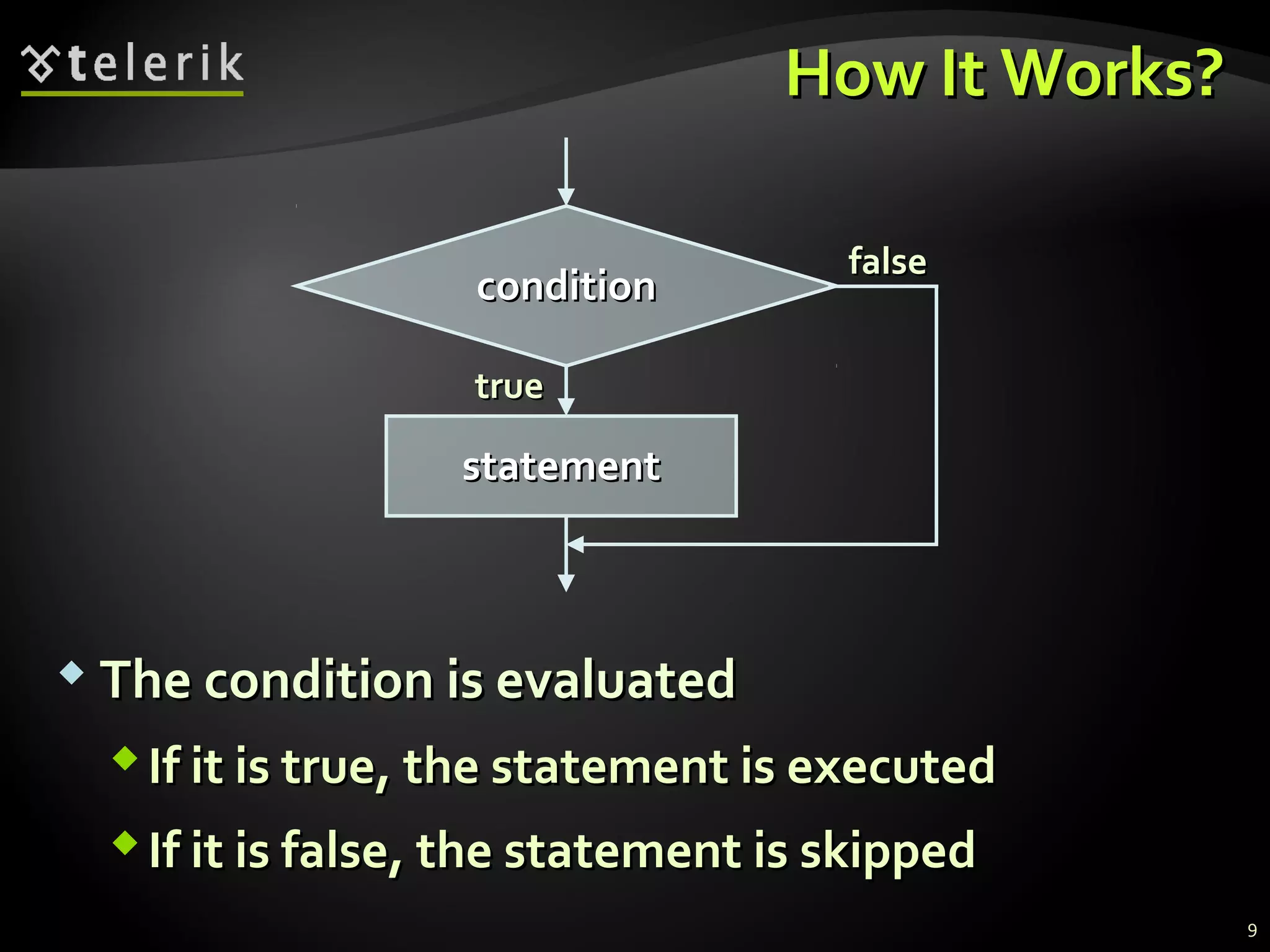
 The condition is evaluatedThe condition is evaluated
If it is true, the statement is executedIf it is true, the statement is executed
If it is false, the statement is skippedIf it is false, the statement is skipped
truetrue
conditioncondition
statementstatement
falsefalse
9
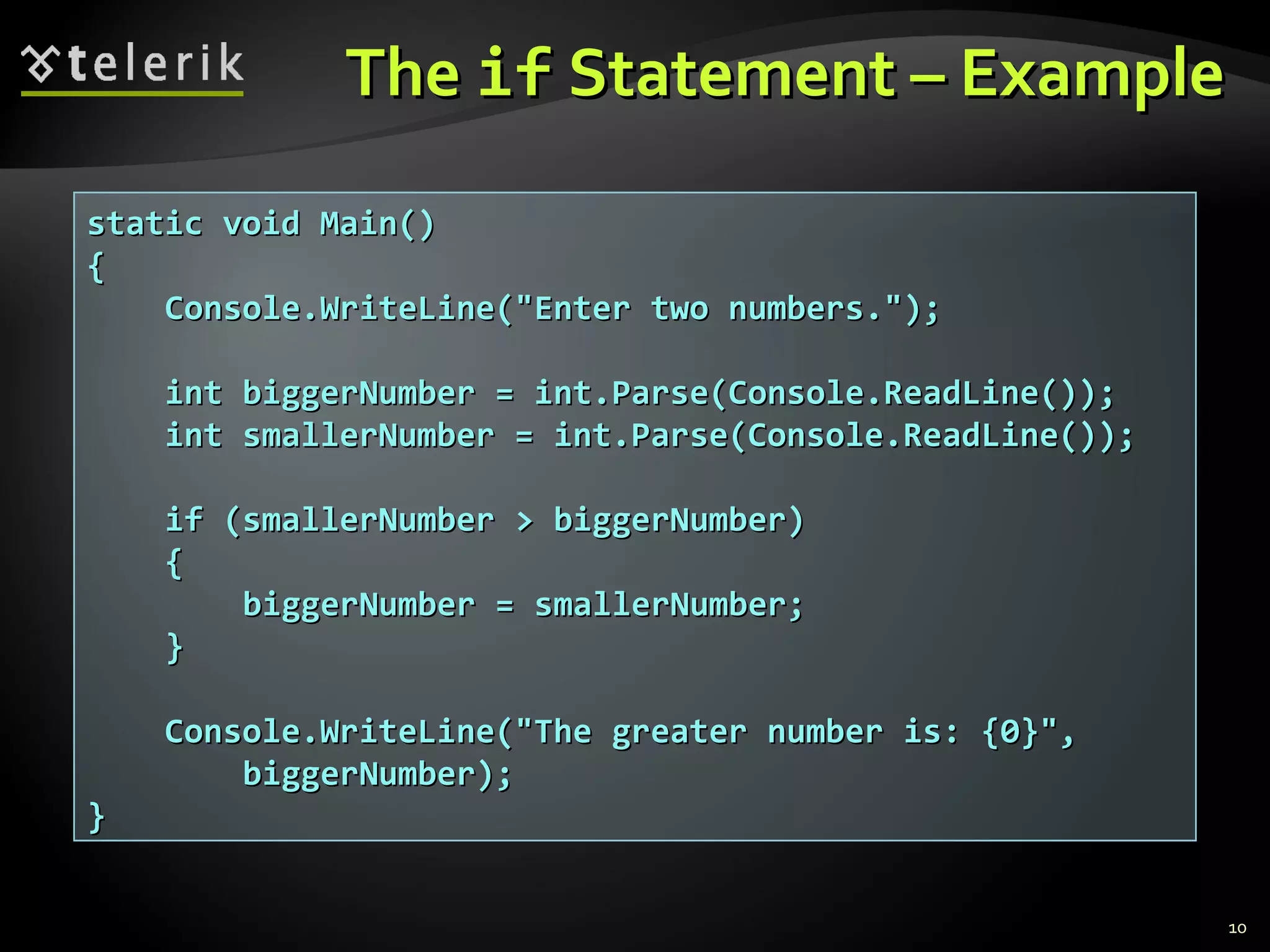
TheThe ifif Statement – ExampleStatement – Example
10
static void Main()static void Main()
{{
Console.WriteLine("Enter two numbers.");Console.WriteLine("Enter two numbers.");
int biggerNumber = int.Parse(Console.ReadLine());int biggerNumber = int.Parse(Console.ReadLine());
int smallerNumber = int.Parse(Console.ReadLine());int smallerNumber = int.Parse(Console.ReadLine());
if (smallerNumber > biggerNumber)if (smallerNumber > biggerNumber)
{{
biggerNumber = smallerNumber;biggerNumber = smallerNumber;
}}
Console.WriteLine("The greater number is: {0}",Console.WriteLine("The greater number is: {0}",
biggerNumber);biggerNumber);
}}
TheThe ifif StatementStatement
Live DemoLive Demo
TheThe if-elseif-else StatementStatement
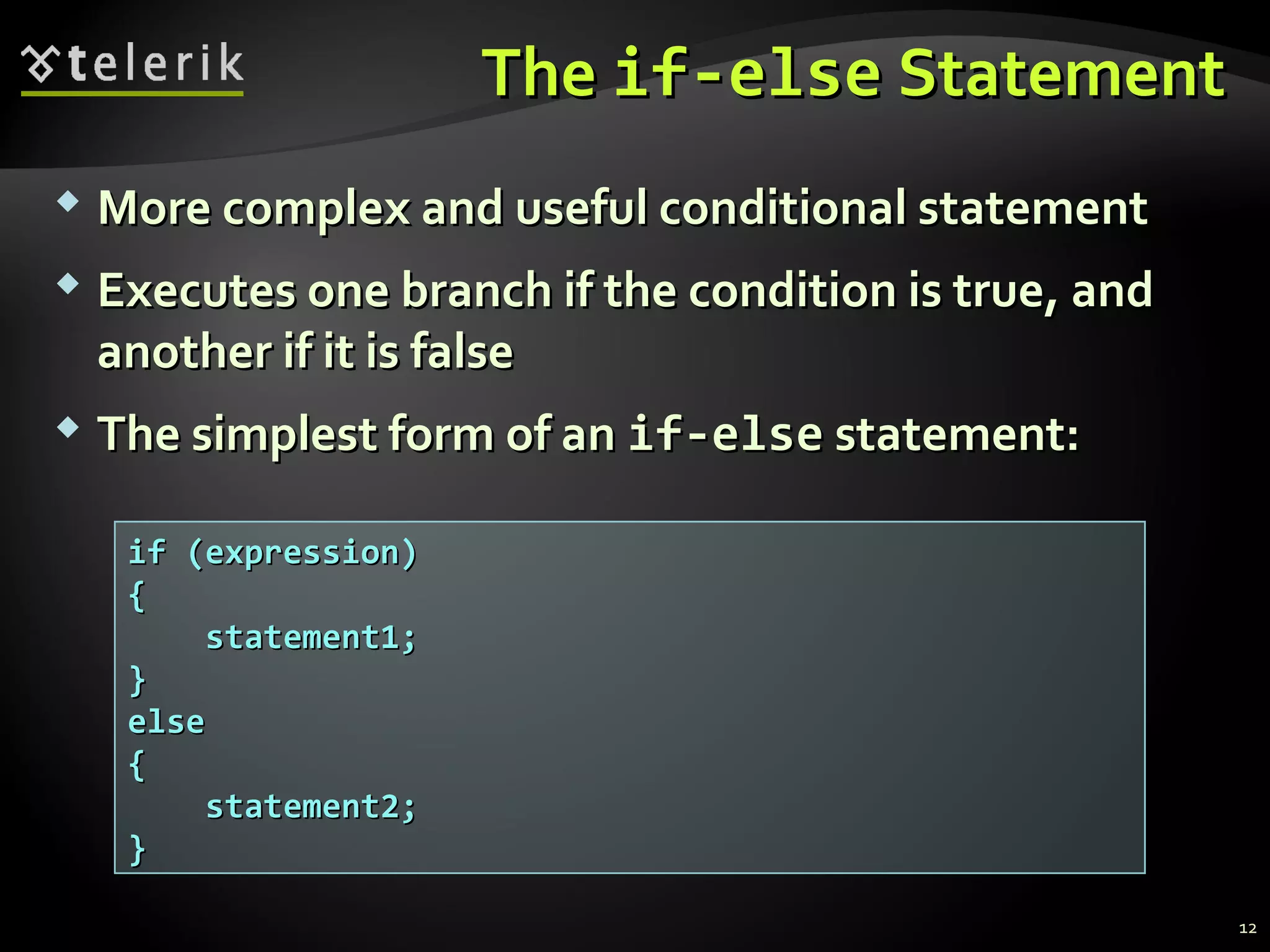
 More complex and useful conditional statementMore complex and useful conditional statement
 Executes one branch if the condition is true, andExecutes one branch if the condition is true, and
another if it is falseanother if it is false
 The simplest form of anThe simplest form of an if-elseif-else statement:statement:
if (expression)if (expression)
{{
statement1;statement1;
}}
elseelse
{{
statement2;statement2;
}}
12
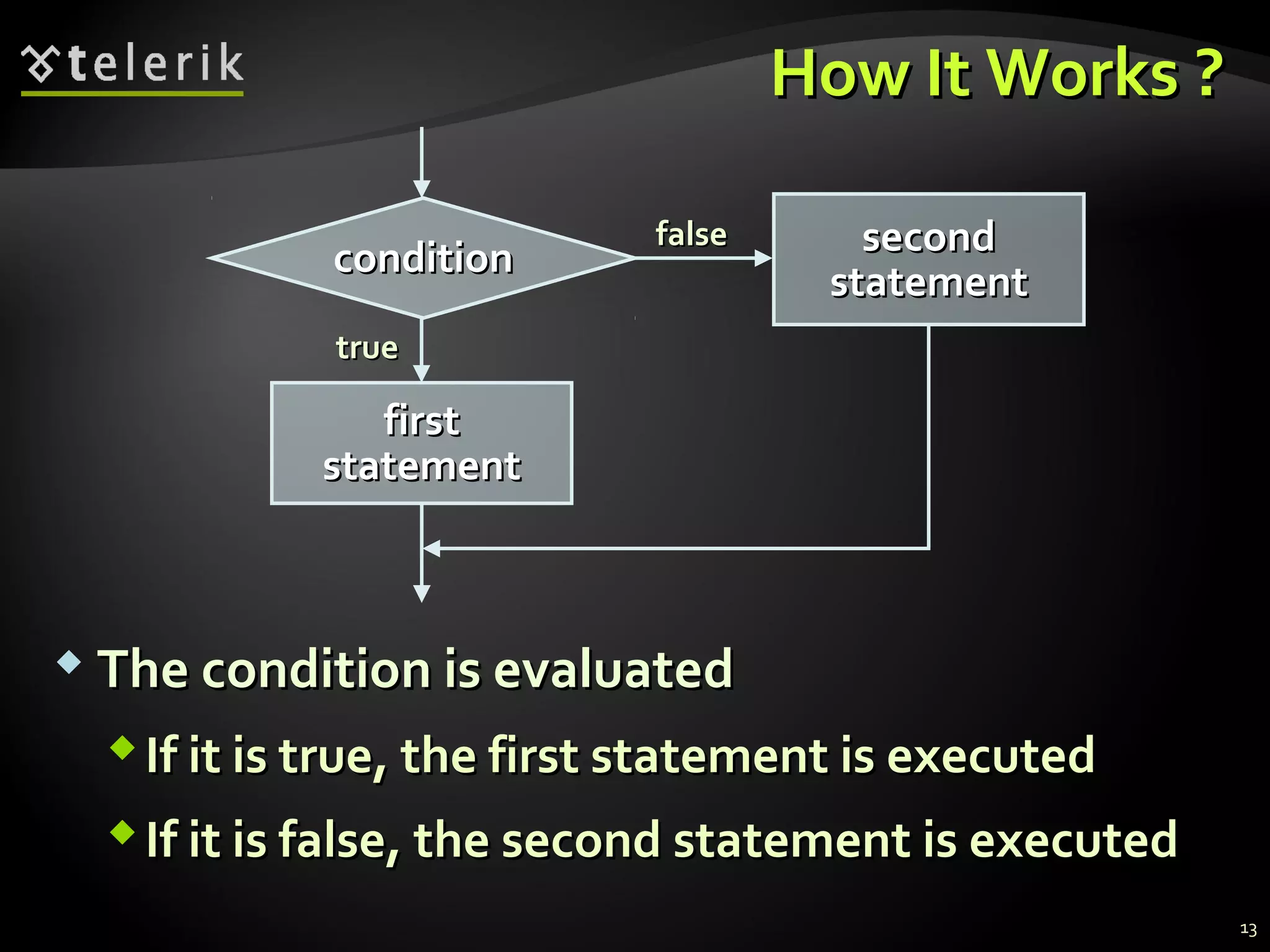
How It Works ?How It Works ?
 The condition is evaluatedThe condition is evaluated
If it is true, the first statement is executedIf it is true, the first statement is executed
If it is false, the second statement is executedIf it is false, the second statement is executed
conditioncondition
firstfirst
statementstatement
truetrue
secondsecond
statementstatement
falsefalse
13
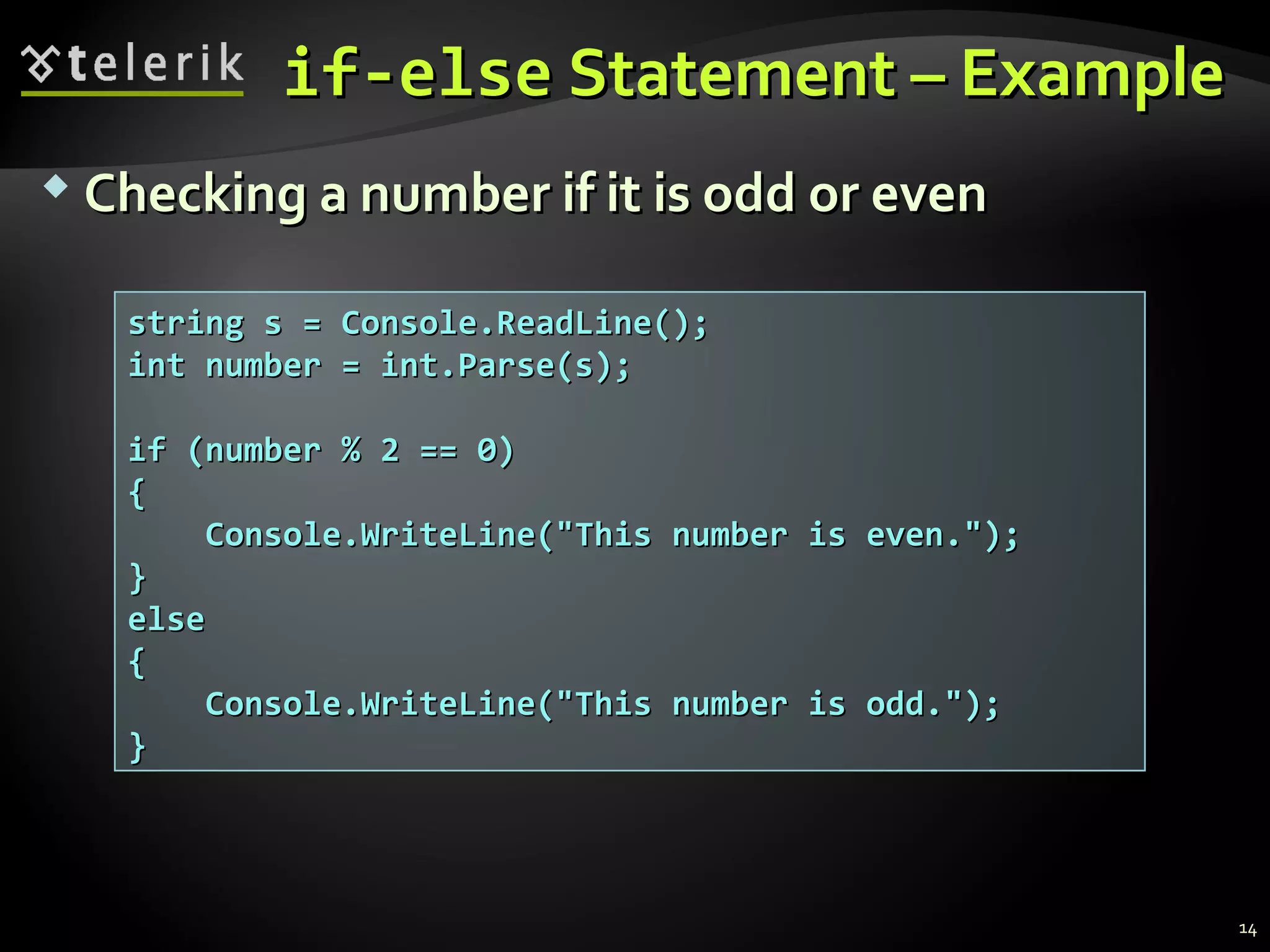
if-elseif-else Statement – ExampleStatement – Example
 Checking a number if it is odd or evenChecking a number if it is odd or even
string s = Console.ReadLine();string s = Console.ReadLine();
int number = int.Parse(s);int number = int.Parse(s);
if (number % 2 == 0)if (number % 2 == 0)
{{
Console.WriteLine("This number is even.");Console.WriteLine("This number is even.");
}}
elseelse
{{
Console.WriteLine("This number is odd.");Console.WriteLine("This number is odd.");
}}
14
TheThe if-elseif-else StatementStatement
Live DemoLive Demo
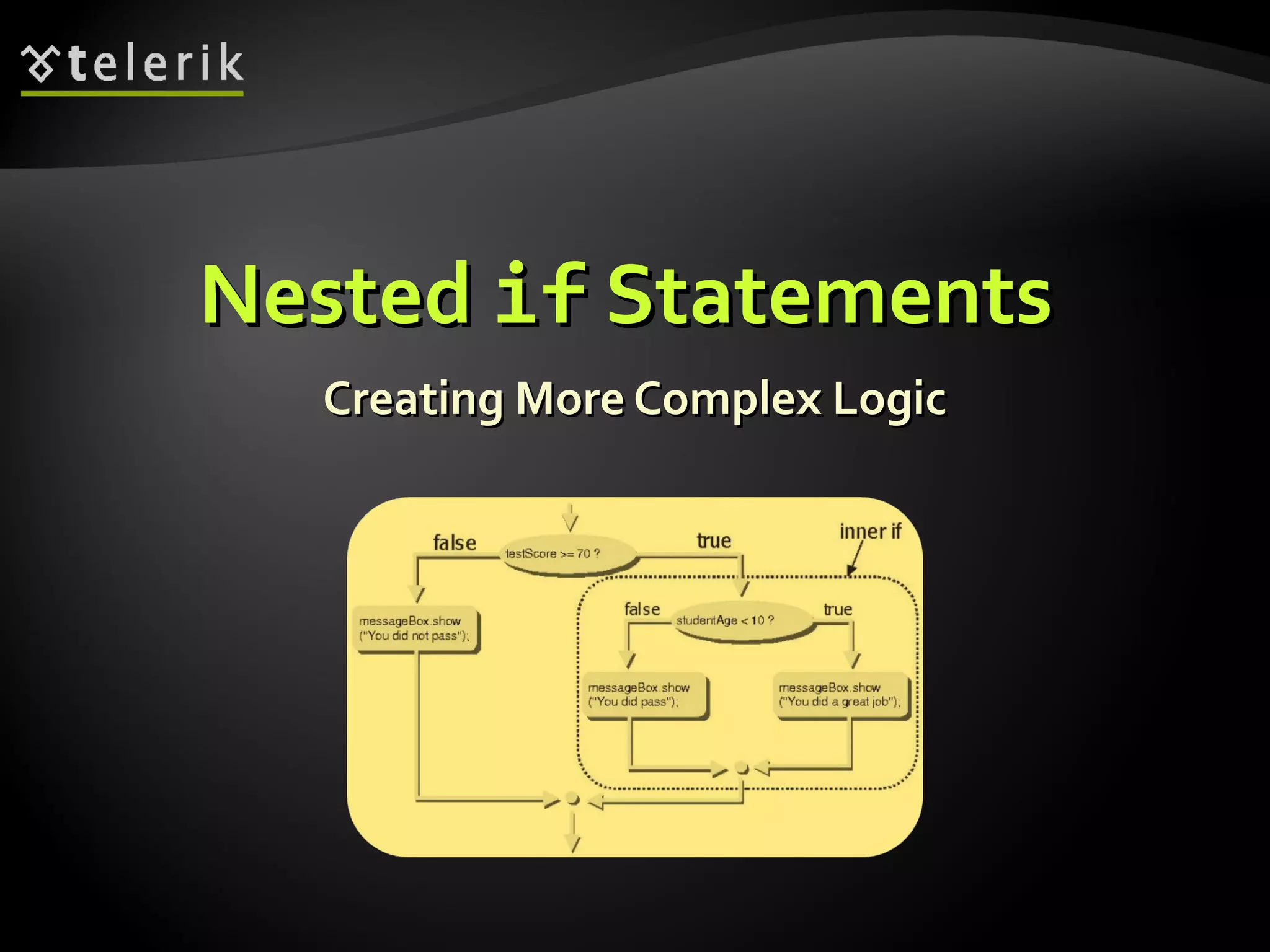
NestedNested ifif StatementsStatements
Creating More Complex LogicCreating More Complex Logic
NestedNested ifif StatementsStatements
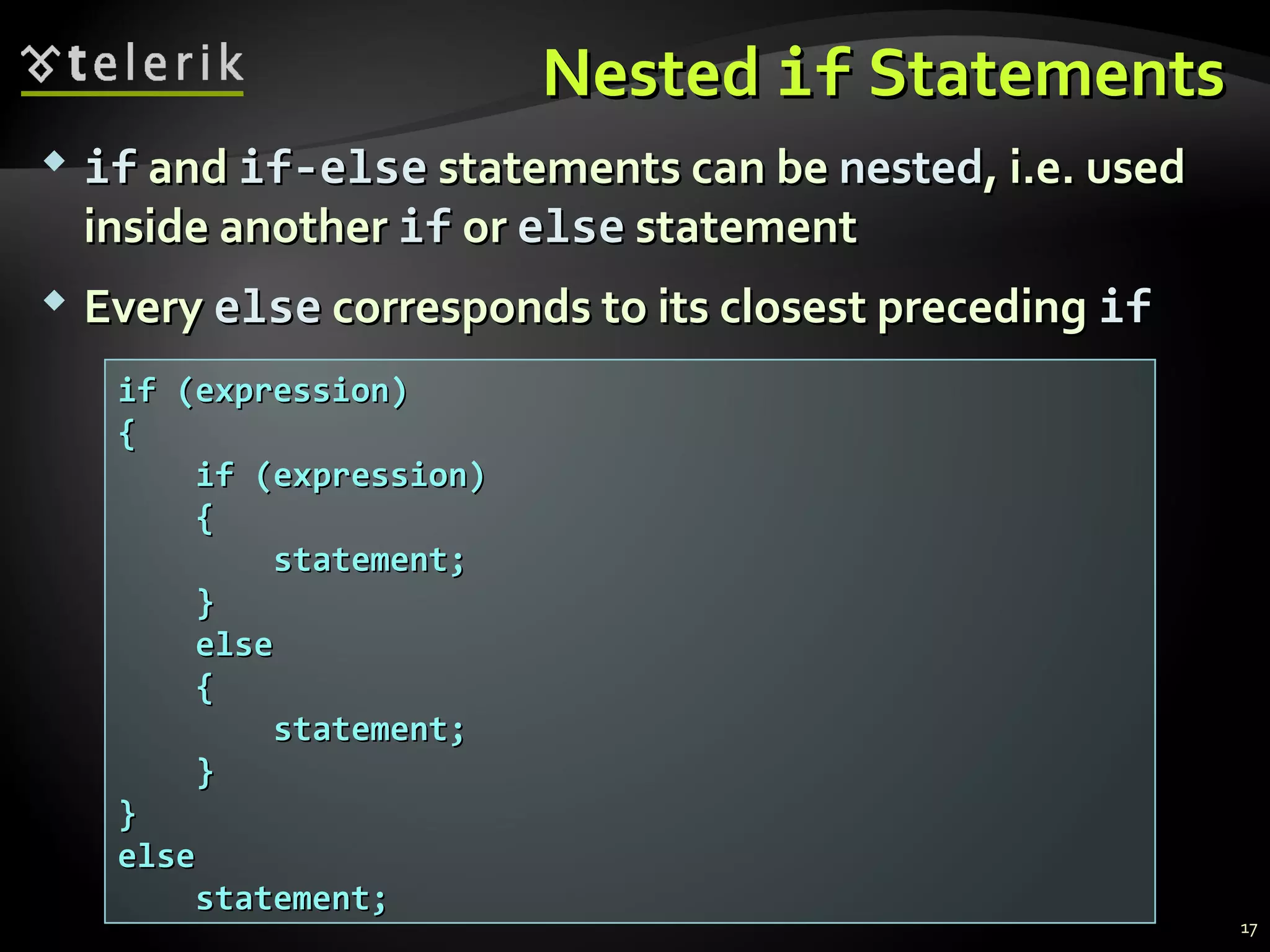
 ifif andand if-elseif-else statements can bestatements can be nestednested, i.e. used, i.e. used
inside anotherinside another ifif oror elseelse statementstatement
 EveryEvery elseelse corresponds to its closest precedingcorresponds to its closest preceding ifif
if (expression)if (expression)
{{
if (expression)if (expression)
{{
statement;statement;
}}
elseelse
{{
statement;statement;
}}
}}
elseelse
statement;statement;
17
NestedNested ifif – Good Practices– Good Practices
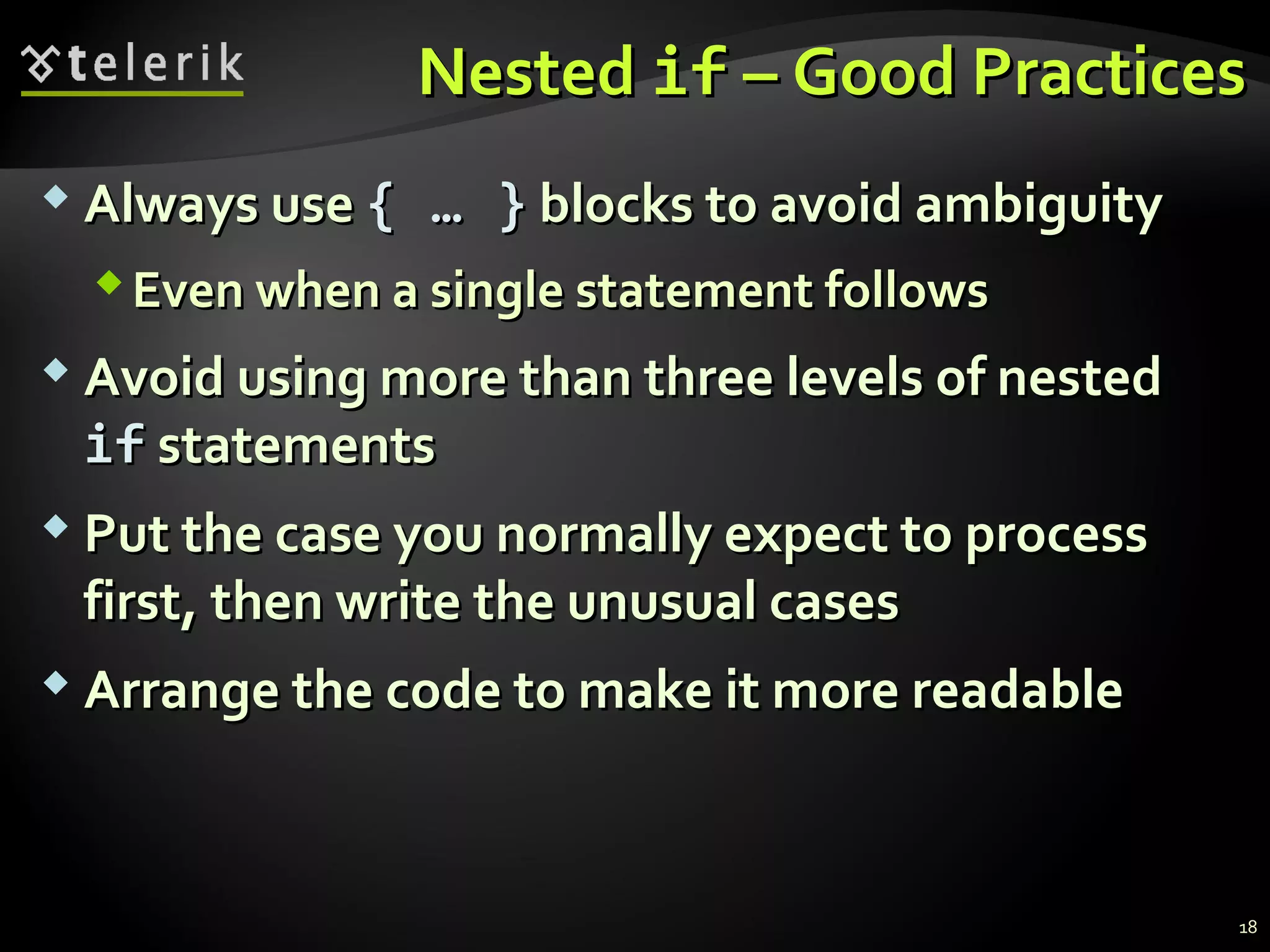
 Always useAlways use {{ …… }} blocks to avoid ambiguityblocks to avoid ambiguity
Even when a single statement followsEven when a single statement follows
 Avoid using more than three levels of nestedAvoid using more than three levels of nested
ifif statementsstatements
 Put the case you normally expect to processPut the case you normally expect to process
first, then write the unusual casesfirst, then write the unusual cases
 Arrange the code to make it more readableArrange the code to make it more readable
18
NestedNested ifif Statements – ExampleStatements – Example
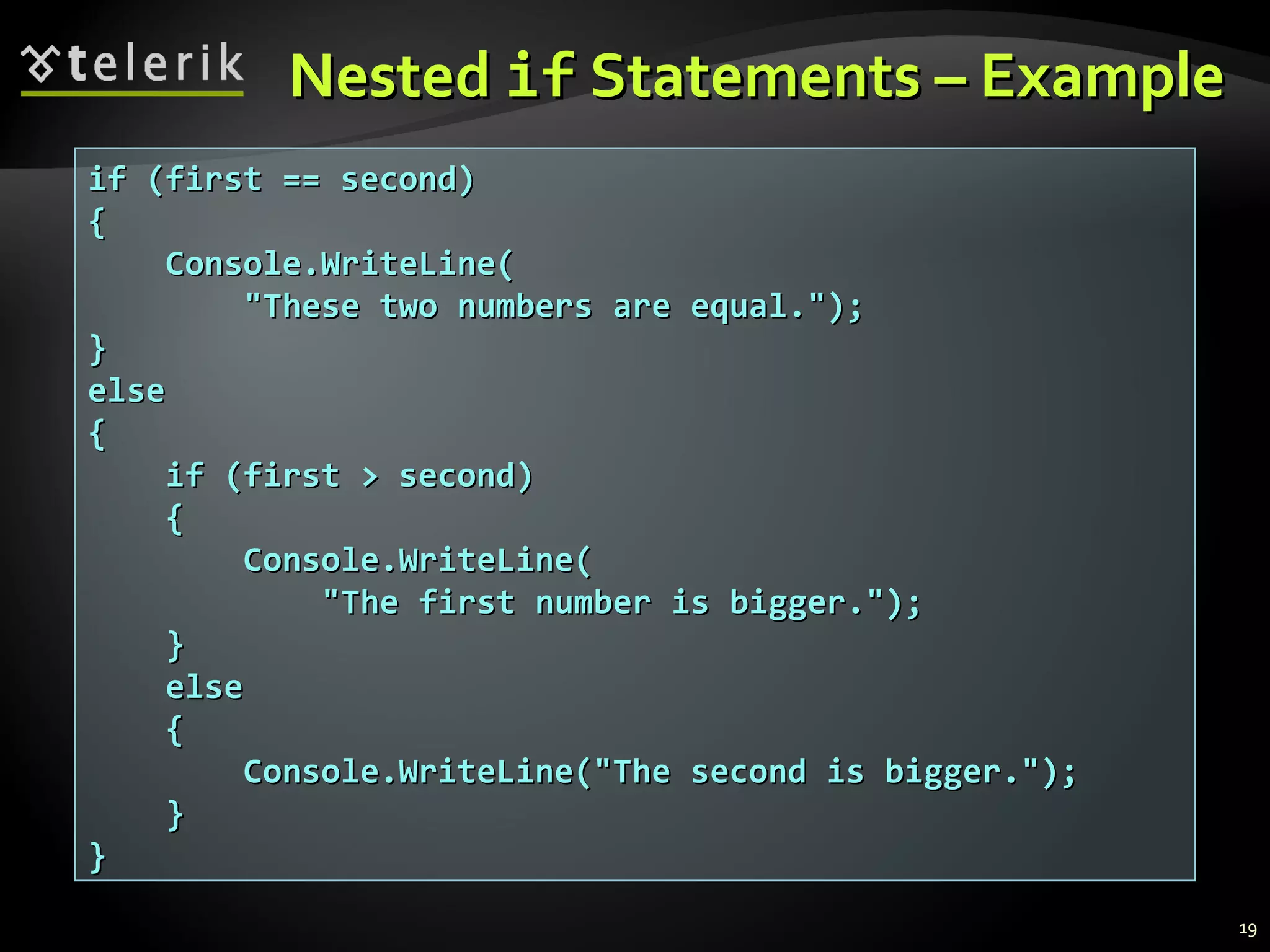
if (first == second)if (first == second)
{{
Console.WriteLine(Console.WriteLine(
"These two numbers are equal.");"These two numbers are equal.");
}}
elseelse
{{
if (first > second)if (first > second)
{{
Console.WriteLine(Console.WriteLine(
"The first number is bigger.");"The first number is bigger.");
}}
elseelse
{{
Console.WriteLine("The second is bigger.");Console.WriteLine("The second is bigger.");
}}
}}
19
NestedNested ifif
StatementsStatements
Live DemoLive Demo
Multiple if-else-if-else-…Multiple if-else-if-else-…
 Sometimes we need to use anotherSometimes we need to use another ifif--
construction in theconstruction in the elseelse blockblock
ThusThus else ifelse if can be used:can be used:
21
int ch = 'X';int ch = 'X';
if (ch == 'A' || ch == 'a')if (ch == 'A' || ch == 'a')
{{
Console.WriteLine("Vowel [ei]");Console.WriteLine("Vowel [ei]");
}}
else if (ch == 'E' || ch == 'e')else if (ch == 'E' || ch == 'e')
{{
Console.WriteLine("Vowel [i:]");Console.WriteLine("Vowel [i:]");
}}
else if …else if …
else …else …
MultipleMultiple if-elseif-else
StatementsStatements
Live DemoLive Demo
switch-caseswitch-case
Making Several Comparisons at OnceMaking Several Comparisons at Once
TheThe switch-caseswitch-case StatementStatement
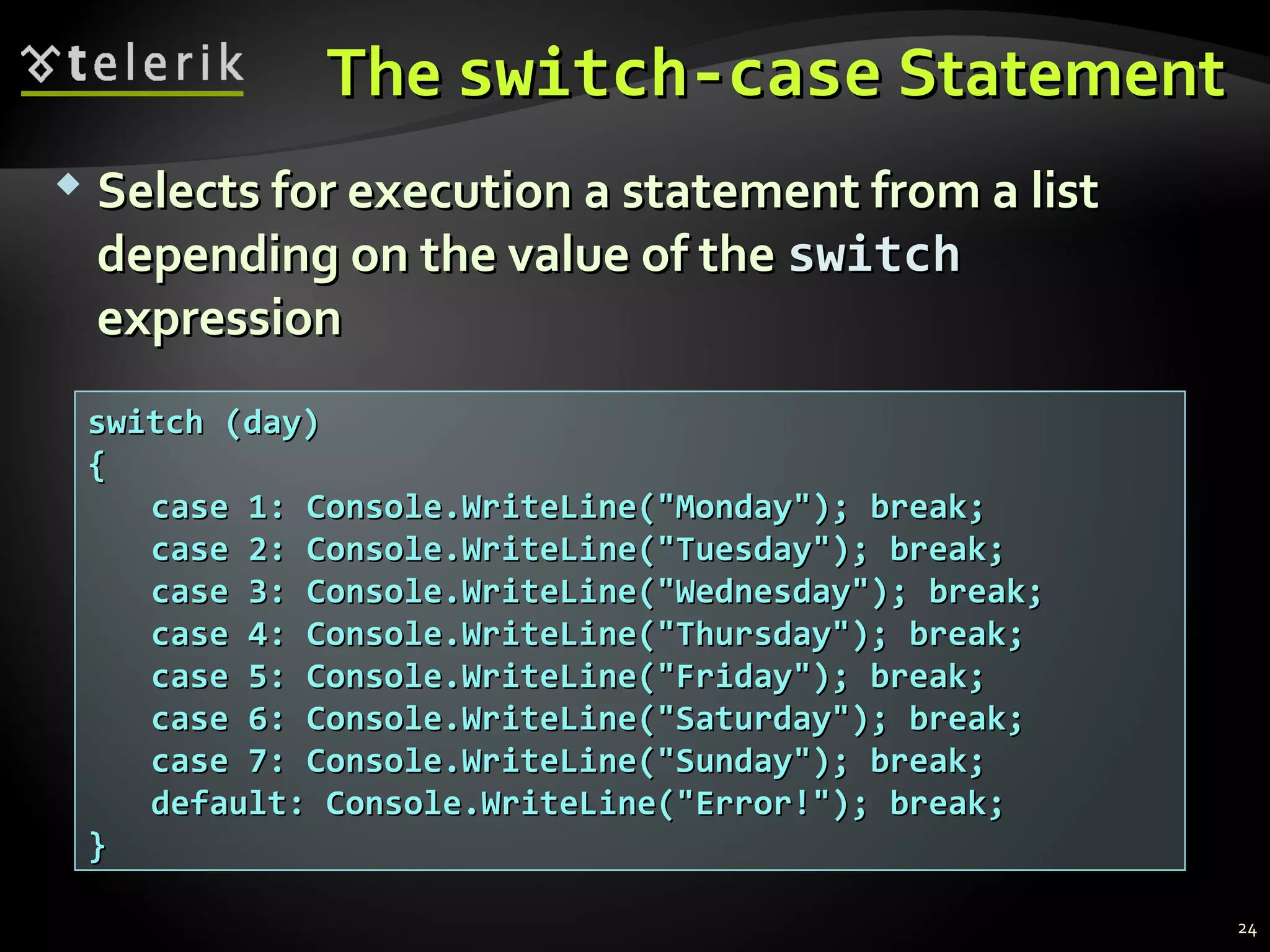
 Selects for execution a statement from a listSelects for execution a statement from a list
depending on the value of thedepending on the value of the switchswitch
expressionexpression
switch (day)switch (day)
{{
case 1: Console.WriteLine("Monday"); break;case 1: Console.WriteLine("Monday"); break;
case 2: Console.WriteLine("Tuesday"); break;case 2: Console.WriteLine("Tuesday"); break;
case 3: Console.WriteLine("Wednesday"); break;case 3: Console.WriteLine("Wednesday"); break;
case 4: Console.WriteLine("Thursday"); break;case 4: Console.WriteLine("Thursday"); break;
case 5: Console.WriteLine("Friday"); break;case 5: Console.WriteLine("Friday"); break;
case 6: Console.WriteLine("Saturday"); break;case 6: Console.WriteLine("Saturday"); break;
case 7: Console.WriteLine("Sunday"); break;case 7: Console.WriteLine("Sunday"); break;
default: Console.WriteLine("Error!"); break;default: Console.WriteLine("Error!"); break;
}}
24
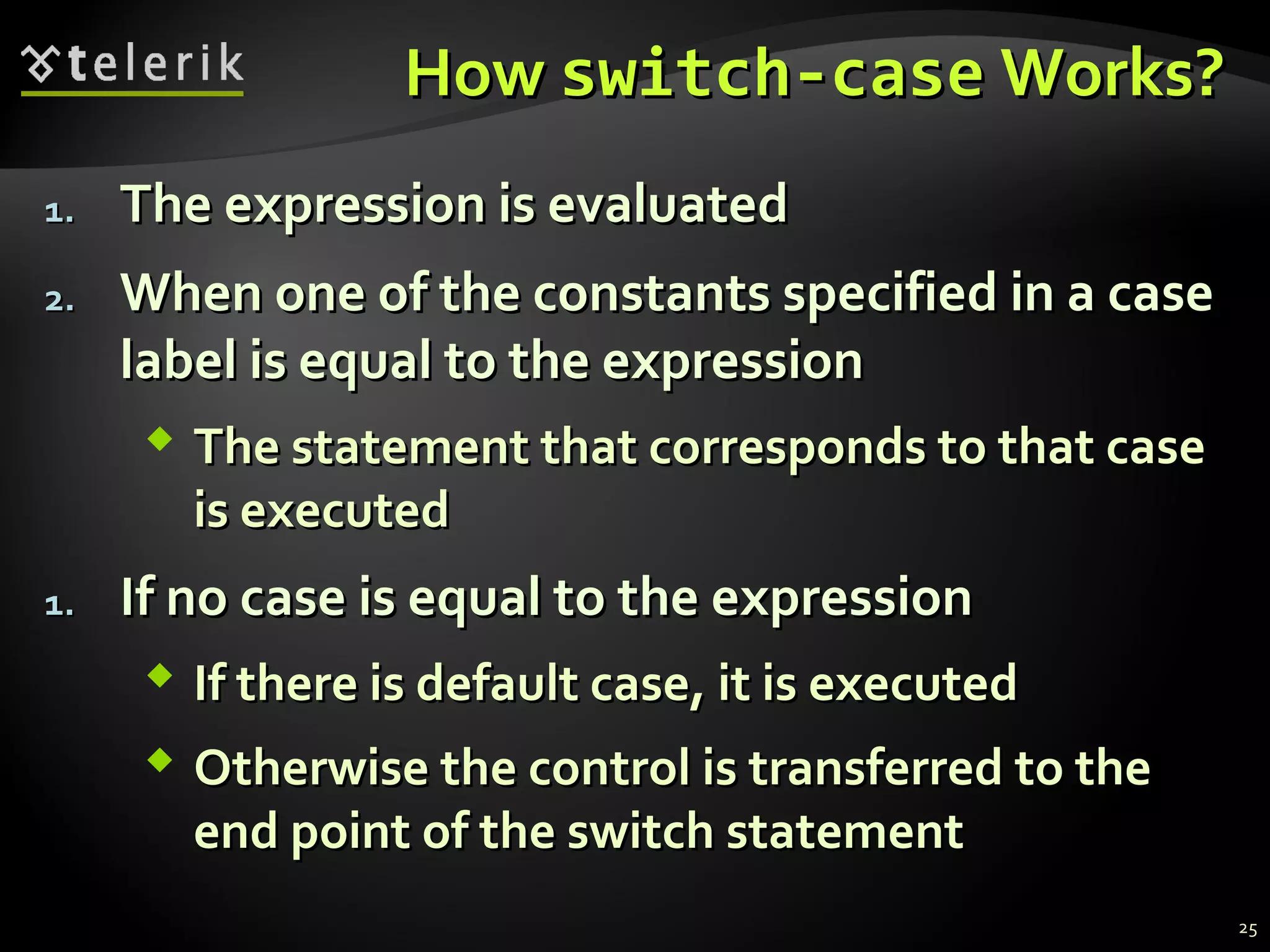
HowHow switch-caseswitch-case Works?Works?
1.1. The expression is evaluatedThe expression is evaluated
2.2. When one of the constants specified in a caseWhen one of the constants specified in a case
label is equal to the expressionlabel is equal to the expression
 The statement that corresponds to that caseThe statement that corresponds to that case
is executedis executed
1.1. If no case is equal to the expressionIf no case is equal to the expression
 If there is default case, it is executedIf there is default case, it is executed
 Otherwise the control is transferred to theOtherwise the control is transferred to the
end point of the switch statementend point of the switch statement
25
TheThe switch-caseswitch-case
StatementStatement
Live DemoLive Demo
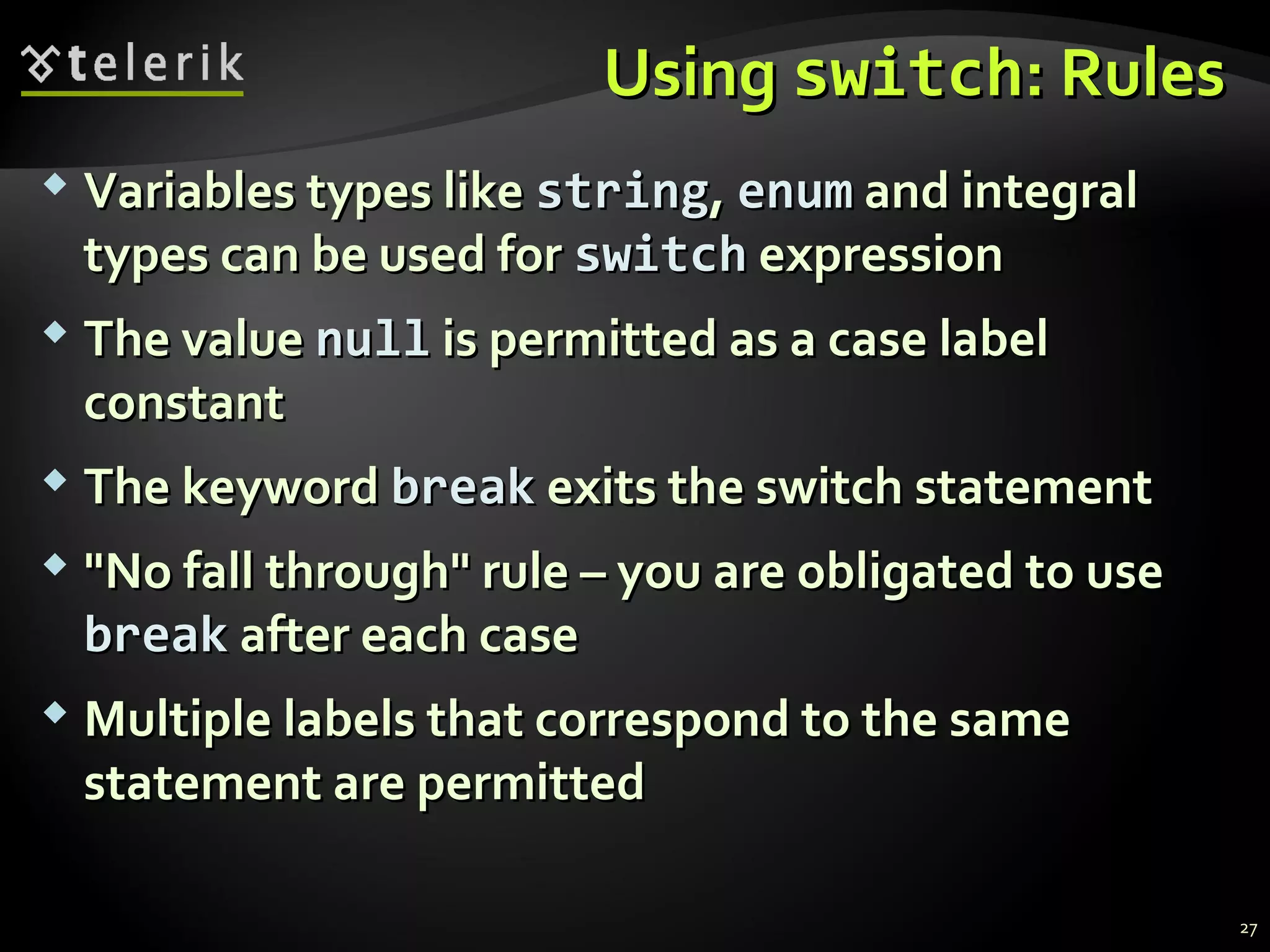
UsingUsing switchswitch: Rules: Rules
 Variables types likeVariables types like stringstring,, enumenum and integraland integral
types can be used fortypes can be used for switchswitch expressionexpression
 The valueThe value nullnull is permitted as a case labelis permitted as a case label
constantconstant
 The keywordThe keyword breakbreak exits the switch statementexits the switch statement
 "No fall through" rule – you are obligated to use"No fall through" rule – you are obligated to use
breakbreak after each caseafter each case
 Multiple labels that correspond to the sameMultiple labels that correspond to the same
statement are permittedstatement are permitted
27
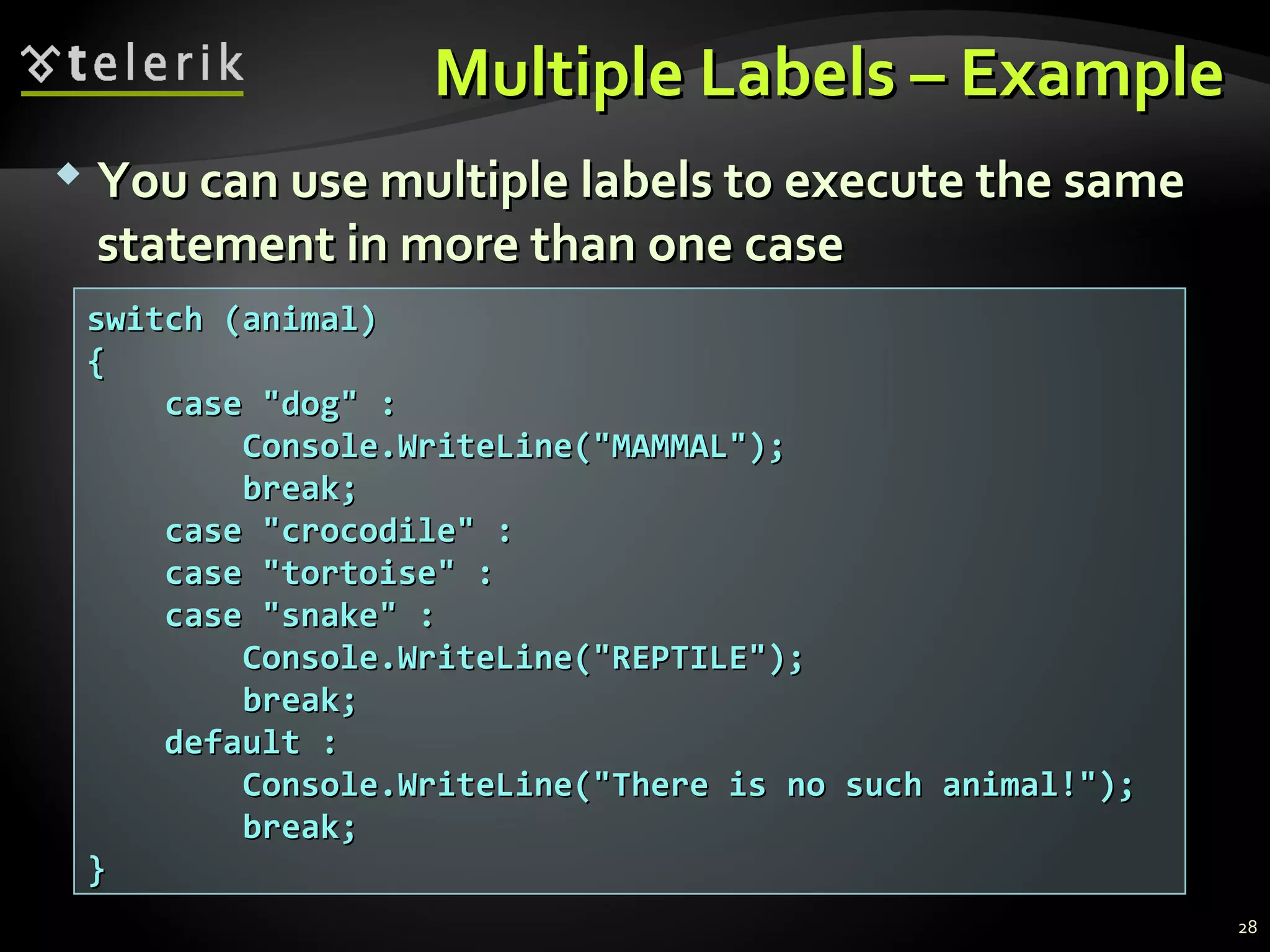
Multiple Labels – ExampleMultiple Labels – Example
switch (animal)switch (animal)
{{
case "dog" :case "dog" :
Console.WriteLine("MAMMAL");Console.WriteLine("MAMMAL");
break;break;
case "crocodile" :case "crocodile" :
case "tortoise" :case "tortoise" :
case "snake" :case "snake" :
Console.WriteLine("REPTILE");Console.WriteLine("REPTILE");
break;break;
default :default :
Console.WriteLine("There is no such animal!");Console.WriteLine("There is no such animal!");
break;break;
}}
 You can use multiple labels to execute the sameYou can use multiple labels to execute the same
statement in more than one casestatement in more than one case
28
Multiple Labels inMultiple Labels in
aa switch-caseswitch-case
Live DemoLive Demo
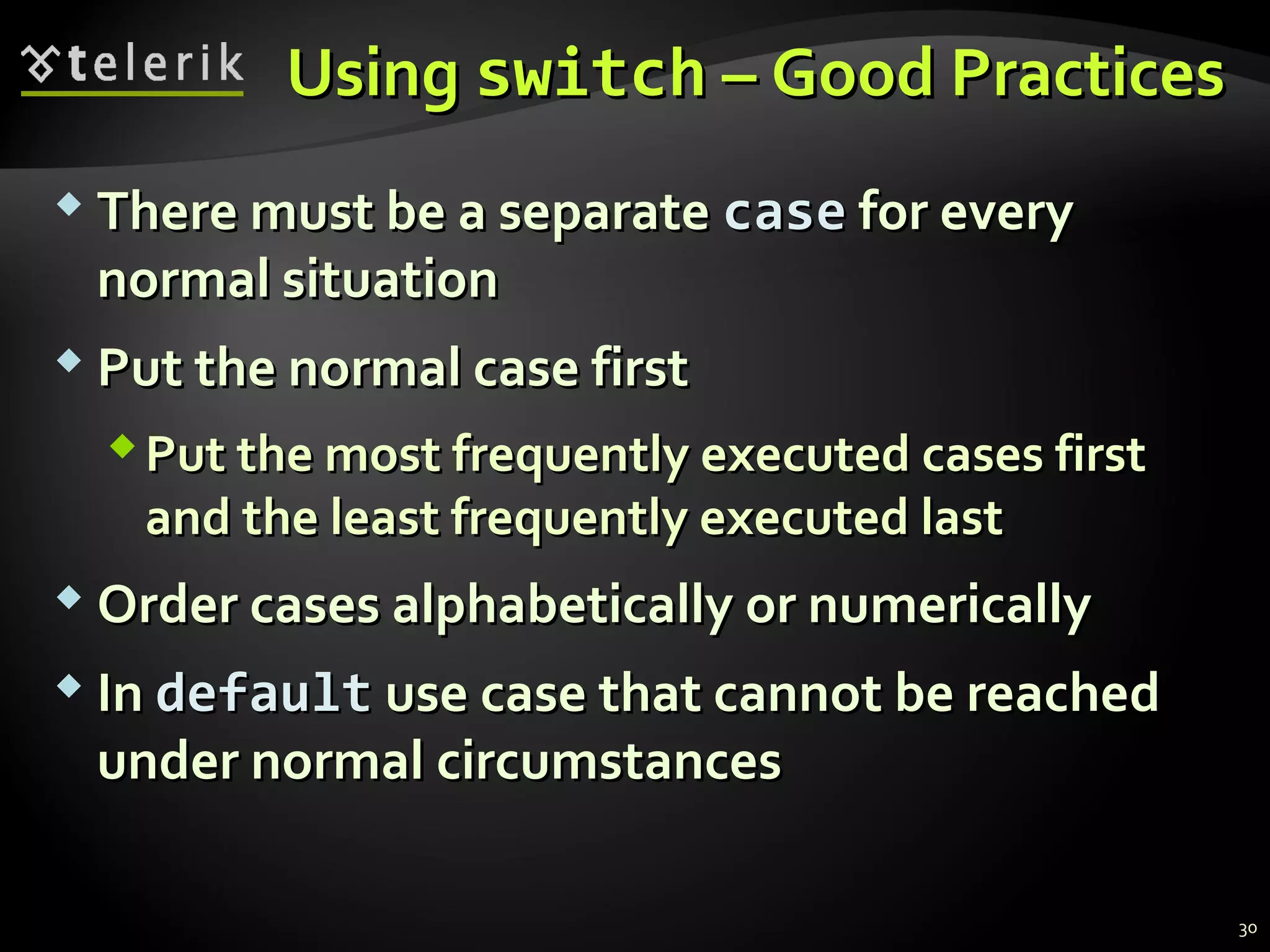
UsingUsing switchswitch – Good Practices– Good Practices
 There must be a separateThere must be a separate casecase for everyfor every
normal situationnormal situation
 Put the normal case firstPut the normal case first
Put the most frequently executed cases firstPut the most frequently executed cases first
and the least frequently executed lastand the least frequently executed last
 Order cases alphabetically or numericallyOrder cases alphabetically or numerically
 InIn defaultdefault use case that cannot be reacheduse case that cannot be reached
under normalunder normal circumstancescircumstances
30
SummarySummary
 Comparison and logical operators are used toComparison and logical operators are used to
compose logical conditionscompose logical conditions
 The conditional statementsThe conditional statements ifif andand if-elseif-else
provide conditional execution of blocks of codeprovide conditional execution of blocks of code
Constantly used in computer programmingConstantly used in computer programming
Conditional statements can be nestedConditional statements can be nested
 TheThe switchswitch statement easily and elegantlystatement easily and elegantly
checks an expression for a sequence of valueschecks an expression for a sequence of values
31
Questions?Questions?
Conditional StatementsConditional Statements
http://academy.telerik.com
ExercisesExercises
1.1. Write anWrite an ifif statement that examines two integerstatement that examines two integer
variables and exchanges their values if the first onevariables and exchanges their values if the first one
is greater than the second one.is greater than the second one.
2.2. Write a program that shows the sign of the productWrite a program that shows the sign of the product
of three real numbers without calculating it. Use aof three real numbers without calculating it. Use a
sequence of if statements.sequence of if statements.
3.3. Write a program that finds the biggest of threeWrite a program that finds the biggest of three
integers using nested if statements.integers using nested if statements.
4.4. SortSort 33 real values in descending order using nested ifreal values in descending order using nested if
statements.statements.
33
Exercises (2)Exercises (2)
5.5. Write program that asks for a digit and dependingWrite program that asks for a digit and depending
on the input shows the name of that digit (inon the input shows the name of that digit (in
English) using a switch statement.English) using a switch statement.
6.6. Write a program that enters the coefficientsWrite a program that enters the coefficients aa,, bb andand
cc of a quadratic equationof a quadratic equation
a*xa*x22
++ b*xb*x ++ cc == 00
and calculates and prints its real roots. Note thatand calculates and prints its real roots. Note that
quadratic equations may havequadratic equations may have 00,, 11 oror 22 real roots.real roots.
 Write a program that finds the greatest of givenWrite a program that finds the greatest of given 55
variables.variables.
34
Exercises (3)Exercises (3)
8.8. Write a program that, depending on the user'sWrite a program that, depending on the user's
choice inputschoice inputs intint,, doubledouble oror stringstring variable. If thevariable. If the
variable is integer or double, increases it with 1. Ifvariable is integer or double, increases it with 1. If
the variable is string, appends "the variable is string, appends "**" at its end. The" at its end. The
program must show the value of that variable as aprogram must show the value of that variable as a
console output. Useconsole output. Use switchswitch statement.statement.
9.9. We are given 5 integer numbers. Write a programWe are given 5 integer numbers. Write a program
that checks if the sum of some subset of them isthat checks if the sum of some subset of them is 00..
Example:Example: 33,, -2-2,, 11,, 11,, 88  1+1-2=01+1-2=0..
35
Exercises (4)Exercises (4)
10.10. Write a program that applies bonus scores to givenWrite a program that applies bonus scores to given
scores in the range [1..9]. The program reads a digitscores in the range [1..9]. The program reads a digit
as an input. If the digit is between 1 and 3, theas an input. If the digit is between 1 and 3, the
program multiplies it by 10; if it is between 4 and 6,program multiplies it by 10; if it is between 4 and 6,
multiplies it by 100; if it is between 7 and 9,multiplies it by 100; if it is between 7 and 9,
multiplies it by 1000. If it is zero or if the value is notmultiplies it by 1000. If it is zero or if the value is not
a digit, the program must report an error.a digit, the program must report an error.
Use aUse a switchswitch statement and at the end print thestatement and at the end print the
calculated new value in the console.calculated new value in the console.
36
Exercises (5)Exercises (5)
11.11. * Write a program that converts a number in the* Write a program that converts a number in the
range [0...999] to a text corresponding to itsrange [0...999] to a text corresponding to its
English pronunciation. Examples:English pronunciation. Examples:
00  ""ZeroZero""
273273  "Two hundred seventy three""Two hundred seventy three"
400400  "Four hundred""Four hundred"
501501  ""Five hundred and oneFive hundred and one""
711711  "Severn hundred and eleven""Severn hundred and eleven"
37

05 Conditional statements

  • 1.
    Conditional StatementsConditional Statements ImplementingControl Logic in C#Implementing Control Logic in C# Svetlin NakovSvetlin Nakov Telerik CorporationTelerik Corporation www.telerik.comwww.telerik.com
  • 2.
    Table of ContentsTableof Contents 1.1. Comparison and Logical OperatorsComparison and Logical Operators 2.2. TheThe ifif StatementStatement 3.3. TheThe if-elseif-else StatementStatement 4.4. NestedNested ifif StatementsStatements 5.5. TheThe switch-caseswitch-case StatementStatement 2
  • 3.
    Comparison andComparison and LogicalOperatorsLogical Operators
  • 4.
    Comparison OperatorsComparison Operators 4 OperatorOperatorNotation in C#Notation in C# EqualsEquals ==== Not EqualsNot Equals !=!= Greater ThanGreater Than >> Greater Than or EqualsGreater Than or Equals >=>= Less ThanLess Than << Less Than or EqualsLess Than or Equals <=<=  Example:Example: bool result = 5 <= 6;bool result = 5 <= 6; Console.WriteLine(result); // TrueConsole.WriteLine(result); // True
  • 5.
    Logical OperatorsLogical Operators De Morgan lawsDe Morgan laws !!A!!A  AA !(A || B)!(A || B)  !A && !B!A && !B !(A && B)!(A && B)  !A || !B!A || !B OperatorOperator Notation in C#Notation in C# Logical NOTLogical NOT !! Logical ANDLogical AND &&&& Logical ORLogical OR |||| Logical Exclusive OR (XOR)Logical Exclusive OR (XOR) ^^ 5
  • 6.
    ifif andand if-elseif-else ImplementingConditional LogicImplementing Conditional Logic
  • 7.
    TheThe ifif StatementStatement The most simple conditional statementThe most simple conditional statement  Enables you to test for a conditionEnables you to test for a condition  Branch to different parts of the codeBranch to different parts of the code depending on the resultdepending on the result  The simplest form of anThe simplest form of an ifif statement:statement: if (condition)if (condition) {{ statements;statements; }} 7
  • 8.
    Condition and StatementConditionand Statement  The condition can be:The condition can be: Boolean variableBoolean variable Boolean logical expressionBoolean logical expression Comparison expressionComparison expression  The condition cannot be integer variable (likeThe condition cannot be integer variable (like in C / C++)in C / C++)  The statement can be:The statement can be: Single statement ending with a semicolonSingle statement ending with a semicolon Block enclosed in bracesBlock enclosed in braces 8
  • 9.
    How It Works?HowIt Works?  The condition is evaluatedThe condition is evaluated If it is true, the statement is executedIf it is true, the statement is executed If it is false, the statement is skippedIf it is false, the statement is skipped truetrue conditioncondition statementstatement falsefalse 9
  • 10.
    TheThe ifif Statement– ExampleStatement – Example 10 static void Main()static void Main() {{ Console.WriteLine("Enter two numbers.");Console.WriteLine("Enter two numbers."); int biggerNumber = int.Parse(Console.ReadLine());int biggerNumber = int.Parse(Console.ReadLine()); int smallerNumber = int.Parse(Console.ReadLine());int smallerNumber = int.Parse(Console.ReadLine()); if (smallerNumber > biggerNumber)if (smallerNumber > biggerNumber) {{ biggerNumber = smallerNumber;biggerNumber = smallerNumber; }} Console.WriteLine("The greater number is: {0}",Console.WriteLine("The greater number is: {0}", biggerNumber);biggerNumber); }}
  • 11.
  • 12.
    TheThe if-elseif-else StatementStatement More complex and useful conditional statementMore complex and useful conditional statement  Executes one branch if the condition is true, andExecutes one branch if the condition is true, and another if it is falseanother if it is false  The simplest form of anThe simplest form of an if-elseif-else statement:statement: if (expression)if (expression) {{ statement1;statement1; }} elseelse {{ statement2;statement2; }} 12
  • 13.
    How It Works?How It Works ?  The condition is evaluatedThe condition is evaluated If it is true, the first statement is executedIf it is true, the first statement is executed If it is false, the second statement is executedIf it is false, the second statement is executed conditioncondition firstfirst statementstatement truetrue secondsecond statementstatement falsefalse 13
  • 14.
    if-elseif-else Statement –ExampleStatement – Example  Checking a number if it is odd or evenChecking a number if it is odd or even string s = Console.ReadLine();string s = Console.ReadLine(); int number = int.Parse(s);int number = int.Parse(s); if (number % 2 == 0)if (number % 2 == 0) {{ Console.WriteLine("This number is even.");Console.WriteLine("This number is even."); }} elseelse {{ Console.WriteLine("This number is odd.");Console.WriteLine("This number is odd."); }} 14
  • 15.
  • 16.
    NestedNested ifif StatementsStatements CreatingMore Complex LogicCreating More Complex Logic
  • 17.
    NestedNested ifif StatementsStatements ifif andand if-elseif-else statements can bestatements can be nestednested, i.e. used, i.e. used inside anotherinside another ifif oror elseelse statementstatement  EveryEvery elseelse corresponds to its closest precedingcorresponds to its closest preceding ifif if (expression)if (expression) {{ if (expression)if (expression) {{ statement;statement; }} elseelse {{ statement;statement; }} }} elseelse statement;statement; 17
  • 18.
    NestedNested ifif –Good Practices– Good Practices  Always useAlways use {{ …… }} blocks to avoid ambiguityblocks to avoid ambiguity Even when a single statement followsEven when a single statement follows  Avoid using more than three levels of nestedAvoid using more than three levels of nested ifif statementsstatements  Put the case you normally expect to processPut the case you normally expect to process first, then write the unusual casesfirst, then write the unusual cases  Arrange the code to make it more readableArrange the code to make it more readable 18
  • 19.
    NestedNested ifif Statements– ExampleStatements – Example if (first == second)if (first == second) {{ Console.WriteLine(Console.WriteLine( "These two numbers are equal.");"These two numbers are equal."); }} elseelse {{ if (first > second)if (first > second) {{ Console.WriteLine(Console.WriteLine( "The first number is bigger.");"The first number is bigger."); }} elseelse {{ Console.WriteLine("The second is bigger.");Console.WriteLine("The second is bigger."); }} }} 19
  • 20.
  • 21.
    Multiple if-else-if-else-…Multiple if-else-if-else-… Sometimes we need to use anotherSometimes we need to use another ifif-- construction in theconstruction in the elseelse blockblock ThusThus else ifelse if can be used:can be used: 21 int ch = 'X';int ch = 'X'; if (ch == 'A' || ch == 'a')if (ch == 'A' || ch == 'a') {{ Console.WriteLine("Vowel [ei]");Console.WriteLine("Vowel [ei]"); }} else if (ch == 'E' || ch == 'e')else if (ch == 'E' || ch == 'e') {{ Console.WriteLine("Vowel [i:]");Console.WriteLine("Vowel [i:]"); }} else if …else if … else …else …
  • 22.
  • 23.
    switch-caseswitch-case Making Several Comparisonsat OnceMaking Several Comparisons at Once
  • 24.
    TheThe switch-caseswitch-case StatementStatement Selects for execution a statement from a listSelects for execution a statement from a list depending on the value of thedepending on the value of the switchswitch expressionexpression switch (day)switch (day) {{ case 1: Console.WriteLine("Monday"); break;case 1: Console.WriteLine("Monday"); break; case 2: Console.WriteLine("Tuesday"); break;case 2: Console.WriteLine("Tuesday"); break; case 3: Console.WriteLine("Wednesday"); break;case 3: Console.WriteLine("Wednesday"); break; case 4: Console.WriteLine("Thursday"); break;case 4: Console.WriteLine("Thursday"); break; case 5: Console.WriteLine("Friday"); break;case 5: Console.WriteLine("Friday"); break; case 6: Console.WriteLine("Saturday"); break;case 6: Console.WriteLine("Saturday"); break; case 7: Console.WriteLine("Sunday"); break;case 7: Console.WriteLine("Sunday"); break; default: Console.WriteLine("Error!"); break;default: Console.WriteLine("Error!"); break; }} 24
  • 25.
    HowHow switch-caseswitch-case Works?Works? 1.1.The expression is evaluatedThe expression is evaluated 2.2. When one of the constants specified in a caseWhen one of the constants specified in a case label is equal to the expressionlabel is equal to the expression  The statement that corresponds to that caseThe statement that corresponds to that case is executedis executed 1.1. If no case is equal to the expressionIf no case is equal to the expression  If there is default case, it is executedIf there is default case, it is executed  Otherwise the control is transferred to theOtherwise the control is transferred to the end point of the switch statementend point of the switch statement 25
  • 26.
  • 27.
    UsingUsing switchswitch: Rules:Rules  Variables types likeVariables types like stringstring,, enumenum and integraland integral types can be used fortypes can be used for switchswitch expressionexpression  The valueThe value nullnull is permitted as a case labelis permitted as a case label constantconstant  The keywordThe keyword breakbreak exits the switch statementexits the switch statement  "No fall through" rule – you are obligated to use"No fall through" rule – you are obligated to use breakbreak after each caseafter each case  Multiple labels that correspond to the sameMultiple labels that correspond to the same statement are permittedstatement are permitted 27
  • 28.
    Multiple Labels –ExampleMultiple Labels – Example switch (animal)switch (animal) {{ case "dog" :case "dog" : Console.WriteLine("MAMMAL");Console.WriteLine("MAMMAL"); break;break; case "crocodile" :case "crocodile" : case "tortoise" :case "tortoise" : case "snake" :case "snake" : Console.WriteLine("REPTILE");Console.WriteLine("REPTILE"); break;break; default :default : Console.WriteLine("There is no such animal!");Console.WriteLine("There is no such animal!"); break;break; }}  You can use multiple labels to execute the sameYou can use multiple labels to execute the same statement in more than one casestatement in more than one case 28
  • 29.
    Multiple Labels inMultipleLabels in aa switch-caseswitch-case Live DemoLive Demo
  • 30.
    UsingUsing switchswitch –Good Practices– Good Practices  There must be a separateThere must be a separate casecase for everyfor every normal situationnormal situation  Put the normal case firstPut the normal case first Put the most frequently executed cases firstPut the most frequently executed cases first and the least frequently executed lastand the least frequently executed last  Order cases alphabetically or numericallyOrder cases alphabetically or numerically  InIn defaultdefault use case that cannot be reacheduse case that cannot be reached under normalunder normal circumstancescircumstances 30
  • 31.
    SummarySummary  Comparison andlogical operators are used toComparison and logical operators are used to compose logical conditionscompose logical conditions  The conditional statementsThe conditional statements ifif andand if-elseif-else provide conditional execution of blocks of codeprovide conditional execution of blocks of code Constantly used in computer programmingConstantly used in computer programming Conditional statements can be nestedConditional statements can be nested  TheThe switchswitch statement easily and elegantlystatement easily and elegantly checks an expression for a sequence of valueschecks an expression for a sequence of values 31
  • 32.
  • 33.
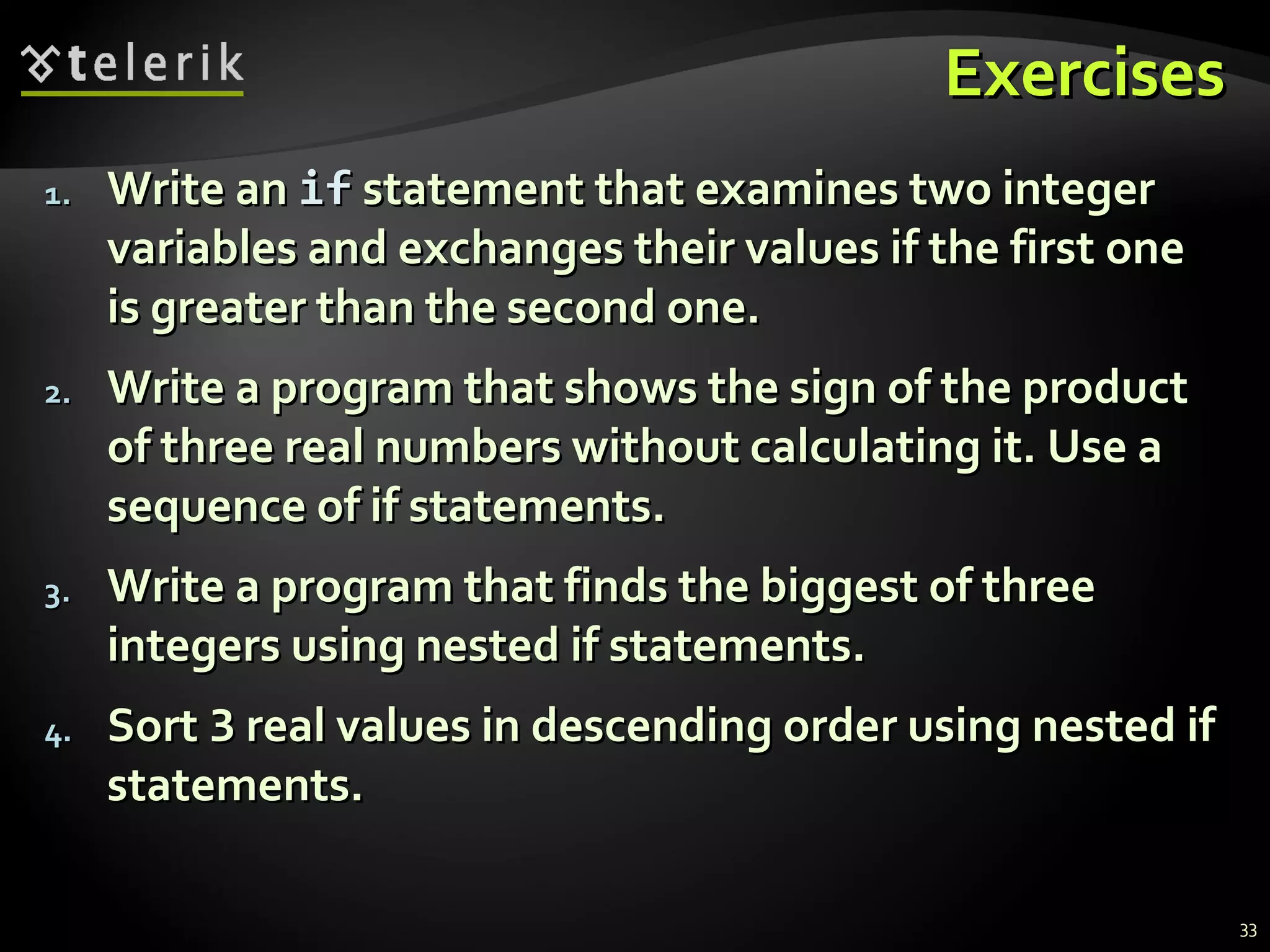
    ExercisesExercises 1.1. Write anWritean ifif statement that examines two integerstatement that examines two integer variables and exchanges their values if the first onevariables and exchanges their values if the first one is greater than the second one.is greater than the second one. 2.2. Write a program that shows the sign of the productWrite a program that shows the sign of the product of three real numbers without calculating it. Use aof three real numbers without calculating it. Use a sequence of if statements.sequence of if statements. 3.3. Write a program that finds the biggest of threeWrite a program that finds the biggest of three integers using nested if statements.integers using nested if statements. 4.4. SortSort 33 real values in descending order using nested ifreal values in descending order using nested if statements.statements. 33
  • 34.
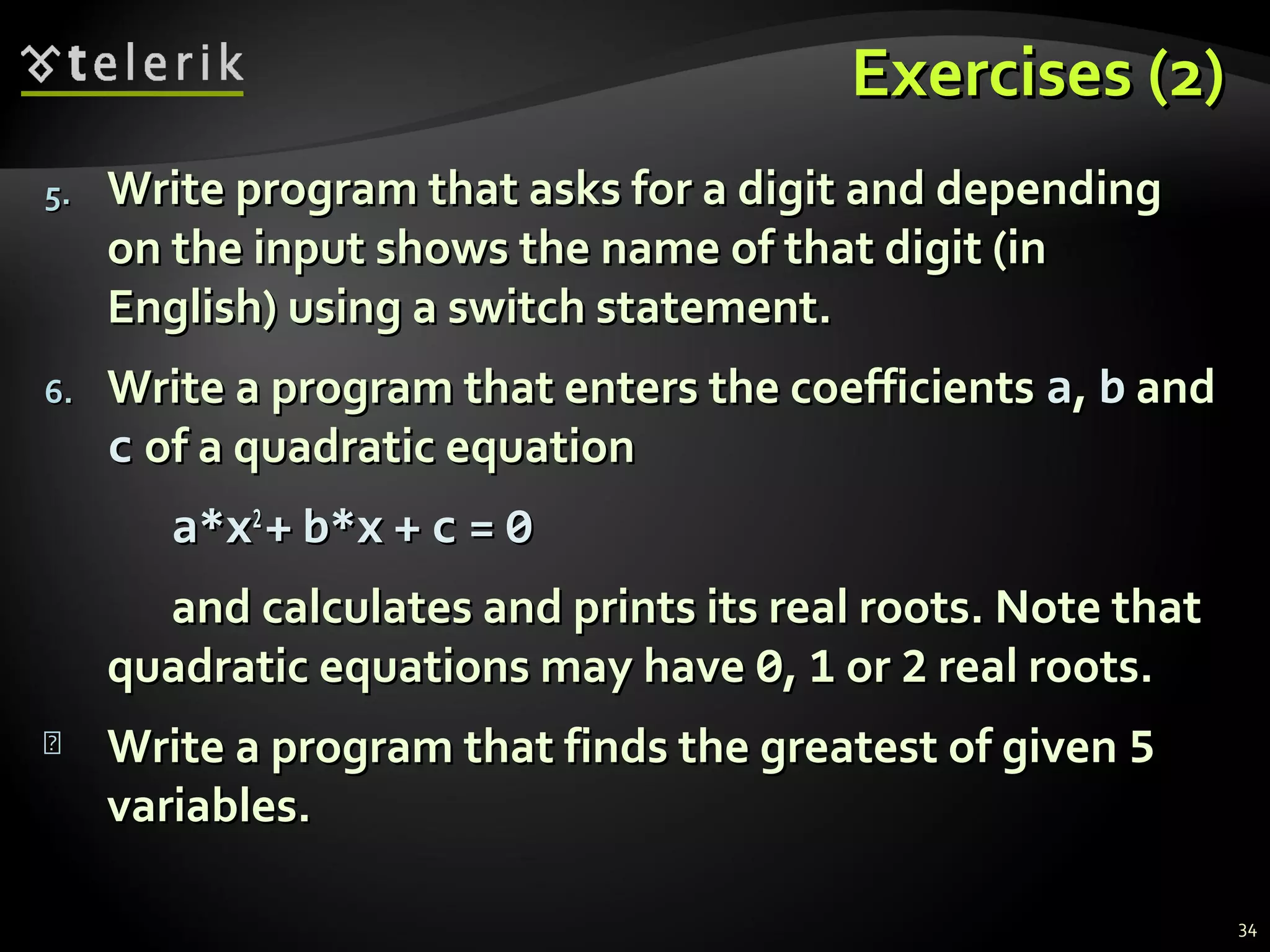
    Exercises (2)Exercises (2) 5.5.Write program that asks for a digit and dependingWrite program that asks for a digit and depending on the input shows the name of that digit (inon the input shows the name of that digit (in English) using a switch statement.English) using a switch statement. 6.6. Write a program that enters the coefficientsWrite a program that enters the coefficients aa,, bb andand cc of a quadratic equationof a quadratic equation a*xa*x22 ++ b*xb*x ++ cc == 00 and calculates and prints its real roots. Note thatand calculates and prints its real roots. Note that quadratic equations may havequadratic equations may have 00,, 11 oror 22 real roots.real roots.  Write a program that finds the greatest of givenWrite a program that finds the greatest of given 55 variables.variables. 34
  • 35.
    Exercises (3)Exercises (3) 8.8.Write a program that, depending on the user'sWrite a program that, depending on the user's choice inputschoice inputs intint,, doubledouble oror stringstring variable. If thevariable. If the variable is integer or double, increases it with 1. Ifvariable is integer or double, increases it with 1. If the variable is string, appends "the variable is string, appends "**" at its end. The" at its end. The program must show the value of that variable as aprogram must show the value of that variable as a console output. Useconsole output. Use switchswitch statement.statement. 9.9. We are given 5 integer numbers. Write a programWe are given 5 integer numbers. Write a program that checks if the sum of some subset of them isthat checks if the sum of some subset of them is 00.. Example:Example: 33,, -2-2,, 11,, 11,, 88  1+1-2=01+1-2=0.. 35
  • 36.
    Exercises (4)Exercises (4) 10.10.Write a program that applies bonus scores to givenWrite a program that applies bonus scores to given scores in the range [1..9]. The program reads a digitscores in the range [1..9]. The program reads a digit as an input. If the digit is between 1 and 3, theas an input. If the digit is between 1 and 3, the program multiplies it by 10; if it is between 4 and 6,program multiplies it by 10; if it is between 4 and 6, multiplies it by 100; if it is between 7 and 9,multiplies it by 100; if it is between 7 and 9, multiplies it by 1000. If it is zero or if the value is notmultiplies it by 1000. If it is zero or if the value is not a digit, the program must report an error.a digit, the program must report an error. Use aUse a switchswitch statement and at the end print thestatement and at the end print the calculated new value in the console.calculated new value in the console. 36
  • 37.
    Exercises (5)Exercises (5) 11.11.* Write a program that converts a number in the* Write a program that converts a number in the range [0...999] to a text corresponding to itsrange [0...999] to a text corresponding to its English pronunciation. Examples:English pronunciation. Examples: 00  ""ZeroZero"" 273273  "Two hundred seventy three""Two hundred seventy three" 400400  "Four hundred""Four hundred" 501501  ""Five hundred and oneFive hundred and one"" 711711  "Severn hundred and eleven""Severn hundred and eleven" 37