C++ Language
By : Shrirang Pinjarkar
Email : shrirang.pinjarkar@gmail.com
UNIT -4
CONTROL
STRUCTURE
Control Structures
Programs are written using three basic structures
 Sequence
 a sequence is a series of statements that execute
one after another
 Repetition(loop or iteration)
 repetition (looping) is used to repeat statements
while certain conditions are met.
 Selection(branching)
 selection (branch) is used to execute different
statements depending on certain conditions
Called control structures or logic structures
Sequence
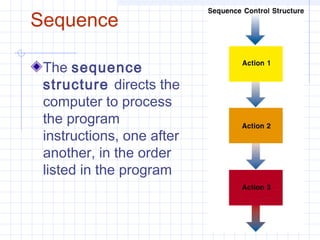
The sequence
structure directs the
computer to process
the program
instructions, one after
another, in the order
listed in the program
Selection
(Branch)
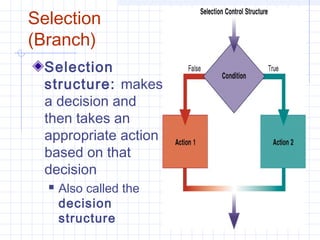
Selection
structure: makes
a decision and
then takes an
appropriate action
based on that
decision
 Also called the
decision
structure
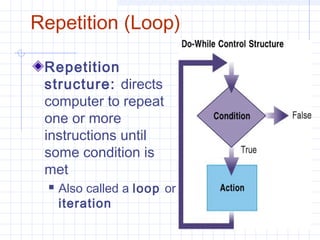
Repetition (Loop)
Repetition
structure: directs
computer to repeat
one or more
instructions until
some condition is
met
 Also called a loop or
iteration
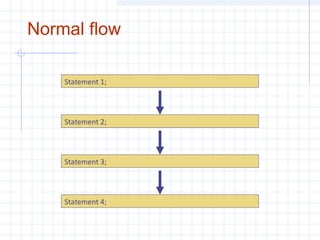
Normal flow
Statement 1;
Statement 2;
Statement 3;
Statement 4;
Conditional Statements
if
if else
nested if (if – else if – else if – else)
statement blocks ({…})
(goto)
switch (case, default, break)
if
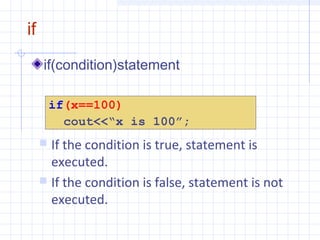
if(condition)statement
if(x==100)
cout<<“x is 100”;
 If the condition is true, statement is
executed.
 If the condition is false, statement is not
executed.
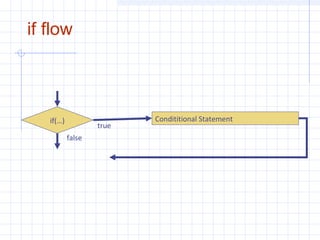
if flow
Condititional Statementif(…)
true
false
if else
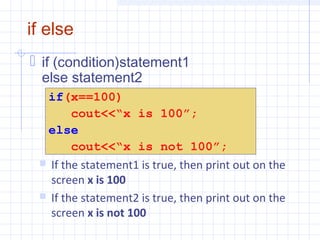
 if (condition)statement1
else statement2
if(x==100)
cout<<“x is 100”;
else
cout<<“x is not 100”;
 If the statement1 is true, then print out on the
screen x is 100
 If the statement2 is true, then print out on the
screen x is not 100
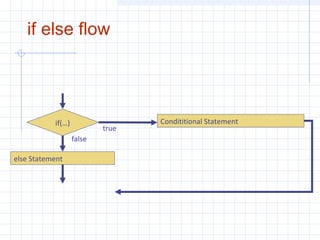
if else flow
Condititional Statementif(…)
else Statement
true
false
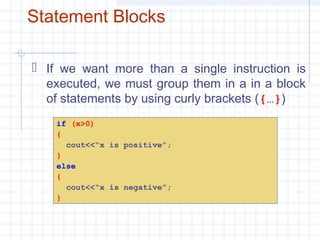
Statement Blocks
 If we want more than a single instruction is
executed, we must group them in a in a block
of statements by using curly brackets ({…})
if (x>0)
{
cout<<“x is positive”;
}
else
{
cout<<“x is negative”;
}
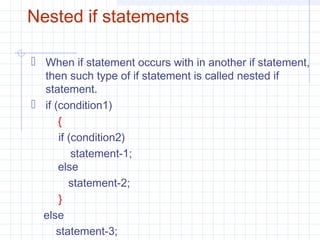
Nested if statements
 When if statement occurs with in another if statement,
then such type of if statement is called nested if
statement.
 if (condition1)
{
if (condition2)
statement-1;
else
statement-2;
}
else
statement-3;
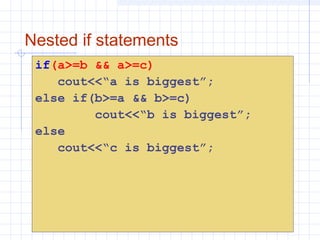
Nested if statements
if(a>=b && a>=c)
cout<<“a is biggest”;
else if(b>=a && b>=c)
cout<<“b is biggest”;
else
cout<<“c is biggest”;
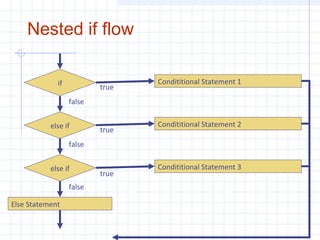
Nested if flow
Condititional Statement 2else if
else if Condititional Statement 3
Else Statement
Condititional Statement 1if true
true
true
false
false
false
Switch Statement
more structured
 Structure is good - less confusing
 Its objective is to check several possible
constant values for an expression and
Similar to if-elseif-elseif-else but a little
simpler.
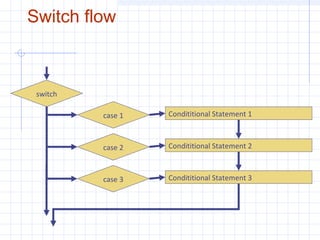
Switch flow
Condititional Statement 2case 2
case 3 Condititional Statement 3
Condititional Statement 1case 1
switch
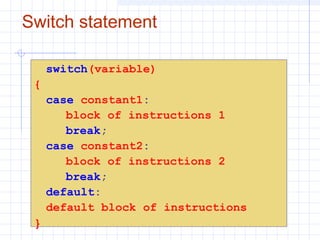
Switch statement
switch(variable)
{
case constant1:
block of instructions 1
break;
case constant2:
block of instructions 2
break;
default:
default block of instructions
}
Switch statement
 Switch evaluates expression and checks if it is
equivalent to constant1, if it is, it executes block of
instructions 1 until it finds the break keyword, then the
program will jump to the end of the switch selective
structure.
 If expression was not equivalent to constant1, it will
check if expression is equivalent to constant2. if it is, it
executes block of instructions 2 until it finds the break
keyword.
 Finally if the value of expression has not matched any
of the specified constants, the program will execute the
instructions included in the default: section, if this one
exists, since it is optional.
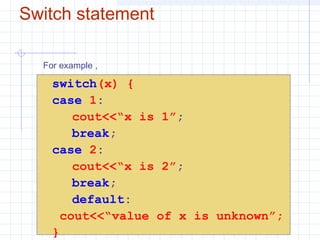
Switch statement
switch(x) {
case 1:
cout<<“x is 1”;
break;
case 2:
cout<<“x is 2”;
break;
default:
cout<<“value of x is unknown”;
}
For example ,
Loops
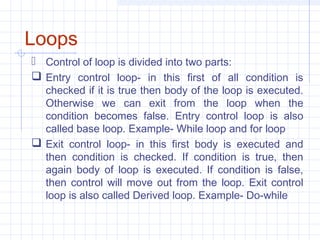
 Control of loop is divided into two parts:
 Entry control loop- in this first of all condition is
checked if it is true then body of the loop is executed.
Otherwise we can exit from the loop when the
condition becomes false. Entry control loop is also
called base loop. Example- While loop and for loop
 Exit control loop- in this first body is executed and
then condition is checked. If condition is true, then
again body of loop is executed. If condition is false,
then control will move out from the loop. Exit control
loop is also called Derived loop. Example- Do-while
Loops
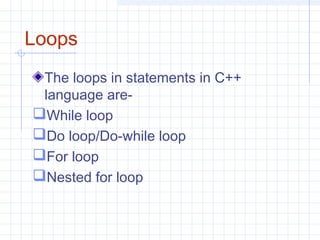
The loops in statements in C++
language are-
While loop
Do loop/Do-while loop
For loop
Nested for loop
While Loop
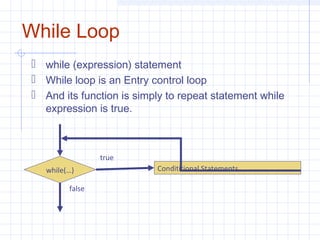
 while (expression) statement
 While loop is an Entry control loop
 And its function is simply to repeat statement while
expression is true.
Condititional Statementswhile(…)
true
false
While loop
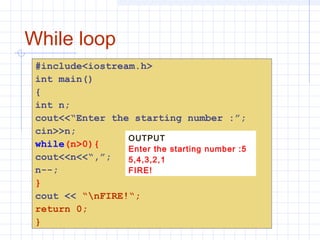
#include<iostream.h>
int main()
{
int n;
cout<<“Enter the starting number :”;
cin>>n;
while(n>0){
cout<<n<<“,”;
n--;
}
cout << “nFIRE!“;
return 0;
}
OUTPUT
Enter the starting number :5
5,4,3,2,1
FIRE!
For loop
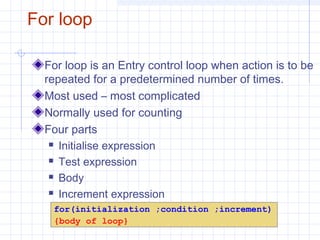
For loop is an Entry control loop when action is to be
repeated for a predetermined number of times.
Most used – most complicated
Normally used for counting
Four parts
 Initialise expression
 Test expression
 Body
 Increment expression
for(initialization ;condition ;increment)
{body of loop}
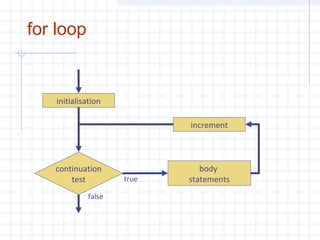
for loop
body
statements
continuation
test
initialisation
increment
true
false
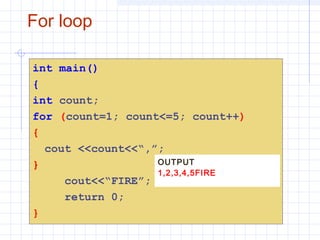
For loop
int main()
{
int count;
for (count=1; count<=5; count++)
{
cout <<count<<“,”;
}
cout<<“FIRE”;
return 0;
}
OUTPUT
1,2,3,4,5FIRE
Do-While Loop
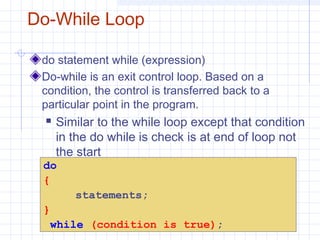
do statement while (expression)
Do-while is an exit control loop. Based on a
condition, the control is transferred back to a
particular point in the program.
 Similar to the while loop except that condition
in the do while is check is at end of loop not
the start
do
{
statements;
}
while (condition is true);
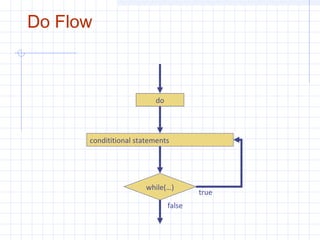
Do Flow
condititional statements
while(…)
true
false
do
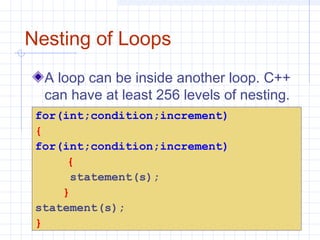
Nesting of Loops
A loop can be inside another loop. C++
can have at least 256 levels of nesting.
for(int;condition;increment)
{
for(int;condition;increment)
{
statement(s);
}
statement(s);
}
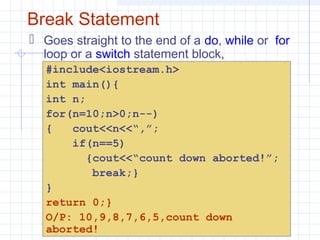
Break Statement
 Goes straight to the end of a do, while or for
loop or a switch statement block,
https://www.facebook.com/AniLK0
221
#include<iostream.h>
int main(){
int n;
for(n=10;n>0;n--)
{ cout<<n<<“,”;
if(n==5)
{cout<<“count down aborted!”;
break;}
}
return 0;}
O/P: 10,9,8,7,6,5,count down
aborted!
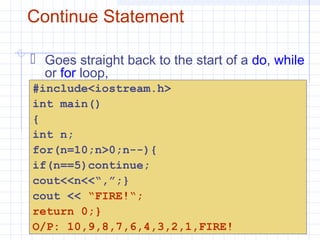
Continue Statement
 Goes straight back to the start of a do, while
or for loop,
#include<iostream.h>
int main()
{
int n;
for(n=10;n>0;n--){
if(n==5)continue;
cout<<n<<“,”;}
cout << “FIRE!“;
return 0;}
O/P: 10,9,8,7,6,4,3,2,1,FIRE!
THANK
YOU

C++ chapter 4

  • 1.
    C++ Language By :Shrirang Pinjarkar Email : shrirang.pinjarkar@gmail.com
  • 2.
  • 3.
    Control Structures Programs arewritten using three basic structures  Sequence  a sequence is a series of statements that execute one after another  Repetition(loop or iteration)  repetition (looping) is used to repeat statements while certain conditions are met.  Selection(branching)  selection (branch) is used to execute different statements depending on certain conditions Called control structures or logic structures
  • 4.
    Sequence The sequence structure directsthe computer to process the program instructions, one after another, in the order listed in the program
  • 5.
    Selection (Branch) Selection structure: makes a decisionand then takes an appropriate action based on that decision  Also called the decision structure
  • 6.
    Repetition (Loop) Repetition structure: directs computerto repeat one or more instructions until some condition is met  Also called a loop or iteration
  • 7.
    Normal flow Statement 1; Statement2; Statement 3; Statement 4;
  • 8.
    Conditional Statements if if else nestedif (if – else if – else if – else) statement blocks ({…}) (goto) switch (case, default, break)
  • 9.
    if if(condition)statement if(x==100) cout<<“x is 100”; If the condition is true, statement is executed.  If the condition is false, statement is not executed.
  • 10.
  • 11.
    if else  if(condition)statement1 else statement2 if(x==100) cout<<“x is 100”; else cout<<“x is not 100”;  If the statement1 is true, then print out on the screen x is 100  If the statement2 is true, then print out on the screen x is not 100
  • 12.
    if else flow CondititionalStatementif(…) else Statement true false
  • 13.
    Statement Blocks  Ifwe want more than a single instruction is executed, we must group them in a in a block of statements by using curly brackets ({…}) if (x>0) { cout<<“x is positive”; } else { cout<<“x is negative”; }
  • 14.
    Nested if statements When if statement occurs with in another if statement, then such type of if statement is called nested if statement.  if (condition1) { if (condition2) statement-1; else statement-2; } else statement-3;
  • 15.
    Nested if statements if(a>=b&& a>=c) cout<<“a is biggest”; else if(b>=a && b>=c) cout<<“b is biggest”; else cout<<“c is biggest”;
  • 16.
    Nested if flow CondititionalStatement 2else if else if Condititional Statement 3 Else Statement Condititional Statement 1if true true true false false false
  • 17.
    Switch Statement more structured Structure is good - less confusing  Its objective is to check several possible constant values for an expression and Similar to if-elseif-elseif-else but a little simpler.
  • 18.
    Switch flow Condititional Statement2case 2 case 3 Condititional Statement 3 Condititional Statement 1case 1 switch
  • 19.
    Switch statement switch(variable) { case constant1: blockof instructions 1 break; case constant2: block of instructions 2 break; default: default block of instructions }
  • 20.
    Switch statement  Switchevaluates expression and checks if it is equivalent to constant1, if it is, it executes block of instructions 1 until it finds the break keyword, then the program will jump to the end of the switch selective structure.  If expression was not equivalent to constant1, it will check if expression is equivalent to constant2. if it is, it executes block of instructions 2 until it finds the break keyword.  Finally if the value of expression has not matched any of the specified constants, the program will execute the instructions included in the default: section, if this one exists, since it is optional.
  • 21.
    Switch statement switch(x) { case1: cout<<“x is 1”; break; case 2: cout<<“x is 2”; break; default: cout<<“value of x is unknown”; } For example ,
  • 22.
    Loops  Control ofloop is divided into two parts:  Entry control loop- in this first of all condition is checked if it is true then body of the loop is executed. Otherwise we can exit from the loop when the condition becomes false. Entry control loop is also called base loop. Example- While loop and for loop  Exit control loop- in this first body is executed and then condition is checked. If condition is true, then again body of loop is executed. If condition is false, then control will move out from the loop. Exit control loop is also called Derived loop. Example- Do-while
  • 23.
    Loops The loops instatements in C++ language are- While loop Do loop/Do-while loop For loop Nested for loop
  • 24.
    While Loop  while(expression) statement  While loop is an Entry control loop  And its function is simply to repeat statement while expression is true. Condititional Statementswhile(…) true false
  • 25.
    While loop #include<iostream.h> int main() { intn; cout<<“Enter the starting number :”; cin>>n; while(n>0){ cout<<n<<“,”; n--; } cout << “nFIRE!“; return 0; } OUTPUT Enter the starting number :5 5,4,3,2,1 FIRE!
  • 26.
    For loop For loopis an Entry control loop when action is to be repeated for a predetermined number of times. Most used – most complicated Normally used for counting Four parts  Initialise expression  Test expression  Body  Increment expression for(initialization ;condition ;increment) {body of loop}
  • 27.
  • 28.
    For loop int main() { intcount; for (count=1; count<=5; count++) { cout <<count<<“,”; } cout<<“FIRE”; return 0; } OUTPUT 1,2,3,4,5FIRE
  • 29.
    Do-While Loop do statementwhile (expression) Do-while is an exit control loop. Based on a condition, the control is transferred back to a particular point in the program.  Similar to the while loop except that condition in the do while is check is at end of loop not the start do { statements; } while (condition is true);
  • 30.
  • 31.
    Nesting of Loops Aloop can be inside another loop. C++ can have at least 256 levels of nesting. for(int;condition;increment) { for(int;condition;increment) { statement(s); } statement(s); }
  • 32.
    Break Statement  Goesstraight to the end of a do, while or for loop or a switch statement block, https://www.facebook.com/AniLK0 221 #include<iostream.h> int main(){ int n; for(n=10;n>0;n--) { cout<<n<<“,”; if(n==5) {cout<<“count down aborted!”; break;} } return 0;} O/P: 10,9,8,7,6,5,count down aborted!
  • 33.
    Continue Statement  Goesstraight back to the start of a do, while or for loop, #include<iostream.h> int main() { int n; for(n=10;n>0;n--){ if(n==5)continue; cout<<n<<“,”;} cout << “FIRE!“; return 0;} O/P: 10,9,8,7,6,4,3,2,1,FIRE!
  • 34.