Flow Of Control
MADE BY :
TANUJ
In This Chapter
• Introduction
• Statements
• Statement Flow Control
• Selection Statement
• Iteration Statement
• Jump Statement
Introduction
•In a program statement may be executed
sequentially, selectively or iteratively.
•Every program language provides
constructs to support sequence, selection
or iteration.
Statements
• Statement are the instructions given to the computer to perform any
kind of action, be it data movements, be it making decisions or be it
repeating actions.
• Statements form the smallest executable unit within C++ program.
• Statements are terminated with a semicolon (;).
Compound Statements (Block)
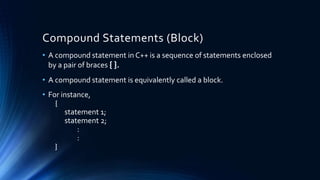
• A compound statement in C++ is a sequence of statements enclosed
by a pair of braces { }.
• A compound statement is equivalently called a block.
• For instance,
{
statement 1;
statement 2;
:
:
}
Statement Flow Control
• In a program, Statements may be executed Sequentially, Selectively
or Iteratively.
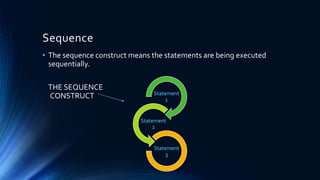
Sequence
• The sequence construct means the statements are being executed
sequentially.
THE SEQUENCE
CONSTRUCT Statement
1
Statement
2
Statement
3
Selection
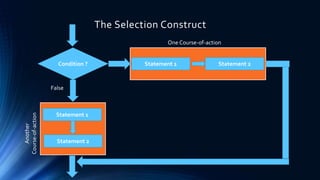
• The Selection construct means the execution of statements
depending upon a condition-test
In C++, the program execution starts
with the first statement of main ( ) and
ends with last statement of main ( ) .
Therefore, the main ( ) is also called
driver function as it drives the
program.
Condition ?
Statement 1
Statement 2
One Course-of-action
False
Statement 1 Statement 2
Another
Course-of-action
The Selection Construct
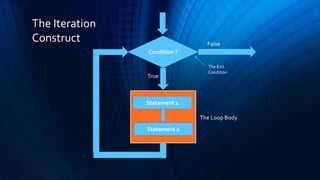
Iteration
• Iteration construct means repetition of set of statements depending
upon a condition test.Till the time of condition is true. ( or false
depending upon the loop). A set of statements are repeated again
and again. As soon as the condition become false (or true), the
repetition stops.The iteration condition is also called ”Looping
Construct”.
Condition ?
Statement 1
Statement 2
False
The Loop Body
The Exit
Condition
True
The Iteration
Construct
Selection Statement
• The selection statement allow to choose the set of instruction for
execution depending upon an expression’s truth .C++ provides two
types of selection statements
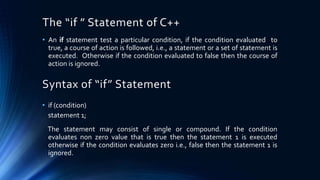
The “if ” Statement of C++
• An if statement test a particular condition, if the condition evaluated to
true, a course of action is followed, i.e., a statement or a set of statement is
executed. Otherwise if the condition evaluated to false then the course of
action is ignored.
Syntax of “if” Statement
• if (condition)
statement 1;
The statement may consist of single or compound. If the condition
evaluates non zero value that is true then the statement 1 is executed
otherwise if the condition evaluates zero i.e., false then the statement 1 is
ignored.
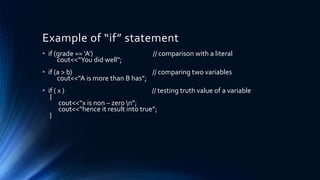
Example of “if” statement
• if (grade == ‘A’) // comparison with a literal
cout<<“You did well”;
• if (a > b) // comparing two variables
cout<<“A is more than B has”;
• if ( x ) // testing truth value of a variable
{
cout<<“x is non – zero n”;
cout<<“hence it result into true”;
}
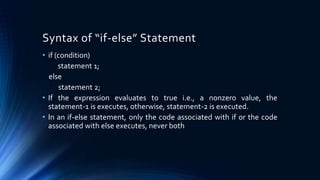
• if (condition)
statement 1;
else
statement 2;
• If the expression evaluates to true i.e., a nonzero value, the
statement-1 is executes, otherwise, statement-2 is executed.
• In an if-else statement, only the code associated with if or the code
associated with else executes, never both
Syntax of “if-else” Statement
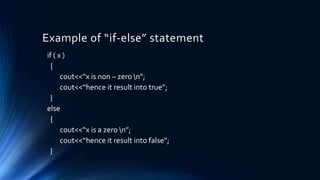
Example of “if-else” statement
if ( x )
{
cout<<“x is non – zero n”;
cout<<“hence it result into true”;
}
else
{
cout<<“x is a zero n”;
cout<<“hence it result into false”;
}
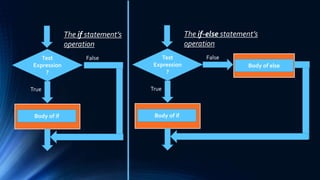
Test
Expression
?
Body of if
True
False
The if statement’s
operation
Test
Expression
?
Body of if
True
False
The if-else statement’s
operation
Body of else
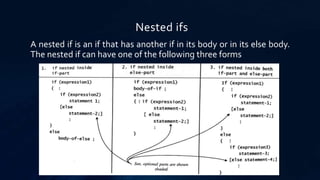
Nested ifs
A nested if is an if that has another if in its body or in its else body.
The nested if can have one of the following three forms
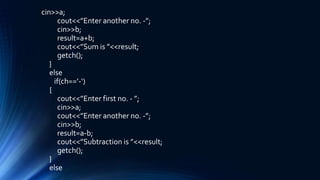
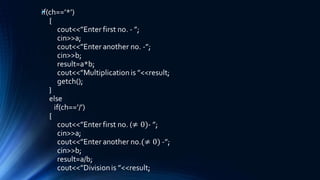
Program to create the equivalent of a four
function calculator
#include<iostream.h>
#include<conio.h>
void main()
{
clrscr();
char ch;
float a,b,result;
cout<<“Enter your choice [+,*,/,-] :”;
cin>>ch;
if (ch==’+’)
{
cout<<”Enter first no. - ”;
cin>>a;
cout<<”Enter another no. -”;
cin>>b;
result=a+b;
cout<<”Sum is ”<<result;
getch();
}
else
if(ch==’-‘)
{
cout<<”Enter first no. - ”;
cin>>a;
cout<<”Enter another no. -”;
cin>>b;
result=a-b;
cout<<”Subtraction is ”<<result;
getch();
}
else
•
getch();
}
else
cout<<”Unknown operator!!!!”;
return(0);
}
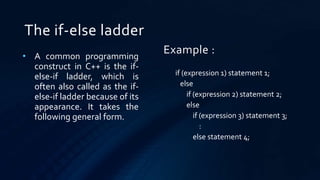
The if-else ladder
• A common programming
construct in C++ is the if-
else-if ladder, which is
often also called as the if-
else-if ladder because of its
appearance. It takes the
following general form.
if (expression 1) statement 1;
else
if (expression 2) statement 2;
else
if (expression 3) statement 3;
:
else statement 4;
Example :
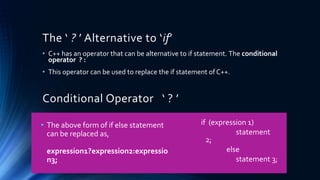
The ‘ ? ’ Alternative to ‘if’
• C++ has an operator that can be alternative to if statement. The conditional
operator ? :
• This operator can be used to replace the if statement of C++.
Conditional Operator ‘ ? ’
• The above form of if else statement
can be replaced as,
expression1?expression2:expressio
n3;
if (expression 1)
statement
2;
else
statement 3;
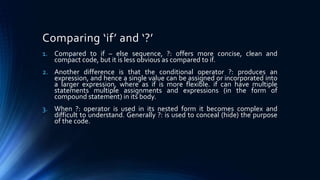
Comparing ‘if’ and ‘?’
1. Compared to if – else sequence, ?: offers more concise, clean and
compact code, but it is less obvious as compared to if.
2. Another difference is that the conditional operator ?: produces an
expression, and hence a single value can be assigned or incorporated into
a larger expression, where as if is more flexible. if can have multiple
statements multiple assignments and expressions (in the form of
compound statement) in its body.
3. When ?: operator is used in its nested form it becomes complex and
difficult to understand. Generally ?: is used to conceal (hide) the purpose
of the code.
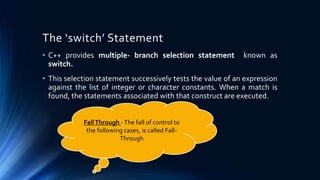
The ‘switch’ Statement
• C++ provides multiple- branch selection statement known as
switch.
• This selection statement successively tests the value of an expression
against the list of integer or character constants. When a match is
found, the statements associated with that construct are executed.
FallThrough -The fall of control to
the following cases, is called Fall-
Through
The syntax of ‘switch’
switch(expression)
{
case constant 1 : statement sequence 1;
break;
case constant 2 : statement sequence 2;
break;
case constant n-1 : statement sequence n-1;
break;
[default: statement sequence n];
}
The switch Vs. if-else
• The switch and if-else are selection statements and they both let you select
an alternative out of many alternatives by testing an expression. However
there are some differences in their operation and they
1. The switch statement differs from the if statement in that switch can only
test for equality where as if can evaluate a relational or logical expressions
i.e multiple conditions.
2. The switch statement selects its branches by testing the value of same
variable (against the set of constants) where as the if else construction
lets you to use a series of expressions that may involve unrelated variables
and complex expressions.
The switch Vs. if-else (Cont.…)
3. The if-else is more versatile of two statements where as
switch cannot. Each switch case label must be a single
value.
4. The if-else statement can handle floating point tests also
apart from integer and character tests where as switch
cannot handle floating point tests. The case labels of
switch must be an integer or character.
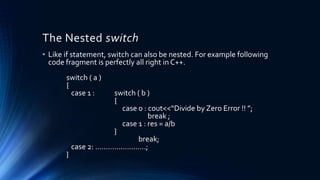
The Nested switch
• Like if statement, switch can also be nested. For example following
code fragment is perfectly all right in C++.
switch ( a )
{
case 1 : switch ( b )
{
case 0 : cout<<“Divide by Zero Error !! ”;
break ;
case 1 : res = a/b
}
break;
case 2: ……………………;
}
ITERATION STATEMENTS
The iteration statement allows instructions to
be executed until a certain condition is to be
fulfilled.
Iteration Statements
• The iteration statements are also called as loops or Looping
statements.
• C++ provides three kinds of loops
1. for
2. while
3. do-while
Elements of Loop
1. Initialization Expression : Before entering in a loop, its control variable
must be initialized. The initialization expression executed at only once in
the beginning of the loop.
2. Test Expression : The test expression is an expression whose truth
values decides weather the loop- body will be executed or not. If the test
expression evaluates to true I.e., the loop gets executed, otherwise the
loop terminated.
3. Update Expression : The update expression change the value of loop
variable. The update expression is executed; at the end of loop after the
loop-body is executed.
Elements of Loop (Cont.….)
4. The Body-of-the-loop : The statement that are executed
repeatedly as long as the test expression is nonzero . If it evaluates
to zero then the loop is terminates.
The ‘for’ loop
• In for loop we know all the elements of loop like initialization expression ,
test expression and update expression.
The syntax of the for loop :
for (initialization expression(s) ; test-expression ; update expression(s))
body-of-the-loop;
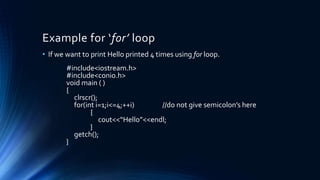
Example for ‘for’ loop
• If we want to print Hello printed 4 times using for loop.
#include<iostream.h>
#include<conio.h>
void main ( )
{
clrscr();
for(int i=1;i<=4;++i) //do not give semicolon’s here
{
cout<<“Hello”<<endl;
}
getch();
}
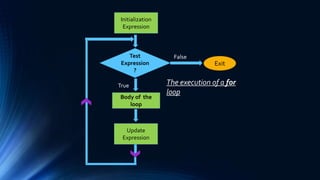
Test
Expression
?
Body of the
loop
True
False
The execution of a for
loop
Initialization
Expression
Update
Expression
Exit
The ‘while’ loop
• The ‘while’ loop is an entry controlled loop.
• In a ‘while’ loop, a lop control variable should be initialised before the loop
begins as an uninitialized variable can be used in an expression.
• The loop variable should be updated inside the body of the ‘while’.
The syntax of the while loop :
while (expression)
loop-body
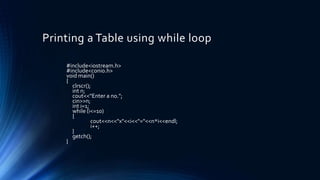
Printing a Table using while loop
#include<iostream.h>
#include<conio.h>
void main()
{
clrscr();
int n;
cout<<"Enter a no.";
cin>>n;
int i=1;
while (i<=10)
{
cout<<n<<"x"<<i<<"="<<n*i<<endl;
i++;
}
getch();
}
The ‘do-while’ loop
• The ‘do-while’ loop executes at least once even when the test – expression
is false initially.
The syntax of the do-while loop :
do {
statement ;
}
while (test-expression) ;
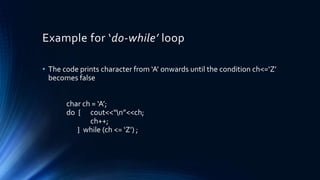
Example for ‘do-while’ loop
• The code prints character from ‘A’ onwards until the condition ch<=‘Z’
becomes false
char ch = ‘A’;
do { cout<<“n”<<ch;
ch++;
} while (ch <= ‘Z’) ;
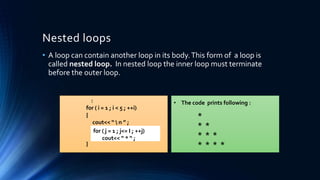
Nested loops
• A loop can contain another loop in its body.This form of a loop is
called nested loop. In nested loop the inner loop must terminate
before the outer loop.
:
for ( i = 1 ; i < 5 ; ++i)
{
cout<< “  n ” ;
}
for ( j = 1 ; j<= I ; ++j)
cout<< “ * “ ;
• The code prints following :
*
* *
* * *
* * * *
Comparison Of Loops
• The for loop is appropriate when you know in advance how many
times the loop will be executed.
• The other two loops while and do-while are more suitable in the
situations where it is known before –hand when the loop will
terminate.
• The while should be preferred when you may not want to execute the
loop body even once (in case test condition is false).
• The do-while loop should be preferred when you are sure you want to
execute the loop body at least once.
Jump Statements
Jump statements unconditionally transfer program
control within a function
Types of Jump Statement
1. return
2. goto
3. break
4. continue
• In addition to four statements C++ library function provides exit() that
helps you break out of the program.
The ‘goto’ Statement
• The goto statement is rarely used in the programming.
• A goto statement can transfer the program control anywhere in the
program.The target destination of a goto statement is marked by the
label.
• lable is a user supplied identifier and can either before or after goto.
• The syntax is,
goto label ;
:.
lable :
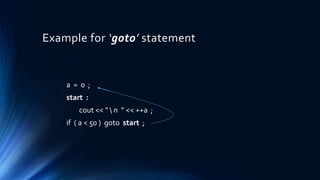
Example for ‘goto’ statement
a = 0 ;
start :
cout << “  n ” << ++a ;
if ( a < 50 ) goto start ;
NOTE :
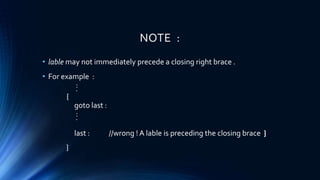
• lable may not immediately precede a closing right brace .
• For example :
:.
{
goto last :
:.
last : //wrong ! A lable is preceding the closing brace }
}
NOTE :
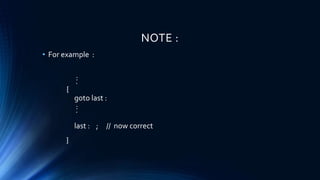
• For example :
:.
{
goto last :
:.
last : ; // now correct
}
The ‘break’ Statement
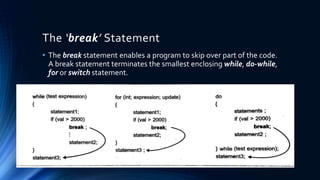
• The break statement enables a program to skip over part of the code.
A break statement terminates the smallest enclosing while, do-while,
for or switch statement.
The ‘continue’ Statement
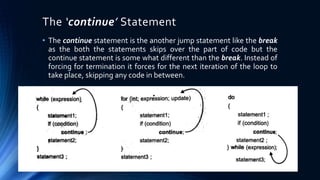
• The continue statement is the another jump statement like the break
as the both the statements skips over the part of code but the
continue statement is some what different than the break. Instead of
forcing for termination it forces for the next iteration of the loop to
take place, skipping any code in between.
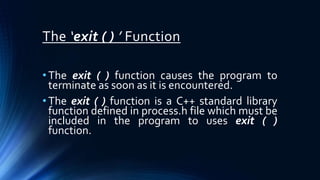
The ‘exit ( ) ’ Function
• The exit ( ) function causes the program to
terminate as soon as it is encountered.
• The exit ( ) function is a C++ standard library
function defined in process.h file which must be
included in the program to uses exit ( )
function.
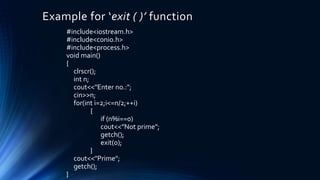
Example for ‘exit ( )’ function
#include<iostream.h>
#include<conio.h>
#include<process.h>
void main()
{
clrscr();
int n;
cout<<"Enter no.:";
cin>>n;
for(int i=2;i<=n/2;++i)
{
if (n%i==0)
cout<<"Not prime";
getch();
exit(0);
}
cout<<"Prime";
getch();
}
Thank You

Flow of control C ++ By TANUJ

  • 1.
  • 2.
    In This Chapter •Introduction • Statements • Statement Flow Control • Selection Statement • Iteration Statement • Jump Statement
  • 3.
    Introduction •In a programstatement may be executed sequentially, selectively or iteratively. •Every program language provides constructs to support sequence, selection or iteration.
  • 4.
    Statements • Statement arethe instructions given to the computer to perform any kind of action, be it data movements, be it making decisions or be it repeating actions. • Statements form the smallest executable unit within C++ program. • Statements are terminated with a semicolon (;).
  • 5.
    Compound Statements (Block) •A compound statement in C++ is a sequence of statements enclosed by a pair of braces { }. • A compound statement is equivalently called a block. • For instance, { statement 1; statement 2; : : }
  • 6.
    Statement Flow Control •In a program, Statements may be executed Sequentially, Selectively or Iteratively.
  • 7.
    Sequence • The sequenceconstruct means the statements are being executed sequentially. THE SEQUENCE CONSTRUCT Statement 1 Statement 2 Statement 3
  • 8.
    Selection • The Selectionconstruct means the execution of statements depending upon a condition-test In C++, the program execution starts with the first statement of main ( ) and ends with last statement of main ( ) . Therefore, the main ( ) is also called driver function as it drives the program.
  • 9.
    Condition ? Statement 1 Statement2 One Course-of-action False Statement 1 Statement 2 Another Course-of-action The Selection Construct
  • 10.
    Iteration • Iteration constructmeans repetition of set of statements depending upon a condition test.Till the time of condition is true. ( or false depending upon the loop). A set of statements are repeated again and again. As soon as the condition become false (or true), the repetition stops.The iteration condition is also called ”Looping Construct”.
  • 11.
    Condition ? Statement 1 Statement2 False The Loop Body The Exit Condition True The Iteration Construct
  • 12.
    Selection Statement • Theselection statement allow to choose the set of instruction for execution depending upon an expression’s truth .C++ provides two types of selection statements
  • 13.
    The “if ”Statement of C++ • An if statement test a particular condition, if the condition evaluated to true, a course of action is followed, i.e., a statement or a set of statement is executed. Otherwise if the condition evaluated to false then the course of action is ignored. Syntax of “if” Statement • if (condition) statement 1; The statement may consist of single or compound. If the condition evaluates non zero value that is true then the statement 1 is executed otherwise if the condition evaluates zero i.e., false then the statement 1 is ignored.
  • 14.
    Example of “if”statement • if (grade == ‘A’) // comparison with a literal cout<<“You did well”; • if (a > b) // comparing two variables cout<<“A is more than B has”; • if ( x ) // testing truth value of a variable { cout<<“x is non – zero n”; cout<<“hence it result into true”; }
  • 15.
    • if (condition) statement1; else statement 2; • If the expression evaluates to true i.e., a nonzero value, the statement-1 is executes, otherwise, statement-2 is executed. • In an if-else statement, only the code associated with if or the code associated with else executes, never both Syntax of “if-else” Statement
  • 16.
    Example of “if-else”statement if ( x ) { cout<<“x is non – zero n”; cout<<“hence it result into true”; } else { cout<<“x is a zero n”; cout<<“hence it result into false”; }
  • 17.
    Test Expression ? Body of if True False Theif statement’s operation Test Expression ? Body of if True False The if-else statement’s operation Body of else
  • 18.
    Nested ifs A nestedif is an if that has another if in its body or in its else body. The nested if can have one of the following three forms
  • 19.
    Program to createthe equivalent of a four function calculator #include<iostream.h> #include<conio.h> void main() { clrscr(); char ch; float a,b,result; cout<<“Enter your choice [+,*,/,-] :”; cin>>ch; if (ch==’+’) { cout<<”Enter first no. - ”;
  • 20.
    cin>>a; cout<<”Enter another no.-”; cin>>b; result=a+b; cout<<”Sum is ”<<result; getch(); } else if(ch==’-‘) { cout<<”Enter first no. - ”; cin>>a; cout<<”Enter another no. -”; cin>>b; result=a-b; cout<<”Subtraction is ”<<result; getch(); } else
  • 21.
  • 22.
  • 23.
    The if-else ladder •A common programming construct in C++ is the if- else-if ladder, which is often also called as the if- else-if ladder because of its appearance. It takes the following general form. if (expression 1) statement 1; else if (expression 2) statement 2; else if (expression 3) statement 3; : else statement 4; Example :
  • 24.
    The ‘ ?’ Alternative to ‘if’ • C++ has an operator that can be alternative to if statement. The conditional operator ? : • This operator can be used to replace the if statement of C++. Conditional Operator ‘ ? ’ • The above form of if else statement can be replaced as, expression1?expression2:expressio n3; if (expression 1) statement 2; else statement 3;
  • 25.
    Comparing ‘if’ and‘?’ 1. Compared to if – else sequence, ?: offers more concise, clean and compact code, but it is less obvious as compared to if. 2. Another difference is that the conditional operator ?: produces an expression, and hence a single value can be assigned or incorporated into a larger expression, where as if is more flexible. if can have multiple statements multiple assignments and expressions (in the form of compound statement) in its body. 3. When ?: operator is used in its nested form it becomes complex and difficult to understand. Generally ?: is used to conceal (hide) the purpose of the code.
  • 26.
    The ‘switch’ Statement •C++ provides multiple- branch selection statement known as switch. • This selection statement successively tests the value of an expression against the list of integer or character constants. When a match is found, the statements associated with that construct are executed. FallThrough -The fall of control to the following cases, is called Fall- Through
  • 27.
    The syntax of‘switch’ switch(expression) { case constant 1 : statement sequence 1; break; case constant 2 : statement sequence 2; break; case constant n-1 : statement sequence n-1; break; [default: statement sequence n]; }
  • 28.
    The switch Vs.if-else • The switch and if-else are selection statements and they both let you select an alternative out of many alternatives by testing an expression. However there are some differences in their operation and they 1. The switch statement differs from the if statement in that switch can only test for equality where as if can evaluate a relational or logical expressions i.e multiple conditions. 2. The switch statement selects its branches by testing the value of same variable (against the set of constants) where as the if else construction lets you to use a series of expressions that may involve unrelated variables and complex expressions.
  • 29.
    The switch Vs.if-else (Cont.…) 3. The if-else is more versatile of two statements where as switch cannot. Each switch case label must be a single value. 4. The if-else statement can handle floating point tests also apart from integer and character tests where as switch cannot handle floating point tests. The case labels of switch must be an integer or character.
  • 30.
    The Nested switch •Like if statement, switch can also be nested. For example following code fragment is perfectly all right in C++. switch ( a ) { case 1 : switch ( b ) { case 0 : cout<<“Divide by Zero Error !! ”; break ; case 1 : res = a/b } break; case 2: ……………………; }
  • 31.
    ITERATION STATEMENTS The iterationstatement allows instructions to be executed until a certain condition is to be fulfilled.
  • 32.
    Iteration Statements • Theiteration statements are also called as loops or Looping statements. • C++ provides three kinds of loops 1. for 2. while 3. do-while
  • 33.
    Elements of Loop 1.Initialization Expression : Before entering in a loop, its control variable must be initialized. The initialization expression executed at only once in the beginning of the loop. 2. Test Expression : The test expression is an expression whose truth values decides weather the loop- body will be executed or not. If the test expression evaluates to true I.e., the loop gets executed, otherwise the loop terminated. 3. Update Expression : The update expression change the value of loop variable. The update expression is executed; at the end of loop after the loop-body is executed.
  • 34.
    Elements of Loop(Cont.….) 4. The Body-of-the-loop : The statement that are executed repeatedly as long as the test expression is nonzero . If it evaluates to zero then the loop is terminates.
  • 35.
    The ‘for’ loop •In for loop we know all the elements of loop like initialization expression , test expression and update expression. The syntax of the for loop : for (initialization expression(s) ; test-expression ; update expression(s)) body-of-the-loop;
  • 36.
    Example for ‘for’loop • If we want to print Hello printed 4 times using for loop. #include<iostream.h> #include<conio.h> void main ( ) { clrscr(); for(int i=1;i<=4;++i) //do not give semicolon’s here { cout<<“Hello”<<endl; } getch(); }
  • 37.
    Test Expression ? Body of the loop True False Theexecution of a for loop Initialization Expression Update Expression Exit
  • 38.
    The ‘while’ loop •The ‘while’ loop is an entry controlled loop. • In a ‘while’ loop, a lop control variable should be initialised before the loop begins as an uninitialized variable can be used in an expression. • The loop variable should be updated inside the body of the ‘while’. The syntax of the while loop : while (expression) loop-body
  • 39.
    Printing a Tableusing while loop #include<iostream.h> #include<conio.h> void main() { clrscr(); int n; cout<<"Enter a no."; cin>>n; int i=1; while (i<=10) { cout<<n<<"x"<<i<<"="<<n*i<<endl; i++; } getch(); }
  • 40.
    The ‘do-while’ loop •The ‘do-while’ loop executes at least once even when the test – expression is false initially. The syntax of the do-while loop : do { statement ; } while (test-expression) ;
  • 41.
    Example for ‘do-while’loop • The code prints character from ‘A’ onwards until the condition ch<=‘Z’ becomes false char ch = ‘A’; do { cout<<“n”<<ch; ch++; } while (ch <= ‘Z’) ;
  • 42.
    Nested loops • Aloop can contain another loop in its body.This form of a loop is called nested loop. In nested loop the inner loop must terminate before the outer loop. : for ( i = 1 ; i < 5 ; ++i) { cout<< “ n ” ; } for ( j = 1 ; j<= I ; ++j) cout<< “ * “ ; • The code prints following : * * * * * * * * * *
  • 43.
    Comparison Of Loops •The for loop is appropriate when you know in advance how many times the loop will be executed. • The other two loops while and do-while are more suitable in the situations where it is known before –hand when the loop will terminate. • The while should be preferred when you may not want to execute the loop body even once (in case test condition is false). • The do-while loop should be preferred when you are sure you want to execute the loop body at least once.
  • 44.
    Jump Statements Jump statementsunconditionally transfer program control within a function
  • 45.
    Types of JumpStatement 1. return 2. goto 3. break 4. continue • In addition to four statements C++ library function provides exit() that helps you break out of the program.
  • 46.
    The ‘goto’ Statement •The goto statement is rarely used in the programming. • A goto statement can transfer the program control anywhere in the program.The target destination of a goto statement is marked by the label. • lable is a user supplied identifier and can either before or after goto. • The syntax is, goto label ; :. lable :
  • 47.
    Example for ‘goto’statement a = 0 ; start : cout << “ n ” << ++a ; if ( a < 50 ) goto start ;
  • 48.
    NOTE : • lablemay not immediately precede a closing right brace . • For example : :. { goto last : :. last : //wrong ! A lable is preceding the closing brace } }
  • 49.
    NOTE : • Forexample : :. { goto last : :. last : ; // now correct }
  • 50.
    The ‘break’ Statement •The break statement enables a program to skip over part of the code. A break statement terminates the smallest enclosing while, do-while, for or switch statement.
  • 51.
    The ‘continue’ Statement •The continue statement is the another jump statement like the break as the both the statements skips over the part of code but the continue statement is some what different than the break. Instead of forcing for termination it forces for the next iteration of the loop to take place, skipping any code in between.
  • 52.
    The ‘exit () ’ Function • The exit ( ) function causes the program to terminate as soon as it is encountered. • The exit ( ) function is a C++ standard library function defined in process.h file which must be included in the program to uses exit ( ) function.
  • 53.
    Example for ‘exit( )’ function #include<iostream.h> #include<conio.h> #include<process.h> void main() { clrscr(); int n; cout<<"Enter no.:"; cin>>n; for(int i=2;i<=n/2;++i) { if (n%i==0) cout<<"Not prime"; getch(); exit(0); } cout<<"Prime"; getch(); }
  • 54.