Software Development  Training Program Mr.   Zia Khan, and Mr. Zeeshan Hanif
DotNet-101 Lecture 4 Zeeshan Hanif [email_address] [email_address]
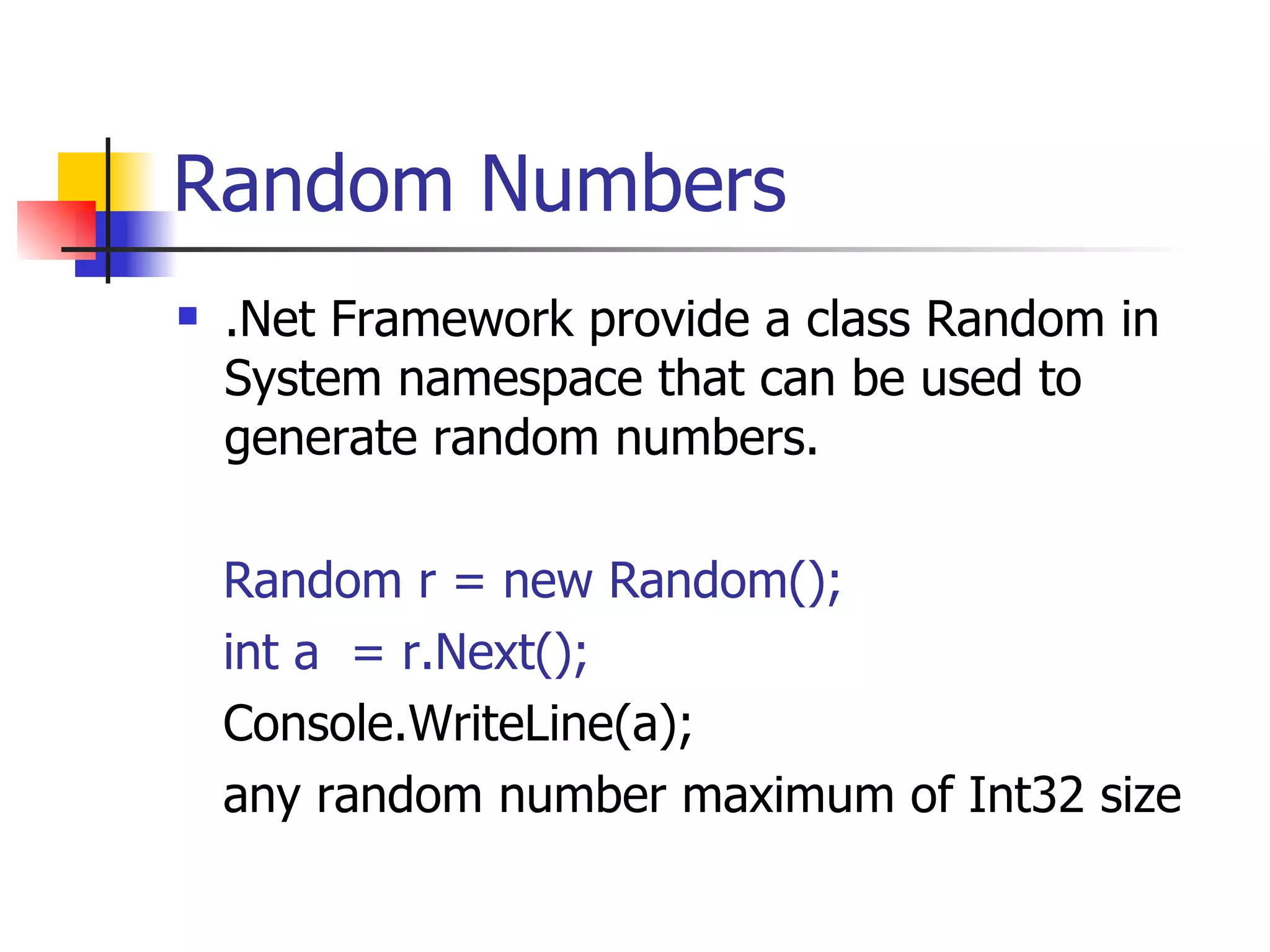
Random Numbers .Net Framework provide a class Random in System namespace that can be used to generate random numbers. Random r = new Random(); int a  = r.Next(); Console.WriteLine(a); any random number maximum of Int32 size
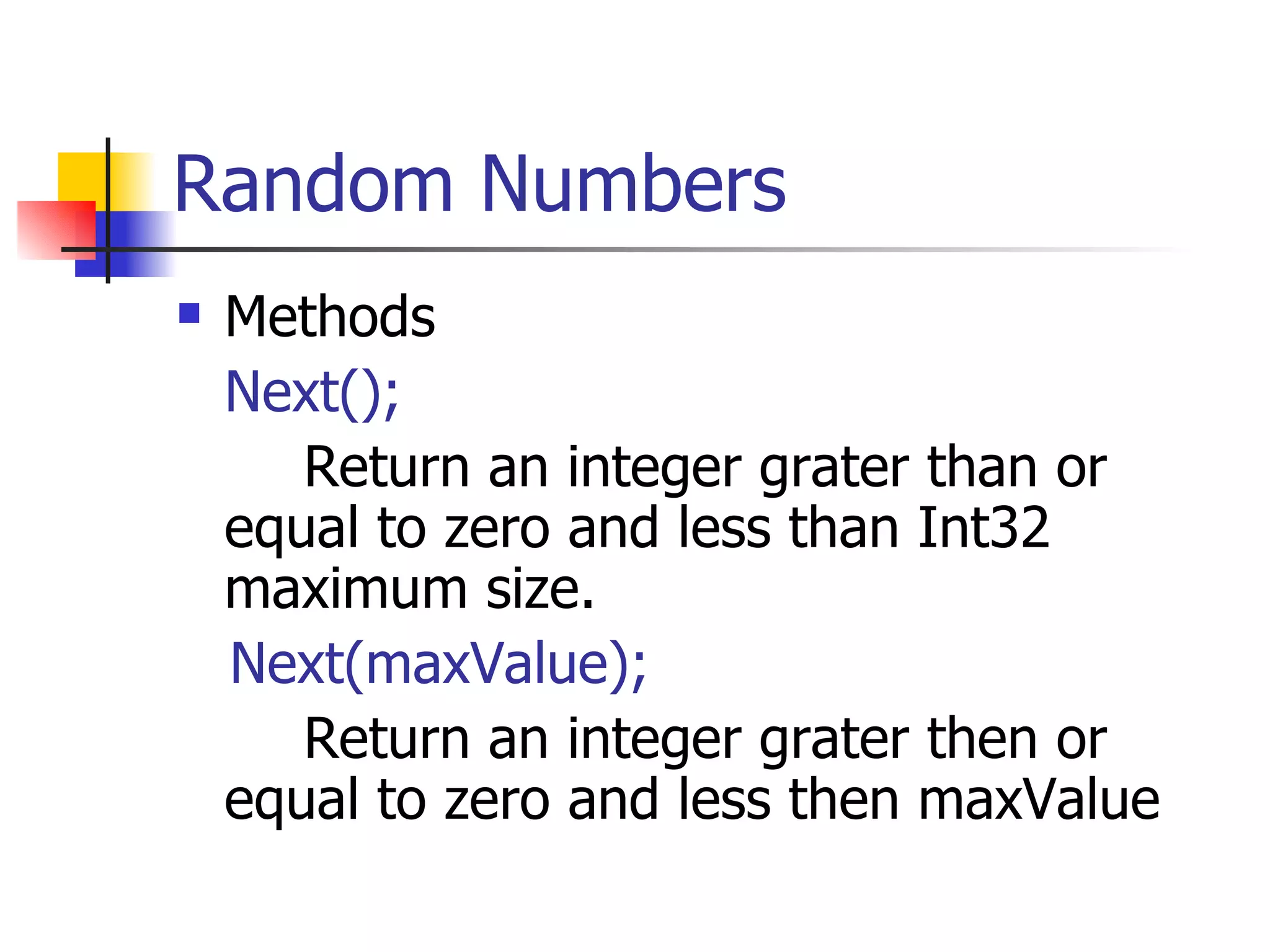
Random Numbers Methods Next(); Return an integer grater than or equal to zero and less than Int32 maximum size. Next(maxValue); Return an integer grater then or equal to zero and less then maxValue
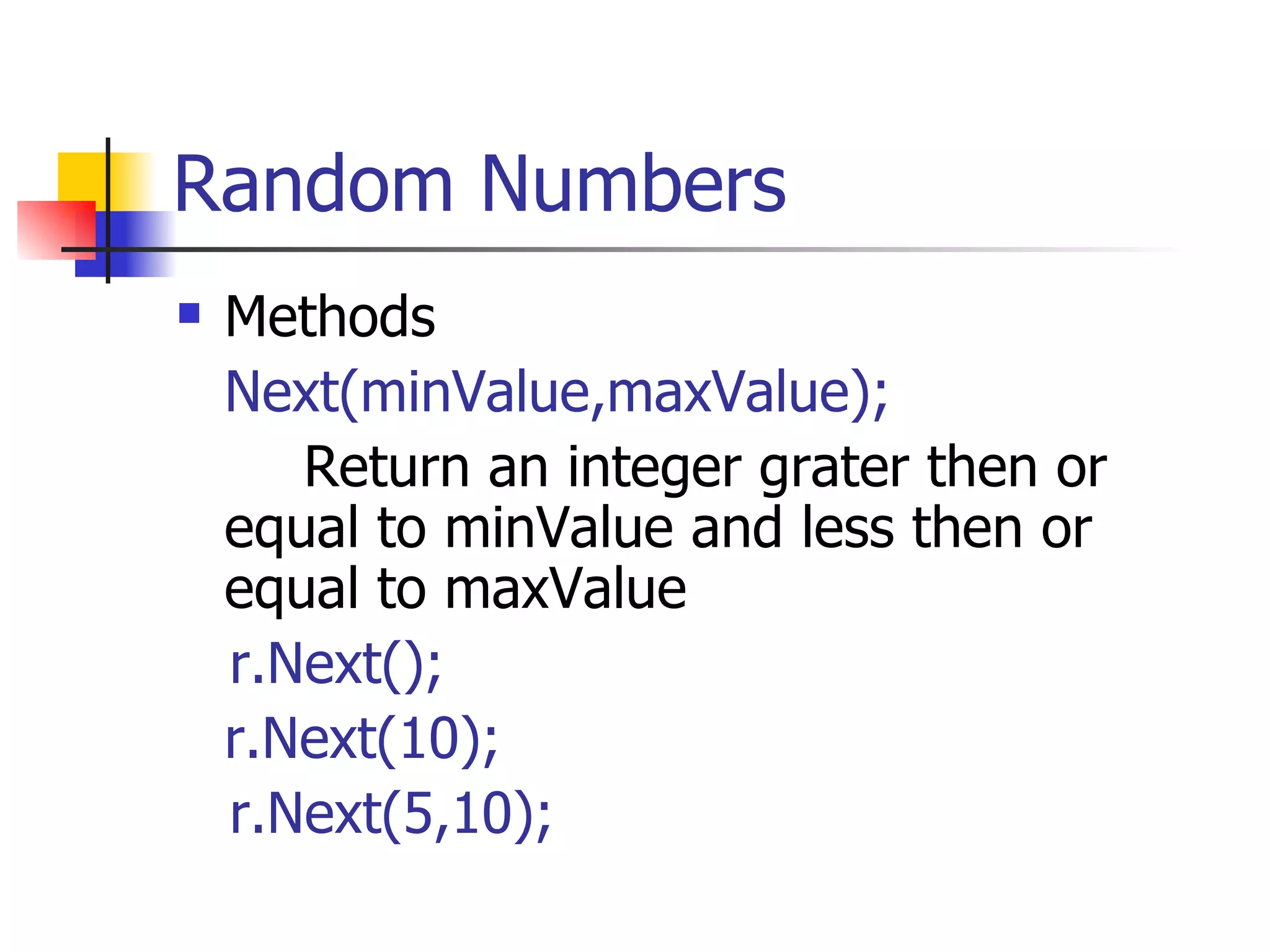
Random Numbers Methods Next(minValue,maxValue); Return an integer grater then or equal to minValue and less then or equal to maxValue  r.Next(); r.Next(10); r.Next(5,10);
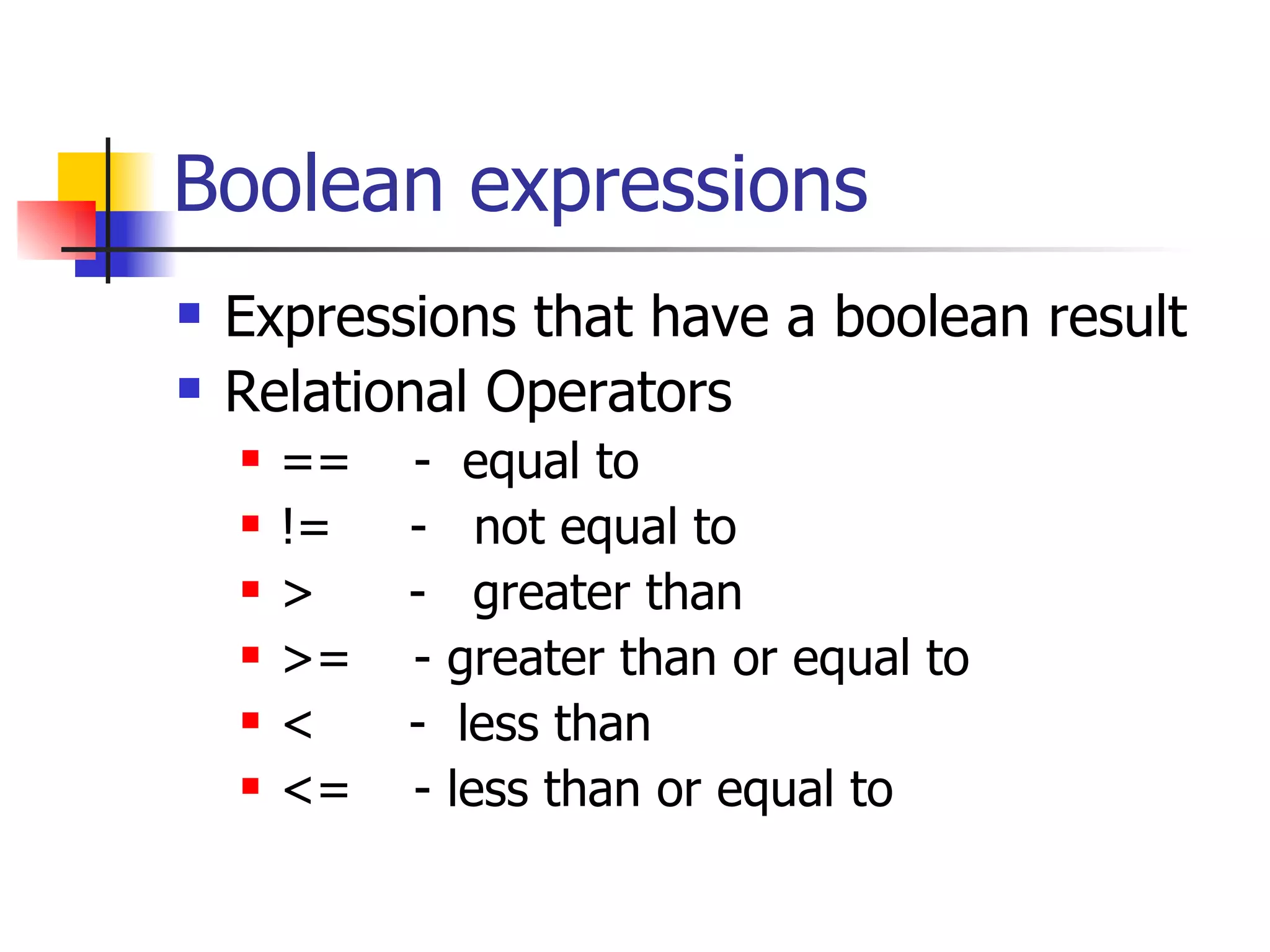
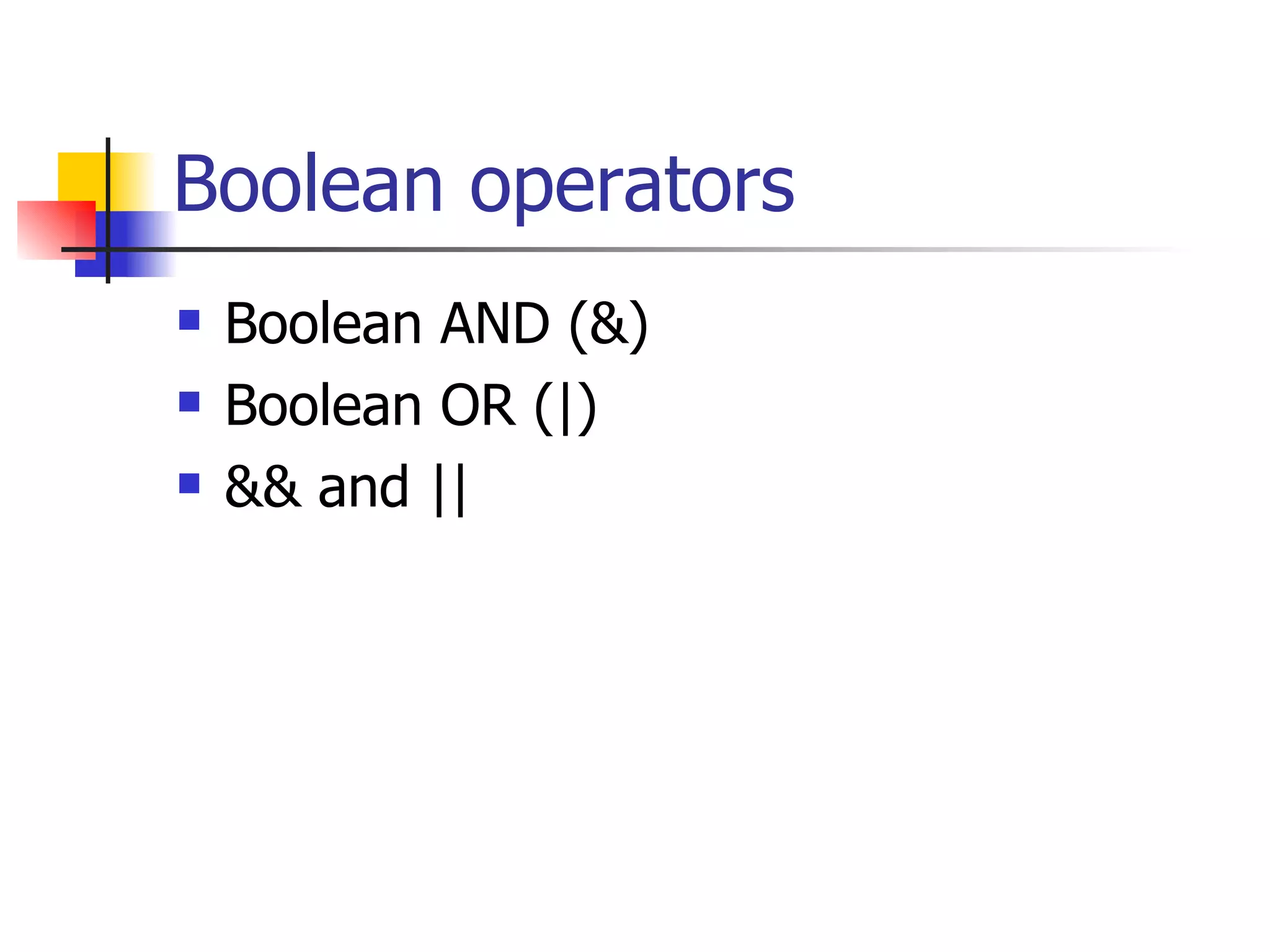
Boolean expressions Expressions that have a boolean result Relational Operators ==  -  equal to !=  -  not equal to >  -  greater than >=  - greater than or equal to <  -  less than  <=  - less than or equal to
Boolean operators Boolean AND (&) Boolean OR (|) && and ||
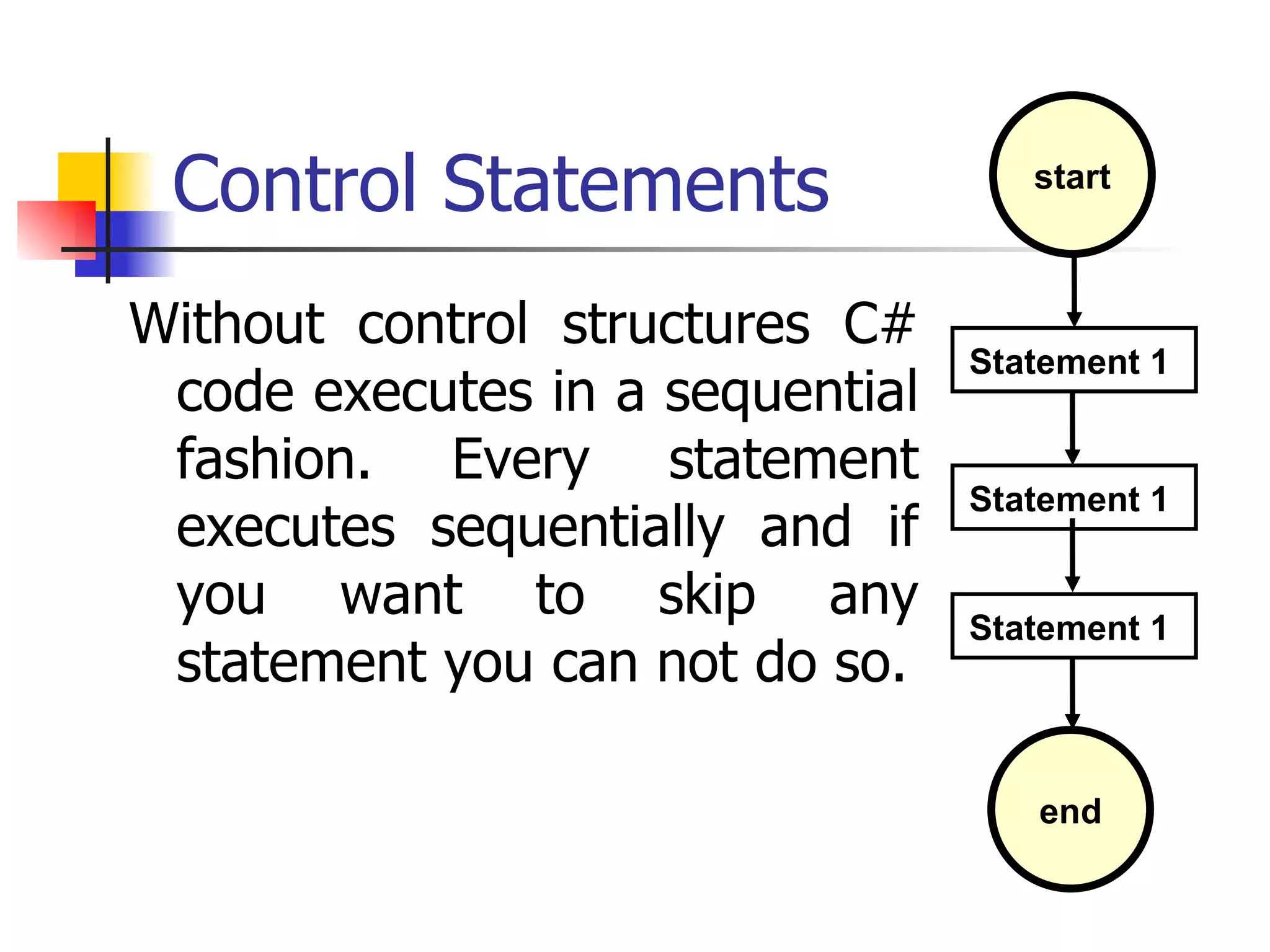
Control Statements Without control structures C# code executes in a sequential fashion. Every statement executes sequentially and if you want to skip any statement you can not do so. start end Statement 1  Statement 1  Statement 1
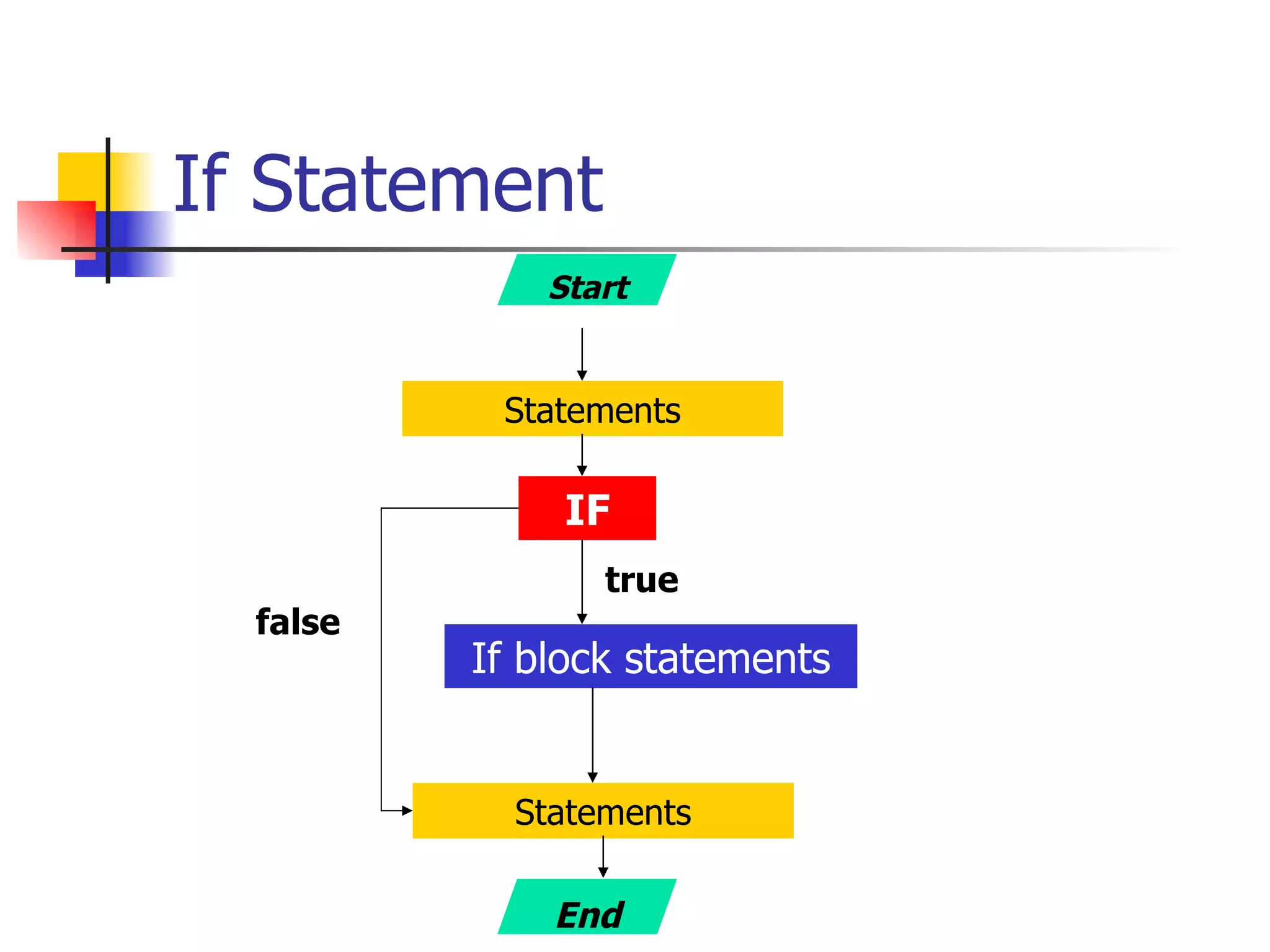
If Statement Start Statements IF If block statements Statements true false End
If Condition public void main(string[] args) { int  a =10; …… Console.WriteLine(“Before if condition”); if(a>10) { Console.WriteLine(“A is greater than 10”); } Console.WriteLine(“After if condition”); …… }
if and else public void main(string[] args) { int  a =10; Console.WriteLine(“Before if condition”); if(a>10){ Console.WriteLine(“A is greater than 10”); } else { Console.WriteLine(“A is less than 10”); } Console.WriteLine(“After if condition”); }
Nested ‘if’ statements public void main(String[] args) { int a = 11, b = 5; if (b<10) {  //First if condition  Console.WriteLine(“Inside first if”); if(a>10) {  //Nested if condition Console.WriteLine(“Inside Second if”); } Console.WriteLine(“After second if condition”); } Console.WriteLine(“After First if condition”); }
Matching Nested if and else public void main(String[] args) { int a=11,b=5; if(b<10) { Console.WriteLine (“Inside first if”); if(a>10)  Console.WriteLine(“Inside second if”); else Console.WriteLine(“Else of second if”); } else   Console.WriteLine(“Else of first if”); }
else-if public void main(string[] args) { int  a =10; Console.WriteLine(“Before if condition”); if(a>10){ Console.WriteLine(“A is greater than 10”); } else if(a>5){ Console.WriteLine(“A is greater than 5 but less then 10”); } else { Console.WriteLine(“A is less than 5”); } Console.WriteLine(“After if condition”); }
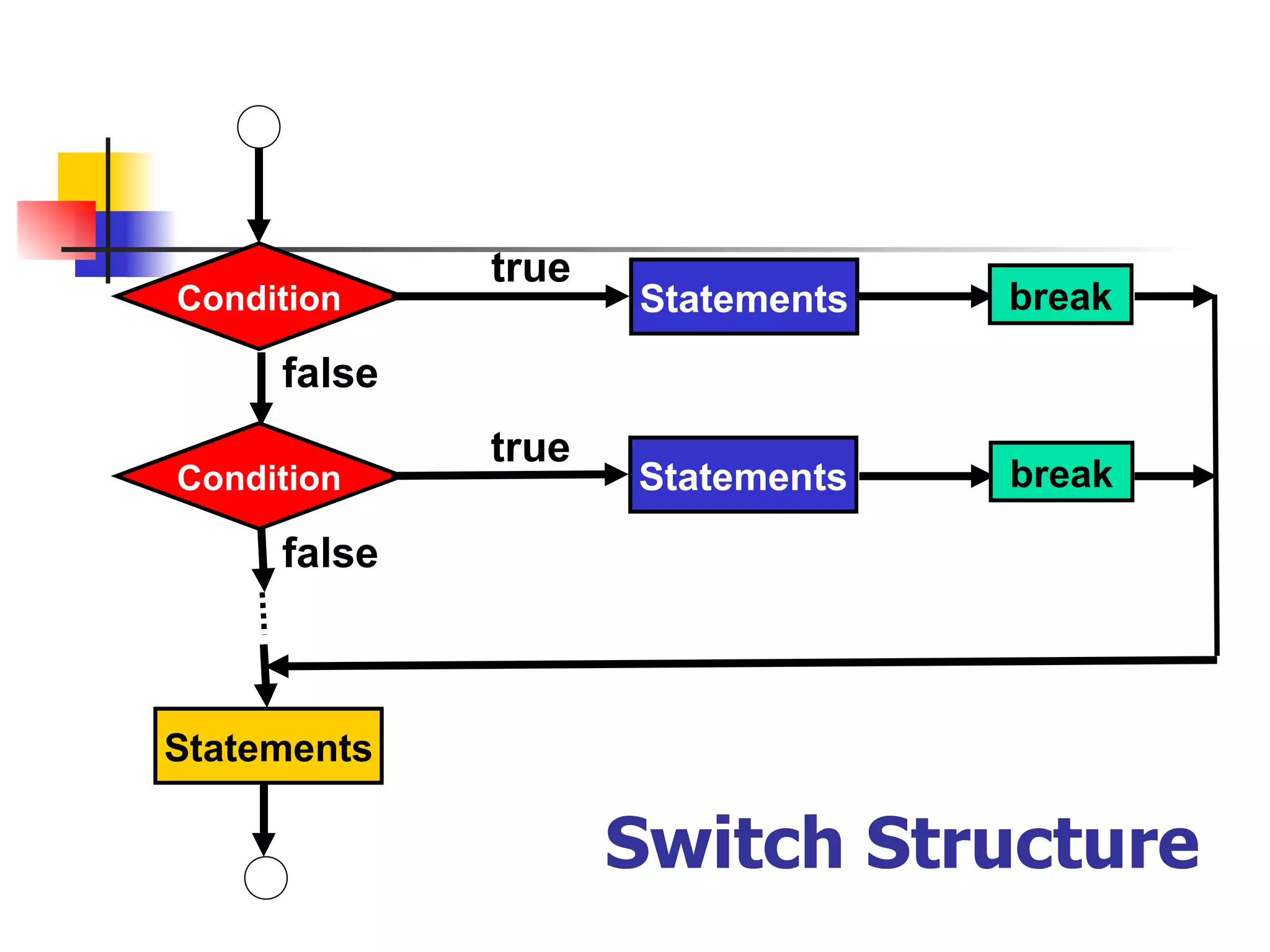
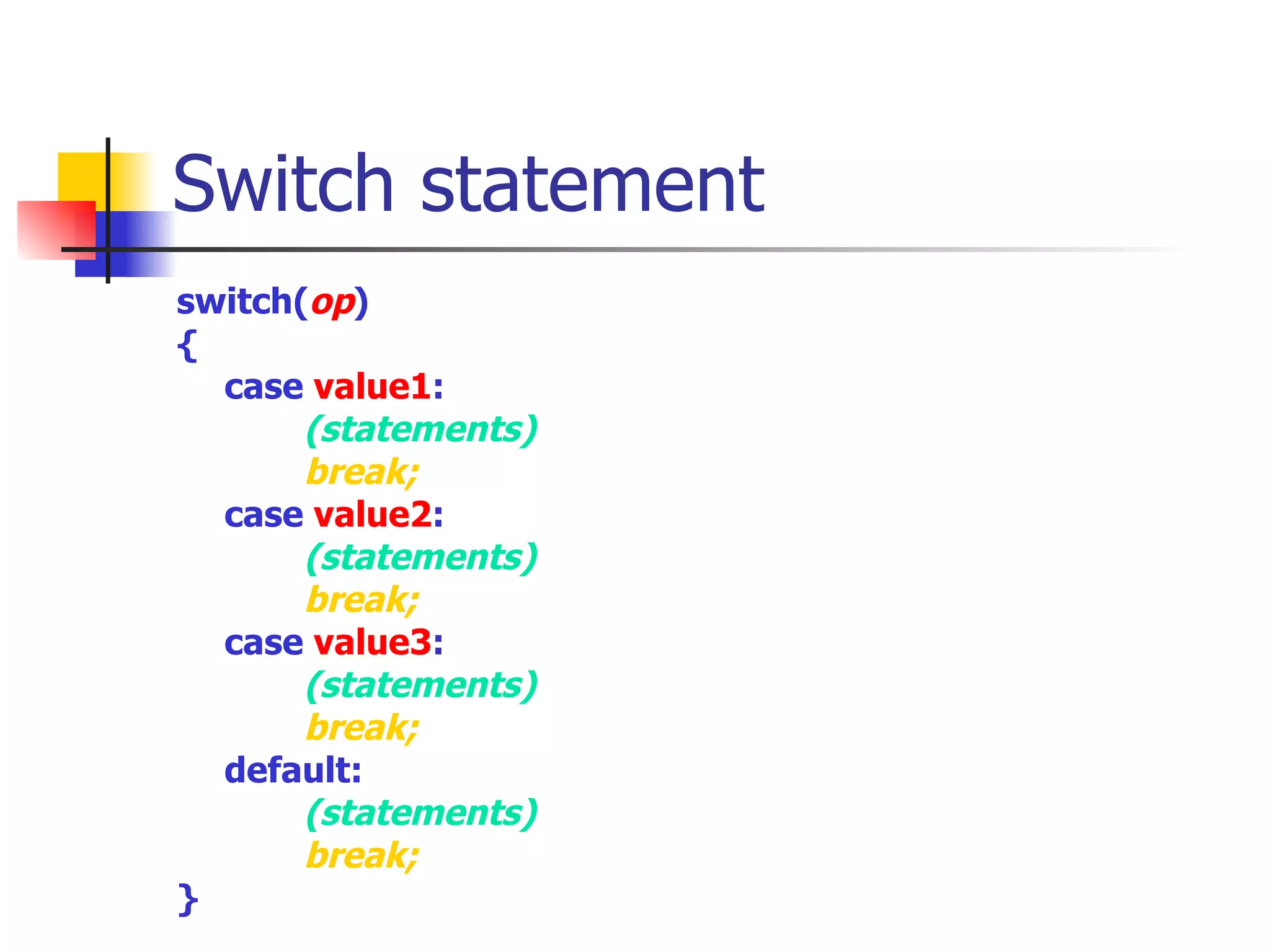
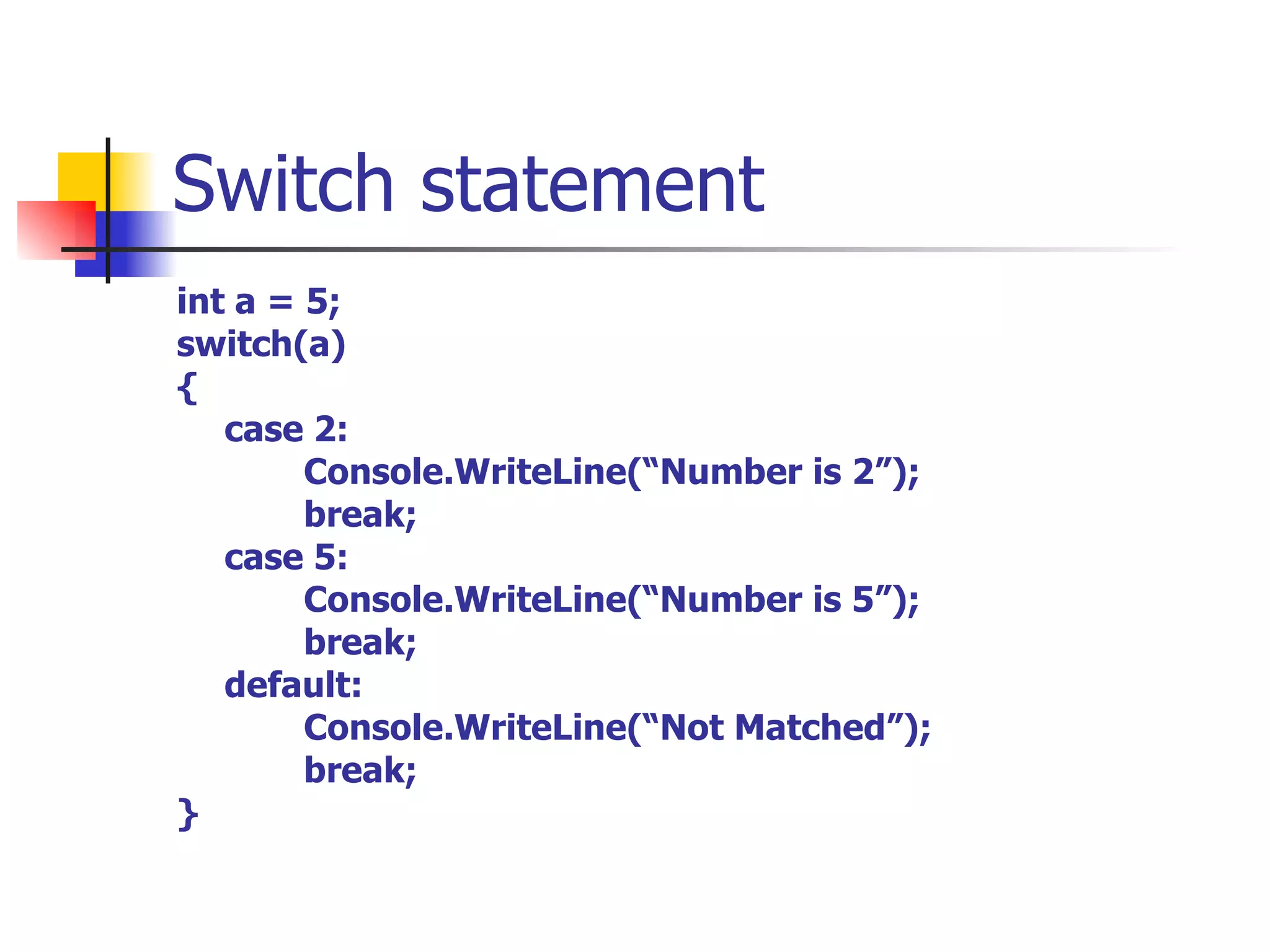
Switch statement Switch statement is ideal for testing a single expression against a series of possible values and executing the code associated with the matching case statement. If any of the case does not match then the optional default statement is executed.
Switch Structure Condition Statements true false Statements Condition Statements false true break break
Switch statement switch( op ) { case  value1 : (statements) break; case  value2 : (statements) break; case  value3 : (statements) break; default: (statements) break; }
Switch statement int a = 5; switch(a) { case 2: Console.WriteLine(“Number is 2”); break; case 5: Console.WriteLine(“Number is 5”); break; default: Console.WriteLine(“Not Matched”); break; }
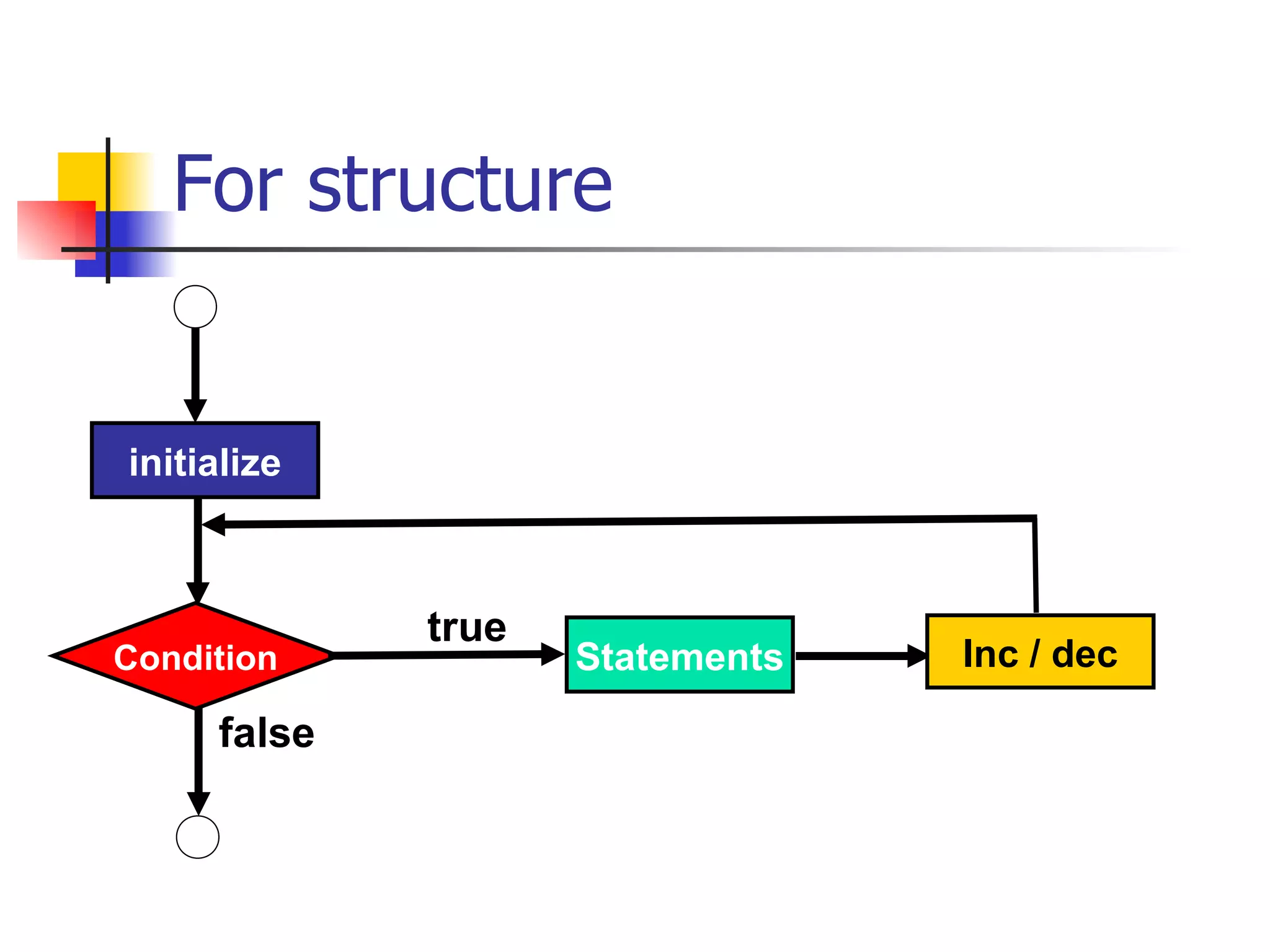
For loop The for loop provides a means to repeat a section of code a designated number of times. The for loop is structured so that a section of code is repeated until some limit has been reached.
initialize Condition Statements false true Inc / dec For structure
For loop public static void main(String[] args) { … .. for( < init block>  ;  < condition>  ; < increment> ) { <statement(s)> } … . }
Example public static void main(String[] args) { … .. for( int a=0   ;  a<10   ;  a++ ) { Console.WriteLine(“A = “+a); } } Result of a ten times
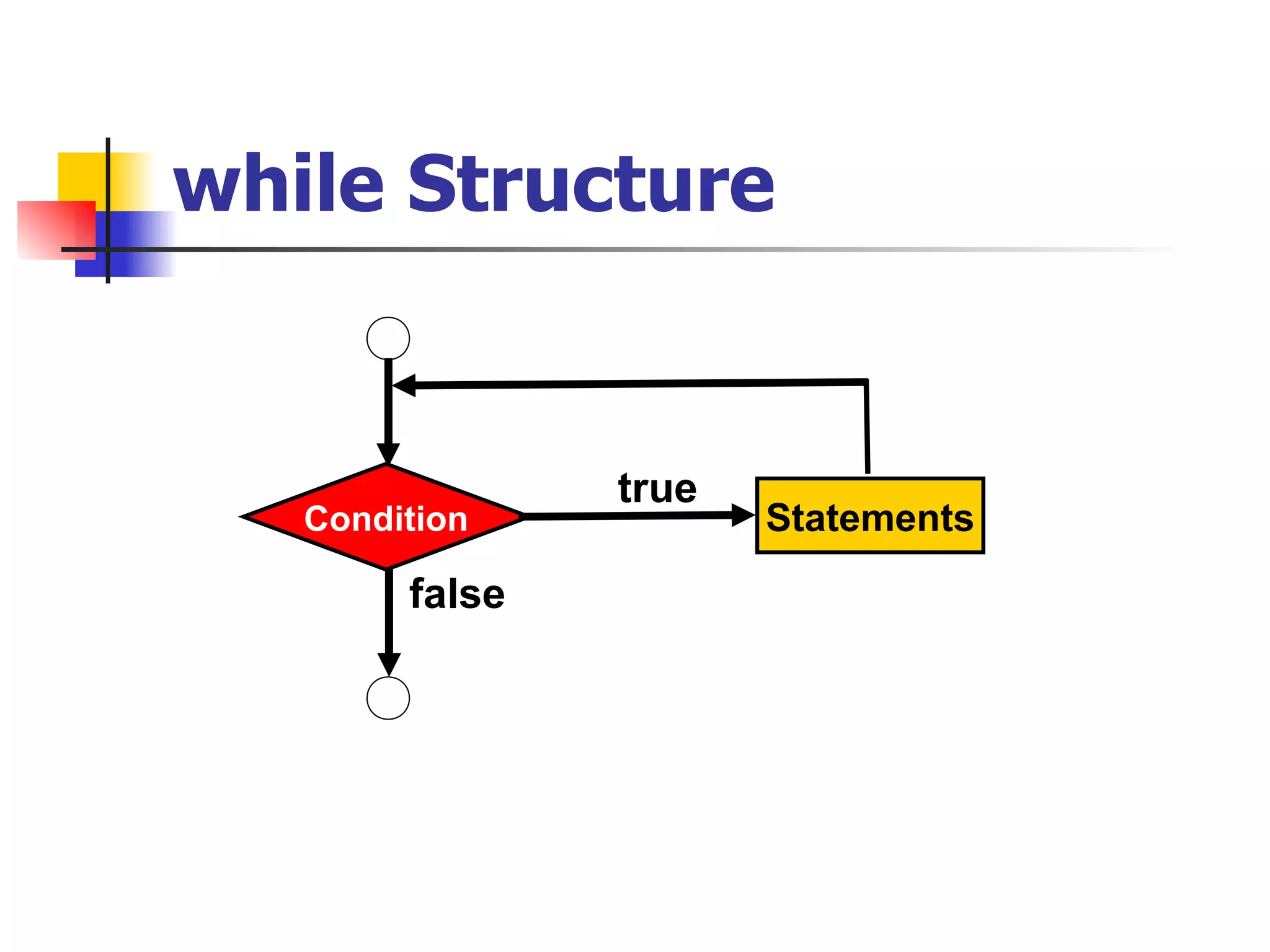
while Statement Like the for loop, the while loop has a loop condition that controls the execution of the loop statement. If the boolean  condition e valuates to true, the  Statement  is executed and the process starts over
while Structure Condition Statements false true
While loop public static void main(String[] args) { … .. while( < condition> ) { <statement(s)> } … . }
Example public static void main(string[] args) { … .. int a = 1; while ( a < 10 ) {   Console.WriteLine(a);   a++; } … .. }
While loop The important thing to notice about the while loop is that its  condition  occurs before the body of the loop  Statement . This means that if the  condition  initially evaluates to false, the  Statement  is never executed.
do-while Statement The do-while loop is very similar to the while loop, The major difference between the do-while loop and the while loop is that a do-while loop is guaranteed to execute at least once.
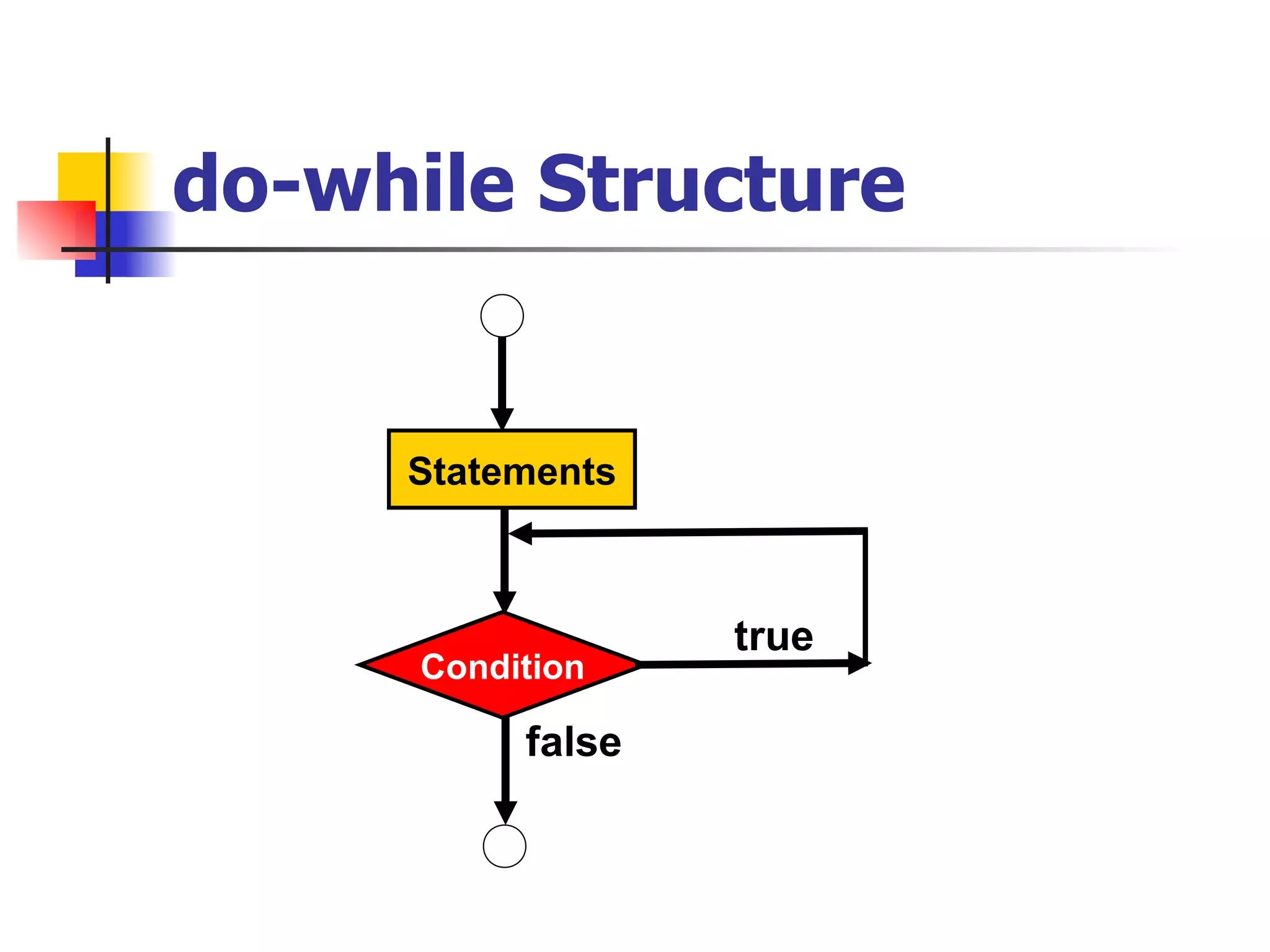
do-while Structure Statements Condition false true
do-while public static void main(String[] args) { … .. do { <statement(s)> }  while( < condition> ); … . }
do-while The  Statement  is executed initially, and from then on it is executed as long as the  condition  evaluates to true.
Example public static void main(string[] args) { … .. int a = 1; do {   Console.WriteLine(a); a++; } while ( a < 10 ); … .. }
‘ break’ and ‘continue’ ‘ break’: used to terminate and jump out of the loop ‘ continue’: jumps to the next iteration of the loop
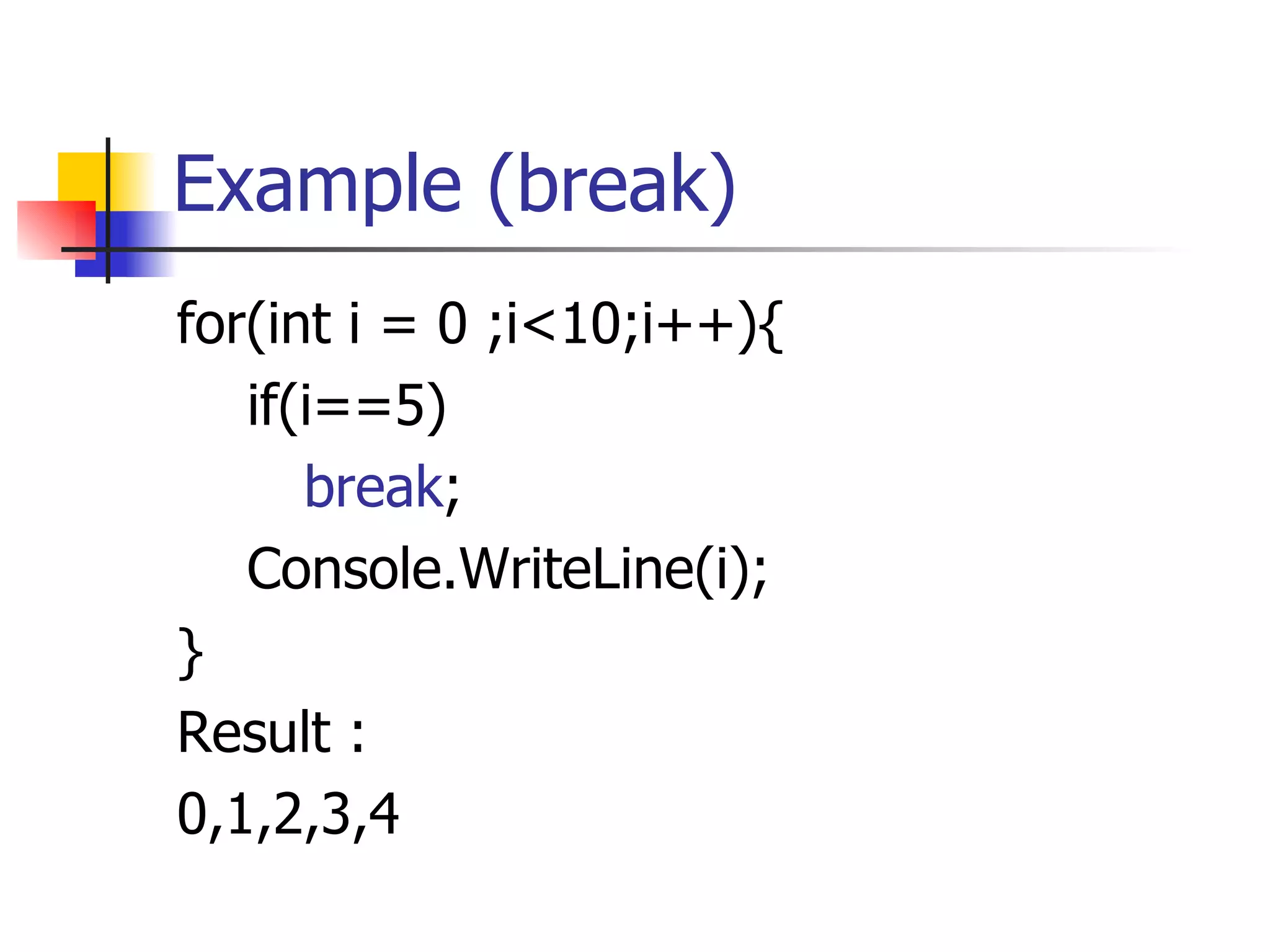
Example (break) for(int i = 0 ;i<10;i++){ if(i==5) break ; Console.WriteLine(i); } Result : 0,1,2,3,4
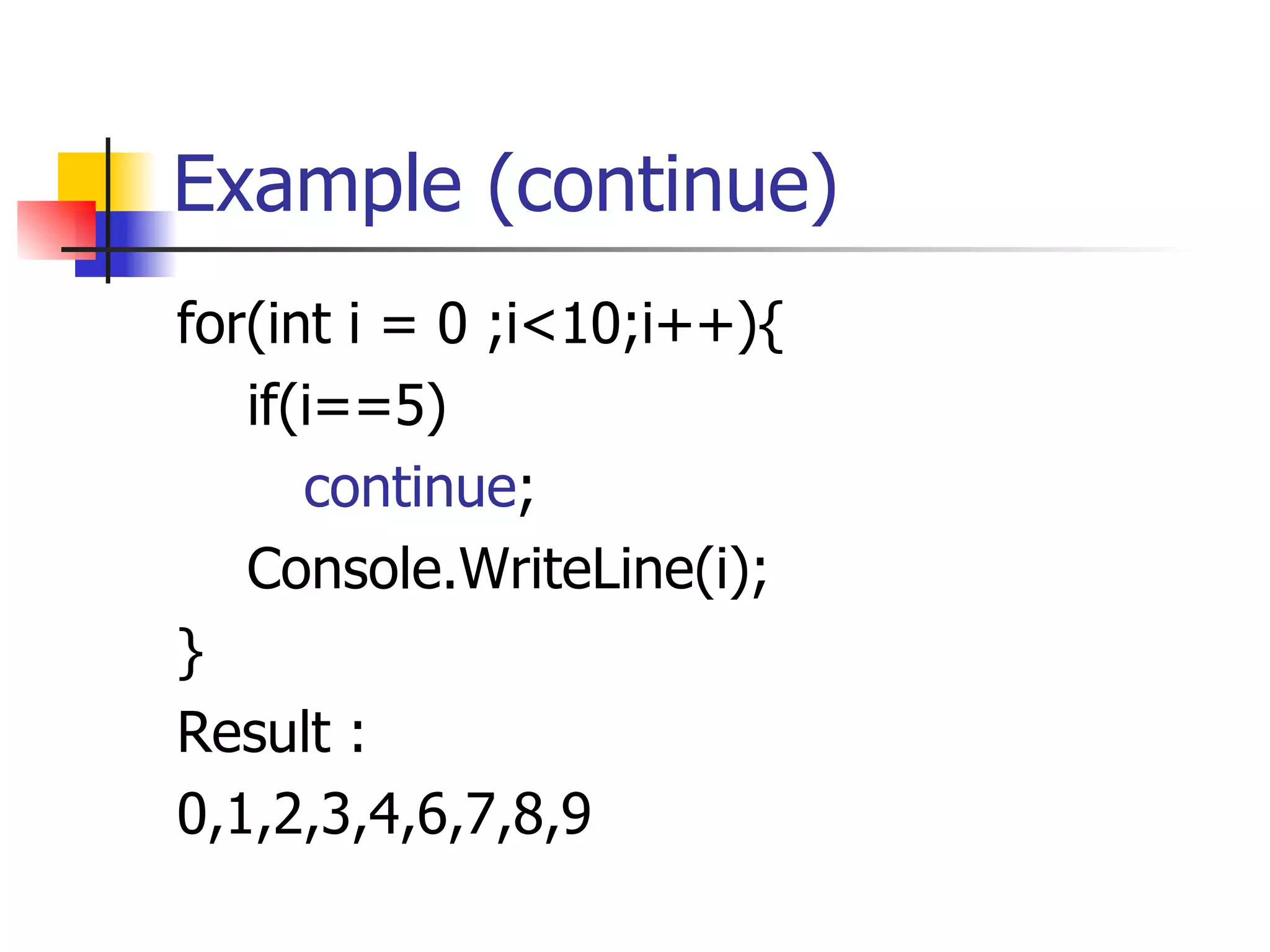
Example (continue) for(int i = 0 ;i<10;i++){ if(i==5) continue ; Console.WriteLine(i); } Result : 0,1,2,3,4,6,7,8,9
Nested loops public static void main(string[] args) { … .. for( < init block>  ;  < condition>  ; < increment> ) { for( < init block>  ;  < condition>  ; < increment> ) { <statement(s)> }  //end of inner for loop  }  //end of outer for loop  … . }
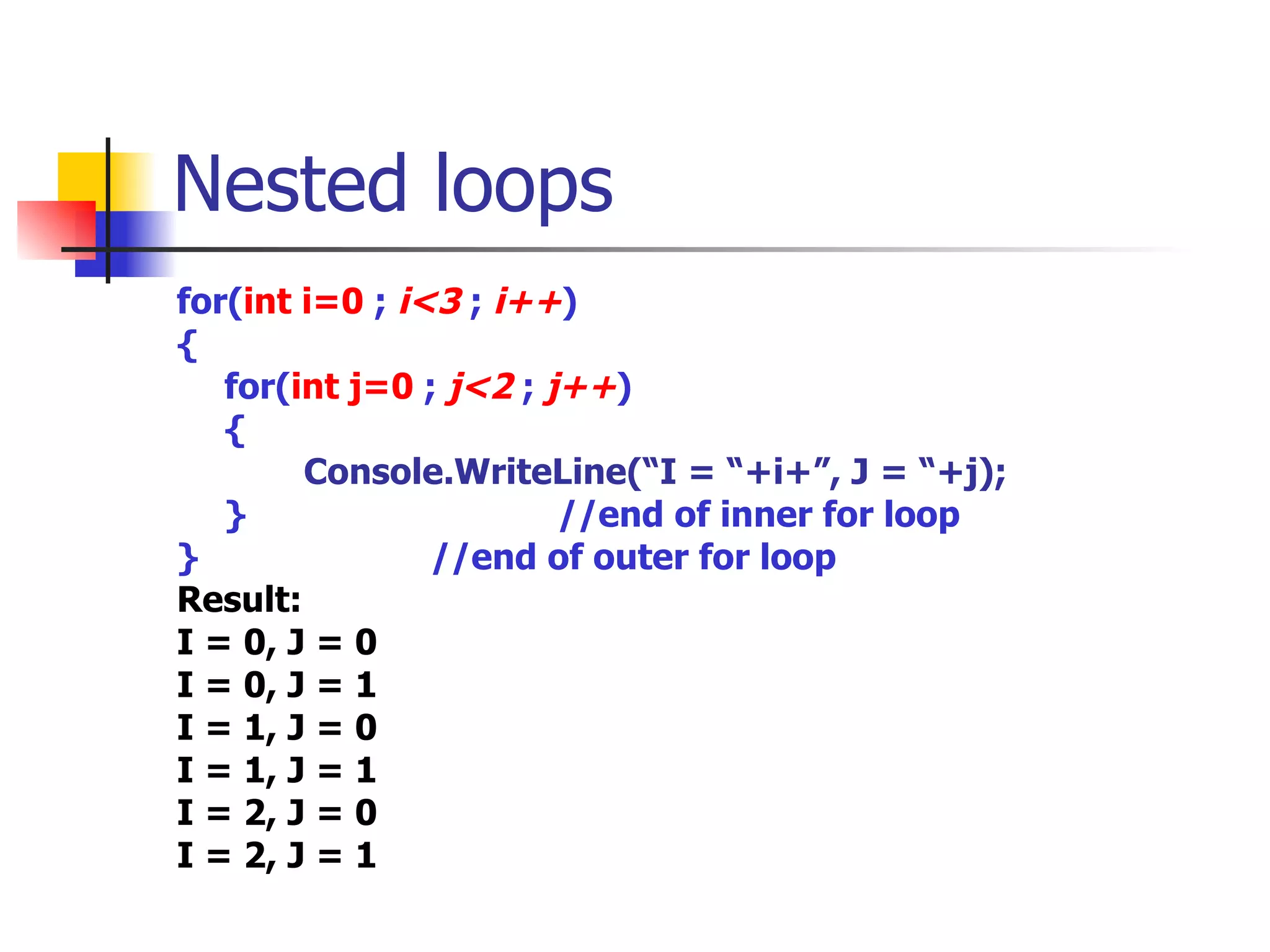
Nested loops for( int i=0   ;  i<3  ;  i++ ) { for( int j=0   ;  j<2  ;  j++ ) { Console.WriteLine(“I = “+i+”, J = “+j); }  //end of inner for loop  }  //end of outer for loop  Result: I = 0, J = 0 I = 0, J = 1 I = 1, J = 0 I = 1, J = 1 I = 2, J = 0 I = 2, J = 1
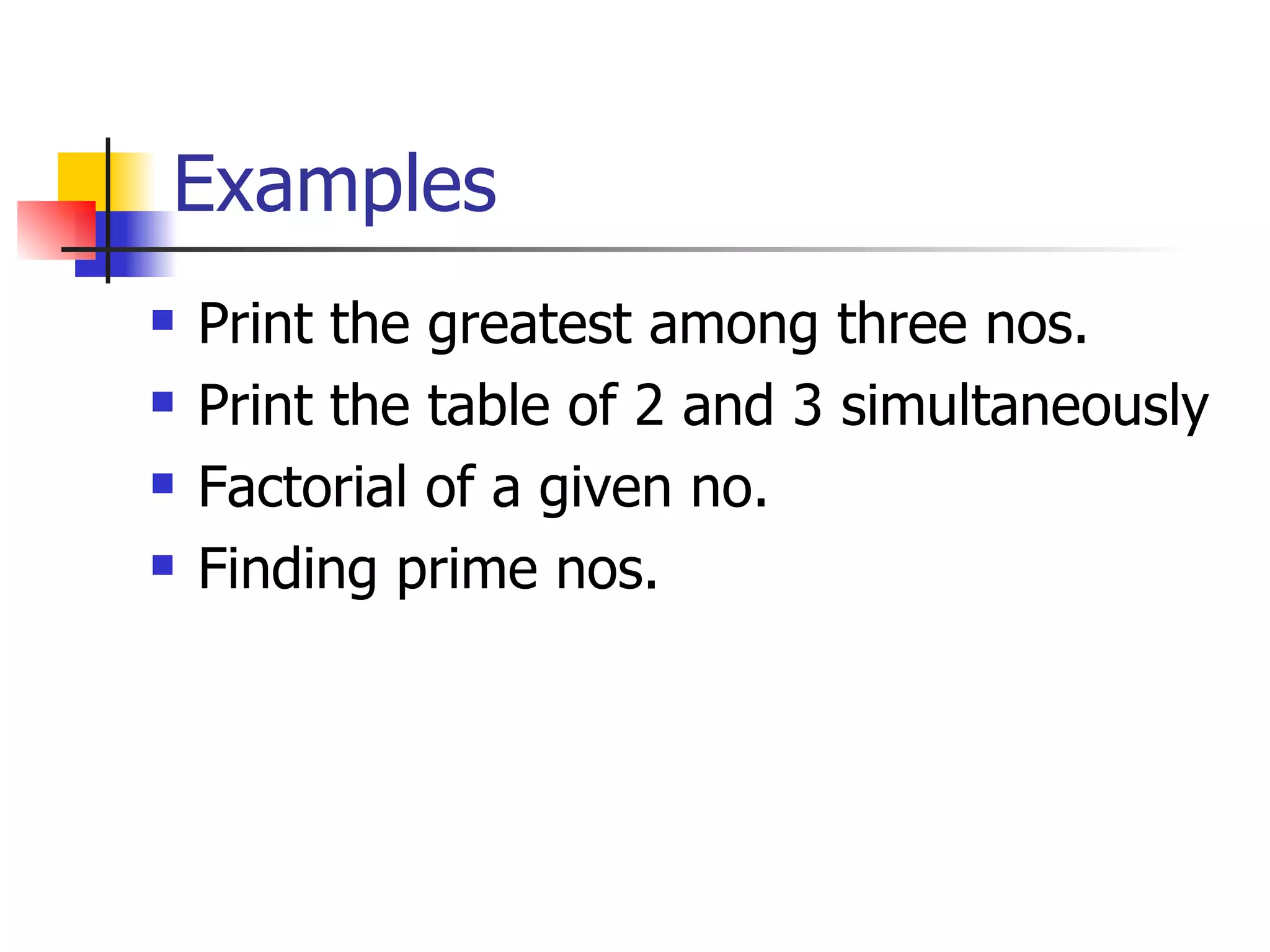
Examples Print the greatest among three nos. Print the table of 2 and 3 simultaneously Factorial of a given no. Finding prime nos.
Examples Exercise  Write an application that creates a random number integer between 0 and 10. Then use a nested if to print out whether that number is between 0 and 2, 3 and 5, 6 and 8, 9 and 10.
Examples Exercise : Write a program that acts as a calculator for balancing a check   book.  It should take an initial balance and then a sequence of deposits and withdrawals.   When done the program should print the final balance.
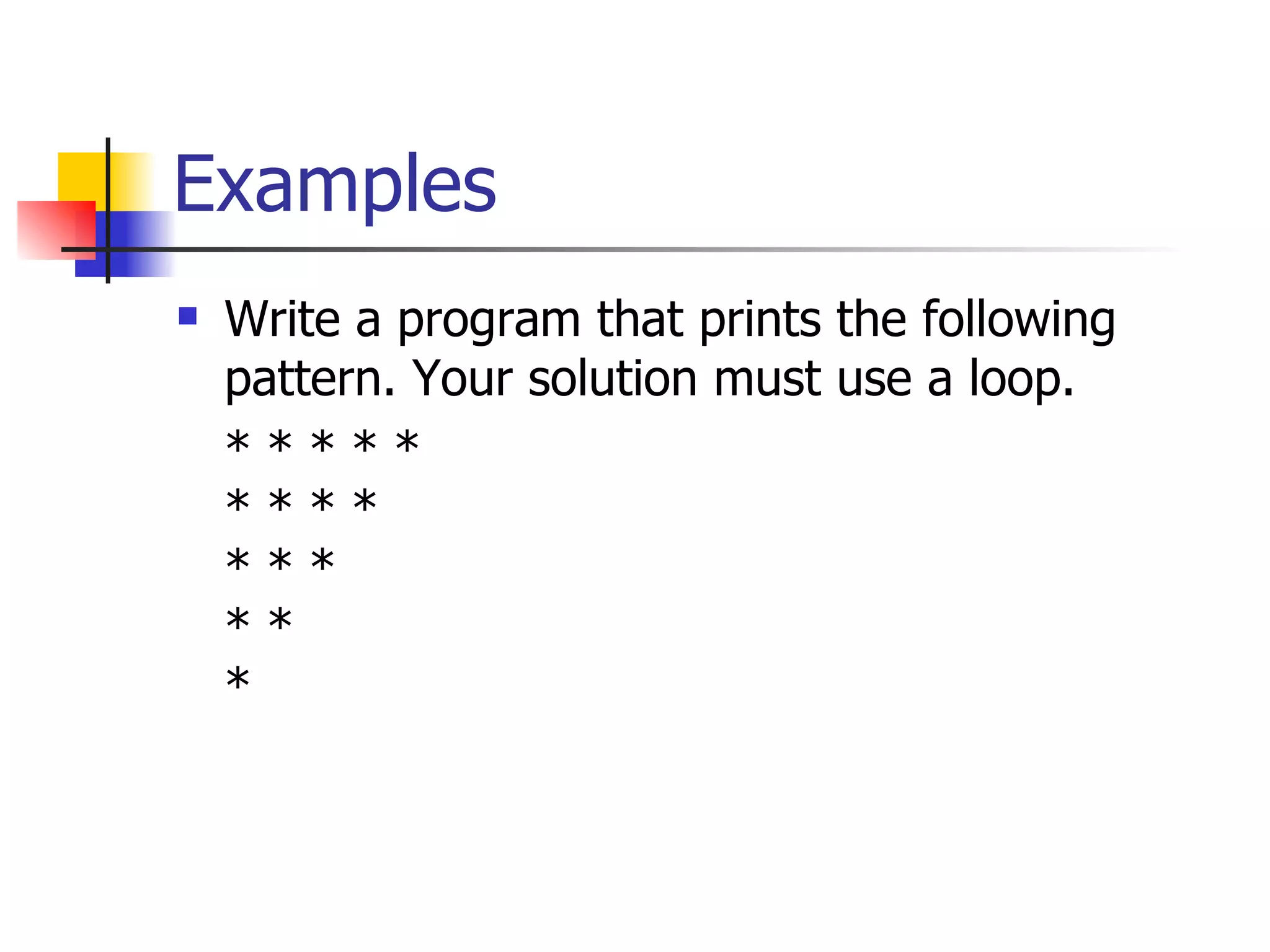
Examples Write a program that prints the following pattern. Your solution must use a loop.  * * * * *  * * * *  * * *  * *  *   
Example Exercise :   Write a  program  that simulates rolling a pair of dice until the total on the dice comes up to be a given number. The number that you are rolling for is  fixed in a variable . The number of times you have to roll the dice is the  output of the program . You can assume that the parameter is one of the possible totals: 2, 3, ..., 12. Use your program that computes and prints the number of rolls it takes to get snake eyes. (Snake eyes means that the total showing on the dice is 2.)

Loops

  • 1.
    Software Development Training Program Mr. Zia Khan, and Mr. Zeeshan Hanif
  • 2.
    DotNet-101 Lecture 4Zeeshan Hanif [email_address] [email_address]
  • 3.
    Random Numbers .NetFramework provide a class Random in System namespace that can be used to generate random numbers. Random r = new Random(); int a = r.Next(); Console.WriteLine(a); any random number maximum of Int32 size
  • 4.
    Random Numbers MethodsNext(); Return an integer grater than or equal to zero and less than Int32 maximum size. Next(maxValue); Return an integer grater then or equal to zero and less then maxValue
  • 5.
    Random Numbers MethodsNext(minValue,maxValue); Return an integer grater then or equal to minValue and less then or equal to maxValue r.Next(); r.Next(10); r.Next(5,10);
  • 6.
    Boolean expressions Expressionsthat have a boolean result Relational Operators == - equal to != - not equal to > - greater than >= - greater than or equal to < - less than <= - less than or equal to
  • 7.
    Boolean operators BooleanAND (&) Boolean OR (|) && and ||
  • 8.
    Control Statements Withoutcontrol structures C# code executes in a sequential fashion. Every statement executes sequentially and if you want to skip any statement you can not do so. start end Statement 1 Statement 1 Statement 1
  • 9.
    If Statement StartStatements IF If block statements Statements true false End
  • 10.
    If Condition publicvoid main(string[] args) { int a =10; …… Console.WriteLine(“Before if condition”); if(a>10) { Console.WriteLine(“A is greater than 10”); } Console.WriteLine(“After if condition”); …… }
  • 11.
    if and elsepublic void main(string[] args) { int a =10; Console.WriteLine(“Before if condition”); if(a>10){ Console.WriteLine(“A is greater than 10”); } else { Console.WriteLine(“A is less than 10”); } Console.WriteLine(“After if condition”); }
  • 12.
    Nested ‘if’ statementspublic void main(String[] args) { int a = 11, b = 5; if (b<10) { //First if condition Console.WriteLine(“Inside first if”); if(a>10) { //Nested if condition Console.WriteLine(“Inside Second if”); } Console.WriteLine(“After second if condition”); } Console.WriteLine(“After First if condition”); }
  • 13.
    Matching Nested ifand else public void main(String[] args) { int a=11,b=5; if(b<10) { Console.WriteLine (“Inside first if”); if(a>10) Console.WriteLine(“Inside second if”); else Console.WriteLine(“Else of second if”); } else Console.WriteLine(“Else of first if”); }
  • 14.
    else-if public voidmain(string[] args) { int a =10; Console.WriteLine(“Before if condition”); if(a>10){ Console.WriteLine(“A is greater than 10”); } else if(a>5){ Console.WriteLine(“A is greater than 5 but less then 10”); } else { Console.WriteLine(“A is less than 5”); } Console.WriteLine(“After if condition”); }
  • 15.
    Switch statement Switchstatement is ideal for testing a single expression against a series of possible values and executing the code associated with the matching case statement. If any of the case does not match then the optional default statement is executed.
  • 16.
    Switch Structure ConditionStatements true false Statements Condition Statements false true break break
  • 17.
    Switch statement switch(op ) { case value1 : (statements) break; case value2 : (statements) break; case value3 : (statements) break; default: (statements) break; }
  • 18.
    Switch statement inta = 5; switch(a) { case 2: Console.WriteLine(“Number is 2”); break; case 5: Console.WriteLine(“Number is 5”); break; default: Console.WriteLine(“Not Matched”); break; }
  • 19.
    For loop Thefor loop provides a means to repeat a section of code a designated number of times. The for loop is structured so that a section of code is repeated until some limit has been reached.
  • 20.
    initialize Condition Statementsfalse true Inc / dec For structure
  • 21.
    For loop publicstatic void main(String[] args) { … .. for( < init block> ; < condition> ; < increment> ) { <statement(s)> } … . }
  • 22.
    Example public staticvoid main(String[] args) { … .. for( int a=0 ; a<10 ; a++ ) { Console.WriteLine(“A = “+a); } } Result of a ten times
  • 23.
    while Statement Likethe for loop, the while loop has a loop condition that controls the execution of the loop statement. If the boolean condition e valuates to true, the Statement is executed and the process starts over
  • 24.
    while Structure ConditionStatements false true
  • 25.
    While loop publicstatic void main(String[] args) { … .. while( < condition> ) { <statement(s)> } … . }
  • 26.
    Example public staticvoid main(string[] args) { … .. int a = 1; while ( a < 10 ) { Console.WriteLine(a); a++; } … .. }
  • 27.
    While loop Theimportant thing to notice about the while loop is that its condition occurs before the body of the loop Statement . This means that if the condition initially evaluates to false, the Statement is never executed.
  • 28.
    do-while Statement Thedo-while loop is very similar to the while loop, The major difference between the do-while loop and the while loop is that a do-while loop is guaranteed to execute at least once.
  • 29.
    do-while Structure StatementsCondition false true
  • 30.
    do-while public staticvoid main(String[] args) { … .. do { <statement(s)> } while( < condition> ); … . }
  • 31.
    do-while The Statement is executed initially, and from then on it is executed as long as the condition evaluates to true.
  • 32.
    Example public staticvoid main(string[] args) { … .. int a = 1; do { Console.WriteLine(a); a++; } while ( a < 10 ); … .. }
  • 33.
    ‘ break’ and‘continue’ ‘ break’: used to terminate and jump out of the loop ‘ continue’: jumps to the next iteration of the loop
  • 34.
    Example (break) for(inti = 0 ;i<10;i++){ if(i==5) break ; Console.WriteLine(i); } Result : 0,1,2,3,4
  • 35.
    Example (continue) for(inti = 0 ;i<10;i++){ if(i==5) continue ; Console.WriteLine(i); } Result : 0,1,2,3,4,6,7,8,9
  • 36.
    Nested loops publicstatic void main(string[] args) { … .. for( < init block> ; < condition> ; < increment> ) { for( < init block> ; < condition> ; < increment> ) { <statement(s)> } //end of inner for loop } //end of outer for loop … . }
  • 37.
    Nested loops for(int i=0 ; i<3 ; i++ ) { for( int j=0 ; j<2 ; j++ ) { Console.WriteLine(“I = “+i+”, J = “+j); } //end of inner for loop } //end of outer for loop Result: I = 0, J = 0 I = 0, J = 1 I = 1, J = 0 I = 1, J = 1 I = 2, J = 0 I = 2, J = 1
  • 38.
    Examples Print thegreatest among three nos. Print the table of 2 and 3 simultaneously Factorial of a given no. Finding prime nos.
  • 39.
    Examples Exercise Write an application that creates a random number integer between 0 and 10. Then use a nested if to print out whether that number is between 0 and 2, 3 and 5, 6 and 8, 9 and 10.
  • 40.
    Examples Exercise :Write a program that acts as a calculator for balancing a check book.  It should take an initial balance and then a sequence of deposits and withdrawals.   When done the program should print the final balance.
  • 41.
    Examples Write aprogram that prints the following pattern. Your solution must use a loop. * * * * * * * * * * * * * * *  
  • 42.
    Example Exercise : Write a program that simulates rolling a pair of dice until the total on the dice comes up to be a given number. The number that you are rolling for is fixed in a variable . The number of times you have to roll the dice is the output of the program . You can assume that the parameter is one of the possible totals: 2, 3, ..., 12. Use your program that computes and prints the number of rolls it takes to get snake eyes. (Snake eyes means that the total showing on the dice is 2.)