Conditional Statements
Implementing
Control-Flow Logic in C#
Svetlin Nakov
Technical Trainer
www.nakov.com
Software University
http://softuni.bg
2
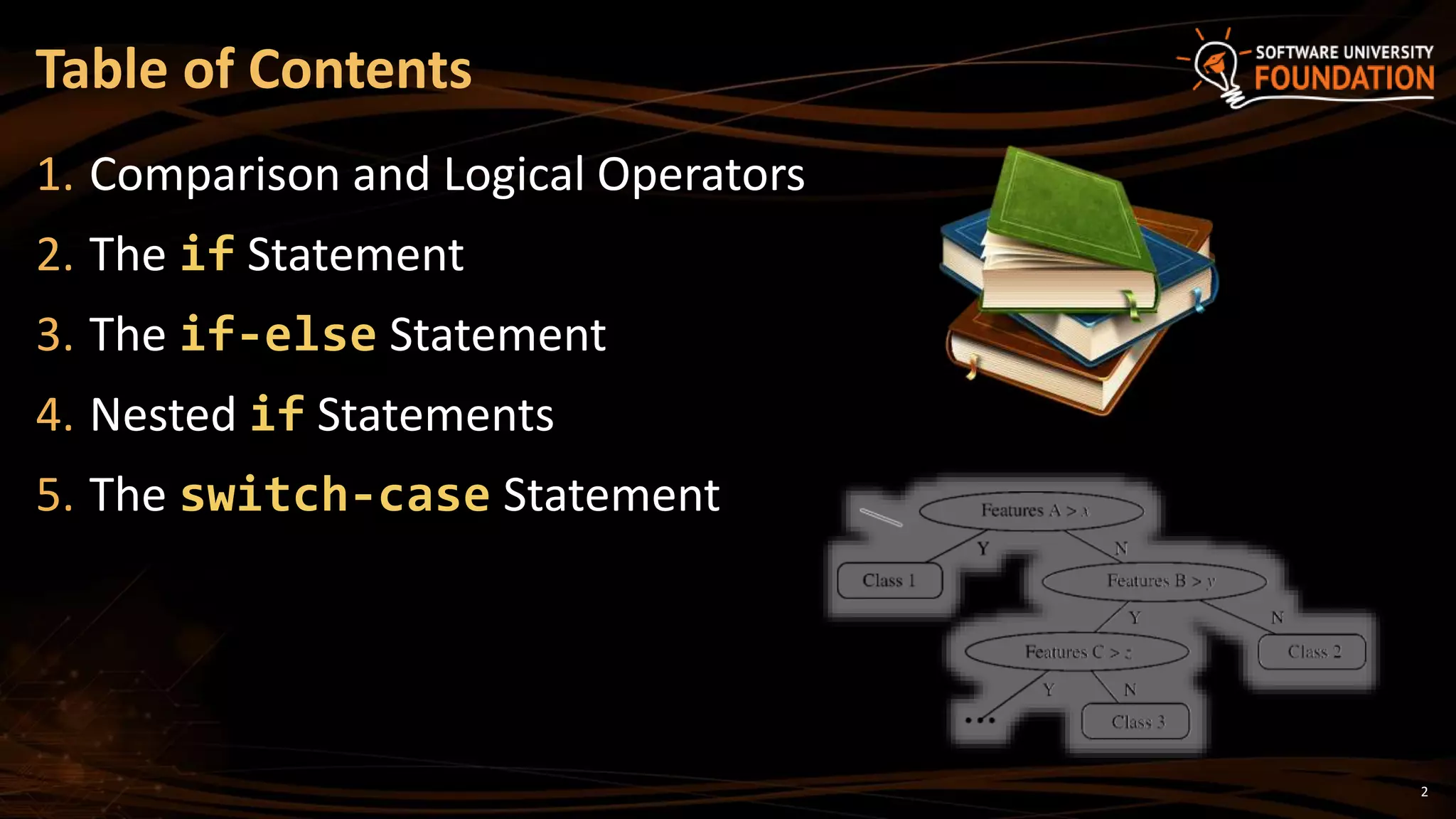
1. Comparison and Logical Operators
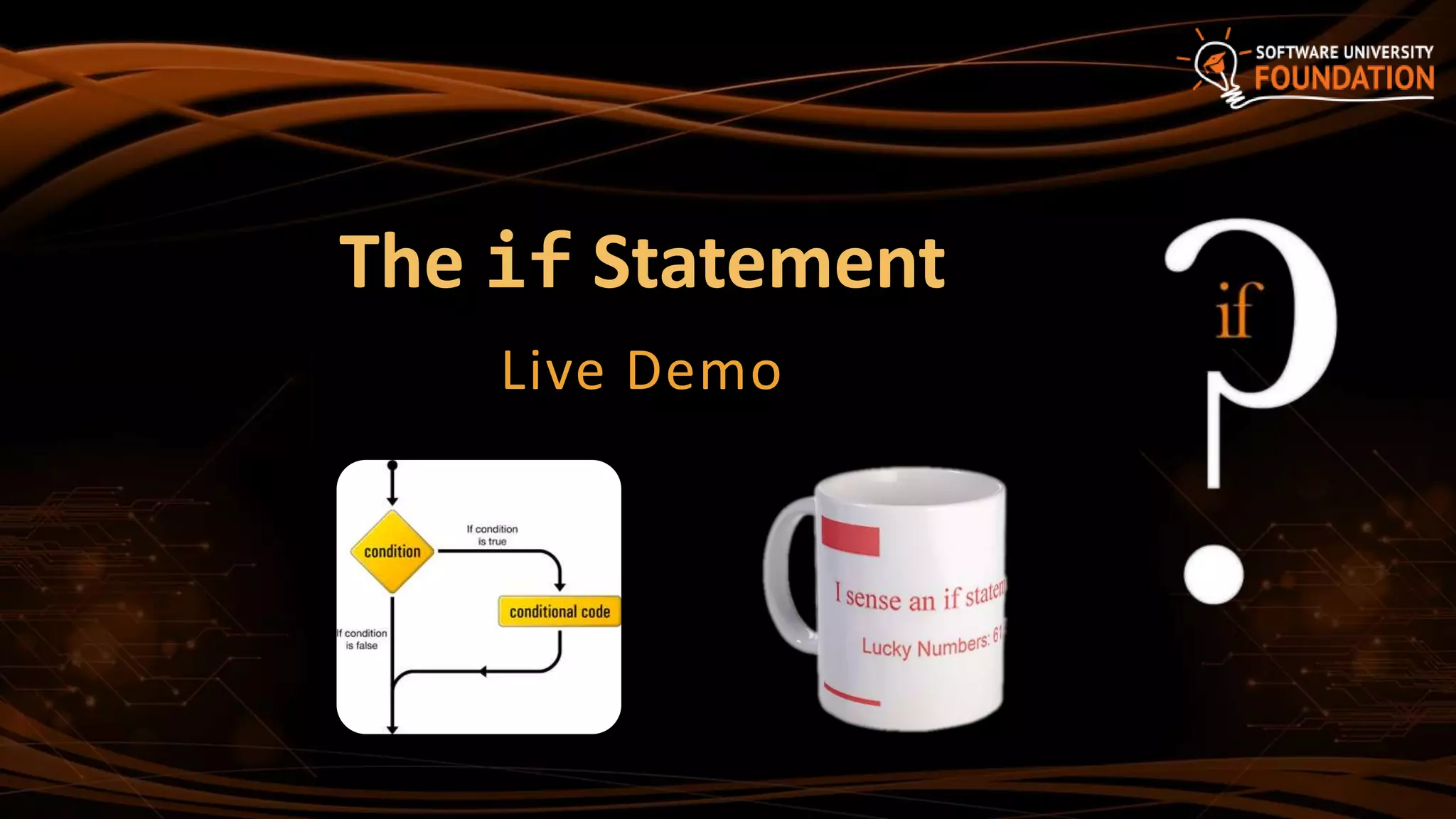
2. The if Statement
3. The if-else Statement
4. Nested if Statements
5. The switch-case Statement
Table of Contents
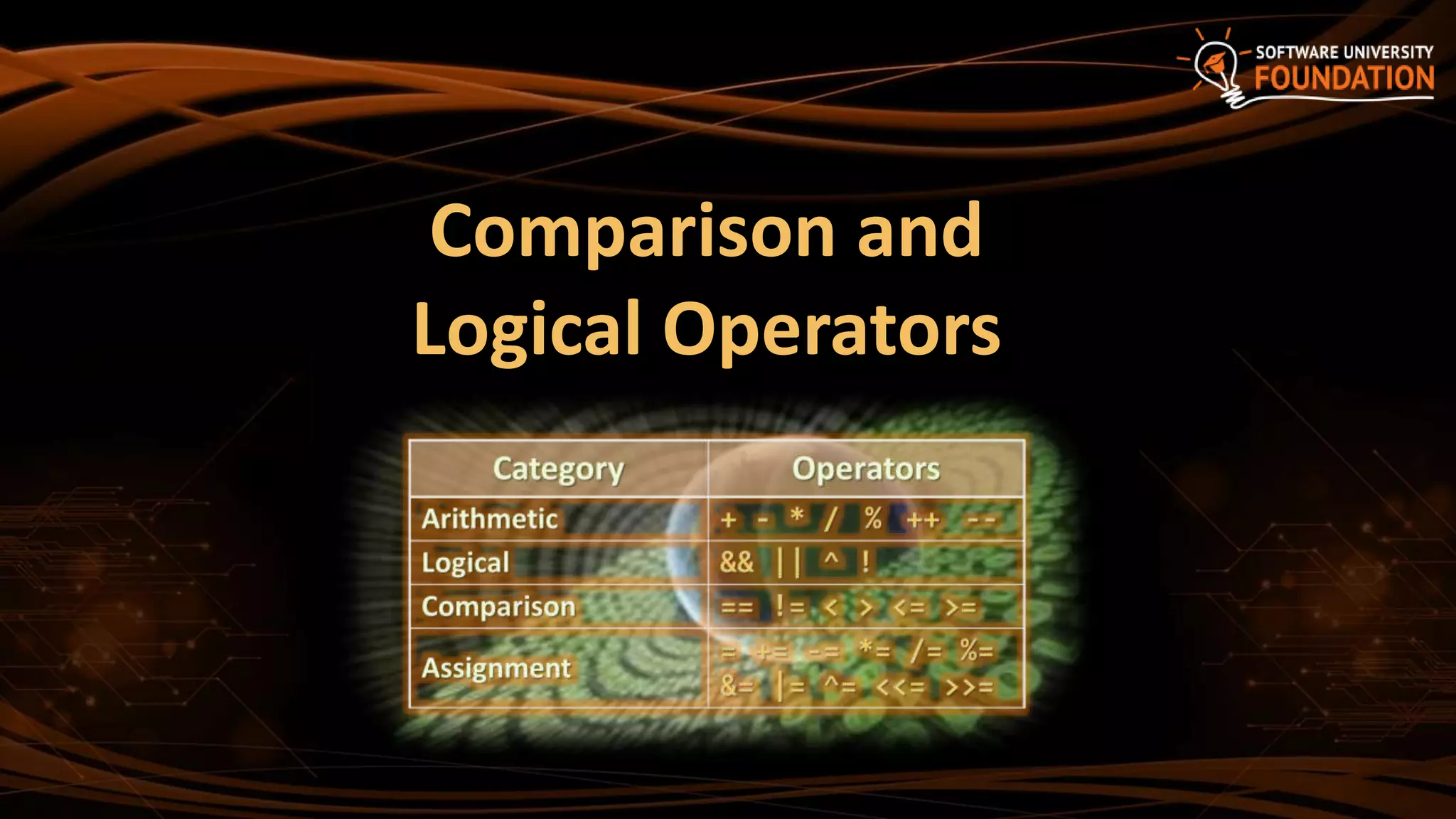
Comparison and
Logical Operators
4
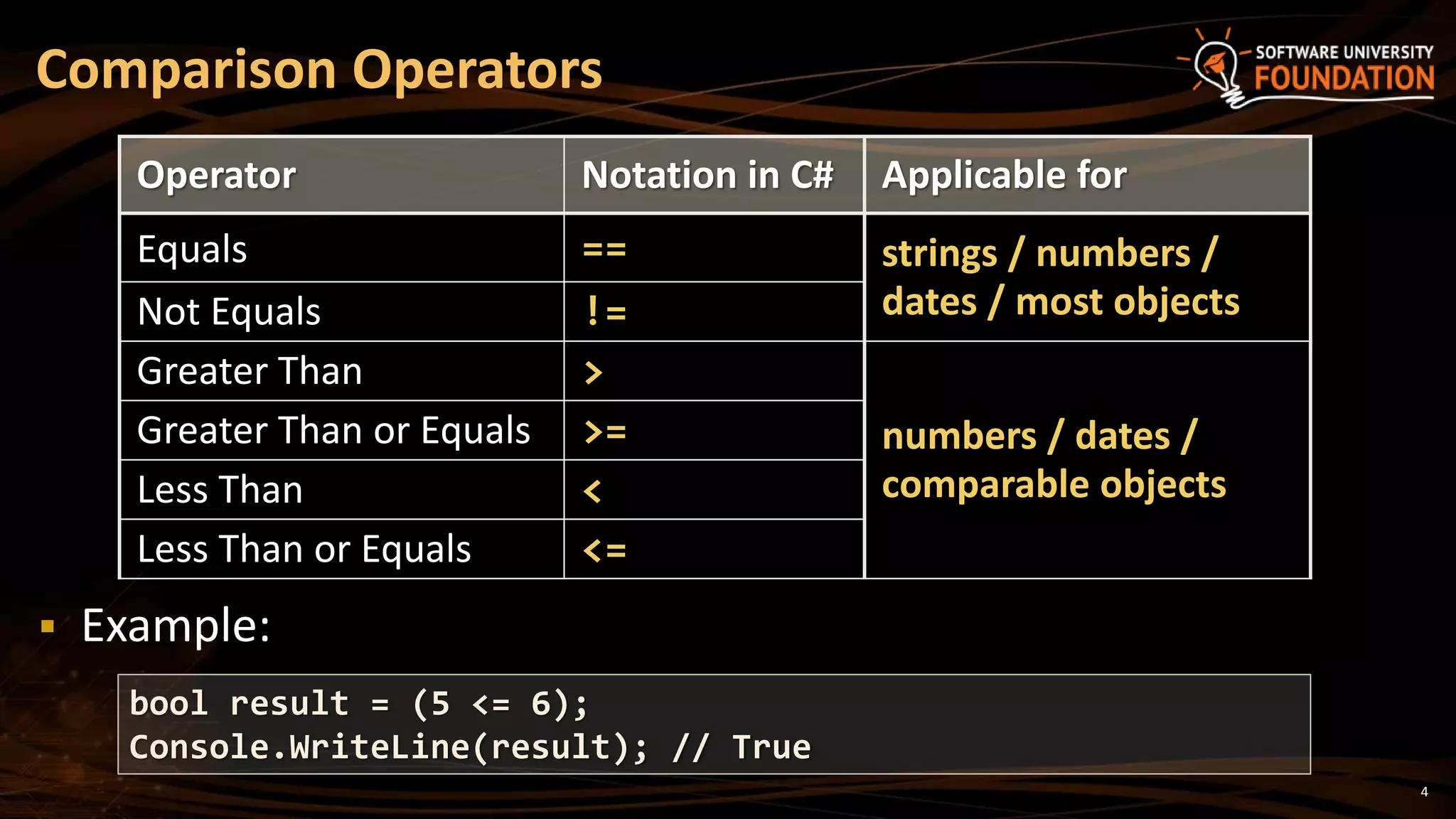
Operator Notation in C# Applicable for
Equals == strings / numbers /
dates / most objectsNot Equals !=
Greater Than >
numbers / dates /
comparable objects
Greater Than or Equals >=
Less Than <
Less Than or Equals <=
Comparison Operators
bool result = (5 <= 6);
Console.WriteLine(result); // True
 Example:
5
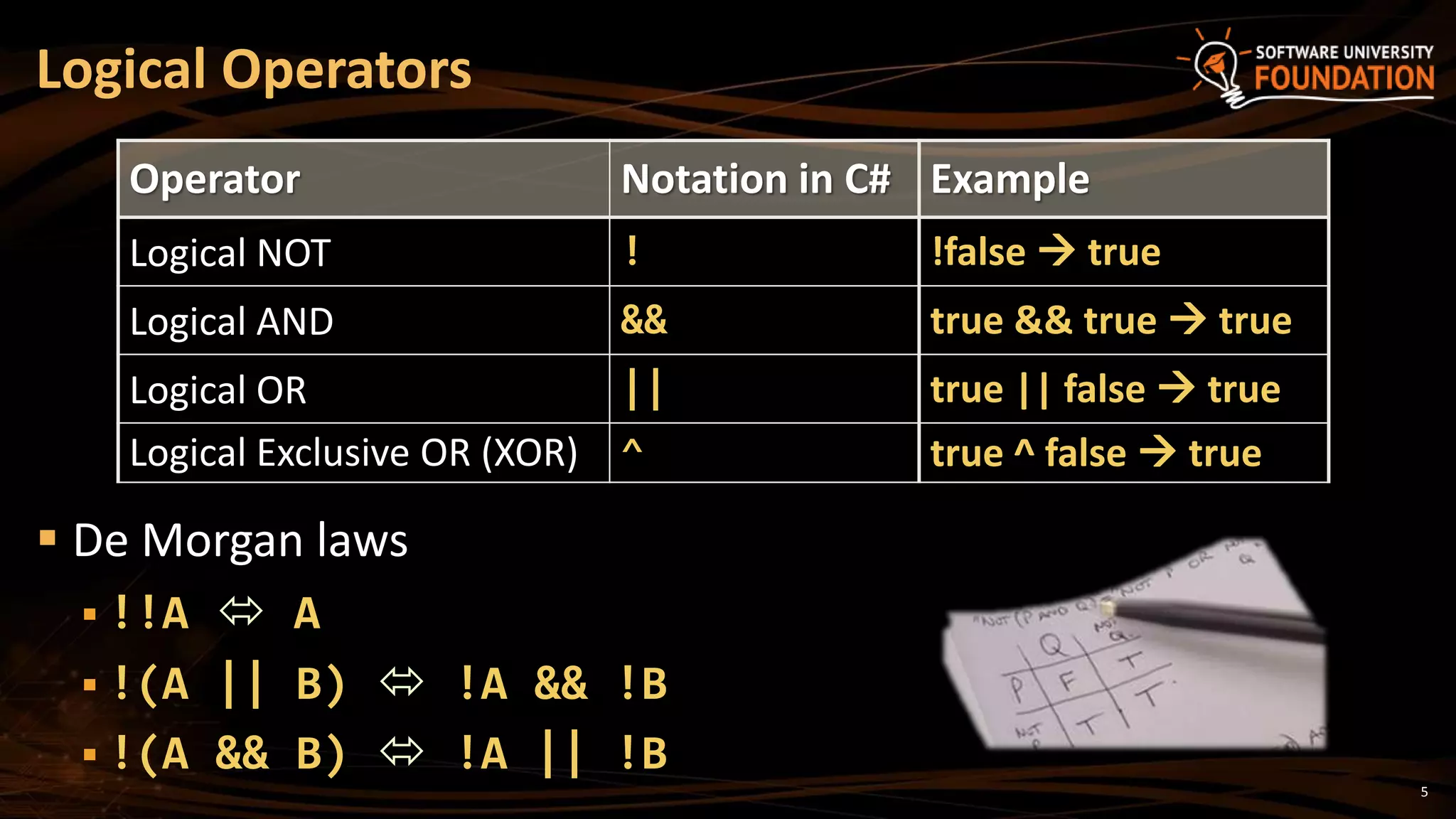
 De Morgan laws
 !!A  A
 !(A || B)  !A && !B
 !(A && B)  !A || !B
Logical Operators
Operator Notation in C# Example
Logical NOT ! !false  true
Logical AND && true && true  true
Logical OR || true || false  true
Logical Exclusive OR (XOR) ^ true ^ false  true
if and if-else
Implementing Conditional Logic
7
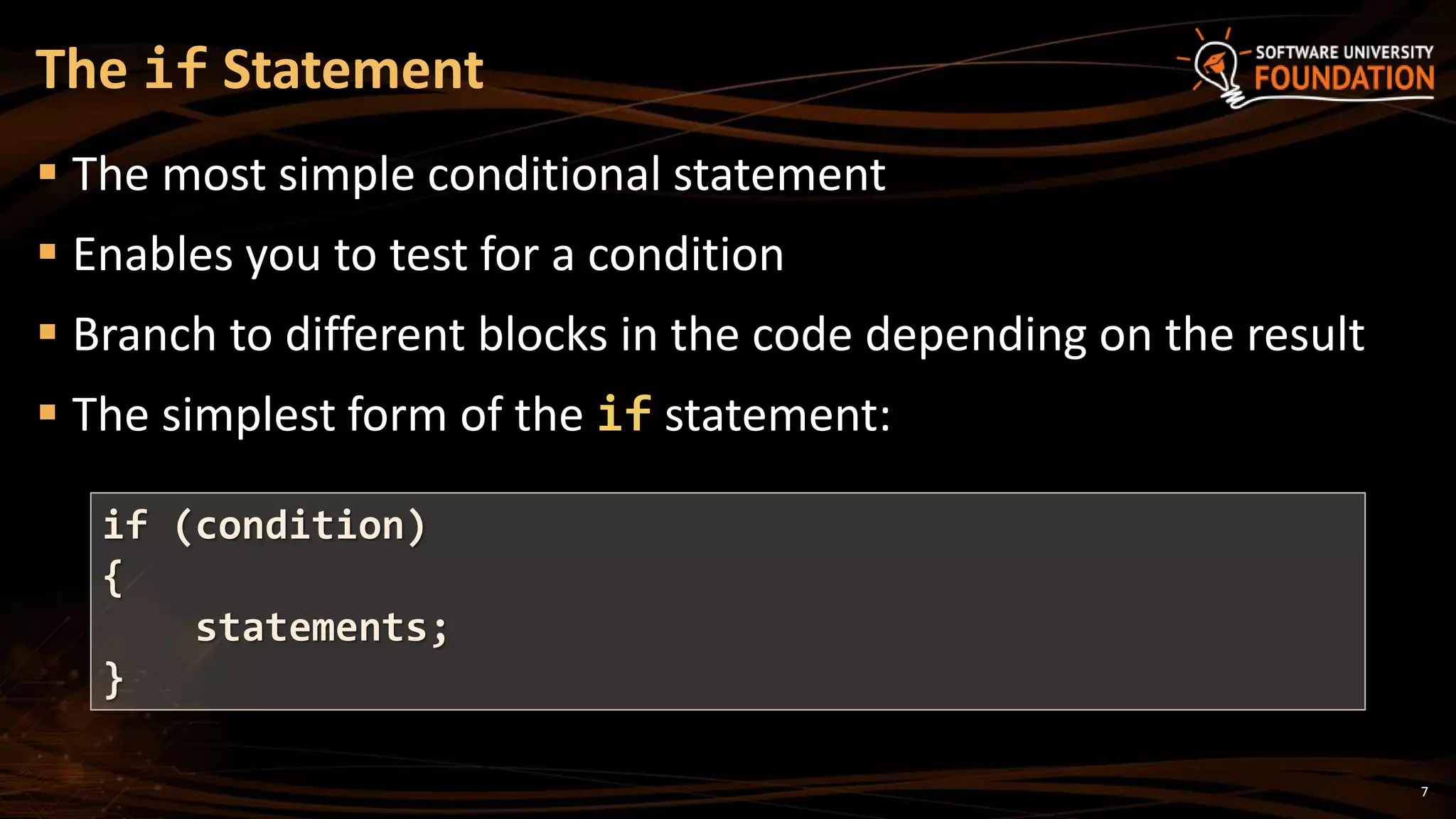
 The most simple conditional statement
 Enables you to test for a condition
 Branch to different blocks in the code depending on the result
 The simplest form of the if statement:
The if Statement
if (condition)
{
statements;
}
8
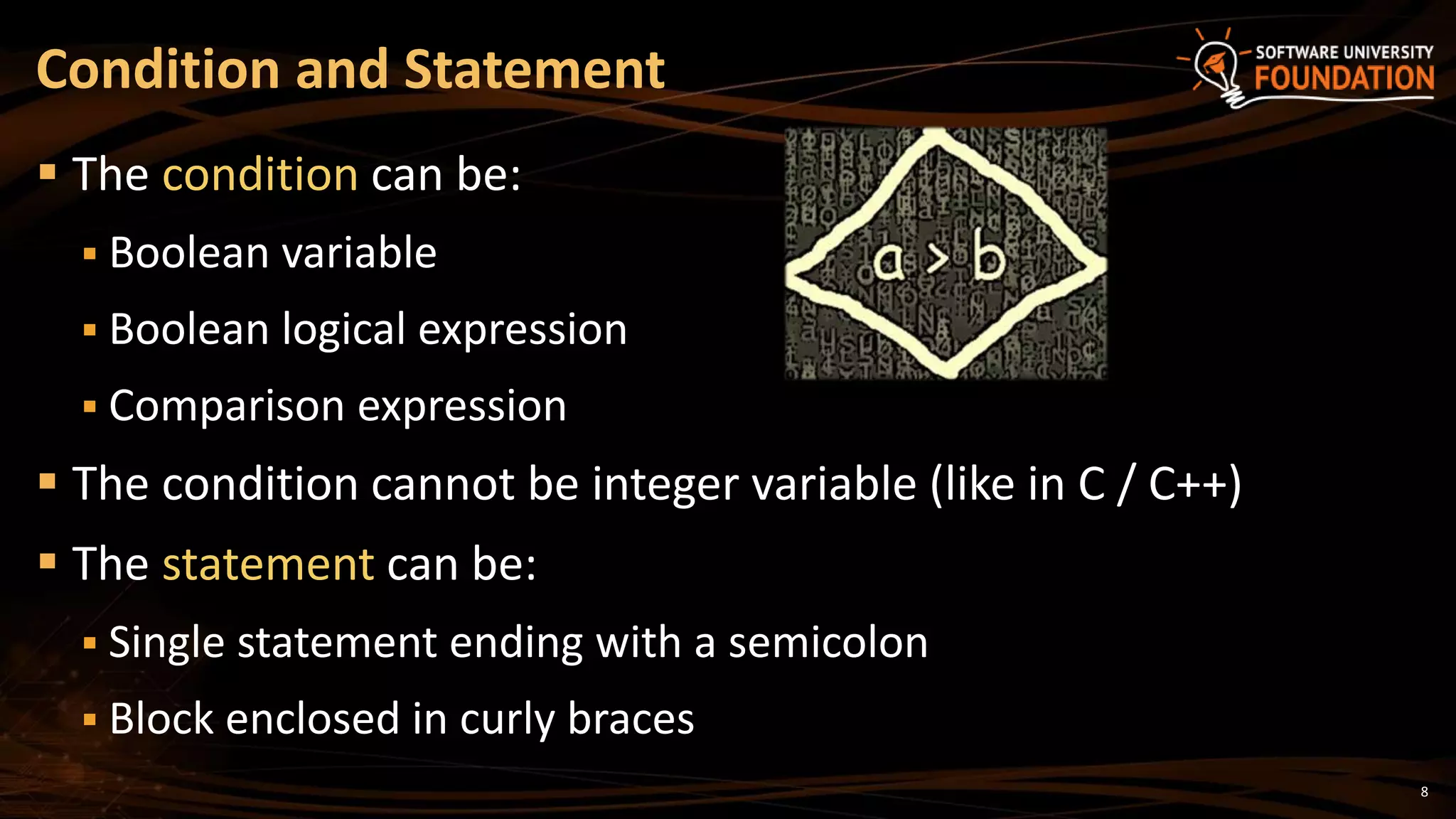
 The condition can be:
 Boolean variable
 Boolean logical expression
 Comparison expression
 The condition cannot be integer variable (like in C / C++)
 The statement can be:
 Single statement ending with a semicolon
 Block enclosed in curly braces
Condition and Statement
9
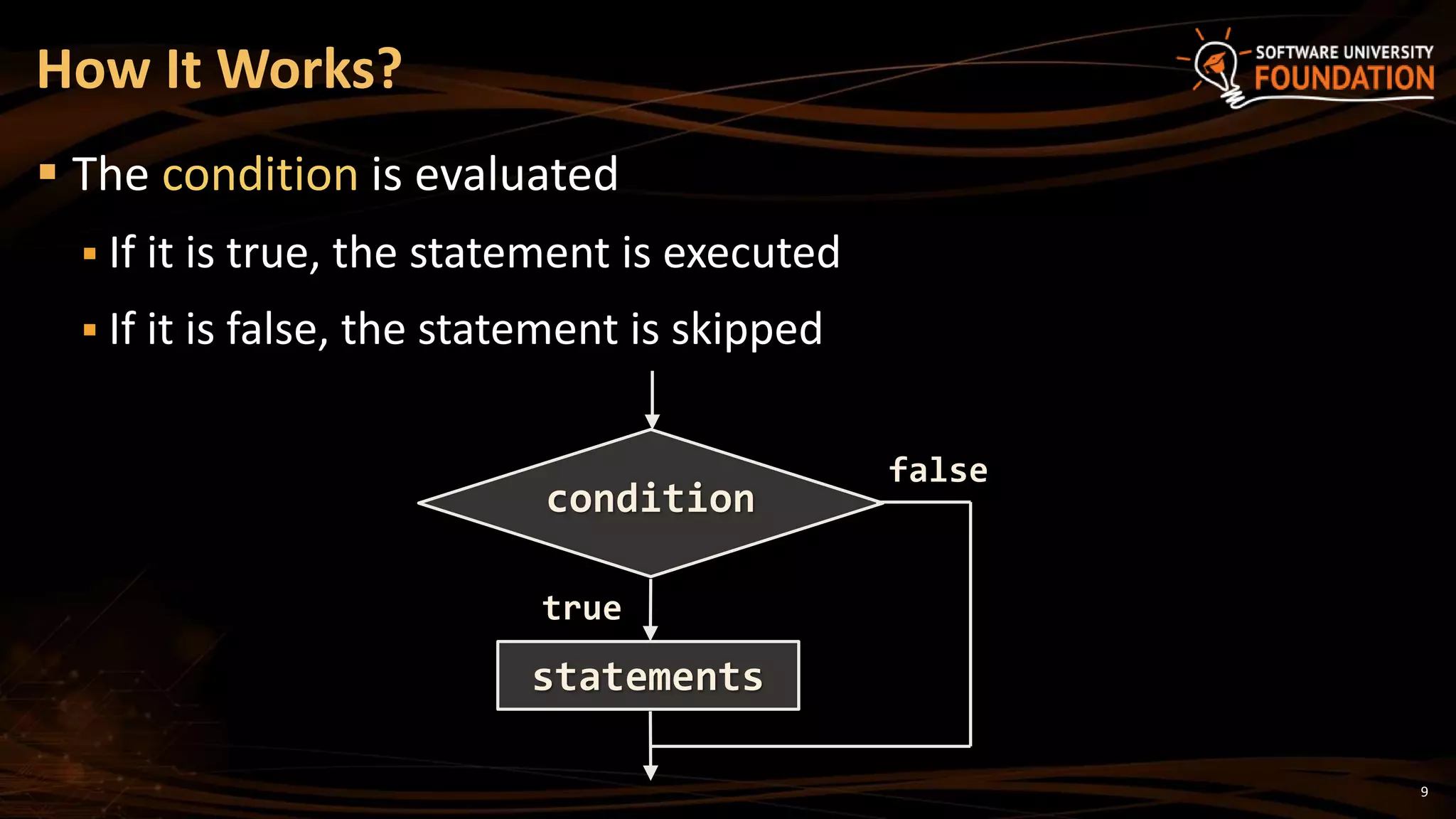
 The condition is evaluated
 If it is true, the statement is executed
 If it is false, the statement is skipped
How It Works?
true
condition
statements
false
10
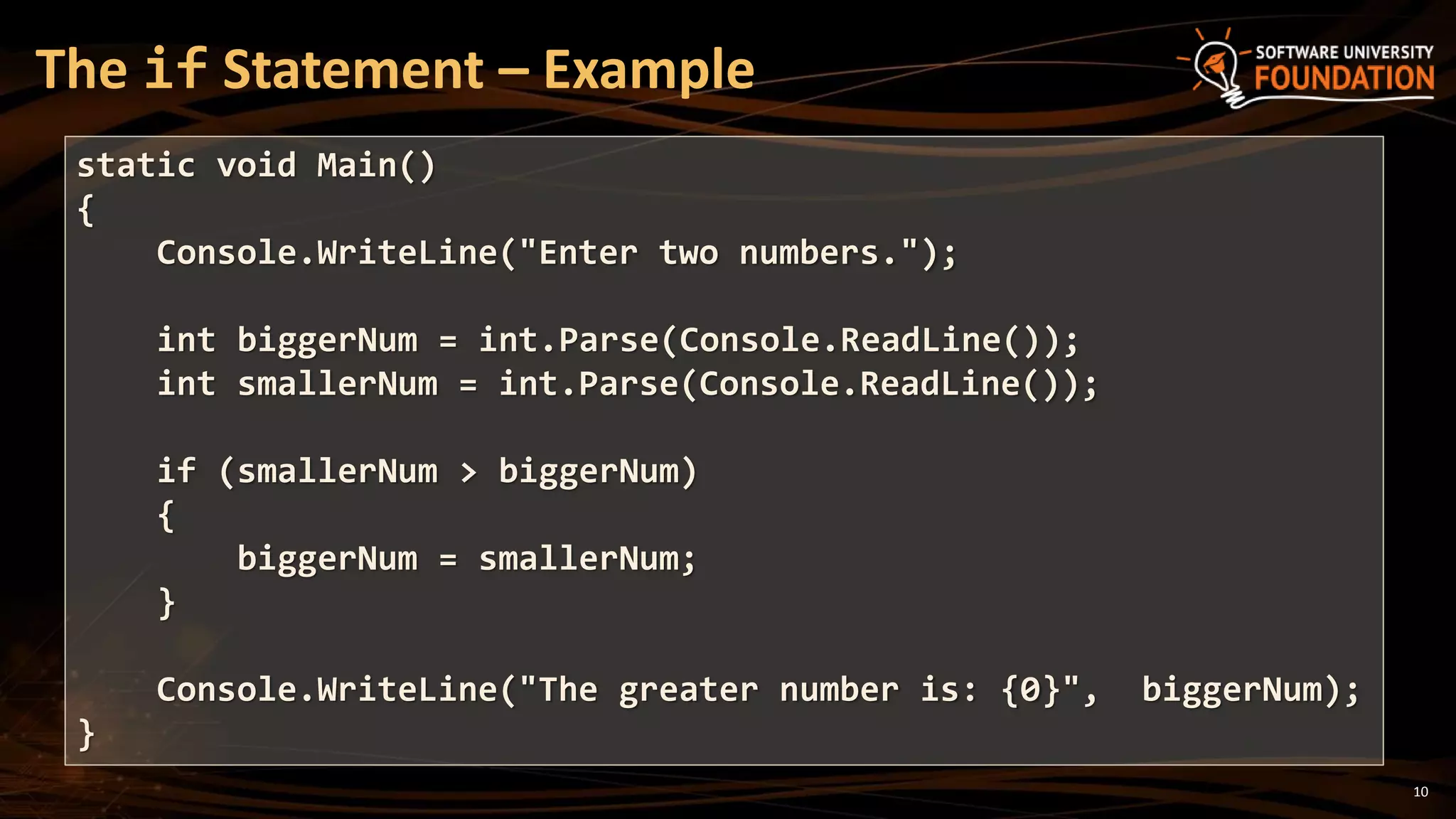
The if Statement – Example
static void Main()
{
Console.WriteLine("Enter two numbers.");
int biggerNum = int.Parse(Console.ReadLine());
int smallerNum = int.Parse(Console.ReadLine());
if (smallerNum > biggerNum)
{
biggerNum = smallerNum;
}
Console.WriteLine("The greater number is: {0}", biggerNum);
}
The if Statement
Live Demo
12
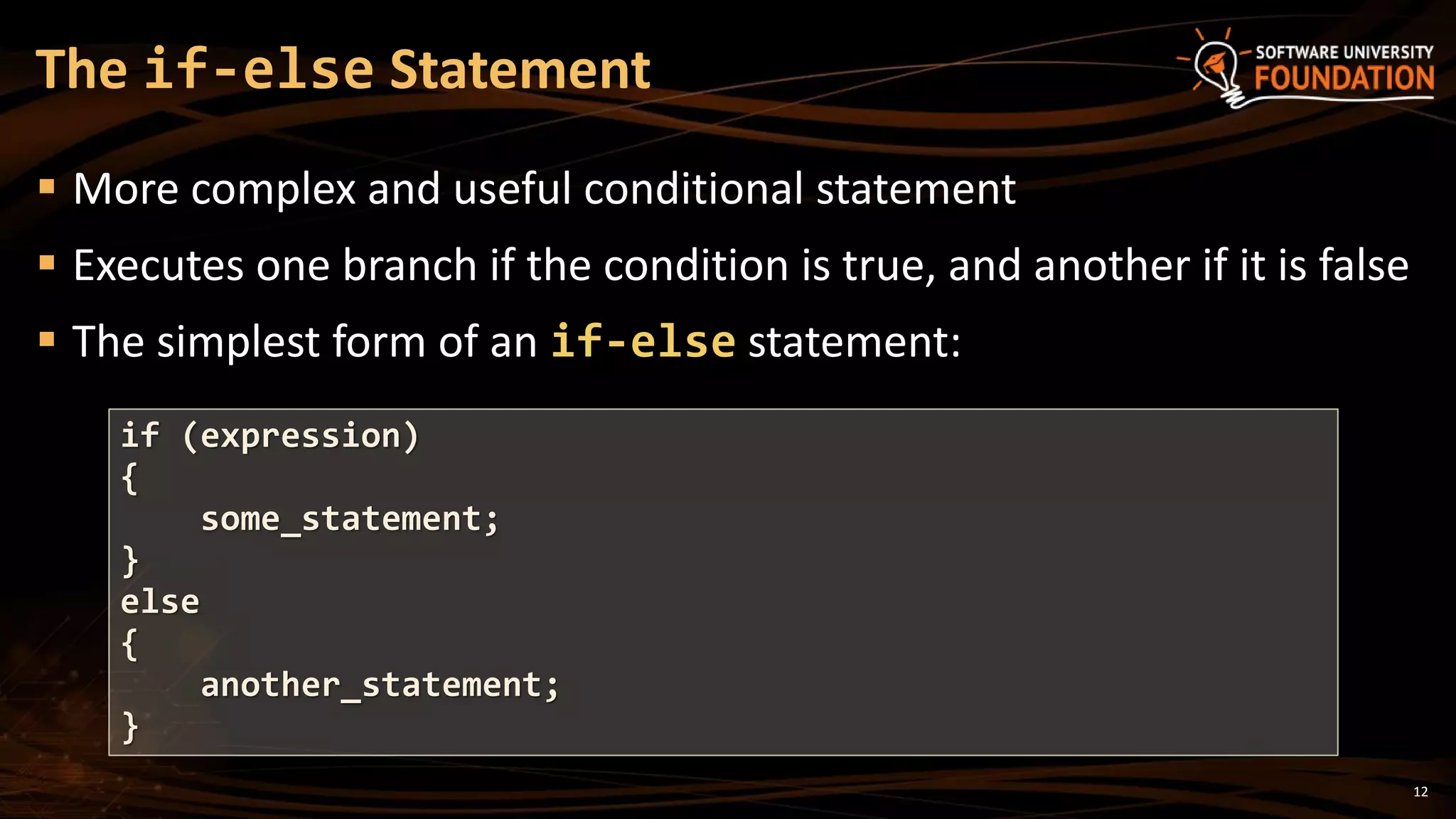
 More complex and useful conditional statement
 Executes one branch if the condition is true, and another if it is false
 The simplest form of an if-else statement:
The if-else Statement
if (expression)
{
some_statement;
}
else
{
another_statement;
}
13
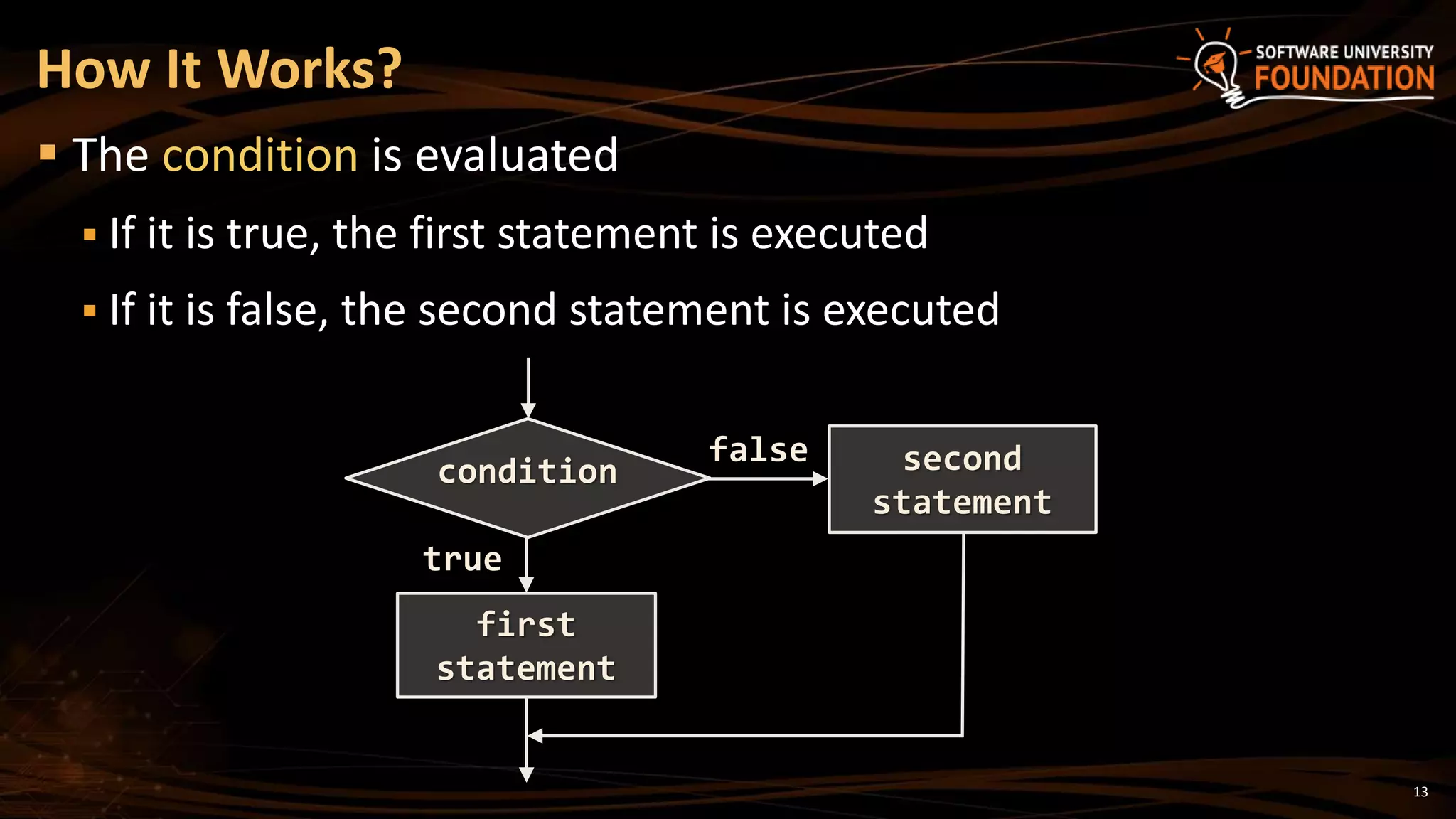
 The condition is evaluated
 If it is true, the first statement is executed
 If it is false, the second statement is executed
How It Works?
condition
first
statement
true
second
statement
false
14
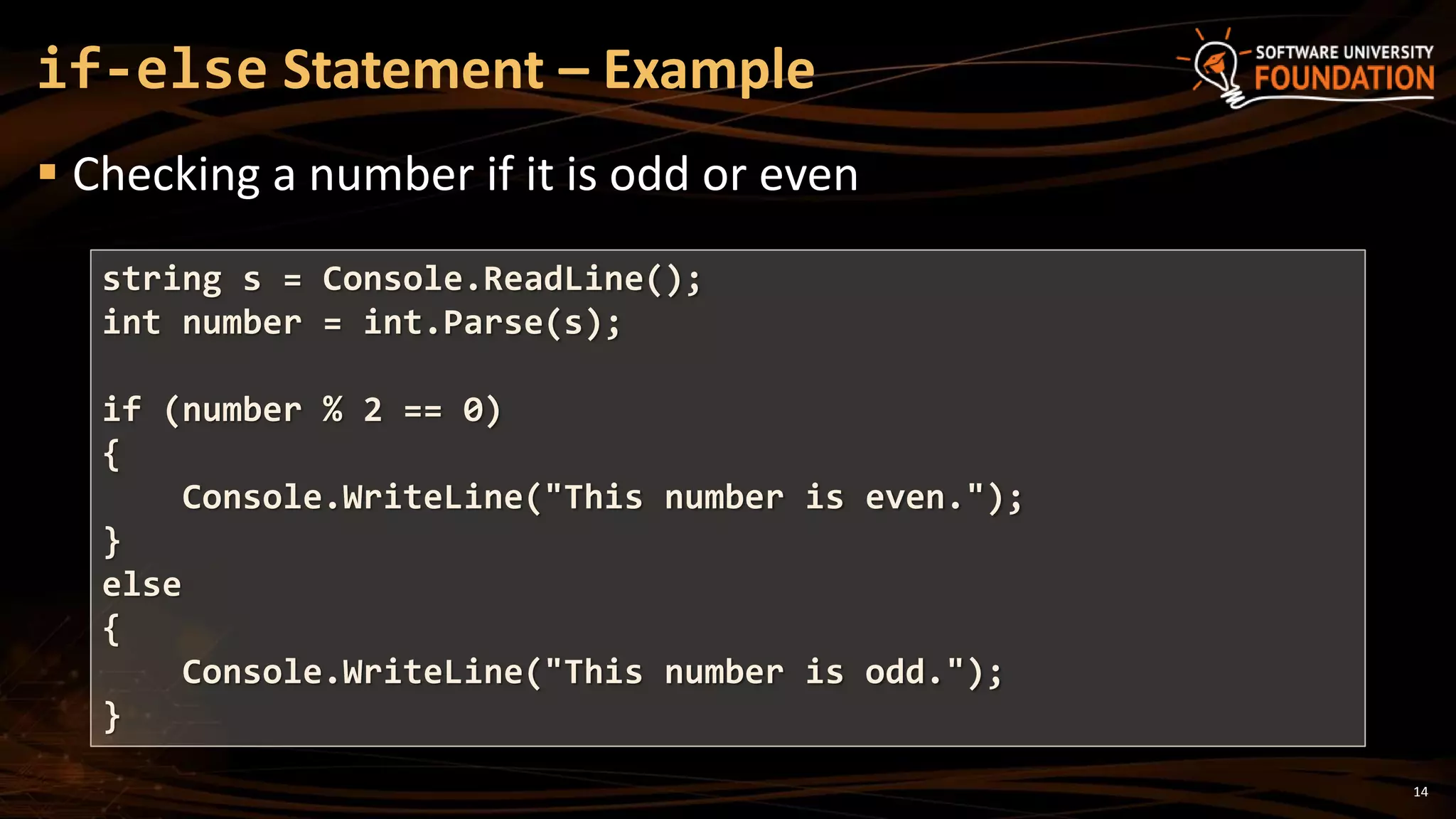
 Checking a number if it is odd or even
if-else Statement – Example
string s = Console.ReadLine();
int number = int.Parse(s);
if (number % 2 == 0)
{
Console.WriteLine("This number is even.");
}
else
{
Console.WriteLine("This number is odd.");
}
The if-else Statement
Live Demo
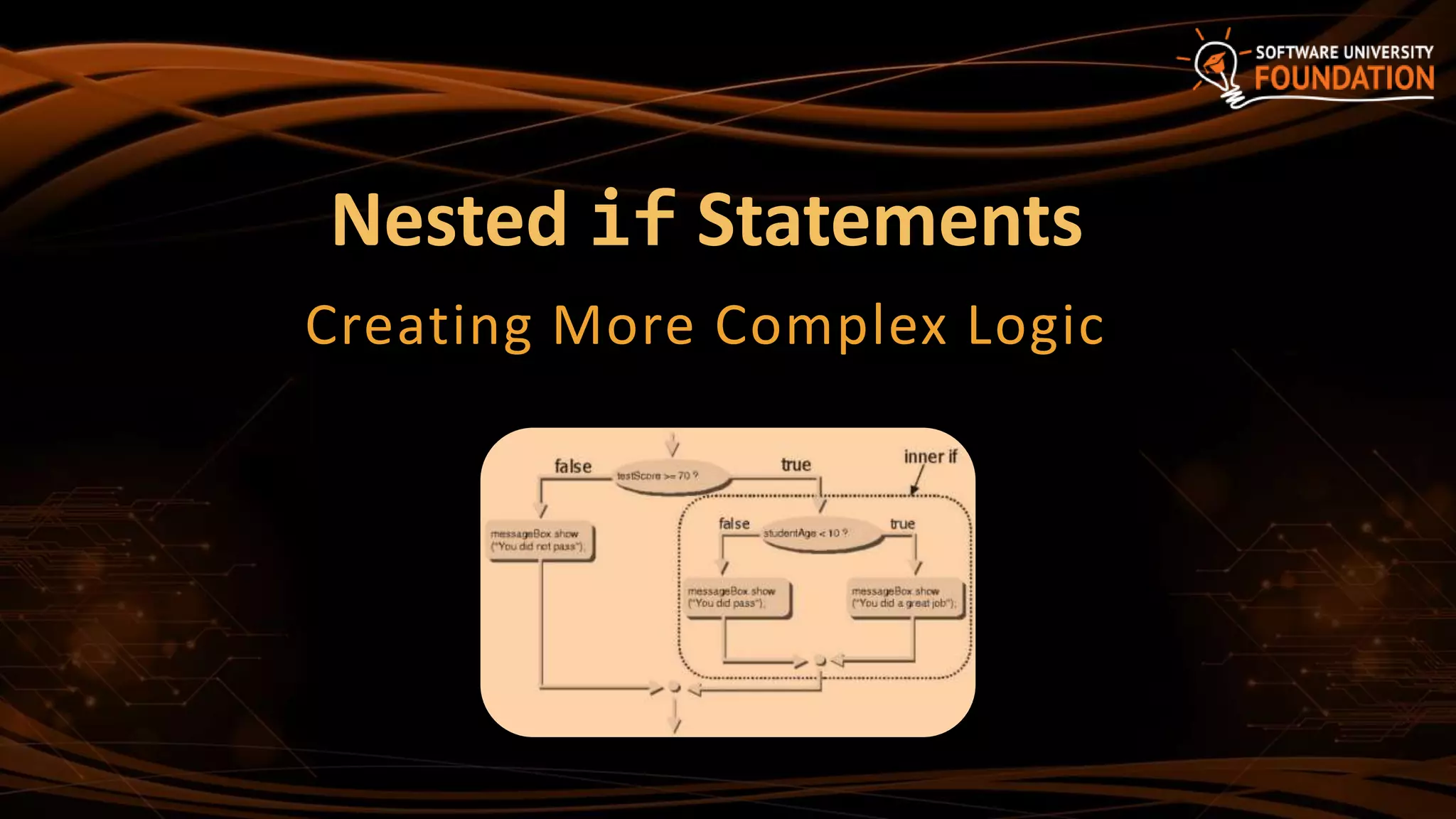
Nested if Statements
Creating More Complex Logic
17
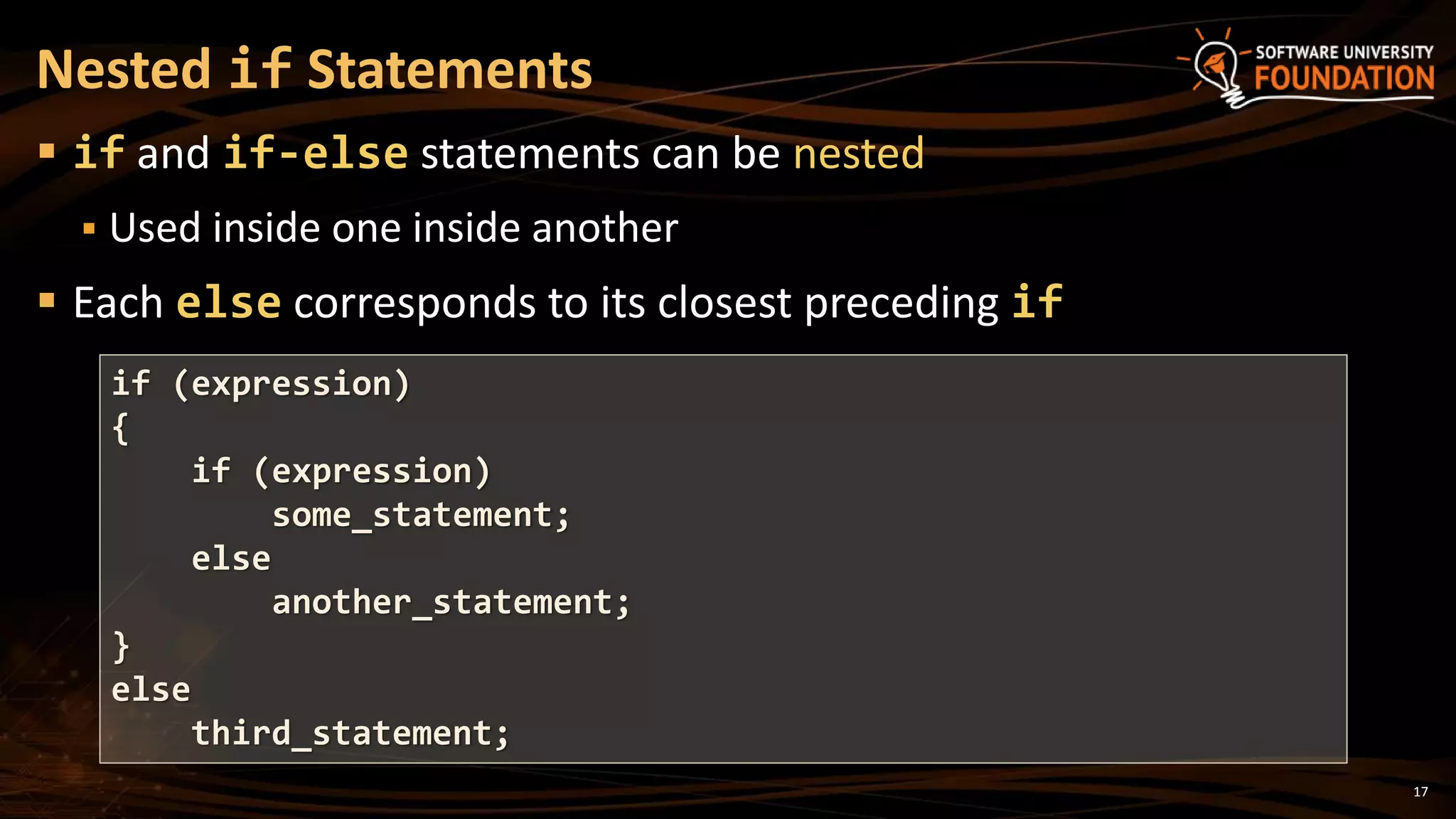
 if and if-else statements can be nested
 Used inside one inside another
 Each else corresponds to its closest preceding if
Nested if Statements
if (expression)
{
if (expression)
some_statement;
else
another_statement;
}
else
third_statement;
18
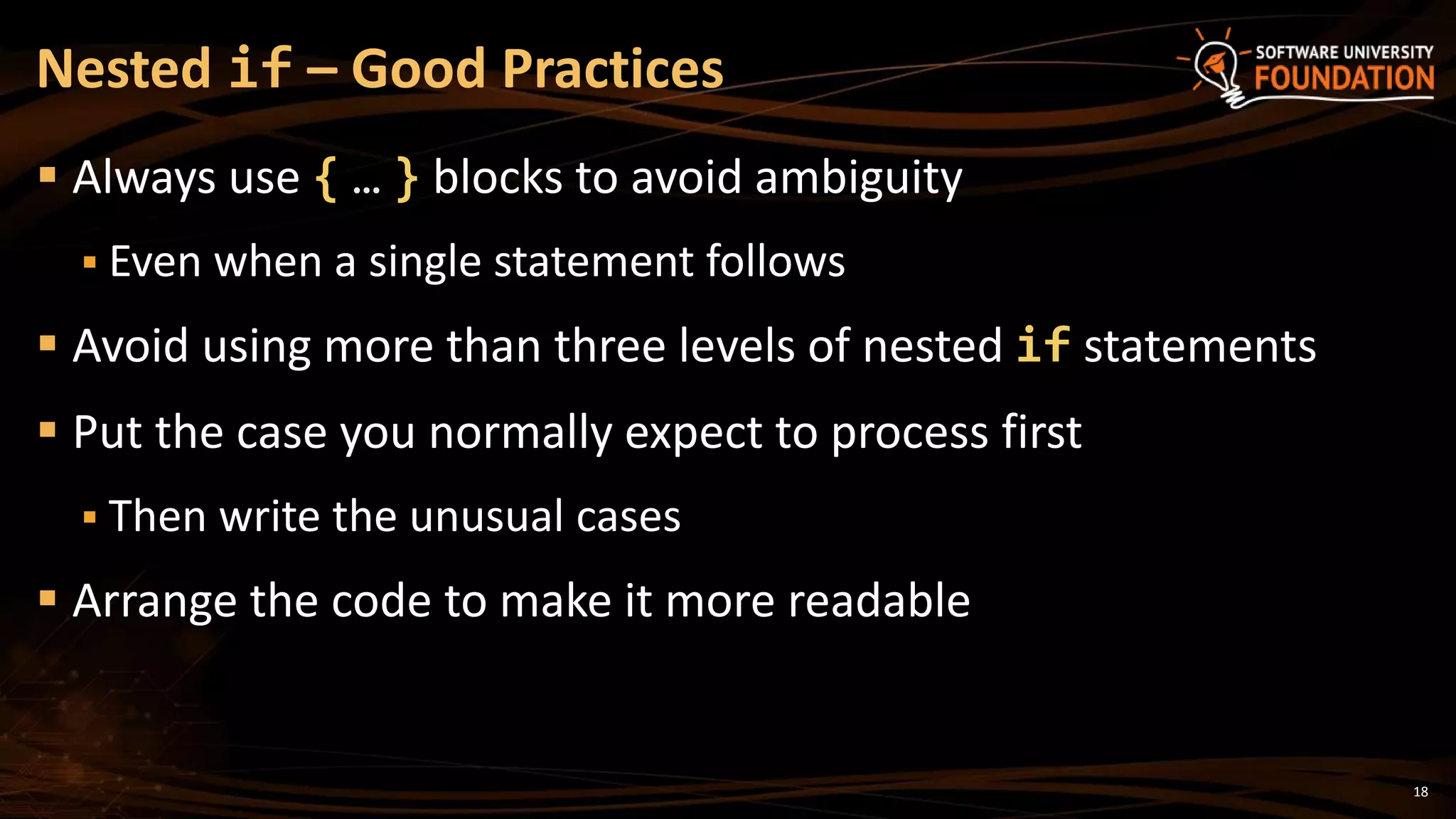
 Always use { … } blocks to avoid ambiguity
 Even when a single statement follows
 Avoid using more than three levels of nested if statements
 Put the case you normally expect to process first
 Then write the unusual cases
 Arrange the code to make it more readable
Nested if – Good Practices
19
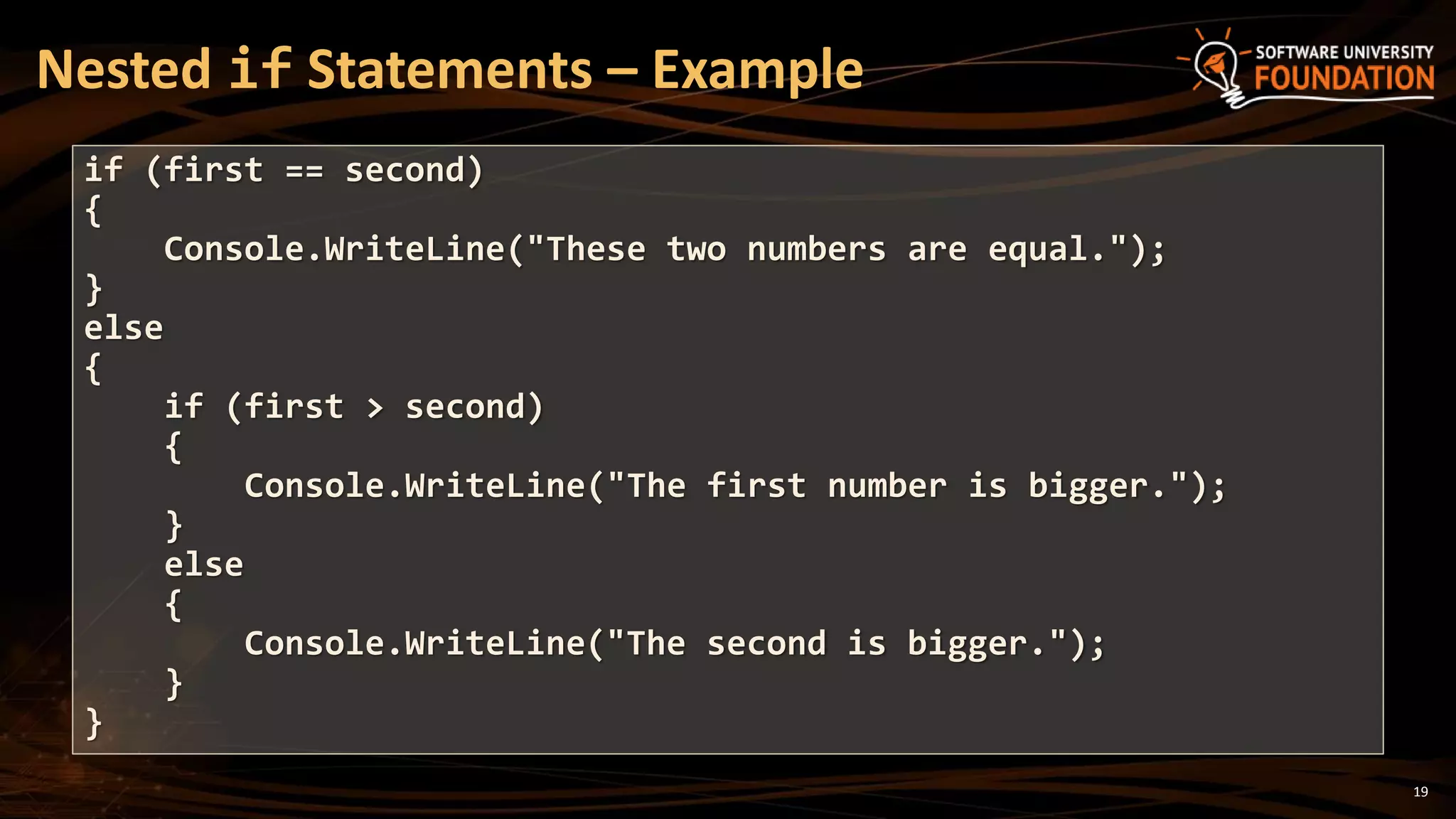
Nested if Statements – Example
if (first == second)
{
Console.WriteLine("These two numbers are equal.");
}
else
{
if (first > second)
{
Console.WriteLine("The first number is bigger.");
}
else
{
Console.WriteLine("The second is bigger.");
}
}
Nested if
Statements
Live Demo
21
 We may need to use another if-construction in the else block
 Thus else if can be used:
Multiple if-else-if-else-…
int ch = 'X';
if (ch == 'A' || ch == 'a')
{
Console.WriteLine("Vowel [ei]");
}
else if (ch == 'E' || ch == 'e')
{
Console.WriteLine("Vowel [i:]");
}
else if …
else …
Multiple if-else Statements
Live Demo
switch-case
Performing Several Comparisons at Once
24
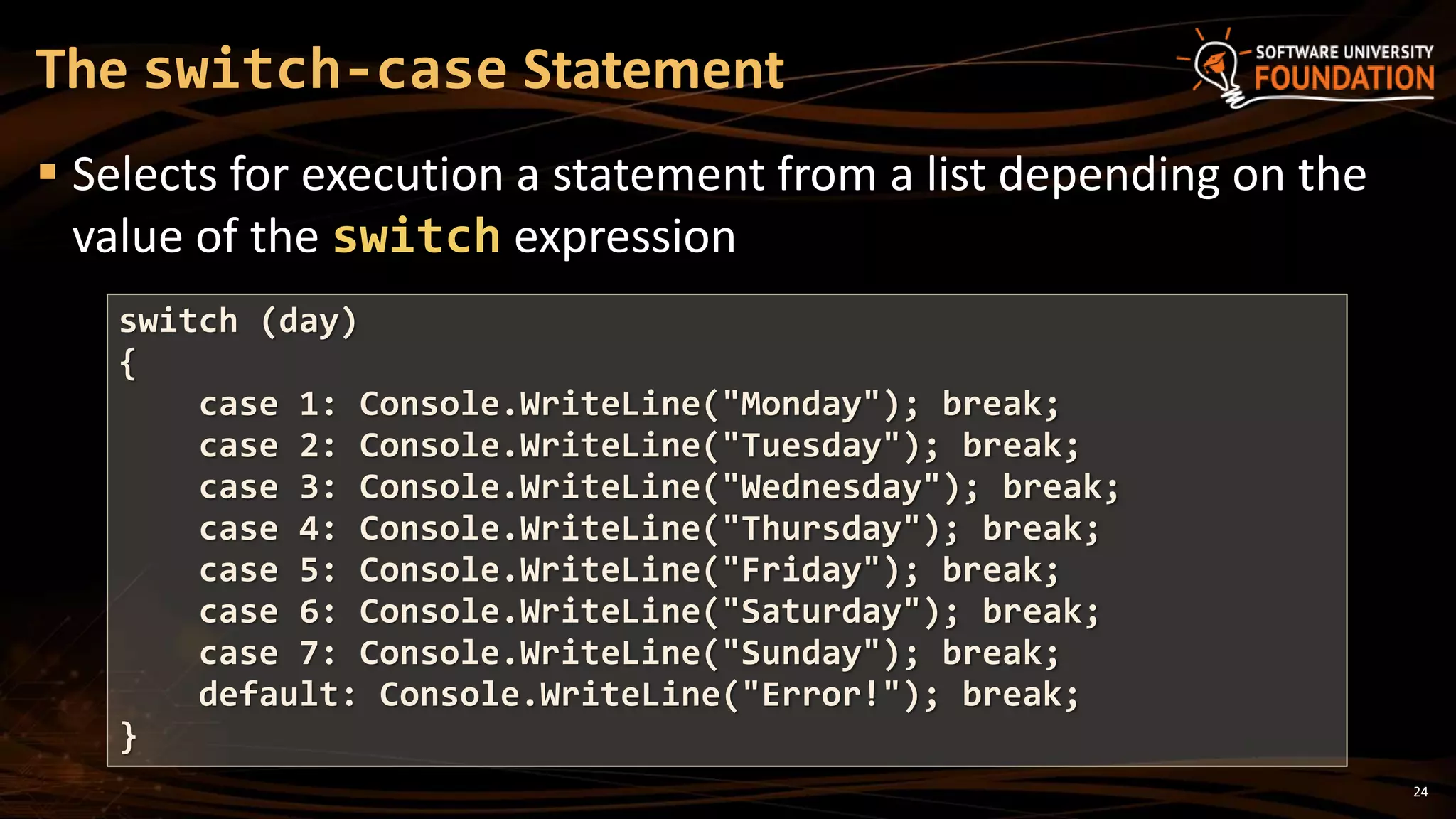
 Selects for execution a statement from a list depending on the
value of the switch expression
The switch-case Statement
switch (day)
{
case 1: Console.WriteLine("Monday"); break;
case 2: Console.WriteLine("Tuesday"); break;
case 3: Console.WriteLine("Wednesday"); break;
case 4: Console.WriteLine("Thursday"); break;
case 5: Console.WriteLine("Friday"); break;
case 6: Console.WriteLine("Saturday"); break;
case 7: Console.WriteLine("Sunday"); break;
default: Console.WriteLine("Error!"); break;
}
25
1. The expression is evaluated
2. When one of the constants specified in a case label is equal to
the expression
 The statement that corresponds to that case is executed
3. If no case is equal to the expression
 If there is default case, it is executed
 Otherwise the control is transferred to the end point of the
switch statement
How switch-case Works?
The switch-case Statement
Live Demo
27
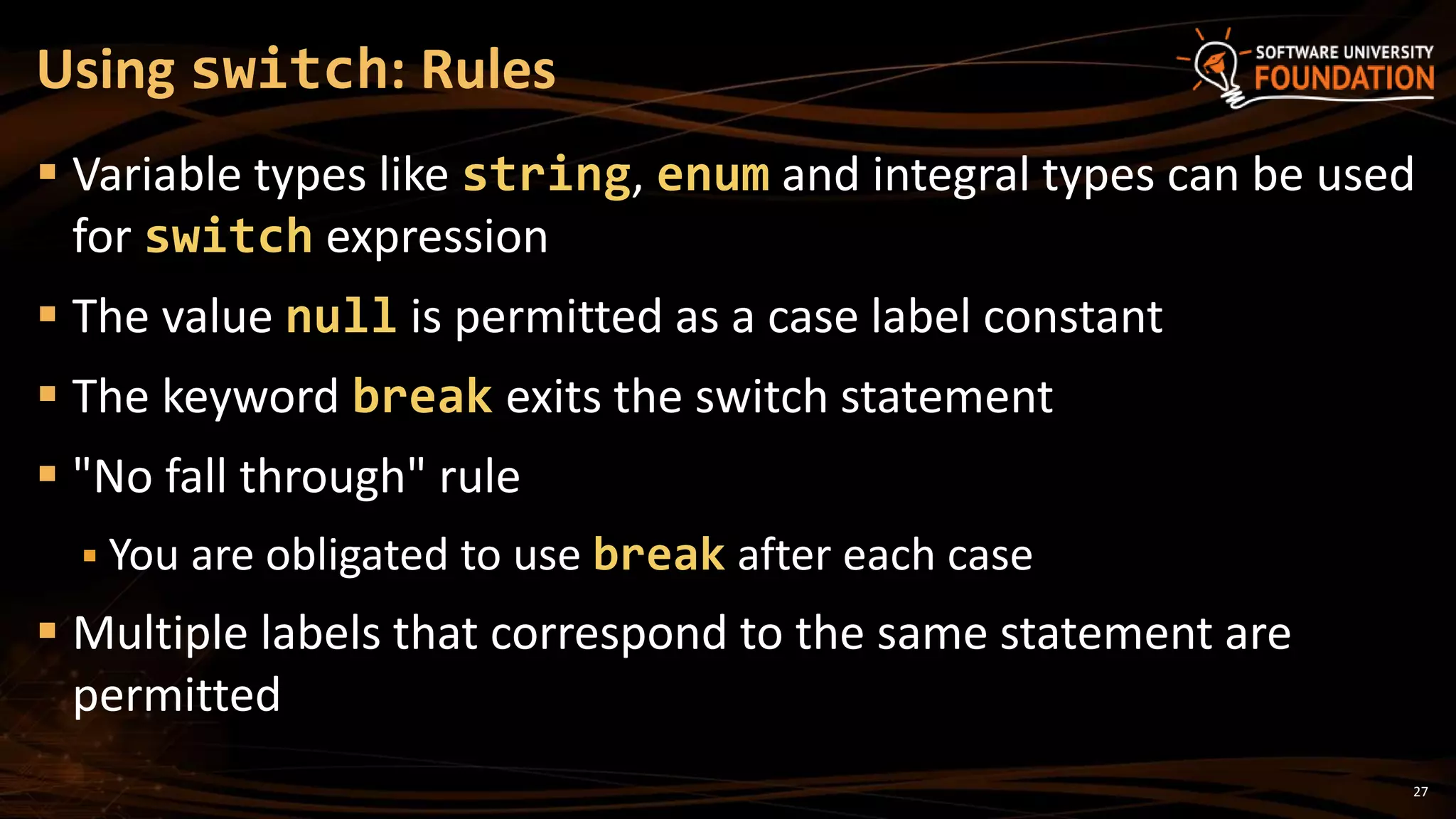
 Variable types like string, enum and integral types can be used
for switch expression
 The value null is permitted as a case label constant
 The keyword break exits the switch statement
 "No fall through" rule
 You are obligated to use break after each case
 Multiple labels that correspond to the same statement are
permitted
Using switch: Rules
28
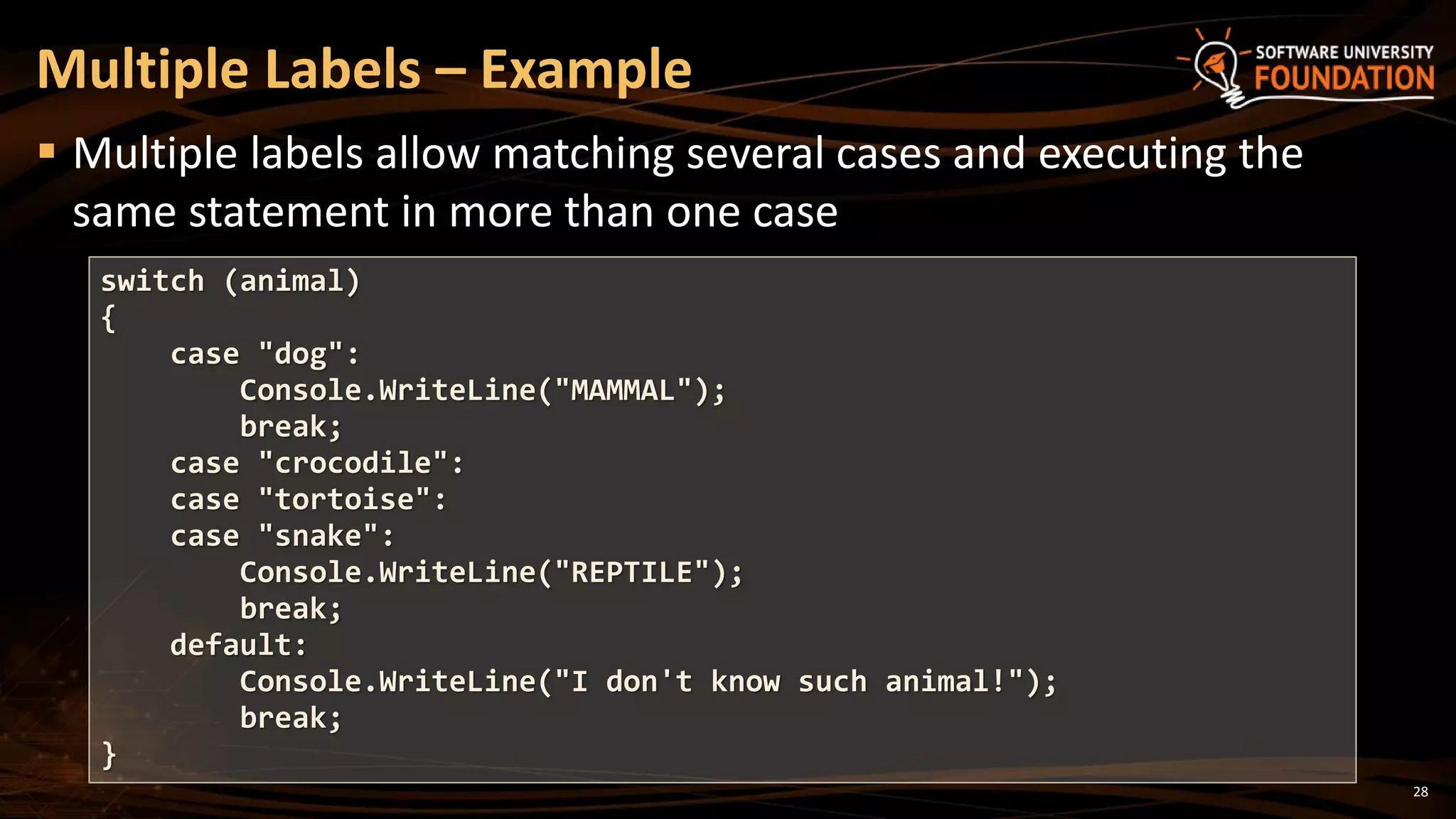
 Multiple labels allow matching several cases and executing the
same statement in more than one case
Multiple Labels – Example
switch (animal)
{
case "dog":
Console.WriteLine("MAMMAL");
break;
case "crocodile":
case "tortoise":
case "snake":
Console.WriteLine("REPTILE");
break;
default:
Console.WriteLine("I don't know such animal!");
break;
}
Multiple Labels in
a switch-case
Live Demo
30
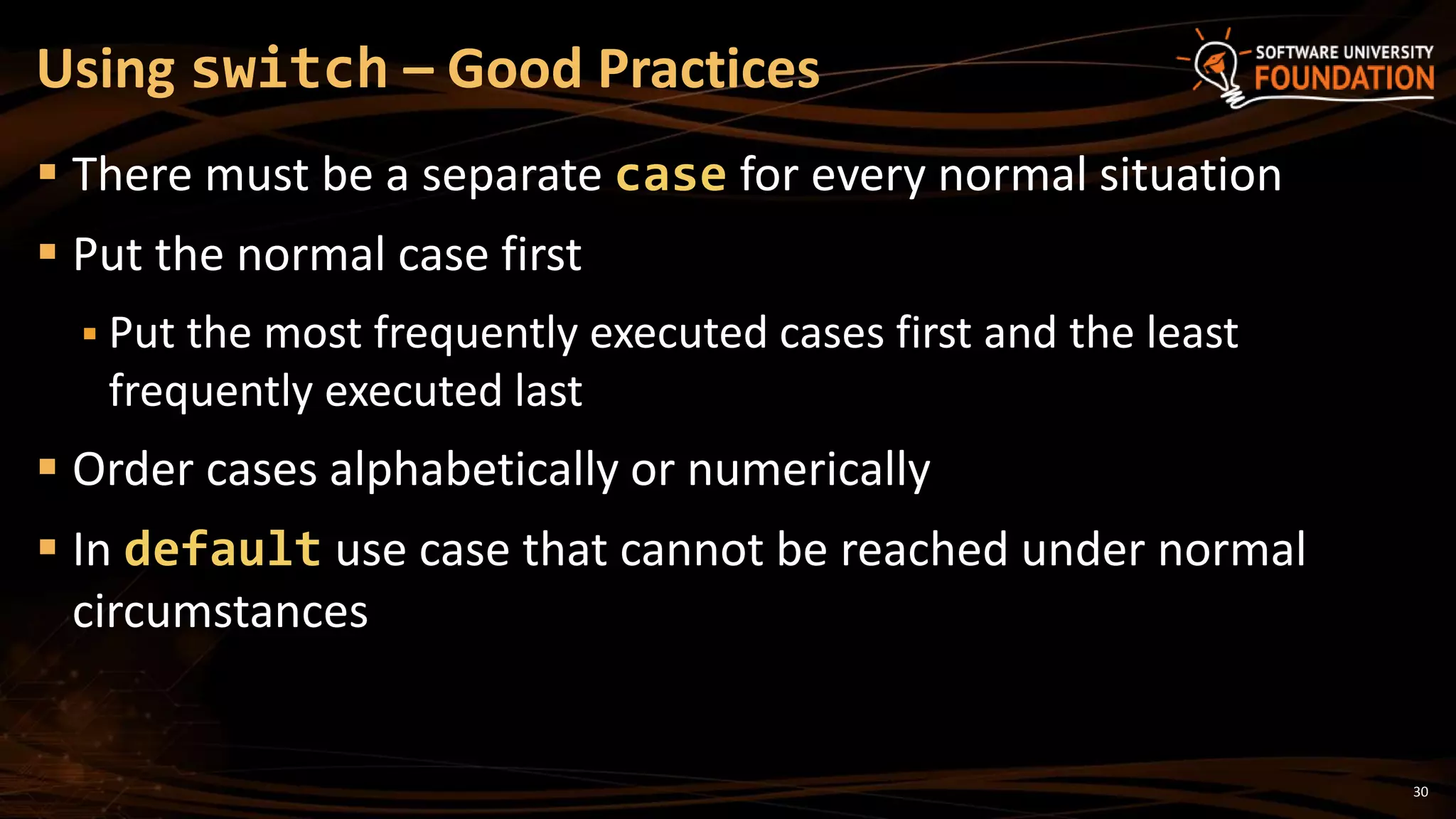
 There must be a separate case for every normal situation
 Put the normal case first
 Put the most frequently executed cases first and the least
frequently executed last
 Order cases alphabetically or numerically
 In default use case that cannot be reached under normal
circumstances
Using switch – Good Practices
31
 Comparison and logical operators are used to compose logical
conditions
 The conditional statements if and if-else
conditionally execution of blocks of code
 Constantly used in computer programming
 Conditional statements can be nested
 The switch statement easily and elegantly checks an
expression for a sequence of values
Summary
?
http://softuni.bg/courses/csharp-basics/
Conditional Statements
License
 This course (slides, examples, demos, videos, homework, etc.)
is licensed under the "Creative Commons Attribution-
NonCommercial-ShareAlike 4.0 International" license
33
 Attribution: this work may contain portions from
 "Fundamentals of Computer Programming with C#" book by Svetlin Nakov & Co. under CC-BY-SA license
 "C# Part I" course by Telerik Academy under CC-BY-NC-SA license
Free Trainings @ Software University
 Software University Foundation – softuni.org
 Software University – High-Quality Education,
Profession and Job for Software Developers
 softuni.bg
 Software University @ Facebook
 facebook.com/SoftwareUniversity
 Software University @ YouTube
 youtube.com/SoftwareUniversity
 Software University Forums – forum.softuni.bg

05. Conditional Statements

  • 1.
    Conditional Statements Implementing Control-Flow Logicin C# Svetlin Nakov Technical Trainer www.nakov.com Software University http://softuni.bg
  • 2.
    2 1. Comparison andLogical Operators 2. The if Statement 3. The if-else Statement 4. Nested if Statements 5. The switch-case Statement Table of Contents
  • 3.
  • 4.
    4 Operator Notation inC# Applicable for Equals == strings / numbers / dates / most objectsNot Equals != Greater Than > numbers / dates / comparable objects Greater Than or Equals >= Less Than < Less Than or Equals <= Comparison Operators bool result = (5 <= 6); Console.WriteLine(result); // True  Example:
  • 5.
    5  De Morganlaws  !!A  A  !(A || B)  !A && !B  !(A && B)  !A || !B Logical Operators Operator Notation in C# Example Logical NOT ! !false  true Logical AND && true && true  true Logical OR || true || false  true Logical Exclusive OR (XOR) ^ true ^ false  true
  • 6.
    if and if-else ImplementingConditional Logic
  • 7.
    7  The mostsimple conditional statement  Enables you to test for a condition  Branch to different blocks in the code depending on the result  The simplest form of the if statement: The if Statement if (condition) { statements; }
  • 8.
    8  The conditioncan be:  Boolean variable  Boolean logical expression  Comparison expression  The condition cannot be integer variable (like in C / C++)  The statement can be:  Single statement ending with a semicolon  Block enclosed in curly braces Condition and Statement
  • 9.
    9  The conditionis evaluated  If it is true, the statement is executed  If it is false, the statement is skipped How It Works? true condition statements false
  • 10.
    10 The if Statement– Example static void Main() { Console.WriteLine("Enter two numbers."); int biggerNum = int.Parse(Console.ReadLine()); int smallerNum = int.Parse(Console.ReadLine()); if (smallerNum > biggerNum) { biggerNum = smallerNum; } Console.WriteLine("The greater number is: {0}", biggerNum); }
  • 11.
  • 12.
    12  More complexand useful conditional statement  Executes one branch if the condition is true, and another if it is false  The simplest form of an if-else statement: The if-else Statement if (expression) { some_statement; } else { another_statement; }
  • 13.
    13  The conditionis evaluated  If it is true, the first statement is executed  If it is false, the second statement is executed How It Works? condition first statement true second statement false
  • 14.
    14  Checking anumber if it is odd or even if-else Statement – Example string s = Console.ReadLine(); int number = int.Parse(s); if (number % 2 == 0) { Console.WriteLine("This number is even."); } else { Console.WriteLine("This number is odd."); }
  • 15.
  • 16.
  • 17.
    17  if andif-else statements can be nested  Used inside one inside another  Each else corresponds to its closest preceding if Nested if Statements if (expression) { if (expression) some_statement; else another_statement; } else third_statement;
  • 18.
    18  Always use{ … } blocks to avoid ambiguity  Even when a single statement follows  Avoid using more than three levels of nested if statements  Put the case you normally expect to process first  Then write the unusual cases  Arrange the code to make it more readable Nested if – Good Practices
  • 19.
    19 Nested if Statements– Example if (first == second) { Console.WriteLine("These two numbers are equal."); } else { if (first > second) { Console.WriteLine("The first number is bigger."); } else { Console.WriteLine("The second is bigger."); } }
  • 20.
  • 21.
    21  We mayneed to use another if-construction in the else block  Thus else if can be used: Multiple if-else-if-else-… int ch = 'X'; if (ch == 'A' || ch == 'a') { Console.WriteLine("Vowel [ei]"); } else if (ch == 'E' || ch == 'e') { Console.WriteLine("Vowel [i:]"); } else if … else …
  • 22.
  • 23.
  • 24.
    24  Selects forexecution a statement from a list depending on the value of the switch expression The switch-case Statement switch (day) { case 1: Console.WriteLine("Monday"); break; case 2: Console.WriteLine("Tuesday"); break; case 3: Console.WriteLine("Wednesday"); break; case 4: Console.WriteLine("Thursday"); break; case 5: Console.WriteLine("Friday"); break; case 6: Console.WriteLine("Saturday"); break; case 7: Console.WriteLine("Sunday"); break; default: Console.WriteLine("Error!"); break; }
  • 25.
    25 1. The expressionis evaluated 2. When one of the constants specified in a case label is equal to the expression  The statement that corresponds to that case is executed 3. If no case is equal to the expression  If there is default case, it is executed  Otherwise the control is transferred to the end point of the switch statement How switch-case Works?
  • 26.
  • 27.
    27  Variable typeslike string, enum and integral types can be used for switch expression  The value null is permitted as a case label constant  The keyword break exits the switch statement  "No fall through" rule  You are obligated to use break after each case  Multiple labels that correspond to the same statement are permitted Using switch: Rules
  • 28.
    28  Multiple labelsallow matching several cases and executing the same statement in more than one case Multiple Labels – Example switch (animal) { case "dog": Console.WriteLine("MAMMAL"); break; case "crocodile": case "tortoise": case "snake": Console.WriteLine("REPTILE"); break; default: Console.WriteLine("I don't know such animal!"); break; }
  • 29.
    Multiple Labels in aswitch-case Live Demo
  • 30.
    30  There mustbe a separate case for every normal situation  Put the normal case first  Put the most frequently executed cases first and the least frequently executed last  Order cases alphabetically or numerically  In default use case that cannot be reached under normal circumstances Using switch – Good Practices
  • 31.
    31  Comparison andlogical operators are used to compose logical conditions  The conditional statements if and if-else conditionally execution of blocks of code  Constantly used in computer programming  Conditional statements can be nested  The switch statement easily and elegantly checks an expression for a sequence of values Summary
  • 32.
  • 33.
    License  This course(slides, examples, demos, videos, homework, etc.) is licensed under the "Creative Commons Attribution- NonCommercial-ShareAlike 4.0 International" license 33  Attribution: this work may contain portions from  "Fundamentals of Computer Programming with C#" book by Svetlin Nakov & Co. under CC-BY-SA license  "C# Part I" course by Telerik Academy under CC-BY-NC-SA license
  • 34.
    Free Trainings @Software University  Software University Foundation – softuni.org  Software University – High-Quality Education, Profession and Job for Software Developers  softuni.bg  Software University @ Facebook  facebook.com/SoftwareUniversity  Software University @ YouTube  youtube.com/SoftwareUniversity  Software University Forums – forum.softuni.bg

Editor's Notes

  • #4 (c) 2007 National Academy for Software Development - http://academy.devbg.org. All rights reserved. Unauthorized copying or re-distribution is strictly prohibited.*
  • #12 (c) 2007 National Academy for Software Development - http://academy.devbg.org. All rights reserved. Unauthorized copying or re-distribution is strictly prohibited.*
  • #16 (c) 2007 National Academy for Software Development - http://academy.devbg.org. All rights reserved. Unauthorized copying or re-distribution is strictly prohibited.*
  • #21 (c) 2007 National Academy for Software Development - http://academy.devbg.org. All rights reserved. Unauthorized copying or re-distribution is strictly prohibited.*
  • #23 (c) 2007 National Academy for Software Development - http://academy.devbg.org. All rights reserved. Unauthorized copying or re-distribution is strictly prohibited.*
  • #24 (c) 2007 National Academy for Software Development - http://academy.devbg.org. All rights reserved. Unauthorized copying or re-distribution is strictly prohibited.*
  • #27 (c) 2007 National Academy for Software Development - http://academy.devbg.org. All rights reserved. Unauthorized copying or re-distribution is strictly prohibited.*
  • #30 (c) 2007 National Academy for Software Development - http://academy.devbg.org. All rights reserved. Unauthorized copying or re-distribution is strictly prohibited.*