Chapter 5: Control StructuresChapter 5: Control Structures
IIII
JJavaava PProgramming:rogramming:
From Problem Analysis to Program Design,From Problem Analysis to Program Design,
Second EditionSecond Edition
2
Chapter Objectives
 Learn about repetition (looping) control structures.
 Explore how to construct and use count-controlled,
sentinel-controlled, flag-controlled, and EOF-
controlled repetition structures.
 Examine break and continue statements.
 Discover how to form and use nested control
structures.
3
Why Is Repetition Needed?
 There are many situations in which the same
statements need to be executed several times.
 Example:
 Formulas used to find average grades for
students in a class.
4
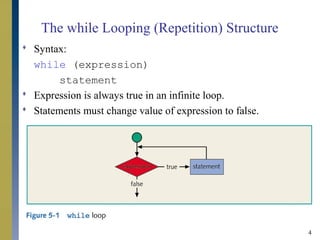
The while Looping (Repetition) Structure
 Syntax:
while (expression)
statement
 Expression is always true in an infinite loop.
 Statements must change value of expression to false.
5
The while Looping (Repetition) Structure
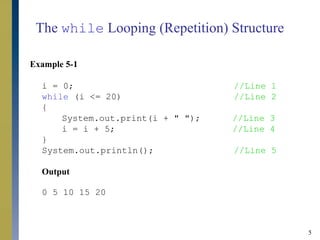
Example 5-1
i = 0; //Line 1
while (i <= 20) //Line 2
{
System.out.print(i + " "); //Line 3
i = i + 5; //Line 4
}
System.out.println(); //Line 5
Output
0 5 10 15 20
6
The while Looping (Repetition) Structure
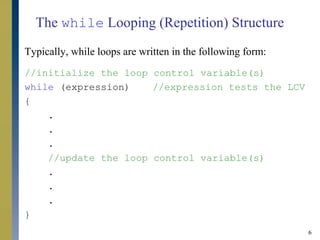
Typically, while loops are written in the following form:
//initialize the loop control variable(s)
while (expression) //expression tests the LCV
{
.
.
.
//update the loop control variable(s)
.
.
.
}
7
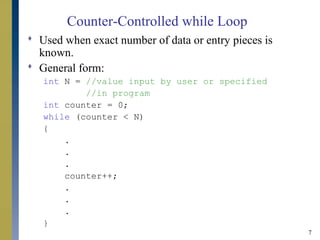
Counter-Controlled while Loop
 Used when exact number of data or entry pieces is
known.
 General form:
int N = //value input by user or specified
//in program
int counter = 0;
while (counter < N)
{
.
.
.
counter++;
.
.
.
}
8
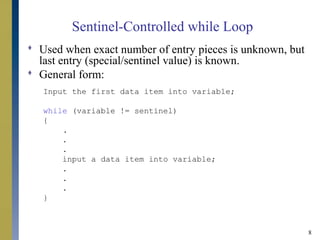
Sentinel-Controlled while Loop
 Used when exact number of entry pieces is unknown, but
last entry (special/sentinel value) is known.
 General form:
Input the first data item into variable;
while (variable != sentinel)
{
.
.
.
input a data item into variable;
.
.
.
}
9
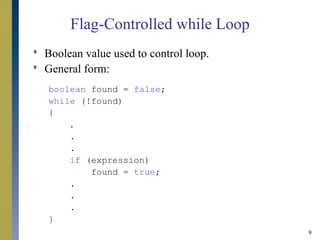
Flag-Controlled while Loop
 Boolean value used to control loop.
 General form:
boolean found = false;
while (!found)
{
.
.
.
if (expression)
found = true;
.
.
.
}
10
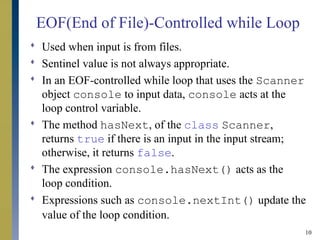
EOF(End of File)-Controlled while Loop
 Used when input is from files.
 Sentinel value is not always appropriate.
 In an EOF-controlled while loop that uses the Scanner
object console to input data, console acts at the
loop control variable.
 The method hasNext, of the class Scanner,
returns true if there is an input in the input stream;
otherwise, it returns false.
 The expression console.hasNext() acts as the
loop condition.
 Expressions such as console.nextInt() update the
value of the loop condition.
11
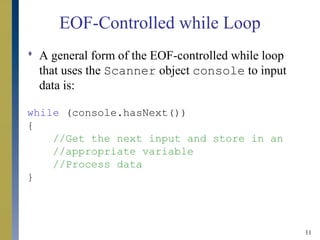
EOF-Controlled while Loop
 A general form of the EOF-controlled while loop
that uses the Scanner object console to input
data is:
while (console.hasNext())
{
//Get the next input and store in an
//appropriate variable
//Process data
}
12
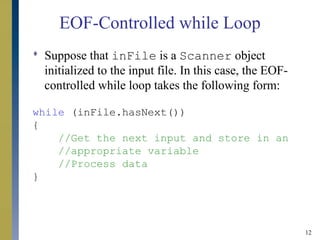
EOF-Controlled while Loop
 Suppose that inFile is a Scanner object
initialized to the input file. In this case, the EOF-
controlled while loop takes the following form:
while (inFile.hasNext())
{
//Get the next input and store in an
//appropriate variable
//Process data
}
13
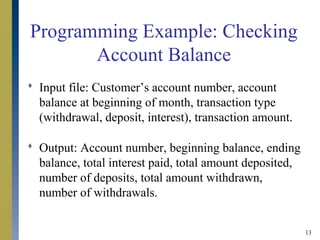
Programming Example: Checking
Account Balance
 Input file: Customer’s account number, account
balance at beginning of month, transaction type
(withdrawal, deposit, interest), transaction amount.
 Output: Account number, beginning balance, ending
balance, total interest paid, total amount deposited,
number of deposits, total amount withdrawn,
number of withdrawals.
14
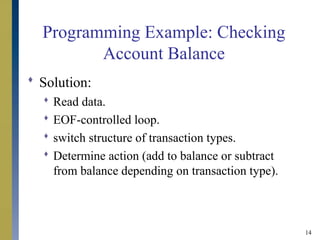
Programming Example: Checking
Account Balance
 Solution:
 Read data.
 EOF-controlled loop.
 switch structure of transaction types.
 Determine action (add to balance or subtract
from balance depending on transaction type).
15
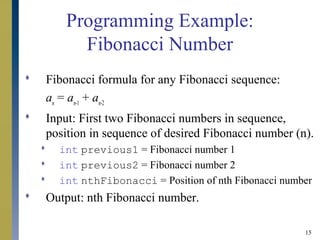
Programming Example:
Fibonacci Number
 Fibonacci formula for any Fibonacci sequence:
an
= an-1
+ an-2
 Input: First two Fibonacci numbers in sequence,
position in sequence of desired Fibonacci number (n).
 int previous1 = Fibonacci number 1
 int previous2 = Fibonacci number 2
 int nthFibonacci = Position of nth Fibonacci number
 Output: nth Fibonacci number.
16
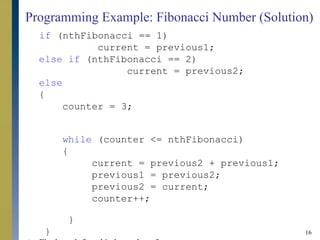
Programming Example: Fibonacci Number (Solution)
if (nthFibonacci == 1)
current = previous1;
else if (nthFibonacci == 2)
current = previous2;
else
{
counter = 3;
while (counter <= nthFibonacci)
{
current = previous2 + previous1;
previous1 = previous2;
previous2 = current;
counter++;
}
}
17
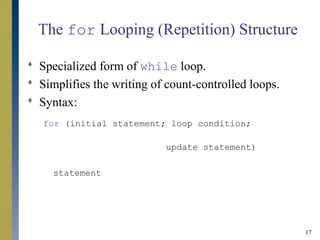
The for Looping (Repetition) Structure
 Specialized form of while loop.
 Simplifies the writing of count-controlled loops.
 Syntax:
for (initial statement; loop condition;
update statement)
statement
18
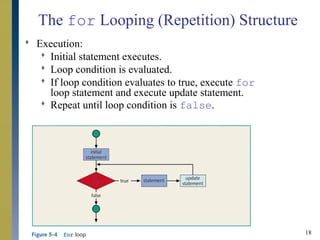
The for Looping (Repetition) Structure
 Execution:
 Initial statement executes.
 Loop condition is evaluated.
 If loop condition evaluates to true, execute for
loop statement and execute update statement.
 Repeat until loop condition is false.
19
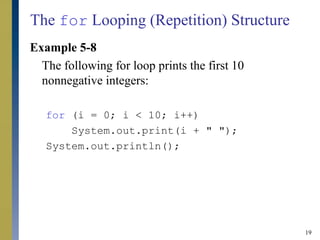
The for Looping (Repetition) Structure
Example 5-8
The following for loop prints the first 10
nonnegative integers:
for (i = 0; i < 10; i++)
System.out.print(i + " ");
System.out.println();
20
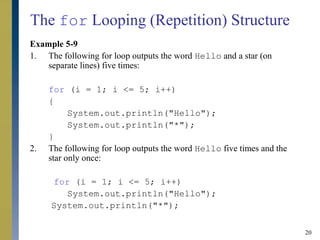
The for Looping (Repetition) Structure
Example 5-9
1. The following for loop outputs the word Hello and a star (on
separate lines) five times:
for (i = 1; i <= 5; i++)
{
System.out.println("Hello");
System.out.println("*");
}
2. The following for loop outputs the word Hello five times and the
star only once:
for (i = 1; i <= 5; i++)
System.out.println("Hello");
System.out.println("*");
21
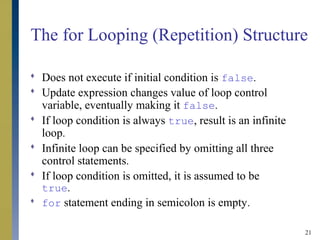
The for Looping (Repetition) Structure
 Does not execute if initial condition is false.
 Update expression changes value of loop control
variable, eventually making it false.
 If loop condition is always true, result is an infinite
loop.
 Infinite loop can be specified by omitting all three
control statements.
 If loop condition is omitted, it is assumed to be
true.
 for statement ending in semicolon is empty.
22
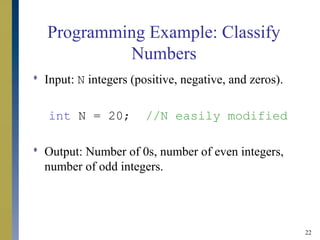
Programming Example: Classify
Numbers
 Input: N integers (positive, negative, and zeros).
int N = 20; //N easily modified
 Output: Number of 0s, number of even integers,
number of odd integers.
23
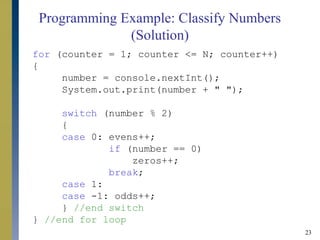
Programming Example: Classify Numbers
(Solution)
for (counter = 1; counter <= N; counter++)
{
number = console.nextInt();
System.out.print(number + " ");
switch (number % 2)
{
case 0: evens++;
if (number == 0)
zeros++;
break;
case 1:
case -1: odds++;
} //end switch
} //end for loop
24
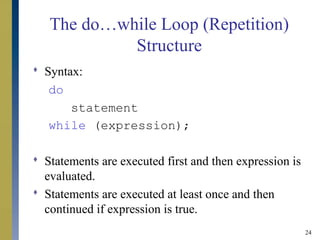
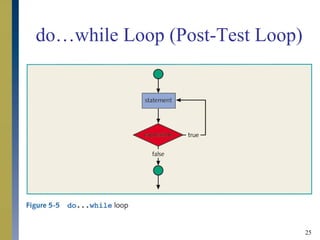
The do…while Loop (Repetition)
Structure
 Syntax:
do
statement
while (expression);
 Statements are executed first and then expression is
evaluated.
 Statements are executed at least once and then
continued if expression is true.
25
do…while Loop (Post-Test Loop)
26
break Statements
 Used to exit early from a loop.
 Used to skip remainder of switch structure.
 Can be placed within if statement of a loop.
 If condition is met, loop is exited immediately.
27
continue Statements
 Used in while, for, and do...while structures.
 When executed in a loop, the remaining statements
in the loop are skipped; proceeds with the next
iteration of the loop.
 When executed in a while/do…while structure,
expression is evaluated immediately after continue
statement.
 In a for structure, the update statement is executed
after the continue statement; the loop condition
then executes.
28
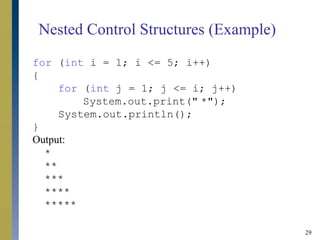
Nested Control Structures
 Provides new power, subtlety, and complexity.
 if, if…else, and switch structures can be
placed within while loops.
 for loops can be found within other for loops.
29
Nested Control Structures (Example)
for (int i = 1; i <= 5; i++)
{
for (int j = 1; j <= i; j++)
System.out.print(" *");
System.out.println();
}
Output:
*
**
***
****
*****
30
Chapter Summary
 Looping mechanisms:
 Counter-controlled while loop
 Sentinel-controlled while loop
 Flag-controlled while loop
 EOF-controlled while loop
 for loop
 do…while loop
 break statements
 continue statements
 Nested control structures

Control structures ii

  • 1.
    Chapter 5: ControlStructuresChapter 5: Control Structures IIII JJavaava PProgramming:rogramming: From Problem Analysis to Program Design,From Problem Analysis to Program Design, Second EditionSecond Edition
  • 2.
    2 Chapter Objectives  Learnabout repetition (looping) control structures.  Explore how to construct and use count-controlled, sentinel-controlled, flag-controlled, and EOF- controlled repetition structures.  Examine break and continue statements.  Discover how to form and use nested control structures.
  • 3.
    3 Why Is RepetitionNeeded?  There are many situations in which the same statements need to be executed several times.  Example:  Formulas used to find average grades for students in a class.
  • 4.
    4 The while Looping(Repetition) Structure  Syntax: while (expression) statement  Expression is always true in an infinite loop.  Statements must change value of expression to false.
  • 5.
    5 The while Looping(Repetition) Structure Example 5-1 i = 0; //Line 1 while (i <= 20) //Line 2 { System.out.print(i + " "); //Line 3 i = i + 5; //Line 4 } System.out.println(); //Line 5 Output 0 5 10 15 20
  • 6.
    6 The while Looping(Repetition) Structure Typically, while loops are written in the following form: //initialize the loop control variable(s) while (expression) //expression tests the LCV { . . . //update the loop control variable(s) . . . }
  • 7.
    7 Counter-Controlled while Loop Used when exact number of data or entry pieces is known.  General form: int N = //value input by user or specified //in program int counter = 0; while (counter < N) { . . . counter++; . . . }
  • 8.
    8 Sentinel-Controlled while Loop Used when exact number of entry pieces is unknown, but last entry (special/sentinel value) is known.  General form: Input the first data item into variable; while (variable != sentinel) { . . . input a data item into variable; . . . }
  • 9.
    9 Flag-Controlled while Loop Boolean value used to control loop.  General form: boolean found = false; while (!found) { . . . if (expression) found = true; . . . }
  • 10.
    10 EOF(End of File)-Controlledwhile Loop  Used when input is from files.  Sentinel value is not always appropriate.  In an EOF-controlled while loop that uses the Scanner object console to input data, console acts at the loop control variable.  The method hasNext, of the class Scanner, returns true if there is an input in the input stream; otherwise, it returns false.  The expression console.hasNext() acts as the loop condition.  Expressions such as console.nextInt() update the value of the loop condition.
  • 11.
    11 EOF-Controlled while Loop A general form of the EOF-controlled while loop that uses the Scanner object console to input data is: while (console.hasNext()) { //Get the next input and store in an //appropriate variable //Process data }
  • 12.
    12 EOF-Controlled while Loop Suppose that inFile is a Scanner object initialized to the input file. In this case, the EOF- controlled while loop takes the following form: while (inFile.hasNext()) { //Get the next input and store in an //appropriate variable //Process data }
  • 13.
    13 Programming Example: Checking AccountBalance  Input file: Customer’s account number, account balance at beginning of month, transaction type (withdrawal, deposit, interest), transaction amount.  Output: Account number, beginning balance, ending balance, total interest paid, total amount deposited, number of deposits, total amount withdrawn, number of withdrawals.
  • 14.
    14 Programming Example: Checking AccountBalance  Solution:  Read data.  EOF-controlled loop.  switch structure of transaction types.  Determine action (add to balance or subtract from balance depending on transaction type).
  • 15.
    15 Programming Example: Fibonacci Number Fibonacci formula for any Fibonacci sequence: an = an-1 + an-2  Input: First two Fibonacci numbers in sequence, position in sequence of desired Fibonacci number (n).  int previous1 = Fibonacci number 1  int previous2 = Fibonacci number 2  int nthFibonacci = Position of nth Fibonacci number  Output: nth Fibonacci number.
  • 16.
    16 Programming Example: FibonacciNumber (Solution) if (nthFibonacci == 1) current = previous1; else if (nthFibonacci == 2) current = previous2; else { counter = 3; while (counter <= nthFibonacci) { current = previous2 + previous1; previous1 = previous2; previous2 = current; counter++; } }
  • 17.
    17 The for Looping(Repetition) Structure  Specialized form of while loop.  Simplifies the writing of count-controlled loops.  Syntax: for (initial statement; loop condition; update statement) statement
  • 18.
    18 The for Looping(Repetition) Structure  Execution:  Initial statement executes.  Loop condition is evaluated.  If loop condition evaluates to true, execute for loop statement and execute update statement.  Repeat until loop condition is false.
  • 19.
    19 The for Looping(Repetition) Structure Example 5-8 The following for loop prints the first 10 nonnegative integers: for (i = 0; i < 10; i++) System.out.print(i + " "); System.out.println();
  • 20.
    20 The for Looping(Repetition) Structure Example 5-9 1. The following for loop outputs the word Hello and a star (on separate lines) five times: for (i = 1; i <= 5; i++) { System.out.println("Hello"); System.out.println("*"); } 2. The following for loop outputs the word Hello five times and the star only once: for (i = 1; i <= 5; i++) System.out.println("Hello"); System.out.println("*");
  • 21.
    21 The for Looping(Repetition) Structure  Does not execute if initial condition is false.  Update expression changes value of loop control variable, eventually making it false.  If loop condition is always true, result is an infinite loop.  Infinite loop can be specified by omitting all three control statements.  If loop condition is omitted, it is assumed to be true.  for statement ending in semicolon is empty.
  • 22.
    22 Programming Example: Classify Numbers Input: N integers (positive, negative, and zeros). int N = 20; //N easily modified  Output: Number of 0s, number of even integers, number of odd integers.
  • 23.
    23 Programming Example: ClassifyNumbers (Solution) for (counter = 1; counter <= N; counter++) { number = console.nextInt(); System.out.print(number + " "); switch (number % 2) { case 0: evens++; if (number == 0) zeros++; break; case 1: case -1: odds++; } //end switch } //end for loop
  • 24.
    24 The do…while Loop(Repetition) Structure  Syntax: do statement while (expression);  Statements are executed first and then expression is evaluated.  Statements are executed at least once and then continued if expression is true.
  • 25.
  • 26.
    26 break Statements  Usedto exit early from a loop.  Used to skip remainder of switch structure.  Can be placed within if statement of a loop.  If condition is met, loop is exited immediately.
  • 27.
    27 continue Statements  Usedin while, for, and do...while structures.  When executed in a loop, the remaining statements in the loop are skipped; proceeds with the next iteration of the loop.  When executed in a while/do…while structure, expression is evaluated immediately after continue statement.  In a for structure, the update statement is executed after the continue statement; the loop condition then executes.
  • 28.
    28 Nested Control Structures Provides new power, subtlety, and complexity.  if, if…else, and switch structures can be placed within while loops.  for loops can be found within other for loops.
  • 29.
    29 Nested Control Structures(Example) for (int i = 1; i <= 5; i++) { for (int j = 1; j <= i; j++) System.out.print(" *"); System.out.println(); } Output: * ** *** **** *****
  • 30.
    30 Chapter Summary  Loopingmechanisms:  Counter-controlled while loop  Sentinel-controlled while loop  Flag-controlled while loop  EOF-controlled while loop  for loop  do…while loop  break statements  continue statements  Nested control structures