Cheminformatics
                                                in R

                                               1/189


       Cheminformatics in R

or How to Start R and Never Have to Exit


              Rajarshi Guha

        NIH Chemical Genomics Center


             17th May, 2010
              EBI, Hinxton
Cheminformatics
Background        in R

                 2/189
Cheminformatics
Background                                    in R

                                             3/189


 Involved in various aspects of
 cheminformatics since 2002
     QSAR modeling, virtual screening,
     polypharmacology, networks
     Algorithm developement
     Cheminformatics software
     development
 Core developer for the CDK
Cheminformatics
Background                                                     in R

                                                              4/189


   Pretty much live inside of R
   Been using it since 2003, developed a number of R
   packages, mostly public
   Make extensive use of R at NCGC for small molecule &
   RNAi screening
Cheminformatics
Acknowledgements                  in R

                                 5/189


   rcdk
       Miguel Rojas
       Ranke Johannes
   CDK
       Egon Willighagen
       Christoph Steinbeck
       ...
Cheminformatics
Resources                                                                    in R

                                                                            6/189
    Download binaries
        If you’re working on Unix it’s a good idea to compile
        from source
    There’s lots of documentation of varying quality
        The R manual is a good document to start with
        R Data Import and Export is extremely handy regarding
        data loading
        A variety of short introductory tutorials as well as
        documents on specific topics in statistical modeling can
        be found here
    More general help can be obtained from
        The R-help mailing list. Has a lot of renoowned experts
        on the list and if you can learn quite a bit of statistics in
        addition to getting R help just be reading the archives of
        the list. Note: they do expect that you have done your
        homework! See the posting guide
        A useful reference for Python/Matlab users learning R
Cheminformatics
R Books                                                         in R

                                                               7/189


   A number of books are available ranging from
   introductions to R along with examples up to advanced
   statistical modeling using R.
   Data Analysis and Graphics Using R: An Example-based
   Approach by John Maindonald, John Braun
   Introductory Statistics with R by Peter Dalgaard
   Using R for Introductory Statistics by John Verzani
   If you end up programming a lot in R, you’ll want to
   have Programming with Data: A Guide to the S
   Language by John M. Chambers
Cheminformatics
IDE’s and editors                                                  in R

                                                                  8/189


    Emacs + ESS - works on Linux, Windows, OS X.
    Invaluable if you are an Emacs user
    TINN-R is a small and useful editor for Windows
    You can also do R in Eclipse
        StatET
        Rsubmit
    A number of different GUI’s are available for, which may
    be useful if you’re an infrequent user
        Rcommander
        JGR
        Rattle
        PMG
        SciViews-R
        Red-R
Cheminformatics
What is R?                                                            in R

                                                                     9/189


    R is an environment for modeling
        Contains many prepackaged statistical and mathematical
        functions
        No need to implement anything
    R is a matrix programming language that is good for
    statistical computing
        Full fledged, interpreted language
        Well integrated with statistical functionality
        More details later
Cheminformatics
What is R?                                                          in R

                                                                   10/189


    It is possible to use R just for modeling
    Avoids programming, preferably use a GUI
        Load data → build model → plot data
    But you can also get much more creative
        Scripts to process multiple data files
        Ensemble modeling using different types of models
        Implement brand new algorithms
    R is good for prototyping algorithms
        Interpreted, so immediate results
        Good support for vectorization
             Faster than explicit loops
             Analogous to map in Python and Lisp
        Most times, interpreted R is fine, but you can easily
        integrate C code
Cheminformatics
What is R?                                                                    in R

                                                                             11/189


    R integrates with other languages
        C code can be linked to R and C can also call R functions
        Java code can be called from R and vice versa. See
        various packages at rosuda.org
        Python can be used in R and vice versa using Rpy
    R has excellent support for publication quality graphics
    See R Graph Gallery for an idea of the graphing
    capabilities
    But graphing in R does have a learning curve
    A variety of graphs can be generated
        2D plots - scatter, bar, pie, box, violin, parallel coordinate
        3D plots - OpenGL support is available
Cheminformatics
Why Cheminformatics in R?                                          in R

                                                                  12/189


    In contrast to bioinformatics (cf. Bioconductor), not a
    whole lot of cheminformatics support for R
    For cheminformatics and chemistry relevant packages
    include
        rcdk, rpubchem, fingerprint
        bio3d, ChemmineR
    A lot of cheminformatics employs various forms of
    statistics and machine learning - R is exactly the
    environment for that
    We just need to add some chemistry capabilities to it
Cheminformatics
Outline                                   in R

                                         13/189


    An overview of the R language
    An overview of the CDK library
    Exploring the rcdk package
    Exploring the rcdklibs package
    Extending the code
Cheminformatics
Accessing packages                                                 in R

                                                                  14/189


    From within R (you’ll need 2.11.0 or better)

install.packages(c("rcdk","rpubchem"), dependencies = TRUE)


    Sources for rcdk and rcdklibs can be obtained from
    the Github repository
         This is required if you want to modify Java code
         associated with rcdk
    Installable development packages (OS X, Linux,
    Windows) available from http://rguha.net/rcdk
         These will make their way to CRAN
Cheminformatics
Workshop prerequisites                                                in R

                                                                     15/189


    Everything should be installed
    Running the code below should not give any errors

library(rcdk)
library(rpubchem)
source(helper.R)


    Most of the code snippets in these slides are contained in
    code.R
    You should have a data/ directory containing various
    datasets used in this workshop
    You should have a exercises/ directory containing the
    source code solutions to the exercises
Cheminformatics
                     in R

                    16/189


                The language

                Parallel R

                Database access
   Part I

Overview of R
Cheminformatics
Outline                in R

                      17/189


                  The language

                  Parallel R

                  Database access
The language


Parallel R


Database access
Cheminformatics
Working in R                                                            in R

                                                                       18/189


    To get help for a function name do: ?functionname
                                                                   The language
    If you don’t know the name of the function, use:               Parallel R
    help.search("blah")                                            Database access

    R Site Search and Rseek are very helpful online resources
    To exit from the prompt do: quit()
    Two ways to run R code
        Type or paste it at the prompt
        Execute code from a source file: source("mycode.R")
    Saving your work
        save.image(file="mywork.Rda") saves the whole
        workspace to mywork.Rda, which is a binary file
        When you restart R, do: load("mywork.Rda") will restore
        your workspace
        You can save individual (or multiple) objects using save
Cheminformatics
Basic types in R                                                     in R

                                                                    19/189
Primitive types
    numeric - indicates an integer or floating point number      The language

                                                                Parallel R
    character - an alphanumeric symbol (string)
                                                                Database access
    logical - boolean value. Possible values are TRUE and
    FALSE

Complex types
    vector - a 1D collection of objects of the same type
    list - a 1D container that can contain arbitrary objects.
    Each element can have a name associated with it
    matrix - a 2D data structure containing objects of the
    same type
    data.frame - a generalization of the matrix type. Each
    column can be of a different type
Cheminformatics
Primitive types            in R

                          20/189


                      The language
> x <- 1.2
                      Parallel R
> x <- 2
                      Database access

> y <- "abcdegf"
> y
[1] "abcdegf"

> z <- c(1,2,3,4,5)
> z
[1] 1 2 3 4 5

> z <- 1:5
> z
[1] 1 2 3 4 5
Cheminformatics
Matrices                                         in R

                                                21/189


                                            The language

                                            Parallel R
    Make a matrix from a vector             Database access

    The matrix is constructed column-wise


> z <- c(1,2,3,4,5,6,7,8,9,10)
> m <- matrix(z, nrow=2, ncol=5)
> m
    [,1] [,2] [,3] [,4] [,5]
[1,] 1 3 5 7 9
[2,] 2 4 6 8 10
Cheminformatics
data.frame                                                         in R

                                                                  22/189


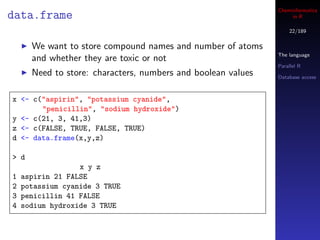
      We want to store compound names and number of atoms
                                                              The language
      and whether they are toxic or not
                                                              Parallel R
      Need to store: characters, numbers and boolean values   Database access


x <- c("aspirin", "potassium cyanide",
       "penicillin", "sodium hydroxide")
y <- c(21, 3, 41,3)
z <- c(FALSE, TRUE, FALSE, TRUE)
d <- data.frame(x,y,z)

> d
                  x y z
1   aspirin 21 FALSE
2   potassium cyanide 3 TRUE
3   penicillin 41 FALSE
4   sodium hydroxide 3 TRUE
Cheminformatics
data.frame                                                       in R

                                                                23/189

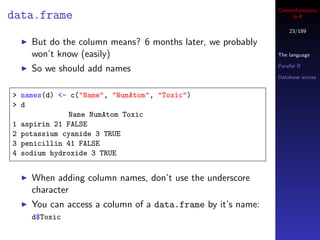
    But do the column means? 6 months later, we probably
    won’t know (easily)                                     The language

                                                            Parallel R
    So we should add names
                                                            Database access


> names(d) <- c("Name", "NumAtom", "Toxic")
> d
             Name NumAtom Toxic
1 aspirin 21 FALSE
2 potassium cyanide 3 TRUE
3 penicillin 41 FALSE
4 sodium hydroxide 3 TRUE


    When adding column names, don’t use the underscore
    character
    You can access a column of a data.frame by it’s name:
    d$Toxic
Cheminformatics
Lists                                                                   in R

                                                                       24/189
        A 1D collection of arbitrary objects (ArrayList in Java)
        We can access the lists by indexing: mylist[1] or          The language
        mylist[[1]] for the first element or mylist[c(1,2,3)] for   Parallel R
        the first 3 elements                                        Database access


 x <- 1.0
 y <- "hello there"
 s <- c(1,2,3)
 mylist <- list(x,y,s)

 > mylist
 [[1]]
 [1] 1

 [[2]]
 [1] "hello there"

 [[3]]
 [1] 1 2 3
Cheminformatics
Lists                                                            in R

                                                                25/189


        It’s useful to name individual elements of a list
                                                            The language

                                                            Parallel R
 x <- "oxygen"
 z <- 8                                                     Database access

 m <- 32
 mylist <- list(name="oxygen",
                atomicNumber=z,
                molWeight=m)
 > mylist
 $name
 [1] "oxygen"

 $atomicNumber
 [1] 8

 $molWeight
 [1] 32
Cheminformatics
Lists                                                          in R

                                                              26/189


                                                          The language

                                                          Parallel R

                                                          Database access


        We can then get the molecular weight by writing

 > mylist$molWeight
 [1] 32
Cheminformatics
Identifying types                                                     in R

                                                                     27/189


     It’s useful initially, to identify the type of the object   The language

     Usually just printing it out explains what it is            Parallel R

                                                                 Database access
     You can be more concise by doing

 > x <- 1
 > class(x)
 [1] "numeric"

 > x <- "hello world"
 > class(x)
 [1] "character"

 > x <- matrix(c(1,2,3,4), nrow=2)
 > class(x)
 [1] "matrix"
Cheminformatics
Indexing                                                            in R

                                                                   28/189


                                                               The language

    Indexing fundamental to using R and is applicable to       Parallel R

    vectors, matrices, data.frame’s and lists                  Database access


    all indices start from 1 (not 0!)
    For a 1D vector, we get the i’th element by x[i]
    For a 2D matrix of data.frame we get the i, j element by
    x[i,j]
    But we can also index using vectors
           Called an index vector
           Allows us to select or exclude multiple elements
           simultaneously
Cheminformatics
Indexing                                                  in R

                                                         29/189


    Say we have a vector, x and a matrix y
                                                     The language

                                                     Parallel R
> x
                                                     Database access
 [1] 1 2 3 4 5 6 7 8 9 10
> y
     [,1] [,2] [,3] [,4] [,5]
[1,] 1 4 7 10 13
[2,] 2 5 8 11 14
[3,] 3 6 9 12 15


    Some ways to get elements from x
    5th element → x[5]
    The 3rd, 4th and 5th elements → x[ c(3,4,5) ]
    Everything but the 3rd, 4th and 5th elements →
    x[ -c(3,4,5) ]
Cheminformatics
Indexing                                                         in R

                                                                30/189


      Say we have a matrix y
                                                            The language

                                                            Parallel R
> y
                                                            Database access
    [,1] [,2] [,3] [,4] [,5]
[1,] 1 4 7 10 13
[2,] 2 5 8 11 14
[3,] 3 6 9 12 15


      Some ways to get elements from y
      Element in the first row, second column → y[1,2]
      All elements in the 1st column → y[,1]
      All elements in the 3rd row → y[3,]
      Elements in the first 2 columns → y[ , c(1,2) ]
      Elements not in the first 2 columns → y[ , -c(1,2) ]
Cheminformatics
Indexing                                                              in R

                                                                     31/189


                                                                 The language
    You can also use a boolean vector to index another vector
                                                                 Parallel R
    In this case, the index vector must of the same length as    Database access
    your target vector
    If the i’th element in the index vector is TRUE then the
    i’th element of the target is selected

> x <- c(1,2,3,4)
> idx <- c(TRUE, FALSE, FALSE, TRUE)
> x[ idx ]
[1] 1 4


    It’s a pain to have to create a whole index vector by hand
Cheminformatics
Indexing                                                             in R

                                                                    32/189
    A more intuitive way to do this, is to make use of R’s
    vector operations                                           The language

    x == 2 will compare each element of x with the value 2      Parallel R

    and return TRUE or FALSE                                    Database access


    The result is a boolean vector

> x <- c(1,2,3,4)
> x == 2
[1] FALSE TRUE FALSE FALSE


    So we can select the elements of x that are equal to 2 by
    doing

> x <- c(1,2,3,4)
> x[ x == 2 ]
[1] 2
Cheminformatics
Indexing                                                           in R

                                                                  33/189


    Or select elements of x that are greater than 2
                                                              The language

                                                              Parallel R
> x <- c(1,2,3,4)
                                                              Database access
> x[ x > 2 ]
[1] 3 4


    Or select elements of x that are 2 or 4

> x <- c(1,2,3,4)
> x[ x == 2 | x == 4 ]
[1] 2 4


    The single bar (|) is intentional
    Logical operations using vectors should use |, & rather
    than the usual ||, &&
Cheminformatics
List indexing                                                 in R

                                                             34/189


    With list objects we can index using [ or [[         The language

            [ keeps element names, [[ drops names        Parallel R

                                                         Database access
    Can’t use index vectors or boolean vectors with [[

> y <- list(a=’b’, b=123, x=c(1,2,3))
> y[3]
$x
[1] 1 2 3

> y[[3]]
[1] 1 2 3

> y[[1:2]]
Error in y[[1:2]] : subscript out of bounds
Cheminformatics
Subsetting                                                          in R

                                                                   35/189


                                                               The language

    Get a subset of the rows of a matrix or data.frame based   Parallel R

    on values in a certain column                              Database access

    We can generate a boolean index vector
    For data.frame’s, we can use a more intuitive approach

d <- data.frame(a=1:10, b=runif(10), c=rnorm(10))

d[d$a <= 6,]

subset(d, a <= 6)
subset(d, a >= 7 & b < 0.4)
Cheminformatics
Merging data.frames                                                 in R

                                                                   36/189


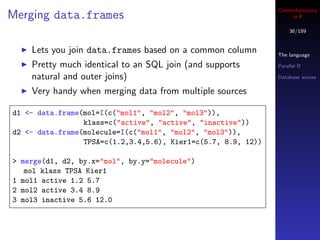
    Lets you join data.frames based on a common column         The language

    Pretty much identical to an SQL join (and supports         Parallel R

    natural and outer joins)                                   Database access

    Very handy when merging data from multiple sources

d1 <- data.frame(mol=I(c("mol1", "mol2", "mol3")),
                 klass=c("active", "active", "inactive"))
d2 <- data.frame(molecule=I(c("mol1", "mol2", "mol3")),
                 TPSA=c(1.2,3.4,5.6), Kier1=c(5.7, 8.9, 12))

> merge(d1, d2, by.x="mol", by.y="molecule")
   mol klass TPSA Kier1
1 mol1 active 1.2 5.7
2 mol2 active 3.4 8.9
3 mol3 inactive 5.6 12.0
Cheminformatics
Functions in R                                                            in R

                                                                         37/189


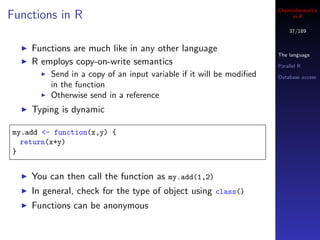
    Functions are much like in any other language
                                                                     The language
    R employs copy-on-write semantics                                Parallel R
         Send in a copy of an input variable if it will be modified   Database access
         in the function
         Otherwise send in a reference
    Typing is dynamic

my.add <- function(x,y) {
  return(x+y)
}


    You can then call the function as my.add(1,2)
    In general, check for the type of object using class()
    Functions can be anonymous
Cheminformatics
Loop constructs                                        in R

                                                      38/189


                                                  The language

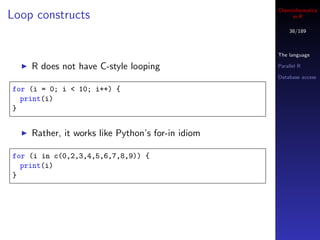
    R does not have C-style looping               Parallel R

                                                  Database access

for (i = 0; i < 10; i++) {
  print(i)
}


    Rather, it works like Python’s for-in idiom

for (i in c(0,2,3,4,5,6,7,8,9)) {
  print(i)
}
Cheminformatics
Loop constructs                                                      in R

                                                                    39/189


                                                                The language
    In general, to loop n times, you create a vector with n     Parallel R
    elements, say by writing 1 : n                              Database access

    But like Python loops, you can just loop over elements of
    a vector or list and use them

> objects <- list(x=1, y="hello world", z=c(1,2,3))
> for (i in objects) print(i)
[1] 1
[1] "hello world"
[1] 1 2 3


    Good R style discourages explicit loops
Cheminformatics
Apply and friends                                                   in R

                                                                   40/189


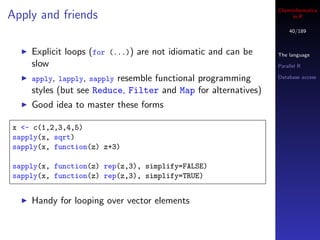
    Explicit loops (for (...)) are not idiomatic and can be    The language
    slow                                                       Parallel R

    apply, lapply, sapplyresemble functional programming       Database access

    styles (but see Reduce, Filter and Map for alternatives)
    Good idea to master these forms

x <- c(1,2,3,4,5)
sapply(x, sqrt)
sapply(x, function(z) z+3)

sapply(x, function(z) rep(z,3), simplify=FALSE)
sapply(x, function(z) rep(z,3), simplify=TRUE)


    Handy for looping over vector elements
Cheminformatics
Looping over lists                                                  in R

                                                                   41/189
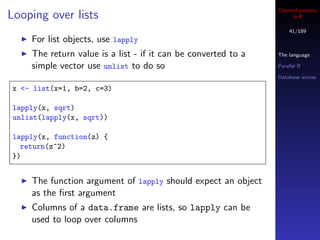
    For list objects, use lapply
    The return value is a list - if it can be converted to a   The language

    simple vector use unlist to do so                          Parallel R

                                                               Database access

x <- list(x=1, b=2, c=3)

lapply(x, sqrt)
unlist(lapply(x, sqrt))

lapply(x, function(z) {
  return(z^2)
})


    The function argument of lapply should expect an object
    as the first argument
    Columns of a data.frame are lists, so lapply can be
    used to loop over columns
Cheminformatics
Looping over multiple objects                                         in R

                                                                     42/189


                                                                 The language
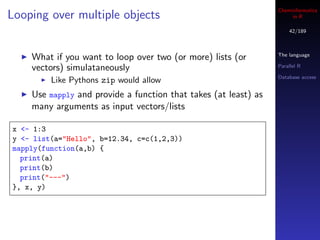
    What if you want to loop over two (or more) lists (or
    vectors) simulataneously                                     Parallel R

                                                                 Database access
         Like Pythons zip would allow
    Use mapply and provide a function that takes (at least) as
    many arguments as input vectors/lists

x <- 1:3
y <- list(a="Hello", b=12.34, c=c(1,2,3))
mapply(function(a,b) {
  print(a)
  print(b)
  print("---")
}, x, y)
Cheminformatics
Looping over matrices                                               in R

                                                                   43/189


                                                               The language
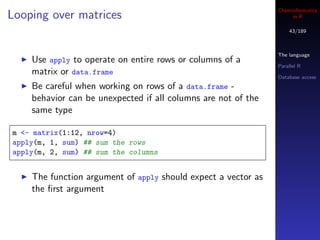
    Use apply to operate on entire rows or columns of a
                                                               Parallel R
    matrix or data.frame                                       Database access
    Be careful when working on rows of a data.frame -
    behavior can be unexpected if all columns are not of the
    same type

m <- matrix(1:12, nrow=4)
apply(m, 1, sum) ## sum the rows
apply(m, 2, sum) ## sum the columns


    The function argument of apply should expect a vector as
    the first argument
Cheminformatics
Looping caveats                                                    in R

                                                                  44/189


                                                              The language
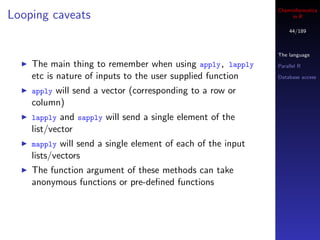
    The main thing to remember when using apply, lapply       Parallel R

    etc is nature of inputs to the user supplied function     Database access

    applywill send a vector (corresponding to a row or
    column)
    lapply and sapply will send a single element of the
    list/vector
    mapply  will send a single element of each of the input
    lists/vectors
    The function argument of these methods can take
    anonymous functions or pre-defined functions
Cheminformatics
Loading data                                                           in R

                                                                      45/189


                                                                  The language
    Writing vectors and matrices by hand is good for 15           Parallel R

    minutes!                                                      Database access

    Easier to read data from files
    R supports a variety of text and binary formats
    Certain packages can be loaded to handle special formats
        Read from SPSS, Stata, SAS
        Read microarray data, GIS data, chemical structure data
    Excel files can also be read (easiest on Windows)
    Data can be accessed from SQL databases (Postgres,
    MySQL, Oracle)
Cheminformatics
Reading CSV data                                                 in R

                                                                46/189


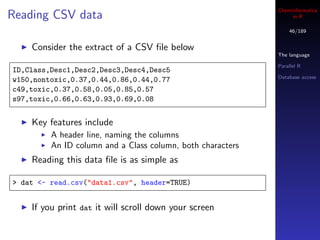
    Consider the extract of a CSV file below
                                                            The language

                                                            Parallel R
ID,Class,Desc1,Desc2,Desc3,Desc4,Desc5
                                                            Database access
w150,nontoxic,0.37,0.44,0.86,0.44,0.77
c49,toxic,0.37,0.58,0.05,0.85,0.57
s97,toxic,0.66,0.63,0.93,0.69,0.08


    Key features include
         A header line, naming the columns
         An ID column and a Class column, both characters
    Reading this data file is as simple as

> dat <- read.csv("data1.csv", header=TRUE)


    If you print dat it will scroll down your screen
Cheminformatics
Reading CSV data                                                     in R

                                                                    47/189


                                                                The language

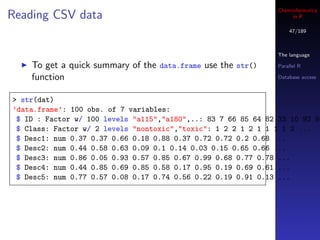
    To get a quick summary of the data.frame use the str()      Parallel R

    function                                                    Database access


> str(dat)
’data.frame’: 100 obs. of 7 variables:
 $ ID : Factor w/ 100 levels "a115","a180",..: 83 7 66 85 64 82 33 10 92 95
 $ Class: Factor w/ 2 levels "nontoxic","toxic": 1 2 2 1 2 1 1 1 1 2 ...
 $ Desc1: num 0.37 0.37 0.66 0.18 0.88 0.37 0.72 0.72 0.2 0.68 ...
 $ Desc2: num 0.44 0.58 0.63 0.09 0.1 0.14 0.03 0.15 0.65 0.66 ...
 $ Desc3: num 0.86 0.05 0.93 0.57 0.85 0.67 0.99 0.68 0.77 0.78 ...
 $ Desc4: num 0.44 0.85 0.69 0.85 0.58 0.17 0.95 0.19 0.69 0.61 ...
 $ Desc5: num 0.77 0.57 0.08 0.17 0.74 0.56 0.22 0.19 0.91 0.13 ...
Cheminformatics
What is a factor?                                                     in R

                                                                     48/189


    The factor type is used to represent categorical variables   The language
         Toxic, non-toxic                                        Parallel R
         Active, inactive                                        Database access
         Yes, no, maybe
    They correspond to enum’s in C/Java
    A factor variable looks like an ordinary vector of
    characters
    Internally they are represented by integers
    A factor variable has a property called the levels
         Indicates what values are valid for the factor

> levels(dat$Class)
[1] "nontoxic" "toxic"
Cheminformatics
What is a factor?                                                      in R

                                                                      49/189


                                                                  The language

    If you try to assign an invalid value to a factor you get a   Parallel R

    warning                                                       Database access


> dat$Class[1] <- "Yes"
Warning message:
In ‘[<-.factor‘(‘*tmp*‘, 1, value = "Yes") :
  invalid factor level, NAs generated

> dat$Class[1:10]
 [1] <NA> toxic toxic nontoxic toxic nontoxic nontoxic nontoxic
 [9] nontoxic toxic
Levels: nontoxic toxic
Cheminformatics
Operating on groups                                                  in R

                                                                    50/189


                                                                The language

                                                                Parallel R
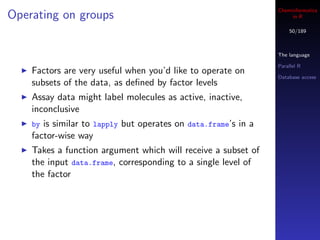
    Factors are very useful when you’d like to operate on
                                                                Database access
    subsets of the data, as defined by factor levels
    Assay data might label molecules as active, inactive,
    inconclusive
    by is similar to lapply but operates on data.frame’s in a
    factor-wise way
    Takes a function argument which will receive a subset of
    the input data.frame, corresponding to a single level of
    the factor
Cheminformatics
                                                               in R

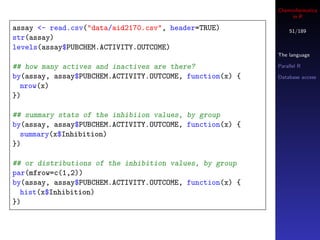
assay <- read.csv("data/aid2170.csv", header=TRUE)            51/189
str(assay)
levels(assay$PUBCHEM.ACTIVITY.OUTCOME)
                                                          The language

## how many actives and inactives are there?              Parallel R

by(assay, assay$PUBCHEM.ACTIVITY.OUTCOME, function(x) {   Database access
  nrow(x)
})

## summary stats of the inhibiion values, by group
by(assay, assay$PUBCHEM.ACTIVITY.OUTCOME, function(x) {
  summary(x$Inhibition)
})

## or distributions of the inhibition values, by group
par(mfrow=c(1,2))
by(assay, assay$PUBCHEM.ACTIVITY.OUTCOME, function(x) {
  hist(x$Inhibition)
})
Cheminformatics
Outline                in R

                      52/189


                  The language

                  Parallel R

                  Database access
The language


Parallel R


Database access
Cheminformatics
Parallel R                                                         in R

                                                                  53/189


    R itself is not multi-threaded                            The language
        Well suited for embarassingly parallel problems       Parallel R

    Even then, a number of “large data” problems are not      Database access

    tractable
        Recent developments on integrating R and Hadoop
        address this
        See the RHIPE package
    We’ll look at snow which allows distribution of
    processing on the same machine (multiple CPU’s) or
    multiple machines
    But see snowfall for a nice set of wrappers around snow
    Also see multicore for a package that focuses on
    parallel processing on multicore CPU’s
Cheminformatics
Trivial parallelization with snow                                   in R

                                                                   54/189


                                                               The language

                                                               Parallel R
    snow lets you use multiple machines or multiple cores on   Database access
    a single machine
    Well suited for data-parallel problems
    If using multiple machines, data will be sent across the
    network, so large chunks of data can slow things down
    General strategy is
        Initialize cluster
        Send variables required for calculation to the nodes
        Call a parallel function
Cheminformatics
Use case - exhaustive feature selection                                   in R

                                                                         55/189


                                                                     The language

                                                                     Parallel R
    Given a set of N descriptors, find a n-descriptor subset
                                                                     Database access
    that leads to a good predictive model
    Will obviously explode -   50 C       = 2, 118, 760 descriptor
                                      5
    combinations
    Usually we would employ a genetic algorithm or simulated
    annealing or even some form of stepwise selection
    For pedagogical purposes
        how can we do this exhaustively?
        how can we speed it up?
Cheminformatics
The data and a model                                                            in R

                                                                               56/189


                                                                           The language

                                                                           Parallel R

                                                                           Database access

       Lets consider some melting point data
       Precalculated and reduced descriptor set
       184 molecules in training set, 34 descriptors
       Goal - find a good 4 descriptor OLS model


  0
      Bergstrom, C.A.S. et al, J. Chem. Inf. Model., 2003, 43, 1177–1185
Cheminformatics
A serial solution                                                   in R

                                                                   57/189


     Evaluate all 4-member combinations of the numbers         The language
     {1, 2, . . . , 34}                                        Parallel R
          These are the indices of the descriptor columns      Database access

     Loop over the rows, use the values as column indices of
     the descriptor matrix, build a model

 ## First some data prep
 library(gtools)
 load("data/bergstrom/bergstrom.Rda")

 depv <- train.desc[,1]
 desc <- train.desc[,-1]

 idx <- 1:nrow(desc)
 combos <- combinations(ncol(desc), 4)
Cheminformatics
A serial solution                                                    in R

                                                                    58/189


                                                                The language

                                                                Parallel R
 rmse <- function(x,y) sqrt(sum((x-y)^2)/length(x))
                                                                Database access

 system.time(
   rmse.serial <- apply(combos, 1, function(idx, mydata, y) {
     dat <- data.frame(y=y, x=mydata[,idx])
     m <- lm(y~., dat)
     return(rmse(m$fitted,y))
   }, mydata=desc, y=depv)
 )


     Takes about 200 seconds
Cheminformatics
The parallel solution                                                  in R

                                                                      59/189

    Code is pretty much identical
                                                                  The language
    First need to initialize the “cluster” - in this case we’ll
                                                                  Parallel R
    run multiple processes on the same machine
                                                                  Database access

library(snow)
clus <- makeCluster(rep("localhost",2), type="SOCK")

system.time(
  rmse.par <- parApply(clus, combos, 1, function(idx, mydata, y) {
    dat <- data.frame(y=y, x=mydata[,idx])
    m <- lm(y~., dat)
    return(rmse(m$fitted,y))
  }, mydata=desc, y=depv)
)


    Takes about 120 seconds, but easily scales up with
    multiple cores
Cheminformatics
Outline                in R

                      60/189


                  The language

                  Parallel R

                  Database access
The language


Parallel R


Database access
Cheminformatics
R and databases                                                        in R

                                                                      61/189


                                                                  The language
    Bindings to a variety of databases are available              Parallel R
        Mainly RDBMS’s but some NoSQL databases are being         Database access
        interfaced
    The R DBI spec lets you write code that is portable over
    databases
    Note that loading multiple database packages can lead to
    problems
    This can happen even when you don’t explicitly load a
    database package
        Some Bioconductor packages load the RSQLite package
        as a dependency, which can interfere with, say, ROracle
Cheminformatics
A quick look at RSQLite                                             in R

                                                                   62/189


                                                               The language

                                                               Parallel R

                                                               Database access
    Not suitable for very large data or multiple connections
    Definitely look at sqldf, that makes it very easy to use
    SQL on R data.frames
    Very brief overview of what we can do with RSQLite for
    local storage
    Should transer easily to other databases
Cheminformatics
Basic usage - connecting                                            in R

                                                                   63/189
    We’ll use a database I prepared and placed at
    data/db/assay.db                                           The language

    Lets first get some information about the tables and field   Parallel R

    definitions                                                 Database access


library(RSQLite)

## specific to RSQLite
sqlite <- dbDriver("SQLite")
con <- dbConnect(sqlite, dbname = "data/db/assay.db")

> dbListTables(con)
[1] "assay"

> dbListFields(con, "assay")
[1] "row_names" "aid" "PUBCHEM_SID" "PUBCHEM_CID"
  "PUBCHEM_ACTIVITY_OUTCOME" "PUBCHEM_ACTIVITY_SCORE"
  "PUBCHEM_ASSAYDATA_COMMENT"
Cheminformatics
Basic usage - querying                                               in R

                                                                    64/189


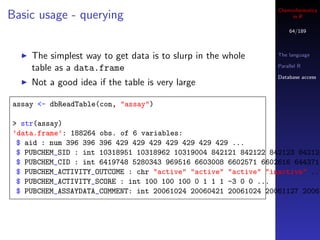
    The simplest way to get data is to slurp in the whole       The language

    table as a data.frame                                       Parallel R

                                                                Database access
    Not a good idea if the table is very large

assay <- dbReadTable(con, "assay")

> str(assay)
’data.frame’: 188264 obs. of 6 variables:
 $ aid : num 396 396 396 429 429 429 429 429 429 429 ...
 $ PUBCHEM_SID : int 10318951 10318962 10319004 842121 842122 842123 842124
 $ PUBCHEM_CID : int 6419748 5280343 969516 6603008 6602571 6602616 644371
 $ PUBCHEM_ACTIVITY_OUTCOME : chr "active" "active" "active" "inactive" ...
 $ PUBCHEM_ACTIVITY_SCORE : int 100 100 100 0 1 1 1 -3 0 0 ...
 $ PUBCHEM_ASSAYDATA_COMMENT: int 20061024 20060421 20061024 20061127 20061
Cheminformatics
Basic usage - querying                                                in R

                                                                     65/189
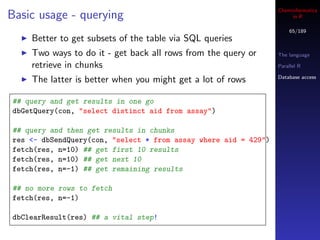
    Better to get subsets of the table via SQL queries
    Two ways to do it - get back all rows from the query or      The language

    retrieve in chunks                                           Parallel R

                                                                 Database access
    The latter is better when you might get a lot of rows

## query and get results in one go
dbGetQuery(con, "select distinct aid from assay")

## query and then get results in chunks
res <- dbSendQuery(con, "select * from assay where aid = 429")
fetch(res, n=10) ## get first 10 results
fetch(res, n=10) ## get next 10
fetch(res, n=-1) ## get remaining results

## no more rows to fetch
fetch(res, n=-1)

dbClearResult(res) ## a vital step!
Cheminformatics
Saving data in a database                                     in R

                                                             66/189
    Can directly write a data.frame to a database file
    RSQLite will automatically generate a CREATE TABLE   The language
    statement                                            Parallel R

                                                         Database access
library(rpubchem)

## get some assay data from PubChem
assay <- sapply(c(396, 429, 438, 445), function(x) {
  data.frame(aid=x, get.assay(x))[,1:6]
}, simplify=FALSE)

## join all assays into a single data.frame
assay <- do.call("rbind", assay)

## Make a new table
sqlite <- dbDriver("SQLite")
con <- dbConnect(sqlite, dbname = "assay.db")
dbWriteTable(con, "assay", assay)
dbDisconnect(con)
Cheminformatics
So why use a database?                                            in R

                                                                 67/189


                                                             The language

                                                             Parallel R
    Dont have to load bulk CSV or .Rda files each time we     Database access

    start work
    Can index data in RDBMS’s so queries can be very fast
    Good way to exchange data between applications (as
    opposed to .Rda files which are only useful between R
    users)
    All the code above, except for the dbConnect statement
    will be identical for PostgreSQL, MySQL etc.
Cheminformatics
                                     in R

                                      68/189


                                Introduction

                                I/O

                                Fingerprints
           Part II              Substructures


The Chemistry Development Kit
Cheminformatics
Outline              in R

                      69/189


                Introduction

                I/O
Introduction
                Fingerprints

                Substructures


I/O


Fingerprints


Substructures
Cheminformatics
Resources                                                        in R

                                                                  70/189


                                                            Introduction

                                                            I/O
    The CDK wiki
                                                            Fingerprints
    The nightly build page                                  Substructures

    Code snippets
    cdk-user mailing list
    Keyword list and feature list
    If you want to develop with the CDK, use the
    comprehensive jar file that contains all dependencies
         from the nightly build page for the cutting edge
         or from Sourceforge for the last stable release
Cheminformatics
Some CDK issues                                                     in R

                                                                     71/189


                                                               Introduction

                                                               I/O

                                                               Fingerprints

                                                               Substructures
   Learning the CDK is non-trivial
   No real tutorial but see here for a start
   Best place is to use the keyword list to find the relevant
   class and then look at the unit tests for a class
Cheminformatics
What does the CDK provide?                                          in R

                                                                     72/189


    Fundamental chemical objects                               Introduction
        atoms                                                  I/O
        bonds                                                  Fingerprints
        molecules
                                                               Substructures
    More complex objects are also available
        Sequences
        Reactions
        Collections of molecules
    Input/Output for a wide variety of molecular file formats
    Fingerprints and fragment generation
    Rigid alignments, pharmacophore searching
    Substructure searching, SMARTS support
    Molecular descriptors
Cheminformatics
Some design principles                                            in R

                                                                   73/189


                                                             Introduction
    Abstraction is the key principle                         I/O
          Applies to chemical objects such as atoms, bonds   Fingerprints
          Also applied to input/output                       Substructures

    Rather than directly creating an atom object we use a
    factory method

IAtom atom = DefaultChemObjectBuilder.getInstance().
              newAtom();

and not
  IAtom atom = new Atom();
Cheminformatics
Some design principles                                                  in R

                                                                         74/189


                                                                   Introduction

    By using DefaultChemObjectBuilder we don’t worry               I/O

                                                                   Fingerprints
    how an atom or bond is created
                                                                   Substructures
    By using this type of abstraction we can load any file
    format without having to specify it
    Another aspect is the use of interfaces rather than
    concrete types
    A molecule is a collection of atoms and bonds
        A graph view is not imposed directly
        Molecular features such as aromaticity are properties of
        the atoms and bonds
Cheminformatics
Molecules                                                        in R

                                                                  75/189


                                                            Introduction

    A molecule is fundamentally represented as an           I/O

    IAtomContainer object                                   Fingerprints

                                                            Substructures
    For many purposes this is fine
    In some cases specialization is required so we have
        Crystal
        Ring
        Fragment
    Some methods require a specific subclass
    Many methods simply require an IAtomContainer, so you
    can use any of the above subclasses
Cheminformatics
Molecules                                                      in R

                                                                76/189


                                                          Introduction

    Similar procedure to getting an atom or bond object   I/O

                                                          Fingerprints

 IAtomContainer container = DefaultChemObjectBuilder.     Substructures

                          getInstance().
                          newAtomContainer();


    Then we populate it

 container.addAtom( atom1 );
 container.addAtom( atom2 );
 container.addBond( atom1, atom2, 1.5);
Cheminformatics
Outline              in R

                      77/189


                Introduction

                I/O
Introduction
                Fingerprints

                Substructures


I/O


Fingerprints


Substructures
Cheminformatics
Input/Output                                                     in R

                                                                  78/189


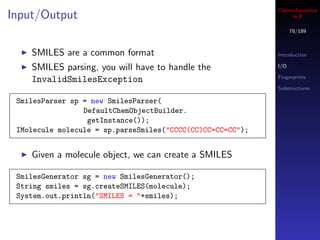
    SMILES are a common format                              Introduction

    SMILES parsing, you will have to handle the             I/O

                                                            Fingerprints
    InvalidSmilesException
                                                            Substructures

 SmilesParser sp = new SmilesParser(
                 DefaultChemObjectBuilder.
                  getInstance());
 IMolecule molecule = sp.parseSmiles("CCCC(CC)CC=CC=CC");


    Given a molecule object, we can create a SMILES

 SmilesGenerator sg = new SmilesGenerator();
 String smiles = sg.createSMILES(molecule);
 System.out.println("SMILES = "+smiles);
Cheminformatics
Input/Output                                                     in R

                                                                  79/189


                                                            Introduction

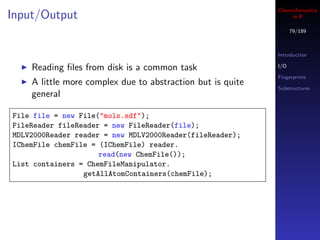
    Reading files from disk is a common task                 I/O

                                                            Fingerprints
    A little more complex due to abstraction but is quite
                                                            Substructures
    general

File file = new File("mols.sdf");
FileReader fileReader = new FileReader(file);
MDLV2000Reader reader = new MDLV2000Reader(fileReader);
IChemFile chemFile = (IChemFile) reader.
                     read(new ChemFile());
List containers = ChemFileManipulator.
                 getAllAtomContainers(chemFile);
Cheminformatics
Input/Output                                                            in R

                                                                         80/189


                                                                   Introduction

                                                                   I/O

                                                                   Fingerprints
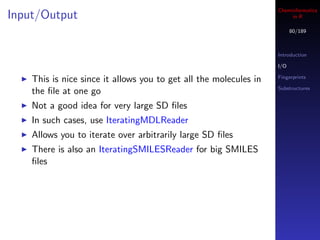
    This is nice since it allows you to get all the molecules in
                                                                   Substructures
    the file at one go
    Not a good idea for very large SD files
    In such cases, use IteratingMDLReader
    Allows you to iterate over arbitrarily large SD files
    There is also an IteratingSMILESReader for big SMILES
    files
Cheminformatics
Input/Output                                                      in R

                                                                   81/189


                                                             Introduction
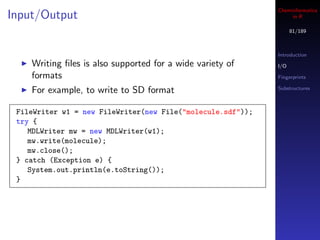
    Writing files is also supported for a wide variety of     I/O

    formats                                                  Fingerprints

    For example, to write to SD format                       Substructures


 FileWriter w1 = new FileWriter(new File("molecule.sdf"));
 try {
    MDLWriter mw = new MDLWriter(w1);
    mw.write(molecule);
    mw.close();
 } catch (Exception e) {
    System.out.println(e.toString());
 }
Cheminformatics
SD tags                                                          in R

                                                                  82/189
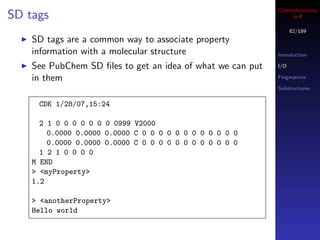
    SD tags are a common way to associate property
    information with a molecular structure                  Introduction

    See PubChem SD files to get an idea of what we can put   I/O

    in them                                                 Fingerprints

                                                            Substructures


     CDK 1/28/07,15:24

      2 1 0 0 0 0 0 0 0 0999 V2000
        0.0000 0.0000 0.0000 C 0 0 0 0 0 0 0 0 0 0 0 0
        0.0000 0.0000 0.0000 C 0 0 0 0 0 0 0 0 0 0 0 0
      1 2 1 0 0 0 0
    M END
    > <myProperty>
    1.2

    > <anotherProperty>
    Hello world
Cheminformatics
SD tags                                                             in R

                                                                     83/189


                                                               Introduction

                                                               I/O
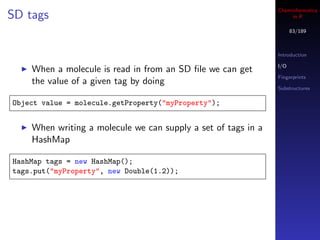
    When a molecule is read in from an SD file we can get
                                                               Fingerprints
    the value of a given tag by doing
                                                               Substructures

Object value = molecule.getProperty("myProperty");


    When writing a molecule we can supply a set of tags in a
    HashMap

HashMap tags = new HashMap();
tags.put("myProperty", new Double(1.2));
Cheminformatics
SD tags                                                          in R

                                                                  84/189


                                                            Introduction

                                                            I/O
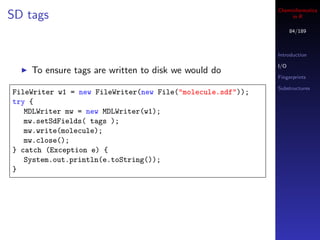
    To ensure tags are written to disk we would do
                                                            Fingerprints

                                                            Substructures
FileWriter w1 = new FileWriter(new File("molecule.sdf"));
try {
   MDLWriter mw = new MDLWriter(w1);
   mw.setSdFields( tags );
   mw.write(molecule);
   mw.close();
} catch (Exception e) {
   System.out.println(e.toString());
}
Cheminformatics
SD tags                                                             in R

                                                                     85/189


                                                               Introduction

                                                               I/O
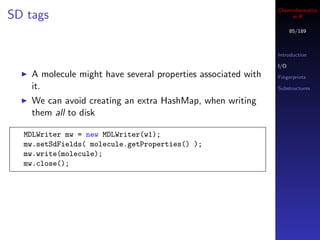
    A molecule might have several properties associated with   Fingerprints
    it.                                                        Substructures

    We can avoid creating an extra HashMap, when writing
    them all to disk

  MDLWriter mw = new MDLWriter(w1);
  mw.setSdFields( molecule.getProperties() );
  mw.write(molecule);
  mw.close();
Cheminformatics
Generating canonical SMILES                                       in R

                                                                   86/189


                                                             Introduction

                                                             I/O

                                                             Fingerprints
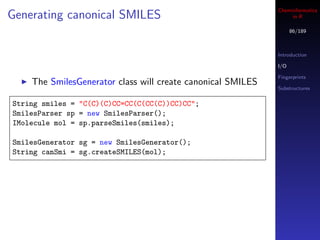
    The SmilesGenerator class will create canonical SMILES
                                                             Substructures


String smiles = "C(C)(C)CC=CC(C(CC(C))CC)CC";
SmilesParser sp = new SmilesParser();
IMolecule mol = sp.parseSmiles(smiles);

SmilesGenerator sg = new SmilesGenerator();
String canSmi = sg.createSMILES(mol);
Cheminformatics
Fingerprints                                                  in R

                                                               87/189


                                                         Introduction

                                                         I/O

                                                         Fingerprints

                                                         Substructures


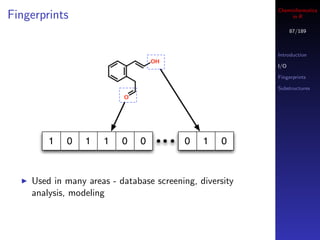
        1   0    1   1    0   0          0    1   0


    Used in many areas - database screening, diversity
    analysis, modeling
Cheminformatics
Outline              in R

                      88/189


                Introduction

                I/O
Introduction
                Fingerprints

                Substructures


I/O


Fingerprints


Substructures
Cheminformatics
Fingerprints                                                       in R

                                                                    89/189


                                                              Introduction

                                                              I/O

                                                              Fingerprints
    The simplest fingerprint looks for specific substructures   Substructures
    and sets a specific bit
        MACCSFingerprinter
        SubstructureFingerprinter
    Hashed fingerprints don’t maintain a correspondence
    between bit position and substructural feature
Cheminformatics
Getting fingerprints                                                     in R

                                                                         90/189


    The CDK can generate binary fingerprints
                                                                   Introduction

                                                                   I/O
    This gives a default fingerprint of 1024 bits - but you can
                                                                   Fingerprints
    specify smaller or larger fingerprints                          Substructures
    The CDK also provides variants of the default fingerprint
         MACCSFingerprint
         ExtendedFingerPrinter - includes bits related to rings
         GraphOnlyFingerprinter - simplified version of
         fingerprinter that ignores bond order
         SubstructureFingerprinter - generates fingerprints based
         on a specified set of substructures

IFingerprinter fprinter = new Fingerprinter()

BitSet fingerprint = fprinter.getFingerprint(molecule);
Cheminformatics
Evaluating similarity                                                in R

                                                                      91/189


                                                                Introduction

                                                                I/O
     Given two molecules we are interested in determining       Fingerprints
     how similar they are                                       Substructures

     A common approach is to evaluate their fingerprints
     Calculate a similarity metric (e.g., Tanimoto coefficient)

 BitSet fp1 = Fingerprinter.getFingerprint(molecule1);
 BitSet fp2 = Fingerprinter.getFingerprint(molecule2);

 float tc = Tanimoto.calculate(fp1, fp2);
Cheminformatics
Outline              in R

                      92/189


                Introduction

                I/O
Introduction
                Fingerprints

                Substructures


I/O


Fingerprints


Substructures
Cheminformatics
Substructure searching                                                in R

                                                                       93/189

    Identify the presence/absence of a substructure in a
    molecule                                                     Introduction

                                                                 I/O

IAtomContainer mol = ...;                                        Fingerprints

                                                                 Substructures
SMARTSQueryTool sqt = new SMARTSQueryTool("C");
sqt.setSmarts("C(=O)C");
boolean matched = sqt.matches(mol);


    In many cases we’re interested in all the possible matches

List<List<Integer>> maps;
maps = sqt.getUniqueMatchingAtoms();


    maps.size() gives you the number of matches
    Each element of maps is a sequence of atom ID’s
Cheminformatics
Pharmacophores                                                       in R

                                                                      94/189


                                                                Introduction

                                                                I/O

                                                                Fingerprints
    We’ll look at constructing a pharmacophore query by
                                                                Substructures
    hand
    Generally, you’d read it from a file
    Given a query we can search for that in a target molecule
    The target molecule should have 3D coordinates
    Generally you’ll examine multiple conformers for a given
    molecule
Cheminformatics
Pharmacophores                                                in R

                                                               95/189


                                                         Introduction

                                                         I/O

                                                         Fingerprints
    Construct pharmacophore groups
                                                         Substructures


 PharmacophoreQueryAtom o =
    new PharmacophoreQueryAtom("D", "[!H0;#7,#8,#9]");
 PharmacophoreQueryAtom n1 =
    new PharmacophoreQueryAtom("A", "c1ccccc1");
 PharmacophoreQueryAtom n2 =
    new PharmacophoreQueryAtom("A", "c1ccccc1");
Cheminformatics
Pharmacophores                                           in R

                                                          96/189


                                                    Introduction

                                                    I/O

                                                    Fingerprints
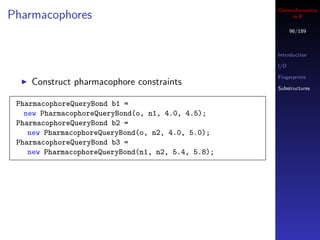
    Construct pharmacophore constraints
                                                    Substructures


 PharmacophoreQueryBond b1 =
   new PharmacophoreQueryBond(o, n1, 4.0, 4.5);
 PharmacophoreQueryBond b2 =
    new PharmacophoreQueryBond(o, n2, 4.0, 5.0);
 PharmacophoreQueryBond b3 =
    new PharmacophoreQueryBond(n1, n2, 5.4, 5.8);
Cheminformatics
Pharmacophores                                                    in R

                                                                   97/189


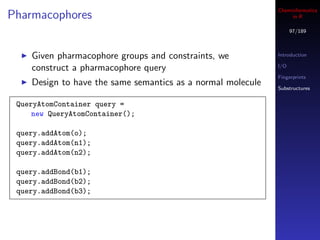
    Given pharmacophore groups and constraints, we           Introduction

    construct a pharmacophore query                          I/O

                                                             Fingerprints
    Design to have the same semantics as a normal molecule   Substructures


 QueryAtomContainer query =
     new QueryAtomContainer();

 query.addAtom(o);
 query.addAtom(n1);
 query.addAtom(n2);

 query.addBond(b1);
 query.addBond(b2);
 query.addBond(b3);
Cheminformatics
Pharmacophores                                                in R

                                                               98/189


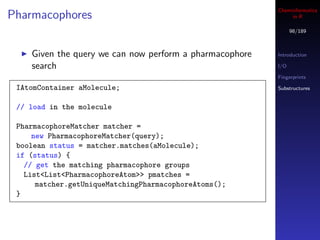
    Given the query we can now perform a pharmacophore   Introduction

    search                                               I/O

                                                         Fingerprints

 IAtomContainer aMolecule;                               Substructures


 // load in the molecule

 PharmacophoreMatcher matcher =
     new PharmacophoreMatcher(query);
 boolean status = matcher.matches(aMolecule);
 if (status) {
   // get the matching pharmacophore groups
   List<List<PharmacophoreAtom>> pmatches =
      matcher.getUniqueMatchingPharmacophoreAtoms();
 }
Cheminformatics
                                  in R

                                   99/189


                             I/O

                             Molecular data

                             Visualization
         Part III            Descriptors

                             Fingerprints

Cheminformatics & R - rcdk   Fragments
Cheminformatics
Using the CDK in R                                                 in R

                                                                    100/189

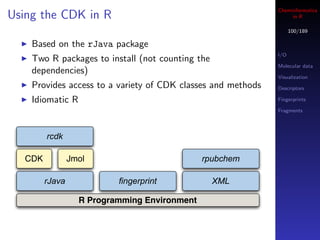
    Based on the rJava package
                                                              I/O
    Two R packages to install (not counting the
                                                              Molecular data
    dependencies)
                                                              Visualization
    Provides access to a variety of CDK classes and methods   Descriptors

    Idiomatic R                                               Fingerprints

                                                              Fragments


         rcdk

   CDK           Jmol                          rpubchem

         rJava             fingerprint            XML

                   R Programming Environment
Cheminformatics
Outline               in R

                       101/189


I/O              I/O

                 Molecular data

                 Visualization
Molecular data   Descriptors

                 Fingerprints

Visualization    Fragments


Descriptors

Fingerprints

Fragments
Cheminformatics
Reading in data                                              in R

                                                              102/189


    The CDK supports a variety of file formats           I/O

                                                        Molecular data
    rcdk loads all recognized formats, automatically
                                                        Visualization
    Data can be local or remote                         Descriptors

                                                        Fingerprints

                                                        Fragments
mols <- load.molecules( c("data/io/set1.sdf",
              "data/io/set2.smi",
              "http://rguha.net/rcdk/remote.sdf"))


    Gives you a list of Java references representing
    IAtomContainer objects
    Can’t do much with these objects, except via rcdk
    functions
Cheminformatics
Reading structures from text files                                   in R

                                                                     103/189


                                                               I/O

                                                               Molecular data

                                                               Visualization
    SMILES strings can be contained in arbitrary text files
                                                               Descriptors
    (such as CSV)
                                                               Fingerprints
    If you read such a file with read.table or read.csv, make   Fragments
    sure to set comment.char=""
    Also a good idea to specify the colClasses argument or
    else as.is=TRUE- otherwise SMILES will be read in as
    factors
Cheminformatics
Reading SMILES strings                                            in R

                                                                   104/189


                                                             I/O
    Also useful to load molecules directly from a SMILES
                                                             Molecular data
    string
                                                             Visualization
    parse.smiles parses a single molecule                    Descriptors

                                                             Fingerprints
mol <- parse.smiles("c1ccccc1C(=O)N")                        Fragments


## loop over multiple SMILES
smiles <- c("CCC", "c1ccccc1",
           "C(C)(C=O)C(CCNC)C1CC1C(=O)")
mols <- sapply(smiles, parse.smiles)


    But the second call is inefficient, especially for large
    SMILES collections
Cheminformatics
Efficient SMILES parsing                                             in R

                                                                    105/189


                                                              I/O
    By default parse.smiles instantiates a SMILES parser
                                                              Molecular data
    object (SmilesParser)                                     Visualization
    So when looping over a vector of SMILES strings we’re     Descriptors

    creating a parser object each time                        Fingerprints

                                                              Fragments
    In such a case, specify a parser object explicitly - 2X
    speedup

smilesParser <- get.smiles.parser()

## now specify this parser
smiles <- c("CCC","c1ccccc1","C(C)(C=O)C(CCNC)C1CC1C(=O)")
mols <- sapply(smiles, parse.smiles, parser = smilesParser)
Cheminformatics
Efficient SMILES parsing                                              in R

                                                                     106/189


                                                               I/O
> parser <- get.smiles.parser()                                Molecular data
> smiles <- rep(c("CCC",                                       Visualization
                "c1ccccc1",
                                                               Descriptors
                "C(C)(C=O)C(CCNC)C1CC1C(=O)"),
                                                               Fingerprints
               500)
                                                               Fragments

> system.time(junk <- sapply(smiles, parse.smiles))
   user system elapsed
  4.088 0.106 3.946

> system.time(junk <- sapply(smiles, parse.smiles, parser=parser))
   user system elapsed
  1.792 0.032 1.705
Cheminformatics
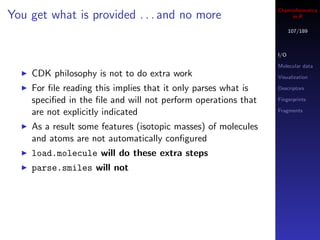
You get what is provided . . . and no more                          in R

                                                                     107/189


                                                               I/O

                                                               Molecular data
    CDK philosophy is not to do extra work                     Visualization

    For file reading this implies that it only parses what is   Descriptors

    specified in the file and will not perform operations that   Fingerprints

    are not explicitly indicated                               Fragments


    As a result some features (isotopic masses) of molecules
    and atoms are not automatically configured
    load.molecule will do these extra steps
    parse.smiles will not
Cheminformatics
Configuring molecules                                            in R

                                                                 108/189


                                                           I/O

                                                           Molecular data
## no explicit configuration needed                        Visualization
mols <- load.molecules("data/io/bp.smi")
                                                           Descriptors
get.exact.mass(mols[[1]])
                                                           Fingerprints

## explicit configuration required                         Fragments

mol <- parse.smiles("c1ccccc1")
get.exact.mass(mol)


    The last call will give a NullPointerException since
    the isotopic masses have not been configured
Cheminformatics
Configuring molecules                                          in R

                                                               109/189


                                                         I/O

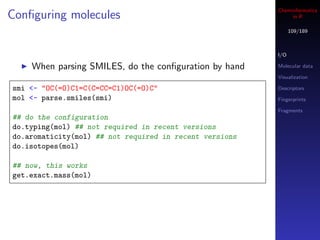
    When parsing SMILES, do the configuration by hand     Molecular data

                                                         Visualization

smi <- "OC(=O)C1=C(C=CC=C1)OC(=O)C"                      Descriptors
mol <- parse.smiles(smi)                                 Fingerprints

                                                         Fragments
## do the configuration
do.typing(mol) ## not required in recent versions
do.aromaticity(mol) ## not required in recent versions
do.isotopes(mol)

## now, this works
get.exact.mass(mol)
Cheminformatics
Hydrogens - implicit & explicit                                     in R

                                                                     110/189

    SMILES indicates that when hydrogens are not specified,
    they are to be considered implicit                         I/O

                                                               Molecular data
    But MDL MOL files have no such specification, so if no       Visualization
    H’s specified, the molecule will not have explicit or       Descriptors
    implicit hydrogens                                         Fingerprints

                                                               Fragments
mol <- load.molecules("data/noh.mol")[[1]]
unlist(lapply(get.atoms(mol), get.symbol))


    In such cases, convert.implicit.to.explicit will
    add implicit H’s (to satisfy valencies) and then convert
    them to explicit

convert.implicit.to.explicit(mol)
unlist(lapply(get.atoms(mol), get.symbol))
Cheminformatics
A note on function calls                                                in R

                                                                         111/189


                                                                   I/O

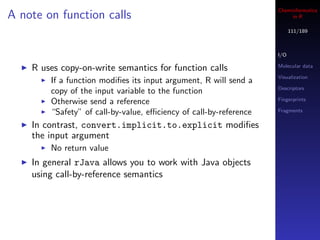
    R uses copy-on-write semantics for function calls              Molecular data

                                                                   Visualization
        If a function modifies its input argument, R will send a
                                                                   Descriptors
        copy of the input variable to the function
                                                                   Fingerprints
        Otherwise send a reference
        “Safety” of call-by-value, efficiency of call-by-reference   Fragments

    In contrast, convert.implicit.to.explicit modifies
    the input argument
        No return value
    In general rJava allows you to work with Java objects
    using call-by-reference semantics
Cheminformatics
Writing molecules                                                   in R

                                                                     112/189


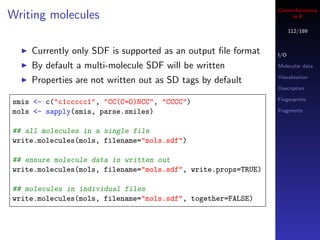
    Currently only SDF is supported as an output file format    I/O

    By default a multi-molecule SDF will be written            Molecular data

                                                               Visualization
    Properties are not written out as SD tags by default
                                                               Descriptors

                                                               Fingerprints
smis <- c("c1ccccc1", "CC(C=O)NCC", "CCCC")
mols <- sapply(smis, parse.smiles)                             Fragments


## all molecules in a single file
write.molecules(mols, filename="mols.sdf")

## ensure molecule data is written out
write.molecules(mols, filename="mols.sdf", write.props=TRUE)

## molecules in individual files
write.molecules(mols, filename="mols.sdf", together=FALSE)
Cheminformatics
Generating SMILES                                          in R

                                                            113/189


                                                      I/O

                                                      Molecular data
    Finally, we can also create SMILES strings from   Visualization
    molecules via get.smiles                          Descriptors

    Works on a single molecule at a time              Fingerprints

                                                      Fragments
    Canonical SMILES are generated by default

smis <- c("c1ccccc1", "CC(C=O)NCC", "CCCC")
mols <- sapply(smis, parse.smiles)

lapply(mols, get.smiles)
Cheminformatics
Outline               in R

                       114/189


I/O              I/O

                 Molecular data

                 Visualization
Molecular data   Descriptors

                 Fingerprints

Visualization    Fragments


Descriptors

Fingerprints

Fragments
Cheminformatics
Accessing attached data                                             in R

                                                                     115/189


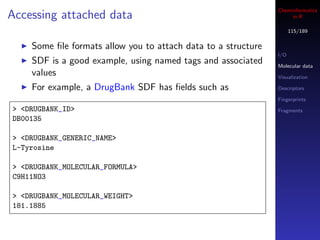
    Some file formats allow you to attach data to a structure
                                                               I/O
    SDF is a good example, using named tags and associated     Molecular data
    values                                                     Visualization

    For example, a DrugBank SDF has fields such as              Descriptors

                                                               Fingerprints
> <DRUGBANK_ID>                                                Fragments
DB00135

> <DRUGBANK_GENERIC_NAME>
L-Tyrosine

> <DRUGBANK_MOLECULAR_FORMULA>
C9H11NO3

> <DRUGBANK_MOLECULAR_WEIGHT>
181.1885
Cheminformatics
Accessing data fields                                          in R

                                                               116/189
      The CDK reads SDF tags and their values into the
      IAtomContainer object                              I/O

      We can access them via the get.property and        Molecular data

      get.properties                                     Visualization

                                                         Descriptors

                                                         Fingerprints
> mols <- load.molecules("data/io/set1.sdf")             Fragments
> get.properties(mols[[1]])
$DRUGBANK_ID
[1] "DB00135"

$DRUGBANK_IUPAC_NAME
[1] "(2S)-2-amino-3-(4-hydroxyphenyl)propanoic acid"

$‘cdk:Title‘
[1] "135"

...
Cheminformatics
Accessing data fields                                                in R

                                                                     117/189


                                                               I/O

                                                               Molecular data

                                                               Visualization
    If you know the name of the field, just pull the value
                                                               Descriptors
    directly
                                                               Fingerprints

                                                               Fragments

get.property(mols[[1]], "DRUGBANK_GENERIC_NAME")


    Note that values for all tags are character, so you need
    to cast them to the appropriate types manually
Cheminformatics
Extra tags                                                         in R

                                                                    118/189


    In some cases, you’ll see tag names that are not in the   I/O

    SDF file                                                   Molecular data

                                                              Visualization
    The CDK uses molecule property fields to attach
                                                              Descriptors
    arbitrary data.
                                                              Fingerprints
    For example, the title field from a SDF entry is stored    Fragments
    using the cdk:Title name
    In general, all CDK-derived properties have names
    prefixed by “cdk:”


## identify CDK-derived properties
props <- get.properties(mols[[1]])
props[ grep("^cdk:", names(props)) ]
Cheminformatics
Setting property values                                           in R

                                                                   119/189


                                                             I/O

                                                             Molecular data
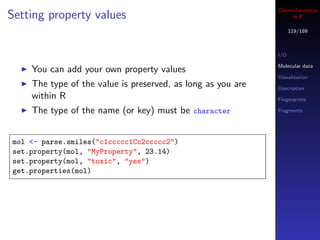
    You can add your own property values
                                                             Visualization
    The type of the value is preserved, as long as you are   Descriptors
    within R                                                 Fingerprints

    The type of the name (or key) must be character          Fragments


mol <- parse.smiles("c1ccccc1Cc2ccccc2")
set.property(mol, "MyProperty", 23.14)
set.property(mol, "toxic", "yes")
get.properties(mol)
Cheminformatics
Persisting molecular data                                            in R

                                                                      120/189


                                                                I/O

                                                                Molecular data
    You could extract the properties and write them to a text   Visualization
    file                                                         Descriptors

                                                                Fingerprints

                                                                Fragments
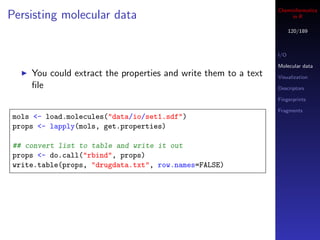
mols <- load.molecules("data/io/set1.sdf")
props <- lapply(mols, get.properties)

## convert list to table and write it out
props <- do.call("rbind", props)
write.table(props, "drugdata.txt", row.names=FALSE)
Cheminformatics
Persisting molecular data                                         in R

                                                                   121/189


                                                             I/O

                                                             Molecular data

                                                             Visualization
    Molecular data can also be persisted by writing to SDF
                                                             Descriptors
    format
                                                             Fingerprints

                                                             Fragments

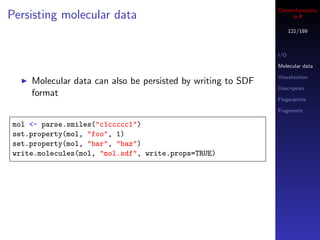
mol <- parse.smiles("c1ccccc1")
set.property(mol, "foo", 1)
set.property(mol, "bar", "baz")
write.molecules(mol, "mol.sdf", write.props=TRUE)
Cheminformatics
Working with molecules                                             in R

                                                                    122/189


                                                              I/O

                                                              Molecular data

                                                              Visualization
    Currently you can access atoms, bonds, get certain atom   Descriptors
    properties, 2D/3D coordinates                             Fingerprints

    Since rcdk doesn’t cover the entire CDK API, you might    Fragments

    need to drop down to the rJava level and make calls to
    the Java code by hand
    I’m happy to code specific tasks in idiomatic R
Cheminformatics
Working with molecules                                         in R

                                                                123/189


    A useful task is to wash or standardize molecules
                                                          I/O
    CDK doesn’t provide a method to do this directly      Molecular data
    But a common operation is to check for disconnected   Visualization

    molecules and keep the largest fragment               Descriptors

                                                          Fingerprints
> m <- parse.smiles("c1ccccc1")                           Fragments
> is.connected(m)
[1] TRUE
>
> m <- parse.smiles("C1CC(N=C1)C(=O)[O-].[Na+]")
> is.connected(m)
[1] FALSE
>
> largest <- get.largest.component(m)
> length(get.atoms(largest))
[1] 8
Cheminformatics
Getting atoms & bonds                                               in R

                                                                     124/189


    Simple to get atoms and bonds                              I/O

                                                               Molecular data

                                                               Visualization
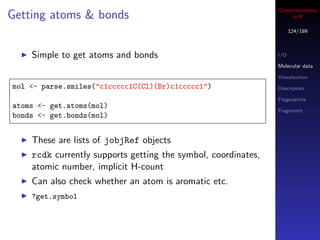
mol <- parse.smiles("c1ccccc1C(Cl)(Br)c1ccccc1")               Descriptors

                                                               Fingerprints
atoms <- get.atoms(mol)
                                                               Fragments
bonds <- get.bonds(mol)


    These are lists of jobjRef objects
    rcdk currently supports getting the symbol, coordinates,
    atomic number, implicit H-count
    Can also check whether an atom is aromatic etc.
    ?get.symbol
Cheminformatics
Working with atoms                                               in R

                                                                  125/189


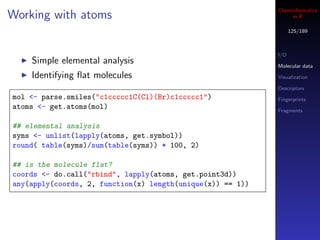
                                                            I/O
    Simple elemental analysis                               Molecular data
    Identifying flat molecules                               Visualization

                                                            Descriptors
mol <- parse.smiles("c1ccccc1C(Cl)(Br)c1ccccc1")            Fingerprints
atoms <- get.atoms(mol)                                     Fragments


## elemental analysis
syms <- unlist(lapply(atoms, get.symbol))
round( table(syms)/sum(table(syms)) * 100, 2)

## is the molecule flat?
coords <- do.call("rbind", lapply(atoms, get.point3d))
any(apply(coords, 2, function(x) length(unique(x)) == 1))
Cheminformatics
SMARTS matching                                                    in R

                                                                    126/189


    rcdk supports substructure searches with SMARTS or        I/O
    SMILES                                                    Molecular data

    May not be practical for large collections of molecules   Visualization

    due to memory                                             Descriptors

                                                              Fingerprints

                                                              Fragments

mols <- sapply(c("CC(C)(C)C",
               "c1ccc(Cl)cc1C(=O)O",
               "CCC(N)(N)CC"), parse.smiles)
query <- "[#6D2]"
hits <- matches(query, mols)

> print(hits)
CC(C)(C)C c1ccc(Cl)cc1C(=O)O CCC(N)(N)CC
FALSE TRUE TRUE
Cheminformatics
Persisting objects                                                   in R

                                                                      127/189


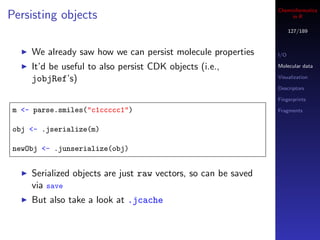
     We already saw how we can persist molecule properties      I/O

     It’d be useful to also persist CDK objects (i.e.,          Molecular data

     jobjRef’s)                                                 Visualization

                                                                Descriptors

                                                                Fingerprints

 m <- parse.smiles("c1ccccc1")                                  Fragments


 obj <- .jserialize(m)

 newObj <- .junserialize(obj)


     Serialized objects are just raw vectors, so can be saved
     via save
     But also take a look at .jcache
Cheminformatics
Outline               in R

                       128/189


I/O              I/O

                 Molecular data

                 Visualization
Molecular data   Descriptors

                 Fingerprints

Visualization    Fragments


Descriptors

Fingerprints

Fragments
Cheminformatics
Visualization                                                     in R

                                                                   129/189


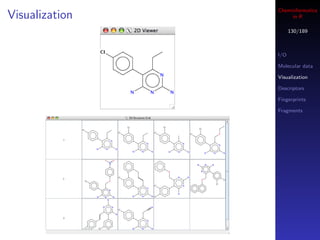
    rcdk supports visualization of 2D structure images in    I/O
    two ways                                                 Molecular data

    First, you can bring up a Swing window                   Visualization

                                                             Descriptors
    Second, you can obtain the depiction as a raster image
                                                             Fingerprints
    Doesn’t work on OS X                                     Fragments


mols <- load.molecules("data/dhfr_3d.sd")

## view a single molecule in a Swing window
view.molecule.2d(mols[[1]])

## view a table of molecules
view.molecule.2d(mols[1:10])
Cheminformatics
Visualization        in R

                      130/189


                I/O

                Molecular data

                Visualization

                Descriptors

                Fingerprints

                Fragments
Cheminformatics
Visualization                                                         in R

                                                                       131/189


                                                                 I/O

                                                                 Molecular data

                                                                 Visualization
    The Swing window is a little heavy weight                    Descriptors

    It’d be handy to be able to annotate plots with structures   Fingerprints

    Or even just make a panel of images that could be saved      Fragments

    to a PNG file
    We can make use of rasterImage and rcdk
    As with the Swing window, this won’t work on OS X
Cheminformatics
Visualization                               in R

                                             132/189


                                       I/O

                                       Molecular data

                                       Visualization
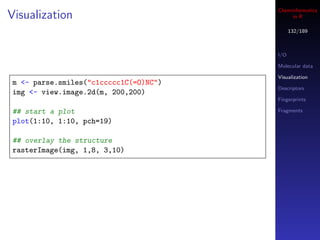
m <- parse.smiles("c1ccccc1C(=O)NC")
                                       Descriptors
img <- view.image.2d(m, 200,200)
                                       Fingerprints

## start a plot                        Fragments

plot(1:10, 1:10, pch=19)

## overlay the structure
rasterImage(img, 1,8, 3,10)
Cheminformatics
Visualization                                                        in R

                                                                      133/189


    By playing around with plotting parameters we can fill up
                                                                I/O
    the plot region with an image
                                                                Molecular data
    The values being plotted define the coordinates used to      Visualization
    overlay the raster image                                    Descriptors

                                                                Fingerprints

                                                                Fragments
mols <- load.molecules("data/dhfr_3d.sd")

## A table of 16 structures
par(mfrow=c(4,4), mar=c(0,0,0,0))

for (i in 1:16) {
  img <- view.image.2d(mols[[i]], 200, 200)
  plot(1:10, xaxt="n", yaxt="n", xaxs="i", yaxs="i", col="white")
  rasterImage(img, 1,1, 10,10)
}
Cheminformatics
Outline               in R

                       134/189


I/O              I/O

                 Molecular data

                 Visualization
Molecular data   Descriptors

                 Fingerprints

Visualization    Fragments


Descriptors

Fingerprints

Fragments
Cheminformatics
Molecular descriptors                                               in R

                                                                     135/189


                                                               I/O

    Numerical representations of chemical structure features   Molecular data

                                                               Visualization
    Can be based on
                                                               Descriptors
        connectivity
                                                               Fingerprints
        3D coordnates
                                                               Fragments
        electronic properties
        combination of the above
    Many descriptors are described and implemented in
    various forms
    The CDK implements 45 descriptor classes, resulting in
    ≈ 300 individual descriptor values for a given molecule
Cheminformatics
Descriptor caveats                                                 in R

                                                                    136/189


                                                              I/O

                                                              Molecular data

                                                              Visualization
    Not all descriptors are optimized for speed               Descriptors

    Some of the topological descriptors employ graph          Fingerprints

    isomorphism which makes them slow on large molecules      Fragments


    In general, to ensure that we end up with a rectangular
    descriptor matrix we do not catch exceptions
    Instead descriptor calculation failures return NA
Cheminformatics
CDK Descriptor Classes                                                   in R

                                                                          137/189


                                                                    I/O

                                                                    Molecular data

    The CDK provides 3 packages for descriptor calculations         Visualization

                                                                    Descriptors

        org.openscience.cdk.qsar.descriptors.molecular              Fingerprints

        org.openscience.cdk.qsar.descriptors.atomic                 Fragments

        org.openscience.cdk.qsar.descriptors.bond
    rcdk only supports molecular descriptors
    Each descriptor is also described by an ontology
        For rcdk this is used to classify descriptors into groups
Cheminformatics
Descriptor calculations                                                in R

                                                                        138/189


                                                                  I/O

                                                                  Molecular data
    Can evaluate a single descriptor or all available             Visualization
    descriptors                                                   Descriptors

    If a descriptor cannot be calculated, NA is returned (so no   Fingerprints

    exceptions thrown)                                            Fragments

    First need to get available descriptor class names

dnames <- get.desc.names()


    Gives you a vector of all descriptor class names
Cheminformatics
Descriptor calculations                                                in R

                                                                        139/189


                                                                  I/O
    You can also specify descriptor categories, to get a subset   Molecular data

                                                                  Visualization
dnames <- get.desc.names("topological")                           Descriptors

                                                                  Fingerprints
## what categories are available?
                                                                Fragments
> get.desc.categories()
[1] "electronic" "protein" "topological" "geometrical" "constitutional" "hy


    Depending on the input structures, some descriptors may
    not make sense
    If you evaluate 3D descriptors from SMILES input, they’d
    all be set to NA
Cheminformatics
Evaluating the descriptors                                            in R

                                                                       140/189


                                                                 I/O
    With a set of descriptor class names in hand, you can        Molecular data
    evaluate them                                                Visualization

                                                                 Descriptors
descs <- eval.desc(mols, dnames)                                 Fingerprints

                                                                 Fragments

    descs will be a data.frame which can then be used in any
    of the modeling functions
    Column names are the descriptor names provided by the
    CDK
    Good practise to put molecule titles in a column or in the
    row names
Cheminformatics
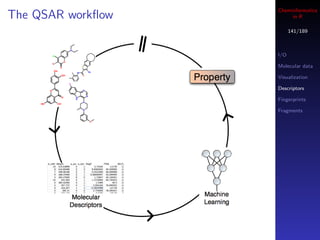
The QSAR workflow        in R

                         141/189


                   I/O

                   Molecular data

                   Visualization

                   Descriptors

                   Fingerprints

                   Fragments
Cheminformatics
The QSAR workflow                                                      in R

                                                                       142/189


                                                                 I/O
   Before model development you’ll need to clean the             Molecular data
   molecules, evaluate descriptors, generate subsets             Visualization

   With the numeric data in hand, we can proceed to              Descriptors

   modeling                                                      Fingerprints

                                                                 Fragments
   Before building predictive models, we’d probably explore
   the dataset
       Normality of the dependent variable
       Correlations between descriptors and dependent variable
       Similarity of subsets
   Then we can go wild and build all the models that R
   supports
Cheminformatics
Outline               in R

                       143/189


I/O              I/O

                 Molecular data

                 Visualization
Molecular data   Descriptors

                 Fingerprints

Visualization    Fragments


Descriptors

Fingerprints

Fragments
Cheminformatics
Accessing fingerprints                                                  in R

                                                                        144/189


                                                                  I/O

    CDK provides several fingerprints                              Molecular data

        Path-based, MACCS, E-State, PubChem                       Visualization

                                                                  Descriptors
    Access them via get.fingerprint(...)
                                                                  Fingerprints
    Works on one molecule at a time, use lapply to process a      Fragments
    list of molecules
    This method works with the fingerprint package
        Separate package to represent and manipulate fingerprint
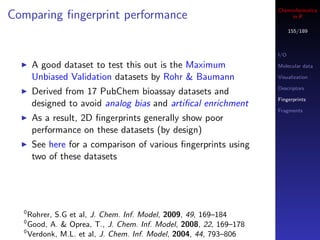
        data from various sources (CDK, BCI, MOE)
        Uses C to perform similarity calculations
        Lots of similarity and dissimilarity metrics available
Cheminformatics
Accessing fingerprints                                        in R

                                                              145/189


                                                        I/O

mols <- load.molecules("data/dhfr_3d.sd")               Molecular data

                                                        Visualization

## get a single fingerprint                             Descriptors
fp <- get.fingerprint(mols[[1]], type="maccs")          Fingerprints

                                                        Fragments
## process a list of molecules
fplist <- lapply(mols, get.fingerprint, type="maccs")


    Each fingerprint is an S4 object
    See the fingerprint package man pages for more
    details
Cheminformatics
Reading fingerprints                                                in R

                                                                    146/189


                                                              I/O

                                                              Molecular data
    We can also read in fingerprint data generated by other    Visualization
    tools - BCI, MOE, CDK                                     Descriptors

                                                              Fingerprints

fplist <- fp.read("data/fp/fp.data", size=1052,               Fragments
                lf=bci.lf, header=TRUE)


    Easy to support new line-oriented fingerprint formats by
    providing your own line parsing function
    See bci.lf for an example
Cheminformatics
Similarity metrics                                                   in R

                                                                      147/189
     The fingerprint package implements 28 similarity and
     dissimilarity metrics
                                                                I/O
     All accessed via the distance function (so you call this   Molecular data
     even if you want similarity)                               Visualization

     Implemented in C, but still, large similarity matrix       Descriptors

                                                                Fingerprints
     calculations are not a good idea!
                                                                Fragments

 ## similarity between 2 individual fingerprints
 distance(fplist[[1]], fplist[[2]], method="tanimoto")
 distance(fplist[[1]], fplist[[2]], method="mt")

 ## similarity matrix - compare similarity distributions
 m1 <- fp.sim.matrix(fplist, "tanimoto")
 m2 <- fp.sim.matrix(fplist, "carbo")

 par(mfrow=c(1,2))
 hist(m1, xlim=c(0,1))
 hist(m2, xlim=c(0,1))
Cheminformatics
Comparing datasets with fingerprints                                     in R

                                                                         148/189


                                                                   I/O

                                                                   Molecular data
        We can compare datasets based on a fingerprints             Visualization

        Rather than perform pairwise comparisons, we evaluate      Descriptors

        the normalized occurence of each bit, across the dataset   Fingerprints

                                                                   Fragments
        Gives us a n-D vector - the “bit spectrum”


bitspec <- bit.spectrum(fplist)
plot(bitspec, type="l")


   0
       Guha, R., J. Comp. Aid. Molec. Des., 2008, 22, 367–384
Cheminformatics
Bit spectrum                                                                         in R

                                                                                      149/189
             1.0


                                                                                I/O
             0.8


                                                                                Molecular data
 Frequency

             0.6


                                                                                Visualization
             0.4


                                                                                Descriptors
             0.2


                                                                                Fingerprints
             0.0


                                                                                Fragments

                     0               50                      100          150

                                              Bit Position


                   Only makes sense with structural key type fingerprints
                   Longer fingerprints give better resolution
                   Comparing bit spectra, via any distance metric, allows us
                   to compare datasets in O(n) time, rather than O(n2 ) for
                   a pairwise approach


             0
                 Guha, R., J. Comp. Aid. Molec. Des., 2008, 22, 367–384
Cheminformatics
Comparing datasets                                                             in R

                                                                                150/189


                                         Subset 2
                        1.0                                               I/O
                        0.8
                                                                          Molecular data
                        0.6

                        0.4                                               Visualization
                        0.2
                                                                          Descriptors
                        0.0
                                         Subset 1                         Fingerprints
                                                                    1.0
 Normalized Frequency


                                                                    0.8   Fragments
                                                                    0.6


                                                                    0.4

                                                                    0.2

                                                                    0.0
                                       Entire Dataset
                        1.0

                        0.8

                        0.6

                        0.4

                        0.2


                        0.0

                              0   50                    100   150

                                        Bit Position
Cheminformatics
Fingerprints & clustering                                             in R

                                                                       151/189


    Clustering large collections is not practical                I/O

    Any way to avoid a pairwise similarity matrix is desirable   Molecular data

                                                                 Visualization

                                                                 Descriptors
## Get fingerprints
                                                                 Fingerprints
mols <- load.molecules("data/dhfr_3d.sd")
fplist <- lapply(mols, get.fingerprint, type="maccs")            Fragments


## Gives us a similarity matrix
fpdist <- fp.sim.matrix(fplist)

## Convert to a distance matrix
fpdist <- as.dist(1-fpdist)

## Perform the clustering
clus <- hclust(fpdist, method="ward")
Cheminformatics
Fingerprints & clustering                                               in R

          Hierarchical Clustering of the Sutherland DHFR Dataset         152/189
     35

                                                                   I/O
     30


                                                                   Molecular data

                                                                   Visualization

                                                                   Descriptors
     25


                                                                   Fingerprints

                                                                   Fragments
     20
     15
     10
     5
     0
Cheminformatics
Comparing fingerprint performance                                           in R

                                                                            153/189
    Various studies comparing virtual screening methods
    Generally, metric of success is how many actives are              I/O
    retrieved in the top n% of the database                           Molecular data

    Can be measured using ROC, enrichment factor, etc.                Visualization

                                                                      Descriptors
    Exercise - evaluate performance of CDK fingerprints
    using enrichment factors                                          Fingerprints

                                                                      Fragments
        Load active and decoy molecules
        Evaluate fingerprints
        For each active, evaluate similarity to all other molecules
        (active and inactive)
        For each active, determine enrichment at a given
        percentage of the database screened

   For a given query molecule, order dataset by decreasing
  similarity, look at the top 10% and determine fraction of
                    actives in that top 10%
Cheminformatics
Comparing fingerprint performance                                  in R

                                                                   154/189
           Query          Targets


                                                             I/O

                                                             Molecular data


                                    Actives
                                                             Visualization

                                                             Descriptors

                                                             Fingerprints

                                                             Fragments


                                                Similarity
                                    Inactives
Cheminformatics
Comparing fingerprint performance                                        in R

                                                                         155/189


                                                                   I/O

      A good dataset to test this out is the Maximum               Molecular data

      Unbiased Validation datasets by Rohr & Baumann               Visualization

                                                                   Descriptors
      Derived from 17 PubChem bioassay datasets and
                                                                   Fingerprints
      designed to avoid analog bias and artifical enrichment
                                                                   Fragments
      As a result, 2D fingerprints generally show poor
      performance on these datasets (by design)
      See here for a comparison of various fingerprints using
      two of these datasets


  0
    Rohrer, S.G et al, J. Chem. Inf. Model, 2009, 49, 169–184
  0
    Good, A. & Oprea, T., J. Chem. Inf. Model, 2008, 22, 169–178
  0
    Verdonk, M.L. et al, J. Chem. Inf. Model, 2004, 44, 793–806
Cheminformatics
Comparing fingerprint performance                                                                                                                                      in R

              1.0                                                                                                                                                      156/189


                                                                                                                                                                 I/O

                                                                                                                                                                 Molecular data
              0.8


                                                                                                                                                                 Visualization

                                                                                                                                                                 Descriptors

                                                                                                                                                                 Fingerprints
              0.6


                                                                                                                                                                 Fragments
 Similarity

              0.4
              0.2
              0.0


                    1   2   3   4   5   6   7   8   9   10   11   12   13   14   15   16   17   18   19   20   21   22   23   24   25   26   27   28   29   30


                                                                       Query Molecule
Cheminformatics
Outline               in R

                       157/189


I/O              I/O

                 Molecular data

                 Visualization
Molecular data   Descriptors

                 Fingerprints

Visualization    Fragments


Descriptors

Fingerprints

Fragments
Cheminformatics
Fragment based analysis                                           in R

                                                                   158/189


    Fragment based analysis can be a useful alternative to   I/O

                                                             Molecular data
    clustering, especially for large datasets
                                                             Visualization
    Useful for identifying interesting series                Descriptors
    Many fragmentation schemes are available                 Fingerprints
        Exhaustive                                           Fragments
        Rings and ring assemblies
        Murcko
    The CDK supports fragmentation (still needs work) into
    Murcko frameworks and ring systems
    We can also use the NCGC fragmenter (see
    data/fragmenter.jar) to exhaustively generate
    fragments
Cheminformatics
Getting fragments                                              in R

                                                                159/189


                                                          I/O

                                                          Molecular data

                                                          Visualization
    rcdk currently wraps the GenerateFragments class      Descriptors

    Only exposes the Murcko fragmentation method          Fingerprints

                                                          Fragments
    Lets look at directly working a CDK class and its
    methods
    Once we have the fragmenter we can perform a Murcko
    fragmentation and get back the fragments as SMILES
Cheminformatics
Getting fragments                                                           in R

                                                                             160/189


                                                                       I/O
mol <- parse.smiles(
                                                                       Molecular data
"c1cc(c(cc1c2c(nc(nc2CC)N)N)[N+](=O)[O-])NCc3ccc(cc3)C(=O)N4CCCCC4")
                                                                       Visualization
## get the fragmenter                                                  Descriptors
fragmenter <- .jnew("org/openscience/cdk/tools/GenerateFragments")
                                                                       Fingerprints

                                                                       Fragments
## do fragmentation
.jcall(fragmenter, "V", "generateMurckoFragments",
      .jcast(mol, "org/openscience/cdk/interfaces/IMolecule"),
      TRUE, TRUE, as.integer(6))

## get fragments as SMILES
frags <- .jcall(fragmenter,
               "[S",
               "getMurckoFrameworksAsSmileArray")
Cheminformatics
Some caveats                                                        in R

                                                                     161/189


                                                               I/O

                                                               Molecular data

                                                               Visualization
    The fragment SMILES come out as non-aromatic
                                                               Descriptors
    There is supposed to be a way to get the appropriate       Fingerprints
    SMILES out, currently looking into this                    Fragments

    Implies that if we want to look at fragment properties,
    we’re stuck
    However, we can still use these to look at series and/or
    local trends etc.
Cheminformatics
Aggregating fragments                                                  in R

                                                                        162/189


                                                                  I/O

                                                                  Molecular data

                                                                  Visualization
    Lets wrap the fragmentation procedure into a function
                                                                  Descriptors

                                                                  Fingerprints
get.frags <- function(mol, fragmenter) {
                                                                Fragments
  .jcall(fragmenter, "V", "generateMurckoFragments",
        .jcast(mol, "org/openscience/cdk/interfaces/IMolecule"),
        TRUE, TRUE, as.integer(6))
  return(.jcall(fragmenter, "[S", "getMurckoFrameworksAsSmileArray"))
}
Cheminformatics
Aggregating fragments                                                  in R

                                                                        163/189


                                                                  I/O

                                                                  Molecular data

                                                                  Visualization
    Now, we can get fragments for a set of molecules              Descriptors

                                                                  Fingerprints
mols <- load.molecules("data/dfhr_3d.sd")                       Fragments
fragmenter <- .jnew("org/openscience/cdk/tools/GenerateFragments")
frags <- lapply(mols, function(x, f) {
    get.frags(x, f)
}, f=fragmenter)
Cheminformatics
Aggregating fragments                                              in R

                                                                    164/189


    This gives us a list of fragment SMILES                   I/O

                                                              Molecular data

                                                              Visualization
> frags[1:3]
[[1]]                                                         Descriptors

[1] "C1=CC=C(C=C1)C=2C=NC=NC=2"                               Fingerprints

                                                              Fragments
[[2]]
[1] "C1=CC=C(C=C1)C=2C=NC=NC=2"

[[3]]
[1] "C1=CC=C(C=C1)C=2C=NC=NC=2"


    What we want is a data.frame that associates fragments,
    fragment ID’s and the SMILES from which they are
    derived
Cheminformatics
Aggregating fragments                                      in R

                                                            165/189
frags <- lapply(mols, function(x, f) {
  tmp <- get.frags(x, f)
                                                      I/O
  tmp <- data.frame(frag=I(tmp),
                                                      Molecular data
               mol=I(get.property(x, "cdk:Title")))
  return(tmp)                                         Visualization

}, f=fragmenter)                                      Descriptors
frags <- do.call("rbind", frags)                      Fingerprints

                                                      Fragments

      Now we have something useful to work with

> head(frags)
                        frag mol
1   C1=CC=C(C=C1)C=2C=NC=NC=2 1-pyrimethamine
2   C1=CC=C(C=C1)C=2C=NC=NC=2 1-3062
3   C1=CC=C(C=C1)C=2C=NC=NC=2 1-7364
4   C1=CC=C(C=C1)C=2C=NC=NC=2 1-115194
5   C1=CC=C(C=C1)OCC=2C=CN=CN=2 1-118203
6   C1=CC=C(C=C1)C=2C=NC=NC=2 1-118203
Cheminformatics
Aggregating fragments                                             in R

                                                                   166/189

      Finally we generate some arbitrary fragment ID’s
                                                             I/O
ufrags <- data.frame(frag=I(unique(frags$frag)),             Molecular data
                     fid=I(sprintf("F%03d")),                Visualization
                         1:length(unique(frags$frag)))))
                                                             Descriptors
frags <- merge(frags, ufrags, by="frag")
                                                             Fingerprints

                                                             Fragments

      . . . giving us

> tail(frags)
                                        frag mol fid
963   O=C2NC=NC=3NC=C(CNC1=CC=CC=C1)C2=3 43-13 F239
964   O=C2NC4=NC=NC=C4(C=3CN(CC1=CC=CC=C1)CC2=3) 49-4 F265
965   O=S(=O)(C1=CC=CC=C1)C=2C=CC3=NC=NC=C3(N=2) 22-8 F150
966   O=S(=O)(C1=CC=CC=C1)C=2C=CC3=NC=NC=C3(N=2) 22-9 F150
967   O=S(=O)(C1=CC=CC=C1)C=2C=CC3=NC=NC=C3(N=2) 22-7 F150
968   O=S(=O)(NCCOC1=CC=CC=C1)C2=CC=CC=C2 1-122059 F068
Cheminformatics
Doing stuff with fragments                                         in R

                                                                   167/189


                                                             I/O

                                                             Molecular data
    Look at frequency of occurence of fragments              Visualization
    Develop predictive models on fragment members, looking   Descriptors

    for local SAR                                            Fingerprints

    Pseudo-cluster a dataset based on fragments              Fragments


    Compound selection based on fragment membership


frag.counts <- by(frags, frags$frag, nrow)
barplot(frag.counts)
Cheminformatics
Characterizing fragment SAR                                            in R

                                                                        168/189


                                                                  I/O
    Consider some of the larger series and see if there is an     Molecular data

    SAR within each of them                                       Visualization

    Strategy                                                      Descriptors

                                                                  Fingerprints
        Identify fragments with 20 to 30 members
                                                                  Fragments
        Merge the fragment data with descriptor data for the
        associated molecules
        For each fragment series, build an OLS model using
        exhaustive feature selection
    I’ve precalculated a set of descriptors for this purpose (d
    in data/frags.Rda) or you can generate fragments
    yourself
Cheminformatics
Characterizing fragment SAR                                                                                                                                                                                                  in R

                                                                                                                                                                                                                              169/189
                                                                                                    −1                 0                    1                2

                                                        F128                                                                   F252
                                                                                        q
                                                                                                                                                                 2.0
                                                                                                                                                                                                                        I/O
                                                                                                                                                         q
                                                                                q
                                                                                        qq q                                                            q        1.5
                                                                        q               q                                             q         q
                                                                                                                                                         q
                                                            qq
                                                                            q       q
                                                                                                                                                q                                                                       Molecular data
                                                        q                                                                                    q                   1.0
                                                                                        qq                                                  q
                                                   q
                                                                                    q                                  q              q
                                                                                                                                      q
                                          q             q                                                                             qq
                                                        q
                                                               q
                                                               q
                                                                q
                                                                    q
                                                                                                                               q q      q
                                                                                                                                                    q
                                                                                                                                                                 0.5                                                    Visualization
                                                    q               q                                                           q
                                          q                                                                            q                                         0.0
                              q                                                                                            q                                                                                            Descriptors
 Predicted Activity


                                      q
                                                                                                                       q
                                                                                                q            q                                                   −0.5
                                              q                                                                                                                                                                         Fingerprints
                                                        F018                                                                   F019                                                      F052
                       2.0
                                                                                                                                                                                                                        Fragments
                                                                                                                                                                                                                q
                       1.5
                                                                                                                                                                                                            q
                       1.0                                                                                                                                                                                      q
                                                                                            q                                                                q                                          q
                                                                                                                                                                                         q
                                              q             q qq                                                   q             q qq
                       0.5                          q
                                                      qq
                                                                    q                                                   q
                                                                                                                          qq
                                                                                                                                            q
                                                   qq q                                                                qq q                                                     qq
                                                    q q
                                                     q                                                                  q q
                                                                                                                         q                                              q
                                                                                                                                                                                     q          q
                                  q                                                                      q
                       0.0                           q
                                                     qq                                                               q
                                                                                                                      qq                                                q      q
                                  q q                                                                    q q
                                                  qq                                                               qq                                                        q           q q
                                                   qq                                                               qq
                                                                                                                                                                             qq q
                      −0.5                                                                                                                                                  q
                                                                                                                                                                            q
                                                                                                                                                                            q


                             −1                    0                1                       2                                                                      −1                0              1               2

                                                                                                                 Observed Activity


Predicted versus observed activity for 5 fragment series, based
       on OLS models and exhaustive feature selection
Cheminformatics
                                      in R

                                    170/189


           Part IV

Cheminformatics & R - rpubchem
Cheminformatics
Public chemical and biological data        in R

                                         171/189
Cheminformatics
Working with PubChem data                                 in R

                                                        172/189


      Bioassay data   Chemical      Assay metadata
        (numeric)     structures        (text)


       Process        Process         Process

       Extract        Standardize     Extract
                      Clean           Merge
                      Descriptors


                      Model
Cheminformatics
Working with PubChem data in R                                in R

                                                            173/189


    Access PubChem datasets using idiomatic R
    Minimize extra work (merge data, add metadata etc)
    End up with a data.frame, ready for modeling
    The usual sequence of tasks would involve
        Get the assay data
        Get structure data associated with the assay
        Proceed with modeling
Cheminformatics
Working with PubChem data in R                                in R

                                                            173/189


    Access PubChem datasets using idiomatic R
    Minimize extra work (merge data, add metadata etc)
    End up with a data.frame, ready for modeling
    The usual sequence of tasks would involve
        Get the assay data
        Get structure data associated with the assay
        Proceed with modeling
Cheminformatics
Getting assay data                                              in R

                                                              174/189


    The workhorse method is get.assay which takes the
    AID as argument

assay <- get.assay(2018, quiet=FALSE)


    Returns a data.frame derived from the assay data CSV
    file and the assay description XML file form PubChem
    The description, comments and field descriptions and
    types are available as attributes of the data.frame
    Note - no structures are included at this point
Cheminformatics
Other ways to get assay data                                       in R

                                                                 175/189


    If you’re looking for a group of assays, say related to
    HDAC inhibitors, perform a keyword search

## gives a vector of integer AIDs
aids <- find.assay.id("HDAC", quiet=FALSE)

## what are the assays?
sapply(aids[1:10], get.assay.desc)
Cheminformatics
Other ways to get assay data                                  in R

                                                            176/189


    Find assays that a compound is active in

cid <- 68368
aids <- get.aid.by.cid(cid, type="active")


    Gives a vector AIDs that the compound is active in
    If you specify type="raw", a summary is returned
Cheminformatics
Getting structure information                                          in R


    Get structure data by CID or SID                                 177/189


cids <- get.cid(assay$PUBCHEM.CID[1:10])

    Gives you a data.frame containing name, structure and
    some properties
> str(structs)
’data.frame’: 10 obs. of 11 variables:
 $ CID : chr "644436" "645300" "645983" "648874" ...
 $ IUPACName : chr "2-(2-methylphenyl)-1,3-benzoxazol-5-amine"
 $ CanonicalSmile : chr "CC1=CC=CC=C1C2=NC3=C(O2)C=CC(=C3)N"
 $ MolecularFormula : chr "C14H12N2O" "C18H15N3O2" "C24H34N6O3"
 $ MolecularWeight : num 224 305 455 407 290 ...
 $ TotalFormalCharge : int 0 0 0 0 0 0 0 0 0 0
 $ XLogP : num 3.1 3.2 3 4.5 2.1 2.9 1.8 2.5 0.7 1.7
 $ HydrogenBondDonorCount : int 1 0 1 1 2 2 1 1 2 2
 $ HydrogenBondAcceptorCount: int 3 4 7 5 4 3 7 8 5 4
 $ HeavyAtomCount : int 17 23 33 29 21 26 33 31 20 21
 $ TPSA : num 52 57 94.4 68 84.5 70.7 94.4 125 104 69.6
Cheminformatics
Ready to model                                                 in R

                                                             178/189


    Having gotten the data.frame of structures we can
    parse the SMILES into CDK objects and evaluate
    descriptors
    However, get.cid (and get.sid) will not work if you
    try and retrieve too many at one go
    The current design makes an Entrez URL, which can
    become too large and so is rejected
    Will be switching to the use of PUG
    In the meantime, retreive structure data in chunks
Cheminformatics
Getting CID data in chunks                               in R

                                                       179/189


## will likely fail
structs <- get.cid(assay$PUBCHEM.CID)

## better way, 300 CIDs at a time
library(itertools)
chunks <- as.list(ichunk(assay$PUBCHEM.CID, 300))
structs <- lapply(chunks, get.cid)
structs <- do.call("rbind", structs)
Cheminformatics
                      in R

                    180/189


    Part V

Extending rcdk
Cheminformatics
Why extend?                                                            in R

                                                                     181/189


   rcdk doesn’t cover the whole CDK API
   I add functions as and when I need them (or if someone
   asks)
   If you want to access CDK classes and methods, you can
   use rJava (such as .jnew and .jcall)
       This can get a bit cumbersome
       Use the soure code for inspiration
   For more complex stuff, you can write Java code that
   gets installed along with rcdk
       Ideally this would get contributed back and incorporated
       into the rcdk.jar file that is bundled with the rcdk
       package
Cheminformatics
Structure of the rcdk package                                        in R

                                                                   182/189


    If you add new functionality, good idea to add unit tests
    (using RUnit) under rcdk/inst/unitTests/
Cheminformatics
Structure of the cdkr project                                    in R

                                                               183/189


    Within rcdkjar/, run ant jar to build the jar file and
    copy into the rcdk package directory
    Generally, no need to touch rcdklibs/
Cheminformatics
Writing Java in R                                                     in R

                                                                    184/189


    Don’t like it, but sometimes it’s easier than firing up the
    Java IDE. Need to be familiar with the CDK API
    Three main functions
        .jnew
        .jcall
        .jcast
Cheminformatics
Writing Java in R                                                    in R

                                                                   185/189


    First, lets look at a better way to get the atom count of
    a molecule
    Right now, we get a molecule and get the list of atom
    objects and return the length of the list
    But IAtomContainer has a method getAtomCount()

m <- parse.smiles("CCC")
.jcall(mol, "I", "getAtomCount")


    For static methods, the first cargument can be the fully
    qualified class name
    You do need to specify the return type in JNI notation
Cheminformatics
Writing Java in R                                                  in R

                                                                 186/189


         JNI Signature            Java Type
         I                        int
         Z                        boolean
         B                        byte
         C                        char
         Lfully-qualified-class;   fully-qualified-class
         [type                    type[]


    For the L signature, remember the semi-colon at the end
Cheminformatics
Writing Java in R                                                   in R

                                                                    187/189


    Another example is getting the largest connected
    component
    We make use of the ConnectivityChecker class and
    the partitionIntoMolecules method

mol <- parse.smiles("CCC(=O)C[O-].[Na+]")
molSet <- .jcall("org.openscience.cdk.graph.ConnectivityChecker",
                 "Lorg/openscience/cdk/interfaces/IMoleculeSet;",
                 "partitionIntoMolecules", mol)
ncomp <- .jcall(molSet, "I", "getMoleculeCount")
Cheminformatics
Writing Java in Java                                                in R

                                                                  188/189


    When writing Java in R gets too tedious, switch to Java
    in Java
    You could write classes to do the work and then package
    them into a jar
    Copy the jar into the inst/cont of the rcdk directory
    Edit .First.lib in R/rcdk.R to add this jar to the
    classpath
    Alternatively edit the Java sources for the rcdk package
        Need to access the Github repository
Cheminformatics
Future developments                                              in R

                                                               189/189


    Update rpubchem to use PUG throughout
    Data table and depictions
    Streamline I/O and molecule configuration
    Add more atom and bond level operations
    Convert from jobjRef to S4 objects and vice versa
        Would allow for serialization of CDK data classes
        Is it worth the effort?
    Your suggestions

Cheminformatics in R

  • 1.
    Cheminformatics in R 1/189 Cheminformatics in R or How to Start R and Never Have to Exit Rajarshi Guha NIH Chemical Genomics Center 17th May, 2010 EBI, Hinxton
  • 2.
  • 3.
    Cheminformatics Background in R 3/189 Involved in various aspects of cheminformatics since 2002 QSAR modeling, virtual screening, polypharmacology, networks Algorithm developement Cheminformatics software development Core developer for the CDK
  • 4.
    Cheminformatics Background in R 4/189 Pretty much live inside of R Been using it since 2003, developed a number of R packages, mostly public Make extensive use of R at NCGC for small molecule & RNAi screening
  • 5.
    Cheminformatics Acknowledgements in R 5/189 rcdk Miguel Rojas Ranke Johannes CDK Egon Willighagen Christoph Steinbeck ...
  • 6.
    Cheminformatics Resources in R 6/189 Download binaries If you’re working on Unix it’s a good idea to compile from source There’s lots of documentation of varying quality The R manual is a good document to start with R Data Import and Export is extremely handy regarding data loading A variety of short introductory tutorials as well as documents on specific topics in statistical modeling can be found here More general help can be obtained from The R-help mailing list. Has a lot of renoowned experts on the list and if you can learn quite a bit of statistics in addition to getting R help just be reading the archives of the list. Note: they do expect that you have done your homework! See the posting guide A useful reference for Python/Matlab users learning R
  • 7.
    Cheminformatics R Books in R 7/189 A number of books are available ranging from introductions to R along with examples up to advanced statistical modeling using R. Data Analysis and Graphics Using R: An Example-based Approach by John Maindonald, John Braun Introductory Statistics with R by Peter Dalgaard Using R for Introductory Statistics by John Verzani If you end up programming a lot in R, you’ll want to have Programming with Data: A Guide to the S Language by John M. Chambers
  • 8.
    Cheminformatics IDE’s and editors in R 8/189 Emacs + ESS - works on Linux, Windows, OS X. Invaluable if you are an Emacs user TINN-R is a small and useful editor for Windows You can also do R in Eclipse StatET Rsubmit A number of different GUI’s are available for, which may be useful if you’re an infrequent user Rcommander JGR Rattle PMG SciViews-R Red-R
  • 9.
    Cheminformatics What is R? in R 9/189 R is an environment for modeling Contains many prepackaged statistical and mathematical functions No need to implement anything R is a matrix programming language that is good for statistical computing Full fledged, interpreted language Well integrated with statistical functionality More details later
  • 10.
    Cheminformatics What is R? in R 10/189 It is possible to use R just for modeling Avoids programming, preferably use a GUI Load data → build model → plot data But you can also get much more creative Scripts to process multiple data files Ensemble modeling using different types of models Implement brand new algorithms R is good for prototyping algorithms Interpreted, so immediate results Good support for vectorization Faster than explicit loops Analogous to map in Python and Lisp Most times, interpreted R is fine, but you can easily integrate C code
  • 11.
    Cheminformatics What is R? in R 11/189 R integrates with other languages C code can be linked to R and C can also call R functions Java code can be called from R and vice versa. See various packages at rosuda.org Python can be used in R and vice versa using Rpy R has excellent support for publication quality graphics See R Graph Gallery for an idea of the graphing capabilities But graphing in R does have a learning curve A variety of graphs can be generated 2D plots - scatter, bar, pie, box, violin, parallel coordinate 3D plots - OpenGL support is available
  • 12.
    Cheminformatics Why Cheminformatics inR? in R 12/189 In contrast to bioinformatics (cf. Bioconductor), not a whole lot of cheminformatics support for R For cheminformatics and chemistry relevant packages include rcdk, rpubchem, fingerprint bio3d, ChemmineR A lot of cheminformatics employs various forms of statistics and machine learning - R is exactly the environment for that We just need to add some chemistry capabilities to it
  • 13.
    Cheminformatics Outline in R 13/189 An overview of the R language An overview of the CDK library Exploring the rcdk package Exploring the rcdklibs package Extending the code
  • 14.
    Cheminformatics Accessing packages in R 14/189 From within R (you’ll need 2.11.0 or better) install.packages(c("rcdk","rpubchem"), dependencies = TRUE) Sources for rcdk and rcdklibs can be obtained from the Github repository This is required if you want to modify Java code associated with rcdk Installable development packages (OS X, Linux, Windows) available from http://rguha.net/rcdk These will make their way to CRAN
  • 15.
    Cheminformatics Workshop prerequisites in R 15/189 Everything should be installed Running the code below should not give any errors library(rcdk) library(rpubchem) source(helper.R) Most of the code snippets in these slides are contained in code.R You should have a data/ directory containing various datasets used in this workshop You should have a exercises/ directory containing the source code solutions to the exercises
  • 16.
    Cheminformatics in R 16/189 The language Parallel R Database access Part I Overview of R
  • 17.
    Cheminformatics Outline in R 17/189 The language Parallel R Database access The language Parallel R Database access
  • 18.
    Cheminformatics Working in R in R 18/189 To get help for a function name do: ?functionname The language If you don’t know the name of the function, use: Parallel R help.search("blah") Database access R Site Search and Rseek are very helpful online resources To exit from the prompt do: quit() Two ways to run R code Type or paste it at the prompt Execute code from a source file: source("mycode.R") Saving your work save.image(file="mywork.Rda") saves the whole workspace to mywork.Rda, which is a binary file When you restart R, do: load("mywork.Rda") will restore your workspace You can save individual (or multiple) objects using save
  • 19.
    Cheminformatics Basic types inR in R 19/189 Primitive types numeric - indicates an integer or floating point number The language Parallel R character - an alphanumeric symbol (string) Database access logical - boolean value. Possible values are TRUE and FALSE Complex types vector - a 1D collection of objects of the same type list - a 1D container that can contain arbitrary objects. Each element can have a name associated with it matrix - a 2D data structure containing objects of the same type data.frame - a generalization of the matrix type. Each column can be of a different type
  • 20.
    Cheminformatics Primitive types in R 20/189 The language > x <- 1.2 Parallel R > x <- 2 Database access > y <- "abcdegf" > y [1] "abcdegf" > z <- c(1,2,3,4,5) > z [1] 1 2 3 4 5 > z <- 1:5 > z [1] 1 2 3 4 5
  • 21.
    Cheminformatics Matrices in R 21/189 The language Parallel R Make a matrix from a vector Database access The matrix is constructed column-wise > z <- c(1,2,3,4,5,6,7,8,9,10) > m <- matrix(z, nrow=2, ncol=5) > m [,1] [,2] [,3] [,4] [,5] [1,] 1 3 5 7 9 [2,] 2 4 6 8 10
  • 22.
    Cheminformatics data.frame in R 22/189 We want to store compound names and number of atoms The language and whether they are toxic or not Parallel R Need to store: characters, numbers and boolean values Database access x <- c("aspirin", "potassium cyanide", "penicillin", "sodium hydroxide") y <- c(21, 3, 41,3) z <- c(FALSE, TRUE, FALSE, TRUE) d <- data.frame(x,y,z) > d x y z 1 aspirin 21 FALSE 2 potassium cyanide 3 TRUE 3 penicillin 41 FALSE 4 sodium hydroxide 3 TRUE
  • 23.
    Cheminformatics data.frame in R 23/189 But do the column means? 6 months later, we probably won’t know (easily) The language Parallel R So we should add names Database access > names(d) <- c("Name", "NumAtom", "Toxic") > d Name NumAtom Toxic 1 aspirin 21 FALSE 2 potassium cyanide 3 TRUE 3 penicillin 41 FALSE 4 sodium hydroxide 3 TRUE When adding column names, don’t use the underscore character You can access a column of a data.frame by it’s name: d$Toxic
  • 24.
    Cheminformatics Lists in R 24/189 A 1D collection of arbitrary objects (ArrayList in Java) We can access the lists by indexing: mylist[1] or The language mylist[[1]] for the first element or mylist[c(1,2,3)] for Parallel R the first 3 elements Database access x <- 1.0 y <- "hello there" s <- c(1,2,3) mylist <- list(x,y,s) > mylist [[1]] [1] 1 [[2]] [1] "hello there" [[3]] [1] 1 2 3
  • 25.
    Cheminformatics Lists in R 25/189 It’s useful to name individual elements of a list The language Parallel R x <- "oxygen" z <- 8 Database access m <- 32 mylist <- list(name="oxygen", atomicNumber=z, molWeight=m) > mylist $name [1] "oxygen" $atomicNumber [1] 8 $molWeight [1] 32
  • 26.
    Cheminformatics Lists in R 26/189 The language Parallel R Database access We can then get the molecular weight by writing > mylist$molWeight [1] 32
  • 27.
    Cheminformatics Identifying types in R 27/189 It’s useful initially, to identify the type of the object The language Usually just printing it out explains what it is Parallel R Database access You can be more concise by doing > x <- 1 > class(x) [1] "numeric" > x <- "hello world" > class(x) [1] "character" > x <- matrix(c(1,2,3,4), nrow=2) > class(x) [1] "matrix"
  • 28.
    Cheminformatics Indexing in R 28/189 The language Indexing fundamental to using R and is applicable to Parallel R vectors, matrices, data.frame’s and lists Database access all indices start from 1 (not 0!) For a 1D vector, we get the i’th element by x[i] For a 2D matrix of data.frame we get the i, j element by x[i,j] But we can also index using vectors Called an index vector Allows us to select or exclude multiple elements simultaneously
  • 29.
    Cheminformatics Indexing in R 29/189 Say we have a vector, x and a matrix y The language Parallel R > x Database access [1] 1 2 3 4 5 6 7 8 9 10 > y [,1] [,2] [,3] [,4] [,5] [1,] 1 4 7 10 13 [2,] 2 5 8 11 14 [3,] 3 6 9 12 15 Some ways to get elements from x 5th element → x[5] The 3rd, 4th and 5th elements → x[ c(3,4,5) ] Everything but the 3rd, 4th and 5th elements → x[ -c(3,4,5) ]
  • 30.
    Cheminformatics Indexing in R 30/189 Say we have a matrix y The language Parallel R > y Database access [,1] [,2] [,3] [,4] [,5] [1,] 1 4 7 10 13 [2,] 2 5 8 11 14 [3,] 3 6 9 12 15 Some ways to get elements from y Element in the first row, second column → y[1,2] All elements in the 1st column → y[,1] All elements in the 3rd row → y[3,] Elements in the first 2 columns → y[ , c(1,2) ] Elements not in the first 2 columns → y[ , -c(1,2) ]
  • 31.
    Cheminformatics Indexing in R 31/189 The language You can also use a boolean vector to index another vector Parallel R In this case, the index vector must of the same length as Database access your target vector If the i’th element in the index vector is TRUE then the i’th element of the target is selected > x <- c(1,2,3,4) > idx <- c(TRUE, FALSE, FALSE, TRUE) > x[ idx ] [1] 1 4 It’s a pain to have to create a whole index vector by hand
  • 32.
    Cheminformatics Indexing in R 32/189 A more intuitive way to do this, is to make use of R’s vector operations The language x == 2 will compare each element of x with the value 2 Parallel R and return TRUE or FALSE Database access The result is a boolean vector > x <- c(1,2,3,4) > x == 2 [1] FALSE TRUE FALSE FALSE So we can select the elements of x that are equal to 2 by doing > x <- c(1,2,3,4) > x[ x == 2 ] [1] 2
  • 33.
    Cheminformatics Indexing in R 33/189 Or select elements of x that are greater than 2 The language Parallel R > x <- c(1,2,3,4) Database access > x[ x > 2 ] [1] 3 4 Or select elements of x that are 2 or 4 > x <- c(1,2,3,4) > x[ x == 2 | x == 4 ] [1] 2 4 The single bar (|) is intentional Logical operations using vectors should use |, & rather than the usual ||, &&
  • 34.
    Cheminformatics List indexing in R 34/189 With list objects we can index using [ or [[ The language [ keeps element names, [[ drops names Parallel R Database access Can’t use index vectors or boolean vectors with [[ > y <- list(a=’b’, b=123, x=c(1,2,3)) > y[3] $x [1] 1 2 3 > y[[3]] [1] 1 2 3 > y[[1:2]] Error in y[[1:2]] : subscript out of bounds
  • 35.
    Cheminformatics Subsetting in R 35/189 The language Get a subset of the rows of a matrix or data.frame based Parallel R on values in a certain column Database access We can generate a boolean index vector For data.frame’s, we can use a more intuitive approach d <- data.frame(a=1:10, b=runif(10), c=rnorm(10)) d[d$a <= 6,] subset(d, a <= 6) subset(d, a >= 7 & b < 0.4)
  • 36.
    Cheminformatics Merging data.frames in R 36/189 Lets you join data.frames based on a common column The language Pretty much identical to an SQL join (and supports Parallel R natural and outer joins) Database access Very handy when merging data from multiple sources d1 <- data.frame(mol=I(c("mol1", "mol2", "mol3")), klass=c("active", "active", "inactive")) d2 <- data.frame(molecule=I(c("mol1", "mol2", "mol3")), TPSA=c(1.2,3.4,5.6), Kier1=c(5.7, 8.9, 12)) > merge(d1, d2, by.x="mol", by.y="molecule") mol klass TPSA Kier1 1 mol1 active 1.2 5.7 2 mol2 active 3.4 8.9 3 mol3 inactive 5.6 12.0
  • 37.
    Cheminformatics Functions in R in R 37/189 Functions are much like in any other language The language R employs copy-on-write semantics Parallel R Send in a copy of an input variable if it will be modified Database access in the function Otherwise send in a reference Typing is dynamic my.add <- function(x,y) { return(x+y) } You can then call the function as my.add(1,2) In general, check for the type of object using class() Functions can be anonymous
  • 38.
    Cheminformatics Loop constructs in R 38/189 The language R does not have C-style looping Parallel R Database access for (i = 0; i < 10; i++) { print(i) } Rather, it works like Python’s for-in idiom for (i in c(0,2,3,4,5,6,7,8,9)) { print(i) }
  • 39.
    Cheminformatics Loop constructs in R 39/189 The language In general, to loop n times, you create a vector with n Parallel R elements, say by writing 1 : n Database access But like Python loops, you can just loop over elements of a vector or list and use them > objects <- list(x=1, y="hello world", z=c(1,2,3)) > for (i in objects) print(i) [1] 1 [1] "hello world" [1] 1 2 3 Good R style discourages explicit loops
  • 40.
    Cheminformatics Apply and friends in R 40/189 Explicit loops (for (...)) are not idiomatic and can be The language slow Parallel R apply, lapply, sapplyresemble functional programming Database access styles (but see Reduce, Filter and Map for alternatives) Good idea to master these forms x <- c(1,2,3,4,5) sapply(x, sqrt) sapply(x, function(z) z+3) sapply(x, function(z) rep(z,3), simplify=FALSE) sapply(x, function(z) rep(z,3), simplify=TRUE) Handy for looping over vector elements
  • 41.
    Cheminformatics Looping over lists in R 41/189 For list objects, use lapply The return value is a list - if it can be converted to a The language simple vector use unlist to do so Parallel R Database access x <- list(x=1, b=2, c=3) lapply(x, sqrt) unlist(lapply(x, sqrt)) lapply(x, function(z) { return(z^2) }) The function argument of lapply should expect an object as the first argument Columns of a data.frame are lists, so lapply can be used to loop over columns
  • 42.
    Cheminformatics Looping over multipleobjects in R 42/189 The language What if you want to loop over two (or more) lists (or vectors) simulataneously Parallel R Database access Like Pythons zip would allow Use mapply and provide a function that takes (at least) as many arguments as input vectors/lists x <- 1:3 y <- list(a="Hello", b=12.34, c=c(1,2,3)) mapply(function(a,b) { print(a) print(b) print("---") }, x, y)
  • 43.
    Cheminformatics Looping over matrices in R 43/189 The language Use apply to operate on entire rows or columns of a Parallel R matrix or data.frame Database access Be careful when working on rows of a data.frame - behavior can be unexpected if all columns are not of the same type m <- matrix(1:12, nrow=4) apply(m, 1, sum) ## sum the rows apply(m, 2, sum) ## sum the columns The function argument of apply should expect a vector as the first argument
  • 44.
    Cheminformatics Looping caveats in R 44/189 The language The main thing to remember when using apply, lapply Parallel R etc is nature of inputs to the user supplied function Database access applywill send a vector (corresponding to a row or column) lapply and sapply will send a single element of the list/vector mapply will send a single element of each of the input lists/vectors The function argument of these methods can take anonymous functions or pre-defined functions
  • 45.
    Cheminformatics Loading data in R 45/189 The language Writing vectors and matrices by hand is good for 15 Parallel R minutes! Database access Easier to read data from files R supports a variety of text and binary formats Certain packages can be loaded to handle special formats Read from SPSS, Stata, SAS Read microarray data, GIS data, chemical structure data Excel files can also be read (easiest on Windows) Data can be accessed from SQL databases (Postgres, MySQL, Oracle)
  • 46.
    Cheminformatics Reading CSV data in R 46/189 Consider the extract of a CSV file below The language Parallel R ID,Class,Desc1,Desc2,Desc3,Desc4,Desc5 Database access w150,nontoxic,0.37,0.44,0.86,0.44,0.77 c49,toxic,0.37,0.58,0.05,0.85,0.57 s97,toxic,0.66,0.63,0.93,0.69,0.08 Key features include A header line, naming the columns An ID column and a Class column, both characters Reading this data file is as simple as > dat <- read.csv("data1.csv", header=TRUE) If you print dat it will scroll down your screen
  • 47.
    Cheminformatics Reading CSV data in R 47/189 The language To get a quick summary of the data.frame use the str() Parallel R function Database access > str(dat) ’data.frame’: 100 obs. of 7 variables: $ ID : Factor w/ 100 levels "a115","a180",..: 83 7 66 85 64 82 33 10 92 95 $ Class: Factor w/ 2 levels "nontoxic","toxic": 1 2 2 1 2 1 1 1 1 2 ... $ Desc1: num 0.37 0.37 0.66 0.18 0.88 0.37 0.72 0.72 0.2 0.68 ... $ Desc2: num 0.44 0.58 0.63 0.09 0.1 0.14 0.03 0.15 0.65 0.66 ... $ Desc3: num 0.86 0.05 0.93 0.57 0.85 0.67 0.99 0.68 0.77 0.78 ... $ Desc4: num 0.44 0.85 0.69 0.85 0.58 0.17 0.95 0.19 0.69 0.61 ... $ Desc5: num 0.77 0.57 0.08 0.17 0.74 0.56 0.22 0.19 0.91 0.13 ...
  • 48.
    Cheminformatics What is afactor? in R 48/189 The factor type is used to represent categorical variables The language Toxic, non-toxic Parallel R Active, inactive Database access Yes, no, maybe They correspond to enum’s in C/Java A factor variable looks like an ordinary vector of characters Internally they are represented by integers A factor variable has a property called the levels Indicates what values are valid for the factor > levels(dat$Class) [1] "nontoxic" "toxic"
  • 49.
    Cheminformatics What is afactor? in R 49/189 The language If you try to assign an invalid value to a factor you get a Parallel R warning Database access > dat$Class[1] <- "Yes" Warning message: In ‘[<-.factor‘(‘*tmp*‘, 1, value = "Yes") : invalid factor level, NAs generated > dat$Class[1:10] [1] <NA> toxic toxic nontoxic toxic nontoxic nontoxic nontoxic [9] nontoxic toxic Levels: nontoxic toxic
  • 50.
    Cheminformatics Operating on groups in R 50/189 The language Parallel R Factors are very useful when you’d like to operate on Database access subsets of the data, as defined by factor levels Assay data might label molecules as active, inactive, inconclusive by is similar to lapply but operates on data.frame’s in a factor-wise way Takes a function argument which will receive a subset of the input data.frame, corresponding to a single level of the factor
  • 51.
    Cheminformatics in R assay <- read.csv("data/aid2170.csv", header=TRUE) 51/189 str(assay) levels(assay$PUBCHEM.ACTIVITY.OUTCOME) The language ## how many actives and inactives are there? Parallel R by(assay, assay$PUBCHEM.ACTIVITY.OUTCOME, function(x) { Database access nrow(x) }) ## summary stats of the inhibiion values, by group by(assay, assay$PUBCHEM.ACTIVITY.OUTCOME, function(x) { summary(x$Inhibition) }) ## or distributions of the inhibition values, by group par(mfrow=c(1,2)) by(assay, assay$PUBCHEM.ACTIVITY.OUTCOME, function(x) { hist(x$Inhibition) })
  • 52.
    Cheminformatics Outline in R 52/189 The language Parallel R Database access The language Parallel R Database access
  • 53.
    Cheminformatics Parallel R in R 53/189 R itself is not multi-threaded The language Well suited for embarassingly parallel problems Parallel R Even then, a number of “large data” problems are not Database access tractable Recent developments on integrating R and Hadoop address this See the RHIPE package We’ll look at snow which allows distribution of processing on the same machine (multiple CPU’s) or multiple machines But see snowfall for a nice set of wrappers around snow Also see multicore for a package that focuses on parallel processing on multicore CPU’s
  • 54.
    Cheminformatics Trivial parallelization withsnow in R 54/189 The language Parallel R snow lets you use multiple machines or multiple cores on Database access a single machine Well suited for data-parallel problems If using multiple machines, data will be sent across the network, so large chunks of data can slow things down General strategy is Initialize cluster Send variables required for calculation to the nodes Call a parallel function
  • 55.
    Cheminformatics Use case -exhaustive feature selection in R 55/189 The language Parallel R Given a set of N descriptors, find a n-descriptor subset Database access that leads to a good predictive model Will obviously explode - 50 C = 2, 118, 760 descriptor 5 combinations Usually we would employ a genetic algorithm or simulated annealing or even some form of stepwise selection For pedagogical purposes how can we do this exhaustively? how can we speed it up?
  • 56.
    Cheminformatics The data anda model in R 56/189 The language Parallel R Database access Lets consider some melting point data Precalculated and reduced descriptor set 184 molecules in training set, 34 descriptors Goal - find a good 4 descriptor OLS model 0 Bergstrom, C.A.S. et al, J. Chem. Inf. Model., 2003, 43, 1177–1185
  • 57.
    Cheminformatics A serial solution in R 57/189 Evaluate all 4-member combinations of the numbers The language {1, 2, . . . , 34} Parallel R These are the indices of the descriptor columns Database access Loop over the rows, use the values as column indices of the descriptor matrix, build a model ## First some data prep library(gtools) load("data/bergstrom/bergstrom.Rda") depv <- train.desc[,1] desc <- train.desc[,-1] idx <- 1:nrow(desc) combos <- combinations(ncol(desc), 4)
  • 58.
    Cheminformatics A serial solution in R 58/189 The language Parallel R rmse <- function(x,y) sqrt(sum((x-y)^2)/length(x)) Database access system.time( rmse.serial <- apply(combos, 1, function(idx, mydata, y) { dat <- data.frame(y=y, x=mydata[,idx]) m <- lm(y~., dat) return(rmse(m$fitted,y)) }, mydata=desc, y=depv) ) Takes about 200 seconds
  • 59.
    Cheminformatics The parallel solution in R 59/189 Code is pretty much identical The language First need to initialize the “cluster” - in this case we’ll Parallel R run multiple processes on the same machine Database access library(snow) clus <- makeCluster(rep("localhost",2), type="SOCK") system.time( rmse.par <- parApply(clus, combos, 1, function(idx, mydata, y) { dat <- data.frame(y=y, x=mydata[,idx]) m <- lm(y~., dat) return(rmse(m$fitted,y)) }, mydata=desc, y=depv) ) Takes about 120 seconds, but easily scales up with multiple cores
  • 60.
    Cheminformatics Outline in R 60/189 The language Parallel R Database access The language Parallel R Database access
  • 61.
    Cheminformatics R and databases in R 61/189 The language Bindings to a variety of databases are available Parallel R Mainly RDBMS’s but some NoSQL databases are being Database access interfaced The R DBI spec lets you write code that is portable over databases Note that loading multiple database packages can lead to problems This can happen even when you don’t explicitly load a database package Some Bioconductor packages load the RSQLite package as a dependency, which can interfere with, say, ROracle
  • 62.
    Cheminformatics A quick lookat RSQLite in R 62/189 The language Parallel R Database access Not suitable for very large data or multiple connections Definitely look at sqldf, that makes it very easy to use SQL on R data.frames Very brief overview of what we can do with RSQLite for local storage Should transer easily to other databases
  • 63.
    Cheminformatics Basic usage -connecting in R 63/189 We’ll use a database I prepared and placed at data/db/assay.db The language Lets first get some information about the tables and field Parallel R definitions Database access library(RSQLite) ## specific to RSQLite sqlite <- dbDriver("SQLite") con <- dbConnect(sqlite, dbname = "data/db/assay.db") > dbListTables(con) [1] "assay" > dbListFields(con, "assay") [1] "row_names" "aid" "PUBCHEM_SID" "PUBCHEM_CID" "PUBCHEM_ACTIVITY_OUTCOME" "PUBCHEM_ACTIVITY_SCORE" "PUBCHEM_ASSAYDATA_COMMENT"
  • 64.
    Cheminformatics Basic usage -querying in R 64/189 The simplest way to get data is to slurp in the whole The language table as a data.frame Parallel R Database access Not a good idea if the table is very large assay <- dbReadTable(con, "assay") > str(assay) ’data.frame’: 188264 obs. of 6 variables: $ aid : num 396 396 396 429 429 429 429 429 429 429 ... $ PUBCHEM_SID : int 10318951 10318962 10319004 842121 842122 842123 842124 $ PUBCHEM_CID : int 6419748 5280343 969516 6603008 6602571 6602616 644371 $ PUBCHEM_ACTIVITY_OUTCOME : chr "active" "active" "active" "inactive" ... $ PUBCHEM_ACTIVITY_SCORE : int 100 100 100 0 1 1 1 -3 0 0 ... $ PUBCHEM_ASSAYDATA_COMMENT: int 20061024 20060421 20061024 20061127 20061
  • 65.
    Cheminformatics Basic usage -querying in R 65/189 Better to get subsets of the table via SQL queries Two ways to do it - get back all rows from the query or The language retrieve in chunks Parallel R Database access The latter is better when you might get a lot of rows ## query and get results in one go dbGetQuery(con, "select distinct aid from assay") ## query and then get results in chunks res <- dbSendQuery(con, "select * from assay where aid = 429") fetch(res, n=10) ## get first 10 results fetch(res, n=10) ## get next 10 fetch(res, n=-1) ## get remaining results ## no more rows to fetch fetch(res, n=-1) dbClearResult(res) ## a vital step!
  • 66.
    Cheminformatics Saving data ina database in R 66/189 Can directly write a data.frame to a database file RSQLite will automatically generate a CREATE TABLE The language statement Parallel R Database access library(rpubchem) ## get some assay data from PubChem assay <- sapply(c(396, 429, 438, 445), function(x) { data.frame(aid=x, get.assay(x))[,1:6] }, simplify=FALSE) ## join all assays into a single data.frame assay <- do.call("rbind", assay) ## Make a new table sqlite <- dbDriver("SQLite") con <- dbConnect(sqlite, dbname = "assay.db") dbWriteTable(con, "assay", assay) dbDisconnect(con)
  • 67.
    Cheminformatics So why usea database? in R 67/189 The language Parallel R Dont have to load bulk CSV or .Rda files each time we Database access start work Can index data in RDBMS’s so queries can be very fast Good way to exchange data between applications (as opposed to .Rda files which are only useful between R users) All the code above, except for the dbConnect statement will be identical for PostgreSQL, MySQL etc.
  • 68.
    Cheminformatics in R 68/189 Introduction I/O Fingerprints Part II Substructures The Chemistry Development Kit
  • 69.
    Cheminformatics Outline in R 69/189 Introduction I/O Introduction Fingerprints Substructures I/O Fingerprints Substructures
  • 70.
    Cheminformatics Resources in R 70/189 Introduction I/O The CDK wiki Fingerprints The nightly build page Substructures Code snippets cdk-user mailing list Keyword list and feature list If you want to develop with the CDK, use the comprehensive jar file that contains all dependencies from the nightly build page for the cutting edge or from Sourceforge for the last stable release
  • 71.
    Cheminformatics Some CDK issues in R 71/189 Introduction I/O Fingerprints Substructures Learning the CDK is non-trivial No real tutorial but see here for a start Best place is to use the keyword list to find the relevant class and then look at the unit tests for a class
  • 72.
    Cheminformatics What does theCDK provide? in R 72/189 Fundamental chemical objects Introduction atoms I/O bonds Fingerprints molecules Substructures More complex objects are also available Sequences Reactions Collections of molecules Input/Output for a wide variety of molecular file formats Fingerprints and fragment generation Rigid alignments, pharmacophore searching Substructure searching, SMARTS support Molecular descriptors
  • 73.
    Cheminformatics Some design principles in R 73/189 Introduction Abstraction is the key principle I/O Applies to chemical objects such as atoms, bonds Fingerprints Also applied to input/output Substructures Rather than directly creating an atom object we use a factory method IAtom atom = DefaultChemObjectBuilder.getInstance(). newAtom(); and not IAtom atom = new Atom();
  • 74.
    Cheminformatics Some design principles in R 74/189 Introduction By using DefaultChemObjectBuilder we don’t worry I/O Fingerprints how an atom or bond is created Substructures By using this type of abstraction we can load any file format without having to specify it Another aspect is the use of interfaces rather than concrete types A molecule is a collection of atoms and bonds A graph view is not imposed directly Molecular features such as aromaticity are properties of the atoms and bonds
  • 75.
    Cheminformatics Molecules in R 75/189 Introduction A molecule is fundamentally represented as an I/O IAtomContainer object Fingerprints Substructures For many purposes this is fine In some cases specialization is required so we have Crystal Ring Fragment Some methods require a specific subclass Many methods simply require an IAtomContainer, so you can use any of the above subclasses
  • 76.
    Cheminformatics Molecules in R 76/189 Introduction Similar procedure to getting an atom or bond object I/O Fingerprints IAtomContainer container = DefaultChemObjectBuilder. Substructures getInstance(). newAtomContainer(); Then we populate it container.addAtom( atom1 ); container.addAtom( atom2 ); container.addBond( atom1, atom2, 1.5);
  • 77.
    Cheminformatics Outline in R 77/189 Introduction I/O Introduction Fingerprints Substructures I/O Fingerprints Substructures
  • 78.
    Cheminformatics Input/Output in R 78/189 SMILES are a common format Introduction SMILES parsing, you will have to handle the I/O Fingerprints InvalidSmilesException Substructures SmilesParser sp = new SmilesParser( DefaultChemObjectBuilder. getInstance()); IMolecule molecule = sp.parseSmiles("CCCC(CC)CC=CC=CC"); Given a molecule object, we can create a SMILES SmilesGenerator sg = new SmilesGenerator(); String smiles = sg.createSMILES(molecule); System.out.println("SMILES = "+smiles);
  • 79.
    Cheminformatics Input/Output in R 79/189 Introduction Reading files from disk is a common task I/O Fingerprints A little more complex due to abstraction but is quite Substructures general File file = new File("mols.sdf"); FileReader fileReader = new FileReader(file); MDLV2000Reader reader = new MDLV2000Reader(fileReader); IChemFile chemFile = (IChemFile) reader. read(new ChemFile()); List containers = ChemFileManipulator. getAllAtomContainers(chemFile);
  • 80.
    Cheminformatics Input/Output in R 80/189 Introduction I/O Fingerprints This is nice since it allows you to get all the molecules in Substructures the file at one go Not a good idea for very large SD files In such cases, use IteratingMDLReader Allows you to iterate over arbitrarily large SD files There is also an IteratingSMILESReader for big SMILES files
  • 81.
    Cheminformatics Input/Output in R 81/189 Introduction Writing files is also supported for a wide variety of I/O formats Fingerprints For example, to write to SD format Substructures FileWriter w1 = new FileWriter(new File("molecule.sdf")); try { MDLWriter mw = new MDLWriter(w1); mw.write(molecule); mw.close(); } catch (Exception e) { System.out.println(e.toString()); }
  • 82.
    Cheminformatics SD tags in R 82/189 SD tags are a common way to associate property information with a molecular structure Introduction See PubChem SD files to get an idea of what we can put I/O in them Fingerprints Substructures CDK 1/28/07,15:24 2 1 0 0 0 0 0 0 0 0999 V2000 0.0000 0.0000 0.0000 C 0 0 0 0 0 0 0 0 0 0 0 0 0.0000 0.0000 0.0000 C 0 0 0 0 0 0 0 0 0 0 0 0 1 2 1 0 0 0 0 M END > <myProperty> 1.2 > <anotherProperty> Hello world
  • 83.
    Cheminformatics SD tags in R 83/189 Introduction I/O When a molecule is read in from an SD file we can get Fingerprints the value of a given tag by doing Substructures Object value = molecule.getProperty("myProperty"); When writing a molecule we can supply a set of tags in a HashMap HashMap tags = new HashMap(); tags.put("myProperty", new Double(1.2));
  • 84.
    Cheminformatics SD tags in R 84/189 Introduction I/O To ensure tags are written to disk we would do Fingerprints Substructures FileWriter w1 = new FileWriter(new File("molecule.sdf")); try { MDLWriter mw = new MDLWriter(w1); mw.setSdFields( tags ); mw.write(molecule); mw.close(); } catch (Exception e) { System.out.println(e.toString()); }
  • 85.
    Cheminformatics SD tags in R 85/189 Introduction I/O A molecule might have several properties associated with Fingerprints it. Substructures We can avoid creating an extra HashMap, when writing them all to disk MDLWriter mw = new MDLWriter(w1); mw.setSdFields( molecule.getProperties() ); mw.write(molecule); mw.close();
  • 86.
    Cheminformatics Generating canonical SMILES in R 86/189 Introduction I/O Fingerprints The SmilesGenerator class will create canonical SMILES Substructures String smiles = "C(C)(C)CC=CC(C(CC(C))CC)CC"; SmilesParser sp = new SmilesParser(); IMolecule mol = sp.parseSmiles(smiles); SmilesGenerator sg = new SmilesGenerator(); String canSmi = sg.createSMILES(mol);
  • 87.
    Cheminformatics Fingerprints in R 87/189 Introduction I/O Fingerprints Substructures 1 0 1 1 0 0 0 1 0 Used in many areas - database screening, diversity analysis, modeling
  • 88.
    Cheminformatics Outline in R 88/189 Introduction I/O Introduction Fingerprints Substructures I/O Fingerprints Substructures
  • 89.
    Cheminformatics Fingerprints in R 89/189 Introduction I/O Fingerprints The simplest fingerprint looks for specific substructures Substructures and sets a specific bit MACCSFingerprinter SubstructureFingerprinter Hashed fingerprints don’t maintain a correspondence between bit position and substructural feature
  • 90.
    Cheminformatics Getting fingerprints in R 90/189 The CDK can generate binary fingerprints Introduction I/O This gives a default fingerprint of 1024 bits - but you can Fingerprints specify smaller or larger fingerprints Substructures The CDK also provides variants of the default fingerprint MACCSFingerprint ExtendedFingerPrinter - includes bits related to rings GraphOnlyFingerprinter - simplified version of fingerprinter that ignores bond order SubstructureFingerprinter - generates fingerprints based on a specified set of substructures IFingerprinter fprinter = new Fingerprinter() BitSet fingerprint = fprinter.getFingerprint(molecule);
  • 91.
    Cheminformatics Evaluating similarity in R 91/189 Introduction I/O Given two molecules we are interested in determining Fingerprints how similar they are Substructures A common approach is to evaluate their fingerprints Calculate a similarity metric (e.g., Tanimoto coefficient) BitSet fp1 = Fingerprinter.getFingerprint(molecule1); BitSet fp2 = Fingerprinter.getFingerprint(molecule2); float tc = Tanimoto.calculate(fp1, fp2);
  • 92.
    Cheminformatics Outline in R 92/189 Introduction I/O Introduction Fingerprints Substructures I/O Fingerprints Substructures
  • 93.
    Cheminformatics Substructure searching in R 93/189 Identify the presence/absence of a substructure in a molecule Introduction I/O IAtomContainer mol = ...; Fingerprints Substructures SMARTSQueryTool sqt = new SMARTSQueryTool("C"); sqt.setSmarts("C(=O)C"); boolean matched = sqt.matches(mol); In many cases we’re interested in all the possible matches List<List<Integer>> maps; maps = sqt.getUniqueMatchingAtoms(); maps.size() gives you the number of matches Each element of maps is a sequence of atom ID’s
  • 94.
    Cheminformatics Pharmacophores in R 94/189 Introduction I/O Fingerprints We’ll look at constructing a pharmacophore query by Substructures hand Generally, you’d read it from a file Given a query we can search for that in a target molecule The target molecule should have 3D coordinates Generally you’ll examine multiple conformers for a given molecule
  • 95.
    Cheminformatics Pharmacophores in R 95/189 Introduction I/O Fingerprints Construct pharmacophore groups Substructures PharmacophoreQueryAtom o = new PharmacophoreQueryAtom("D", "[!H0;#7,#8,#9]"); PharmacophoreQueryAtom n1 = new PharmacophoreQueryAtom("A", "c1ccccc1"); PharmacophoreQueryAtom n2 = new PharmacophoreQueryAtom("A", "c1ccccc1");
  • 96.
    Cheminformatics Pharmacophores in R 96/189 Introduction I/O Fingerprints Construct pharmacophore constraints Substructures PharmacophoreQueryBond b1 = new PharmacophoreQueryBond(o, n1, 4.0, 4.5); PharmacophoreQueryBond b2 = new PharmacophoreQueryBond(o, n2, 4.0, 5.0); PharmacophoreQueryBond b3 = new PharmacophoreQueryBond(n1, n2, 5.4, 5.8);
  • 97.
    Cheminformatics Pharmacophores in R 97/189 Given pharmacophore groups and constraints, we Introduction construct a pharmacophore query I/O Fingerprints Design to have the same semantics as a normal molecule Substructures QueryAtomContainer query = new QueryAtomContainer(); query.addAtom(o); query.addAtom(n1); query.addAtom(n2); query.addBond(b1); query.addBond(b2); query.addBond(b3);
  • 98.
    Cheminformatics Pharmacophores in R 98/189 Given the query we can now perform a pharmacophore Introduction search I/O Fingerprints IAtomContainer aMolecule; Substructures // load in the molecule PharmacophoreMatcher matcher = new PharmacophoreMatcher(query); boolean status = matcher.matches(aMolecule); if (status) { // get the matching pharmacophore groups List<List<PharmacophoreAtom>> pmatches = matcher.getUniqueMatchingPharmacophoreAtoms(); }
  • 99.
    Cheminformatics in R 99/189 I/O Molecular data Visualization Part III Descriptors Fingerprints Cheminformatics & R - rcdk Fragments
  • 100.
    Cheminformatics Using the CDKin R in R 100/189 Based on the rJava package I/O Two R packages to install (not counting the Molecular data dependencies) Visualization Provides access to a variety of CDK classes and methods Descriptors Idiomatic R Fingerprints Fragments rcdk CDK Jmol rpubchem rJava fingerprint XML R Programming Environment
  • 101.
    Cheminformatics Outline in R 101/189 I/O I/O Molecular data Visualization Molecular data Descriptors Fingerprints Visualization Fragments Descriptors Fingerprints Fragments
  • 102.
    Cheminformatics Reading in data in R 102/189 The CDK supports a variety of file formats I/O Molecular data rcdk loads all recognized formats, automatically Visualization Data can be local or remote Descriptors Fingerprints Fragments mols <- load.molecules( c("data/io/set1.sdf", "data/io/set2.smi", "http://rguha.net/rcdk/remote.sdf")) Gives you a list of Java references representing IAtomContainer objects Can’t do much with these objects, except via rcdk functions
  • 103.
    Cheminformatics Reading structures fromtext files in R 103/189 I/O Molecular data Visualization SMILES strings can be contained in arbitrary text files Descriptors (such as CSV) Fingerprints If you read such a file with read.table or read.csv, make Fragments sure to set comment.char="" Also a good idea to specify the colClasses argument or else as.is=TRUE- otherwise SMILES will be read in as factors
  • 104.
    Cheminformatics Reading SMILES strings in R 104/189 I/O Also useful to load molecules directly from a SMILES Molecular data string Visualization parse.smiles parses a single molecule Descriptors Fingerprints mol <- parse.smiles("c1ccccc1C(=O)N") Fragments ## loop over multiple SMILES smiles <- c("CCC", "c1ccccc1", "C(C)(C=O)C(CCNC)C1CC1C(=O)") mols <- sapply(smiles, parse.smiles) But the second call is inefficient, especially for large SMILES collections
  • 105.
    Cheminformatics Efficient SMILES parsing in R 105/189 I/O By default parse.smiles instantiates a SMILES parser Molecular data object (SmilesParser) Visualization So when looping over a vector of SMILES strings we’re Descriptors creating a parser object each time Fingerprints Fragments In such a case, specify a parser object explicitly - 2X speedup smilesParser <- get.smiles.parser() ## now specify this parser smiles <- c("CCC","c1ccccc1","C(C)(C=O)C(CCNC)C1CC1C(=O)") mols <- sapply(smiles, parse.smiles, parser = smilesParser)
  • 106.
    Cheminformatics Efficient SMILES parsing in R 106/189 I/O > parser <- get.smiles.parser() Molecular data > smiles <- rep(c("CCC", Visualization "c1ccccc1", Descriptors "C(C)(C=O)C(CCNC)C1CC1C(=O)"), Fingerprints 500) Fragments > system.time(junk <- sapply(smiles, parse.smiles)) user system elapsed 4.088 0.106 3.946 > system.time(junk <- sapply(smiles, parse.smiles, parser=parser)) user system elapsed 1.792 0.032 1.705
  • 107.
    Cheminformatics You get whatis provided . . . and no more in R 107/189 I/O Molecular data CDK philosophy is not to do extra work Visualization For file reading this implies that it only parses what is Descriptors specified in the file and will not perform operations that Fingerprints are not explicitly indicated Fragments As a result some features (isotopic masses) of molecules and atoms are not automatically configured load.molecule will do these extra steps parse.smiles will not
  • 108.
    Cheminformatics Configuring molecules in R 108/189 I/O Molecular data ## no explicit configuration needed Visualization mols <- load.molecules("data/io/bp.smi") Descriptors get.exact.mass(mols[[1]]) Fingerprints ## explicit configuration required Fragments mol <- parse.smiles("c1ccccc1") get.exact.mass(mol) The last call will give a NullPointerException since the isotopic masses have not been configured
  • 109.
    Cheminformatics Configuring molecules in R 109/189 I/O When parsing SMILES, do the configuration by hand Molecular data Visualization smi <- "OC(=O)C1=C(C=CC=C1)OC(=O)C" Descriptors mol <- parse.smiles(smi) Fingerprints Fragments ## do the configuration do.typing(mol) ## not required in recent versions do.aromaticity(mol) ## not required in recent versions do.isotopes(mol) ## now, this works get.exact.mass(mol)
  • 110.
    Cheminformatics Hydrogens - implicit& explicit in R 110/189 SMILES indicates that when hydrogens are not specified, they are to be considered implicit I/O Molecular data But MDL MOL files have no such specification, so if no Visualization H’s specified, the molecule will not have explicit or Descriptors implicit hydrogens Fingerprints Fragments mol <- load.molecules("data/noh.mol")[[1]] unlist(lapply(get.atoms(mol), get.symbol)) In such cases, convert.implicit.to.explicit will add implicit H’s (to satisfy valencies) and then convert them to explicit convert.implicit.to.explicit(mol) unlist(lapply(get.atoms(mol), get.symbol))
  • 111.
    Cheminformatics A note onfunction calls in R 111/189 I/O R uses copy-on-write semantics for function calls Molecular data Visualization If a function modifies its input argument, R will send a Descriptors copy of the input variable to the function Fingerprints Otherwise send a reference “Safety” of call-by-value, efficiency of call-by-reference Fragments In contrast, convert.implicit.to.explicit modifies the input argument No return value In general rJava allows you to work with Java objects using call-by-reference semantics
  • 112.
    Cheminformatics Writing molecules in R 112/189 Currently only SDF is supported as an output file format I/O By default a multi-molecule SDF will be written Molecular data Visualization Properties are not written out as SD tags by default Descriptors Fingerprints smis <- c("c1ccccc1", "CC(C=O)NCC", "CCCC") mols <- sapply(smis, parse.smiles) Fragments ## all molecules in a single file write.molecules(mols, filename="mols.sdf") ## ensure molecule data is written out write.molecules(mols, filename="mols.sdf", write.props=TRUE) ## molecules in individual files write.molecules(mols, filename="mols.sdf", together=FALSE)
  • 113.
    Cheminformatics Generating SMILES in R 113/189 I/O Molecular data Finally, we can also create SMILES strings from Visualization molecules via get.smiles Descriptors Works on a single molecule at a time Fingerprints Fragments Canonical SMILES are generated by default smis <- c("c1ccccc1", "CC(C=O)NCC", "CCCC") mols <- sapply(smis, parse.smiles) lapply(mols, get.smiles)
  • 114.
    Cheminformatics Outline in R 114/189 I/O I/O Molecular data Visualization Molecular data Descriptors Fingerprints Visualization Fragments Descriptors Fingerprints Fragments
  • 115.
    Cheminformatics Accessing attached data in R 115/189 Some file formats allow you to attach data to a structure I/O SDF is a good example, using named tags and associated Molecular data values Visualization For example, a DrugBank SDF has fields such as Descriptors Fingerprints > <DRUGBANK_ID> Fragments DB00135 > <DRUGBANK_GENERIC_NAME> L-Tyrosine > <DRUGBANK_MOLECULAR_FORMULA> C9H11NO3 > <DRUGBANK_MOLECULAR_WEIGHT> 181.1885
  • 116.
    Cheminformatics Accessing data fields in R 116/189 The CDK reads SDF tags and their values into the IAtomContainer object I/O We can access them via the get.property and Molecular data get.properties Visualization Descriptors Fingerprints > mols <- load.molecules("data/io/set1.sdf") Fragments > get.properties(mols[[1]]) $DRUGBANK_ID [1] "DB00135" $DRUGBANK_IUPAC_NAME [1] "(2S)-2-amino-3-(4-hydroxyphenyl)propanoic acid" $‘cdk:Title‘ [1] "135" ...
  • 117.
    Cheminformatics Accessing data fields in R 117/189 I/O Molecular data Visualization If you know the name of the field, just pull the value Descriptors directly Fingerprints Fragments get.property(mols[[1]], "DRUGBANK_GENERIC_NAME") Note that values for all tags are character, so you need to cast them to the appropriate types manually
  • 118.
    Cheminformatics Extra tags in R 118/189 In some cases, you’ll see tag names that are not in the I/O SDF file Molecular data Visualization The CDK uses molecule property fields to attach Descriptors arbitrary data. Fingerprints For example, the title field from a SDF entry is stored Fragments using the cdk:Title name In general, all CDK-derived properties have names prefixed by “cdk:” ## identify CDK-derived properties props <- get.properties(mols[[1]]) props[ grep("^cdk:", names(props)) ]
  • 119.
    Cheminformatics Setting property values in R 119/189 I/O Molecular data You can add your own property values Visualization The type of the value is preserved, as long as you are Descriptors within R Fingerprints The type of the name (or key) must be character Fragments mol <- parse.smiles("c1ccccc1Cc2ccccc2") set.property(mol, "MyProperty", 23.14) set.property(mol, "toxic", "yes") get.properties(mol)
  • 120.
    Cheminformatics Persisting molecular data in R 120/189 I/O Molecular data You could extract the properties and write them to a text Visualization file Descriptors Fingerprints Fragments mols <- load.molecules("data/io/set1.sdf") props <- lapply(mols, get.properties) ## convert list to table and write it out props <- do.call("rbind", props) write.table(props, "drugdata.txt", row.names=FALSE)
  • 121.
    Cheminformatics Persisting molecular data in R 121/189 I/O Molecular data Visualization Molecular data can also be persisted by writing to SDF Descriptors format Fingerprints Fragments mol <- parse.smiles("c1ccccc1") set.property(mol, "foo", 1) set.property(mol, "bar", "baz") write.molecules(mol, "mol.sdf", write.props=TRUE)
  • 122.
    Cheminformatics Working with molecules in R 122/189 I/O Molecular data Visualization Currently you can access atoms, bonds, get certain atom Descriptors properties, 2D/3D coordinates Fingerprints Since rcdk doesn’t cover the entire CDK API, you might Fragments need to drop down to the rJava level and make calls to the Java code by hand I’m happy to code specific tasks in idiomatic R
  • 123.
    Cheminformatics Working with molecules in R 123/189 A useful task is to wash or standardize molecules I/O CDK doesn’t provide a method to do this directly Molecular data But a common operation is to check for disconnected Visualization molecules and keep the largest fragment Descriptors Fingerprints > m <- parse.smiles("c1ccccc1") Fragments > is.connected(m) [1] TRUE > > m <- parse.smiles("C1CC(N=C1)C(=O)[O-].[Na+]") > is.connected(m) [1] FALSE > > largest <- get.largest.component(m) > length(get.atoms(largest)) [1] 8
  • 124.
    Cheminformatics Getting atoms &bonds in R 124/189 Simple to get atoms and bonds I/O Molecular data Visualization mol <- parse.smiles("c1ccccc1C(Cl)(Br)c1ccccc1") Descriptors Fingerprints atoms <- get.atoms(mol) Fragments bonds <- get.bonds(mol) These are lists of jobjRef objects rcdk currently supports getting the symbol, coordinates, atomic number, implicit H-count Can also check whether an atom is aromatic etc. ?get.symbol
  • 125.
    Cheminformatics Working with atoms in R 125/189 I/O Simple elemental analysis Molecular data Identifying flat molecules Visualization Descriptors mol <- parse.smiles("c1ccccc1C(Cl)(Br)c1ccccc1") Fingerprints atoms <- get.atoms(mol) Fragments ## elemental analysis syms <- unlist(lapply(atoms, get.symbol)) round( table(syms)/sum(table(syms)) * 100, 2) ## is the molecule flat? coords <- do.call("rbind", lapply(atoms, get.point3d)) any(apply(coords, 2, function(x) length(unique(x)) == 1))
  • 126.
    Cheminformatics SMARTS matching in R 126/189 rcdk supports substructure searches with SMARTS or I/O SMILES Molecular data May not be practical for large collections of molecules Visualization due to memory Descriptors Fingerprints Fragments mols <- sapply(c("CC(C)(C)C", "c1ccc(Cl)cc1C(=O)O", "CCC(N)(N)CC"), parse.smiles) query <- "[#6D2]" hits <- matches(query, mols) > print(hits) CC(C)(C)C c1ccc(Cl)cc1C(=O)O CCC(N)(N)CC FALSE TRUE TRUE
  • 127.
    Cheminformatics Persisting objects in R 127/189 We already saw how we can persist molecule properties I/O It’d be useful to also persist CDK objects (i.e., Molecular data jobjRef’s) Visualization Descriptors Fingerprints m <- parse.smiles("c1ccccc1") Fragments obj <- .jserialize(m) newObj <- .junserialize(obj) Serialized objects are just raw vectors, so can be saved via save But also take a look at .jcache
  • 128.
    Cheminformatics Outline in R 128/189 I/O I/O Molecular data Visualization Molecular data Descriptors Fingerprints Visualization Fragments Descriptors Fingerprints Fragments
  • 129.
    Cheminformatics Visualization in R 129/189 rcdk supports visualization of 2D structure images in I/O two ways Molecular data First, you can bring up a Swing window Visualization Descriptors Second, you can obtain the depiction as a raster image Fingerprints Doesn’t work on OS X Fragments mols <- load.molecules("data/dhfr_3d.sd") ## view a single molecule in a Swing window view.molecule.2d(mols[[1]]) ## view a table of molecules view.molecule.2d(mols[1:10])
  • 130.
    Cheminformatics Visualization in R 130/189 I/O Molecular data Visualization Descriptors Fingerprints Fragments
  • 131.
    Cheminformatics Visualization in R 131/189 I/O Molecular data Visualization The Swing window is a little heavy weight Descriptors It’d be handy to be able to annotate plots with structures Fingerprints Or even just make a panel of images that could be saved Fragments to a PNG file We can make use of rasterImage and rcdk As with the Swing window, this won’t work on OS X
  • 132.
    Cheminformatics Visualization in R 132/189 I/O Molecular data Visualization m <- parse.smiles("c1ccccc1C(=O)NC") Descriptors img <- view.image.2d(m, 200,200) Fingerprints ## start a plot Fragments plot(1:10, 1:10, pch=19) ## overlay the structure rasterImage(img, 1,8, 3,10)
  • 133.
    Cheminformatics Visualization in R 133/189 By playing around with plotting parameters we can fill up I/O the plot region with an image Molecular data The values being plotted define the coordinates used to Visualization overlay the raster image Descriptors Fingerprints Fragments mols <- load.molecules("data/dhfr_3d.sd") ## A table of 16 structures par(mfrow=c(4,4), mar=c(0,0,0,0)) for (i in 1:16) { img <- view.image.2d(mols[[i]], 200, 200) plot(1:10, xaxt="n", yaxt="n", xaxs="i", yaxs="i", col="white") rasterImage(img, 1,1, 10,10) }
  • 134.
    Cheminformatics Outline in R 134/189 I/O I/O Molecular data Visualization Molecular data Descriptors Fingerprints Visualization Fragments Descriptors Fingerprints Fragments
  • 135.
    Cheminformatics Molecular descriptors in R 135/189 I/O Numerical representations of chemical structure features Molecular data Visualization Can be based on Descriptors connectivity Fingerprints 3D coordnates Fragments electronic properties combination of the above Many descriptors are described and implemented in various forms The CDK implements 45 descriptor classes, resulting in ≈ 300 individual descriptor values for a given molecule
  • 136.
    Cheminformatics Descriptor caveats in R 136/189 I/O Molecular data Visualization Not all descriptors are optimized for speed Descriptors Some of the topological descriptors employ graph Fingerprints isomorphism which makes them slow on large molecules Fragments In general, to ensure that we end up with a rectangular descriptor matrix we do not catch exceptions Instead descriptor calculation failures return NA
  • 137.
    Cheminformatics CDK Descriptor Classes in R 137/189 I/O Molecular data The CDK provides 3 packages for descriptor calculations Visualization Descriptors org.openscience.cdk.qsar.descriptors.molecular Fingerprints org.openscience.cdk.qsar.descriptors.atomic Fragments org.openscience.cdk.qsar.descriptors.bond rcdk only supports molecular descriptors Each descriptor is also described by an ontology For rcdk this is used to classify descriptors into groups
  • 138.
    Cheminformatics Descriptor calculations in R 138/189 I/O Molecular data Can evaluate a single descriptor or all available Visualization descriptors Descriptors If a descriptor cannot be calculated, NA is returned (so no Fingerprints exceptions thrown) Fragments First need to get available descriptor class names dnames <- get.desc.names() Gives you a vector of all descriptor class names
  • 139.
    Cheminformatics Descriptor calculations in R 139/189 I/O You can also specify descriptor categories, to get a subset Molecular data Visualization dnames <- get.desc.names("topological") Descriptors Fingerprints ## what categories are available? Fragments > get.desc.categories() [1] "electronic" "protein" "topological" "geometrical" "constitutional" "hy Depending on the input structures, some descriptors may not make sense If you evaluate 3D descriptors from SMILES input, they’d all be set to NA
  • 140.
    Cheminformatics Evaluating the descriptors in R 140/189 I/O With a set of descriptor class names in hand, you can Molecular data evaluate them Visualization Descriptors descs <- eval.desc(mols, dnames) Fingerprints Fragments descs will be a data.frame which can then be used in any of the modeling functions Column names are the descriptor names provided by the CDK Good practise to put molecule titles in a column or in the row names
  • 141.
    Cheminformatics The QSAR workflow in R 141/189 I/O Molecular data Visualization Descriptors Fingerprints Fragments
  • 142.
    Cheminformatics The QSAR workflow in R 142/189 I/O Before model development you’ll need to clean the Molecular data molecules, evaluate descriptors, generate subsets Visualization With the numeric data in hand, we can proceed to Descriptors modeling Fingerprints Fragments Before building predictive models, we’d probably explore the dataset Normality of the dependent variable Correlations between descriptors and dependent variable Similarity of subsets Then we can go wild and build all the models that R supports
  • 143.
    Cheminformatics Outline in R 143/189 I/O I/O Molecular data Visualization Molecular data Descriptors Fingerprints Visualization Fragments Descriptors Fingerprints Fragments
  • 144.
    Cheminformatics Accessing fingerprints in R 144/189 I/O CDK provides several fingerprints Molecular data Path-based, MACCS, E-State, PubChem Visualization Descriptors Access them via get.fingerprint(...) Fingerprints Works on one molecule at a time, use lapply to process a Fragments list of molecules This method works with the fingerprint package Separate package to represent and manipulate fingerprint data from various sources (CDK, BCI, MOE) Uses C to perform similarity calculations Lots of similarity and dissimilarity metrics available
  • 145.
    Cheminformatics Accessing fingerprints in R 145/189 I/O mols <- load.molecules("data/dhfr_3d.sd") Molecular data Visualization ## get a single fingerprint Descriptors fp <- get.fingerprint(mols[[1]], type="maccs") Fingerprints Fragments ## process a list of molecules fplist <- lapply(mols, get.fingerprint, type="maccs") Each fingerprint is an S4 object See the fingerprint package man pages for more details
  • 146.
    Cheminformatics Reading fingerprints in R 146/189 I/O Molecular data We can also read in fingerprint data generated by other Visualization tools - BCI, MOE, CDK Descriptors Fingerprints fplist <- fp.read("data/fp/fp.data", size=1052, Fragments lf=bci.lf, header=TRUE) Easy to support new line-oriented fingerprint formats by providing your own line parsing function See bci.lf for an example
  • 147.
    Cheminformatics Similarity metrics in R 147/189 The fingerprint package implements 28 similarity and dissimilarity metrics I/O All accessed via the distance function (so you call this Molecular data even if you want similarity) Visualization Implemented in C, but still, large similarity matrix Descriptors Fingerprints calculations are not a good idea! Fragments ## similarity between 2 individual fingerprints distance(fplist[[1]], fplist[[2]], method="tanimoto") distance(fplist[[1]], fplist[[2]], method="mt") ## similarity matrix - compare similarity distributions m1 <- fp.sim.matrix(fplist, "tanimoto") m2 <- fp.sim.matrix(fplist, "carbo") par(mfrow=c(1,2)) hist(m1, xlim=c(0,1)) hist(m2, xlim=c(0,1))
  • 148.
    Cheminformatics Comparing datasets withfingerprints in R 148/189 I/O Molecular data We can compare datasets based on a fingerprints Visualization Rather than perform pairwise comparisons, we evaluate Descriptors the normalized occurence of each bit, across the dataset Fingerprints Fragments Gives us a n-D vector - the “bit spectrum” bitspec <- bit.spectrum(fplist) plot(bitspec, type="l") 0 Guha, R., J. Comp. Aid. Molec. Des., 2008, 22, 367–384
  • 149.
    Cheminformatics Bit spectrum in R 149/189 1.0 I/O 0.8 Molecular data Frequency 0.6 Visualization 0.4 Descriptors 0.2 Fingerprints 0.0 Fragments 0 50 100 150 Bit Position Only makes sense with structural key type fingerprints Longer fingerprints give better resolution Comparing bit spectra, via any distance metric, allows us to compare datasets in O(n) time, rather than O(n2 ) for a pairwise approach 0 Guha, R., J. Comp. Aid. Molec. Des., 2008, 22, 367–384
  • 150.
    Cheminformatics Comparing datasets in R 150/189 Subset 2 1.0 I/O 0.8 Molecular data 0.6 0.4 Visualization 0.2 Descriptors 0.0 Subset 1 Fingerprints 1.0 Normalized Frequency 0.8 Fragments 0.6 0.4 0.2 0.0 Entire Dataset 1.0 0.8 0.6 0.4 0.2 0.0 0 50 100 150 Bit Position
  • 151.
    Cheminformatics Fingerprints & clustering in R 151/189 Clustering large collections is not practical I/O Any way to avoid a pairwise similarity matrix is desirable Molecular data Visualization Descriptors ## Get fingerprints Fingerprints mols <- load.molecules("data/dhfr_3d.sd") fplist <- lapply(mols, get.fingerprint, type="maccs") Fragments ## Gives us a similarity matrix fpdist <- fp.sim.matrix(fplist) ## Convert to a distance matrix fpdist <- as.dist(1-fpdist) ## Perform the clustering clus <- hclust(fpdist, method="ward")
  • 152.
    Cheminformatics Fingerprints & clustering in R Hierarchical Clustering of the Sutherland DHFR Dataset 152/189 35 I/O 30 Molecular data Visualization Descriptors 25 Fingerprints Fragments 20 15 10 5 0
  • 153.
    Cheminformatics Comparing fingerprint performance in R 153/189 Various studies comparing virtual screening methods Generally, metric of success is how many actives are I/O retrieved in the top n% of the database Molecular data Can be measured using ROC, enrichment factor, etc. Visualization Descriptors Exercise - evaluate performance of CDK fingerprints using enrichment factors Fingerprints Fragments Load active and decoy molecules Evaluate fingerprints For each active, evaluate similarity to all other molecules (active and inactive) For each active, determine enrichment at a given percentage of the database screened For a given query molecule, order dataset by decreasing similarity, look at the top 10% and determine fraction of actives in that top 10%
  • 154.
    Cheminformatics Comparing fingerprint performance in R 154/189 Query Targets I/O Molecular data Actives Visualization Descriptors Fingerprints Fragments Similarity Inactives
  • 155.
    Cheminformatics Comparing fingerprint performance in R 155/189 I/O A good dataset to test this out is the Maximum Molecular data Unbiased Validation datasets by Rohr & Baumann Visualization Descriptors Derived from 17 PubChem bioassay datasets and Fingerprints designed to avoid analog bias and artifical enrichment Fragments As a result, 2D fingerprints generally show poor performance on these datasets (by design) See here for a comparison of various fingerprints using two of these datasets 0 Rohrer, S.G et al, J. Chem. Inf. Model, 2009, 49, 169–184 0 Good, A. & Oprea, T., J. Chem. Inf. Model, 2008, 22, 169–178 0 Verdonk, M.L. et al, J. Chem. Inf. Model, 2004, 44, 793–806
  • 156.
    Cheminformatics Comparing fingerprint performance in R 1.0 156/189 I/O Molecular data 0.8 Visualization Descriptors Fingerprints 0.6 Fragments Similarity 0.4 0.2 0.0 1 2 3 4 5 6 7 8 9 10 11 12 13 14 15 16 17 18 19 20 21 22 23 24 25 26 27 28 29 30 Query Molecule
  • 157.
    Cheminformatics Outline in R 157/189 I/O I/O Molecular data Visualization Molecular data Descriptors Fingerprints Visualization Fragments Descriptors Fingerprints Fragments
  • 158.
    Cheminformatics Fragment based analysis in R 158/189 Fragment based analysis can be a useful alternative to I/O Molecular data clustering, especially for large datasets Visualization Useful for identifying interesting series Descriptors Many fragmentation schemes are available Fingerprints Exhaustive Fragments Rings and ring assemblies Murcko The CDK supports fragmentation (still needs work) into Murcko frameworks and ring systems We can also use the NCGC fragmenter (see data/fragmenter.jar) to exhaustively generate fragments
  • 159.
    Cheminformatics Getting fragments in R 159/189 I/O Molecular data Visualization rcdk currently wraps the GenerateFragments class Descriptors Only exposes the Murcko fragmentation method Fingerprints Fragments Lets look at directly working a CDK class and its methods Once we have the fragmenter we can perform a Murcko fragmentation and get back the fragments as SMILES
  • 160.
    Cheminformatics Getting fragments in R 160/189 I/O mol <- parse.smiles( Molecular data "c1cc(c(cc1c2c(nc(nc2CC)N)N)[N+](=O)[O-])NCc3ccc(cc3)C(=O)N4CCCCC4") Visualization ## get the fragmenter Descriptors fragmenter <- .jnew("org/openscience/cdk/tools/GenerateFragments") Fingerprints Fragments ## do fragmentation .jcall(fragmenter, "V", "generateMurckoFragments", .jcast(mol, "org/openscience/cdk/interfaces/IMolecule"), TRUE, TRUE, as.integer(6)) ## get fragments as SMILES frags <- .jcall(fragmenter, "[S", "getMurckoFrameworksAsSmileArray")
  • 161.
    Cheminformatics Some caveats in R 161/189 I/O Molecular data Visualization The fragment SMILES come out as non-aromatic Descriptors There is supposed to be a way to get the appropriate Fingerprints SMILES out, currently looking into this Fragments Implies that if we want to look at fragment properties, we’re stuck However, we can still use these to look at series and/or local trends etc.
  • 162.
    Cheminformatics Aggregating fragments in R 162/189 I/O Molecular data Visualization Lets wrap the fragmentation procedure into a function Descriptors Fingerprints get.frags <- function(mol, fragmenter) { Fragments .jcall(fragmenter, "V", "generateMurckoFragments", .jcast(mol, "org/openscience/cdk/interfaces/IMolecule"), TRUE, TRUE, as.integer(6)) return(.jcall(fragmenter, "[S", "getMurckoFrameworksAsSmileArray")) }
  • 163.
    Cheminformatics Aggregating fragments in R 163/189 I/O Molecular data Visualization Now, we can get fragments for a set of molecules Descriptors Fingerprints mols <- load.molecules("data/dfhr_3d.sd") Fragments fragmenter <- .jnew("org/openscience/cdk/tools/GenerateFragments") frags <- lapply(mols, function(x, f) { get.frags(x, f) }, f=fragmenter)
  • 164.
    Cheminformatics Aggregating fragments in R 164/189 This gives us a list of fragment SMILES I/O Molecular data Visualization > frags[1:3] [[1]] Descriptors [1] "C1=CC=C(C=C1)C=2C=NC=NC=2" Fingerprints Fragments [[2]] [1] "C1=CC=C(C=C1)C=2C=NC=NC=2" [[3]] [1] "C1=CC=C(C=C1)C=2C=NC=NC=2" What we want is a data.frame that associates fragments, fragment ID’s and the SMILES from which they are derived
  • 165.
    Cheminformatics Aggregating fragments in R 165/189 frags <- lapply(mols, function(x, f) { tmp <- get.frags(x, f) I/O tmp <- data.frame(frag=I(tmp), Molecular data mol=I(get.property(x, "cdk:Title"))) return(tmp) Visualization }, f=fragmenter) Descriptors frags <- do.call("rbind", frags) Fingerprints Fragments Now we have something useful to work with > head(frags) frag mol 1 C1=CC=C(C=C1)C=2C=NC=NC=2 1-pyrimethamine 2 C1=CC=C(C=C1)C=2C=NC=NC=2 1-3062 3 C1=CC=C(C=C1)C=2C=NC=NC=2 1-7364 4 C1=CC=C(C=C1)C=2C=NC=NC=2 1-115194 5 C1=CC=C(C=C1)OCC=2C=CN=CN=2 1-118203 6 C1=CC=C(C=C1)C=2C=NC=NC=2 1-118203
  • 166.
    Cheminformatics Aggregating fragments in R 166/189 Finally we generate some arbitrary fragment ID’s I/O ufrags <- data.frame(frag=I(unique(frags$frag)), Molecular data fid=I(sprintf("F%03d")), Visualization 1:length(unique(frags$frag))))) Descriptors frags <- merge(frags, ufrags, by="frag") Fingerprints Fragments . . . giving us > tail(frags) frag mol fid 963 O=C2NC=NC=3NC=C(CNC1=CC=CC=C1)C2=3 43-13 F239 964 O=C2NC4=NC=NC=C4(C=3CN(CC1=CC=CC=C1)CC2=3) 49-4 F265 965 O=S(=O)(C1=CC=CC=C1)C=2C=CC3=NC=NC=C3(N=2) 22-8 F150 966 O=S(=O)(C1=CC=CC=C1)C=2C=CC3=NC=NC=C3(N=2) 22-9 F150 967 O=S(=O)(C1=CC=CC=C1)C=2C=CC3=NC=NC=C3(N=2) 22-7 F150 968 O=S(=O)(NCCOC1=CC=CC=C1)C2=CC=CC=C2 1-122059 F068
  • 167.
    Cheminformatics Doing stuff withfragments in R 167/189 I/O Molecular data Look at frequency of occurence of fragments Visualization Develop predictive models on fragment members, looking Descriptors for local SAR Fingerprints Pseudo-cluster a dataset based on fragments Fragments Compound selection based on fragment membership frag.counts <- by(frags, frags$frag, nrow) barplot(frag.counts)
  • 168.
    Cheminformatics Characterizing fragment SAR in R 168/189 I/O Consider some of the larger series and see if there is an Molecular data SAR within each of them Visualization Strategy Descriptors Fingerprints Identify fragments with 20 to 30 members Fragments Merge the fragment data with descriptor data for the associated molecules For each fragment series, build an OLS model using exhaustive feature selection I’ve precalculated a set of descriptors for this purpose (d in data/frags.Rda) or you can generate fragments yourself
  • 169.
    Cheminformatics Characterizing fragment SAR in R 169/189 −1 0 1 2 F128 F252 q 2.0 I/O q q qq q q 1.5 q q q q q qq q q q Molecular data q q 1.0 qq q q q q q q q q qq q q q q q q q q q 0.5 Visualization q q q q q 0.0 q q Descriptors Predicted Activity q q q q −0.5 q Fingerprints F018 F019 F052 2.0 Fragments q 1.5 q 1.0 q q q q q q q qq q q qq 0.5 q qq q q qq q qq q qq q qq q q q q q q q q q q q 0.0 q qq q qq q q q q q q qq qq q q q qq qq qq q −0.5 q q q −1 0 1 2 −1 0 1 2 Observed Activity Predicted versus observed activity for 5 fragment series, based on OLS models and exhaustive feature selection
  • 170.
    Cheminformatics in R 170/189 Part IV Cheminformatics & R - rpubchem
  • 171.
    Cheminformatics Public chemical andbiological data in R 171/189
  • 172.
    Cheminformatics Working with PubChemdata in R 172/189 Bioassay data Chemical Assay metadata (numeric) structures (text) Process Process Process Extract Standardize Extract Clean Merge Descriptors Model
  • 173.
    Cheminformatics Working with PubChemdata in R in R 173/189 Access PubChem datasets using idiomatic R Minimize extra work (merge data, add metadata etc) End up with a data.frame, ready for modeling The usual sequence of tasks would involve Get the assay data Get structure data associated with the assay Proceed with modeling
  • 174.
    Cheminformatics Working with PubChemdata in R in R 173/189 Access PubChem datasets using idiomatic R Minimize extra work (merge data, add metadata etc) End up with a data.frame, ready for modeling The usual sequence of tasks would involve Get the assay data Get structure data associated with the assay Proceed with modeling
  • 175.
    Cheminformatics Getting assay data in R 174/189 The workhorse method is get.assay which takes the AID as argument assay <- get.assay(2018, quiet=FALSE) Returns a data.frame derived from the assay data CSV file and the assay description XML file form PubChem The description, comments and field descriptions and types are available as attributes of the data.frame Note - no structures are included at this point
  • 176.
    Cheminformatics Other ways toget assay data in R 175/189 If you’re looking for a group of assays, say related to HDAC inhibitors, perform a keyword search ## gives a vector of integer AIDs aids <- find.assay.id("HDAC", quiet=FALSE) ## what are the assays? sapply(aids[1:10], get.assay.desc)
  • 177.
    Cheminformatics Other ways toget assay data in R 176/189 Find assays that a compound is active in cid <- 68368 aids <- get.aid.by.cid(cid, type="active") Gives a vector AIDs that the compound is active in If you specify type="raw", a summary is returned
  • 178.
    Cheminformatics Getting structure information in R Get structure data by CID or SID 177/189 cids <- get.cid(assay$PUBCHEM.CID[1:10]) Gives you a data.frame containing name, structure and some properties > str(structs) ’data.frame’: 10 obs. of 11 variables: $ CID : chr "644436" "645300" "645983" "648874" ... $ IUPACName : chr "2-(2-methylphenyl)-1,3-benzoxazol-5-amine" $ CanonicalSmile : chr "CC1=CC=CC=C1C2=NC3=C(O2)C=CC(=C3)N" $ MolecularFormula : chr "C14H12N2O" "C18H15N3O2" "C24H34N6O3" $ MolecularWeight : num 224 305 455 407 290 ... $ TotalFormalCharge : int 0 0 0 0 0 0 0 0 0 0 $ XLogP : num 3.1 3.2 3 4.5 2.1 2.9 1.8 2.5 0.7 1.7 $ HydrogenBondDonorCount : int 1 0 1 1 2 2 1 1 2 2 $ HydrogenBondAcceptorCount: int 3 4 7 5 4 3 7 8 5 4 $ HeavyAtomCount : int 17 23 33 29 21 26 33 31 20 21 $ TPSA : num 52 57 94.4 68 84.5 70.7 94.4 125 104 69.6
  • 179.
    Cheminformatics Ready to model in R 178/189 Having gotten the data.frame of structures we can parse the SMILES into CDK objects and evaluate descriptors However, get.cid (and get.sid) will not work if you try and retrieve too many at one go The current design makes an Entrez URL, which can become too large and so is rejected Will be switching to the use of PUG In the meantime, retreive structure data in chunks
  • 180.
    Cheminformatics Getting CID datain chunks in R 179/189 ## will likely fail structs <- get.cid(assay$PUBCHEM.CID) ## better way, 300 CIDs at a time library(itertools) chunks <- as.list(ichunk(assay$PUBCHEM.CID, 300)) structs <- lapply(chunks, get.cid) structs <- do.call("rbind", structs)
  • 181.
    Cheminformatics in R 180/189 Part V Extending rcdk
  • 182.
    Cheminformatics Why extend? in R 181/189 rcdk doesn’t cover the whole CDK API I add functions as and when I need them (or if someone asks) If you want to access CDK classes and methods, you can use rJava (such as .jnew and .jcall) This can get a bit cumbersome Use the soure code for inspiration For more complex stuff, you can write Java code that gets installed along with rcdk Ideally this would get contributed back and incorporated into the rcdk.jar file that is bundled with the rcdk package
  • 183.
    Cheminformatics Structure of thercdk package in R 182/189 If you add new functionality, good idea to add unit tests (using RUnit) under rcdk/inst/unitTests/
  • 184.
    Cheminformatics Structure of thecdkr project in R 183/189 Within rcdkjar/, run ant jar to build the jar file and copy into the rcdk package directory Generally, no need to touch rcdklibs/
  • 185.
    Cheminformatics Writing Java inR in R 184/189 Don’t like it, but sometimes it’s easier than firing up the Java IDE. Need to be familiar with the CDK API Three main functions .jnew .jcall .jcast
  • 186.
    Cheminformatics Writing Java inR in R 185/189 First, lets look at a better way to get the atom count of a molecule Right now, we get a molecule and get the list of atom objects and return the length of the list But IAtomContainer has a method getAtomCount() m <- parse.smiles("CCC") .jcall(mol, "I", "getAtomCount") For static methods, the first cargument can be the fully qualified class name You do need to specify the return type in JNI notation
  • 187.
    Cheminformatics Writing Java inR in R 186/189 JNI Signature Java Type I int Z boolean B byte C char Lfully-qualified-class; fully-qualified-class [type type[] For the L signature, remember the semi-colon at the end
  • 188.
    Cheminformatics Writing Java inR in R 187/189 Another example is getting the largest connected component We make use of the ConnectivityChecker class and the partitionIntoMolecules method mol <- parse.smiles("CCC(=O)C[O-].[Na+]") molSet <- .jcall("org.openscience.cdk.graph.ConnectivityChecker", "Lorg/openscience/cdk/interfaces/IMoleculeSet;", "partitionIntoMolecules", mol) ncomp <- .jcall(molSet, "I", "getMoleculeCount")
  • 189.
    Cheminformatics Writing Java inJava in R 188/189 When writing Java in R gets too tedious, switch to Java in Java You could write classes to do the work and then package them into a jar Copy the jar into the inst/cont of the rcdk directory Edit .First.lib in R/rcdk.R to add this jar to the classpath Alternatively edit the Java sources for the rcdk package Need to access the Github repository
  • 190.
    Cheminformatics Future developments in R 189/189 Update rpubchem to use PUG throughout Data table and depictions Streamline I/O and molecule configuration Add more atom and bond level operations Convert from jobjRef to S4 objects and vice versa Would allow for serialization of CDK data classes Is it worth the effort? Your suggestions