Operator Overloading
INTRODUCTION
OPERATOR OVERLOADING RESTRICTION
GENERAL RULES FOR OVERLOADING OPERATOR
OVERLOADING UNARY OPERATOR
OVERLOADING BINARY OPERATOR

Compiled By: Kamal Acharya
Introduction
 It gives additional meaning to the C++ operator

when applied to the user defined data types.
 We can create our own language by using the
concept of operator overloading appropriately.
 It require great care when misused program became
very difficult to understand

Compiled By: Kamal Acharya
Operator Overloading Restriction
 Following C++ Operator can’t be overloaded

Class member access operators(. & .*)
Scope Resolution Operator(::)
Sizeof Operator(sizeof())
Conditional Operator(? :)
 Precedence of an operator cannot be changed

 Associativity of an operator cannot be changed
 Arity (number of operands) cannot be changed

Unary operators remain unary, and binary operators remain
binary
 Operators &, *, + and - each have unary and binary versions
 Unary and binary versions can be overloaded separately


Compiled By: Kamal Acharya
 No new operators can be created


Use only existing operators

 No overloading operators for built-in types


Cannot change how two integers are added

Compiled By: Kamal Acharya
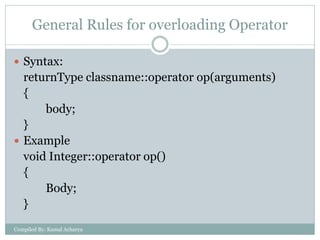
General Rules for overloading Operator
 Syntax:

returnType classname::operator op(arguments)
{
body;
}
 Example
void Integer::operator op()
{
Body;
}
Compiled By: Kamal Acharya
Steps
Create a class that is to be used
2. Declare the operator function in the public part of
the class. It may be either member function or
friend function.
3. Define operator function to implement the
operation required
4. Overloaded can be invoked using the syntax such
as:
op x;
1.

Compiled By: Kamal Acharya
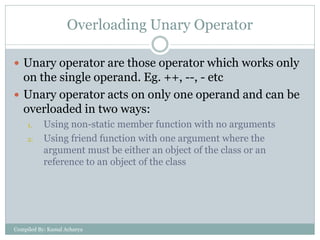
Overloading Unary Operator
 Unary operator are those operator which works only

on the single operand. Eg. ++, --, - etc
 Unary operator acts on only one operand and can be
overloaded in two ways:
1.

2.

Using non-static member function with no arguments
Using friend function with one argument where the
argument must be either an object of the class or an
reference to an object of the class

Compiled By: Kamal Acharya
Using non static member function
 Example

class Test
{
…………
public:
void operator op()
{……… }
};

Compiled By: Kamal Acharya

Void main()
{
…….
…….
op obj1; /* Same as
obj1.operator
op()*/
………………..
}
Sample Program
#include<iostream.h>
#include<conio.h>
class increment
{
int m,n;
public:
increment(int x, int y)
{
m=x;
n=y;
}

Compiled By: Kamal Acharya

void display()
{
cout<<"m= "<<m<<
"n="<<n<<endl;
}
void operator ++()
{
m++;n++;
}
};
void main()
{
clrscr();
increment in1(20,30);
in1.display();
++in1;
in1.display();
increment in2(1,2);

Compiled By: Kamal Acharya

in2.display();
in2.operator ++();
in2.display();
getch();
}
OUTPUT

Compiled By: Kamal Acharya
Using Friend Function
 Example

class Test
{
…………
public:
friend void operator
op(Test);
};

Compiled By: Kamal Acharya

Void main()
{
…….
…….
op obj1; /* Same as
operator op(obj1)*/
………………..
}
Sample Program
#include<iostream.h>
#include<conio.h>
class increment
{
int m,n;
public:
increment(int x, int y)
{
m=x; n=y;
}

Compiled By: Kamal Acharya

void display()
{
cout<<"m= "<<m<<
"n="<<n<<endl;
}
friend void operator
++(increment&);
};
void operator
++(increment& x)
{
++x.m;
++x.n;
}
void main()
{
clrscr();
increment in1(20,30);
Compiled By: Kamal Acharya

in1.display();
++in1;
in1.display();
increment in2(1,2);
in2.display();
operator ++(in2);
in2.display();
getch();
}
OUTPUT

Compiled By: Kamal Acharya
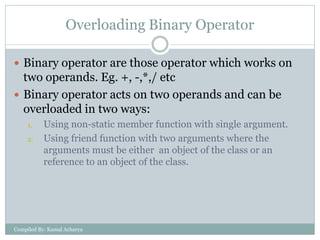
Overloading Binary Operator
 Binary operator are those operator which works on

two operands. Eg. +, -,*,/ etc
 Binary operator acts on two operands and can be
overloaded in two ways:
1.

2.

Using non-static member function with single argument.
Using friend function with two arguments where the
arguments must be either an object of the class or an
reference to an object of the class.

Compiled By: Kamal Acharya
Using non static member function
 Example

class Test
{
…………
public:
void operator op(Test)
{……… }
};

Compiled By: Kamal Acharya

Void main()
{
…….
…….
obj1 op obj2; /* Same as
obj1.operator op(obj2)*/
………………..
}
Sample Program
#include<iostream.h>
#include<conio.h>
class add
{
int m,n;
public:
add(int x, int y)
{
m=x; n=y;
}
Compiled By: Kamal Acharya

void display()
{
cout<<"m= "<<m<<"
n="<<n<<endl;
}
void operator +(add);
};
void add::operator +(add
x)
{
m=m+x.m;
n=n+x.n;
}

Compiled By: Kamal Acharya

void main()
{
clrscr();
add
obj1(20,30),obj2(2,3);
obj1.display();
obj2.display();
obj1+obj2;
obj1.display();
getch();
}
Compiled By: Kamal Acharya
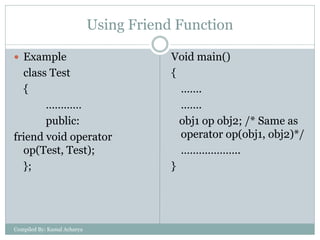
Using Friend Function
 Example

class Test
{
…………
public:
friend void operator
op(Test, Test);
};

Compiled By: Kamal Acharya

Void main()
{
…….
…….
obj1 op obj2; /* Same as
operator op(obj1, obj2)*/
………………..
}
Sample Program
#include<iostream.h>
#include<conio.h>
class add
{
int m,n;
public:
add(int x, int y)
{
m=x; n=y;
}
Compiled By: Kamal Acharya

void display()
{
cout<<"m= "<<m<<"
n="<<n<<endl;
}
friend void operator
+(add&,add&);
};
void operator +(add& x,
add& y)
{
x.m=x.m+y.m;
x.n=x.n+y.n;
}

Compiled By: Kamal Acharya

void main()
{
clrscr();
add
obj1(20,30),obj2(2,3);
obj1.display();
obj2.display();
obj1+obj2;
obj1.display();
getch();
}
Compiled By: Kamal Acharya

Operator overloading

  • 1.
    Operator Overloading INTRODUCTION OPERATOR OVERLOADINGRESTRICTION GENERAL RULES FOR OVERLOADING OPERATOR OVERLOADING UNARY OPERATOR OVERLOADING BINARY OPERATOR Compiled By: Kamal Acharya
  • 2.
    Introduction  It givesadditional meaning to the C++ operator when applied to the user defined data types.  We can create our own language by using the concept of operator overloading appropriately.  It require great care when misused program became very difficult to understand Compiled By: Kamal Acharya
  • 3.
    Operator Overloading Restriction Following C++ Operator can’t be overloaded Class member access operators(. & .*) Scope Resolution Operator(::) Sizeof Operator(sizeof()) Conditional Operator(? :)  Precedence of an operator cannot be changed  Associativity of an operator cannot be changed  Arity (number of operands) cannot be changed Unary operators remain unary, and binary operators remain binary  Operators &, *, + and - each have unary and binary versions  Unary and binary versions can be overloaded separately  Compiled By: Kamal Acharya
  • 4.
     No newoperators can be created  Use only existing operators  No overloading operators for built-in types  Cannot change how two integers are added Compiled By: Kamal Acharya
  • 5.
    General Rules foroverloading Operator  Syntax: returnType classname::operator op(arguments) { body; }  Example void Integer::operator op() { Body; } Compiled By: Kamal Acharya
  • 6.
    Steps Create a classthat is to be used 2. Declare the operator function in the public part of the class. It may be either member function or friend function. 3. Define operator function to implement the operation required 4. Overloaded can be invoked using the syntax such as: op x; 1. Compiled By: Kamal Acharya
  • 7.
    Overloading Unary Operator Unary operator are those operator which works only on the single operand. Eg. ++, --, - etc  Unary operator acts on only one operand and can be overloaded in two ways: 1. 2. Using non-static member function with no arguments Using friend function with one argument where the argument must be either an object of the class or an reference to an object of the class Compiled By: Kamal Acharya
  • 8.
    Using non staticmember function  Example class Test { ………… public: void operator op() {……… } }; Compiled By: Kamal Acharya Void main() { ……. ……. op obj1; /* Same as obj1.operator op()*/ ……………….. }
  • 9.
    Sample Program #include<iostream.h> #include<conio.h> class increment { intm,n; public: increment(int x, int y) { m=x; n=y; } Compiled By: Kamal Acharya void display() { cout<<"m= "<<m<< "n="<<n<<endl; } void operator ++() { m++;n++; } };
  • 10.
    void main() { clrscr(); increment in1(20,30); in1.display(); ++in1; in1.display(); incrementin2(1,2); Compiled By: Kamal Acharya in2.display(); in2.operator ++(); in2.display(); getch(); }
  • 11.
  • 12.
    Using Friend Function Example class Test { ………… public: friend void operator op(Test); }; Compiled By: Kamal Acharya Void main() { ……. ……. op obj1; /* Same as operator op(obj1)*/ ……………….. }
  • 13.
    Sample Program #include<iostream.h> #include<conio.h> class increment { intm,n; public: increment(int x, int y) { m=x; n=y; } Compiled By: Kamal Acharya void display() { cout<<"m= "<<m<< "n="<<n<<endl; } friend void operator ++(increment&); };
  • 14.
    void operator ++(increment& x) { ++x.m; ++x.n; } voidmain() { clrscr(); increment in1(20,30); Compiled By: Kamal Acharya in1.display(); ++in1; in1.display(); increment in2(1,2); in2.display(); operator ++(in2); in2.display(); getch(); }
  • 15.
  • 16.
    Overloading Binary Operator Binary operator are those operator which works on two operands. Eg. +, -,*,/ etc  Binary operator acts on two operands and can be overloaded in two ways: 1. 2. Using non-static member function with single argument. Using friend function with two arguments where the arguments must be either an object of the class or an reference to an object of the class. Compiled By: Kamal Acharya
  • 17.
    Using non staticmember function  Example class Test { ………… public: void operator op(Test) {……… } }; Compiled By: Kamal Acharya Void main() { ……. ……. obj1 op obj2; /* Same as obj1.operator op(obj2)*/ ……………….. }
  • 18.
    Sample Program #include<iostream.h> #include<conio.h> class add { intm,n; public: add(int x, int y) { m=x; n=y; } Compiled By: Kamal Acharya void display() { cout<<"m= "<<m<<" n="<<n<<endl; } void operator +(add); };
  • 19.
    void add::operator +(add x) { m=m+x.m; n=n+x.n; } CompiledBy: Kamal Acharya void main() { clrscr(); add obj1(20,30),obj2(2,3); obj1.display(); obj2.display(); obj1+obj2; obj1.display(); getch(); }
  • 20.
  • 21.
    Using Friend Function Example class Test { ………… public: friend void operator op(Test, Test); }; Compiled By: Kamal Acharya Void main() { ……. ……. obj1 op obj2; /* Same as operator op(obj1, obj2)*/ ……………….. }
  • 22.
    Sample Program #include<iostream.h> #include<conio.h> class add { intm,n; public: add(int x, int y) { m=x; n=y; } Compiled By: Kamal Acharya void display() { cout<<"m= "<<m<<" n="<<n<<endl; } friend void operator +(add&,add&); };
  • 23.
    void operator +(add&x, add& y) { x.m=x.m+y.m; x.n=x.n+y.n; } Compiled By: Kamal Acharya void main() { clrscr(); add obj1(20,30),obj2(2,3); obj1.display(); obj2.display(); obj1+obj2; obj1.display(); getch(); }
  • 24.