Open Babel
               Access and interconvert chemical
               information


                       Noel M. O’Boyle
Open Babel development team and NextMove Software, Cambridge, UK


                           Nov 2012
                       Secret UK Location
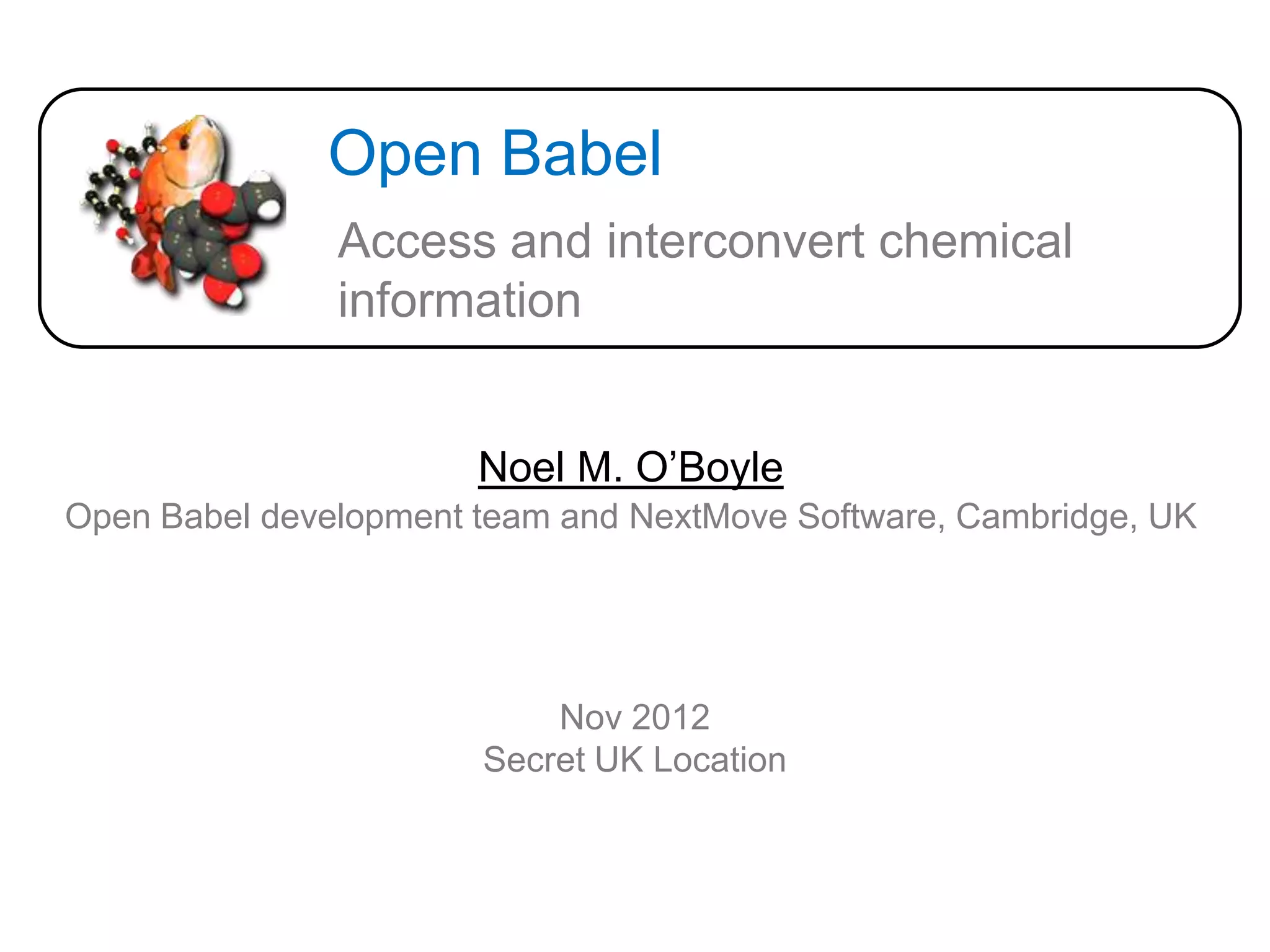
Image credit: AJ Cann (AJC1 on Flickr)
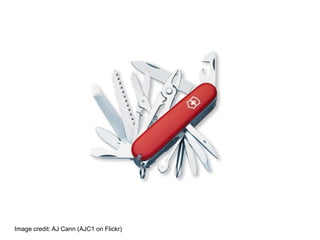
Image credit: Jon Osborne (jonno101101 on Flickr)
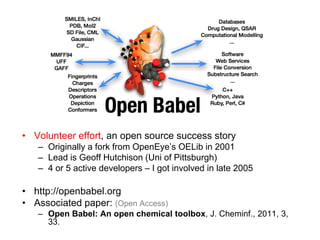
• Volunteer effort, an open source success story
   – Originally a fork from OpenEye’s OELib in 2001
   – Lead is Geoff Hutchison (Uni of Pittsburgh)
   – 4 or 5 active developers – I got involved in late 2005

• http://openbabel.org
• Associated paper: (Open Access)
   – Open Babel: An open chemical toolbox, J. Cheminf., 2011, 3,
     33.
5

     Does anyone else use Open Babel?


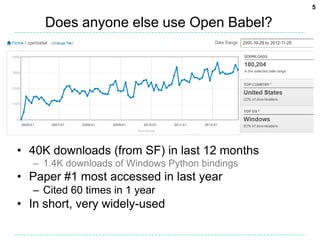
• 40K downloads (from SF) in last 12 months
   – 1.4K downloads of Windows Python bindings
• Paper #1 most accessed in last year
   – Cited 60 times in 1 year
• In short, very widely-used
Features
• Multiple chemical file formats (+ options) and utility
  formats
• 2D coordinate generation and depiction (PNG and
  SVG)
• 3D coordinate generation, forcefield minimisation,
  conformer generation
• Binary fingerprints (path-based, substructure-
  based) and associated “fast search” database
• Bond perception, aromaticity detection and atom-
  typing
• Canonical labelling, automorphisms, alignment
• Plugin architecture
• Several command-line applications, but also a
  software library
• Written in C++ but bindings in several languages
obabel and file conversion
• Basic usage:
  obabel infile.extn –O outfile.extn


• Can also read from stdin, write to stdout, read
  from a SMILES string, specify the input and
  output file formats, specify conversion
  options, and format specific options
  – Or ask for help (obabel –H)…online docs better!


• Note: obabel has replaced the older babel
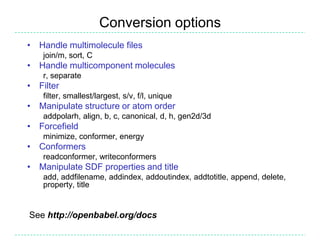
Conversion options
• Handle multimolecule files
    join/m, sort, C
• Handle multicomponent molecules
    r, separate
• Filter
    filter, smallest/largest, s/v, f/l, unique
• Manipulate structure or atom order
    addpolarh, align, b, c, canonical, d, h, gen2d/3d
• Forcefield
    minimize, conformer, energy
• Conformers
    readconformer, writeconformers
• Manipulate SDF properties and title
    add, addfilename, addindex, addoutindex, addtotitle, append, delete,
    property, title


See http://openbabel.org/docs
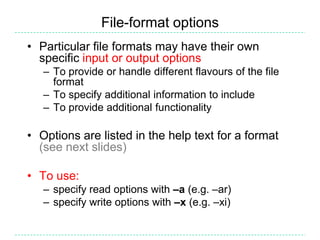
File-format options
• Particular file formats may have their own
  specific input or output options
   – To provide or handle different flavours of the file
     format
   – To specify additional information to include
   – To provide additional functionality

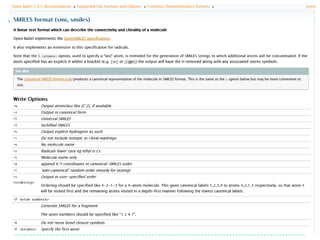
• Options are listed in the help text for a format
  (see next slides)

• To use:
   – specify read options with –a (e.g. –ar)
   – specify write options with –x (e.g. –xi)
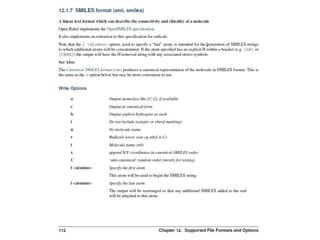
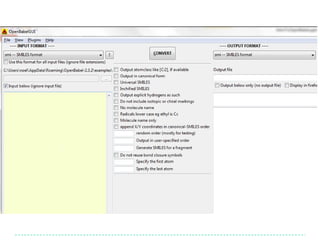
SMILES output options

                                                                    1. Add explicit Hs
Note that atom order is    > obabel -:CC(=O)Cl        –osmi         2. Show them in the
preserved                  CC(=O)Cl                                 output
                           > obabel -:CC(=O)Cl        –osmi –xh -h
  Make atom 3 the first
                           [CH3]C(=O)Cl
  atom…                    > obabel -:CC(=O)Cl        -osmi -xf 3
                           O=C(C)Cl
  …and atom 1 the          > obabel -:CC(=O)Cl        -osmi -xf 3 –xl 1
  last                     O=C(Cl)C
                           > obabel -:CC(=O)Cl        -:CC(=O)Cl -osmi -xC
                           ClC(=O)C                                 Random order
                           O=C(Cl)C
                           > obabel -:CC(=O)Cl        -osmi -xF "2 4"
                           CCl
                            Fragment SMILES for the fragment
                            composed of atoms 2 and 4

    Take home message: Look through the list of options for file formats
    which you frequently use (and request new options!)
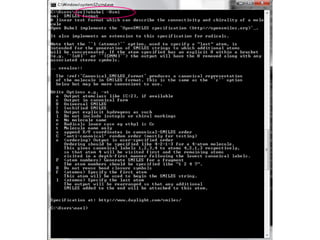
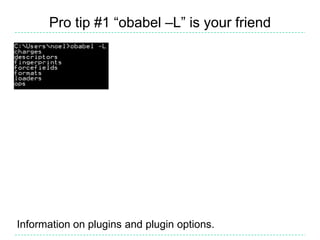
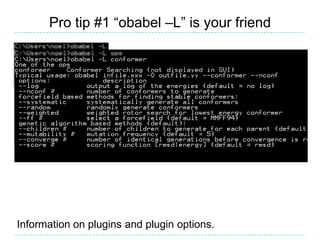
Pro tip #1 “obabel –L” is your friend


Information on plugins and plugin options.
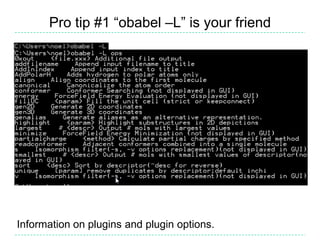
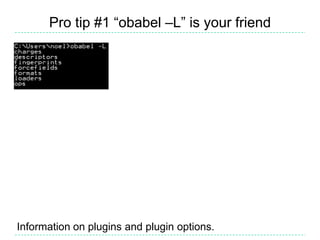
Pro tip #1 “obabel –L” is your friend


Information on plugins and plugin options.
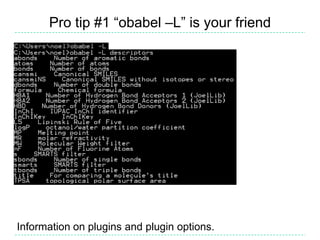
Pro tip #1 “obabel –L” is your friend


Information on plugins and plugin options.
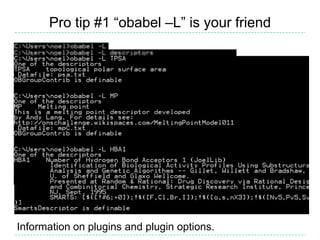
Pro tip #1 “obabel –L” is your friend


Information on plugins and plugin options.
Pro tip #1 “obabel –L” is your friend


Information on plugins and plugin options.
Pro tip #1 “obabel –L” is your friend


Information on plugins and plugin options.
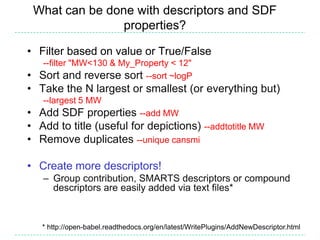
What can be done with descriptors and SDF
                properties?

• Filter based on value or True/False
   --filter "MW<130 & My_Property < 12"
• Sort and reverse sort --sort ~logP
• Take the N largest or smallest (or everything but)
   --largest 5 MW
• Add SDF properties --add MW
• Add to title (useful for depictions) --addtotitle MW
• Remove duplicates --unique cansmi

• Create more descriptors!
   – Group contribution, SMARTS descriptors or compound
     descriptors are easily added via text files*


   * http://open-babel.readthedocs.org/en/latest/WritePlugins/AddNewDescriptor.html
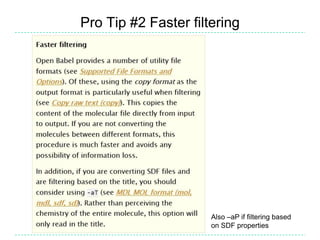
Pro Tip #2 Faster filtering


                      Also –aP if filtering based
                      on SDF properties
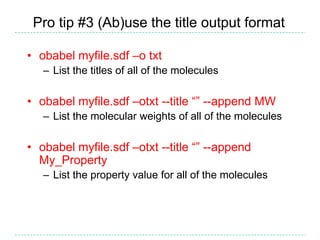
Pro tip #3 (Ab)use the title output format

• obabel myfile.sdf –o txt
   – List the titles of all of the molecules

• obabel myfile.sdf –otxt --title “” --append MW
   – List the molecular weights of all of the molecules

• obabel myfile.sdf –otxt --title “” --append
  My_Property
   – List the property value for all of the molecules
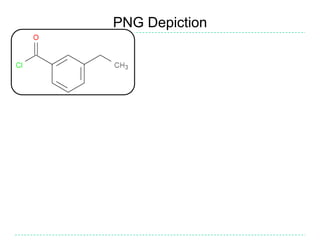
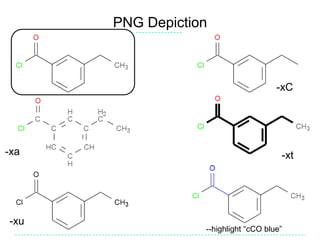
PNG Depiction
PNG Depiction


                                      -xC


-xa                                    -xt


-xu
                  --highlight “cCO blue”
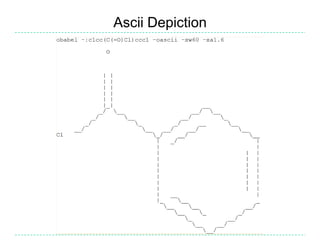
Ascii Depiction
Pro Tip #4 SVG + Firefox = User interface
• SVG has same options as PNG…
• …but drag-and-drop onto Firefox and you have
  a zoomable user interface
   – particularly useful for visualising multimolecule
     files
   – Demo showing a 1000 molecule file (only 3MB):
      http://baoilleach.blogspot.co.uk/2011/06/molecular-zooming-with-open-babel-svg.html

• You could create a navigation interface for an
  entire database (sponsorship opportunity!)
   – E.g. make each of 1000 molecules link to another
     SVG with 1000 molecules
• Multimolecule depictions can be aligned based
  on substructure (also PNG)
   – Demo: http://baoilleach.blogspot.co.uk/2012/02/portrait-of-molecule-as-green.html
Pro Tip #5 Automatic conversion
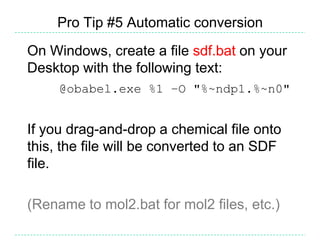
On Windows, create a file sdf.bat on your
Desktop with the following text:
     @obabel.exe %1 –O "%~ndp1.%~n0"


If you drag-and-drop a chemical file onto
this, the file will be converted to an SDF
file.

(Rename to mol2.bat for mol2 files, etc.)
Alignment
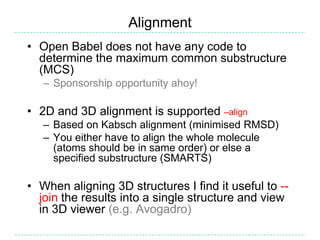
• Open Babel does not have any code to
  determine the maximum common substructure
  (MCS)
   – Sponsorship opportunity ahoy!

• 2D and 3D alignment is supported –align
   – Based on Kabsch alignment (minimised RMSD)
   – You either have to align the whole molecule
     (atoms should be in same order) or else a
     specified substructure (SMARTS)

• When aligning 3D structures I find it useful to --
  join the results into a single structure and view
  in 3D viewer (e.g. Avogadro)
Spectrophores
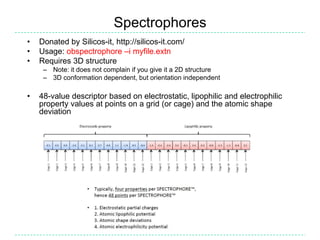
•   Donated by Silicos-it, http://silicos-it.com/
•   Usage: obspectrophore –i myfile.extn
•   Requires 3D structure
     – Note: it does not complain if you give it a 2D structure
     – 3D conformation dependent, but orientation independent

•   48-value descriptor based on electrostatic, lipophilic and electrophilic
    property values at points on a grid (or cage) and the atomic shape
    deviation
Spectrophores
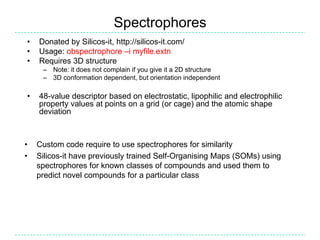
•   Donated by Silicos-it, http://silicos-it.com/
•   Usage: obspectrophore –i myfile.extn
•   Requires 3D structure
     – Note: it does not complain if you give it a 2D structure
     – 3D conformation dependent, but orientation independent

•   48-value descriptor based on electrostatic, lipophilic and electrophilic
    property values at points on a grid (or cage) and the atomic shape
    deviation


•   Custom code require to use spectrophores for similarity
•   Silicos-it have previously trained Self-Organising Maps (SOMs) using
    spectrophores for known classes of compounds and used them to
    predict novel compounds for a particular class
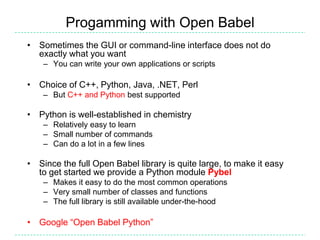
Progamming with Open Babel
• Sometimes the GUI or command-line interface does not do
  exactly what you want
    – You can write your own applications or scripts

• Choice of C++, Python, Java, .NET, Perl
    – But C++ and Python best supported

• Python is well-established in chemistry
    – Relatively easy to learn
    – Small number of commands
    – Can do a lot in a few lines

• Since the full Open Babel library is quite large, to make it easy
  to get started we provide a Python module Pybel
    – Makes it easy to do the most common operations
    – Very small number of classes and functions
    – The full library is still available under-the-hood

• Google “Open Babel Python”
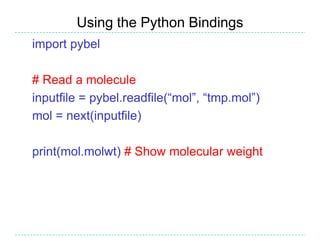
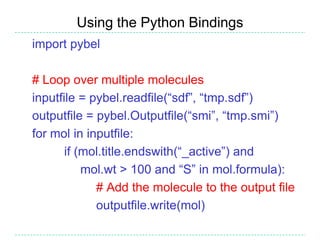
Using the Python Bindings
import pybel

# Read a molecule
inputfile = pybel.readfile(“mol”, “tmp.mol”)
mol = next(inputfile)

print(mol.molwt) # Show molecular weight
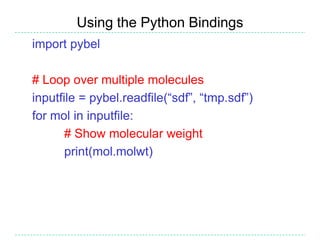
Using the Python Bindings
import pybel

# Loop over multiple molecules
inputfile = pybel.readfile(“sdf”, “tmp.sdf”)
for mol in inputfile:
       # Show molecular weight
       print(mol.molwt)
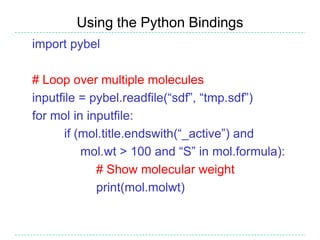
Using the Python Bindings
import pybel

# Loop over multiple molecules
inputfile = pybel.readfile(“sdf”, “tmp.sdf”)
for mol in inputfile:
       if (mol.title.endswith(“_active”) and
           mol.wt > 100 and “S” in mol.formula):
             # Show molecular weight
             print(mol.molwt)
Using the Python Bindings
import pybel

# Loop over multiple molecules
inputfile = pybel.readfile(“sdf”, “tmp.sdf”)
outputfile = pybel.Outputfile(“smi”, “tmp.smi”)
for mol in inputfile:
       if (mol.title.endswith(“_active”) and
           mol.wt > 100 and “S” in mol.formula):
             # Add the molecule to the output file
             outputfile.write(mol)
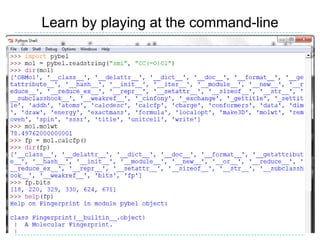
Learn by playing at the command-line
A cry for help
Like mailing lists?
   openbabel-
   discuss@lists.sf.net
Like forums?
   http://forums.openbabel.org
Like to email a developer
directly?
   We will ask you to email the
   list :-)


Don’t forget to read the
docs first and Google it                   Image: Tintin44 (Flickr)

   http://openbabel.org/docs

Intro to Open Babel

  • 1.
    Open Babel Access and interconvert chemical information Noel M. O’Boyle Open Babel development team and NextMove Software, Cambridge, UK Nov 2012 Secret UK Location
  • 2.
    Image credit: AJCann (AJC1 on Flickr)
  • 3.
    Image credit: JonOsborne (jonno101101 on Flickr)
  • 4.
    • Volunteer effort,an open source success story – Originally a fork from OpenEye’s OELib in 2001 – Lead is Geoff Hutchison (Uni of Pittsburgh) – 4 or 5 active developers – I got involved in late 2005 • http://openbabel.org • Associated paper: (Open Access) – Open Babel: An open chemical toolbox, J. Cheminf., 2011, 3, 33.
  • 5.
    5 Does anyone else use Open Babel? • 40K downloads (from SF) in last 12 months – 1.4K downloads of Windows Python bindings • Paper #1 most accessed in last year – Cited 60 times in 1 year • In short, very widely-used
  • 6.
    Features • Multiple chemicalfile formats (+ options) and utility formats • 2D coordinate generation and depiction (PNG and SVG) • 3D coordinate generation, forcefield minimisation, conformer generation • Binary fingerprints (path-based, substructure- based) and associated “fast search” database • Bond perception, aromaticity detection and atom- typing • Canonical labelling, automorphisms, alignment • Plugin architecture • Several command-line applications, but also a software library • Written in C++ but bindings in several languages
  • 7.
    obabel and fileconversion • Basic usage: obabel infile.extn –O outfile.extn • Can also read from stdin, write to stdout, read from a SMILES string, specify the input and output file formats, specify conversion options, and format specific options – Or ask for help (obabel –H)…online docs better! • Note: obabel has replaced the older babel
  • 8.
    Conversion options • Handlemultimolecule files join/m, sort, C • Handle multicomponent molecules r, separate • Filter filter, smallest/largest, s/v, f/l, unique • Manipulate structure or atom order addpolarh, align, b, c, canonical, d, h, gen2d/3d • Forcefield minimize, conformer, energy • Conformers readconformer, writeconformers • Manipulate SDF properties and title add, addfilename, addindex, addoutindex, addtotitle, append, delete, property, title See http://openbabel.org/docs
  • 9.
    File-format options • Particularfile formats may have their own specific input or output options – To provide or handle different flavours of the file format – To specify additional information to include – To provide additional functionality • Options are listed in the help text for a format (see next slides) • To use: – specify read options with –a (e.g. –ar) – specify write options with –x (e.g. –xi)
  • 14.
    SMILES output options 1. Add explicit Hs Note that atom order is > obabel -:CC(=O)Cl –osmi 2. Show them in the preserved CC(=O)Cl output > obabel -:CC(=O)Cl –osmi –xh -h Make atom 3 the first [CH3]C(=O)Cl atom… > obabel -:CC(=O)Cl -osmi -xf 3 O=C(C)Cl …and atom 1 the > obabel -:CC(=O)Cl -osmi -xf 3 –xl 1 last O=C(Cl)C > obabel -:CC(=O)Cl -:CC(=O)Cl -osmi -xC ClC(=O)C Random order O=C(Cl)C > obabel -:CC(=O)Cl -osmi -xF "2 4" CCl Fragment SMILES for the fragment composed of atoms 2 and 4 Take home message: Look through the list of options for file formats which you frequently use (and request new options!)
  • 15.
    Pro tip #1“obabel –L” is your friend Information on plugins and plugin options.
  • 16.
    Pro tip #1“obabel –L” is your friend Information on plugins and plugin options.
  • 17.
    Pro tip #1“obabel –L” is your friend Information on plugins and plugin options.
  • 18.
    Pro tip #1“obabel –L” is your friend Information on plugins and plugin options.
  • 19.
    Pro tip #1“obabel –L” is your friend Information on plugins and plugin options.
  • 20.
    Pro tip #1“obabel –L” is your friend Information on plugins and plugin options.
  • 21.
    What can bedone with descriptors and SDF properties? • Filter based on value or True/False --filter "MW<130 & My_Property < 12" • Sort and reverse sort --sort ~logP • Take the N largest or smallest (or everything but) --largest 5 MW • Add SDF properties --add MW • Add to title (useful for depictions) --addtotitle MW • Remove duplicates --unique cansmi • Create more descriptors! – Group contribution, SMARTS descriptors or compound descriptors are easily added via text files* * http://open-babel.readthedocs.org/en/latest/WritePlugins/AddNewDescriptor.html
  • 22.
    Pro Tip #2Faster filtering Also –aP if filtering based on SDF properties
  • 23.
    Pro tip #3(Ab)use the title output format • obabel myfile.sdf –o txt – List the titles of all of the molecules • obabel myfile.sdf –otxt --title “” --append MW – List the molecular weights of all of the molecules • obabel myfile.sdf –otxt --title “” --append My_Property – List the property value for all of the molecules
  • 24.
  • 25.
    PNG Depiction -xC -xa -xt -xu --highlight “cCO blue”
  • 26.
  • 27.
    Pro Tip #4SVG + Firefox = User interface • SVG has same options as PNG… • …but drag-and-drop onto Firefox and you have a zoomable user interface – particularly useful for visualising multimolecule files – Demo showing a 1000 molecule file (only 3MB): http://baoilleach.blogspot.co.uk/2011/06/molecular-zooming-with-open-babel-svg.html • You could create a navigation interface for an entire database (sponsorship opportunity!) – E.g. make each of 1000 molecules link to another SVG with 1000 molecules • Multimolecule depictions can be aligned based on substructure (also PNG) – Demo: http://baoilleach.blogspot.co.uk/2012/02/portrait-of-molecule-as-green.html
  • 29.
    Pro Tip #5Automatic conversion On Windows, create a file sdf.bat on your Desktop with the following text: @obabel.exe %1 –O "%~ndp1.%~n0" If you drag-and-drop a chemical file onto this, the file will be converted to an SDF file. (Rename to mol2.bat for mol2 files, etc.)
  • 30.
    Alignment • Open Babeldoes not have any code to determine the maximum common substructure (MCS) – Sponsorship opportunity ahoy! • 2D and 3D alignment is supported –align – Based on Kabsch alignment (minimised RMSD) – You either have to align the whole molecule (atoms should be in same order) or else a specified substructure (SMARTS) • When aligning 3D structures I find it useful to -- join the results into a single structure and view in 3D viewer (e.g. Avogadro)
  • 31.
    Spectrophores • Donated by Silicos-it, http://silicos-it.com/ • Usage: obspectrophore –i myfile.extn • Requires 3D structure – Note: it does not complain if you give it a 2D structure – 3D conformation dependent, but orientation independent • 48-value descriptor based on electrostatic, lipophilic and electrophilic property values at points on a grid (or cage) and the atomic shape deviation
  • 32.
    Spectrophores • Donated by Silicos-it, http://silicos-it.com/ • Usage: obspectrophore –i myfile.extn • Requires 3D structure – Note: it does not complain if you give it a 2D structure – 3D conformation dependent, but orientation independent • 48-value descriptor based on electrostatic, lipophilic and electrophilic property values at points on a grid (or cage) and the atomic shape deviation • Custom code require to use spectrophores for similarity • Silicos-it have previously trained Self-Organising Maps (SOMs) using spectrophores for known classes of compounds and used them to predict novel compounds for a particular class
  • 33.
    Progamming with OpenBabel • Sometimes the GUI or command-line interface does not do exactly what you want – You can write your own applications or scripts • Choice of C++, Python, Java, .NET, Perl – But C++ and Python best supported • Python is well-established in chemistry – Relatively easy to learn – Small number of commands – Can do a lot in a few lines • Since the full Open Babel library is quite large, to make it easy to get started we provide a Python module Pybel – Makes it easy to do the most common operations – Very small number of classes and functions – The full library is still available under-the-hood • Google “Open Babel Python”
  • 34.
    Using the PythonBindings import pybel # Read a molecule inputfile = pybel.readfile(“mol”, “tmp.mol”) mol = next(inputfile) print(mol.molwt) # Show molecular weight
  • 35.
    Using the PythonBindings import pybel # Loop over multiple molecules inputfile = pybel.readfile(“sdf”, “tmp.sdf”) for mol in inputfile: # Show molecular weight print(mol.molwt)
  • 36.
    Using the PythonBindings import pybel # Loop over multiple molecules inputfile = pybel.readfile(“sdf”, “tmp.sdf”) for mol in inputfile: if (mol.title.endswith(“_active”) and mol.wt > 100 and “S” in mol.formula): # Show molecular weight print(mol.molwt)
  • 37.
    Using the PythonBindings import pybel # Loop over multiple molecules inputfile = pybel.readfile(“sdf”, “tmp.sdf”) outputfile = pybel.Outputfile(“smi”, “tmp.smi”) for mol in inputfile: if (mol.title.endswith(“_active”) and mol.wt > 100 and “S” in mol.formula): # Add the molecule to the output file outputfile.write(mol)
  • 38.
    Learn by playingat the command-line
  • 39.
    A cry forhelp Like mailing lists? openbabel- discuss@lists.sf.net Like forums? http://forums.openbabel.org Like to email a developer directly? We will ask you to email the list :-) Don’t forget to read the docs first and Google it Image: Tintin44 (Flickr) http://openbabel.org/docs

Editor's Notes

  • #3 OB is like a Swiss army knife, not a…
  • #4 …spork!
  • #9 Features of obabel, for full info see the docs.
  • #11 The same options are available at the command line…
  • #12 …in the online docs…
  • #13 …in the PDF and the book….
  • #14 …and in the GUI.
  • #27 “The 70s are calling. They want their depiction back.”
  • #28 Follow the links, or else this won’t make sense.
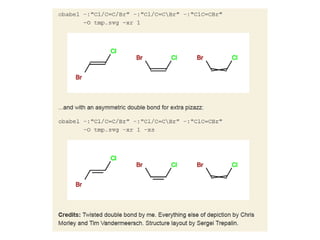
  • #29 Depiction of unspecified stereo.
  • #36 (Tech note: the “next” on the previous page is a Python keyword, and is implicit in the “for” loop)
  • #37 (Tech note: “endswith” and “in” above are features of Python string handling)