Querying XML: XPath and XQuery
Lecture 8a
2ID35, Spring 2013
24 May 2013
Katrien Verbert
George Fletcher
Slides based on lectures of Prof. T. Calders
and Prof. H. Olivié
Table of Contents
1.  Introduction to XML
2.  Querying XML
a)  XPath
b)  XQuery
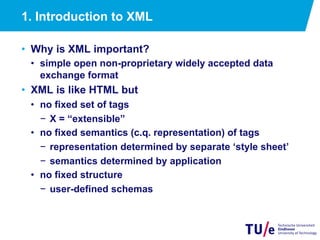
1. Introduction to XML
•  Why is XML important?
•  simple open non-proprietary widely accepted data
exchange format
•  XML is like HTML but
•  no fixed set of tags
−  X = “extensible”
•  no fixed semantics (c.q. representation) of tags
−  representation determined by separate ‘style sheet’
−  semantics determined by application
•  no fixed structure
−  user-defined schemas
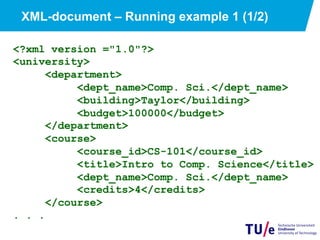
<?xml version ="1.0"?>
<university>
<department>
<dept_name>Comp. Sci.</dept_name>
<building>Taylor</building>
<budget>100000</budget>
</department>
<course>
<course_id>CS-101</course_id>
<title>Intro to Comp. Science</title>
<dept_name>Comp. Sci.</dept_name>
<credits>4</credits>
</course>
. . .
XML-document – Running example 1 (1/2)
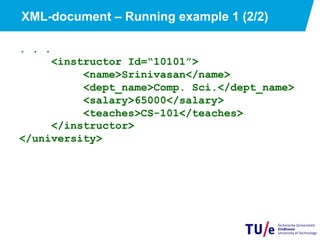
XML-document – Running example 1 (2/2)
. . .
<instructor Id=“10101”>
<name>Srinivasan</name>
<dept_name>Comp. Sci.</dept_name>
<salary>65000</salary>
<teaches>CS-101</teaches>
</instructor>
</university>
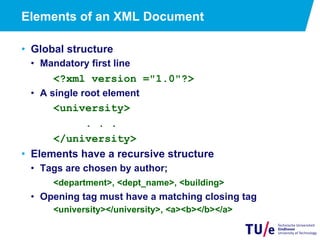
Elements of an XML Document
•  Global structure
•  Mandatory first line
<?xml version ="1.0"?>
•  A single root element
<university>
. . .
</university>
•  Elements have a recursive structure
•  Tags are chosen by author;
<department>, <dept_name>, <building>
•  Opening tag must have a matching closing tag
<university></university>, <a><b></b></a>
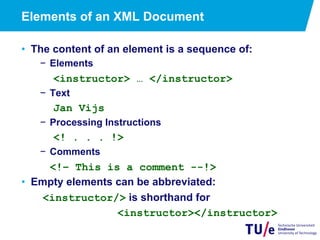
Elements of an XML Document
•  The content of an element is a sequence of:
−  Elements
<instructor> … </instructor>
−  Text
Jan Vijs
−  Processing Instructions
<! . . . !>
−  Comments
<!– This is a comment --!>
•  Empty elements can be abbreviated:
<instructor/> is shorthand for
<instructor></instructor>
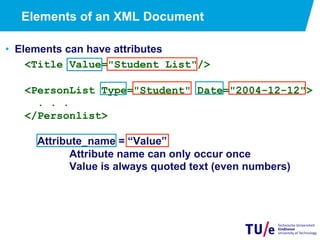
Elements of an XML Document
•  Elements can have attributes
<Title Value="Student List"/>
<PersonList Type="Student" Date="2004-12-12">
. . .
</Personlist>
Attribute_name = “Value”
Attribute name can only occur once
Value is always quoted text (even numbers)
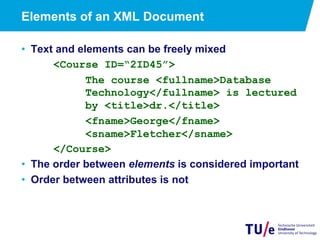
Elements of an XML Document
•  Text and elements can be freely mixed
<Course ID=“2ID45”>
The course <fullname>Database
Technology</fullname> is lectured
by <title>dr.</title>
<fname>George</fname>
<sname>Fletcher</sname>
</Course>
•  The order between elements is considered important
•  Order between attributes is not
Well-formedness
•  We call an XML-document well-formed iff
•  it has one root element;
•  elements are properly nested;
•  any attribute can only occur once in a given opening
tag and its value must be quoted.
•  Check for instance at:
http://www.w3schools.com/xml/xml_validator.asp
Table of Contents
1.  Introduction to XML
2.  Querying XML
a)  Xpath
b)  XQuery
12
Querying and Transforming XML Data
•  XPath
•  Simple language consisting of path expressions
•  XQuery
•  Standard language for querying XML data
•  Modeled after SQL (but significantly different)
•  Incorporates XPath expressions
13
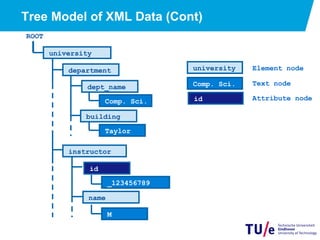
Tree Model of XML Data
•  Query and transformation languages are based on a tree
model of XML data
•  An XML document is modeled as a tree, with nodes
corresponding to elements and attributes
−  Element nodes have children nodes, which can be
attributes or subelements
−  Text in an element is modeled as a text node child of
the element
−  Children of a node are ordered according to their
order in the XML document
−  Element and attribute nodes (except for the root
node) have a single parent, which is an element node
−  The root node has a single child, which is the root
element of the document
Tree Model of XML Data (Cont)
ROOT
university
department
Taylor
Comp. Sci.
instructor
_123456789
id
M
university
Comp. Sci.
Element node
Text node
dept_name
building
name
id Attribute node
15
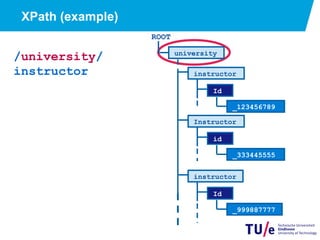
XPath
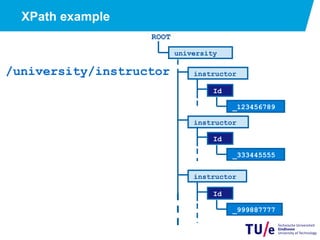
•  XPath is used to address (select) parts of documents
using path expressions
•  A path expression is a sequence of steps separated by “/”
•  Think of file names in a directory hierarchy
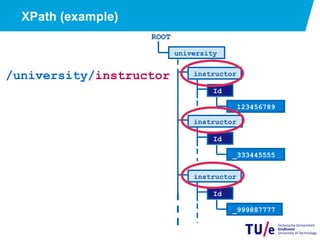
•  Result of path expression: set of values that along with
their containing elements/attributes match the specified
path
XPath example
/university/instructor
ROOT
university
instructor
Id
_333445555
instructor
Id
_123456789
instructor
Id
_999887777
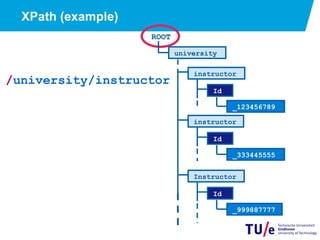
XPath (example)
/university/instructor
ROOT
university
instructor
Id
_333445555
instructor
Id
_123456789
Instructor
Id
_999887777
XPath (example)
/university/
instructor
ROOT
university
Instructor
id
_333445555
instructor
Id
_123456789
instructor
Id
_999887777
19
XPath (example)
/university/instructor
ROOT
university
instructor
Id
_333445555
instructor
Id
_123456789
instructor
Id
_999887777
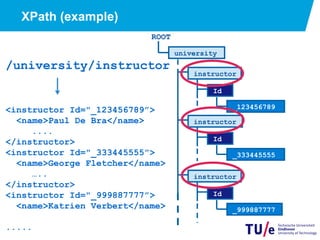
XPath (example)
/university/instructor
<instructor Id="_123456789”>
<name>Paul De Bra</name>
....
</instructor>
<instructor Id="_333445555”>
<name>George Fletcher</name>
…..
</instructor>
<instructor Id="_999887777”>
<name>Katrien Verbert</name>
.....
20
ROOT
university
instructor
Id
_333445555
instructor
Id
_123456789
instructor
Id
_999887777
21
XPath (Cont.)
•  The initial “/” denotes root of the document (above the
top-level tag)
•  Path expressions are evaluated left to right
•  Each step operates on the set of instances produced by the
previous step
•  Selection predicates may follow in [ ]
•  E.g. /university/instructor[salary > 40000]
−  returns instructor elements with a salary value greater than 40000
•  Attributes are accessed using “@”
•  E.g. /university/instructor[salary > 40000]/@Id
−  returns the Ids of the instructors with salary greater than 40000
Q1: give XPath expression
Retrieve instructor
with Id _123456789
/university/
instructor
[@Id=“_123456789”]
22
ROOT
university
instructor
Id
_333445555
instructor
Id
_123456789
instructor
Id
_999887777
23
Functions in XPath
•  XPath provides several functions
The function count() takes a nodeset as its argument and returns the
number of nodes present in the nodeset.
E.g. /university/instructor[count(teaches) = 3]
Returns instructors who are involved in 3 courses
•  Function not() can be used in predicates
•  //instructor[not(teaches)]
24
More XPath Features
•  Operator or used to implement union
•  E.g. //instructor[count(teaches) = 1 or not
(teaches)]
gives instructors with either 0 or 1 courses
•  “//” can be used to skip multiple levels of nodes
•  E.g. /university//name
−  finds any name element anywhere under the /university element,
regardless of the element in which it is contained.
•  A step in the path can go to:
parents, siblings, ancestors and descendants of the
nodes generated by the previous step, not just to the
children
•  “//”, described above, is a short from for specifying “all
descendants”
•  “..” specifies the parent.
−  e.g. : /university//name/../salary
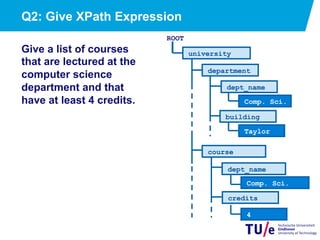
Q2: Give XPath Expression
Give a list of courses
that are lectured at the
computer science
department and that
have at least 4 credits.
university
department
Taylor
Comp. Sci.
course
Comp. Sci.
4
dept_name
building
credits
ROOT
dept_name
XPath as a Query Language for XML
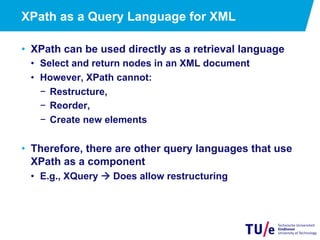
•  XPath can be used directly as a retrieval language
•  Select and return nodes in an XML document
•  However, XPath cannot:
−  Restructure,
−  Reorder,
−  Create new elements
•  Therefore, there are other query languages that use
XPath as a component
•  E.g., XQuery à Does allow restructuring
Where to find more information?
•  XPath reference by 3WC:
http://www.w3.org/TR/xpath/
•  Try out some queries yourself:
http://en.wikipedia.org/wiki/XML_database
•  BaseX is nice for educational purposes
http://www.inf.uni-konstanz.de/dbis/basex/
XQuery
•  Allows to formulate more general queries than XPath
•  General expression: FLWOR expression
FOR < for-variable > IN < in-expression >
LET < let-variable > := < let-expression>
[ WHERE < filter-expression> ]
[ ORDER BY < order-specification > ]
RETURN < expression>
−  note: FOR and LET can be used together or in
isolation
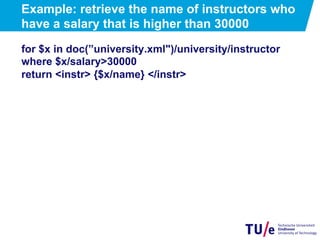
Example: retrieve the name of instructors who
have a salary that is higher than 30000
for $x in doc(”university.xml")/university/instructor
where $x/salary>30000
return <instr> {$x/name} </instr>
Q3: Give XQuery Expression
Give a list of courses that are
lectured at the computer
science department and that
have at least 4 credits.
Syntax:
FOR < for-variable > IN < in-expression >
LET < let-variable > := < let-expression>
[ WHERE < filter-expression> ]
[ ORDER BY < order-specification > ]
RETURN < expression>
university
department
Taylor
Comp. Sci.
course
Comp. Sci.
4
dept_name
building
credits
ROOT
dept_name
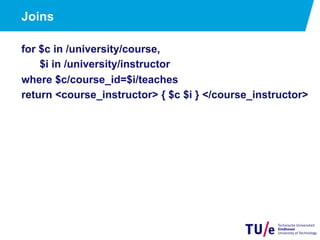
Joins
for $c in /university/course,
$i in /university/instructor
where $c/course_id=$i/teaches
return <course_instructor> { $c $i } </course_instructor>
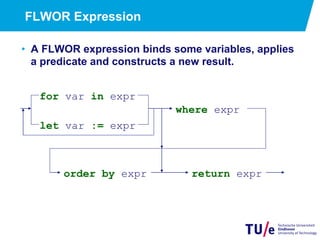
FLWOR Expression
•  A FLWOR expression binds some variables, applies
a predicate and constructs a new result.
for var in expr
let var := expr
where expr
order by expr return expr
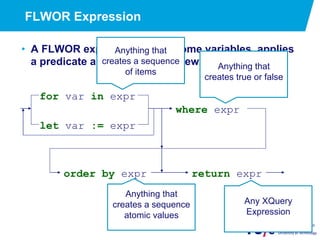
FLWOR Expression
•  A FLWOR expression binds some variables, applies
a predicate and constructs a new result.
for var in expr
let var := expr
where expr
order by expr return expr
Anything that
creates a sequence
of items
Anything that
creates true or false
Anything that
creates a sequence
atomic values
Any XQuery
Expression
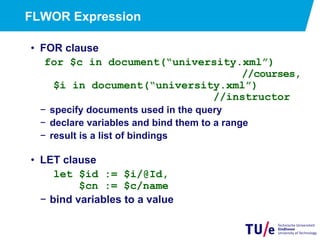
FLWOR Expression
•  FOR clause
for $c in document(“university.xml”)
//courses,
$i in document(“university.xml”)
//instructor
−  specify documents used in the query
−  declare variables and bind them to a range
−  result is a list of bindings
•  LET clause
let $id := $i/@Id,
$cn := $c/name
−  bind variables to a value
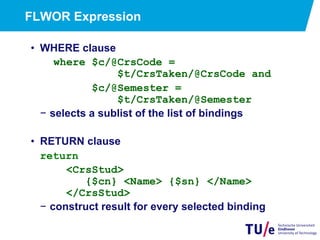
FLWOR Expression
•  WHERE clause
where $c/@CrsCode =
$t/CrsTaken/@CrsCode and
$c/@Semester =
$t/CrsTaken/@Semester
−  selects a sublist of the list of bindings
•  RETURN clause
return
<CrsStud>
{$cn} <Name> {$sn} </Name>
</CrsStud>
−  construct result for every selected binding
Nested queries
<university-1>
{
for $d in /university/department
return
<department>
{ $d/* }
{for $c in /university/course[dept_name=
$d/dept_name] return $c}
</department>
}
</university-1>
Aggregate functions
for $d in /university/department
return
<department_total_salary>
<dept_name>{$d/dep_name}</dept_name>
<total_salary>{fn:sum(
for $i in /university/instructor[dept_name=$d/dept_name]
return $i/salary
)} </total_salary>
</department_total_salary>
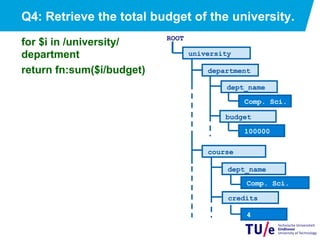
Q4: Retrieve the total budget of the university.
for $i in /university/
department
return fn:sum($i/budget)
university
department
100000
Comp. Sci.
course
Comp. Sci.
4
dept_name
budget
credits
ROOT
dept_name
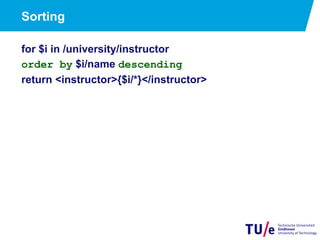
Sorting
for $i in /university/instructor
order by $i/name descending
return <instructor>{$i/*}</instructor>
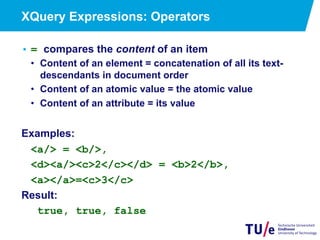
XQuery Expressions: Operators
• = compares the content of an item
•  Content of an element = concatenation of all its text-
descendants in document order
•  Content of an atomic value = the atomic value
•  Content of an attribute = its value
Examples:
<a/> = <b/>,
<d><a/><c>2</c></d> = <b>2</b>,
<a></a>=<c>3</c>
Result:
true, true, false
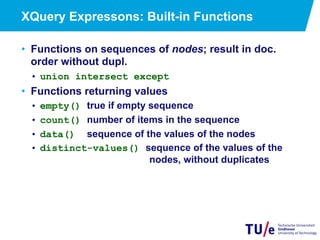
XQuery Expressons: Built-in Functions
•  Functions on sequences of nodes; result in doc.
order without dupl.
•  union intersect except
•  Functions returning values
•  empty() true if empty sequence
•  count() number of items in the sequence
•  data() sequence of the values of the nodes
•  distinct-values() sequence of the values of the
nodes, without duplicates
XQuery Expressons: Built-in Functions
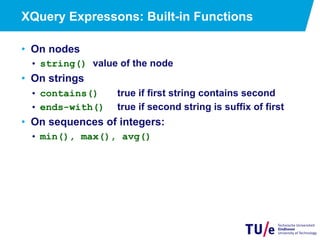
•  On nodes
•  string() value of the node
•  On strings
•  contains() true if first string contains second
•  ends-with() true if second string is suffix of first
•  On sequences of integers:
•  min(), max(), avg()
XQuery Expressions: Choice
• if (condition) then expression else
expression
• if (not(empty(./author[3])))
then “et al.”
else “.”
User-defined functions
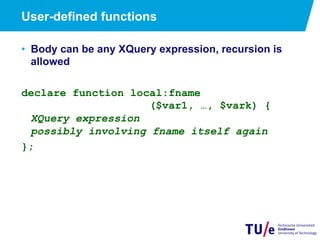
•  Body can be any XQuery expression, recursion is
allowed
declare function local:fname
($var1, …, $vark) {
XQuery expression
possibly involving fname itself again
};
User-defined functions
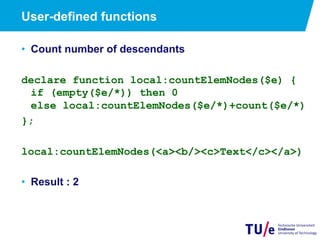
•  Count number of descendants
declare function local:countElemNodes($e) {
if (empty($e/*)) then 0
else local:countElemNodes($e/*)+count($e/*)
};
local:countElemNodes(<a><b/><c>Text</c></a>)
•  Result : 2
Existential and universal quantification
•  existential quantification
some $e in path satisfies P
•  universal quantification
every $e in path satisfies P
Example. Find departments where every instructor has a
salary greater than $50,000
for $d in /university/department
where every $i in /university/instructor[dept_name=$d/
dept_name]
satisfies $i/salary>50000
return $d
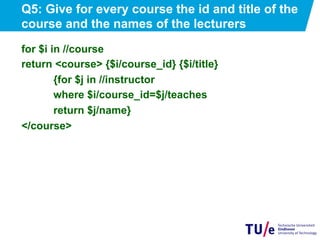
Q5: Give for every course the id and title of the
course and the names of the lecturers
for $i in //course
return <course> {$i/course_id} {$i/title}
{for $j in //instructor
where $i/course_id=$j/teaches
return $j/name}
</course>
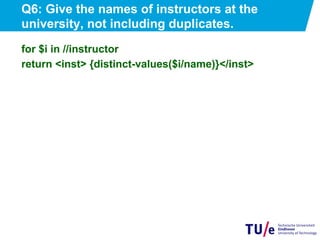
Q6: Give the names of instructors at the
university, not including duplicates.
for $i in //instructor
return <inst> {distinct-values($i/name)}</inst>
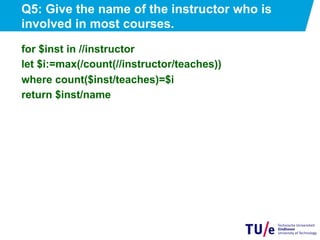
Q5: Give the name of the instructor who is
involved in most courses.
for $inst in //instructor
let $i:=max(/count(//instructor/teaches))
where count($inst/teaches)=$i
return $inst/name
More Information?
•  Many many examples: XML XQuery Use Case
http://www.w3.org/TR/xquery-use-cases/
k.verbert@tue.nl
g.h.l.fletcher@tue.nl

Querying XML: XPath and XQuery

  • 1.
    Querying XML: XPathand XQuery Lecture 8a 2ID35, Spring 2013 24 May 2013 Katrien Verbert George Fletcher Slides based on lectures of Prof. T. Calders and Prof. H. Olivié
  • 2.
    Table of Contents 1. Introduction to XML 2.  Querying XML a)  XPath b)  XQuery
  • 3.
    1. Introduction toXML •  Why is XML important? •  simple open non-proprietary widely accepted data exchange format •  XML is like HTML but •  no fixed set of tags −  X = “extensible” •  no fixed semantics (c.q. representation) of tags −  representation determined by separate ‘style sheet’ −  semantics determined by application •  no fixed structure −  user-defined schemas
  • 4.
    <?xml version ="1.0"?> <university> <department> <dept_name>Comp.Sci.</dept_name> <building>Taylor</building> <budget>100000</budget> </department> <course> <course_id>CS-101</course_id> <title>Intro to Comp. Science</title> <dept_name>Comp. Sci.</dept_name> <credits>4</credits> </course> . . . XML-document – Running example 1 (1/2)
  • 5.
    XML-document – Runningexample 1 (2/2) . . . <instructor Id=“10101”> <name>Srinivasan</name> <dept_name>Comp. Sci.</dept_name> <salary>65000</salary> <teaches>CS-101</teaches> </instructor> </university>
  • 6.
    Elements of anXML Document •  Global structure •  Mandatory first line <?xml version ="1.0"?> •  A single root element <university> . . . </university> •  Elements have a recursive structure •  Tags are chosen by author; <department>, <dept_name>, <building> •  Opening tag must have a matching closing tag <university></university>, <a><b></b></a>
  • 7.
    Elements of anXML Document •  The content of an element is a sequence of: −  Elements <instructor> … </instructor> −  Text Jan Vijs −  Processing Instructions <! . . . !> −  Comments <!– This is a comment --!> •  Empty elements can be abbreviated: <instructor/> is shorthand for <instructor></instructor>
  • 8.
    Elements of anXML Document •  Elements can have attributes <Title Value="Student List"/> <PersonList Type="Student" Date="2004-12-12"> . . . </Personlist> Attribute_name = “Value” Attribute name can only occur once Value is always quoted text (even numbers)
  • 9.
    Elements of anXML Document •  Text and elements can be freely mixed <Course ID=“2ID45”> The course <fullname>Database Technology</fullname> is lectured by <title>dr.</title> <fname>George</fname> <sname>Fletcher</sname> </Course> •  The order between elements is considered important •  Order between attributes is not
  • 10.
    Well-formedness •  We callan XML-document well-formed iff •  it has one root element; •  elements are properly nested; •  any attribute can only occur once in a given opening tag and its value must be quoted. •  Check for instance at: http://www.w3schools.com/xml/xml_validator.asp
  • 11.
    Table of Contents 1. Introduction to XML 2.  Querying XML a)  Xpath b)  XQuery
  • 12.
    12 Querying and TransformingXML Data •  XPath •  Simple language consisting of path expressions •  XQuery •  Standard language for querying XML data •  Modeled after SQL (but significantly different) •  Incorporates XPath expressions
  • 13.
    13 Tree Model ofXML Data •  Query and transformation languages are based on a tree model of XML data •  An XML document is modeled as a tree, with nodes corresponding to elements and attributes −  Element nodes have children nodes, which can be attributes or subelements −  Text in an element is modeled as a text node child of the element −  Children of a node are ordered according to their order in the XML document −  Element and attribute nodes (except for the root node) have a single parent, which is an element node −  The root node has a single child, which is the root element of the document
  • 14.
    Tree Model ofXML Data (Cont) ROOT university department Taylor Comp. Sci. instructor _123456789 id M university Comp. Sci. Element node Text node dept_name building name id Attribute node
  • 15.
    15 XPath •  XPath isused to address (select) parts of documents using path expressions •  A path expression is a sequence of steps separated by “/” •  Think of file names in a directory hierarchy •  Result of path expression: set of values that along with their containing elements/attributes match the specified path
  • 16.
  • 17.
  • 18.
  • 19.
  • 20.
    XPath (example) /university/instructor <instructor Id="_123456789”> <name>PaulDe Bra</name> .... </instructor> <instructor Id="_333445555”> <name>George Fletcher</name> ….. </instructor> <instructor Id="_999887777”> <name>Katrien Verbert</name> ..... 20 ROOT university instructor Id _333445555 instructor Id _123456789 instructor Id _999887777
  • 21.
    21 XPath (Cont.) •  Theinitial “/” denotes root of the document (above the top-level tag) •  Path expressions are evaluated left to right •  Each step operates on the set of instances produced by the previous step •  Selection predicates may follow in [ ] •  E.g. /university/instructor[salary > 40000] −  returns instructor elements with a salary value greater than 40000 •  Attributes are accessed using “@” •  E.g. /university/instructor[salary > 40000]/@Id −  returns the Ids of the instructors with salary greater than 40000
  • 22.
    Q1: give XPathexpression Retrieve instructor with Id _123456789 /university/ instructor [@Id=“_123456789”] 22 ROOT university instructor Id _333445555 instructor Id _123456789 instructor Id _999887777
  • 23.
    23 Functions in XPath • XPath provides several functions The function count() takes a nodeset as its argument and returns the number of nodes present in the nodeset. E.g. /university/instructor[count(teaches) = 3] Returns instructors who are involved in 3 courses •  Function not() can be used in predicates •  //instructor[not(teaches)]
  • 24.
    24 More XPath Features • Operator or used to implement union •  E.g. //instructor[count(teaches) = 1 or not (teaches)] gives instructors with either 0 or 1 courses •  “//” can be used to skip multiple levels of nodes •  E.g. /university//name −  finds any name element anywhere under the /university element, regardless of the element in which it is contained. •  A step in the path can go to: parents, siblings, ancestors and descendants of the nodes generated by the previous step, not just to the children •  “//”, described above, is a short from for specifying “all descendants” •  “..” specifies the parent. −  e.g. : /university//name/../salary
  • 25.
    Q2: Give XPathExpression Give a list of courses that are lectured at the computer science department and that have at least 4 credits. university department Taylor Comp. Sci. course Comp. Sci. 4 dept_name building credits ROOT dept_name
  • 26.
    XPath as aQuery Language for XML •  XPath can be used directly as a retrieval language •  Select and return nodes in an XML document •  However, XPath cannot: −  Restructure, −  Reorder, −  Create new elements •  Therefore, there are other query languages that use XPath as a component •  E.g., XQuery à Does allow restructuring
  • 27.
    Where to findmore information? •  XPath reference by 3WC: http://www.w3.org/TR/xpath/ •  Try out some queries yourself: http://en.wikipedia.org/wiki/XML_database •  BaseX is nice for educational purposes http://www.inf.uni-konstanz.de/dbis/basex/
  • 28.
    XQuery •  Allows toformulate more general queries than XPath •  General expression: FLWOR expression FOR < for-variable > IN < in-expression > LET < let-variable > := < let-expression> [ WHERE < filter-expression> ] [ ORDER BY < order-specification > ] RETURN < expression> −  note: FOR and LET can be used together or in isolation
  • 29.
    Example: retrieve thename of instructors who have a salary that is higher than 30000 for $x in doc(”university.xml")/university/instructor where $x/salary>30000 return <instr> {$x/name} </instr>
  • 30.
    Q3: Give XQueryExpression Give a list of courses that are lectured at the computer science department and that have at least 4 credits. Syntax: FOR < for-variable > IN < in-expression > LET < let-variable > := < let-expression> [ WHERE < filter-expression> ] [ ORDER BY < order-specification > ] RETURN < expression> university department Taylor Comp. Sci. course Comp. Sci. 4 dept_name building credits ROOT dept_name
  • 31.
    Joins for $c in/university/course, $i in /university/instructor where $c/course_id=$i/teaches return <course_instructor> { $c $i } </course_instructor>
  • 32.
    FLWOR Expression •  AFLWOR expression binds some variables, applies a predicate and constructs a new result. for var in expr let var := expr where expr order by expr return expr
  • 33.
    FLWOR Expression •  AFLWOR expression binds some variables, applies a predicate and constructs a new result. for var in expr let var := expr where expr order by expr return expr Anything that creates a sequence of items Anything that creates true or false Anything that creates a sequence atomic values Any XQuery Expression
  • 34.
    FLWOR Expression •  FORclause for $c in document(“university.xml”) //courses, $i in document(“university.xml”) //instructor −  specify documents used in the query −  declare variables and bind them to a range −  result is a list of bindings •  LET clause let $id := $i/@Id, $cn := $c/name −  bind variables to a value
  • 35.
    FLWOR Expression •  WHEREclause where $c/@CrsCode = $t/CrsTaken/@CrsCode and $c/@Semester = $t/CrsTaken/@Semester −  selects a sublist of the list of bindings •  RETURN clause return <CrsStud> {$cn} <Name> {$sn} </Name> </CrsStud> −  construct result for every selected binding
  • 36.
    Nested queries <university-1> { for $din /university/department return <department> { $d/* } {for $c in /university/course[dept_name= $d/dept_name] return $c} </department> } </university-1>
  • 37.
    Aggregate functions for $din /university/department return <department_total_salary> <dept_name>{$d/dep_name}</dept_name> <total_salary>{fn:sum( for $i in /university/instructor[dept_name=$d/dept_name] return $i/salary )} </total_salary> </department_total_salary>
  • 38.
    Q4: Retrieve thetotal budget of the university. for $i in /university/ department return fn:sum($i/budget) university department 100000 Comp. Sci. course Comp. Sci. 4 dept_name budget credits ROOT dept_name
  • 39.
    Sorting for $i in/university/instructor order by $i/name descending return <instructor>{$i/*}</instructor>
  • 40.
    XQuery Expressions: Operators • =compares the content of an item •  Content of an element = concatenation of all its text- descendants in document order •  Content of an atomic value = the atomic value •  Content of an attribute = its value Examples: <a/> = <b/>, <d><a/><c>2</c></d> = <b>2</b>, <a></a>=<c>3</c> Result: true, true, false
  • 41.
    XQuery Expressons: Built-inFunctions •  Functions on sequences of nodes; result in doc. order without dupl. •  union intersect except •  Functions returning values •  empty() true if empty sequence •  count() number of items in the sequence •  data() sequence of the values of the nodes •  distinct-values() sequence of the values of the nodes, without duplicates
  • 42.
    XQuery Expressons: Built-inFunctions •  On nodes •  string() value of the node •  On strings •  contains() true if first string contains second •  ends-with() true if second string is suffix of first •  On sequences of integers: •  min(), max(), avg()
  • 43.
    XQuery Expressions: Choice • if(condition) then expression else expression • if (not(empty(./author[3]))) then “et al.” else “.”
  • 44.
    User-defined functions •  Bodycan be any XQuery expression, recursion is allowed declare function local:fname ($var1, …, $vark) { XQuery expression possibly involving fname itself again };
  • 45.
    User-defined functions •  Countnumber of descendants declare function local:countElemNodes($e) { if (empty($e/*)) then 0 else local:countElemNodes($e/*)+count($e/*) }; local:countElemNodes(<a><b/><c>Text</c></a>) •  Result : 2
  • 46.
    Existential and universalquantification •  existential quantification some $e in path satisfies P •  universal quantification every $e in path satisfies P Example. Find departments where every instructor has a salary greater than $50,000 for $d in /university/department where every $i in /university/instructor[dept_name=$d/ dept_name] satisfies $i/salary>50000 return $d
  • 47.
    Q5: Give forevery course the id and title of the course and the names of the lecturers for $i in //course return <course> {$i/course_id} {$i/title} {for $j in //instructor where $i/course_id=$j/teaches return $j/name} </course>
  • 48.
    Q6: Give thenames of instructors at the university, not including duplicates. for $i in //instructor return <inst> {distinct-values($i/name)}</inst>
  • 49.
    Q5: Give thename of the instructor who is involved in most courses. for $inst in //instructor let $i:=max(/count(//instructor/teaches)) where count($inst/teaches)=$i return $inst/name
  • 50.
    More Information? •  Manymany examples: XML XQuery Use Case http://www.w3.org/TR/xquery-use-cases/
  • 51.