X-FILES
XPath
• The XML Path Language (XPath) is a
standard for creating expressions that can be
used to find specific pieces of information
within an XML document.
• XPath expressions are used by both XSLT (for
which XPath provides the core functionality)
and XPointer to locate a set of nodes.
• To understand how XPath works, it helps to
imagine an XML document as a tree of nodes
consisting of both elements and attributes.
XPath
• XPath expressions have the ability to locate nodes
based on the nodes’ type, name, or value or by the
relationship of the nodes to other nodes within the
XML document.
• In addition to being able to find nodes based on
these criteria, an XPath expression can also return
any of the following:
– A node set
– A Boolean value
– A string value
– A numeric value
Operators and Special Characters
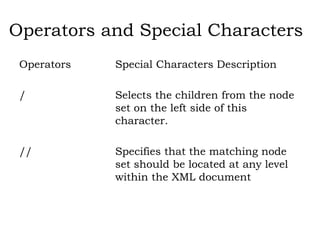
Operators Special Characters Description
/ Selects the children from the node
set on the left side of this
character.
// Specifies that the matching node
set should be located at any level
within the XML document
Operators and Special
Characters
. Specifies the current context should be used
* A wildcard character that selects all elements
or attributes regardless of name
@ Selects an attribute
: Namespace separator
() Indicates a grouping within an XPath
expression
[expression] Indicates a filter expression
[n] Indicates that the node with the
specified index should be selected
+ Addition operator
- Subtraction operator
div Division operator
* Multiplication operator
XPath
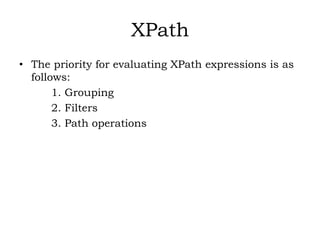
• The priority for evaluating XPath expressions is as
follows:
1. Grouping
2. Filters
3. Path operations
XPath Syntax
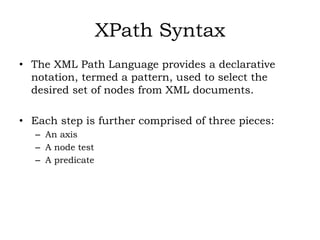
• The XML Path Language provides a declarative
notation, termed a pattern, used to select the
desired set of nodes from XML documents.
• Each step is further comprised of three pieces:
– An axis
– A node test
– A predicate
XPath Syntax
• the basic syntax
axis::node test[predicate]
• Using this basic syntax and the XML document in
Listing 5.1, we could locate all the <c> nodes by
using the following XPath expression:
/a/b/child::*
• Alternatively, we could issue the following
abbreviated version of the preceding expression:
/a/b/c
Axes
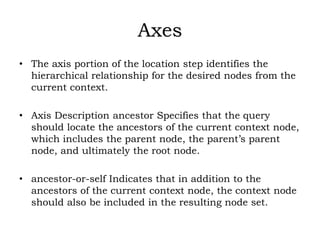
• The axis portion of the location step identifies the
hierarchical relationship for the desired nodes from the
current context.
• Axis Description ancestor Specifies that the query
should locate the ancestors of the current context node,
which includes the parent node, the parent’s parent
node, and ultimately the root node.
• ancestor-or-self Indicates that in addition to the
ancestors of the current context node, the context node
should also be included in the resulting node set.
• attribute Specifies that the attributes of the current
context node are desired.
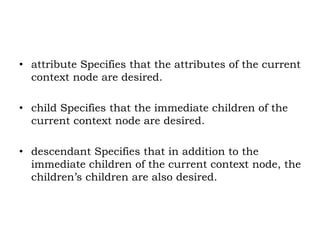
• child Specifies that the immediate children of the
current context node are desired.
• descendant Specifies that in addition to the
immediate children of the current context node, the
children’s children are also desired.
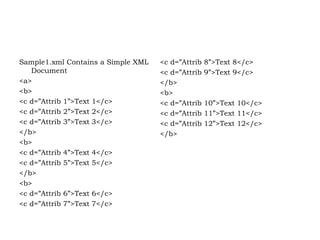
Sample1.xml Contains a Simple XML
Document
<a>
<b>
<c d=”Attrib 1”>Text 1</c>
<c d=”Attrib 2”>Text 2</c>
<c d=”Attrib 3”>Text 3</c>
</b>
<b>
<c d=”Attrib 4”>Text 4</c>
<c d=”Attrib 5”>Text 5</c>
</b>
<b>
<c d=”Attrib 6”>Text 6</c>
<c d=”Attrib 7”>Text 7</c>
<c d=”Attrib 8”>Text 8</c>
<c d=”Attrib 9”>Text 9</c>
</b>
<b>
<c d=”Attrib 10”>Text 10</c>
<c d=”Attrib 11”>Text 11</c>
<c d=”Attrib 12”>Text 12</c>
</b>
Node Tests
• The node test portion of a location step indicates
the type of node desired for the results.
• A node test may also contain a node name, or
QName.
Predicates
• The predicate portion of a location step filters a
node set on the specified axis to create a new node
set.
• Each node in the preliminary node set is evaluated
against the predicate to see whether it matches the
filter criteria.
• A predicate may consist of a filter condition that is
applied to an axis that either directs the condition
in a forward or reverse direction.
XPath Functions
• XPath functions are used to evaluate XPath
expressions and can be divided into one of four
main groups:
– Boolean
– Node set
– Number
– String
XPointer
• An XPointer uses location steps the same as XPath
but with two major differences:
• Because an Xpointer describes a location within an
external document, an XPointer can target a point
within that XML document or a range within the
target XML document.
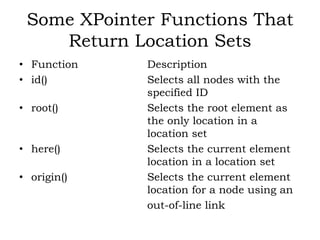
Some XPointer Functions That
Return Location Sets
• Function Description
• id() Selects all nodes with the
specified ID
• root() Selects the root element as
the only location in a
location set
• here() Selects the current element
location in a location set
• origin() Selects the current element
location for a node using an
out-of-line link
Points
• Many times a link from one XML document into
another must locate a specific point within the
target document.
• XPointer points solve this problem for XML
developers by allowing a context node to be
specified and an index position indicating how far
from the context node the desired point is.
• Two different types of points can be represented
using XPointer points:
– Node points
– Character points
XLink
• The XML Linking Language, XLink, addresses and
overcomes these limitations by allowing a link to
another document to be specified on any element
within an XML document.
• The XML Linking Language creates a link to
another resource through the use of attributes
specified on elements, not through the actual
elements themselves.
XLink
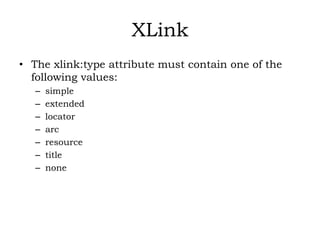
• The xlink:type attribute must contain one of the
following values:
– simple
– extended
– locator
– arc
– resource
– title
– none

X FILES

  • 1.
  • 2.
    XPath • The XMLPath Language (XPath) is a standard for creating expressions that can be used to find specific pieces of information within an XML document. • XPath expressions are used by both XSLT (for which XPath provides the core functionality) and XPointer to locate a set of nodes. • To understand how XPath works, it helps to imagine an XML document as a tree of nodes consisting of both elements and attributes.
  • 3.
    XPath • XPath expressionshave the ability to locate nodes based on the nodes’ type, name, or value or by the relationship of the nodes to other nodes within the XML document. • In addition to being able to find nodes based on these criteria, an XPath expression can also return any of the following: – A node set – A Boolean value – A string value – A numeric value
  • 4.
    Operators and SpecialCharacters Operators Special Characters Description / Selects the children from the node set on the left side of this character. // Specifies that the matching node set should be located at any level within the XML document
  • 5.
    Operators and Special Characters .Specifies the current context should be used * A wildcard character that selects all elements or attributes regardless of name @ Selects an attribute : Namespace separator () Indicates a grouping within an XPath expression [expression] Indicates a filter expression [n] Indicates that the node with the specified index should be selected + Addition operator - Subtraction operator div Division operator * Multiplication operator
  • 6.
    XPath • The priorityfor evaluating XPath expressions is as follows: 1. Grouping 2. Filters 3. Path operations
  • 7.
    XPath Syntax • TheXML Path Language provides a declarative notation, termed a pattern, used to select the desired set of nodes from XML documents. • Each step is further comprised of three pieces: – An axis – A node test – A predicate
  • 8.
    XPath Syntax • thebasic syntax axis::node test[predicate] • Using this basic syntax and the XML document in Listing 5.1, we could locate all the <c> nodes by using the following XPath expression: /a/b/child::* • Alternatively, we could issue the following abbreviated version of the preceding expression: /a/b/c
  • 9.
    Axes • The axisportion of the location step identifies the hierarchical relationship for the desired nodes from the current context. • Axis Description ancestor Specifies that the query should locate the ancestors of the current context node, which includes the parent node, the parent’s parent node, and ultimately the root node. • ancestor-or-self Indicates that in addition to the ancestors of the current context node, the context node should also be included in the resulting node set.
  • 10.
    • attribute Specifiesthat the attributes of the current context node are desired. • child Specifies that the immediate children of the current context node are desired. • descendant Specifies that in addition to the immediate children of the current context node, the children’s children are also desired.
  • 11.
    Sample1.xml Contains aSimple XML Document <a> <b> <c d=”Attrib 1”>Text 1</c> <c d=”Attrib 2”>Text 2</c> <c d=”Attrib 3”>Text 3</c> </b> <b> <c d=”Attrib 4”>Text 4</c> <c d=”Attrib 5”>Text 5</c> </b> <b> <c d=”Attrib 6”>Text 6</c> <c d=”Attrib 7”>Text 7</c> <c d=”Attrib 8”>Text 8</c> <c d=”Attrib 9”>Text 9</c> </b> <b> <c d=”Attrib 10”>Text 10</c> <c d=”Attrib 11”>Text 11</c> <c d=”Attrib 12”>Text 12</c> </b>
  • 12.
    Node Tests • Thenode test portion of a location step indicates the type of node desired for the results. • A node test may also contain a node name, or QName.
  • 13.
    Predicates • The predicateportion of a location step filters a node set on the specified axis to create a new node set. • Each node in the preliminary node set is evaluated against the predicate to see whether it matches the filter criteria. • A predicate may consist of a filter condition that is applied to an axis that either directs the condition in a forward or reverse direction.
  • 14.
    XPath Functions • XPathfunctions are used to evaluate XPath expressions and can be divided into one of four main groups: – Boolean – Node set – Number – String
  • 15.
    XPointer • An XPointeruses location steps the same as XPath but with two major differences: • Because an Xpointer describes a location within an external document, an XPointer can target a point within that XML document or a range within the target XML document.
  • 16.
    Some XPointer FunctionsThat Return Location Sets • Function Description • id() Selects all nodes with the specified ID • root() Selects the root element as the only location in a location set • here() Selects the current element location in a location set • origin() Selects the current element location for a node using an out-of-line link
  • 17.
    Points • Many timesa link from one XML document into another must locate a specific point within the target document. • XPointer points solve this problem for XML developers by allowing a context node to be specified and an index position indicating how far from the context node the desired point is. • Two different types of points can be represented using XPointer points: – Node points – Character points
  • 18.
    XLink • The XMLLinking Language, XLink, addresses and overcomes these limitations by allowing a link to another document to be specified on any element within an XML document. • The XML Linking Language creates a link to another resource through the use of attributes specified on elements, not through the actual elements themselves.
  • 19.
    XLink • The xlink:typeattribute must contain one of the following values: – simple – extended – locator – arc – resource – title – none