KKEEMMEENNTTEERRIIAANN PPEELLAAJJAARRAANN MMAALLAAYYSSIIAA
SSeellff AAcccceessss LLeeaarrnniinngg MMoodduullee
CCoommppuutteerr HHaarrddwwaarree
CCoommppuutteerr SSyysstteemm
PUSAT PERKEMBANGAN KURIKULUM
KEMENTERIAN PELAJARAN MALAYSIA
IIICCCTTT LLLiiittteeerrraaacccyyy fffooorrr
SSSeeecccooonnndddaaarrryyy SSSccchhhoooooolll
PPPrrrooogggrrraaammmmmmeee
ICTL for Secondary School - Computer Hardware Module
1
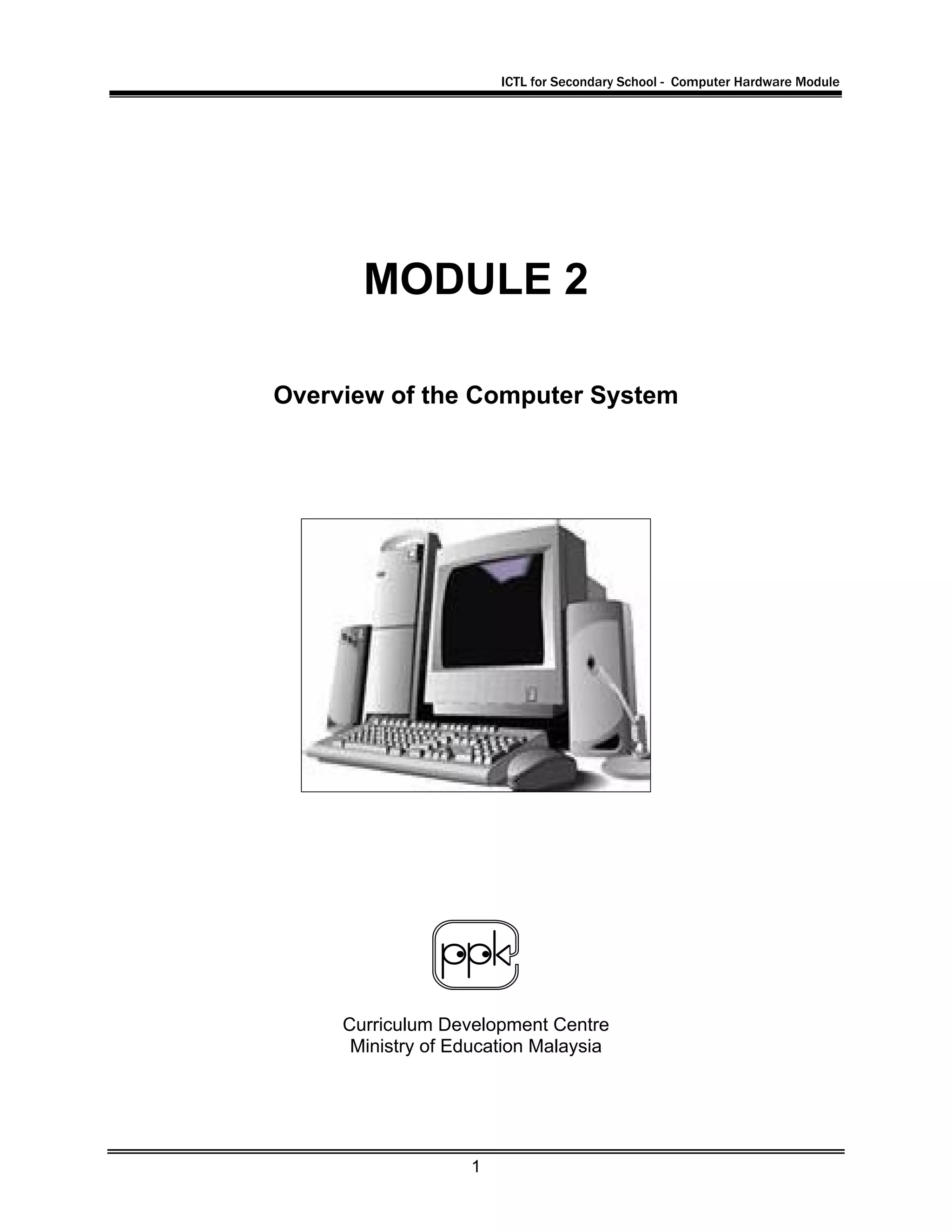
MODULE 2
Overview of the Computer System
Curriculum Development Centre
Ministry of Education Malaysia
ICTL for Secondary School - Computer Hardware Module
2
1. Name of Module : Computer Parts and Components
– Overview of the Computer System
2. Learning Outcomes:The students should be able to:
• Identify main components in the computer system
• state the functions of the main components in the computer system
• explain briefly the data processing cycle of a computer system
3. Knowledge and Skills:
1. What is a computer
2. The different types of computer
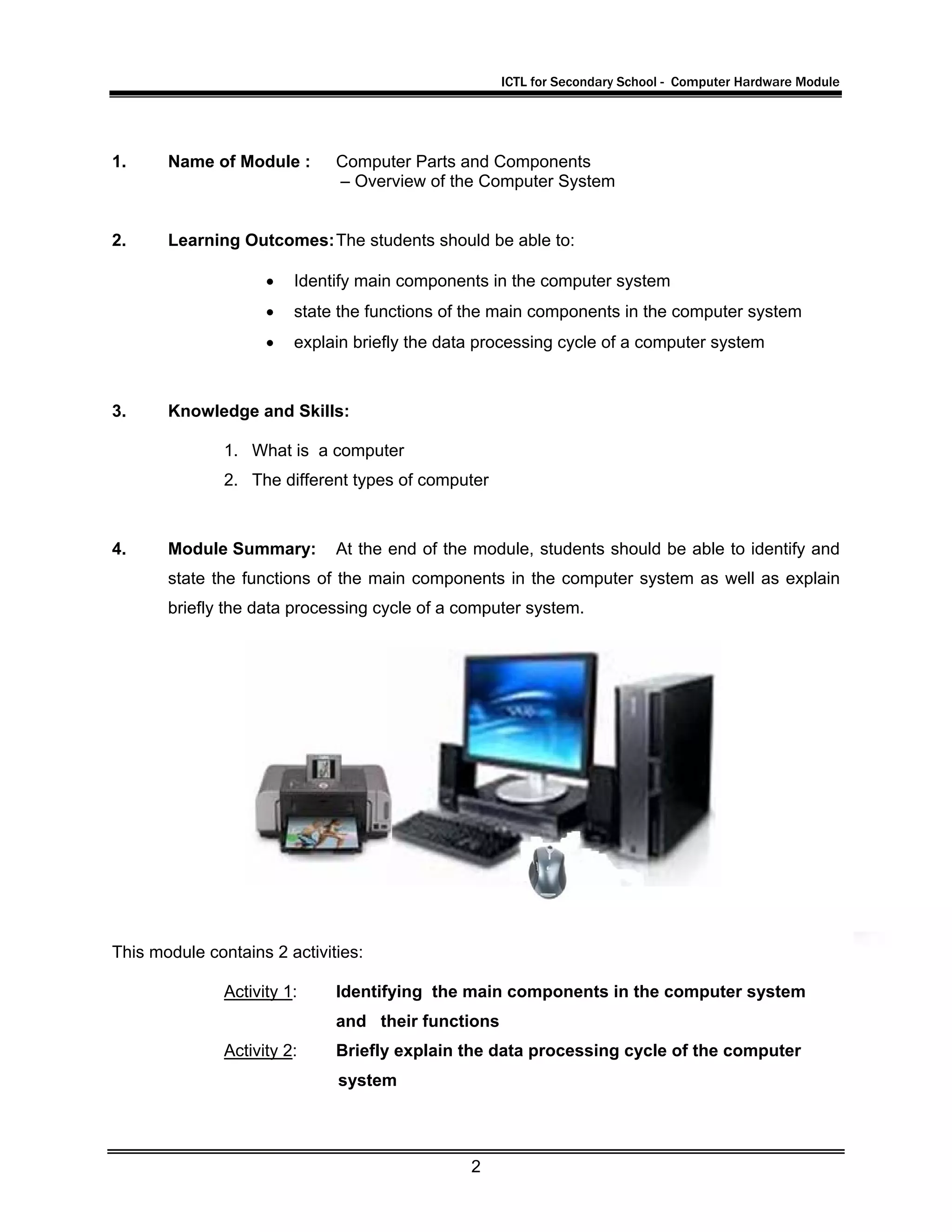
4. Module Summary: At the end of the module, students should be able to identify and
state the functions of the main components in the computer system as well as explain
briefly the data processing cycle of a computer system.
This module contains 2 activities:
Activity 1: Identifying the main components in the computer system
and their functions
Activity 2: Briefly explain the data processing cycle of the computer
system
ICTL for Secondary School - Computer Hardware Module
3
Activity 1
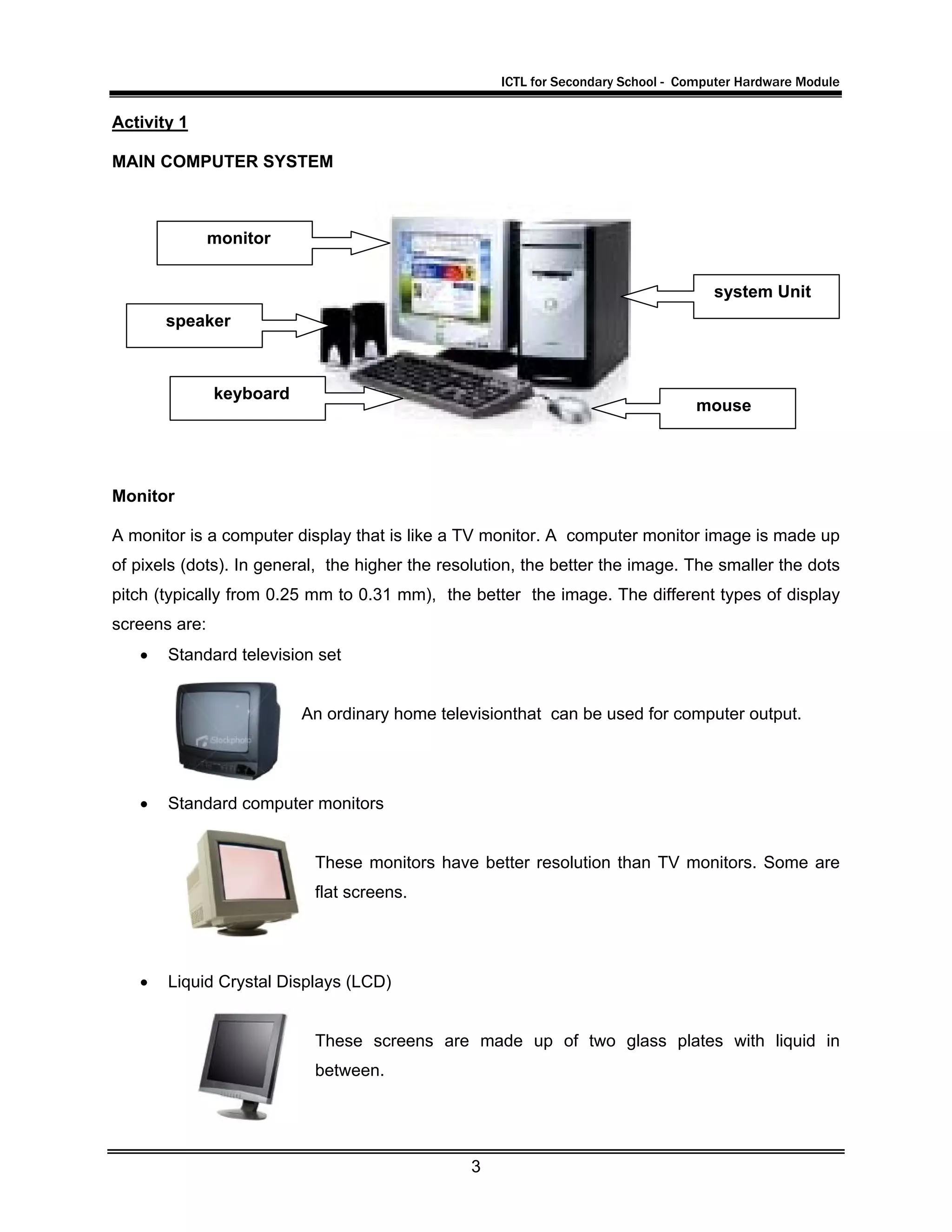
MAIN COMPUTER SYSTEM
Monitor
A monitor is a computer display that is like a TV monitor. A computer monitor image is made up
of pixels (dots). In general, the higher the resolution, the better the image. The smaller the dots
pitch (typically from 0.25 mm to 0.31 mm), the better the image. The different types of display
screens are:
• Standard television set
An ordinary home televisionthat can be used for computer output.
• Standard computer monitors
These monitors have better resolution than TV monitors. Some are
flat screens.
• Liquid Crystal Displays (LCD)
These screens are made up of two glass plates with liquid in
between.
system Unit
mouse
keyboard
speaker
monitor
ICTL for Secondary School - Computer Hardware Module
4
Keyboard
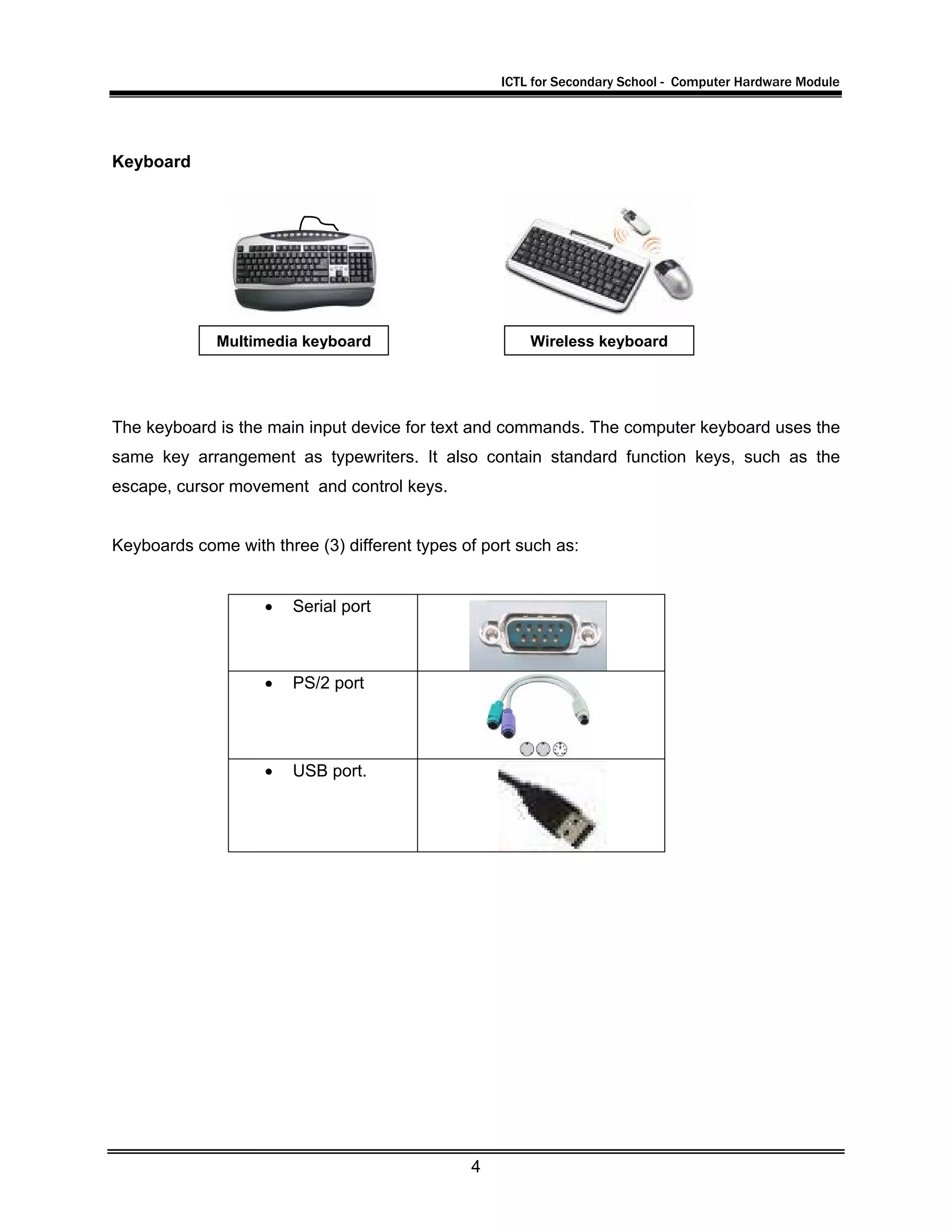
The keyboard is the main input device for text and commands. The computer keyboard uses the
same key arrangement as typewriters. It also contain standard function keys, such as the
escape, cursor movement and control keys.
Keyboards come with three (3) different types of port such as:
• Serial port
• PS/2 port
• USB port.
Wireless keyboardMultimedia keyboard
ICTL for Secondary School - Computer Hardware Module
5
Speakers
Speakers give out information in the form of sound. Computer speakers range widely in quality
and price. Computer speakers are typically packaged with computer systems in small plastic
boxes with mediocre sound quality. The internal amplifiers requires an external power source,
known as 'wall-wart'.
Mouse
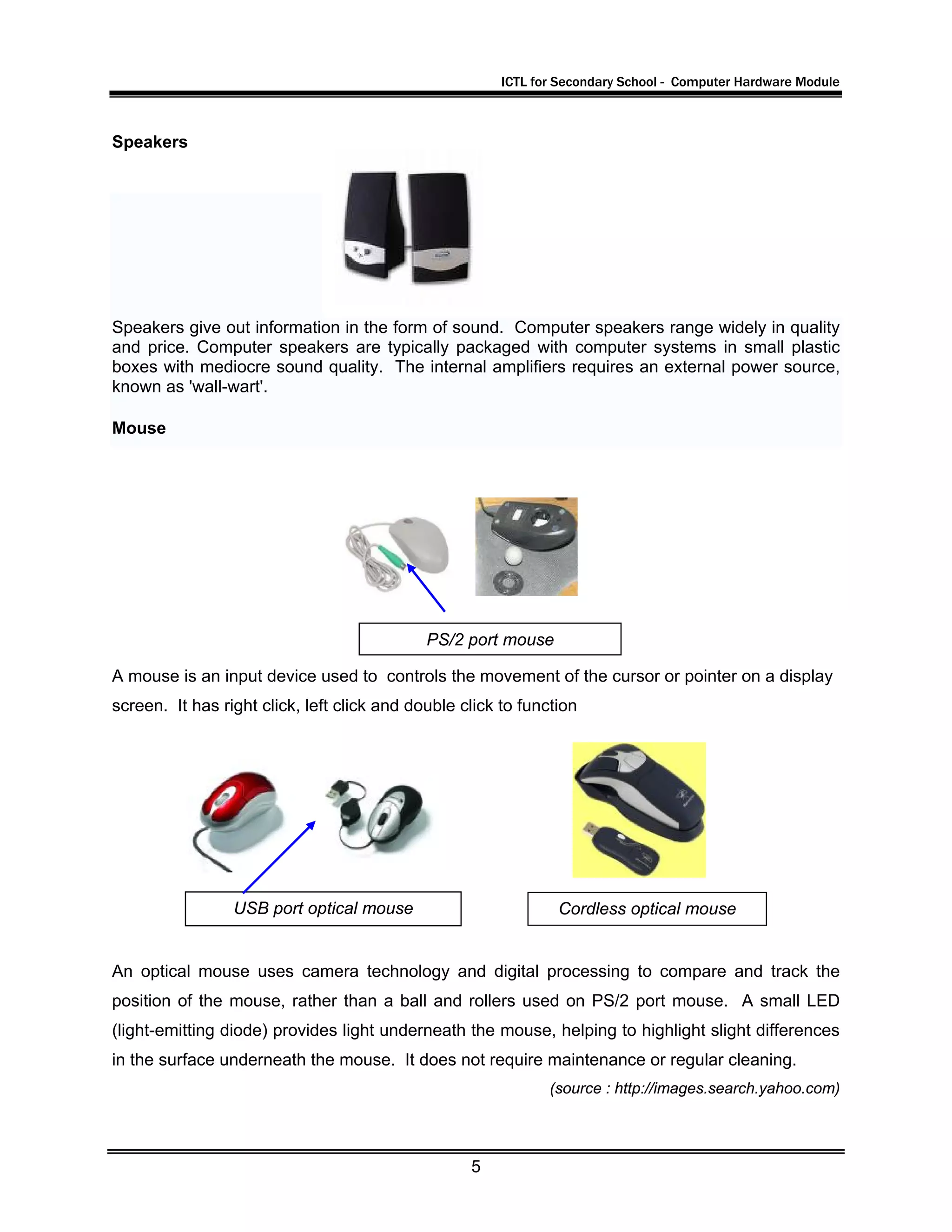
A mouse is an input device used to controls the movement of the cursor or pointer on a display
screen. It has right click, left click and double click to function
An optical mouse uses camera technology and digital processing to compare and track the
position of the mouse, rather than a ball and rollers used on PS/2 port mouse. A small LED
(light-emitting diode) provides light underneath the mouse, helping to highlight slight differences
in the surface underneath the mouse. It does not require maintenance or regular cleaning.
(source : http://images.search.yahoo.com)
USB port optical mouse
PS/2 port mouse
Cordless optical mouse
ICTL for Secondary School - Computer Hardware Module
6
System Unit
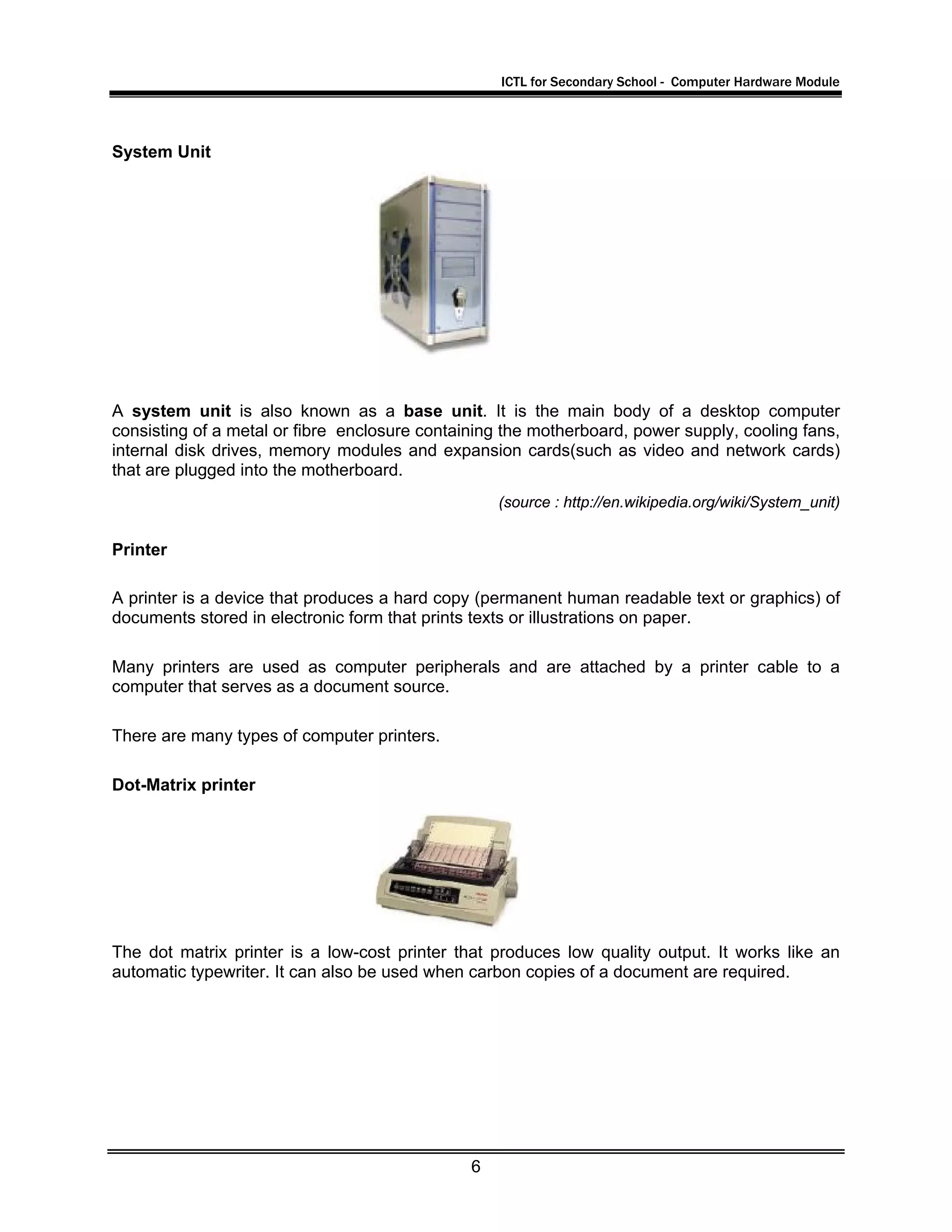
A system unit is also known as a base unit. It is the main body of a desktop computer
consisting of a metal or fibre enclosure containing the motherboard, power supply, cooling fans,
internal disk drives, memory modules and expansion cards(such as video and network cards)
that are plugged into the motherboard.
(source : http://en.wikipedia.org/wiki/System_unit)
Printer
A printer is a device that produces a hard copy (permanent human readable text or graphics) of
documents stored in electronic form that prints texts or illustrations on paper.
Many printers are used as computer peripherals and are attached by a printer cable to a
computer that serves as a document source.
There are many types of computer printers.
Dot-Matrix printer
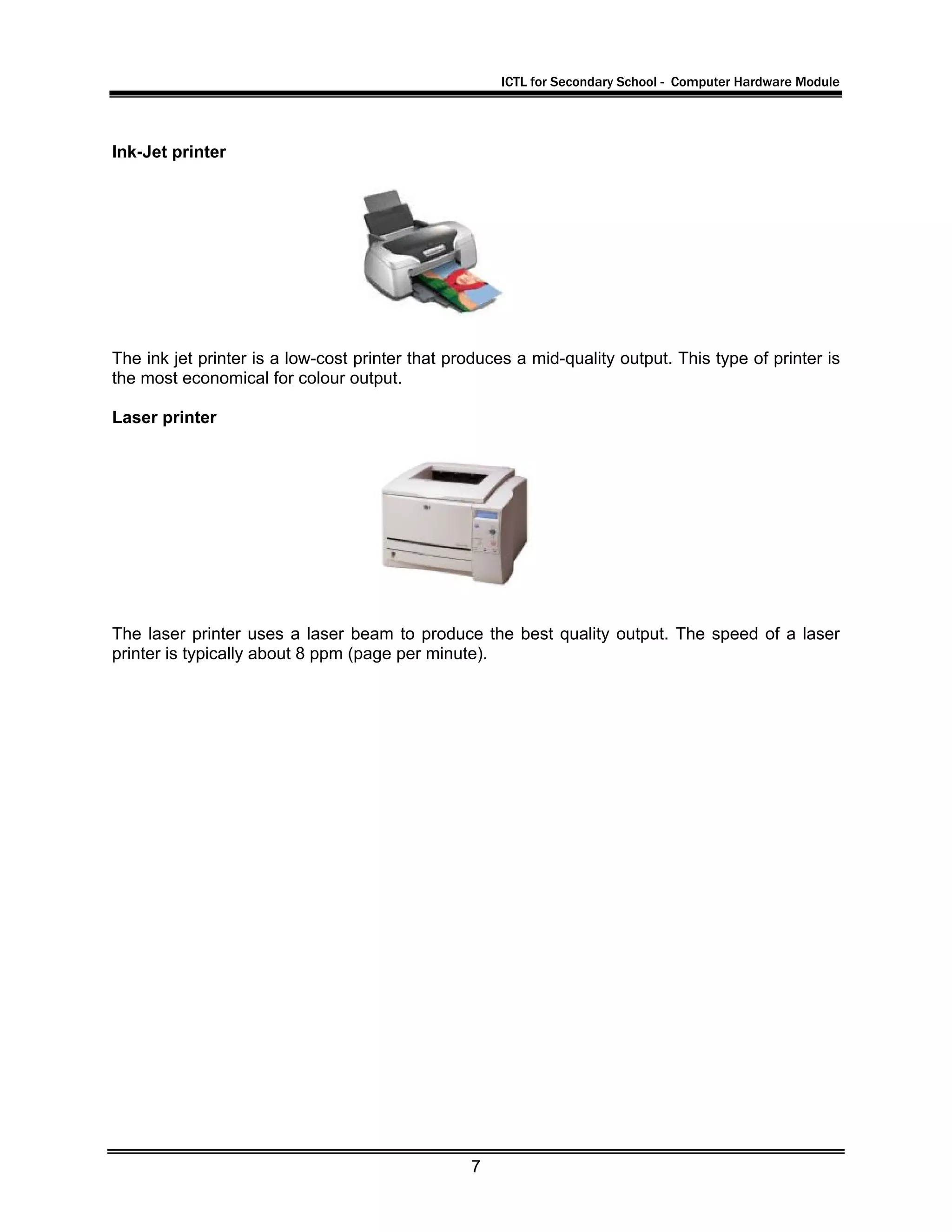
The dot matrix printer is a low-cost printer that produces low quality output. It works like an
automatic typewriter. It can also be used when carbon copies of a document are required.
ICTL for Secondary School - Computer Hardware Module
7
Ink-Jet printer
The ink jet printer is a low-cost printer that produces a mid-quality output. This type of printer is
the most economical for colour output.
Laser printer
The laser printer uses a laser beam to produce the best quality output. The speed of a laser
printer is typically about 8 ppm (page per minute).
ICTL for Secondary School - Computer Hardware Module
8
Activity 2
Data Processing Cycle
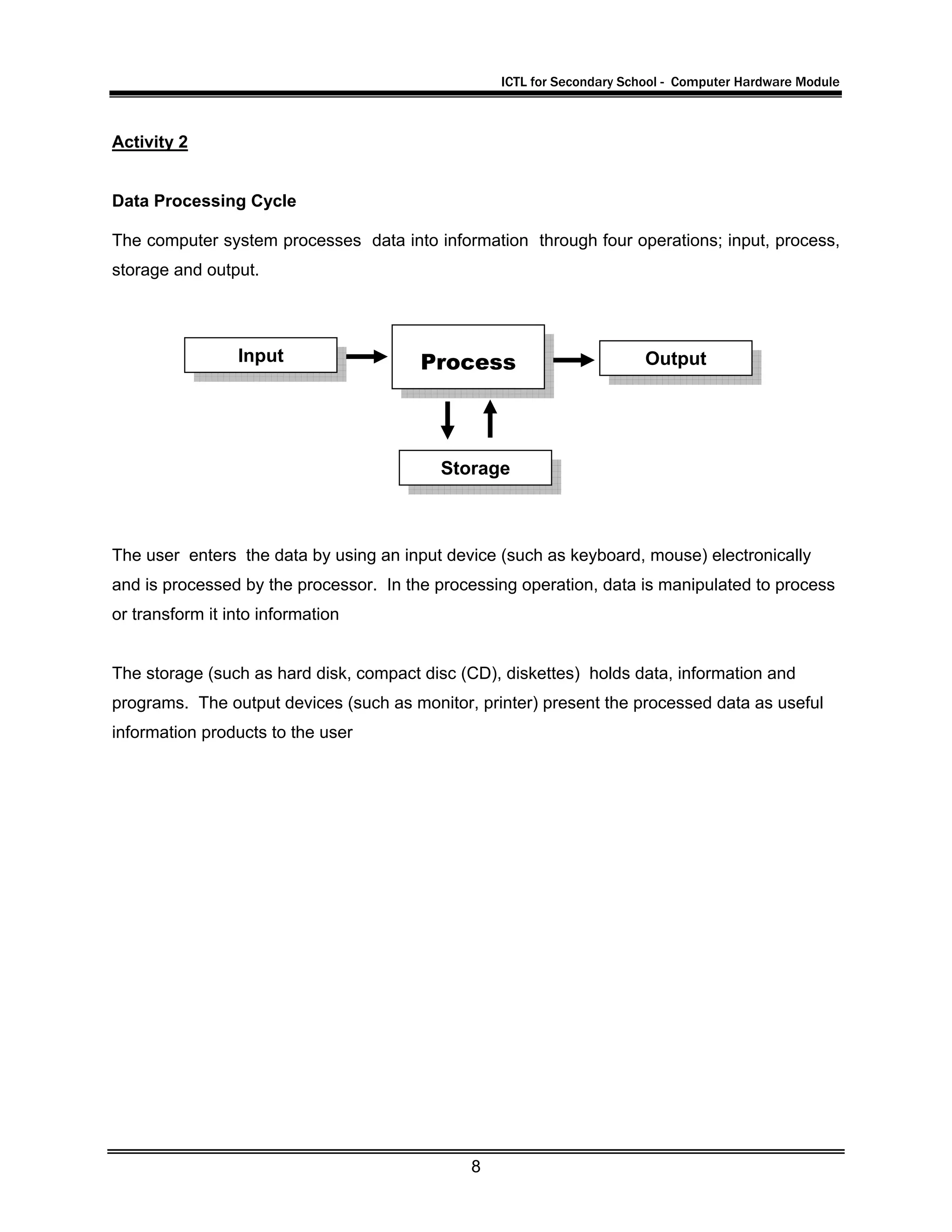
The computer system processes data into information through four operations; input, process,
storage and output.
The user enters the data by using an input device (such as keyboard, mouse) electronically
and is processed by the processor. In the processing operation, data is manipulated to process
or transform it into information
The storage (such as hard disk, compact disc (CD), diskettes) holds data, information and
programs. The output devices (such as monitor, printer) present the processed data as useful
information products to the user
Input Process Output
Storage
ICTL for Secondary School - Computer Hardware Module
9
Activity 3
Task A
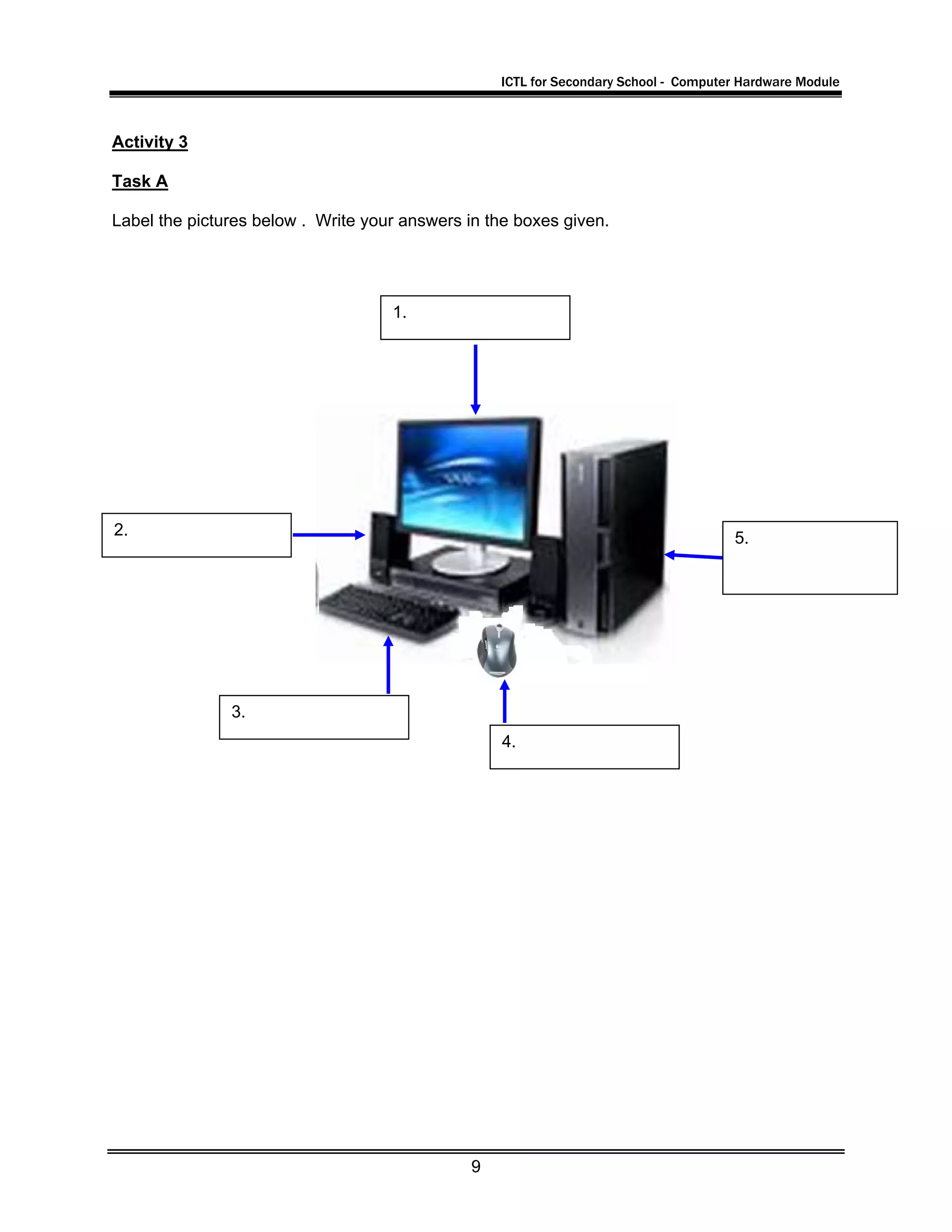
Label the pictures below . Write your answers in the boxes given.
1.
2.
3.
4.
5.
ICTL for Secondary School - Computer Hardware Module
10
Task B
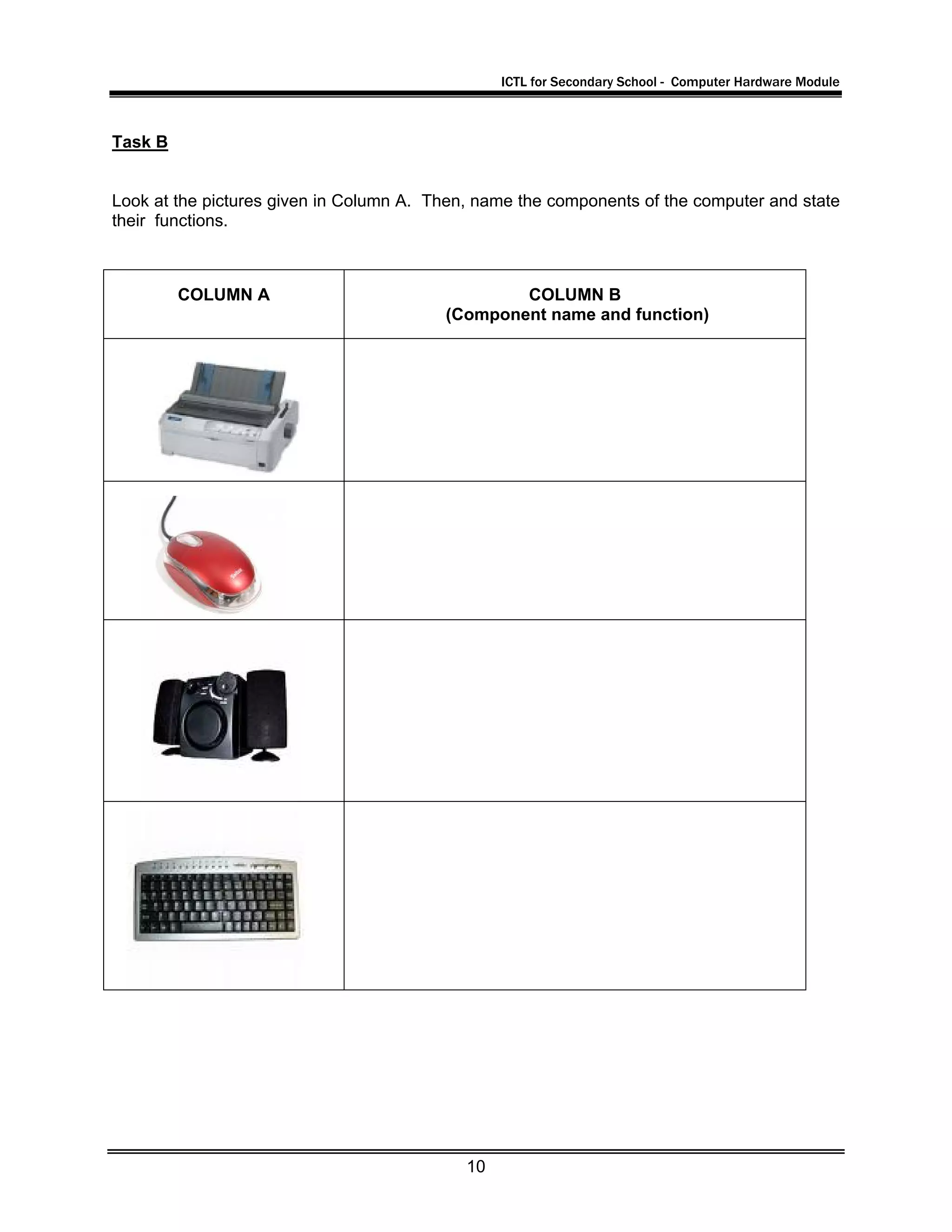
Look at the pictures given in Column A. Then, name the components of the computer and state
their functions.
COLUMN A COLUMN B
(Component name and function)
ICTL for Secondary School - Computer Hardware Module
11
Task C
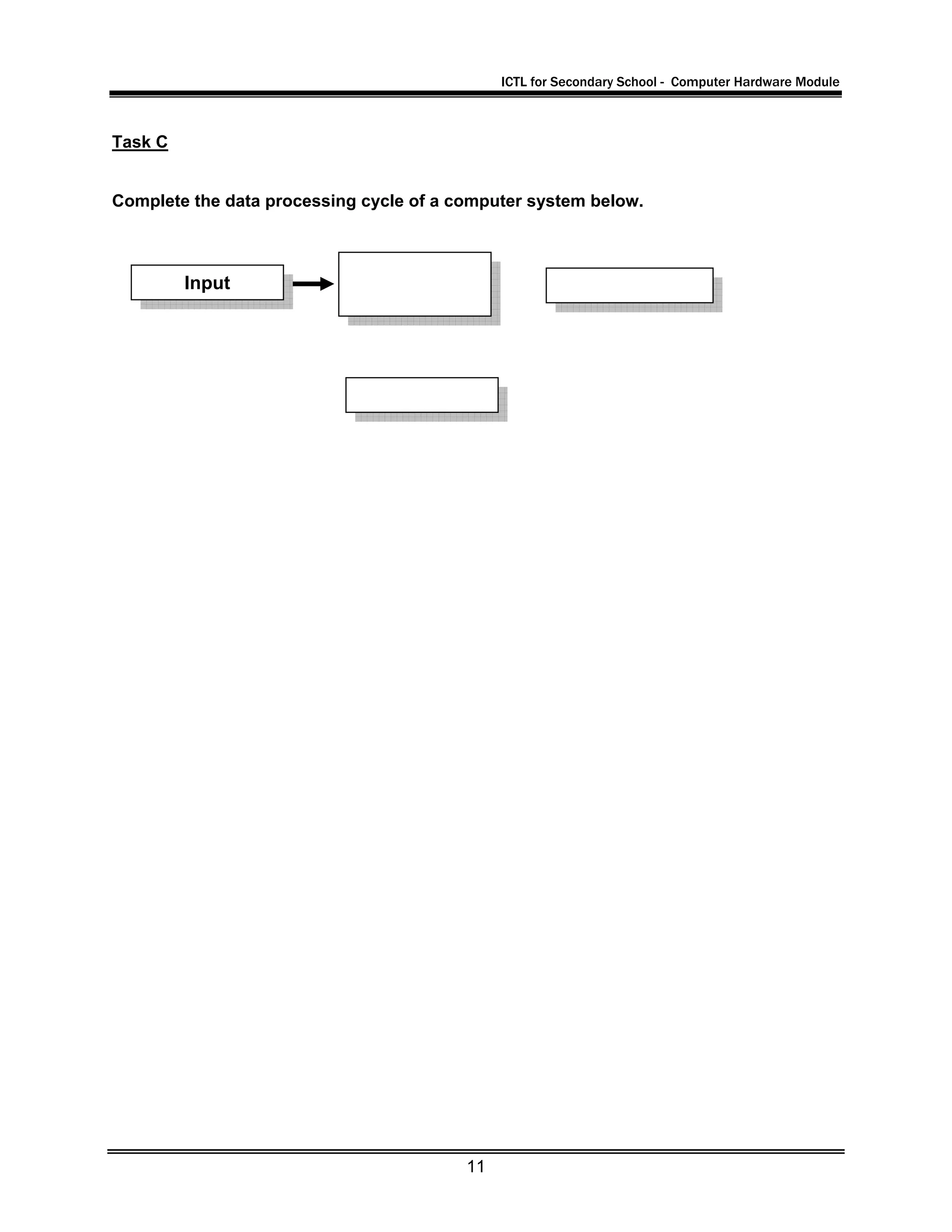
Complete the data processing cycle of a computer system below.
Input
ICTL for Secondary School - Computer Hardware Module
12
Reference
Cashman, S. (2006) Discovering Computers 2006. USA : Thomson Course Technology.
Ibrahim Ahmad, Mohd Hafiz et al (2007) Information and Communication Technology (ICT)
Based on SPM Syllabus. Selangor: Venton Publishing (M) Sdn Bhd.
NCC Education (2002) Computer Studies, Computer Ace. Sri Lanka : Computer Pioneers.
Basic Computing (2003) by TMEdu Tech (M) Sdn Bhd
http://www.wikipedia.org
http://images.search.yahoo.com
http://www.google.com.my

Module2 computer system

  • 1.
    KKEEMMEENNTTEERRIIAANN PPEELLAAJJAARRAANN MMAALLAAYYSSIIAA SSeellffAAcccceessss LLeeaarrnniinngg MMoodduullee CCoommppuutteerr HHaarrddwwaarree CCoommppuutteerr SSyysstteemm PUSAT PERKEMBANGAN KURIKULUM KEMENTERIAN PELAJARAN MALAYSIA IIICCCTTT LLLiiittteeerrraaacccyyy fffooorrr SSSeeecccooonnndddaaarrryyy SSSccchhhoooooolll PPPrrrooogggrrraaammmmmmeee
  • 2.
    ICTL for SecondarySchool - Computer Hardware Module 1 MODULE 2 Overview of the Computer System Curriculum Development Centre Ministry of Education Malaysia
  • 3.
    ICTL for SecondarySchool - Computer Hardware Module 2 1. Name of Module : Computer Parts and Components – Overview of the Computer System 2. Learning Outcomes:The students should be able to: • Identify main components in the computer system • state the functions of the main components in the computer system • explain briefly the data processing cycle of a computer system 3. Knowledge and Skills: 1. What is a computer 2. The different types of computer 4. Module Summary: At the end of the module, students should be able to identify and state the functions of the main components in the computer system as well as explain briefly the data processing cycle of a computer system. This module contains 2 activities: Activity 1: Identifying the main components in the computer system and their functions Activity 2: Briefly explain the data processing cycle of the computer system
  • 4.
    ICTL for SecondarySchool - Computer Hardware Module 3 Activity 1 MAIN COMPUTER SYSTEM Monitor A monitor is a computer display that is like a TV monitor. A computer monitor image is made up of pixels (dots). In general, the higher the resolution, the better the image. The smaller the dots pitch (typically from 0.25 mm to 0.31 mm), the better the image. The different types of display screens are: • Standard television set An ordinary home televisionthat can be used for computer output. • Standard computer monitors These monitors have better resolution than TV monitors. Some are flat screens. • Liquid Crystal Displays (LCD) These screens are made up of two glass plates with liquid in between. system Unit mouse keyboard speaker monitor
  • 5.
    ICTL for SecondarySchool - Computer Hardware Module 4 Keyboard The keyboard is the main input device for text and commands. The computer keyboard uses the same key arrangement as typewriters. It also contain standard function keys, such as the escape, cursor movement and control keys. Keyboards come with three (3) different types of port such as: • Serial port • PS/2 port • USB port. Wireless keyboardMultimedia keyboard
  • 6.
    ICTL for SecondarySchool - Computer Hardware Module 5 Speakers Speakers give out information in the form of sound. Computer speakers range widely in quality and price. Computer speakers are typically packaged with computer systems in small plastic boxes with mediocre sound quality. The internal amplifiers requires an external power source, known as 'wall-wart'. Mouse A mouse is an input device used to controls the movement of the cursor or pointer on a display screen. It has right click, left click and double click to function An optical mouse uses camera technology and digital processing to compare and track the position of the mouse, rather than a ball and rollers used on PS/2 port mouse. A small LED (light-emitting diode) provides light underneath the mouse, helping to highlight slight differences in the surface underneath the mouse. It does not require maintenance or regular cleaning. (source : http://images.search.yahoo.com) USB port optical mouse PS/2 port mouse Cordless optical mouse
  • 7.
    ICTL for SecondarySchool - Computer Hardware Module 6 System Unit A system unit is also known as a base unit. It is the main body of a desktop computer consisting of a metal or fibre enclosure containing the motherboard, power supply, cooling fans, internal disk drives, memory modules and expansion cards(such as video and network cards) that are plugged into the motherboard. (source : http://en.wikipedia.org/wiki/System_unit) Printer A printer is a device that produces a hard copy (permanent human readable text or graphics) of documents stored in electronic form that prints texts or illustrations on paper. Many printers are used as computer peripherals and are attached by a printer cable to a computer that serves as a document source. There are many types of computer printers. Dot-Matrix printer The dot matrix printer is a low-cost printer that produces low quality output. It works like an automatic typewriter. It can also be used when carbon copies of a document are required.
  • 8.
    ICTL for SecondarySchool - Computer Hardware Module 7 Ink-Jet printer The ink jet printer is a low-cost printer that produces a mid-quality output. This type of printer is the most economical for colour output. Laser printer The laser printer uses a laser beam to produce the best quality output. The speed of a laser printer is typically about 8 ppm (page per minute).
  • 9.
    ICTL for SecondarySchool - Computer Hardware Module 8 Activity 2 Data Processing Cycle The computer system processes data into information through four operations; input, process, storage and output. The user enters the data by using an input device (such as keyboard, mouse) electronically and is processed by the processor. In the processing operation, data is manipulated to process or transform it into information The storage (such as hard disk, compact disc (CD), diskettes) holds data, information and programs. The output devices (such as monitor, printer) present the processed data as useful information products to the user Input Process Output Storage
  • 10.
    ICTL for SecondarySchool - Computer Hardware Module 9 Activity 3 Task A Label the pictures below . Write your answers in the boxes given. 1. 2. 3. 4. 5.
  • 11.
    ICTL for SecondarySchool - Computer Hardware Module 10 Task B Look at the pictures given in Column A. Then, name the components of the computer and state their functions. COLUMN A COLUMN B (Component name and function)
  • 12.
    ICTL for SecondarySchool - Computer Hardware Module 11 Task C Complete the data processing cycle of a computer system below. Input
  • 13.
    ICTL for SecondarySchool - Computer Hardware Module 12 Reference Cashman, S. (2006) Discovering Computers 2006. USA : Thomson Course Technology. Ibrahim Ahmad, Mohd Hafiz et al (2007) Information and Communication Technology (ICT) Based on SPM Syllabus. Selangor: Venton Publishing (M) Sdn Bhd. NCC Education (2002) Computer Studies, Computer Ace. Sri Lanka : Computer Pioneers. Basic Computing (2003) by TMEdu Tech (M) Sdn Bhd http://www.wikipedia.org http://images.search.yahoo.com http://www.google.com.my