Windows 10
Forensics
OS Evidentiary
Artefacts
Version 1.5 (Build 10240)
Brent Muir – 2015
Topics
OS Artefacts :
▫ File Systems / Partitions
▫ Registry Hives
▫ Event Logs
▫ Prefetch
▫ Shellbags
▫ LNK Shortcuts
▫ Thumbcache
▫ Recycle Bin
▫ Volume Shadow Copies
▫ Windows Indexing Service
▫ Cortana (Search)
▫ Notification Centre
▫ Picture Password
Application Artefacts:
▫ Windows Store
▫ Edge Browser (previously Spartan)
 Legacy Internet Explorer
▫ Email (Mail application)
▫ Unified Communication
 Twitter
 Skype
 OneDrive
▫ Microsoft Office Apps
 Word
 Excel
 PowerPoint
 OneNote
▫ Maps
Part 1
File Systems / Partitions
• Supported File Systems:
▫ NTFS, Fat32, ExFat
• Default Partition structure:
▫ “Windows” – core OS (NTFS)
▫ “Recovery” (NTFS)
▫ “Reserved”
▫ “System” – UEFI (Fat32)
▫ “Recovery Image” (NTFS)
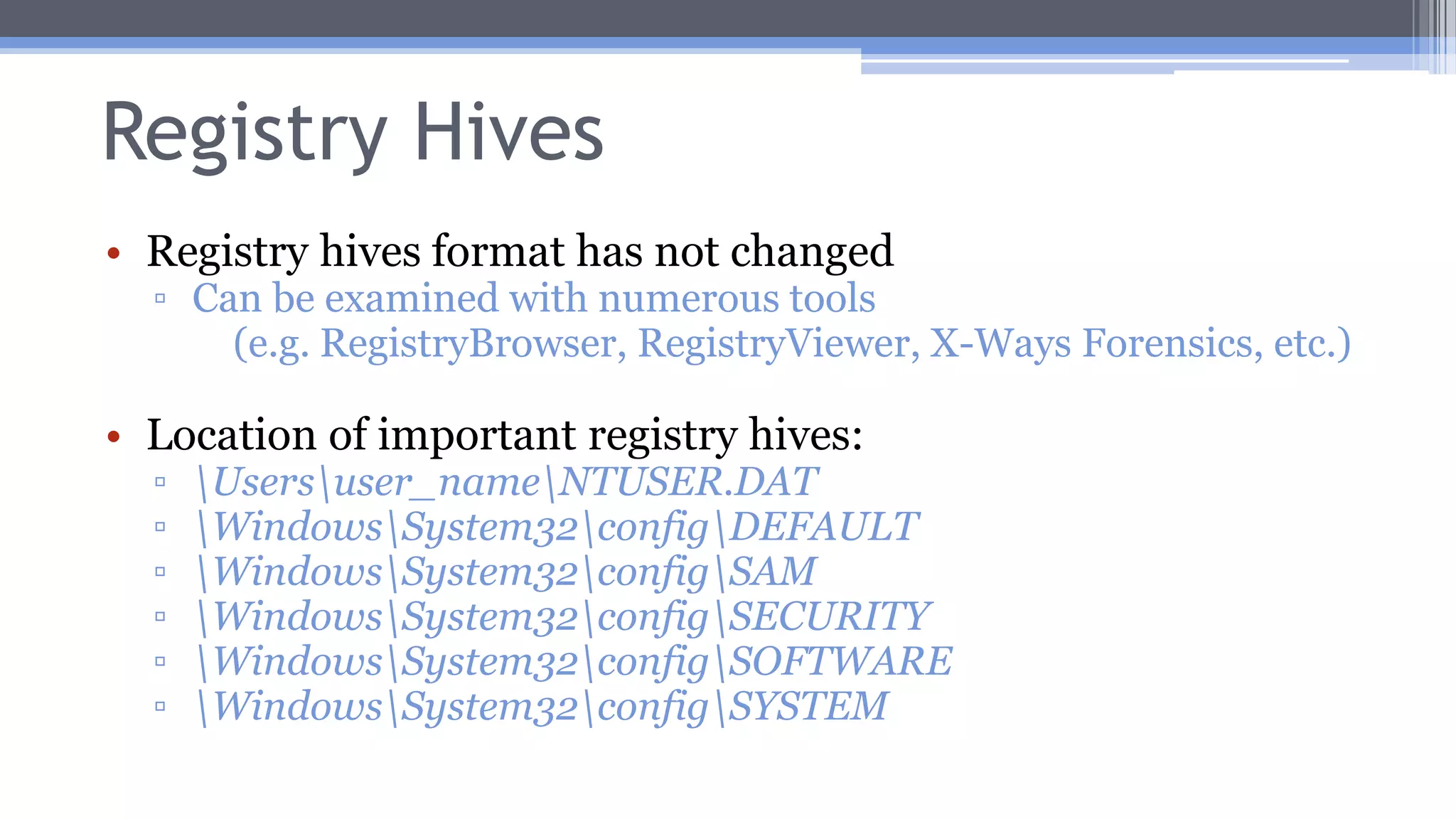
Registry Hives
• Registry hives format has not changed
▫ Can be examined with numerous tools
(e.g. RegistryBrowser, RegistryViewer, X-Ways Forensics, etc.)
• Location of important registry hives:
▫ Usersuser_nameNTUSER.DAT
▫ WindowsSystem32configDEFAULT
▫ WindowsSystem32configSAM
▫ WindowsSystem32configSECURITY
▫ WindowsSystem32configSOFTWARE
▫ WindowsSystem32configSYSTEM
Event Logs
• EVTX log format has not changed
▫ Can be examined with numerous tools
(e.g. X-Ways Forensics, etc.)
• Location of EVTX logs:
▫ WindowsSystem32winevtLogs
Event Logs – Windows Store
• WindowsSystem32winevtLogsMicrosoft-
Windows-Store%4Operational.evtx
Source EventID Category Function
Microsoft-
Windows-Install-
Agent
2002 2001 Installing application
Windows-
ApplicationModel-
Store-SDK
5 5 Search query strings
(e.g. query=twitter)
Event Logs – Windows Store
• WindowsSystem32winevtLogsMicrosoft-
Windows-AppXDeploymentServer%4Operational.evtx
Source EventID Category Function
Microsoft-
Windows-
AppXDeploy
ment-Server
10002 3 Application
deployment
Prefetch
• Location of Prefetch files:
▫ WindowsPrefetch
Shellbags
• NTUSER.dat
▫ SOFTWAREMicrosoftWindowsShellBags
• UsrClass.dat
LNK Shortcuts
• LNK format has not changed
▫ Can be examined with numerous tools
(e.g. X-Ways Forensics, etc.)
• Useful fields:
▫ Hostname
▫ MAC Address
▫ Volume ID
▫ Owner SID
▫ MAC Times
Thumbcache
• Location of Thumbcache files:
▫ Usersuser_nameAppDataLocalMicrosoftW
indowsExplorer
Recycle Bin
• Recycle Bin artefacts have not changed
▫ $I
 Still provides original file name and path
▫ $R
 Original file
Volume Shadow Copies
• vssadmin tool still provides list of current VSCs
Windows Indexing Service
• Windows indexing service is an evidentiary gold mine
▫ Potentially storing emails and other binary items
 Great as dictionary list for password cracking
• Stored in an .EDB file
▫ Can be interpreted by EseDbViewer, ESEDatabaseView or X-
Ways Forensics
 If “dirty” dismount, need to use esentutl.exe
• In Windows 10 stored in the following directory:
▫ C:ProgramDataMicrosoftSearchDataApplicationsWindo
wsWindows.edb
Cortana
• Windows 10 features “Cortana”, a personal assistant, which expands upon the unified
search platform introduced in Windows 8,
▫ Search encompasses local files, Windows Store & online content
▫ Can set reminders
▫ Can initiate contact (e.g. write emails)
• Cortana Databases (EDBs):
▫ Usersuser_nameAppDataLocalPackagesMicrosoft.Windows.Cortana_xxxxAp
pDataIndexed DBIndexedDB.edb
▫ Usersuser_nameAppDataLocalPackagesMicrosoft.Windows.Cortana_xxxxLoc
alStateESEDatabase_CortanaCoreInstanceCortanaCireDb.dat
 Interesting Tables:
 LocationTriggers
▫ Latitude/Longitude and Name of place results
 Geofences
▫ Latitude/Longitude for where location based reminders are triggered
 Reminders
▫ Creation and completion time (UNIX numeric value)
Cortana
• The following databases contain a list of contacts
synched from email accounts:
▫ Usersuser_nameAppDataLocalPackagesMicrosoft.
Windows.Cortana_xxxxLocalStateContacts_xxxxx.cfg
▫ Usersuser_nameAppDataLocalPackagesMicrosoft.
Windows.Cortana_xxxxLocalStateContacts_xxxxx.cfg.tx
t
Notification Centre
• The following databases contain a list of
notifications:
▫ Usersuser_nameAppDataLocalMicrosoftW
indowsNotificationsappdb.dat
 Toast notifications are stored in embedded XML
Picture Password
• “Picture Password” is an alternate login method where
gestures on top of a picture are used as a password
• This registry key details the path to the location of the “Picture
Password” file:
▫ HKEY_LOCAL_MACHINESoftwareMicrosoftWindowsCurrent
VersionAuthenticationLogonUIPicturePassworduser_GUID
• Path of locally stored Picture Password file:
▫ C:ProgramDataMicrosoftWindowsSystemDatauser_GUIDRe
adOnlyPicturePasswordbackground.png
Part 2
Applications (Apps)
• Applications (Apps) that utilise the Metro Modern UI are treated
differently to programs that work in desktop mode
• Apps are installed in the following directory:
▫ Program FilesWindowsApps
• Settings and configuration DBs are located in following directories:
▫ Usersuser_nameAppDataLocalPackagespackage_nameLocalSt
ate
 Two DB formats:
 SQLite DBs (.SQL)
 Jet DBs (.EDB)
Windows Store
• Apps are purchased/installed via the Windows Store
• During the Insider Preview their was a Beta Store
which contained Windows 10 –compatible Apps
(e.g. Microsoft Office Apps)
• Registry key of installed applications:
▫ HKEY_LOCAL_MACHINESoftwareMicrosoftWindowsCurrentVersionApp
xAppxAllUserStoreApplications
• List of deleted applications:
▫ HKEY_LOCAL_MACHINESoftwareMicrosoftWindowsCurrentVersionApp
xAppxAllUserStoreDeleted
Edge Browser
• New web browser and rendering engine (Spartan)
• Same as IE10, records no longer stored in Index.DAT files, stored in EDB
• Edge settings are stored in the following file:
▫ Usersuser_nameAppDataLocalPackagesMicrosoft.MicrosoftEdge_xxxxxACMicroso
ftEdgeUserDefaultDataStoreDatanouser1xxxxxDBStorespartan.edb
• Edge cache stored in the following directory:
▫ Usersuser_nameAppDataLocalPackagesMicrosoft.MicrosoftEdge_xxxxAC#!001M
icrosoftEdgeCache
• Last active browsing session stored:
▫ Usersuser_nameAppDataLocalPackagesMicrosoft.MicrosoftEdge_xxxxACMicrosoft
EdgeUserDefaultRecoveryActive
Browser History Records
• Edge (and IE) history records stored in the following
database:
▫ Usersuser_nameAppDataLocalMicrosoftWind
owsWebCacheWebCacheV01.dat
 This is actually an .EDB file
 Can be interpreted by EseDbViewer or
ESEDatabaseView
 Might be a “dirty” dismount, need to use esentutl.exe
 Database also stores Cookies
Internet Explorer (legacy)
• Internet Cache stored in this directory:
▫ Usersuser_nameAppDataLocalMicrosoftW
indowsINetCache
• Internet Cookies stored in this directory:
▫ Usersuser_nameAppDataLocalMicrosoftW
indowsINetCookies
Email (Mail application)
• Body of emails are stored in TXT or HTML format
▫ Can be analysed by a number of tools
▫ Stored in the following directory:
 Usersuser_nameAppDataLocalCommsUnistoredata
• Metadata of emails are stored in the following DB (EDB
format):
▫ Usersuser_nameAppDataLocalCommsUnistoreDBstore.vol
 Attachments
 Email header
 Contact information
Unified Communication
• Unified Communication (UC) is a built-in Microsoft
application that brings together all of the following social
media platforms (by default):
▫ Appears to be scaled back from Windows 8.x (less
integrated as previous People App)
• UC settings are stored in the following DB:
▫ Usersuser_nameAppDataLocalPackagesmicro
soft.windowscommunicationsapps…LocalStatelivec
omm.edb
Unified Communication
• Interesting Tables:
▫ Account
 SourceID
 List of accounts (e.g WL = Windows Live, Skype, TWITR, LI = LinkedIn)
 DomainTag
 Username for each account
▫ Contact
 List of synched contacts across all account platforms
▫ Event
 Calendar entries (including birthdays of contacts if synched to Windows Live) and locations
▫ MeContact
 Further details about owner accounts
▫ Person and PersonLink
 Further details about each contact including what account they link back to (e.g Skype)
Unified Communication
• Locally cached contact entries are stored in this directory:
▫ Usersuser_nameAppDataLocalPackagesmicrosoft.windowscom
municationsapps_xxxxxLocalStateIndexedLiveCommxxxxxxxxxx
PeopleAddressBook
• Contact photos are stored in this directory (JPGs):
▫ Usersuser_nameAppDataLocalPackagesmicrosoft.windowscom
municationsapps_xxxxLocalStateLiveCommxxxxxxxxUserTiles
Twitter App
• History DB located in following file:
▫ Usersuser_nameAppDataLocalPackagesxxxx.Twitte
r_xxxxxxxLocalStatetwitter_user_idtwitter.sqlite
• SQLite3 format DB
▫ 11 Tables in DB
 Relevant tables:
 messages – holds tweets & DMs
 search_queries – holds searches conducted in Twitter app by
user
 statuses – lists latest tweets from accounts being followed
 users – lists user account and accounts being followed by user
Twitter App
• Settings located in file:
▫ Usersuser_nameAppDataLocalPackagesxx
xxx.Twitter_xxxxSettingssettings.dat
 Includes user name (@xxxxx)
 Details on profile picture URL
 Twitter ID number
Skype App (legacy)
• The Skype App was discontinued with Windows
10
▫ Windows 10 prompts you to download the desktop
Skype application
OneDrive App
• Built-in by default, API allows all programs to save
files in OneDrive
• List of Synced items located in file:
▫ Usersuser_nameAppDataLocalMicrosoftWind
owsOneDrivesettingsxxxxxxxx.dat
• Locally cached items are stored in directory:
▫ Usersuser_nameOneDrive
Microsoft Office Apps
• With the release of the Windows Insider
program Microsoft introduced the Office Mobile
Apps
▫ If you have a valid Office365 account then you can
edit and create documents
 Otherwise these Apps are read-only
Word App
• List of recent documents stored in the following file
(XML):
▫ Usersuser_nameAppDataLocalPackagesMicrosoft.
Office.Word_xxxxLocalStateAppDataLocalOffice16.0
MruServiceCachexxxx_LiveIdExcelDocuments_en-AU
• Cached files stored in this directory:
▫ Usersuser_nameAppDataLocalPackagesMicrosoft.
Office.Word_xxxxLocalStateOfficeFileCache
 Files stored as .FSD extension  actually data embedded
 Can be manually carved from FSD file
Excel App
• List of recent documents stored in the following file
(XML):
▫ Usersuser_nameAppDataLocalPackagesMicrosoft.
Office.Excel_xxxxLocalStateAppDataLocalOffice16.0
MruServiceCachexxxx_LiveIdExcelDocuments_en-AU
• Cached files stored in this directory:
▫ Usersuser_nameAppDataLocalPackagesMicrosoft.
Office.Excel_xxxxLocalStateOfficeFileCache
 Files stored as .FSD extension  actually data embedded
 Can be manually carved from FSD file
PowerPoint App
• List of recent documents stored in the following file
(XML):
▫ Usersuser_nameAppDataLocalPackagesMicrosoft.Office.
PowerPoint_xxxxLocalStateAppDataLocalOffice16.0Mru
ServiceCachexxxx_LiveIdExcelDocuments_en-AU
• Cached files stored in this directory:
▫ Usersuser_nameAppDataLocalPackagesMicrosoft.Office.
PowerPoint_xxxxLocalStateOfficeFileCache
 Files stored as .FSD extension  actually data embedded
 Can be manually carved from FSD file
OneNote App
• Cached files stored in this directory:
▫ Usersuser_nameAppDataLocalPackagesMicrosoft.Of
fice.OneNote_xxxxLocalStateAppDataLocalOneNote1
6.0
• Files stored as xxxx.bin extension
▫ Encoded binary files
▫ Embedded graphics such as PNG or JPG
Maps App
• Recent places stored in this file (XML):
▫ Usersuser_nameAppDataLocalPackagesM
icrosoft.WindowsMaps_xxxxLocalStateGraph
xxxxMe00000000.ttl
 Latitude/Longitude
 Dates modified (searched)
Part 3
Memory Acquisition
• WinPMEM (tested versions 1.6.2 & 2.0.1)
▫ Run as Administrator
 Has to extract driver to local temp location
 V1.6.2 running process ~10MB
 V2.0.1 running process ~80MB
• FTK Imager
▫ Run as Administrator
 Running process ~15MB
Live Disk Acquisition
• FTK Imager
▫ Can be used for Physical or Logical acquisition
• X-Ways Forensics
▫ Can be used for Physical or Logical acquisition
Resources
• FTK Imager
▫ http://accessdata.com/product-download?/support/product-
downloads
• Nirsoft ESEDatabaseView
▫ http://www.nirsoft.net/utils/ese_database_view.html
• RegistryBrowser
▫ https://lockandcode.com/software/registry_browser
• WinPMEM
▫ https://github.com/google/rekall/releases

Windows 10 Forensics: OS Evidentiary Artefacts

  • 1.
    Windows 10 Forensics OS Evidentiary Artefacts Version1.5 (Build 10240) Brent Muir – 2015
  • 2.
    Topics OS Artefacts : ▫File Systems / Partitions ▫ Registry Hives ▫ Event Logs ▫ Prefetch ▫ Shellbags ▫ LNK Shortcuts ▫ Thumbcache ▫ Recycle Bin ▫ Volume Shadow Copies ▫ Windows Indexing Service ▫ Cortana (Search) ▫ Notification Centre ▫ Picture Password Application Artefacts: ▫ Windows Store ▫ Edge Browser (previously Spartan)  Legacy Internet Explorer ▫ Email (Mail application) ▫ Unified Communication  Twitter  Skype  OneDrive ▫ Microsoft Office Apps  Word  Excel  PowerPoint  OneNote ▫ Maps
  • 3.
  • 4.
    File Systems /Partitions • Supported File Systems: ▫ NTFS, Fat32, ExFat • Default Partition structure: ▫ “Windows” – core OS (NTFS) ▫ “Recovery” (NTFS) ▫ “Reserved” ▫ “System” – UEFI (Fat32) ▫ “Recovery Image” (NTFS)
  • 5.
    Registry Hives • Registryhives format has not changed ▫ Can be examined with numerous tools (e.g. RegistryBrowser, RegistryViewer, X-Ways Forensics, etc.) • Location of important registry hives: ▫ Usersuser_nameNTUSER.DAT ▫ WindowsSystem32configDEFAULT ▫ WindowsSystem32configSAM ▫ WindowsSystem32configSECURITY ▫ WindowsSystem32configSOFTWARE ▫ WindowsSystem32configSYSTEM
  • 6.
    Event Logs • EVTXlog format has not changed ▫ Can be examined with numerous tools (e.g. X-Ways Forensics, etc.) • Location of EVTX logs: ▫ WindowsSystem32winevtLogs
  • 7.
    Event Logs –Windows Store • WindowsSystem32winevtLogsMicrosoft- Windows-Store%4Operational.evtx Source EventID Category Function Microsoft- Windows-Install- Agent 2002 2001 Installing application Windows- ApplicationModel- Store-SDK 5 5 Search query strings (e.g. query=twitter)
  • 8.
    Event Logs –Windows Store • WindowsSystem32winevtLogsMicrosoft- Windows-AppXDeploymentServer%4Operational.evtx Source EventID Category Function Microsoft- Windows- AppXDeploy ment-Server 10002 3 Application deployment
  • 9.
    Prefetch • Location ofPrefetch files: ▫ WindowsPrefetch
  • 10.
  • 11.
    LNK Shortcuts • LNKformat has not changed ▫ Can be examined with numerous tools (e.g. X-Ways Forensics, etc.) • Useful fields: ▫ Hostname ▫ MAC Address ▫ Volume ID ▫ Owner SID ▫ MAC Times
  • 12.
    Thumbcache • Location ofThumbcache files: ▫ Usersuser_nameAppDataLocalMicrosoftW indowsExplorer
  • 13.
    Recycle Bin • RecycleBin artefacts have not changed ▫ $I  Still provides original file name and path ▫ $R  Original file
  • 14.
    Volume Shadow Copies •vssadmin tool still provides list of current VSCs
  • 15.
    Windows Indexing Service •Windows indexing service is an evidentiary gold mine ▫ Potentially storing emails and other binary items  Great as dictionary list for password cracking • Stored in an .EDB file ▫ Can be interpreted by EseDbViewer, ESEDatabaseView or X- Ways Forensics  If “dirty” dismount, need to use esentutl.exe • In Windows 10 stored in the following directory: ▫ C:ProgramDataMicrosoftSearchDataApplicationsWindo wsWindows.edb
  • 16.
    Cortana • Windows 10features “Cortana”, a personal assistant, which expands upon the unified search platform introduced in Windows 8, ▫ Search encompasses local files, Windows Store & online content ▫ Can set reminders ▫ Can initiate contact (e.g. write emails) • Cortana Databases (EDBs): ▫ Usersuser_nameAppDataLocalPackagesMicrosoft.Windows.Cortana_xxxxAp pDataIndexed DBIndexedDB.edb ▫ Usersuser_nameAppDataLocalPackagesMicrosoft.Windows.Cortana_xxxxLoc alStateESEDatabase_CortanaCoreInstanceCortanaCireDb.dat  Interesting Tables:  LocationTriggers ▫ Latitude/Longitude and Name of place results  Geofences ▫ Latitude/Longitude for where location based reminders are triggered  Reminders ▫ Creation and completion time (UNIX numeric value)
  • 17.
    Cortana • The followingdatabases contain a list of contacts synched from email accounts: ▫ Usersuser_nameAppDataLocalPackagesMicrosoft. Windows.Cortana_xxxxLocalStateContacts_xxxxx.cfg ▫ Usersuser_nameAppDataLocalPackagesMicrosoft. Windows.Cortana_xxxxLocalStateContacts_xxxxx.cfg.tx t
  • 18.
    Notification Centre • Thefollowing databases contain a list of notifications: ▫ Usersuser_nameAppDataLocalMicrosoftW indowsNotificationsappdb.dat  Toast notifications are stored in embedded XML
  • 19.
    Picture Password • “PicturePassword” is an alternate login method where gestures on top of a picture are used as a password • This registry key details the path to the location of the “Picture Password” file: ▫ HKEY_LOCAL_MACHINESoftwareMicrosoftWindowsCurrent VersionAuthenticationLogonUIPicturePassworduser_GUID • Path of locally stored Picture Password file: ▫ C:ProgramDataMicrosoftWindowsSystemDatauser_GUIDRe adOnlyPicturePasswordbackground.png
  • 20.
  • 21.
    Applications (Apps) • Applications(Apps) that utilise the Metro Modern UI are treated differently to programs that work in desktop mode • Apps are installed in the following directory: ▫ Program FilesWindowsApps • Settings and configuration DBs are located in following directories: ▫ Usersuser_nameAppDataLocalPackagespackage_nameLocalSt ate  Two DB formats:  SQLite DBs (.SQL)  Jet DBs (.EDB)
  • 22.
    Windows Store • Appsare purchased/installed via the Windows Store • During the Insider Preview their was a Beta Store which contained Windows 10 –compatible Apps (e.g. Microsoft Office Apps) • Registry key of installed applications: ▫ HKEY_LOCAL_MACHINESoftwareMicrosoftWindowsCurrentVersionApp xAppxAllUserStoreApplications • List of deleted applications: ▫ HKEY_LOCAL_MACHINESoftwareMicrosoftWindowsCurrentVersionApp xAppxAllUserStoreDeleted
  • 23.
    Edge Browser • Newweb browser and rendering engine (Spartan) • Same as IE10, records no longer stored in Index.DAT files, stored in EDB • Edge settings are stored in the following file: ▫ Usersuser_nameAppDataLocalPackagesMicrosoft.MicrosoftEdge_xxxxxACMicroso ftEdgeUserDefaultDataStoreDatanouser1xxxxxDBStorespartan.edb • Edge cache stored in the following directory: ▫ Usersuser_nameAppDataLocalPackagesMicrosoft.MicrosoftEdge_xxxxAC#!001M icrosoftEdgeCache • Last active browsing session stored: ▫ Usersuser_nameAppDataLocalPackagesMicrosoft.MicrosoftEdge_xxxxACMicrosoft EdgeUserDefaultRecoveryActive
  • 24.
    Browser History Records •Edge (and IE) history records stored in the following database: ▫ Usersuser_nameAppDataLocalMicrosoftWind owsWebCacheWebCacheV01.dat  This is actually an .EDB file  Can be interpreted by EseDbViewer or ESEDatabaseView  Might be a “dirty” dismount, need to use esentutl.exe  Database also stores Cookies
  • 25.
    Internet Explorer (legacy) •Internet Cache stored in this directory: ▫ Usersuser_nameAppDataLocalMicrosoftW indowsINetCache • Internet Cookies stored in this directory: ▫ Usersuser_nameAppDataLocalMicrosoftW indowsINetCookies
  • 26.
    Email (Mail application) •Body of emails are stored in TXT or HTML format ▫ Can be analysed by a number of tools ▫ Stored in the following directory:  Usersuser_nameAppDataLocalCommsUnistoredata • Metadata of emails are stored in the following DB (EDB format): ▫ Usersuser_nameAppDataLocalCommsUnistoreDBstore.vol  Attachments  Email header  Contact information
  • 27.
    Unified Communication • UnifiedCommunication (UC) is a built-in Microsoft application that brings together all of the following social media platforms (by default): ▫ Appears to be scaled back from Windows 8.x (less integrated as previous People App) • UC settings are stored in the following DB: ▫ Usersuser_nameAppDataLocalPackagesmicro soft.windowscommunicationsapps…LocalStatelivec omm.edb
  • 28.
    Unified Communication • InterestingTables: ▫ Account  SourceID  List of accounts (e.g WL = Windows Live, Skype, TWITR, LI = LinkedIn)  DomainTag  Username for each account ▫ Contact  List of synched contacts across all account platforms ▫ Event  Calendar entries (including birthdays of contacts if synched to Windows Live) and locations ▫ MeContact  Further details about owner accounts ▫ Person and PersonLink  Further details about each contact including what account they link back to (e.g Skype)
  • 29.
    Unified Communication • Locallycached contact entries are stored in this directory: ▫ Usersuser_nameAppDataLocalPackagesmicrosoft.windowscom municationsapps_xxxxxLocalStateIndexedLiveCommxxxxxxxxxx PeopleAddressBook • Contact photos are stored in this directory (JPGs): ▫ Usersuser_nameAppDataLocalPackagesmicrosoft.windowscom municationsapps_xxxxLocalStateLiveCommxxxxxxxxUserTiles
  • 30.
    Twitter App • HistoryDB located in following file: ▫ Usersuser_nameAppDataLocalPackagesxxxx.Twitte r_xxxxxxxLocalStatetwitter_user_idtwitter.sqlite • SQLite3 format DB ▫ 11 Tables in DB  Relevant tables:  messages – holds tweets & DMs  search_queries – holds searches conducted in Twitter app by user  statuses – lists latest tweets from accounts being followed  users – lists user account and accounts being followed by user
  • 31.
    Twitter App • Settingslocated in file: ▫ Usersuser_nameAppDataLocalPackagesxx xxx.Twitter_xxxxSettingssettings.dat  Includes user name (@xxxxx)  Details on profile picture URL  Twitter ID number
  • 32.
    Skype App (legacy) •The Skype App was discontinued with Windows 10 ▫ Windows 10 prompts you to download the desktop Skype application
  • 33.
    OneDrive App • Built-inby default, API allows all programs to save files in OneDrive • List of Synced items located in file: ▫ Usersuser_nameAppDataLocalMicrosoftWind owsOneDrivesettingsxxxxxxxx.dat • Locally cached items are stored in directory: ▫ Usersuser_nameOneDrive
  • 34.
    Microsoft Office Apps •With the release of the Windows Insider program Microsoft introduced the Office Mobile Apps ▫ If you have a valid Office365 account then you can edit and create documents  Otherwise these Apps are read-only
  • 35.
    Word App • Listof recent documents stored in the following file (XML): ▫ Usersuser_nameAppDataLocalPackagesMicrosoft. Office.Word_xxxxLocalStateAppDataLocalOffice16.0 MruServiceCachexxxx_LiveIdExcelDocuments_en-AU • Cached files stored in this directory: ▫ Usersuser_nameAppDataLocalPackagesMicrosoft. Office.Word_xxxxLocalStateOfficeFileCache  Files stored as .FSD extension  actually data embedded  Can be manually carved from FSD file
  • 36.
    Excel App • Listof recent documents stored in the following file (XML): ▫ Usersuser_nameAppDataLocalPackagesMicrosoft. Office.Excel_xxxxLocalStateAppDataLocalOffice16.0 MruServiceCachexxxx_LiveIdExcelDocuments_en-AU • Cached files stored in this directory: ▫ Usersuser_nameAppDataLocalPackagesMicrosoft. Office.Excel_xxxxLocalStateOfficeFileCache  Files stored as .FSD extension  actually data embedded  Can be manually carved from FSD file
  • 37.
    PowerPoint App • Listof recent documents stored in the following file (XML): ▫ Usersuser_nameAppDataLocalPackagesMicrosoft.Office. PowerPoint_xxxxLocalStateAppDataLocalOffice16.0Mru ServiceCachexxxx_LiveIdExcelDocuments_en-AU • Cached files stored in this directory: ▫ Usersuser_nameAppDataLocalPackagesMicrosoft.Office. PowerPoint_xxxxLocalStateOfficeFileCache  Files stored as .FSD extension  actually data embedded  Can be manually carved from FSD file
  • 38.
    OneNote App • Cachedfiles stored in this directory: ▫ Usersuser_nameAppDataLocalPackagesMicrosoft.Of fice.OneNote_xxxxLocalStateAppDataLocalOneNote1 6.0 • Files stored as xxxx.bin extension ▫ Encoded binary files ▫ Embedded graphics such as PNG or JPG
  • 39.
    Maps App • Recentplaces stored in this file (XML): ▫ Usersuser_nameAppDataLocalPackagesM icrosoft.WindowsMaps_xxxxLocalStateGraph xxxxMe00000000.ttl  Latitude/Longitude  Dates modified (searched)
  • 40.
  • 41.
    Memory Acquisition • WinPMEM(tested versions 1.6.2 & 2.0.1) ▫ Run as Administrator  Has to extract driver to local temp location  V1.6.2 running process ~10MB  V2.0.1 running process ~80MB • FTK Imager ▫ Run as Administrator  Running process ~15MB
  • 42.
    Live Disk Acquisition •FTK Imager ▫ Can be used for Physical or Logical acquisition • X-Ways Forensics ▫ Can be used for Physical or Logical acquisition
  • 43.
    Resources • FTK Imager ▫http://accessdata.com/product-download?/support/product- downloads • Nirsoft ESEDatabaseView ▫ http://www.nirsoft.net/utils/ese_database_view.html • RegistryBrowser ▫ https://lockandcode.com/software/registry_browser • WinPMEM ▫ https://github.com/google/rekall/releases

Editor's Notes

  • #3 Virtualising a stored image
  • #6 Connected WiFi networks   HKEY_LOCAL_MACHINE\Software\Microsoft\Windows NT\CurrentVersion\NetworkList\Profiles\ \ProgramData\Microsoft\Wlansvc\Profiles\Interfaces\{5352E92B-EE0A-4E57-B761-A775DDE0A317}\
  • #24 Windows 10 shipped with IE11 (and Edge) - Legacy mode X-Ways can also interpret EDB
  • #25 Windows 8 shipped with IE10, now able to get IE11 X-Ways can also interpret EDB
  • #44 Cheat sheet