Digital forensics with Kali Linux
Marco Alamanni
Video 3.3
Extracting and analyzing browser,
email and IM artifacts
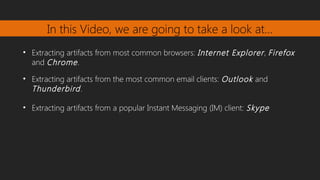
In this Video, we are going to take a look at…
• Extracting artifacts from most common browsers: Internet Explorer, Firefox
and Chrome.
• Extracting artifacts from the most common email clients: Outlook and
Thunderbird.
• Extracting artifacts from a popular Instant Messaging (IM) client: Skype
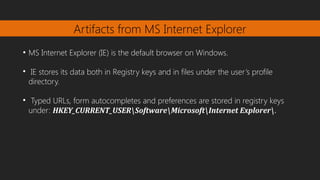
Artifacts from MS Internet Explorer
●
MS Internet Explorer (IE) is the default browser on Windows.

IE stores its data both in Registry keys and in files under the user’s profile
directory.

Typed URLs, form autocompletes and preferences are stored in registry keys
under: HKEY_CURRENT_USERSoftwareMicrosoftInternet Explorer​ .
Artifacts from MS Internet Explorer
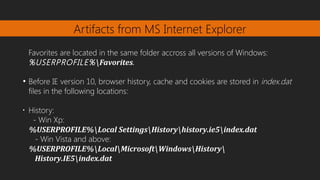
Favorites are located in the same folder accross all versions of Windows:
%USERPROFILE%Favorites.
●
Before IE version 10, browser history, cache and cookies are stored in index.dat
files in the following locations:
•
History:
- Win Xp:
%USERPROFILE%Local SettingsHistoryhistory.ie5index.dat
- Win Vista and above:
%USERPROFILE%LocalMicrosoftWindowsHistory
History.IE5index.dat
Artifacts from MS Internet Explorer
•
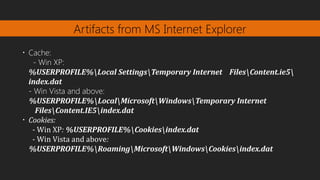
Cache:
- Win XP:
%USERPROFILE%Local SettingsTemporary Internet FilesContent.ie5​
index.dat
- Win Vista and above:
%USERPROFILE%LocalMicrosoftWindowsTemporary Internet
FilesContent.IE5index.dat
•
Cookies:
- Win XP: %USERPROFILE%Cookiesindex.dat
- Win Vista and above:
%USERPROFILE%RoamingMicrosoftWindowsCookiesindex.dat​
Artifacts from MS Internet Explorer
●
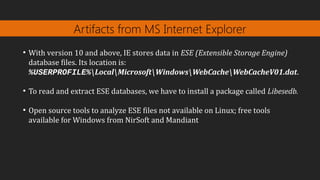
With version 10 and above, IE stores data in ESE (Extensible Storage Engine)
database files. Its location is:
%USERPROFILE%LocalMicrosoftWindowsWebCacheWebCacheV01.dat.
●
To read and extract ESE databases, we have to install a package called Libesedb.
●
Open source tools to analyze ESE files not available on Linux; free tools
available for Windows from NirSoft and Mandiant
Artifacts from Mozilla Firefox
●
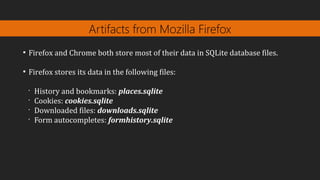
Firefox and Chrome both store most of their data in SQLite database files.
●
Firefox stores its data in the following files:
•
History and bookmarks: places.sqlite
•
Cookies: cookies.sqlite
•
Downloaded files: downloads.sqlite
•
Form autocompletes: formhistory.sqlite
Artifacts from Mozilla Firefox
●
Firefox locations:
•
Win XP and older: %APPDATA%MozillaFirefox
•
Win Vista and newer: %APPDATA%LocalMozillaFirefox
•
Linux: /home/{username}/.mozilla/firefox​
Artifacts from Google Chrome
●
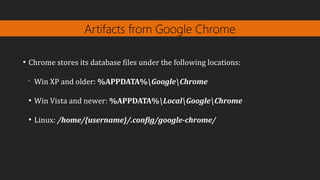
Chrome stores its database files under the following locations:
•
Win XP and older: %APPDATA%GoogleChrome
●
Win Vista and newer: %APPDATA%LocalGoogleChrome
●
Linux: /home/{username}/.config/google-chrome/
Artifacts from MS Outlook
●
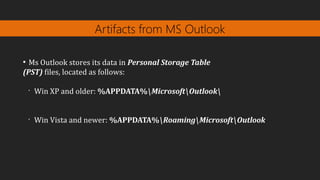
Ms Outlook stores its data in Personal Storage Table
(PST) files, located as follows:
•
Win XP and older: %APPDATA%MicrosoftOutlook
•
Win Vista and newer: %APPDATA%RoamingMicrosoftOutlook
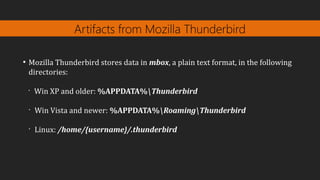
Artifacts from Mozilla Thunderbird
●
Mozilla Thunderbird stores data in mbox, a plain text format, in the following
directories:
•
Win XP and older: %APPDATA%Thunderbird
•
Win Vista and newer: %APPDATA%RoamingThunderbird
•
Linux: /home/{username}/.thunderbird
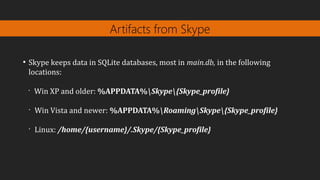
Artifacts from Skype
●
Skype keeps data in SQLite databases, most in main.db, in the following
locations:
•
Win XP and older: %APPDATA%Skype{Skype_profile}
•
Win Vista and newer: %APPDATA%RoamingSkype{Skype_profile}
•
Linux: /home/{username}/.Skype/{Skype_profile}
Next Video
File analysis tools

Extracting and analyzing browser,email and IM artifacts

  • 1.
    Digital forensics withKali Linux Marco Alamanni Video 3.3 Extracting and analyzing browser, email and IM artifacts
  • 2.
    In this Video,we are going to take a look at… • Extracting artifacts from most common browsers: Internet Explorer, Firefox and Chrome. • Extracting artifacts from the most common email clients: Outlook and Thunderbird. • Extracting artifacts from a popular Instant Messaging (IM) client: Skype
  • 3.
    Artifacts from MSInternet Explorer ● MS Internet Explorer (IE) is the default browser on Windows.  IE stores its data both in Registry keys and in files under the user’s profile directory.  Typed URLs, form autocompletes and preferences are stored in registry keys under: HKEY_CURRENT_USERSoftwareMicrosoftInternet Explorer​ .
  • 4.
    Artifacts from MSInternet Explorer Favorites are located in the same folder accross all versions of Windows: %USERPROFILE%Favorites. ● Before IE version 10, browser history, cache and cookies are stored in index.dat files in the following locations: • History: - Win Xp: %USERPROFILE%Local SettingsHistoryhistory.ie5index.dat - Win Vista and above: %USERPROFILE%LocalMicrosoftWindowsHistory History.IE5index.dat
  • 5.
    Artifacts from MSInternet Explorer • Cache: - Win XP: %USERPROFILE%Local SettingsTemporary Internet FilesContent.ie5​ index.dat - Win Vista and above: %USERPROFILE%LocalMicrosoftWindowsTemporary Internet FilesContent.IE5index.dat • Cookies: - Win XP: %USERPROFILE%Cookiesindex.dat - Win Vista and above: %USERPROFILE%RoamingMicrosoftWindowsCookiesindex.dat​
  • 6.
    Artifacts from MSInternet Explorer ● With version 10 and above, IE stores data in ESE (Extensible Storage Engine) database files. Its location is: %USERPROFILE%LocalMicrosoftWindowsWebCacheWebCacheV01.dat. ● To read and extract ESE databases, we have to install a package called Libesedb. ● Open source tools to analyze ESE files not available on Linux; free tools available for Windows from NirSoft and Mandiant
  • 7.
    Artifacts from MozillaFirefox ● Firefox and Chrome both store most of their data in SQLite database files. ● Firefox stores its data in the following files: • History and bookmarks: places.sqlite • Cookies: cookies.sqlite • Downloaded files: downloads.sqlite • Form autocompletes: formhistory.sqlite
  • 8.
    Artifacts from MozillaFirefox ● Firefox locations: • Win XP and older: %APPDATA%MozillaFirefox • Win Vista and newer: %APPDATA%LocalMozillaFirefox • Linux: /home/{username}/.mozilla/firefox​
  • 9.
    Artifacts from GoogleChrome ● Chrome stores its database files under the following locations: • Win XP and older: %APPDATA%GoogleChrome ● Win Vista and newer: %APPDATA%LocalGoogleChrome ● Linux: /home/{username}/.config/google-chrome/
  • 10.
    Artifacts from MSOutlook ● Ms Outlook stores its data in Personal Storage Table (PST) files, located as follows: • Win XP and older: %APPDATA%MicrosoftOutlook • Win Vista and newer: %APPDATA%RoamingMicrosoftOutlook
  • 11.
    Artifacts from MozillaThunderbird ● Mozilla Thunderbird stores data in mbox, a plain text format, in the following directories: • Win XP and older: %APPDATA%Thunderbird • Win Vista and newer: %APPDATA%RoamingThunderbird • Linux: /home/{username}/.thunderbird
  • 12.
    Artifacts from Skype ● Skypekeeps data in SQLite databases, most in main.db, in the following locations: • Win XP and older: %APPDATA%Skype{Skype_profile} • Win Vista and newer: %APPDATA%RoamingSkype{Skype_profile} • Linux: /home/{username}/.Skype/{Skype_profile}
  • 13.