
Introducing Allan
‱ Learning Designer and Apple Distinguished Educator
‱ Two Masters - Education (online) & Interactive Multimedia
‱ Awarded 2012 OLT National Citation for Outstanding
Contributions to Student Learning
‱ Awarded 2011 University of Adelaide Award for Excellence
in Support of the Student Experience
‱ Background in printing, publishing, web development &
educational multimedia
‱ Worked in corporate & VET sectors
‱ 20+ countries & led schools in Hawaii, Texas & Paraguay
‱ Taught communications, market research, print production
& using the internet for education
‱ Passion for online collaboration & facilitationUniversity of Adelaide, Adelaide South Australia
Telephone: +61 402468777
Twittter: @allanADL
Email: allan@desingingoutcomes.net
All slides used in this Presentation are
available as a PDF
http://designingoutcomes.net/china/China_Presentation_dec2015.pdf
File size: 14.2 mb
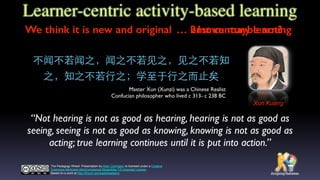
“Not hearing is not as good as hearing, hearing is not as good as
seeing, seeing is not as good as knowing, knowing is not as good as
acting; true learning continues until it is put into action.”
The Padagogy Wheel Presentation by Allan Carrington is licensed under a Creative
Commons Attribution-NonCommercial-ShareAlike 3.0 Unported License.
Based on a work at http://tinyurl.com/padwheelstory.
䞍闻䞍苄闻äč‹ïŒŒé—»äč‹äžè‹„⻅见äč‹ïŒŒâ»…见äč‹äžè‹„矄
äč‹ïŒŒçŸ„äč‹äžè‹„âŸèĄŒäč‹ïŒ›ć­ŠâŸ„è‡łäșŽâŸèĄŒäč‹âœœè€ŒâœŒæ­ąçŸŁ
Xun Kuang
Master Xun (Xunzi) was a Chinese Realist
Confucian philosopher who lived c 313- c 238 BC
Learner-centric activity-based learning
We think it is new and original 
 hmmm maybe not?
 21st century learning
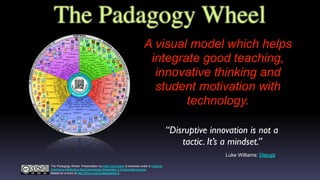
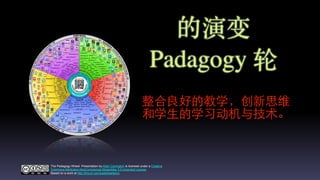
The Padagogy Wheel
A visual model which helps
integrate good teaching,
innovative thinking and
student motivation with
technology.
“Disruptive innovation is not a
tactic. It’s a mindset.”
Luke Williams: Disrupt
The Padagogy Wheel Presentation by Allan Carrington is licensed under a Creative
Commons Attribution-NonCommercial-ShareAlike 3.0 Unported License.
Based on a work at http://tinyurl.com/padwheelstory.
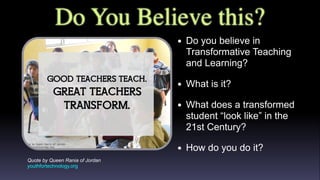
Do You Believe this?
Quote by Queen Rania of Jordan
youthfortechnology.org
‱ Do you believe in
Transformative Teaching
and Learning?
‱ What is it?
‱ What does a transformed
student “look like” in the
21st Century?
‱ How do you do it?
The Continuum of Shift
The Pedagogical
Challenge ahead for ‹
All Education
It’s All About the Students
Their engagement, their learning, their
outcomes and their future success
"The illiterate of the 21st century will not be
those who cannot read and write, but those
who cannot learn, unlearn, and relearn".
Alvin Toffler
"When you are through changing,
you are through."
Will Rogers
You know 
 Shift Happens
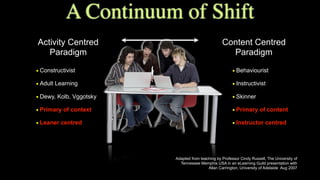
‱ Constructivist
‱ Adult Learning
‱ Dewy, Kolb, Vggotsky
‱ Primary of context
‱ Leaner centred
Activity Centred
Paradigm
Content Centred
Paradigm
Adapted from teaching by Professor Cindy Russell, The University of
Tennessee Memphis USA in an eLearning Guild presentation with
Allan Carrington, University of Adelaide Aug 2007
‱ Behaviourist
‱ Instructivist
‱ Skinner
‱ Primary of content
‱ Instructor centred
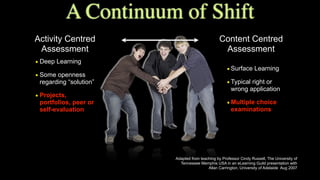
A Continuum of Shift
Activity Centred
Background
Content Centred
Background
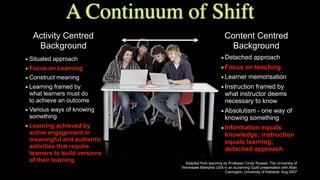
‱ Situated approach
‱ Focus on Learning
‱ Construct meaning
‱ Learning framed by ‹
what learners must do ‹
to achieve an outcome
‱ Various ways of knowing
something
‱ Learning achieved by
active engagement in
meaningful and authentic
activities that require
learners to build versions
of their learning
‱Detached approach
‱Focus on teaching
‱Learner memorisation
‱Instruction framed by
what instructor deems
necessary to know
‱Absolutism - one way of
knowing something
‱Information equals
knowledge; instruction
equals learning;
detached approach
Adapted from teaching by Professor Cindy Russell, The University of
Tennessee Memphis USA in an eLearning Guild presentation with Allan
Carrington, University of Adelaide Aug 2007
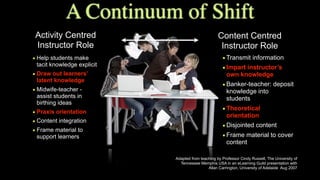
Activity Centred
Instructor Role
Content Centred
Instructor Role
‱ Help students make
tacit knowledge explicit
‱ Draw out learners’
latent knowledge
‱ Midwife-teacher -
assist students in
birthing ideas
‱ Praxis orientation
‱ Content integration
‱ Frame material to
support learners
‱Transmit information
‱Impart instructor’s
own knowledge
‱Banker-teacher: deposit
knowledge into
students
‱Theoretical
orientation
‱Disjointed content
‱Frame material to cover
content
A Continuum of Shift
Adapted from teaching by Professor Cindy Russell, The University of
Tennessee Memphis USA in an eLearning Guild presentation with
Allan Carrington, University of Adelaide Aug 2007
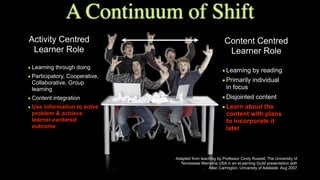
Activity Centred
Learner Role
Content Centred
Learner Role
‱ Learning through doing
‱ Participatory, Cooperative,
Collaborative, Group
learning
‱ Content integration
‱ Use information to solve
problem & achieve
learner-centered
outcome
‱Learning by reading
‱Primarily individual
in focus
‱Disjointed content
‱Learn about the
content with plans
to incorporate it
later
Adapted from teaching by Professor Cindy Russell, The University of
Tennessee Memphis USA in an eLearning Guild presentation with
Allan Carrington, University of Adelaide Aug 2007
A Continuum of Shift
Activity Centred
Assessment
Content Centred
Assessment
‱ Deep Learning
‱ Some openness
regarding “solution”
‱ Projects,
portfolios, peer or
self-evaluation
‱Surface Learning
‱Typical right or
wrong application
‱Multiple choice
examinations
A Continuum of Shift
Adapted from teaching by Professor Cindy Russell, The University of
Tennessee Memphis USA in an eLearning Guild presentation with
Allan Carrington, University of Adelaide Aug 2007
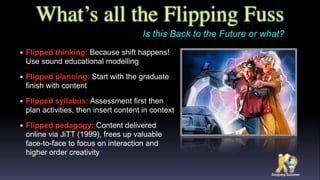
What’s all the Flipping Fuss
‱ Flipped thinking: Because shift happens!
Use sound educational modelling
‱ Flipped planning: Start with the graduate
finish with content
‱ Flipped syllabus: Assessment first then
plan activities, then insert content in context
‱ Flipped pedagogy: Content delivered
online via JiTT (1999), frees up valuable
face-to-face to focus on interaction and
higher order creativity
Is this Back to the Future or what?
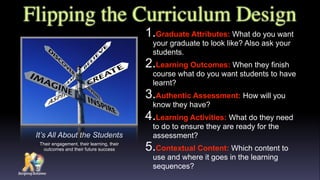
Flipping the Curriculum Design
1.Graduate Attributes: What do you want
your graduate to look like? Also ask your
students.
2.Learning Outcomes: When they finish
course what do you want students to have
learnt?
3.Authentic Assessment: How will you
know they have?
4.Learning Activities: What do they need
to do to ensure they are ready for the
assessment?
5.Contextual Content: Which content to
use and where it goes in the learning
sequences?
It’s All About the Students
Their engagement, their learning, their
outcomes and their future success
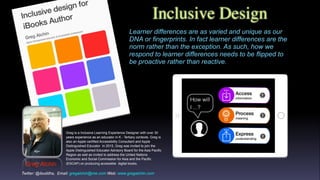
Inclusive Design
Greg Alchin
Greg is a Inclusive Learning Experience Designer with over 30
years experience as an educator in K - Tertiary contexts. Greg is
also an Apple certified Accessibility Consultant and Apple
Distinguished Educator In 2015, Greg was invited to join the
Apple Distinguished Educator Advisory Board for the Asia Pacific
Region as well as invited to address the United Nations
Economic and Social Commission for Asia and the Pacific
(ESCAP) on producing accessible digital books.
Learner differences are as varied and unique as our
DNA or fingerprints. In fact learner differences are the
norm rather than the exception. As such, how we
respond to learner differences needs to be flipped to
be proactive rather than reactive.
Twitter: @ibuddha, Email: gregalchin@me.com Web: www.gregalchin.com
çš„æŒ”ć˜
Padagogy èœź
æ•Žćˆè‰Żć„œçš„æ•™ć­ŠïŒŒćˆ›æ–°æ€ç»Ž
ć’Œć­ŠâœŁç”Ÿçš„ć­Šäč ćŠšæœșäžŽæŠ€æœŻă€‚
The Padagogy Wheel Presentation by Allan Carrington is licensed under a Creative
Commons Attribution-NonCommercial-ShareAlike 3.0 Unported License.
Based on a work at http://tinyurl.com/padwheelstory.
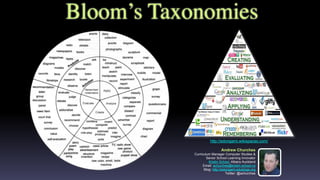
Bloom’s Taxonomies
Andrew Churches
Curriculum Manager Computer Studies &
Senior School Learning Innovator
Kristin School, Albany Auckland
Email: achurches@kristin.school.nz
Blog: http://edorigami.edublogs.org
Twitter: @achurches
http://edorigami.wikispaces.com/
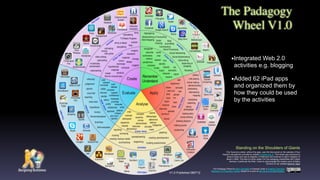
The Padagogy
Wheel V1.0
This Taxonomy wheel, without the apps, was first discovered on the website of Paul
Hopkin’s educational consultancy website mmiweb.org.uk That wheel was produced by
Sharon Artley and was an adaption of Kathwohl and Anderson’s (2001) adaption of
Bloom (1956). The idea to further adapt it for the pedagogy possibilities with mobile
devices, in particular the iPad, I have to acknowledge the creative work of Kathy
Schrock on her website Bloomin’ Apps
Standing on the Shoulders of Giants
The Padagogy Wheel by Allan Carrington is licensed under a Creative Commons
Attribution 3.0 Unported License. Based on a work at http://tinyurl.com/bloomsblog.
V1.0 Published 080712
‱Integrated Web 2.0
activities e.g. blogging
‱Added 62 iPad apps
and organized them by
how they could be used
by the activities
V2.0 Published 280513
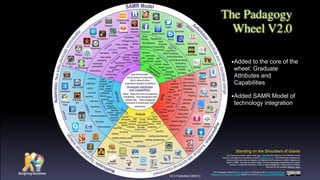
The Padagogy
Wheel V2.0
This Taxonomy wheel, without the apps, was first discovered on the website of Paul
Hopkin’s educational consultancy website mmiweb.org.uk That wheel was produced by
Sharon Artley and was an adaption of Kathwohl and Anderson’s (2001) adaption of
Bloom (1956). The idea to further adapt it for the pedagogy possibilities with mobile
devices, in particular the iPad, I have to acknowledge the creative work of Kathy
Schrock on her website Bloomin’ Apps
Standing on the Shoulders of Giants
The Padagogy Wheel by Allan Carrington is licensed under a Creative Commons
Attribution 3.0 Unported License. Based on a work at http://tinyurl.com/bloomsblog.
‱Added to the core of the
wheel: Graduate
Attributes and
Capabilities
‱Added SAMR Model of
technology integration
Developed by Allan Carrington
Designing Outcomes
Adelaide South Australia
Email: allan@designingoutcomes.net
The Padagogy
Wheel V3.0
V3.0 Published 090613
This Taxonomy wheel, without the apps, was first discovered on the website of Paul
Hopkin’s educational consultancy website mmiweb.org.uk That wheel was produced by
Sharon Artley and was an adaption of Kathwohl and Anderson’s (2001) adaption of
Bloom (1956). The idea to further adapt it for the pedagogy possibilities with mobile
devices, in particular the iPad, I have to acknowledge the creative work of Kathy
Schrock on her website Bloomin’ Apps
Standing on the Shoulders of Giants
The Padagogy Wheel by Allan Carrington is licensed under a Creative Commons
Attribution 3.0 Unported License. Based on a work at http://tinyurl.com/bloomsblog.
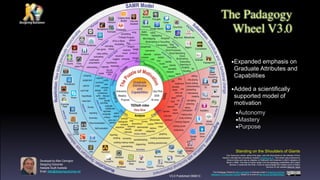
‱Expanded emphasis on
Graduate Attributes and
Capabilities
‱Added a scientifically
supported model of
motivation
‱Autonomy
‱Mastery
‱Purpose
Twist Twitter
Twitterific
Animation
Creator
Quick
Sketch
Blogpress
iPhoto
Evernote
Blogsy
Conference
Pad
iAnnotate
Drawing
Pad
Feeddler
Prezi
iBooks
Keynote
Sonic
Pics
Paper
Helper
Show Me
Wordpress
Skitch
StoryrobeVoice
Thread
Join Me
Whiteboard HD
Popplet
Assignments
Corkulous
Course
Notes
Data
Analysis
Dropbox
Easy
Chart
Good
Reader
Idea
Sketch
iField Works
iStudiez
Pro
iThoughts
myHomework
Notes Plus Numbers
Outliner
PearlTrees
Penultimate
Polldaddy
Priority
Matrix
Quick Graph
Simple Note
Flashcard
Machine
Flashcards
Deluxe
Multi Quiz Quiz Your
Lizard
School
Notes
Awesome
Note
I Wish
Microsoft
OneNote
OmniFocus
TapIt
WunderList
StumbleUpon
FlipBoard
Google
WolframAlpha
Yellow
Pages
Maptini
Inspiration
Maps
Adobe
Ideas
Pages
My Writing
Spot
ManuscriptBlackboard
Clear Sea
Moodle
Mobile
Skype
Conference
Pad
Edmodo
Fring
WhatsApp
Facebook
FB Messenger
Google+
iTunes U
Touch
YouTube
Strip
Designer
Filemaker
Go
GroupBoard
iBrainstorm
Roambi
Analytics
Atomic
Browser
TED
Opera
Mini
AirBeam
CollabraCam
i-Prompt
Socialcam
Splice
Story Patch
Twitcasting
AudioBoom
Audiolio
Pocket
Pod
Fotobabble
Podcaster
Spreaker
Toontastic
Flipbook
Do Ink
Animation
Express
Animation
Desk
Audiotorium
PhosterPhoto
Speak
iMovie
iTimeLapse
Explain
Everything
Garageband
Creative
Book
eBook
Creator
Use Your
Handwriting
Big World
Simple Mind
Jot
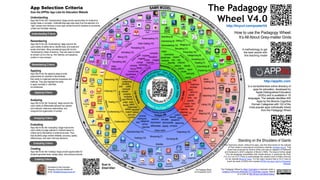
Understanding
Apps that fit into this "understanding" stage provide opportunities for students to
explain ideas or concepts. Understanding apps step away from the selection of a
"right" answer and introduce a more open-ended format for students to summarize
content and translate meaning.
Applying Criteria
Remembering
Apps that fit into the "remembering" stage improve the
user's ability to define terms, identify facts, and recall and
locate information. Many educational apps fall into the
"remembering" phase of learning. They ask users to select
an answer out of a line-up, find matches, and sequence
content or input answers
Applying
Apps that fit into the applying stage provide
opportunities for students to demonstrate
their ability to implement learned procedures and
methods. They also highlight the ability
to apply concepts in unfamiliar ‹
circumstances.
Analyzing
Apps that fit into the "analyzing" stage improve the
user's ability to differentiate between the relevant
and irrelevant, determine relationships, and
recognize the organization of content..
Evaluating
Apps that fit into the "evaluating" stage improve the
user's ability to judge material or methods based on
criteria set by themselves or external sources. They
help students judge content reliability, accuracy, quality,
effectiveness, and reach informed decisions.
Creating
Apps that fit into the "creating" stage provide opportunities for
students generate ideas, design plans, and produce products.
Developed by Allan Carrington
Designing Outcomes Adelaide SA
Email: allan@designingoutcomes.net
The Padagogy Wheel
V4.0 Published 010315
from the APPitic App Lists for Education Website
App Selection Criteria
Scan to
Email Allan
How to use the Padagogy Wheel:
It’s All About Grey-matter Grids
A methodology to get
the best results with
this teaching model
The Padagogy
Wheel V4.0
Standing on the Shoulders of Giants
The Padagogy Wheel by Allan Carrington is licensed under a
Creative Commons Attribution 3.0 Unported License. Based
on a work at http://tinyurl.com/bloomsblog.
is a comprehensive online directory of
apps for education, developed by
Apple Distinguished Educators
(ADEs) and is available in 19
languages. The website identifies 400
Apps by the Blooms Cognitive
Domain Categories with 122 of the
most popular apps individually linked
from the Padagogy Wheel
Remembering Criteria
Understanding Criteria
Evaluating Criteria
Creating Criteria
This Taxonomy wheel, without the apps, was first discovered on the website
of Paul Hopkin’s educational consultancy website mmiweb.org.uk That
wheel was produced by Sharon Artley and was an adaption of Kathwohl
and Anderson’s (2001) adaption of Bloom (1956). The idea to further adapt
it for the pedagogy possibilities with mobile devices, in particular the iPad,
For V2.0 an V3.0 I have to acknowledge the creative work of Kathy Schrock
on her website Bloomin’ Apps For the major revision that is V4.0 I have to
thank the team of ADEs who created APPitic the App Lists for Education
Website.
Analyzing Criteria
http://tinyurl.com/posterV4
http://appitic.com
This connection of theory, practice, and application
makes the Padagogy Wheel an invaluable resource
that should be on the wall of every classroom”.
Padagogyèœźć°†ç†èźșă€ćźžè·”ć’Œćș”âœ€ç”šç›žç»“ćˆïŒŒæ˜ŻâŒ€äž€äžȘ
ćźèŽ”çš„è”„æșă€‚ć› æ­€ïŒŒæŽšèæŻäœæ•™ćžˆć°†ć…¶ćŒ•èż›èŻŸć ‚ă€‚
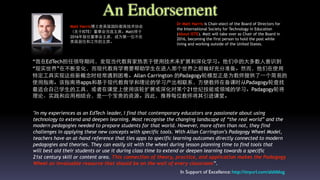
Matt HarrisćšâŒ ćŁ«æ˜ŻçŸŽć›œć›œé™…æ•™è‚ČæŠ€æœŻćäŒš
ïŒˆć…łäșŽISTEïŒ‰è‘Łäș‹äŒšćœ“选䞻枭。Matt氆äșŽ
2016ćčŽæŽ„ä»»è‘Łäș‹äŒšäž»ćž­ïŒŒæˆäžșçŹŹâŒ€äž€äœäžćœš
çŸŽć›œć±…äœć’ŒâŒŻć·„äœœçš„äž»ćž­ă€‚
In Support of Excellence: http://tinyurl.com/alsltblog
An Endorsement
Dr Matt Harris is Chair-elect of the Board of Directors for
the International Society for Technology in Education
(About ISTE). Matt will take over as Chair of the Board in
2016, becoming the first person to hold the post while
living and working outside of the United States. 
"In my experiences as an EdTech leader, I find that contemporary educators are passionate about using
technology to extend and deepen learning. Most recognise the changing landscape of “the real world” and the
modern pedagogies needed to prepare students for that world. However, more often than not, they find
challenges in applying these new concepts with specific tools. With Allan Carrington’s Padagogy Wheel Model,
teachers have an at-hand reference that ties apps to specific learning outcomes directly connected to modern
pedagogies and theories. They can easily sit with the wheel during lesson planning time to find tools that
will best aid their students or use it during class time to extend or deepen learning towards a specific
21st century skill or content area. This connection of theory, practice, and application makes the Padagogy
Wheel an invaluable resource that should be on the wall of every classroom”.
â€œæˆ‘ćœšEdTechæ‹…ä»»éą†ćŻŒæœŸé—ŽïŒŒć‘çŽ°ćœ“ä»Łæ•™è‚Čćź¶çƒ­èĄ·äșŽäœżâœ€ç”šæŠ€æœŻæ„æ‰©ć±•ć’Œæ·±ćŒ–ć­Šäč ă€‚ä»–ä»Źäž­çš„âŒ€ć€§ć€šæ•°âŒˆäșșæ„èŻ†ćˆ°
â€œçŽ°ćźžäž–ç•Œâ€ćœšäžæ–­ć˜ćŒ–ïŒŒâœœè€ŒçŽ°ä»Łæ•™è‚Čć­Šéœ€èŠćžźćŠ©ć­ŠâœŁç”Ÿćœšèż›âŒŠć…„é‚ŁäžȘ侖界äč‹ć‰ćšć„œć……ćˆ†ć‡†ć€‡ă€‚ç„¶âœœè€ŒïŒŒä»–ä»Źćœšäœżâœ€ç”š
ç‰čćźšâŒŻć·„ć…·ćźžçŽ°èż™äș›æ–°æŠ‚ćż”æ—¶ç»ćžžé‡ćˆ°ć›°éšŸă€‚Allan Carrington 的PadagogyèœźæšĄćž‹æ­Łæ˜Żäžșæ•™ćžˆæäŸ›äș†âŒ€äž€äžȘçź€æ˜“çš„
äœżâœ€ç”šæŒ‡ć—ă€‚èŻ„æŒ‡ć—ć°†apps撌ćŸșäșŽçŽ°ä»Łæ•™è‚Č歩撌理èźș的歩äč äș§ć‡șç›žè”çł»ïŒŒâœ…æ–čäŸżæ•™ćžˆćœšć€‡èŻŸæ—¶ä»ŽPadagogyèœźæŸ„æ‰Ÿ
æœ€é€‚ćˆâŸƒè‡ȘâŒ°ć·±ć­ŠâœŁç”Ÿçš„âŒŻć·„ć…·ïŒŒæˆ–è€…ćœšèŻŸć ‚äžŠäœżâœ€ç”šèŻ„èœźæ‰©ć±•æˆ–æ·±ćŒ–ćŻč某äžȘ21侖çșȘæŠ€èƒœæˆ–éą†ćŸŸçš„ć­Šäč ă€‚Padagogyèœźć°†
理èźșă€ćźžè·”ć’Œćș”âœ€ç”šç›žç»“ćˆïŒŒæ˜ŻâŒ€äž€äžȘćźèŽ”çš„è”„æșă€‚ć› æ­€ïŒŒæŽšèæŻäœæ•™ćžˆć°†ć…¶ćŒ•èż›èŻŸć ‚ă€‚
Matt HarrisćšâŒ ćŁ«æ˜ŻçŸŽć›œć›œé™…æ•™è‚ČæŠ€æœŻćäŒš
ïŒˆć…łäșŽISTEïŒ‰è‘Łäș‹äŒšćœ“选䞻枭。Matt氆äșŽ
2016ćčŽæŽ„ä»»è‘Łäș‹äŒšäž»ćž­ïŒŒæˆäžșçŹŹâŒ€äž€äœäžćœš
çŸŽć›œć±…äœć’ŒâŒŻć·„äœœçš„äž»ćž­ă€‚
In Support of Excellence: http://tinyurl.com/alsltblog
An Endorsement
Dr Matt Harris is Chair-elect of the Board of Directors for
the International Society for Technology in Education
(About ISTE). Matt will take over as Chair of the Board in
2016, becoming the first person to hold the post while
living and working outside of the United States. 
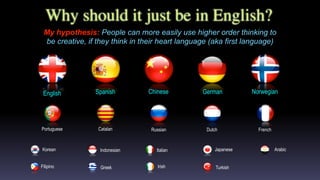
Why should it just be in English?
My hypothesis: People can more easily use higher order thinking to
be creative, if they think in their heart language (aka first language)
FrenchPortuguese Russian DutchCatalan
English NorwegianGermanSpanish Chinese
Filipino
Korean
Greek Irish Turkish
Italian JapaneseIndonesian Arabic
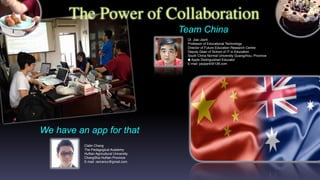
The Power of Collaboration
Clatin Chang
The Pedagogical Academy
HuNan Agricultural University
ChangSha HuNan Province
E-mail: ranrancc@gmail.com
We have an app for that
Dr. Jiao Jianli
Professor of Educational Technology
Director of Future Education Research Centre
Deputy Dean of School of IT in Education
South China Normal University Guangzhou, Province
ïŁż Apple Distinguished Educator
E-mail: jiaojianli@126.com
Team China
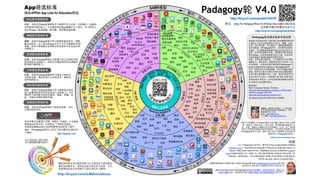
æ˜Żç”±è‹č果杰ć‡ș教è‚ČâŒŻć·„äœœè€…ïŒˆADEsïŒ‰ćŒ€ć‘çš„âŒ€äž€äžȘć…šâŸŻéąçš„
教è‚ČApps朹çșżâș«âœŹç›źćœ•。âș«âœŹç›źć‰æŽšć‡șäș†19ç§èŻ­âŸ”èš€ç‰ˆæœŹă€‚
èŻ„âșŽâœčçœ‘ç«™äŸæźBloomçš„èź€çŸ„éą†ćŸŸæ•™è‚Čâș«âœŹç›źæ ‡æ”¶ćœ•äș†400äžȘ
Apps✜而Padagogyèœźćˆ™äž“â»”é—šćˆ—ć‡șäș†ć…¶äž­æœ€ć—æŹąèżŽçš„122
äžȘApps。
æšĄæ‹Ÿæ˜ŻćŸčć…»æŻ•äžšâœŁç”ŸçŽ ć…»ć’ŒèƒœâŒ’ćŠ›ä»„ćŠæż€ć‘ć­Šäč è€…抚æœș的
æœ€æœ‰æ•ˆçš„æ•™ć­Šæł•ă€‚èŻ·æ”è§ˆèż™äș›æČ‰æ”žćŒć­Šäč è”„æșïŒŒćźƒä»Ź
ć°†èƒœćžźćŠ©æ‚šèźŸèźĄć‡șæœ‰ćžćŒ•âŒ’ćŠ›çš„æČ‰æ”žćŒć­Šäč æĄˆäŸ‹ă€‚
Padagogyèœź V4.0
ć•Șć•Ș
Animation
Creator
*Quick
Sketch
ćšćźąâŒ€ć€§ć·Ž
ćŸźćšHD
iAnnotate
*Drawing
Box
*Prezi
*iBooks
*Keynote
*Sonic
Pics
Paper
Helper
*Show
Me
*Voice
Thread
*Popplet è‰æžžèź°
ćŸźè°ƒæŸ„
Data
Analysis
Easy
Chart
Good
Reader
*Ideament
掚äș‹æœŹ
äžȘ⌈äșș版
äœœäžšćžź
iThoughts
ćź¶ćș­äœœäžš
*Notes
Plus Microsoft
Excel
Outliner
汹笔
*Polldaddy
Any.Do
Quick
Graph
*Simple
Note
*Flashcard
Machine
*Flashcards
Deluxe
Quiz Your
Lizard
School
Notes
*Microsoft
OneNote
癟ćșŠ
HD
蟟答
Wolfram
Alpha
Maptini
*Inspiration
Maps
*Pages
My Writing
Spot
äčéĄșć€‡ćż˜ćœ•
Blackboard
Clear Sea
Moodle
*Skype
çŸŽćˆ»
*Edmodo
⌈äșș⌈äșșHD
QQç©ș问
è…ŸèźŻæœ‹ć‹
UC攏览
晹HD
YY HD
*iTunes U
*WeChat
ïŒˆćŸźäżĄïŒ‰
*QQć›œ
际版
ć›Ÿâœœç‰›
Filemaker
Go
*iBrain
storm
Roambi
Analytics
QQæ”è§ˆć™šHD
âșŽâœčçœ‘æ˜“ć…Ź
ćŒ€èŻŸ
âœ¶ç±łèŠ
AirBeam
CollabraC
am
*Splice
Story Patch
*AudioBoom
Audiolio
*Fotobabble
*Flipbook
*Do Ink
AC
Express
Animation Desk
Audiotorium
*Photo
Speak
*iMovie
iTimeLapse
Explain
Everything
Garageband
Use Your
Handwriting
有道äș‘çŹ”èź°HD
3A 思绎
ćŻŒć›Ÿ
Jot!
ć‚â»…è§ïŒšUsing The Padagogy Wheel: It’sAllAbout Grey-matter Grids (GGs)
èż™ç§æ•™ć­ŠæšĄćŒçš„æœ€äœłćș”✀甚✅æ–čæł•
éžŁè°ą
Allan CarringtonèźŸèźĄçš„PadagogyèœźèŽ·çŸ„èŻ†ć…±äș«çœČ損 - âŸźéžć•†äžšæ€§äœżâœ€ç”š - ç›žćŒâœ…æ–čćŒ
ć…±äș«4.0ć›œé™…èźžćŻă€‚èŻ„èœźçš„èźŸèźĄćŸșäșŽhttp://tinyurl.com/bloomsblogäžŠçš„âŒŻć·„äœœă€‚
èż™äžȘ侍澩appsçš„ćˆ†ç±»ć­ŠèœźïŒŒæœ€æ—©æșäșŽPaul Hopkin的教è‚Čć’šèŻąâșŽâœč眑站
mmiweb.org.ukă€‚èŻ„èœźæ˜ŻSharon ArtleyćŸșäșŽAnderson撌 Krathwohl (2001) ćŻč
Bloom (1956) çš„äżźèźąç‰ˆâœœè€Œćˆ›äœœçš„ă€‚æ„Ÿè°ąKathy Schrock 朹ć„č的âșŽâœč眑站 bloomin
apps æ‰€ćšçš„ćˆ›é€ æ€§âŒŻć·„äœœïŒŒäœżæˆ‘äș§âœŁç”Ÿäș†äżźèźąçŹŹ2撌第3ç‰ˆä»„äŸżé€‚âœ€ç”šäșŽç§»ćŠšèźŸć€‡ïŒˆç‰č
ćˆ«æ˜ŻiPadïŒ‰æ•™ć­Šçš„æƒłæł•ă€‚âœœè€Œæˆ‘ćœšçŹŹć››ç‰ˆèż›âŸèĄŒçš„é‡âŒ€ć€§äżźæ”čćˆ™ćŸ—ç›ŠäșŽADEs曱队的
APPitic the App Lists for EducationâșŽâœčçœ‘ç«™ă€‚
http://tinyurl.com/posterV4CHI
http://appitic.com
䜍äșŽæ­€èœźæ žâŒŒćżƒçš„æČ‰æ”žćŒ
ć­Šäč äŸżæ˜Żæ–°çš„æ•™ć­ŠèźŸèźĄă€‚
http://tinyurl.com/ILMSimulations
摘⟃è‡ȘAPPitic App Lists for EducationâșŽâœč眑站
Appç­›é€‰æ ‡ć‡†
âŸ–è±†ç“ŁFM
*bookPress
*ćŸźç›Žæ’­
äŒ˜é…·æ‹ćźą
âŒ©ć°ćœ±
*Book
Creatorć–œâ»ąé©Źæ‹‰
雅FM
Join Me
LOFTER
âœ©ç™œæżHD
WPS
Office
*㜈ç‚č
éČœæžœ
RSS
ć°è±ĄçŹ”èź°
新æ”Ș捚漱
Doit.im
HD
*Paper
by 53
âŒ€ć€§äŒ—ç‚čèŻ„
HD
éČœæžœ
癟ćșŠäș‘HD
ć—æŸłé˜żćŸ·èŽ±ćŸ·èźŸèźĄæˆæžœć’šèŻąć…ŹćžAllan Carrington著 Email allan@designingoutcomes.net英✂文版
V4.0揑澃äșŽ 2015.03.01 äž­ć›œç‰ˆV4.0 揑澃äșŽ2015.07.07
ç›žć…łâœ‚æ–‡ć­—çš„çż»èŻ‘âŒŻć·„äœœć’Œapp的筛选äžșæˆ‘ä»Źæ•ŽäžȘć›ąé˜Ÿć…±ćŒćŠȘâŒ’ćŠ›çš„ç»“
æžœă€‚æ„Ÿè°ąä»„äž‹ć›ąé˜Ÿæˆć‘˜â€”â€”æŸłâŒ€ć€§ćˆ©äșšïŒšé˜żćŸ·èŽ±ćŸ·é„¶æŽæ•ć’Œâș©çދ㰔
ć‰ïŒ›äž­ć›œïŒšæč–ć—â»“é•żæČ™æč–ć—ć†œäžšâŒ€ć€§ć­ŠćŒ çżŒç„¶ïŒŒä»„揊âŒČ⌎ćčżäžœâŒČ⌎ćčżć·žćŽć—
ćžˆèŒƒâŒ€ć€§ć­Šç„Šć»șćˆ©æ•™æŽˆć’Œä»–çš„äŒ˜ç§€ć›ąé˜Ÿă€‚ä»–ä»Źçš„ä»˜ć‡șäœżćŸ—äž­âœ‚æ–‡ç‰ˆ
的PadagogyèœźćŸ—ä»„ć‡șç‰ˆă€‚èŻ·èźżé—źæˆ‘ä»Źçš„äž­âœ‚æ–‡ç‰ˆćšćźąâ€œâœ€æ”ŻæŒć“è¶Šâ€æŸ„
çœ‹æ›Žć€šć…łäșŽPadagogyèœźçš„è”„èźŻă€‚
http://www.chinesepw.com
PadagogyèœźćœšèŻ­âŸ”èš€æ•™ć­Šäž­çš„ćș”✀甚
Anderson & Krathwohl等⌈äșș(2001)äżźèźąçš„ćžƒéČć§†æ•™è‚Čâș«âœŹç›źæ ‡
ćˆ†ç±»çš„ć…­äžȘć±‚æŹĄä»ŽäœŽćˆ°âŸŒé«˜äŸæŹĄäžșèŻ†èź°ă€ç†è§Łă€ćș”âœ€ç”šă€
ćˆ†æžă€èŻ„ä»·ć’Œćˆ›é€ ïŒŒćźƒä»Źæž„æˆäș†âŒ€äž€çșżæ•™ćžˆèŻŸć ‚æ•™ć­Š
èźŸèźĄçš„ćŸș础。橂Padagogyèœźæ‰€âœ°ç€șïŒŒèŻ­âŸ”èš€æ•™ćžˆćœšć€‡èŻŸ
èż‡çš‹äž­ïŒŒćŻä»„æ čæźć…·äœ“çš„æ•™ć­Šâș«âœŹç›źæ ‡ćŠć…¶ćŻčćș”çš„âŸèĄŒäžș
ćŠšèŻïŒŒèźŸèźĄç›žćș”çš„æ•™ć­ŠæŽ»ćŠšïŒŒé€‰æ‹©ć›Ÿäž­æ»ĄâŸœè¶łèŻ„æŽ»ćŠš
需求的AppsïŒŒćœąæˆçł»ç»Ÿçš„æ•™ć­ŠèźŸèźĄâœ…æ–čæĄˆïŒŒćč¶ćș”âœ€ç”šèŻ„
✅æ–čæĄˆćźžæ–œćŸșäșŽç§»ćŠšç»ˆç«Żçš„èŻ­âŸ”èš€æ•™ć­ŠæŽ»ćŠšă€‚
äŸ‹ćŠ‚ïŒšćœšè‹±èŻ­èŻ»ć†™æ•™ć­Šäž­ïŒŒäžșäș†æâŸŒé«˜ć­ŠâœŁç”ŸćŻč✂文章的
ç†è§ŁèƒœâŒ’ćŠ›ïŒŒæ•™ćžˆé€‰âœ€ç”šäș†â€œç†è§Łâ€ć±‚æŹĄçš„âŸèĄŒäžșćŠšèŻâ€”â€”â€œæ€»
ç»“â€ć’Œâ€œè§Łé‡Šâ€ïŒŒćč¶é€‰âœ€ç”šèŻ„ć±‚æŹĄæ‰€æŽšèçš„â€œMindmanagerâ€ćŒ€
ć±•â€œćˆ¶äœœæ€ç»ŽćŻŒć›Ÿâ€æŽ»ćŠšæ„ć±•âœ°ç€ș✂文章的提çșČć’Œç»†èŠ‚ă€‚äč‹
搎äžșäș†ćŠ æ·±ć­ŠâœŁç”ŸćŻčâœ‚æ–‡ç« çš„ç†è§ŁïŒŒćč¶äžșć†™äœœèŸ“ć‡șćšć„œ
ć‡†ć€‡ïŒŒæ•™ćžˆćŻä»„ćŸșäșŽâœ‚æ–‡ç« èźŸèźĄç›žć…łèźšèźșèŻéą˜ćč¶ç»„织
ć­ŠâœŁç”ŸćŒ€ć±•ć€Žè„‘â»›éŁŽæšŽćŒèźšèźșă€‚æ­€æ—¶ïŒŒæ•™ćžˆćŻé€‰âœ€ç”šâ€œèŻ„ä»·â€
ć±‚æŹĄäž­çš„âŸèĄŒäžșćŠšèŻâ€”â€”â€œć‘èĄšæ„â»…è§â€ć’Œâ€œć‘ćž–â€ćŒ€ć±•â€œèŻ„èźș”
ć’Œâ€œæć‡ș观ç‚čâ€ç­‰æŽ»ćŠšïŒŒèź©ć­ŠâœŁç”Ÿäœżâœ€ç”šâ€œæ–°æ”ȘćŸźćšâ€æˆ–è€…â€œćŸź
äżĄâ€ć‘èĄšâŸƒè‡ȘâŒ°ć·±çš„â»…è§è§Łć’ŒèŻ„èźș。
æŽšèé˜…èŻ»ïŒš
Web2 4 Languages Teachers: iPad Apps
http://web2-4languageteachers.wikispaces.com/iPad+apps
Teaching Languages with iPads
https://teachinglotewithipads.wordpress.com
㊠(*)的appsćŻèƒœćŻčèŻ­âŸ”èš€æ•™ć­Šæœ‰èŸƒâŒ€ć€§çš„ćžźćŠ©ă€‚
ćș”âœ€ç”šïŒšèŻ„ć±‚æŹĄçš„Apps枟抩歊äč è€…ć±•âœ°ç€ș⟃è‡ȘâŒ°ć·±èżâœ€ç”šæ‰€ć­Šćˆ°
çš„æ”çš‹ć’Œâœ…æ–čæł•çš„èƒœâŒ’ćŠ›ïŒ›ćŒæ—¶ä蟿łšé‡ćŸčć…»ä»–ä»Źèżâœ€ç”šæŠ‚ćż”
è§Łć†łæ–°é—źéą˜çš„èƒœâŒ’ćŠ›ă€‚
ćˆ†æžïŒšèŻ„ć±‚æŹĄçš„AppsèƒœæâŸŒé«˜ć­Šäč è€…ćŒș戆盾慳撌
äžç›žć…łäżĄæŻă€çĄźćźšć„éƒšćˆ†äč‹é—Žçš„ć…łçł»ă€æç‚Œć†…
ćźčç»“æž„çš„èƒœâŒ’ćŠ›ă€‚
èŻ„ä»·ïŒšèŻ„ć±‚æŹĄçš„Appsèƒœć€Ÿæć‡ć­Šäč è€…äœżâœ€ç”šâŸƒè‡Ș⟝èș«æˆ–
他⌈äșșèźŸçœźçš„æ ‡ć‡†æ„èŻ„äŒ°ææ–™æˆ–âœ…æ–čæł•çš„èƒœâŒ’ćŠ›ă€‚ćźƒä»Ź
枟抩歊äč è€…ćˆ€æ–­ć†…ćźčçš„ćŻé æ€§ă€çČŸćșŠă€èŽšé‡ă€æ•ˆ
益ćč¶ćšć‡șæœ‰ç†æœ‰æźçš„ć†łç­–ă€‚
ćˆ›é€ ïŒšèŻ„ć±‚æŹĄçš„Apps枟抩歊äč è€…æż€ć‘ćˆ›æ„ă€èźŸèźĄ
✅æ–čæĄˆć’Œćˆ›äœœäœœć“ă€‚
ćș”âœ€ç”šć±‚æŹĄç­›é€‰æ ‡ć‡†
ç†è§Łć±‚æŹĄç­›é€‰æ ‡ć‡†
èŻ„ä»·ć±‚æŹĄç­›é€‰æ ‡ć‡†
ćˆ›é€ ć±‚æŹĄç­›é€‰æ ‡ć‡†
ćˆ†æžć±‚æŹĄç­›é€‰æ ‡ć‡†
ç†è§ŁïŒšèŻ„ć±‚æŹĄçš„Appsèƒœć€Ÿäžșć­Šäč è€…æäŸ›é˜èż°è§‚ç‚č明晰
æŠ‚ćż”çš„æœșäŒšă€‚èż™äžȘć±‚æŹĄçš„Apps侍朹äșŽäžșć­Šäč è€…æäŸ›â€œæ ‡ć‡†â€
ç­”æĄˆïŒŒâœœè€ŒćœšäșŽćžźćŠ©ä»–ä»Źé‡‡âœ€ç”šæ›ŽćŠ ćŒ€æ”Ÿçš„ćœąćŒæ„æ€»ç»“ć†…ćźč、
èŻ é‡Šæ„äč‰ă€‚
èŻ†èź°ïŒšèŻ„ć±‚æŹĄçš„Appsèƒœć€ŸćžźćŠ©ć­Šäč è€…æć‡ćźšä艿œŻèŻ­ă€èŻ†ćˆ«äș‹ćźžă€ć›žéĄŸçŸ„
èŻ†ć’ŒæŸ„æ‰ŸäżĄæŻçš„èƒœâŒ’ćŠ›ă€‚èźžć€šæ•™è‚Č类的Appséƒœć±žäșŽèż™äžȘć±‚æŹĄă€‚ć­Šäč è€…ćŻä»„
ćœšèż™äș›AppsäžŠćšé€‰æ‹©éą˜ă€é…ćŻčéą˜ă€æŽ’ćșéą˜æˆ–çź€ç­”éą˜ă€‚
èŻ†èź°ć±‚æŹĄç­›é€‰æ ‡ć‡†
http://tinyurl.com/gmginteraction
*æ‰‡â»‰èŽć•èŻ
*ç™ŸèŻæ–©
ZAKER
æ Œćż—
âœ‡æ—„èź°
ć‹șâŒŠć­
*癟ćșŠçż»èŻ‘
âœ‡æ—„èź°ç›žæœș
癟ćșŠèŽŽć§
Tower.im
矄äčŽ
焩ć»șćˆ©ïŒŒæ•™è‚ČæŠ€æœŻć­ŠćšâŒ ćŁ«ïŒŒâŒČ⌎ćčżć·žćŽć—ćžˆ
èŒƒâŒ€ć€§ć­Šæ•™è‚ČäżĄæŻæŠ€æœŻć­Šé™ąć‰Żé™ąâ»“é•żïŒŒæœȘ杄
教è‚Čç ”ç©¶äž­âŒŒćżƒäž»ä»»ă€‚
Emailjiaojianli@126.com
äžȘ⌈äșșćšćźąïŒšhttp://www.jiaojianli.com/
Flipboard
é”€âŒŠć­äŸżç­Ÿ
*ćŒæ­„
âœ©ç™œæż
*Visio‹
Prompt
çŸŽć›Ÿç§€ç§€
Voice
Record
ç›žć…łâœ‚æ–‡ć­—çš„çż»èŻ‘âŒŻć·„äœœć’Œapp的筛选äžș我
ä»Źæ•ŽäžȘć›ąé˜Ÿć…±ćŒćŠȘâŒ’ćŠ›çš„ç»“æžœă€‚æ„Ÿè°ąä»„
äž‹ć›ąé˜Ÿæˆć‘˜â€”â€”æŸłâŒ€ć€§ćˆ©äșšïŒšé˜żćŸ·èŽ±ćŸ·
é„¶æŽæ•ć’Œâș©çŽ‹ć°”ć‰ïŒ›äž­ć›œïŒšæč–ć—â»“é•żæČ™æč–
ć—ć†œäžšâŒ€ć€§ć­ŠćŒ çżŒç„¶ïŒŒä»„ćŠâŒČ⌎ćčżäžœâŒČ⌎ćčżć·žćŽ
ć—ćžˆèŒƒâŒ€ć€§ć­Šç„Šć»șćˆ©æ•™æŽˆć’Œä»–çš„äŒ˜ç§€ć›ą
é˜Ÿă€‚ä»–ä»Źçš„ä»˜ć‡șäœżćŸ—äž­âœ‚æ–‡ç‰ˆçš„
PadagogyèœźćŸ—ä»„ć‡șç‰ˆă€‚èŻ·èźżé—źæˆ‘ä»Źçš„
äž­âœ‚æ–‡ç‰ˆćšćźąâ€œâœ€æ”ŻæŒć“è¶Šâ€æŸ„çœ‹æ›Žć€šć…łäșŽ
Padagogyèœźçš„è”„èźŻă€‚
Chinese Website
http://www.chinesepw.com
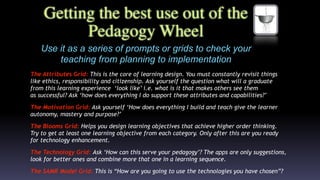
Use it as a series of prompts or grids to check your
teaching from planning to implementation
The Attributes Grid: This is the core of learning design. You must constantly revisit things
like ethics, responsibility and citizenship. Ask yourself the question what will a graduate
from this learning experience  ‘look like’ i.e. what is it that makes others see them
as successful? Ask ‘how does everything I do support these attributes and capabilities?’
The Motivation Grid: Ask yourself ‘How does everything I build and teach give the learner
autonomy, mastery and purpose?’
The Blooms Grid: Helps you design learning objectives that achieve higher order thinking.
Try to get at least one learning objective from each category. Only after this are you ready
for technology enhancement.
The Technology Grid: Ask ‘How can this serve your pedagogy’? The apps are only suggestions,
look for better ones and combine more that one in a learning sequence.
The SAMR Model Grid: This is “How are you going to use the technologies you have chosen”?
Getting the best use out of the
Pedagogy Wheel
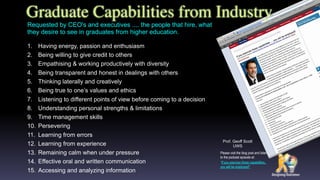
1. Having energy, passion and enthusiasm
2. Being willing to give credit to others
3. Empathising & working productively with diversity
4. Being transparent and honest in dealings with others
5. Thinking laterally and creatively
6. Being true to one’s values and ethics
7. Listening to different points of view before coming to a decision
8. Understanding personal strengths & limitations
9. Time management skills
10. Persevering
11. Learning from errors
12. Learning from experience
13. Remaining calm when under pressure
14. Effective oral and written communication
15. Accessing and analyzing information
Graduate Capabilities from Industry
Please visit the blog post and listen
to the podcast episode at:
“If you exercise these capabilities..
you will be employed!”
Requested by CEO's and executives .... the people that hire, what
they desire to see in graduates from higher education.
Prof. Geoff Scott
UWS
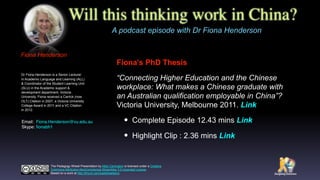
Will this thinking work in China?
Fiona’s PhD Thesis
“Connecting Higher Education and the Chinese
workplace: What makes a Chinese graduate with
an Australian qualification employable in China”?
Victoria University, Melbourne 2011. Link
‱ Complete Episode 12.43 mins Link
‱ Highlight Clip : 2.36 mins Link
A podcast episode with Dr Fiona Henderson
The Padagogy Wheel Presentation by Allan Carrington is licensed under a Creative
Commons Attribution-NonCommercial-ShareAlike 3.0 Unported License.
Based on a work at http://tinyurl.com/padwheelstory.
Fiona Henderson
Dr Fiona Henderson is a Senior Lecturer
in Academic Language and Learning (ALL)
& Coordinator of the Student Learning Unit
(SLU) in the Academic support &
development department, Victoria
University. Fiona received a Carrick (now
OLT) Citation in 2007, a Victoria University
College Award in 2011 and a VC Citation
in 2012.
Email:  Fiona.Henderson@vu.edu.au 
Skype: ïŹonabh1
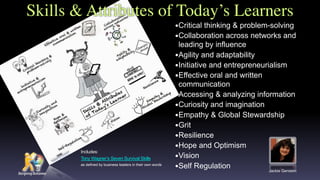
Skills & Attributes of Today’s Learners
‱Critical thinking & problem-solving
‱Collaboration across networks and
leading by influence
‱Agility and adaptability
‱Initiative and entrepreneurialism
‱Effective oral and written
communication
‱Accessing & analyzing information
‱Curiosity and imagination
‱Empathy & Global Stewardship
‱Grit
‱Resilience
‱Hope and Optimism
‱Vision
‱Self Regulation
Includes:
Tony Wagner’s Seven Survival Skills
as defined by business leaders in their own words
Jackie Gerstein
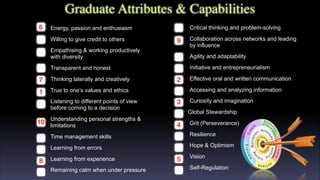
Graduate Attributes & Capabilities
Critical thinking and problem-solving
Collaboration across networks and leading
by influence
Agility and adaptability
Initiative and entrepreneurialism
Effective oral and written communication
Accessing and analyzing information
Curiosity and imagination
Global Stewardship
Grit (Perseverance)
Resilience
Hope & Optimism
Vision
Self-Regulation
Energy, passion and enthusiasm
Willing to give credit to others
Empathising & working productively
with diversity
Transparent and honest
Thinking laterally and creatively
True to one’s values and ethics
Listening to different points of view
before coming to a decision
Understanding personal strengths &
limitations
Time management skills
Learning from errors
Learning from experience
Remaining calm when under pressure
9
9
9
9
9
9
9
9
9
9
9
9
9
9
9
9
9
9
9
9
9
9
9
9
9
10
3
4
5
6
7 2
1
8
9
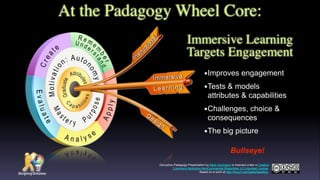
At the Padagogy Wheel Core:
‱Improves engagement
‱Tests & models
attributes & capabilities
‱Challenges, choice &
consequences
‱The big picture
Immersive Learning
Targets Engagement
Disruptive Padagogy Presentation by Allan Carrington is licensed under a Creative
Commons Attribution-NonCommercial-ShareAlike 3.0 Unported License.
Based on a work at http://tinyurl.com/padwheelstory.
Bullseye!
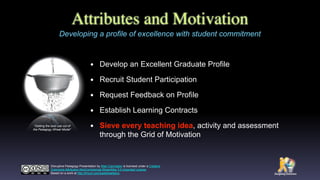
Attributes and Motivation
‱ Develop an Excellent Graduate Profile
‱ Recruit Student Participation
‱ Request Feedback on Profile
‱ Establish Learning Contracts
‱ Sieve every teaching idea, activity and assessment
through the Grid of Motivation
Developing a profile of excellence with student commitment
“Getting the best use out of
the Padagogy Wheel Model”
Disruptive Padagogy Presentation by Allan Carrington is licensed under a Creative
Commons Attribution-NonCommercial-ShareAlike 3.0 Unported License.
Based on a work at http://tinyurl.com/padwheelstory.
Updated Padagogy Wheel
Tackles The Problem of
Motivation in Education
“The new version of the Padagogy Wheel
tackles a major question that is lurking in the
back of everyone’s mind. If it’s not 
 it should
be. It’s about the problem of motivation in
education. How do we motivate students,
teachers, parents, and everyone else to get
excited about learning? How do you stay
motivated? What works and what doesn’t?”
Jeff Dunn
Editor Edudemic
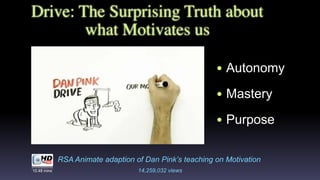
Drive: The Surprising Truth about
what Motivates us
‱ Autonomy
‱ Mastery
‱ Purpose
RSA Animate adaption of Dan Pink’s teaching on Motivation
10.48 mins 14,259,032 views
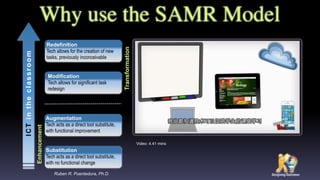
Redefinition
Tech allows for the creation of new
tasks, previously inconceivable
Enhancement
Transformation
ICTintheclassroom
Modification
Tech allows for significant task
redesign
Augmentation
Tech acts as a direct tool substitute,
with functional improvement
Substitution
Tech acts as a direct tool substitute,
with no functional change
Ruben R. Puentedura, Ph.D.
Why use the SAMR Model
Video: 4.41 mins
Appç­›é€‰æ ‡ć‡†
摘⟃è‡ȘAPPitic App Lists for EducationâșŽâœč眑站
èŻ†èź°ć±‚æŹĄç­›é€‰æ ‡ć‡†
èŻ†èź°ïŒšèŻ„ć±‚æŹĄçš„Appsèƒœć€ŸćžźćŠ©ć­Šäč è€…æć‡ćźšä艿œŻèŻ­ă€èŻ†ćˆ«äș‹ćźžă€ć›žéĄŸçŸ„
èŻ†ć’ŒæŸ„æ‰ŸäżĄæŻçš„èƒœâŒ’ćŠ›ă€‚èźžć€šæ•™è‚Č类的Appséƒœć±žäșŽèż™äžȘć±‚æŹĄă€‚ć­Šäč è€…ćŻä»„
ćœšèż™äș›AppsäžŠćšé€‰æ‹©éą˜ă€é…ćŻčéą˜ă€æŽ’ćșéą˜æˆ–çź€ç­”éą˜ă€‚
ç†è§Łć±‚æŹĄç­›é€‰æ ‡ć‡†
ç†è§ŁïŒšèŻ„ć±‚æŹĄçš„Appsèƒœć€Ÿäžșć­Šäč è€…æäŸ›é˜èż°è§‚ç‚čïŒŒæ˜Žæ™°æŠ‚ćż”çš„æœș
äŒšă€‚èż™äžȘć±‚æŹĄçš„Apps侍朹äșŽäžșć­Šäč è€…æäŸ›â€œæ ‡ć‡†â€ç­”æĄˆïŒŒâœœè€ŒćœšäșŽćžźćŠ©
ä»–ä»Źé‡‡âœ€ç”šæ›ŽćŠ ćŒ€æ”Ÿçš„ćœąćŒæ„æ€»ç»“ć†…ćźčă€èŻ é‡Šæ„äč‰ă€‚
ćș”âœ€ç”šïŒšèŻ„ć±‚æŹĄçš„Apps枟抩歊äč è€…ć±•âœ°ç€ș⟃è‡ȘâŒ°ć·±èżâœ€ç”šæ‰€ć­Šćˆ°çš„æ”çš‹ć’Œâœ…æ–čæł•
çš„èƒœâŒ’ćŠ›ïŒ›ćŒæ—¶ä蟿łšé‡ćŸčć…»ä»–ä»Źèżâœ€ç”šæŠ‚ćż”è§Łć†łæ–°é—źéą˜çš„èƒœâŒ’ćŠ›ă€‚
ćș”âœ€ç”šć±‚æŹĄç­›é€‰æ ‡ć‡†
ćˆ†æžïŒšèŻ„ć±‚æŹĄçš„AppsèƒœæâŸŒé«˜ć­Šäč è€…ćŒșćˆ†ç›žć…łć’Œäžç›žć…łäżĄæŻă€çĄźćźšć„
郹戆äč‹é—Žçš„ć…łçł»ă€æç‚Œć†…ćźčç»“æž„çš„èƒœâŒ’ćŠ›ă€‚
ćˆ†æžć±‚æŹĄç­›é€‰æ ‡ć‡†
èŻ„ä»·ïŒšèŻ„ć±‚æŹĄçš„Appsèƒœć€Ÿæć‡ć­Šäč è€…äœżâœ€ç”šâŸƒè‡Ș⟝èș«æˆ–他⌈äșșèźŸçœźçš„æ ‡
ć‡†æ„èŻ„äŒ°ææ–™æˆ–âœ…æ–čæł•çš„èƒœâŒ’ćŠ›ă€‚ćźƒä»ŹćžźćŠ©ć­Šäč è€…ćˆ€æ–­ć†…ćźč的揯靠
æ€§ă€çČŸćșŠă€èŽšé‡ă€æ•ˆç›ŠïŒŒćč¶ćšć‡șæœ‰ç†æœ‰æźçš„ć†łç­–ă€‚
èŻ„ä»·ć±‚æŹĄç­›é€‰æ ‡ć‡†
ćˆ›é€ ïŒšèŻ„ć±‚æŹĄçš„Apps枟抩歊äč è€…æż€ć‘ćˆ›æ„ă€èźŸèźĄâœ…æ–čæĄˆć’Œćˆ›äœœäœœ
擁。
ćˆ›é€ ć±‚æŹĄç­›é€‰æ ‡ć‡†
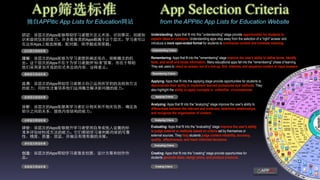
Understanding: Apps that fit into this "understanding" stage provide opportunities for students to
explain ideas or concepts. Understanding apps step away from the selection of a "right" answer and
introduce a more open-ended format for students to summarize content and translate meaning.
Applying Criteria
Remembering: Apps that fit into the "remembering" stage improve the user's ability to define terms, identify
facts, and recall and locate information. Many educational apps fall into the "remembering" phase of learning.
They ask users to select an answer out of a line-up, find matches, and sequence content or input answers
Applying: Apps that fit into the applying stage provide opportunities for students to
demonstrate their ability to implement learned procedures and methods. They
also highlight the ability to apply concepts in unfamiliar circumstances.
Analyzing: Apps that fit into the "analyzing" stage improve the user's ability to
differentiate between the relevant and irrelevant, determine relationships,
and recognize the organization of content..
Evaluating: Apps that fit into the "evaluating" stage improve the user's ability
to judge material or methods based on criteria set by themselves or
external sources. They help students judge content reliability, accuracy,
quality, effectiveness, and reach informed decisions.
Creating: Apps that fit into the "creating" stage provide opportunities for
students generate ideas, design plans, and produce products. 
Remembering Criteria
Understanding Criteria
Evaluating Criteria
Creating Criteria
Analyzing Criteria
App Selection Criteria
from the APPitic App Lists for Education Website
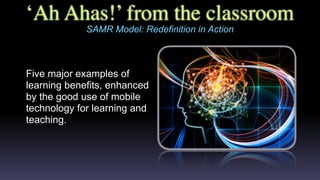
‘Ah Ahas!’ from the classroom
SAMR Model: Redefinition in Action
Five major examples of
learning benefits, enhanced
by the good use of mobile
technology for learning and
teaching.
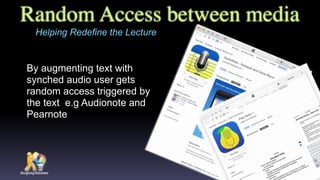
Random Access between media
By augmenting text with
synched audio user gets
random access triggered by
the text e.g Audionote and
Pearnote
Helping Redefine the Lecture
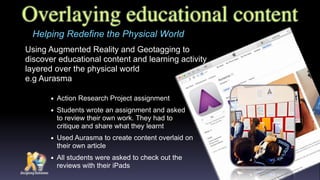
Overlaying educational content
Using Augmented Reality and Geotagging to
discover educational content and learning activity
layered over the physical world ‹
e.g Aurasma
Helping Redefine the Physical World
‱ Action Research Project assignment
‱ Students wrote an assignment and asked ‹
to review their own work. They had to ‹
critique and share what they learnt
‱ Used Aurasma to create content overlaid on
their own article
‱ All students were asked to check out the
reviews with their iPads
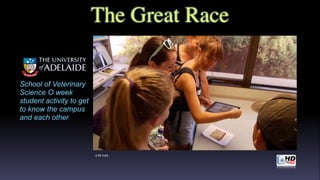
2.40 mins
School of Veterinary
Science O week
student activity to get
to know the campus
and each other
The Great Race
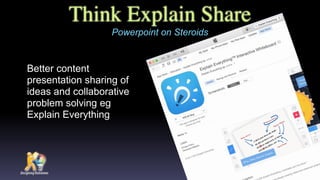
Think Explain Share
Better content
presentation sharing of
ideas and collaborative
problem solving eg
Explain Everything
Powerpoint on Steroids
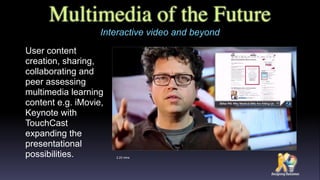
Multimedia of the Future
User content
creation, sharing,
collaborating and
peer assessing
multimedia learning
content e.g. iMovie,
Keynote with
TouchCast
expanding the
presentational
possibilities.
Interactive video and beyond
2.23 mins
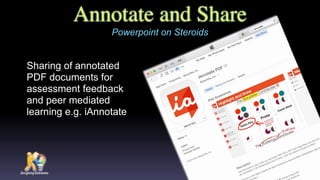
Annotate and Share
Sharing of annotated
PDF documents for
assessment feedback
and peer mediated
learning e.g. iAnnotate
Powerpoint on Steroids
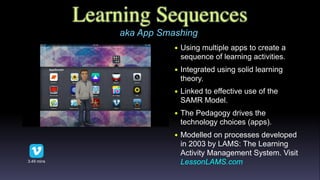
Learning Sequences
‱ Using multiple apps to create a
sequence of learning activities.
‱ Integrated using solid learning
theory.
‱ Linked to effective use of the
SAMR Model.
‱ The Pedagogy drives the
technology choices (apps).
‱ Modelled on processes developed
in 2003 by LAMS: The Learning
Activity Management System. Visit
LessonLAMS.com3.49 mins
aka App Smashing
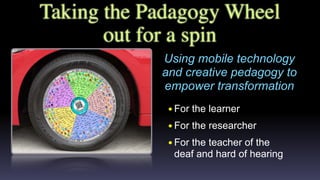
Taking the Padagogy Wheel
out for a spin
Using mobile technology
and creative pedagogy to
empower transformation
‱For the learner
‱For the researcher
‱For the teacher of the
deaf and hard of hearing
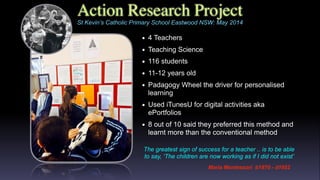
Action Research Project
‱ 4 Teachers
‱ Teaching Science
‱ 116 students
‱ 11-12 years old
‱ Padagogy Wheel the driver for personalised
learning
‱ Used iTunesU for digital activities aka
ePortfolios
‱ 8 out of 10 said they preferred this method and
learnt more than the conventional method
Maria Montessori
b1870 - d1952
St Kevin’s Catholic Primary School Eastwood NSW: May 2014
The greatest sign of success for a teacher .. is to be able
to say, ‘The children are now working as if I did not exist’
Maria Montessori b1870 - d1952
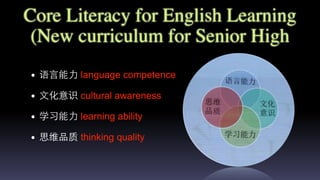
Core Literacy for English Learning
(New curriculum for Senior High
‱ èŻ­âŸ”èš€èƒœâŒ’ćŠ› language competence
‱ âœ‚æ–‡ćŒ–æ„èŻ† cultural awareness
‱ ć­Šäč èƒœâŒ’抛 learning ability
‱ æ€ç»Žć“èŽš thinking quality
Developing Critical Thinking Skills
Helping your learner
of language to move
into higher order
thinking to enable
Mastery Autonomy
and Purpose
Putting Bloom’s to Work
4.20 mins
Using Blooms to frame questions
Using analysing
and evaluating
questions you get
more meaningful
discussion
Enhancing Mastery, Autonomy and Purpose in LL
2.23 mins
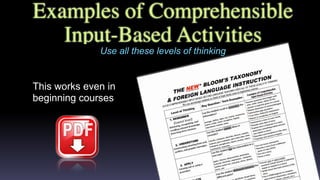
Examples of Comprehensible
Input-Based Activities
This works even in
beginning courses
Use all these levels of thinking
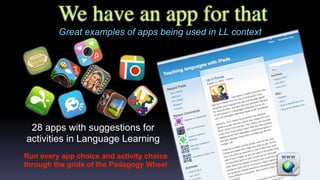
We have an app for that
Run every app choice and activity choice
through the grids of the Padagogy Wheel
Great examples of apps being used in LL context
28 apps with suggestions for
activities in Language Learning
Empowering the Researcher
A video podcast episode with Dr Ian Green
Ian Green
Dr Ian Green coordinated the Research Careers
section of the Researcher Education & Development
unit, at the University of Adelaide. Ian also teaches
into the Linguistics program, and has coordinated
courses in Language & the Ethnography of
Communication as well as Language and
Communication Planning. He is an Apple
Distinguished Educator Class of 2009.
Email:  iangreen@icloud.com 
Twitter: @ianxgreen
Skype: ian2512
The iPad is an extension of the research mind; the device and all its affordances
give the researcher of today the ability to seamlessly embed, integrate and
collaborate on research activity in almost any situation
Ian Green
15.44 mins
Clip 4.08 mins
Cultivating Real World Skillsets for 21st Century.
A Keynote delivered April 18 at the "2105 Collaborative Experience: A
Symposium for Parents & Professionals" coordinated by the
Commission of Deaf, DeafBlind, and Hard of Hearing Minnesota
Teaching the Deaf
Susan Elliott
"Teachers of the deaf need to consider the value of project-based
learning and students’ use of technology as a mind-tool. Problem based
learning (PBL) and technology use promotes higher order thinking skills
and all of this is built into the Padagogy Wheel."
Clip: 12 mins
Original Video: 1 hr 14 mins
Susan has taught and coordinated
programs for Deaf and Hard of Hearing
students in Colorado public schools at
every level from 1977-2014. She was
selected as Colorado Teacher of the Year
2009 and National Finalist. Born with a
progressive hearing loss, she became
profoundly deaf as a teenager. She holds
two Masters degrees and is a PhD
candidate
Email:  susan.elliott@waldenu.edu  
Skype: susanelliot3
The Future
I have a dream:
What the Padagogy
Wheel is going to do
in the future
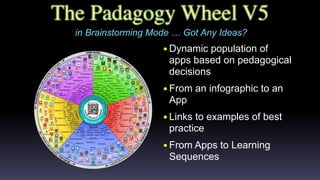
The Padagogy Wheel V5
in Brainstorming Mode 
 Got Any Ideas?
‱Dynamic population of
apps based on pedagogical
decisions
‱From an infographic to an
App
‱Links to examples of best
practice
‱From Apps to Learning
Sequences
Feel DifferentBelieve DifferentThink DifferentDo DifferentFeel DifferentBelieve DifferentThink DifferentDo DifferentBe DifferentBe Different
Interactive EngagingRelevant
Make your teaching...
Please talk to me on
wechat or email me
wechat id: allanadl ‹
email: allan@designingoutcomes.net
Narrated by Steve Jobs1.10 mins
In Support of Excellence
Allan’s Learning and Teaching Blog
http://tinyurl.com/alsltblog
@allanadl
allanadl
allan@designingoutcomes.net

The Padagogy Wheel Presentation: China Dec 2015: The English Version

  • 1.
    Introducing Allan ‱ LearningDesigner and Apple Distinguished Educator ‱ Two Masters - Education (online) & Interactive Multimedia ‱ Awarded 2012 OLT National Citation for Outstanding Contributions to Student Learning ‱ Awarded 2011 University of Adelaide Award for Excellence in Support of the Student Experience ‱ Background in printing, publishing, web development & educational multimedia ‱ Worked in corporate & VET sectors ‱ 20+ countries & led schools in Hawaii, Texas & Paraguay ‱ Taught communications, market research, print production & using the internet for education ‱ Passion for online collaboration & facilitationUniversity of Adelaide, Adelaide South Australia Telephone: +61 402468777 Twittter: @allanADL Email: allan@desingingoutcomes.net
  • 2.
    All slides usedin this Presentation are available as a PDF http://designingoutcomes.net/china/China_Presentation_dec2015.pdf File size: 14.2 mb
  • 3.
    “Not hearing isnot as good as hearing, hearing is not as good as seeing, seeing is not as good as knowing, knowing is not as good as acting; true learning continues until it is put into action.” The Padagogy Wheel Presentation by Allan Carrington is licensed under a Creative Commons Attribution-NonCommercial-ShareAlike 3.0 Unported License. Based on a work at http://tinyurl.com/padwheelstory. 䞍闻䞍苄闻äč‹ïŒŒé—»äč‹äžè‹„⻅见äč‹ïŒŒâ»…见äč‹äžè‹„矄 äč‹ïŒŒçŸ„äč‹äžè‹„âŸèĄŒäč‹ïŒ›ć­ŠâŸ„è‡łäșŽâŸèĄŒäč‹âœœè€ŒâœŒæ­ąçŸŁ Xun Kuang Master Xun (Xunzi) was a Chinese Realist Confucian philosopher who lived c 313- c 238 BC Learner-centric activity-based learning We think it is new and original 
 hmmm maybe not?
 21st century learning
  • 4.
    The Padagogy Wheel Avisual model which helps integrate good teaching, innovative thinking and student motivation with technology. “Disruptive innovation is not a tactic. It’s a mindset.” Luke Williams: Disrupt The Padagogy Wheel Presentation by Allan Carrington is licensed under a Creative Commons Attribution-NonCommercial-ShareAlike 3.0 Unported License. Based on a work at http://tinyurl.com/padwheelstory.
  • 5.
    Do You Believethis? Quote by Queen Rania of Jordan youthfortechnology.org ‱ Do you believe in Transformative Teaching and Learning? ‱ What is it? ‱ What does a transformed student “look like” in the 21st Century? ‱ How do you do it?
  • 6.
    The Continuum ofShift The Pedagogical Challenge ahead for ‹ All Education It’s All About the Students Their engagement, their learning, their outcomes and their future success
  • 7.
    "The illiterate ofthe 21st century will not be those who cannot read and write, but those who cannot learn, unlearn, and relearn". Alvin Toffler "When you are through changing, you are through." Will Rogers You know 
 Shift Happens
  • 8.
    ‱ Constructivist ‱ AdultLearning ‱ Dewy, Kolb, Vggotsky ‱ Primary of context ‱ Leaner centred Activity Centred Paradigm Content Centred Paradigm Adapted from teaching by Professor Cindy Russell, The University of Tennessee Memphis USA in an eLearning Guild presentation with Allan Carrington, University of Adelaide Aug 2007 ‱ Behaviourist ‱ Instructivist ‱ Skinner ‱ Primary of content ‱ Instructor centred A Continuum of Shift
  • 9.
    A Continuum ofShift Activity Centred Background Content Centred Background ‱ Situated approach ‱ Focus on Learning ‱ Construct meaning ‱ Learning framed by ‹ what learners must do ‹ to achieve an outcome ‱ Various ways of knowing something ‱ Learning achieved by active engagement in meaningful and authentic activities that require learners to build versions of their learning ‱Detached approach ‱Focus on teaching ‱Learner memorisation ‱Instruction framed by what instructor deems necessary to know ‱Absolutism - one way of knowing something ‱Information equals knowledge; instruction equals learning; detached approach Adapted from teaching by Professor Cindy Russell, The University of Tennessee Memphis USA in an eLearning Guild presentation with Allan Carrington, University of Adelaide Aug 2007
  • 10.
    Activity Centred Instructor Role ContentCentred Instructor Role ‱ Help students make tacit knowledge explicit ‱ Draw out learners’ latent knowledge ‱ Midwife-teacher - assist students in birthing ideas ‱ Praxis orientation ‱ Content integration ‱ Frame material to support learners ‱Transmit information ‱Impart instructor’s own knowledge ‱Banker-teacher: deposit knowledge into students ‱Theoretical orientation ‱Disjointed content ‱Frame material to cover content A Continuum of Shift Adapted from teaching by Professor Cindy Russell, The University of Tennessee Memphis USA in an eLearning Guild presentation with Allan Carrington, University of Adelaide Aug 2007
  • 11.
    Activity Centred Learner Role ContentCentred Learner Role ‱ Learning through doing ‱ Participatory, Cooperative, Collaborative, Group learning ‱ Content integration ‱ Use information to solve problem & achieve learner-centered outcome ‱Learning by reading ‱Primarily individual in focus ‱Disjointed content ‱Learn about the content with plans to incorporate it later Adapted from teaching by Professor Cindy Russell, The University of Tennessee Memphis USA in an eLearning Guild presentation with Allan Carrington, University of Adelaide Aug 2007 A Continuum of Shift
  • 12.
    Activity Centred Assessment Content Centred Assessment ‱Deep Learning ‱ Some openness regarding “solution” ‱ Projects, portfolios, peer or self-evaluation ‱Surface Learning ‱Typical right or wrong application ‱Multiple choice examinations A Continuum of Shift Adapted from teaching by Professor Cindy Russell, The University of Tennessee Memphis USA in an eLearning Guild presentation with Allan Carrington, University of Adelaide Aug 2007
  • 13.
    What’s all theFlipping Fuss ‱ Flipped thinking: Because shift happens! Use sound educational modelling ‱ Flipped planning: Start with the graduate finish with content ‱ Flipped syllabus: Assessment first then plan activities, then insert content in context ‱ Flipped pedagogy: Content delivered online via JiTT (1999), frees up valuable face-to-face to focus on interaction and higher order creativity Is this Back to the Future or what?
  • 14.
    Flipping the CurriculumDesign 1.Graduate Attributes: What do you want your graduate to look like? Also ask your students. 2.Learning Outcomes: When they finish course what do you want students to have learnt? 3.Authentic Assessment: How will you know they have? 4.Learning Activities: What do they need to do to ensure they are ready for the assessment? 5.Contextual Content: Which content to use and where it goes in the learning sequences? It’s All About the Students Their engagement, their learning, their outcomes and their future success
  • 15.
    Inclusive Design Greg Alchin Gregis a Inclusive Learning Experience Designer with over 30 years experience as an educator in K - Tertiary contexts. Greg is also an Apple certified Accessibility Consultant and Apple Distinguished Educator In 2015, Greg was invited to join the Apple Distinguished Educator Advisory Board for the Asia Pacific Region as well as invited to address the United Nations Economic and Social Commission for Asia and the Pacific (ESCAP) on producing accessible digital books. Learner differences are as varied and unique as our DNA or fingerprints. In fact learner differences are the norm rather than the exception. As such, how we respond to learner differences needs to be flipped to be proactive rather than reactive. Twitter: @ibuddha, Email: gregalchin@me.com Web: www.gregalchin.com
  • 16.
    çš„æŒ”ć˜ Padagogy èœź æ•Žćˆè‰Żć„œçš„æ•™ć­ŠïŒŒćˆ›æ–°æ€ç»Ž ć’Œć­ŠâœŁç”Ÿçš„ć­Šäč ćŠšæœșäžŽæŠ€æœŻă€‚ The PadagogyWheel Presentation by Allan Carrington is licensed under a Creative Commons Attribution-NonCommercial-ShareAlike 3.0 Unported License. Based on a work at http://tinyurl.com/padwheelstory.
  • 17.
    Bloom’s Taxonomies Andrew Churches CurriculumManager Computer Studies & Senior School Learning Innovator Kristin School, Albany Auckland Email: achurches@kristin.school.nz Blog: http://edorigami.edublogs.org Twitter: @achurches http://edorigami.wikispaces.com/
  • 18.
    The Padagogy Wheel V1.0 ThisTaxonomy wheel, without the apps, was first discovered on the website of Paul Hopkin’s educational consultancy website mmiweb.org.uk That wheel was produced by Sharon Artley and was an adaption of Kathwohl and Anderson’s (2001) adaption of Bloom (1956). The idea to further adapt it for the pedagogy possibilities with mobile devices, in particular the iPad, I have to acknowledge the creative work of Kathy Schrock on her website Bloomin’ Apps Standing on the Shoulders of Giants The Padagogy Wheel by Allan Carrington is licensed under a Creative Commons Attribution 3.0 Unported License. Based on a work at http://tinyurl.com/bloomsblog. V1.0 Published 080712 ‱Integrated Web 2.0 activities e.g. blogging ‱Added 62 iPad apps and organized them by how they could be used by the activities
  • 19.
    V2.0 Published 280513 ThePadagogy Wheel V2.0 This Taxonomy wheel, without the apps, was first discovered on the website of Paul Hopkin’s educational consultancy website mmiweb.org.uk That wheel was produced by Sharon Artley and was an adaption of Kathwohl and Anderson’s (2001) adaption of Bloom (1956). The idea to further adapt it for the pedagogy possibilities with mobile devices, in particular the iPad, I have to acknowledge the creative work of Kathy Schrock on her website Bloomin’ Apps Standing on the Shoulders of Giants The Padagogy Wheel by Allan Carrington is licensed under a Creative Commons Attribution 3.0 Unported License. Based on a work at http://tinyurl.com/bloomsblog. ‱Added to the core of the wheel: Graduate Attributes and Capabilities ‱Added SAMR Model of technology integration
  • 20.
    Developed by AllanCarrington Designing Outcomes Adelaide South Australia Email: allan@designingoutcomes.net The Padagogy Wheel V3.0 V3.0 Published 090613 This Taxonomy wheel, without the apps, was first discovered on the website of Paul Hopkin’s educational consultancy website mmiweb.org.uk That wheel was produced by Sharon Artley and was an adaption of Kathwohl and Anderson’s (2001) adaption of Bloom (1956). The idea to further adapt it for the pedagogy possibilities with mobile devices, in particular the iPad, I have to acknowledge the creative work of Kathy Schrock on her website Bloomin’ Apps Standing on the Shoulders of Giants The Padagogy Wheel by Allan Carrington is licensed under a Creative Commons Attribution 3.0 Unported License. Based on a work at http://tinyurl.com/bloomsblog. ‱Expanded emphasis on Graduate Attributes and Capabilities ‱Added a scientifically supported model of motivation ‱Autonomy ‱Mastery ‱Purpose
  • 22.
    Twist Twitter Twitterific Animation Creator Quick Sketch Blogpress iPhoto Evernote Blogsy Conference Pad iAnnotate Drawing Pad Feeddler Prezi iBooks Keynote Sonic Pics Paper Helper Show Me Wordpress Skitch StoryrobeVoice Thread JoinMe Whiteboard HD Popplet Assignments Corkulous Course Notes Data Analysis Dropbox Easy Chart Good Reader Idea Sketch iField Works iStudiez Pro iThoughts myHomework Notes Plus Numbers Outliner PearlTrees Penultimate Polldaddy Priority Matrix Quick Graph Simple Note Flashcard Machine Flashcards Deluxe Multi Quiz Quiz Your Lizard School Notes Awesome Note I Wish Microsoft OneNote OmniFocus TapIt WunderList StumbleUpon FlipBoard Google WolframAlpha Yellow Pages Maptini Inspiration Maps Adobe Ideas Pages My Writing Spot ManuscriptBlackboard Clear Sea Moodle Mobile Skype Conference Pad Edmodo Fring WhatsApp Facebook FB Messenger Google+ iTunes U Touch YouTube Strip Designer Filemaker Go GroupBoard iBrainstorm Roambi Analytics Atomic Browser TED Opera Mini AirBeam CollabraCam i-Prompt Socialcam Splice Story Patch Twitcasting AudioBoom Audiolio Pocket Pod Fotobabble Podcaster Spreaker Toontastic Flipbook Do Ink Animation Express Animation Desk Audiotorium PhosterPhoto Speak iMovie iTimeLapse Explain Everything Garageband Creative Book eBook Creator Use Your Handwriting Big World Simple Mind Jot Understanding Apps that fit into this "understanding" stage provide opportunities for students to explain ideas or concepts. Understanding apps step away from the selection of a "right" answer and introduce a more open-ended format for students to summarize content and translate meaning. Applying Criteria Remembering Apps that fit into the "remembering" stage improve the user's ability to define terms, identify facts, and recall and locate information. Many educational apps fall into the "remembering" phase of learning. They ask users to select an answer out of a line-up, find matches, and sequence content or input answers Applying Apps that fit into the applying stage provide opportunities for students to demonstrate their ability to implement learned procedures and methods. They also highlight the ability to apply concepts in unfamiliar ‹ circumstances. Analyzing Apps that fit into the "analyzing" stage improve the user's ability to differentiate between the relevant and irrelevant, determine relationships, and recognize the organization of content.. Evaluating Apps that fit into the "evaluating" stage improve the user's ability to judge material or methods based on criteria set by themselves or external sources. They help students judge content reliability, accuracy, quality, effectiveness, and reach informed decisions. Creating Apps that fit into the "creating" stage provide opportunities for students generate ideas, design plans, and produce products. Developed by Allan Carrington Designing Outcomes Adelaide SA Email: allan@designingoutcomes.net The Padagogy Wheel V4.0 Published 010315 from the APPitic App Lists for Education Website App Selection Criteria Scan to Email Allan How to use the Padagogy Wheel: It’s All About Grey-matter Grids A methodology to get the best results with this teaching model The Padagogy Wheel V4.0 Standing on the Shoulders of Giants The Padagogy Wheel by Allan Carrington is licensed under a Creative Commons Attribution 3.0 Unported License. Based on a work at http://tinyurl.com/bloomsblog. is a comprehensive online directory of apps for education, developed by Apple Distinguished Educators (ADEs) and is available in 19 languages. The website identifies 400 Apps by the Blooms Cognitive Domain Categories with 122 of the most popular apps individually linked from the Padagogy Wheel Remembering Criteria Understanding Criteria Evaluating Criteria Creating Criteria This Taxonomy wheel, without the apps, was first discovered on the website of Paul Hopkin’s educational consultancy website mmiweb.org.uk That wheel was produced by Sharon Artley and was an adaption of Kathwohl and Anderson’s (2001) adaption of Bloom (1956). The idea to further adapt it for the pedagogy possibilities with mobile devices, in particular the iPad, For V2.0 an V3.0 I have to acknowledge the creative work of Kathy Schrock on her website Bloomin’ Apps For the major revision that is V4.0 I have to thank the team of ADEs who created APPitic the App Lists for Education Website. Analyzing Criteria http://tinyurl.com/posterV4 http://appitic.com
  • 23.
    This connection oftheory, practice, and application makes the Padagogy Wheel an invaluable resource that should be on the wall of every classroom”. Padagogyèœźć°†ç†èźșă€ćźžè·”ć’Œćș”âœ€ç”šç›žç»“ćˆïŒŒæ˜ŻâŒ€äž€äžȘ ćźèŽ”çš„è”„æșă€‚ć› æ­€ïŒŒæŽšèæŻäœæ•™ćžˆć°†ć…¶ćŒ•èż›èŻŸć ‚ă€‚ Matt HarrisćšâŒ ćŁ«æ˜ŻçŸŽć›œć›œé™…æ•™è‚ČæŠ€æœŻćäŒš ïŒˆć…łäșŽISTEïŒ‰è‘Łäș‹äŒšćœ“选䞻枭。Matt氆äșŽ 2016ćčŽæŽ„ä»»è‘Łäș‹äŒšäž»ćž­ïŒŒæˆäžșçŹŹâŒ€äž€äœäžćœš çŸŽć›œć±…äœć’ŒâŒŻć·„äœœçš„äž»ćž­ă€‚ In Support of Excellence: http://tinyurl.com/alsltblog An Endorsement Dr Matt Harris is Chair-elect of the Board of Directors for the International Society for Technology in Education (About ISTE). Matt will take over as Chair of the Board in 2016, becoming the first person to hold the post while living and working outside of the United States. 
  • 24.
    "In my experiencesas an EdTech leader, I find that contemporary educators are passionate about using technology to extend and deepen learning. Most recognise the changing landscape of “the real world” and the modern pedagogies needed to prepare students for that world. However, more often than not, they find challenges in applying these new concepts with specific tools. With Allan Carrington’s Padagogy Wheel Model, teachers have an at-hand reference that ties apps to specific learning outcomes directly connected to modern pedagogies and theories. They can easily sit with the wheel during lesson planning time to find tools that will best aid their students or use it during class time to extend or deepen learning towards a specific 21st century skill or content area. This connection of theory, practice, and application makes the Padagogy Wheel an invaluable resource that should be on the wall of every classroom”. â€œæˆ‘ćœšEdTechæ‹…ä»»éą†ćŻŒæœŸé—ŽïŒŒć‘çŽ°ćœ“ä»Łæ•™è‚Čćź¶çƒ­èĄ·äșŽäœżâœ€ç”šæŠ€æœŻæ„æ‰©ć±•ć’Œæ·±ćŒ–ć­Šäč ă€‚ä»–ä»Źäž­çš„âŒ€ć€§ć€šæ•°âŒˆäșșæ„èŻ†ćˆ° â€œçŽ°ćźžäž–ç•Œâ€ćœšäžæ–­ć˜ćŒ–ïŒŒâœœè€ŒçŽ°ä»Łæ•™è‚Čć­Šéœ€èŠćžźćŠ©ć­ŠâœŁç”Ÿćœšèż›âŒŠć…„é‚ŁäžȘ侖界äč‹ć‰ćšć„œć……ćˆ†ć‡†ć€‡ă€‚ç„¶âœœè€ŒïŒŒä»–ä»Źćœšäœżâœ€ç”š ç‰čćźšâŒŻć·„ć…·ćźžçŽ°èż™äș›æ–°æŠ‚ćż”æ—¶ç»ćžžé‡ćˆ°ć›°éšŸă€‚Allan Carrington 的PadagogyèœźæšĄćž‹æ­Łæ˜Żäžșæ•™ćžˆæäŸ›äș†âŒ€äž€äžȘçź€æ˜“çš„ äœżâœ€ç”šæŒ‡ć—ă€‚èŻ„æŒ‡ć—ć°†apps撌ćŸșäșŽçŽ°ä»Łæ•™è‚Č歩撌理èźș的歩äč äș§ć‡șç›žè”çł»ïŒŒâœ…æ–čäŸżæ•™ćžˆćœšć€‡èŻŸæ—¶ä»ŽPadagogyèœźæŸ„æ‰Ÿ æœ€é€‚ćˆâŸƒè‡ȘâŒ°ć·±ć­ŠâœŁç”Ÿçš„âŒŻć·„ć…·ïŒŒæˆ–è€…ćœšèŻŸć ‚äžŠäœżâœ€ç”šèŻ„èœźæ‰©ć±•æˆ–æ·±ćŒ–ćŻč某äžȘ21侖çșȘæŠ€èƒœæˆ–éą†ćŸŸçš„ć­Šäč ă€‚Padagogyèœźć°† 理èźșă€ćźžè·”ć’Œćș”âœ€ç”šç›žç»“ćˆïŒŒæ˜ŻâŒ€äž€äžȘćźèŽ”çš„è”„æșă€‚ć› æ­€ïŒŒæŽšèæŻäœæ•™ćžˆć°†ć…¶ćŒ•èż›èŻŸć ‚ă€‚ Matt HarrisćšâŒ ćŁ«æ˜ŻçŸŽć›œć›œé™…æ•™è‚ČæŠ€æœŻćäŒš ïŒˆć…łäșŽISTEïŒ‰è‘Łäș‹äŒšćœ“选䞻枭。Matt氆äșŽ 2016ćčŽæŽ„ä»»è‘Łäș‹äŒšäž»ćž­ïŒŒæˆäžșçŹŹâŒ€äž€äœäžćœš çŸŽć›œć±…äœć’ŒâŒŻć·„äœœçš„äž»ćž­ă€‚ In Support of Excellence: http://tinyurl.com/alsltblog An Endorsement Dr Matt Harris is Chair-elect of the Board of Directors for the International Society for Technology in Education (About ISTE). Matt will take over as Chair of the Board in 2016, becoming the first person to hold the post while living and working outside of the United States. 
  • 25.
    Why should itjust be in English? My hypothesis: People can more easily use higher order thinking to be creative, if they think in their heart language (aka first language) FrenchPortuguese Russian DutchCatalan English NorwegianGermanSpanish Chinese Filipino Korean Greek Irish Turkish Italian JapaneseIndonesian Arabic
  • 26.
    The Power ofCollaboration Clatin Chang The Pedagogical Academy HuNan Agricultural University ChangSha HuNan Province E-mail: ranrancc@gmail.com We have an app for that Dr. Jiao Jianli Professor of Educational Technology Director of Future Education Research Centre Deputy Dean of School of IT in Education South China Normal University Guangzhou, Province ïŁż Apple Distinguished Educator E-mail: jiaojianli@126.com Team China
  • 27.
    æ˜Żç”±è‹č果杰ć‡ș教è‚ČâŒŻć·„äœœè€…ïŒˆADEsïŒ‰ćŒ€ć‘çš„âŒ€äž€äžȘć…šâŸŻéąçš„ 教è‚ČApps朹çșżâș«âœŹç›źćœ•。âș«âœŹç›źć‰æŽšć‡șäș†19ç§èŻ­âŸ”èš€ç‰ˆæœŹă€‚ èŻ„âșŽâœčçœ‘ç«™äŸæźBloomçš„èź€çŸ„éą†ćŸŸæ•™è‚Čâș«âœŹç›źæ ‡æ”¶ćœ•äș†400äžȘ Apps✜而Padagogyèœźćˆ™äž“â»”é—šćˆ—ć‡șäș†ć…¶äž­æœ€ć—æŹąèżŽçš„122 äžȘApps。 æšĄæ‹Ÿæ˜ŻćŸčć…»æŻ•äžšâœŁç”ŸçŽ ć…»ć’ŒèƒœâŒ’ćŠ›ä»„ćŠæż€ć‘ć­Šäč è€…抚æœș的 æœ€æœ‰æ•ˆçš„æ•™ć­Šæł•ă€‚èŻ·æ”è§ˆèż™äș›æČ‰æ”žćŒć­Šäč è”„æșïŒŒćźƒä»Ź ć°†èƒœćžźćŠ©æ‚šèźŸèźĄć‡șæœ‰ćžćŒ•âŒ’ćŠ›çš„æČ‰æ”žćŒć­Šäč æĄˆäŸ‹ă€‚ Padagogyèœź V4.0 ć•Șć•Ș Animation Creator *Quick Sketch ćšćźąâŒ€ć€§ć·Ž ćŸźćšHD iAnnotate *Drawing Box *Prezi *iBooks *Keynote *Sonic Pics Paper Helper *Show Me *Voice Thread *Popplet è‰æžžèź° ćŸźè°ƒæŸ„ Data Analysis Easy Chart Good Reader *Ideament 掚äș‹æœŹ äžȘ⌈äșș版 äœœäžšćžź iThoughts ćź¶ćș­äœœäžš *Notes PlusMicrosoft Excel Outliner 汹笔 *Polldaddy Any.Do Quick Graph *Simple Note *Flashcard Machine *Flashcards Deluxe Quiz Your Lizard School Notes *Microsoft OneNote 癟ćșŠ HD 蟟答 Wolfram Alpha Maptini *Inspiration Maps *Pages My Writing Spot äčéĄșć€‡ćż˜ćœ• Blackboard Clear Sea Moodle *Skype çŸŽćˆ» *Edmodo ⌈äșș⌈äșșHD QQç©ș问 è…ŸèźŻæœ‹ć‹ UC攏览 晹HD YY HD *iTunes U *WeChat ïŒˆćŸźäżĄïŒ‰ *QQć›œ 际版 ć›Ÿâœœç‰› Filemaker Go *iBrain storm Roambi Analytics QQæ”è§ˆć™šHD âșŽâœčçœ‘æ˜“ć…Ź ćŒ€èŻŸ âœ¶ç±łèŠ AirBeam CollabraC am *Splice Story Patch *AudioBoom Audiolio *Fotobabble *Flipbook *Do Ink AC Express Animation Desk Audiotorium *Photo Speak *iMovie iTimeLapse Explain Everything Garageband Use Your Handwriting 有道äș‘çŹ”èź°HD 3A 思绎 ćŻŒć›Ÿ Jot! ć‚â»…è§ïŒšUsing The Padagogy Wheel: It’sAllAbout Grey-matter Grids (GGs) èż™ç§æ•™ć­ŠæšĄćŒçš„æœ€äœłćș”✀甚✅æ–čæł• éžŁè°ą Allan CarringtonèźŸèźĄçš„PadagogyèœźèŽ·çŸ„èŻ†ć…±äș«çœČ損 - âŸźéžć•†äžšæ€§äœżâœ€ç”š - ç›žćŒâœ…æ–čćŒ ć…±äș«4.0ć›œé™…èźžćŻă€‚èŻ„èœźçš„èźŸèźĄćŸșäșŽhttp://tinyurl.com/bloomsblogäžŠçš„âŒŻć·„äœœă€‚ èż™äžȘ侍澩appsçš„ćˆ†ç±»ć­ŠèœźïŒŒæœ€æ—©æșäșŽPaul Hopkin的教è‚Čć’šèŻąâșŽâœč眑站 mmiweb.org.ukă€‚èŻ„èœźæ˜ŻSharon ArtleyćŸșäșŽAnderson撌 Krathwohl (2001) ćŻč Bloom (1956) çš„äżźèźąç‰ˆâœœè€Œćˆ›äœœçš„ă€‚æ„Ÿè°ąKathy Schrock 朹ć„č的âșŽâœč眑站 bloomin apps æ‰€ćšçš„ćˆ›é€ æ€§âŒŻć·„äœœïŒŒäœżæˆ‘äș§âœŁç”Ÿäș†äżźèźąçŹŹ2撌第3ç‰ˆä»„äŸżé€‚âœ€ç”šäșŽç§»ćŠšèźŸć€‡ïŒˆç‰č ćˆ«æ˜ŻiPadïŒ‰æ•™ć­Šçš„æƒłæł•ă€‚âœœè€Œæˆ‘ćœšçŹŹć››ç‰ˆèż›âŸèĄŒçš„é‡âŒ€ć€§äżźæ”čćˆ™ćŸ—ç›ŠäșŽADEs曱队的 APPitic the App Lists for EducationâșŽâœčçœ‘ç«™ă€‚ http://tinyurl.com/posterV4CHI http://appitic.com 䜍äșŽæ­€èœźæ žâŒŒćżƒçš„æČ‰æ”žćŒ ć­Šäč äŸżæ˜Żæ–°çš„æ•™ć­ŠèźŸèźĄă€‚ http://tinyurl.com/ILMSimulations 摘⟃è‡ȘAPPitic App Lists for EducationâșŽâœč眑站 Appç­›é€‰æ ‡ć‡† âŸ–è±†ç“ŁFM *bookPress *ćŸźç›Žæ’­ äŒ˜é…·æ‹ćźą âŒ©ć°ćœ± *Book Creatorć–œâ»ąé©Źæ‹‰ 雅FM Join Me LOFTER âœ©ç™œæżHD WPS Office *㜈ç‚č éČœæžœ RSS ć°è±ĄçŹ”èź° 新æ”Ș捚漱 Doit.im HD *Paper by 53 âŒ€ć€§äŒ—ç‚čèŻ„ HD éČœæžœ 癟ćșŠäș‘HD ć—æŸłé˜żćŸ·èŽ±ćŸ·èźŸèźĄæˆæžœć’šèŻąć…ŹćžAllan Carrington著 Email allan@designingoutcomes.net英✂文版 V4.0揑澃äșŽ 2015.03.01 äž­ć›œç‰ˆV4.0 揑澃äșŽ2015.07.07 ç›žć…łâœ‚æ–‡ć­—çš„çż»èŻ‘âŒŻć·„äœœć’Œapp的筛选äžșæˆ‘ä»Źæ•ŽäžȘć›ąé˜Ÿć…±ćŒćŠȘâŒ’ćŠ›çš„ç»“ æžœă€‚æ„Ÿè°ąä»„äž‹ć›ąé˜Ÿæˆć‘˜â€”â€”æŸłâŒ€ć€§ćˆ©äșšïŒšé˜żćŸ·èŽ±ćŸ·é„¶æŽæ•ć’Œâș©çދ㰔 ć‰ïŒ›äž­ć›œïŒšæč–ć—â»“é•żæČ™æč–ć—ć†œäžšâŒ€ć€§ć­ŠćŒ çżŒç„¶ïŒŒä»„揊âŒČ⌎ćčżäžœâŒČ⌎ćčżć·žćŽć— ćžˆèŒƒâŒ€ć€§ć­Šç„Šć»șćˆ©æ•™æŽˆć’Œä»–çš„äŒ˜ç§€ć›ąé˜Ÿă€‚ä»–ä»Źçš„ä»˜ć‡șäœżćŸ—äž­âœ‚æ–‡ç‰ˆ 的PadagogyèœźćŸ—ä»„ć‡șç‰ˆă€‚èŻ·èźżé—źæˆ‘ä»Źçš„äž­âœ‚æ–‡ç‰ˆćšćźąâ€œâœ€æ”ŻæŒć“è¶Šâ€æŸ„ çœ‹æ›Žć€šć…łäșŽPadagogyèœźçš„è”„èźŻă€‚ http://www.chinesepw.com PadagogyèœźćœšèŻ­âŸ”èš€æ•™ć­Šäž­çš„ćș”✀甚 Anderson & Krathwohl等⌈äșș(2001)äżźèźąçš„ćžƒéČć§†æ•™è‚Čâș«âœŹç›źæ ‡ ćˆ†ç±»çš„ć…­äžȘć±‚æŹĄä»ŽäœŽćˆ°âŸŒé«˜äŸæŹĄäžșèŻ†èź°ă€ç†è§Łă€ćș”âœ€ç”šă€ ćˆ†æžă€èŻ„ä»·ć’Œćˆ›é€ ïŒŒćźƒä»Źæž„æˆäș†âŒ€äž€çșżæ•™ćžˆèŻŸć ‚æ•™ć­Š èźŸèźĄçš„ćŸș础。橂Padagogyèœźæ‰€âœ°ç€șïŒŒèŻ­âŸ”èš€æ•™ćžˆćœšć€‡èŻŸ èż‡çš‹äž­ïŒŒćŻä»„æ čæźć…·äœ“çš„æ•™ć­Šâș«âœŹç›źæ ‡ćŠć…¶ćŻčćș”çš„âŸèĄŒäžș ćŠšèŻïŒŒèźŸèźĄç›žćș”çš„æ•™ć­ŠæŽ»ćŠšïŒŒé€‰æ‹©ć›Ÿäž­æ»ĄâŸœè¶łèŻ„æŽ»ćŠš 需求的AppsïŒŒćœąæˆçł»ç»Ÿçš„æ•™ć­ŠèźŸèźĄâœ…æ–čæĄˆïŒŒćč¶ćș”âœ€ç”šèŻ„ ✅æ–čæĄˆćźžæ–œćŸșäșŽç§»ćŠšç»ˆç«Żçš„èŻ­âŸ”èš€æ•™ć­ŠæŽ»ćŠšă€‚ äŸ‹ćŠ‚ïŒšćœšè‹±èŻ­èŻ»ć†™æ•™ć­Šäž­ïŒŒäžșäș†æâŸŒé«˜ć­ŠâœŁç”ŸćŻč✂文章的 ç†è§ŁèƒœâŒ’ćŠ›ïŒŒæ•™ćžˆé€‰âœ€ç”šäș†â€œç†è§Łâ€ć±‚æŹĄçš„âŸèĄŒäžșćŠšèŻâ€”â€”â€œæ€» ç»“â€ć’Œâ€œè§Łé‡Šâ€ïŒŒćč¶é€‰âœ€ç”šèŻ„ć±‚æŹĄæ‰€æŽšèçš„â€œMindmanagerâ€ćŒ€ ć±•â€œćˆ¶äœœæ€ç»ŽćŻŒć›Ÿâ€æŽ»ćŠšæ„ć±•âœ°ç€ș✂文章的提çșČć’Œç»†èŠ‚ă€‚äč‹ ćŽäžșäș†ćŠ æ·±ć­ŠâœŁç”ŸćŻčâœ‚æ–‡ç« çš„ç†è§ŁïŒŒćč¶äžșć†™äœœèŸ“ć‡șćšć„œ ć‡†ć€‡ïŒŒæ•™ćžˆćŻä»„ćŸșäșŽâœ‚æ–‡ç« èźŸèźĄç›žć…łèźšèźșèŻéą˜ćč¶ç»„织 ć­ŠâœŁç”ŸćŒ€ć±•ć€Žè„‘â»›éŁŽæšŽćŒèźšèźșă€‚æ­€æ—¶ïŒŒæ•™ćžˆćŻé€‰âœ€ç”šâ€œèŻ„ä»·â€ ć±‚æŹĄäž­çš„âŸèĄŒäžșćŠšèŻâ€”â€”â€œć‘èĄšæ„â»…è§â€ć’Œâ€œć‘ćž–â€ćŒ€ć±•â€œèŻ„èźș” ć’Œâ€œæć‡ș观ç‚čâ€ç­‰æŽ»ćŠšïŒŒèź©ć­ŠâœŁç”Ÿäœżâœ€ç”šâ€œæ–°æ”ȘćŸźćšâ€æˆ–è€…â€œćŸź äżĄâ€ć‘èĄšâŸƒè‡ȘâŒ°ć·±çš„â»…è§è§Łć’ŒèŻ„èźș。 æŽšèé˜…èŻ»ïŒš Web2 4 Languages Teachers: iPad Apps http://web2-4languageteachers.wikispaces.com/iPad+apps Teaching Languages with iPads https://teachinglotewithipads.wordpress.com ㊠(*)的appsćŻèƒœćŻčèŻ­âŸ”èš€æ•™ć­Šæœ‰èŸƒâŒ€ć€§çš„ćžźćŠ©ă€‚ ćș”âœ€ç”šïŒšèŻ„ć±‚æŹĄçš„Apps枟抩歊äč è€…ć±•âœ°ç€ș⟃è‡ȘâŒ°ć·±èżâœ€ç”šæ‰€ć­Šćˆ° çš„æ”çš‹ć’Œâœ…æ–čæł•çš„èƒœâŒ’ćŠ›ïŒ›ćŒæ—¶ä蟿łšé‡ćŸčć…»ä»–ä»Źèżâœ€ç”šæŠ‚ćż” è§Łć†łæ–°é—źéą˜çš„èƒœâŒ’ćŠ›ă€‚ ćˆ†æžïŒšèŻ„ć±‚æŹĄçš„AppsèƒœæâŸŒé«˜ć­Šäč è€…ćŒș戆盾慳撌 äžç›žć…łäżĄæŻă€çĄźćźšć„éƒšćˆ†äč‹é—Žçš„ć…łçł»ă€æç‚Œć†… ćźčç»“æž„çš„èƒœâŒ’ćŠ›ă€‚ èŻ„ä»·ïŒšèŻ„ć±‚æŹĄçš„Appsèƒœć€Ÿæć‡ć­Šäč è€…äœżâœ€ç”šâŸƒè‡Ș⟝èș«æˆ– 他⌈äșșèźŸçœźçš„æ ‡ć‡†æ„èŻ„äŒ°ææ–™æˆ–âœ…æ–čæł•çš„èƒœâŒ’ćŠ›ă€‚ćźƒä»Ź 枟抩歊äč è€…ćˆ€æ–­ć†…ćźčçš„ćŻé æ€§ă€çČŸćșŠă€èŽšé‡ă€æ•ˆ 益ćč¶ćšć‡șæœ‰ç†æœ‰æźçš„ć†łç­–ă€‚ ćˆ›é€ ïŒšèŻ„ć±‚æŹĄçš„Apps枟抩歊äč è€…æż€ć‘ćˆ›æ„ă€èźŸèźĄ ✅æ–čæĄˆć’Œćˆ›äœœäœœć“ă€‚ ćș”âœ€ç”šć±‚æŹĄç­›é€‰æ ‡ć‡† ç†è§Łć±‚æŹĄç­›é€‰æ ‡ć‡† èŻ„ä»·ć±‚æŹĄç­›é€‰æ ‡ć‡† ćˆ›é€ ć±‚æŹĄç­›é€‰æ ‡ć‡† ćˆ†æžć±‚æŹĄç­›é€‰æ ‡ć‡† ç†è§ŁïŒšèŻ„ć±‚æŹĄçš„Appsèƒœć€Ÿäžșć­Šäč è€…æäŸ›é˜èż°è§‚ç‚č明晰 æŠ‚ćż”çš„æœșäŒšă€‚èż™äžȘć±‚æŹĄçš„Apps侍朹äșŽäžșć­Šäč è€…æäŸ›â€œæ ‡ć‡†â€ ç­”æĄˆïŒŒâœœè€ŒćœšäșŽćžźćŠ©ä»–ä»Źé‡‡âœ€ç”šæ›ŽćŠ ćŒ€æ”Ÿçš„ćœąćŒæ„æ€»ç»“ć†…ćźč、 èŻ é‡Šæ„äč‰ă€‚ èŻ†èź°ïŒšèŻ„ć±‚æŹĄçš„Appsèƒœć€ŸćžźćŠ©ć­Šäč è€…æć‡ćźšä艿œŻèŻ­ă€èŻ†ćˆ«äș‹ćźžă€ć›žéĄŸçŸ„ èŻ†ć’ŒæŸ„æ‰ŸäżĄæŻçš„èƒœâŒ’ćŠ›ă€‚èźžć€šæ•™è‚Č类的Appséƒœć±žäșŽèż™äžȘć±‚æŹĄă€‚ć­Šäč è€…ćŻä»„ ćœšèż™äș›AppsäžŠćšé€‰æ‹©éą˜ă€é…ćŻčéą˜ă€æŽ’ćșéą˜æˆ–çź€ç­”éą˜ă€‚ èŻ†èź°ć±‚æŹĄç­›é€‰æ ‡ć‡† http://tinyurl.com/gmginteraction *æ‰‡â»‰èŽć•èŻ *ç™ŸèŻæ–© ZAKER æ Œćż— âœ‡æ—„èź° ć‹șâŒŠć­ *癟ćșŠçż»èŻ‘ âœ‡æ—„èź°ç›žæœș 癟ćșŠèŽŽć§ Tower.im 矄äčŽ ç„Šć»șćˆ©ïŒŒæ•™è‚ČæŠ€æœŻć­ŠćšâŒ ćŁ«ïŒŒâŒČ⌎ćčżć·žćŽć—ćžˆ èŒƒâŒ€ć€§ć­Šæ•™è‚ČäżĄæŻæŠ€æœŻć­Šé™ąć‰Żé™ąâ»“é•żïŒŒæœȘ杄 教è‚Čç ”ç©¶äž­âŒŒćżƒäž»ä»»ă€‚ Emailjiaojianli@126.com äžȘ⌈äșșćšćźąïŒšhttp://www.jiaojianli.com/ Flipboard é”€âŒŠć­äŸżç­Ÿ *ćŒæ­„ âœ©ç™œæż *Visio‹ Prompt çŸŽć›Ÿç§€ç§€ Voice Record
  • 28.
    ç›žć…łâœ‚æ–‡ć­—çš„çż»èŻ‘âŒŻć·„äœœć’Œapp的筛选äžș我 ä»Źæ•ŽäžȘć›ąé˜Ÿć…±ćŒćŠȘâŒ’ćŠ›çš„ç»“æžœă€‚æ„Ÿè°ąä»„ äž‹ć›ąé˜Ÿæˆć‘˜â€”â€”æŸłâŒ€ć€§ćˆ©äșšïŒšé˜żćŸ·èŽ±ćŸ· é„¶æŽæ•ć’Œâș©çŽ‹ć°”ć‰ïŒ›äž­ć›œïŒšæč–ć—â»“é•żæČ™æč– ć—ć†œäžšâŒ€ć€§ć­ŠćŒ çżŒç„¶ïŒŒä»„ćŠâŒČ⌎ćčżäžœâŒČ⌎ćčżć·žćŽ ć—ćžˆèŒƒâŒ€ć€§ć­Šç„Šć»șćˆ©æ•™æŽˆć’Œä»–çš„äŒ˜ç§€ć›ą é˜Ÿă€‚ä»–ä»Źçš„ä»˜ć‡șäœżćŸ—äž­âœ‚æ–‡ç‰ˆçš„ PadagogyèœźćŸ—ä»„ć‡șç‰ˆă€‚èŻ·èźżé—źæˆ‘ä»Źçš„ äž­âœ‚æ–‡ç‰ˆćšćźąâ€œâœ€æ”ŻæŒć“è¶Šâ€æŸ„çœ‹æ›Žć€šć…łäșŽ Padagogyèœźçš„è”„èźŻă€‚ Chinese Website http://www.chinesepw.com
  • 29.
    Use it asa series of prompts or grids to check your teaching from planning to implementation The Attributes Grid: This is the core of learning design. You must constantly revisit things like ethics, responsibility and citizenship. Ask yourself the question what will a graduate from this learning experience  ‘look like’ i.e. what is it that makes others see them as successful? Ask ‘how does everything I do support these attributes and capabilities?’ The Motivation Grid: Ask yourself ‘How does everything I build and teach give the learner autonomy, mastery and purpose?’ The Blooms Grid: Helps you design learning objectives that achieve higher order thinking. Try to get at least one learning objective from each category. Only after this are you ready for technology enhancement. The Technology Grid: Ask ‘How can this serve your pedagogy’? The apps are only suggestions, look for better ones and combine more that one in a learning sequence. The SAMR Model Grid: This is “How are you going to use the technologies you have chosen”? Getting the best use out of the Pedagogy Wheel
  • 30.
    1. Having energy,passion and enthusiasm 2. Being willing to give credit to others 3. Empathising & working productively with diversity 4. Being transparent and honest in dealings with others 5. Thinking laterally and creatively 6. Being true to one’s values and ethics 7. Listening to different points of view before coming to a decision 8. Understanding personal strengths & limitations 9. Time management skills 10. Persevering 11. Learning from errors 12. Learning from experience 13. Remaining calm when under pressure 14. Effective oral and written communication 15. Accessing and analyzing information Graduate Capabilities from Industry Please visit the blog post and listen to the podcast episode at: “If you exercise these capabilities.. you will be employed!” Requested by CEO's and executives .... the people that hire, what they desire to see in graduates from higher education. Prof. Geoff Scott UWS
  • 31.
    Will this thinkingwork in China? Fiona’s PhD Thesis “Connecting Higher Education and the Chinese workplace: What makes a Chinese graduate with an Australian qualification employable in China”? Victoria University, Melbourne 2011. Link ‱ Complete Episode 12.43 mins Link ‱ Highlight Clip : 2.36 mins Link A podcast episode with Dr Fiona Henderson The Padagogy Wheel Presentation by Allan Carrington is licensed under a Creative Commons Attribution-NonCommercial-ShareAlike 3.0 Unported License. Based on a work at http://tinyurl.com/padwheelstory. Fiona Henderson Dr Fiona Henderson is a Senior Lecturer in Academic Language and Learning (ALL) & Coordinator of the Student Learning Unit (SLU) in the Academic support & development department, Victoria University. Fiona received a Carrick (now OLT) Citation in 2007, a Victoria University College Award in 2011 and a VC Citation in 2012. Email:  Fiona.Henderson@vu.edu.au  Skype: ïŹonabh1
  • 32.
    Skills & Attributesof Today’s Learners ‱Critical thinking & problem-solving ‱Collaboration across networks and leading by influence ‱Agility and adaptability ‱Initiative and entrepreneurialism ‱Effective oral and written communication ‱Accessing & analyzing information ‱Curiosity and imagination ‱Empathy & Global Stewardship ‱Grit ‱Resilience ‱Hope and Optimism ‱Vision ‱Self Regulation Includes: Tony Wagner’s Seven Survival Skills as defined by business leaders in their own words Jackie Gerstein
  • 33.
    Graduate Attributes &Capabilities Critical thinking and problem-solving Collaboration across networks and leading by influence Agility and adaptability Initiative and entrepreneurialism Effective oral and written communication Accessing and analyzing information Curiosity and imagination Global Stewardship Grit (Perseverance) Resilience Hope & Optimism Vision Self-Regulation Energy, passion and enthusiasm Willing to give credit to others Empathising & working productively with diversity Transparent and honest Thinking laterally and creatively True to one’s values and ethics Listening to different points of view before coming to a decision Understanding personal strengths & limitations Time management skills Learning from errors Learning from experience Remaining calm when under pressure 9 9 9 9 9 9 9 9 9 9 9 9 9 9 9 9 9 9 9 9 9 9 9 9 9 10 3 4 5 6 7 2 1 8 9
  • 34.
    At the PadagogyWheel Core: ‱Improves engagement ‱Tests & models attributes & capabilities ‱Challenges, choice & consequences ‱The big picture Immersive Learning Targets Engagement Disruptive Padagogy Presentation by Allan Carrington is licensed under a Creative Commons Attribution-NonCommercial-ShareAlike 3.0 Unported License. Based on a work at http://tinyurl.com/padwheelstory. Bullseye!
  • 35.
    Attributes and Motivation ‱Develop an Excellent Graduate Profile ‱ Recruit Student Participation ‱ Request Feedback on Profile ‱ Establish Learning Contracts ‱ Sieve every teaching idea, activity and assessment through the Grid of Motivation Developing a profile of excellence with student commitment “Getting the best use out of the Padagogy Wheel Model” Disruptive Padagogy Presentation by Allan Carrington is licensed under a Creative Commons Attribution-NonCommercial-ShareAlike 3.0 Unported License. Based on a work at http://tinyurl.com/padwheelstory.
  • 36.
    Updated Padagogy Wheel TacklesThe Problem of Motivation in Education “The new version of the Padagogy Wheel tackles a major question that is lurking in the back of everyone’s mind. If it’s not 
 it should be. It’s about the problem of motivation in education. How do we motivate students, teachers, parents, and everyone else to get excited about learning? How do you stay motivated? What works and what doesn’t?” Jeff Dunn Editor Edudemic
  • 37.
    Drive: The SurprisingTruth about what Motivates us ‱ Autonomy ‱ Mastery ‱ Purpose RSA Animate adaption of Dan Pink’s teaching on Motivation 10.48 mins 14,259,032 views
  • 38.
    Redefinition Tech allows forthe creation of new tasks, previously inconceivable Enhancement Transformation ICTintheclassroom Modification Tech allows for significant task redesign Augmentation Tech acts as a direct tool substitute, with functional improvement Substitution Tech acts as a direct tool substitute, with no functional change Ruben R. Puentedura, Ph.D. Why use the SAMR Model Video: 4.41 mins
  • 39.
    Appç­›é€‰æ ‡ć‡† 摘⟃è‡ȘAPPitic App Listsfor EducationâșŽâœč眑站 èŻ†èź°ć±‚æŹĄç­›é€‰æ ‡ć‡† èŻ†èź°ïŒšèŻ„ć±‚æŹĄçš„Appsèƒœć€ŸćžźćŠ©ć­Šäč è€…æć‡ćźšä艿œŻèŻ­ă€èŻ†ćˆ«äș‹ćźžă€ć›žéĄŸçŸ„ èŻ†ć’ŒæŸ„æ‰ŸäżĄæŻçš„èƒœâŒ’ćŠ›ă€‚èźžć€šæ•™è‚Č类的Appséƒœć±žäșŽèż™äžȘć±‚æŹĄă€‚ć­Šäč è€…ćŻä»„ ćœšèż™äș›AppsäžŠćšé€‰æ‹©éą˜ă€é…ćŻčéą˜ă€æŽ’ćșéą˜æˆ–çź€ç­”éą˜ă€‚ ç†è§Łć±‚æŹĄç­›é€‰æ ‡ć‡† ç†è§ŁïŒšèŻ„ć±‚æŹĄçš„Appsèƒœć€Ÿäžșć­Šäč è€…æäŸ›é˜èż°è§‚ç‚čïŒŒæ˜Žæ™°æŠ‚ćż”çš„æœș äŒšă€‚èż™äžȘć±‚æŹĄçš„Apps侍朹äșŽäžșć­Šäč è€…æäŸ›â€œæ ‡ć‡†â€ç­”æĄˆïŒŒâœœè€ŒćœšäșŽćžźćŠ© ä»–ä»Źé‡‡âœ€ç”šæ›ŽćŠ ćŒ€æ”Ÿçš„ćœąćŒæ„æ€»ç»“ć†…ćźčă€èŻ é‡Šæ„äč‰ă€‚ ćș”âœ€ç”šïŒšèŻ„ć±‚æŹĄçš„Apps枟抩歊äč è€…ć±•âœ°ç€ș⟃è‡ȘâŒ°ć·±èżâœ€ç”šæ‰€ć­Šćˆ°çš„æ”çš‹ć’Œâœ…æ–čæł• çš„èƒœâŒ’ćŠ›ïŒ›ćŒæ—¶ä蟿łšé‡ćŸčć…»ä»–ä»Źèżâœ€ç”šæŠ‚ćż”è§Łć†łæ–°é—źéą˜çš„èƒœâŒ’ćŠ›ă€‚ ćș”âœ€ç”šć±‚æŹĄç­›é€‰æ ‡ć‡† ćˆ†æžïŒšèŻ„ć±‚æŹĄçš„AppsèƒœæâŸŒé«˜ć­Šäč è€…ćŒșćˆ†ç›žć…łć’Œäžç›žć…łäżĄæŻă€çĄźćźšć„ 郹戆äč‹é—Žçš„ć…łçł»ă€æç‚Œć†…ćźčç»“æž„çš„èƒœâŒ’ćŠ›ă€‚ ćˆ†æžć±‚æŹĄç­›é€‰æ ‡ć‡† èŻ„ä»·ïŒšèŻ„ć±‚æŹĄçš„Appsèƒœć€Ÿæć‡ć­Šäč è€…äœżâœ€ç”šâŸƒè‡Ș⟝èș«æˆ–他⌈äșșèźŸçœźçš„æ ‡ ć‡†æ„èŻ„äŒ°ææ–™æˆ–âœ…æ–čæł•çš„èƒœâŒ’ćŠ›ă€‚ćźƒä»ŹćžźćŠ©ć­Šäč è€…ćˆ€æ–­ć†…ćźč的揯靠 æ€§ă€çČŸćșŠă€èŽšé‡ă€æ•ˆç›ŠïŒŒćč¶ćšć‡șæœ‰ç†æœ‰æźçš„ć†łç­–ă€‚ èŻ„ä»·ć±‚æŹĄç­›é€‰æ ‡ć‡† ćˆ›é€ ïŒšèŻ„ć±‚æŹĄçš„Apps枟抩歊äč è€…æż€ć‘ćˆ›æ„ă€èźŸèźĄâœ…æ–čæĄˆć’Œćˆ›äœœäœœ 擁。 ćˆ›é€ ć±‚æŹĄç­›é€‰æ ‡ć‡† Understanding: Apps that fit into this "understanding" stage provide opportunities for students to explain ideas or concepts. Understanding apps step away from the selection of a "right" answer and introduce a more open-ended format for students to summarize content and translate meaning. Applying Criteria Remembering: Apps that fit into the "remembering" stage improve the user's ability to define terms, identify facts, and recall and locate information. Many educational apps fall into the "remembering" phase of learning. They ask users to select an answer out of a line-up, find matches, and sequence content or input answers Applying: Apps that fit into the applying stage provide opportunities for students to demonstrate their ability to implement learned procedures and methods. They also highlight the ability to apply concepts in unfamiliar circumstances. Analyzing: Apps that fit into the "analyzing" stage improve the user's ability to differentiate between the relevant and irrelevant, determine relationships, and recognize the organization of content.. Evaluating: Apps that fit into the "evaluating" stage improve the user's ability to judge material or methods based on criteria set by themselves or external sources. They help students judge content reliability, accuracy, quality, effectiveness, and reach informed decisions. Creating: Apps that fit into the "creating" stage provide opportunities for students generate ideas, design plans, and produce products.  Remembering Criteria Understanding Criteria Evaluating Criteria Creating Criteria Analyzing Criteria App Selection Criteria from the APPitic App Lists for Education Website
  • 40.
    ‘Ah Ahas!’ fromthe classroom SAMR Model: Redefinition in Action Five major examples of learning benefits, enhanced by the good use of mobile technology for learning and teaching.
  • 41.
    Random Access betweenmedia By augmenting text with synched audio user gets random access triggered by the text e.g Audionote and Pearnote Helping Redefine the Lecture
  • 42.
    Overlaying educational content UsingAugmented Reality and Geotagging to discover educational content and learning activity layered over the physical world ‹ e.g Aurasma Helping Redefine the Physical World ‱ Action Research Project assignment ‱ Students wrote an assignment and asked ‹ to review their own work. They had to ‹ critique and share what they learnt ‱ Used Aurasma to create content overlaid on their own article ‱ All students were asked to check out the reviews with their iPads
  • 43.
    2.40 mins School ofVeterinary Science O week student activity to get to know the campus and each other The Great Race
  • 44.
    Think Explain Share Bettercontent presentation sharing of ideas and collaborative problem solving eg Explain Everything Powerpoint on Steroids
  • 45.
    Multimedia of theFuture User content creation, sharing, collaborating and peer assessing multimedia learning content e.g. iMovie, Keynote with TouchCast expanding the presentational possibilities. Interactive video and beyond 2.23 mins
  • 46.
    Annotate and Share Sharingof annotated PDF documents for assessment feedback and peer mediated learning e.g. iAnnotate Powerpoint on Steroids
  • 47.
    Learning Sequences ‱ Usingmultiple apps to create a sequence of learning activities. ‱ Integrated using solid learning theory. ‱ Linked to effective use of the SAMR Model. ‱ The Pedagogy drives the technology choices (apps). ‱ Modelled on processes developed in 2003 by LAMS: The Learning Activity Management System. Visit LessonLAMS.com3.49 mins aka App Smashing
  • 48.
    Taking the PadagogyWheel out for a spin Using mobile technology and creative pedagogy to empower transformation ‱For the learner ‱For the researcher ‱For the teacher of the deaf and hard of hearing
  • 49.
    Action Research Project ‱4 Teachers ‱ Teaching Science ‱ 116 students ‱ 11-12 years old ‱ Padagogy Wheel the driver for personalised learning ‱ Used iTunesU for digital activities aka ePortfolios ‱ 8 out of 10 said they preferred this method and learnt more than the conventional method Maria Montessori b1870 - d1952 St Kevin’s Catholic Primary School Eastwood NSW: May 2014 The greatest sign of success for a teacher .. is to be able to say, ‘The children are now working as if I did not exist’ Maria Montessori b1870 - d1952
  • 50.
    Core Literacy forEnglish Learning (New curriculum for Senior High ‱ èŻ­âŸ”èš€èƒœâŒ’ćŠ› language competence ‱ âœ‚æ–‡ćŒ–æ„èŻ† cultural awareness ‱ ć­Šäč èƒœâŒ’抛 learning ability ‱ æ€ç»Žć“èŽš thinking quality
  • 51.
    Developing Critical ThinkingSkills Helping your learner of language to move into higher order thinking to enable Mastery Autonomy and Purpose Putting Bloom’s to Work 4.20 mins
  • 52.
    Using Blooms toframe questions Using analysing and evaluating questions you get more meaningful discussion Enhancing Mastery, Autonomy and Purpose in LL 2.23 mins
  • 53.
    Examples of Comprehensible Input-BasedActivities This works even in beginning courses Use all these levels of thinking
  • 54.
    We have anapp for that Run every app choice and activity choice through the grids of the Padagogy Wheel Great examples of apps being used in LL context 28 apps with suggestions for activities in Language Learning
  • 55.
    Empowering the Researcher Avideo podcast episode with Dr Ian Green Ian Green Dr Ian Green coordinated the Research Careers section of the Researcher Education & Development unit, at the University of Adelaide. Ian also teaches into the Linguistics program, and has coordinated courses in Language & the Ethnography of Communication as well as Language and Communication Planning. He is an Apple Distinguished Educator Class of 2009. Email:  iangreen@icloud.com  Twitter: @ianxgreen Skype: ian2512 The iPad is an extension of the research mind; the device and all its affordances give the researcher of today the ability to seamlessly embed, integrate and collaborate on research activity in almost any situation Ian Green 15.44 mins Clip 4.08 mins
  • 56.
    Cultivating Real WorldSkillsets for 21st Century. A Keynote delivered April 18 at the "2105 Collaborative Experience: A Symposium for Parents & Professionals" coordinated by the Commission of Deaf, DeafBlind, and Hard of Hearing Minnesota Teaching the Deaf Susan Elliott "Teachers of the deaf need to consider the value of project-based learning and students’ use of technology as a mind-tool. Problem based learning (PBL) and technology use promotes higher order thinking skills and all of this is built into the Padagogy Wheel." Clip: 12 mins Original Video: 1 hr 14 mins Susan has taught and coordinated programs for Deaf and Hard of Hearing students in Colorado public schools at every level from 1977-2014. She was selected as Colorado Teacher of the Year 2009 and National Finalist. Born with a progressive hearing loss, she became profoundly deaf as a teenager. She holds two Masters degrees and is a PhD candidate Email:  susan.elliott@waldenu.edu   Skype: susanelliot3
  • 57.
    The Future I havea dream: What the Padagogy Wheel is going to do in the future
  • 58.
    The Padagogy WheelV5 in Brainstorming Mode 
 Got Any Ideas? ‱Dynamic population of apps based on pedagogical decisions ‱From an infographic to an App ‱Links to examples of best practice ‱From Apps to Learning Sequences
  • 59.
    Feel DifferentBelieve DifferentThinkDifferentDo DifferentFeel DifferentBelieve DifferentThink DifferentDo DifferentBe DifferentBe Different Interactive EngagingRelevant Make your teaching... Please talk to me on wechat or email me wechat id: allanadl ‹ email: allan@designingoutcomes.net Narrated by Steve Jobs1.10 mins
  • 60.
    In Support ofExcellence Allan’s Learning and Teaching Blog http://tinyurl.com/alsltblog @allanadl allanadl allan@designingoutcomes.net