1
Paper work
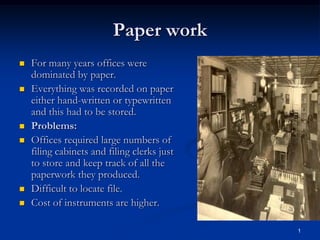
 For many years offices were
dominated by paper.
 Everything was recorded on paper
either hand-written or typewritten
and this had to be stored.
 Problems:
 Offices required large numbers of
filing cabinets and filing clerks just
to store and keep track of all the
paperwork they produced.
 Difficult to locate file.
 Cost of instruments are higher.
2
Electronic Office
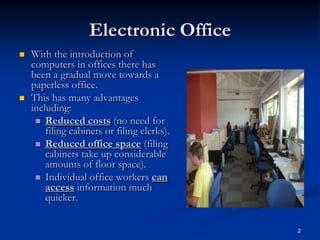
 With the introduction of
computers in offices there has
been a gradual move towards a
paperless office.
 This has many advantages
including:
 Reduced costs (no need for
filing cabinets or filing clerks).
 Reduced office space (filing
cabinets take up considerable
amounts of floor space).
 Individual office workers can
access information much
quicker.
3
Electronic office equipment and
facilities
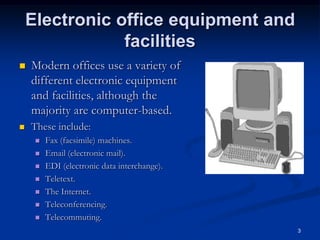
 Modern offices use a variety of
different electronic equipment
and facilities, although the
majority are computer-based.
 These include:
 Fax (facsimile) machines.
 Email (electronic mail).
 EDI (electronic data interchange).
 Teletext.
 The Internet.
 Teleconferencing.
 Telecommuting.
4
Fax
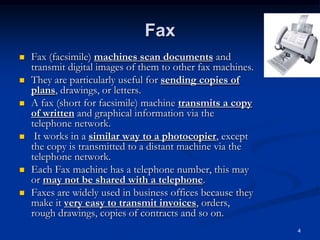
 Fax (facsimile) machines scan documents and
transmit digital images of them to other fax machines.
 They are particularly useful for sending copies of
plans, drawings, or letters.
 A fax (short for facsimile) machine transmits a copy
of written and graphical information via the
telephone network.
 It works in a similar way to a photocopier, except
the copy is transmitted to a distant machine via the
telephone network.
 Each Fax machine has a telephone number, this may
or may not be shared with a telephone.
 Faxes are widely used in business offices because they
make it very easy to transmit invoices, orders,
rough drawings, copies of contracts and so on.
5
Advantages & Disadvantages
 Advantages:
 Faxes are a fairly inexpensive
method of sending a message -
just the cost of a telephone call.
 They are simple to use and
require very little training
 They allow exact copies of hand
written information or images to be
transmitted without having to
prepare it in any special way.
 As long as the fax machine is
switched on, messages can be
received at any time day or night.
 They don't need any specialist
installation or cabling as they
make use of the existing
telephone line
 Disadvantages:
 There is no immediate response
or feedback from the recipient like
there is with a telephone
conversation
 You might dial the wrong
number and send your document
to someone else
 If the receiving machine is busy,
your Fax will not be delivered.
 If the receiving machine is out
of paper you will think that you
sent your fax but it won't actually
be printed
 It can take a long time to transmit
if you have many sheets of
paper
6
Email
 E-mail stands for 'Electronic Mail'.
 The electronic transmission of mail allows you to send
formatted text and images to someone else with an email
address.
 Each E-mail user has a 'mailbox' with a unique address into
which messages can be sent ready for the recipient to 'collect'
and read.Email (electronic mail) is fast replacing ordinary post
as a means of sending messages between terminals on
computer networks.
 Emails can be stored digitally and this means that both the
sender and receiver can reduce their reliance on paper-based
filing systems.
 Email is now one of the most common methods of
communication - ask most people that you know, they will
probably have an email address.
7
Advantages
 Emails are usually received fairly quickly, most of the time a
couple of seconds after they are sent
 People don't have to be present to receive the email
 Emails can be sent any time of the day or night, 365 days a
year
 Files and images can be attached to an email
 carbon copy of an email can be sent to other people
 You can request proof of receipt or proof of the email being
opened
 Messages can be prepared in advance and saved until you are
ready to send them.
8
Disadvantages
 Some people change their email addresses fairly often
as they switch ISPs or jobs
 Spam is a big problem, up to two-thirds of mails sent
are spam
 People can waste company time at work by sending
emails to friends instead of working
 When you are on holiday, your email box can become
full and extra messages might not get stored
 You may have to wait a long time to get a reply.
9
EDI
 EDI (electronic data interchange) is the method
by which different companies computer
systems can automatically exchange data.
 For example, a food retailer’s computer can
automatically order more of a product from a
supplier’s computer when its stocks fall to a
certain level.
 This order is also paid for electronically using
the same system.
10
Difference Between Teletext &
Internet
 Teletext
 Provided by the television
companies
 Transmitted at the same time
as TV picture
 special TV needed.
 Non-interactive cheap
 Limited number of pages
 Internet
 Provided by the internet
service providers.
 Set via telephone cables and
sometimes satellite.
 Telephone, modem or
terminal are needed.
 Interactive
 Huge amount of information
on all subjects
11
Teletext & Internet
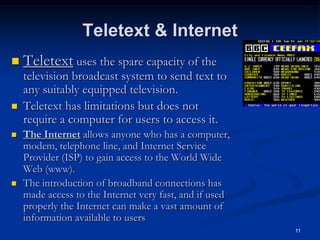
 Teletext uses the spare capacity of the
television broadcast system to send text to
any suitably equipped television.
 Teletext has limitations but does not
require a computer for users to access it.
 The Internet allows anyone who has a computer,
modem, telephone line, and Internet Service
Provider (ISP) to gain access to the World Wide
Web (www).
 The introduction of broadband connections has
made access to the Internet very fast, and if used
properly the Internet can make a vast amount of
information available to users
12
Teleconferencing
 Teleconferencing allows people in different
offices (often very far apart) the opportunity
to discuss and share information face-to-
face.
 This means that travel time and travel
costs for the people involved are
considerably reduced.
 Teleconferencing allows people in different
locations to talk to each other as a group.
This is also known as an Audio-conference
or simply a 'Conference Call'
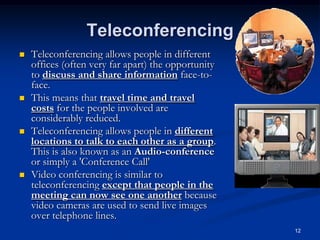
 Video conferencing is similar to
teleconferencing except that people in the
meeting can now see one another because
video cameras are used to send live images
over telephone lines.
13
Advantages
 There is no need to spend time and money traveling to
meetings
 You can have a 'meeting' with people from many
different offices /countries without any of them having to
travel
 You can see people as well as hear them. This means you
can see their body language which you can't do with a
telephone call.
 You can all view a document on the screen at the same
time. People can work together and add their ideas.
 The document can be emailed to all of the people at the
meeting later on.
14
Disadvantages
 Everyone who is going to 'attend' the meeting needs access to
suitable hardware and software. This can be expensive
and can take a while to set up.
 A very reliable, fast data link is needed. Many
companies hire a connection specifically to allow
video conferences to take place
 Even with a fast connection, there might be a slight
delay between responses.
 People could be in different time zones around the
world. This might mean that some people have to stay
up through the night in order to 'attend' the
meeting.
15
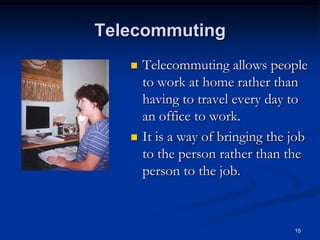
Telecommuting
 Telecommuting allows people
to work at home rather than
having to travel every day to
an office to work.
 It is a way of bringing the job
to the person rather than the
person to the job.

Ch 22 the electronic office

  • 1.
    1 Paper work  Formany years offices were dominated by paper.  Everything was recorded on paper either hand-written or typewritten and this had to be stored.  Problems:  Offices required large numbers of filing cabinets and filing clerks just to store and keep track of all the paperwork they produced.  Difficult to locate file.  Cost of instruments are higher.
  • 2.
    2 Electronic Office  Withthe introduction of computers in offices there has been a gradual move towards a paperless office.  This has many advantages including:  Reduced costs (no need for filing cabinets or filing clerks).  Reduced office space (filing cabinets take up considerable amounts of floor space).  Individual office workers can access information much quicker.
  • 3.
    3 Electronic office equipmentand facilities  Modern offices use a variety of different electronic equipment and facilities, although the majority are computer-based.  These include:  Fax (facsimile) machines.  Email (electronic mail).  EDI (electronic data interchange).  Teletext.  The Internet.  Teleconferencing.  Telecommuting.
  • 4.
    4 Fax  Fax (facsimile)machines scan documents and transmit digital images of them to other fax machines.  They are particularly useful for sending copies of plans, drawings, or letters.  A fax (short for facsimile) machine transmits a copy of written and graphical information via the telephone network.  It works in a similar way to a photocopier, except the copy is transmitted to a distant machine via the telephone network.  Each Fax machine has a telephone number, this may or may not be shared with a telephone.  Faxes are widely used in business offices because they make it very easy to transmit invoices, orders, rough drawings, copies of contracts and so on.
  • 5.
    5 Advantages & Disadvantages Advantages:  Faxes are a fairly inexpensive method of sending a message - just the cost of a telephone call.  They are simple to use and require very little training  They allow exact copies of hand written information or images to be transmitted without having to prepare it in any special way.  As long as the fax machine is switched on, messages can be received at any time day or night.  They don't need any specialist installation or cabling as they make use of the existing telephone line  Disadvantages:  There is no immediate response or feedback from the recipient like there is with a telephone conversation  You might dial the wrong number and send your document to someone else  If the receiving machine is busy, your Fax will not be delivered.  If the receiving machine is out of paper you will think that you sent your fax but it won't actually be printed  It can take a long time to transmit if you have many sheets of paper
  • 6.
    6 Email  E-mail standsfor 'Electronic Mail'.  The electronic transmission of mail allows you to send formatted text and images to someone else with an email address.  Each E-mail user has a 'mailbox' with a unique address into which messages can be sent ready for the recipient to 'collect' and read.Email (electronic mail) is fast replacing ordinary post as a means of sending messages between terminals on computer networks.  Emails can be stored digitally and this means that both the sender and receiver can reduce their reliance on paper-based filing systems.  Email is now one of the most common methods of communication - ask most people that you know, they will probably have an email address.
  • 7.
    7 Advantages  Emails areusually received fairly quickly, most of the time a couple of seconds after they are sent  People don't have to be present to receive the email  Emails can be sent any time of the day or night, 365 days a year  Files and images can be attached to an email  carbon copy of an email can be sent to other people  You can request proof of receipt or proof of the email being opened  Messages can be prepared in advance and saved until you are ready to send them.
  • 8.
    8 Disadvantages  Some peoplechange their email addresses fairly often as they switch ISPs or jobs  Spam is a big problem, up to two-thirds of mails sent are spam  People can waste company time at work by sending emails to friends instead of working  When you are on holiday, your email box can become full and extra messages might not get stored  You may have to wait a long time to get a reply.
  • 9.
    9 EDI  EDI (electronicdata interchange) is the method by which different companies computer systems can automatically exchange data.  For example, a food retailer’s computer can automatically order more of a product from a supplier’s computer when its stocks fall to a certain level.  This order is also paid for electronically using the same system.
  • 10.
    10 Difference Between Teletext& Internet  Teletext  Provided by the television companies  Transmitted at the same time as TV picture  special TV needed.  Non-interactive cheap  Limited number of pages  Internet  Provided by the internet service providers.  Set via telephone cables and sometimes satellite.  Telephone, modem or terminal are needed.  Interactive  Huge amount of information on all subjects
  • 11.
    11 Teletext & Internet Teletext uses the spare capacity of the television broadcast system to send text to any suitably equipped television.  Teletext has limitations but does not require a computer for users to access it.  The Internet allows anyone who has a computer, modem, telephone line, and Internet Service Provider (ISP) to gain access to the World Wide Web (www).  The introduction of broadband connections has made access to the Internet very fast, and if used properly the Internet can make a vast amount of information available to users
  • 12.
    12 Teleconferencing  Teleconferencing allowspeople in different offices (often very far apart) the opportunity to discuss and share information face-to- face.  This means that travel time and travel costs for the people involved are considerably reduced.  Teleconferencing allows people in different locations to talk to each other as a group. This is also known as an Audio-conference or simply a 'Conference Call'  Video conferencing is similar to teleconferencing except that people in the meeting can now see one another because video cameras are used to send live images over telephone lines.
  • 13.
    13 Advantages  There isno need to spend time and money traveling to meetings  You can have a 'meeting' with people from many different offices /countries without any of them having to travel  You can see people as well as hear them. This means you can see their body language which you can't do with a telephone call.  You can all view a document on the screen at the same time. People can work together and add their ideas.  The document can be emailed to all of the people at the meeting later on.
  • 14.
    14 Disadvantages  Everyone whois going to 'attend' the meeting needs access to suitable hardware and software. This can be expensive and can take a while to set up.  A very reliable, fast data link is needed. Many companies hire a connection specifically to allow video conferences to take place  Even with a fast connection, there might be a slight delay between responses.  People could be in different time zones around the world. This might mean that some people have to stay up through the night in order to 'attend' the meeting.
  • 15.
    15 Telecommuting  Telecommuting allowspeople to work at home rather than having to travel every day to an office to work.  It is a way of bringing the job to the person rather than the person to the job.