Presentation Topic :-
Mobile World
Content:-
• Communication
• Difference between communication, professional communication or
business communication
• Methods of communication
• Devices use for communication
• Applications use in communication
• Negative aspects of communication
Definitions:-
Communication:-
Is the process of transferring information and meaning between
sender and receivers.
Business communication:-
Is information sharing between people within and
outside an organization that is performed for the commercial benefit of the
organization.
Professional communication:-
By Richard Nordquist
The term professional communication refers to the various forms of speaking,
listening, writing, and responding carried out both in and beyond the workplace,
whether in person or electronically.

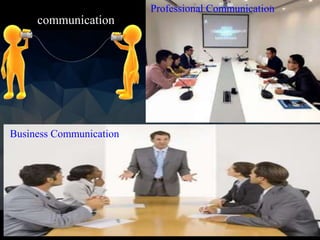
communication
Professional Communication
Business Communication
Methods Of Professional Communication:-
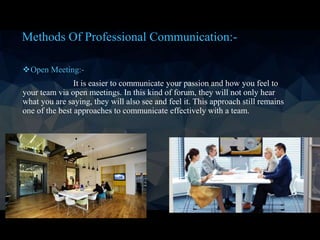
Open Meeting:-
It is easier to communicate your passion and how you feel to
your team via open meetings. In this kind of forum, they will not only hear
what you are saying, they will also see and feel it. This approach still remains
one of the best approaches to communicate effectively with a team.
Methods Of Professional Communication:-
Emails:-
In official settings, communication via email remains potent. It will enable
you to pass messages to members of your team without pulling them out of their
work stations.
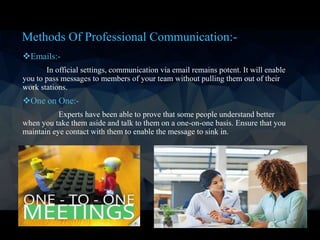
One on One:-
Experts have been able to prove that some people understand better
when you take them aside and talk to them on a one-on-one basis. Ensure that you
maintain eye contact with them to enable the message to sink in.
Continue…
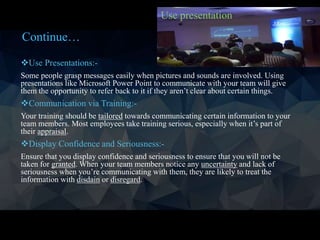
Use Presentations:-
Some people grasp messages easily when pictures and sounds are involved. Using
presentations like Microsoft Power Point to communicate with your team will give
them the opportunity to refer back to it if they aren’t clear about certain things.
Communication via Training:-
Your training should be tailored towards communicating certain information to your
team members. Most employees take training serious, especially when it’s part of
their appraisal.
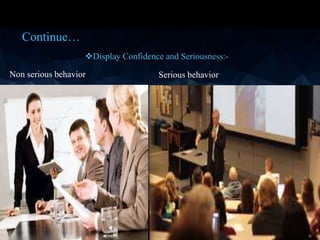
Display Confidence and Seriousness:-
Ensure that you display confidence and seriousness to ensure that you will not be
taken for granted. When your team members notice any uncertainty and lack of
seriousness when you’re communicating with them, they are likely to treat the
information with disdain or disregard.
Use presentation
Continue…
Display Confidence and Seriousness:-
Non serious behavior Serious behavior
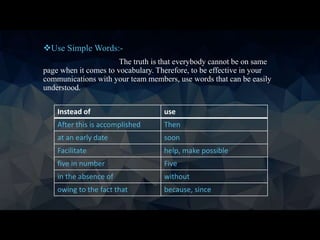
Instead of use
After this is accomplished Then
at an early date soon
Facilitate help, make possible
five in number Five
in the absence of without
owing to the fact that because, since
Use Simple Words:-
The truth is that everybody cannot be on same
page when it comes to vocabulary. Therefore, to be effective in your
communications with your team members, use words that can be easily
understood.
Continue…
Use Visuals:-
Place visuals at strategic positions around the work stations of your
team. They should not just hear the message, they should also see it. This gives
room for better comprehension.
Listen to Your Team Members:-
Communication is intended to be a two way
street. Don’t just talk because you are the leader without listening to anyone else.
Encourage them. you must listen more than you speak.
Avoid Unnecessary Repetition:-
If you want your team members to take you
serious, never sound like a broken record and don’t beat a dead horse. Tell your
team members what you want them to know or do and ask them if they are clear
about it. If they are not, only then do you repeat what you have said.
Continue…
Use Body Language:-
Your body language will pass your message faster and better.
Master the art of using body language when communicating with your team. use
smiles, handshakes and eye contact.
Use The Appropriate Tone of Voice:-
One word can mean a different thing when
said in a different tone of voice. Make sure you use the appropriate tone of voice to
communicate your message to your team so that you won’t be misunderstood and
discourage or demotivate members or cause them to shut down completely out of
fear.
Example:- Stand up
2) Don’t laugh loudly.
Continue…
Create a Receptive Atmosphere:-
To effectively communicate with your team, you
must create a receptive atmosphere. Avoid a tense environment at all costs because
when you communicate in an overly intense manner, the message you are trying to
share might not be well understood or retained.
Avoid Mumbling:-
Your team members should be able to hear you clearly. When
communicating with them, try as much as possible to speak clearly and not mumble
words. When you mumble words or speak too quickly, you may assume that they
are clear on the subject. But the truth is, they might not be. It also shows a lack of
confidence on your part.
Encourage Feedback:-
Don’t just talk and walk away. Give room for feedback so that
you can measure the effectiveness of your style of communication.
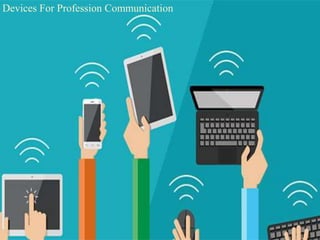
Devices For Profession Communication
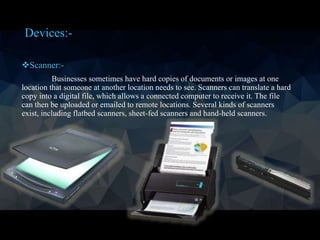
Scanner:-
Businesses sometimes have hard copies of documents or images at one
location that someone at another location needs to see. Scanners can translate a hard
copy into a digital file, which allows a connected computer to receive it. The file
can then be uploaded or emailed to remote locations. Several kinds of scanners
exist, including flatbed scanners, sheet-fed scanners and hand-held scanners.
Devices:-
hand-held scanners
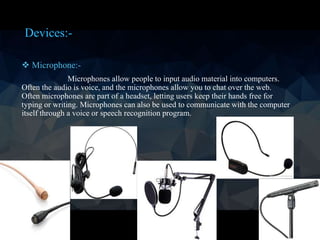
 Microphone:-
Microphones allow people to input audio material into computers.
Often the audio is voice, and the microphones allow you to chat over the web.
Often microphones are part of a headset, letting users keep their hands free for
typing or writing. Microphones can also be used to communicate with the computer
itself through a voice or speech recognition program.
Devices:-
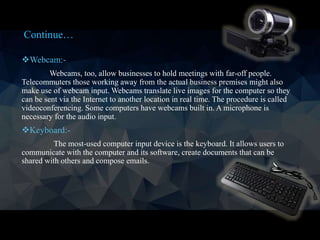
Webcam:-
Webcams, too, allow businesses to hold meetings with far-off people.
Telecommuters those working away from the actual business premises might also
make use of webcam input. Webcams translate live images for the computer so they
can be sent via the Internet to another location in real time. The procedure is called
videoconferencing. Some computers have webcams built in. A microphone is
necessary for the audio input.
Keyboard:-
The most-used computer input device is the keyboard. It allows users to
communicate with the computer and its software, create documents that can be
shared with others and compose emails.
Continue…
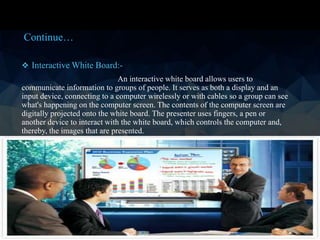
 Interactive White Board:-
An interactive white board allows users to
communicate information to groups of people. It serves as both a display and an
input device, connecting to a computer wirelessly or with cables so a group can see
what's happening on the computer screen. The contents of the computer screen are
digitally projected onto the white board. The presenter uses fingers, a pen or
another device to interact with the white board, which controls the computer and,
thereby, the images that are presented.
Continue…
A wireless form of communication in which voice and data information is emitted,
transmitted and received via microwaves. This type of communication allows
individuals to converse with one another and/or transmit and receive data while
moving from place to place.
Main Uses of Cell Phones:-
• Voice calling
• Voice mail
• E-mail
• Messaging
• Mobile content
• Gaming
• Take photos or videos
• Download and view images
What is Mobile Communications?
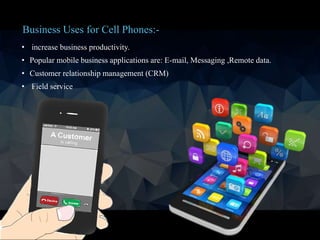
• increase business productivity.
• Popular mobile business applications are: E-mail, Messaging ,Remote data.
• Customer relationship management (CRM)
• Field service
Business Uses for Cell Phones:-
For businesses, communication is key. To reach your organizational goals effectively, it's
important that everyone involved can communicate with one another. The internet, and
especially the rise of mobile, has made communication more instant and more effective
than ever before. Today, web and smartphone apps can supercharge your company’s
internal communications, helping streamline your efforts to improve efficiency,
productivity, and ultimately, your bottom line.
• Versatile Options for Communication:-
Instead of relying on a company intranet,
organizations can take advantage of a variety of programs designed for business
communication. There are apps available for instant messaging, email-style message
threads, and even sending out notifications via SMS text message or phone call. By
leveraging more than one available app, businesses can streamline and enhance internal
communications for better team cohesion and improved productivity.
Extra information:- intranet
An intranet is a private network that is contained within an
enterprise. It may consist of many interlinked local area networks and also use leased
lines in the wide area network. Typically, an intranet includes connections through one or
more gateway computers to the outside Internet.
Business Apps for Communication:-
Slack :-
Slack has quickly become one of the most popular project management and collaboration
tools, especially for companies with remote workers. This cloud-based team
communication app actually originated as an internal communication tool for a small
game development company. Launched in 2013, it's now one of the most popular ways for
internal teams to collaborate. Slack features chat rooms organized by topic, private groups,
and direct messaging. Files, groups, and members are all completely searchable, making it
easy to pull up previous conversations. It's available for web, iOS, Android, and Windows
Phone.
HipChat is another popular team communication app, accessible from web or mobile
anywhere in the world. It's available in a freemium version, but there's also an inexpensive
paid version that adds extra features. Designed to integrate with Google Drive, Facebook,
Dropbox, and other popular software, it's a versatile and affordable option that's a great choice
for small businesses
2
Basecamp bridges the gap between staff and clients. It's designed to make it easy for people in
different departments within a company to share files and collaborate on projects. By
consolidating internal communications, project management, and client relations in one place, it
provides an efficient and streamlined solution for managing a variety of internal communication
and collaboration needs. Basecamp's discussion boards eliminate the need for complex, hard-to-
navigate email chains by consolidating discussion about a subject in one place. It also manages
tasks and to-do lists for staff members.
DialMyCalls can also be used to implement an inbound complaint line, helping companies curb
harassment, bullying, and dysfunctional management in the workplace. It works like a virtual
suggestion box, allowing employees to use two-way text messaging or a custom vanity phone
number to place a complaint anonymously. This can help businesses gain valuable insight into
causes of worker dissatisfaction, informing new initiatives to improve their organizational culture
RedBooth is primarily a task tracking application, but it also features built-in chat
software for instant communication between team members. Workers can communicate
in the same window as a task assignment, helping to keep the chat productivity-
oriented.
Wrike is a project management app, with built-in communication tools. Members can "message"
one another through the task pages and activity stream, making it simple to keep in touch about
projects
Skype is widely used for business communications. This text, voice, and video chat
application is available on desktop and on mobile, it’s a good way for teams to stay in touch.
Instant messaging lets staff connect with one another at any time, removing wait times for
important answers and information. It also has a simple file sharing feature. Because most
people are already familiar with Skype, there’s no learning curve involved.
FlowDock is another option for a combination project management and internal
communication tool. Its versatile chat feature allows for multiple flows of conversation,
with desktop and mobile notifications.
Azendoo is a task tracking and communication app that’s useful for marketing and
design teams. Designed with marketing agencies in mind, its chat feature is similar to
Facebook's private messaging.
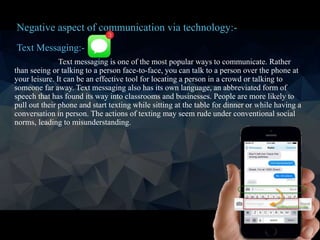
Text Messaging:-
Text messaging is one of the most popular ways to communicate. Rather
than seeing or talking to a person face-to-face, you can talk to a person over the phone at
your leisure. It can be an effective tool for locating a person in a crowd or talking to
someone far away. Text messaging also has its own language, an abbreviated form of
speech that has found its way into classrooms and businesses. People are more likely to
pull out their phone and start texting while sitting at the table for dinner or while having a
conversation in person. The actions of texting may seem rude under conventional social
norms, leading to misunderstanding.
Negative aspect of communication via technology:-
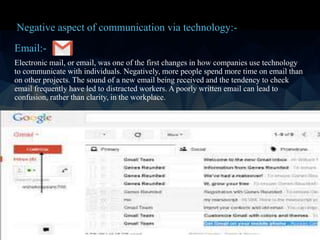
Email:-
Electronic mail, or email, was one of the first changes in how companies use technology
to communicate with individuals. Negatively, more people spend more time on email than
on other projects. The sound of a new email being received and the tendency to check
email frequently have led to distracted workers. A poorly written email can lead to
confusion, rather than clarity, in the workplace.
Negative aspect of communication via technology:-
Social media:-
Social media have been a revolution in how people plan events and communicate with
one another. Rather than talking to their friends in person, they can post a comment about
their life. Social media can help you stay in touch with friends, but it can be dangerous to
your career and life. The amount of information you put out on the Internet over social
media, intended or not, affects you in the real world.
Lower Efficiency:-
Poor communication in business whether written or oral, can obstruct the efficiency of
your organization or a specific department.. Effective business communication skills are
crucial to successfully completing any project, large and small. When multiple employees
or company departments team up to complete a large project, the value of each
department's skills will increase exponentially. Without implementing clear
communication practices, however, company projects will be slow and inefficient to
complete.
Negative aspect of communication via technology:-
Thank U For
Listening
&
Your Attention
Any Question?if you want to make slides by me then just contact or
comment.

Mobile world

  • 1.
  • 2.
    Content:- • Communication • Differencebetween communication, professional communication or business communication • Methods of communication • Devices use for communication • Applications use in communication • Negative aspects of communication
  • 4.
    Definitions:- Communication:- Is the processof transferring information and meaning between sender and receivers. Business communication:- Is information sharing between people within and outside an organization that is performed for the commercial benefit of the organization. Professional communication:- By Richard Nordquist The term professional communication refers to the various forms of speaking, listening, writing, and responding carried out both in and beyond the workplace, whether in person or electronically.
  • 5.
  • 6.
    Methods Of ProfessionalCommunication:- Open Meeting:- It is easier to communicate your passion and how you feel to your team via open meetings. In this kind of forum, they will not only hear what you are saying, they will also see and feel it. This approach still remains one of the best approaches to communicate effectively with a team.
  • 7.
    Methods Of ProfessionalCommunication:- Emails:- In official settings, communication via email remains potent. It will enable you to pass messages to members of your team without pulling them out of their work stations. One on One:- Experts have been able to prove that some people understand better when you take them aside and talk to them on a one-on-one basis. Ensure that you maintain eye contact with them to enable the message to sink in.
  • 8.
    Continue… Use Presentations:- Some peoplegrasp messages easily when pictures and sounds are involved. Using presentations like Microsoft Power Point to communicate with your team will give them the opportunity to refer back to it if they aren’t clear about certain things. Communication via Training:- Your training should be tailored towards communicating certain information to your team members. Most employees take training serious, especially when it’s part of their appraisal. Display Confidence and Seriousness:- Ensure that you display confidence and seriousness to ensure that you will not be taken for granted. When your team members notice any uncertainty and lack of seriousness when you’re communicating with them, they are likely to treat the information with disdain or disregard. Use presentation
  • 9.
    Continue… Display Confidence andSeriousness:- Non serious behavior Serious behavior
  • 10.
    Instead of use Afterthis is accomplished Then at an early date soon Facilitate help, make possible five in number Five in the absence of without owing to the fact that because, since Use Simple Words:- The truth is that everybody cannot be on same page when it comes to vocabulary. Therefore, to be effective in your communications with your team members, use words that can be easily understood.
  • 11.
    Continue… Use Visuals:- Place visualsat strategic positions around the work stations of your team. They should not just hear the message, they should also see it. This gives room for better comprehension. Listen to Your Team Members:- Communication is intended to be a two way street. Don’t just talk because you are the leader without listening to anyone else. Encourage them. you must listen more than you speak. Avoid Unnecessary Repetition:- If you want your team members to take you serious, never sound like a broken record and don’t beat a dead horse. Tell your team members what you want them to know or do and ask them if they are clear about it. If they are not, only then do you repeat what you have said.
  • 12.
    Continue… Use Body Language:- Yourbody language will pass your message faster and better. Master the art of using body language when communicating with your team. use smiles, handshakes and eye contact. Use The Appropriate Tone of Voice:- One word can mean a different thing when said in a different tone of voice. Make sure you use the appropriate tone of voice to communicate your message to your team so that you won’t be misunderstood and discourage or demotivate members or cause them to shut down completely out of fear. Example:- Stand up 2) Don’t laugh loudly.
  • 13.
    Continue… Create a ReceptiveAtmosphere:- To effectively communicate with your team, you must create a receptive atmosphere. Avoid a tense environment at all costs because when you communicate in an overly intense manner, the message you are trying to share might not be well understood or retained. Avoid Mumbling:- Your team members should be able to hear you clearly. When communicating with them, try as much as possible to speak clearly and not mumble words. When you mumble words or speak too quickly, you may assume that they are clear on the subject. But the truth is, they might not be. It also shows a lack of confidence on your part. Encourage Feedback:- Don’t just talk and walk away. Give room for feedback so that you can measure the effectiveness of your style of communication.
  • 14.
  • 15.
    Scanner:- Businesses sometimes havehard copies of documents or images at one location that someone at another location needs to see. Scanners can translate a hard copy into a digital file, which allows a connected computer to receive it. The file can then be uploaded or emailed to remote locations. Several kinds of scanners exist, including flatbed scanners, sheet-fed scanners and hand-held scanners. Devices:-
  • 16.
  • 17.
     Microphone:- Microphones allowpeople to input audio material into computers. Often the audio is voice, and the microphones allow you to chat over the web. Often microphones are part of a headset, letting users keep their hands free for typing or writing. Microphones can also be used to communicate with the computer itself through a voice or speech recognition program. Devices:-
  • 18.
    Webcam:- Webcams, too, allowbusinesses to hold meetings with far-off people. Telecommuters those working away from the actual business premises might also make use of webcam input. Webcams translate live images for the computer so they can be sent via the Internet to another location in real time. The procedure is called videoconferencing. Some computers have webcams built in. A microphone is necessary for the audio input. Keyboard:- The most-used computer input device is the keyboard. It allows users to communicate with the computer and its software, create documents that can be shared with others and compose emails. Continue…
  • 19.
     Interactive WhiteBoard:- An interactive white board allows users to communicate information to groups of people. It serves as both a display and an input device, connecting to a computer wirelessly or with cables so a group can see what's happening on the computer screen. The contents of the computer screen are digitally projected onto the white board. The presenter uses fingers, a pen or another device to interact with the white board, which controls the computer and, thereby, the images that are presented. Continue…
  • 20.
    A wireless formof communication in which voice and data information is emitted, transmitted and received via microwaves. This type of communication allows individuals to converse with one another and/or transmit and receive data while moving from place to place. Main Uses of Cell Phones:- • Voice calling • Voice mail • E-mail • Messaging • Mobile content • Gaming • Take photos or videos • Download and view images What is Mobile Communications?
  • 21.
    • increase businessproductivity. • Popular mobile business applications are: E-mail, Messaging ,Remote data. • Customer relationship management (CRM) • Field service Business Uses for Cell Phones:-
  • 23.
    For businesses, communicationis key. To reach your organizational goals effectively, it's important that everyone involved can communicate with one another. The internet, and especially the rise of mobile, has made communication more instant and more effective than ever before. Today, web and smartphone apps can supercharge your company’s internal communications, helping streamline your efforts to improve efficiency, productivity, and ultimately, your bottom line. • Versatile Options for Communication:- Instead of relying on a company intranet, organizations can take advantage of a variety of programs designed for business communication. There are apps available for instant messaging, email-style message threads, and even sending out notifications via SMS text message or phone call. By leveraging more than one available app, businesses can streamline and enhance internal communications for better team cohesion and improved productivity. Extra information:- intranet An intranet is a private network that is contained within an enterprise. It may consist of many interlinked local area networks and also use leased lines in the wide area network. Typically, an intranet includes connections through one or more gateway computers to the outside Internet. Business Apps for Communication:-
  • 24.
    Slack :- Slack hasquickly become one of the most popular project management and collaboration tools, especially for companies with remote workers. This cloud-based team communication app actually originated as an internal communication tool for a small game development company. Launched in 2013, it's now one of the most popular ways for internal teams to collaborate. Slack features chat rooms organized by topic, private groups, and direct messaging. Files, groups, and members are all completely searchable, making it easy to pull up previous conversations. It's available for web, iOS, Android, and Windows Phone.
  • 26.
    HipChat is anotherpopular team communication app, accessible from web or mobile anywhere in the world. It's available in a freemium version, but there's also an inexpensive paid version that adds extra features. Designed to integrate with Google Drive, Facebook, Dropbox, and other popular software, it's a versatile and affordable option that's a great choice for small businesses 2
  • 27.
    Basecamp bridges thegap between staff and clients. It's designed to make it easy for people in different departments within a company to share files and collaborate on projects. By consolidating internal communications, project management, and client relations in one place, it provides an efficient and streamlined solution for managing a variety of internal communication and collaboration needs. Basecamp's discussion boards eliminate the need for complex, hard-to- navigate email chains by consolidating discussion about a subject in one place. It also manages tasks and to-do lists for staff members.
  • 28.
    DialMyCalls can alsobe used to implement an inbound complaint line, helping companies curb harassment, bullying, and dysfunctional management in the workplace. It works like a virtual suggestion box, allowing employees to use two-way text messaging or a custom vanity phone number to place a complaint anonymously. This can help businesses gain valuable insight into causes of worker dissatisfaction, informing new initiatives to improve their organizational culture
  • 29.
    RedBooth is primarilya task tracking application, but it also features built-in chat software for instant communication between team members. Workers can communicate in the same window as a task assignment, helping to keep the chat productivity- oriented.
  • 30.
    Wrike is aproject management app, with built-in communication tools. Members can "message" one another through the task pages and activity stream, making it simple to keep in touch about projects
  • 31.
    Skype is widelyused for business communications. This text, voice, and video chat application is available on desktop and on mobile, it’s a good way for teams to stay in touch. Instant messaging lets staff connect with one another at any time, removing wait times for important answers and information. It also has a simple file sharing feature. Because most people are already familiar with Skype, there’s no learning curve involved.
  • 32.
    FlowDock is anotheroption for a combination project management and internal communication tool. Its versatile chat feature allows for multiple flows of conversation, with desktop and mobile notifications.
  • 33.
    Azendoo is atask tracking and communication app that’s useful for marketing and design teams. Designed with marketing agencies in mind, its chat feature is similar to Facebook's private messaging.
  • 34.
    Text Messaging:- Text messagingis one of the most popular ways to communicate. Rather than seeing or talking to a person face-to-face, you can talk to a person over the phone at your leisure. It can be an effective tool for locating a person in a crowd or talking to someone far away. Text messaging also has its own language, an abbreviated form of speech that has found its way into classrooms and businesses. People are more likely to pull out their phone and start texting while sitting at the table for dinner or while having a conversation in person. The actions of texting may seem rude under conventional social norms, leading to misunderstanding. Negative aspect of communication via technology:-
  • 35.
    Email:- Electronic mail, oremail, was one of the first changes in how companies use technology to communicate with individuals. Negatively, more people spend more time on email than on other projects. The sound of a new email being received and the tendency to check email frequently have led to distracted workers. A poorly written email can lead to confusion, rather than clarity, in the workplace. Negative aspect of communication via technology:-
  • 36.
    Social media:- Social mediahave been a revolution in how people plan events and communicate with one another. Rather than talking to their friends in person, they can post a comment about their life. Social media can help you stay in touch with friends, but it can be dangerous to your career and life. The amount of information you put out on the Internet over social media, intended or not, affects you in the real world. Lower Efficiency:- Poor communication in business whether written or oral, can obstruct the efficiency of your organization or a specific department.. Effective business communication skills are crucial to successfully completing any project, large and small. When multiple employees or company departments team up to complete a large project, the value of each department's skills will increase exponentially. Without implementing clear communication practices, however, company projects will be slow and inefficient to complete. Negative aspect of communication via technology:-
  • 37.
    Thank U For Listening & YourAttention Any Question?if you want to make slides by me then just contact or comment.

Editor's Notes

  • #2 It is using the background from https://dribbble.com/shots/1588545--Freebie-7-Low-Poly-Backgrounds-svg-png Template modified by fppt.com
  • #38 It is using the background from https://dribbble.com/shots/1588545--Freebie-7-Low-Poly-Backgrounds-svg-png Template modified by fppt.com