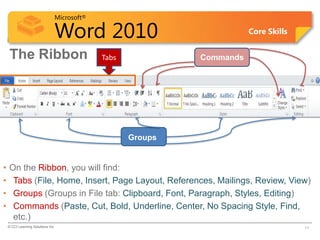
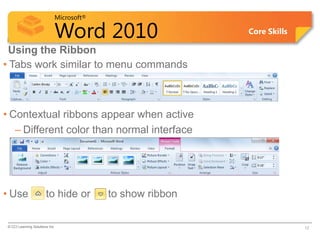
The document provides an introduction and overview of Microsoft Word 2010. It discusses the basic elements of the Word interface, including the ribbon, quick access toolbar, ruler, and identifies common screen symbols. The objectives are to familiarize users with the Word screen, how to navigate the document, work with text, and identify screen symbols like spelling errors. It also provides examples of how to start Word, use the ribbon tabs and commands, and work with text features like word wrap.