BooST SharePoint User Adoption 
Through DIY Usability testing 
[workshop] 
‣ BY MARK TIDERMAN
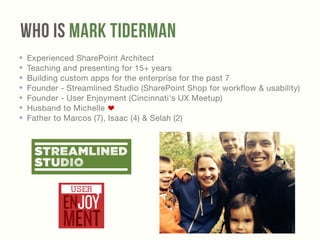
Who Is Mark Tiderman 
✤ Experienced SharePoint Architect 
✤ Teaching and presenting for 15+ years 
✤ Building custom apps for the enterprise for the past 7 
✤ Founder - Streamlined Studio (SharePoint Shop for workflow & usability) 
✤ Founder - User Enjoyment (Cincinnati's UX Meetup) 
✤ Husband to Michelle 
✤ Father to Marcos (7), Isaac (4) & Selah (2)
Usability testing IS 
‣ Watching people actually try to 
use what you've built, 
‣ with the intention of making it 
easier and more enjoyable
SO WHY IS 
Usability testing 
SO Important
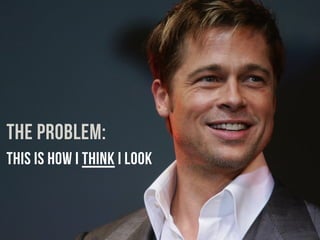
THE PROBLEM: 
THIS IS How I think I look
But IN REALITY 
I look like this
Usability testing 
HELPS FIND THE FOOD IN MY TEETH 
BEFORE IT COSTS ME 
Time, Money, My REPUTATION, My job
‣ `
‣ `
Usability testing Is Important BecaUse 
‣ You are bias towards your “baby” 
‣ You are not like your users 
‣ All sites/apps have problems 
‣ Serious problems are easy to find and are too costly if you don't 
‣ Silent complaints are the most deadly 
‣ Watching users makes you better 
‣ Because bad usability is the primary reason most projects fail 
‣ Including your users will move them from "users" to "owners"
Usability testing IS 
‣ Watching people actually try to use what you've built, 
with the intention of making it easier and more enjoyable 
‣ Focused on "Actual Use" instead of Opinions 
‣ Single most underutilized component of better work #myOpinion
Usability testing IS NOT 
‣ a Focus Group 
‣ asking for opinions 
‣ trying to prove a point 
‣ User Acceptance Testing
Whats The Difference 
‣ User Acceptance Testing (UAT) 
‣ Does it work the way we intended it to? 
! 
‣ Usability Testing 
‣ Does it work? 
!
What Should You Test 
‣ your existing site 
‣ other people's Work 
‣ Broken projects 
‣ Successful projects 
‣ Wireframes, Page Designs, prototypes 
‣ ideas = the Back of the napkin Test
When Should I Test 
‣ Earlier than you think 
‣ Before it’s Finished! 
‣ 5%, 25%, 50%, 75%, 100%
Lets Do It! 
DIY Usability Tests
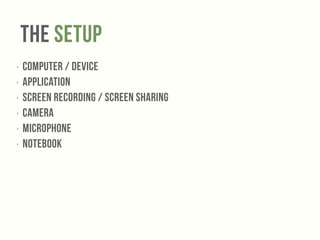
The Setup 
‣ Computer / Device 
‣ Application 
‣ Screen recording / Screen sharing 
‣ Camera 
‣ Microphone 
‣ Notebook
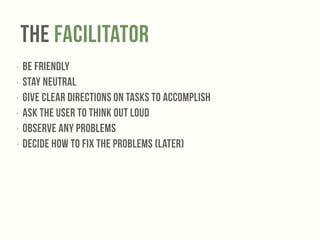
The Facilitator 
‣ Be friendly 
‣ Stay NEUTRAL 
‣ Give clear directions on tasks to accomplish 
‣ Ask the user to THINK OUT LOUD 
‣ OBSERVE any problems 
‣ DECIDE how to fix the problems (later)
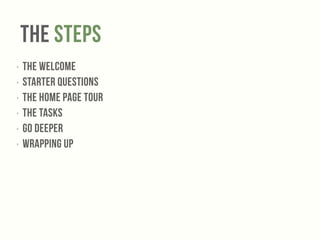
The Steps 
‣ The Welcome 
‣ Starter Questions 
‣ The Home Page Tour 
‣ The Tasks 
‣ Go Deeper 
‣ Wrapping Up
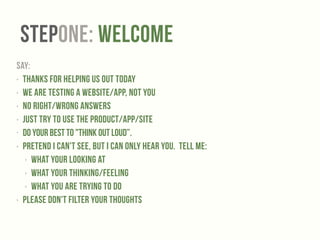
StepONE: Welcome 
SAY: 
‣ Thanks for helping us out today 
‣ We are testing a website/app, NOT YOU 
‣ No right/wrong answers 
‣ Just Try to use the product/app/site 
• Do your best to "Think Out Loud”. 
‣ Pretend I can't see, but I can only hear you. Tell me: 
‣ what your looking at 
‣ what your thinking/feeling 
‣ what you are trying to do 
‣ Please don't filter your thoughts
StepTWO: Starter Questions 
‣ Background 
‣ Get the participants talking 
‣ show them you are actually listening 
‣ get the info you need to grade on a curve 
! 
‣ Say 
‣ What is your occupation? 
‣ How many hours a week do you use the internet? 
‣ What kinds of sites do you spend the most time browsing? 
‣ What are your favorite websites?
StepTHREE: The Home Page Tour 
‣ Background 
‣ The point is to see if users can at first glance figure out what this site is for 
‣ Let them scroll but don't click 
‣ Not asking for opinions 
! 
‣ Say 
‣ Can you tell me the purpose of this site? 
‣ What emotions come up as a response?
StepFOUR: The Tasks 
‣ Background 
‣ Give the user a scenario with a clear goal to accomplish 
but don't tell them how to accomplish it 
‣ “You are….” “You need to”) 
‣ Take notes for a deeper dive later on 
‣ Follow your gut on when to move on to the next question 
! 
‣ Say 
‣ So…you work in HR and your responsible for sending out a weekly 
announcement to the whole department. Send out the email. 
!
StepFive: The Deep Dive 
‣ Background 
‣ This is your chance to elaborate 
on any issues that came up 
during the test 
! 
‣ Say 
‣ Can you please try to…
StepSix: The Wrap-up 
‣ Background 
‣ Make them feel appreciated. 
‣ Ask for Feedback* 
! 
‣ Say 
‣ Thats it. Great job. Thanks for 
coming, etc. 
*If you give them a voice you will gain an advocate
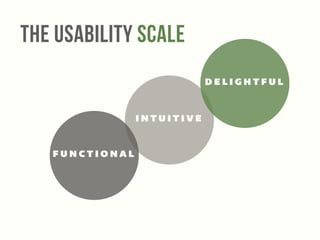
The Usability Scale 
INTUITIVE 
FUNCTIONAL 
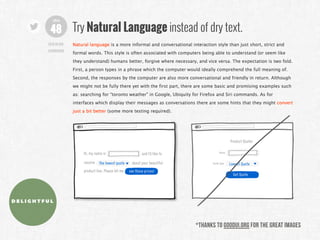
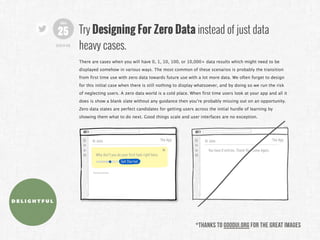
DELIGHTFUL
Tools for 
DIY Usability Tests
Tools 
‣ Invision 
‣ Silverback 
Resources 
‣ Join A Meetup (Like User Enjoyment!) 
‣ goodui.org 
‣ Rocket Surgery Made Easy 
‣ Don’t Make Me Think
Summary 
‣ Get started as soon as you can 
‣ Start earlier than you think makes sense 
‣ 1 Day a month 
‣ Have Fun 
‣ Move to Functional to Intuitive To Delightful
Thanks! 
‣ mark@streamlinedstudio.com 
‣ @MarkTiderman 
‣ streamlinedstudio.com 
!

Boost SharePoint User Adoption Through DIY Usability Testing [workshop] SharePoint Saturday Cincinnati 2014

  • 1.
    BooST SharePoint UserAdoption Through DIY Usability testing [workshop] ‣ BY MARK TIDERMAN
  • 2.
    Who Is MarkTiderman ✤ Experienced SharePoint Architect ✤ Teaching and presenting for 15+ years ✤ Building custom apps for the enterprise for the past 7 ✤ Founder - Streamlined Studio (SharePoint Shop for workflow & usability) ✤ Founder - User Enjoyment (Cincinnati's UX Meetup) ✤ Husband to Michelle ✤ Father to Marcos (7), Isaac (4) & Selah (2)
  • 3.
    Usability testing IS ‣ Watching people actually try to use what you've built, ‣ with the intention of making it easier and more enjoyable
  • 4.
    SO WHY IS Usability testing SO Important
  • 5.
    THE PROBLEM: THISIS How I think I look
  • 6.
    But IN REALITY I look like this
  • 7.
    Usability testing HELPSFIND THE FOOD IN MY TEETH BEFORE IT COSTS ME Time, Money, My REPUTATION, My job
  • 8.
  • 9.
  • 10.
    Usability testing IsImportant BecaUse ‣ You are bias towards your “baby” ‣ You are not like your users ‣ All sites/apps have problems ‣ Serious problems are easy to find and are too costly if you don't ‣ Silent complaints are the most deadly ‣ Watching users makes you better ‣ Because bad usability is the primary reason most projects fail ‣ Including your users will move them from "users" to "owners"
  • 11.
    Usability testing IS ‣ Watching people actually try to use what you've built, with the intention of making it easier and more enjoyable ‣ Focused on "Actual Use" instead of Opinions ‣ Single most underutilized component of better work #myOpinion
  • 12.
    Usability testing ISNOT ‣ a Focus Group ‣ asking for opinions ‣ trying to prove a point ‣ User Acceptance Testing
  • 13.
    Whats The Difference ‣ User Acceptance Testing (UAT) ‣ Does it work the way we intended it to? ! ‣ Usability Testing ‣ Does it work? !
  • 14.
    What Should YouTest ‣ your existing site ‣ other people's Work ‣ Broken projects ‣ Successful projects ‣ Wireframes, Page Designs, prototypes ‣ ideas = the Back of the napkin Test
  • 15.
    When Should ITest ‣ Earlier than you think ‣ Before it’s Finished! ‣ 5%, 25%, 50%, 75%, 100%
  • 16.
    Lets Do It! DIY Usability Tests
  • 17.
    The Setup ‣Computer / Device ‣ Application ‣ Screen recording / Screen sharing ‣ Camera ‣ Microphone ‣ Notebook
  • 18.
    The Facilitator ‣Be friendly ‣ Stay NEUTRAL ‣ Give clear directions on tasks to accomplish ‣ Ask the user to THINK OUT LOUD ‣ OBSERVE any problems ‣ DECIDE how to fix the problems (later)
  • 19.
    The Steps ‣The Welcome ‣ Starter Questions ‣ The Home Page Tour ‣ The Tasks ‣ Go Deeper ‣ Wrapping Up
  • 20.
    StepONE: Welcome SAY: ‣ Thanks for helping us out today ‣ We are testing a website/app, NOT YOU ‣ No right/wrong answers ‣ Just Try to use the product/app/site • Do your best to "Think Out Loud”. ‣ Pretend I can't see, but I can only hear you. Tell me: ‣ what your looking at ‣ what your thinking/feeling ‣ what you are trying to do ‣ Please don't filter your thoughts
  • 21.
    StepTWO: Starter Questions ‣ Background ‣ Get the participants talking ‣ show them you are actually listening ‣ get the info you need to grade on a curve ! ‣ Say ‣ What is your occupation? ‣ How many hours a week do you use the internet? ‣ What kinds of sites do you spend the most time browsing? ‣ What are your favorite websites?
  • 22.
    StepTHREE: The HomePage Tour ‣ Background ‣ The point is to see if users can at first glance figure out what this site is for ‣ Let them scroll but don't click ‣ Not asking for opinions ! ‣ Say ‣ Can you tell me the purpose of this site? ‣ What emotions come up as a response?
  • 23.
    StepFOUR: The Tasks ‣ Background ‣ Give the user a scenario with a clear goal to accomplish but don't tell them how to accomplish it ‣ “You are….” “You need to”) ‣ Take notes for a deeper dive later on ‣ Follow your gut on when to move on to the next question ! ‣ Say ‣ So…you work in HR and your responsible for sending out a weekly announcement to the whole department. Send out the email. !
  • 24.
    StepFive: The DeepDive ‣ Background ‣ This is your chance to elaborate on any issues that came up during the test ! ‣ Say ‣ Can you please try to…
  • 25.
    StepSix: The Wrap-up ‣ Background ‣ Make them feel appreciated. ‣ Ask for Feedback* ! ‣ Say ‣ Thats it. Great job. Thanks for coming, etc. *If you give them a voice you will gain an advocate
  • 26.
    The Usability Scale INTUITIVE FUNCTIONAL DELIGHTFUL
  • 27.
    Tools for DIYUsability Tests
  • 28.
    Tools ‣ Invision ‣ Silverback Resources ‣ Join A Meetup (Like User Enjoyment!) ‣ goodui.org ‣ Rocket Surgery Made Easy ‣ Don’t Make Me Think
  • 29.
    Summary ‣ Getstarted as soon as you can ‣ Start earlier than you think makes sense ‣ 1 Day a month ‣ Have Fun ‣ Move to Functional to Intuitive To Delightful
  • 30.
    Thanks! ‣ mark@streamlinedstudio.com ‣ @MarkTiderman ‣ streamlinedstudio.com !