DIY USABILITY:  TESTING 1,  2, 3 mandy butters, certified usability analyst
#pcn11UT
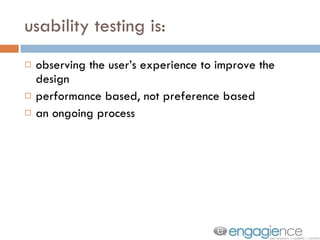
usability testing is: observing the user’s experience to improve the design performance based, not preference based an ongoing process
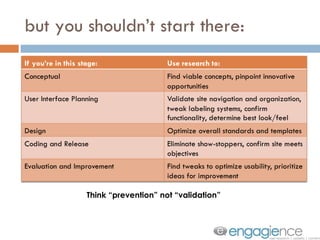
but you shouldn’t start there: Think “prevention” not “validation”
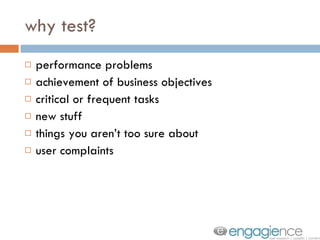
why test? performance problems achievement of business objectives critical or frequent tasks new stuff things you aren’t too sure about user complaints
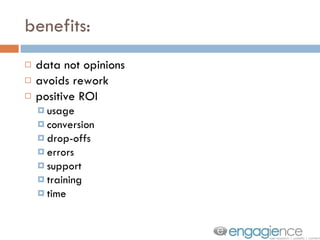
benefits: data not opinions avoids rework positive ROI usage conversion drop-offs errors support training time
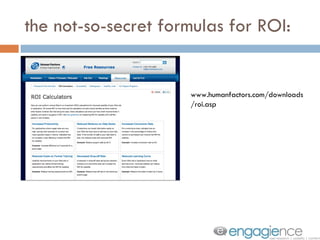
the not-so-secret formulas for ROI: www.humanfactors.com/downloads/roi.asp
why don’t more people do it? if this is so fabulous…
1. recruit 2. test 3. analyze 3 easy steps
but first, let’s talk about time: user research rework user complaints customer service training / help desk recovery You could spend it here: Or here:
step 1: recruit 5 to 10 participants per user group ideal: match actual or potential user in a pinch: use friends, family or similar users do not: use coworkers, designers, developers be serious about the schedule limit sessions to 1 hour leave time in between schedule back-ups (end-of-day); have “on-calls” confirm and communicate
recruiting tips: don’t be afraid to ask recruit 24/7
step 2: test you need: a room a table a computer chairs (3) (and sometimes) internet connectivity a watch optional: data capture software, audio/video equipment
who’s in the room: participant facilitator observer/note-taker
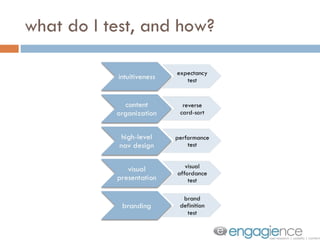
paper sketches  wire frames design concepts functioning prototypes start early. test often.
what do I test, and how?
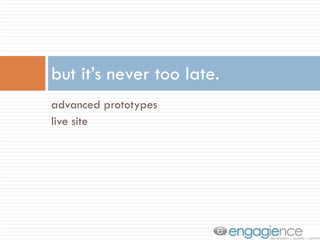
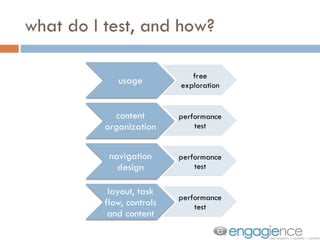
advanced prototypes  live site but it’s never too late.
what do I test, and how?
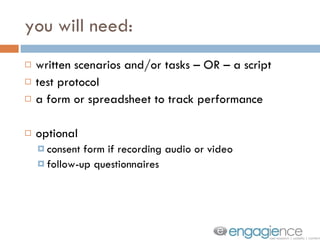
you will need: written scenarios and/or tasks – OR – a script test protocol a form or spreadsheet to track performance optional consent form if recording audio or video follow-up questionnaires
a word about scenarios: create a realistic situation leave it open-ended, so user is free to explore -OR- include tasks within the situation give answers to all choices don’t give away the answer
let’s talk about performance tests: observe the user: how do they perform? can they succeed? is it efficient? do they “get it”? what problems did they have? can they recover from problems?
what to track on your form: # tasks completed successfully # successful/unsuccessful steps # of wrong paths taken # of retries/restarts error rates time to complete time to achieve usability goal steps required tasks performed per time frame
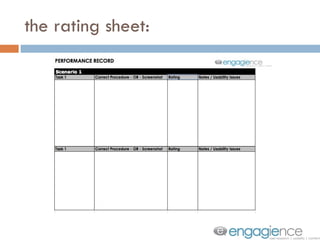
the rating sheet:
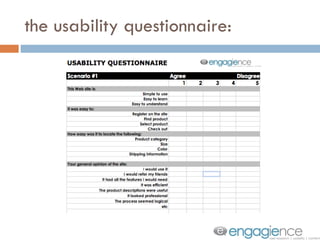
the usability questionnaire:
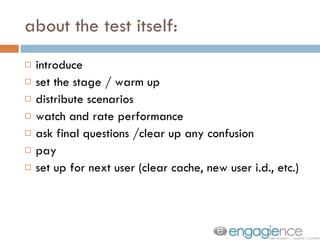
about the test itself: introduce set the stage / warm up distribute scenarios watch and rate performance ask final questions /clear up any confusion pay set up for next user (clear cache, new user i.d., etc.)
tips for facilitator: you’re testing design not the person there is no “wrong” answer don’t point out mistakes, just move on do not give any help during the test. redirect questions back to the participant Exception: need to finish task to get to next scenario.
tips for facilitator: ask: “ Why?” “ How would you do that?” “ What do you think?” “ What are you feeling?” “ Tell me more about that.” “ I’m not sure. What would you do?” “ What are you looking for?”
other handy advice: do a practice run use disclaimers reassure but be neutral don’t interrupt save explanation for the end
step 3: analyze finish notes identify usability issues compile data (whatever you tracked) compare results to goals prioritize
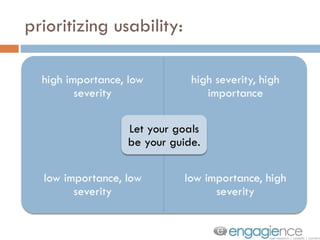
prioritizing usability:
report formats: quick fixes punch list pow-wow presentation  report
NOW GET TO TESTIN’. [email_address]

Podcamp11: DIY Usability Testing

  • 1.
    DIY USABILITY: TESTING 1, 2, 3 mandy butters, certified usability analyst
  • 2.
  • 3.
    usability testing is:observing the user’s experience to improve the design performance based, not preference based an ongoing process
  • 4.
    but you shouldn’tstart there: Think “prevention” not “validation”
  • 5.
    why test? performanceproblems achievement of business objectives critical or frequent tasks new stuff things you aren’t too sure about user complaints
  • 6.
    benefits: data notopinions avoids rework positive ROI usage conversion drop-offs errors support training time
  • 7.
    the not-so-secret formulasfor ROI: www.humanfactors.com/downloads/roi.asp
  • 8.
    why don’t morepeople do it? if this is so fabulous…
  • 9.
    1. recruit 2.test 3. analyze 3 easy steps
  • 10.
    but first, let’stalk about time: user research rework user complaints customer service training / help desk recovery You could spend it here: Or here:
  • 11.
    step 1: recruit5 to 10 participants per user group ideal: match actual or potential user in a pinch: use friends, family or similar users do not: use coworkers, designers, developers be serious about the schedule limit sessions to 1 hour leave time in between schedule back-ups (end-of-day); have “on-calls” confirm and communicate
  • 12.
    recruiting tips: don’tbe afraid to ask recruit 24/7
  • 13.
    step 2: testyou need: a room a table a computer chairs (3) (and sometimes) internet connectivity a watch optional: data capture software, audio/video equipment
  • 14.
    who’s in theroom: participant facilitator observer/note-taker
  • 15.
    paper sketches wire frames design concepts functioning prototypes start early. test often.
  • 16.
    what do Itest, and how?
  • 17.
    advanced prototypes live site but it’s never too late.
  • 18.
    what do Itest, and how?
  • 19.
    you will need:written scenarios and/or tasks – OR – a script test protocol a form or spreadsheet to track performance optional consent form if recording audio or video follow-up questionnaires
  • 20.
    a word aboutscenarios: create a realistic situation leave it open-ended, so user is free to explore -OR- include tasks within the situation give answers to all choices don’t give away the answer
  • 21.
    let’s talk aboutperformance tests: observe the user: how do they perform? can they succeed? is it efficient? do they “get it”? what problems did they have? can they recover from problems?
  • 22.
    what to trackon your form: # tasks completed successfully # successful/unsuccessful steps # of wrong paths taken # of retries/restarts error rates time to complete time to achieve usability goal steps required tasks performed per time frame
  • 23.
  • 24.
  • 25.
    about the testitself: introduce set the stage / warm up distribute scenarios watch and rate performance ask final questions /clear up any confusion pay set up for next user (clear cache, new user i.d., etc.)
  • 26.
    tips for facilitator:you’re testing design not the person there is no “wrong” answer don’t point out mistakes, just move on do not give any help during the test. redirect questions back to the participant Exception: need to finish task to get to next scenario.
  • 27.
    tips for facilitator:ask: “ Why?” “ How would you do that?” “ What do you think?” “ What are you feeling?” “ Tell me more about that.” “ I’m not sure. What would you do?” “ What are you looking for?”
  • 28.
    other handy advice:do a practice run use disclaimers reassure but be neutral don’t interrupt save explanation for the end
  • 29.
    step 3: analyzefinish notes identify usability issues compile data (whatever you tracked) compare results to goals prioritize
  • 30.
  • 31.
    report formats: quickfixes punch list pow-wow presentation report
  • 32.
    NOW GET TOTESTIN’. [email_address]