Strategy Research Design Delivery
Running user testing
Steve Cable (@steve_cable)
Walt Buchan (@silverfoxyboy)
Thursday, 25 November 2010
2
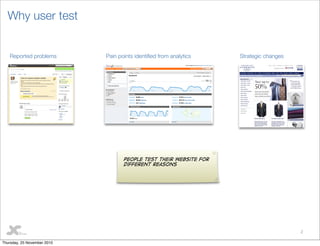
Why user test
Pain points identied from analyticsReported problems Strategic changes
People test their website for
different reasons
Thursday, 25 November 2010
3
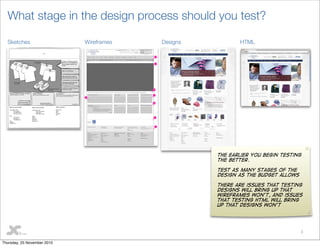
What stage in the design process should you test?
HTMLDesignsWireframesSketches
The earlier you begin testing
the better.
Test as many stages of the
design as the budget allows
There are issues that testing
designs will bring up that
wireframes won’t, and issues
that testing HTML will bring
up that designs won’t
Thursday, 25 November 2010
4
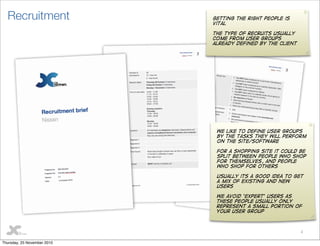
Recruitment Getting the right people is
vital
the type of recruits usually
come from user groups
already defined by the client
We like to define user groups
by the tasks they will perform
on the site/software
for a shopping site it could be
split between people who shop
for themselves, and people
who shop for others
Usually its a good idea to get
a mix of existing and new
users
We avoid ‘Expert’ users as
these people usually only
represent a small portion of
your user group
Thursday, 25 November 2010
5
The test plan
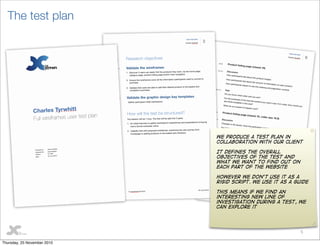
We produce a test plan in
collaboration with our client
It defines the overall
objectives of the test and
what we want to find out on
each part of the website
However we don’t use it as a
rigid script. We use it as a guide
This means if we find an
interesting new line of
investigation during a test, we
can explore it
Thursday, 25 November 2010
6
Who should be involved?
Thursday, 25 November 2010
7
Users
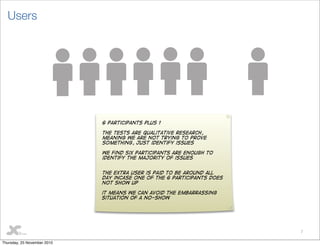
6 participants plus 1
The tests are qualitative research,
meaning we are not trying to prove
something, just identify issues
we find six participants are enough to
identify the majority of issues
The extra user is paid to be around all
day incase one of the 6 participants does
not show up
it means we can avoid the embarrassing
situation of a no-show
Thursday, 25 November 2010
8
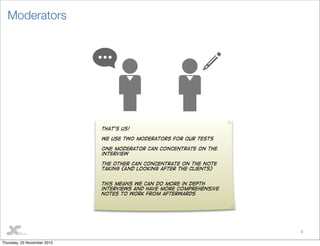
Moderators
That’s us!
We use two moderators for our tests
One moderator can concentrate on the
interview
The other can concentrate on the note
taking (And looking after the clients)
This means we can do more in depth
interviews and have more comprehensive
notes to work from afterwards
Thursday, 25 November 2010
9
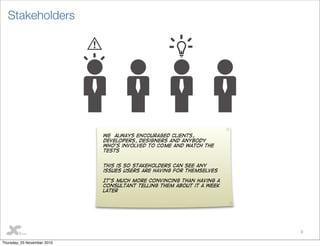
Stakeholders
We always encouraged Clients,
developers, designers and anybody
who’s involved to come and watch the
tests
This is so stakeholders can see any
issues users are having for themselves
It’s much more convincing than having a
consultant telling them about it a week
later
Thursday, 25 November 2010
10
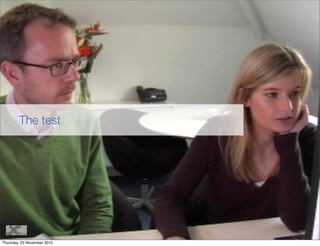
The test
Thursday, 25 November 2010
11
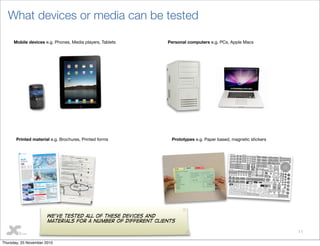
What devices or media can be tested
Mobile devices e.g. Phones, Media players, Tablets Personal computers e.g. PCs, Apple Macs
Printed material e.g. Brochures, Printed forms Prototypes e.g. Paper based, magnetic stickers
We’ve tested all of these devices and
materials for a number of different clients
Thursday, 25 November 2010
12
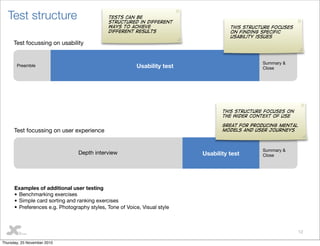
Test structure
Preamble Usability test
Summary &
Close
Depth interview Usability test
Summary &
Close
Test focussing on usability
Test focussing on user experience
Examples of additional user testing
• Benchmarking exercises
• Simple card sorting and ranking exercises
• Preferences e.g. Photography styles, Tone of Voice, Visual style
This structure focuses
on finding specific
usability issues
This structure focuses on
the wider context of use
Great for producing mental
models and user journeys
Tests can be
structured in different
ways to achieve
different results
Thursday, 25 November 2010
13
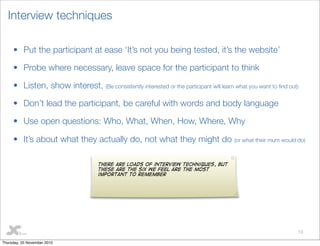
Interview techniques
• Put the participant at ease ‘It’s not you being tested, it’s the website’
• Probe where necessary, leave space for the participant to think
• Listen, show interest, (Be consistently interested or the participant will learn what you want to find out)
• Don’t lead the participant, be careful with words and body language
• Use open questions: Who, What, When, How, Where, Why
• It’s about what they actually do, not what they might do (or what their mum would do)
There are loads of interview techniques, but
these are the six we feel are the most
important to remember
Thursday, 25 November 2010
14
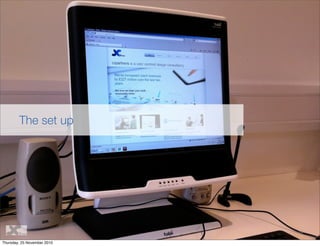
The set up
Thursday, 25 November 2010
15
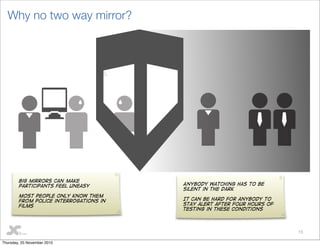
Why no two way mirror?
Big mirrors can make
participants feel uneasy
Most people only know them
from police interrogations in
films
Anybody watching has to be
silent in the dark
It can be hard for anybody to
stay alert after four hours of
testing in these conditions
Thursday, 25 November 2010
16
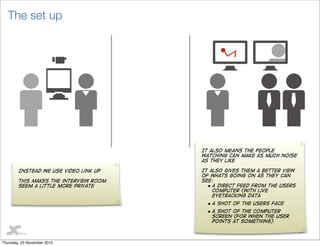
The set up
Instead we use video link up
This makes the interview room
seem a little more private
It also means the people
watching can make as much noise
as they like
It also gives them a better view
of whats going on as they can
see:
• A direct feed from the users
computer (With live
eyetracking data
• A shot of the users face
• A shot of the computer
screen (For when the user
points at something)
Thursday, 25 November 2010
17
The output
Thursday, 25 November 2010
18
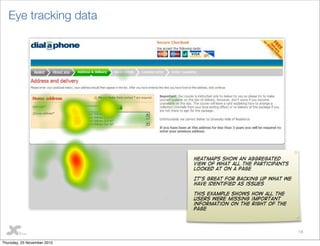
Eye tracking data
Heatmaps show an aggregated
view of what all the participants
looked at on a page
It’s great for backing up what we
have identified as issues
This example shows how all the
users were missing important
information on the right of the
page
Thursday, 25 November 2010
19
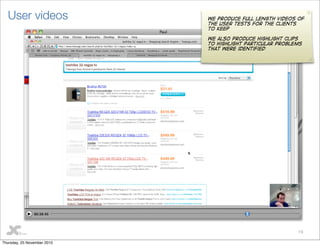
User videos We produce full length videos of
the user tests for the clients
to keep
We also produce highlight clips
to highlight particular problems
that were identified
Thursday, 25 November 2010
20
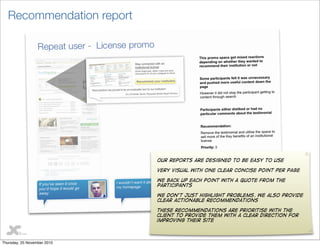
Recommendation report
Our reports are designed to be easy to use
Very visual with one clear concise point per page
We back up each point with a quote from the
participants
We don’t just highlight problems. We also provide
clear actionable recommendations
These recommendations are prioritise with the
client to provide them with a clear direction for
improving their site
Thursday, 25 November 2010
Thank you
21
Steve Cable
User Experience Consultant
steve.cable@cxpartners.co.uk
+44 117 930 3541
Walt Buchan
Senior User Experience Consultant
walt.buchan@cxpartners.co.uk
+44 117 930 3543
Thursday, 25 November 2010

Running user testing

  • 1.
    Strategy Research DesignDelivery Running user testing Steve Cable (@steve_cable) Walt Buchan (@silverfoxyboy) Thursday, 25 November 2010
  • 2.
    2 Why user test Painpoints identied from analyticsReported problems Strategic changes People test their website for different reasons Thursday, 25 November 2010
  • 3.
    3 What stage inthe design process should you test? HTMLDesignsWireframesSketches The earlier you begin testing the better. Test as many stages of the design as the budget allows There are issues that testing designs will bring up that wireframes won’t, and issues that testing HTML will bring up that designs won’t Thursday, 25 November 2010
  • 4.
    4 Recruitment Getting theright people is vital the type of recruits usually come from user groups already defined by the client We like to define user groups by the tasks they will perform on the site/software for a shopping site it could be split between people who shop for themselves, and people who shop for others Usually its a good idea to get a mix of existing and new users We avoid ‘Expert’ users as these people usually only represent a small portion of your user group Thursday, 25 November 2010
  • 5.
    5 The test plan Weproduce a test plan in collaboration with our client It defines the overall objectives of the test and what we want to find out on each part of the website However we don’t use it as a rigid script. We use it as a guide This means if we find an interesting new line of investigation during a test, we can explore it Thursday, 25 November 2010
  • 6.
    6 Who should beinvolved? Thursday, 25 November 2010
  • 7.
    7 Users 6 participants plus1 The tests are qualitative research, meaning we are not trying to prove something, just identify issues we find six participants are enough to identify the majority of issues The extra user is paid to be around all day incase one of the 6 participants does not show up it means we can avoid the embarrassing situation of a no-show Thursday, 25 November 2010
  • 8.
    8 Moderators That’s us! We usetwo moderators for our tests One moderator can concentrate on the interview The other can concentrate on the note taking (And looking after the clients) This means we can do more in depth interviews and have more comprehensive notes to work from afterwards Thursday, 25 November 2010
  • 9.
    9 Stakeholders We always encouragedClients, developers, designers and anybody who’s involved to come and watch the tests This is so stakeholders can see any issues users are having for themselves It’s much more convincing than having a consultant telling them about it a week later Thursday, 25 November 2010
  • 10.
  • 11.
    11 What devices ormedia can be tested Mobile devices e.g. Phones, Media players, Tablets Personal computers e.g. PCs, Apple Macs Printed material e.g. Brochures, Printed forms Prototypes e.g. Paper based, magnetic stickers We’ve tested all of these devices and materials for a number of different clients Thursday, 25 November 2010
  • 12.
    12 Test structure Preamble Usabilitytest Summary & Close Depth interview Usability test Summary & Close Test focussing on usability Test focussing on user experience Examples of additional user testing • Benchmarking exercises • Simple card sorting and ranking exercises • Preferences e.g. Photography styles, Tone of Voice, Visual style This structure focuses on finding specific usability issues This structure focuses on the wider context of use Great for producing mental models and user journeys Tests can be structured in different ways to achieve different results Thursday, 25 November 2010
  • 13.
    13 Interview techniques • Putthe participant at ease ‘It’s not you being tested, it’s the website’ • Probe where necessary, leave space for the participant to think • Listen, show interest, (Be consistently interested or the participant will learn what you want to find out) • Don’t lead the participant, be careful with words and body language • Use open questions: Who, What, When, How, Where, Why • It’s about what they actually do, not what they might do (or what their mum would do) There are loads of interview techniques, but these are the six we feel are the most important to remember Thursday, 25 November 2010
  • 14.
    14 The set up Thursday,25 November 2010
  • 15.
    15 Why no twoway mirror? Big mirrors can make participants feel uneasy Most people only know them from police interrogations in films Anybody watching has to be silent in the dark It can be hard for anybody to stay alert after four hours of testing in these conditions Thursday, 25 November 2010
  • 16.
    16 The set up Insteadwe use video link up This makes the interview room seem a little more private It also means the people watching can make as much noise as they like It also gives them a better view of whats going on as they can see: • A direct feed from the users computer (With live eyetracking data • A shot of the users face • A shot of the computer screen (For when the user points at something) Thursday, 25 November 2010
  • 17.
  • 18.
    18 Eye tracking data Heatmapsshow an aggregated view of what all the participants looked at on a page It’s great for backing up what we have identified as issues This example shows how all the users were missing important information on the right of the page Thursday, 25 November 2010
  • 19.
    19 User videos Weproduce full length videos of the user tests for the clients to keep We also produce highlight clips to highlight particular problems that were identified Thursday, 25 November 2010
  • 20.
    20 Recommendation report Our reportsare designed to be easy to use Very visual with one clear concise point per page We back up each point with a quote from the participants We don’t just highlight problems. We also provide clear actionable recommendations These recommendations are prioritise with the client to provide them with a clear direction for improving their site Thursday, 25 November 2010
  • 21.
    Thank you 21 Steve Cable UserExperience Consultant steve.cable@cxpartners.co.uk +44 117 930 3541 Walt Buchan Senior User Experience Consultant walt.buchan@cxpartners.co.uk +44 117 930 3543 Thursday, 25 November 2010