Usability Testing is Easy! Francis Rowland EMBL-EBI Cambridge, UK Slide  F RANCIS  R OWLAND
Usability Testing is Easy! Honestly . Francis Rowland EMBL-EBI Cambridge, UK Slide  Sit back and observe as participants find usability problems for you Write some relevant tasks to simulate trying to achieve those goals Figure out the kinds of things your users want to do with your application Arrange simple one-to-one testing sessions F RANCIS  R OWLAND
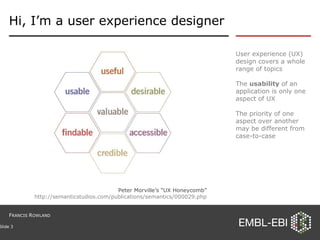
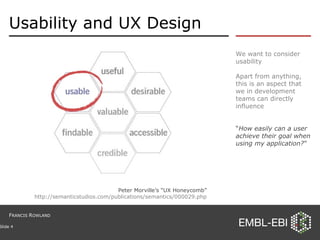
Hi, I’m a user experience designer User experience (UX) design covers a whole range of topics The  usability  of an application is only one aspect of UX The priority of one aspect over another may be different from case-to-case Slide  Peter Morville’s “UX Honeycomb” http://semanticstudios.com/publications/semantics/000029.php F RANCIS  R OWLAND
Usability and UX Design We want to consider usability Apart from anything, this is an aspect that we in development teams can directly influence “ How easily can a user achieve their goal when using my application? ” Slide  Peter Morville’s “UX Honeycomb” http://semanticstudios.com/publications/semantics/000029.php F RANCIS  R OWLAND
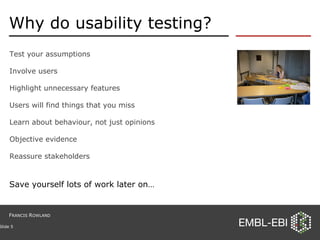
Why do usability testing? Test your assumptions Involve users Highlight unnecessary features Users will find things that you miss Learn about behaviour, not just opinions Objective evidence Reassure stakeholders Slide  Save yourself lots of work later on… F RANCIS  R OWLAND
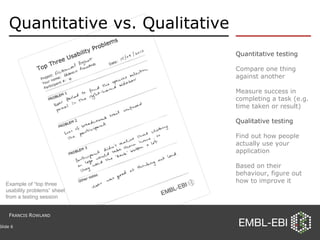
Quantitative vs. Qualitative Quantitative testing Compare one thing against another Measure success in completing a task (e.g. time taken or result) Qualitative testing Find out how people actually use your application Based on their behaviour, figure out how to improve it Slide  Example of “top three usability problems” sheet from a testing session F RANCIS  R OWLAND
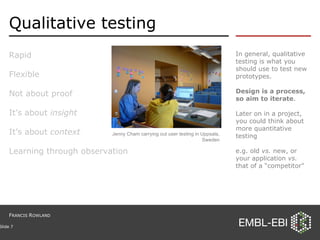
Qualitative testing Rapid Flexible Not about proof It’s about  insight It’s about  context Learning through observation In general, qualitative testing is what you should use to test new prototypes. Design is a process, so aim to iterate . Later on in a project, you could think about more quantitative testing e.g. old  vs.  new, or your application  vs.  that of a “competitor” Slide  Jenny Cham carrying out user testing in Uppsala, Sweden F RANCIS  R OWLAND
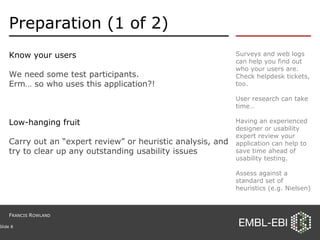
Preparation (1 of 2) Know your users We need some test participants.  Erm… so who uses this application?! Low-hanging fruit Carry out an “expert review” or heuristic analysis, and try to clear up any outstanding usability issues Surveys and web logs can help you find out who your users are. Check helpdesk tickets, too. User research can take time… Having an experienced designer or usability expert review your application can help to save time ahead of usability testing.  Assess against a standard set of heuristics (e.g. Nielsen) Slide  F RANCIS  R OWLAND
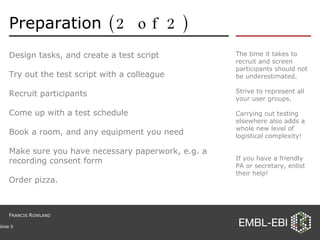
Preparation  (2 of 2) Design tasks, and create a test script Try out the test script with a colleague Recruit participants Come up with a test schedule Book a room, and any equipment you need Make sure you have necessary paperwork, e.g. a recording consent form Order pizza. The time it takes to recruit and screen participants should not be underestimated. Strive to represent all your user groups. Carrying out testing elsewhere also adds a whole new level of logistical complexity! If you have a friendly PA or secretary, enlist their help! Slide  F RANCIS  R OWLAND
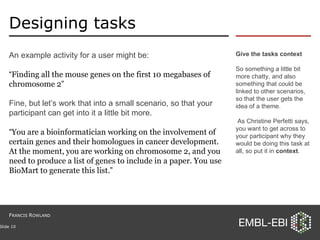
Designing tasks An example activity for a user might be: “ Finding all the mouse genes on the first 10 megabases of chromosome 2 ” Fine, but let’s work that into a small scenario, so that your participant can get into it a little bit more. “ You are a bioinformatician working on the involvement of certain genes and their homologues in cancer development. At the moment, you are working on chromosome 2, and you need to produce a list of genes to include in a paper. You use BioMart to generate this list. ” Give the tasks context So something a little bit more chatty, and also something that could be linked to other scenarios, so that the user gets the idea of a theme. As Christine Perfetti says, you want to get across to your participant why they would be doing this task at all, so put it in  context . Slide  F RANCIS  R OWLAND
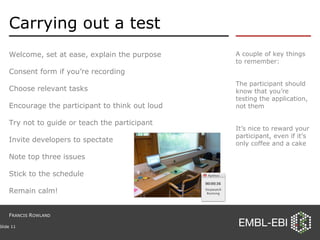
Carrying out a test Welcome, set at ease, explain the purpose Consent form if you’re recording Choose relevant tasks Encourage the participant to think out loud Try not to guide or teach the participant Invite developers to spectate Note top three issues Stick to the schedule Remain calm! A couple of key things to remember: The participant should know that you’re testing the application, not them It’s nice to reward your participant, even if it’s only coffee and a cake  Slide  F RANCIS  R OWLAND
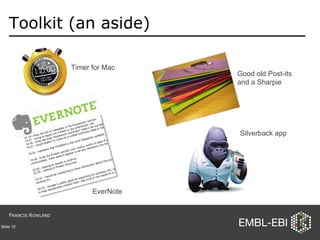
Toolkit (an aside) Slide  Good old Post-its and a Sharpie Silverback app Timer for Mac EverNote F RANCIS  R OWLAND
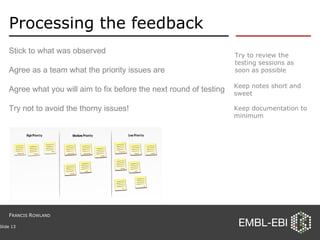
Processing the feedback Keep notes short and sweet Keep documentation to minimum Slide  Stick to what was observed Agree as a team what the priority issues are Agree what you will aim to fix before the next round of testing Try not to avoid the thorny issues! Try to review the testing sessions as soon as possible F RANCIS  R OWLAND
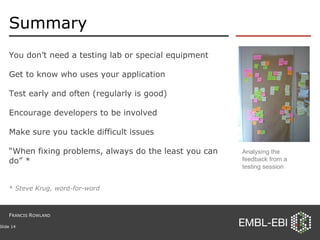
Summary You don’t need a testing lab or special equipment Get to know who uses your application Test early and often (regularly is good) Encourage developers to be involved Make sure you tackle difficult issues “ When fixing problems, always do the least you can do” * *  Steve Krug, word-for-word Slide  Analysing the feedback from a testing session F RANCIS  R OWLAND
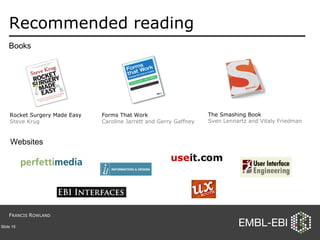
Recommended reading Slide  Rocket Surgery Made Easy Steve Krug Forms That Work Caroline Jarrett and Gerry Gaffney The Smashing Book Sven Lennartz and Vitaly Friedman Books Websites F RANCIS  R OWLAND
Thanks Contact me: Email : [email_address] Web : http://www.ebi.ac.uk/~frowland Blog : http://ebiinterfaces.wordpress.com LinkedIn: http://uk.linkedin.com/in/francisrowland Slide  Thanks to my colleagues Nils Gehlenborg , Jenny Cham and Eamonn Maguire who help to run the EBI Interfaces forum, and to Graham Cameron for his continued support. Thank you for listening. F RANCIS  R OWLAND

Usability Testing is Easy! (redux)

  • 1.
    Usability Testing isEasy! Francis Rowland EMBL-EBI Cambridge, UK Slide F RANCIS R OWLAND
  • 2.
    Usability Testing isEasy! Honestly . Francis Rowland EMBL-EBI Cambridge, UK Slide Sit back and observe as participants find usability problems for you Write some relevant tasks to simulate trying to achieve those goals Figure out the kinds of things your users want to do with your application Arrange simple one-to-one testing sessions F RANCIS R OWLAND
  • 3.
    Hi, I’m auser experience designer User experience (UX) design covers a whole range of topics The usability of an application is only one aspect of UX The priority of one aspect over another may be different from case-to-case Slide Peter Morville’s “UX Honeycomb” http://semanticstudios.com/publications/semantics/000029.php F RANCIS R OWLAND
  • 4.
    Usability and UXDesign We want to consider usability Apart from anything, this is an aspect that we in development teams can directly influence “ How easily can a user achieve their goal when using my application? ” Slide Peter Morville’s “UX Honeycomb” http://semanticstudios.com/publications/semantics/000029.php F RANCIS R OWLAND
  • 5.
    Why do usabilitytesting? Test your assumptions Involve users Highlight unnecessary features Users will find things that you miss Learn about behaviour, not just opinions Objective evidence Reassure stakeholders Slide Save yourself lots of work later on… F RANCIS R OWLAND
  • 6.
    Quantitative vs. QualitativeQuantitative testing Compare one thing against another Measure success in completing a task (e.g. time taken or result) Qualitative testing Find out how people actually use your application Based on their behaviour, figure out how to improve it Slide Example of “top three usability problems” sheet from a testing session F RANCIS R OWLAND
  • 7.
    Qualitative testing RapidFlexible Not about proof It’s about insight It’s about context Learning through observation In general, qualitative testing is what you should use to test new prototypes. Design is a process, so aim to iterate . Later on in a project, you could think about more quantitative testing e.g. old vs. new, or your application vs. that of a “competitor” Slide Jenny Cham carrying out user testing in Uppsala, Sweden F RANCIS R OWLAND
  • 8.
    Preparation (1 of2) Know your users We need some test participants. Erm… so who uses this application?! Low-hanging fruit Carry out an “expert review” or heuristic analysis, and try to clear up any outstanding usability issues Surveys and web logs can help you find out who your users are. Check helpdesk tickets, too. User research can take time… Having an experienced designer or usability expert review your application can help to save time ahead of usability testing. Assess against a standard set of heuristics (e.g. Nielsen) Slide F RANCIS R OWLAND
  • 9.
    Preparation (2of 2) Design tasks, and create a test script Try out the test script with a colleague Recruit participants Come up with a test schedule Book a room, and any equipment you need Make sure you have necessary paperwork, e.g. a recording consent form Order pizza. The time it takes to recruit and screen participants should not be underestimated. Strive to represent all your user groups. Carrying out testing elsewhere also adds a whole new level of logistical complexity! If you have a friendly PA or secretary, enlist their help! Slide F RANCIS R OWLAND
  • 10.
    Designing tasks Anexample activity for a user might be: “ Finding all the mouse genes on the first 10 megabases of chromosome 2 ” Fine, but let’s work that into a small scenario, so that your participant can get into it a little bit more. “ You are a bioinformatician working on the involvement of certain genes and their homologues in cancer development. At the moment, you are working on chromosome 2, and you need to produce a list of genes to include in a paper. You use BioMart to generate this list. ” Give the tasks context So something a little bit more chatty, and also something that could be linked to other scenarios, so that the user gets the idea of a theme. As Christine Perfetti says, you want to get across to your participant why they would be doing this task at all, so put it in context . Slide F RANCIS R OWLAND
  • 11.
    Carrying out atest Welcome, set at ease, explain the purpose Consent form if you’re recording Choose relevant tasks Encourage the participant to think out loud Try not to guide or teach the participant Invite developers to spectate Note top three issues Stick to the schedule Remain calm! A couple of key things to remember: The participant should know that you’re testing the application, not them It’s nice to reward your participant, even if it’s only coffee and a cake Slide F RANCIS R OWLAND
  • 12.
    Toolkit (an aside)Slide Good old Post-its and a Sharpie Silverback app Timer for Mac EverNote F RANCIS R OWLAND
  • 13.
    Processing the feedbackKeep notes short and sweet Keep documentation to minimum Slide Stick to what was observed Agree as a team what the priority issues are Agree what you will aim to fix before the next round of testing Try not to avoid the thorny issues! Try to review the testing sessions as soon as possible F RANCIS R OWLAND
  • 14.
    Summary You don’tneed a testing lab or special equipment Get to know who uses your application Test early and often (regularly is good) Encourage developers to be involved Make sure you tackle difficult issues “ When fixing problems, always do the least you can do” * * Steve Krug, word-for-word Slide Analysing the feedback from a testing session F RANCIS R OWLAND
  • 15.
    Recommended reading Slide Rocket Surgery Made Easy Steve Krug Forms That Work Caroline Jarrett and Gerry Gaffney The Smashing Book Sven Lennartz and Vitaly Friedman Books Websites F RANCIS R OWLAND
  • 16.
    Thanks Contact me:Email : [email_address] Web : http://www.ebi.ac.uk/~frowland Blog : http://ebiinterfaces.wordpress.com LinkedIn: http://uk.linkedin.com/in/francisrowland Slide Thanks to my colleagues Nils Gehlenborg , Jenny Cham and Eamonn Maguire who help to run the EBI Interfaces forum, and to Graham Cameron for his continued support. Thank you for listening. F RANCIS R OWLAND