
What is Usability?

• Usability Is a measure of how easy it is to
  use something:

  – How easy will the use of the software be for
    a typical user to understand, learn, and
    operate
  – e.g., “user-friendliness”
What is Usability Testing?
• The idea is to place users in front of some
  version of the software under test and watch
  how these users try to use it

• Can be expensive depending on what tasks you
  have users try and on what you are watching for

• Not cost-effective if done too late in dev cycle
Formal vs. Informal Testing
• Formal testing might entail building a
  usability testing lab, equipping it with an
  array of computers, audio-video
  equipment, then staffing it with
  technicians, and human-computer
  interaction specialists
Formal vs. Informal Testing
• Informal approach: No fancy lab or expensive
  equipment
• A simple test plan and task list are prepared,
  notepad and pencil
• Participants are observed by an impartial
  moderator
• The advantage is that informal testing looks at
  what people actually do when they are doing
  real work in an ordinary setting
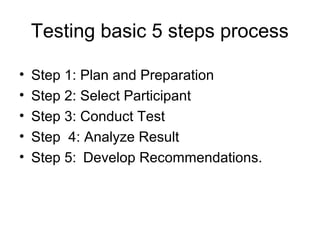
Testing basic 5 steps process

•   Step 1: Plan and Preparation
•   Step 2: Select Participant
•   Step 3: Conduct Test
•   Step 4: Analyze Result
•   Step 5: Develop Recommendations.
Step 1: Plan & Prepare
Develop a test plan:
  – For simple testing, prepare a list of questions
  – For more detailed testing, have a script prepared

• Test Plan is important because you can
  create a framework for your testing
  process

• It allows you to communicate your goals
  with the client & align expectations
Step 1: Plan & Prepare
Create a Task List:
• Create lists of tasks or questions that a
  typical user should be able to complete in
  an hour
• Tasks should not be too simple nor too
  difficult to accomplish
     • e.g., 1. Find a concert show you want to see
           2. Purchase tickets on line
           3. Find directions to the venue
Step 2: Find Participants
• A challenging aspect in usability testing is
  finding suitable participants
• Test outside the team—testing with people
  who are not associated with your company
  or your Web site
• Test out your test plan beforehand with
  co-workers or friends that have an
  acceptable degree of Web user
  experience
Step 3: Conduct the Session
• Introduce yourself, explain the process to
  the user
• Make the user feel comfortable
• Speak only to give a new task and take
  notes during the process
Step 3: Conduct the Session
• Once the usability test session is over,
  prepare a short summary of the session
  and the results
• Outline specific problem areas and any
  unexpected results
• Include any personal observations
Step 4: Analyze Results

• Identifiy difficulties and problem areas.
• Transfer handwritten notes to computer

• Write your reports while they are fresh in
  your mind,
• Create a summary after testing is
  complete.
Step 5: Make
         Recommendations
• Compile and recommend
  – Gather all your compiled information and
    translate into recommendations
  – Concentrate on high-level functionality first
  – Then focus on recommendations for improved
    user experience (what works and what does
    not work well for users!)
  – Determine the implementation plan
• Write up a formal report
THANKS…

Usability engineering Usability testing

  • 2.
    What is Usability? •Usability Is a measure of how easy it is to use something: – How easy will the use of the software be for a typical user to understand, learn, and operate – e.g., “user-friendliness”
  • 3.
    What is UsabilityTesting? • The idea is to place users in front of some version of the software under test and watch how these users try to use it • Can be expensive depending on what tasks you have users try and on what you are watching for • Not cost-effective if done too late in dev cycle
  • 4.
    Formal vs. InformalTesting • Formal testing might entail building a usability testing lab, equipping it with an array of computers, audio-video equipment, then staffing it with technicians, and human-computer interaction specialists
  • 5.
    Formal vs. InformalTesting • Informal approach: No fancy lab or expensive equipment • A simple test plan and task list are prepared, notepad and pencil • Participants are observed by an impartial moderator • The advantage is that informal testing looks at what people actually do when they are doing real work in an ordinary setting
  • 6.
    Testing basic 5steps process • Step 1: Plan and Preparation • Step 2: Select Participant • Step 3: Conduct Test • Step 4: Analyze Result • Step 5: Develop Recommendations.
  • 7.
    Step 1: Plan& Prepare Develop a test plan: – For simple testing, prepare a list of questions – For more detailed testing, have a script prepared • Test Plan is important because you can create a framework for your testing process • It allows you to communicate your goals with the client & align expectations
  • 8.
    Step 1: Plan& Prepare Create a Task List: • Create lists of tasks or questions that a typical user should be able to complete in an hour • Tasks should not be too simple nor too difficult to accomplish • e.g., 1. Find a concert show you want to see 2. Purchase tickets on line 3. Find directions to the venue
  • 9.
    Step 2: FindParticipants • A challenging aspect in usability testing is finding suitable participants • Test outside the team—testing with people who are not associated with your company or your Web site • Test out your test plan beforehand with co-workers or friends that have an acceptable degree of Web user experience
  • 10.
    Step 3: Conductthe Session • Introduce yourself, explain the process to the user • Make the user feel comfortable • Speak only to give a new task and take notes during the process
  • 11.
    Step 3: Conductthe Session • Once the usability test session is over, prepare a short summary of the session and the results • Outline specific problem areas and any unexpected results • Include any personal observations
  • 12.
    Step 4: AnalyzeResults • Identifiy difficulties and problem areas. • Transfer handwritten notes to computer • Write your reports while they are fresh in your mind, • Create a summary after testing is complete.
  • 13.
    Step 5: Make Recommendations • Compile and recommend – Gather all your compiled information and translate into recommendations – Concentrate on high-level functionality first – Then focus on recommendations for improved user experience (what works and what does not work well for users!) – Determine the implementation plan • Write up a formal report
  • 14.