Tips and Tricks for
Optimising Unity UI
Andy Touch
Product Content Evangelist, Unity Technologies
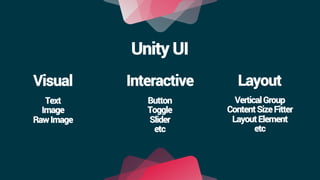
Unity UI
Unity UI
Interactive LayoutVisual
Text
Image
RawImage
Button
Toggle
Slider
etc
VerticalGroup
ContentSizeFitter
LayoutElement
etc
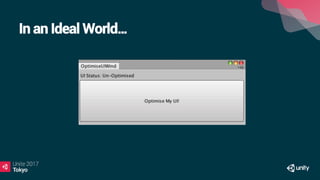
In an Ideal World…
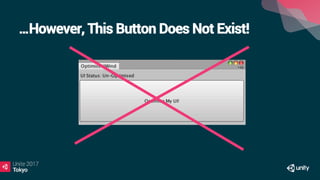
…However, This Button Does Not Exist!
Optimising UI is Case-By-Case Dependent
•  Range of Platforms: Mobile, to Console, to VR.
•  Range of Styles: 2D, 3D, Mixed
•  Range of Genres: Racing, FPS, 2D Platformer, etc
•  Not all advice will work in all use-cases!
•  Always best to Profile and Test on target device.
The Balance of UI Systems
Flexibility Performance
UI Batching
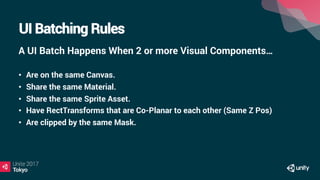
UI Batching Rules
A UI Batch Happens When 2 or more Visual Components…
•  Are on the same Canvas.
•  Share the same Material.
•  Share the same Sprite Asset.
•  Have RectTransforms that are Co-Planar to each other (Same Z Pos)
•  Are clipped by the same Mask.
Frame Debugger and UI Profiler
Demo!
Sprite Atlas
Demo!
UI Shaders
•  All Visual Elements: ‘UI/Default Shader’.
•  Supports Masking, Clipping, Vertex Coloring etc
•  Built-In Unity Shader Source Code: Unity Archive Page
•  All Shader Source Code can be customised!
•  Demo Time!
Text Mesh Pro
•  Advanced Text Customisation and Rendering System
•  Very Popular Unity Asset Store Package
•  Acquired by Unity Technologies in February 2017
•  Free to Download Today!
•  Demo Time!
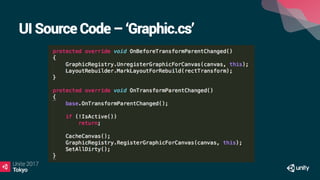
The Rebuild Process
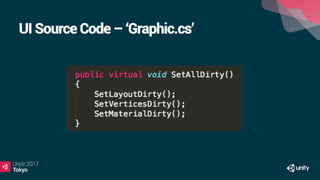
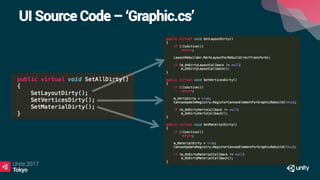
•  UI Element Layout changes -> Element is set to ‘Dirty’.
•  UI Element Graphic changes -> Element is set to ‘Dirty’.
•  Rebuild Process: Recalculates the ‘Dirty’ components/objects.
•  This can be seen in the Profiler as ‘Canvas.SendWillRenderCanvases’
Unity UI - Source Code
bitbucket.org/Unity-Technologies/ui
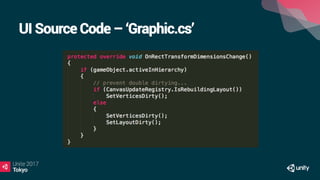
UI Source Code – ‘Graphic.cs’
Layout Components
•  Vertical, Horizontal, Grid, Layout Element, etc
•  Very useful for structuring UI and setting up UI elements in order.
•  Child Order determines how the Layout is structured.
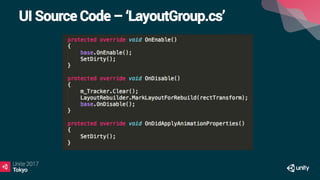
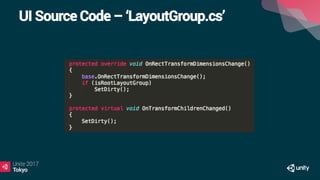
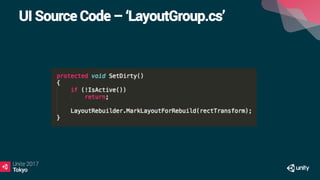
•  Related RectTransform Changes -> Layout is set to ‘Dirty’.
•  Layout is ‘Dirty’ -> Added to Rebuild Process
UI Source Code – ‘LayoutGroup.cs’
Layout Components
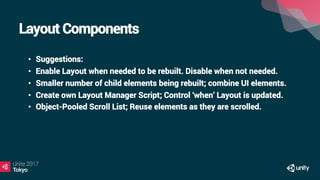
•  Suggestions:
•  Enable Layout when needed to be rebuilt. Disable when not needed.
•  Smaller number of child elements being rebuilt; combine UI elements.
•  Create own Layout Manager Script; Control ‘when’ Layout is updated.
•  Object-Pooled Scroll List; Reuse elements as they are scrolled.
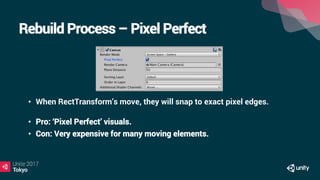
Rebuild Process – Pixel Perfect
•  When RectTransform’s move, they will snap to exact pixel edges.
•  Pro: ‘Pixel Perfect’ visuals.
•  Con: Very expensive for many moving elements.
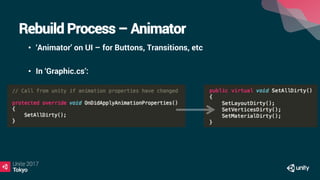
Rebuild Process – Animator
•  ‘Animator’ on UI – for Buttons, Transitions, etc
•  In ‘Graphic.cs’:
Sub Canvases
•  It is possible to add a ‘Canvas’ component to child UI of a Canvas.
•  This will create a ‘Sub-Canvas’.
•  Can be used to isolate Canvas rebuilds.
•  A Sub-Canvas will:
- Have its own independent settings (Such as Pixel Perfect)
- Rebuild its child batches, when required.
- Can enable and disable visibility of all child elements.
•  Demo Time!
Unity UI - Source Code
bitbucket.org/Unity-Technologies/ui
Unity UI – Best Practices Guide
unity3d.com/learn/tutorials/topics/best-practices
Thank You!
Any Questions?
@andytouch

【Unite 2017 Tokyo】Unity UI最適化ガイド 〜ベストプラクティスと新機能

  • 2.
    Tips and Tricksfor Optimising Unity UI
  • 3.
    Andy Touch Product ContentEvangelist, Unity Technologies
  • 4.
  • 5.
  • 6.
    In an IdealWorld…
  • 7.
    …However, This ButtonDoes Not Exist!
  • 8.
    Optimising UI isCase-By-Case Dependent •  Range of Platforms: Mobile, to Console, to VR. •  Range of Styles: 2D, 3D, Mixed •  Range of Genres: Racing, FPS, 2D Platformer, etc •  Not all advice will work in all use-cases! •  Always best to Profile and Test on target device.
  • 9.
    The Balance ofUI Systems Flexibility Performance
  • 10.
  • 11.
    UI Batching Rules AUI Batch Happens When 2 or more Visual Components… •  Are on the same Canvas. •  Share the same Material. •  Share the same Sprite Asset. •  Have RectTransforms that are Co-Planar to each other (Same Z Pos) •  Are clipped by the same Mask.
  • 12.
    Frame Debugger andUI Profiler Demo!
  • 13.
  • 14.
    UI Shaders •  AllVisual Elements: ‘UI/Default Shader’. •  Supports Masking, Clipping, Vertex Coloring etc •  Built-In Unity Shader Source Code: Unity Archive Page •  All Shader Source Code can be customised! •  Demo Time!
  • 15.
    Text Mesh Pro • Advanced Text Customisation and Rendering System •  Very Popular Unity Asset Store Package •  Acquired by Unity Technologies in February 2017 •  Free to Download Today! •  Demo Time!
  • 16.
    The Rebuild Process • UI Element Layout changes -> Element is set to ‘Dirty’. •  UI Element Graphic changes -> Element is set to ‘Dirty’. •  Rebuild Process: Recalculates the ‘Dirty’ components/objects. •  This can be seen in the Profiler as ‘Canvas.SendWillRenderCanvases’
  • 17.
    Unity UI -Source Code bitbucket.org/Unity-Technologies/ui
  • 18.
    UI Source Code– ‘Graphic.cs’
  • 19.
    UI Source Code– ‘Graphic.cs’
  • 20.
    UI Source Code– ‘Graphic.cs’
  • 21.
    UI Source Code– ‘Graphic.cs’
  • 22.
    Layout Components •  Vertical,Horizontal, Grid, Layout Element, etc •  Very useful for structuring UI and setting up UI elements in order. •  Child Order determines how the Layout is structured. •  Related RectTransform Changes -> Layout is set to ‘Dirty’. •  Layout is ‘Dirty’ -> Added to Rebuild Process
  • 23.
    UI Source Code– ‘LayoutGroup.cs’
  • 24.
    UI Source Code– ‘LayoutGroup.cs’
  • 25.
    UI Source Code– ‘LayoutGroup.cs’
  • 26.
    Layout Components •  Suggestions: • Enable Layout when needed to be rebuilt. Disable when not needed. •  Smaller number of child elements being rebuilt; combine UI elements. •  Create own Layout Manager Script; Control ‘when’ Layout is updated. •  Object-Pooled Scroll List; Reuse elements as they are scrolled.
  • 27.
    Rebuild Process –Pixel Perfect •  When RectTransform’s move, they will snap to exact pixel edges. •  Pro: ‘Pixel Perfect’ visuals. •  Con: Very expensive for many moving elements.
  • 28.
    Rebuild Process –Animator •  ‘Animator’ on UI – for Buttons, Transitions, etc •  In ‘Graphic.cs’:
  • 29.
    Sub Canvases •  Itis possible to add a ‘Canvas’ component to child UI of a Canvas. •  This will create a ‘Sub-Canvas’. •  Can be used to isolate Canvas rebuilds. •  A Sub-Canvas will: - Have its own independent settings (Such as Pixel Perfect) - Rebuild its child batches, when required. - Can enable and disable visibility of all child elements. •  Demo Time!
  • 30.
    Unity UI -Source Code bitbucket.org/Unity-Technologies/ui
  • 31.
    Unity UI –Best Practices Guide unity3d.com/learn/tutorials/topics/best-practices
  • 32.