Built for performance:
the UIElements Renderer
Wessam Bahnassi
Tech Lead – UI/Editor Rendering Technology
The UI rendering problem
3
— UI is a rendering problem with unique characteristics
— Big tree of nested elements
— Depth-first rendering for proper composition
— Stateful system
— Mostly static, very localized changes
– E.g. element under the mouse
— Changes usually triggered by sparse events
– Mainly instigated by user input
— Involves different rendering/shading techniques
– e.g. solid shapes, sprites, text, borders
Window
Group Box
Label
String
Label
String
Label
String
List Box
List Item List Item
String String
Group Box
Button Button
String String
Status Bar
String
How to do a UI renderer
4
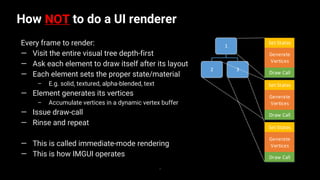
Every frame to render:
— Visit the entire visual tree depth-first
— Ask each element to draw itself after its layout
— Each element sets the proper state/material
– E.g. solid, textured, alpha-blended, text
— Element generates its vertices
– Accumulate vertices in a dynamic vertex buffer
— Issue draw-call
— Rinse and repeat
— This is called immediate-mode rendering
— This is how IMGUI operates
NOT
Set States
Generate
Vertices
Draw Call
Set States
Generate
Vertices
Draw Call
Set States
Generate
Vertices
Draw Call
1
2 3
How to do a UI renderer
5
— Useless work repeated every frame
– Bad for energy – planet Earth hates it
— Tough to optimize behind the curtain
– Can vertex cache (better)
– or even pixel cache (memory hungry)
— Not performance scalable
– Hence, only use for in-game debugging purposes
— If you don’t believe me, wait near the end of this presentation
NOT
How to do a scalable UI renderer
6
— Benefit from the problem’s characterstics
— Spare updates > Only recompute what’s changed
— Ideally 0-cost when nothing has changed
— Minimal draw submission cost on CPU & GPU
every frame
— Not achievable with IMGUI methodology
– Need something different
Retained-mode UI: UIElements
7
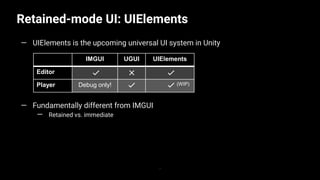
— UIElements is the upcoming universal UI system in Unity
— Fundamentally different from IMGUI
— Retained vs. immediate
IMGUI UGUI UIElements
Editor
Player Debug only! (WIP)
UIElements Renderer (UIR)
8
— UIR is the new rendering backend of UIElements
— A tiny team on the quest for best UI rendering
performance
— Support all UIElements features
– Cascading style sheets (USS)
– SVG / infinite zoom
– Trees of thousands of elements
– Run on everything from desktop to low-end mobile
— All of the above @ great performance
UIElements Renderer (UIR)
9
?
UIElements Renderer (UIR)
10
UIElements Renderer (UIR)
11
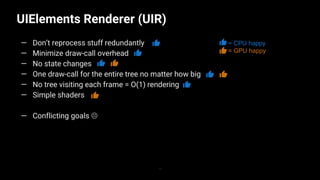
— Don’t reprocess stuff redundantly
— Minimize draw-call overhead
— No state changes
— One draw-call for the entire tree no matter how big
— No tree visiting each frame = O(1) rendering
— Simple shaders
— Conflicting goals 
= CPU happy
= GPU happy
Optimizing materials/states (1/4)
12
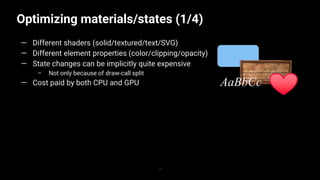
— Different shaders (solid/textured/text/SVG)
— Different element properties (color/clipping/opacity)
— State changes can be implicitly quite expensive
– Not only because of draw-call split
— Cost paid by both CPU and GPU AaBbCc
Optimizing materials/states (2/4)
13
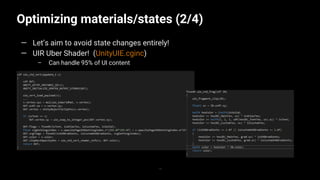
— Let’s aim to avoid state changes entirely!
— UIR Uber Shader! (UnityUIE.cginc)
– Can handle 95% of UI content
Optimizing materials/states (3/4)
14
— Complex shader, but…
— UI is historically fill-rate bound
– Vertex processing unit will sit idle in the meantime
— Vertex shader processes most of the complexity
— Pixel shader has dynamic branching
– But all pixels from the same element will take the same branch
– Divergence within a wavefront/warp is rare
— ! Balance work across processing units !
– State change cost moved from CPU to GPU
– Cost spread on the GPU over idle units
Optimizing materials/states (4/4)
15
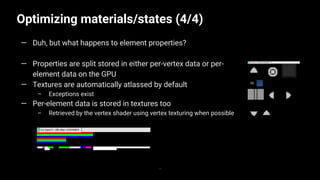
— Duh, but what happens to element properties?
— Properties are split stored in either per-vertex data or per-
element data on the GPU
— Textures are automatically atlassed by default
– Exceptions exist
— Per-element data is stored in textures too
– Retrieved by the vertex shader using vertex texturing when possible
Optimizing draw-call count (1/5)
16
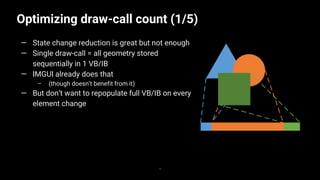
— State change reduction is great but not enough
— Single draw-call = all geometry stored
sequentially in 1 VB/IB
— IMGUI already does that
– (though doesn’t benefit from it)
— But don’t want to repopulate full VB/IB on every
element change
Optimizing draw-call count (2/5)
17
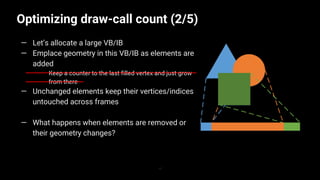
— Let’s allocate a large VB/IB
— Emplace geometry in this VB/IB as elements are
added
– Keep a counter to the last filled vertex and just grow
from there
— Unchanged elements keep their vertices/indices
untouched across frames
— What happens when elements are removed or
their geometry changes?
Optimizing draw-call count (3/5)
18
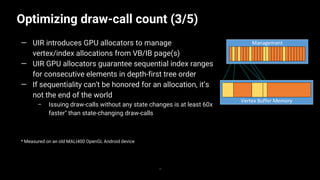
— UIR introduces GPU allocators to manage
vertex/index allocations from VB/IB page(s)
— UIR GPU allocators guarantee sequential index ranges
for consecutive elements in depth-first tree order
— If sequentiality can’t be honored for an allocation, it’s
not the end of the world
– Issuing draw-calls without any state changes is at least 60x
faster* than state-changing draw-calls
* Measured on an old MALI400 OpenGL Android device
Management
Vertex Buffer Memory
Optimizing draw-call count (4/5)
19
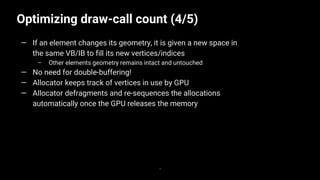
— If an element changes its geometry, it is given a new space in
the same VB/IB to fill its new vertices/indices
– Other elements geometry remains intact and untouched
— No need for double-buffering!
— Allocator keeps track of vertices in use by GPU
— Allocator defragments and re-sequences the allocations
automatically once the GPU releases the memory
Optimizing draw-call count (5/5)
20
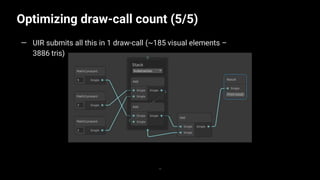
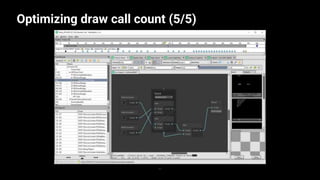
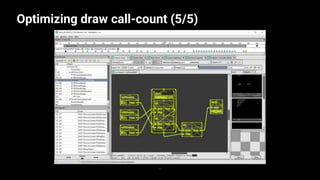
— UIR submits all this in 1 draw-call (~185 visual elements –
3886 tris)
Optimizing draw call count (5/5)
21
Optimizing draw call-count (5/5)
22
Optimizing draw-call count (5/5)
23
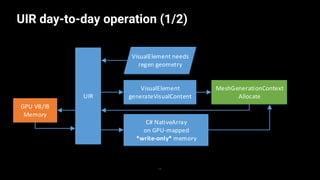
UIR day-to-day operation (1/2)
24
VisualElement needs
regen geometry
VisualElement
generateVisualContent
MeshGenerationContext
AllocateUIR
GPU VB/IB
Memory
C# NativeArray
on GPU-mapped
*write-only* memory
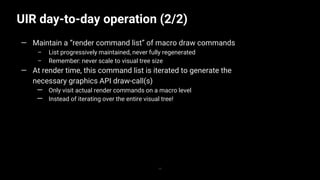
UIR day-to-day operation (2/2)
25
— Maintain a “render command list” of macro draw commands
– List progressively maintained, never fully regenerated
– Remember: never scale to visual tree size
— At render time, this command list is iterated to generate the
necessary graphics API draw-call(s)
— Only visit actual render commands on a macro level
— Instead of iterating over the entire visual tree!
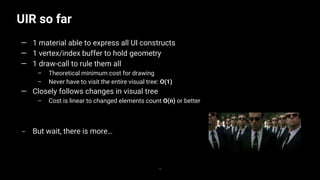
UIR so far
26
— 1 material able to express all UI constructs
— 1 vertex/index buffer to hold geometry
— 1 draw-call to rule them all
– Theoretical minimum cost for drawing
– Never have to visit the entire visual tree: O(1)
— Closely follows changes in visual tree
– Cost is linear to changed elements count O(n) or better
– But wait, there is more…
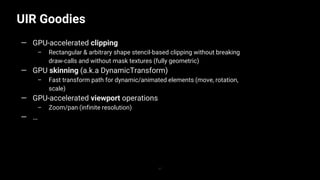
UIR Goodies
27
— GPU-accelerated clipping
– Rectangular & arbitrary shape stencil-based clipping without breaking
draw-calls and without mask textures (fully geometric)
— GPU skinning (a.k.a DynamicTransform)
– Fast transform path for dynamic/animated elements (move, rotation,
scale)
— GPU-accelerated viewport operations
– Zoom/pan (infinite resolution)
— …
Optimizing with UIR
28
— Optimizing for UIR does not require structural tree changes
— Communicate high-level intentions through hinting
— VisualElement.usageHints
– UsageHints.DynamicTransform
– UsageHints.GroupTransform
– … more will be exposed to accelerate hot-paths and commonly
used UI features
— UIR will take those hints and optimize its internals
accordingly
— Keep hints on elements that matter the most
– Optimization resources are limited on older devices (i.e.
SM2/GLES2)
– SM3.5 unlocks stronger optimizations
Optimizing with UIR
29
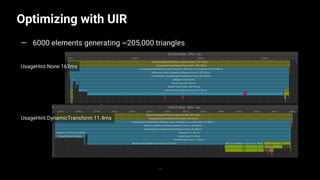
— 6000 elements generating ~205,000 triangles
UsageHint.None 163ms
UsageHint.DynamicTransform 11.4ms
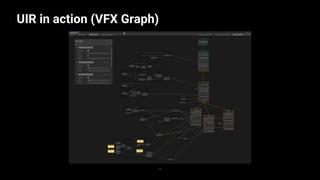
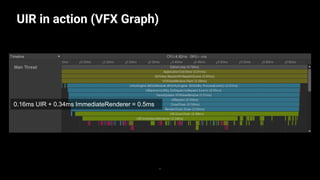
UIR in action (VFX Graph)
30
UIR in action (VFX Graph)
31
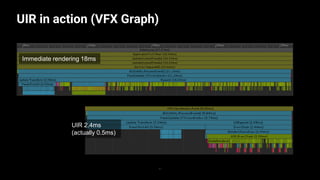
Immediate rendering 18ms
UIR 2.4ms
(actually 0.5ms)
UIR in action (VFX Graph)
32
0.16ms UIR + 0.34ms ImmediateRenderer = 0.5ms
UIR Future work
33
— * UIR is still under heavy development *
– 2019.3 exposed VisualElement.generateVisualContent
— Anti-aliasing without hardware MSAA
— 3D world integration
– Both directions: 3D in 2D & 2D in 3D
— New UsageHints to guide performance even better
— Expose custom materials
— Expert system tool for UIR profiling and optimization (a la
Dr.PIX)
– Capture user performance and analyze it to suggest improvements
and catch incorrect usage scenarios
— And much more…
34
Thank You
The UIR development team
Upcoming UIElements Talks
35
— Extending the Editor with UIElements
Tuesday, 2:00 PM - 2:45 PM
Location: Pop-Up Talks, Expo Floor
— Building UI for games using the new UI Builder
Wednesday, 3:00 PM - 3:45 PM
Location: C1M1