Types of Information Sources
What are some information
sources you can use when you
conduct academic research?
Let’s look at different types of
information sources
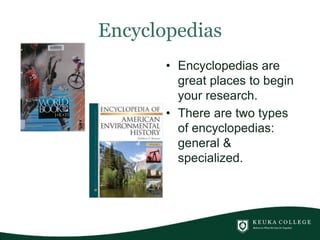
Encyclopedias
• Encyclopedias are
great places to begin
your research.
• There are two types
of encyclopedias:
general &
specialized.
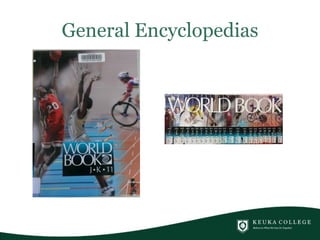
General Encyclopedias
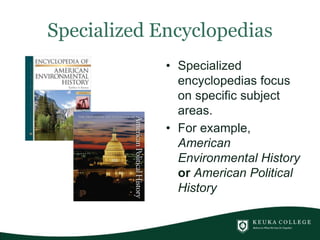
Specialized Encyclopedias
• Specialized
encyclopedias focus
on specific subject
areas.
• For example,
American
Environmental History
or American Political
History
Use them to . . .
• provide a concise overview of a topic
• provide background information
• learn language & terminology of subject
area
• learn about significant dates and names of
important people
How do you find them?
• Polaris • E-books
• In some of the
library's databases for
electronic reference
books such as Gale
Virtual Reference
Library and Sage
Reference.
Wikipedia!
• Is an encyclopedia that
is open for all to add
information. Some
people add credible
information some
people add
undocumented
information.
• Great for finding
background information
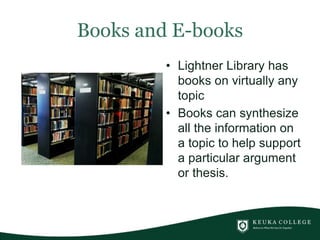
Books and E-books
• Lightner Library has
books on virtually any
topic
• Books can synthesize
all the information on
a topic to help support
a particular argument
or thesis.
Use them to . . .
• Find lots of information on a topic
• put your topic in context with other
important issues
• find historical information
• find summaries of research to support an
argument
Where do you find them?
Magazines
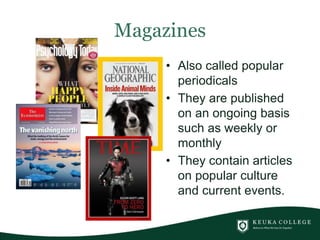
• Also called popular
periodicals
• They are published
on an ongoing basis
such as weekly or
monthly
• They contain articles
on popular culture
and current events.
Use them to . . .
• find information on current events and
popular culture
• find articles whose content is intended for
general readers who are not experts on a
topic
Where do you find them?
• Browse the periodical
section in Lightner
Library
• Search the library
databases such as
EBSCOHost and
Proquest.
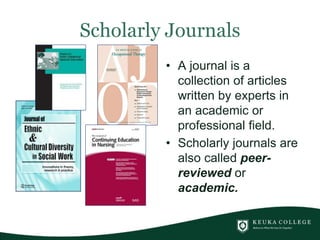
Scholarly Journals
• A journal is a
collection of articles
written by experts in
an academic or
professional field.
• Scholarly journals are
also called peer-
reviewed or
academic.
Use them to . . .
• do scholarly research
• find primary research
• find out what has been studied on your
topic
• find factual, documented information
• find bibliographies that point you to other
relevant research
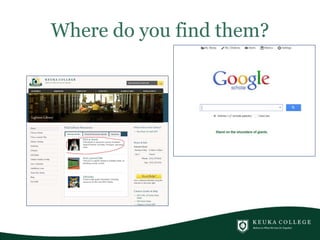
Where do you find them?
Newspapers
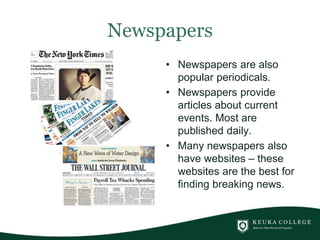
• Newspapers are also
popular periodicals.
• Newspapers provide
articles about current
events. Most are
published daily.
• Many newspapers also
have websites – these
websites are the best for
finding breaking news.
Where do you find them?
• Lightner library subscribes to many print
newspapers
• Lightner library’s online databases such as
ProQuest, EBSCOHost and LexisNexis.
• Newspaper web sites often provide free
online access to some or all of the content.
Websites
• Websites can be both a tool and a
source.
• As a tool, some websites provide access
to other types of information. The library's
website, for example, is such a website.
• As a source, websites are varied and
numerous.

Types of information sources module

  • 1.
    Types of InformationSources What are some information sources you can use when you conduct academic research?
  • 3.
    Let’s look atdifferent types of information sources
  • 4.
    Encyclopedias • Encyclopedias are greatplaces to begin your research. • There are two types of encyclopedias: general & specialized.
  • 5.
  • 6.
    Specialized Encyclopedias • Specialized encyclopediasfocus on specific subject areas. • For example, American Environmental History or American Political History
  • 7.
    Use them to. . . • provide a concise overview of a topic • provide background information • learn language & terminology of subject area • learn about significant dates and names of important people
  • 8.
    How do youfind them? • Polaris • E-books • In some of the library's databases for electronic reference books such as Gale Virtual Reference Library and Sage Reference.
  • 9.
    Wikipedia! • Is anencyclopedia that is open for all to add information. Some people add credible information some people add undocumented information. • Great for finding background information
  • 10.
    Books and E-books •Lightner Library has books on virtually any topic • Books can synthesize all the information on a topic to help support a particular argument or thesis.
  • 11.
    Use them to. . . • Find lots of information on a topic • put your topic in context with other important issues • find historical information • find summaries of research to support an argument
  • 12.
    Where do youfind them?
  • 13.
    Magazines • Also calledpopular periodicals • They are published on an ongoing basis such as weekly or monthly • They contain articles on popular culture and current events.
  • 14.
    Use them to. . . • find information on current events and popular culture • find articles whose content is intended for general readers who are not experts on a topic
  • 15.
    Where do youfind them? • Browse the periodical section in Lightner Library • Search the library databases such as EBSCOHost and Proquest.
  • 16.
    Scholarly Journals • Ajournal is a collection of articles written by experts in an academic or professional field. • Scholarly journals are also called peer- reviewed or academic.
  • 17.
    Use them to. . . • do scholarly research • find primary research • find out what has been studied on your topic • find factual, documented information • find bibliographies that point you to other relevant research
  • 18.
    Where do youfind them?
  • 20.
    Newspapers • Newspapers arealso popular periodicals. • Newspapers provide articles about current events. Most are published daily. • Many newspapers also have websites – these websites are the best for finding breaking news.
  • 21.
    Where do youfind them? • Lightner library subscribes to many print newspapers • Lightner library’s online databases such as ProQuest, EBSCOHost and LexisNexis. • Newspaper web sites often provide free online access to some or all of the content.
  • 22.
    Websites • Websites canbe both a tool and a source. • As a tool, some websites provide access to other types of information. The library's website, for example, is such a website. • As a source, websites are varied and numerous.

Editor's Notes

  • #2 Why is it so important to understand the differences between sources of information? It’s important because the form of information drives where you look for an answer.
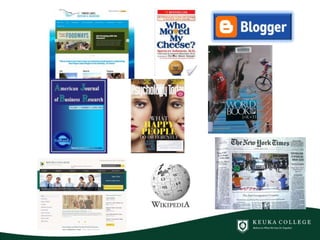
  • #3 Information comes from many different sources! Books, journals, newspaper and magazines, encyclopedias, videos, blogs, web pages and much more. The type of information you need for an assignment will change depending on the question you are trying to answer. For this tutorial, I’m going to focus on information that is readily available in Lightner Library. I’m also going to move from the broadest type of source to progressively narrow ones.
  • #4 Let’s look at different types of information sources.
  • #5 The biggest information source? Encyclopedias! There are two types of encyclopedias – General and Specialized. When beginning a research project, encyclopedias are a great place to start.
  • #6 General encyclopedias, such as World Book, provide brief overviews on a vast variety of topics. World Book Encyclopedia has 22 volumes that cover just about any topic!
  • #7 Specialized Encyclopedias, sometimes referred to as Specialized Reference books, focus on a specific subject area. For example, the Encyclopedia of American Environmental History focuses on environmental issues in the United States throughout history. The Princeton Encyclopedia of American Political History focuses on political issues throughout history such as the Constitution, Immigration policy, taxation and welfare.
  • #8 Specialized encyclopedias provide a concise overview of a topic and provide useful background information. The entries in a specialized encyclopedia can help you learn the language and terminology of a subject area. You can also learn the significant dates and the names of important people in a subject area.
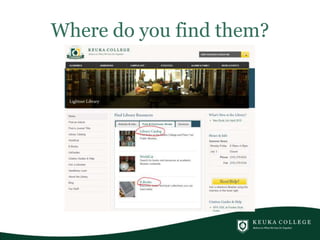
  • #9 How do you find encyclopedias and specialized encyclopedias in Lightner Library? Search Polaris, our online catalog. Polaris can be found on the Library website.
  • #10 Let’s talk a bit about Wikipedia. It is a general encyclopedia that is open for all to add information. Be critical when you use an entry from Wikipedia as some information is credible and other information is undocumented. It is great for finding background information on a topic.
  • #11 Let’s move onto the next information source, books! LIghtner Library has books on virtually any topic. Books can synthesize all the information on a topic to help support a particular argument or thesis.
  • #12 Use books to help you find lots of information on a topic and to help put your topic in context with other important issues. They’re also useful for finding historical information AND for finding summaries of research to support an argument.
  • #13 For books in Lightner library, use the Library Catalog, also called Polaris, on the library website. For electronic or e-books, use the library online e-book databases such as EBSCOHost e-books.
  • #14 Now we’re going to move onto periodicals. Periodicals are publications that are published on an ongoing basis such as weekly, monthly, quarterly, etc. Examples are Psychology Today, National Geographic, The Economist and Time Magazine. Magazines are also called popular periodicals. They contain articles on popular culture and current events.
  • #15 Use magazines to find information on current events and popular culture. The articles in magazines are intended for general readers who are not necessarily experts on a topic.
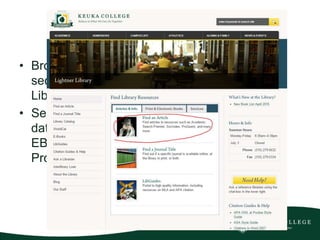
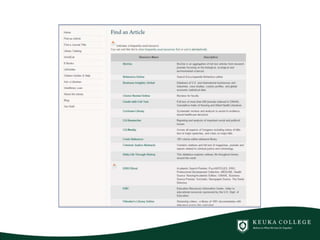
  • #16 Where do you find Magazines? You can browse the periodical section in Lightner Library if you’re looking for print copies. OR you can search the library databases such as EBSCOHost and ProQuest. To access the list of online library databases, click on the Find an Article icon on the library home page.
  • #17 Our last type of periodical is the scholarly journal. A journal is a collection of articles written by experts in an academic or professional field; fields such as Occupational Therapy, Social Work, Nursing and education. Scholarly journals are also called academic journals or peer-reviewed. What does peer-reviewed mean? It means that before a scholarly article is published, it undergoes a review process. The articles are read and reviewed by other experts in the field.
  • #18 Use a scholarly journal if you are doing scholarly research and need to know what has been studied on your topic. You will be able to find factual, documented information and also find bibliographies that will point you to other relevant research.
  • #19 Where do you find them? The library’s online databases such as EBSCOHost, ProQuest and LexisNexis. Google Scholar can also be helpful. Lightner Library also subscribes to a large collection of journals. You can search for them by using the Find a Journal Title tool. You can also use Google Scholar, but keep in mind that often access to full text scholarly articles isn’t free.
  • #20 Here’s a screen shot of a portion of the library’s online databases. The list is organized alphabetically. You will learn more about searching the library databases in the module about Online Databases.
  • #21 Newspapers are also popular periodicals. They have articles about current events and most are published daily. Many newspapers have corresponding websites. They are great for finding current information on national, international and local events. Examples are The New York Times, The Finger Lakes Times and The Wall Street Journal.
  • #22 Lightner Library subscribes to many print newspapers but newspaper web sites often provide free online access to some or all of the content. Finally, LIghtner library’s online databases such as Proquest, EBSCOHost and LexisNexis provide access to many newspaper articles.
  • #23 The final type of information source is a complex one – Websites! Websites can be both a tool and a source. As a tool, some websites provide access to other types of information. Lightner Library’s website, for example, is such a website. As a source, the web is enormous! Websites will be covered in another module, so stay tuned!