


Online EducationTrends for Emergency Responders
My TaskOnline education is the most dynamic and fastest growing component of emergency responder education. Education programs are migrating from the desktop computer to iPods, MP3 players, smartphones and PDAs as m-learning programs, and 3-D virtual simulations are being used for training and evaluation. This session covers emerging trends in online education for emergency responders and discusses how to evaluate tools and technologies for your organization.
Your TasksListenParticipateAsk Questions
Back ChannelCommunicationTextTweet (#EMSExpo)PhotoVideoBlogallowed and encouraged
Director of Education
IntroductionSpecial thanks to C3Softworks and KyleDavidBates.com
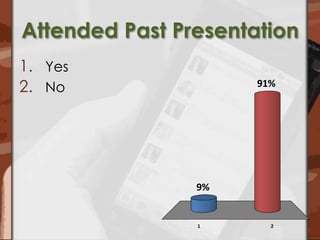
Attended Past PresentationYesNo
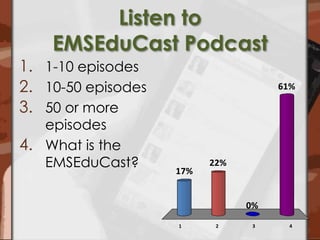
Listen to EMSEduCast Podcast1-10 episodes10-50 episodes50 or more episodesWhat is the EMSEduCast?
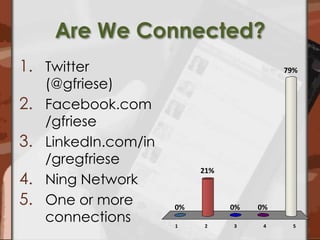
Are We Connected?Twitter (@gfriese)Facebook.com/gfrieseLinkedIn.com/in/gregfrieseNing NetworkOne or more connections
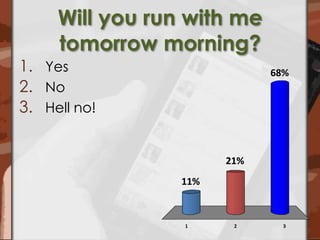
Will you run with me tomorrow morning?YesNoHell no!
What about you?
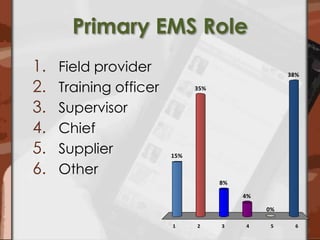
Primary EMS RoleField providerTraining officerSupervisorChiefSupplierOther
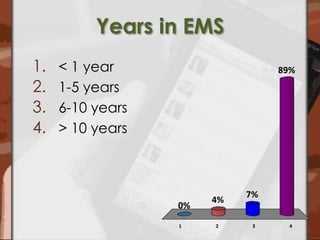
Years in EMS< 1 year1-5 years6-10 years> 10 years
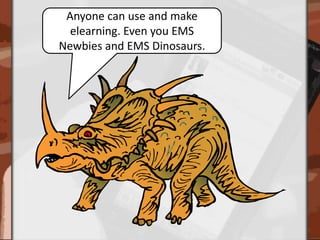
Anyone can use and make elearning. Even you EMS Newbies and EMS Dinosaurs.
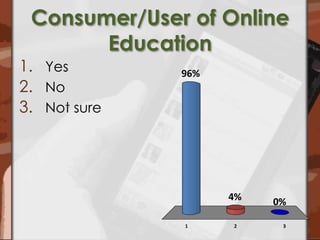
Consumer/User of Online EducationYesNoNot sure
What types of elearning do you consume?
Examples of Online Education
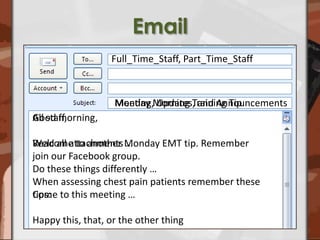
Email Full_Time_Staff, Part_Time_StaffMonday Morning Training TipMeeting, Updates, and AnnouncementsGood morning,Welcome to another Monday EMT tip. Remember join our Facebook group. When assessing chest pain patients remember these tips:All staff, Read all attachments … Do these things differently …Come to this meeting …Happy this, that, or the other thing
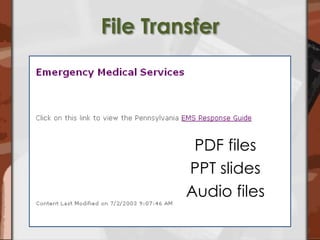
File TransferPDF filesPPT slidesAudio files
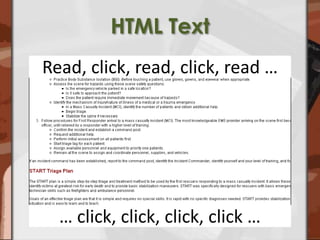
HTML TextRead, click, read, click, read …… click, click, click, click …
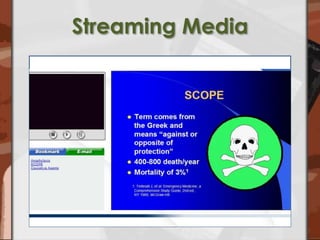
Streaming Media
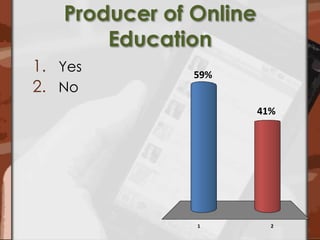
Producer of Online EducationYesNo
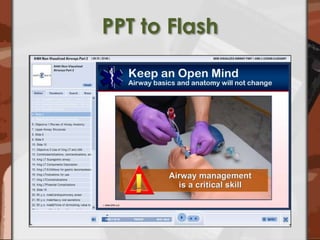
PPT to Flash
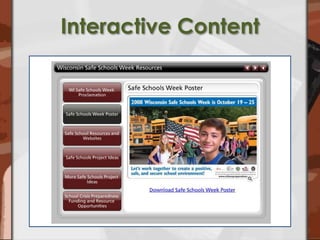
Interactive Content
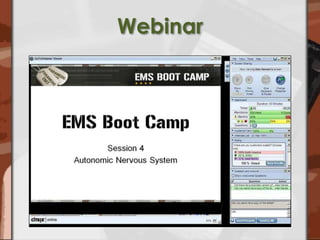
Webinar
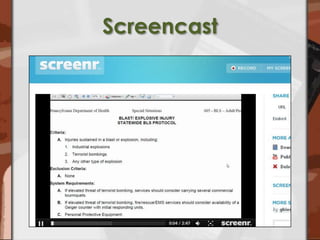
Screencast
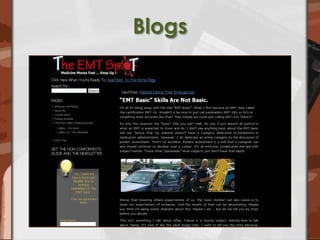
Blogs
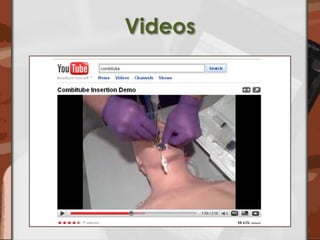
Videos
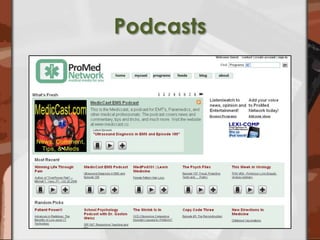
Podcasts
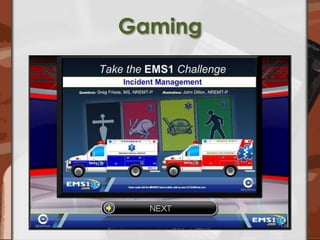
Gaming
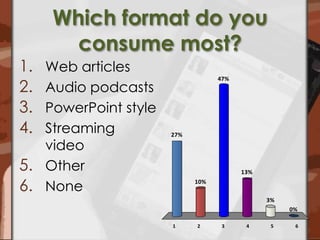
Which format do you consume most?Web articlesAudio podcastsPowerPoint styleStreaming videoOtherNone
Emerging Trends
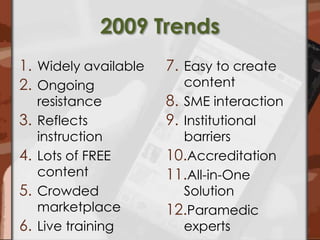
2009 TrendsWidely availableOngoing resistanceReflects instructionLots of FREE contentCrowded marketplaceLive trainingEasy to create contentSME interactionInstitutional barriersAccreditationAll-in-One SolutionParamedic experts
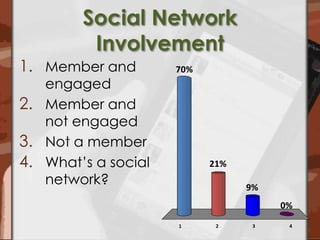
Social Network InvolvementMember and engagedMember and not engagedNot a memberWhat’s a social network?
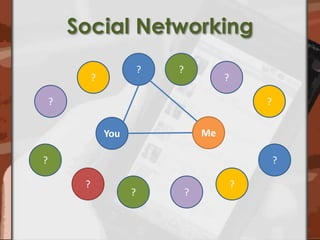
Social Networking??????MeYou??????
#1 Social LearningKey attributes:Community generatedUser centeredCollaborative processesUse of online tools for creation and networks for distribution
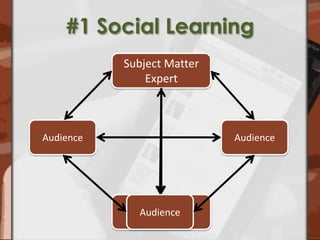
#1 Social LearningSubject Matter ExpertAudienceAudienceAudienceAudience
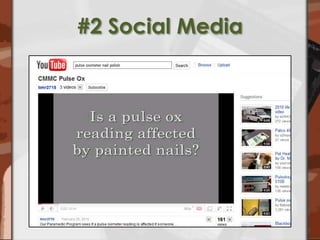
#2 Social Media
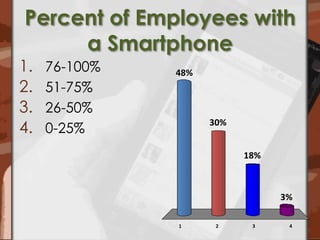
Percent of Employees with a Smartphone76-100%51-75%26-50%0-25%
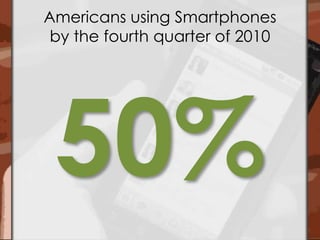
Americans using Smartphones by the fourth quarter of 201050%
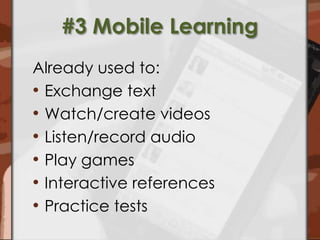
#3 Mobile LearningAlready used to:Exchange textWatch/create videosListen/record audioPlay gamesInteractive referencesPractice tests
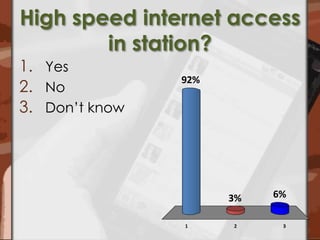
High speed internet access in station?YesNoDon’t know
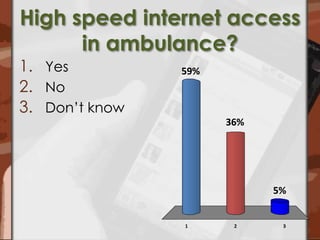
High speed internet access in ambulance?YesNoDon’t know
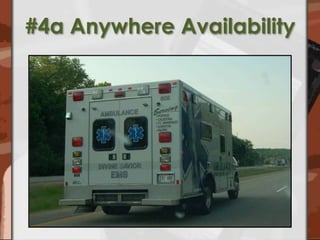
#4a Anywhere Availability
#4b In Station Training Scheduled timeDedicated learning spaceConfigured hardwareUser support
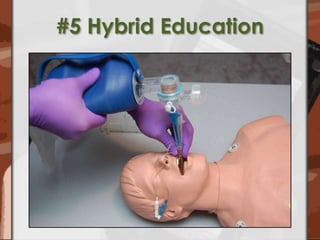
#5 Hybrid Education
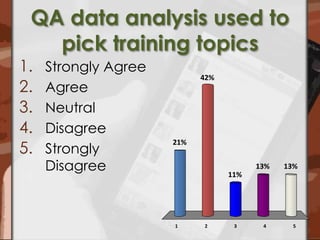
QA data analysis used to pick training topicsStrongly AgreeAgreeNeutralDisagreeStrongly Disagree
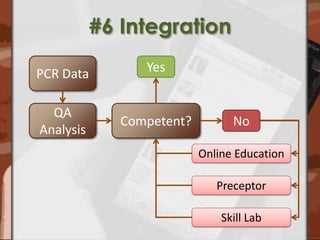
#6 IntegrationPCR DataYesQA AnalysisCompetent?NoOnline EducationPreceptorSkill Lab
Evaluation of Tools and Technologies
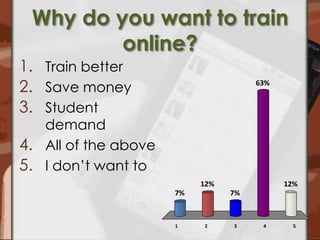
Why do you want to train online?Train better Save moneyStudent demandAll of the aboveI don’t want to
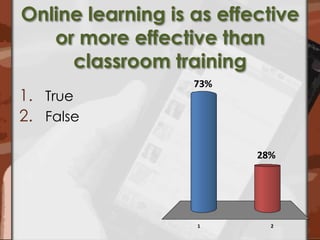
Online learning is as effective or more effective than classroom trainingTrueFalse
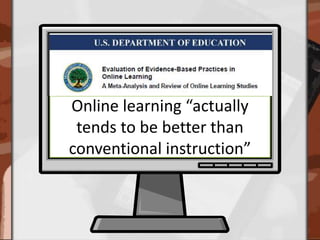
Online learning “actually tends to be better than conventional instruction”
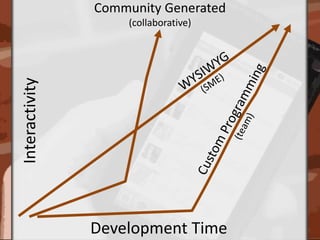
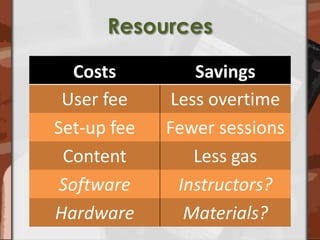
Evaluation CriteriaTraining objectivesDevelopment timeResources
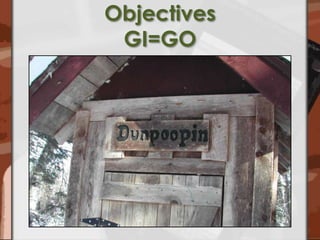
Objectives GI=GO
Community Generated(collaborative)WYSIWYG(SME)InteractivityCustom Programming(team)Development Time
Resources
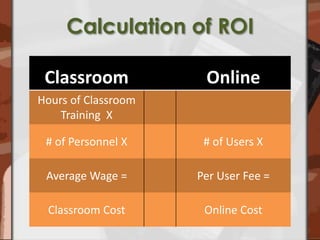
Calculation of ROI
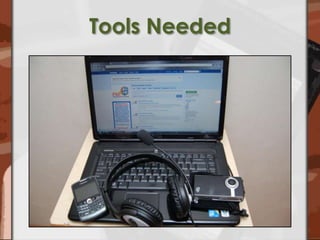
Tools Needed
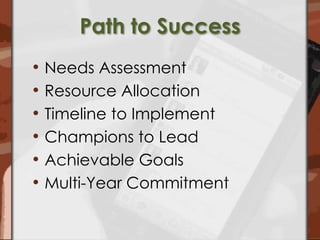
Path to SuccessNeeds AssessmentResource AllocationTimeline to ImplementChampions to LeadAchievable GoalsMulti-Year Commitment
QuestionsSearch
Let’s Stay in Touch

Trends in Online Education

Editor's Notes

  • #3 Focus on emerging trends and evaulation of tools and technologies
  • #4 What your tasks are for today. Listen … if you wantParticipate … audience response pads, will tell you about that more in a bitAsk questions … now and later
  • #5 Back channel communication … communication among the audience during the presentation. These are some methodsLong history but an emerging trend as access to tools and software has changed
  • #6 My primary role is director of education for CLSHave been involved and engaged in Social Media for nearly 2 years. Blogging, microblogging, podcasting and morePIOSocialMediaTraining.com … free training resources, blog, podcast, and social media policy ebook. Co-founded with David Konig
  • #7 Handout audience response padsTell them how to use – use the keys to answer questions that I will display on the screen. Yes/noMultiple choice
  • #8 Let’s get to know each other a little bitPast presentation I have given. Welcome and welcome back
  • #9 71 episodes of EMS education focused content.55,000+ downloadsLive shows in the ex
  • #10 Are we connected …. Or do we already quote know each other? I welcome connections from any of you in any of these places. Possibly glad to have so many “friends” in the audience
  • #11 One of my passions is fitness.Great time for me to think and scheme
  • #12 Now I want to get to know youWant to learn a little bit more about you … Using the audience response pads
  • #13 What is your primary EMS role …Then try to tailor messages and examples to the concerns of the audience.
  • #14 How many years have you been involved in EMS?
  • #15 Elearning is for any educator.Don’t have to be young or old
  • #16 Are you a user of elearning?
  • #18 We are going to briefly review the continuum of elearning
  • #19 Send a bunch of stuffRead this stuffDo something differentMight be able to track opens but that is about itThis is a high potential tool, use it for something other than as an electronic bulletin boardInstead of printing and thumb tacking the announcement is emailed:Attend thisDo thisTalk to this personReport toDon’t doStart doingThanksWork harderHappy this, that, or the other thingGreat potential for auto responder program – signup and receive a series of emails on a training topic
  • #20 Transfer of files as elearning – go to this link, click, download and read. Download to local computer. Classroom content onlineVisit a website,Click on link,Download,Print,Read,Review,Take test,Tell someoneGet CE
  • #21 HTML text on a pageTake all your class room stuff or magazine articles or book chapters and put them on a websiteGo to that website and read, More likely click through as fast as you can to the review questions then take the final exam. Usually an exercising in clicking and either confirming stuff you already know with quiz questions or guess at questions until you get it right
  • #22 Audio or video recorded and streamed out with things like Quick Time, Windows Media Player, Real PlayerAll changes with Flash
  • #23 With the exception of email … those examples require some programming aptitude. Next I want to know, are you a producer of online education?
  • #24 Lots of ways to produce elearning.My preferred and most used method is PowerPoint to Flash
  • #25 I am also very fond of building interactive content with WYSIWIG editingInteractive content, that forces user to interact with content – call this harnessing the power of the microporcessorSignificant challenge can result in development – most learning objects are Flash based – either use a flash programming tool or work with a flash programmer. BEWARE clip art, may require flash programming – communication from EMS instructor to Flash programmer
  • #26 Features – depends on webinar platformLive presentation of content at your computer, from your computer. Don’t need to go into the studioPresentation/delivery of contentInteract with audience – “unmuting” or encouraging chat and questionsComfort level talking to empty spaceText chatVideo chatAudio streamingScreen sharing
  • #27 ScreencastScreenR screen shotI am just about done with reading any email that explains a software process with text. If you are not using screen capture software for images or videos of processes you need to be. A text explanation is nearly impossible to do adequately. If you wanted field personnel to understand how to use new defibs would you:Send an email with text onlyCall them in for an in-service – lecture and demoCall them in for a competency check – AED trainer and manikin on table, GO!Create and post a video for viewingI know which I would doWhy are software processes typically explained with a text email????
  • #28 Blogs are also elearning … easy to produceSo many great blogsSubject matter experts connecting directly to their audience – dynamically updated content, styling easy to control and update. Opportunities for two way communication
  • #29 Powerful tool to learn, fine tune, and review skillsIntegrate into blog or website or link to from a classroom presentation. Create your own
  • #30 Subject matter expert communicating directly to the audience. Podcasts – voice/audio recording.Listen on webDownload to your desktopDownload and transfer to a device like an iPodDownload and listen on Smartphone
  • #31 An emerging tool/technology for instruction.
  • #32 Which format of elearning do you consume most?
  • #33 Next phase of the presentation
  • #34 These are the trends I discussed in 2009
  • #35 As a prelude to the first trend … what is your involvement in social networks?
  • #36 Social networks are websites that create opportunities for individuals to interact with one anotherIndependent of space and or timeFacebook, EMS United, MySpace, LinkedInTo some degree YouTube, Flickr, Twitter
  • #37 Community – learns, creates content, distributes content … simple, free, and easy to use tools continue conversationAnnouncementsConnections and introductionsOngoing discussionNew discussionContinuing discussionCan extend and broaden the conversation.
  • #38 Most elearning has been based on the SME pushing content to the audience. That has changed over time to encourage and allow interaction between participantsFor example the SME might be discussing CPAP use while the community is sharing protocols or discussing best practices for that technique. Chat, message boards, commenting on blog posts.
  • #39 User generated contentAnyone can create and quickly post elearning – social media on social networksVideos, photos, documents, audio … unlimited possibilites for creating and sharing social media content
  • #40 I am curious what percentage of employees or students are coming to work … or school with a personal or work issued smart phone – iPhone, BB, Android, Palm, Windows Mobile powered phone
  • #41 One in two Americans will have a Smartphone by Christmas 2011http://gigaom.com/2010/03/26/1-in-2-americans-will-have-a-smartphone-by-christmas-2011/
  • #42 Using a mobile device to deliver training Already used to send/receive email, watch videos, listen to podcasts, games, referencesPortable, low cost, connected, deliver multimedia, interactiveChallenge is EMS specific content
  • #45 Clearly on-duty, non-overtime training is on the immediate horizon.We have a client that has saved nearly half a million dollars by training on duty versus overtime. Have heard similar results from other organizations.
  • #46 Some keys to successful on-duty/in station trainingScheduled timeDedicated learning spaceConfigured hardwareUser support
  • #47 Online and classroom combinationDidactic onlineHands-on in the classroom
  • #49 PCR dataQA benchmarksCompetency
  • #53 http://www2.ed.gov/rschstat/eval/tech/evidence-based-practices/finalreport.pdfhttp://community.astd.org/eve/forums/a/tpc/f/6401041/m/26610916
  • #55 Garbage In Equals Garbage OutGood classroom instructor will do well Bad classroom instructor EMS Education 2.0 won’t save you
  • #59 Hardware tools of a social media public information officer. Remember your staff/students already have some or all of these things. They are using them for every aspect of life … including work and school. SmartphoneHandheld video cameraDigital cameraLaptop computerUSB microphoneDigital voice recorder