An Introduction to
e - Learning through MOODLE
Dr.R.Ramnath
Assistant Professor
Department of Education
Alagappa University, Karaikudi.
https://www.youtube.com/watch?v=-
p4nJEroKDc
05-07-2020 e- Leaning Through MOODLE 2
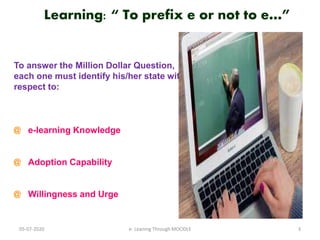
Learning: “ To prefix e or not to e…”
To answer the Million Dollar Question,
each one must identify his/her state with
respect to:
@ e-learning Knowledge
@ Adoption Capability
@ Willingness and Urge
05-07-2020 3e- Leaning Through MOODLE
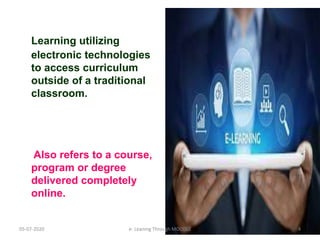
Learning utilizing
electronic technologies
to access curriculum
outside of a traditional
classroom.
Also refers to a course,
program or degree
delivered completely
online.
05-07-2020 4e- Leaning Through MOODLE
E-learning
A learning
system that
we obtain
through the
internet using
an electronic
device.
05-07-2020 5e- Leaning Through MOODLE
Also called
online
learning
or
online
education.
05-07-2020 6e- Leaning Through MOODLE
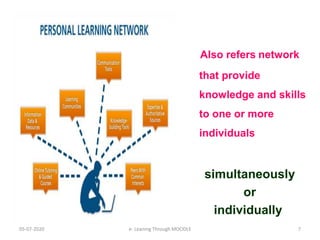
Also refers network
that provide
knowledge and skills
to one or more
individuals
simultaneously
or
individually
05-07-2020 7e- Leaning Through MOODLE
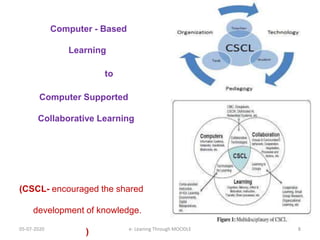
Computer - Based
Learning
to
Computer Supported
Collaborative Learning
(CSCL- encouraged the shared
development of knowledge.
)05-07-2020 8e- Leaning Through MOODLE
NOT
@ similar to reading a
document
@ conflict with classroom
training;
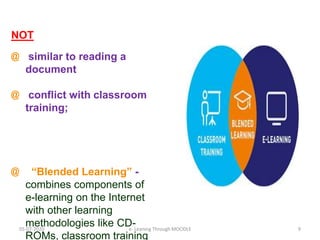
@ “Blended Learning” -
combines components of
e-learning on the Internet
with other learning
methodologies like CD-
ROMs, classroom training
05-07-2020 9e- Leaning Through MOODLE
E-Learning 2.0
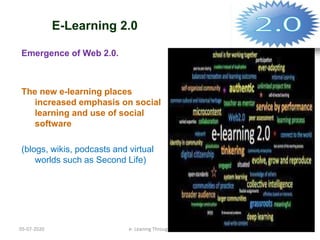
Emergence of Web 2.0.
The new e-learning places
increased emphasis on social
learning and use of social
software
(blogs, wikis, podcasts and virtual
worlds such as Second Life)
05-07-2020 10e- Leaning Through MOODLE
E-Learning 2.0
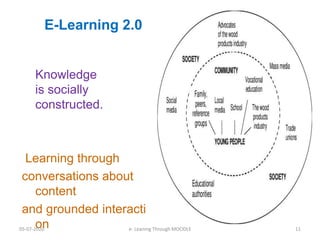
Knowledge
is socially
constructed.
Learning through
conversations about
content
and grounded interacti
on05-07-2020 11e- Leaning Through MOODLE
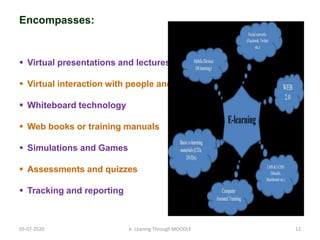
Encompasses:
 Virtual presentations and lectures
 Virtual interaction with people and real things
 Whiteboard technology
 Web books or training manuals
 Simulations and Games
 Assessments and quizzes
 Tracking and reporting
05-07-2020 12e- Leaning Through MOODLE
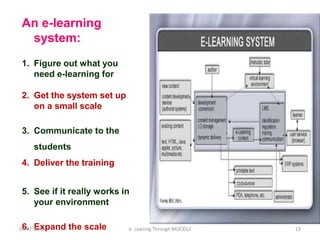
An e-learning
system:
1. Figure out what you
need e-learning for
2. Get the system set up
on a small scale
3. Communicate to the
students
4. Deliver the training
5. See if it really works in
your environment
6. Expand the scale05-07-2020 13e- Leaning Through MOODLE
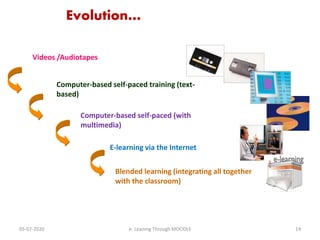
Evolution…
Videos /Audiotapes
Computer-based self-paced training (text-
based)
E-learning via the Internet
Blended learning (integrating all together
with the classroom)
Computer-based self-paced (with
multimedia)
05-07-2020 14e- Leaning Through MOODLE
05-07-2020 e- Leaning Through MOODLE 15
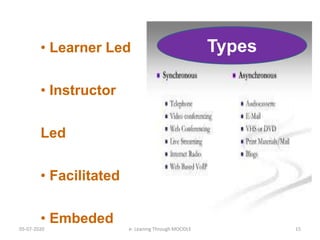
• Learner Led
• Instructor
Led
• Facilitated
• Embeded
Types
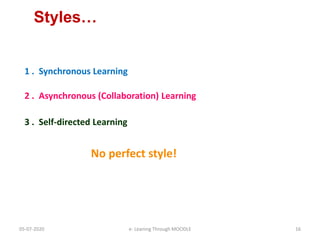
Styles…
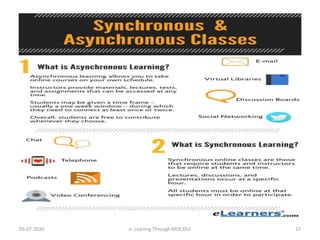
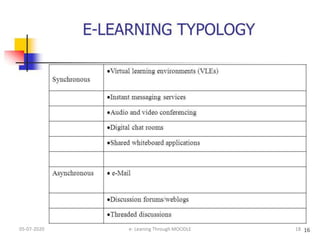
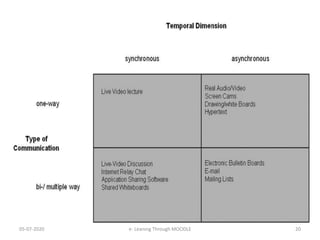
1 . Synchronous Learning
3 . Self-directed Learning
2 . Asynchronous (Collaboration) Learning
No perfect style!
05-07-2020 16e- Leaning Through MOODLE
05-07-2020 e- Leaning Through MOODLE 17
05-07-2020 18e- Leaning Through MOODLE
05-07-2020 19e- Leaning Through MOODLE
05-07-2020 20e- Leaning Through MOODLE
05-07-2020 e- Leaning Through MOODLE 21
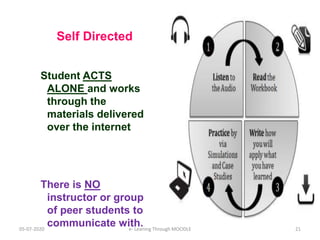
Self Directed
Student ACTS
ALONE and works
through the
materials delivered
over the internet
There is NO
instructor or group
of peer students to
communicate with.
05-07-2020 22e- Leaning Through MOODLE
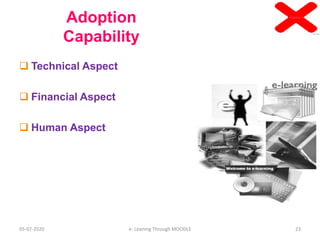
Adoption
Capability
 Technical Aspect
 Financial Aspect
 Human Aspect
05-07-2020 23e- Leaning Through MOODLE
05-07-2020 e- Leaning Through MOODLE 24
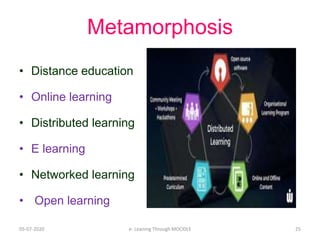
Metamorphosis
• Distance education
• Online learning
• Distributed learning
• E learning
• Networked learning
• Open learning
05-07-2020 25e- Leaning Through MOODLE
05-07-2020 27e- Leaning Through MOODLE
05-07-2020 28e- Leaning Through MOODLE
05-07-2020 29e- Leaning Through MOODLE
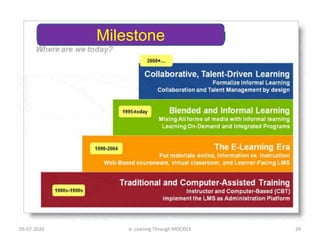
Milestone
05-07-2020 30e- Leaning Through MOODLE
05-07-2020 31e- Leaning Through MOODLE
05-07-2020 32e- Leaning Through MOODLE
05-07-2020 33e- Leaning Through MOODLE
05-07-2020 34e- Leaning Through MOODLE
05-07-2020 e- Leaning Through MOODLE 35
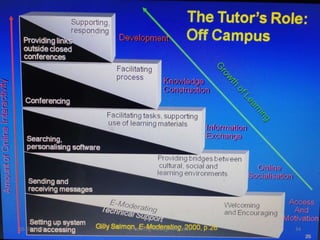
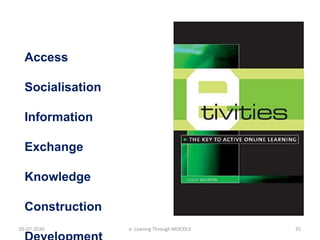
Access
Socialisation
Information
Exchange
Knowledge
Construction
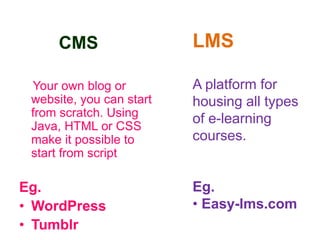
CMS
Your own blog or
website, you can start
from scratch. Using
Java, HTML or CSS
make it possible to
start from script
Eg.
• WordPress
• Tumblr
LMS
A platform for
housing all types
of e-learning
courses.
Eg.
• Easy-lms.com
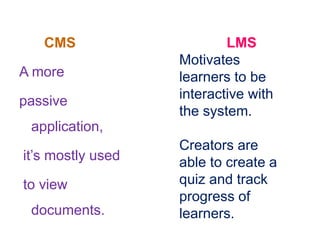
CMS
A more
passive
application,
it’s mostly used
to view
documents.
LMS
Motivates
learners to be
interactive with
the system.
Creators are
able to create a
quiz and track
progress of
learners.
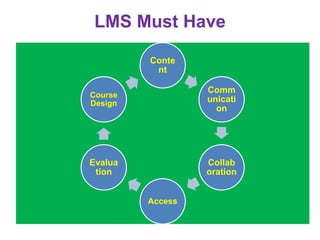
LMS Must Have
Conte
nt
Comm
unicati
on
Collab
oration
Access
Evalua
tion
Course
Design
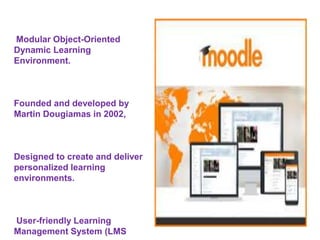
Modular Object-Oriented
Dynamic Learning
Environment.
Founded and developed by
Martin Dougiamas in 2002,
Designed to create and deliver
personalized learning
environments.
User-friendly Learning
Management System (LMS
Used for
• Compliance Training
• Onboarding and Related-training
• Competency-based Training and Management
• Workplace Safety Training
• Online Learning and Continuing Education Opportunities
• Online Course Development
• Product and Service Launches
• Communities of Practice and Communities of Expertise
Advantages
• Free
• No vendor lock.
• Security.
• Customization.
• Innovation. .
• Scalable.
• Future-Proof.
Self-Hosted
Moodle
Complete control
from implementation
to design to the
themes and plugins
Managed
Moodle/Cloud
Hosting
Seek additional help
through cloud-hosting
partners to ease the
burden of the LMS.
MOODLE
Cloud
Cloud-
hosted
solution for
your
learning
environmen
t, brought to
MOODLE
MoodleCloud p
ackages and
plans come with
additional
plugins and
tools for
engaging, fun
and interactive
learning.
05-07-2020 e- Leaning Through MOODLE 44
Thank You
rrnathedu@gmai.com
rrnathedn@yahoo.co.i
n

E.learning through moodle